
How to Access PSI Portal Profiles from Zoho CRM
Learn how to open a candidate's PSI Client Portal profile from Zoho CRM and identify invalid candidate identifier errors.
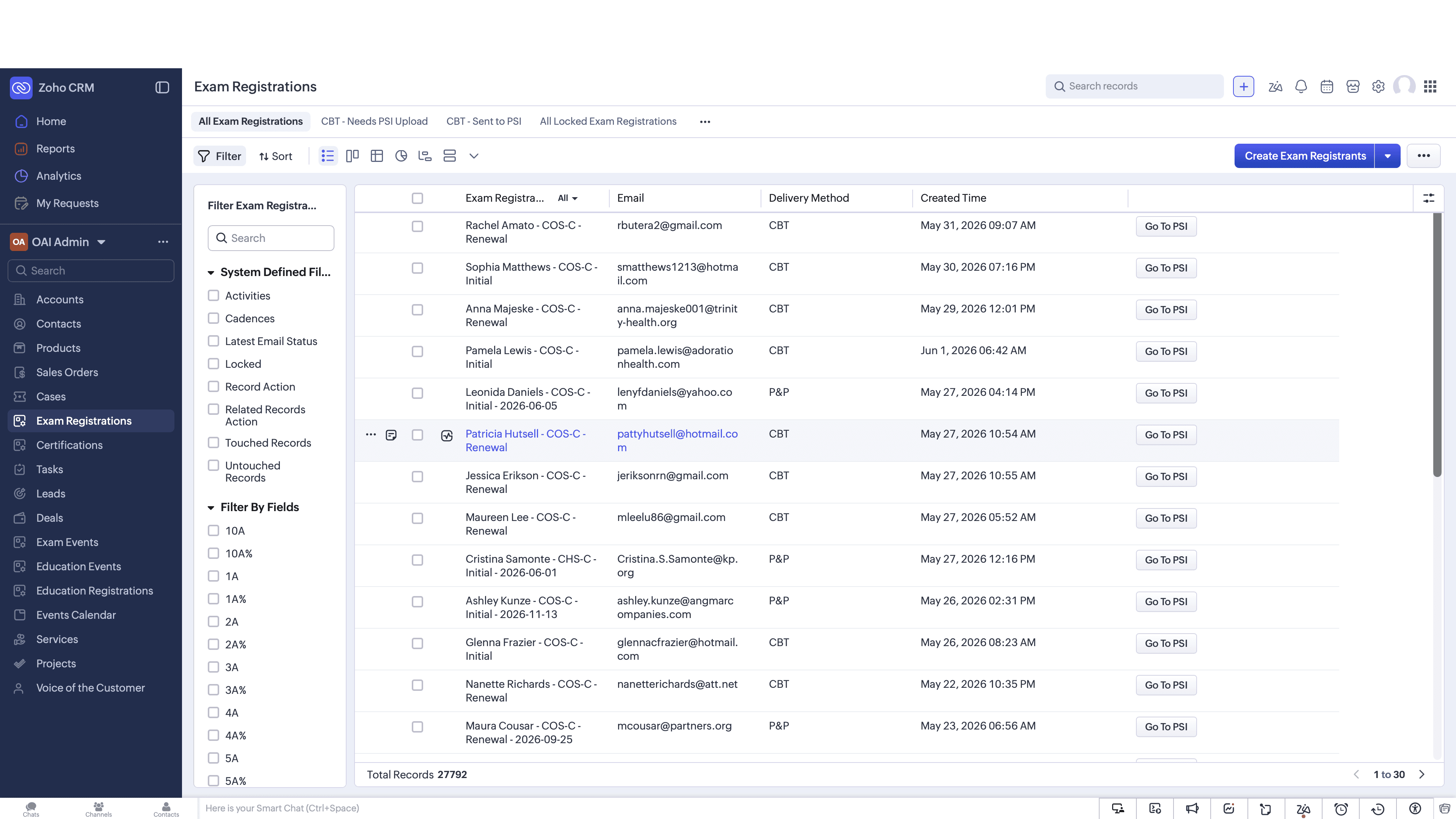
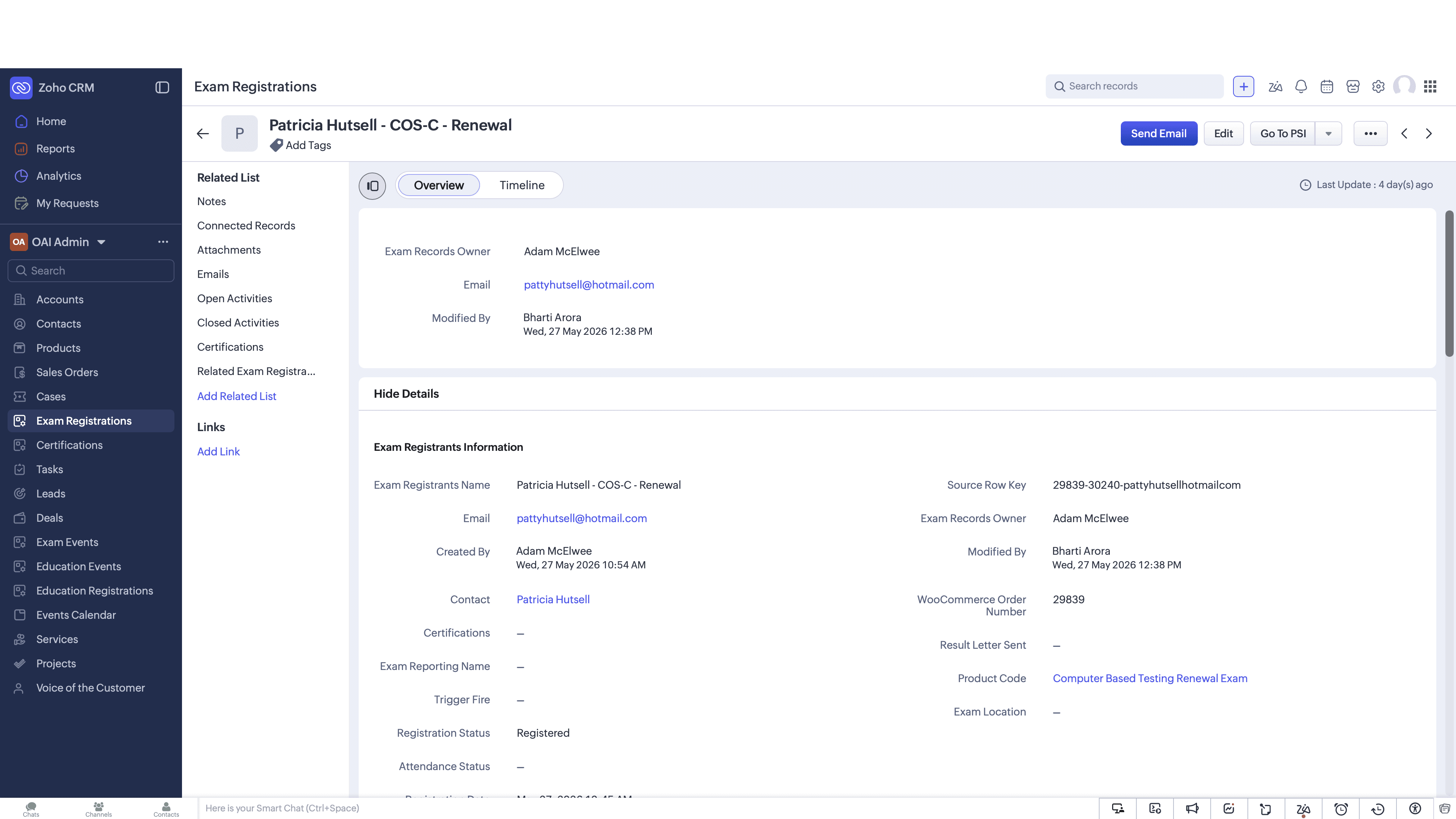
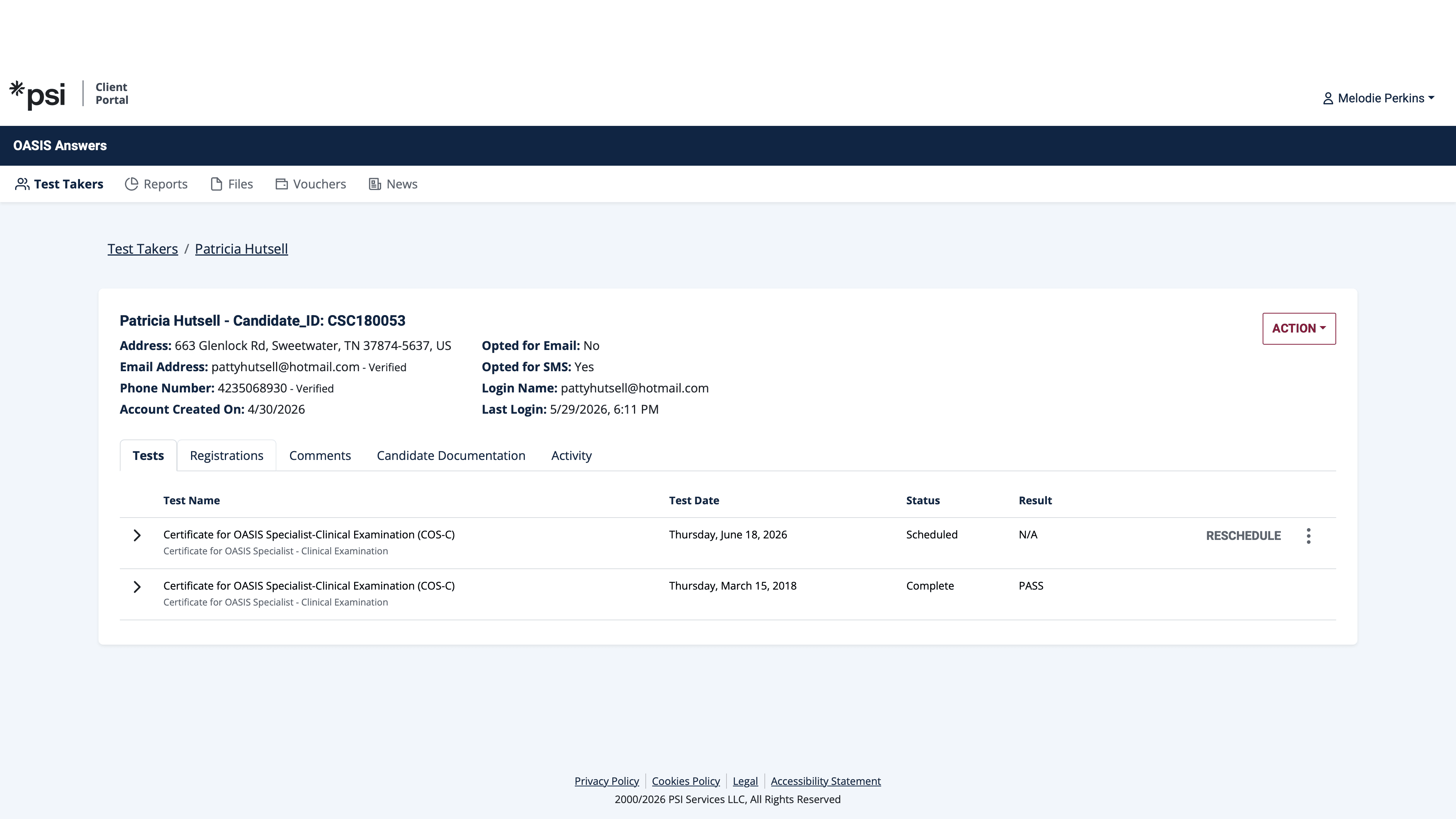
This guide explains how to navigate from an exam registration record in Zoho CRM directly to the candidate's profile in the PSI Client Portal, and how to identify common candidate identifier errors. Completing this process allows you to efficiently manage test scheduling and resolve integration mismatches between platforms.
This workflow applies to exam coordinators and CRM administrators responsible for tracking candidate testing statuses and troubleshooting integration errors between Zoho CRM and the PSI platform.
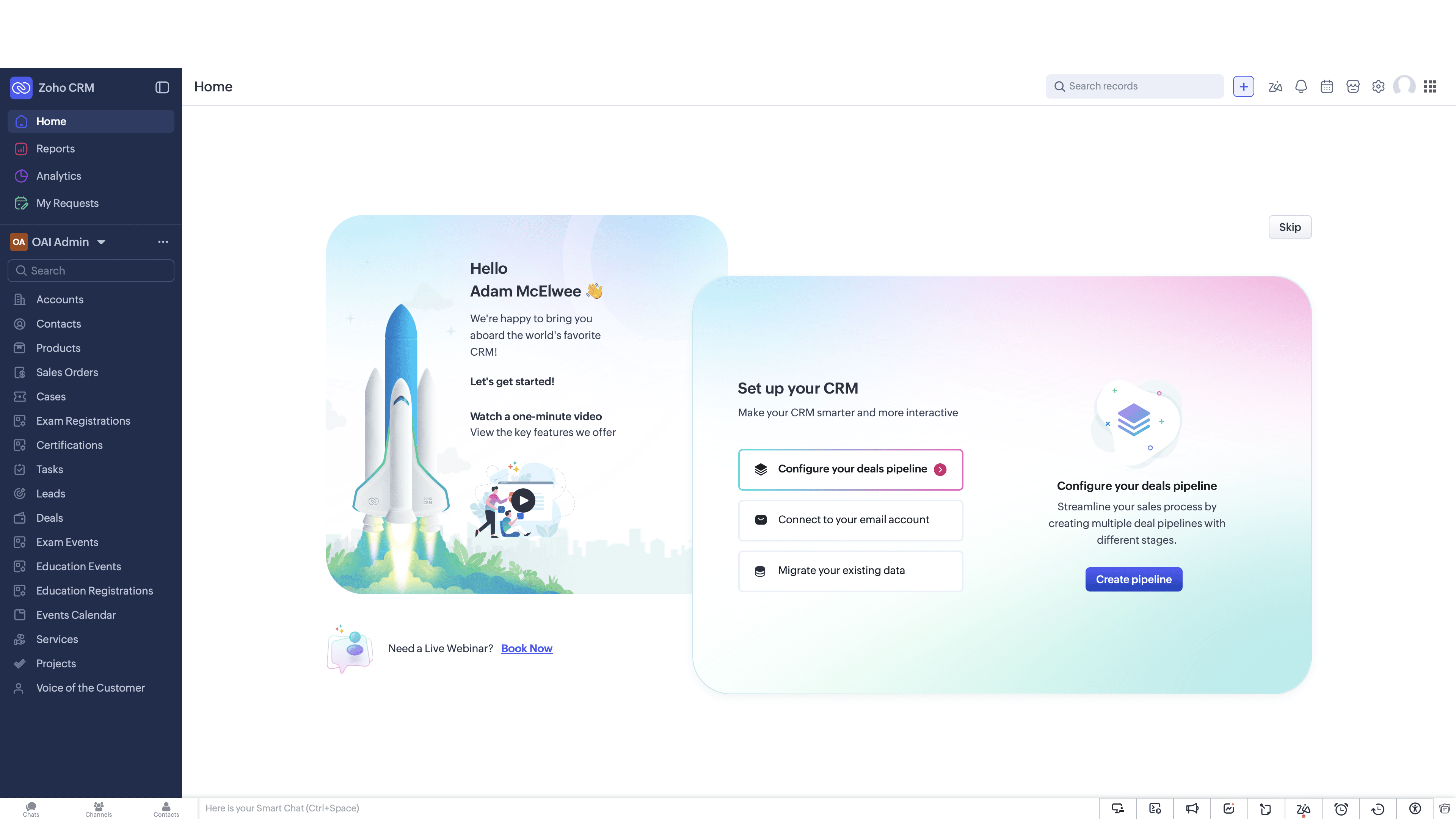
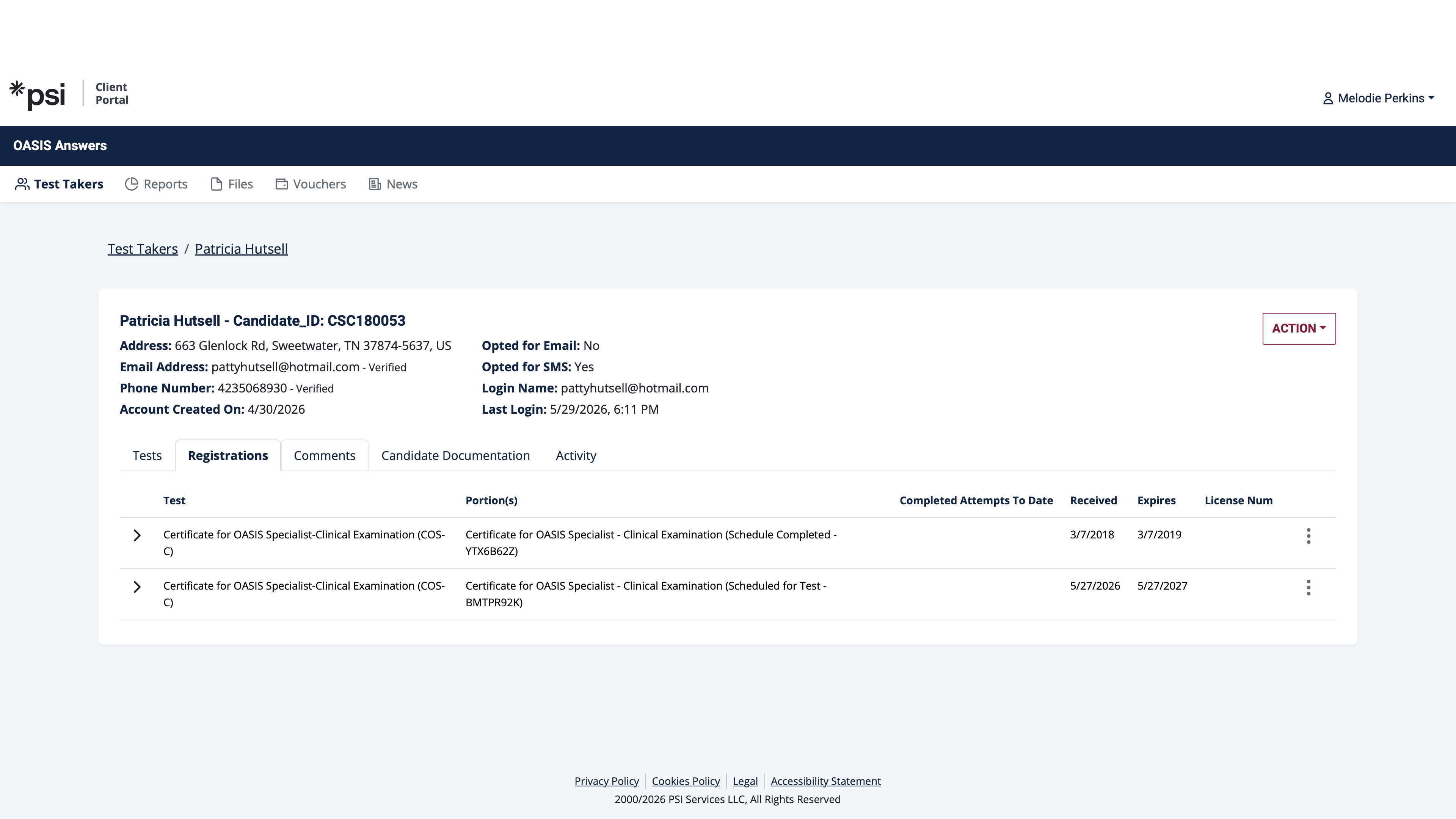
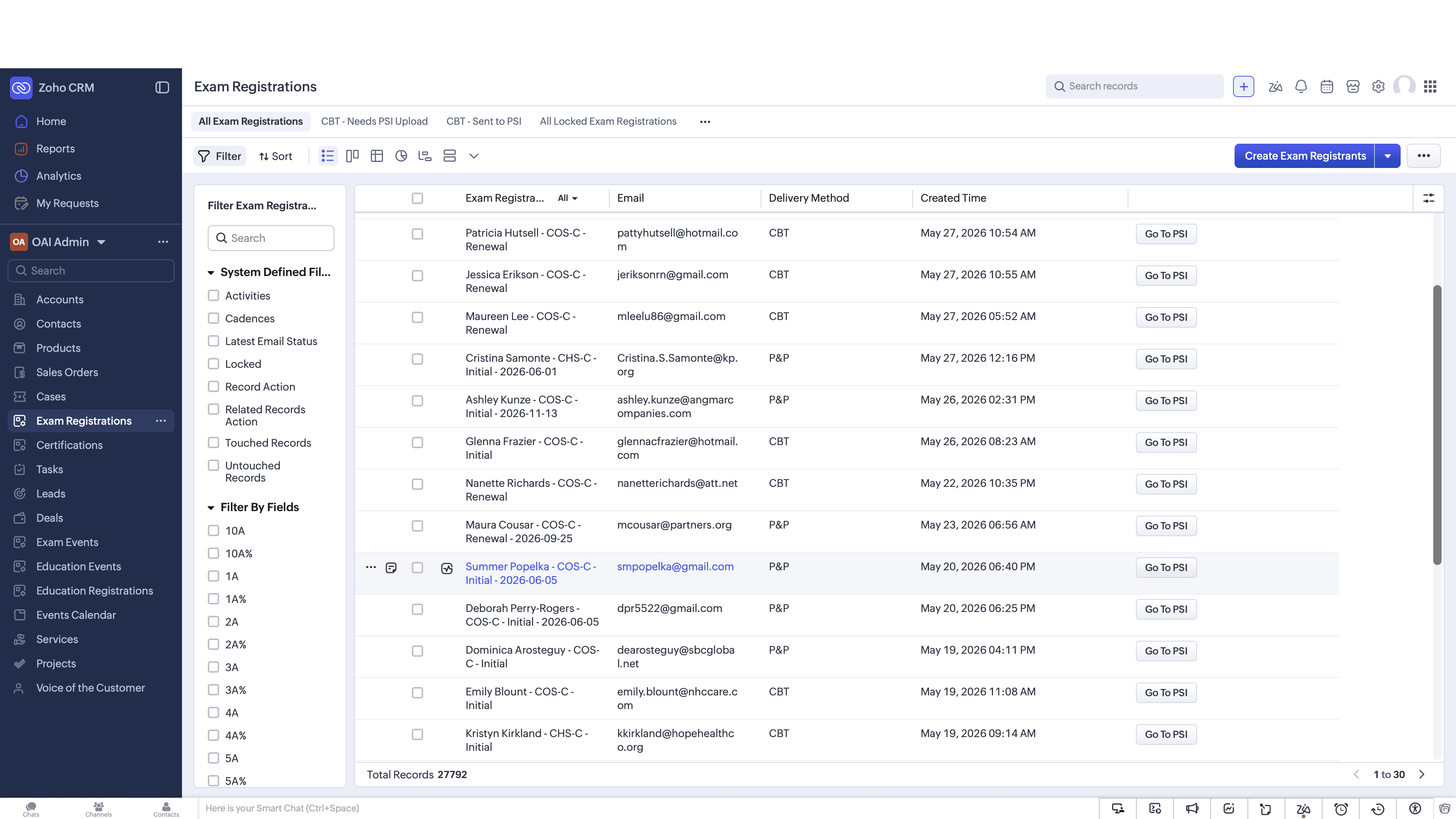
Viewing Candidate Profiles in PSI
Troubleshooting Identifier Errors
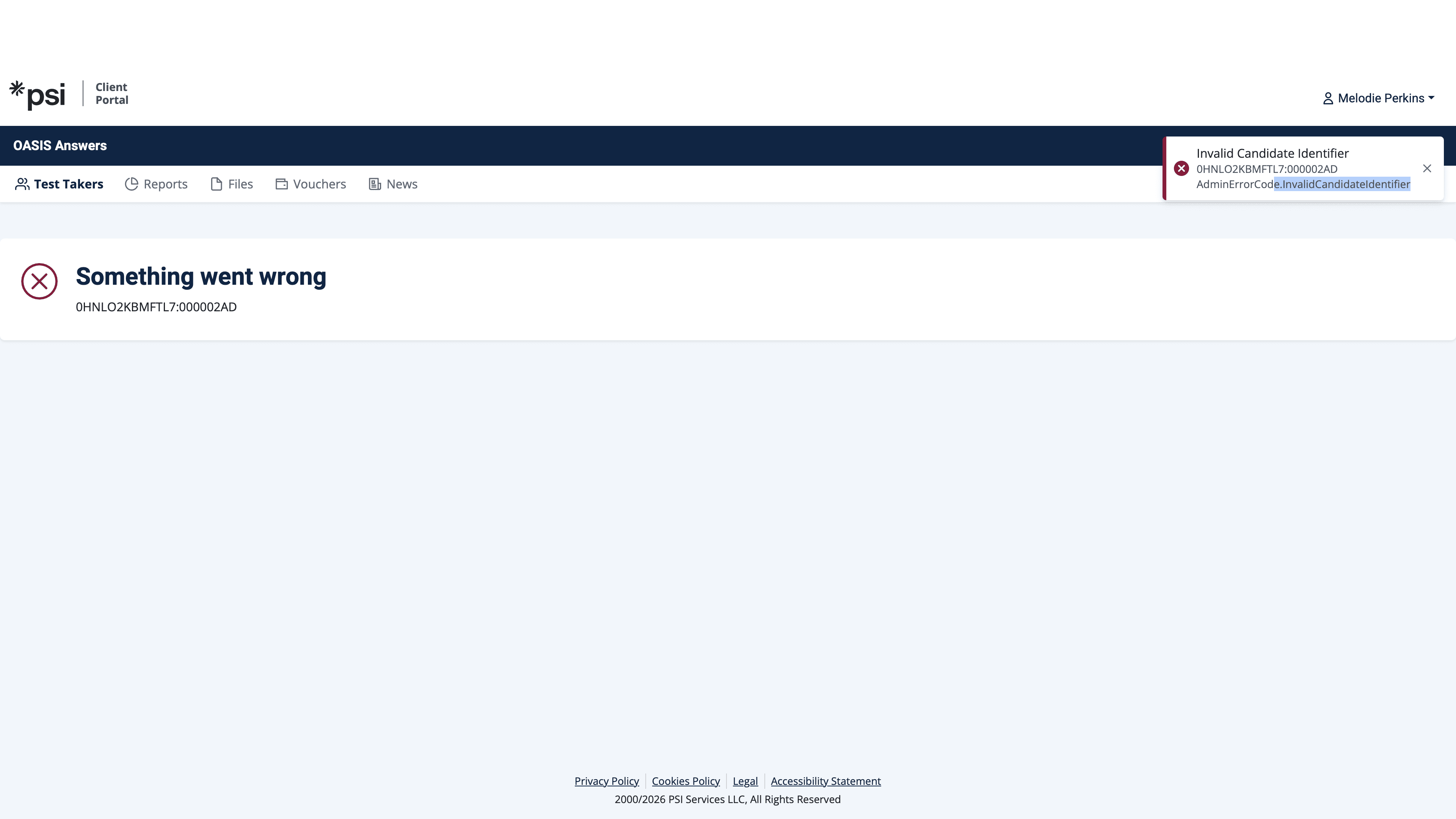
Q: What does the "Invalid Candidate Identifier" error mean?
A: This error occurs when the candidate ID passed from Zoho CRM does not match an existing record in the PSI Client Portal. It usually requires updating the candidate's ID in the CRM.
Q: Where can I see a candidate's upcoming exams in the PSI Portal?
A: Once redirected to the PSI Client Portal, you can view upcoming exams and testing history under the Registrations tab on the candidate's profile.
Term | Definition |
|---|---|
Zoho CRM | A customer relationship management platform used here to track exam registrations. |
PSI Client Portal | A platform for managing exam candidates, test scheduling, and testing records. |
Candidate Identifier | A unique ID used to synchronize a candidate's data between the CRM and the testing portal. |