Icon

How to Access QC Manuals and Engineering Prints on SharePoint

Learn how to navigate the Sym sites SharePoint to locate 620s, 650s, QC checklists, and helpful engineering prints for your project.

By Drew Stewart

This guide explains how to locate QC manuals, 620s, 650s, and other helpful engineering prints within the Sym sites SharePoint. Completing this ensures you have access to the correct quality checklists, blueprints, and expectations for your projects.

This guide is for site teams, engineers, and quality control personnel who need to retrieve project documentation, SOW requirements, and QC checklists during site inspections or staging.

Navigating to the Document Library
1
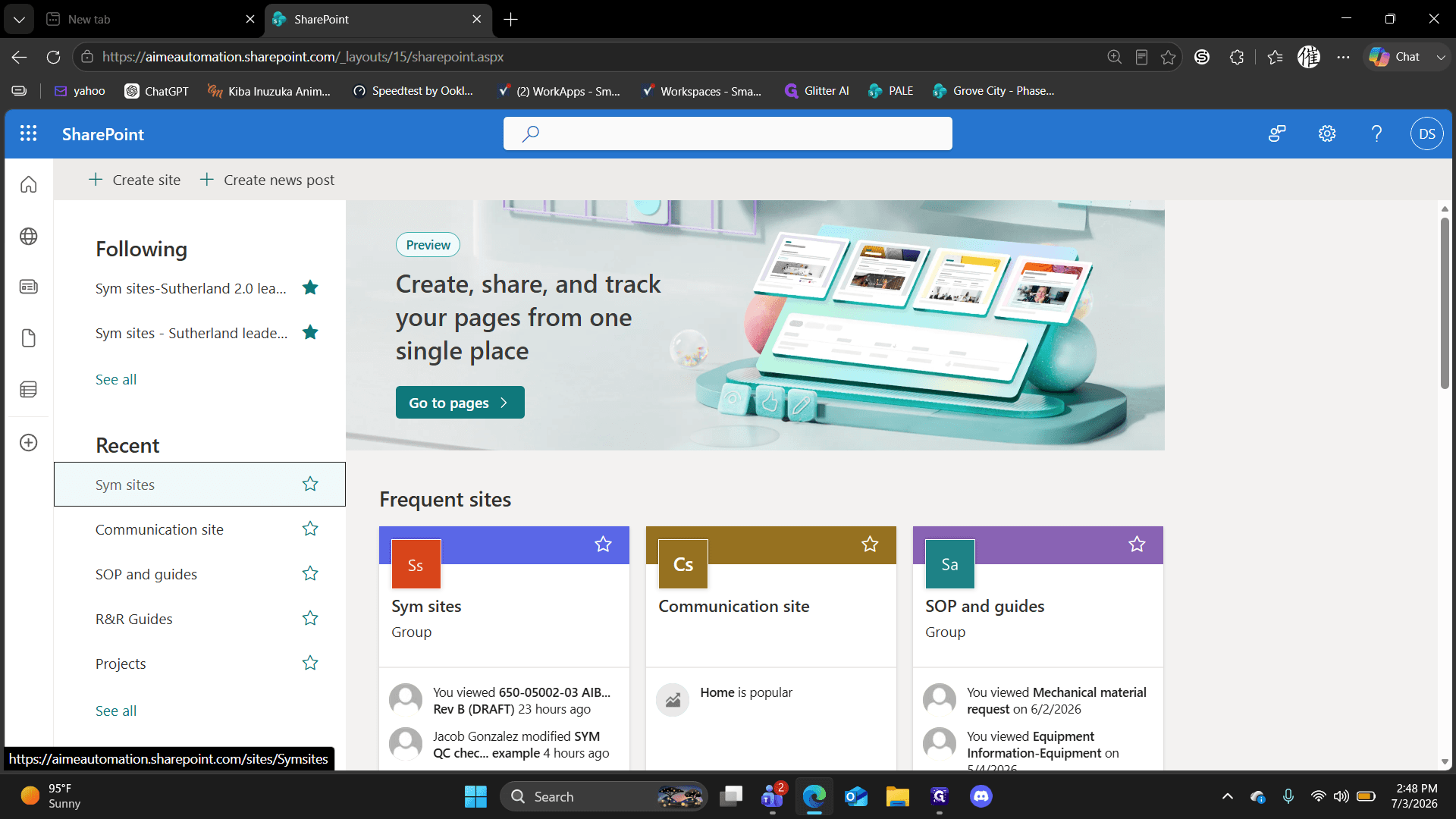
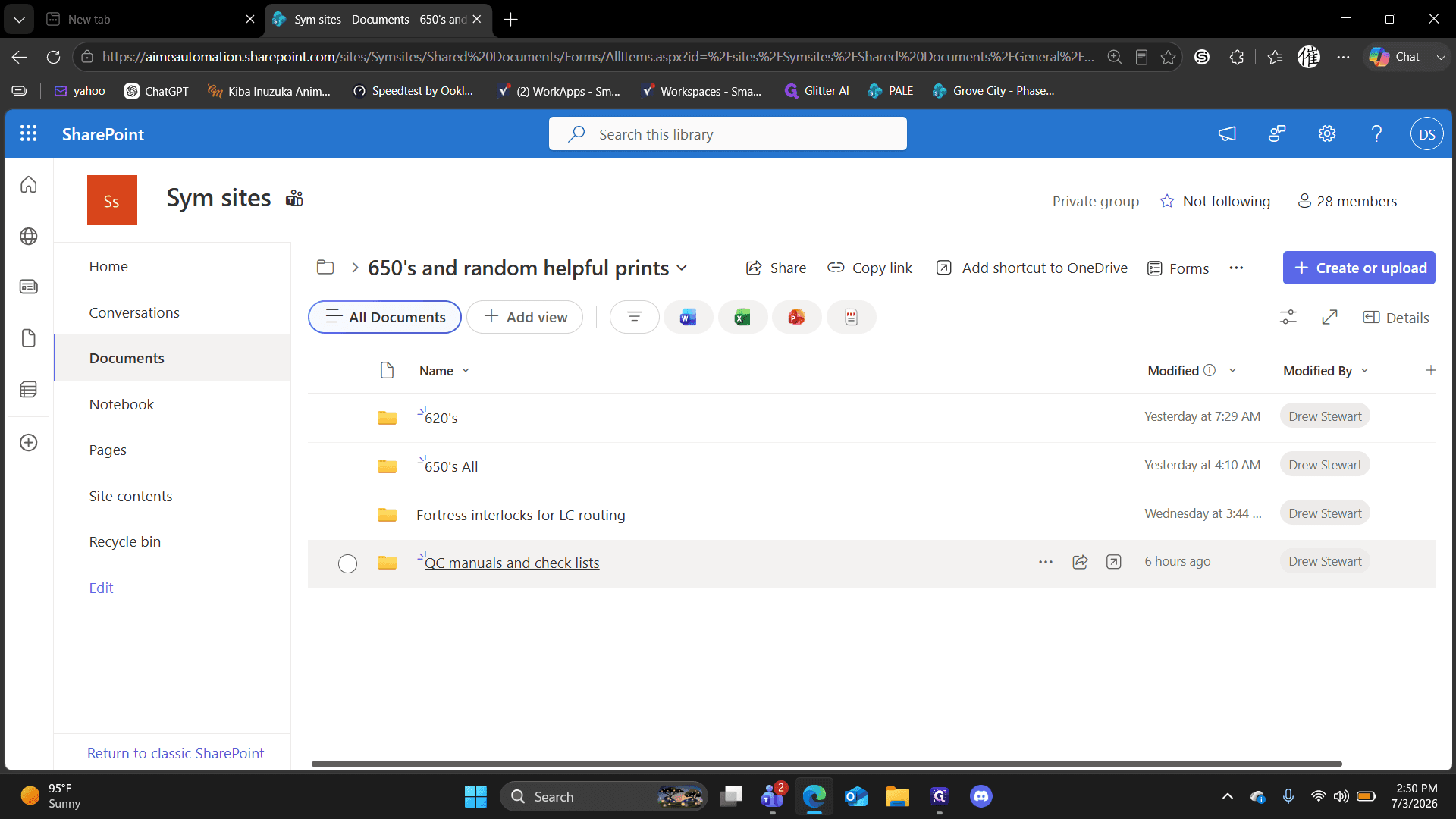
Click the Home icon on the top left of your SharePoint dashboard.
Step #1: Click the Home icon on the top left of your SharePoint dashboard.
2
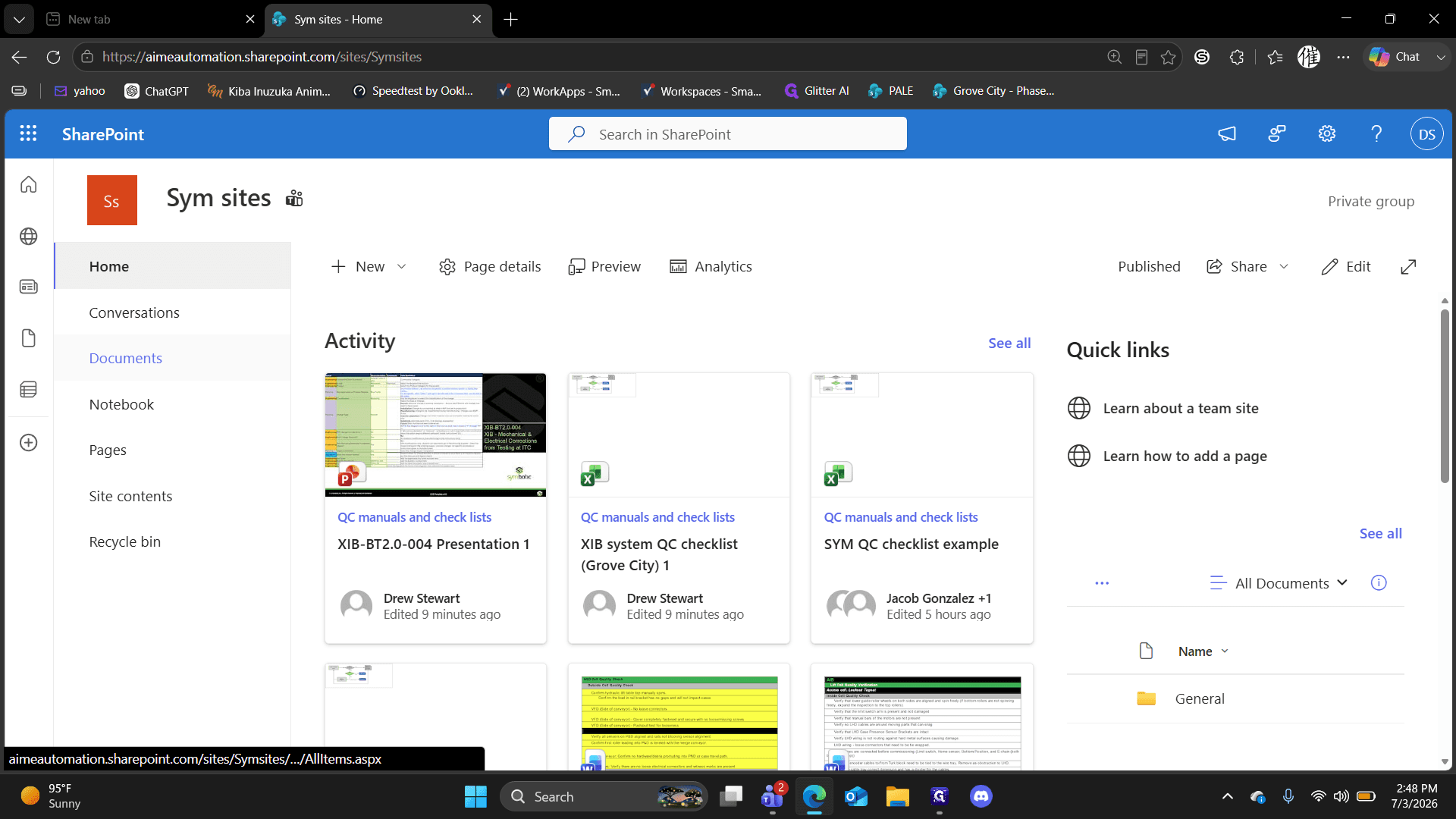
Click Sym sites in your recent sites list.
Step #2: Click Sym sites in your recent sites list.
3
Navigate to the Documents section.
Step #3: Navigate to the Documents section.
4
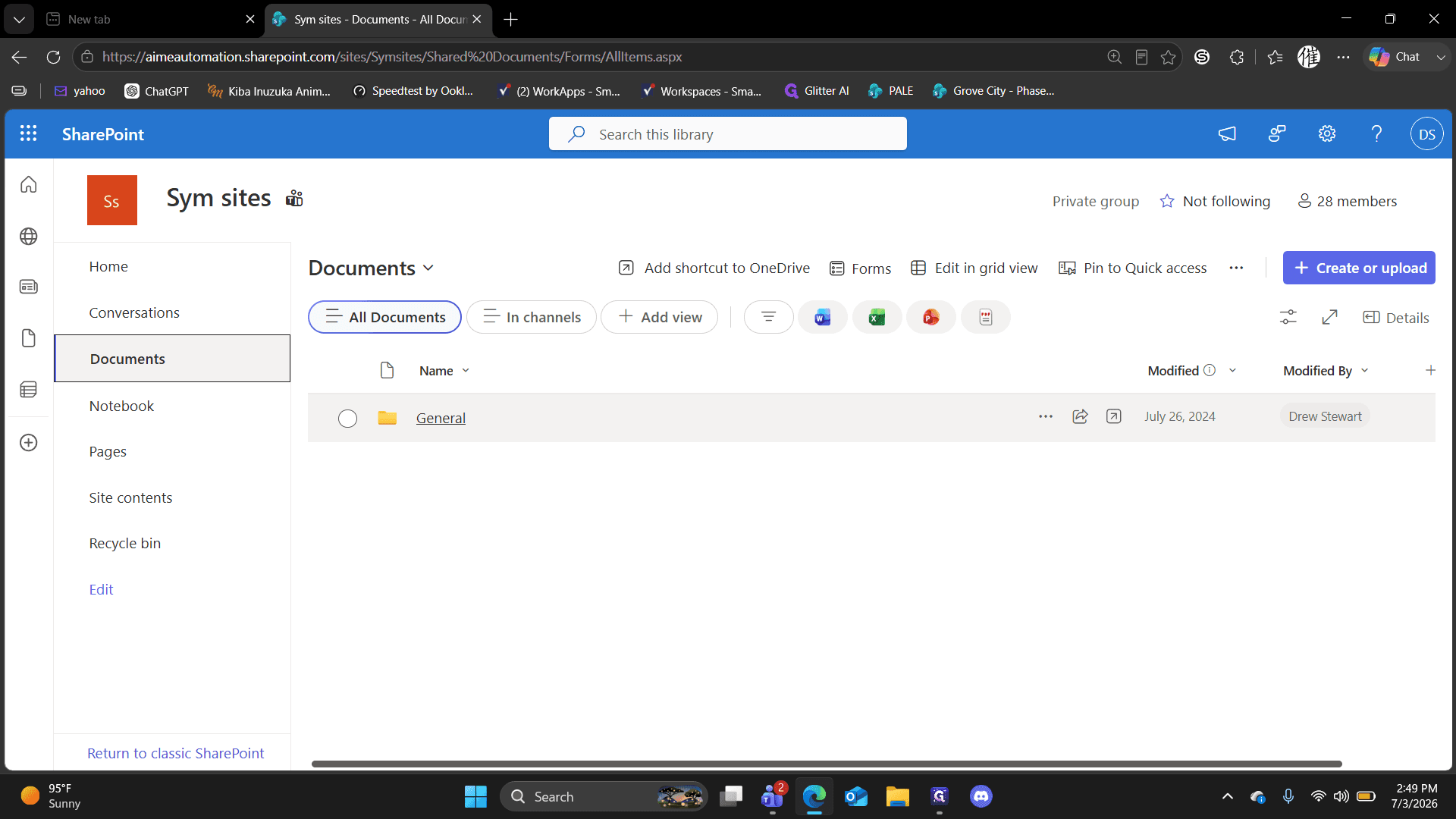
Click the General folder.
Step #4: Click the General folder.
5
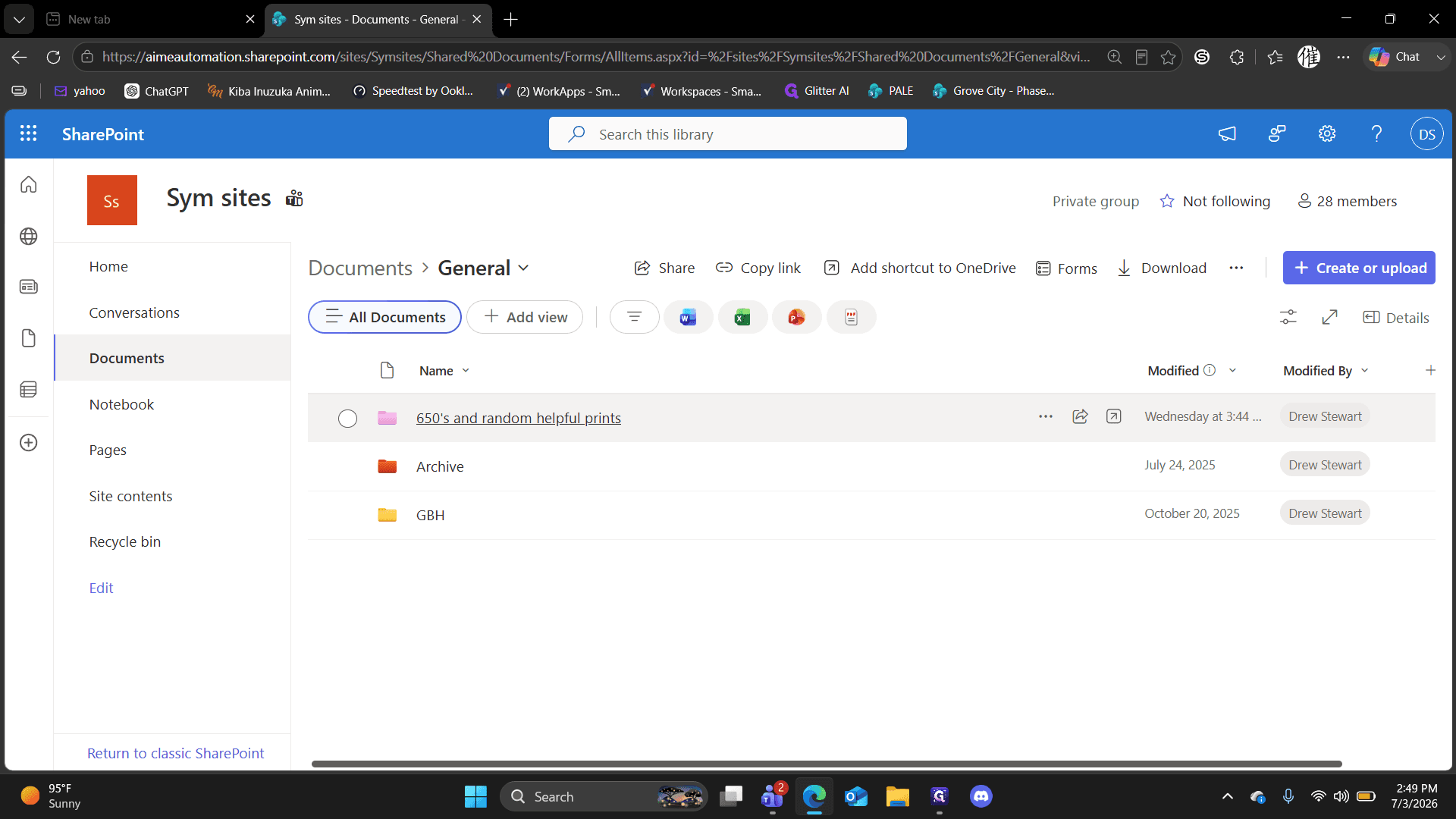
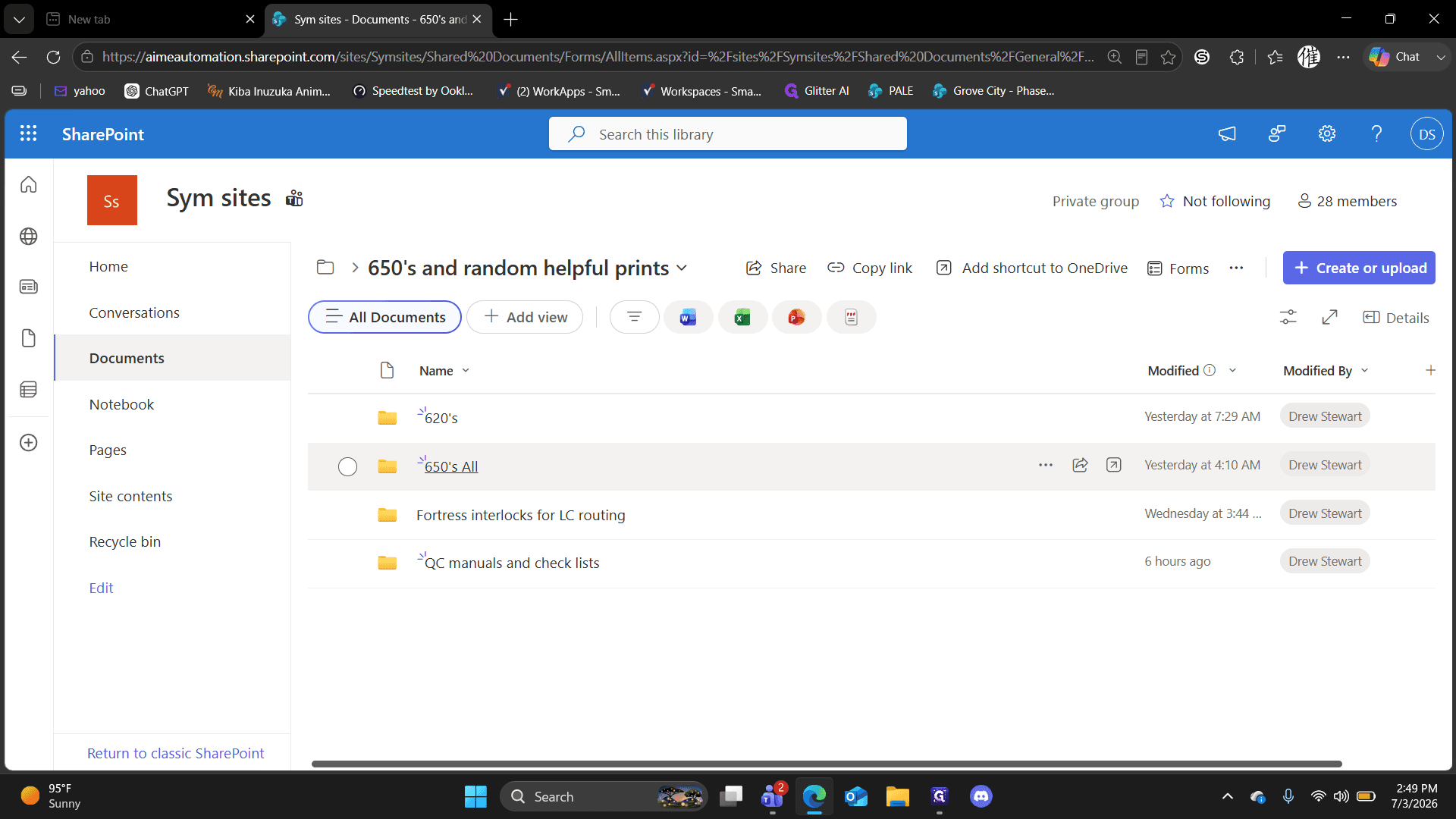
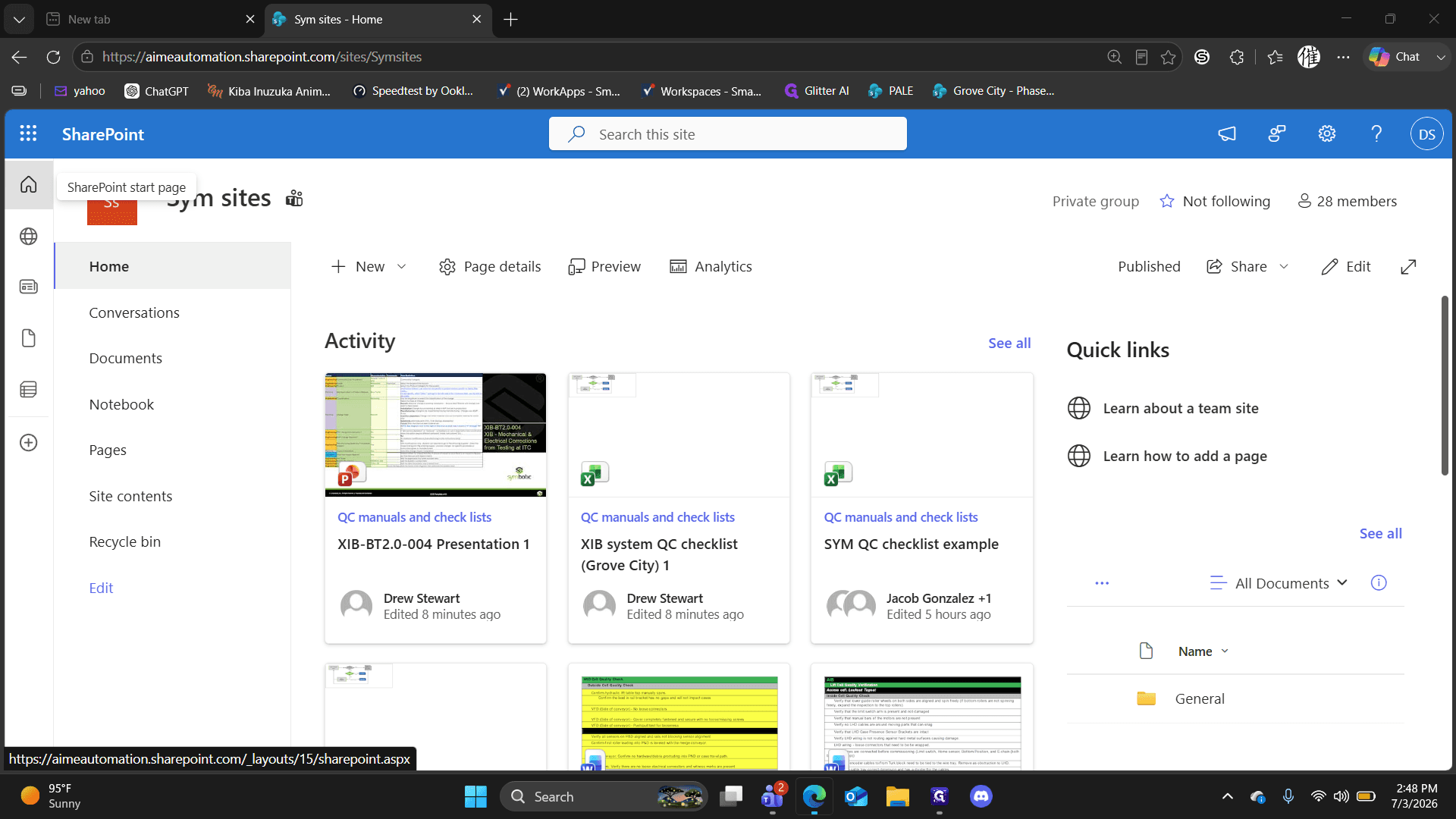
Click the 650's and random helpful prints folder.
Step #5: Click the 650's and random helpful prints folder.

Accessing 620s and 650s Documents
6
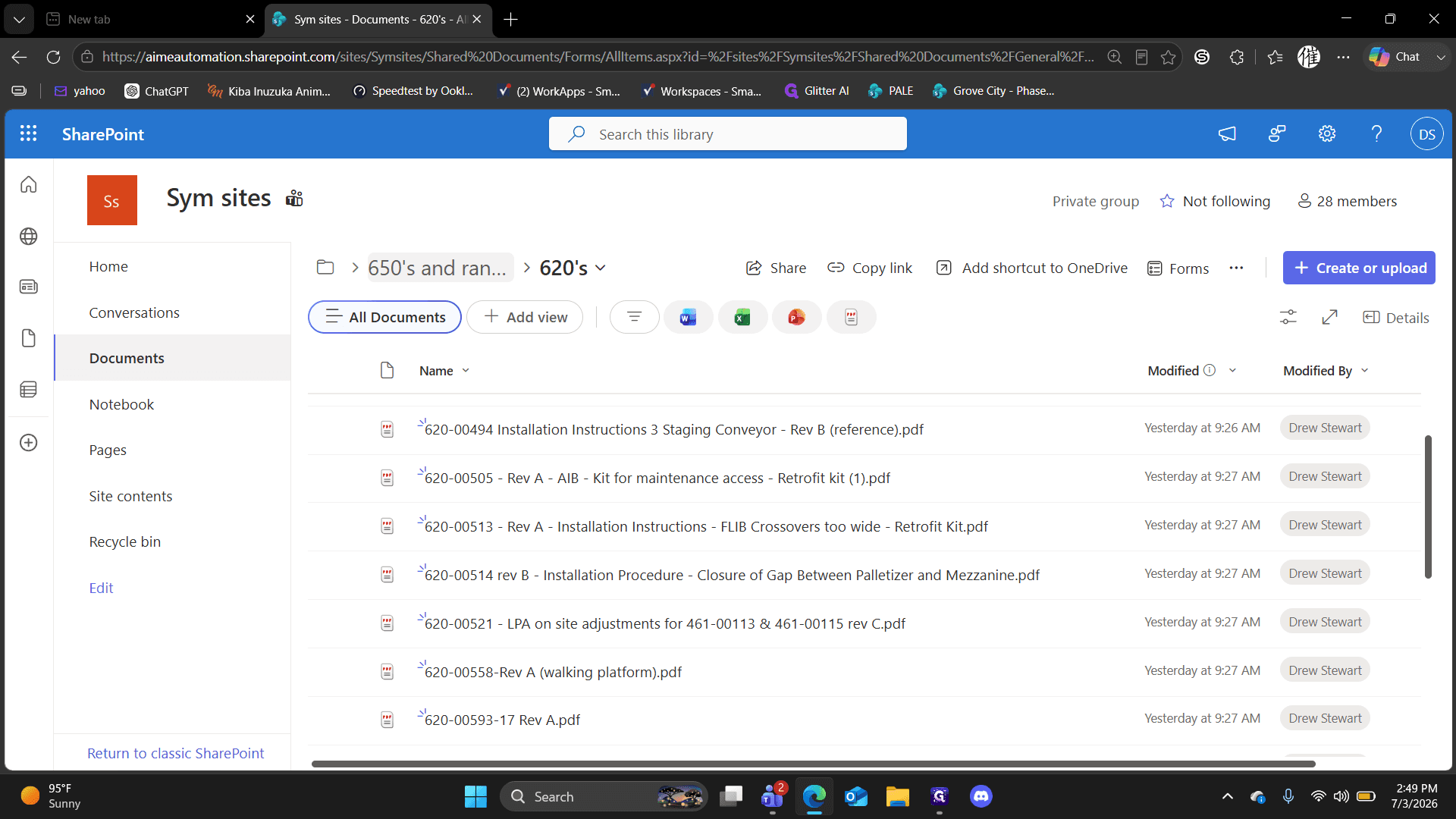
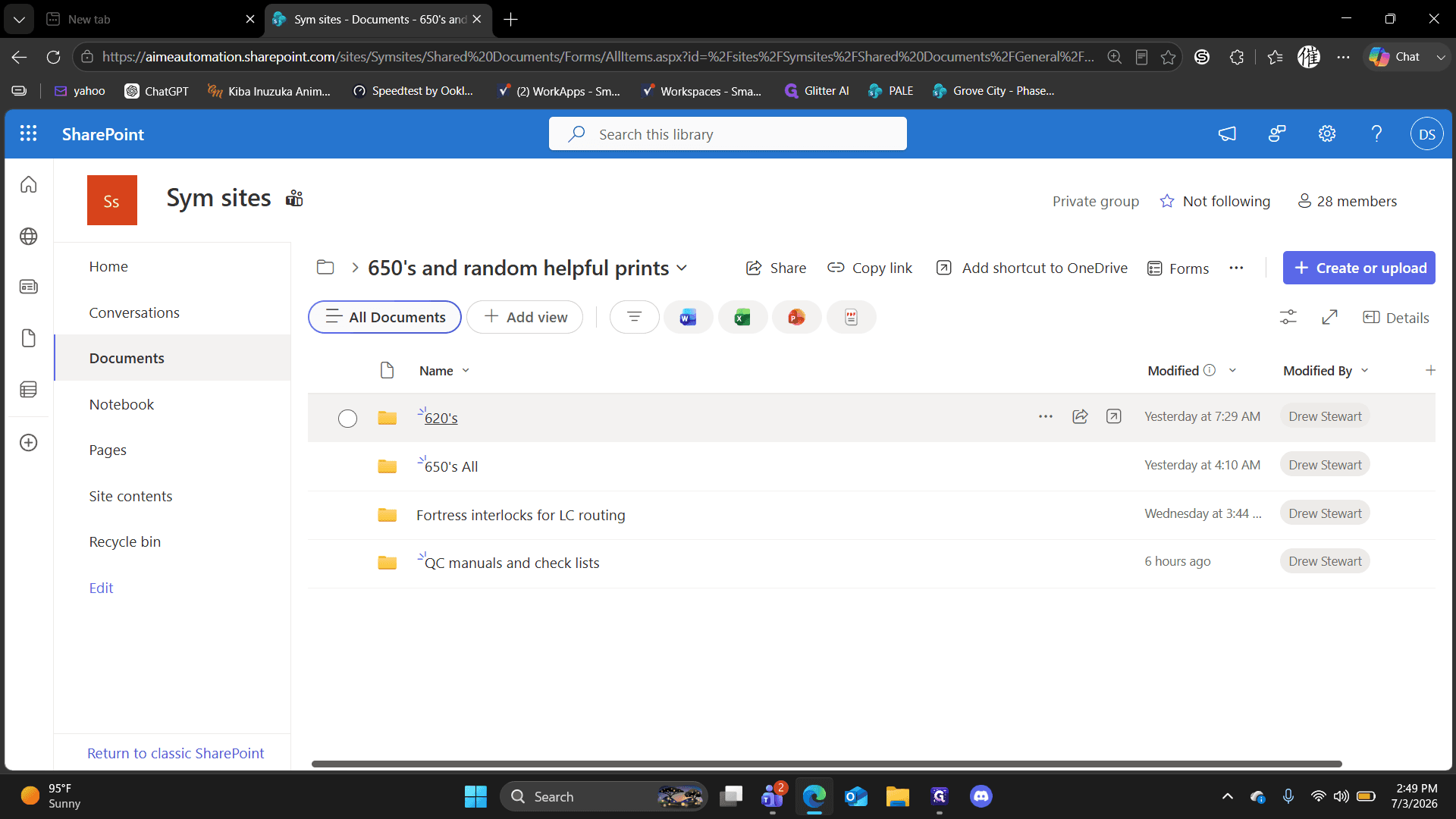
Click the 620's folder to access documentation like chemical anchors, standalone pallet inspections, and staging conveyors.
Step #6: Click the 620's folder to access documentation like chemical anchors, standalone pallet inspections, and staging conveyors.
7
Click 650's and random helpful prints in the breadcrumb navigation to return to the main folder.
Step #7: Click 650's and random helpful prints in the breadcrumb navigation to return to the main folder.
8
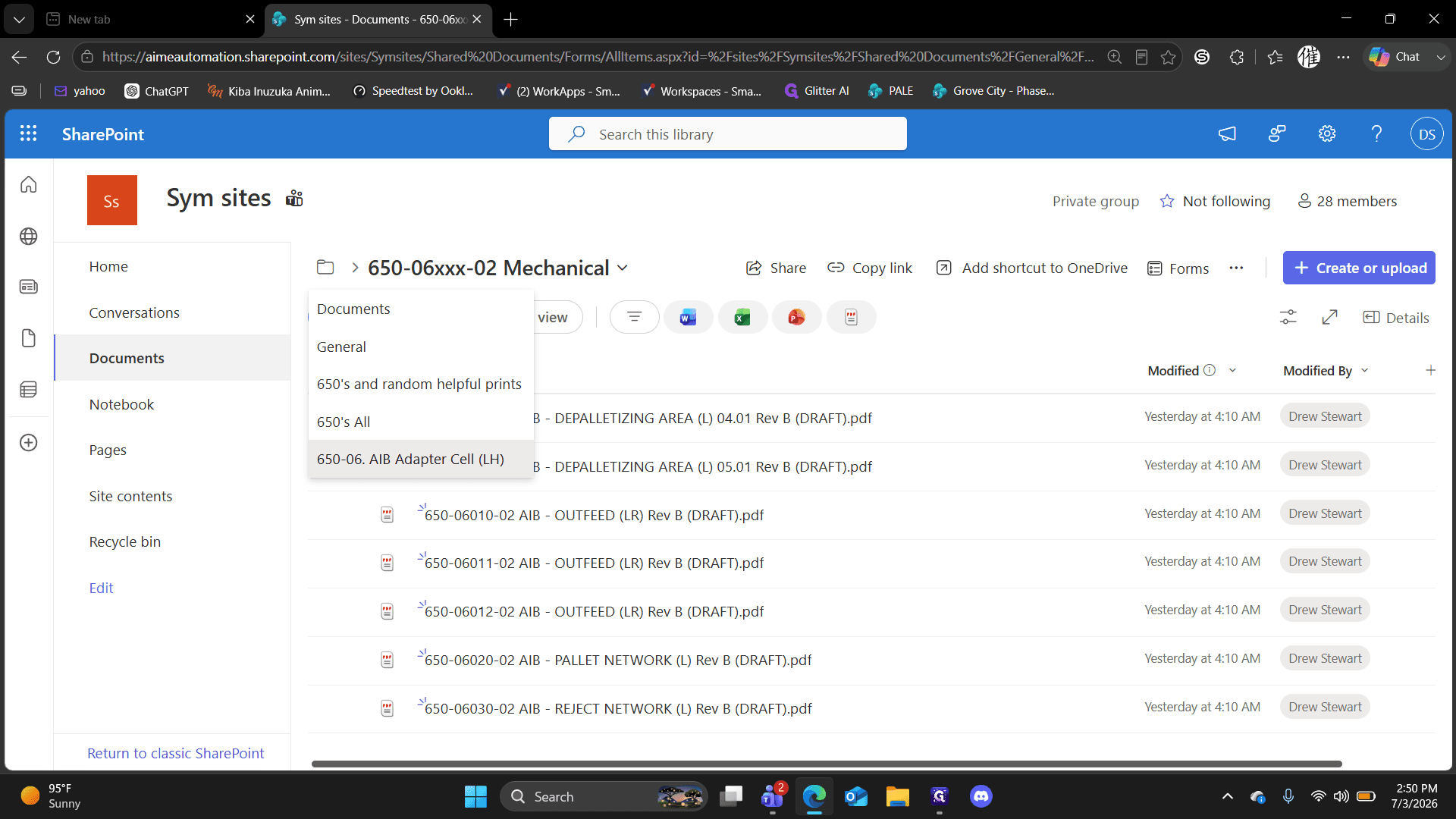
Click the 650's All folder to view specific modules like AIB Laso, AOB Laso, and FLIB.
Step #8: Click the 650's All folder to view specific modules like AIB Laso, AOB Laso, and FLIB.
9
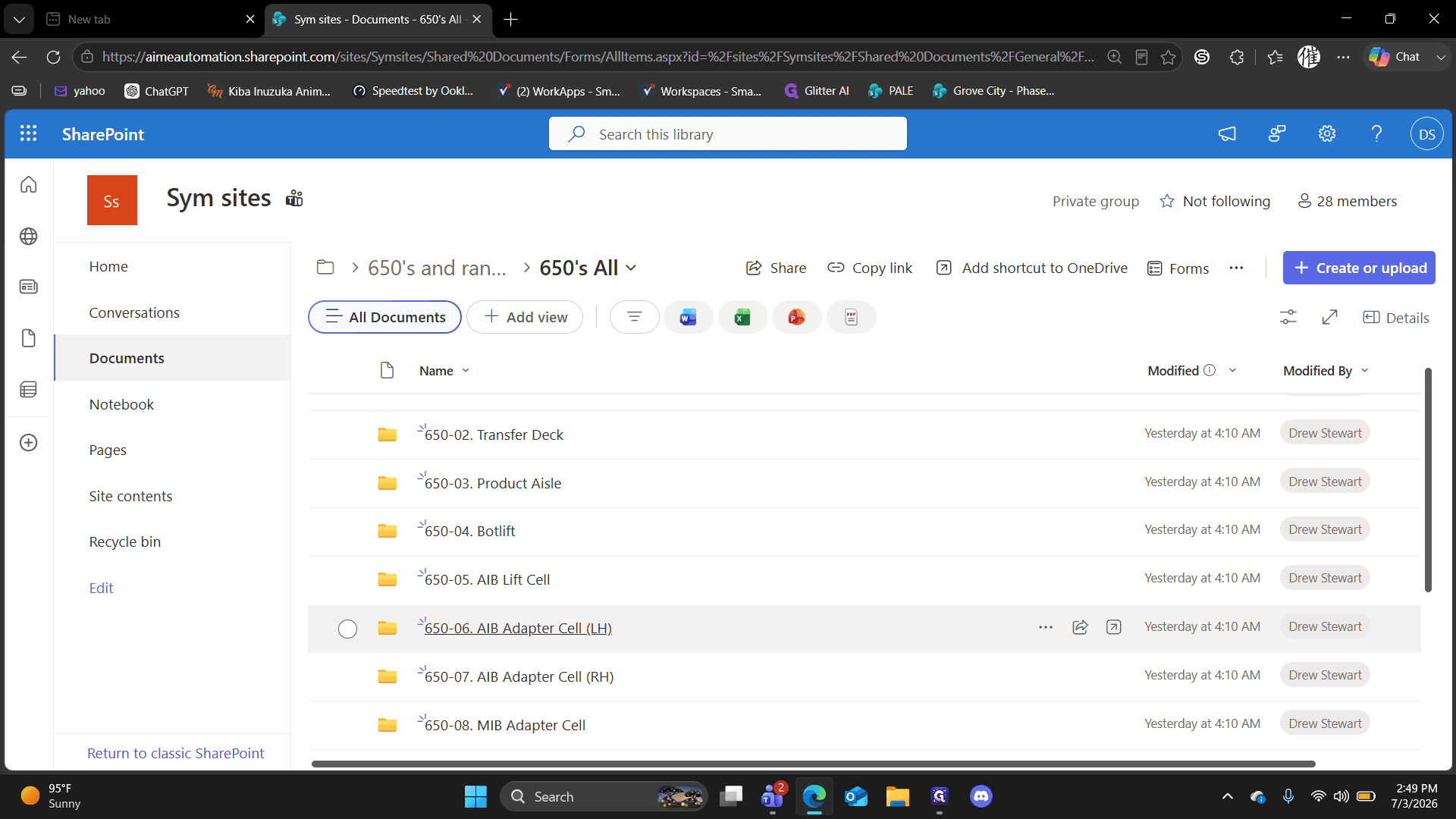
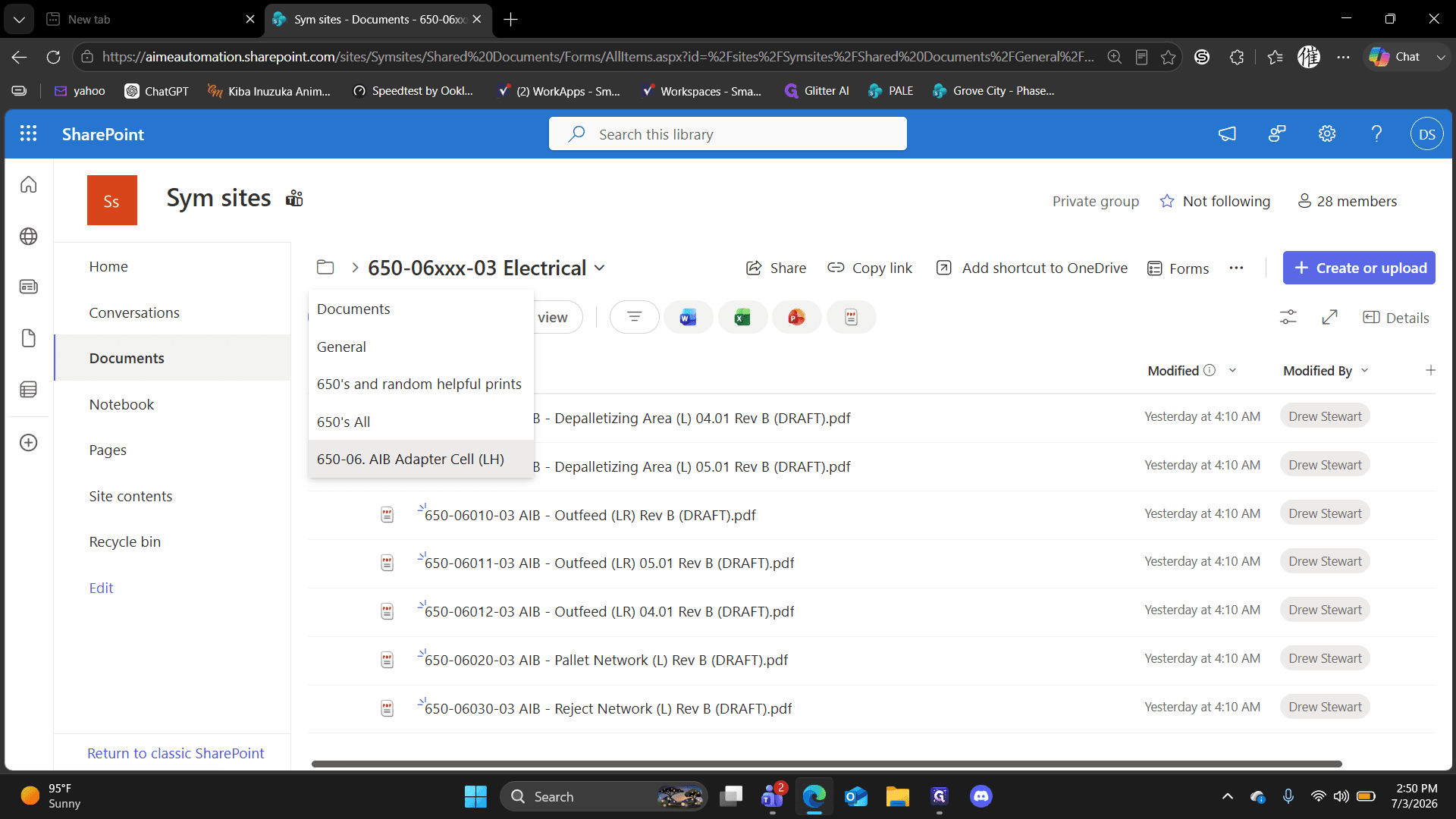
Click the AIB Adapter Cell folder.
Step #9: Click the AIB Adapter Cell folder.

Reviewing Adapter Cell Checklists

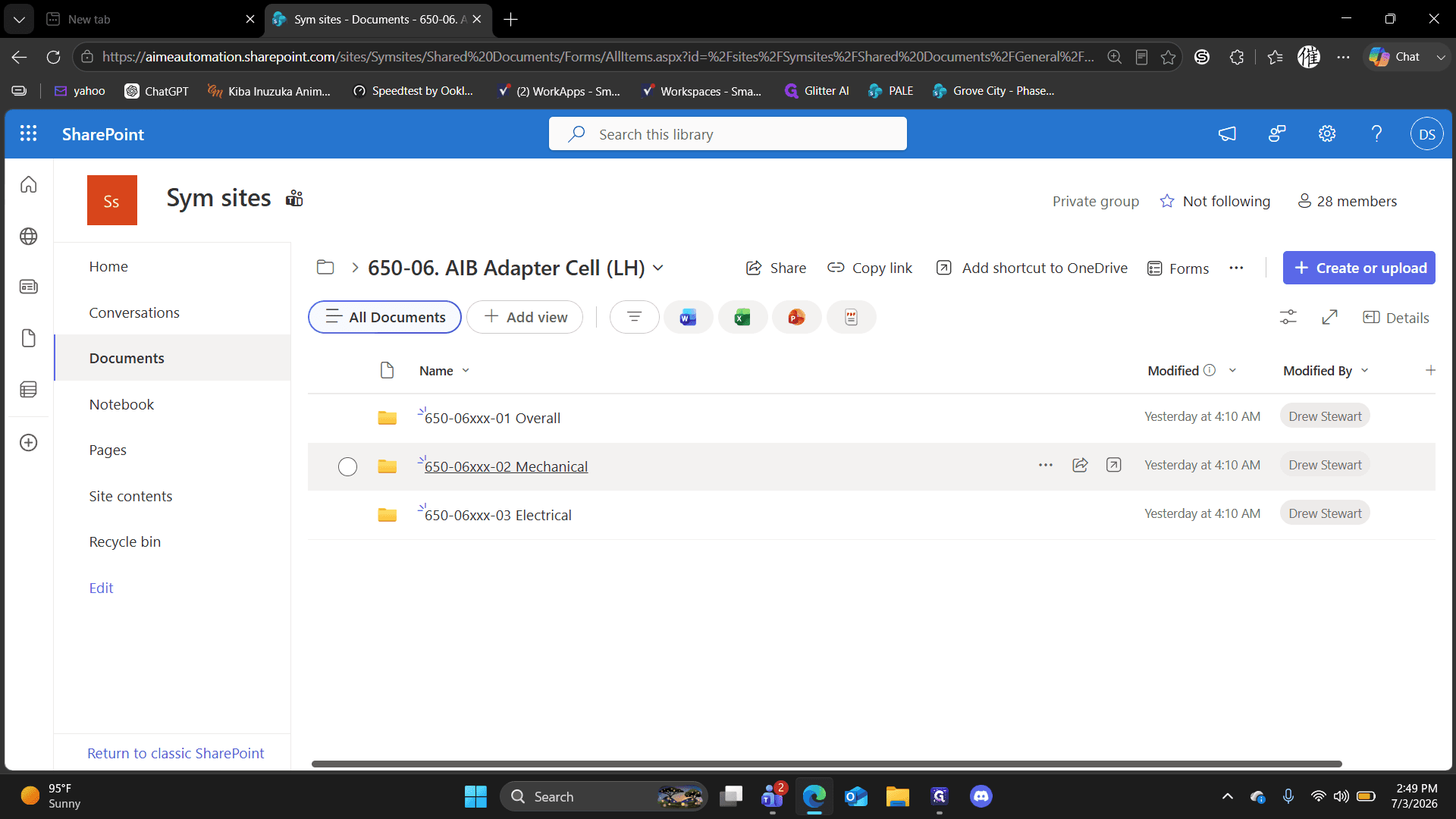
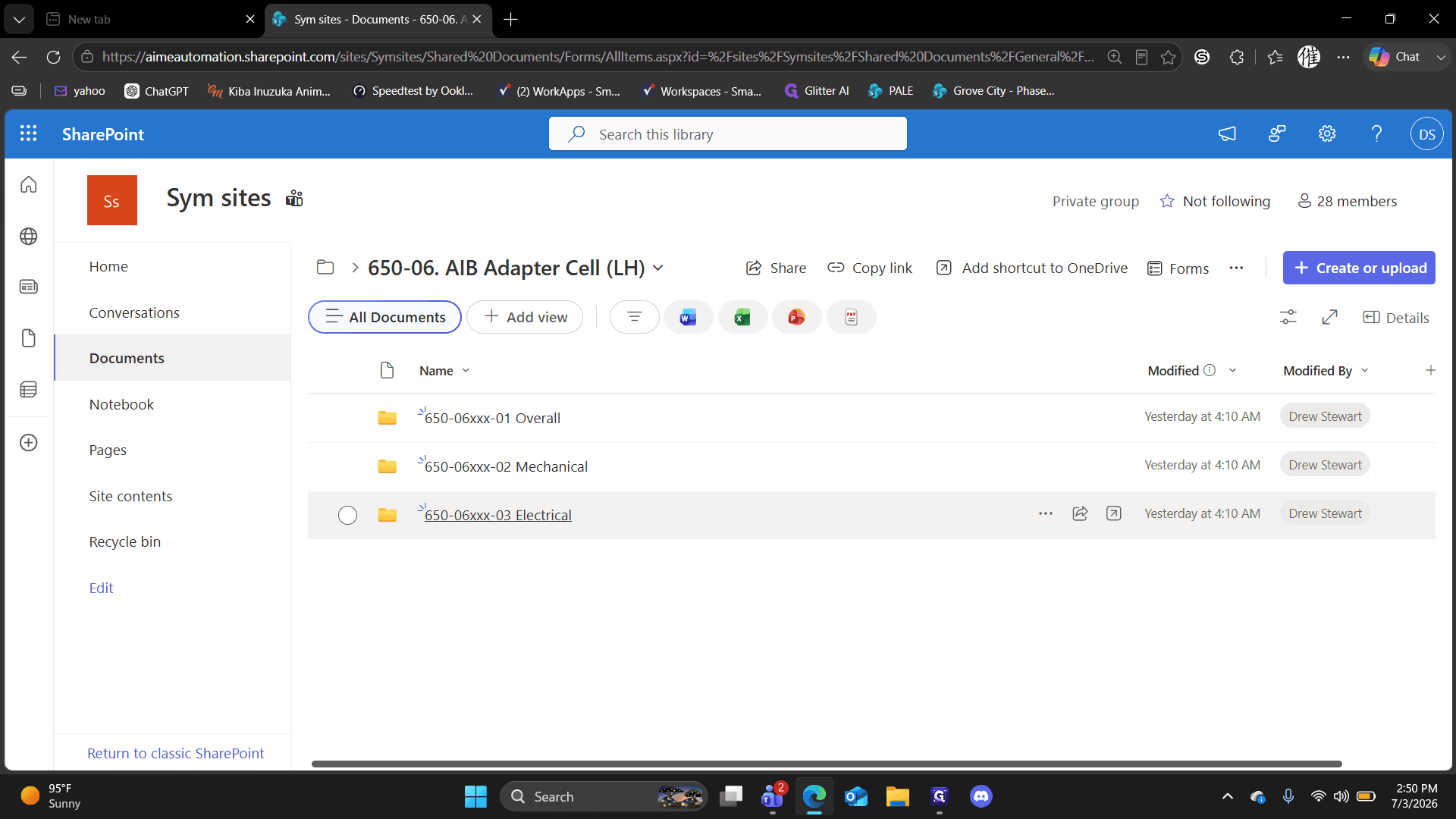
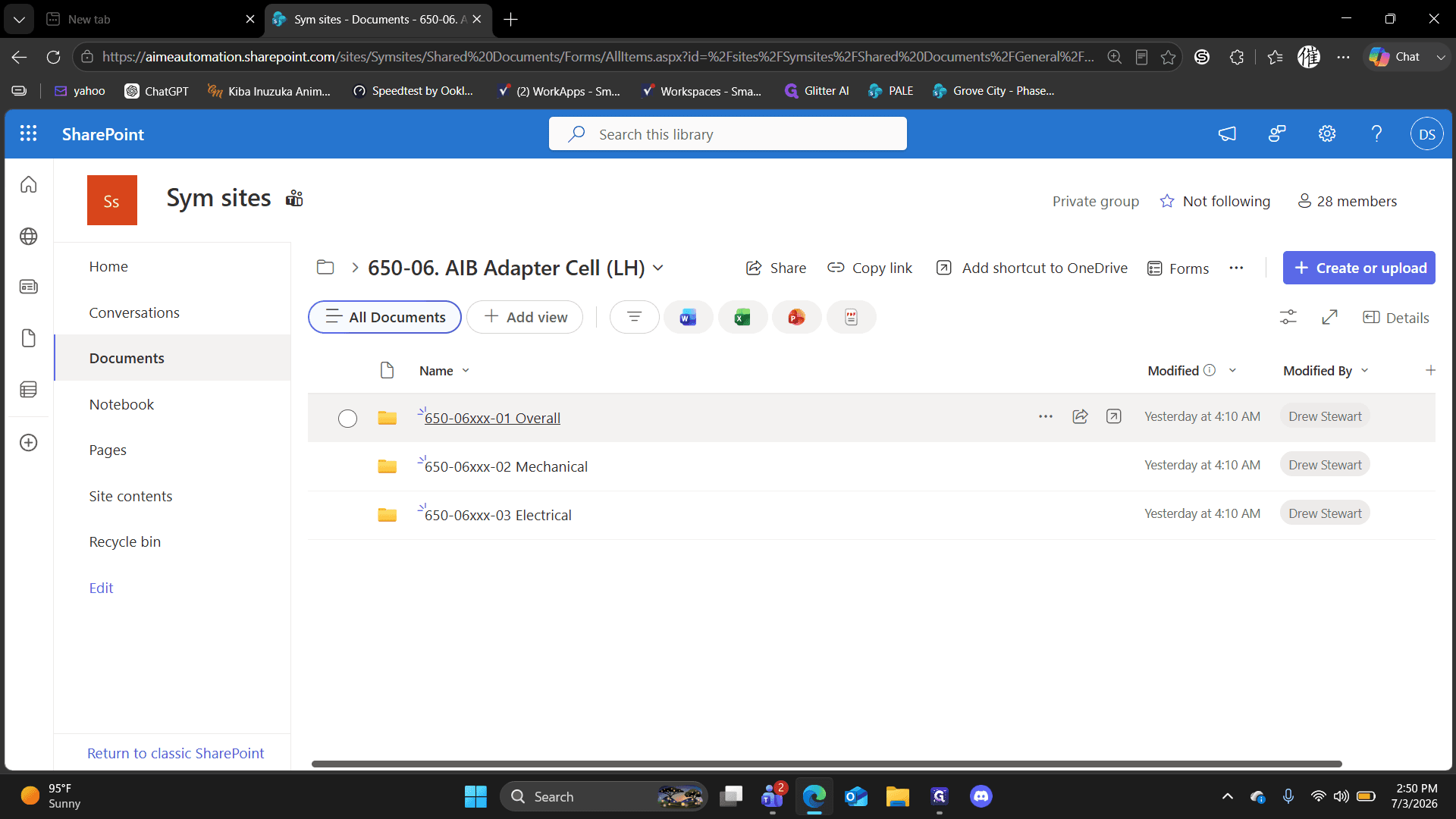
Within the AIB Adapter Cell folder, documents are split into three main inspection categories. Select the path that matches your current inspection needs:

Folder Name

Description

650-06xxx - 01 Overall

Contains the comprehensive overall checklist typically used for main inspections before handover.

650-06xxx - 02 Mechanical

Contains mechanical-specific blueprints and component checklists.

650-06xxx - 03 Electrical

Contains electrical-specific prints and checklists.

10
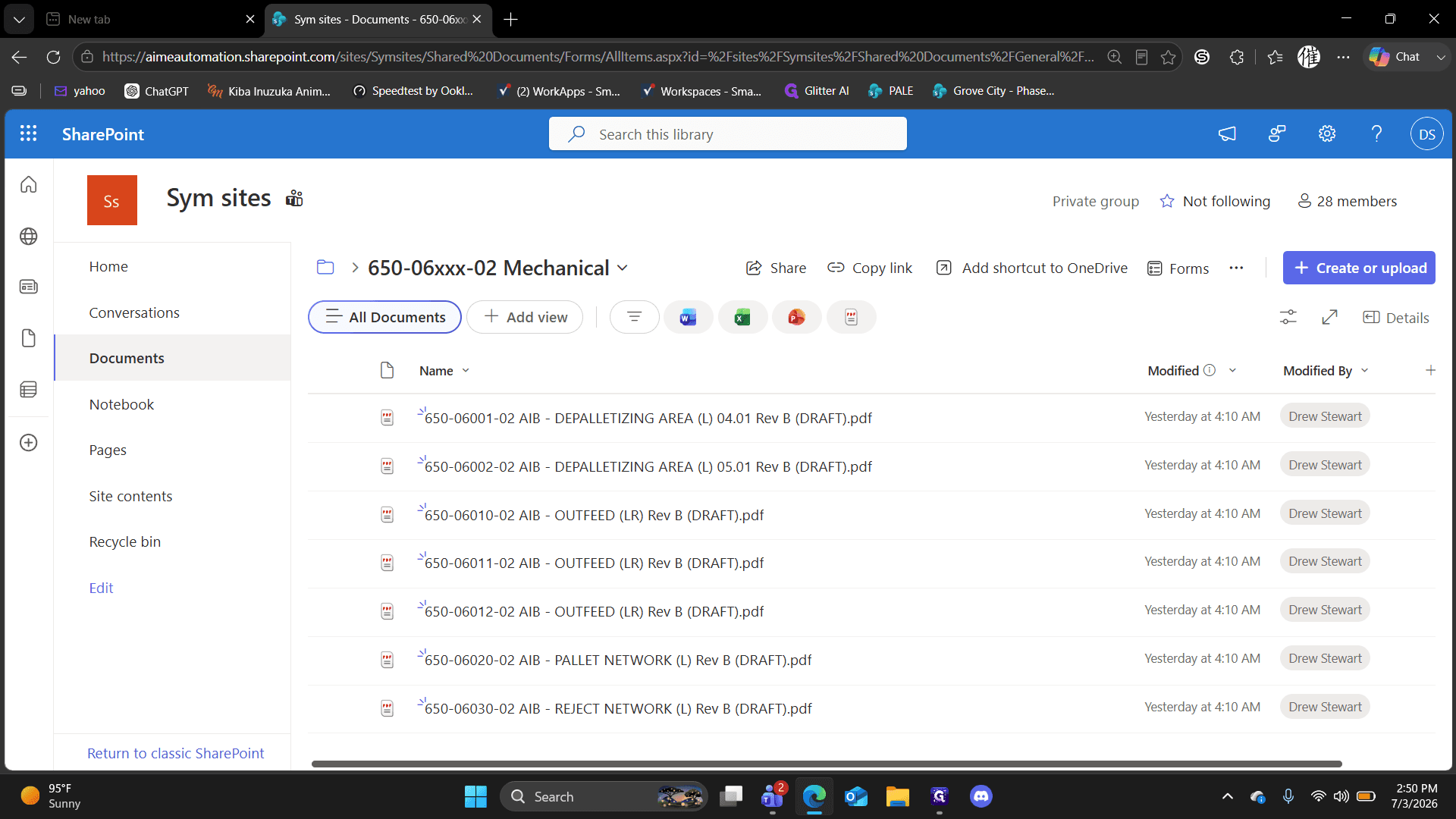
Click 650-06xxx - 02 Mechanical to access mechanical inspection files.
Step #10: Click 650-06xxx - 02 Mechanical to access mechanical inspection files.
11
Click any document in the list to review the draft prints or checklists.
Step #11: Click any document in the list to review the draft prints or checklists.
12
Click AIB Adapter Cell in the breadcrumb menu to go back.
Step #12: Click AIB Adapter Cell in the breadcrumb menu to go back.
13
Click 650-06xxx - 03 Electrical to access electrical inspection files.
Step #13: Click 650-06xxx - 03 Electrical to access electrical inspection files.
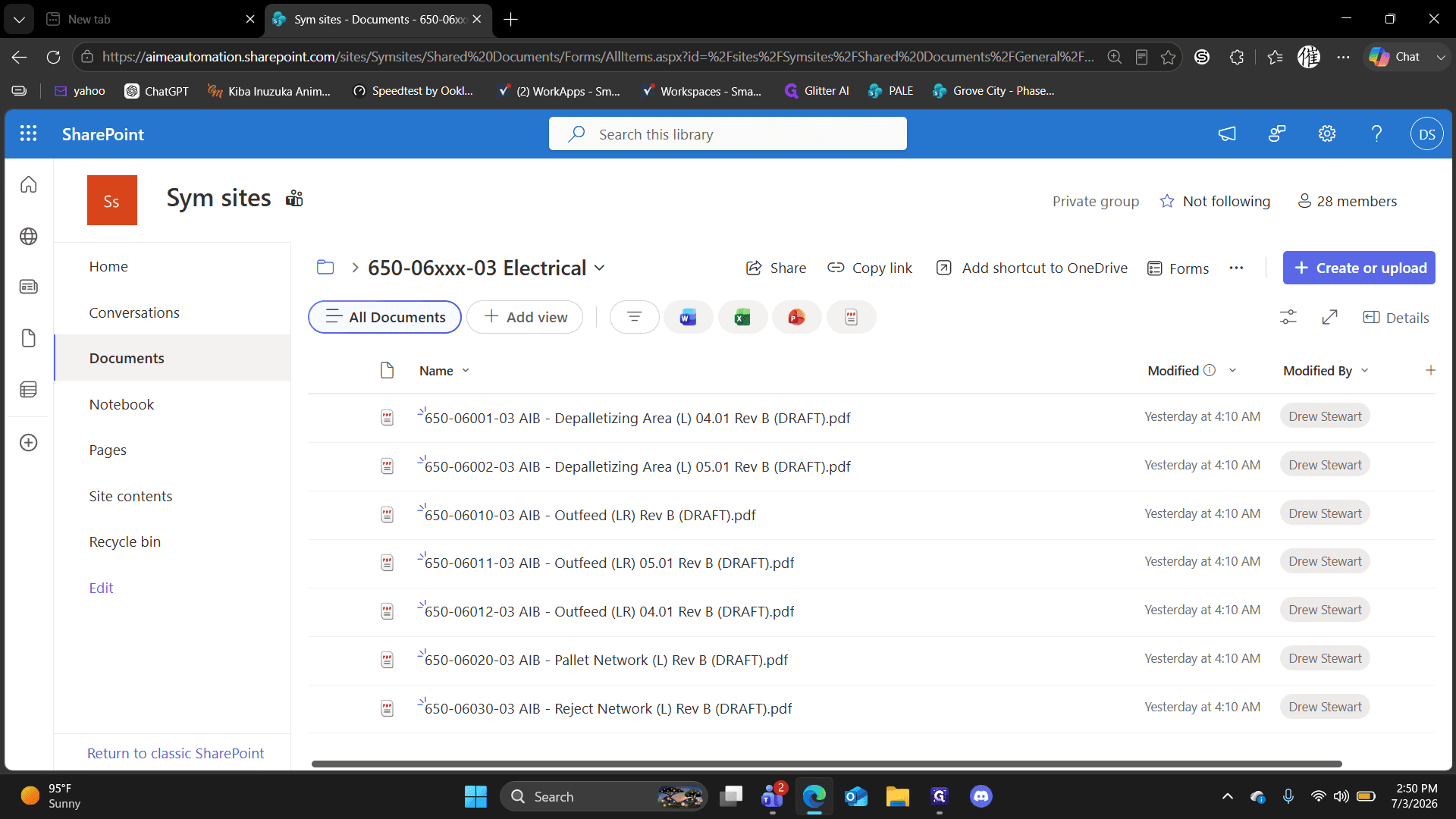
14
Click a document in the electrical folder to view the PDF prints.
Step #14: Click a document in the electrical folder to view the PDF prints.
15
Click AIB Adapter Cell in the breadcrumb menu to go back.
Step #15: Click AIB Adapter Cell in the breadcrumb menu to go back.
16
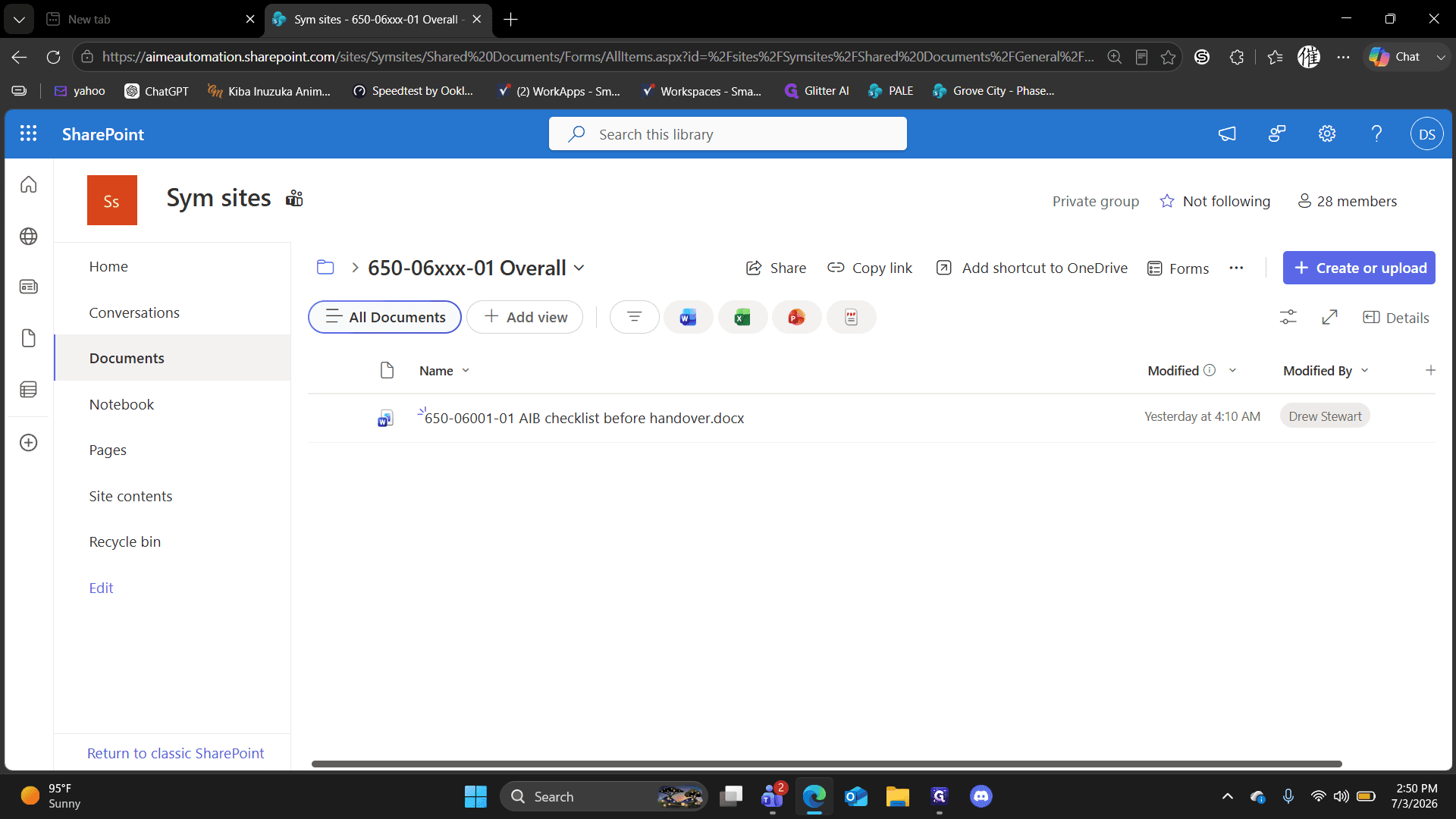
Click 650-06xxx - 01 Overall to access the primary inspection checklists.
Step #16: Click 650-06xxx - 01 Overall to access the primary inspection checklists.
17
Click the checklist document to open, review, or print it.
Step #17: Click the checklist document to open, review, or print it.

Accessing QC Manuals

18
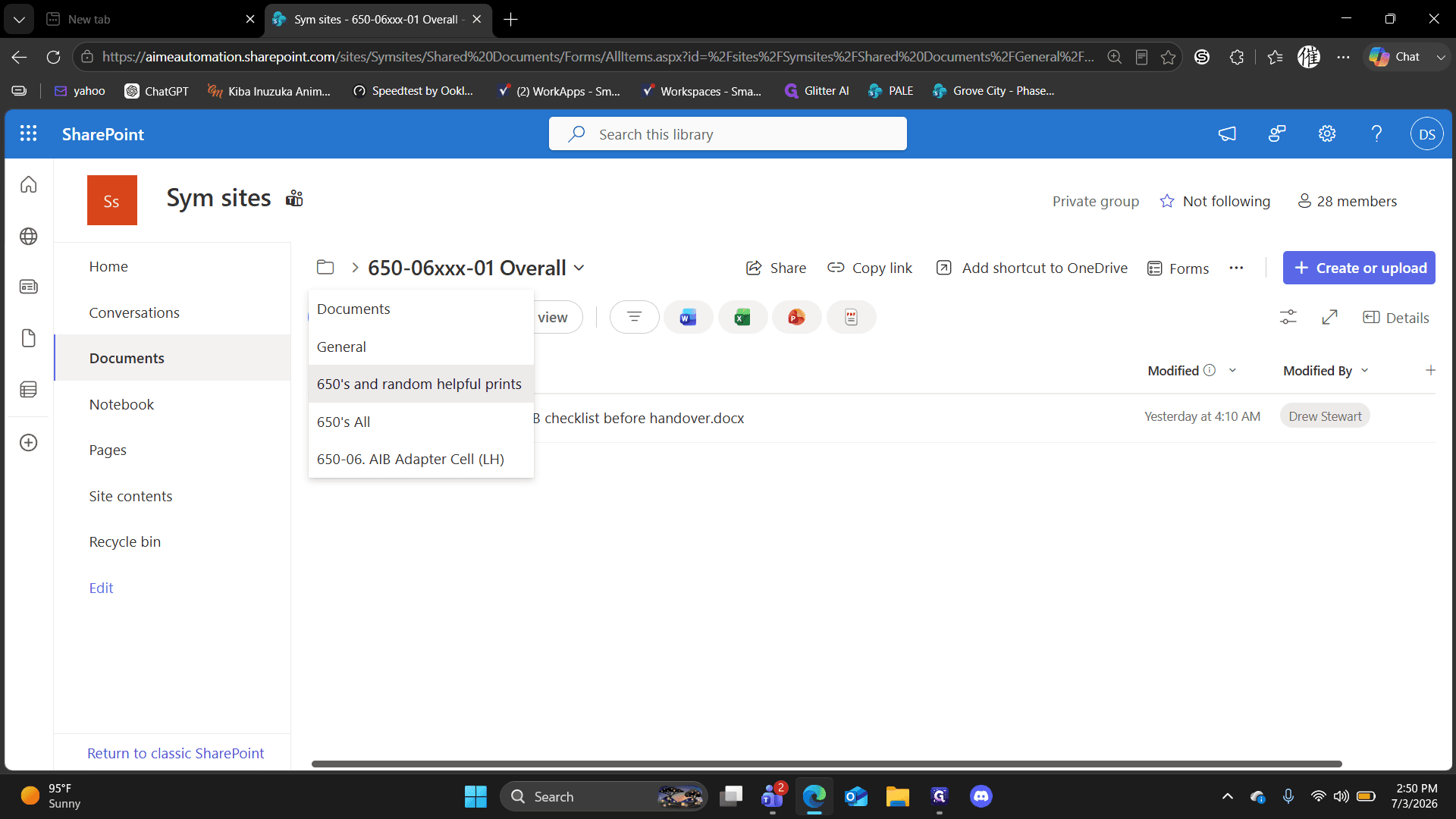
Click 650's and random helpful prints in the breadcrumb navigation to return to the main folder directory.
Step #18: Click 650's and random helpful prints in the breadcrumb navigation to return to the main folder directory.
19
Click the QC manuals and check lists folder.
Step #19: Click the QC manuals and check lists folder.

Q: Where can I find information for the XIBs?

A: Complete XIB folders have not been fully released yet. However, you can find a preliminary XIB Excel checklist in the "QC manuals and check lists" folder.

Q: Which section of the Supplier Quality Manual is most relevant?

A: While the entire manual is a good read, Section 10 pertains most directly to on-site project expectations.

Q: Which checklist folder is typically used for standard inspections?

A: The "Overall" folders (e.g., 650-06xxx - 01 Overall) contain the comprehensive checklists typically used for final inspections before handover.

Term

Definition

SOW

Statement of Work; a document detailing the specific expectations, tasks, and deliverables for a project.

AIB

Automated Infeed Buffer; a specific operational cell or module within the site system.

AOB

Automated Outfeed Buffer; a complementary operational cell to the AIB for outgoing items.

XIB

An operational cell component in the system (currently pending full document release).

QC

Quality Control; processes and checklists used to ensure site installations meet required standards.