How to Add a Contact to a Campaign and Log a Task in Salesforce
Learn how to effectively add a contact to a marketing campaign and log related follow-up tasks on an opportunity in Salesforce.
This guide outlines the process of adding an existing contact to a marketing campaign and logging a related follow-up task on an opportunity in Salesforce. Completing these steps ensures marketing and sales activities are accurately tracked and attributed to the correct campaign and contact.
This workflow is designed for Sales, Marketing, and Revenue Operations teams who manage outbound lead follow-ups, webinar attribution, and opportunity activity logging in Salesforce.
Add a Contact to a Campaign
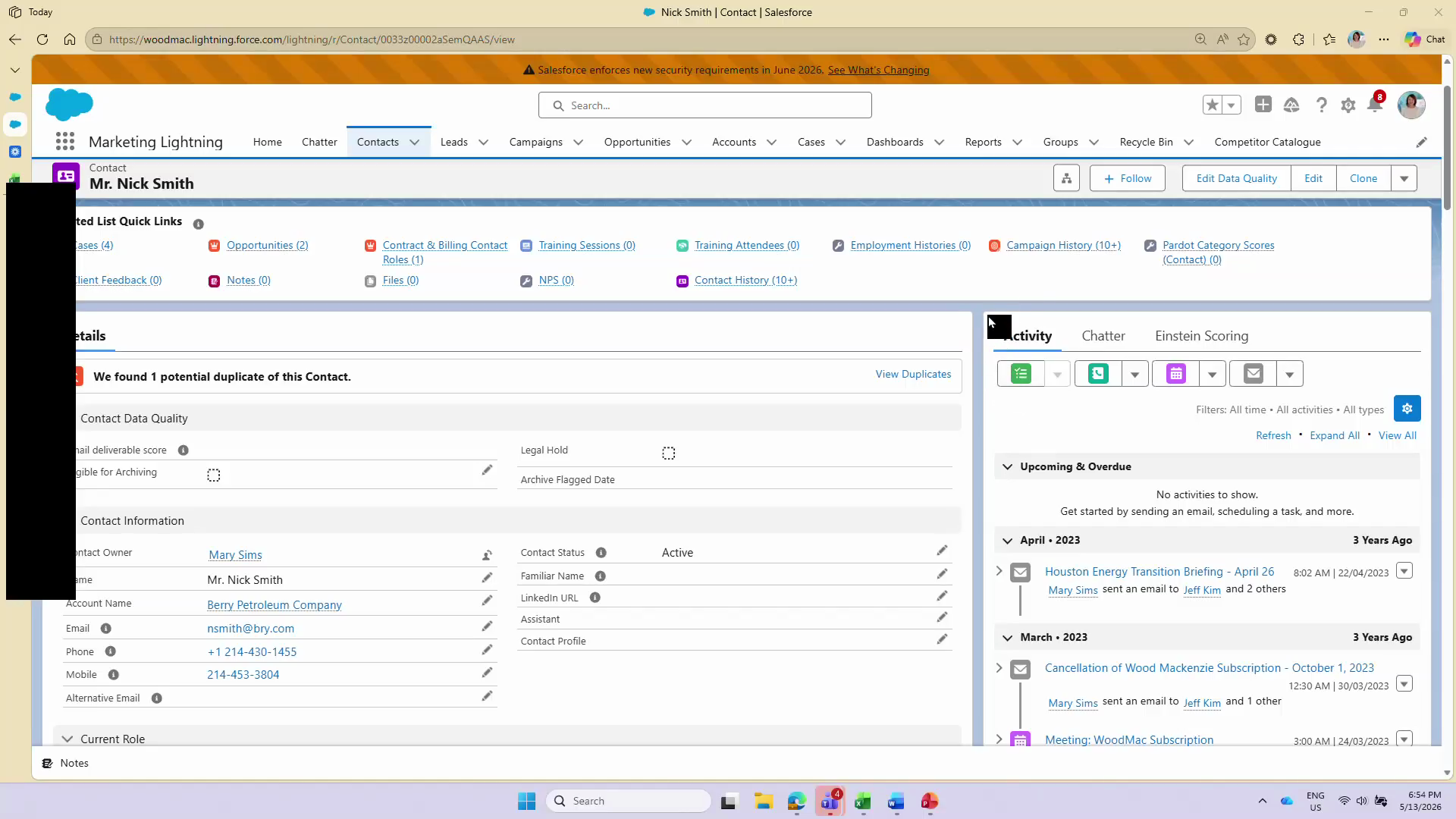
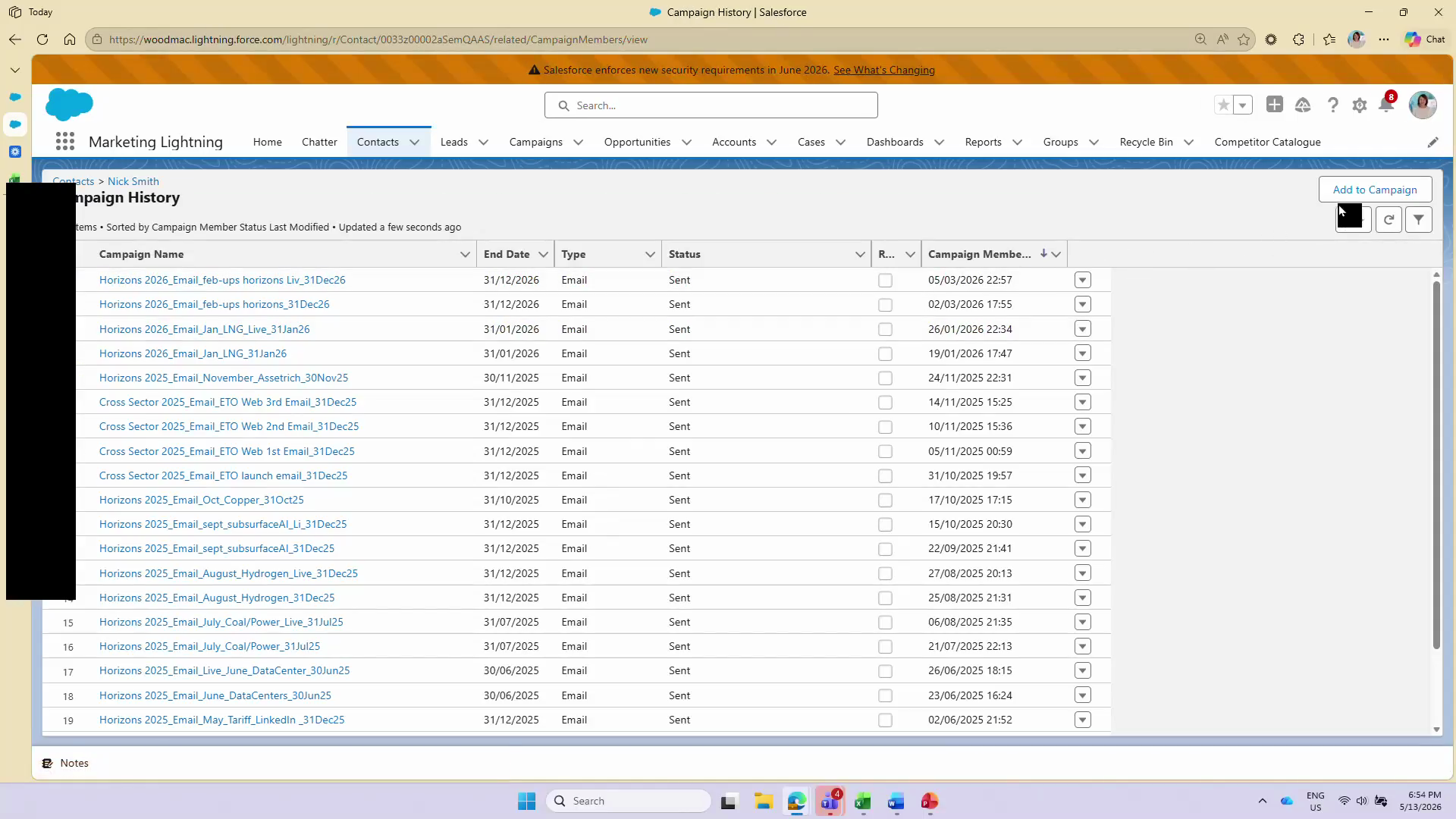
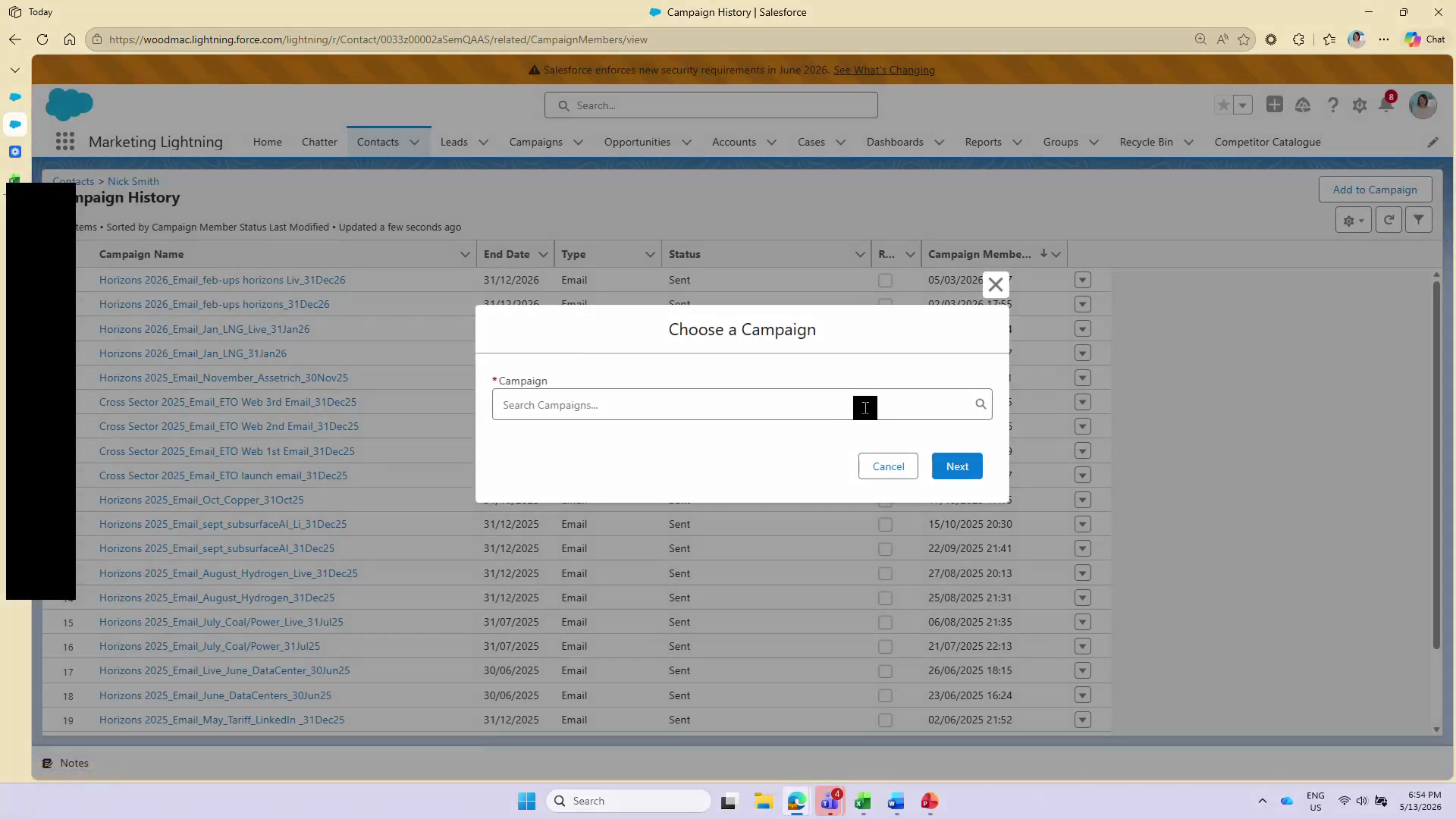
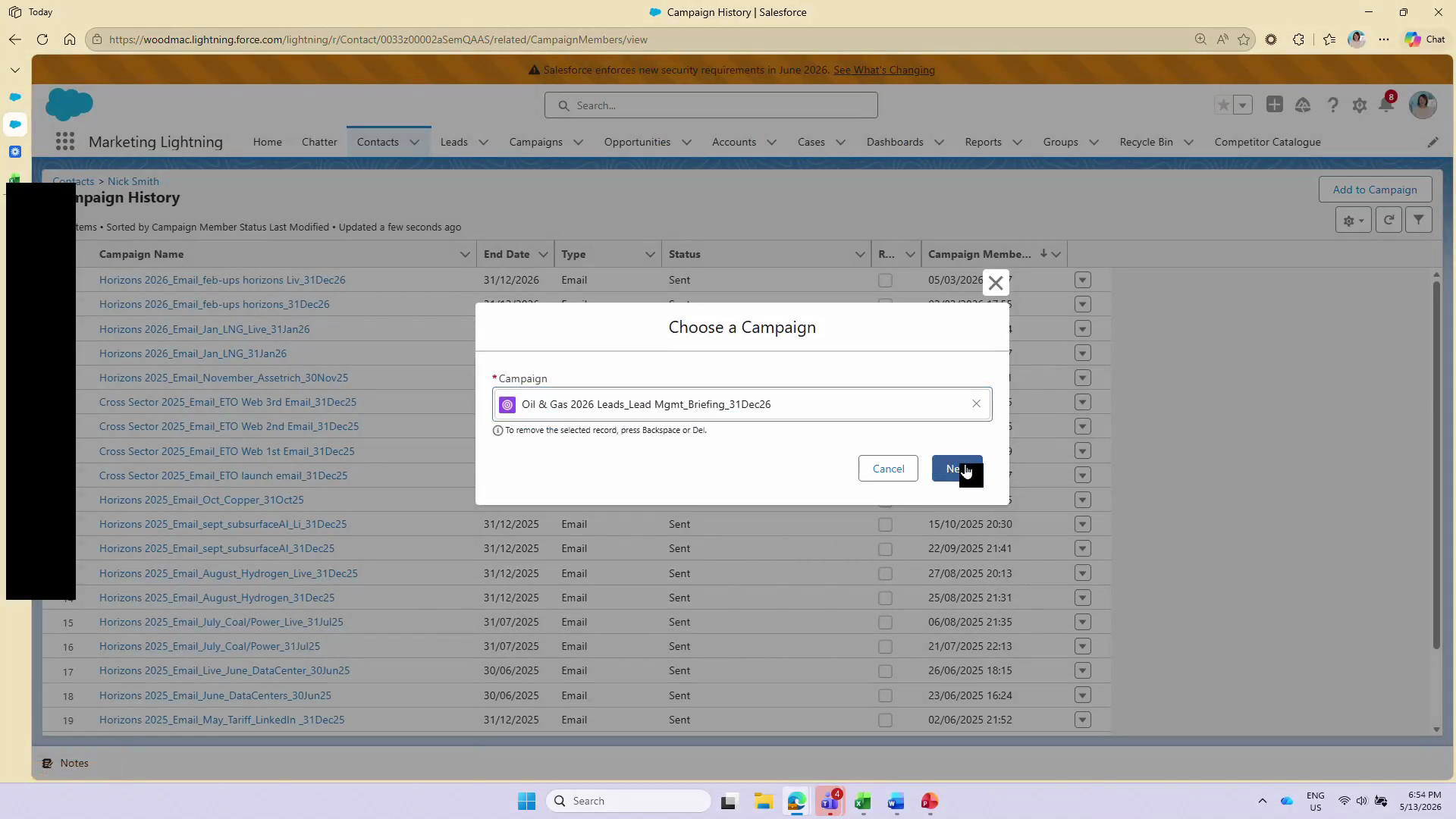
Before adding a contact to a new campaign, ensure you are on the correct contact record.
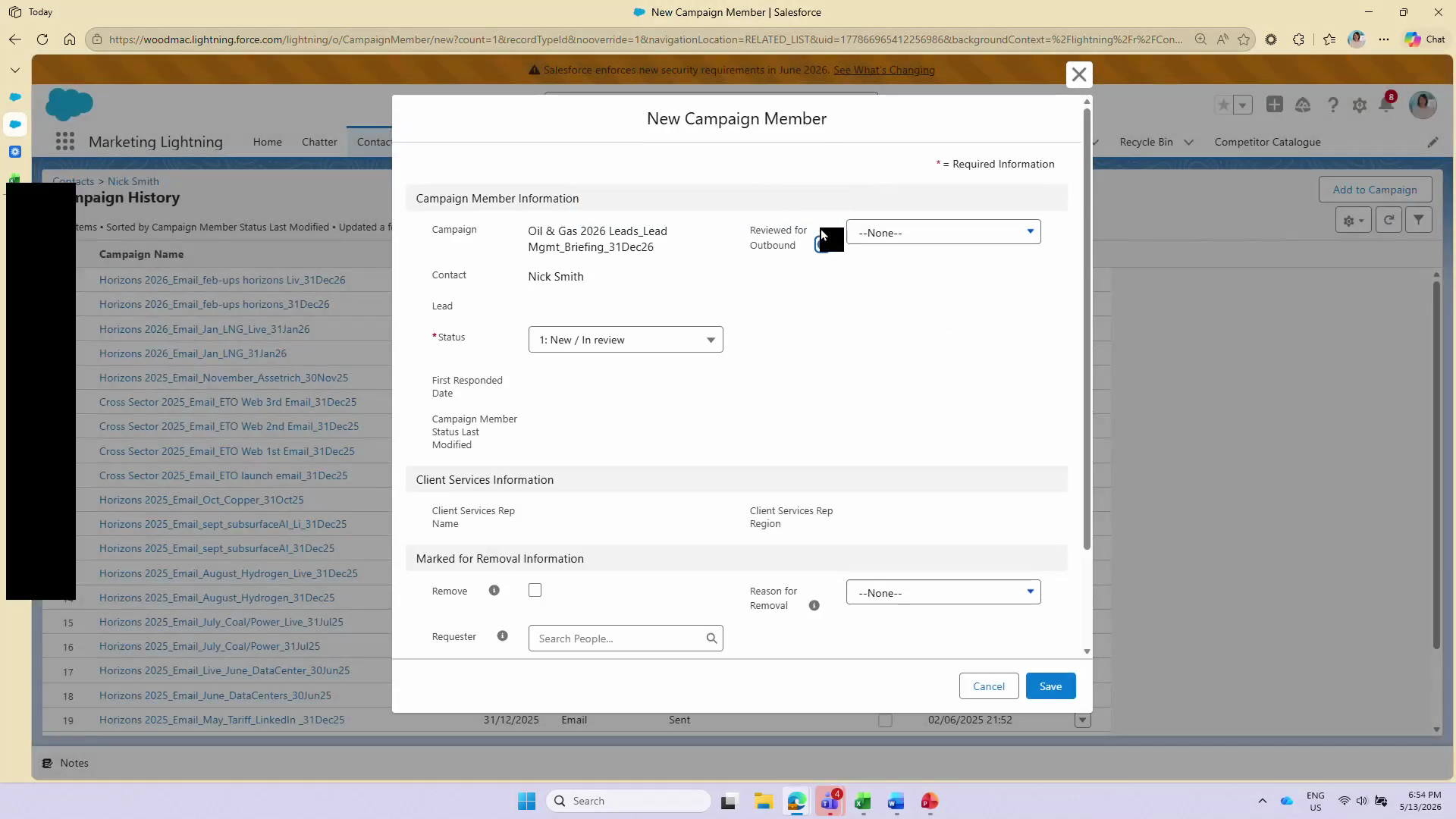
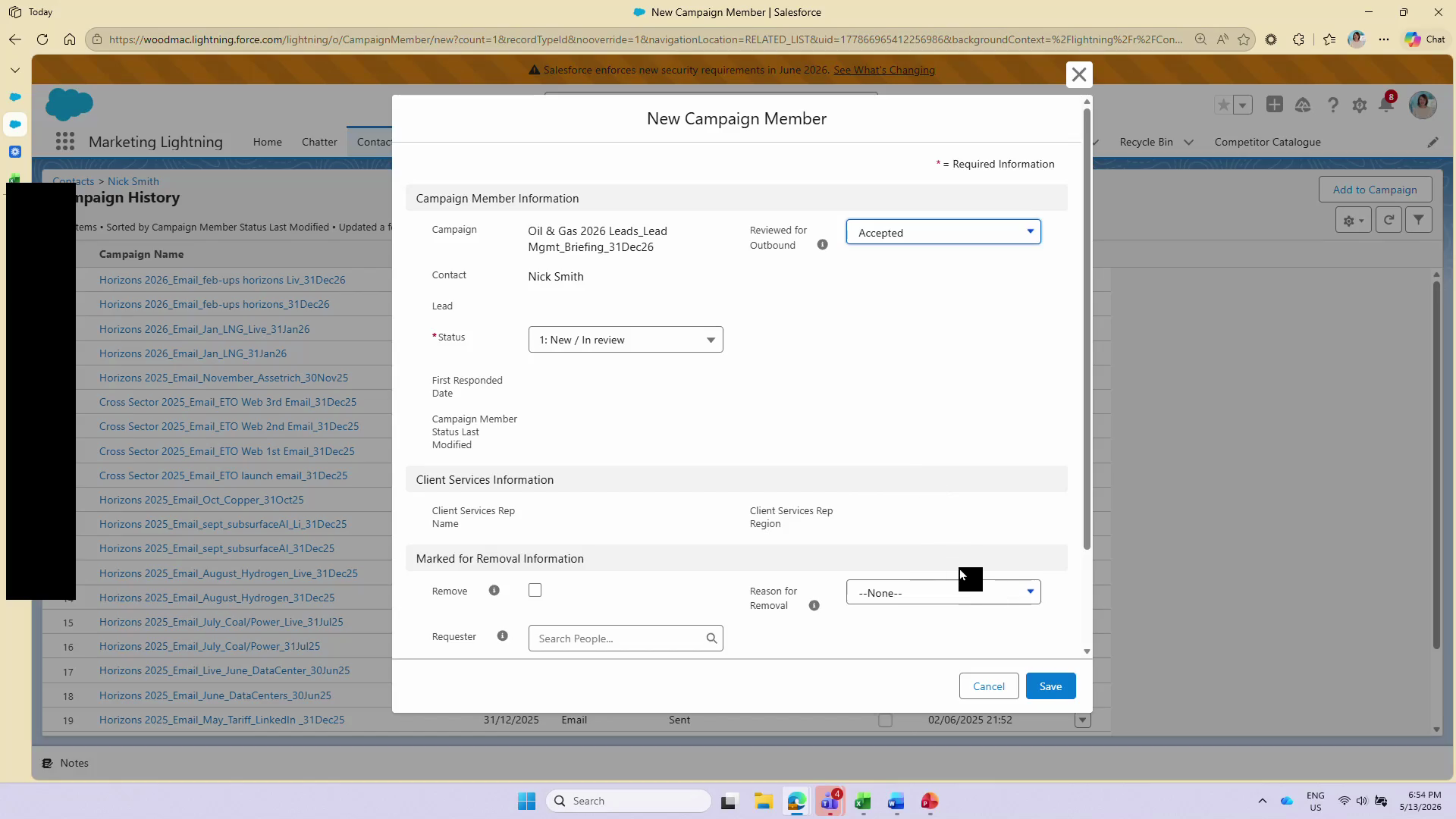
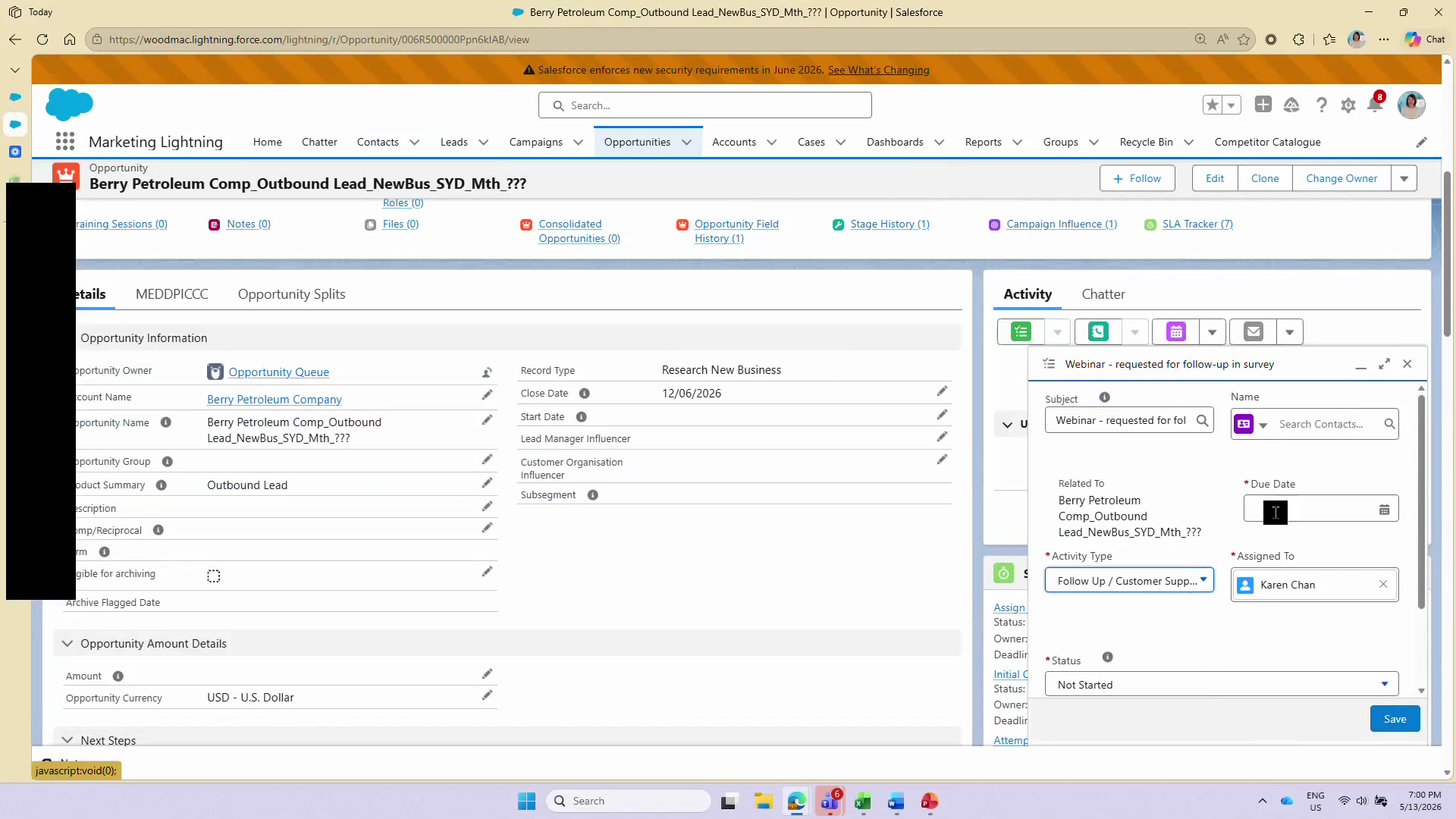
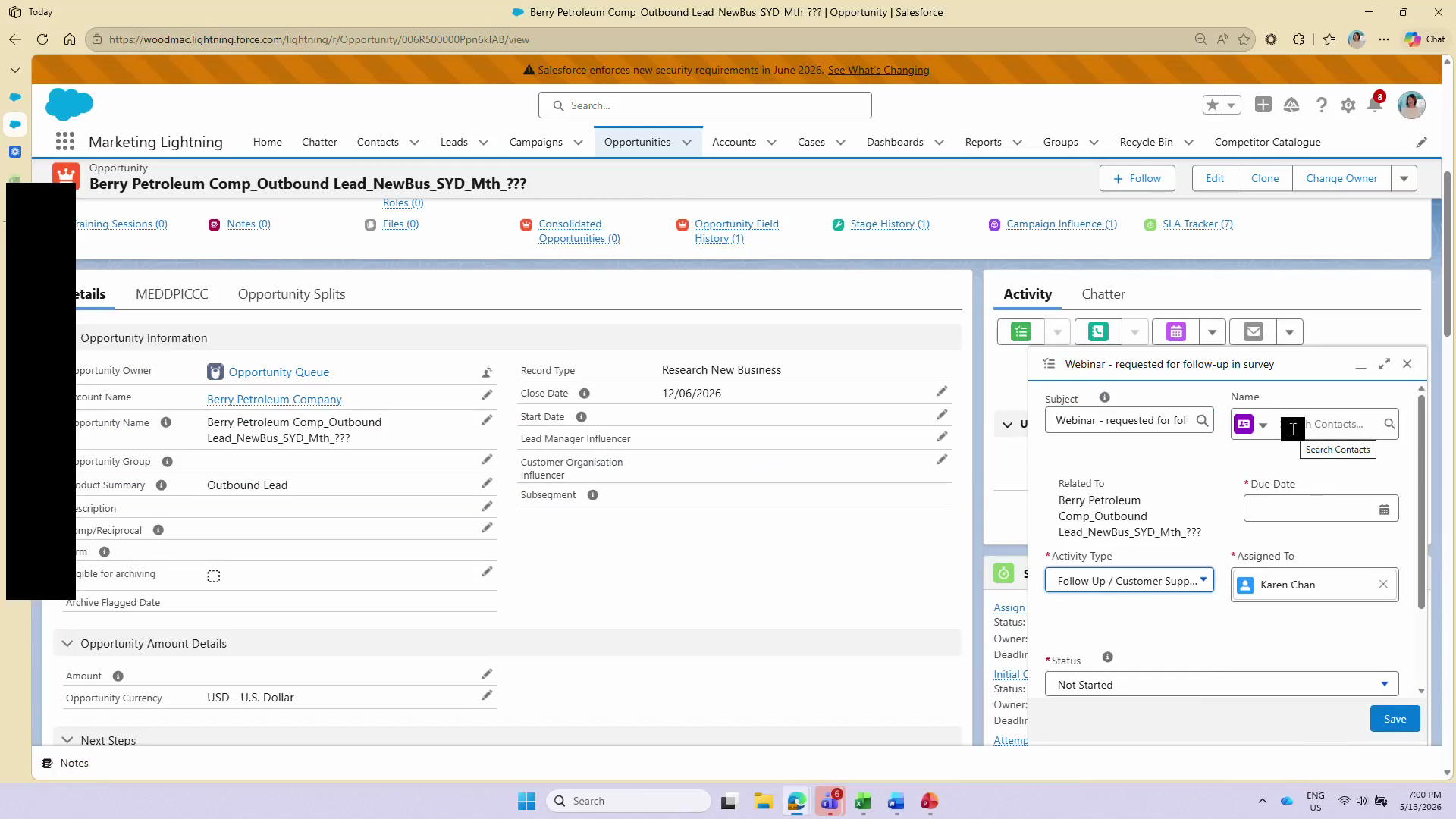
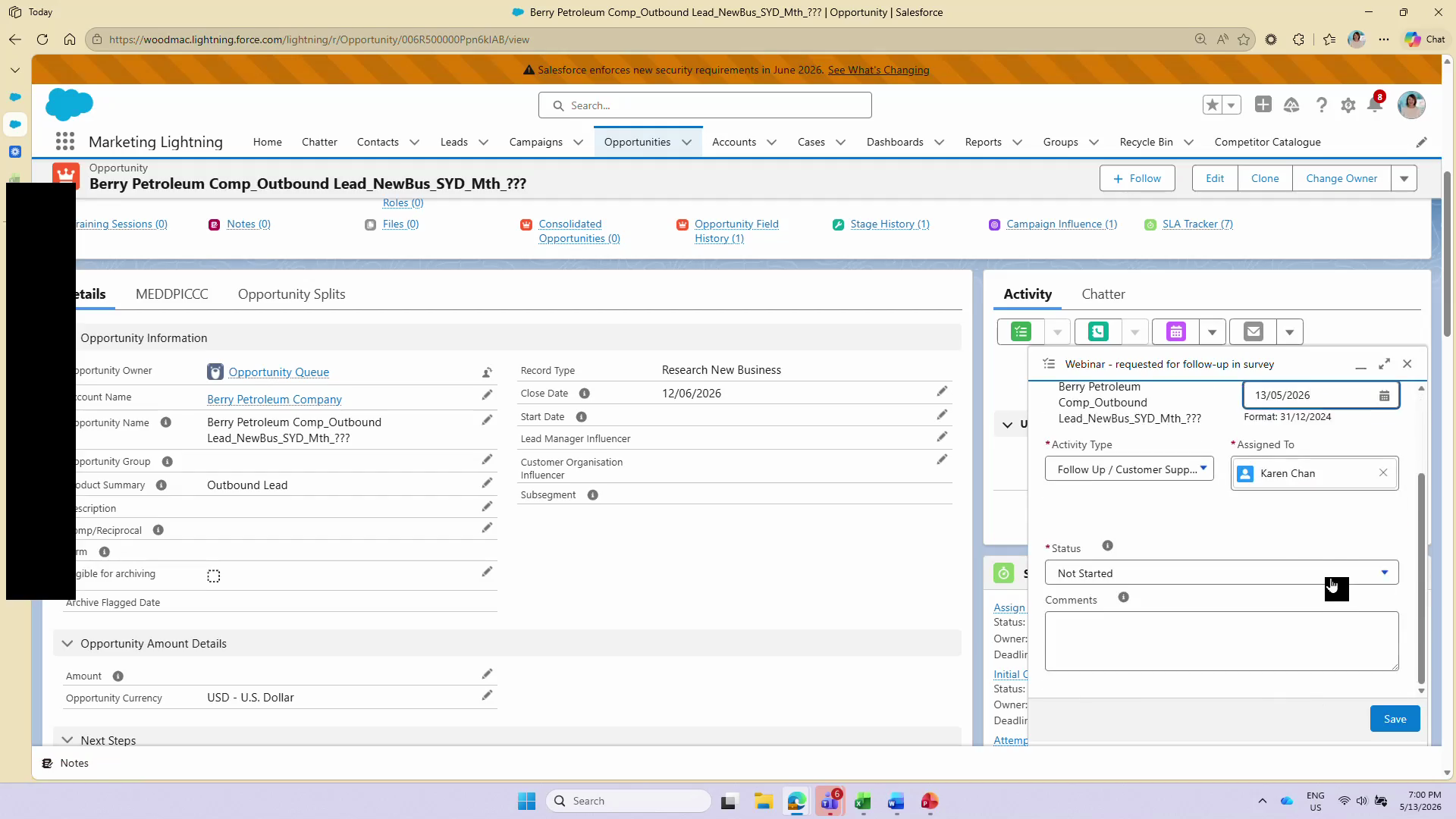
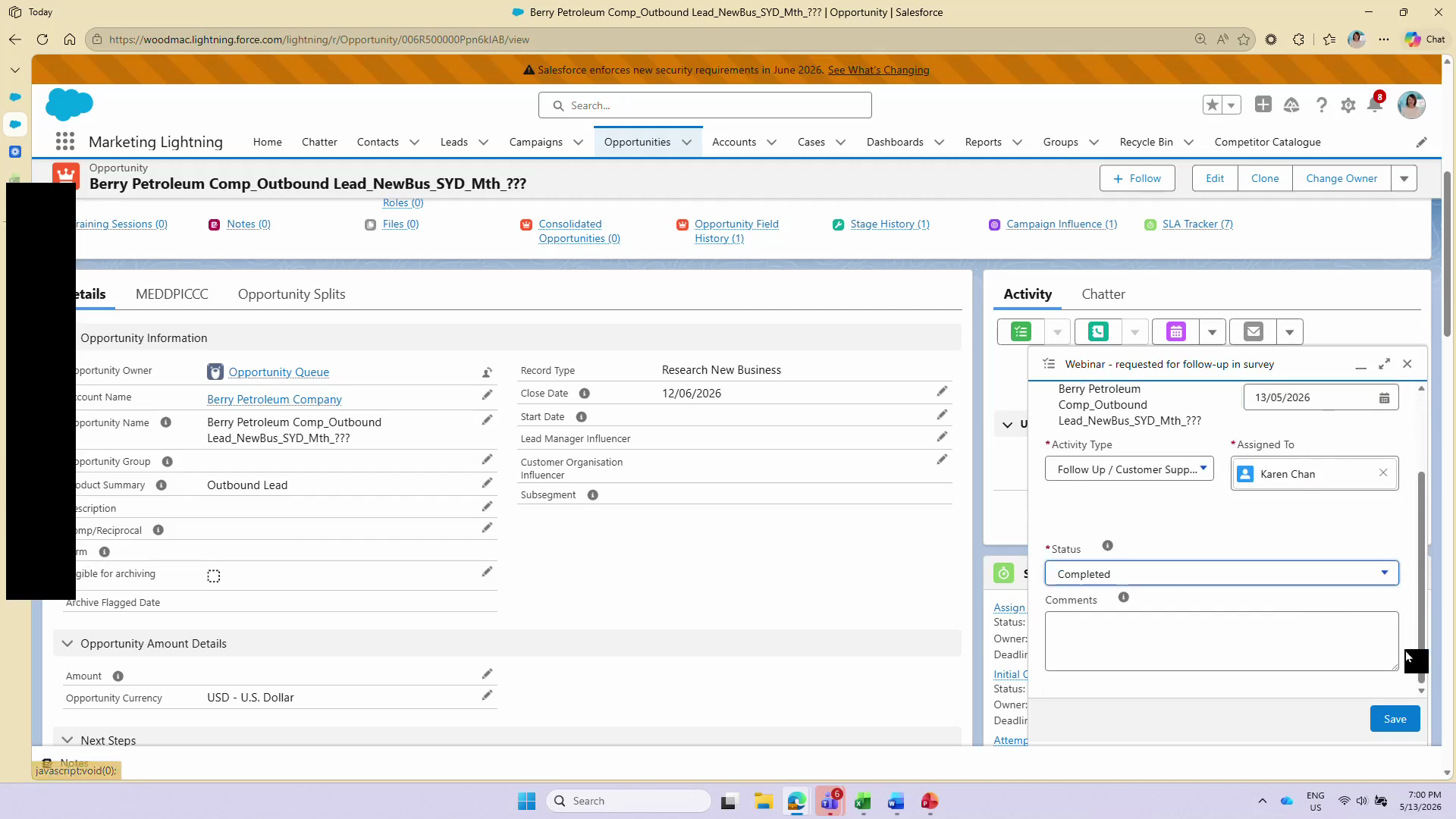
Log a Follow-up Task on an Opportunity
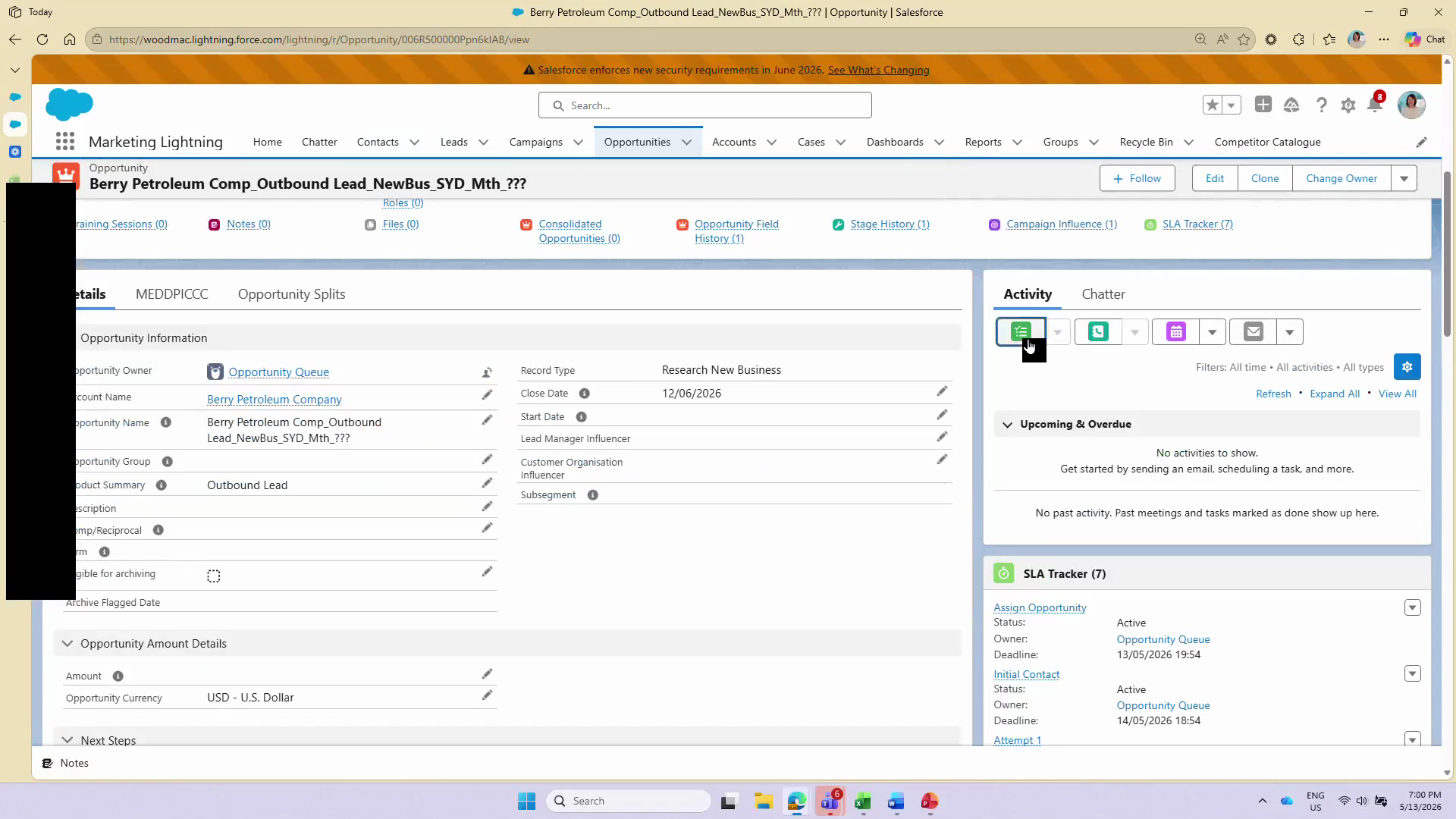
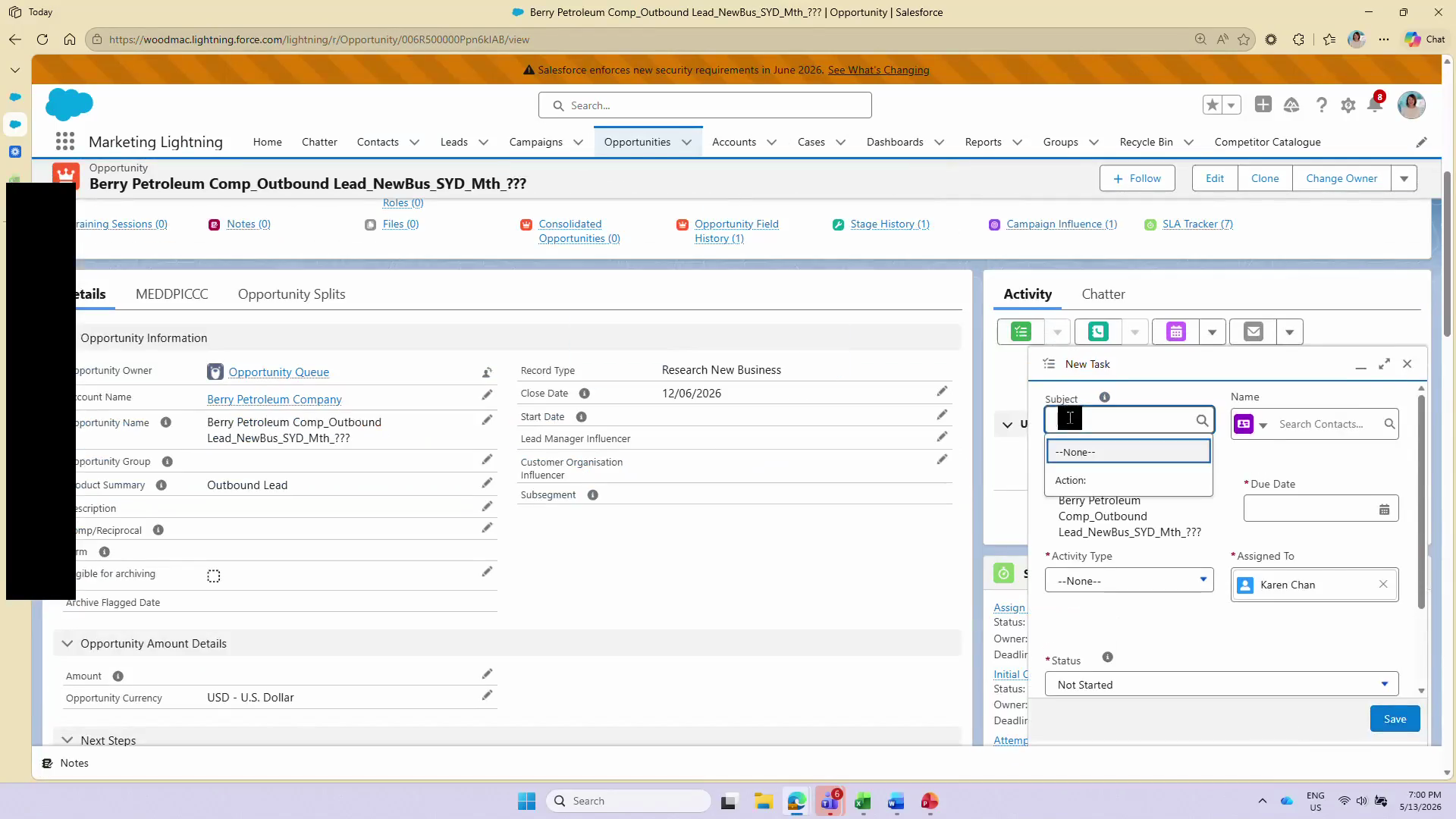
Once the contact is associated with the campaign, you can log specific activities, such as webinar follow-ups, directly on the related Opportunity record.
FAQ
Q: Why do I need to link the Contact in the "Name" field on the Opportunity task?
A: Linking the contact in the "Name" field ensures the activity rolls up to the contact record as well as the opportunity. This is critical for marketing attribution and tracking the specific individual's engagement.
Q: What should I do if the campaign I want isn't showing up in the search?
A: Ensure you have the correct spelling and that the campaign is marked as "Active" in Salesforce. If it still doesn't appear, you may need your Salesforce administrator to adjust your sharing or campaign permissions.
Glossary
Term | Definition |
|---|---|
Campaign History | A related list on a lead or contact record that displays all marketing campaigns the individual has been associated with. |
Campaign Member | A record that links a specific lead or contact to a specific Salesforce campaign, complete with a specialized status (e.g., Sent, Responded, Accepted). |
Activity Component | The section of a Salesforce record layout where users can create, manage, and view tasks, events, logged calls, and emails. |