
Add a Missing Column to Multiple Formula Sheets
Learn how to efficiently copy and insert a missing processing aids column across multiple spreadsheet tabs while resolving paste errors.
This guide demonstrates how to insert a missing column across multiple formula sheets in a workbook. By completing this, you ensure that all recipe tabs maintain consistent formatting and track accurate ingredient data.
This workflow is intended for operations and product team members who manage formula spreadsheets. It is used when a structural update needs to be retroactively applied across multiple tabs in an existing document.
Copy the Source Column
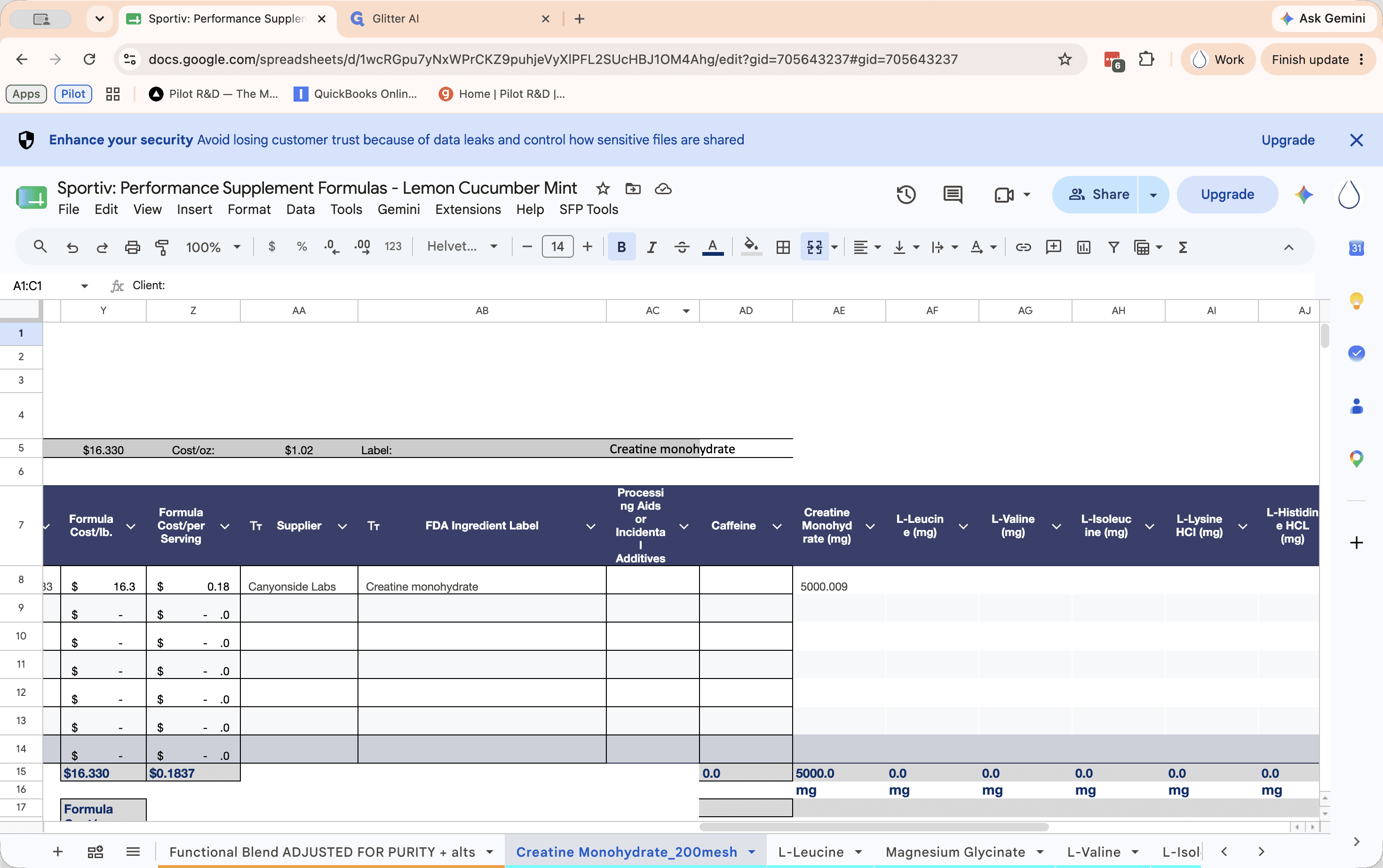
First, locate a sheet that already contains the missing "Processing Aids or Incidental Additives" column.
Update Target Sheets
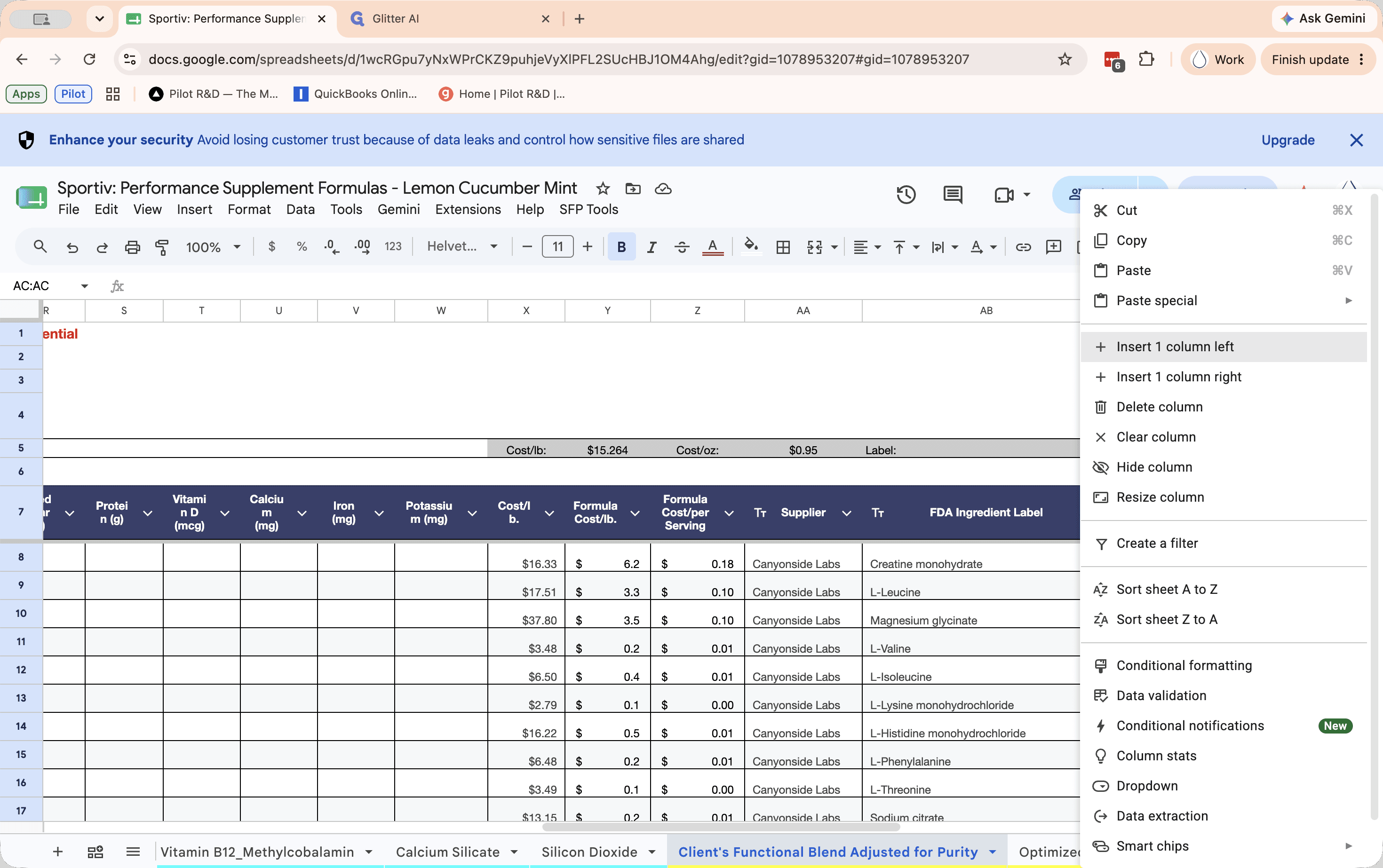
You need to repeat this insertion process for every sheet tab that is missing the processing aids column between "FDA ingredient label" and "Caffeine".
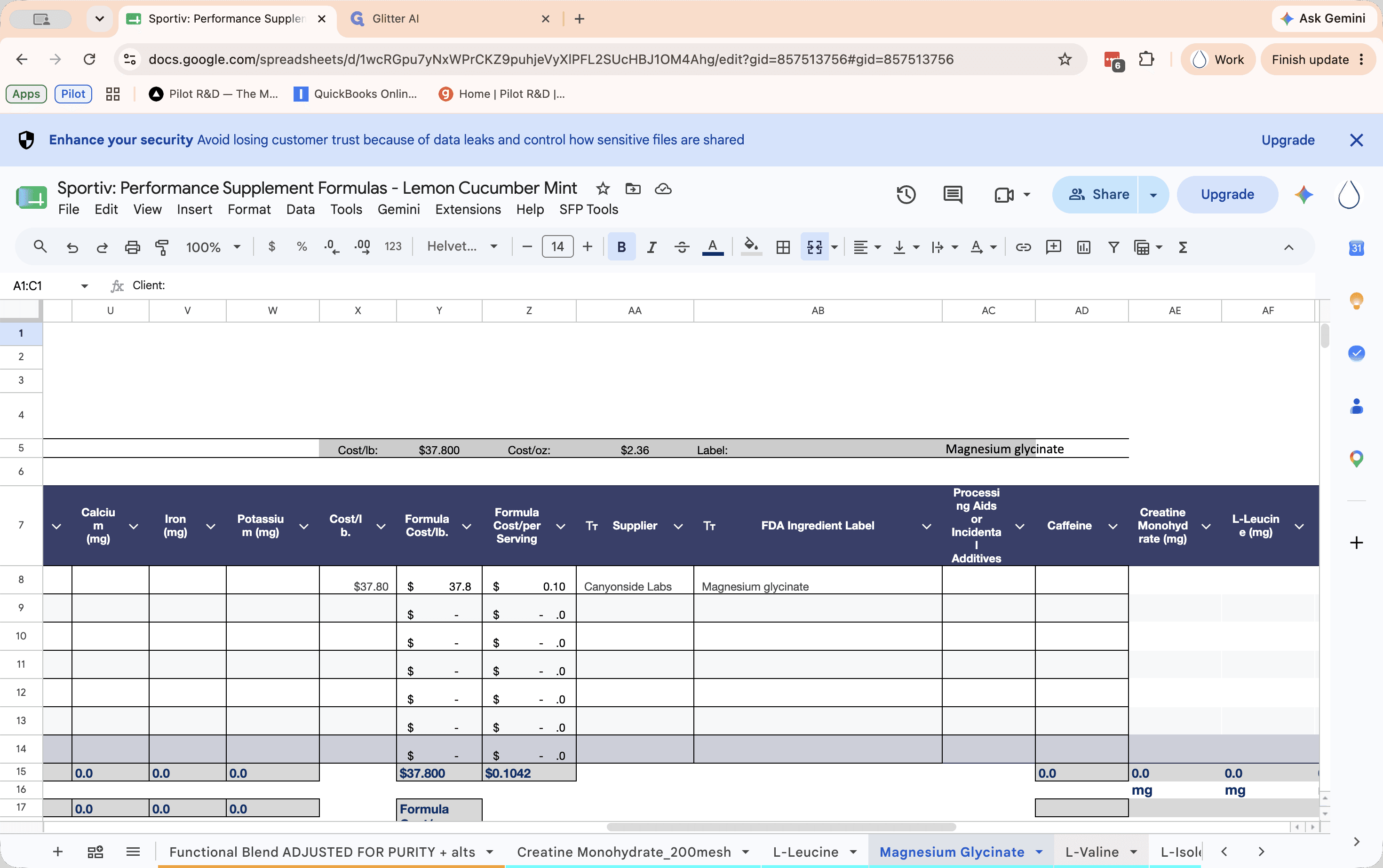
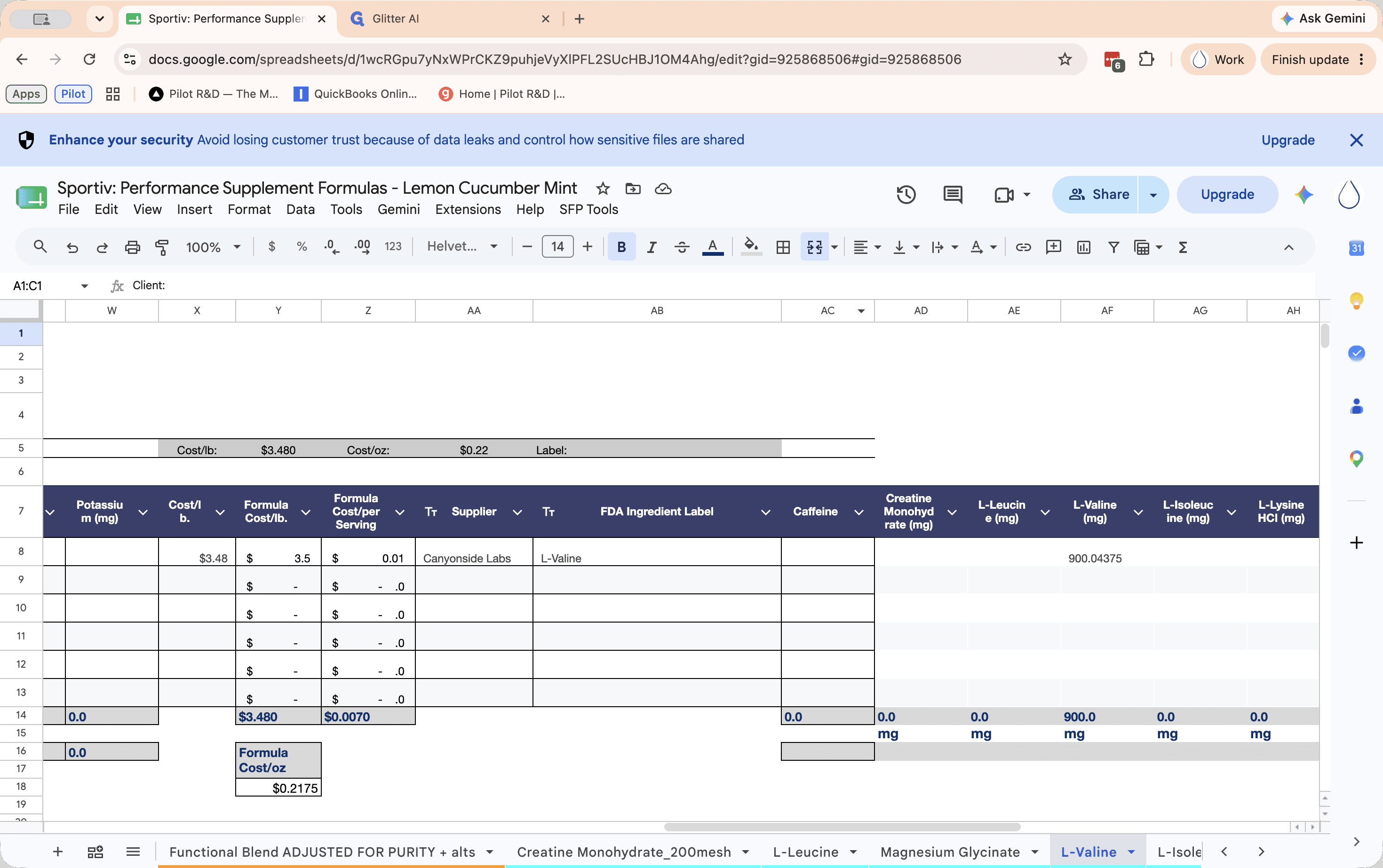
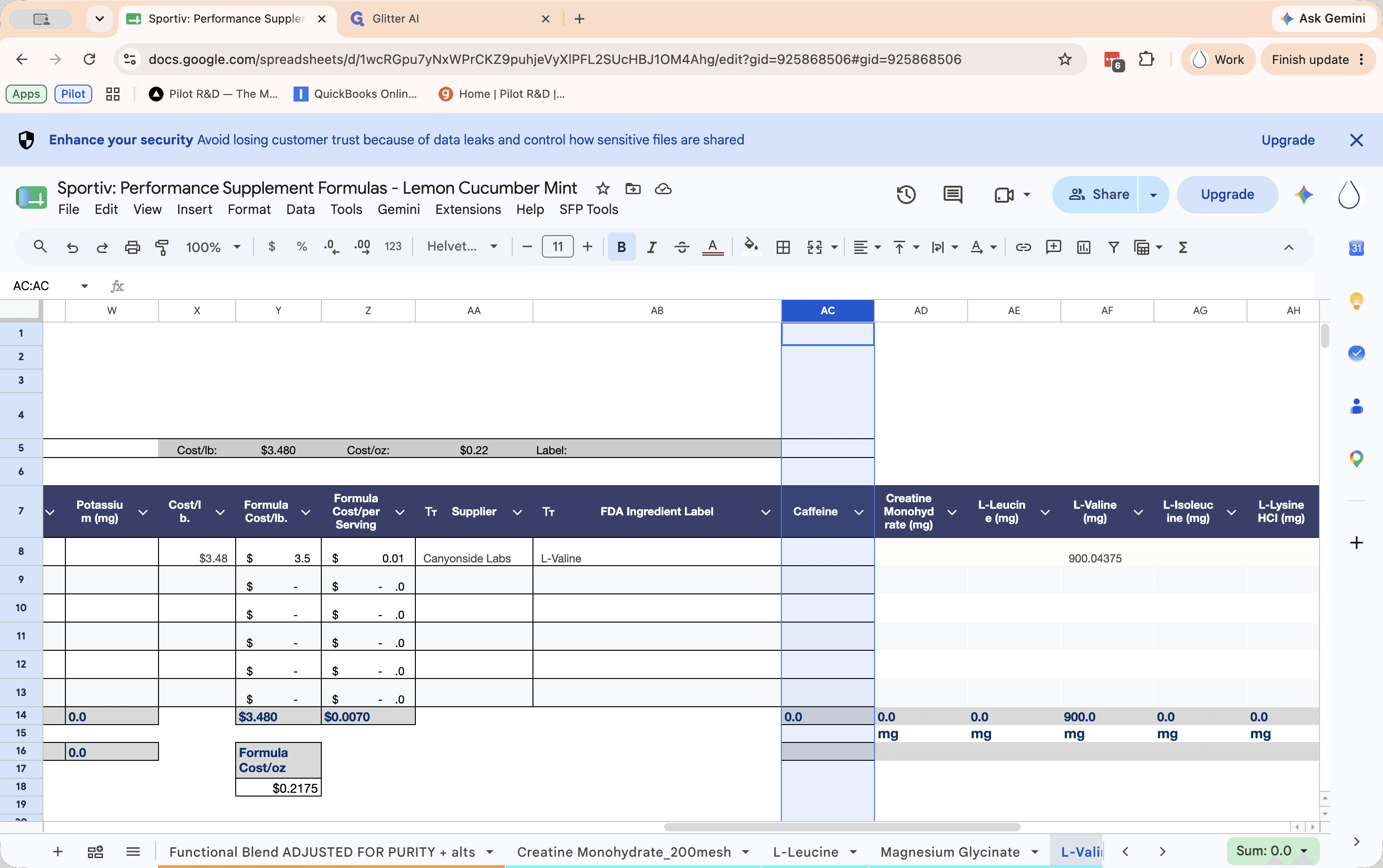
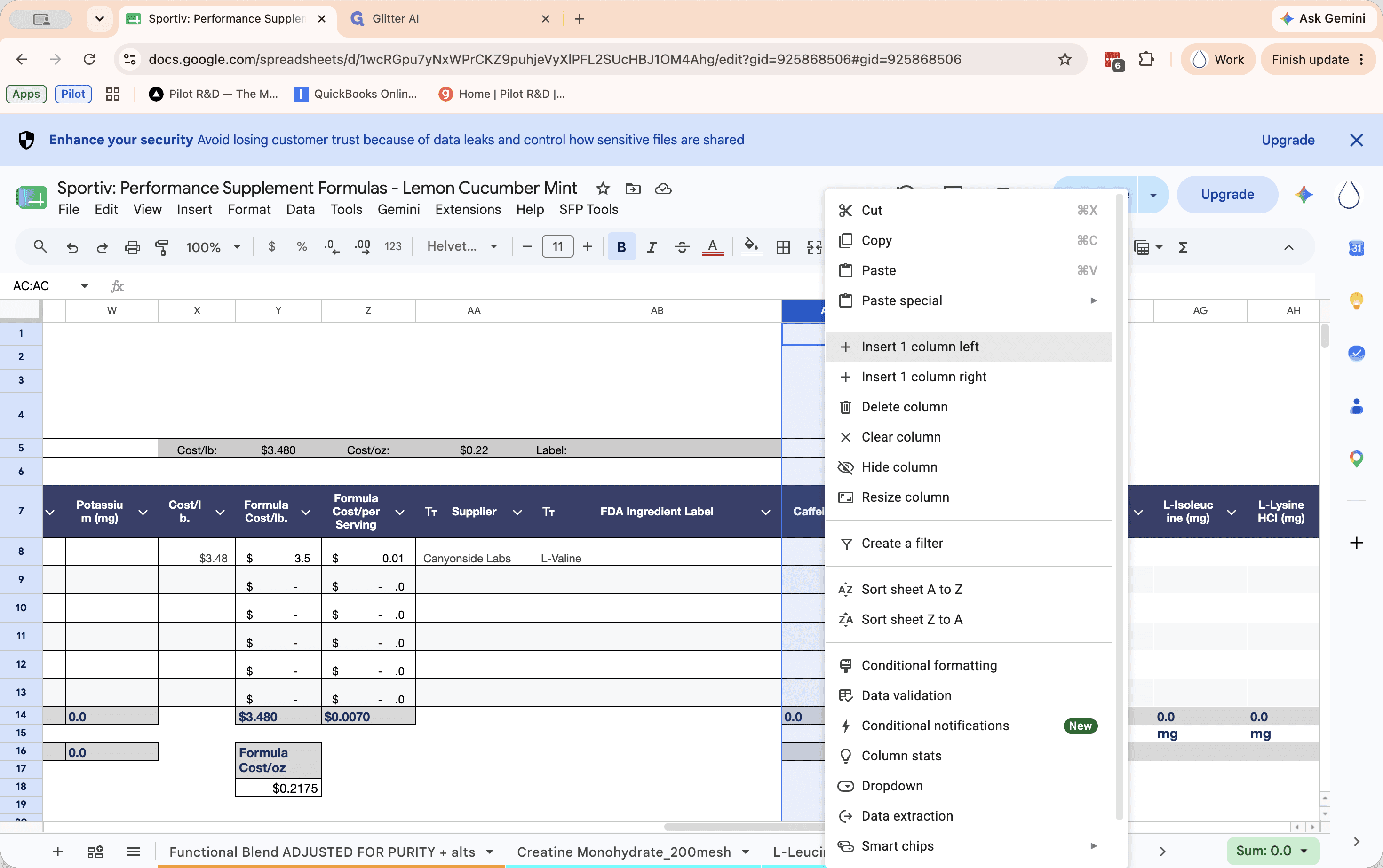
Once the blank column is inserted, paste the copied column data into it.
Fix Formula Errors
Because the sheets have varying row counts, pasting the entire column might push formulas into empty spaces below the total lines, triggering an error (indicated by a fire emoji).
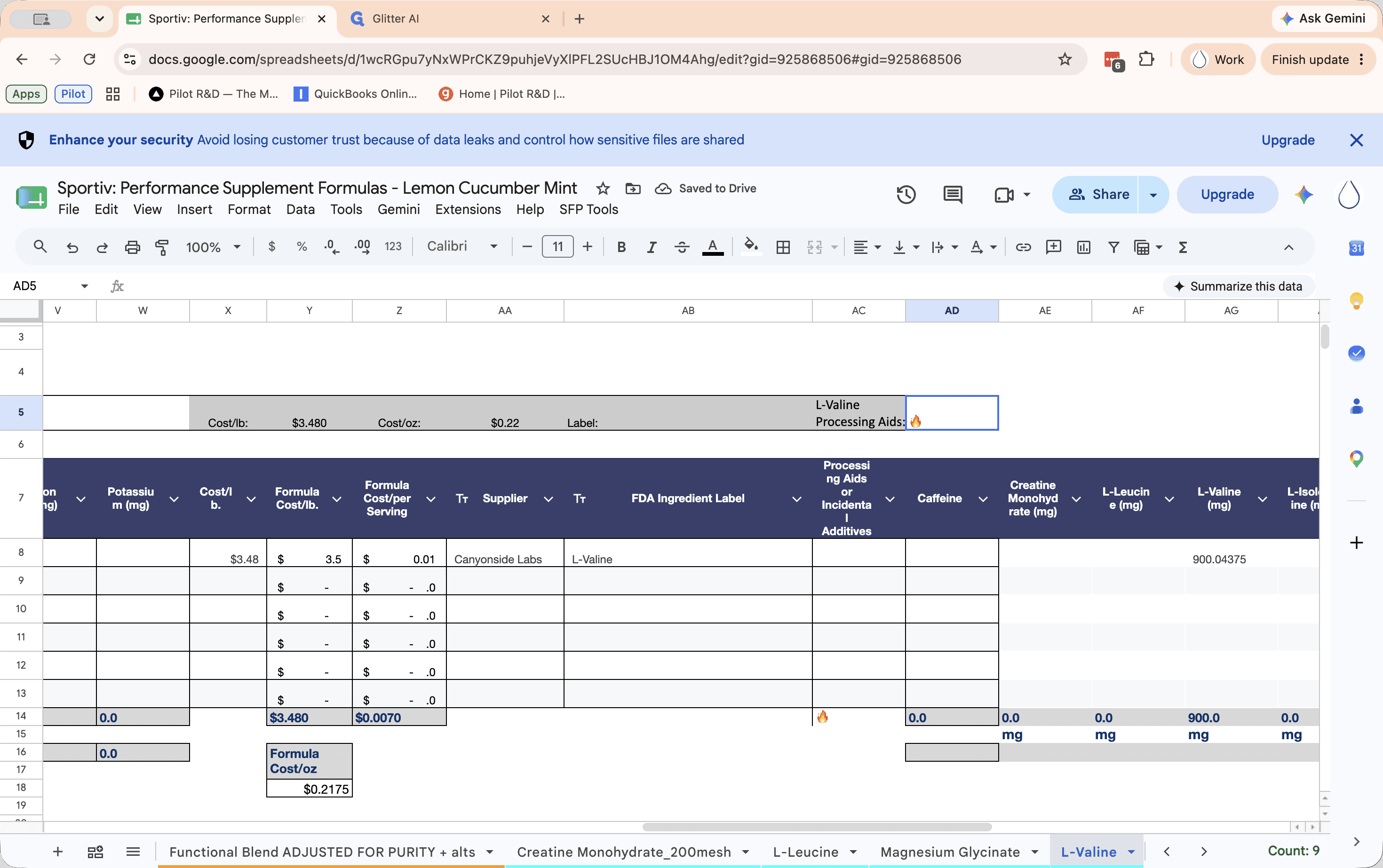
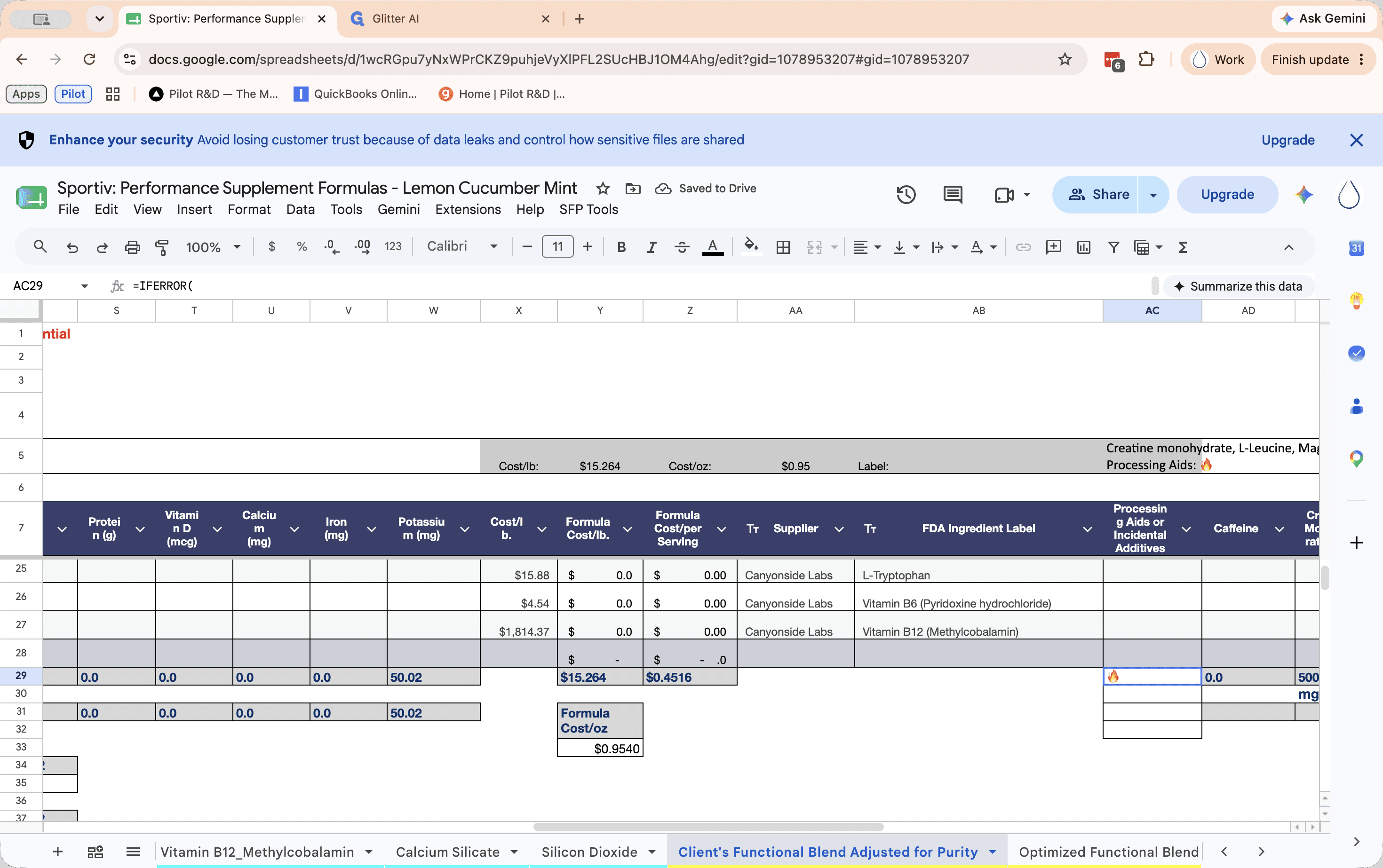
Continue moving through all the blue, orange, and yellow sheet tabs in the workbook until the column has been added and cleaned up across all of them.
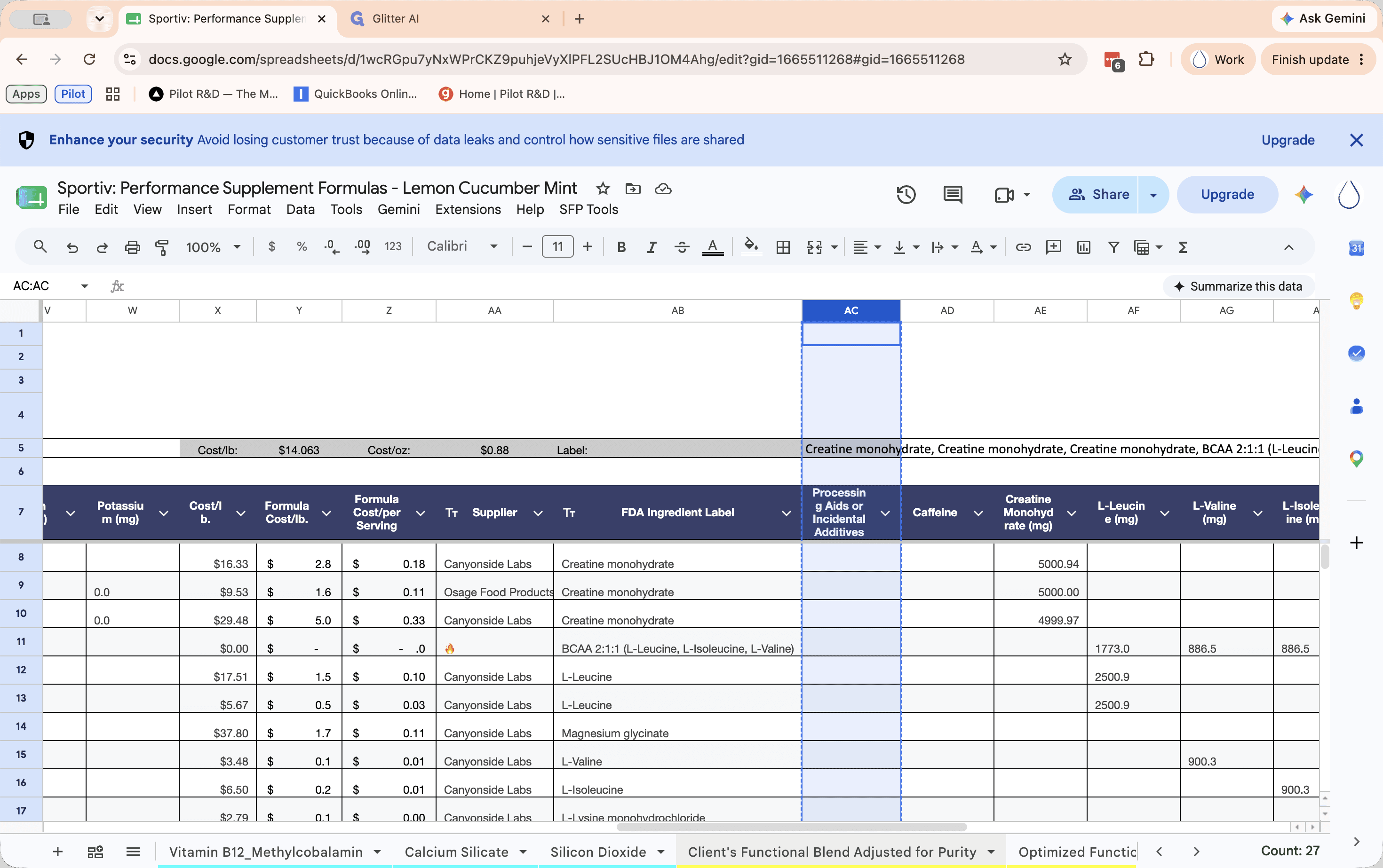
Q: What should I do if I see a fire emoji after pasting?
A: A fire emoji indicates that a formula has been pasted incorrectly, extending below the sheet's sum or total line. Click the cell with the error and delete its contents to fix it.
Q: Does it matter if there are fire emojis in other columns?
A: No, you can ignore fire emojis in other columns. Only correct the errors that appear in the specific column you just pasted.
Q: Where exactly should the missing column be inserted?
A: The "Processing Aids or Incidental Additives" column belongs between "FDA ingredient label" and "Caffeine". If column AC is currently "Caffeine", insert the new column to the left of it.
Term | Definition |
|---|---|
Processing Aid | A substance used during the manufacturing of a product that may be present in the final formula in incidental amounts. |
Total Row | A designated row at the bottom of a data table used to calculate the sum or aggregate of the columns above it. |