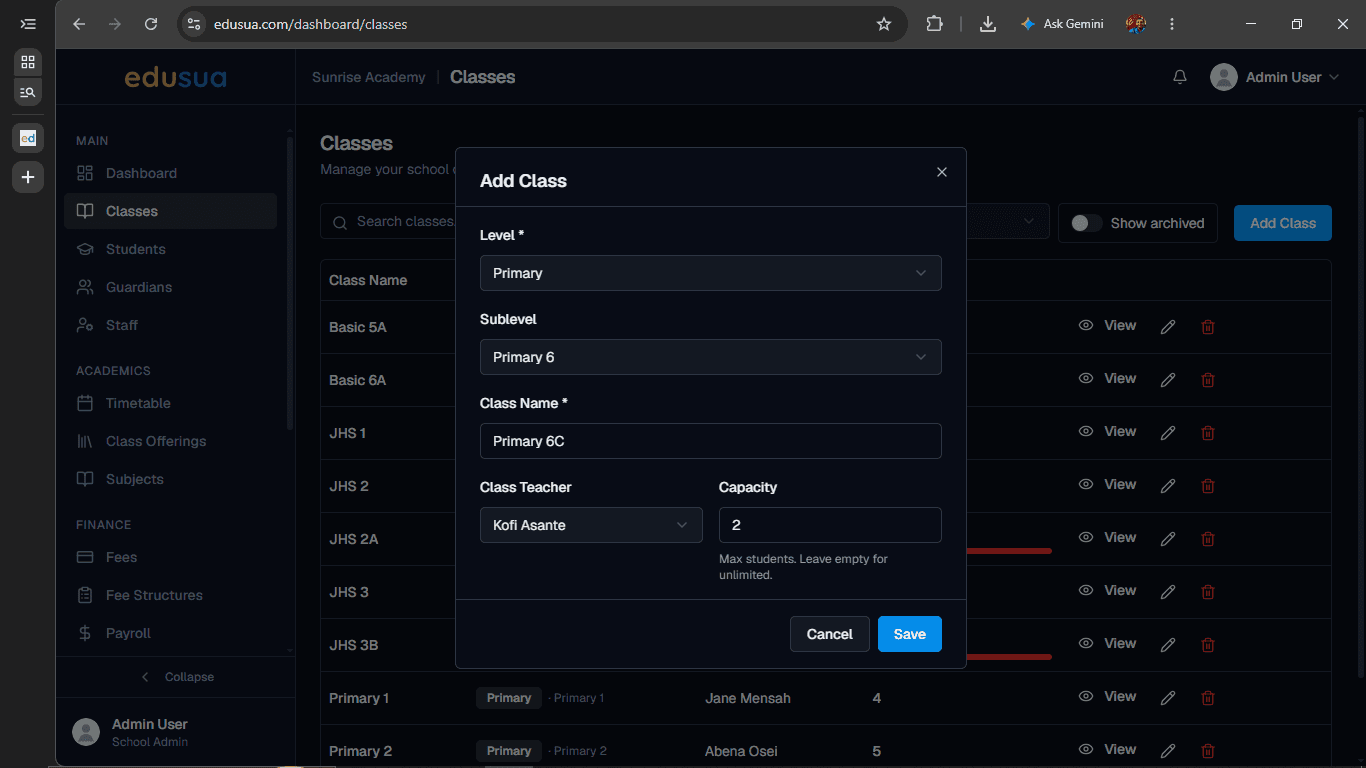
How to Add a New Class in edusua
Learn how to create and configure a new class, assign a class teacher, and set capacity limits in edusua.
By Seth Tawiah Nortey Jr (NSJ)
Create and configure a new class to organize students, assign grade levels, and designate classroom teachers.
This applies to school administrators and academic coordinators setting up class rosters and grade structures for an academic term.
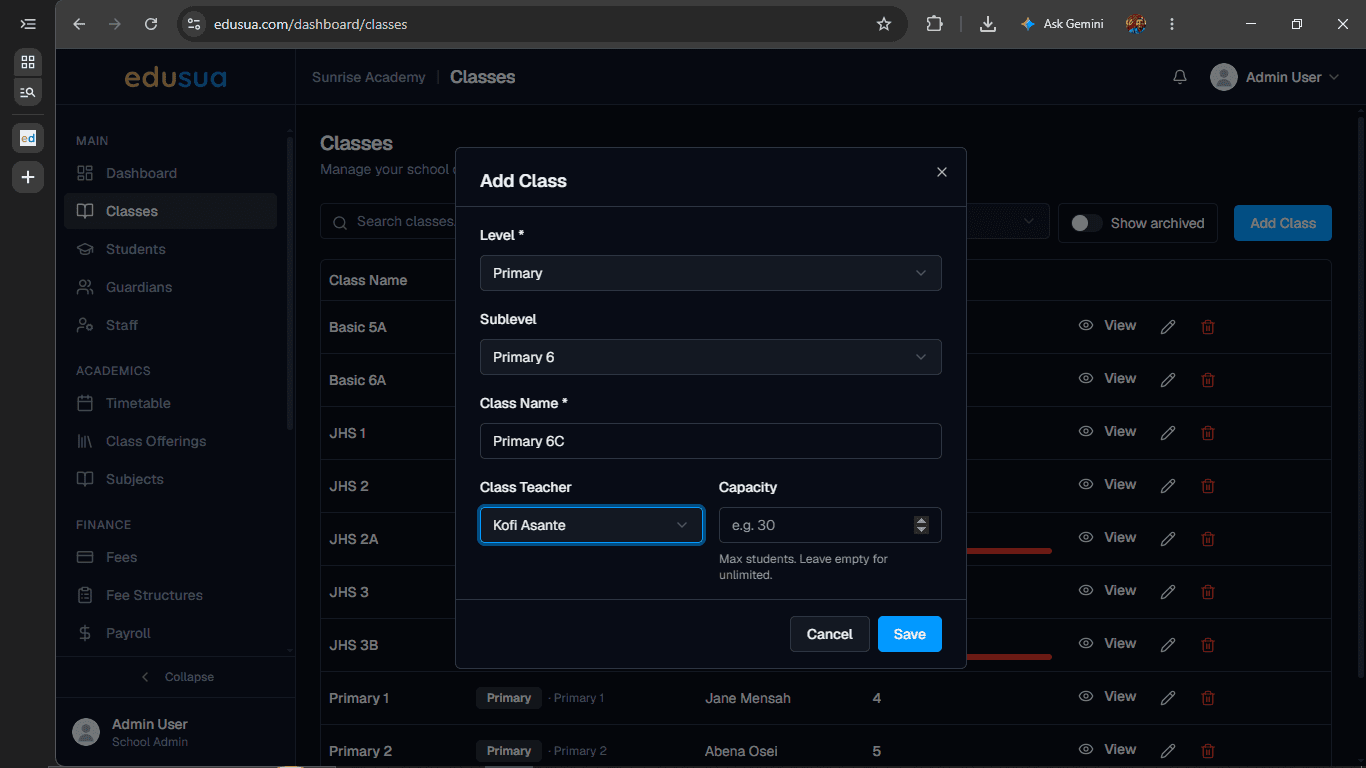
Follow these steps to create a new class and assign its level, teacher, and capacity.
1
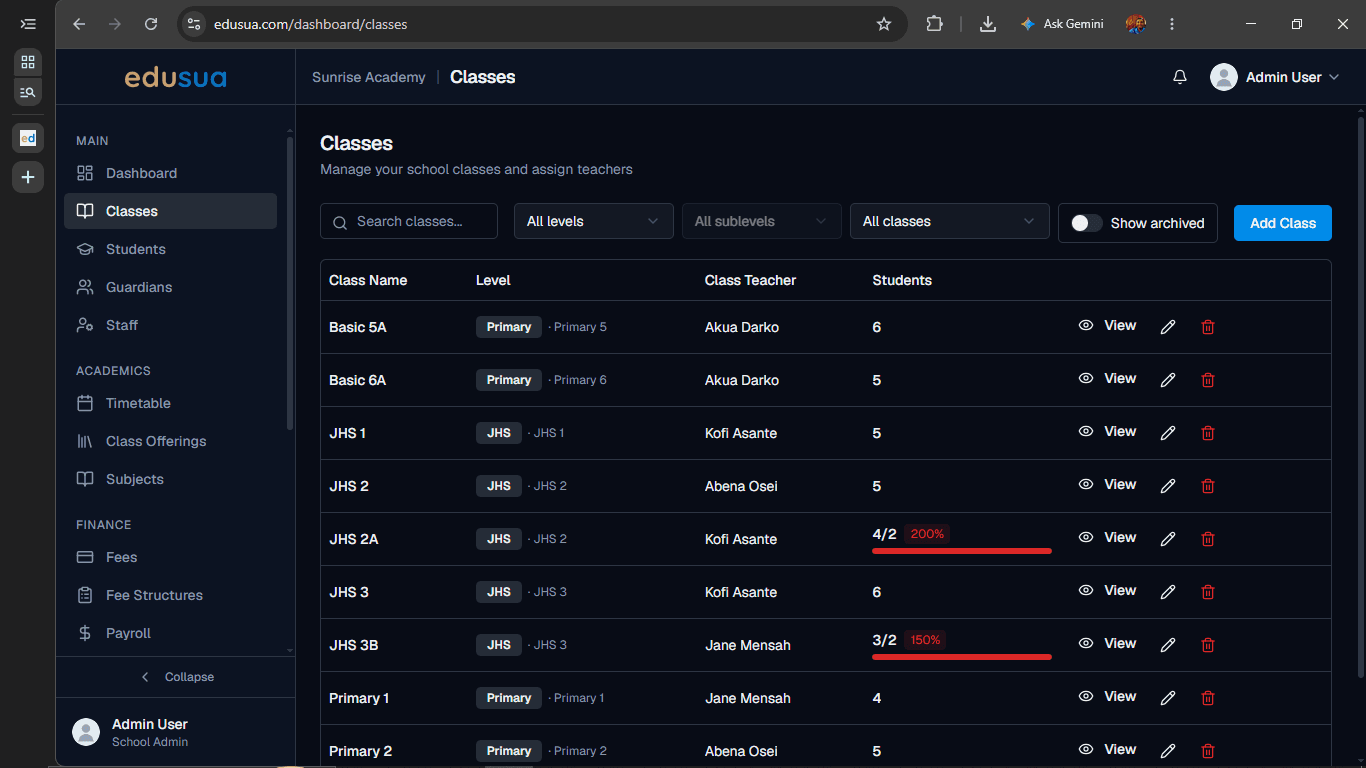
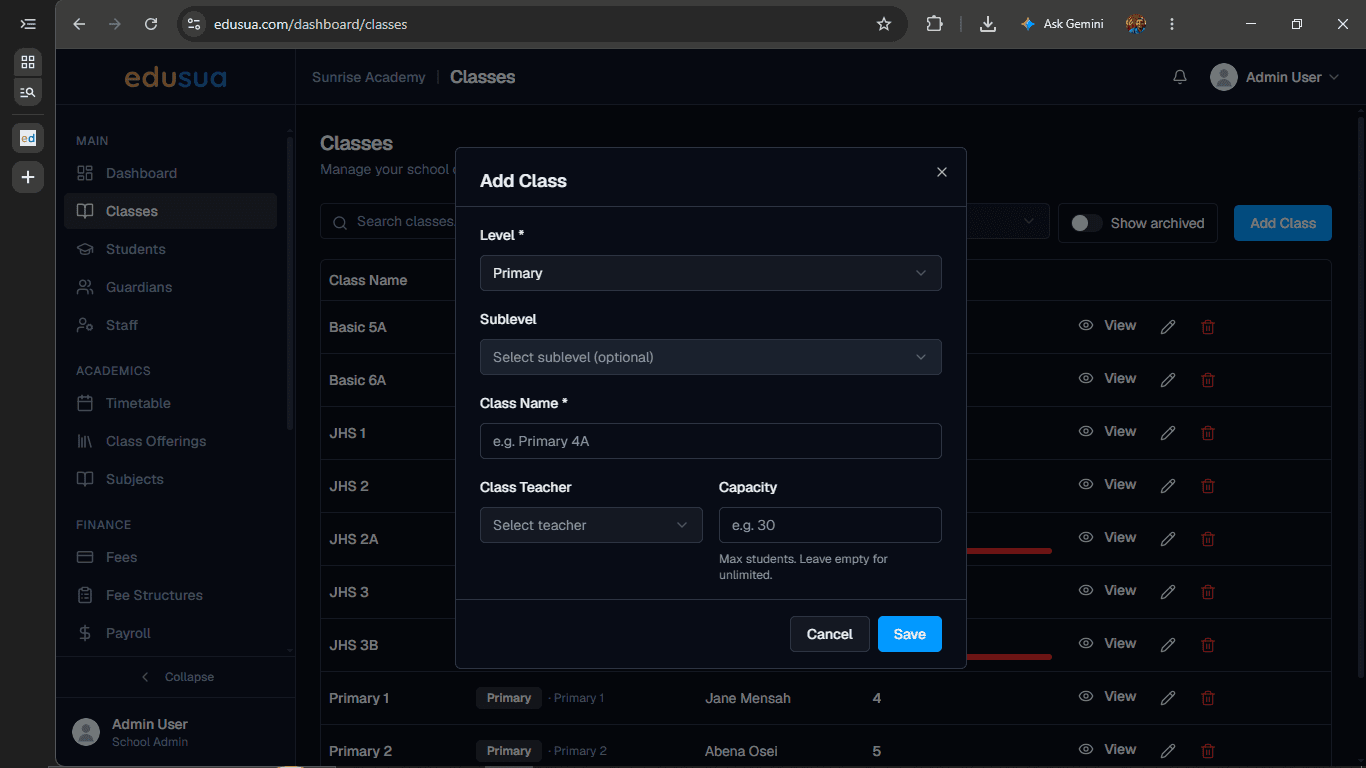
Click Add Class.
2
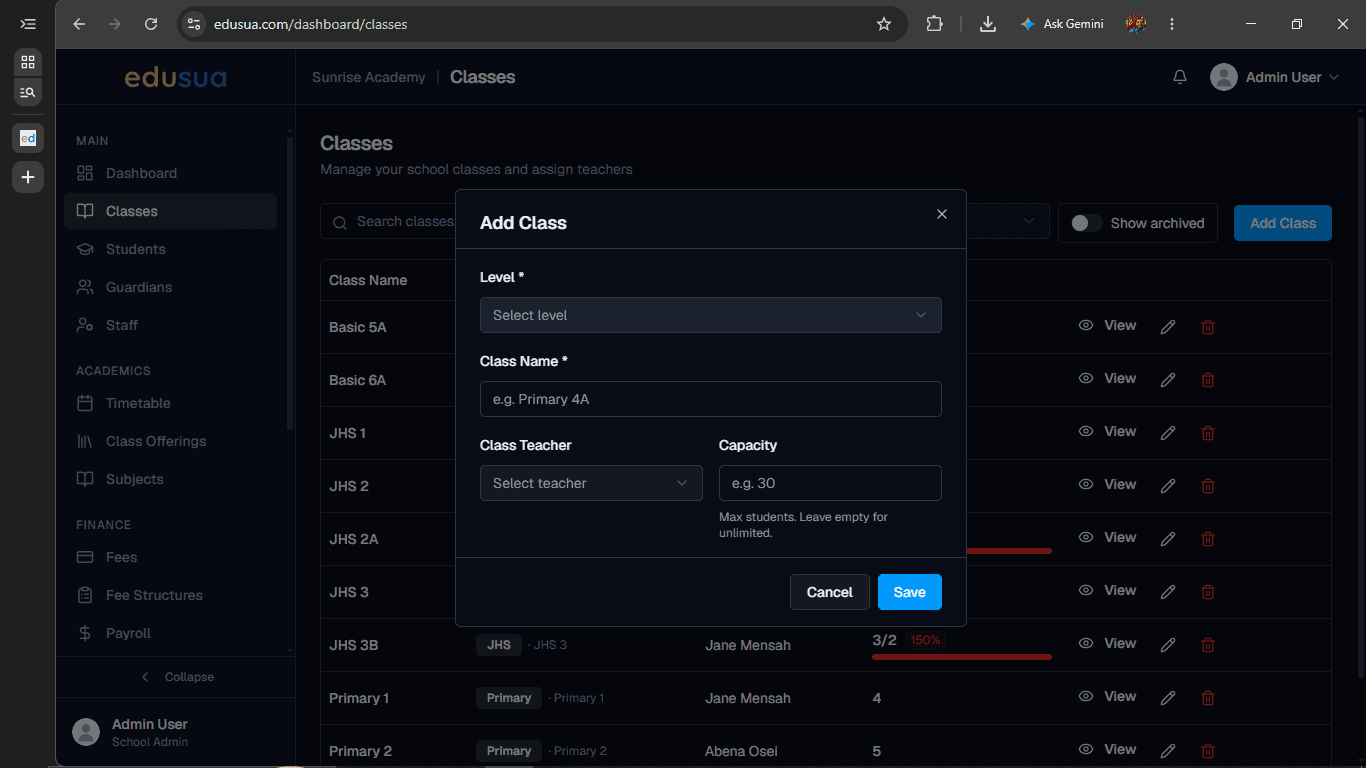
Click the Level dropdown menu.
3
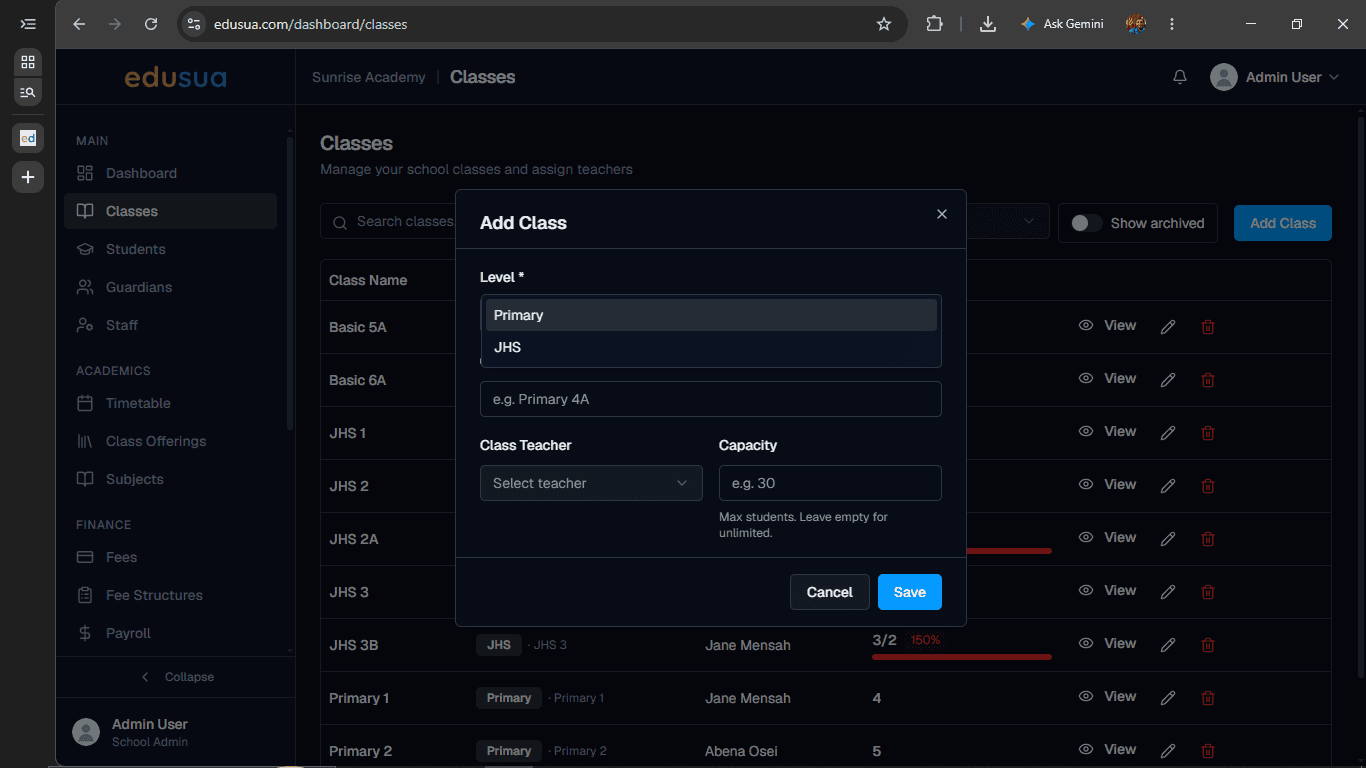
Click Primary.
4
Click the Select sublevel (optional) dropdown.
5
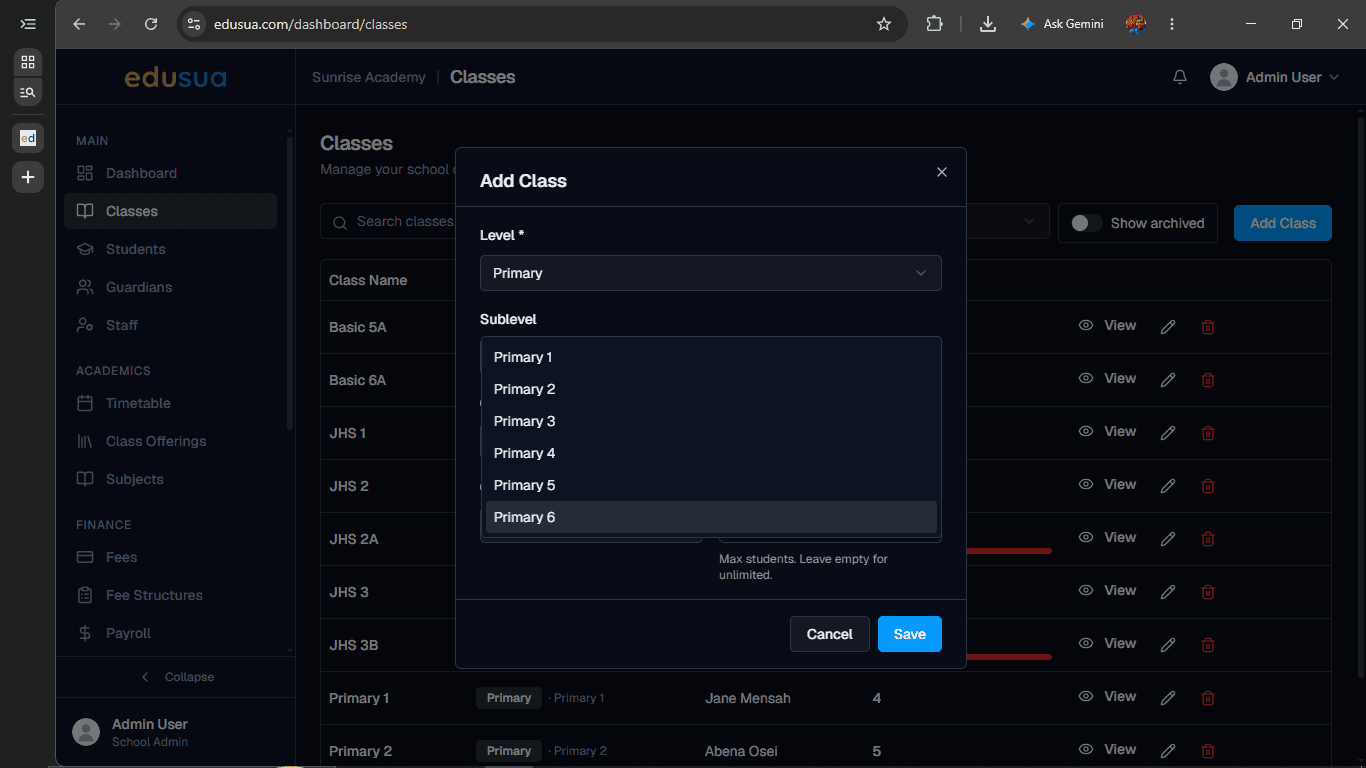
Click Primary 6.
6
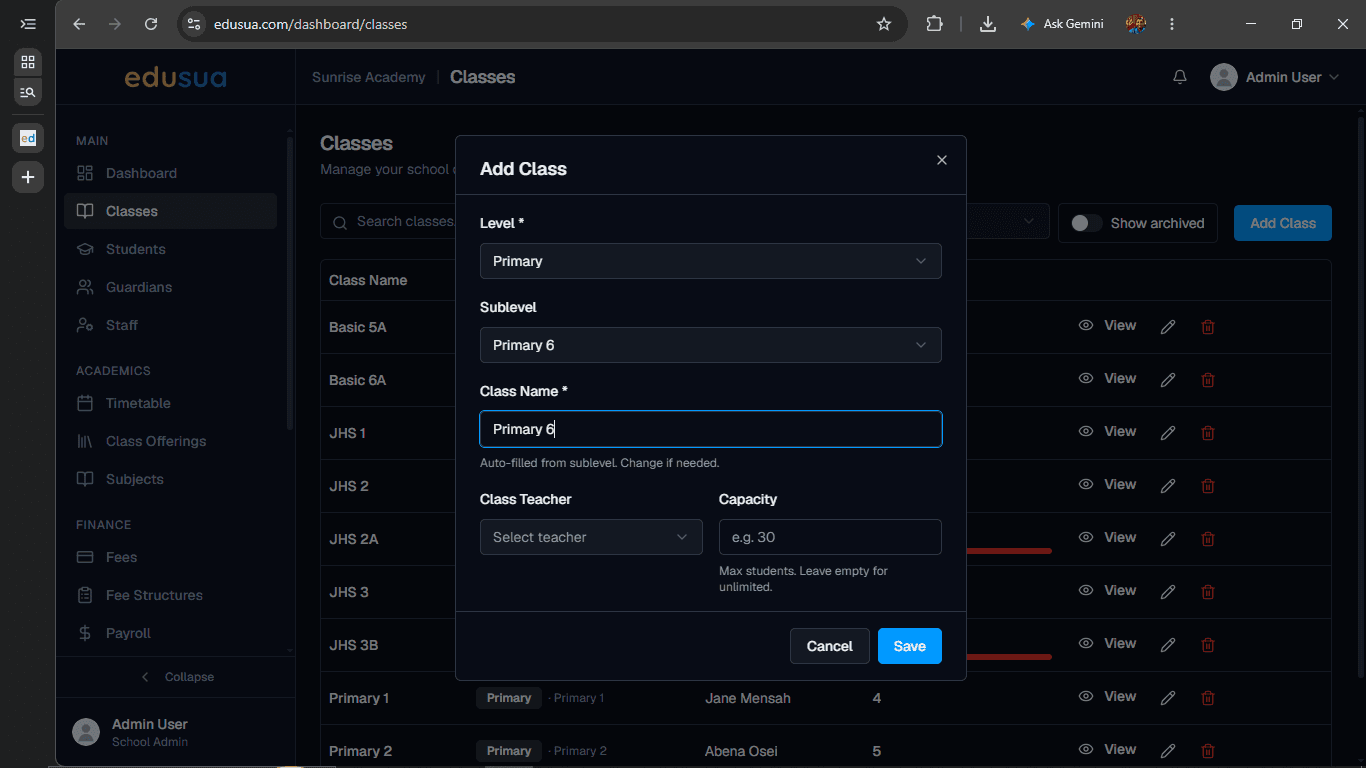
Click the Class Name field and enter a name.
7
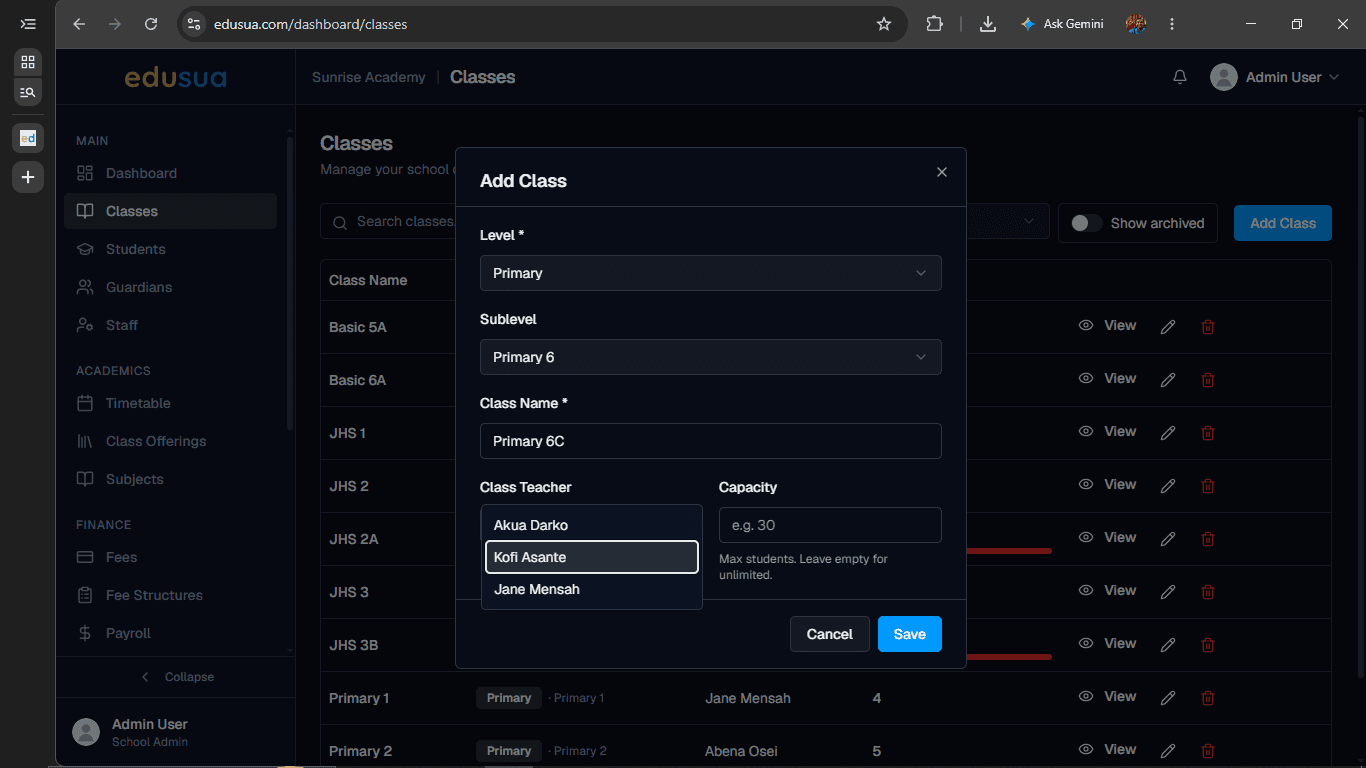
Click the Class Teacher dropdown to select an assigned teacher.
8
Click the Capacity field and enter the maximum student capacity.
9
Click Save.