
How to Add a Proposal in Guestbook 2.0
Learn how to create, manage, and add multiple proposals or Statement of Work (SOW) versions to client leads in Guestbook 2.0.
This guide explains how to generate, price, and version project proposals or Statements of Work (SOWs) in Guestbook 2.0. By following these steps, you can accurately document service scopes and track multiple project opportunities tied to a single client lead.
This workflow is intended for sales leads, project managers, or account executives. Use it when outlining project deliverables and calculating costs after an initial consultation with a prospective client.
Create a New Proposal
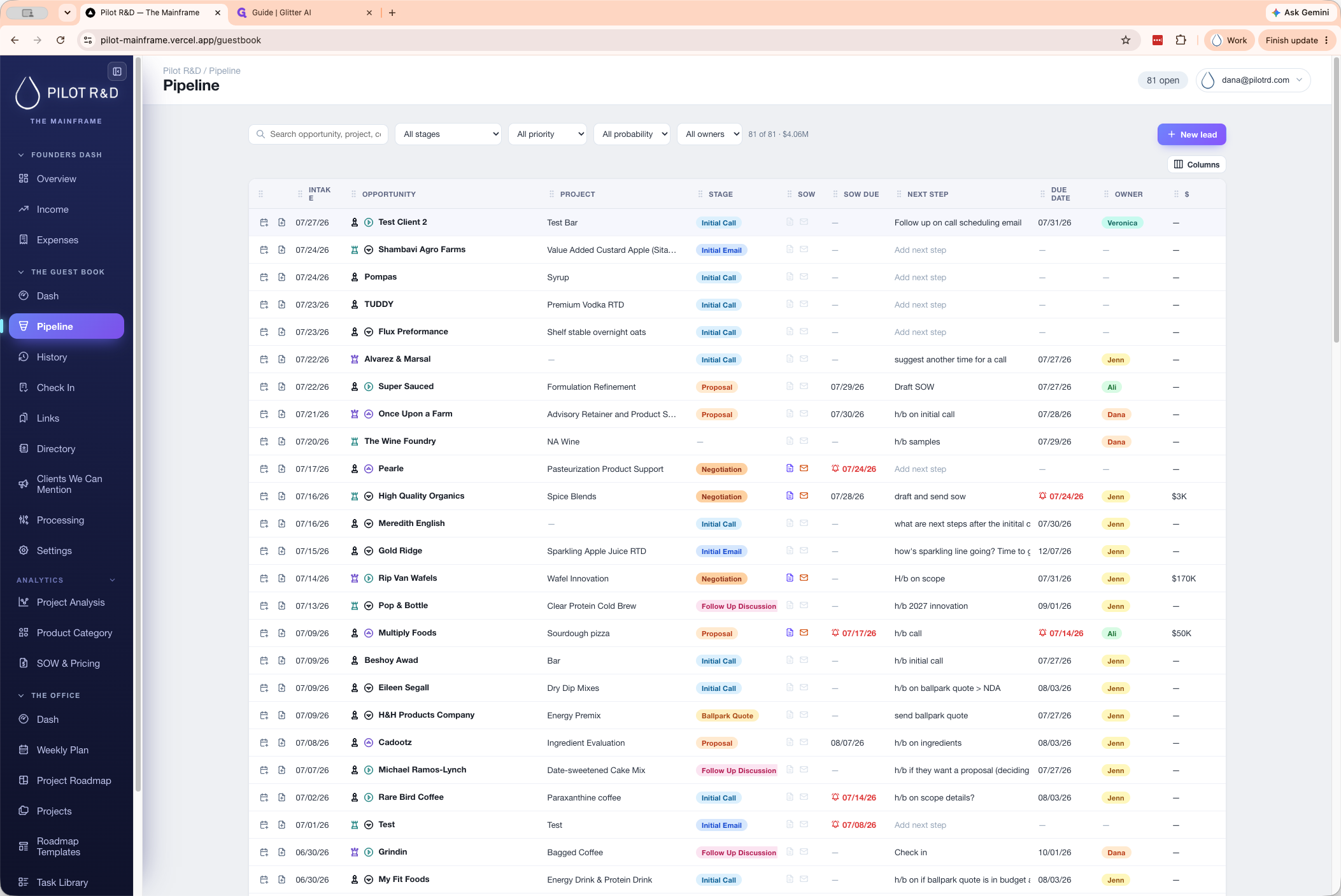
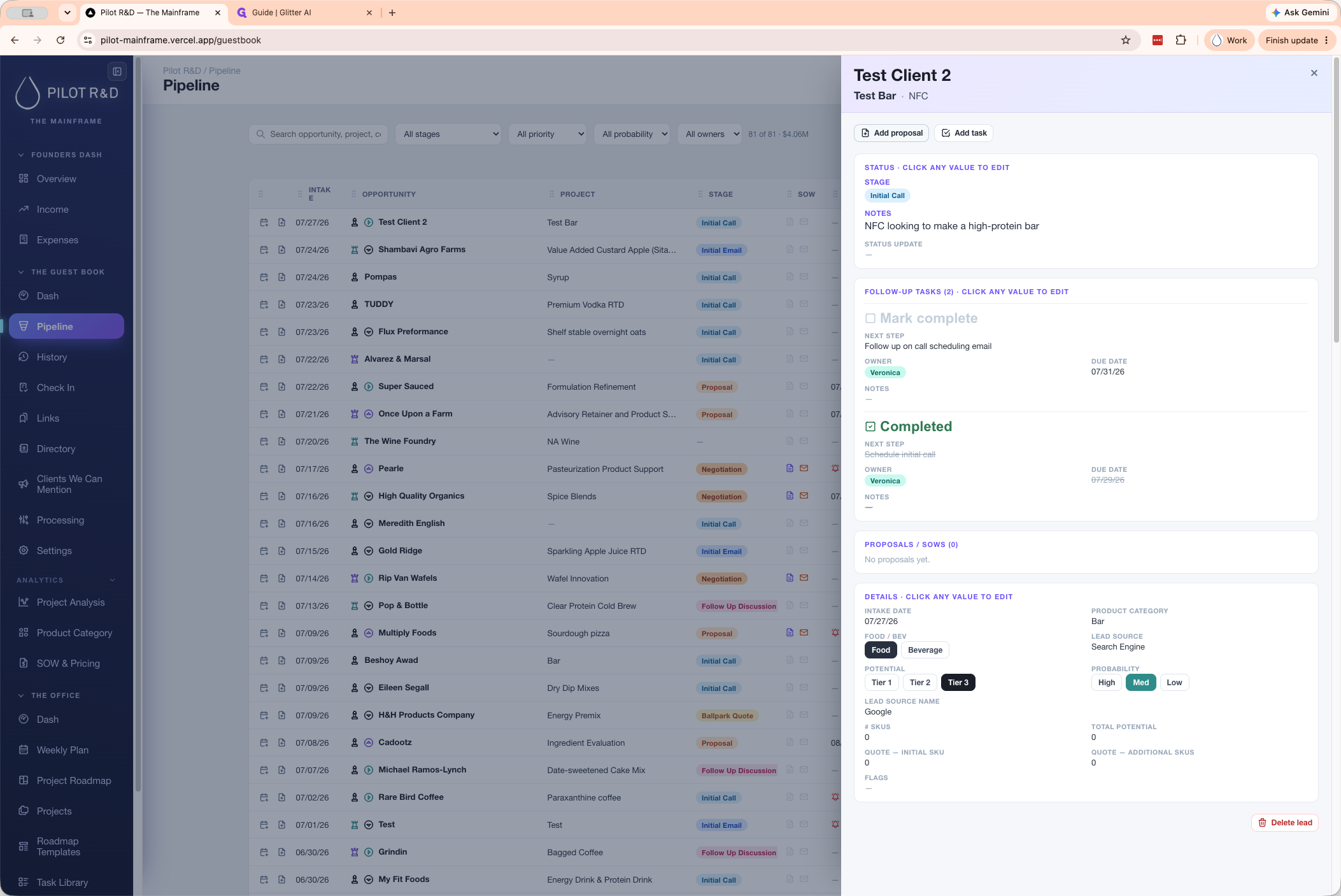
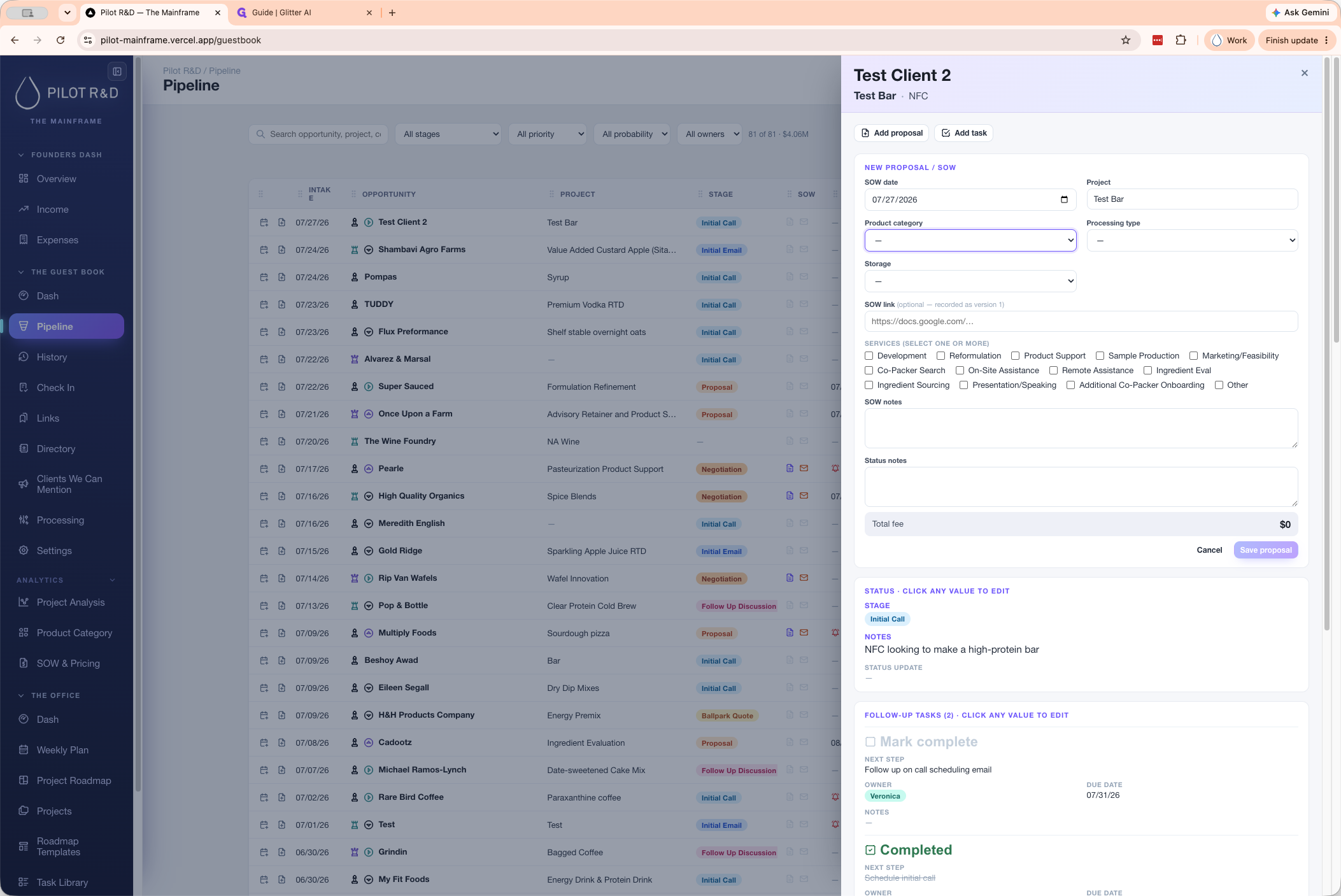
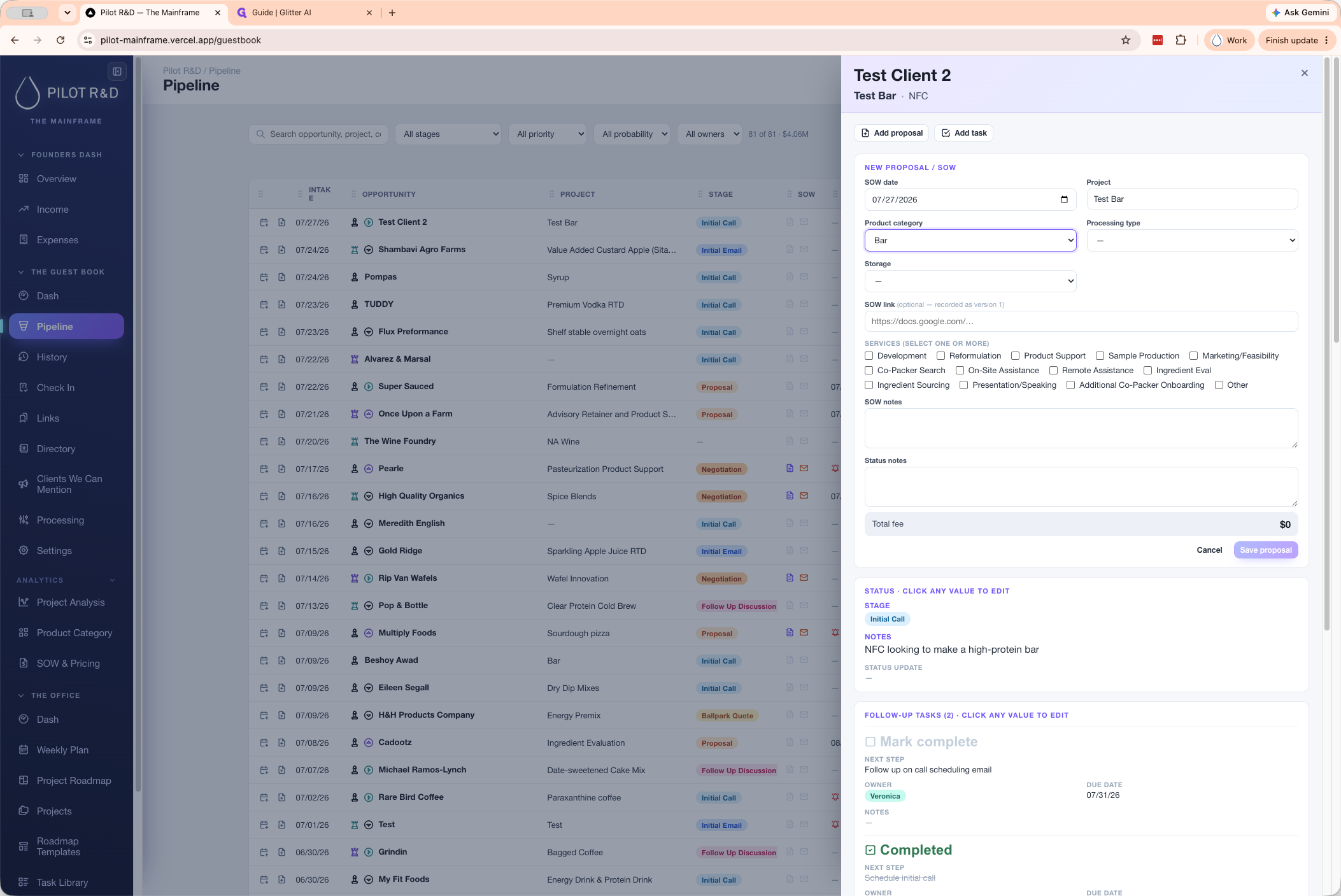
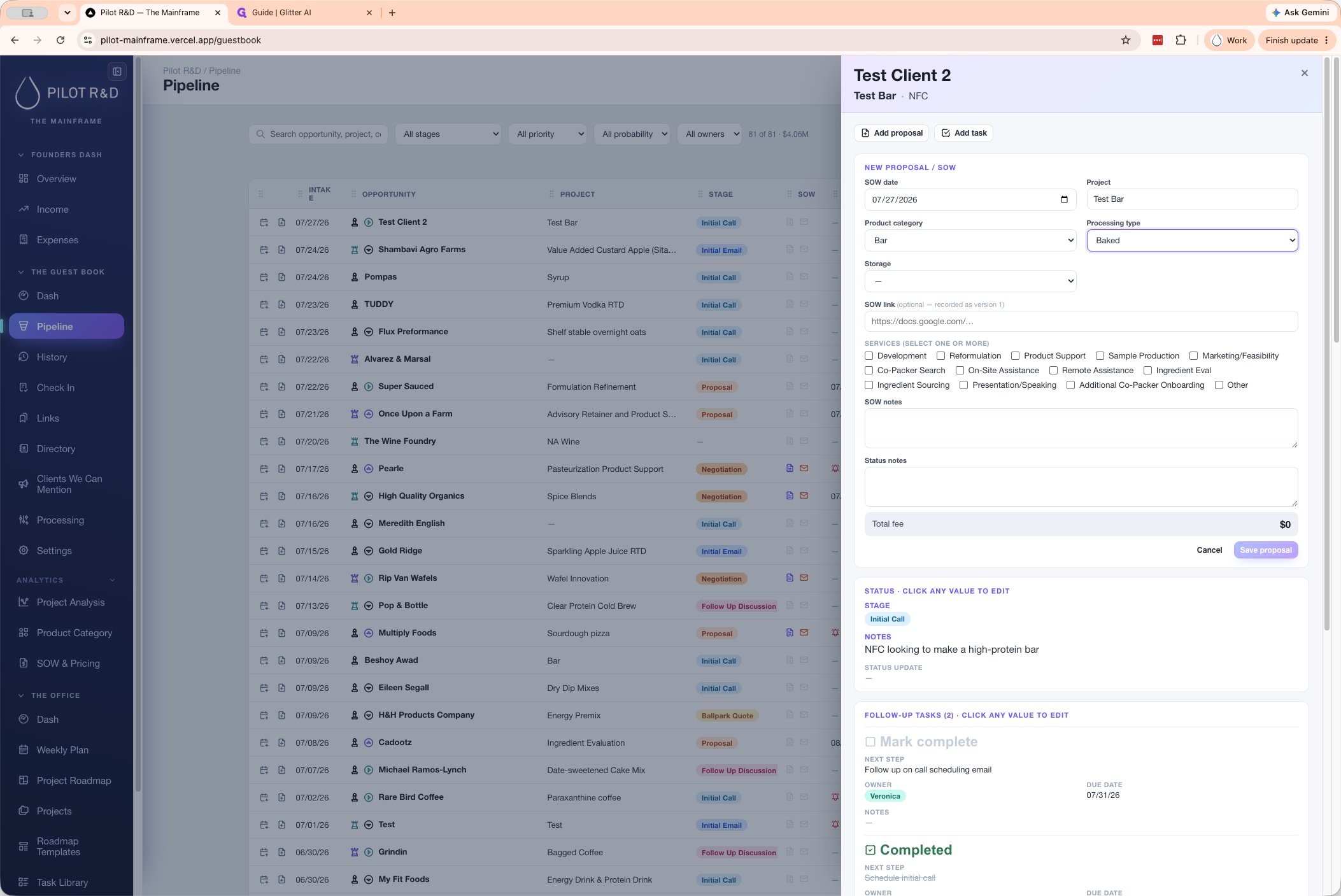
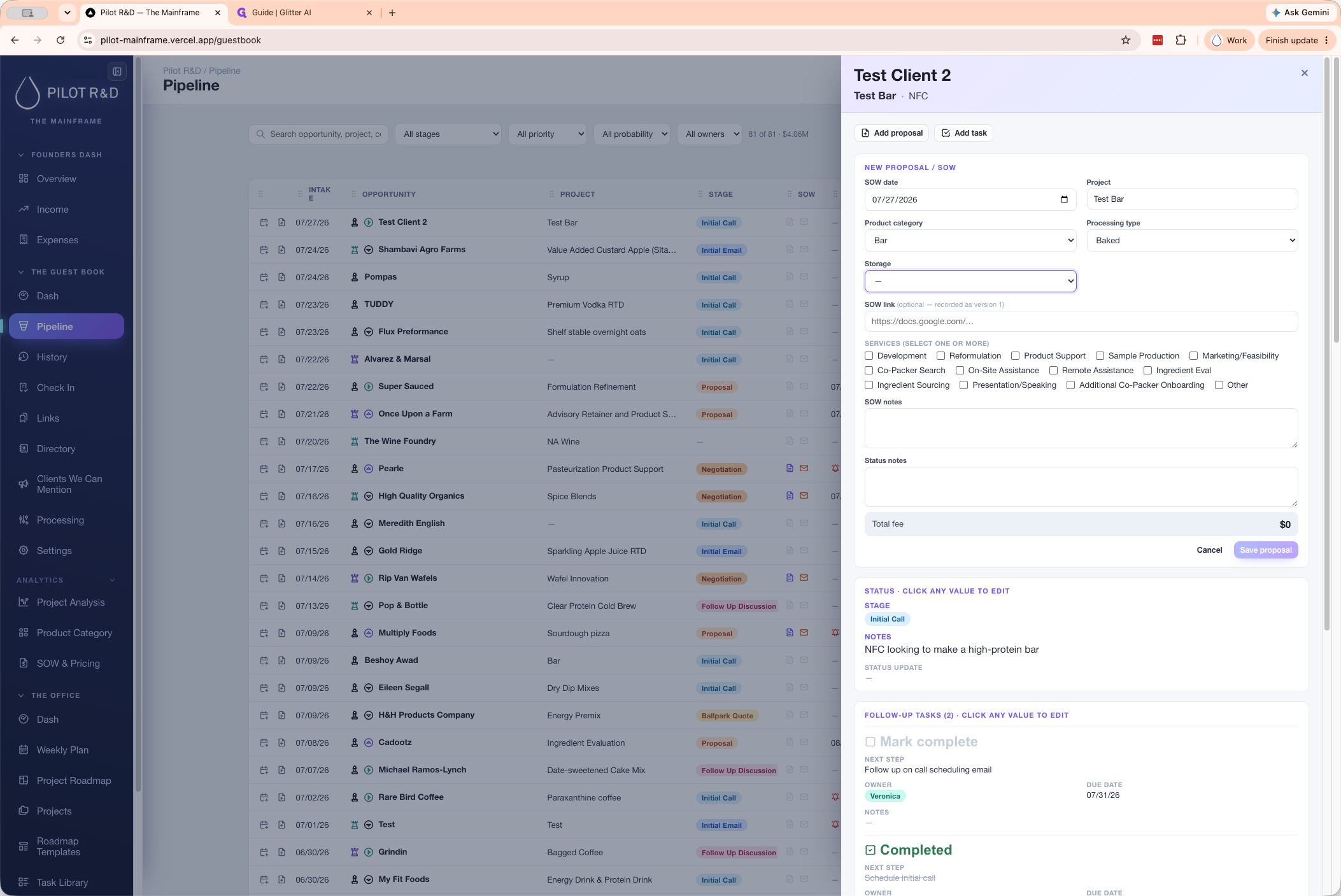
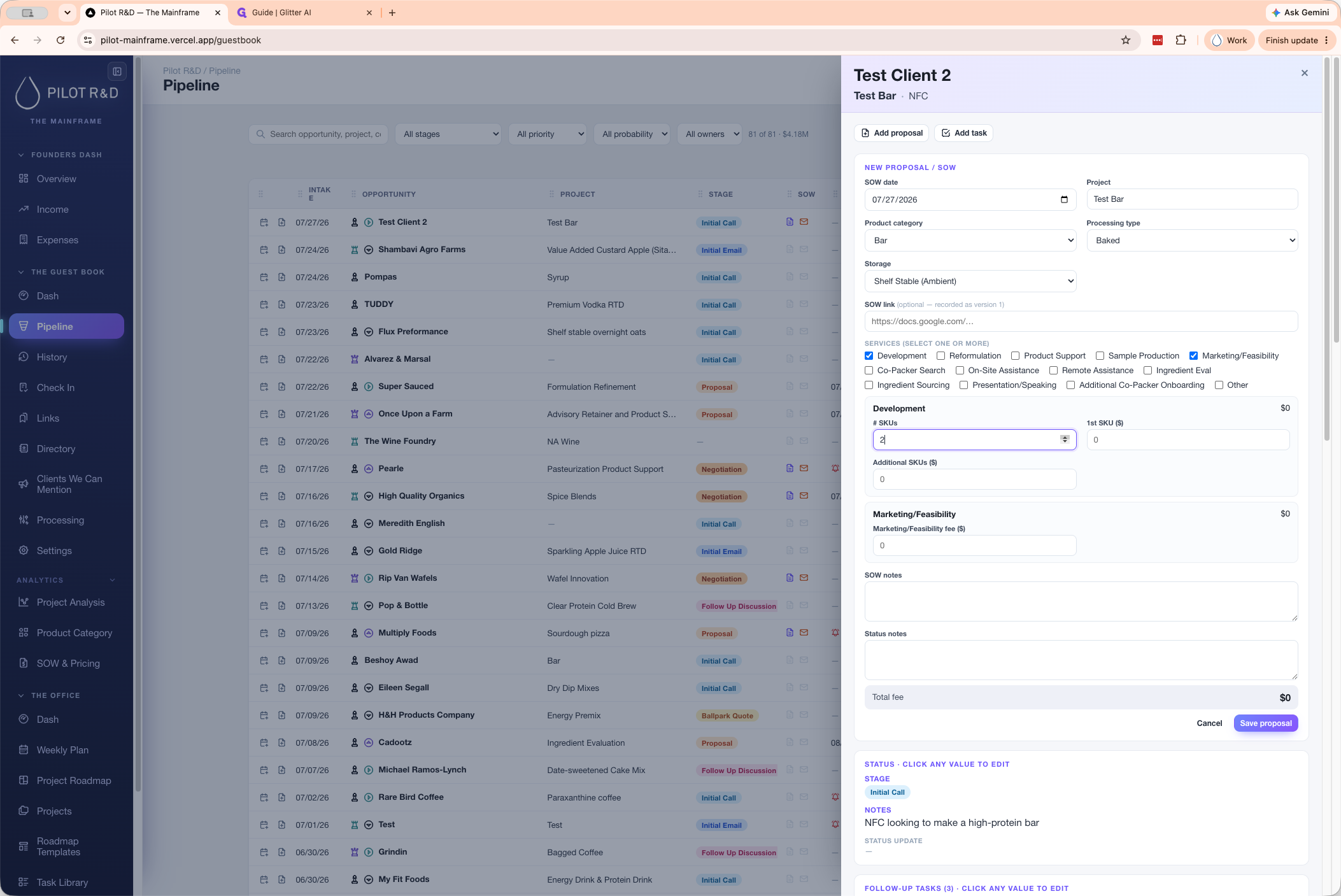
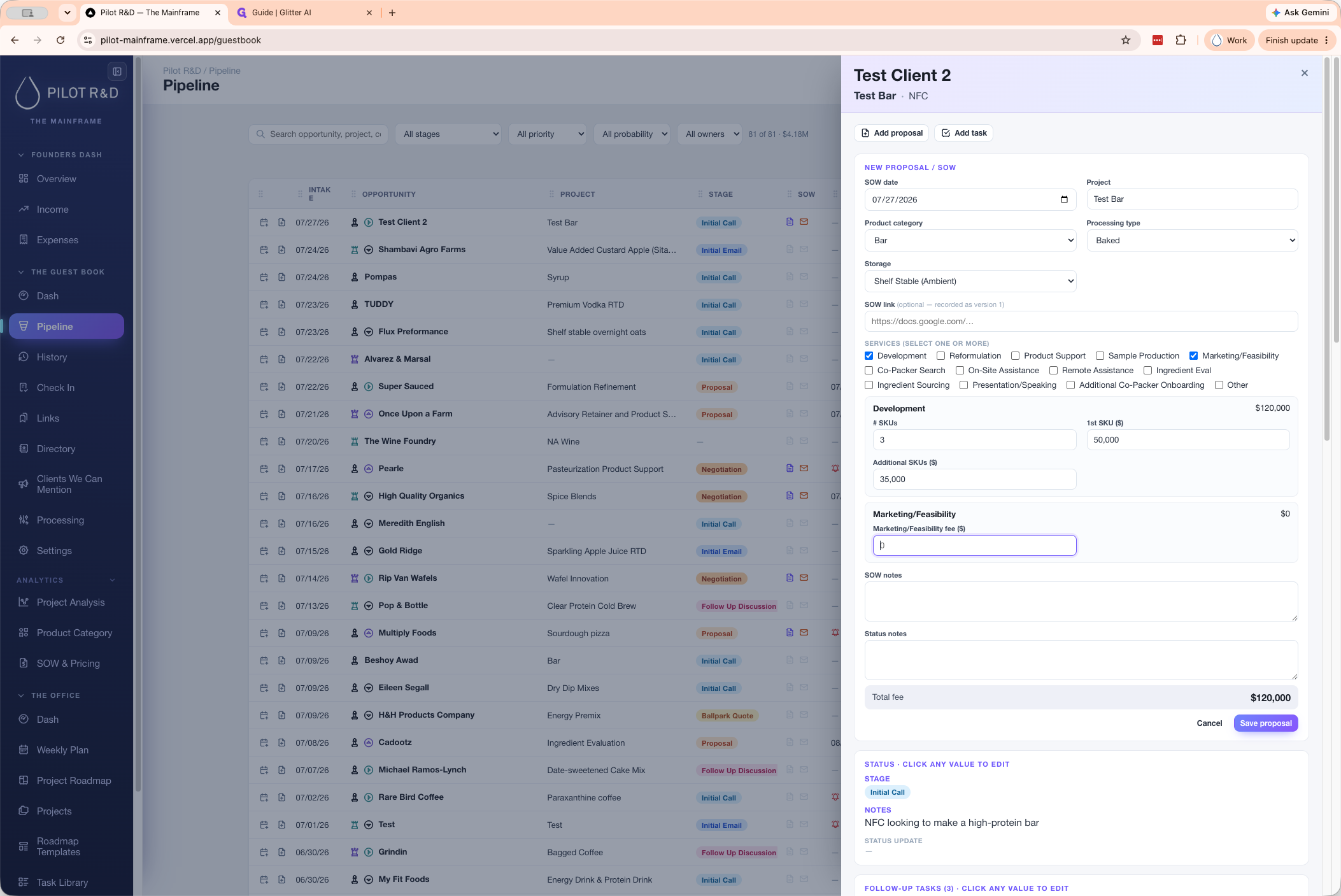
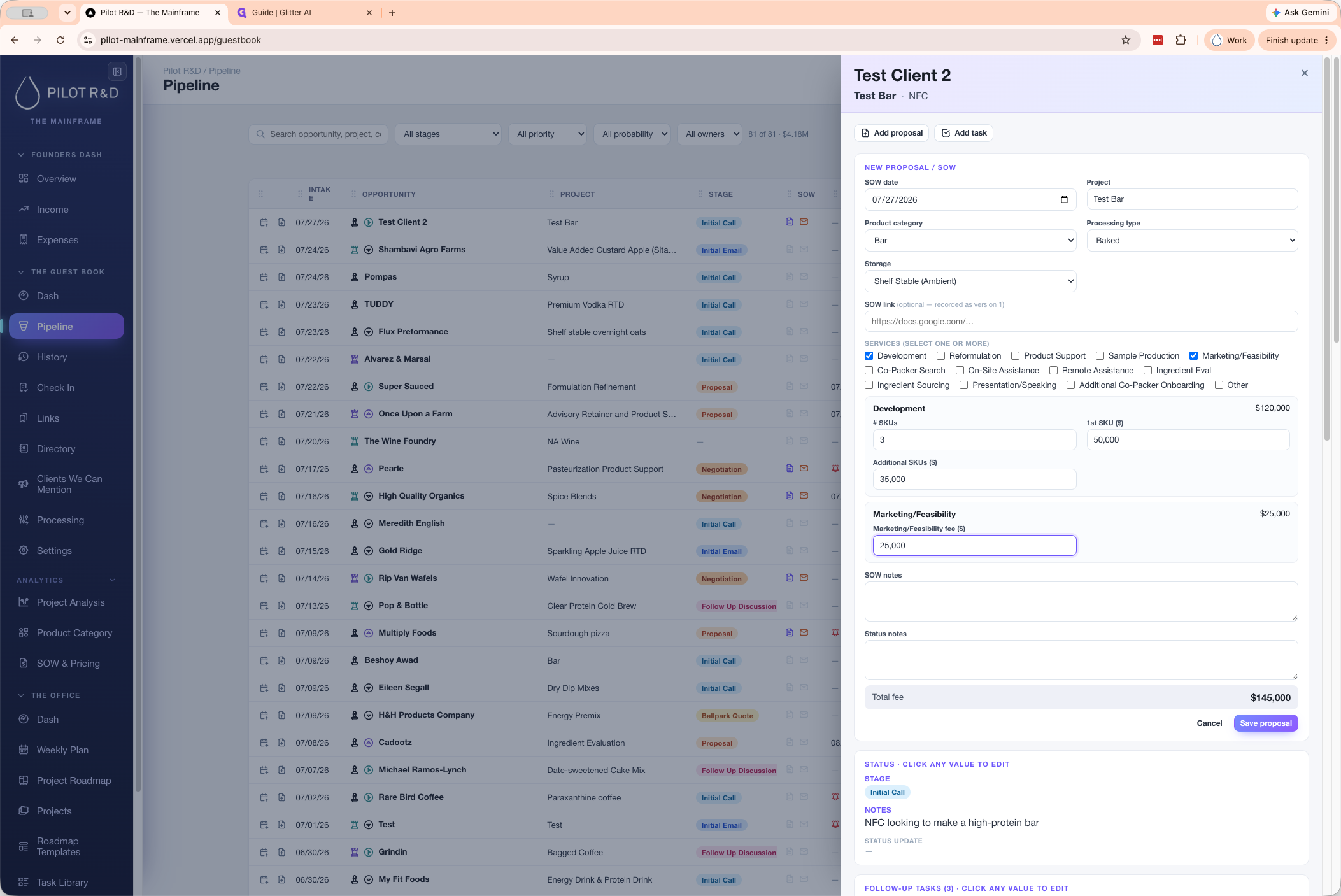
Configure Service Offerings
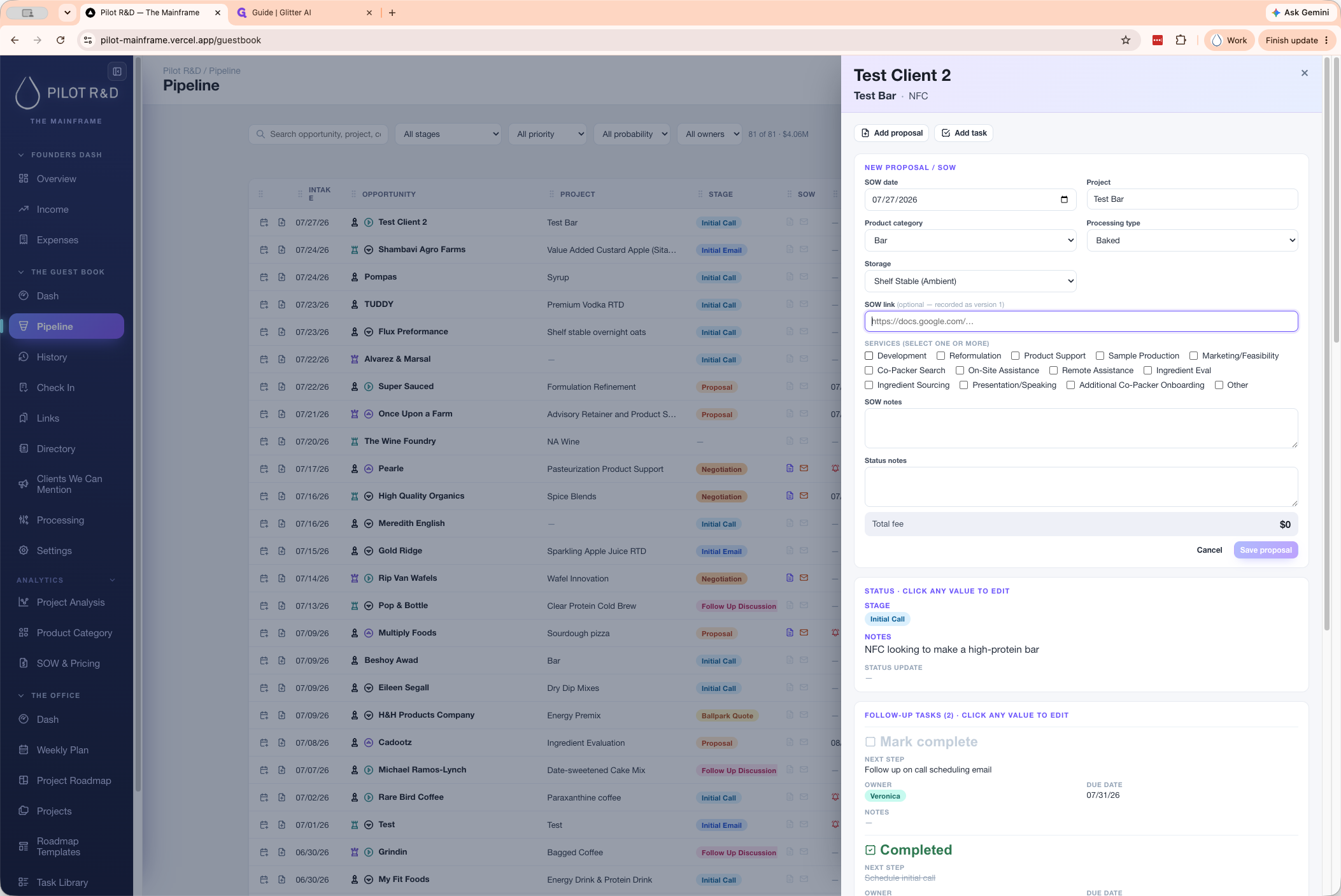
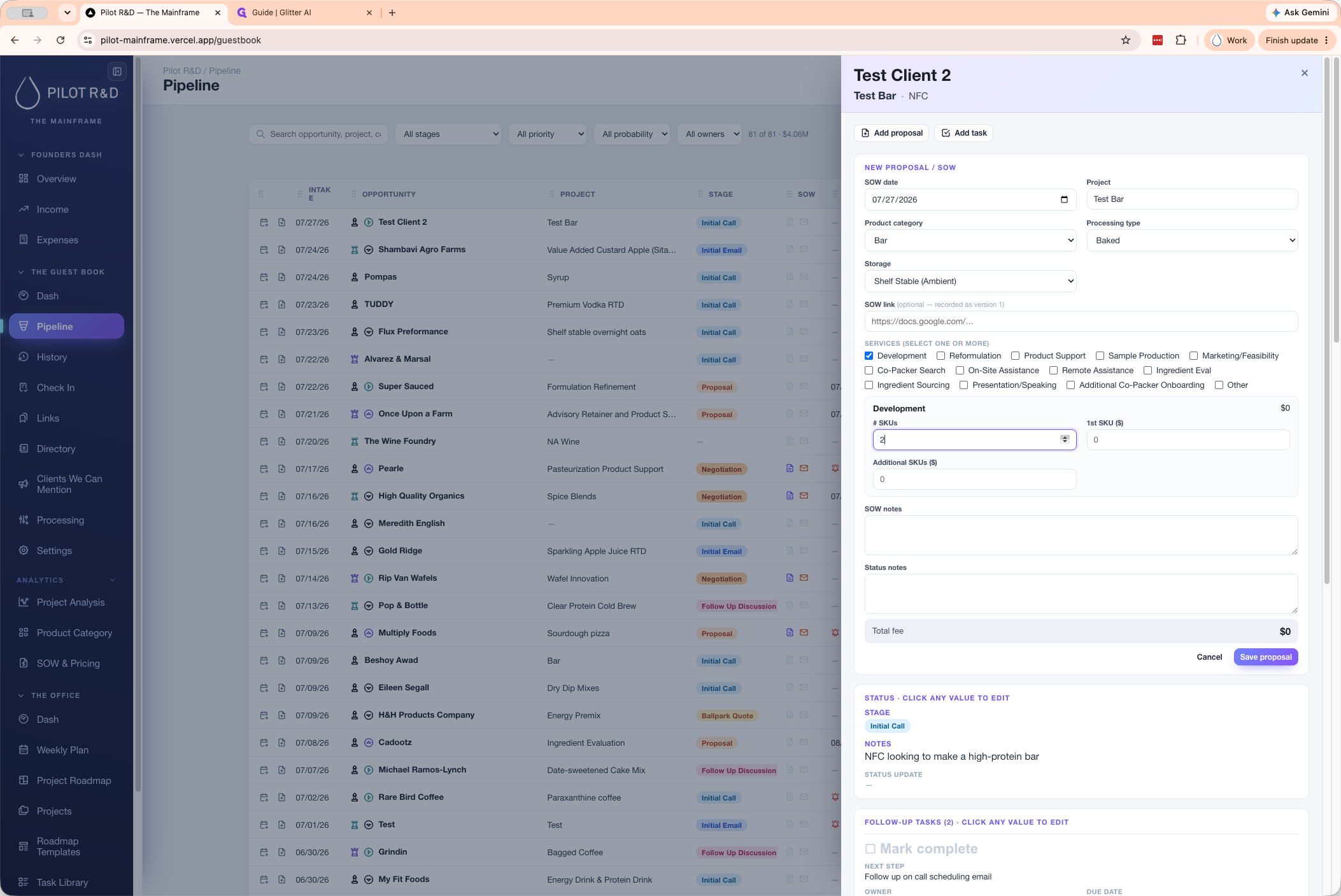
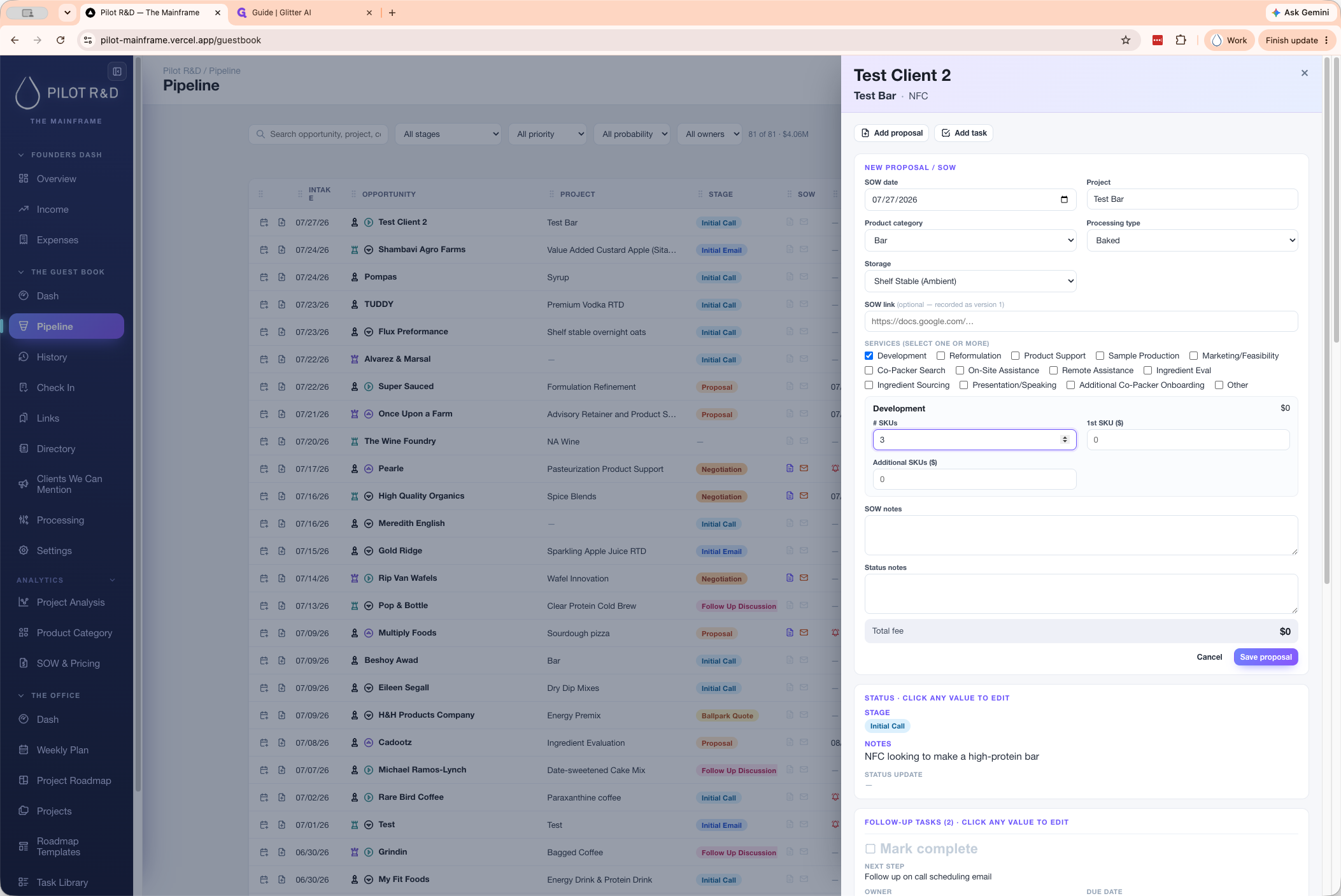
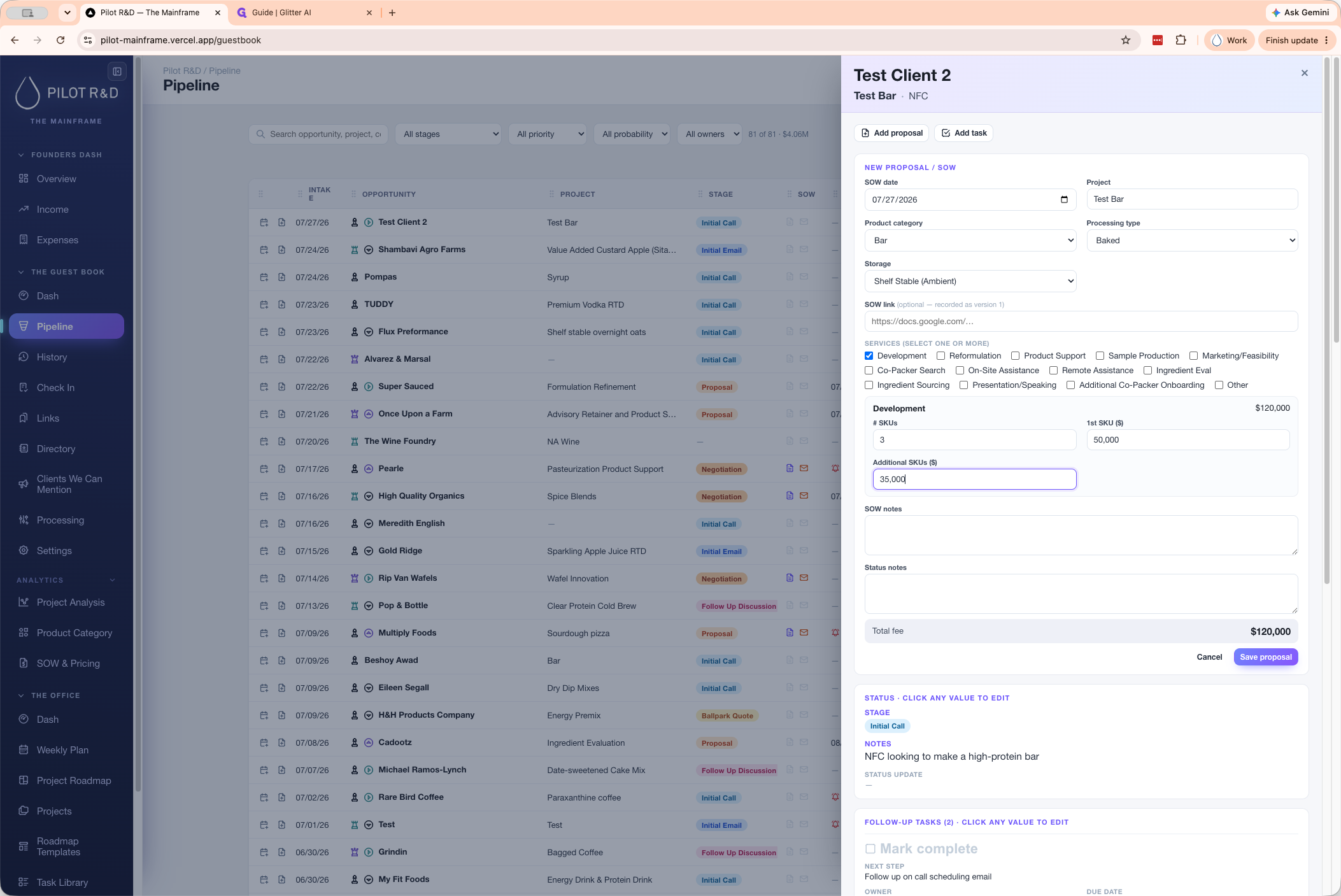
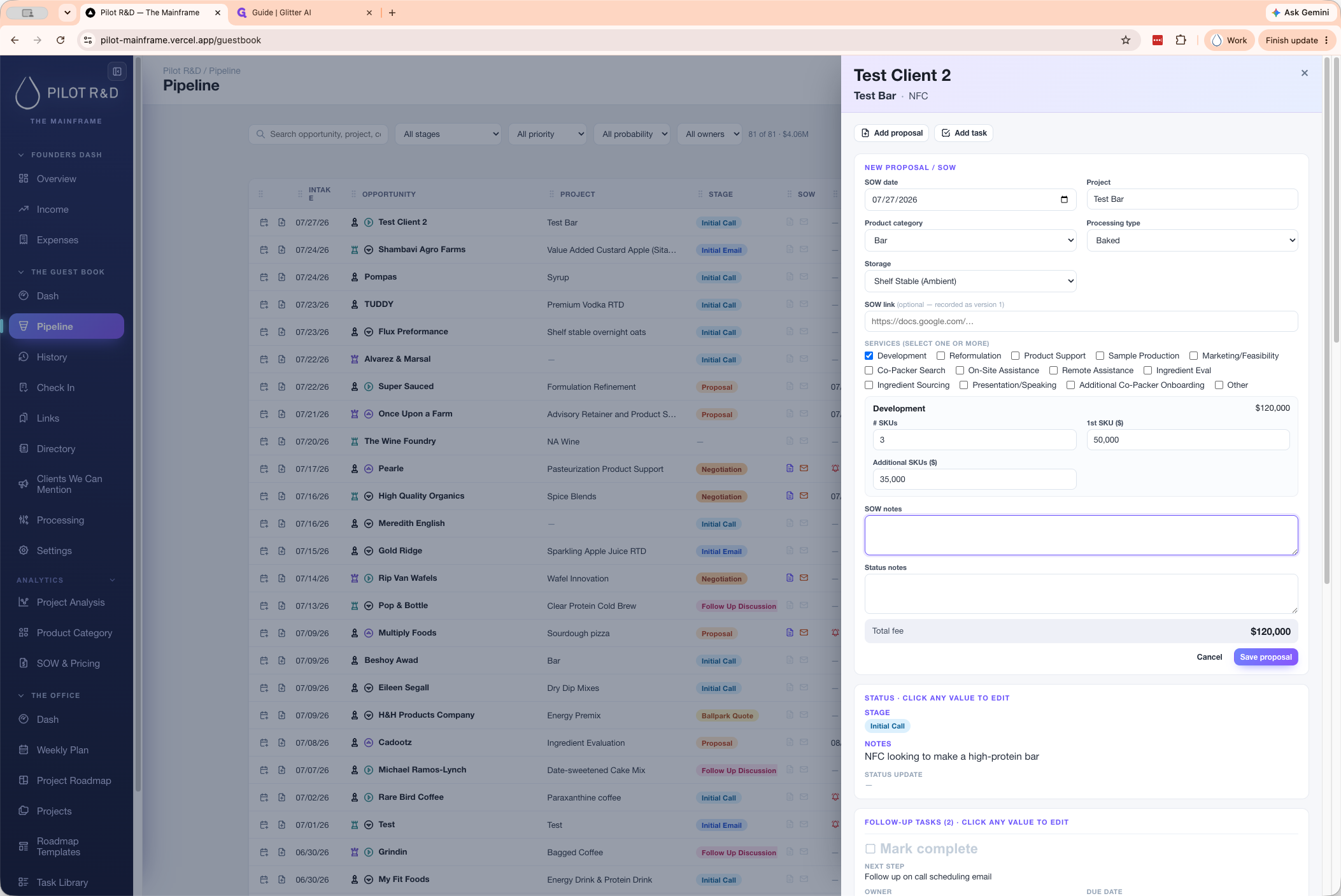
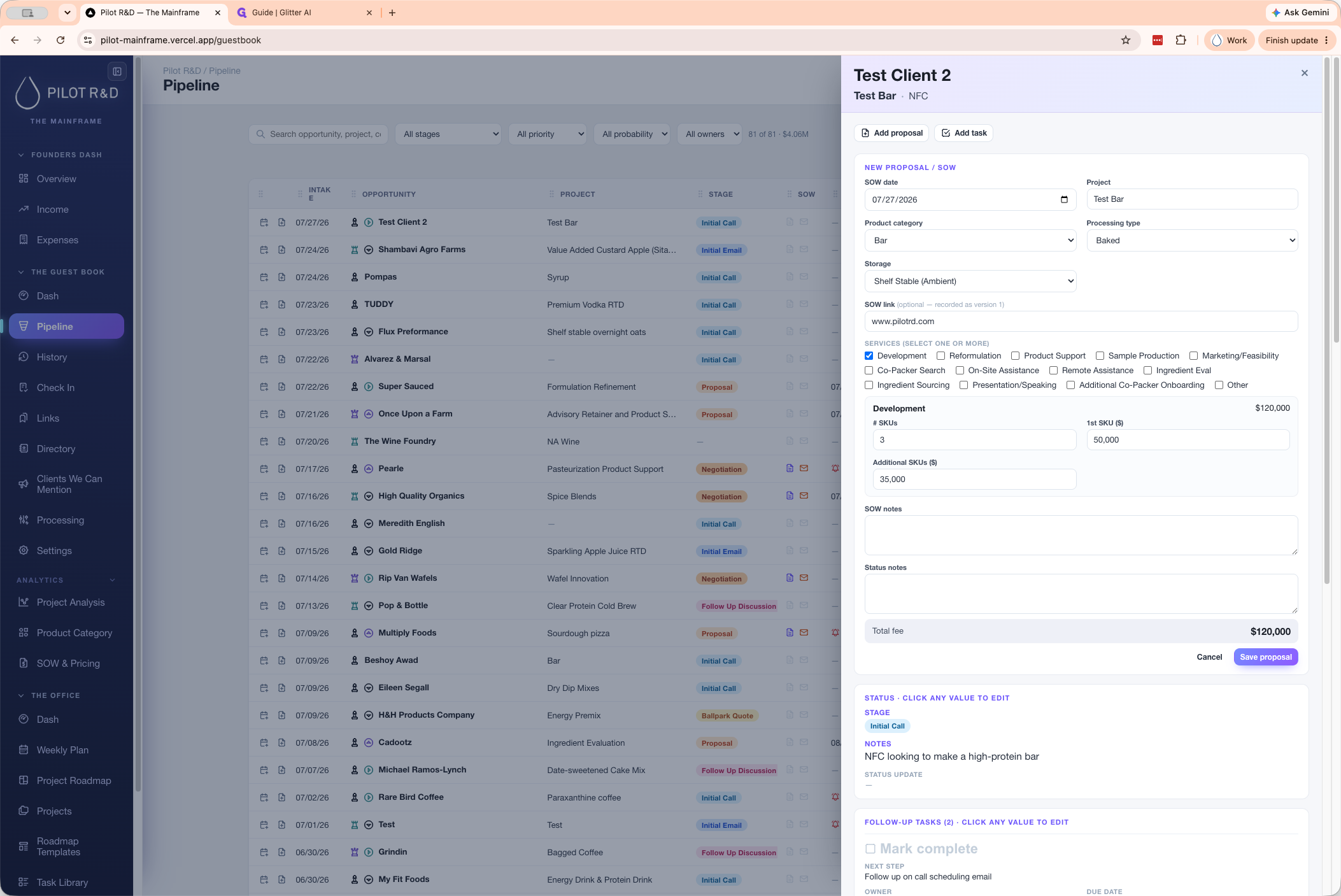
Edit an Existing Proposal
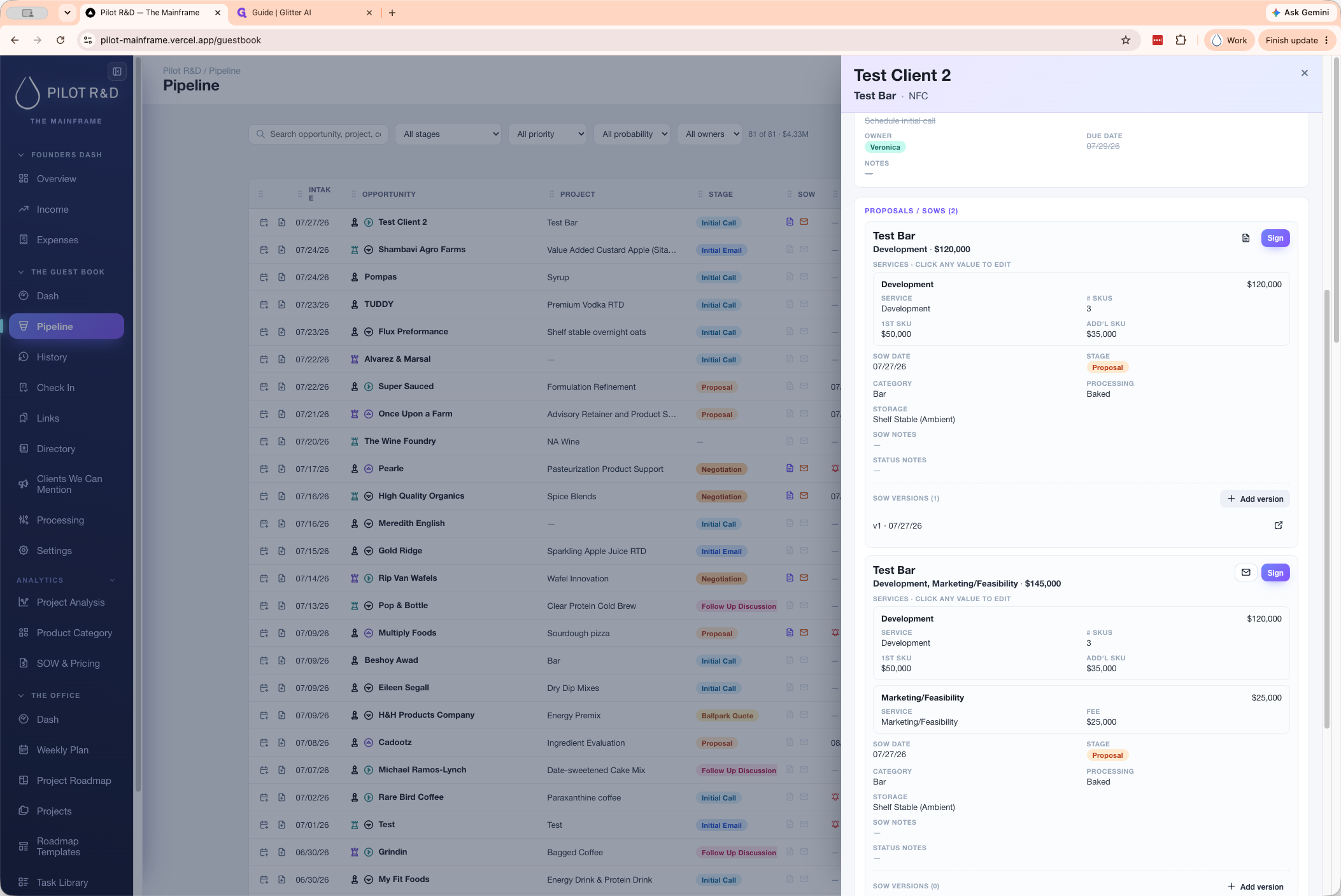
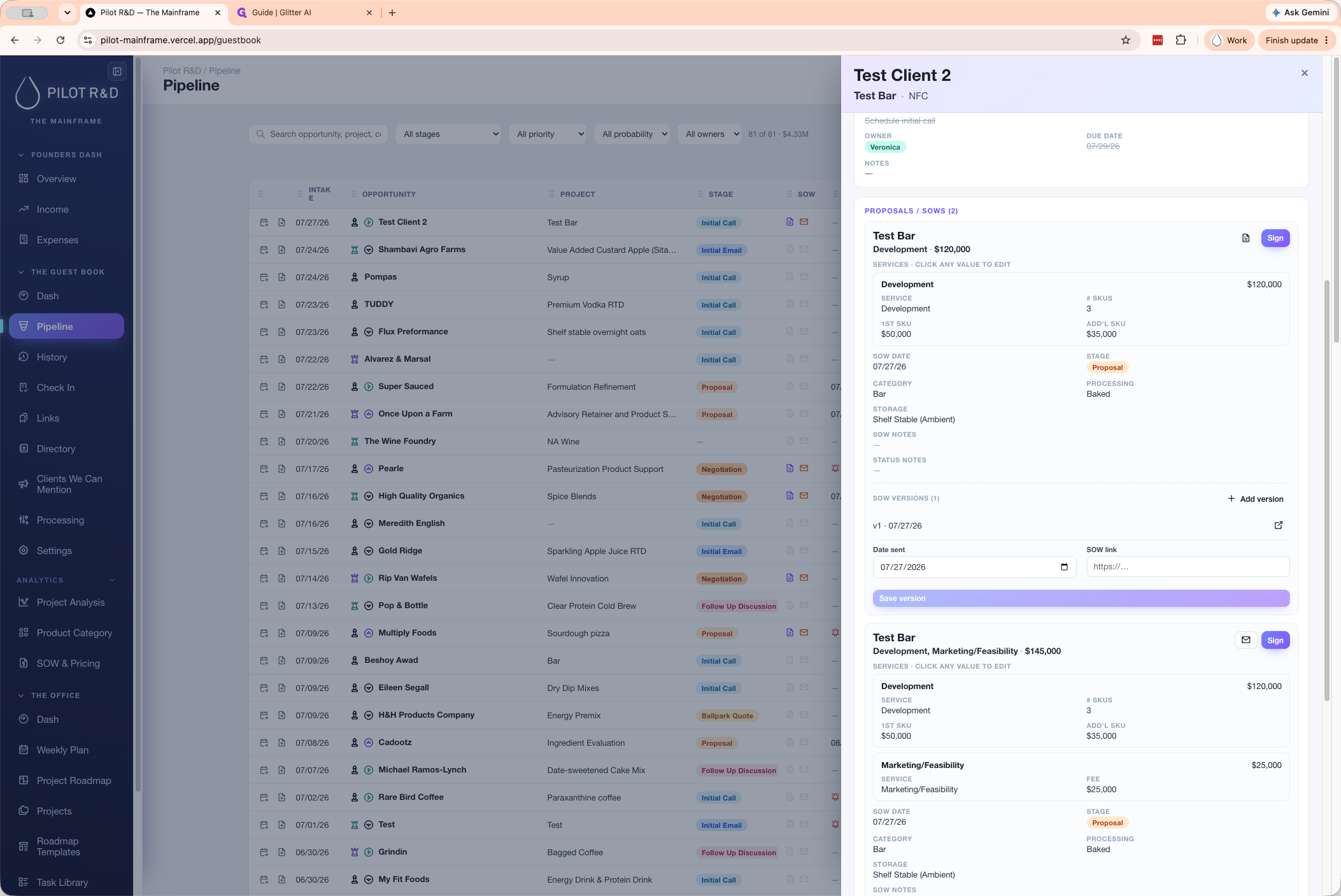
Once saved, your proposal is visible in the client's detail view. Guestbook 2.0 supports inline editing across all fields in this view.
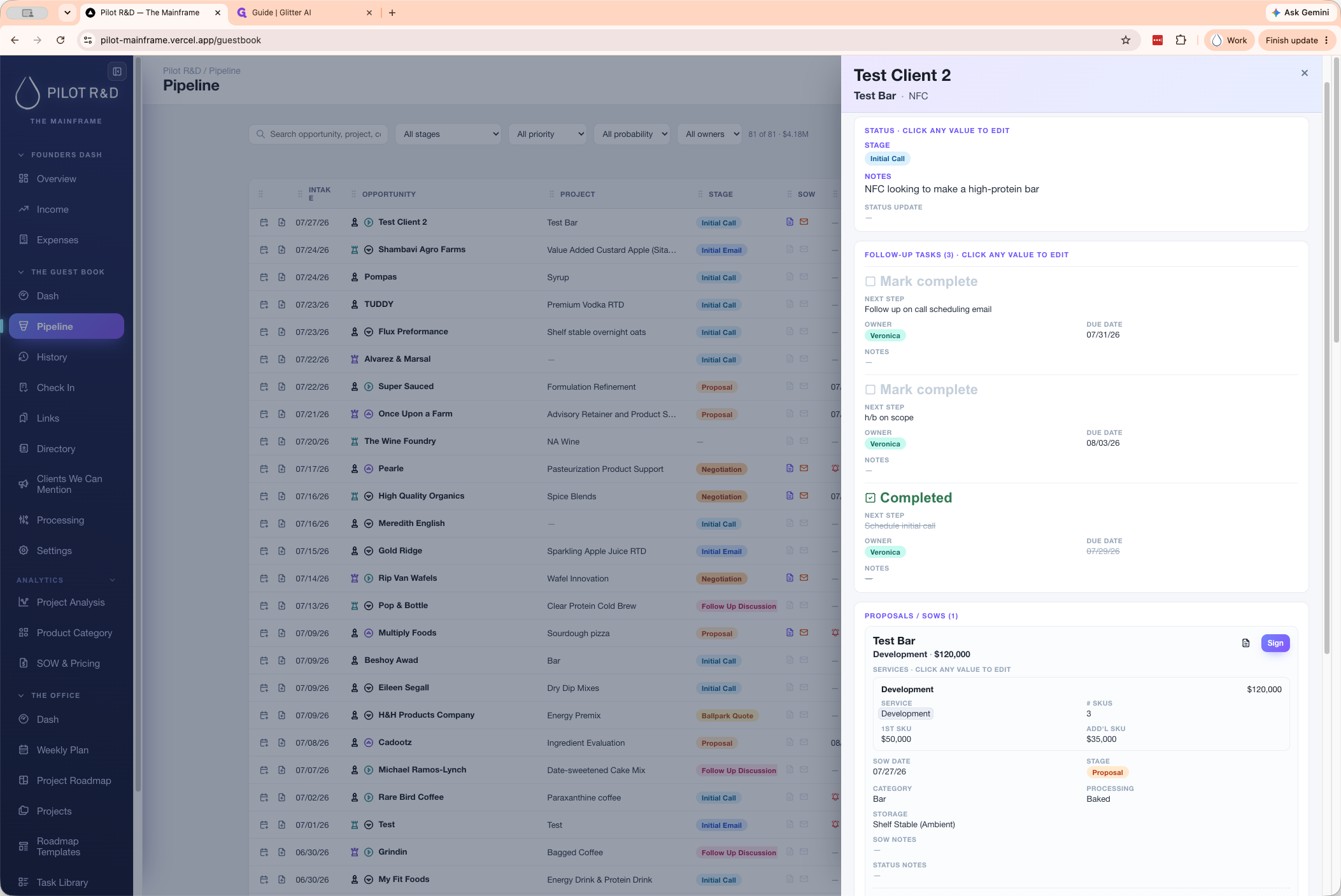
Add Multiple Proposals to a Single Lead
If a client requires multiple service agreements under the same lead, you can generate additional proposals.
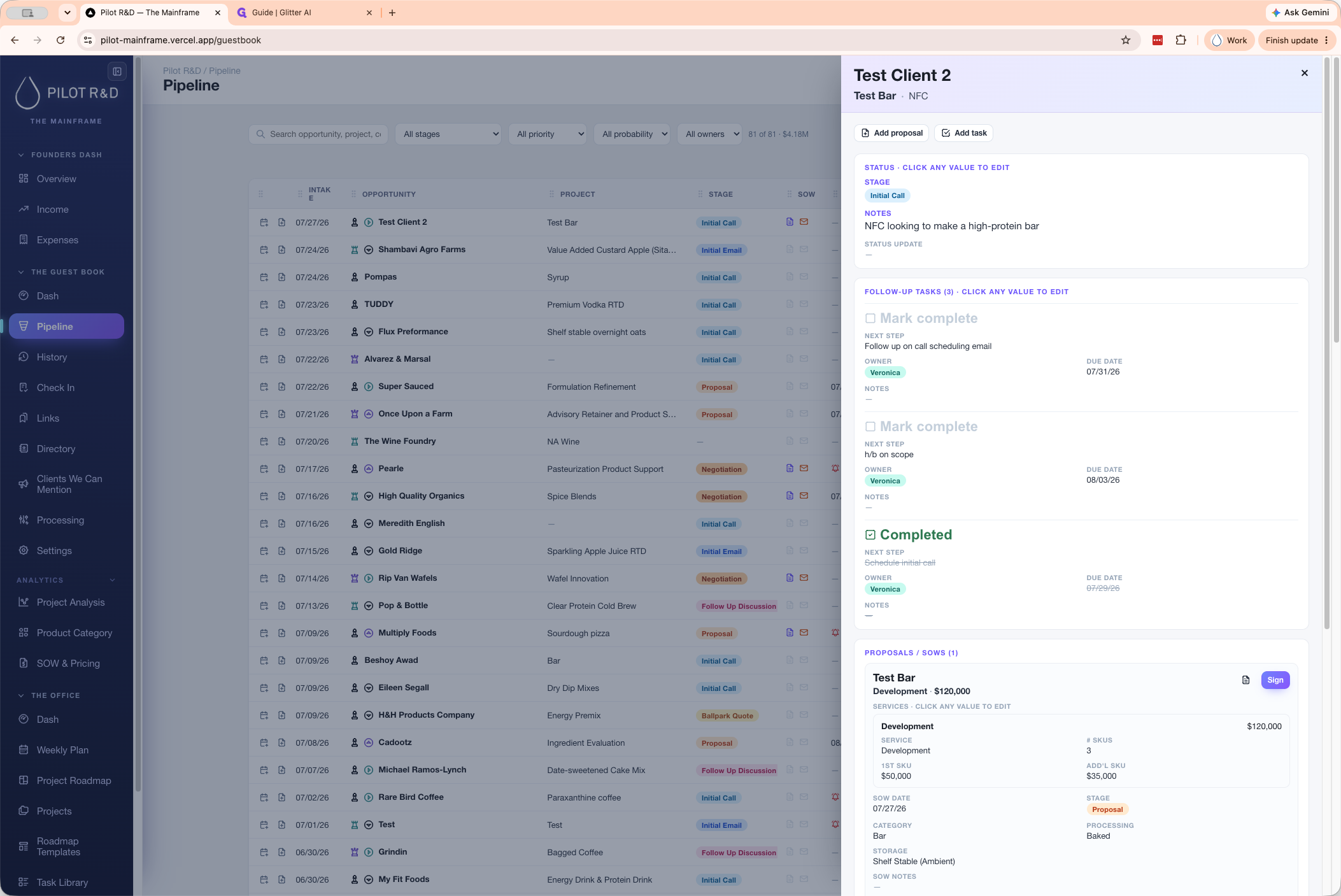
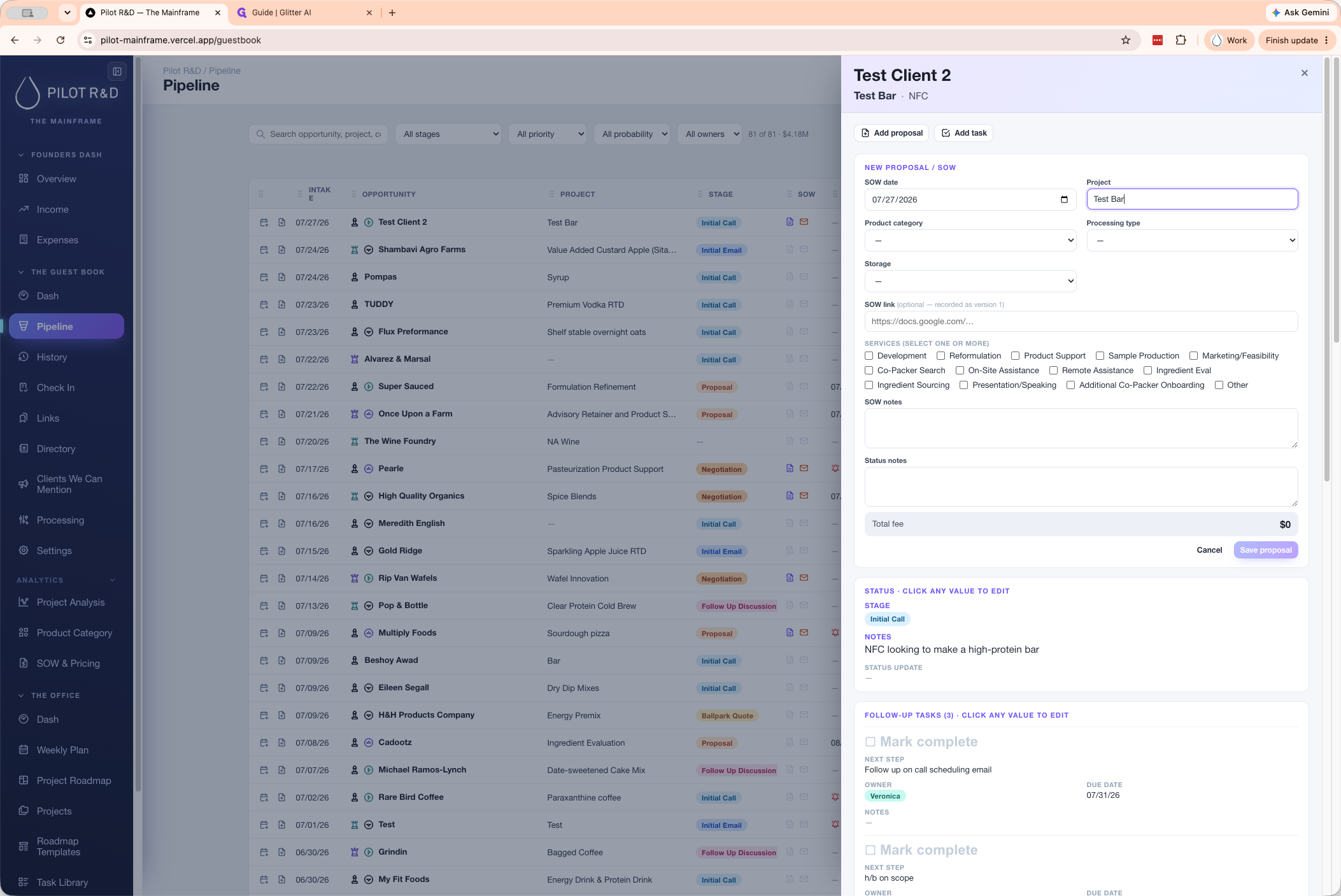
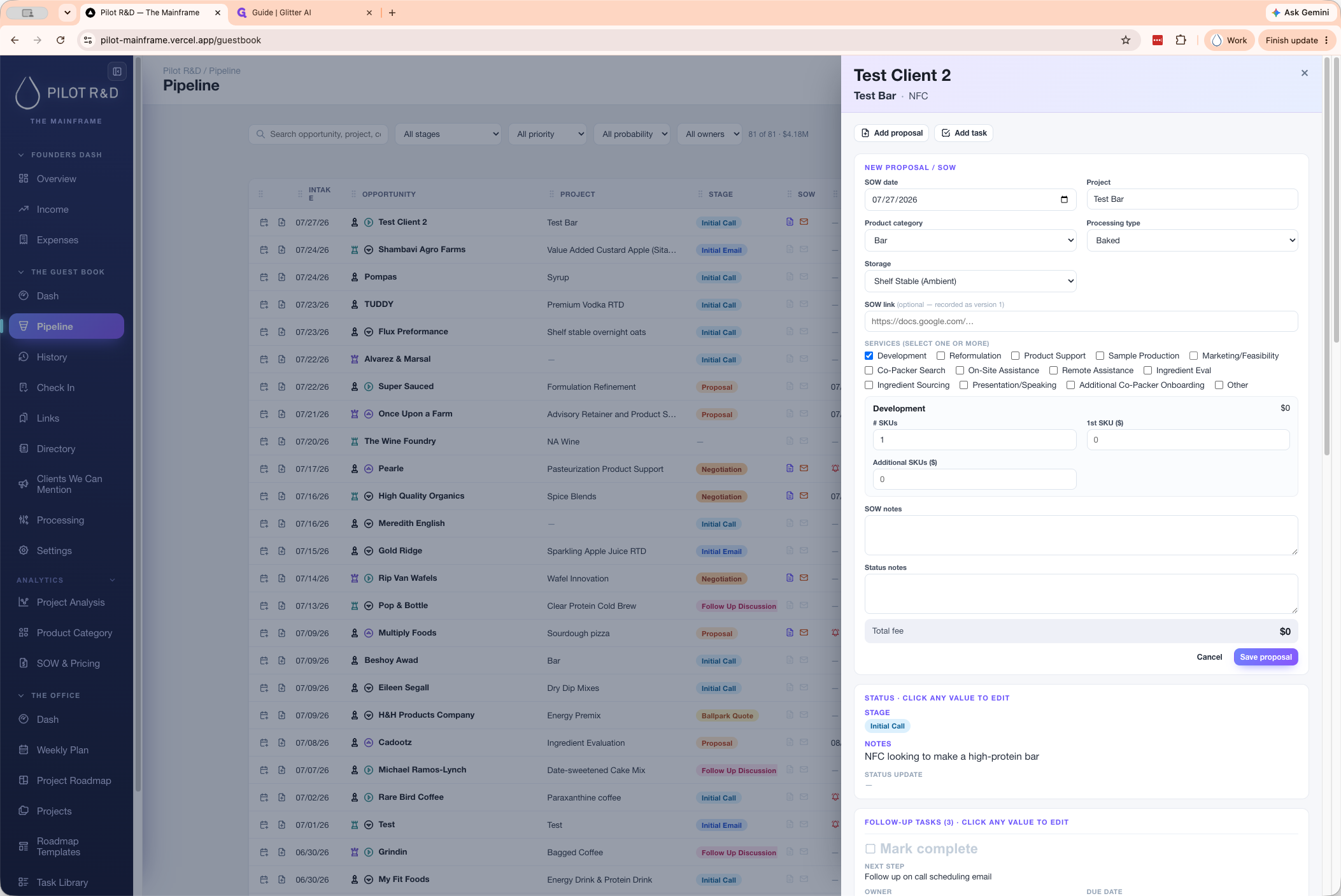
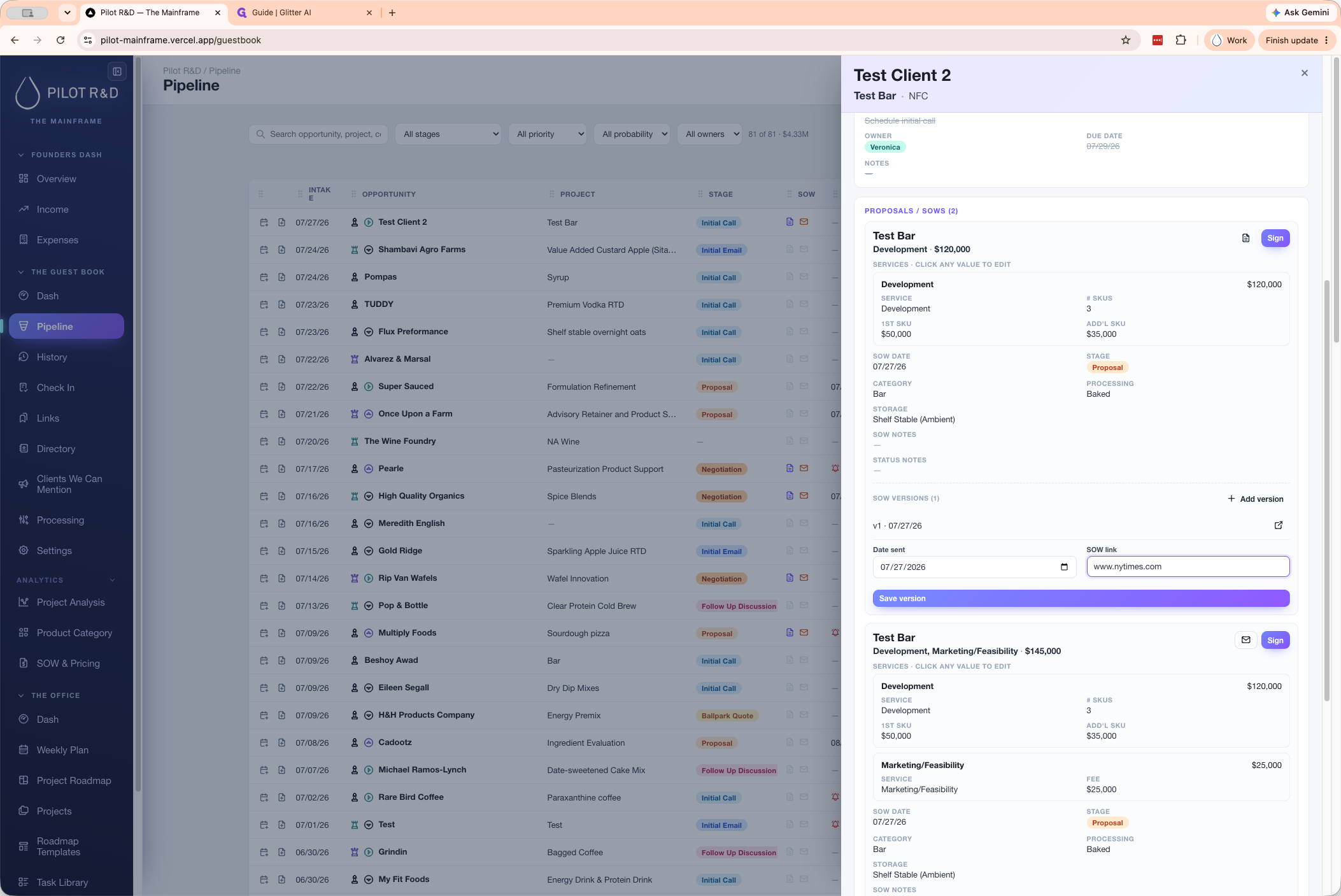
Create a New SOW Version
If a client negotiates the scope and you need to document a new iteration without overwriting the previous one, use the versioning feature.
Q: How do I edit a proposal after I've saved it?
A: You can edit a saved proposal directly from the client's detail view. Simply click on any field (like a number, date, or category) within the proposal to update it inline.
Q: Can I attach multiple proposals to a single client lead?
A: Yes, you can generate multiple types of proposals from a single lead by clicking the "Add proposal" button again and filling out a new scope of work.
Q: How does the system handle pricing calculations?
A: The system automatically calculates total costs based on the values you input for your first SKU, additional SKUs, and any other selected service fees like marketing or feasibility.
Q: How do I update an SOW if the client negotiates the scope?
A: You can use the "+ Add version" button on an existing proposal to add a new date and link for the updated SOW without losing the previous version.
Term | Definition |
|---|---|
SOW (Statement of Work) | A document detailing the specific services, scope, and deliverables for a client project. |
SKU (Stock Keeping Unit) | A distinct type of item or product variant being developed for the client. |