Add a Student and Guardian in Edusua
Learn how to add a new student, assign them to a class, and set up a new guardian profile in Edusua.
By Seth Tawiah Nortey Jr (NSJ)
This guide walks through registering a new student in Edusua, assigning them to a class, and creating their guardian profile with portal access.
This workflow applies to school administrators and registrar staff during new student onboarding and class enrollments.
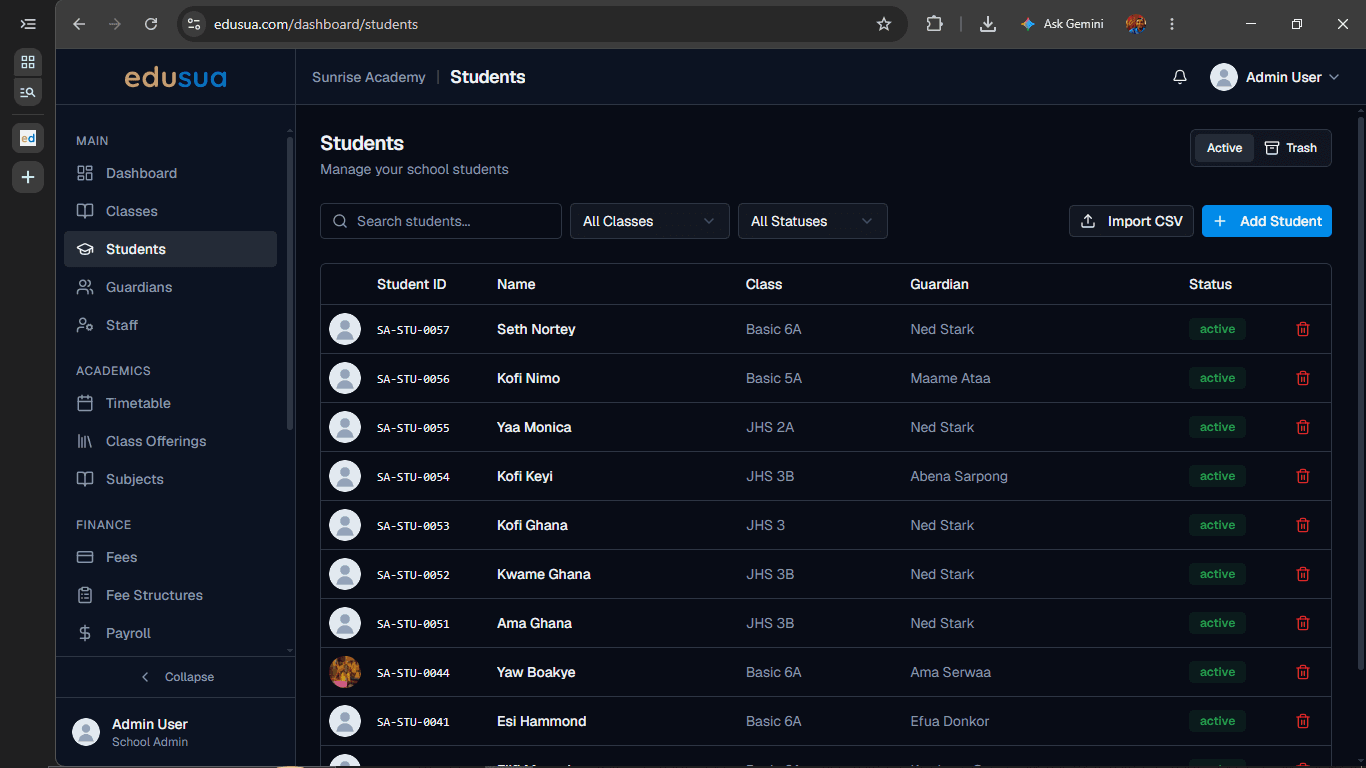
Open the Add Student Dialog
Navigate to the Students management section to start new student registration.
1
Click on + Add Student.
Enter Student Information
2
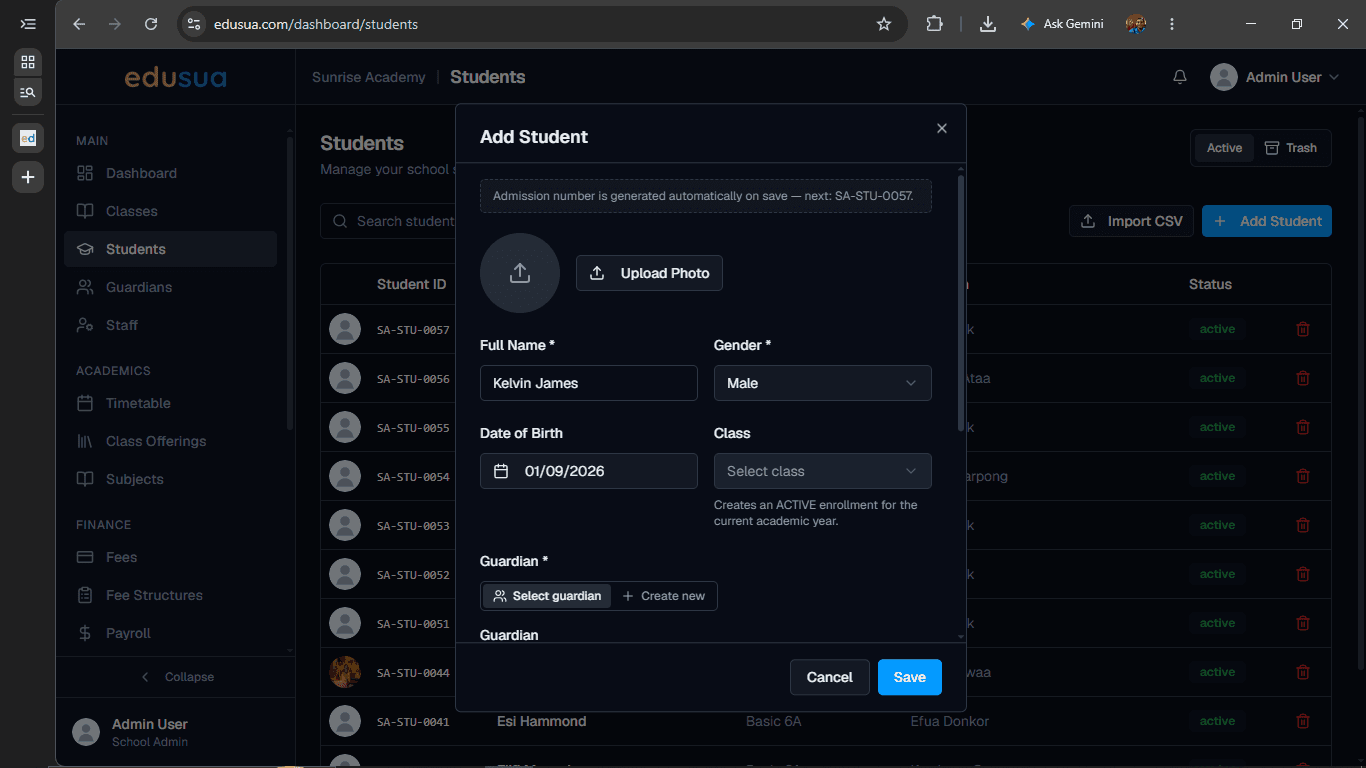
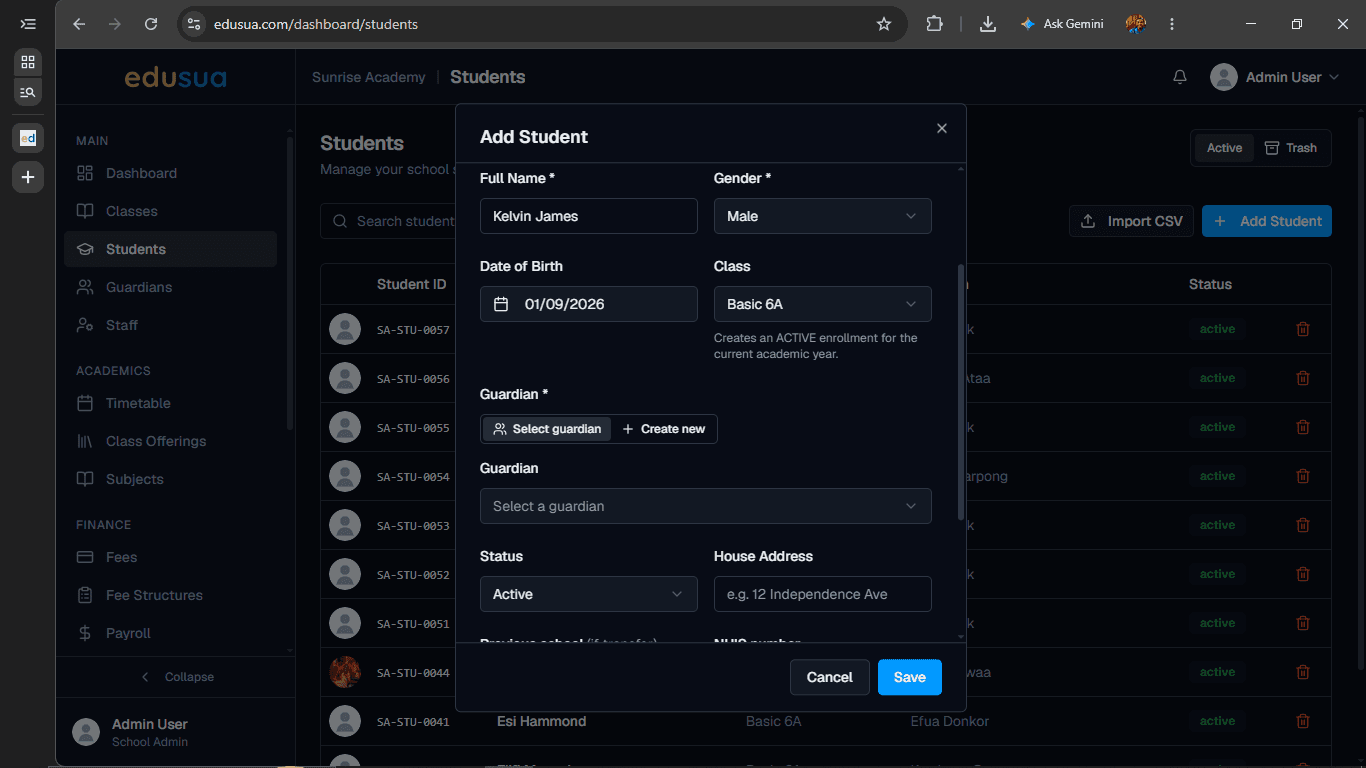
Type Kelvin James into the Full Name field.
3
Click on Select class.
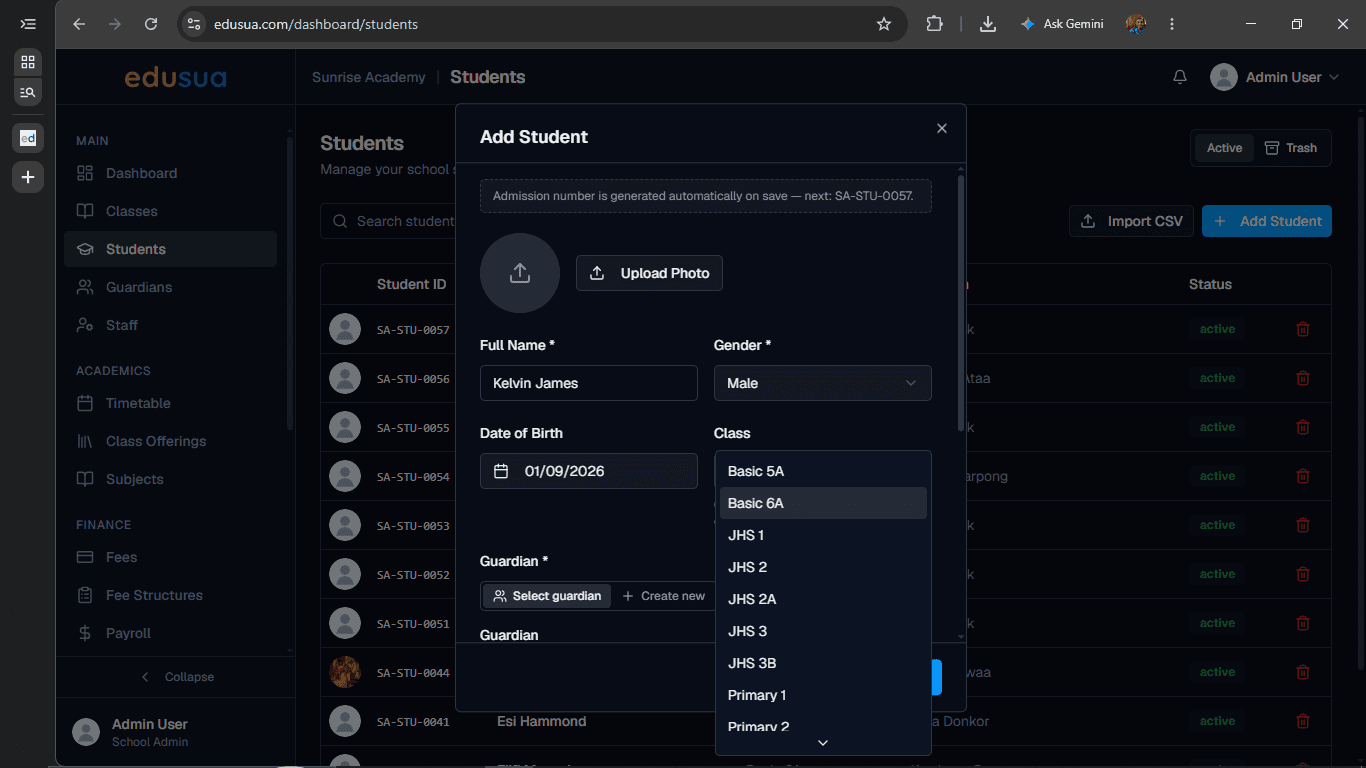
4
Click on Basic 6A.
Add Guardian Details
5
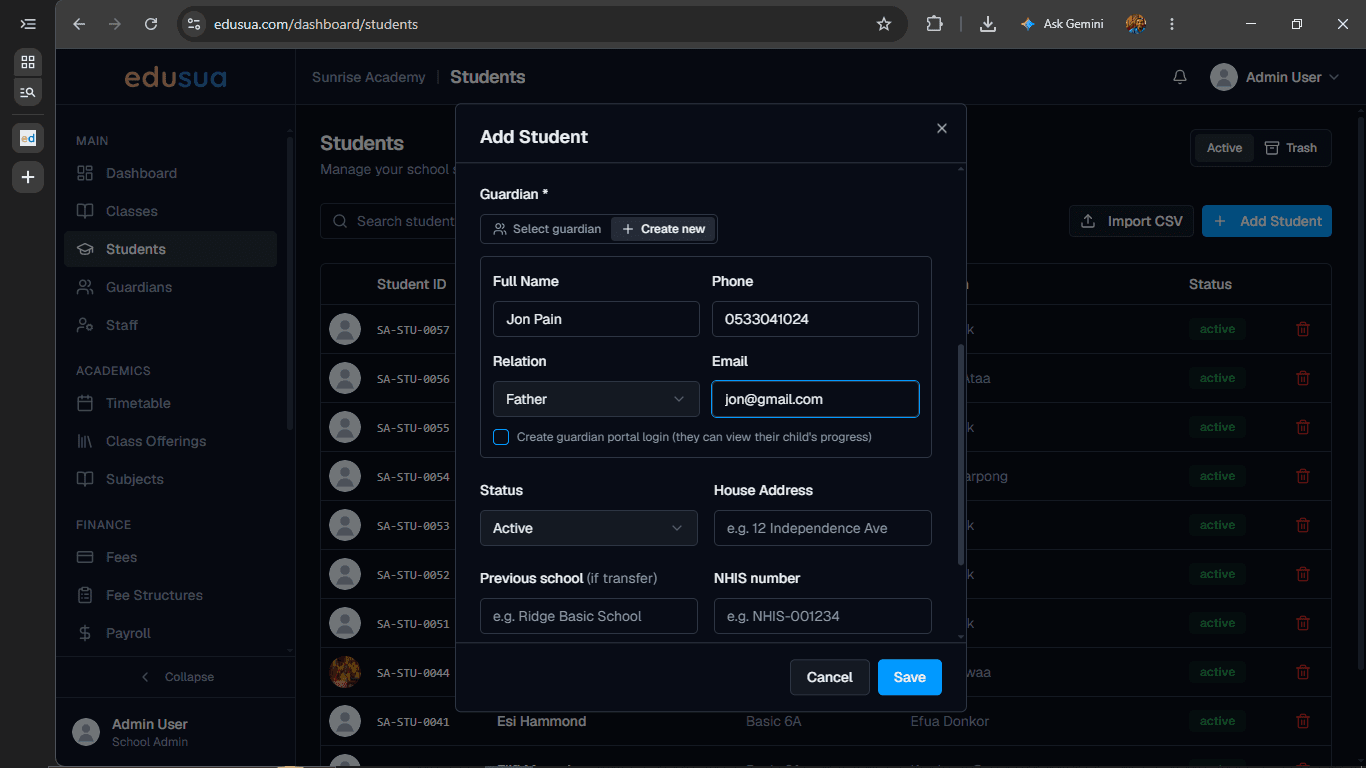
Click on + Create new under the Guardian section.
6
Type Jon Pain into the guardian Full Name field.
7
Type 0533041024 into the Phone field.
8
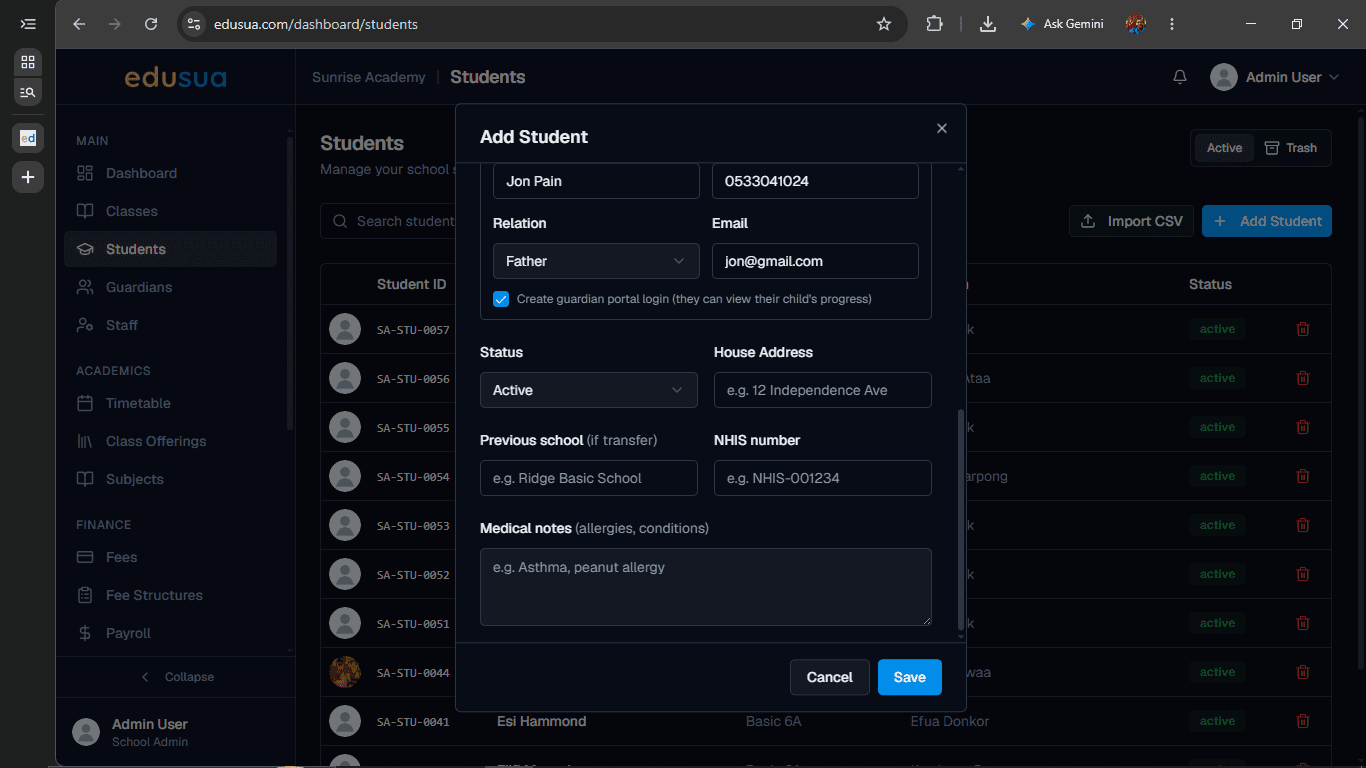
Type jon@gmail.com into the Email field.
9
Click on Create guardian portal to enable portal login access.
Save Student Record
10
Click on Save to complete registration.