
Add a Student and Guardian in Edusua SMS
Learn how to register a new student, assign their details, and create a linked guardian profile in the Edusua SMS web application.
Purpose
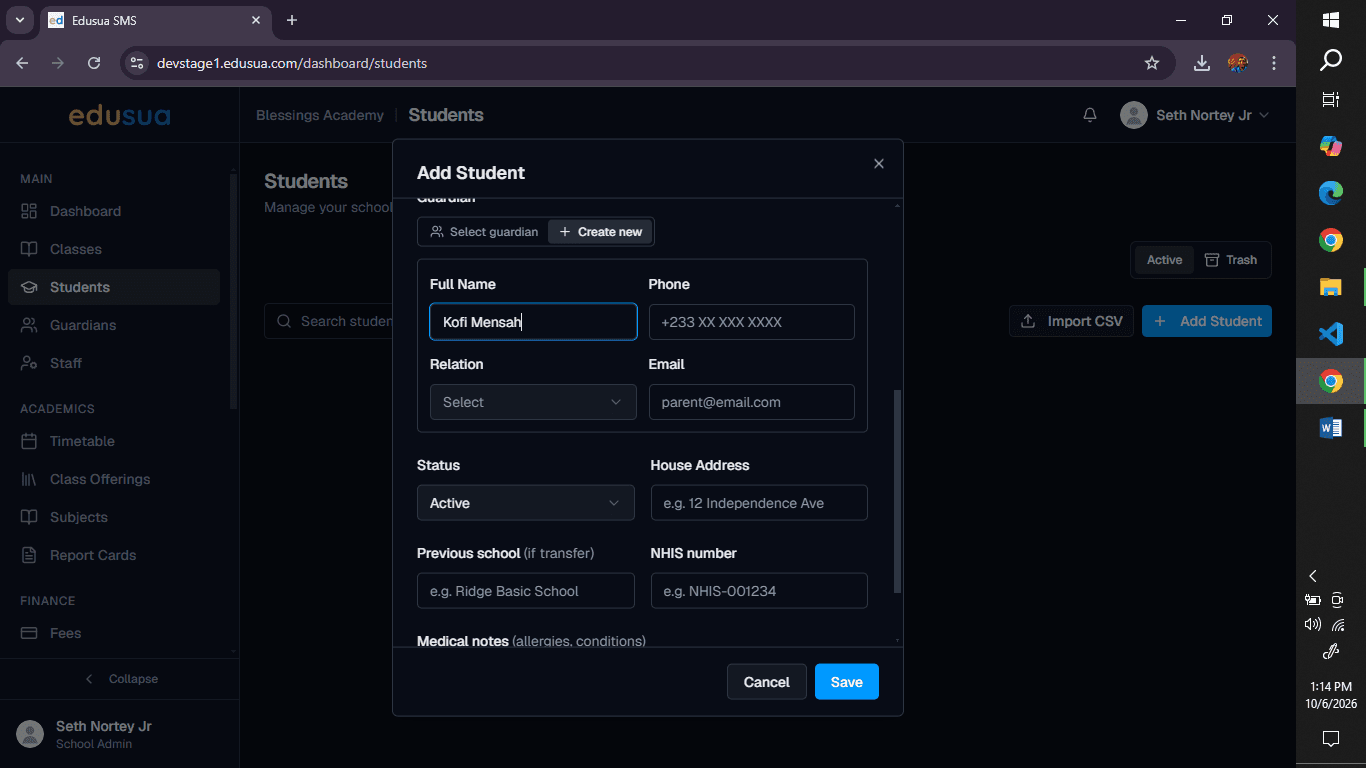
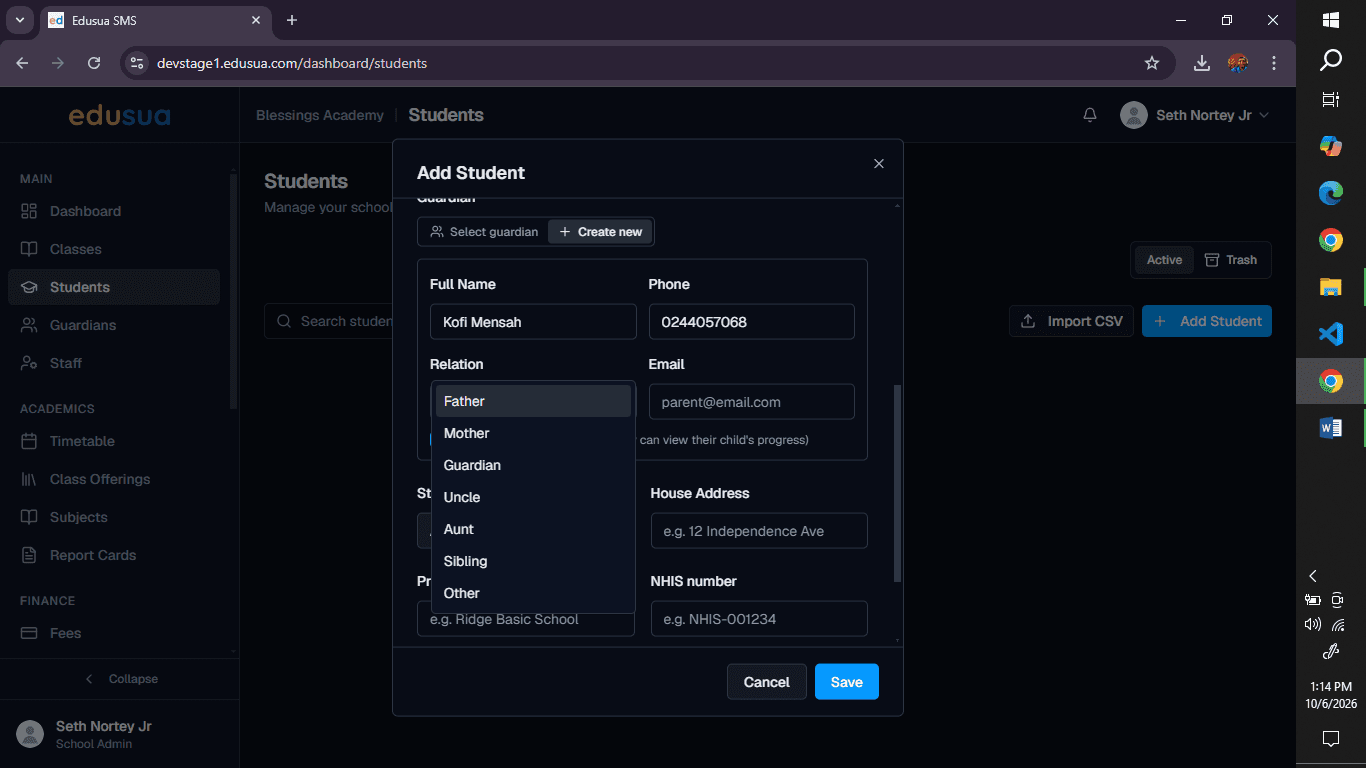
This guide details the procedure for registering a new student profile and creating an associated guardian account in the Edusua SMS web application. Following these steps ensures student records are properly populated with biographical details and guardian portal credentials are configured upon creation.
Scope
This procedure applies to school administrators, registrars, and administrative staff who manage student enrollment in Edusua SMS. It covers student personal details, class assignment, and linked guardian record creation. Initial school-wide system setup and bulk student data imports are out of scope.
Open Student Registration
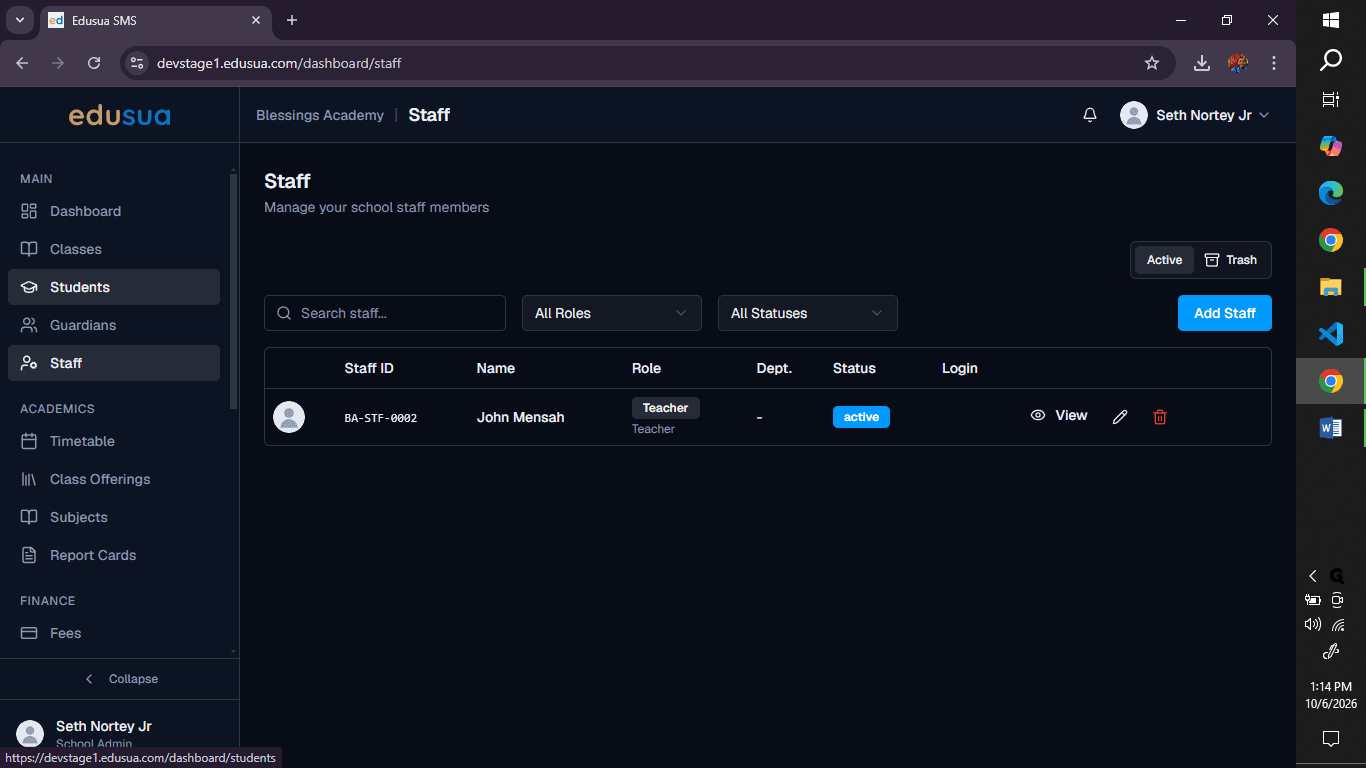
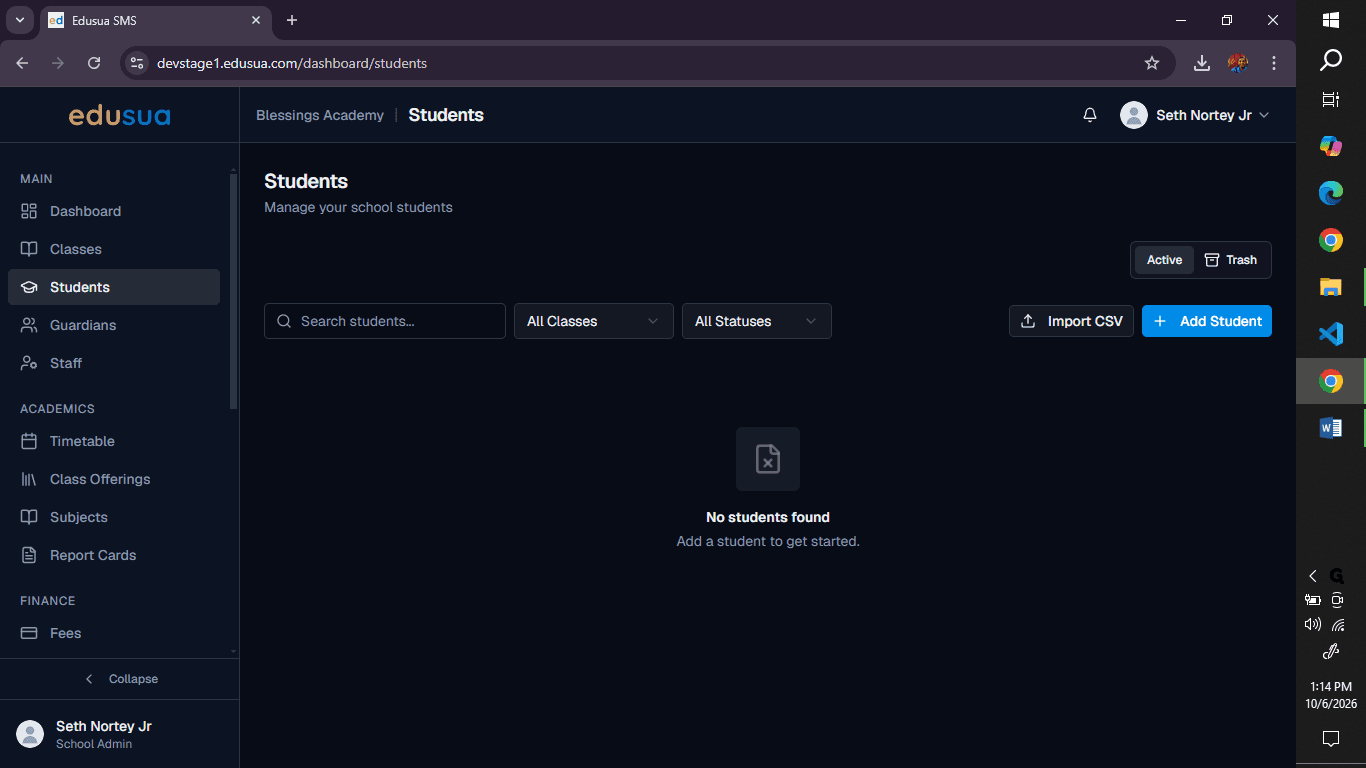
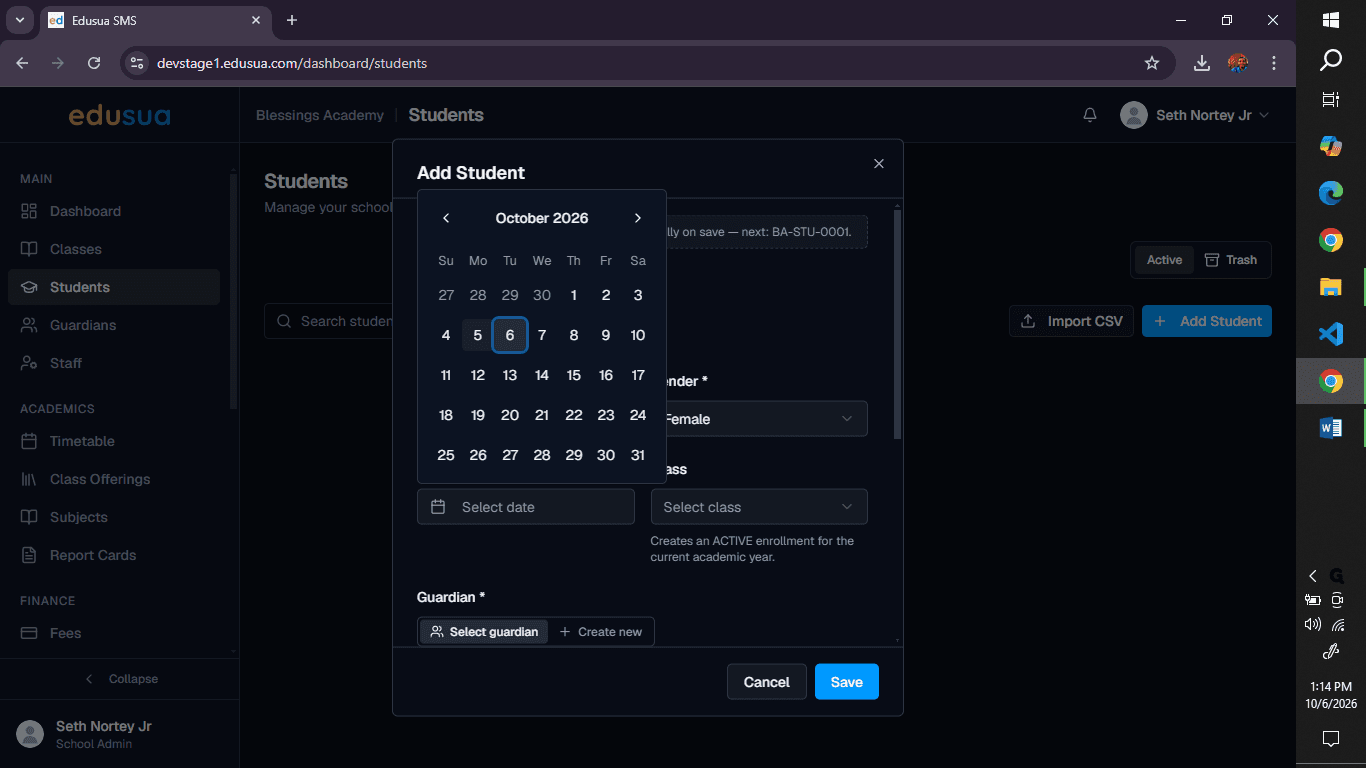
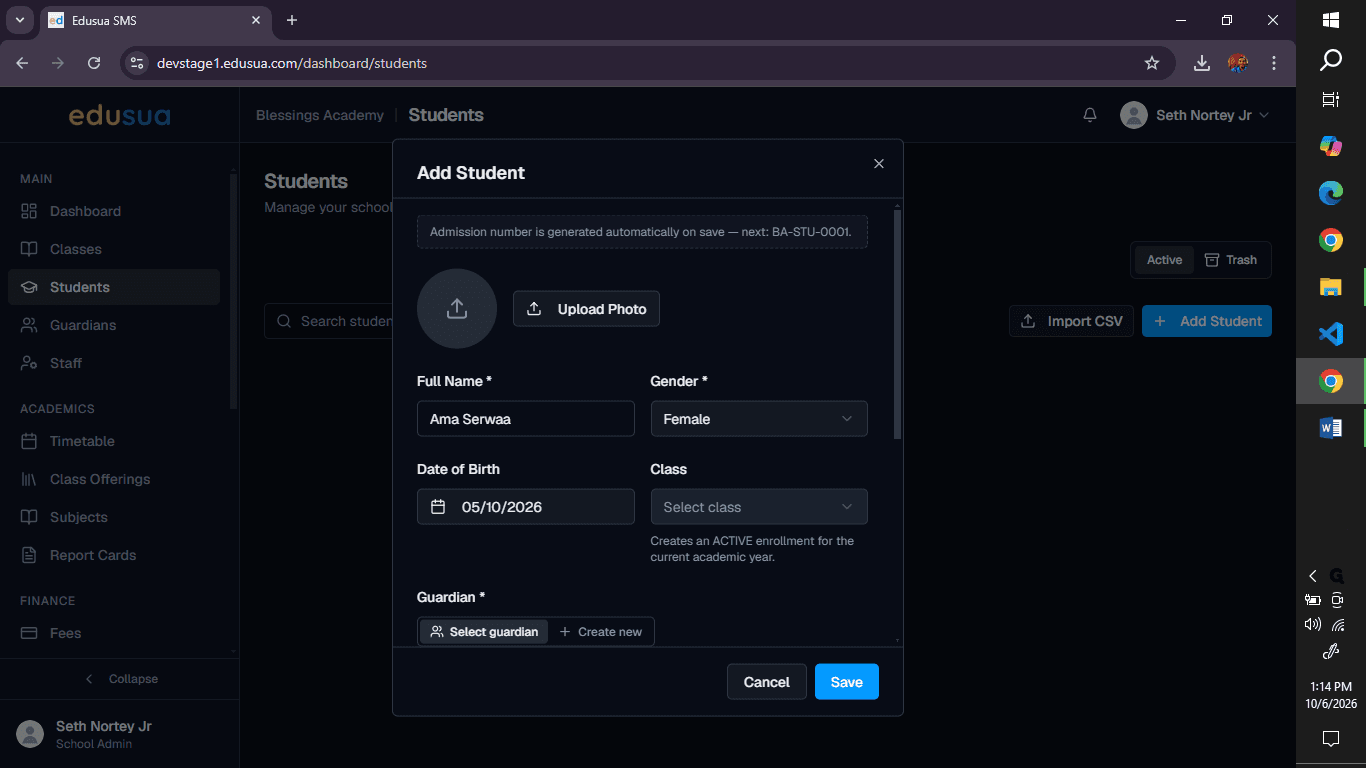
Enter Student Details
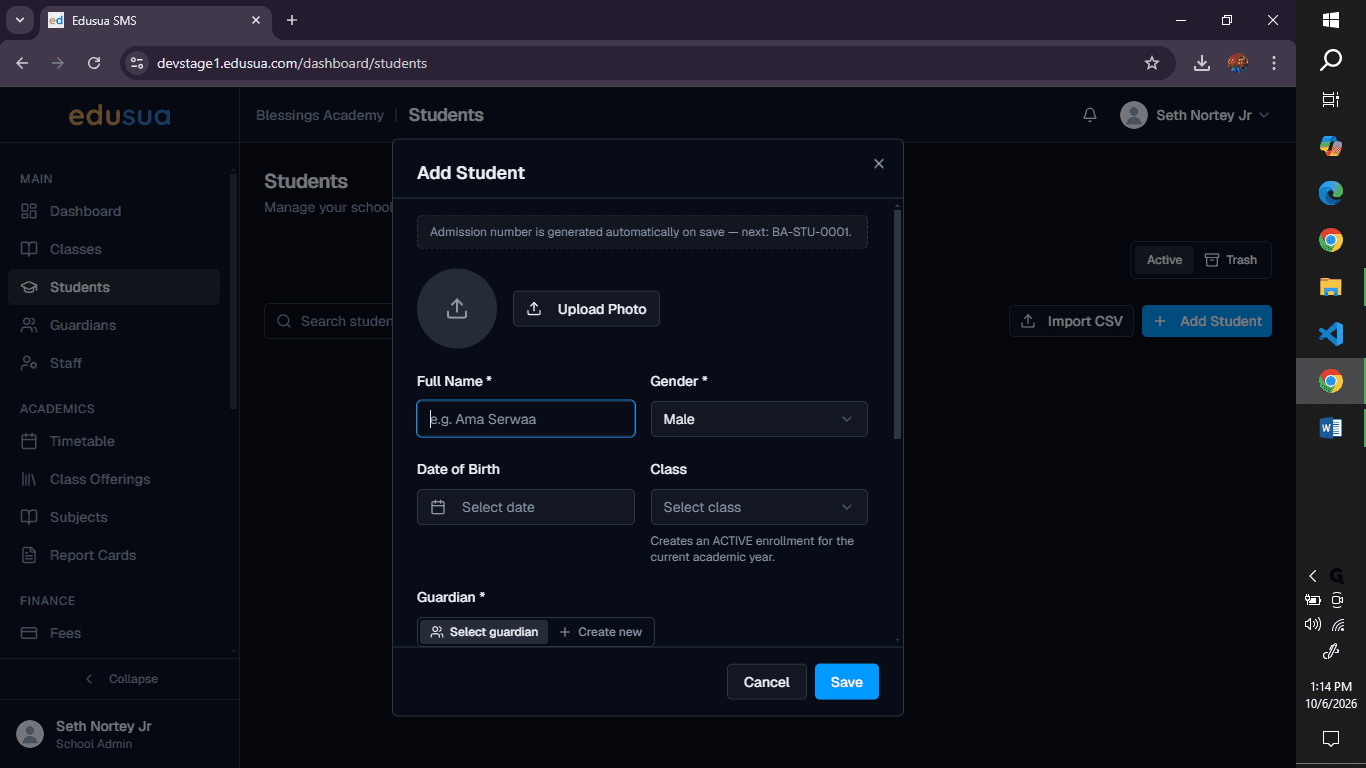
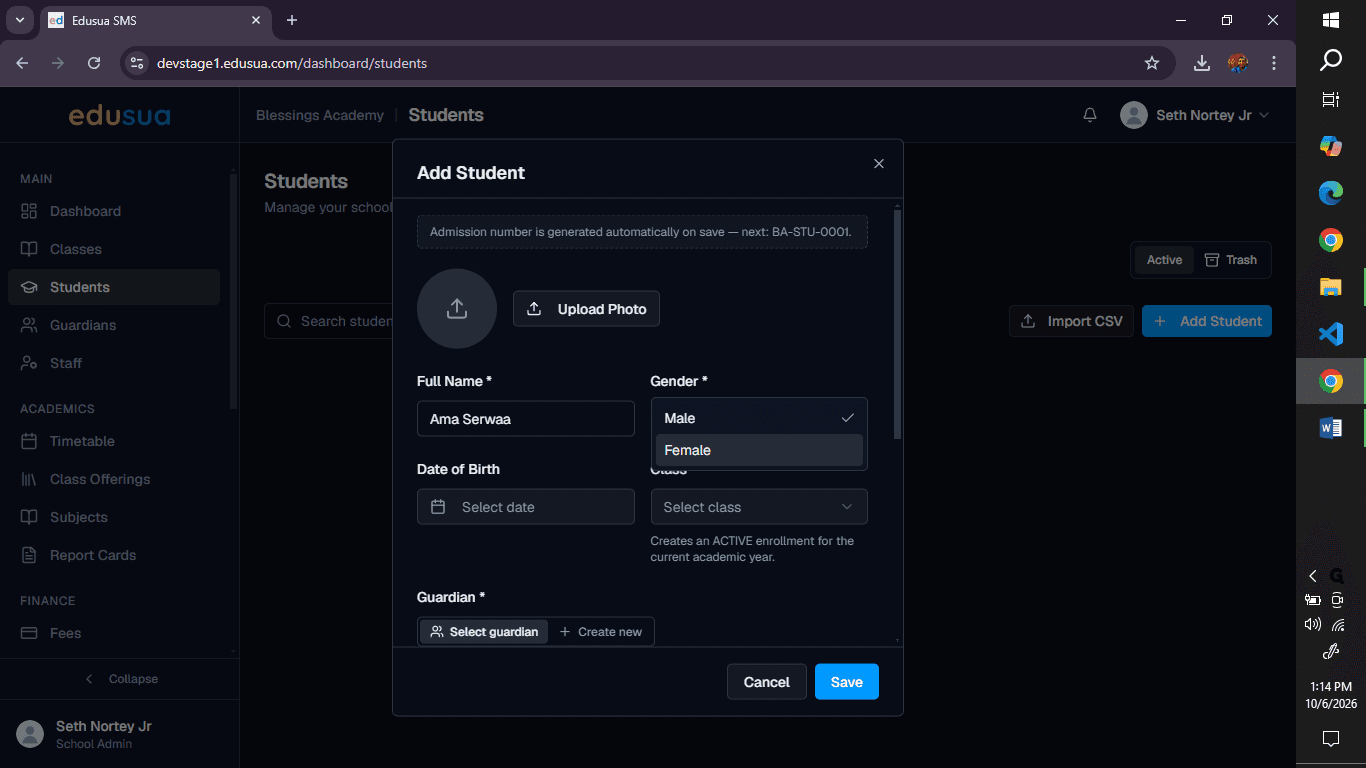
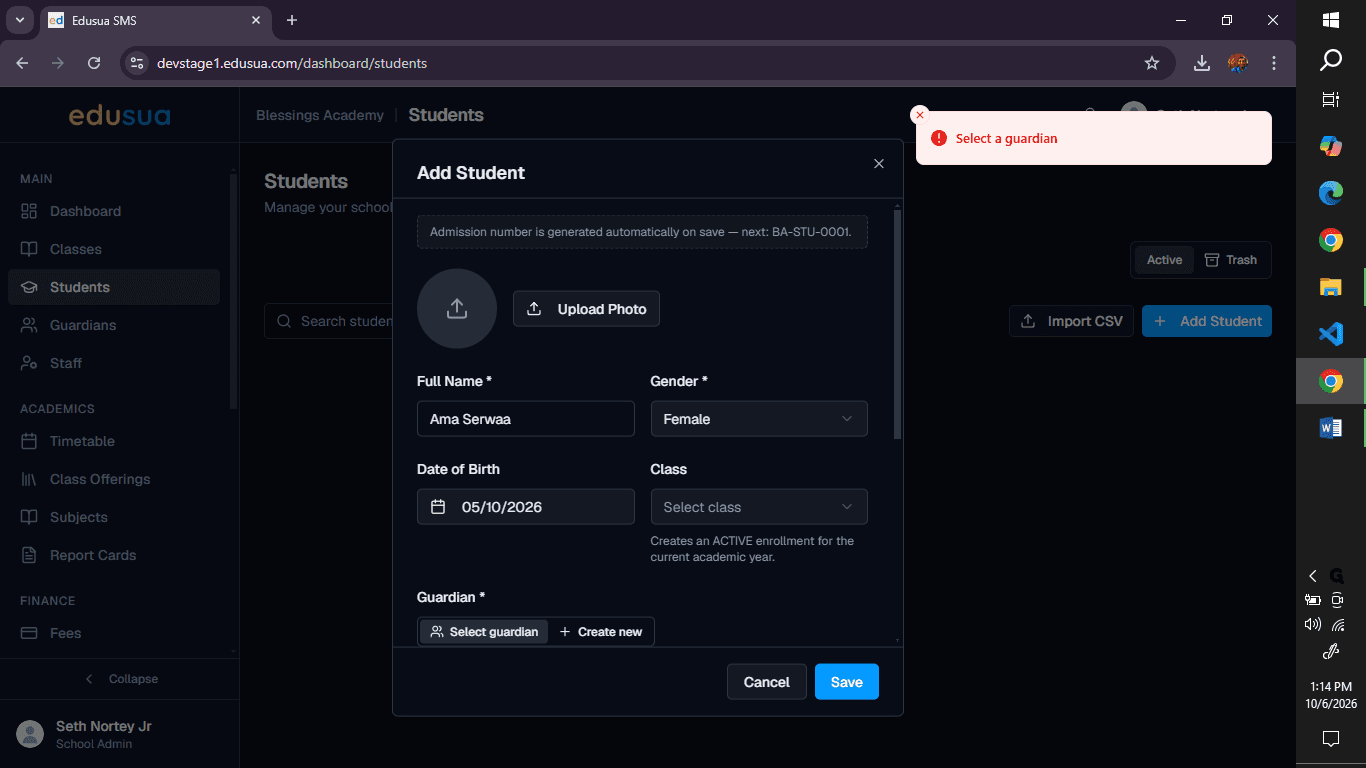
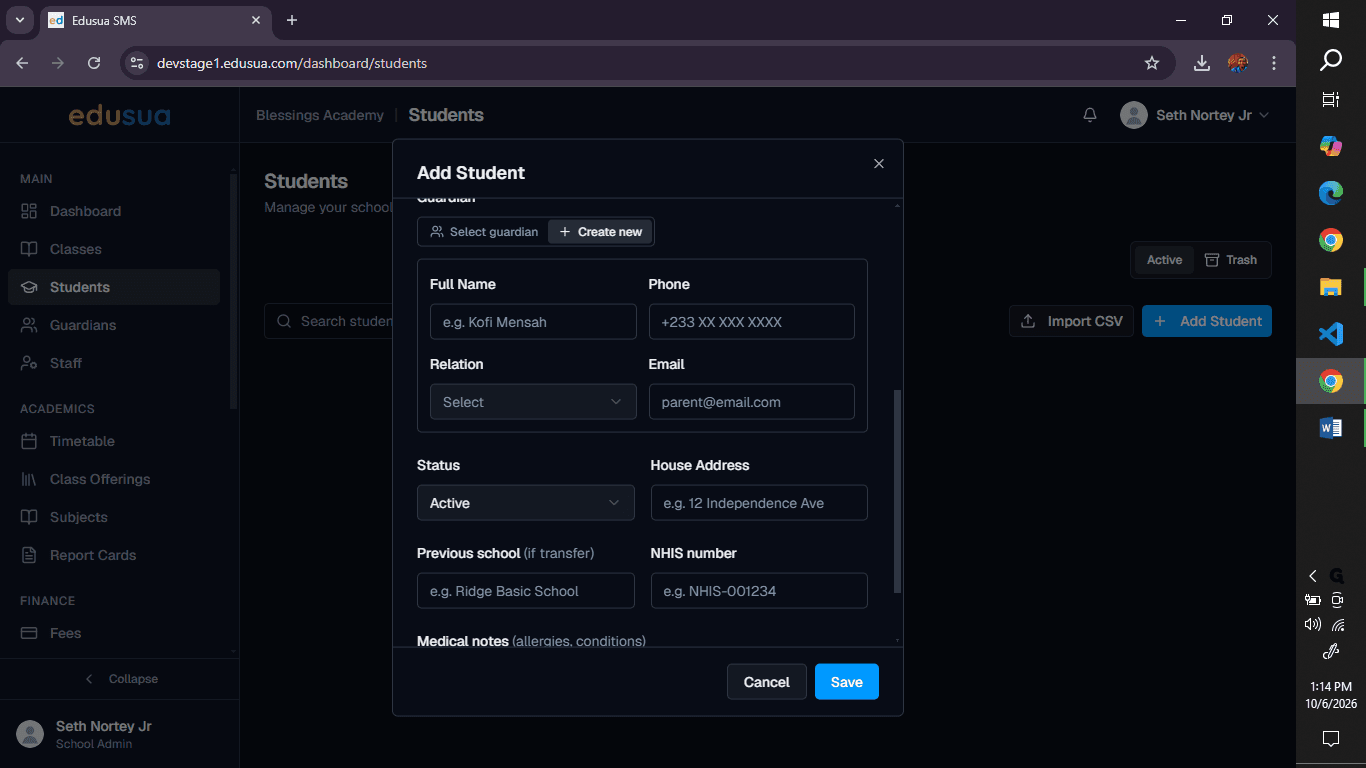
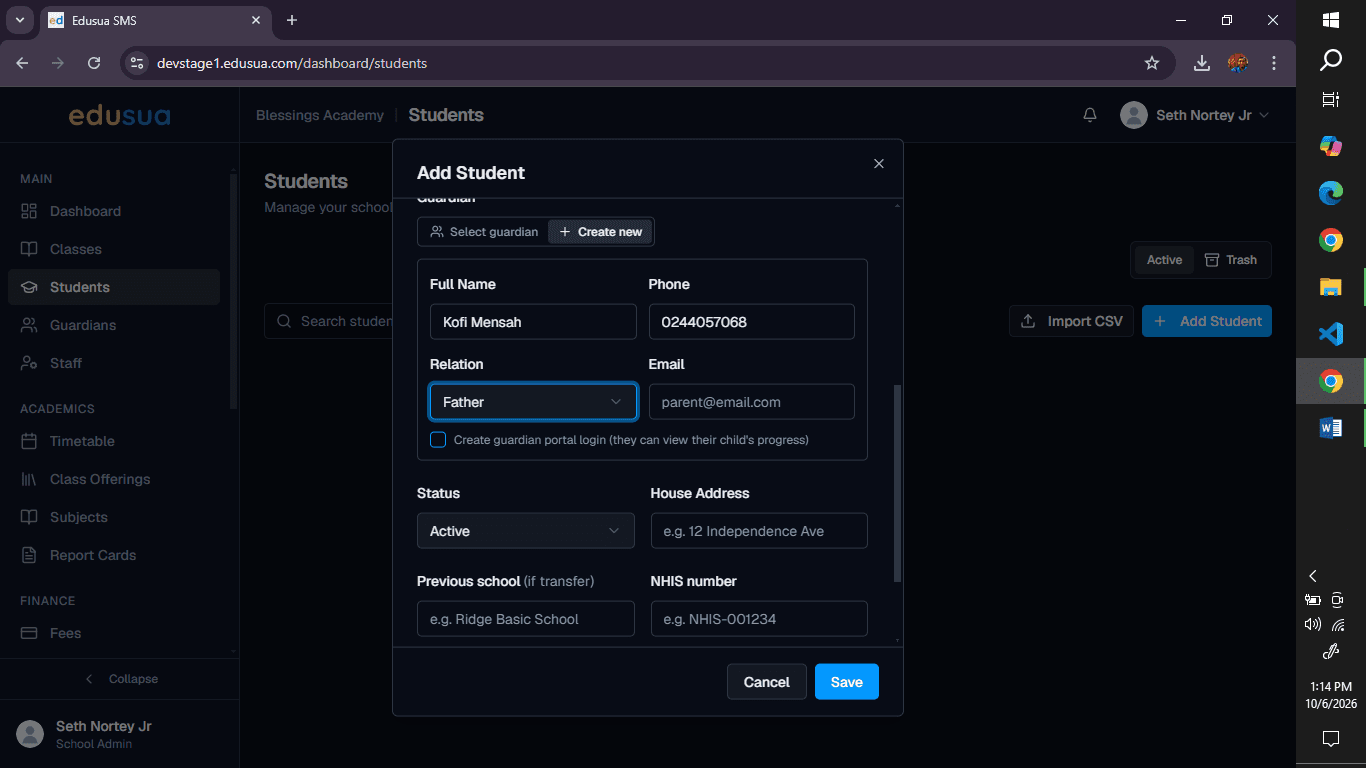
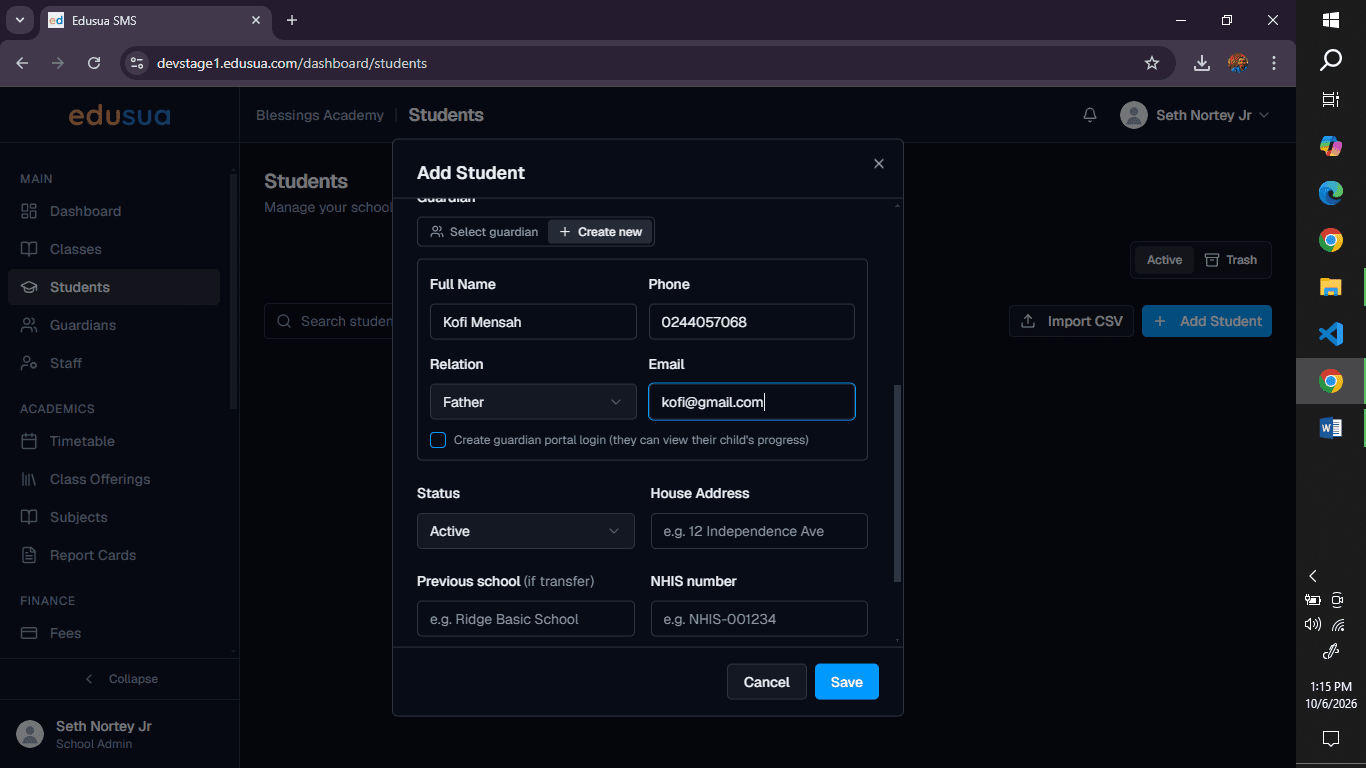
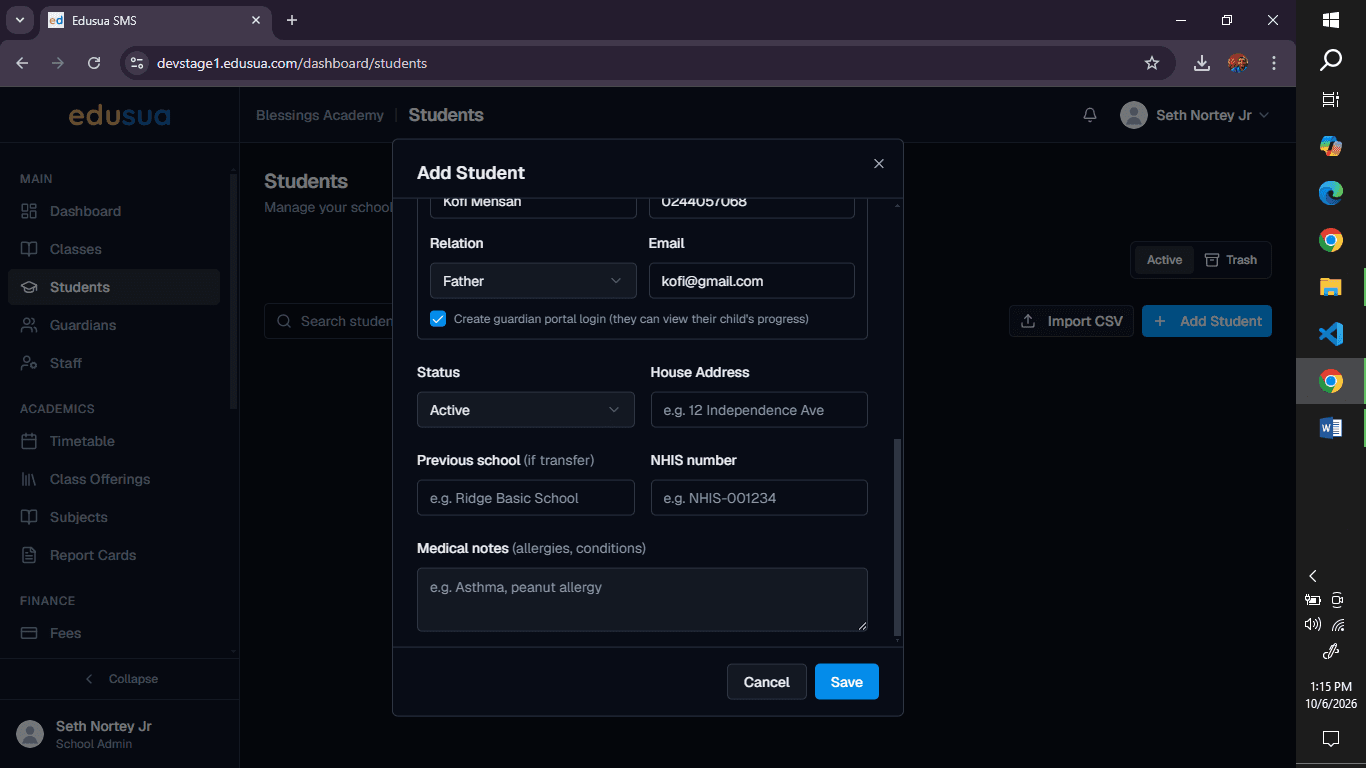
Add Guardian Details and Save
FAQ
Q: Does the guardian receive login credentials immediately?
A: Yes, checking the portal login option creates a guardian account linked to the student record so they can monitor student progress.
Q: Can an existing guardian be linked instead of creating a new one?
A: Yes, you can select an existing guardian record from the guardian field rather than choosing the option to create a new one.
Glossary
Term | Definition |
|---|---|
Guardian Portal | An online portal access point enabling parents and guardians to track their child's attendance and academic progress. |
Edusua SMS | The school management system application used for managing student profiles, enrollment, and guardian records. |