
How to Pull and Filter Amazon Sales Reports by ASIN
Learn how to generate Business Reports in Amazon Seller Central, download Sales and Traffic data, and filter by parent ASIN in Excel.
This guide explains how to generate, download, and filter Amazon Seller Central business reports to calculate total sales figures for specific products. Completing this process allows you to isolate ordered units by parent ASIN and accurately track your product performance over custom date ranges.
This guide is for Amazon sellers, e-commerce managers, and analysts responsible for tracking product performance and sales metrics. You will use this workflow during weekly, monthly, or quarterly sales reporting to evaluate order volume and B2B purchases.
Report Types in Amazon Seller Central
Amazon provides several areas to gather sales data, but they serve different use cases. When compiling overarching product tallies, Business Reports are typically the most flexible choice.
Report Type | Best For | Limitations |
|---|---|---|
Business Reports | Analyzing overall sales, traffic (sessions), and unit volume by ASIN over broad date ranges. | Does not provide line-by-line customer order data. |
Fulfillment Reports | Reconciling inventory, tracking FBA returns, and viewing fulfilled shipment details. | Only allows generating data for one month at a time. |
Order Reports | Pulling specific transaction details, tracking unfulfilled orders, and managing FBM. | Better suited for order fulfillment than overarching sales analytics. |
Generating the Business Report
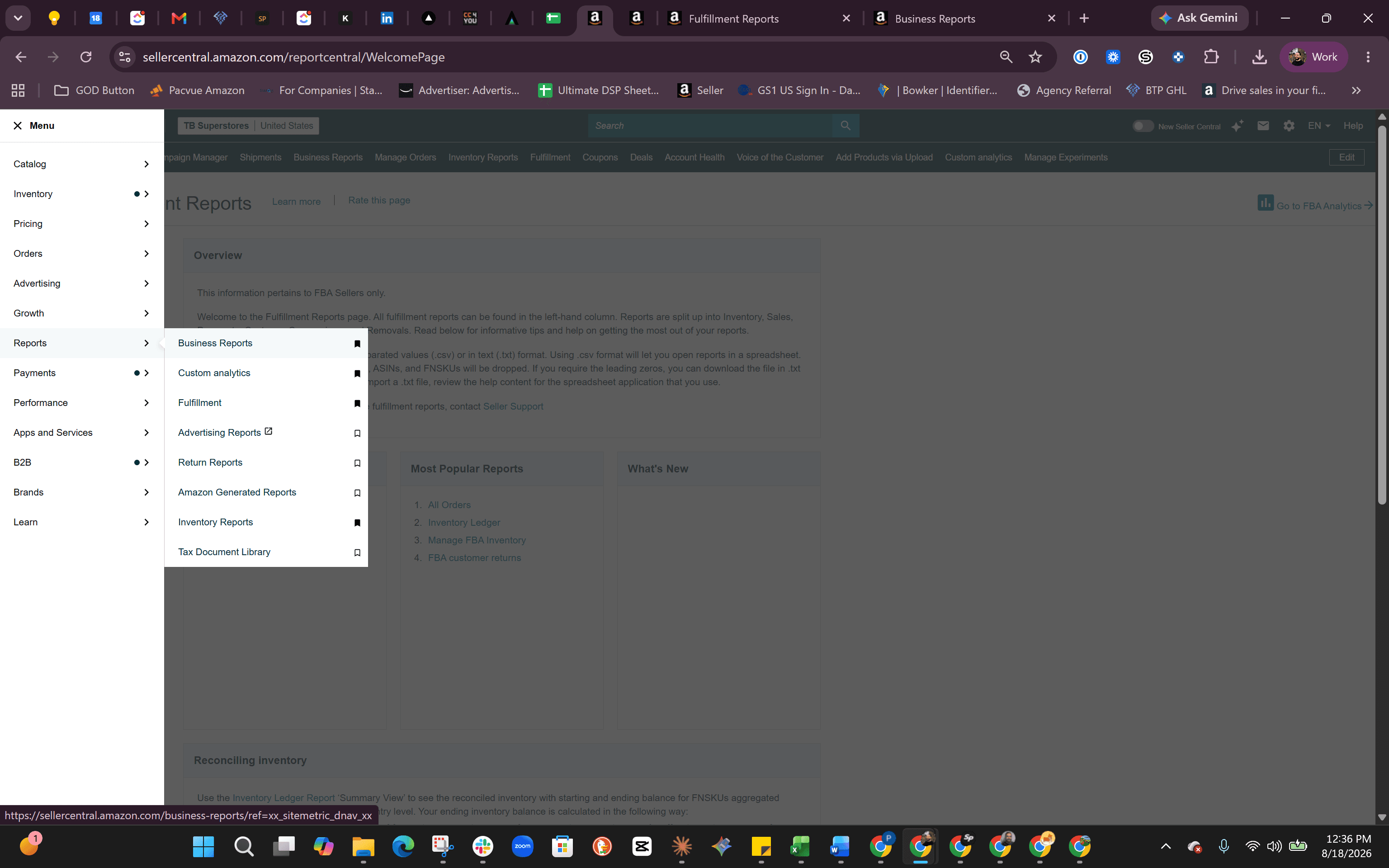
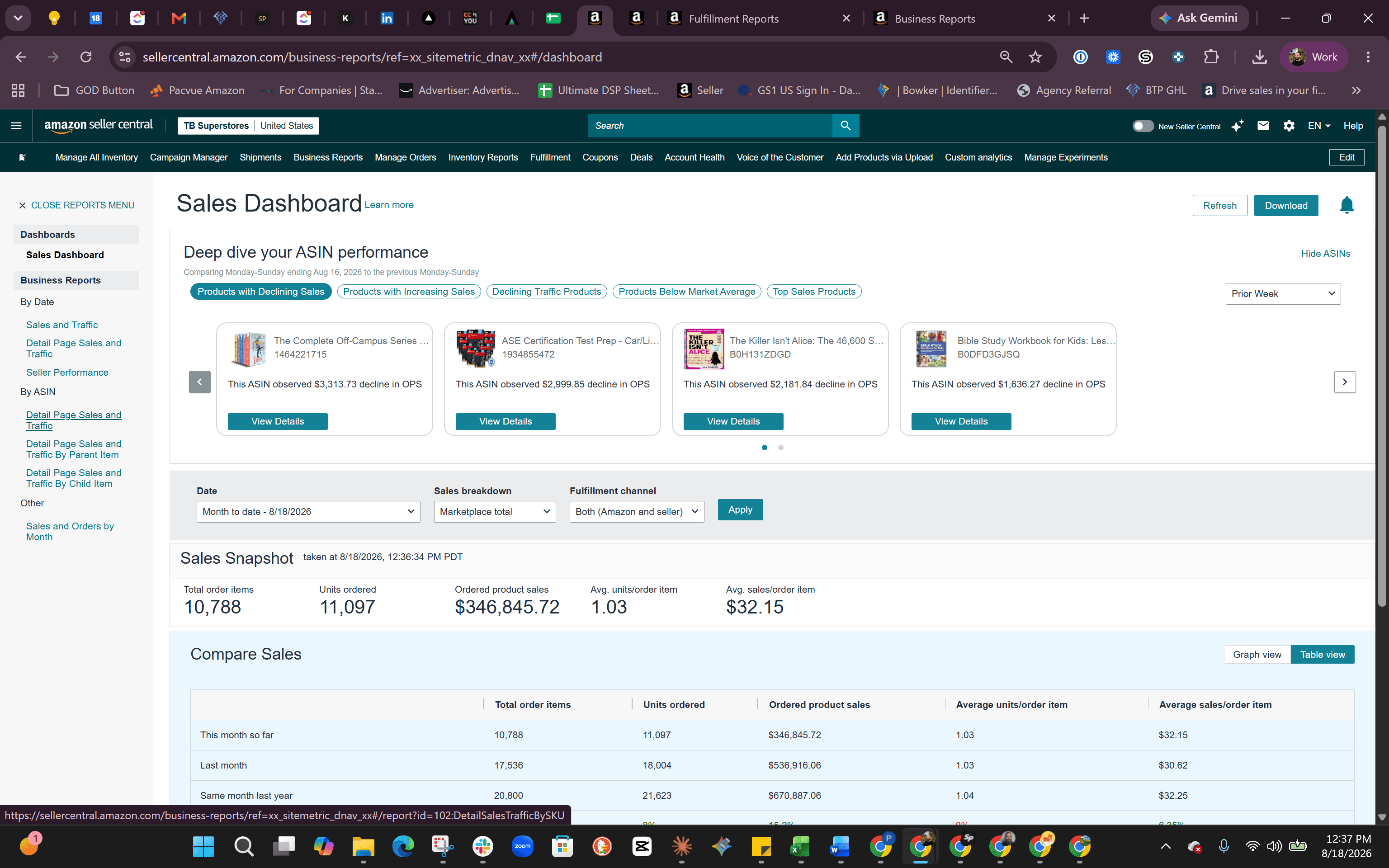
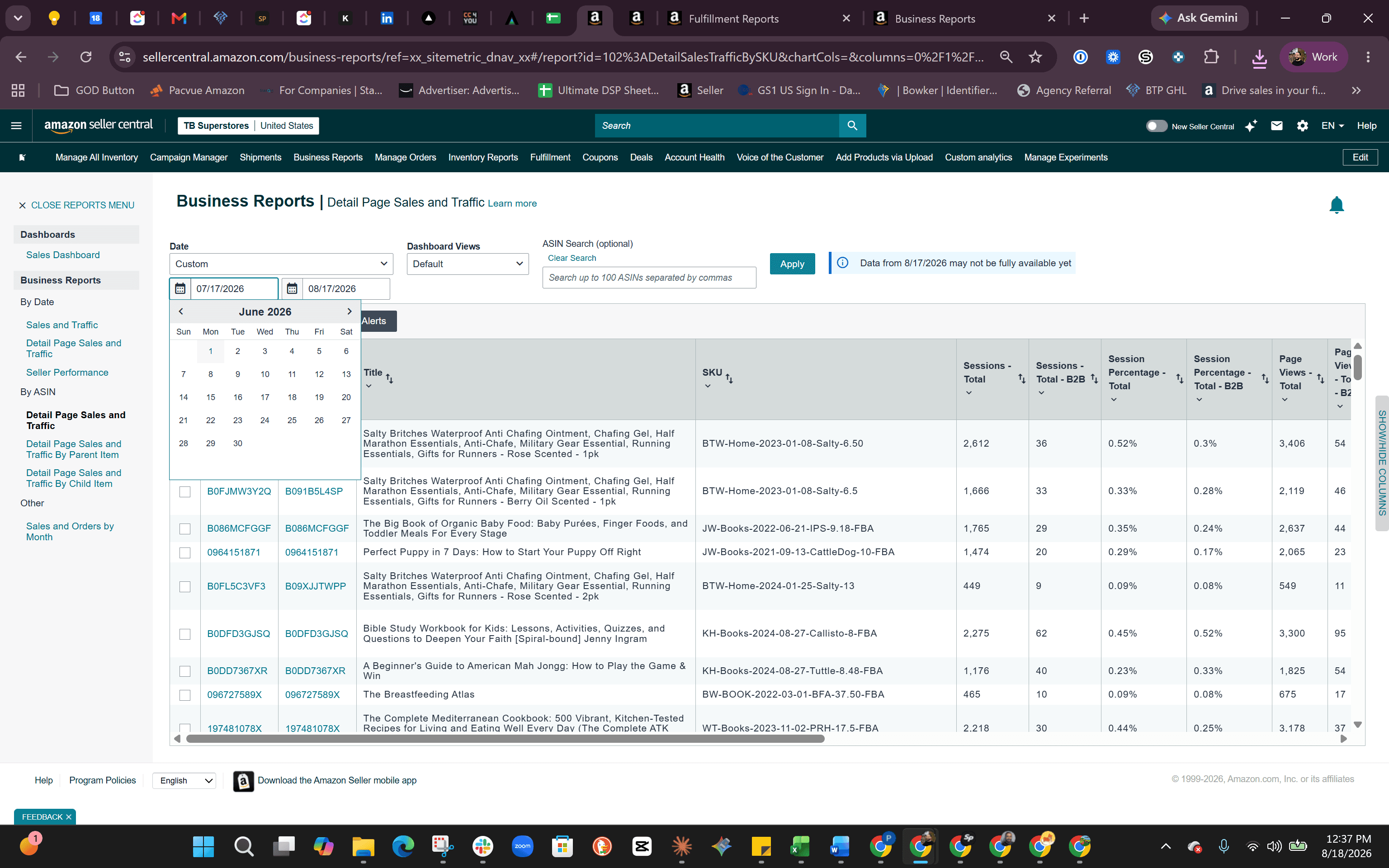
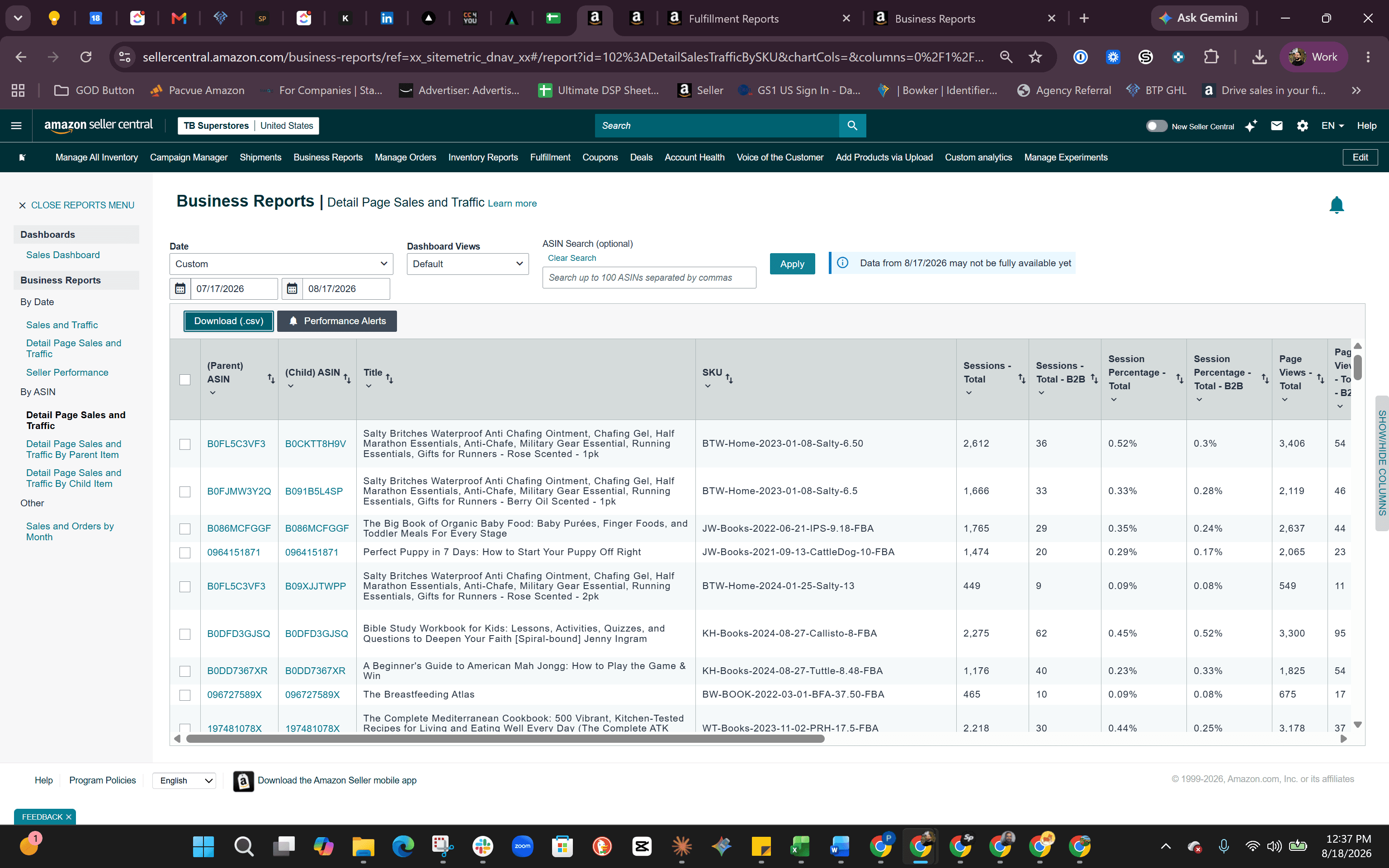
To get the final tally of units sold, we will use the Detail Page Sales and Traffic report.
Filtering the Data in Excel
Once downloaded, you can filter the raw CSV to isolate the specific parent ASINs and pinpoint the total units ordered.
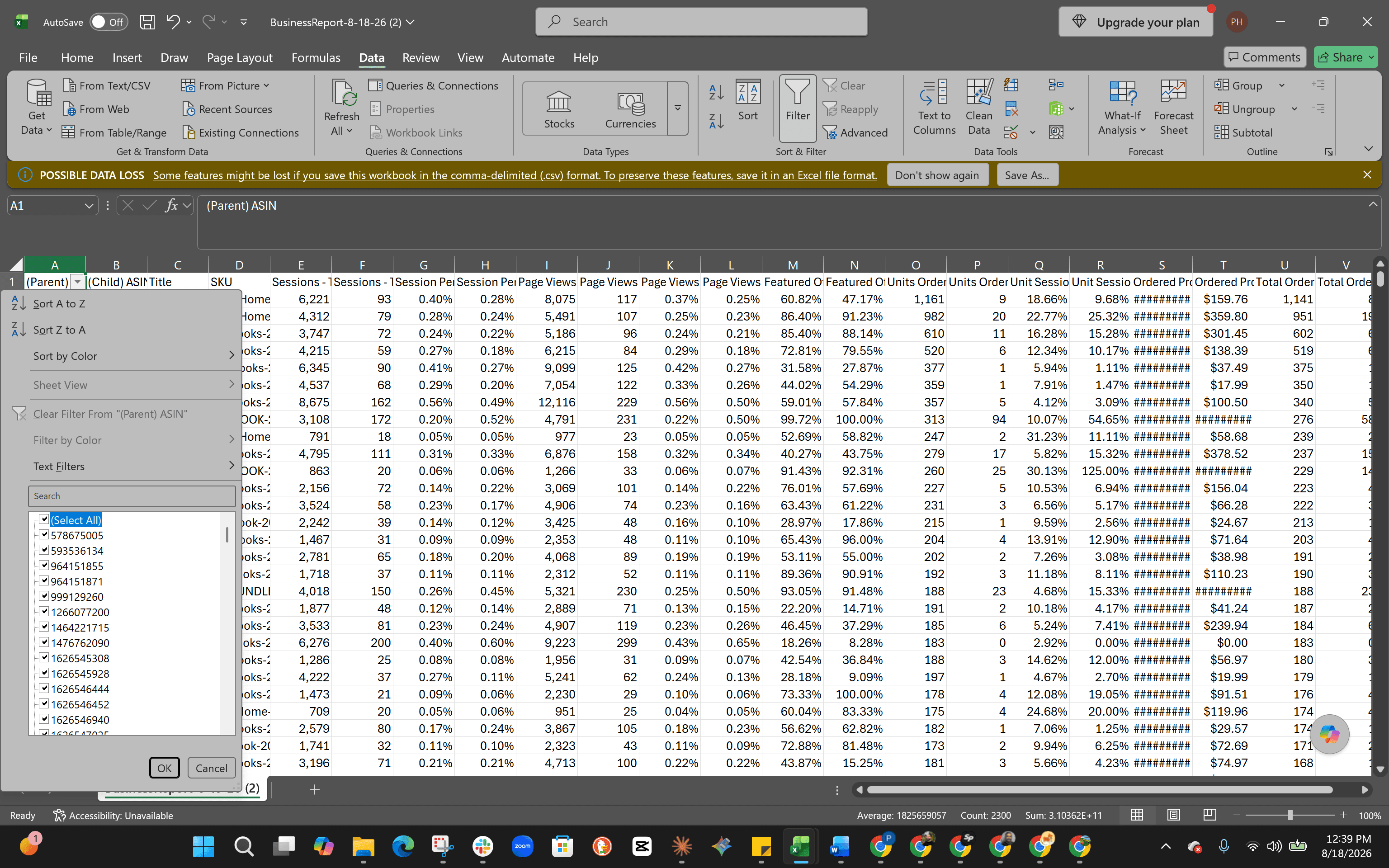
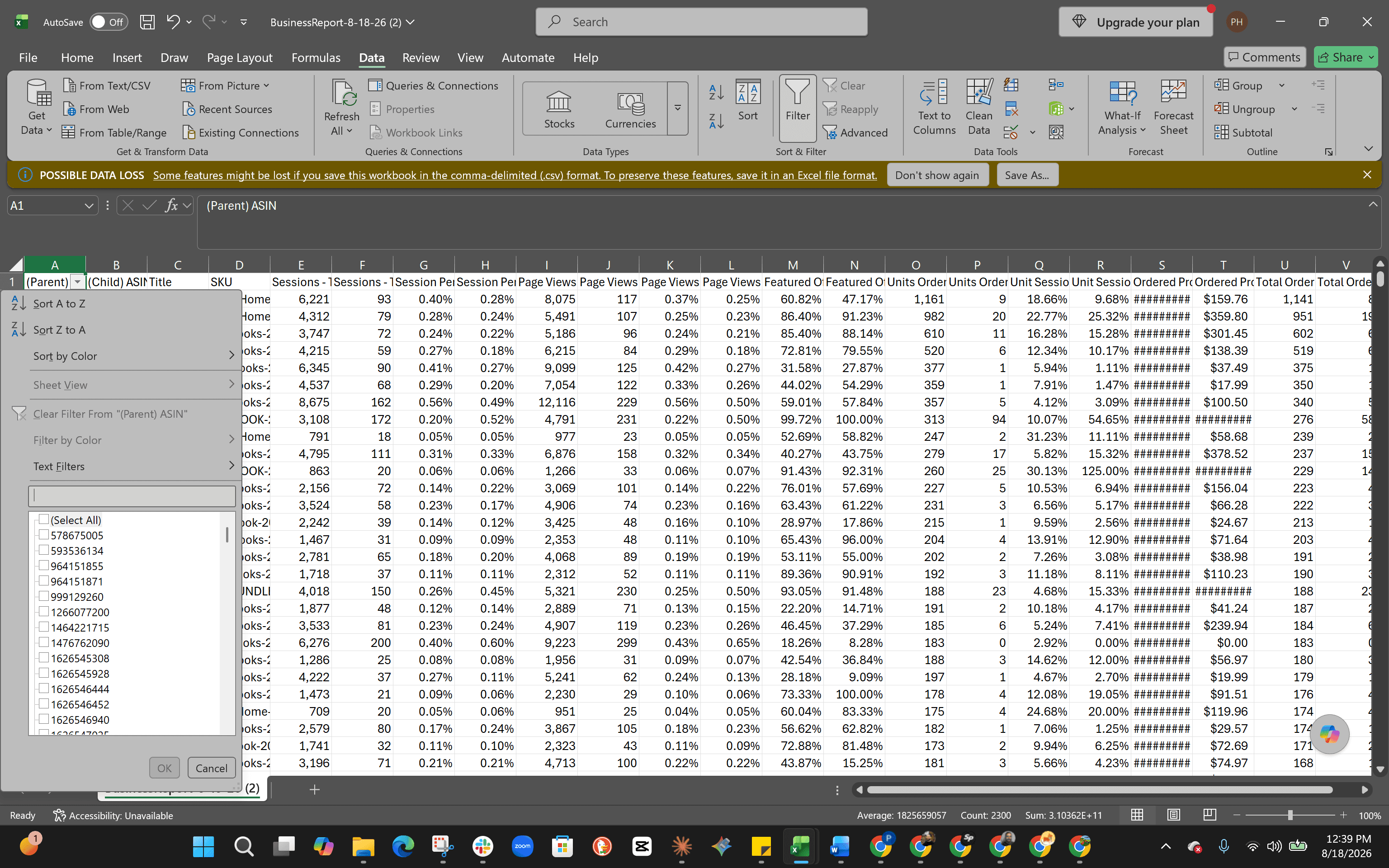
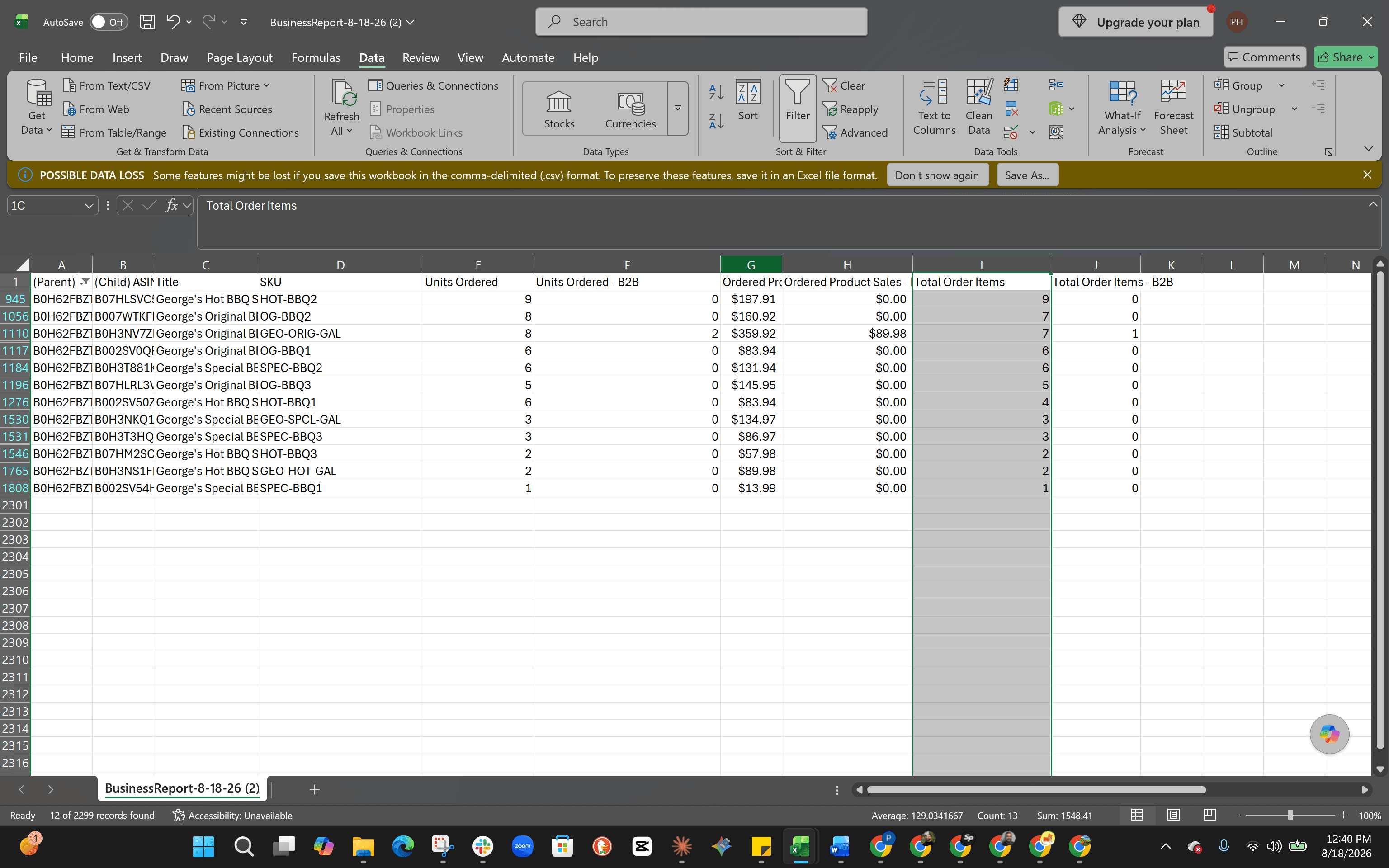
To clean up your spreadsheet for reporting, you can delete or hide irrelevant columns like SKUs, product titles, and Unit Session Percentages. The total of your standard and B2B units ordered is your final sales tally.
Q: Why use Business Reports instead of Fulfillment Reports?
A: Fulfillment Reports are limited to generating data for one month at a time. Business Reports allow you to select broader custom date ranges for your analysis.
Q: Should I include B2B orders in my final sales tally?
A: Yes. Leave the "Units Ordered - B2B" column in your report so you don't miss purchases made by customers using their Amazon Business buyer accounts.
Q: What does the "Sessions" metric mean?
A: Sessions represent the number of unique people who visited your product's detail page during the selected time period.
Term | Definition |
|---|---|
ASIN | Amazon Standard Identification Number, a 10-character alphanumeric unique identifier assigned by Amazon for item identification. |
Parent ASIN | An overarching identifier used to group variations (like size or color) of the same product. |
Child ASIN | The specific variant of a product tied to a Parent ASIN. |
B2B Orders | Purchases made by registered Amazon Business customers rather than standard retail buyers. |
Sessions | A metric indicating the total number of unique visitor sessions to a product detail page within a 24-hour period. |