AP: Receive and Manage Purchase Orders in ServiceTitan
Learn how to review, edit line items, mark as sent, and receive shipments on purchase orders in ServiceTitan.
Purpose
This guide explains how to review, adjust, and receive purchase orders within ServiceTitan. Completing these steps ensures inventory line items and receipt documentation match vendor invoices accurately, keeping order statuses up to date until partially received items are received and processed.
Scope
This procedure applies to inventory coordinators, warehouse managers, and purchasing staff managing materials in ServiceTitan. It covers verifying PO source files, adjusting line items and tax rates, recording vendor document receipts and accounting for unreceived items. Vendor invoice payment processing and accounting reconciliation workflows are out of scope.
Review and Edit the Purchase Order
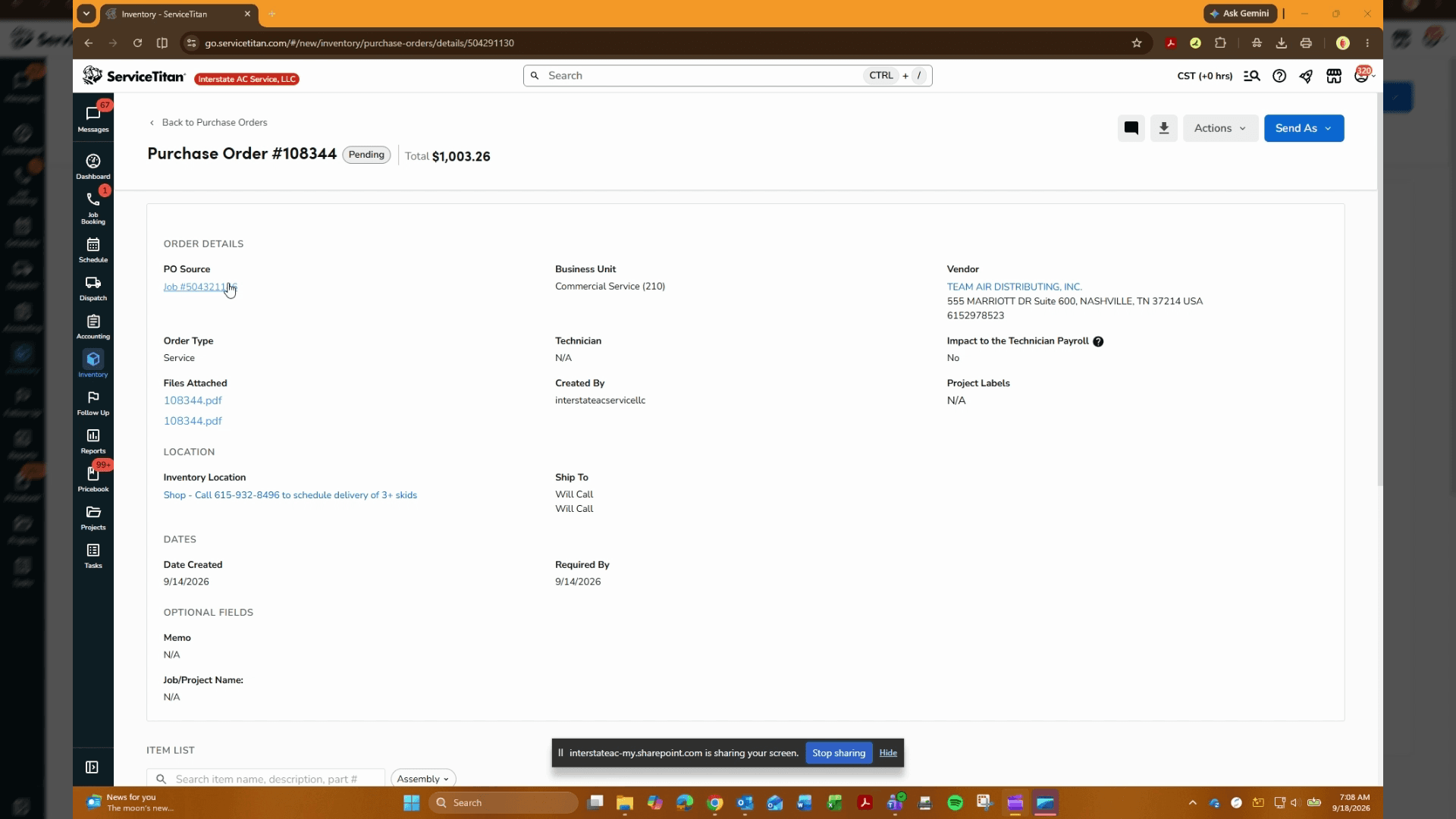
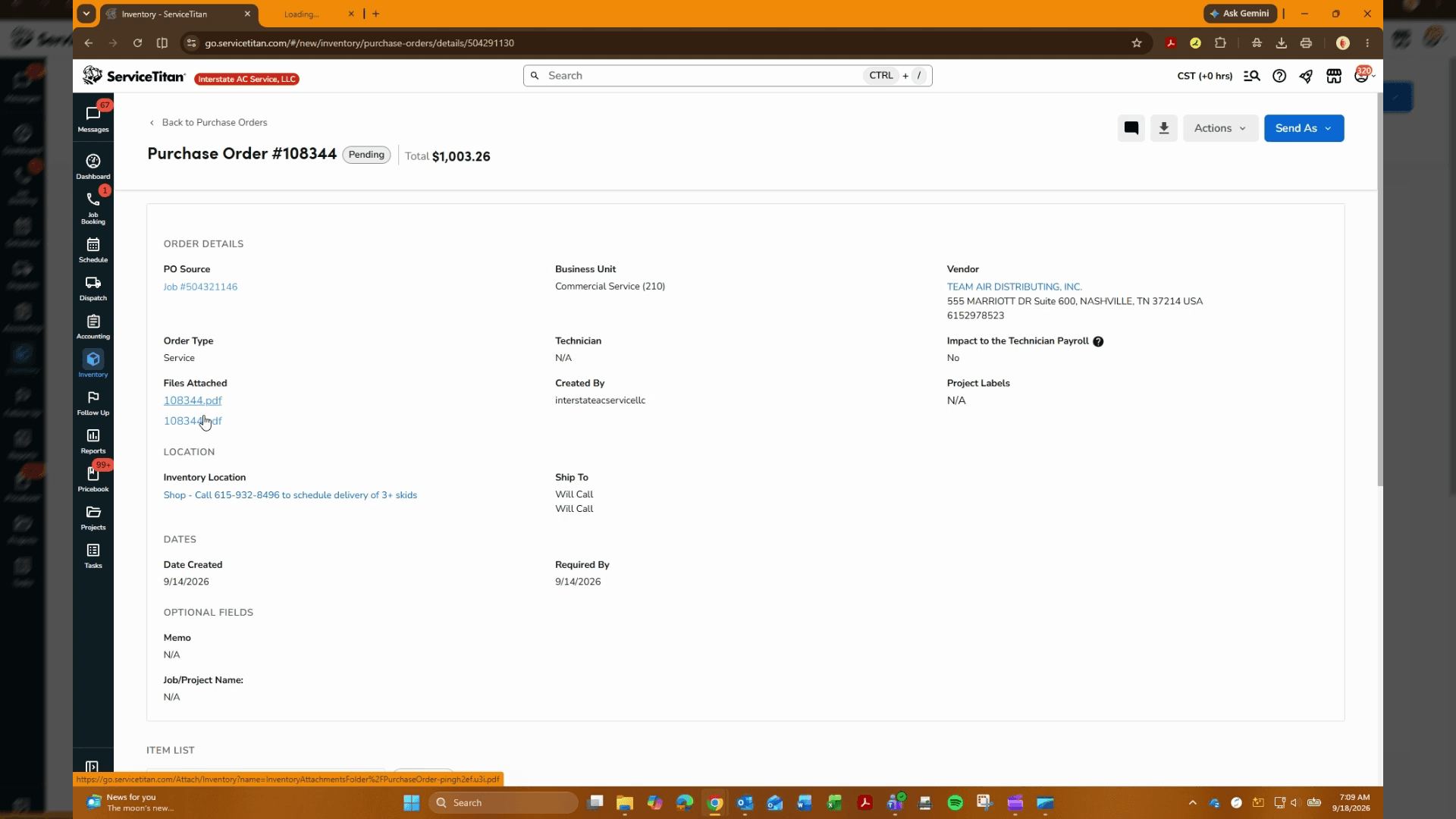
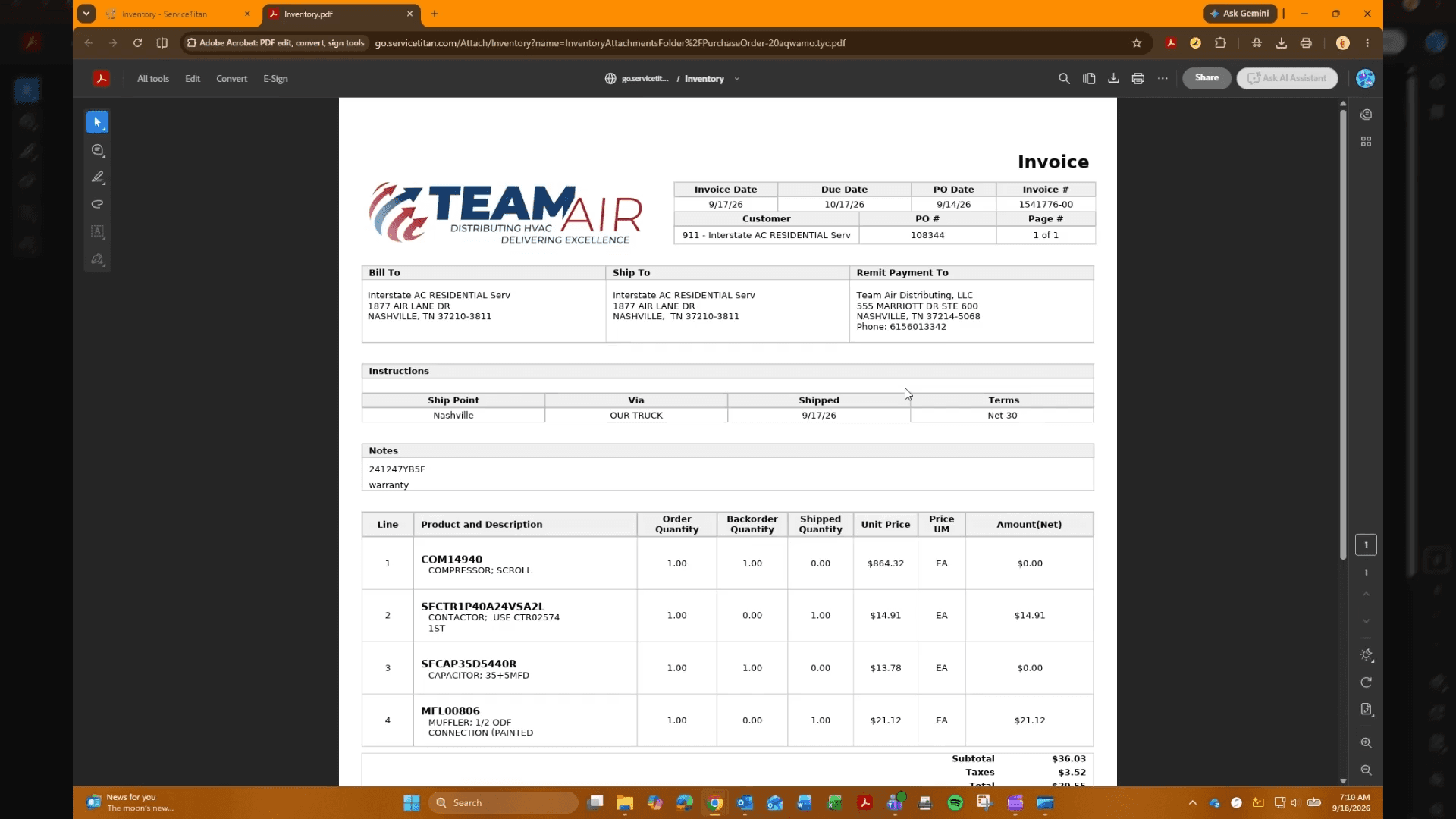
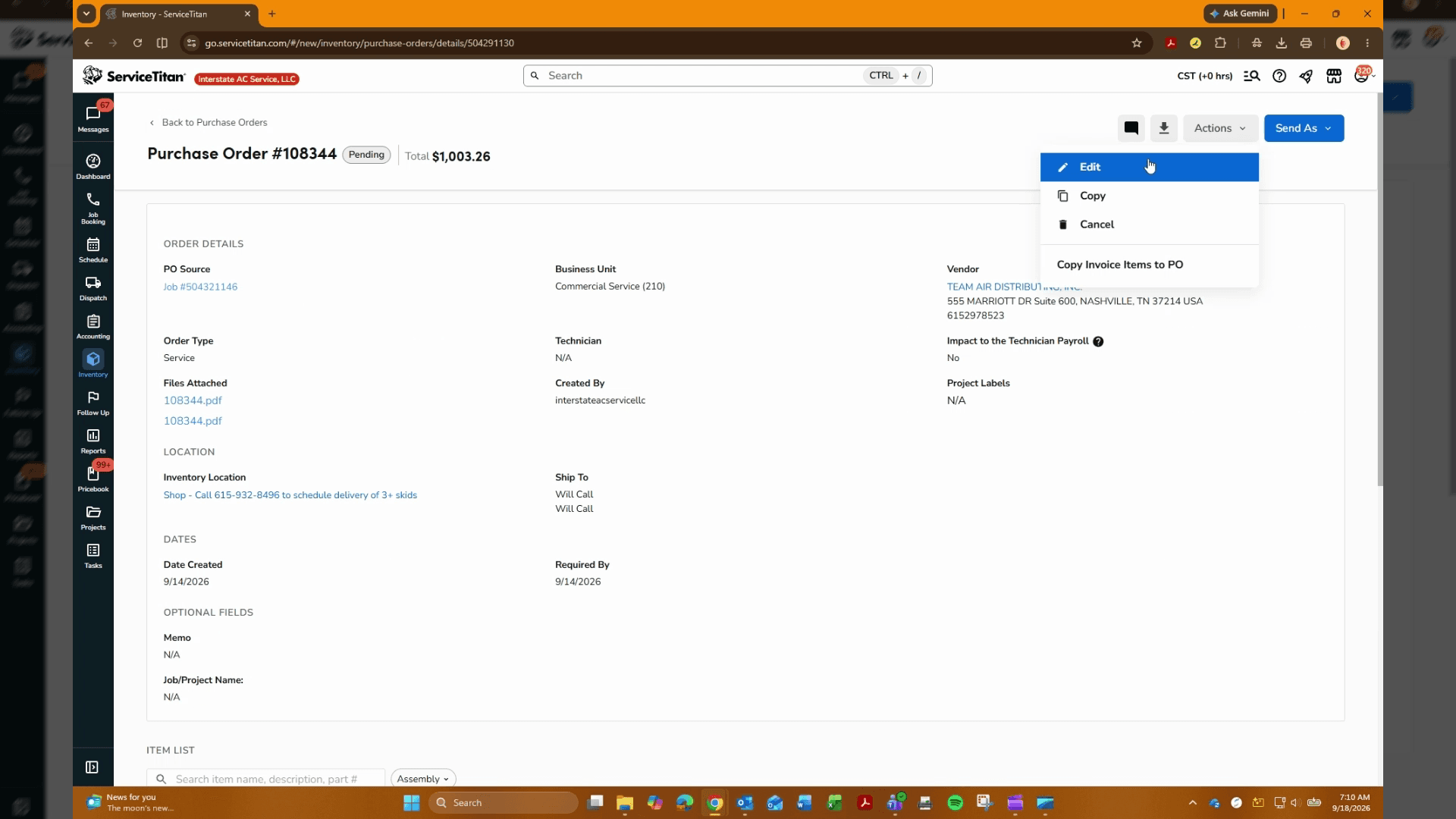
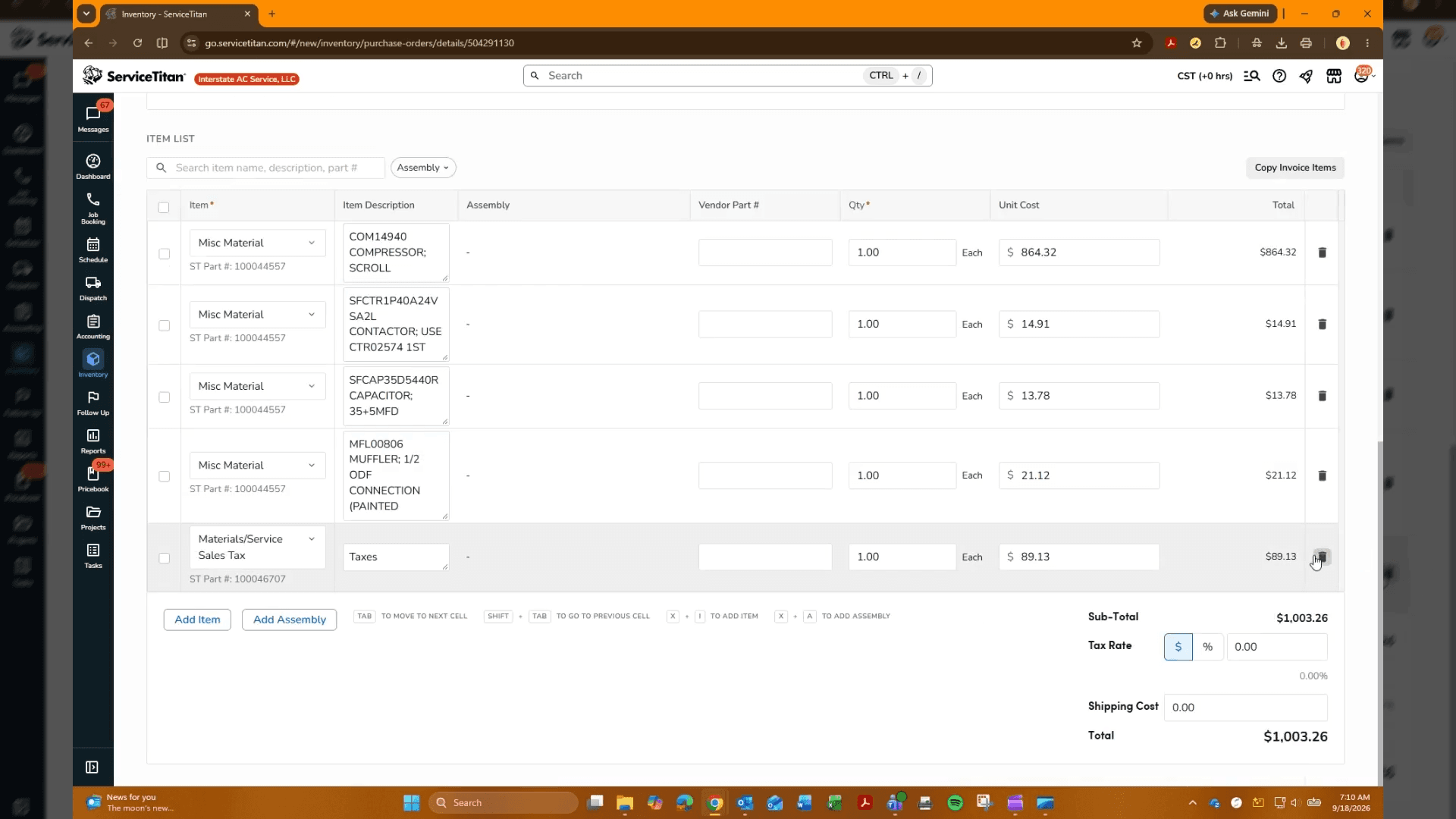
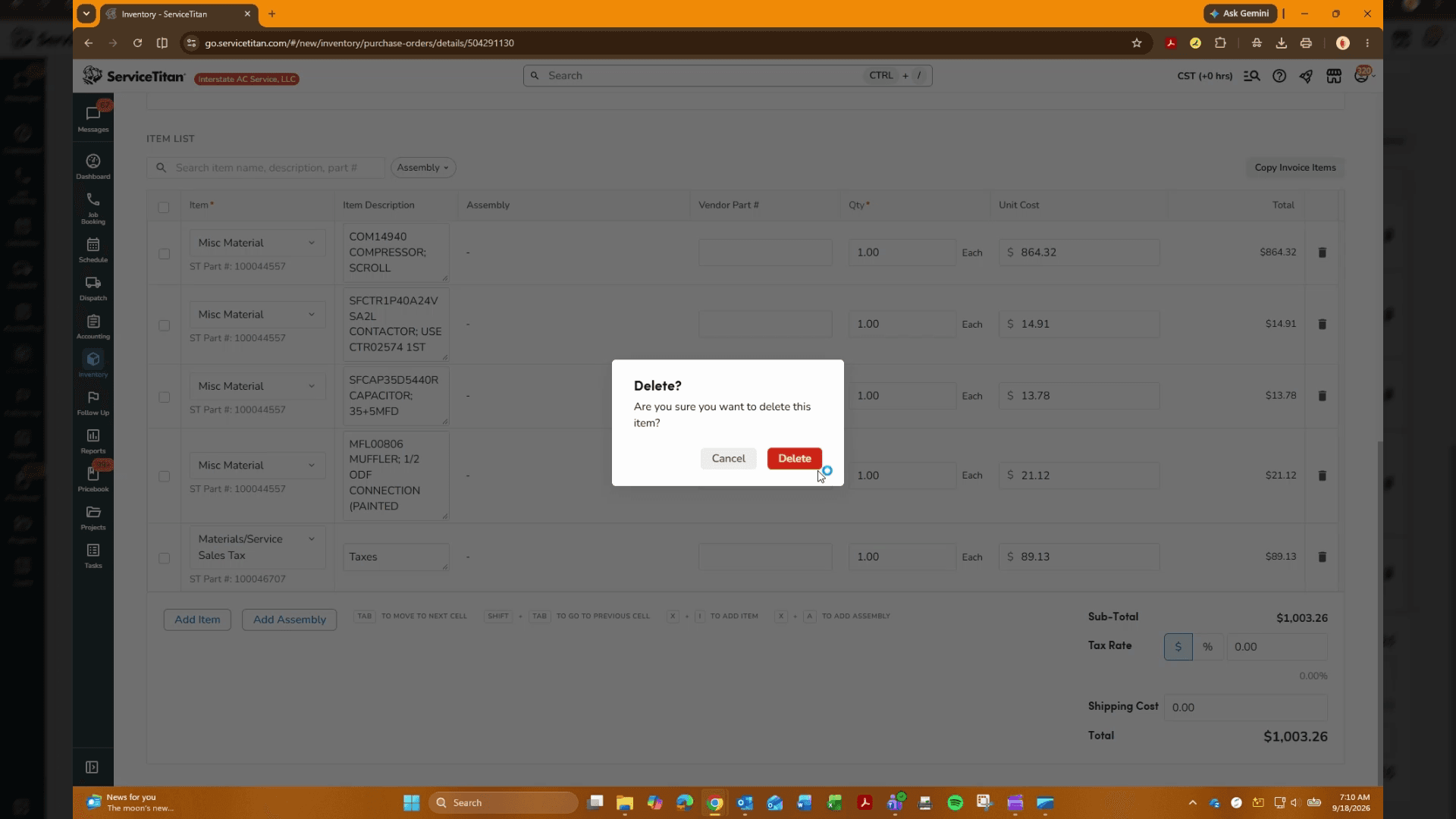
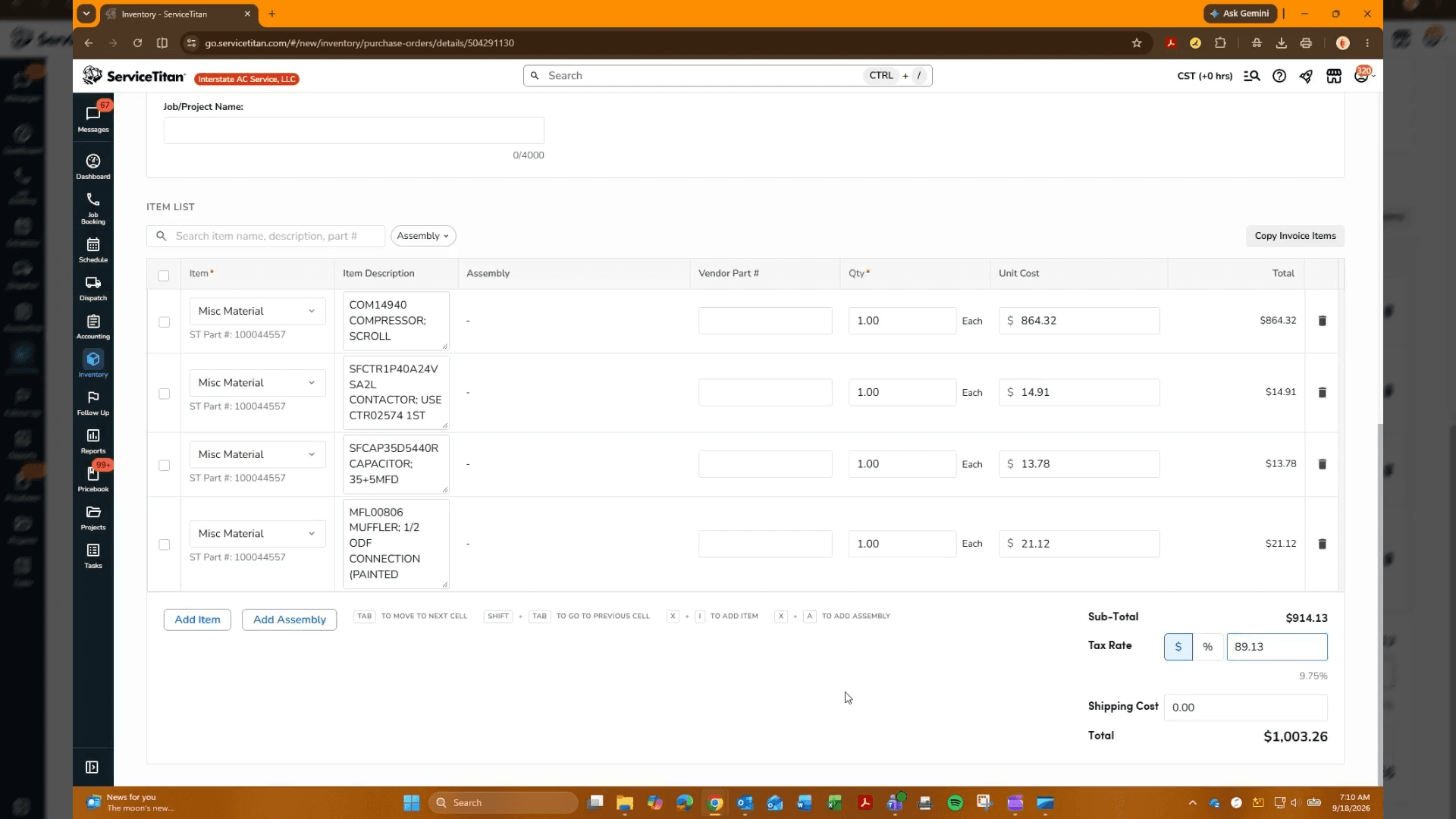
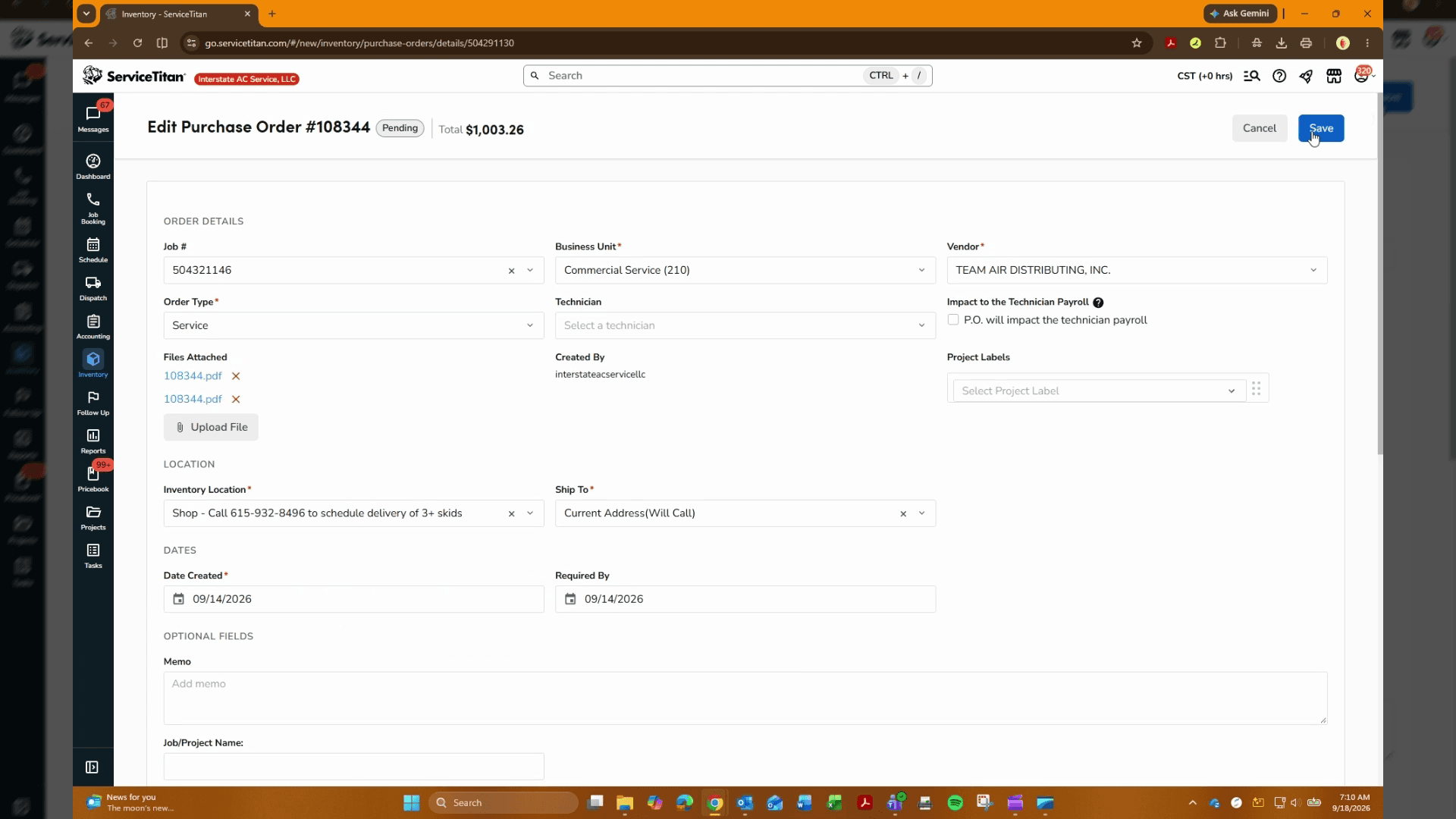
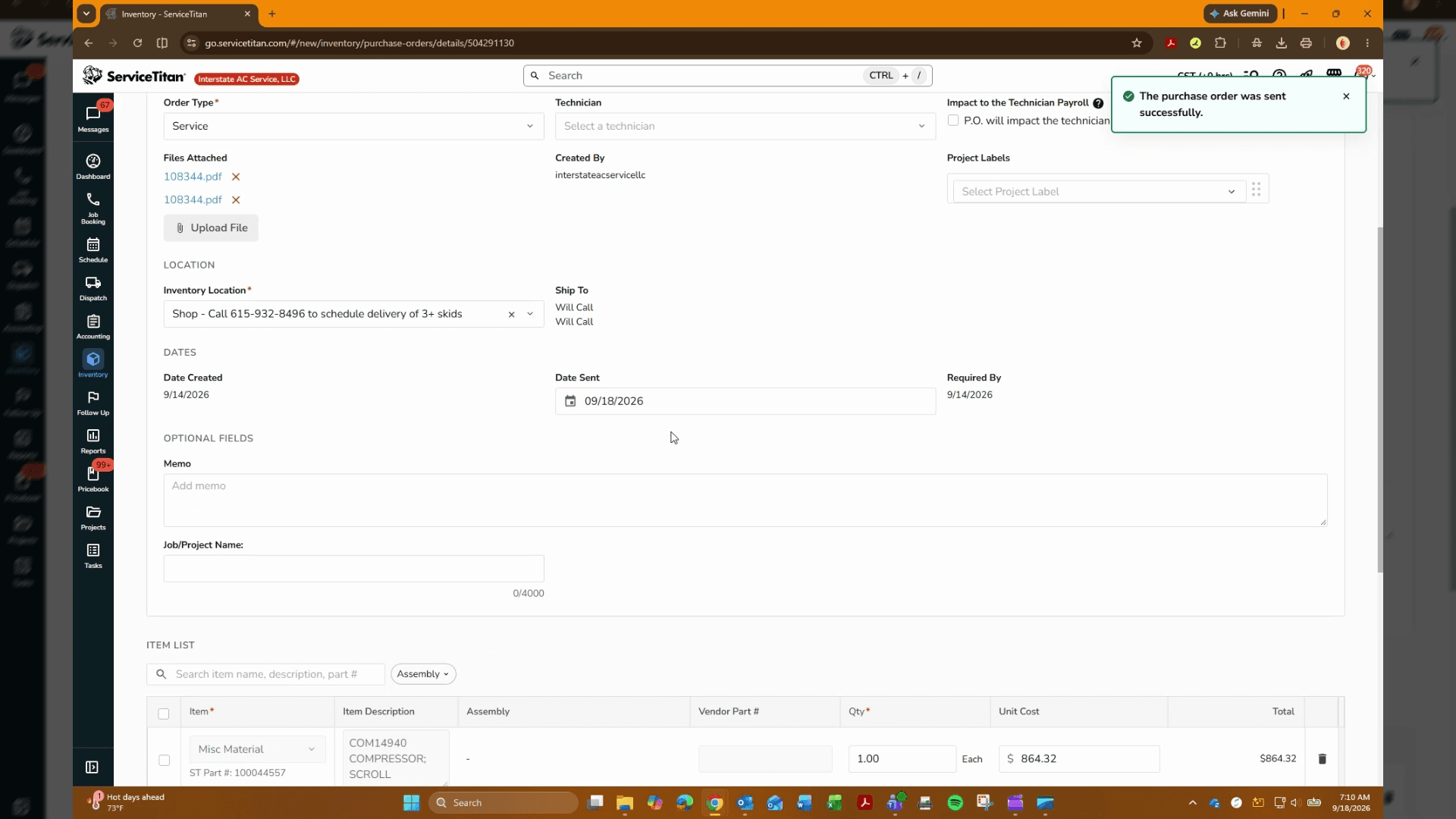
Before receiving items, check the order details and remove any unnecessary or redundant line items from the purchase order.
Update Order Status
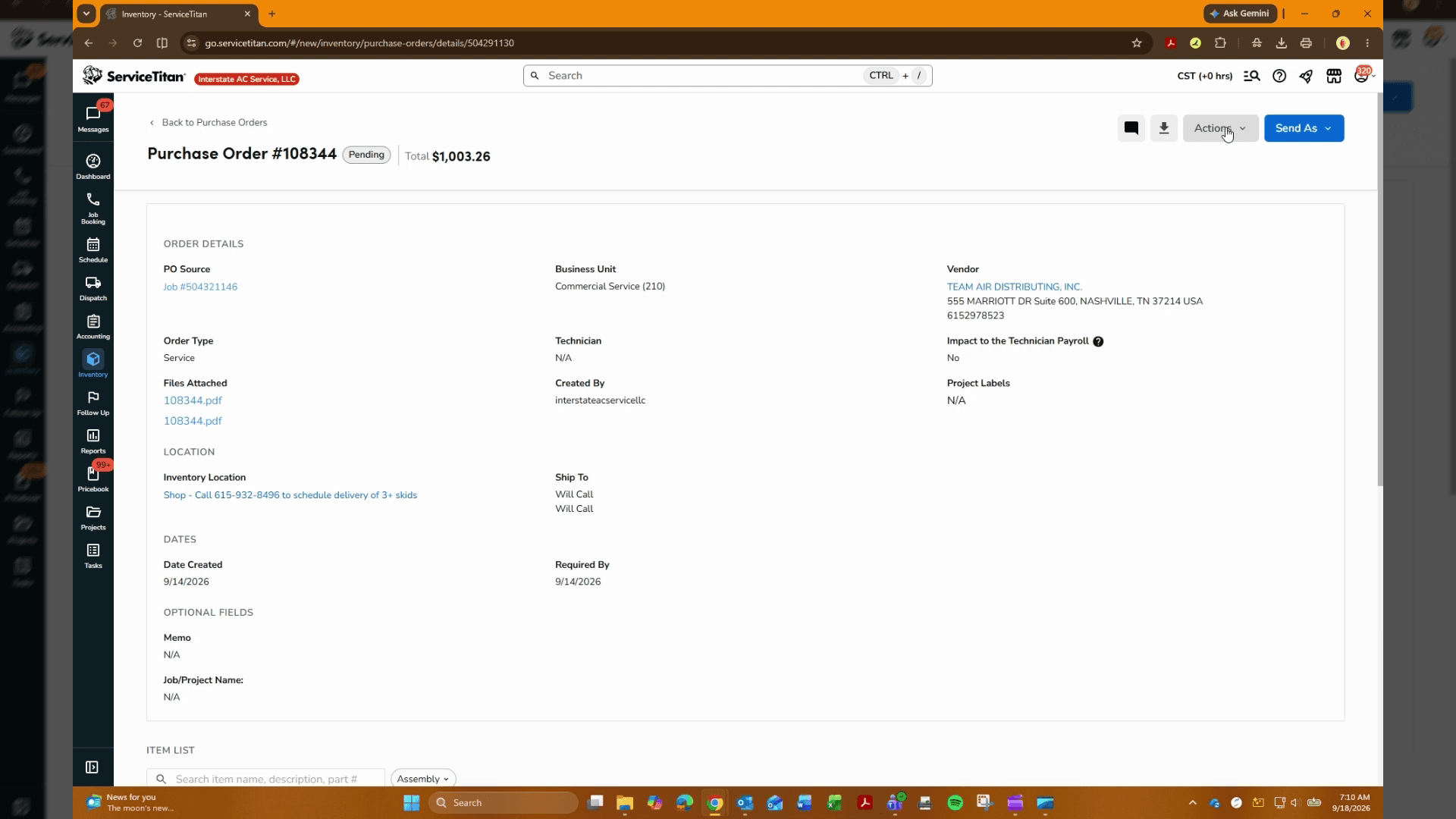
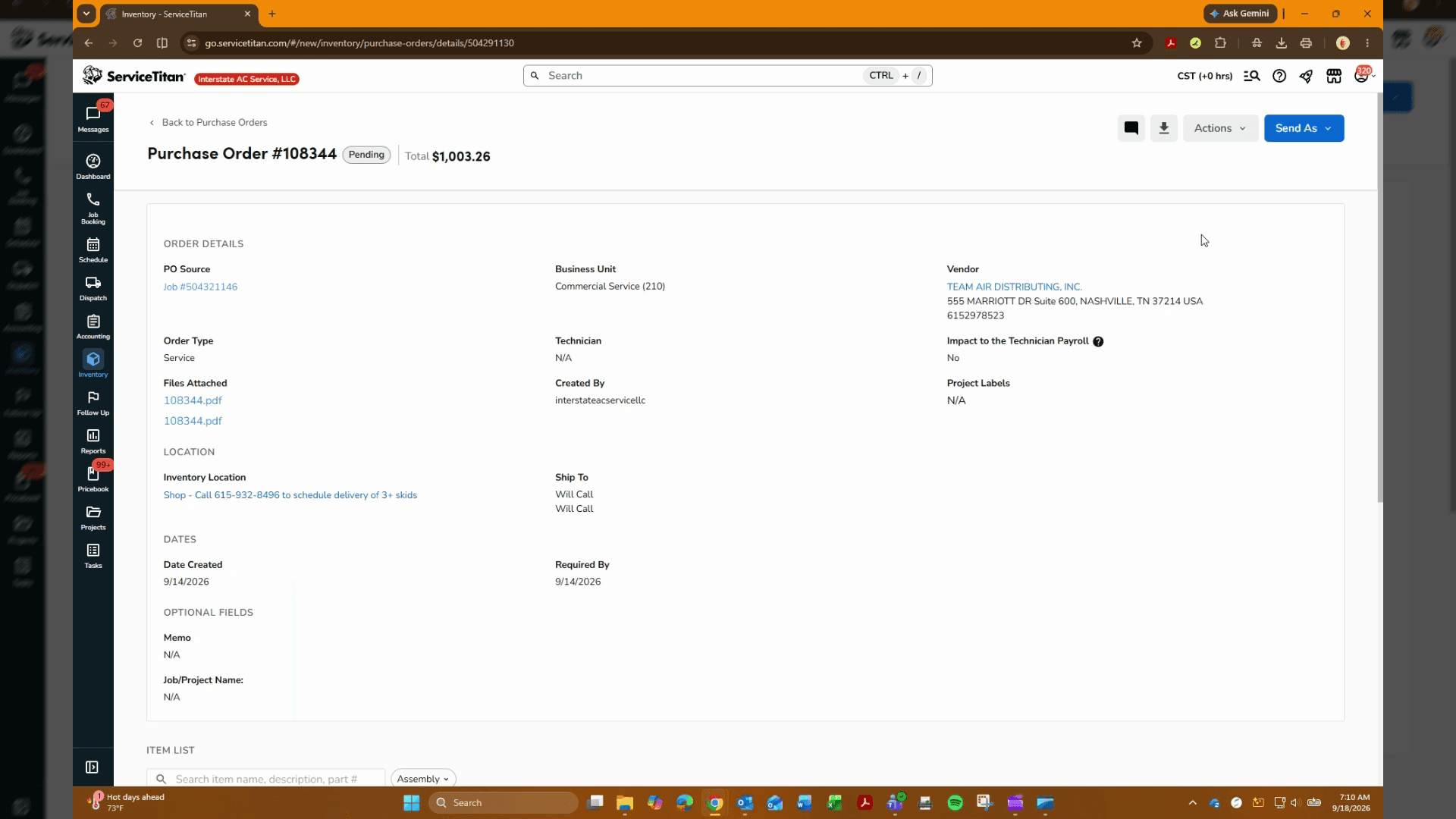
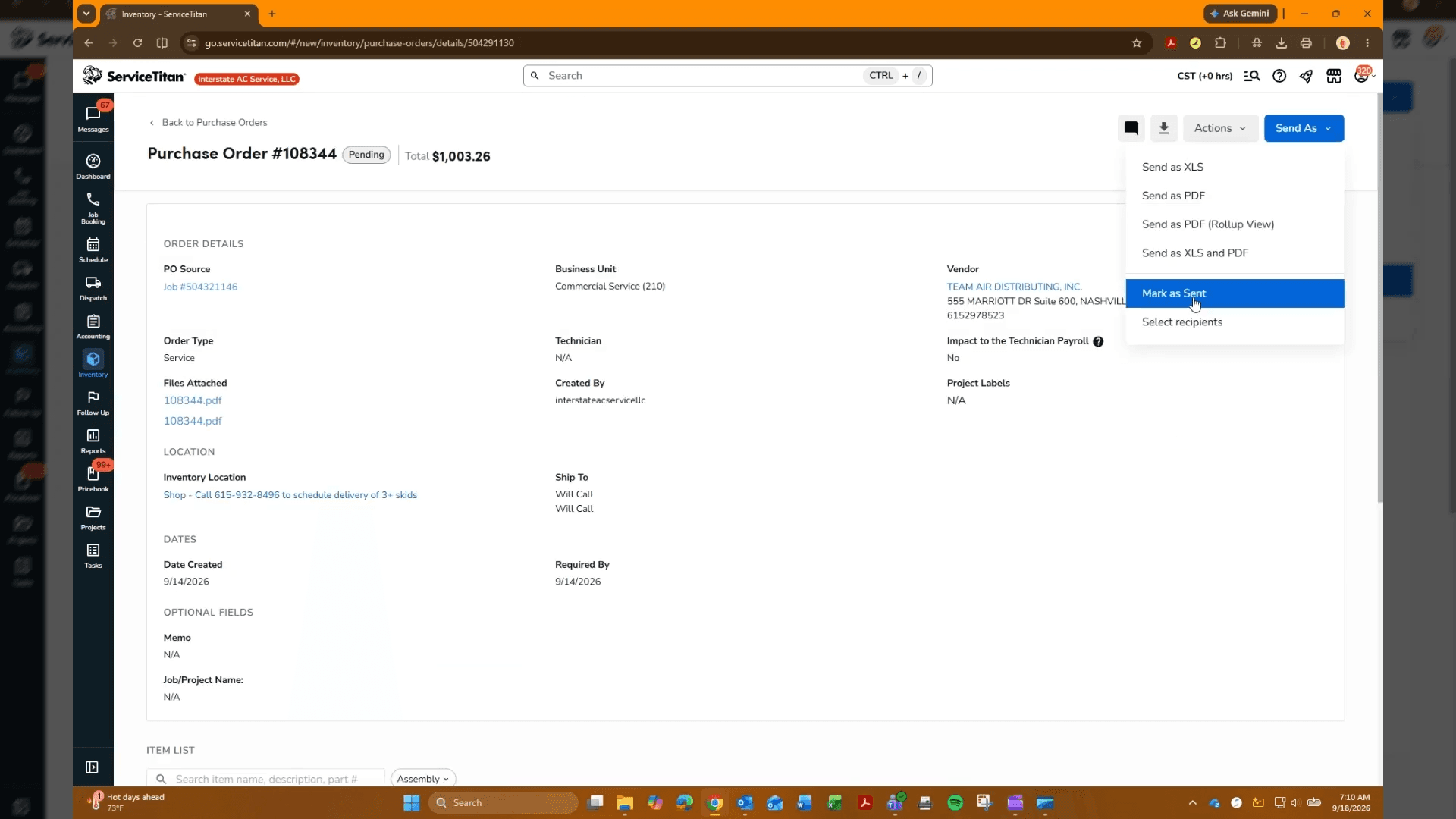
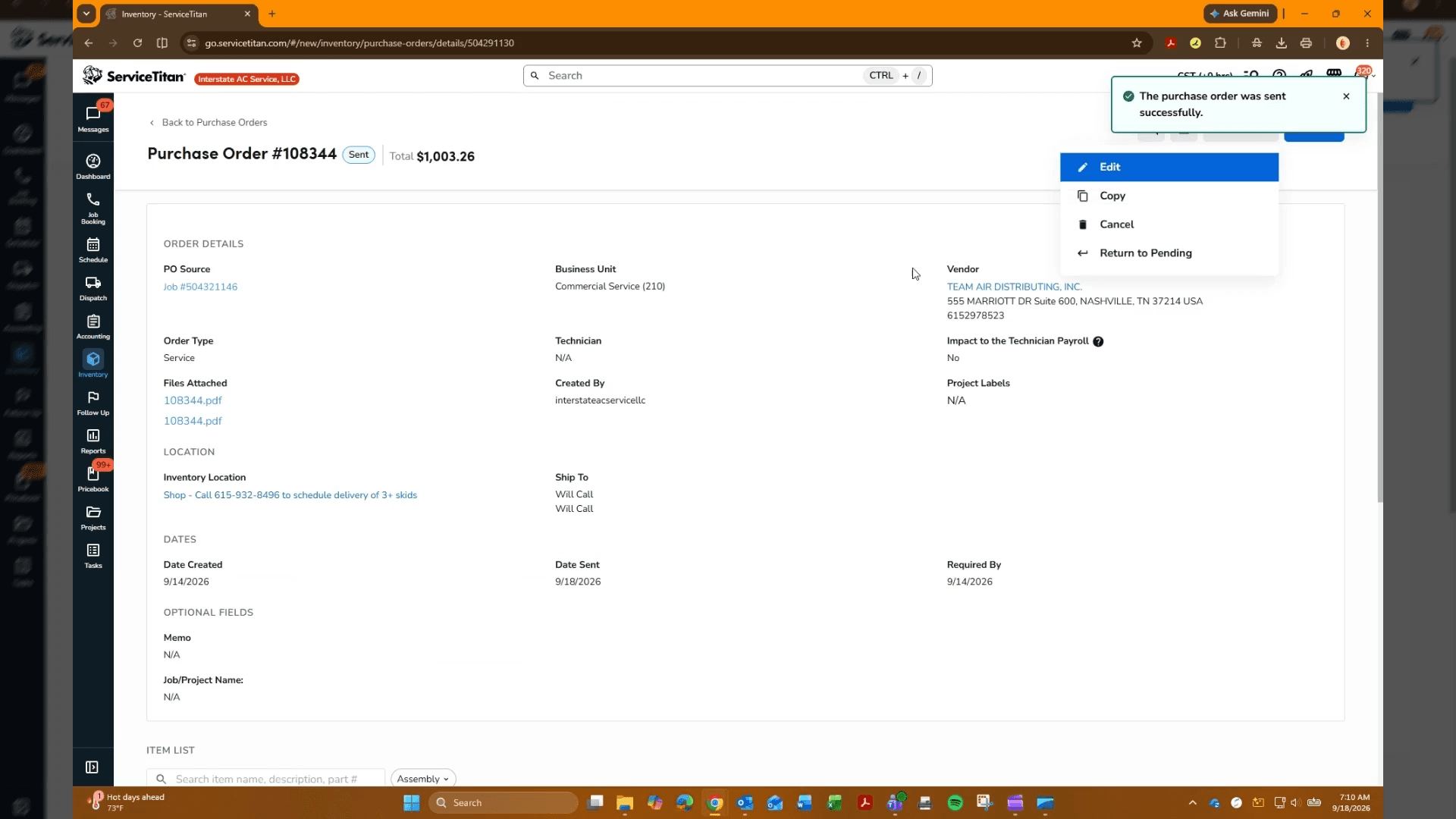
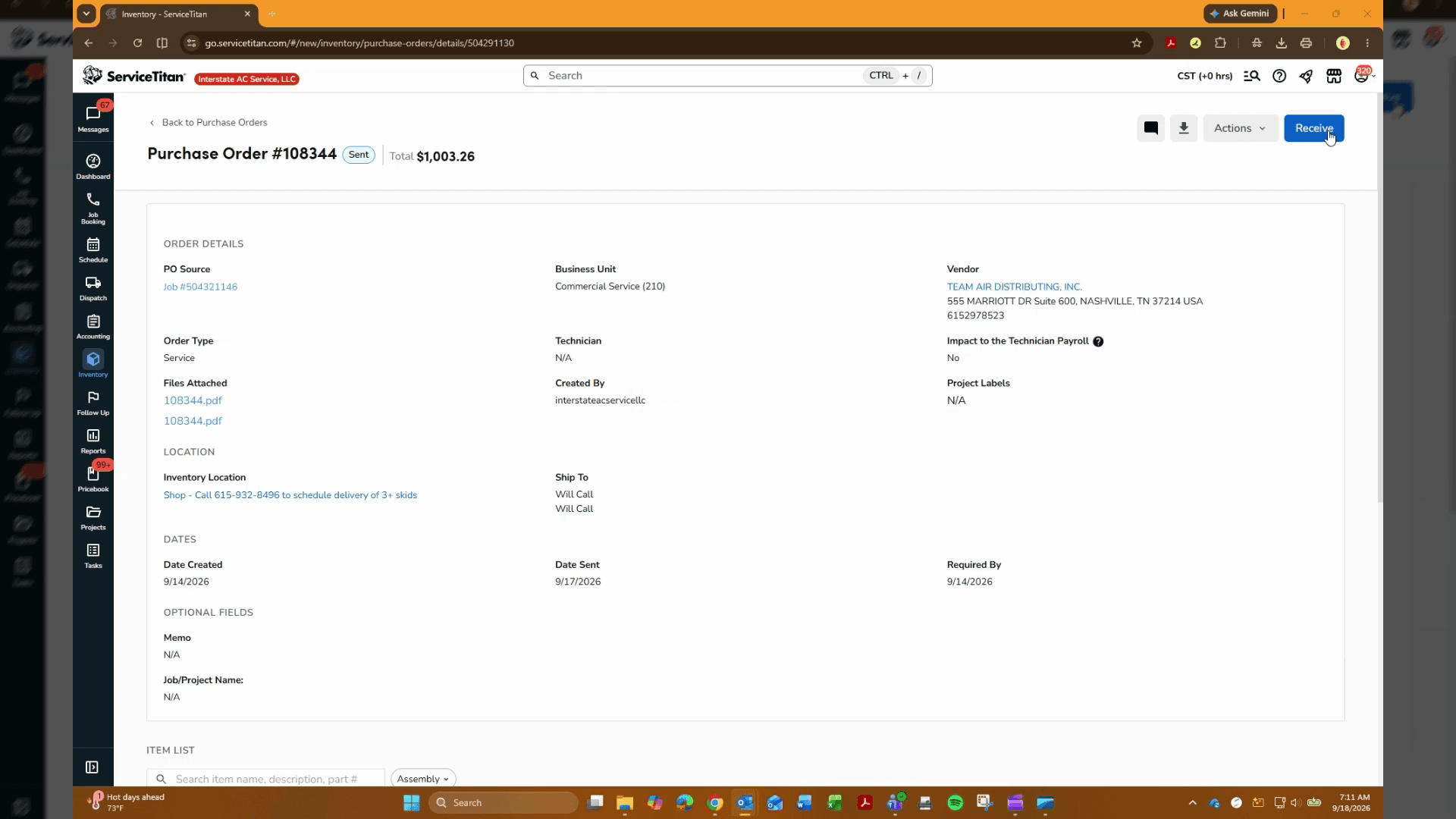
Update the status of the purchase order so the system records that it has been transmitted to the vendor.
"
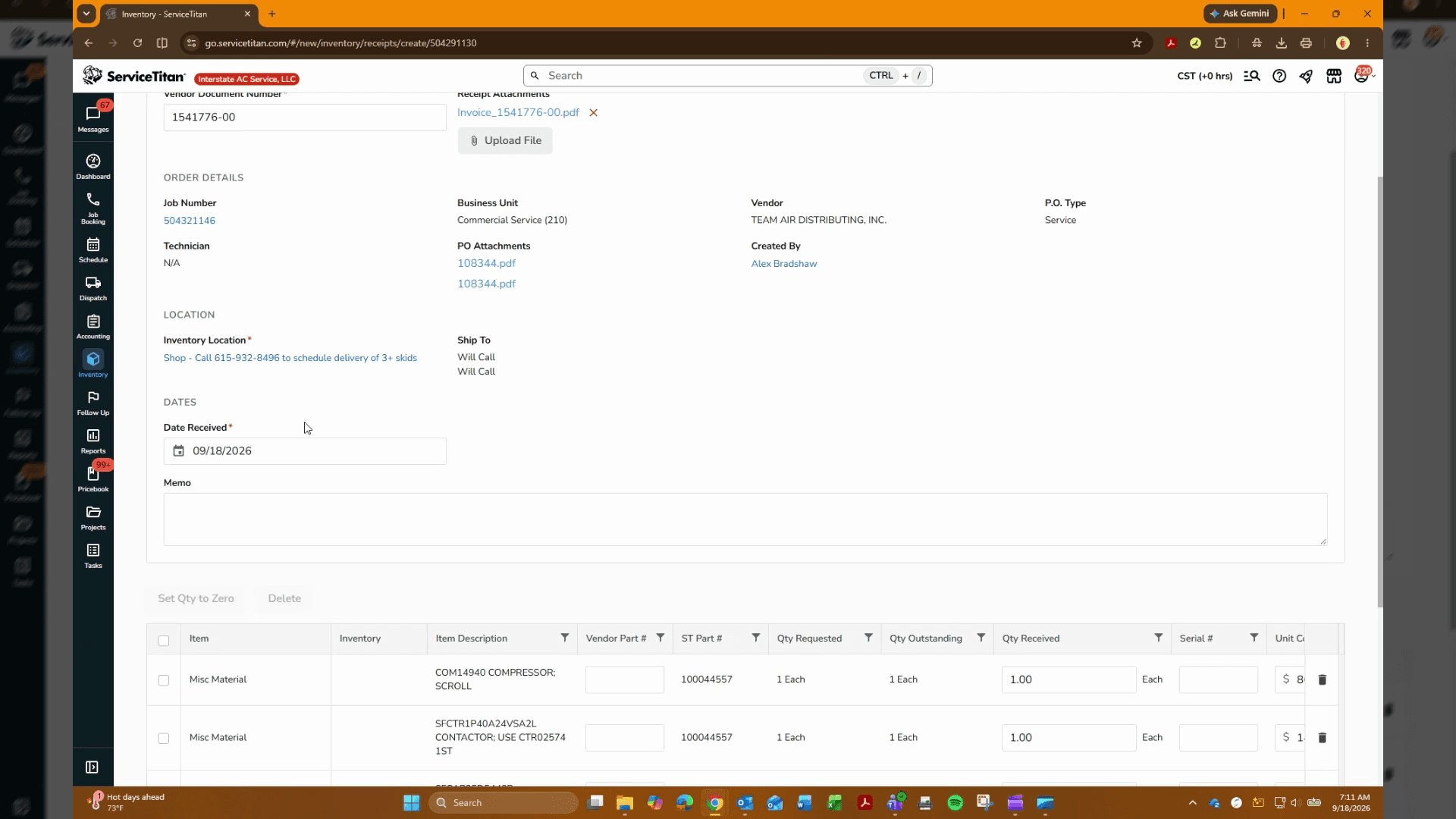
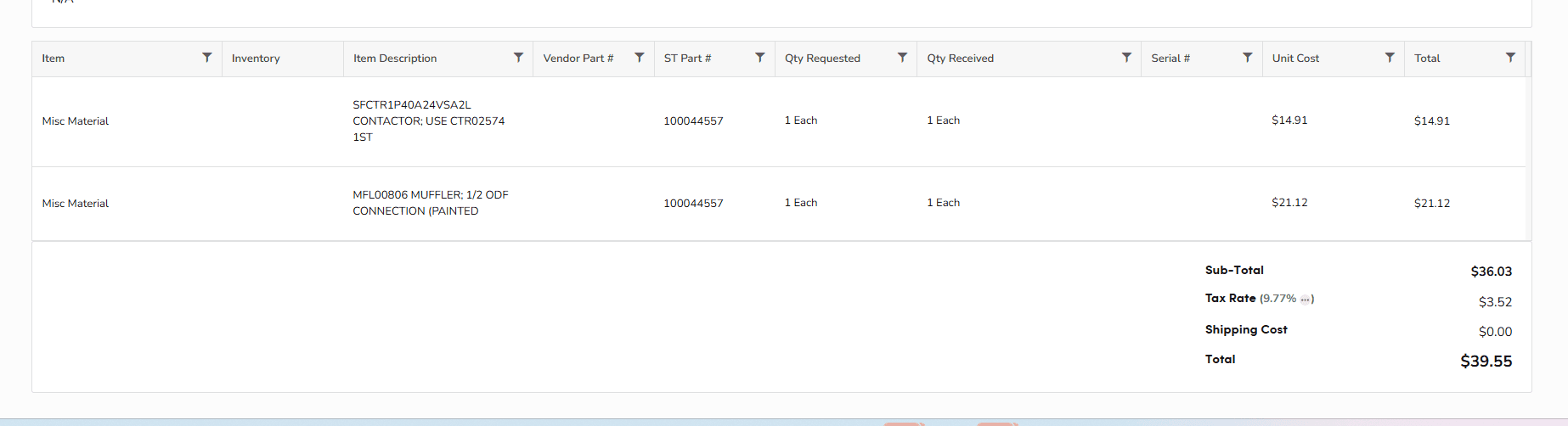
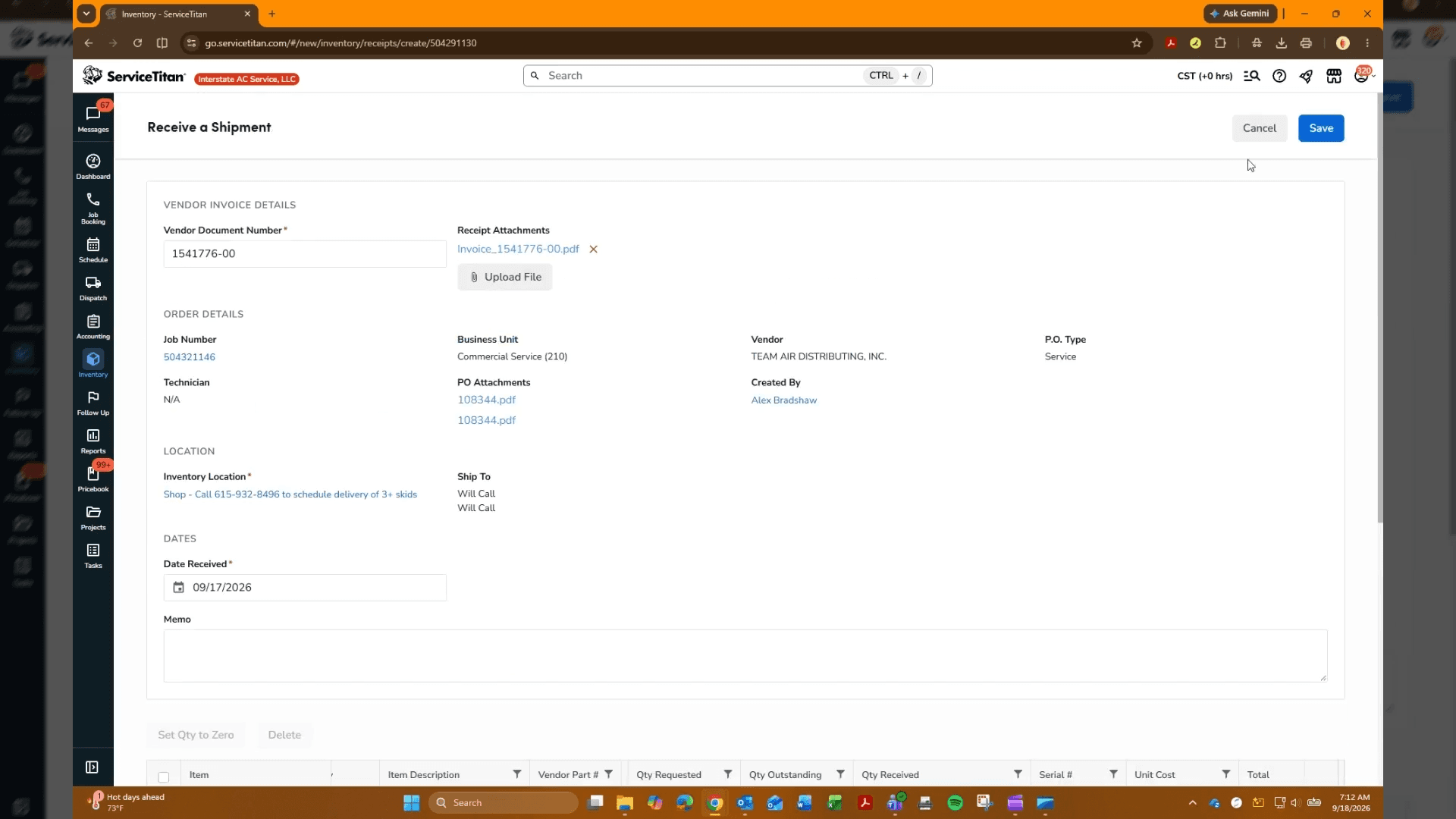
Record Shipment Receipt
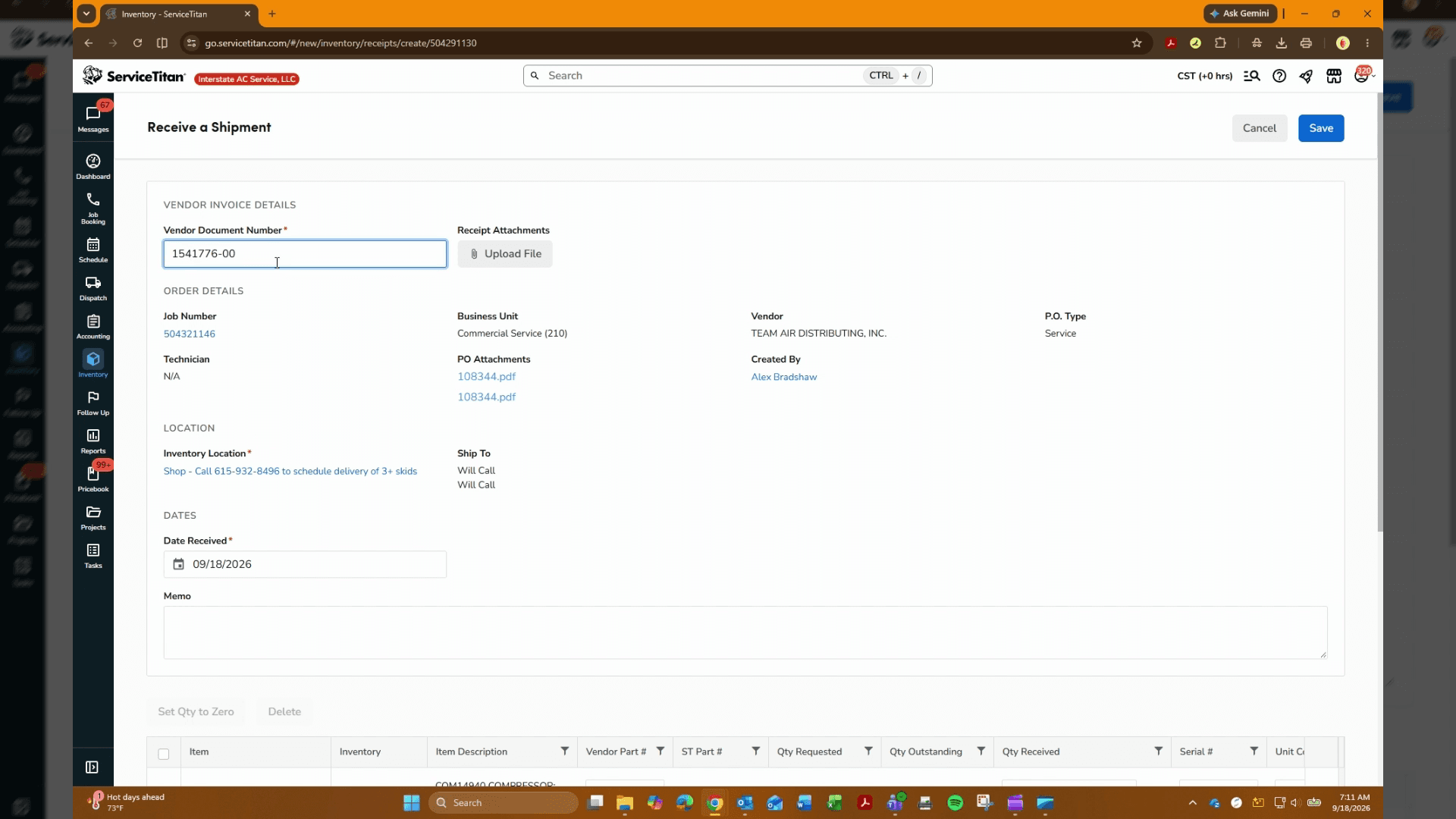
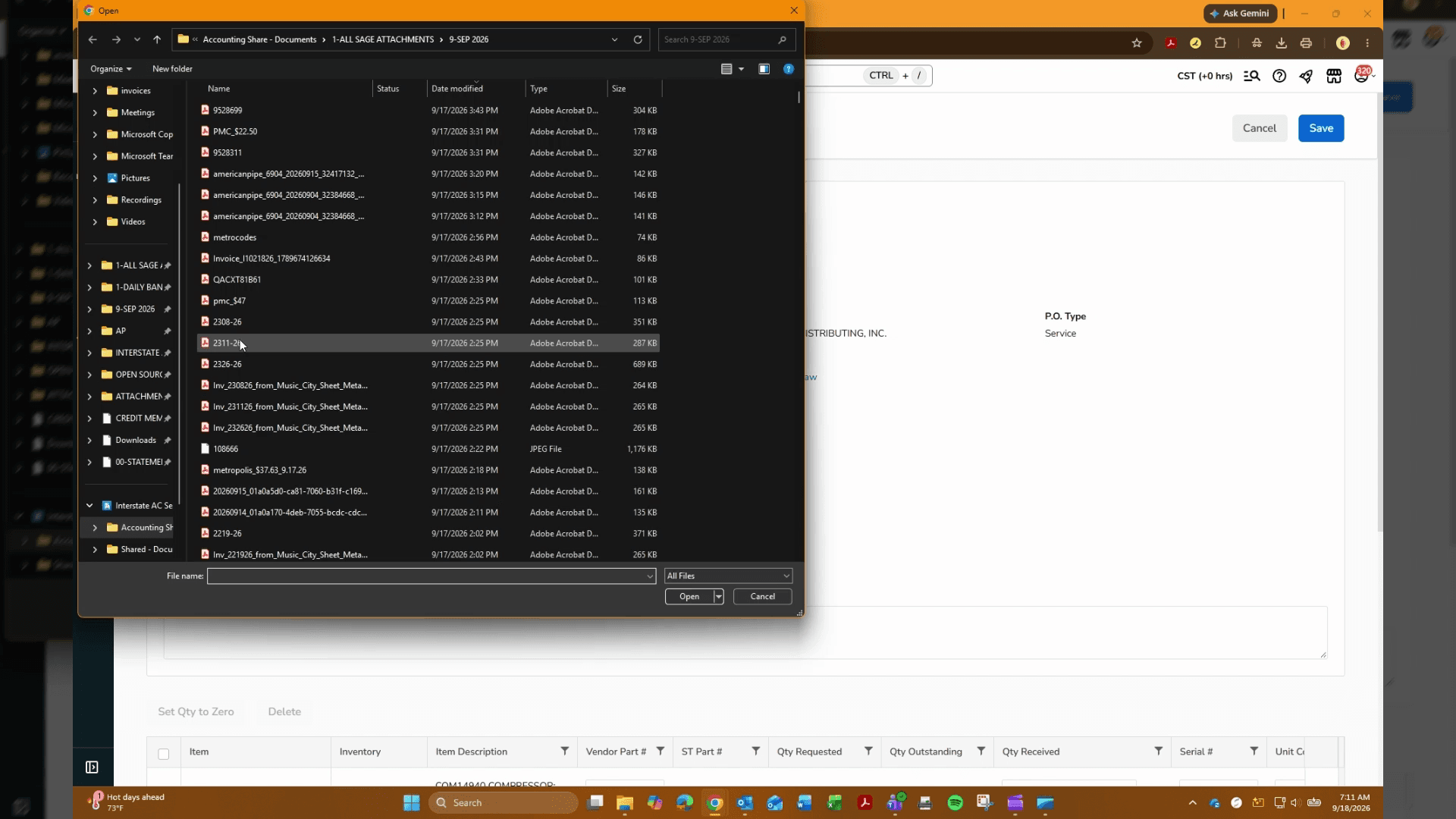
Log the incoming items, attach receipt documentation, and confirm received quantities.
FAQ
Q: What should I do if only part of the order arrives?
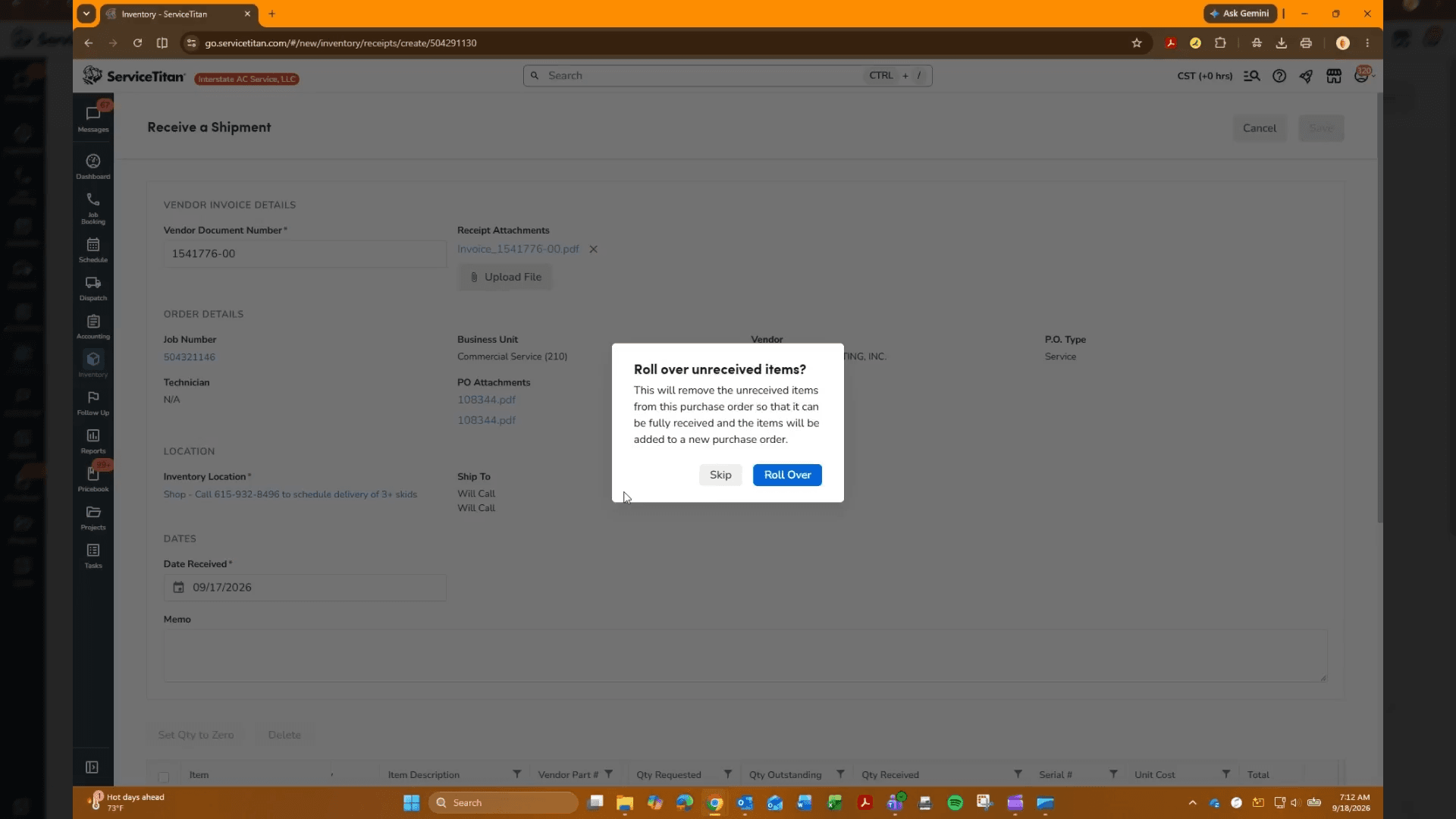
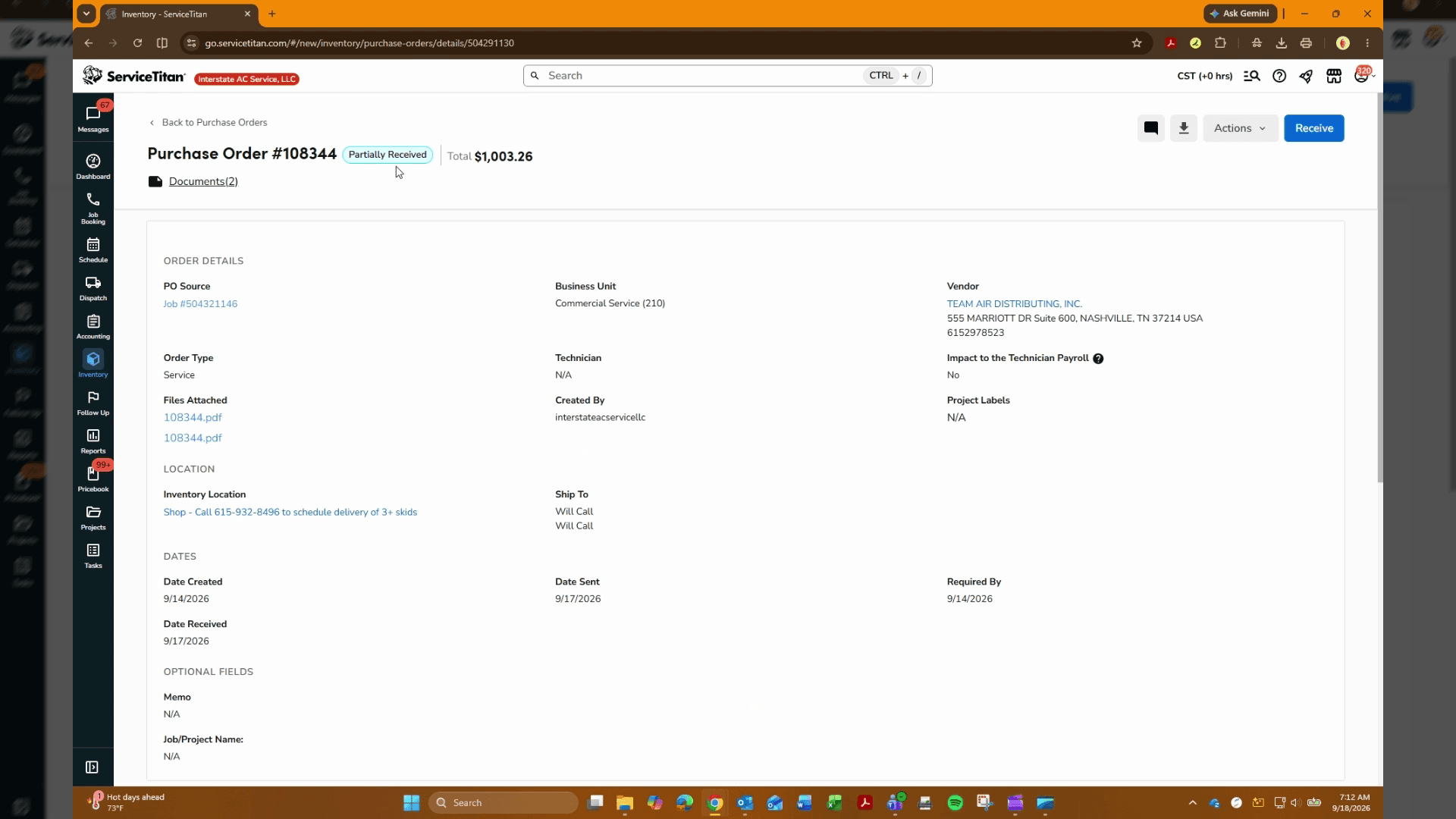
A: Record the items received, attach the vendor documentation, and click Roll Over to carry over the remaining unreceived items onto an open balance.
Q: Why should the taxes line item be removed before receiving?
A: Taxes should be applied via the dedicated Tax Rate field during receipt rather than as a separate inventory line item to keep inventory valuation and tax calculations accurate.
Q: How do I verify that the purchase order status updated correctly?
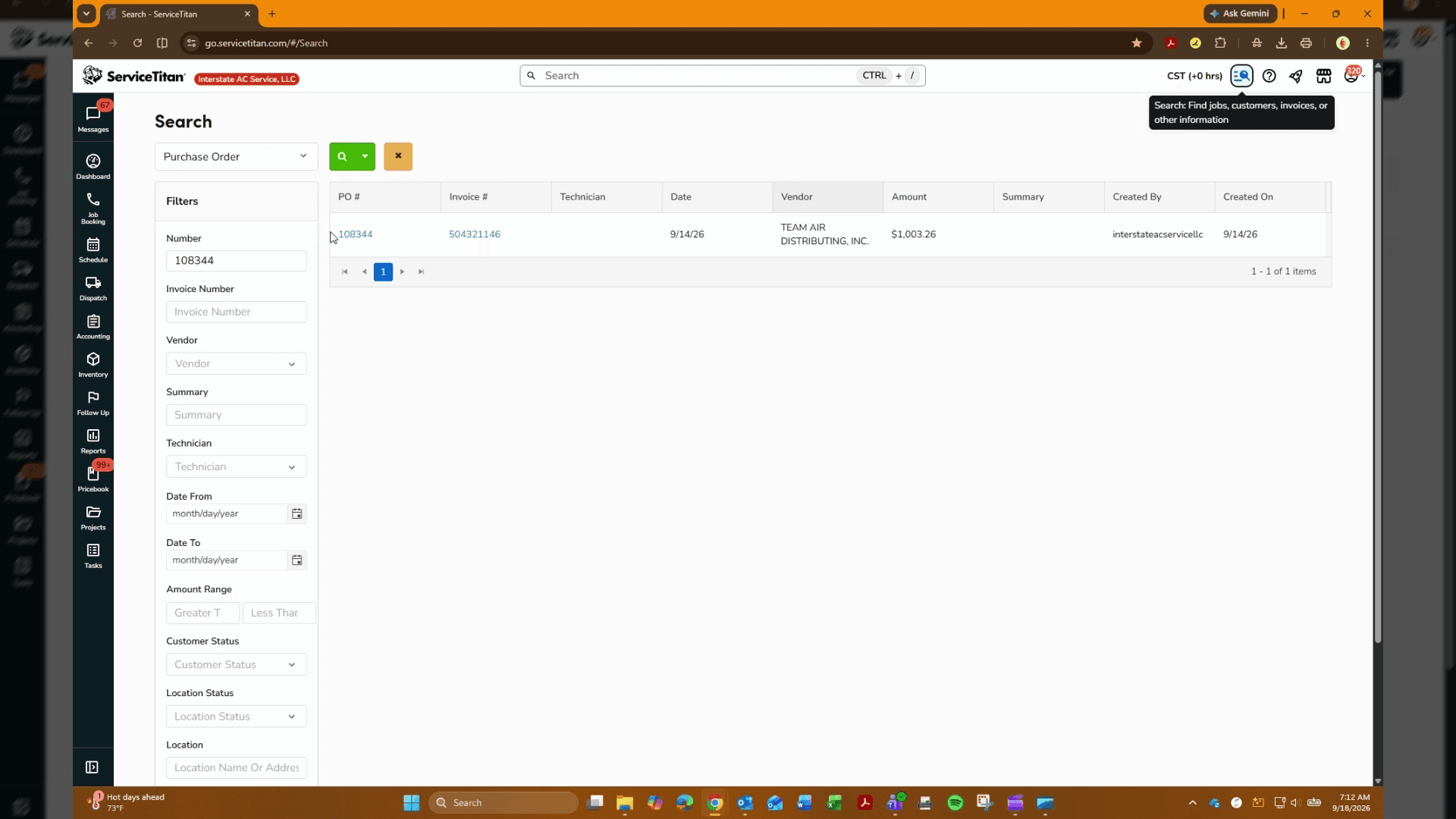
A: Reopen the purchase order from the search list and check the status badge, which will display Partially Received if remaining items were rolled over.
Glossary
Term | Definition |
|---|---|
PO Source | The originating job, replenishment request, or project linked to the purchase order in ServiceTitan. |
Roll Over | The action in ServiceTitan that splits unreceived line items into an active open balance while closing the received portion. |
Vendor Document Number | The external packing slip or invoice number provided by the supplier when delivering goods. |