
How to Apply for Category Authorization on TikTok Shop
Learn how to request category authorization and submit required documentation to list restricted products on TikTok Shop.
This guide demonstrates how to apply for category authorization on TikTok Shop Seller Center so you can list and sell products in restricted categories like Beauty & Personal Care.
This process is intended for TikTok Shop sellers and inventory managers attempting to list products that require category-level qualification and proof of purchase.
Purpose
Category Authorization is required when a product falls under a restricted, regulated, controlled, or approval-required category on TikTok Shop. Its purpose is to verify that the seller and/or product meets TikTok Shop's safety, legal, and compliance requirements before the product is allowed to be sold.
TikTok Shop currently uses different levels of qualification, including Category-Level Qualification, Product-Level Qualification, and Invite-Only Qualification. Requirements vary by category and marketplace.
When is Category Authorization Required?
Category authorization should be checked before publishing a new product listing.
When adding a product in Seller Center, select the most accurate category. If that category requires additional approval, TikTok Shop will normally show an Apply Now, qualification, or authorization requirement.
For restricted categories, sellers may be required to apply either before submitting the listing or immediately after submitting it for review. Once a category-level approval has already been granted, the seller generally does not need to reapply for every product within that same approved category unless TikTok requires product-level qualification.
A category authorization may also become necessary later if:
TikTok reclassifies an existing product.
The product is moved into a restricted category.
TikTok requests additional compliance documents.
Regulations or TikTok policies change.
An existing authorization expires or requires renewal.
TikTok identifies a product that requires product-level approval in addition to category approval.
TikTok reserves the right to request additional documentation even after a product is already live.
Why is Category Authorization Required?
TikTok Shop uses category authorization to confirm that products in higher-risk categories comply with applicable safety and legal requirements.
The main objectives are:
Purpose | Explanation |
|---|---|
Product Safety | Helps verify that regulated or higher-risk products meet applicable safety requirements. |
Legal Compliance | Confirms that products meet relevant regulatory requirements before being sold. |
Seller Qualification | Verifies that the seller is eligible to sell within a restricted category. |
Documentation Verification | Allows TikTok to review certificates, licenses, test reports, labels, or other required documents. |
Customer Protection | Reduces the risk of unsafe, counterfeit, improperly labeled, or non-compliant products. |
Platform Compliance | Helps TikTok Shop meet marketplace and regulatory obligations. |
TikTok explicitly states that restricted-product qualification requirements are designed to support product safety, legal compliance, and a trustworthy customer experience.
There are two ways to Initiate Category Authorization
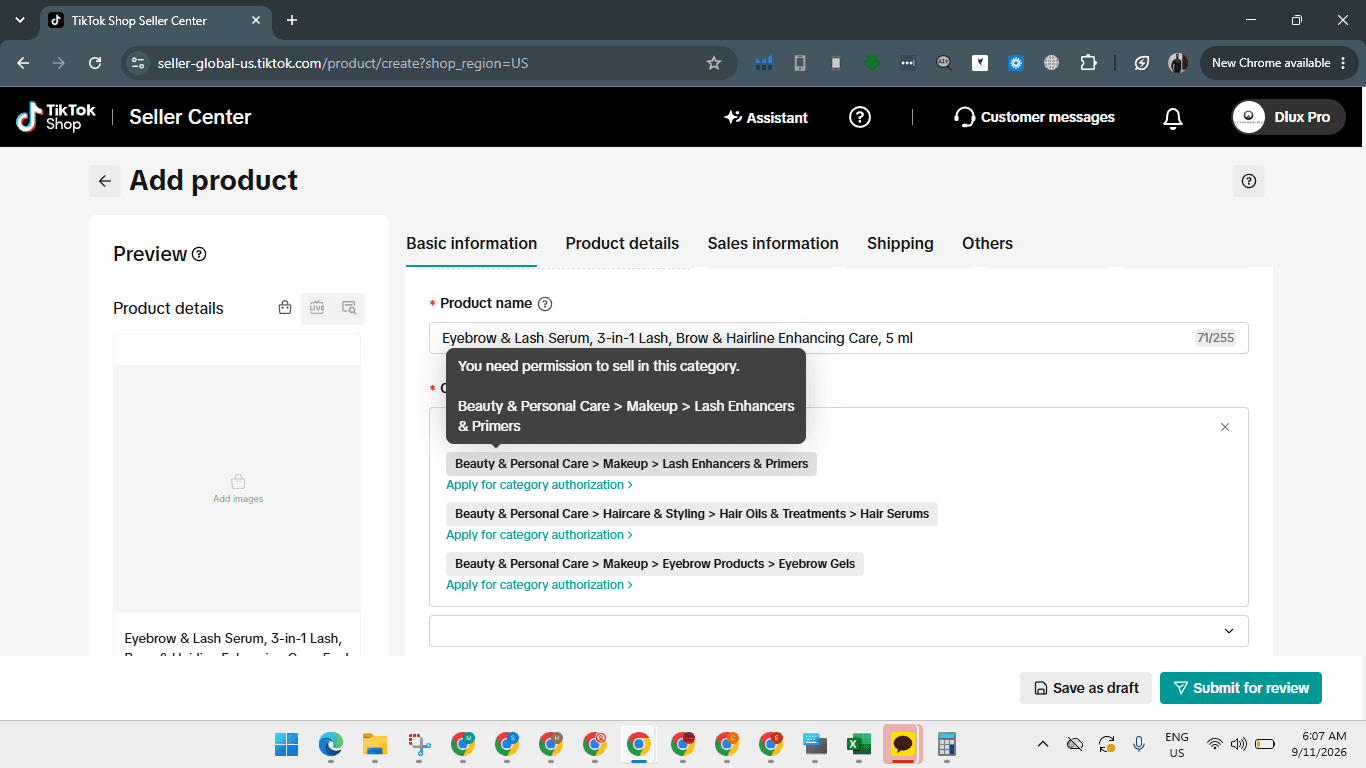
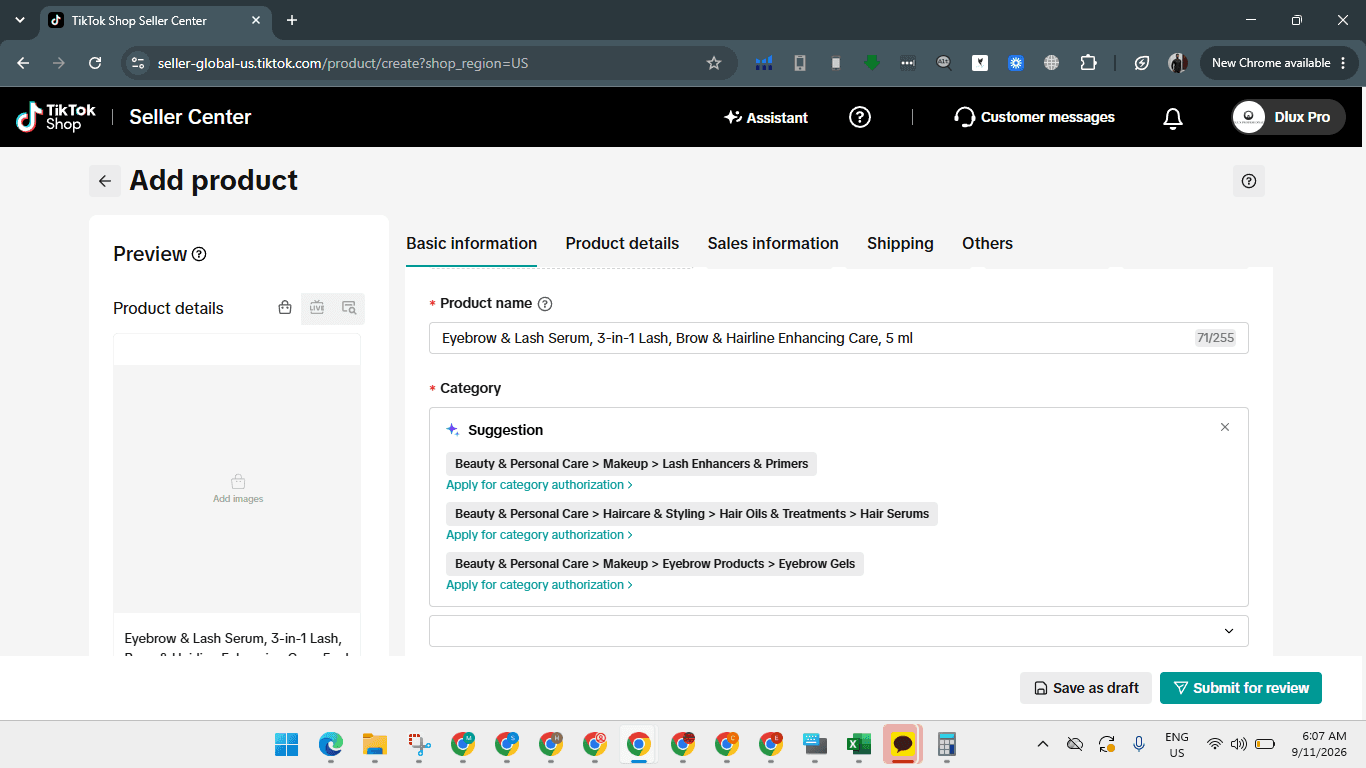
When listing a restricted product, you can initiate the authorization process directly from the product creation page.
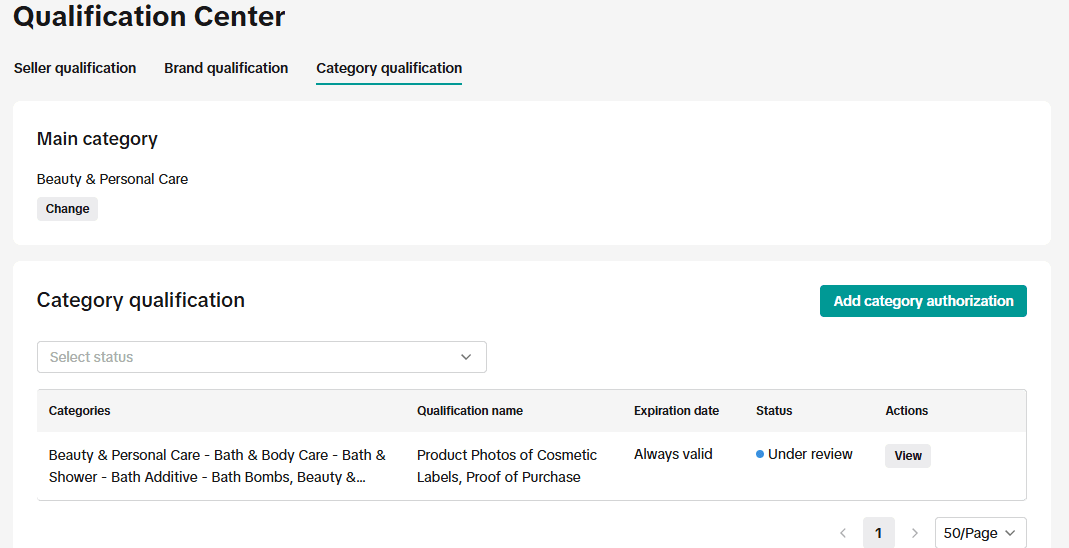
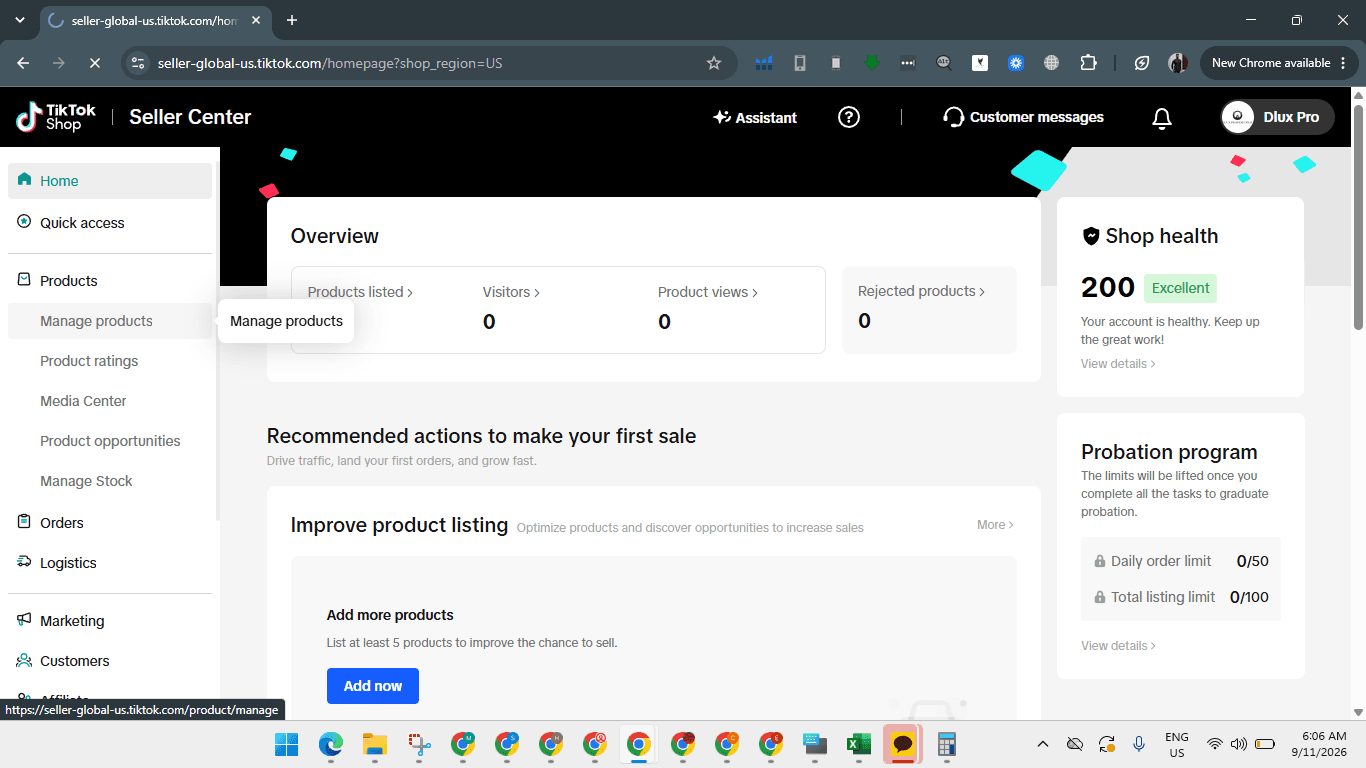
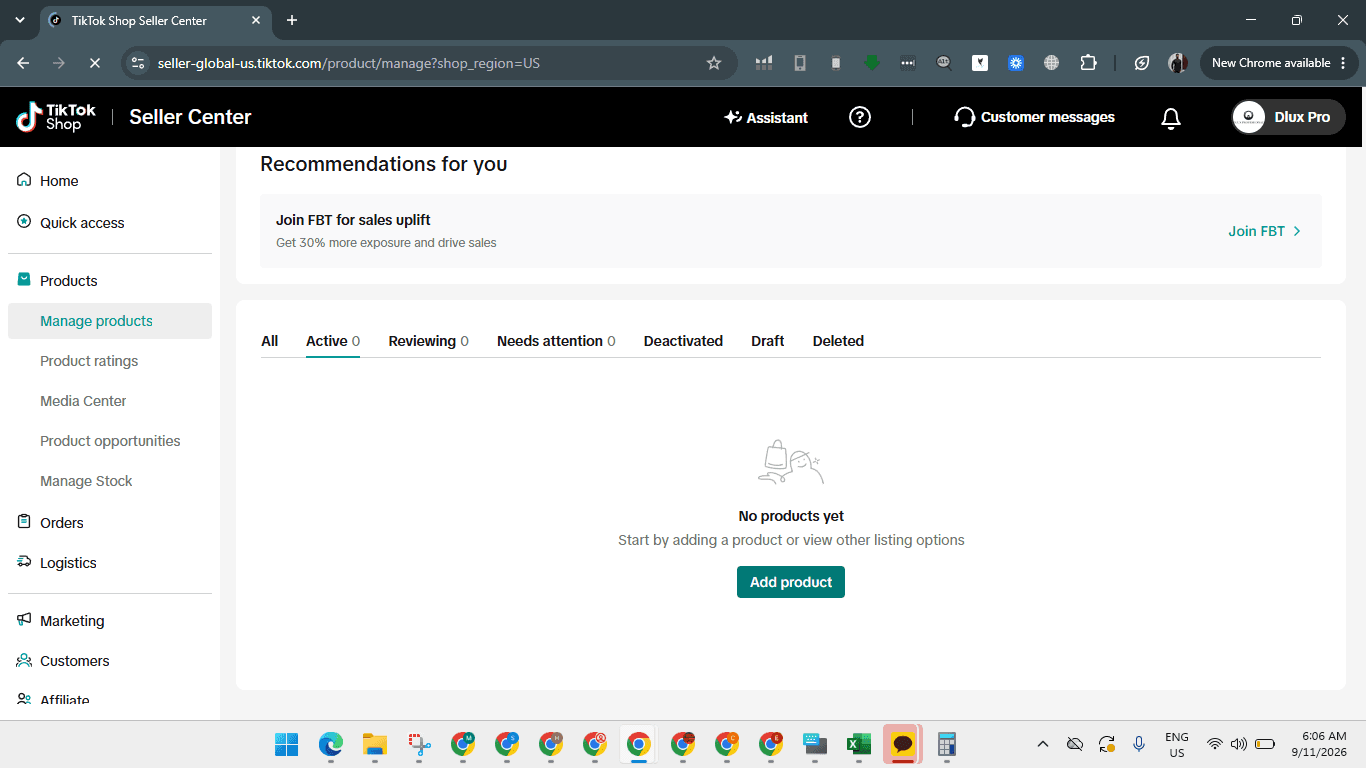
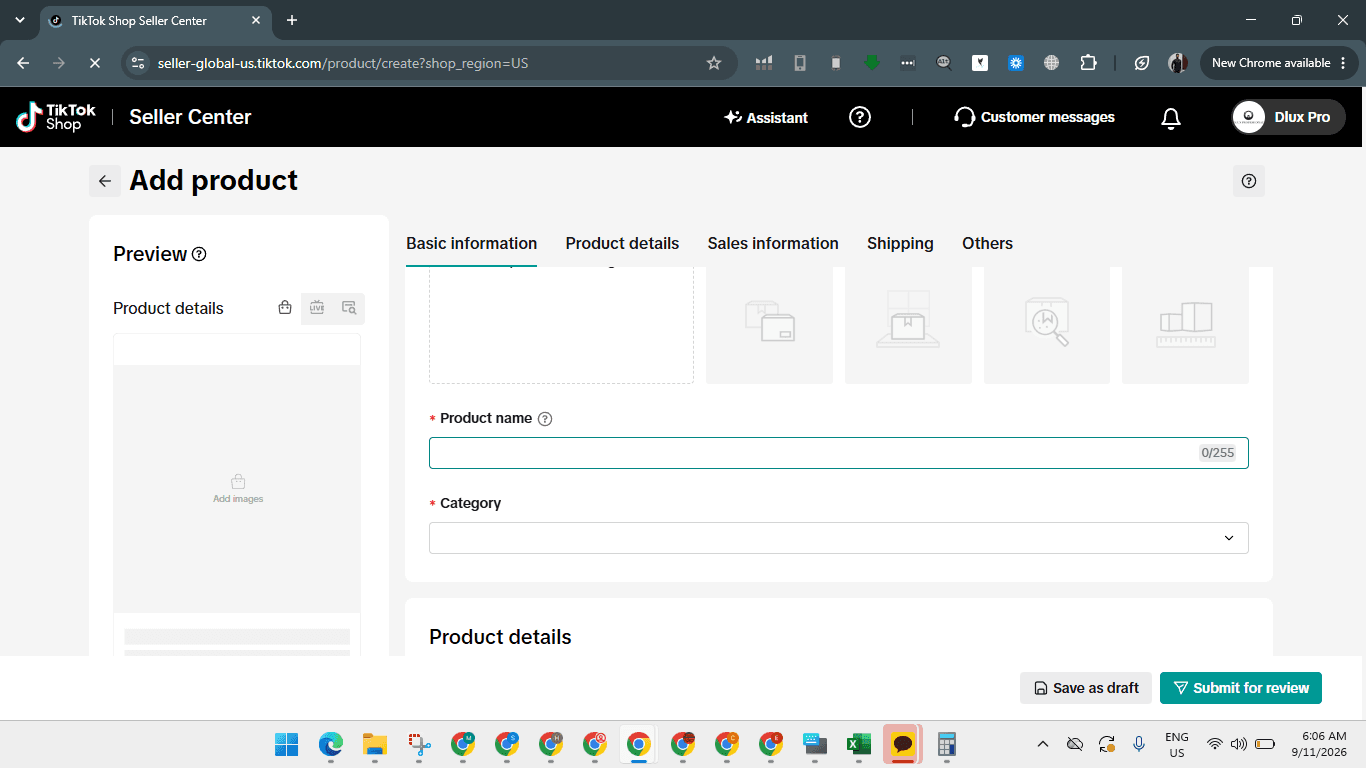
Request Category Authorization
Once the product title is entered, TikTok suggests relevant categories. If the category requires qualification, apply directly from the suggestions list.
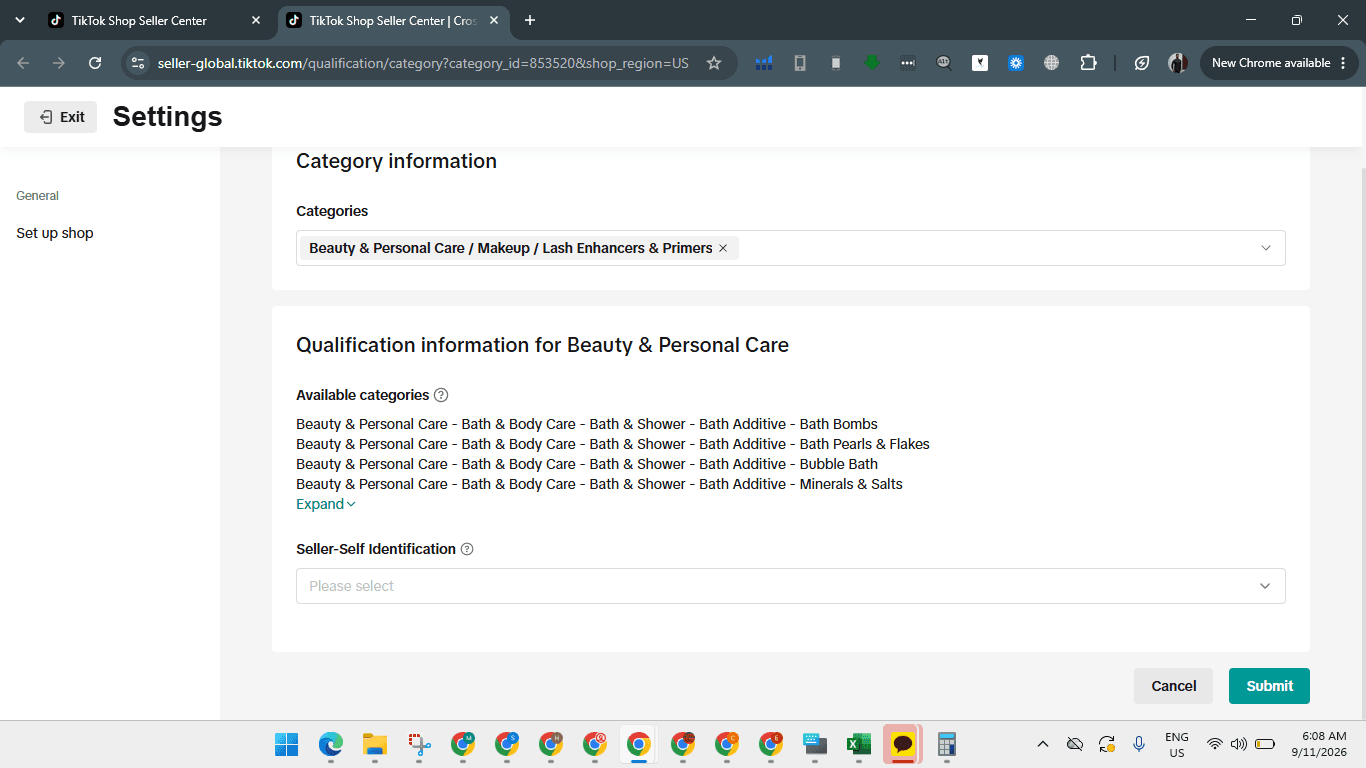
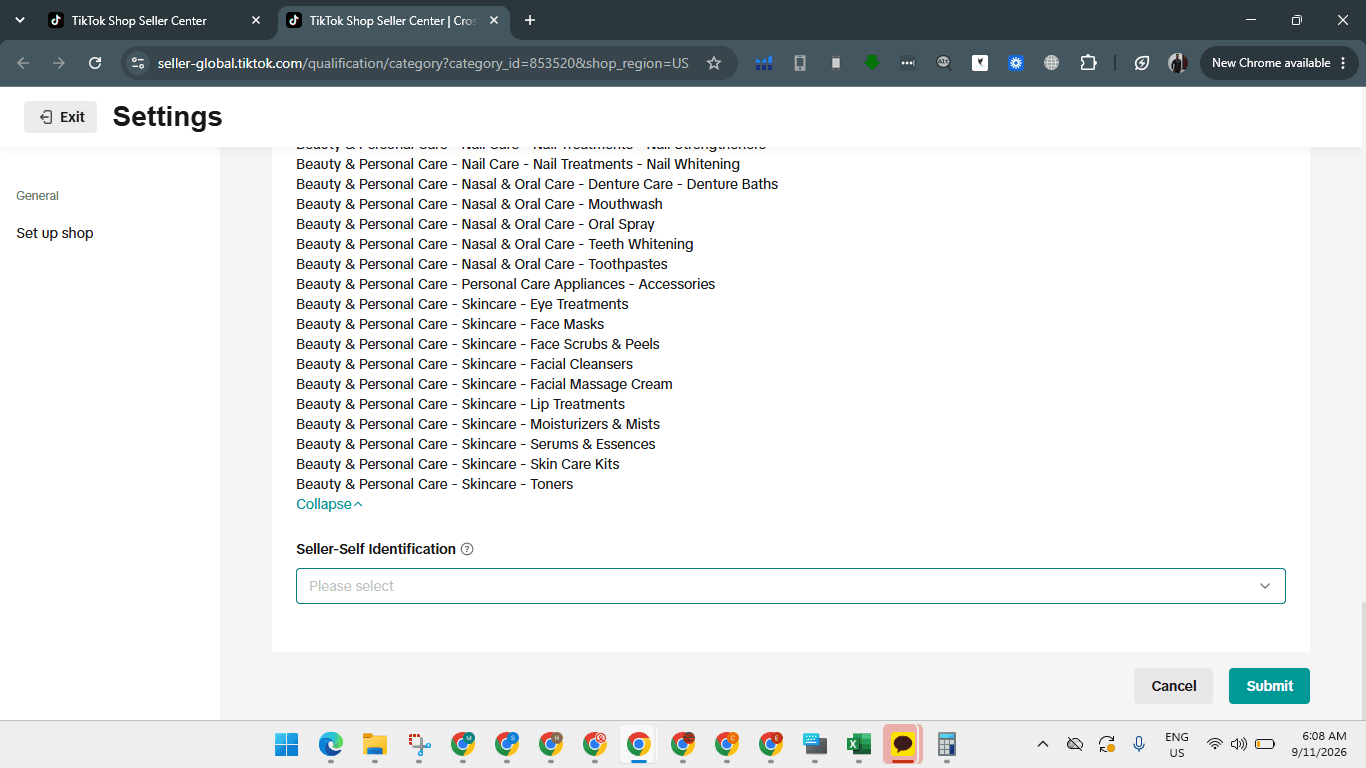
Submit Qualification Documents
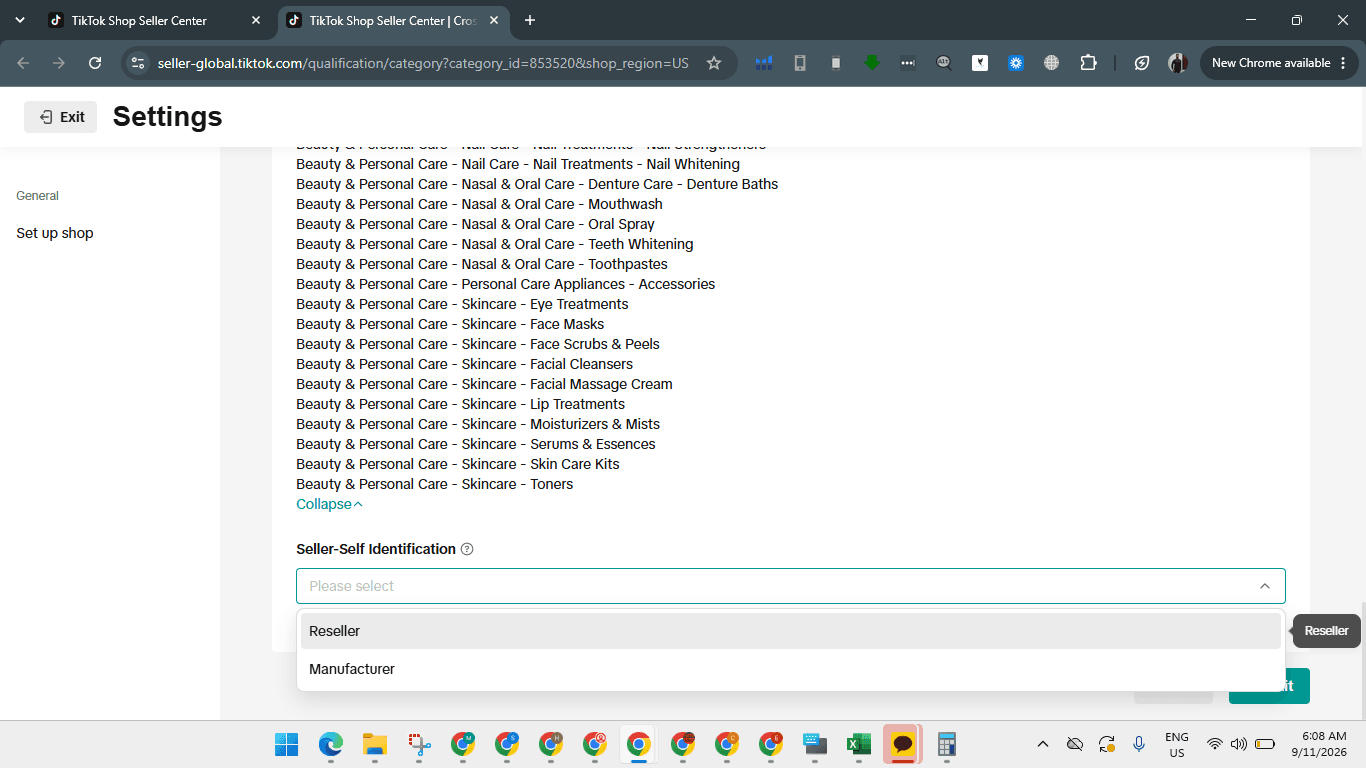
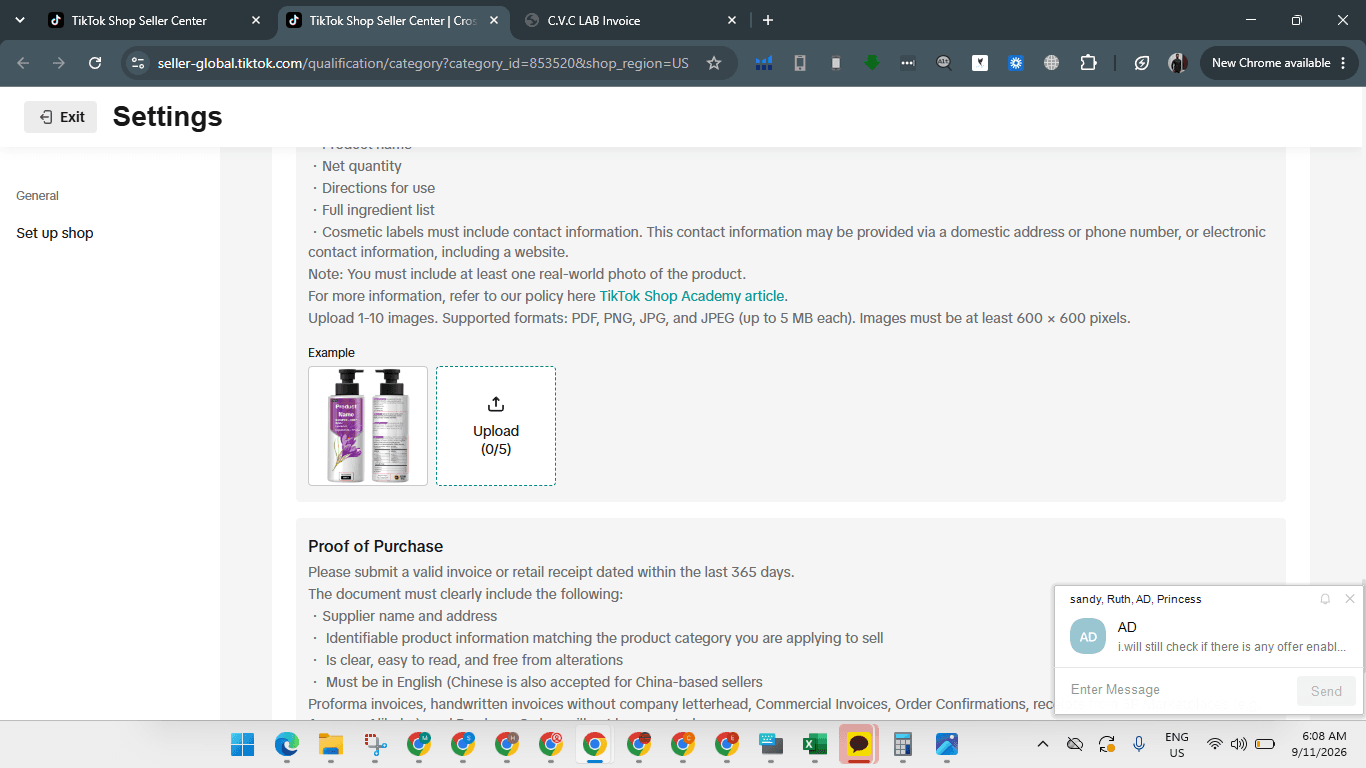
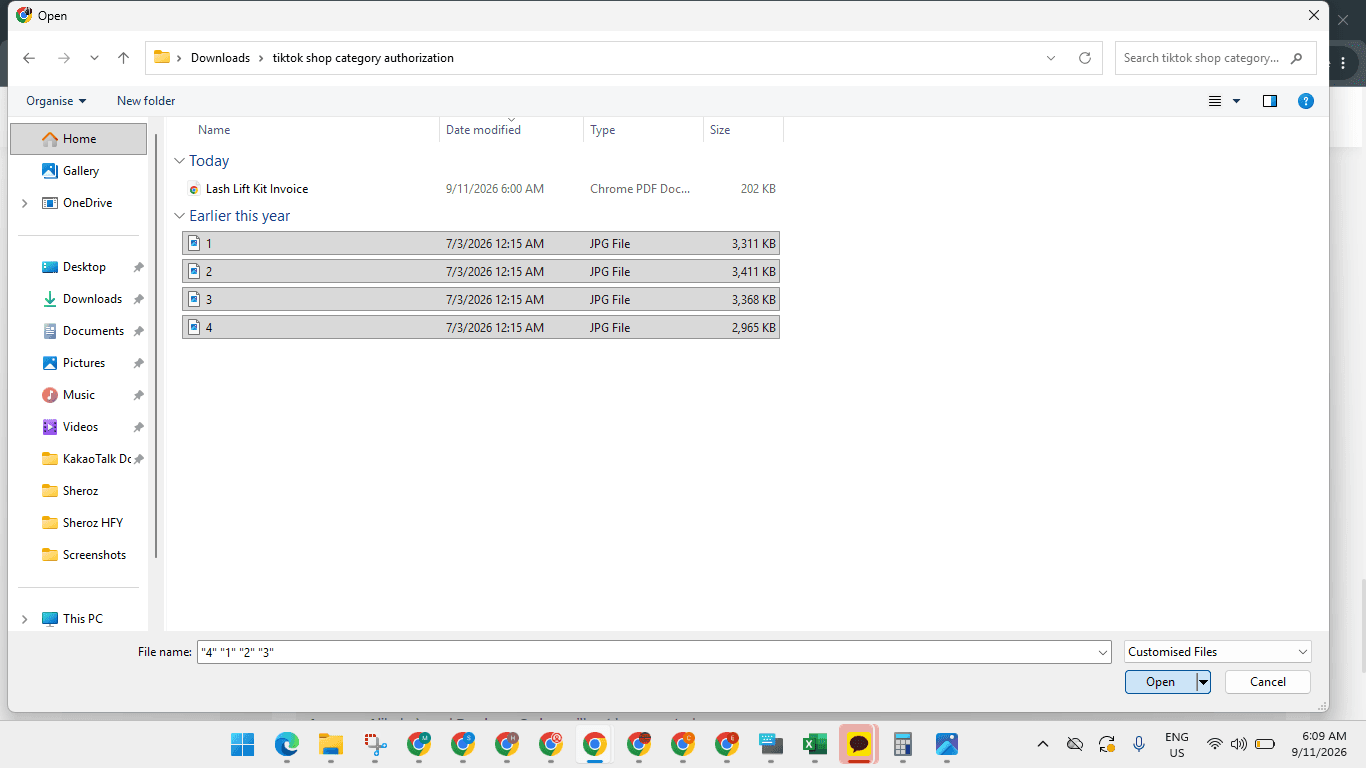
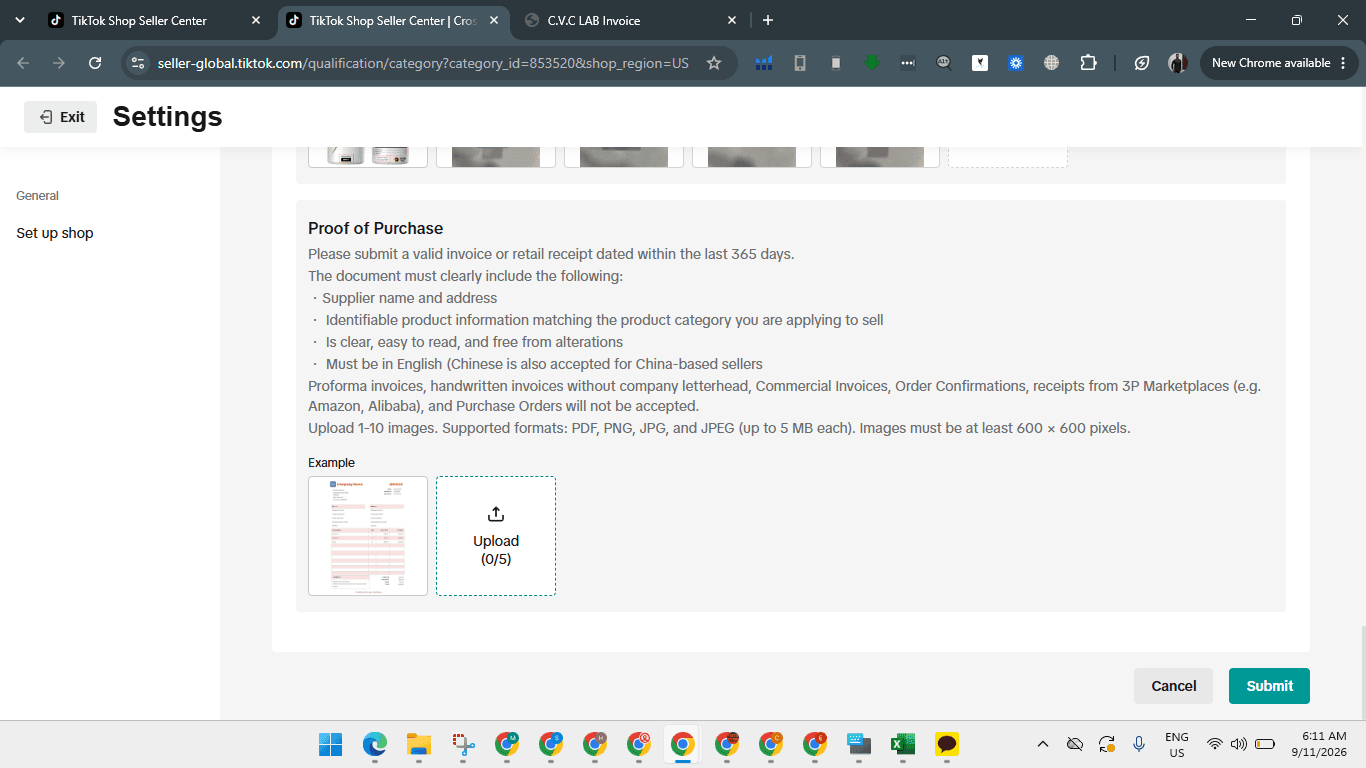
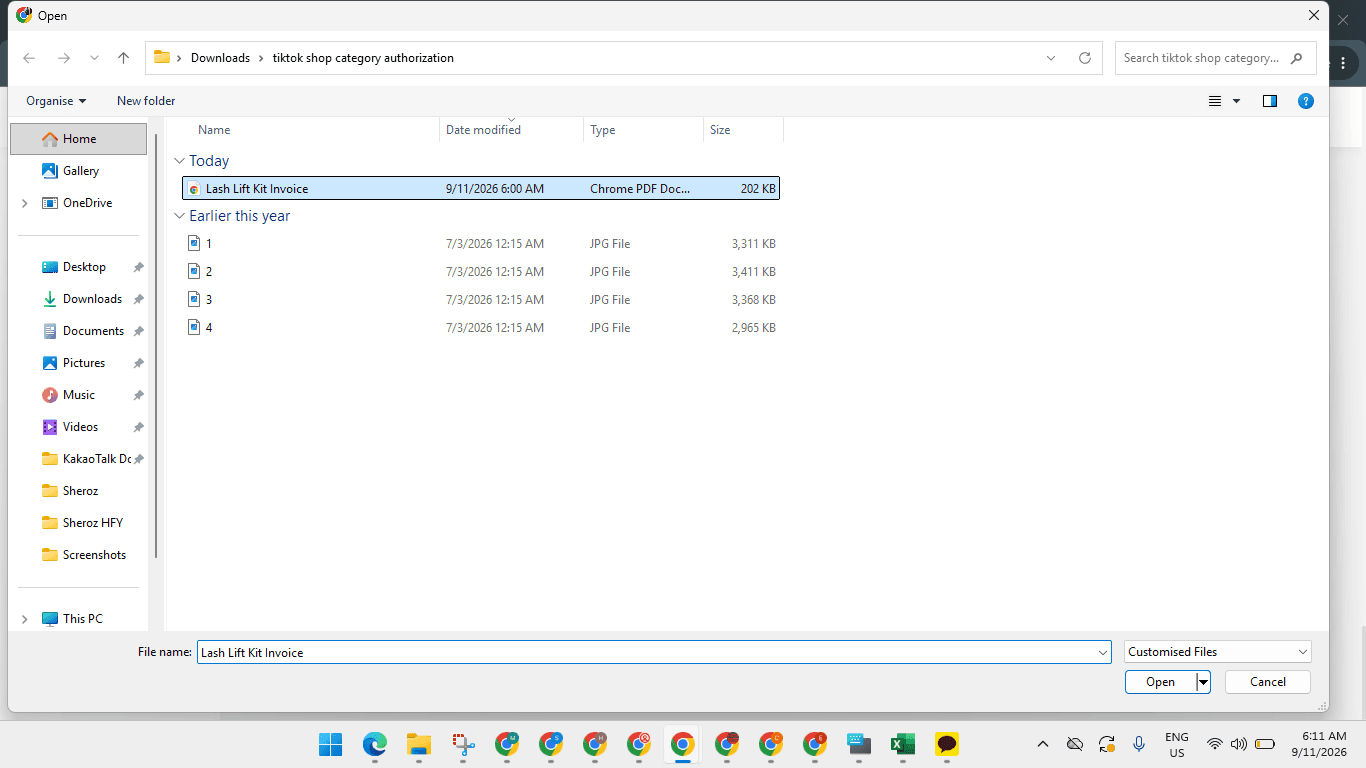
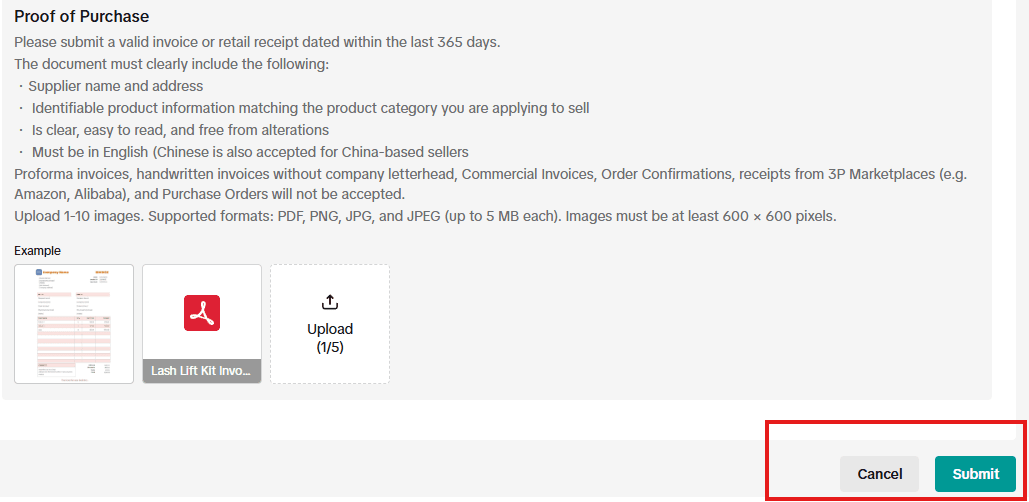
Important Precautions
Always select the most accurate category based on the actual product. Do not move products into an unrelated unrestricted category simply to avoid authorization.
TikTok states that incorrect categorization can result in listing removal or enforcement action and specifically warns sellers not to miscategorize products for greater exposure or to circumvent requirements.
Likewise, do not change:
regulated category → unrestricted category
only because the unrestricted category does not ask for documents.
This can create a more serious Incorrect Category / Product Compliance violation.
If Authorization Is Rejected
First review the rejection reason in the Qualification Center.
Check whether:
Product category is correct → documents match the product → information matches packaging → certificates are valid/current → seller/company details are consistent.
Correct the identified issue and resubmit where TikTok permits it.
Do not repeatedly upload the same rejected documents without identifying why they were rejected.
If TikTok has incorrectly classified the product, use the available appeal/qualification process rather than selecting an inaccurate category. TikTok provides appeal routes for compliance enforcement through Seller Center.
Q: What documents are required to apply for category authorization as a reseller?
A: You need to provide clear photos of the physical product along with a valid purchase invoice serving as proof of purchase.
Q: Does category authorization apply only to a single product listing?
A: No. Once approved, the category authorization enables you to list products across the entire authorized category (e.g., all Beauty & Personal Care products).
Term | Definition |
|---|---|
Category Authorization | The formal approval process required by TikTok Shop before a merchant is permitted to list items in restricted categories. |
Seller-Self Identification | The classification setting where sellers declare their business role, such as a brand owner or reseller. |
Proof of Purchase | Documentation, typically a commercial invoice or receipt, demonstrating legitimate acquisition of inventory from an authorized supplier. |
Reference Documents: https://drive.google.com/drive/folders/1TlCnaZYXGmJ-8_Fm84WS1vjnJMcbHhnp