
Associate Incoming Emails with Referrals in Zoho CRM
Learn how to associate incoming emails directly with client referral records in Zoho CRM from Zoho Mail without linking contacts or leads.
This guide walks through linking incoming emails directly to a client's referral file in Zoho CRM, ensuring communication records stay organized without cross-polluting client files.
This process applies to team members processing incoming email correspondence from third parties (such as solicitors) in Zoho Mail who need to link records to specific client files.
Why Associate Only with Referrals?
When receiving emails from third-party senders (such as solicitors) who represent multiple clients, associating an email with both the Contact and the Referral causes Zoho CRM to pull all email history from that contact into the client file. This inadvertently pulls unrelated client emails into the file.
Associating an Email to a Referral
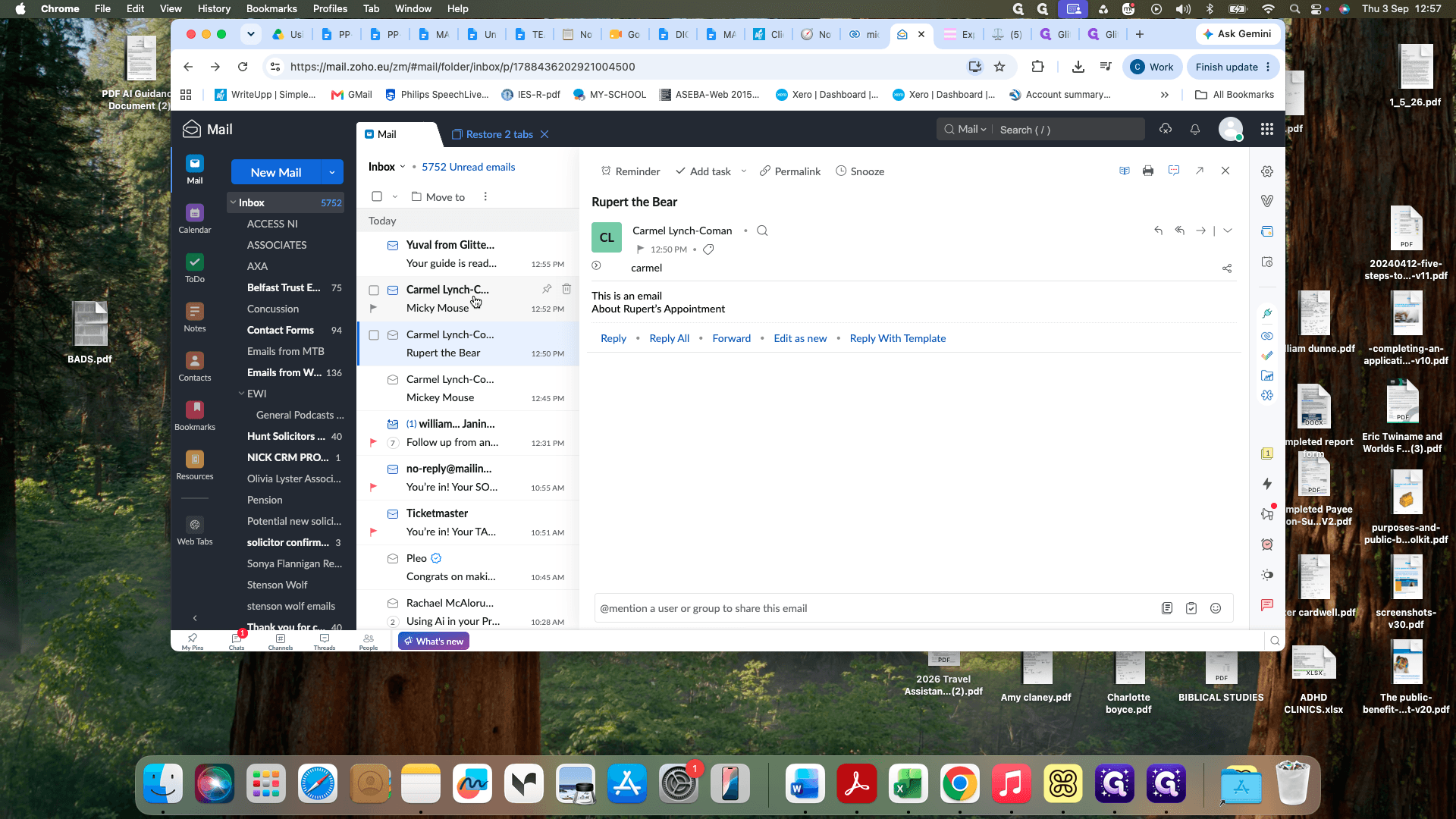
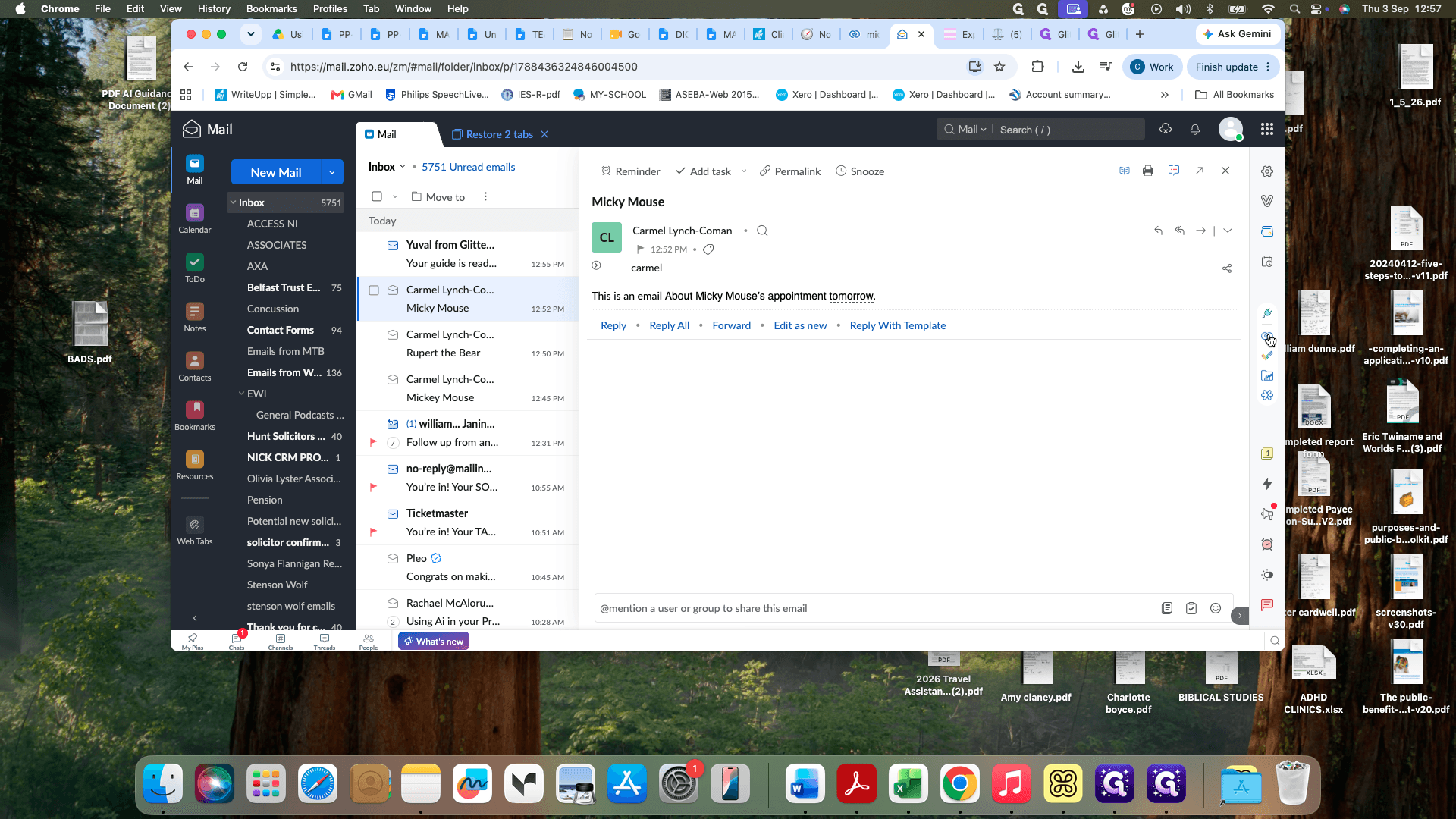
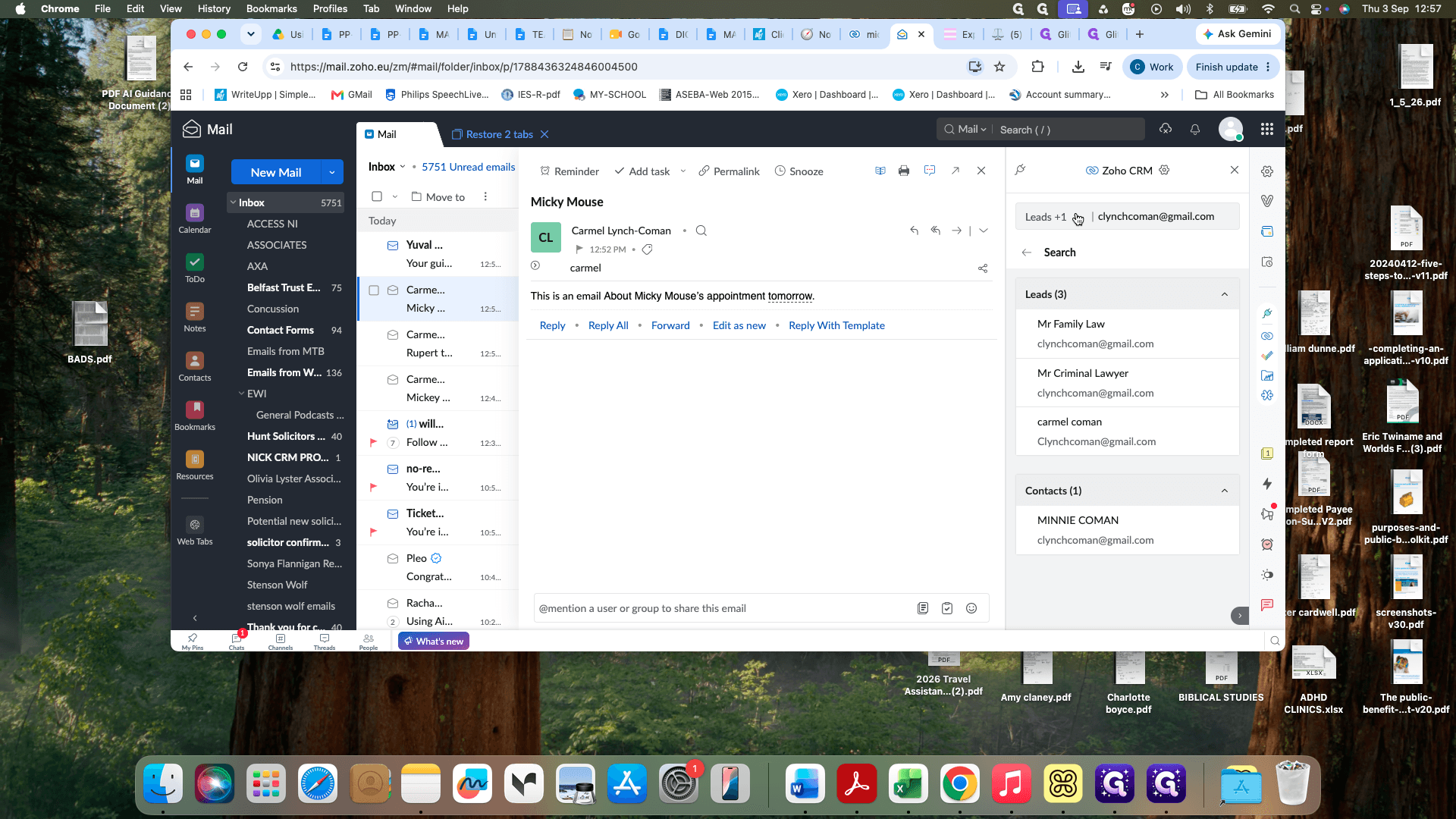
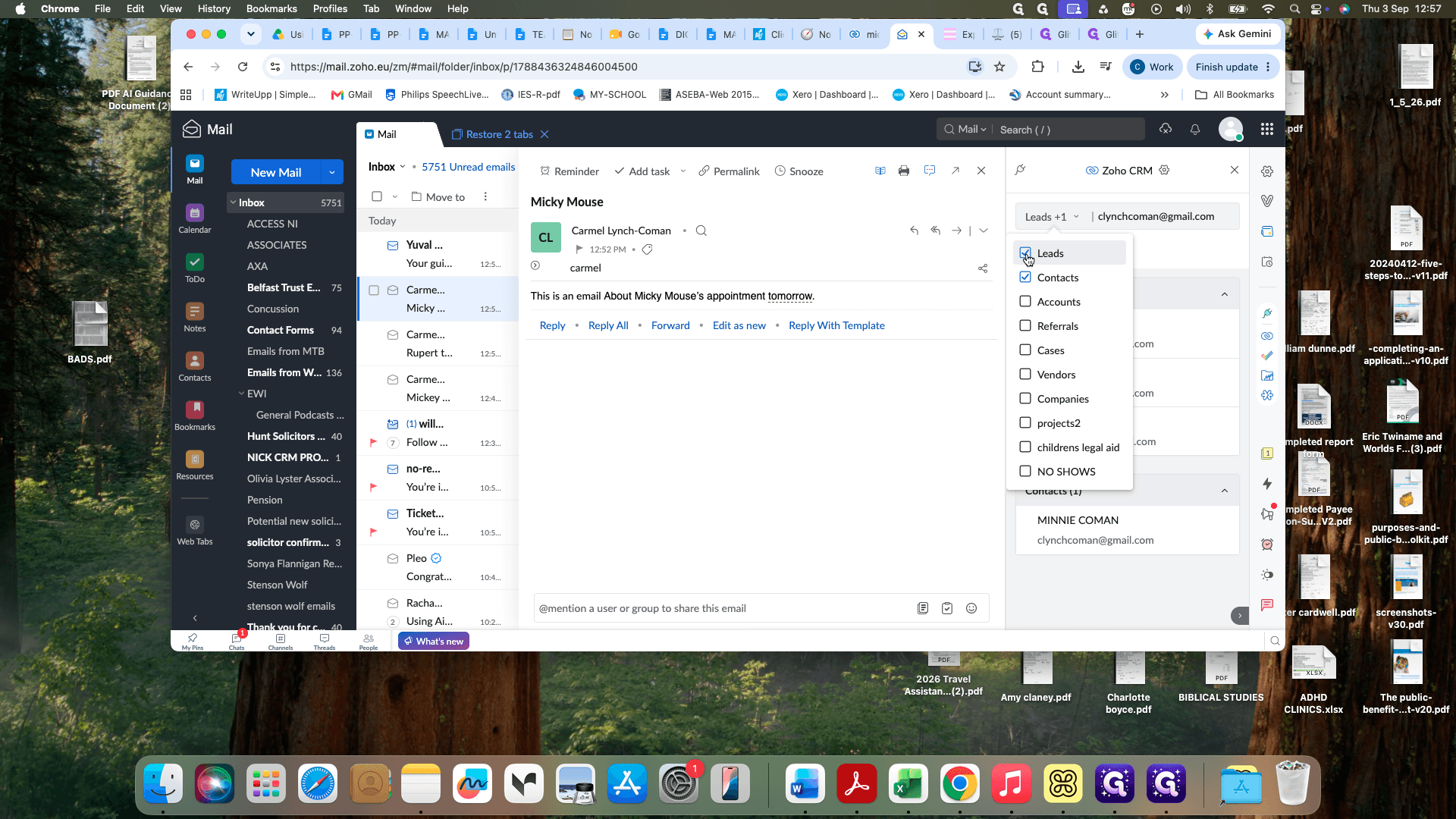
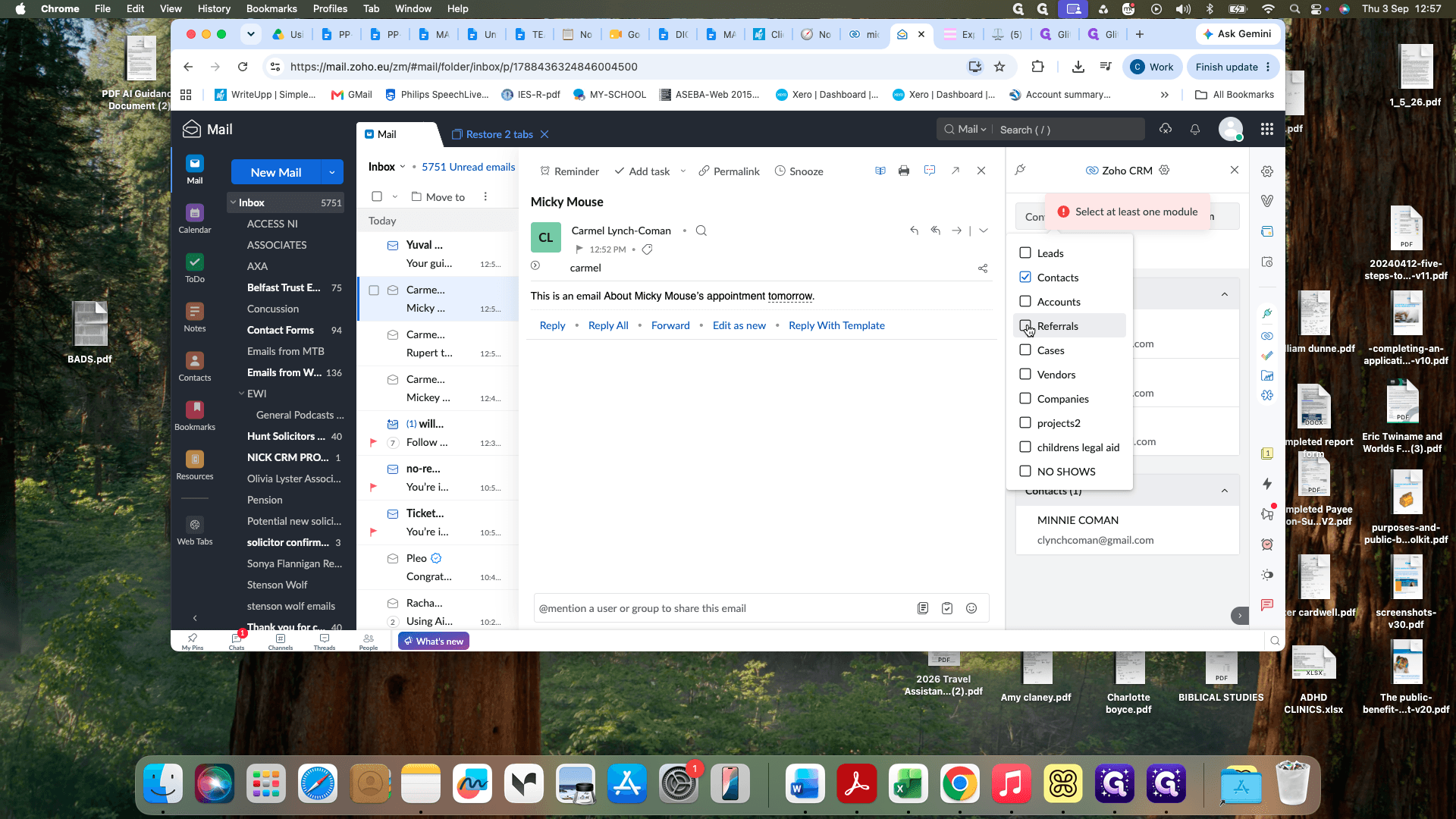
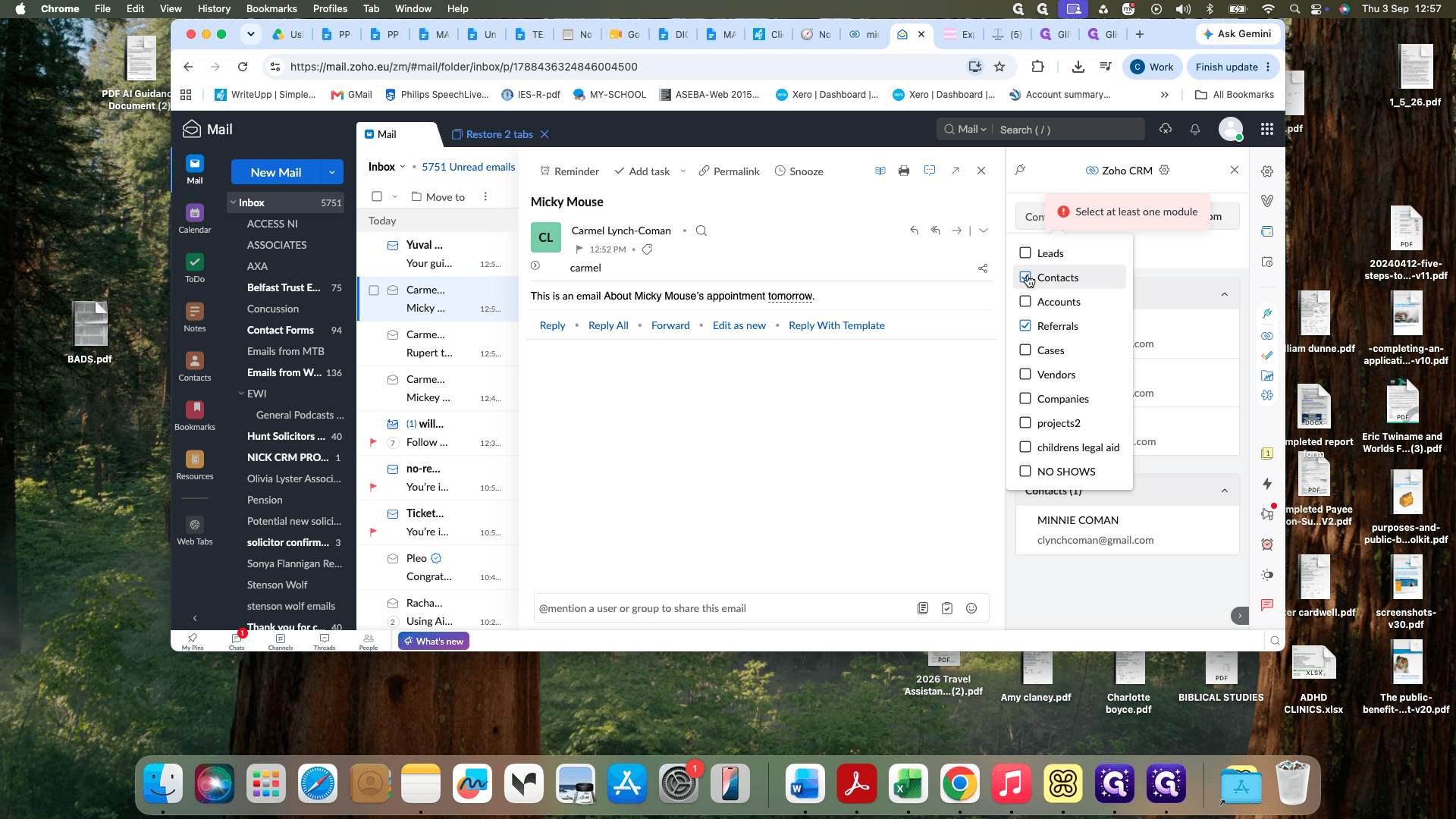
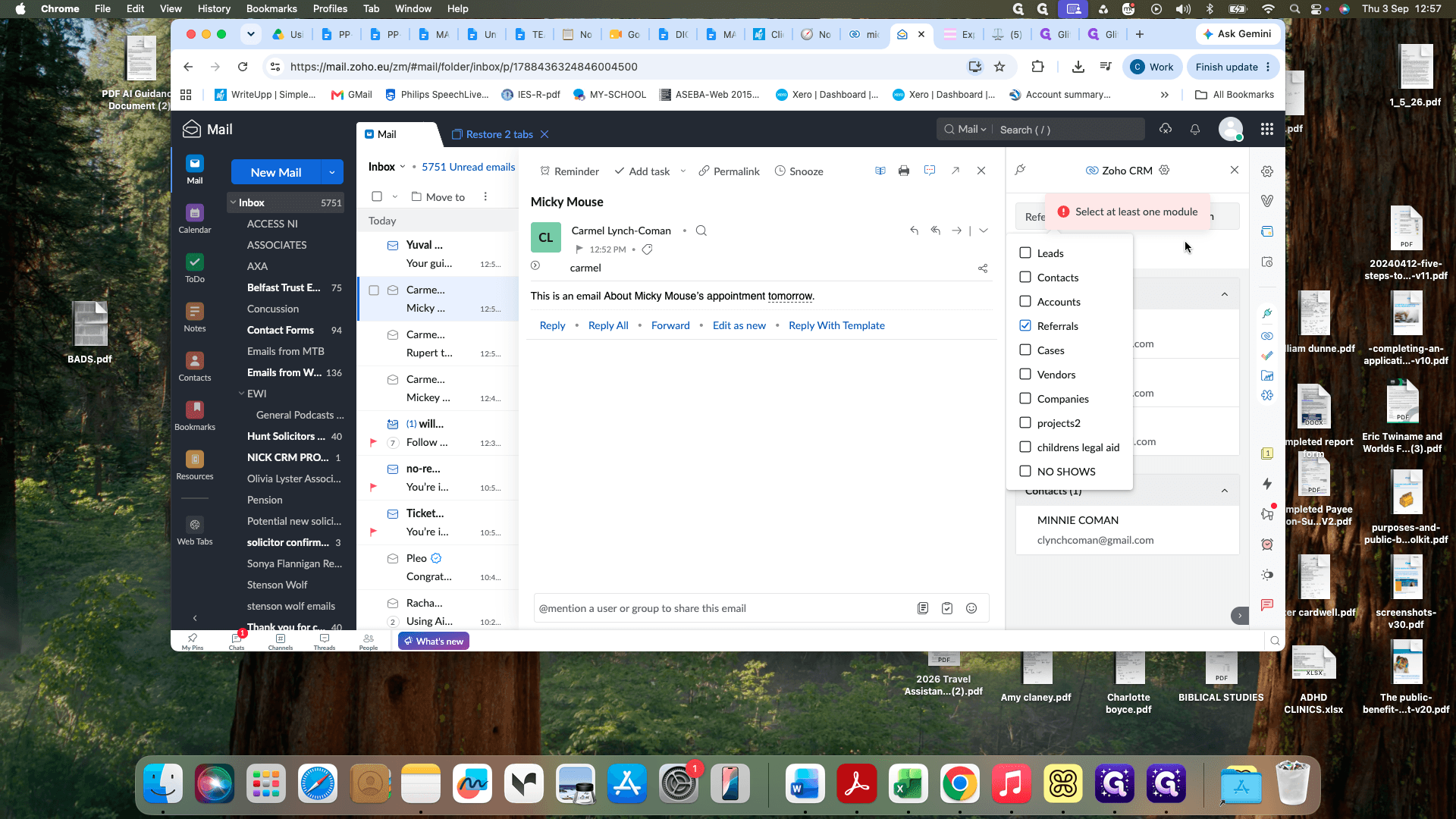
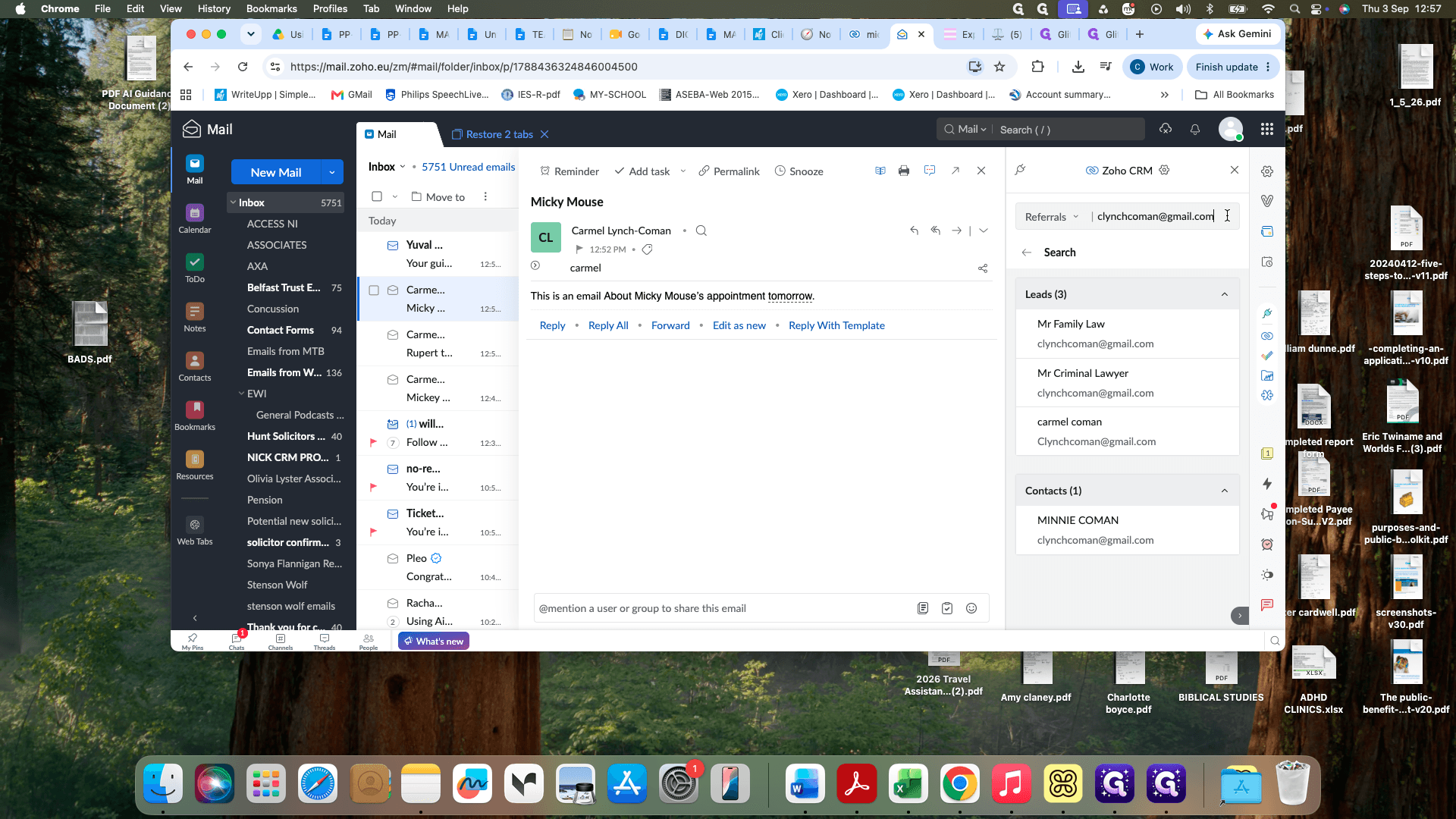
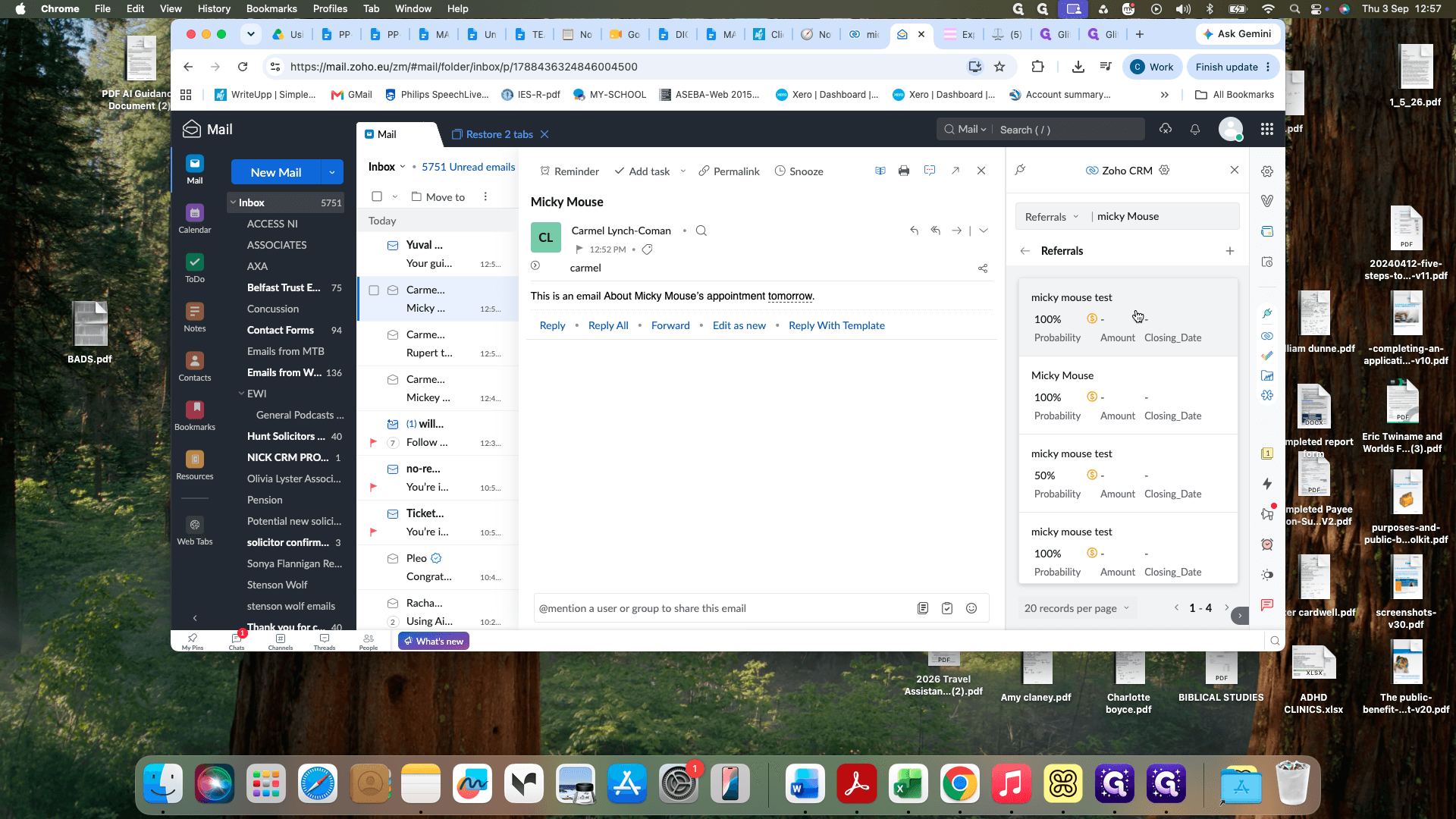
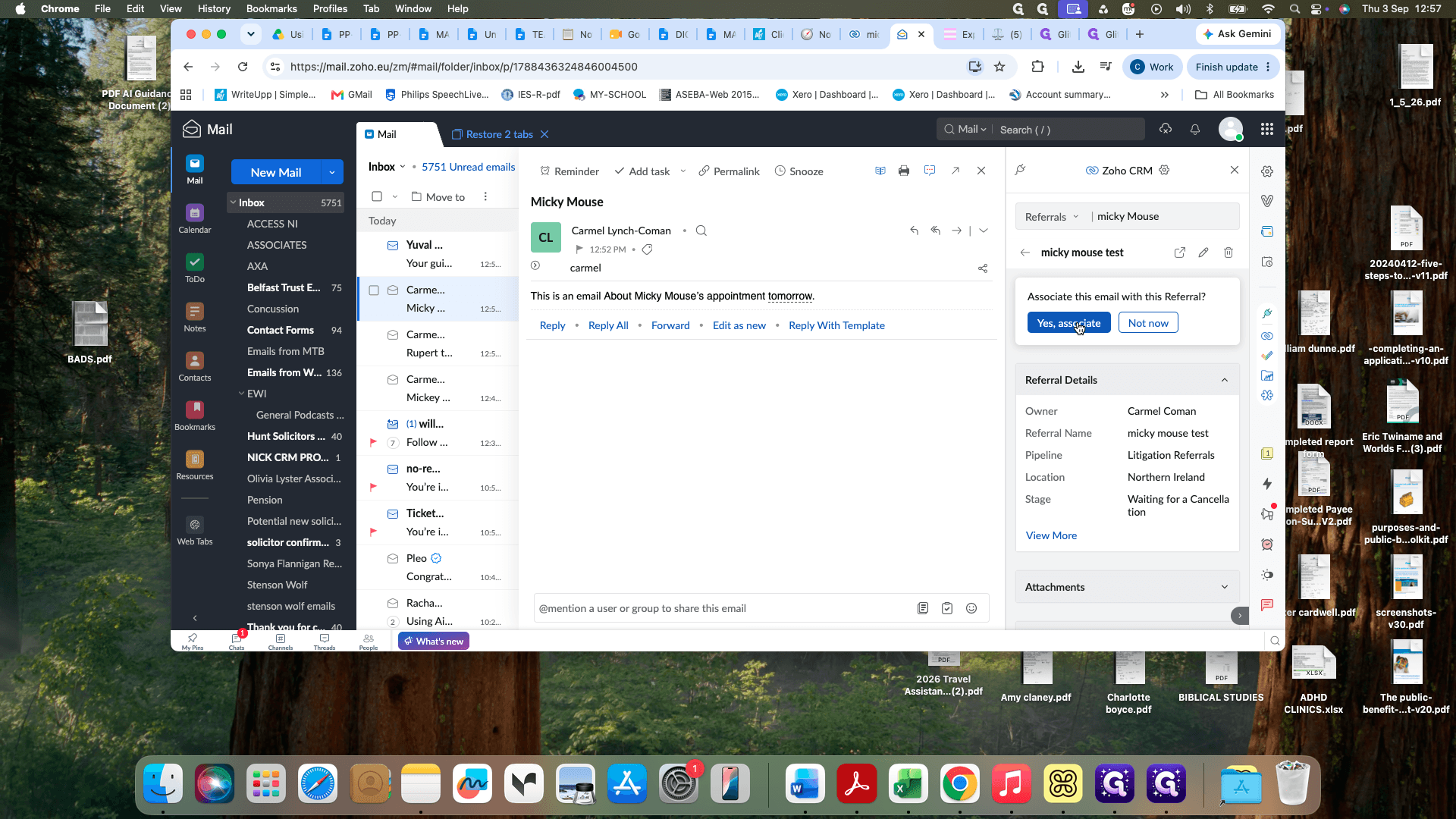
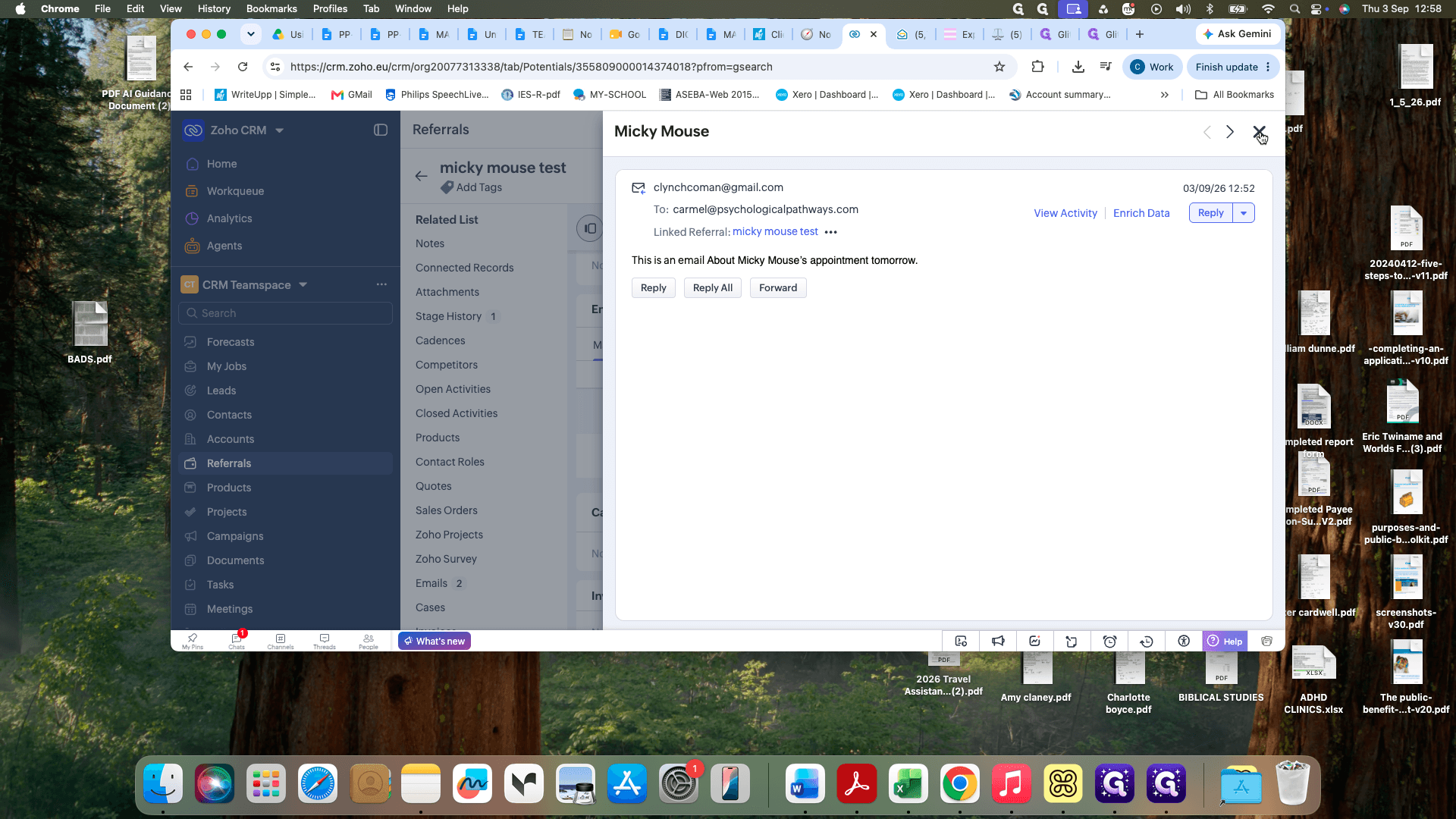
Verifying the Associated Record
To confirm that the email appears in the client's file in Zoho CRM:
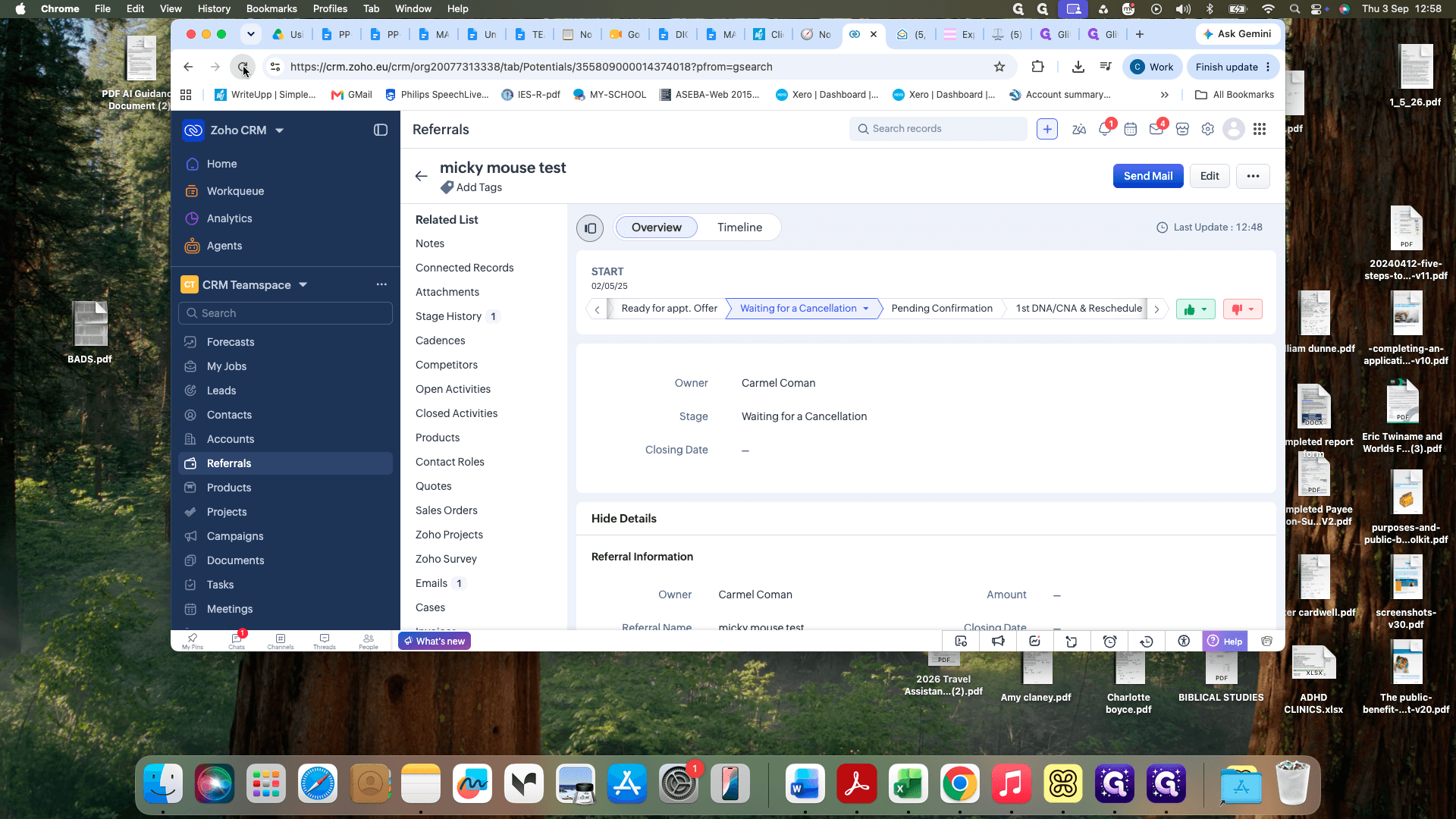
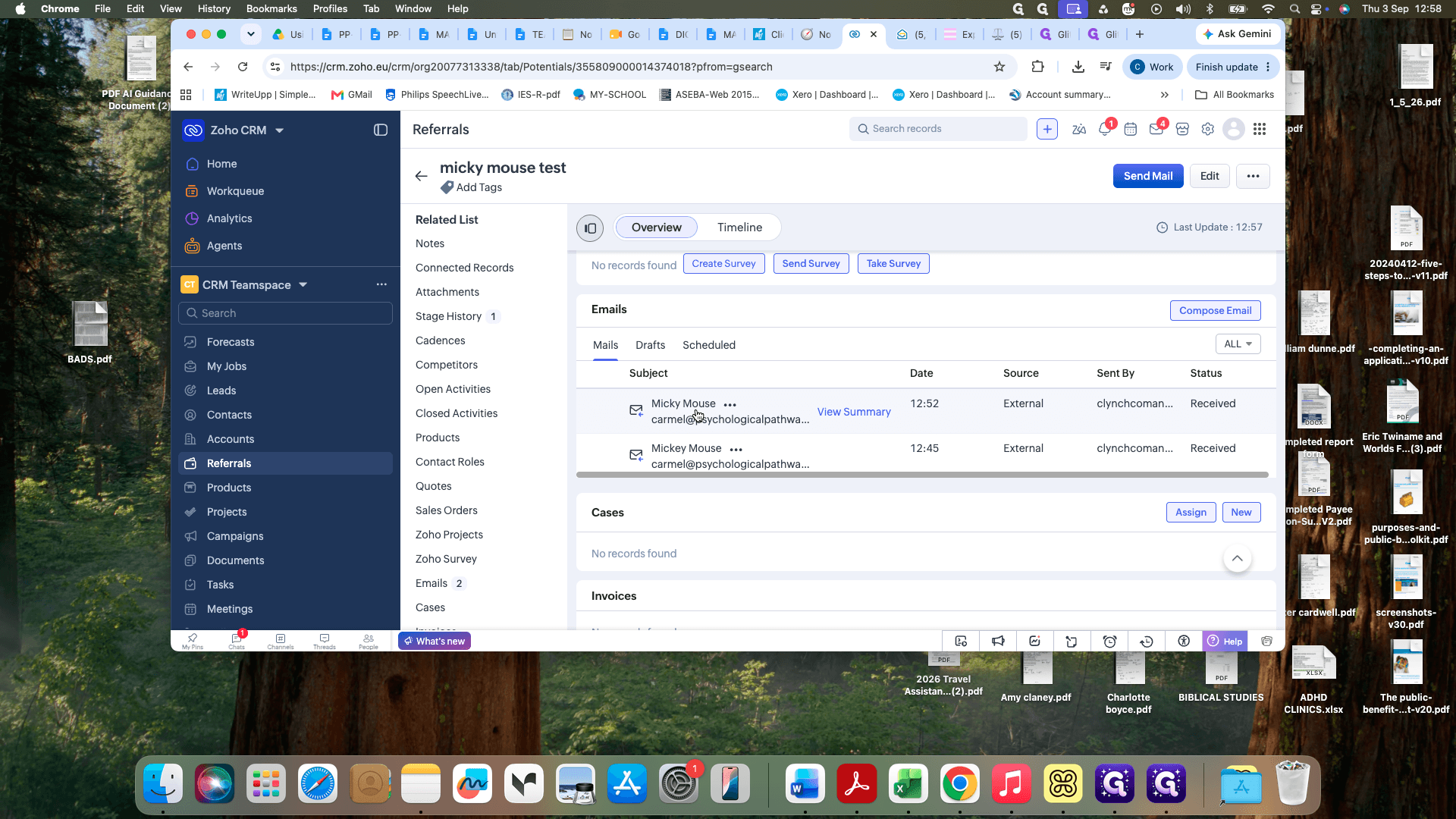
Q: Why shouldn't I associate emails with Contacts?
A: Associating an incoming email with a contact (such as a solicitor) causes the CRM to pull all emails sent by that contact across multiple clients into that file, leading to unrelated client data showing up in the wrong record.
Q: Should I create or link Leads when processing incoming emails?
A: No. Ignore the Leads module entirely when linking incoming correspondence; only search and associate within the Referrals module.
Term | Definition |
|---|---|
Referral | The specific client case or matter record within the CRM where case-specific activity and correspondence are tracked. |
Contact | An individual record in the CRM representing a person (such as an external solicitor) who may interact across multiple referrals. |
Lead | A prospective client entry in the CRM that has not yet been converted into an active matter or referral. |