
Automated Interaction Evaluation
Discover how automated selection and evaluation of interactions can enhance quality management. Learn to set policies, use flexible evaluation forms, and generate actionable KPI reports for your team.
In this guide, we'll learn how to automate the selection and evaluation of customer interactions. This process removes the need for managers to manually choose which interactions to review. Instead, we will set up policies that define which interactions are eligible, who should evaluate them, and how many should be reviewed per agent.
We will also cover how to use flexible evaluation forms to score interactions and generate reports that summarize team performance. This approach helps ensure consistent quality monitoring and efficient reporting.
Let's get started
The first part covers automated selection of interactions for evaluation. In the future, managers will not need to manually choose interactions to evaluate in the system. We can fully automate this process by creating a policy for each department. For example, we can specify that only interactions lasting between three and eight minutes are eligible for evaluation. This ensures that interactions are neither too short nor too long. We can also specify who should receive these. This task can be handled by the manager or assigned to a team member who then becomes the quality manager. The most important part is deciding how many we want to evaluate.
Per agent, per month. This could also be per week or per day.
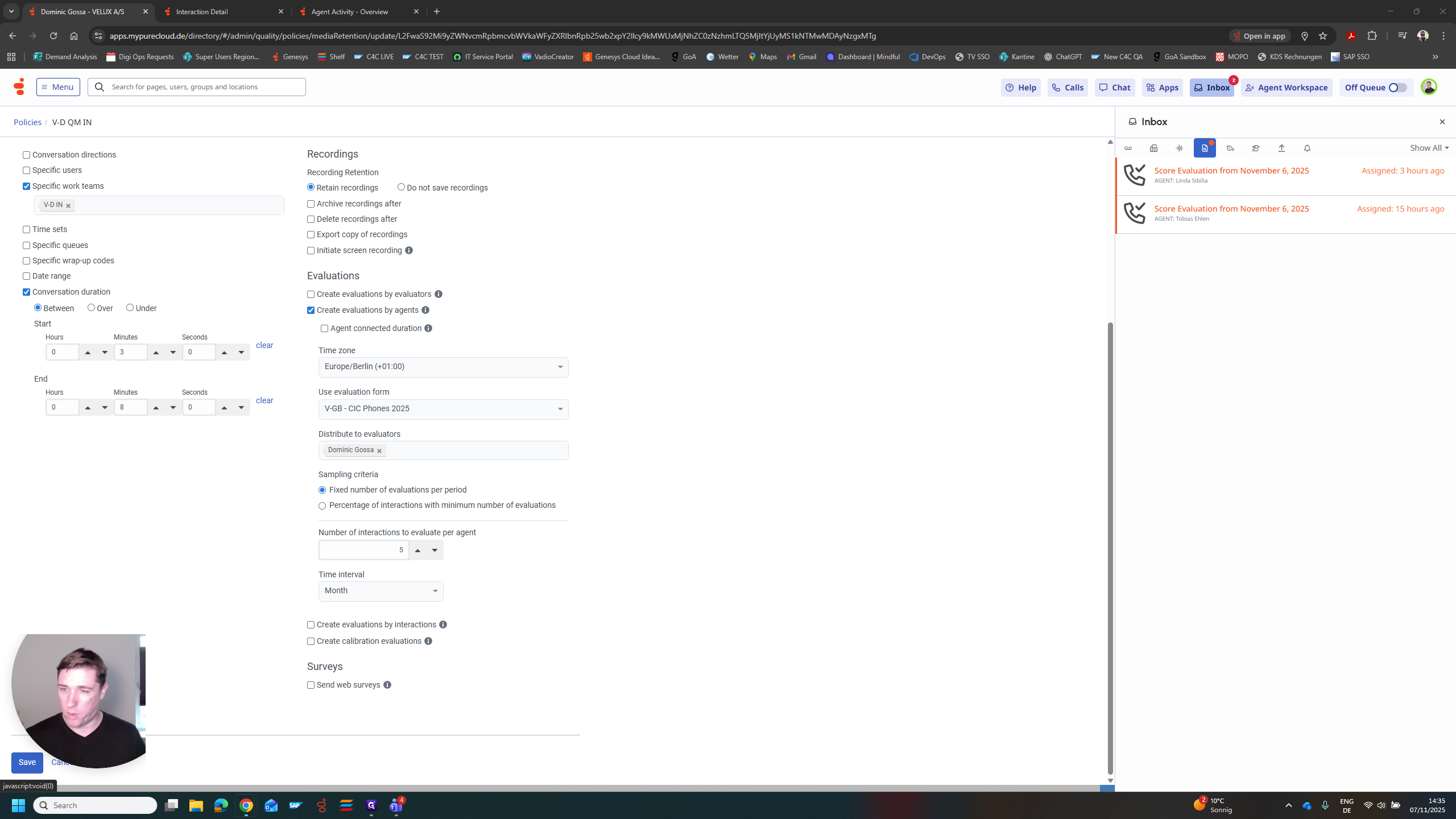
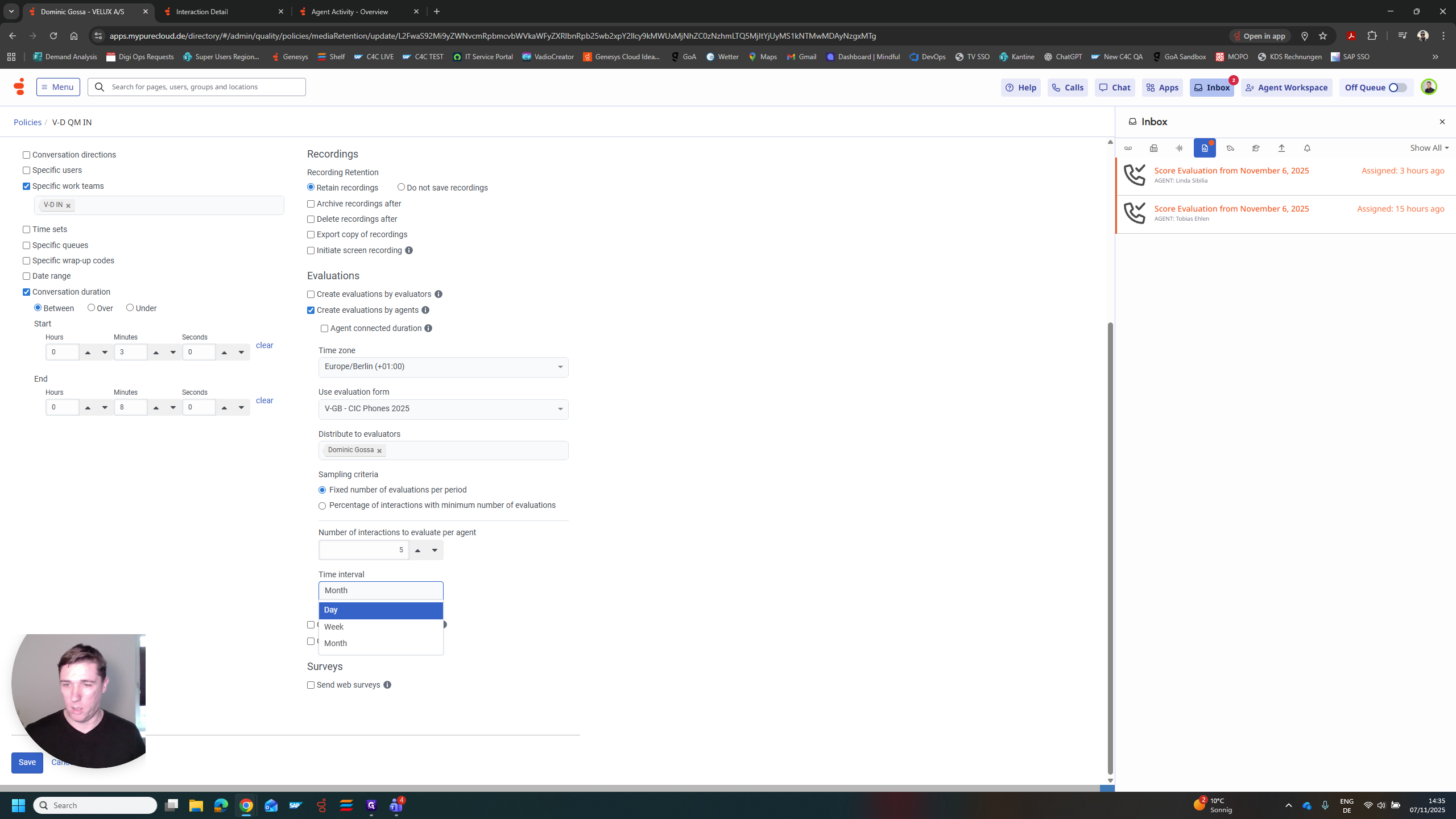
I chose five per month for each agent. At the end of the month, the system reviews all interactions from this department that last between three and eight minutes. Then, it sends all of these to me. Five per agent per month, and my inbox will get crowded. In this case, I chose only two for demonstration purposes. I see there is an evaluation open for Linda and one for Tobias. I can select these and complete the evaluation.
I can see the conversation on the left with the recording I need to listen to. On the right is the second main part of the process.
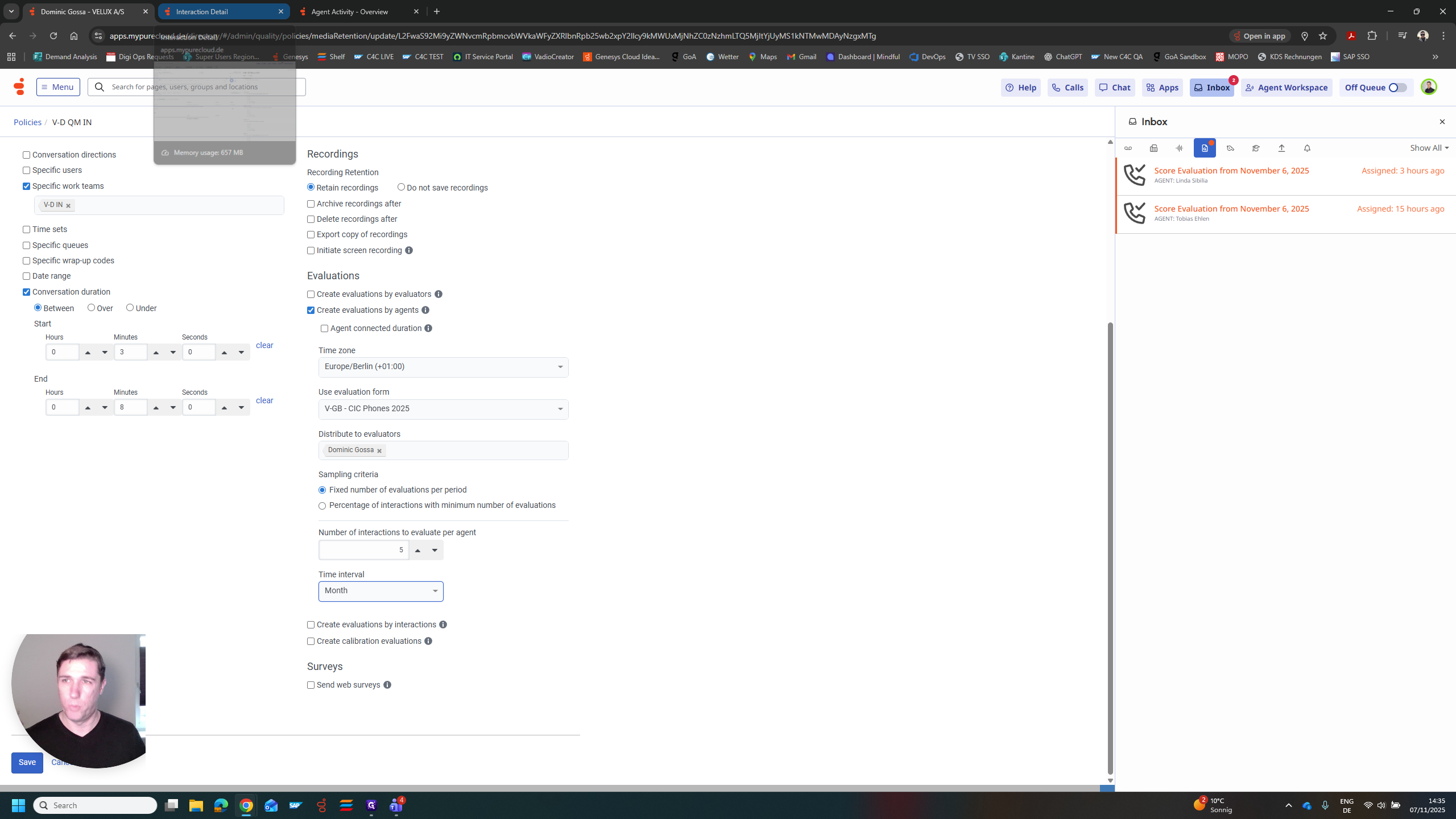
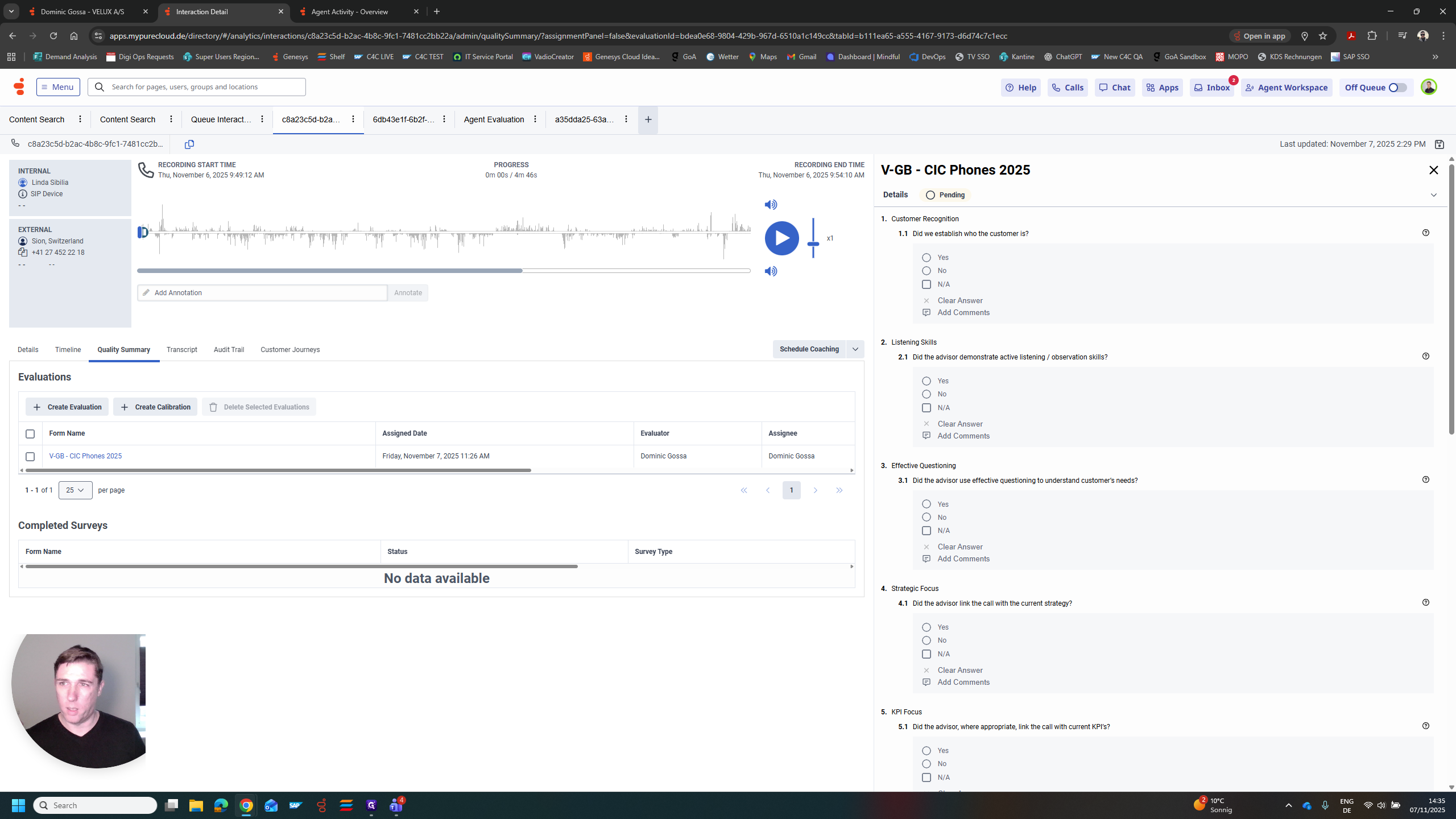
That's the evaluation form. We can also set up the evaluation form with complete flexibility. In this case, I chose the form currently used in GBI. We have various questions, each with different scores. We can review them one by one. I would listen to the interaction and, at the same time, try to answer these questions.
For example, did we determine who the customer is? Yes, no. Yes is worth one point in this case, while no is worth zero points. If there was no opportunity for the agent to do this, mark it as not available. Do not include it in the overall score. I will show you what that means in a moment.
In this case, we have a form with a question labeled "customer recognition." This could be one point. We could also have listening skills as three points. We can clearly identify what is most important to us. Strategic focus, KPI focus. Here, we have the use of systems and the use of C4C. We can include all these criteria in the form, but assign different weights to each.
After completing these steps, submit the form to the system and the agent. The agents need to sign them off. Then, they are sent to the reporting section. Let's quickly look at one that Mike and his agent have already completed.
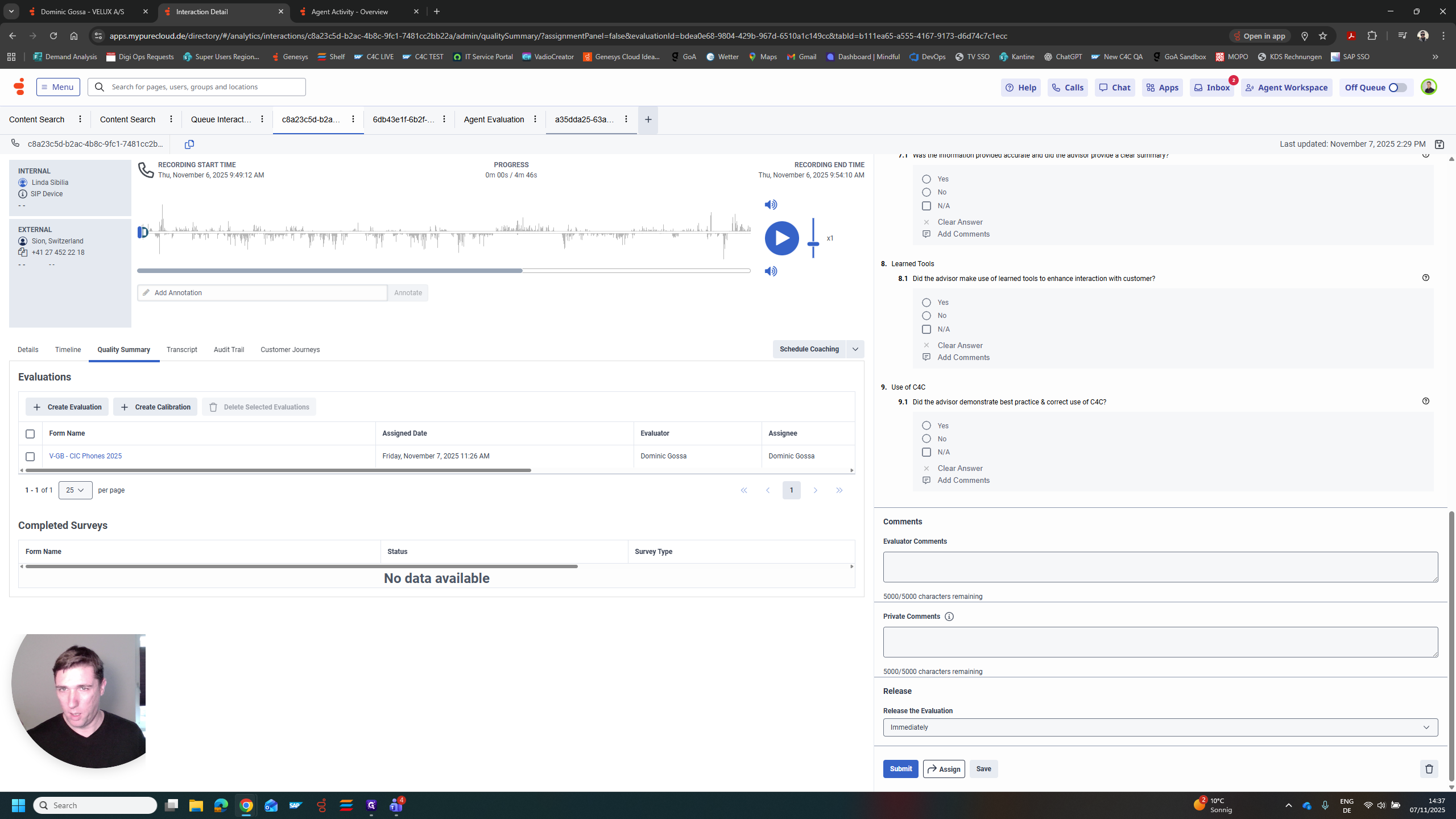
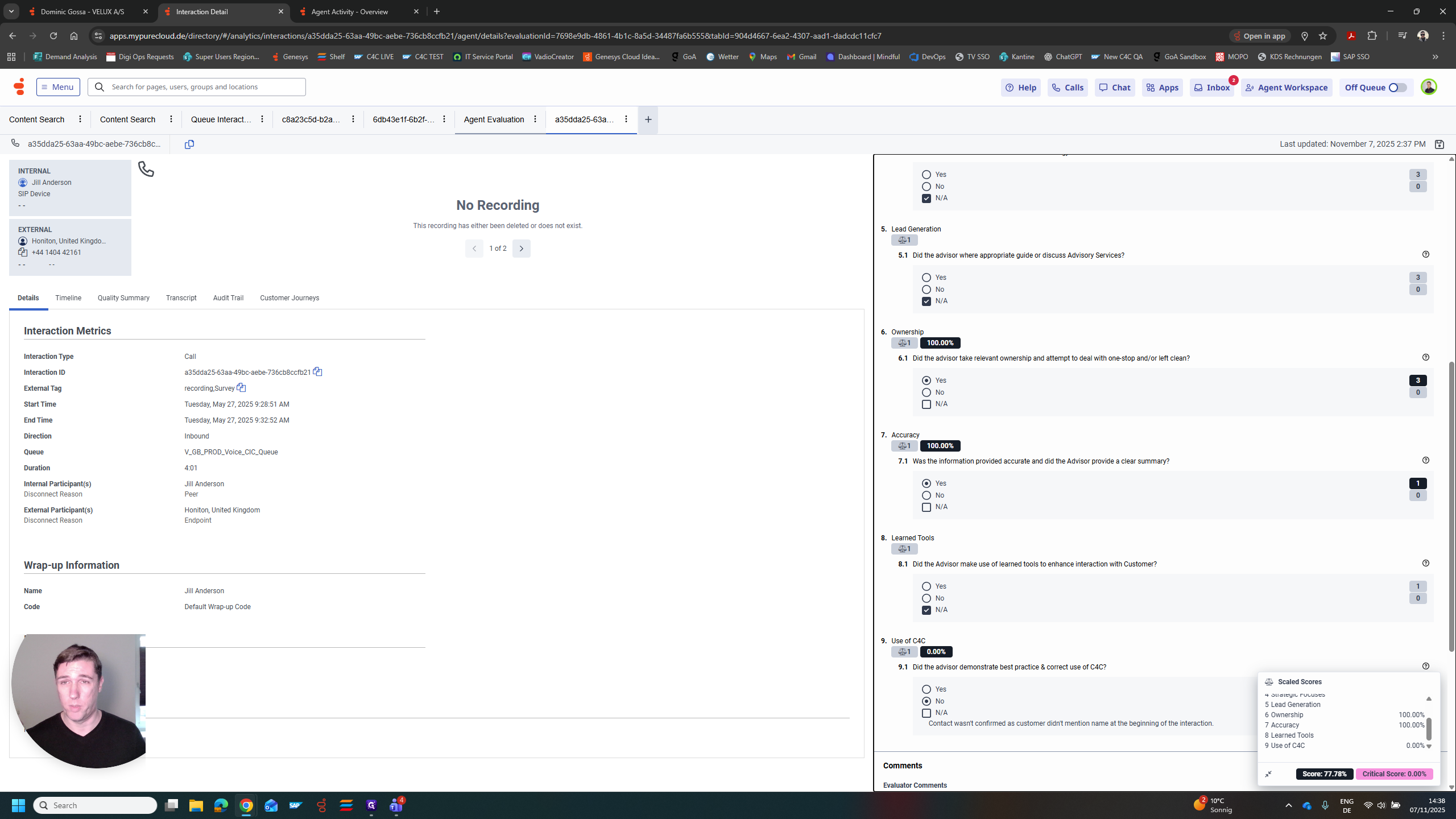
In this case, you can see that question number one was answered "no," which earns zero points. Question two is a yes, worth three points. We already said this is more important than customer recognition. Question three was not available. Effective questioning was not possible, or a strategic focus could not be established. This does not count toward the result.
Once you submit it, the system will automatically count the available points, excluding any non-available points. It will then rate the form with an overall score, which can be translated into a KPI. In this interaction, 77% of all the points we identified were addressed during the conversation.
Now, let's look at the overall reporting. This is how it appears. It's Mike Graham's team. Seven evaluations were completed in June, with an average score of 94%. You can create clear reports that show how many evaluations each agent completed and their average scores. We can use Genesis to automatically assign conversations to a quality manager. Then, we can use evaluation forms to translate our actions into KPIs.