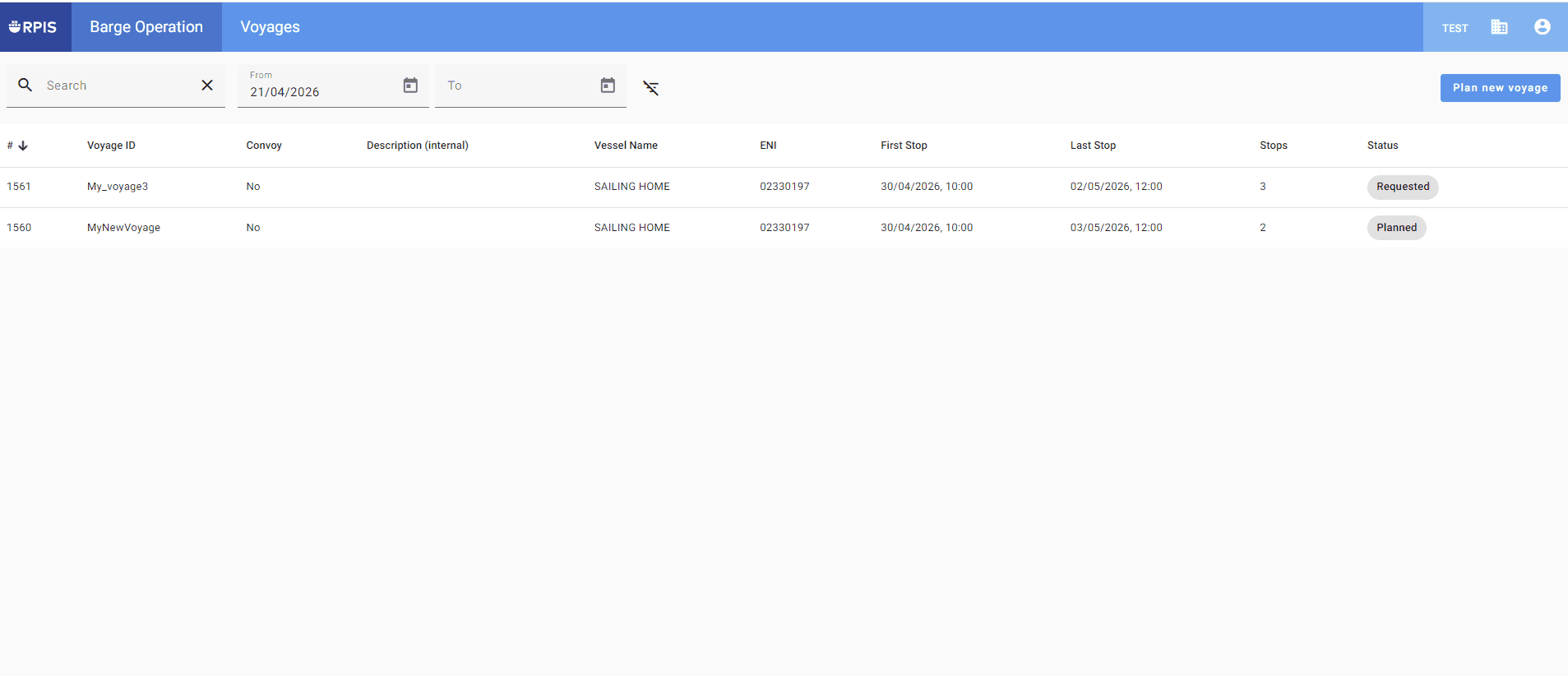
Barge Operator: Planning a voyage
Step-by-step guide for RPIS
By Marion Lasfargues
As a Barge Operator, you can plan voyages in RPIS, send booking requests to terminals, and arrange appointments.
You will be notified directly by email of the status of your booking requests and of any changes. You can also manage your booking requests directly within the voyage plan.
1
Once you have logged in to RPIS, go to the ‘Plan Voyages’ section.
2
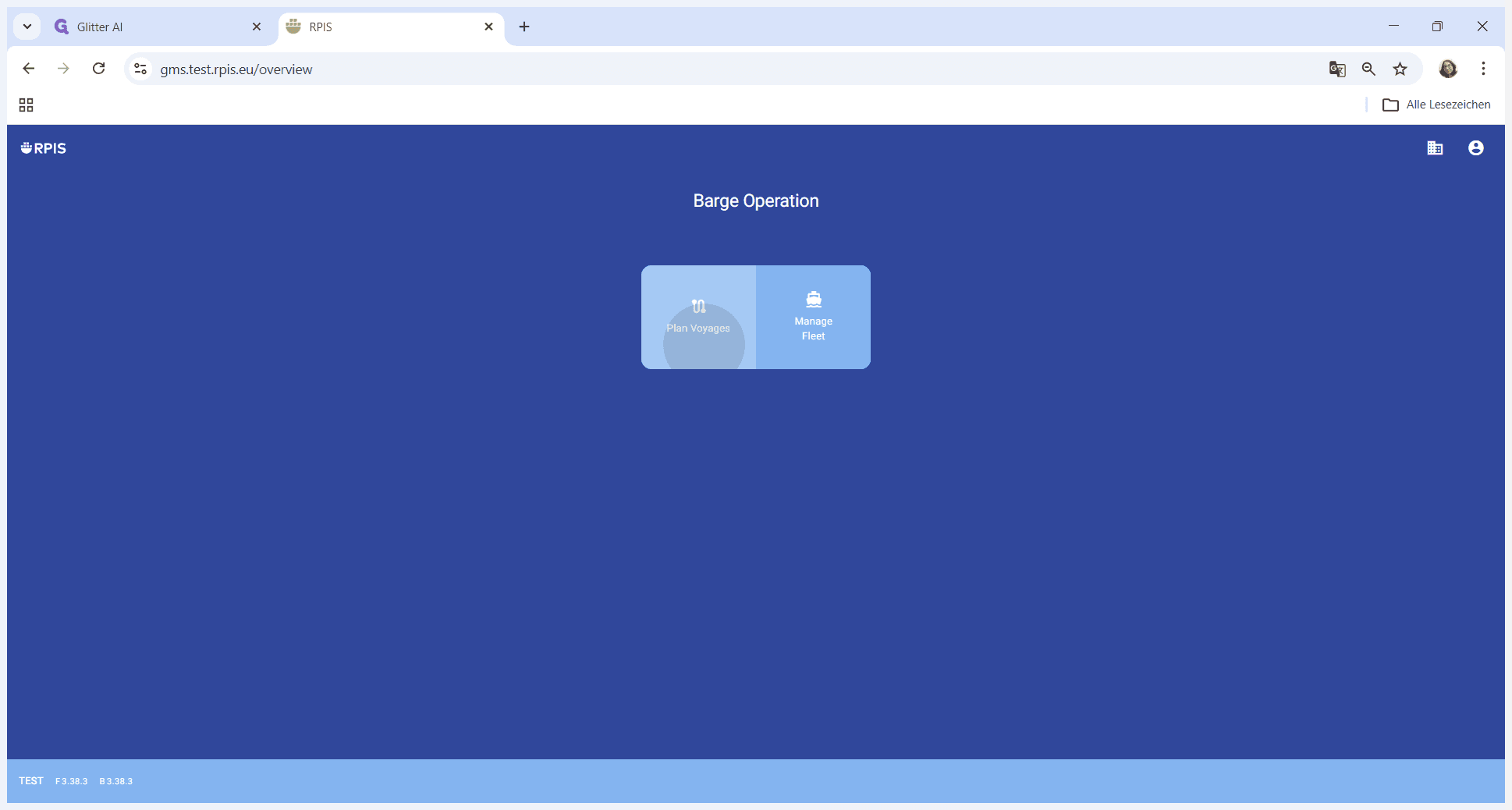
In the top right-hand corner, click on 'Plan new voyage'.
3
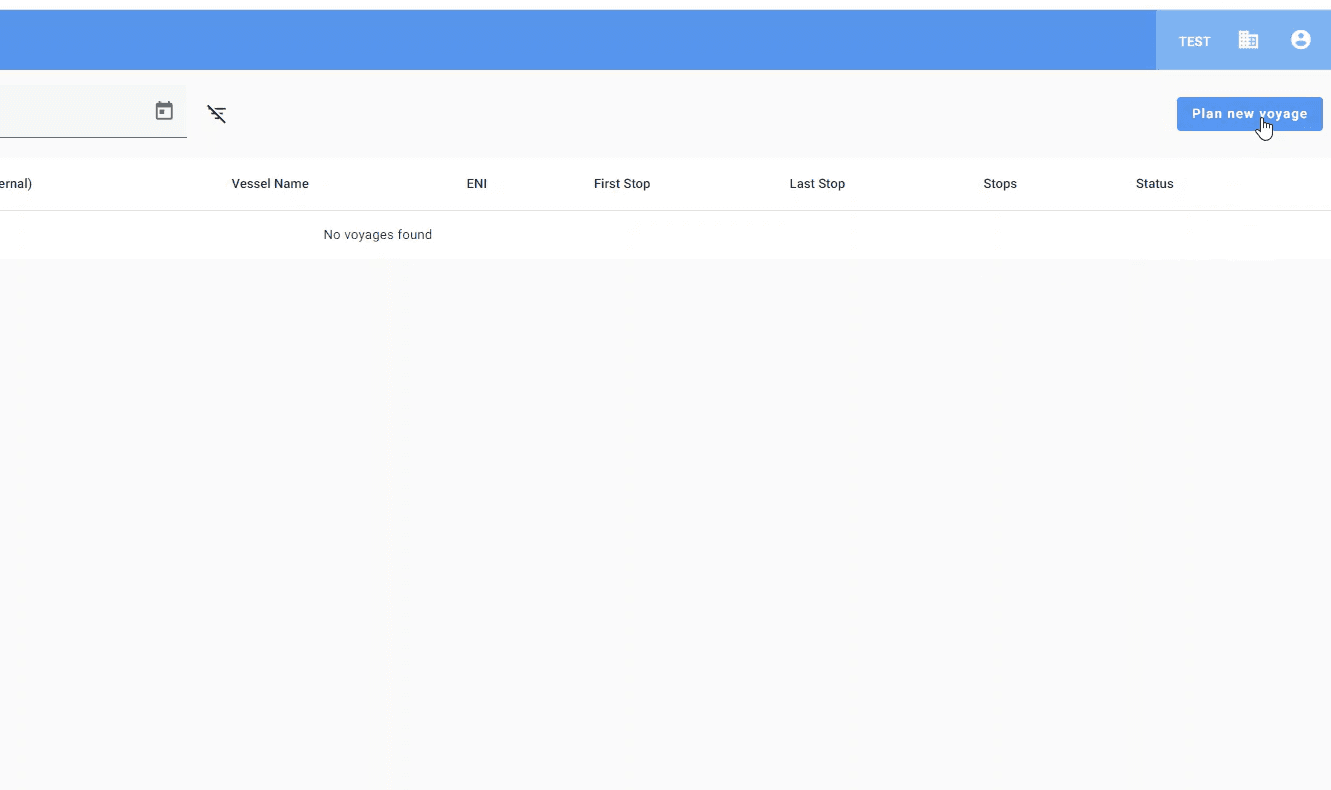
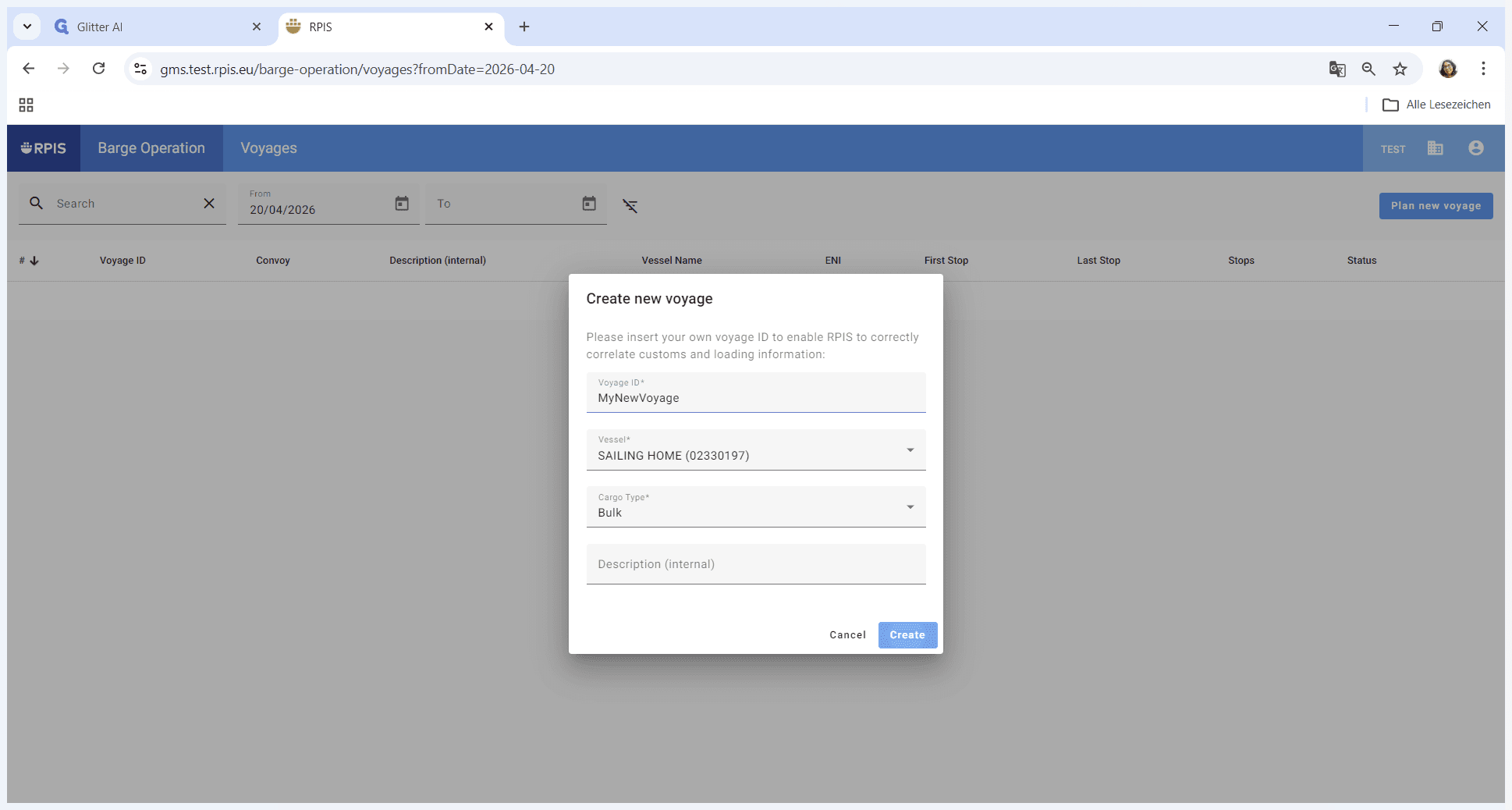
Enter a Voyage ID (free text field) and select your vessel from the dropdown menu.
4
Select the cargo type for the new voyage and click on 'Create'.
5
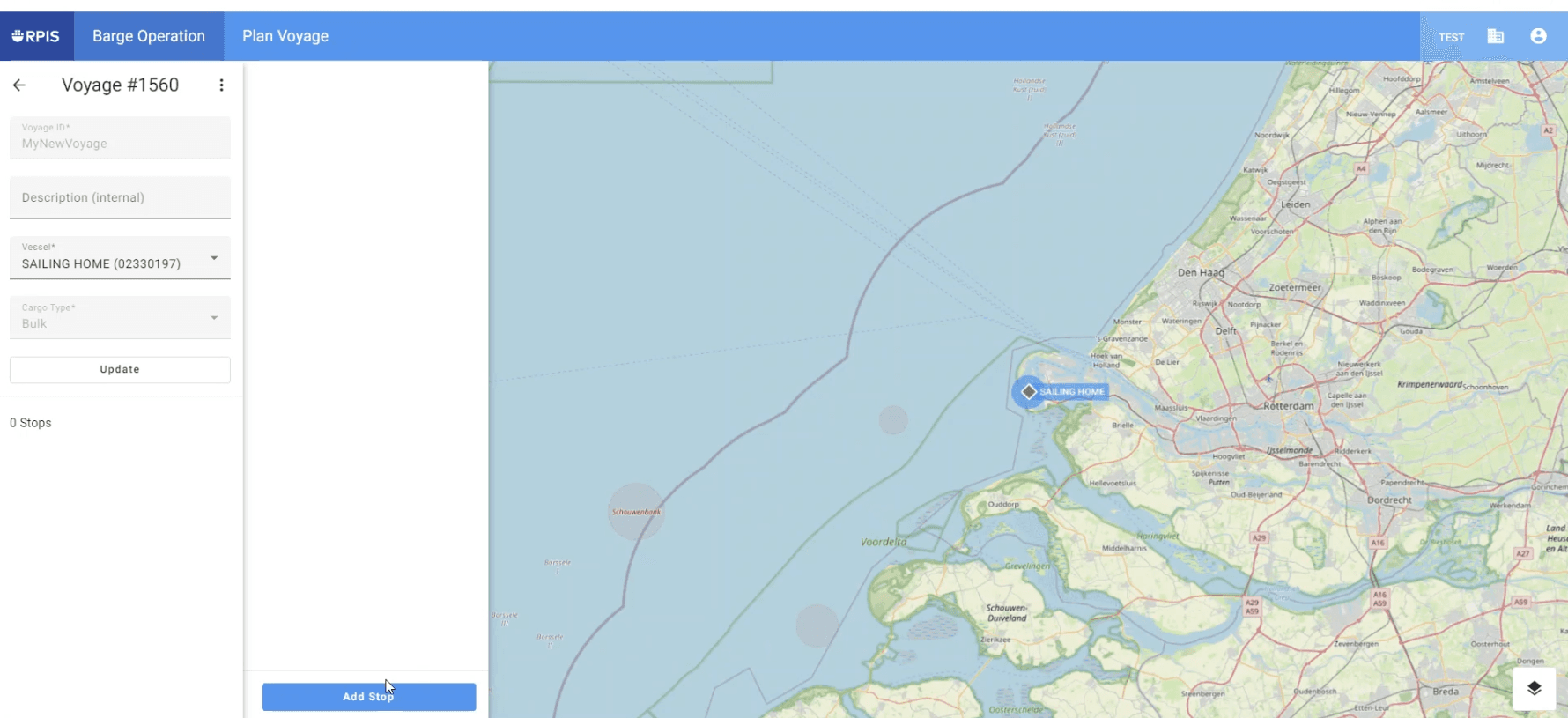
Plan your first stop.
6
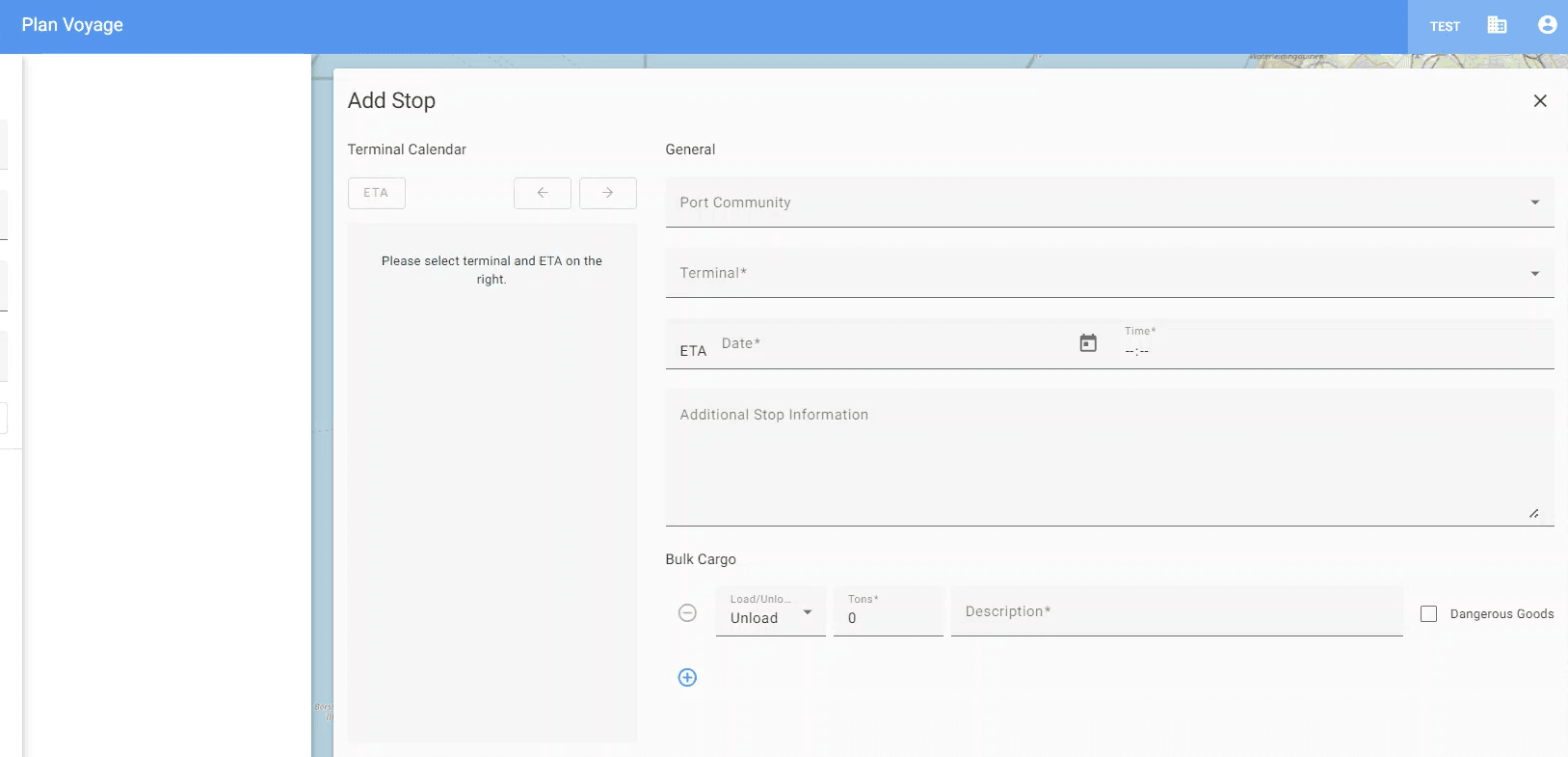
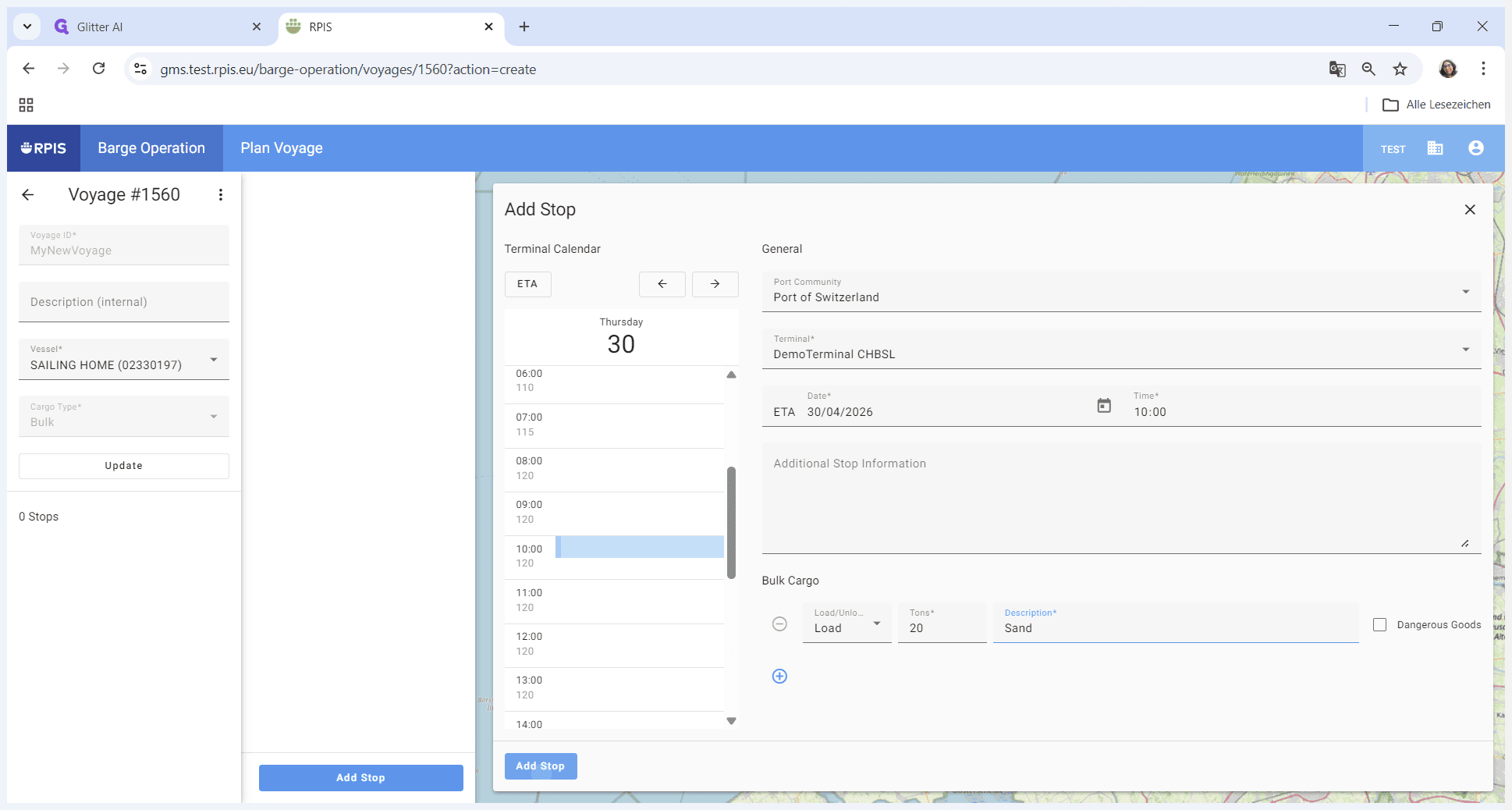
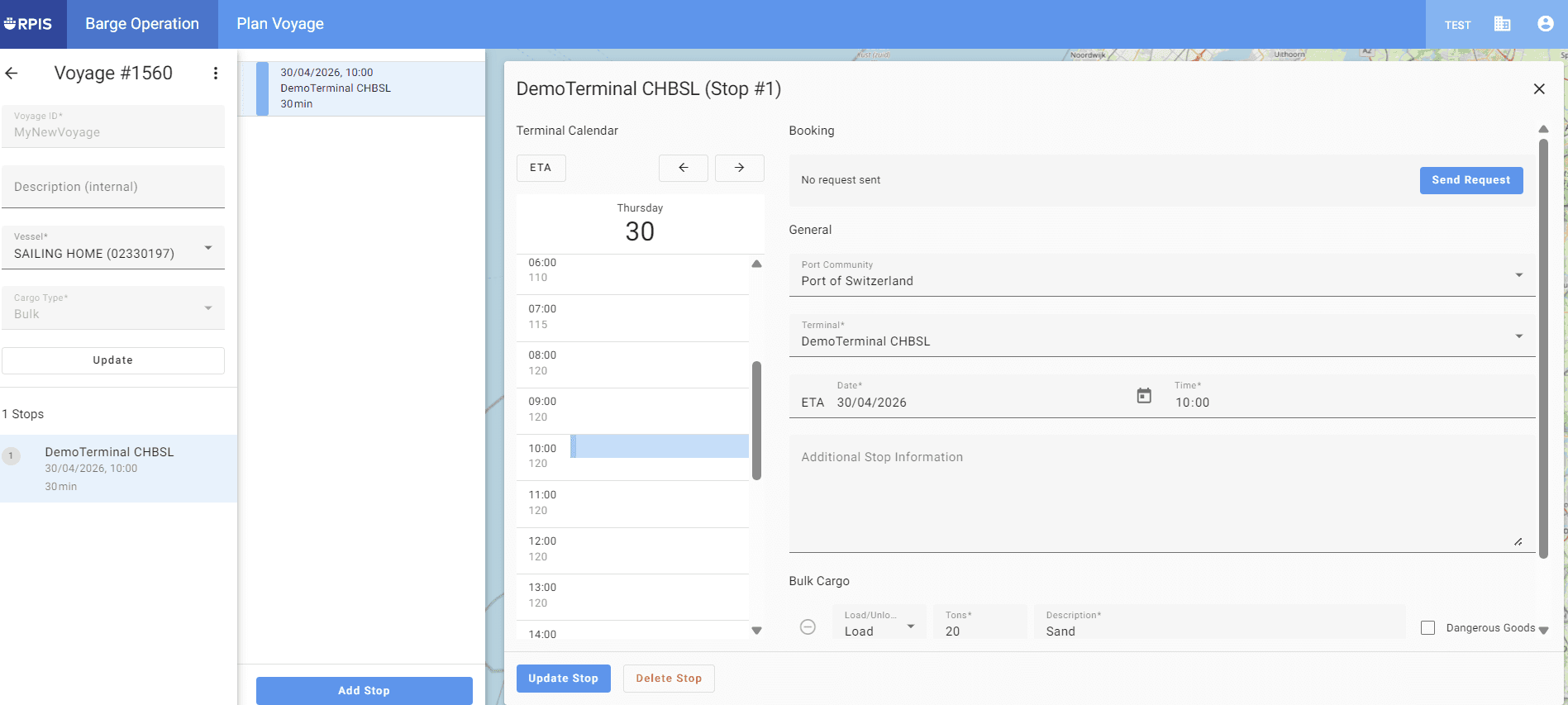
Enter the stop details: Select the relevant port community (port) and the terminal (handling facility). Enter the ETA and the handling details.
7
Then add the stop to your itinerary.
8
Plan your further stops and add them to your itinerary.
9
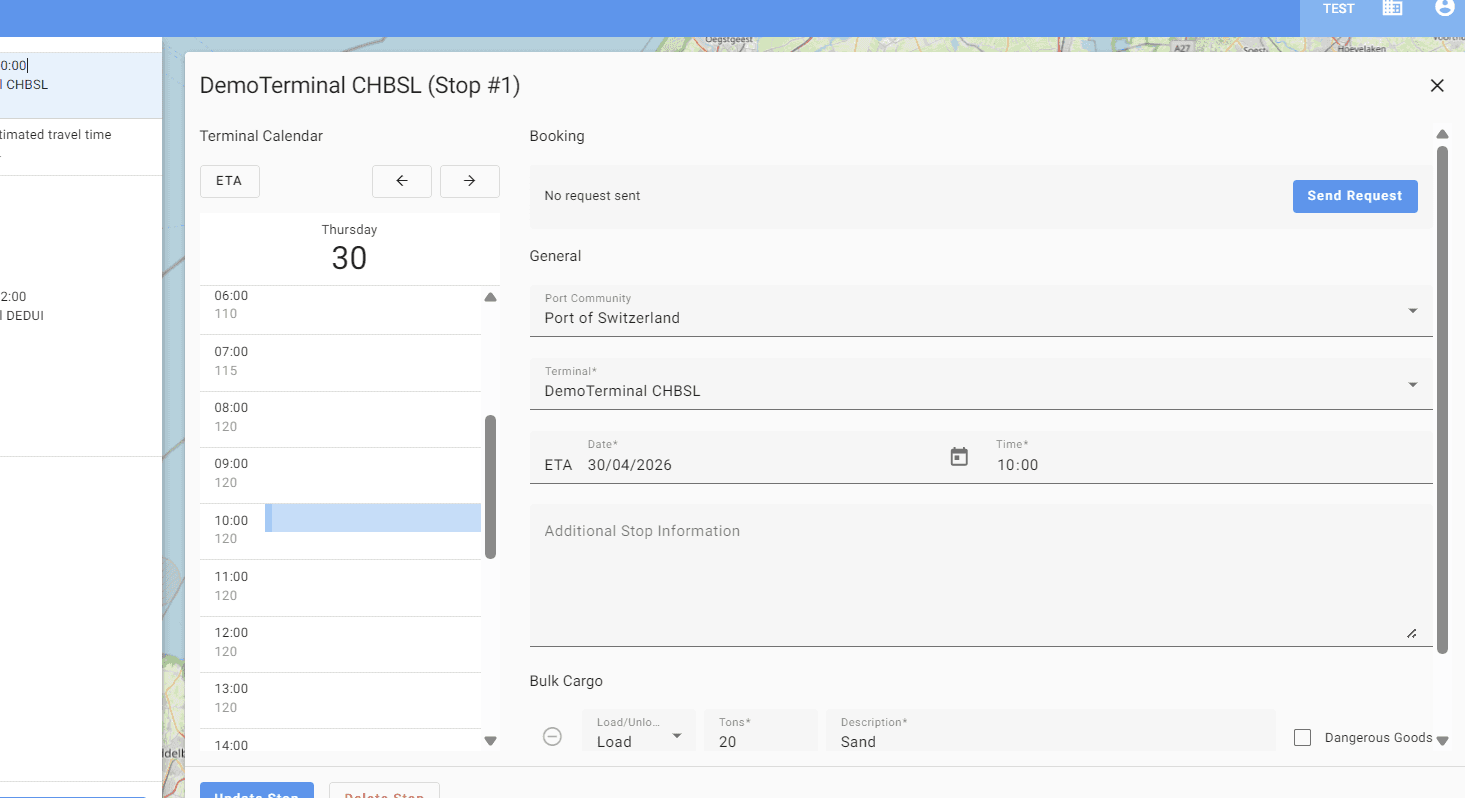
To book a slot at the terminal, select the stop and submit your request by clicking on 'Send request'.
10
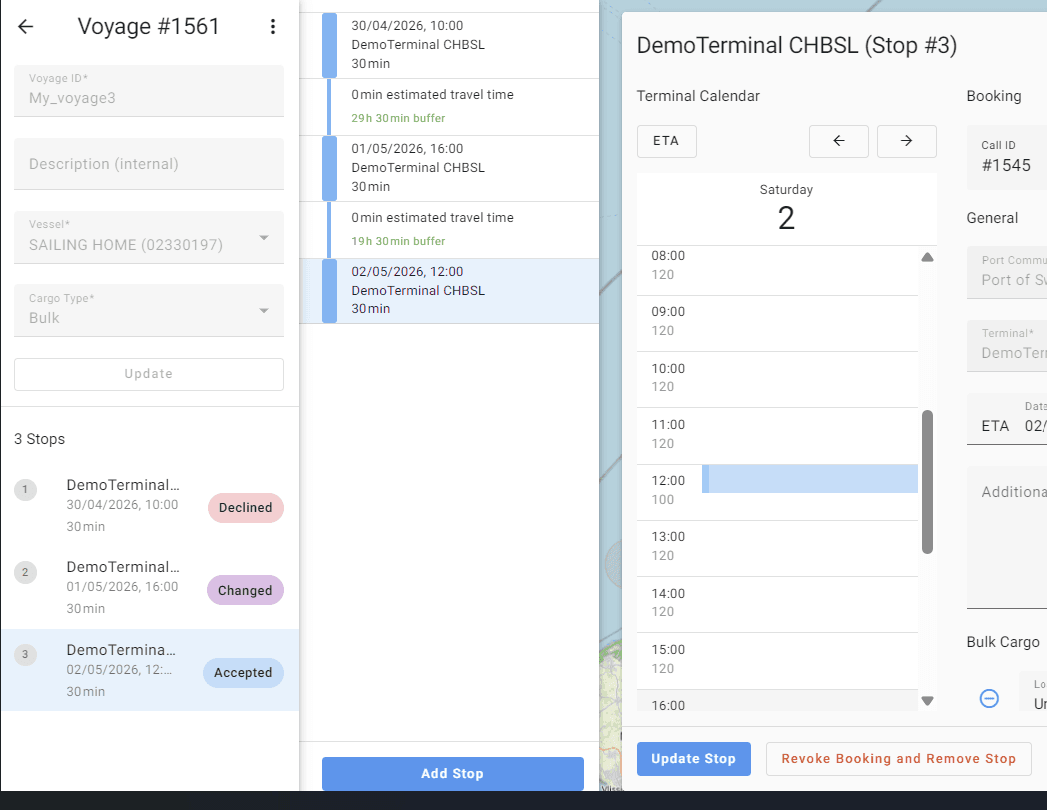
Here are the 3 statuses you may receive in response to your request:
11
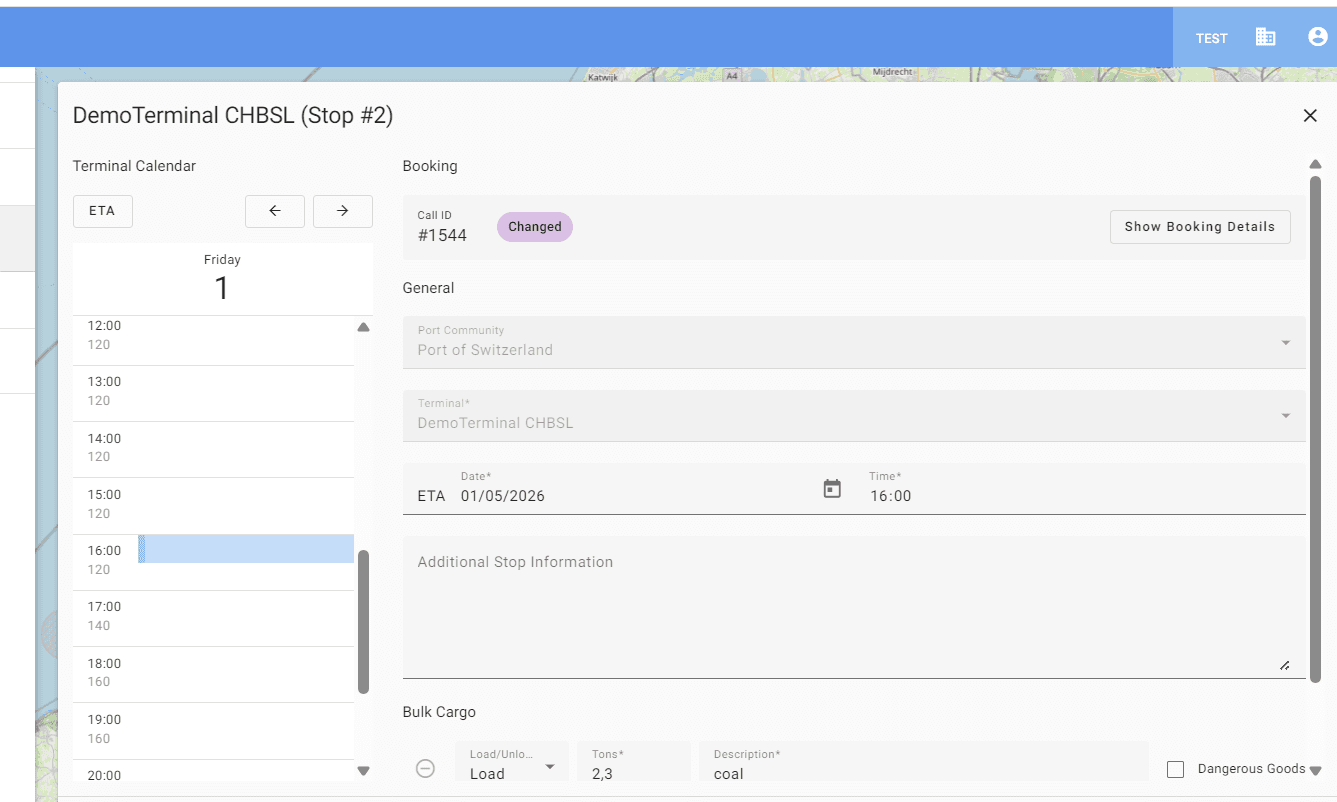
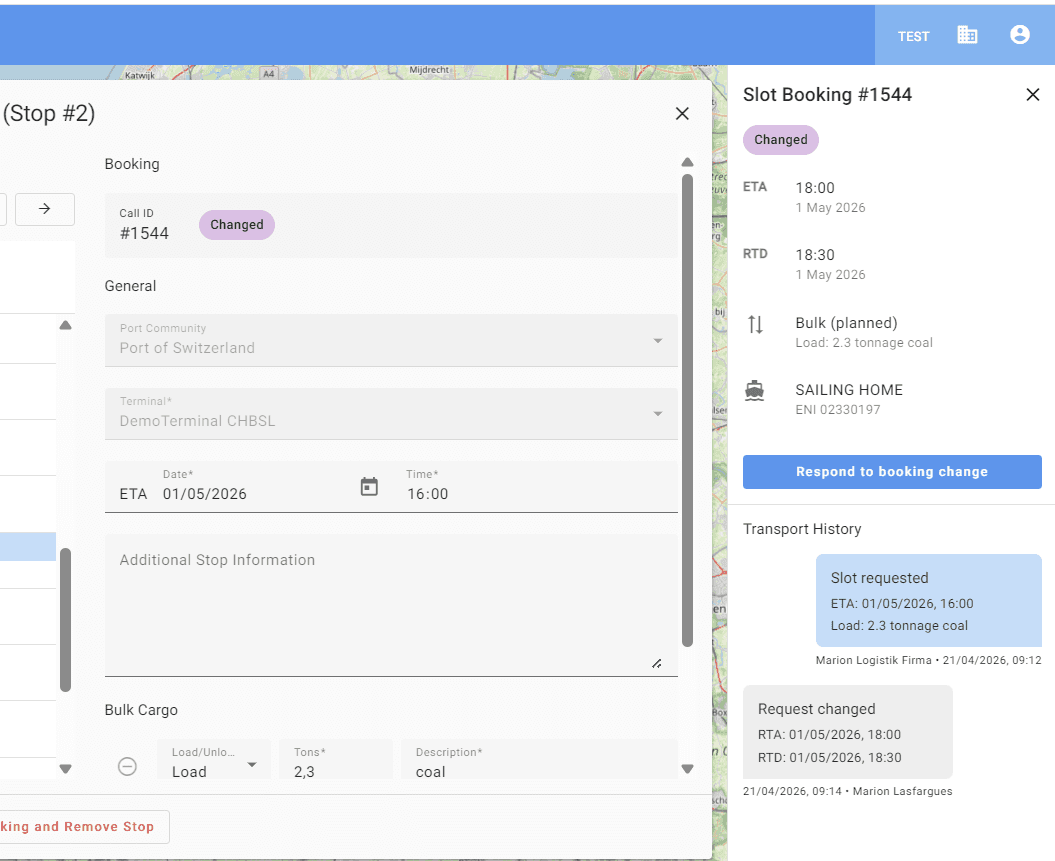
Click on ‘View booking details’.
12
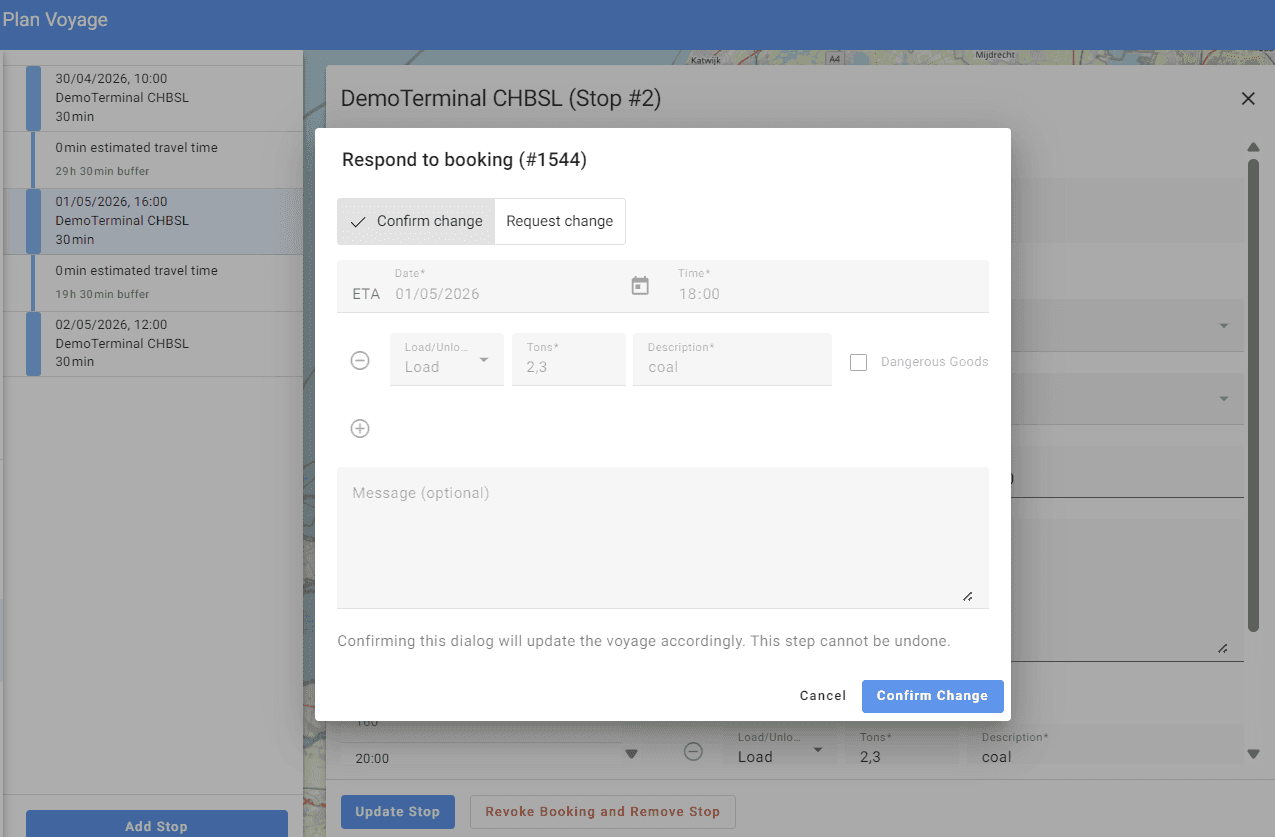
Then respond to the booking change.
13
If you confirm the booking change, the status will change to ‘accepted’.
14
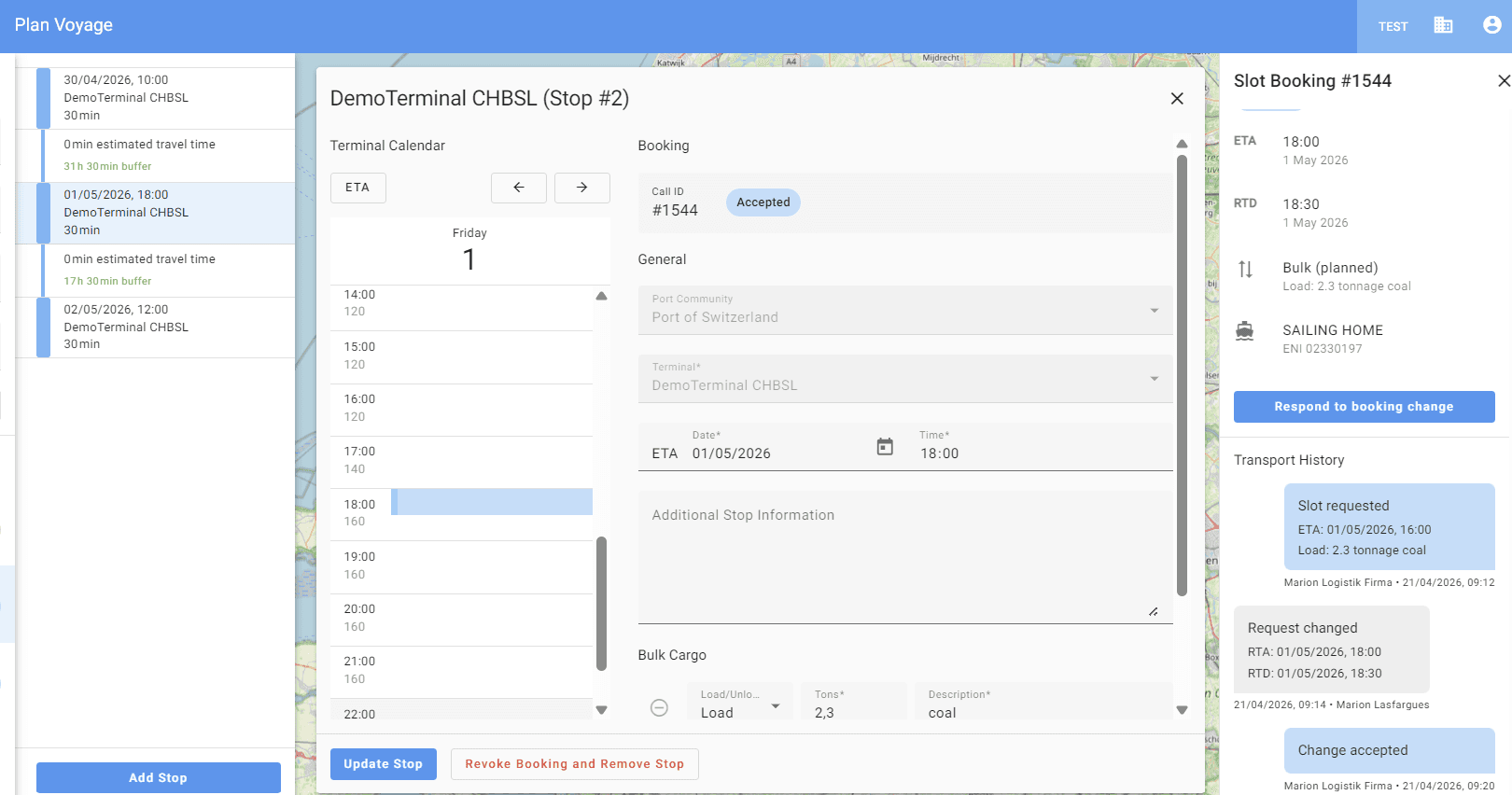
New status for the changed booking – Accepted.
15
The new voyage can be found in the ships' voyage list.