
How to Book a Zillow 3D Tour and Interactive Floor Plan
Learn how to book a Zillow 3D Home and Interactive Floor Plan service, including adding Zillow Showcase Delivery through the booking portal.
This guide explains how to book a standalone Zillow 3D Home and Interactive Floor Plan service directly through the media portal. Completing this process allows you to get an accurate à la carte price based on your property's square footage and properly schedule the 3D tour delivery.
This workflow applies to real estate agents and property managers who need to order 3D media and interactive floor plans for a listing. Use this method when booking services à la carte or checking pricing estimates prior to scheduling a shoot.
To start booking your 3D tour, you first need to input the property details to generate accurate pricing.
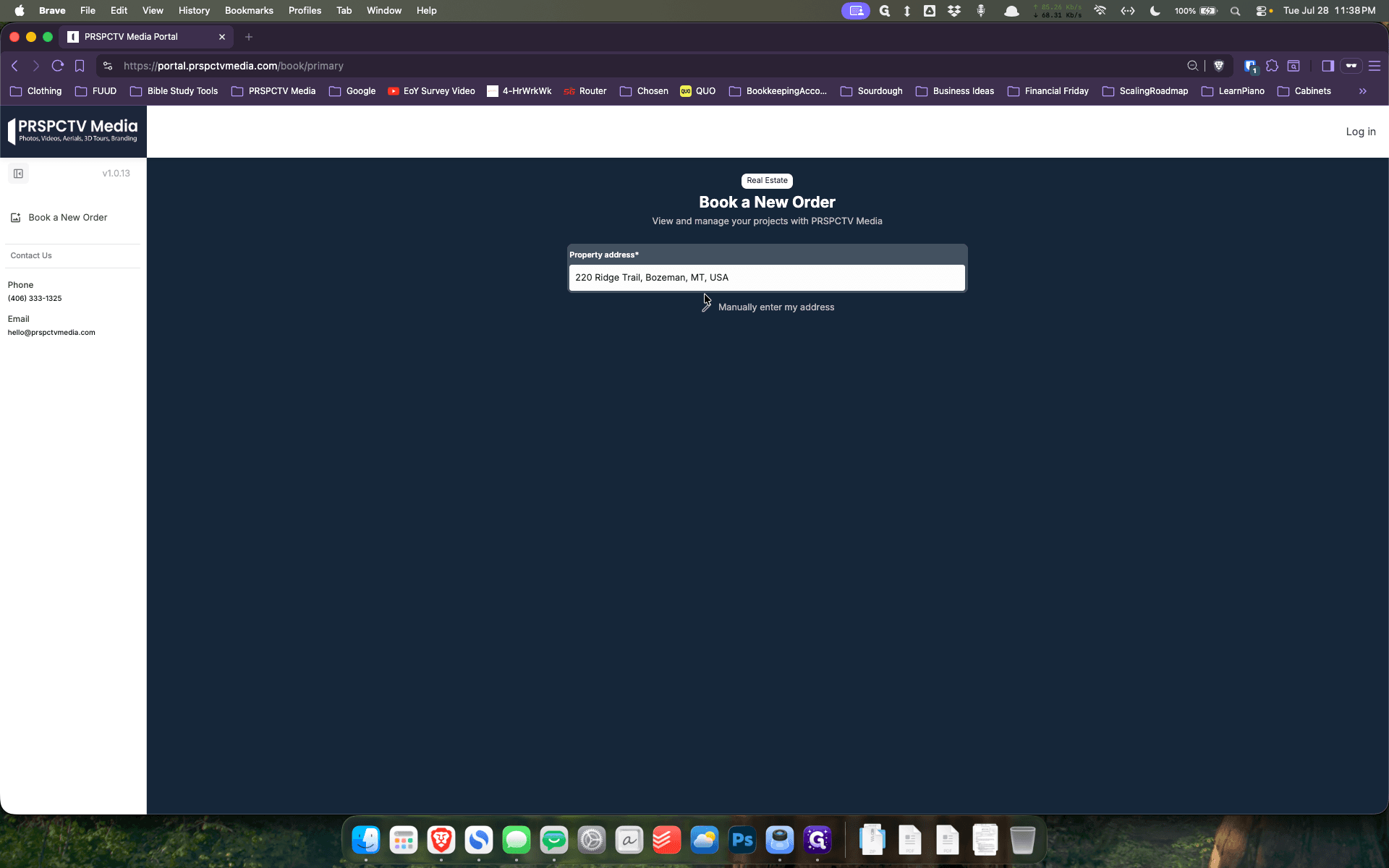
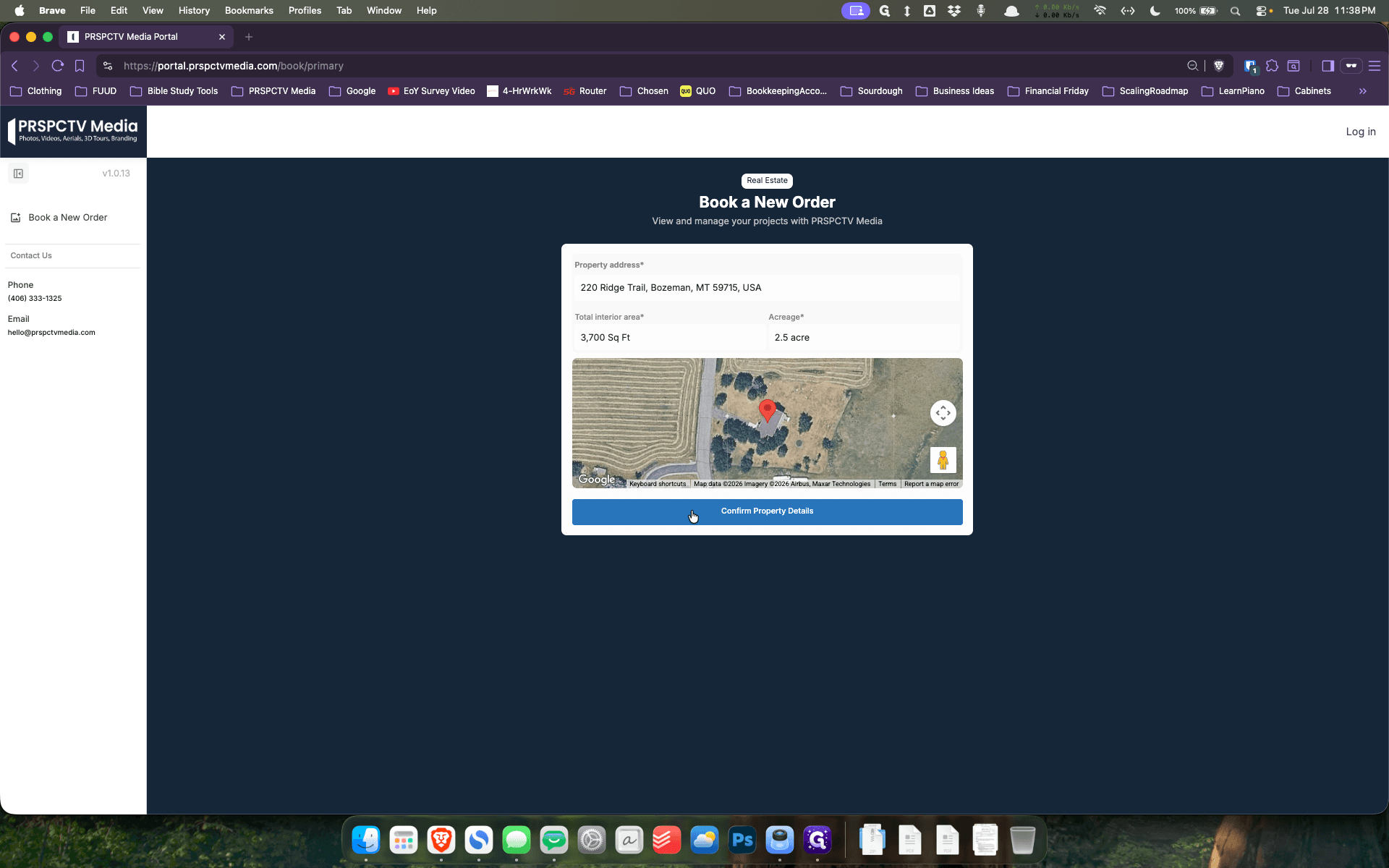
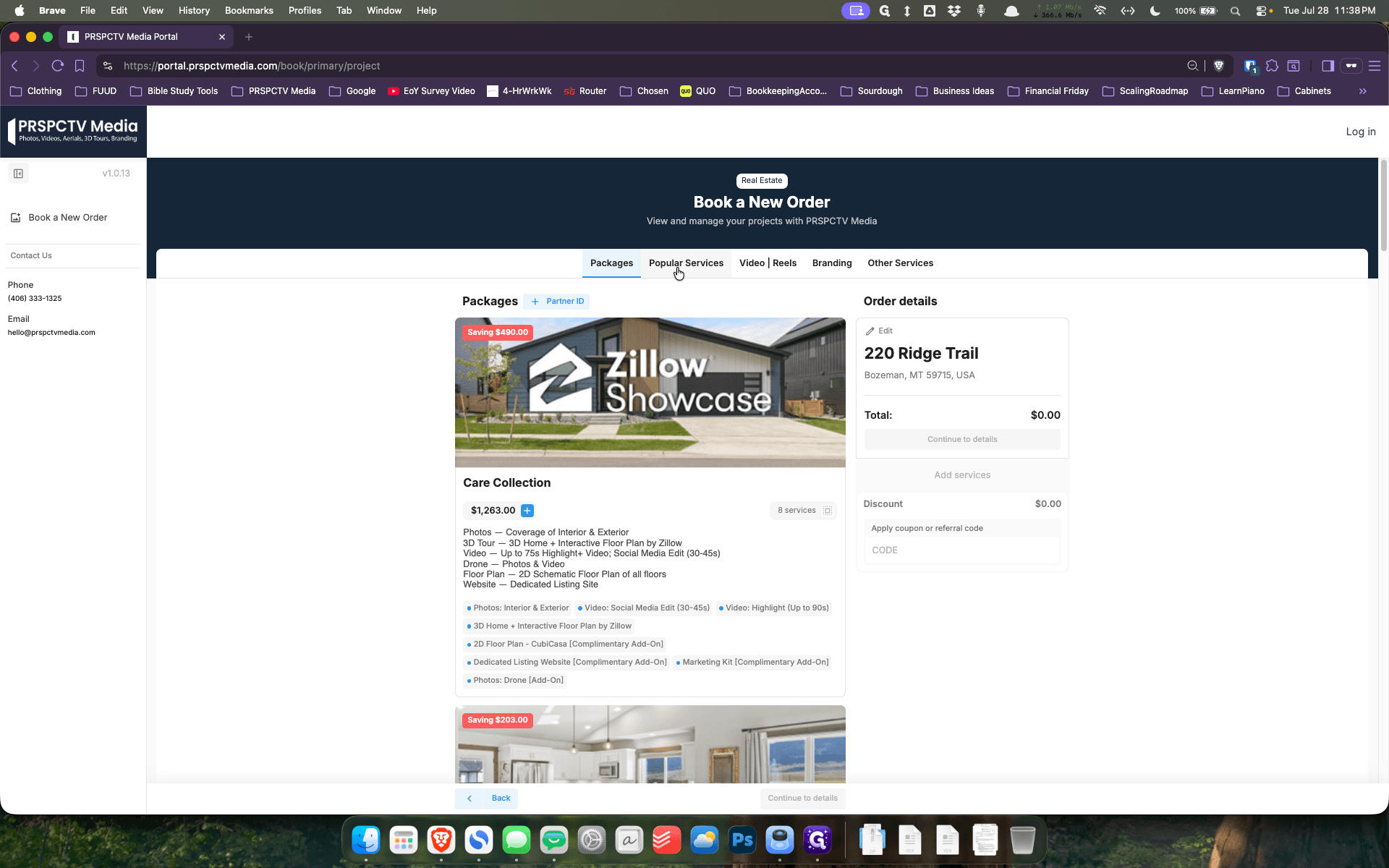
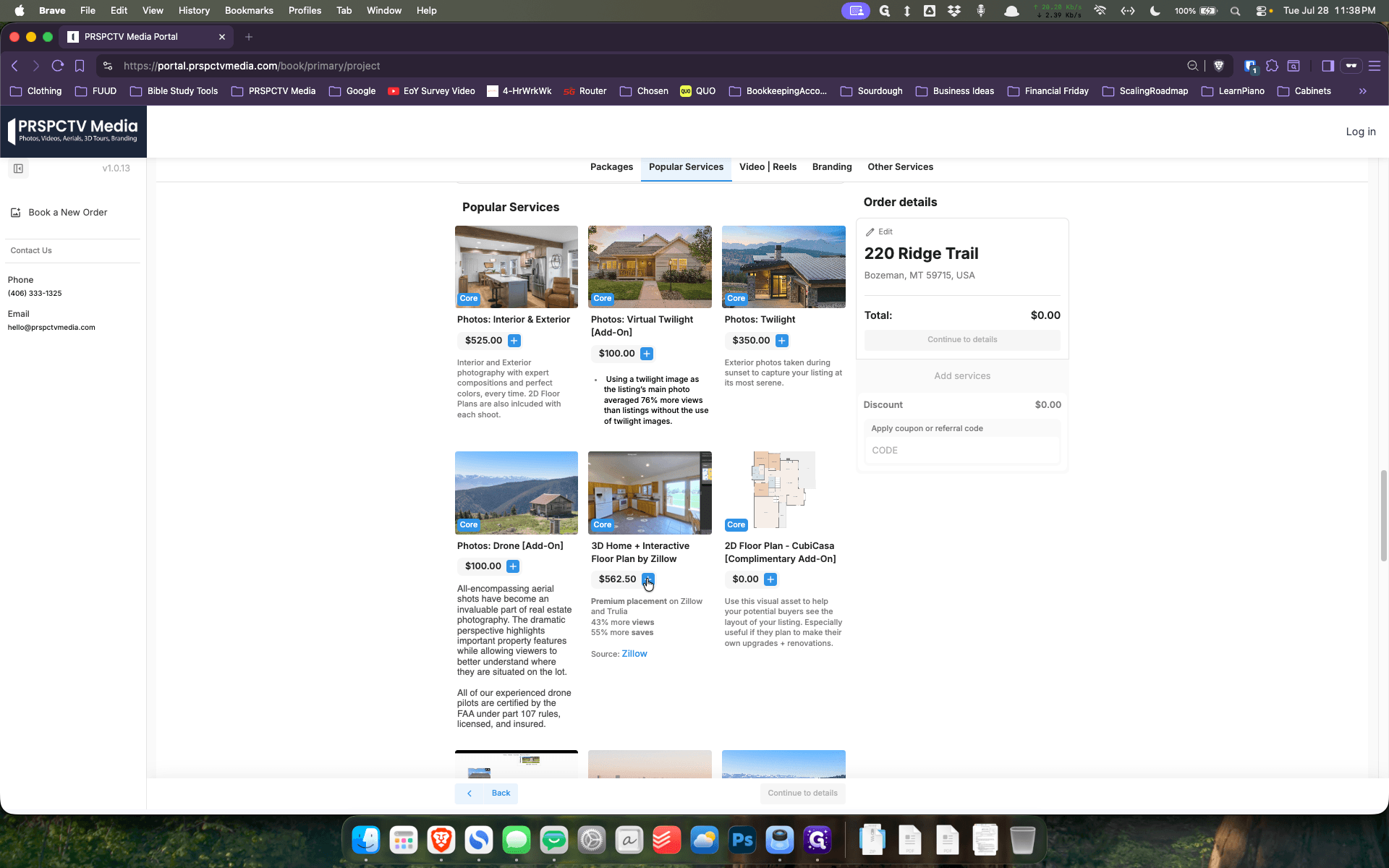
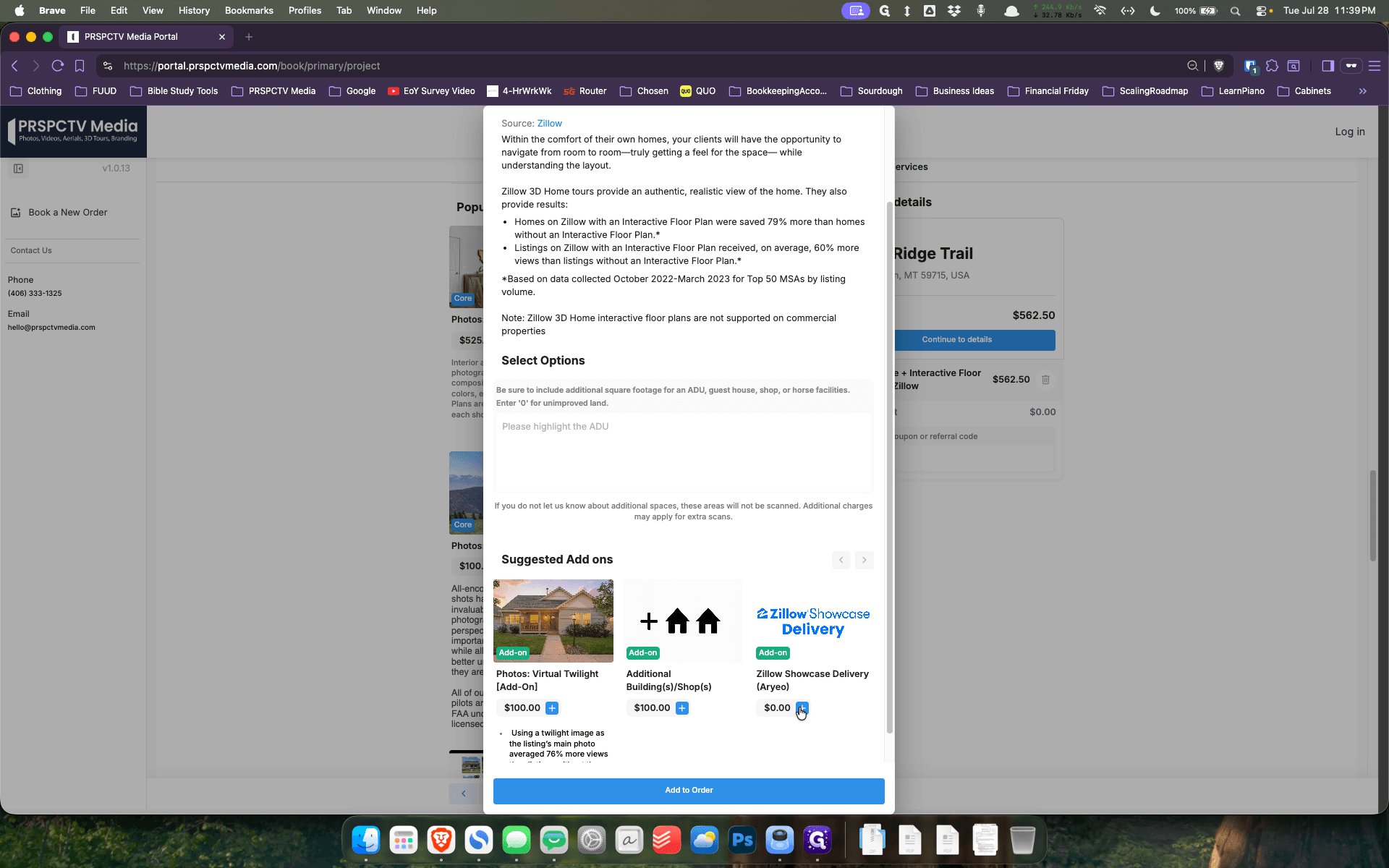
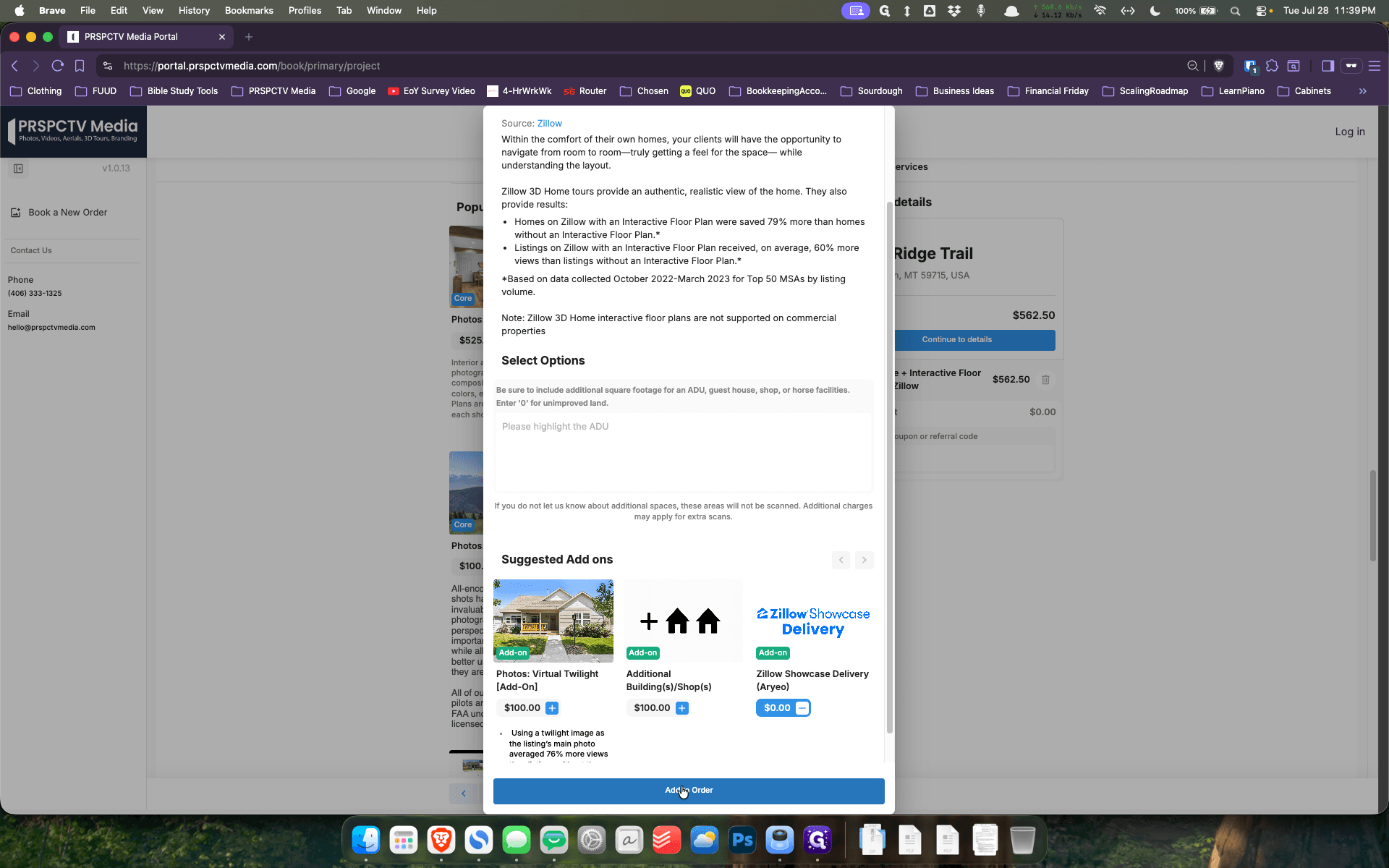
Selecting the Zillow 3D Service
Q: Does the acreage affect the price of a 3D tour?
A: No, acreage is not factored into the cost of 3D tours; the price is based strictly on the interior square footage.
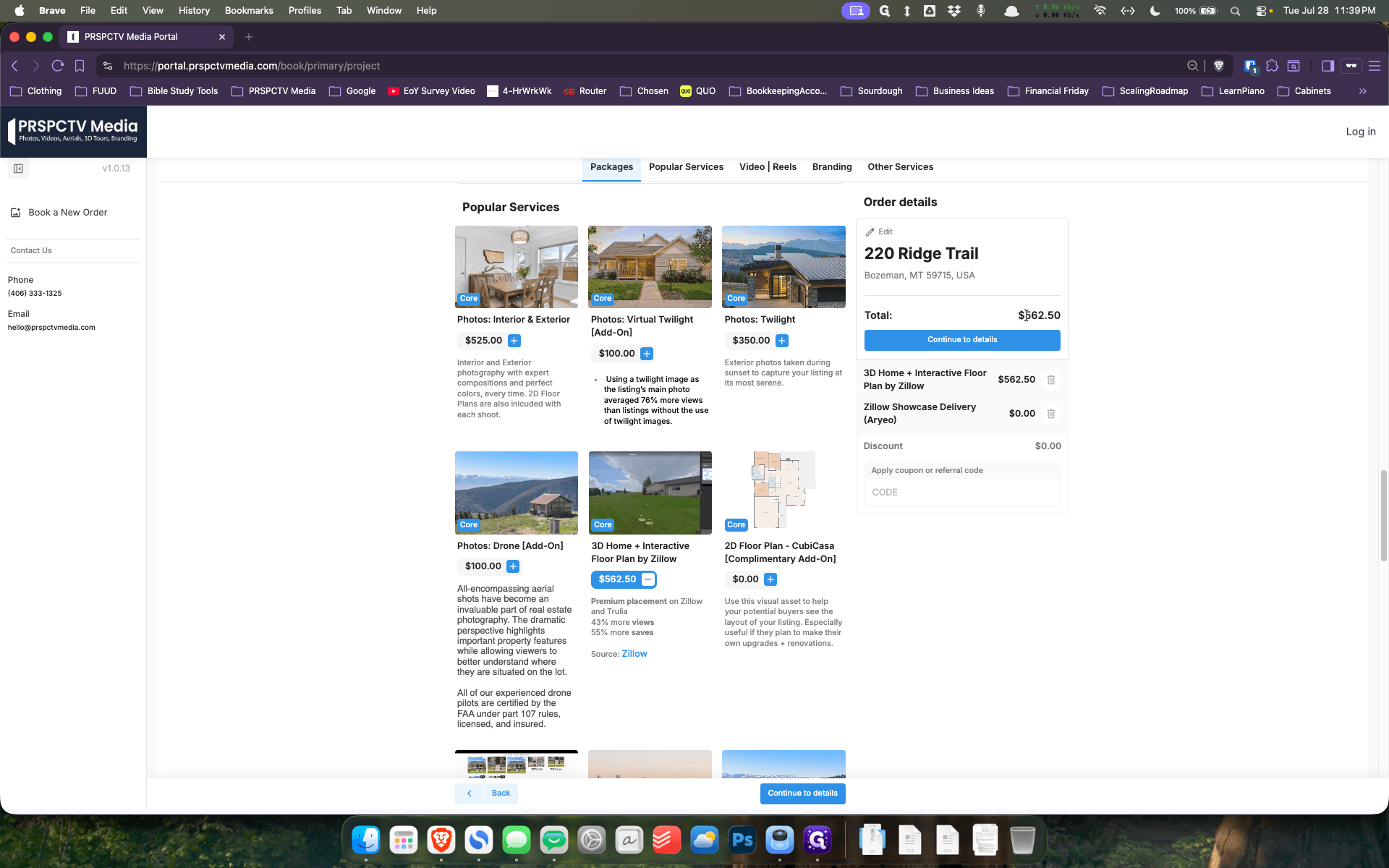
Q: Why do I need to add Zillow Showcase Delivery to the order?
A: Adding the Showcase Delivery add-on alerts the media team that it is a Zillow Showcase listing, meaning the files must be routed and delivered to you through a special dedicated portal.
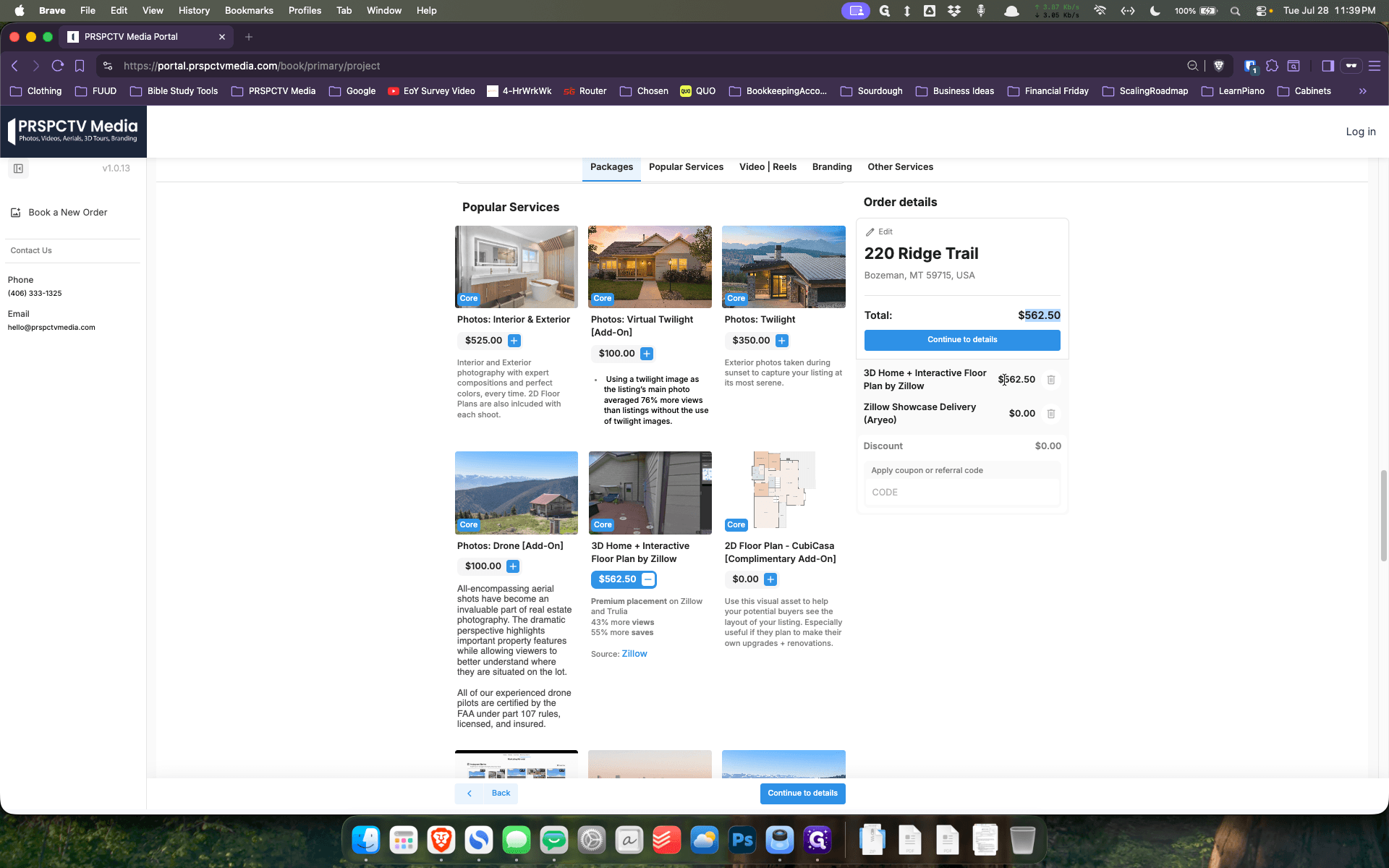
Q: Is the price shown in the portal the final cost if I already booked a photography package?
A: Not necessarily. The portal shows the à la carte pricing. If you have already booked a package and the photographer is already scheduled to be on-site, the rate will actually be slightly cheaper.
Term | Definition |
|---|---|
Zillow 3D Home | An interactive, virtual 3D tour of a property that allows potential buyers to digitally walk through a space. |
Zillow Showcase Delivery | A specialized delivery method and portal designed exclusively for handling premium Zillow Showcase media assets. |
À la carte pricing | Standard pricing for an individual service purchased on its own, rather than as part of a discounted bundle. |