Icon

How to Capture Live Meetings with the Voxintel Assistant

Learn how to add the Voxintel assistant to your live Google Meet or Zoom calls for real-time transcription and AI-driven deal intelligence analysis.

By Devanshu Bhatt

This guide demonstrates how to connect the Voxintel assistant to a live meeting to capture real-time transcripts and AI-driven deal intelligence. Completing this process ensures your calls are logged, transcribed, and actively analyzed against key sales methodologies.

This guide applies to sales representatives, account executives, and revenue teams using Voxintel to track deal intelligence during client calls. It is used right before joining a sales meeting to dispatch the AI assistant to capture and analyze the conversation.

Connect the Assistant to a Meeting
1
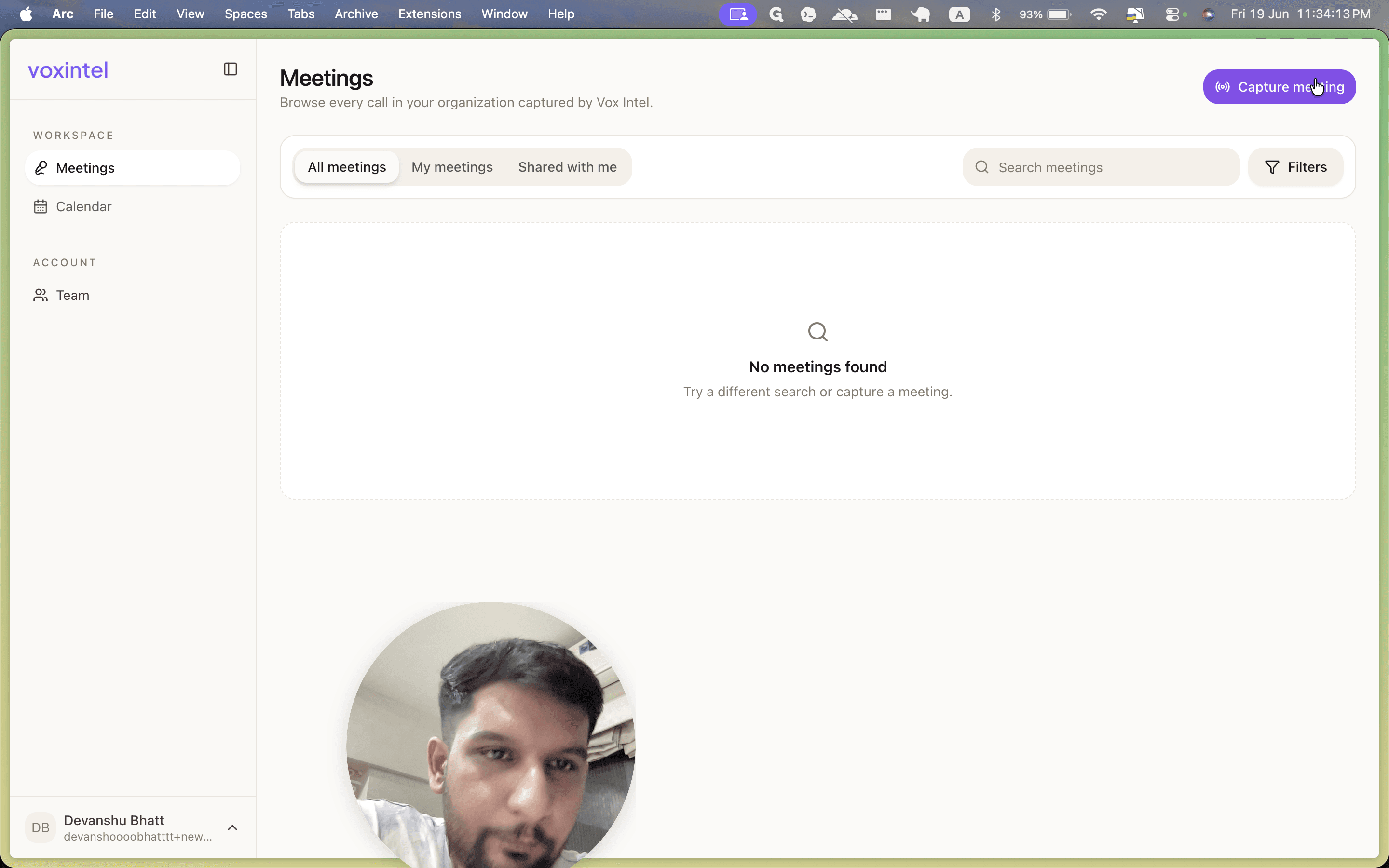
Click Capture meeting in the top-right corner.
Step #1: Click Capture meeting in the top-right corner.
2
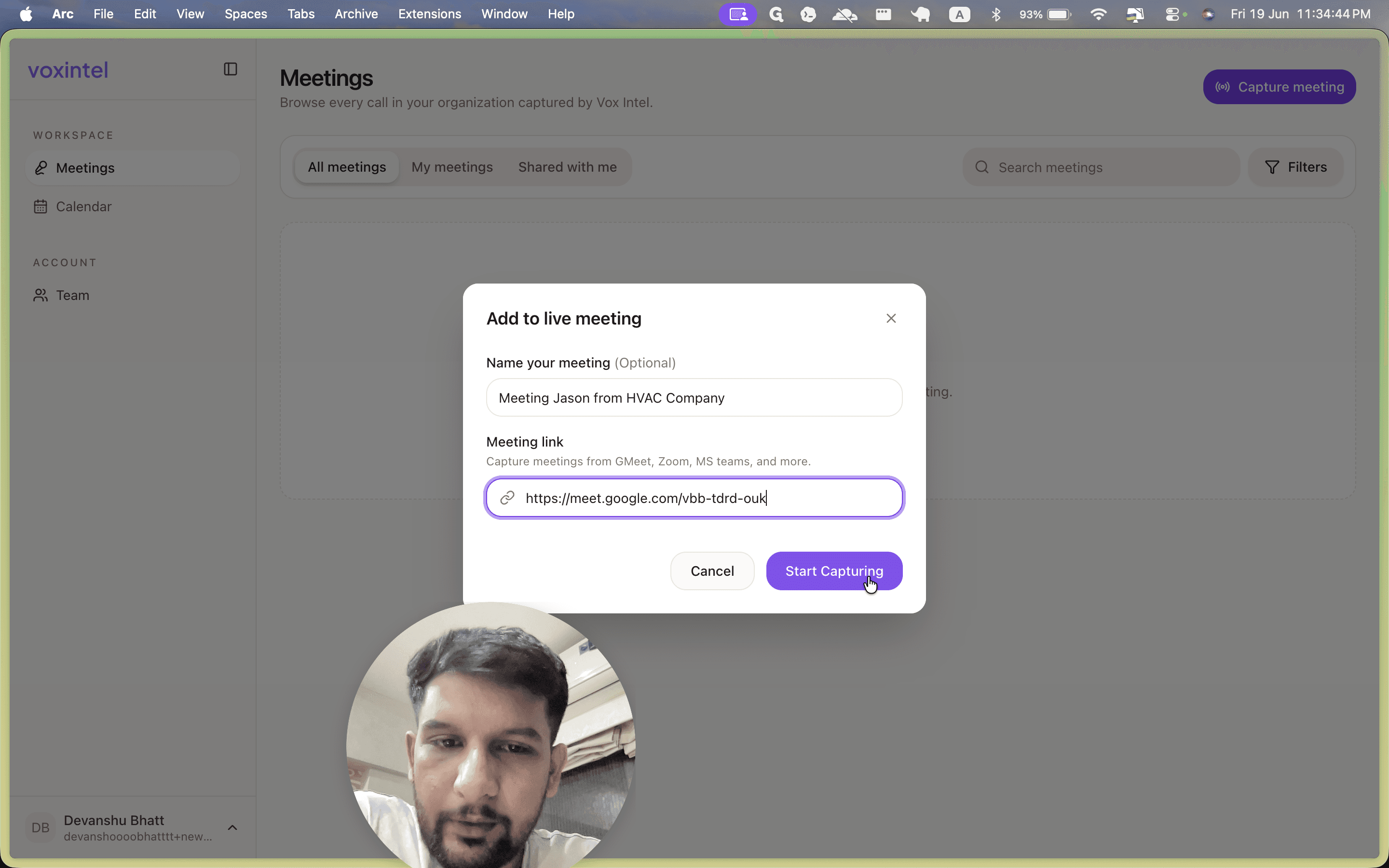
Type a name for your meeting in the designated field, such as "Meeting Jason from HVAC Company".
3
Paste the meeting URL (such as a Google Meet or Zoom link) into the Meeting link field.
4
Click Start Capturing to dispatch the recording assistant.
Step #4: Click Start Capturing to dispatch the recording assistant.
5
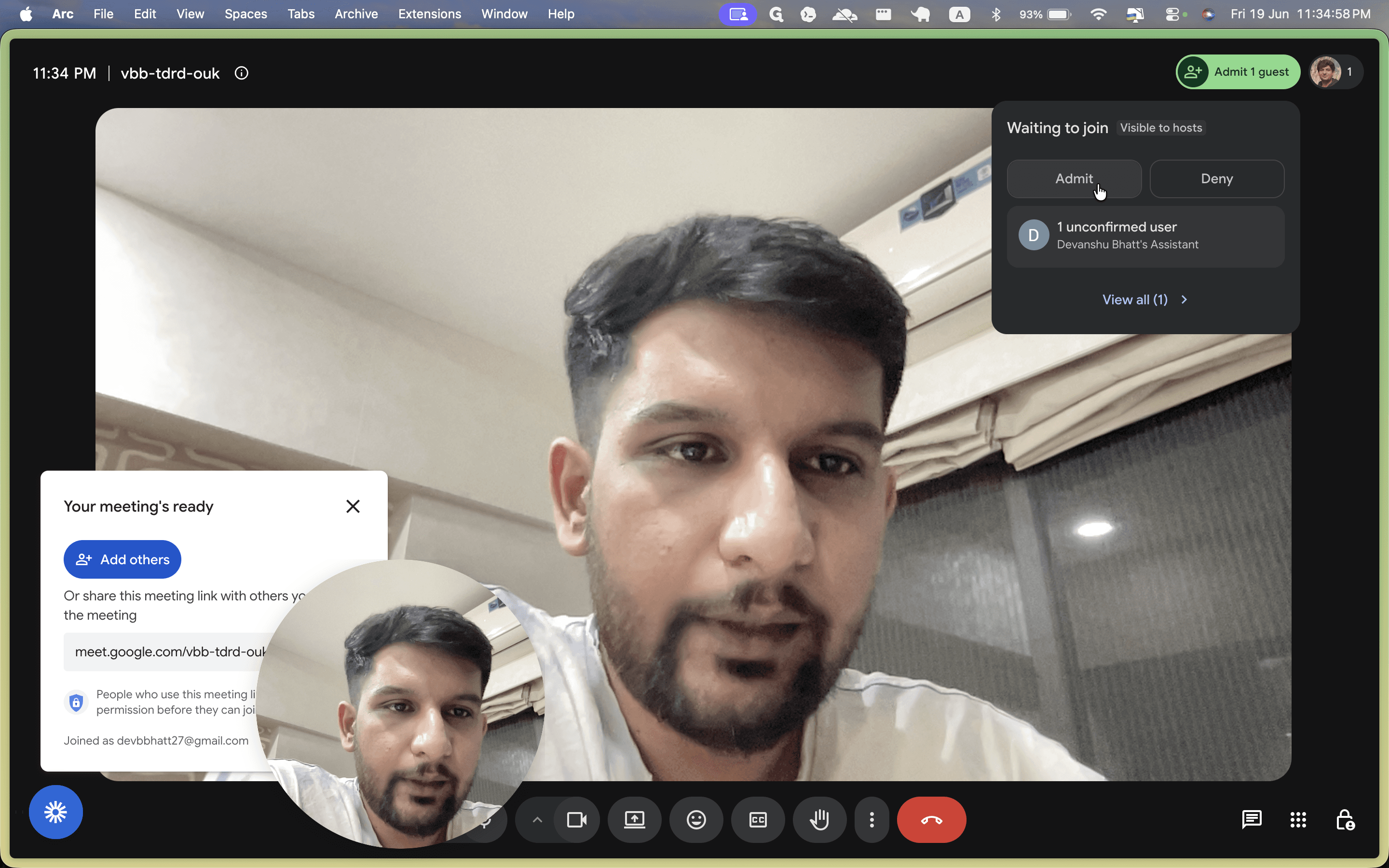
Switch to your video conferencing tab and click Admit to allow the assistant into the meeting.
Step #5: Switch to your video conferencing tab and click Admit to allow the assistant into the meeting.

Monitor Real-Time Deal Intelligence

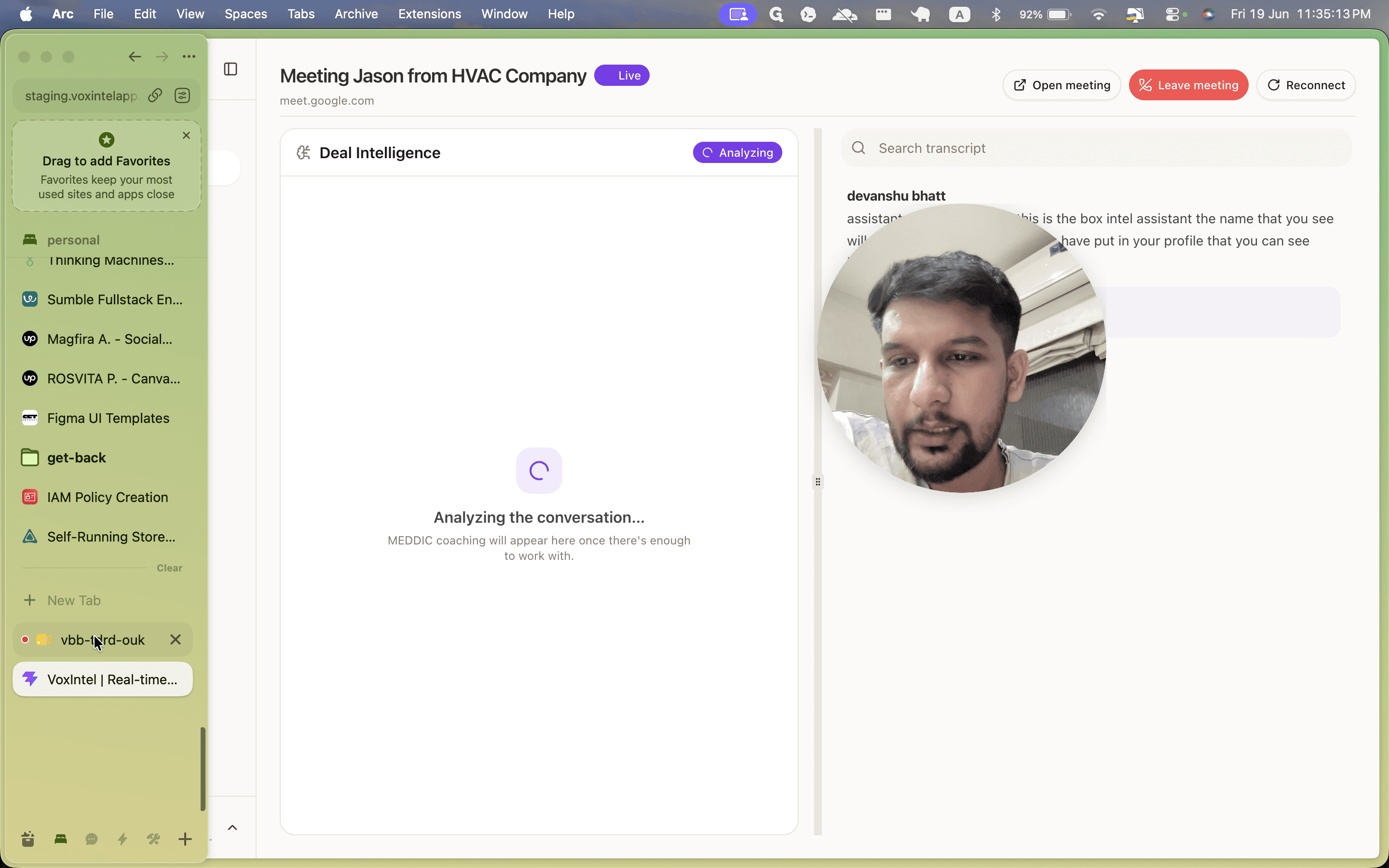
Once the assistant joins, Voxintel begins transcribing and analyzing the conversation immediately.
6
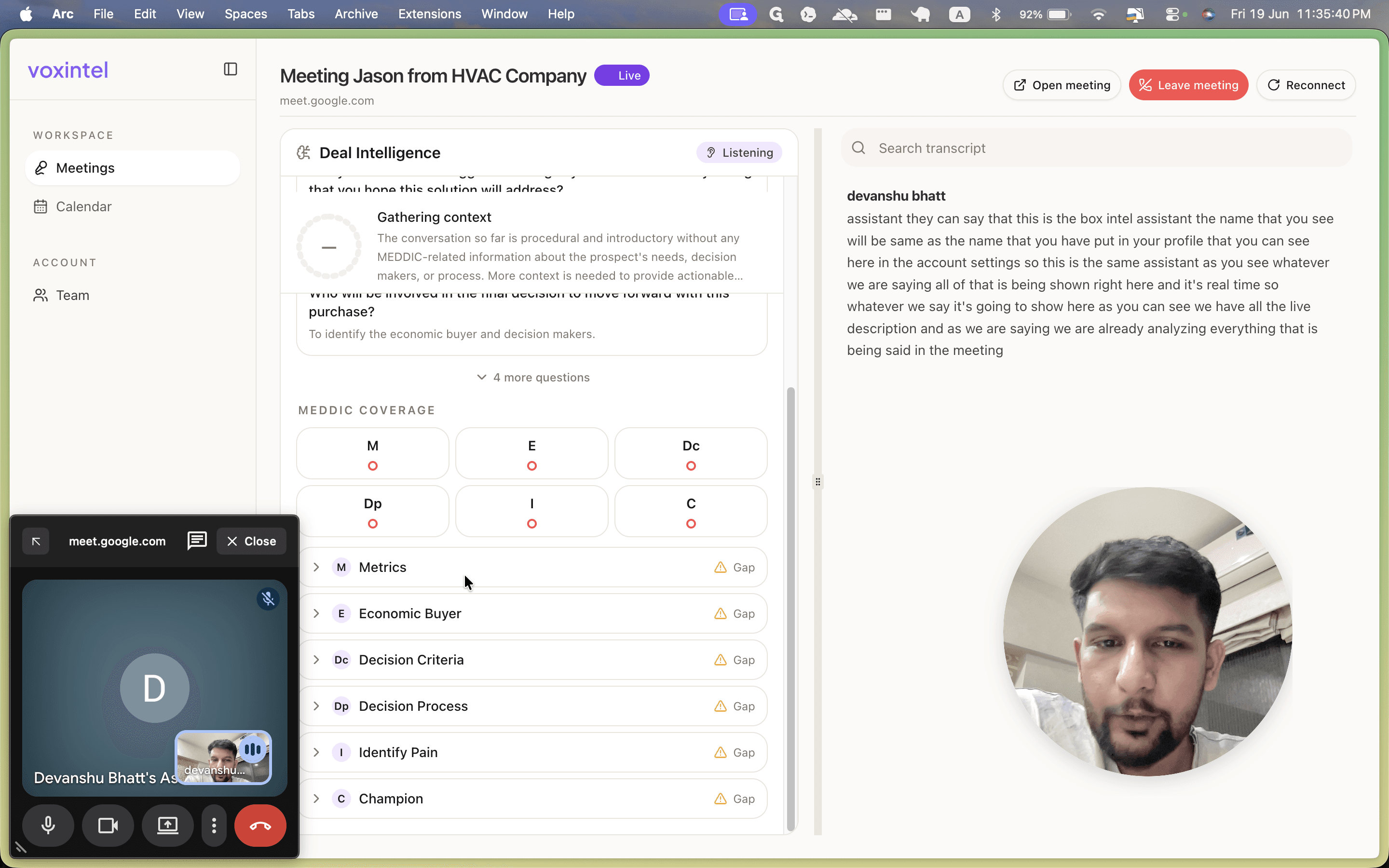
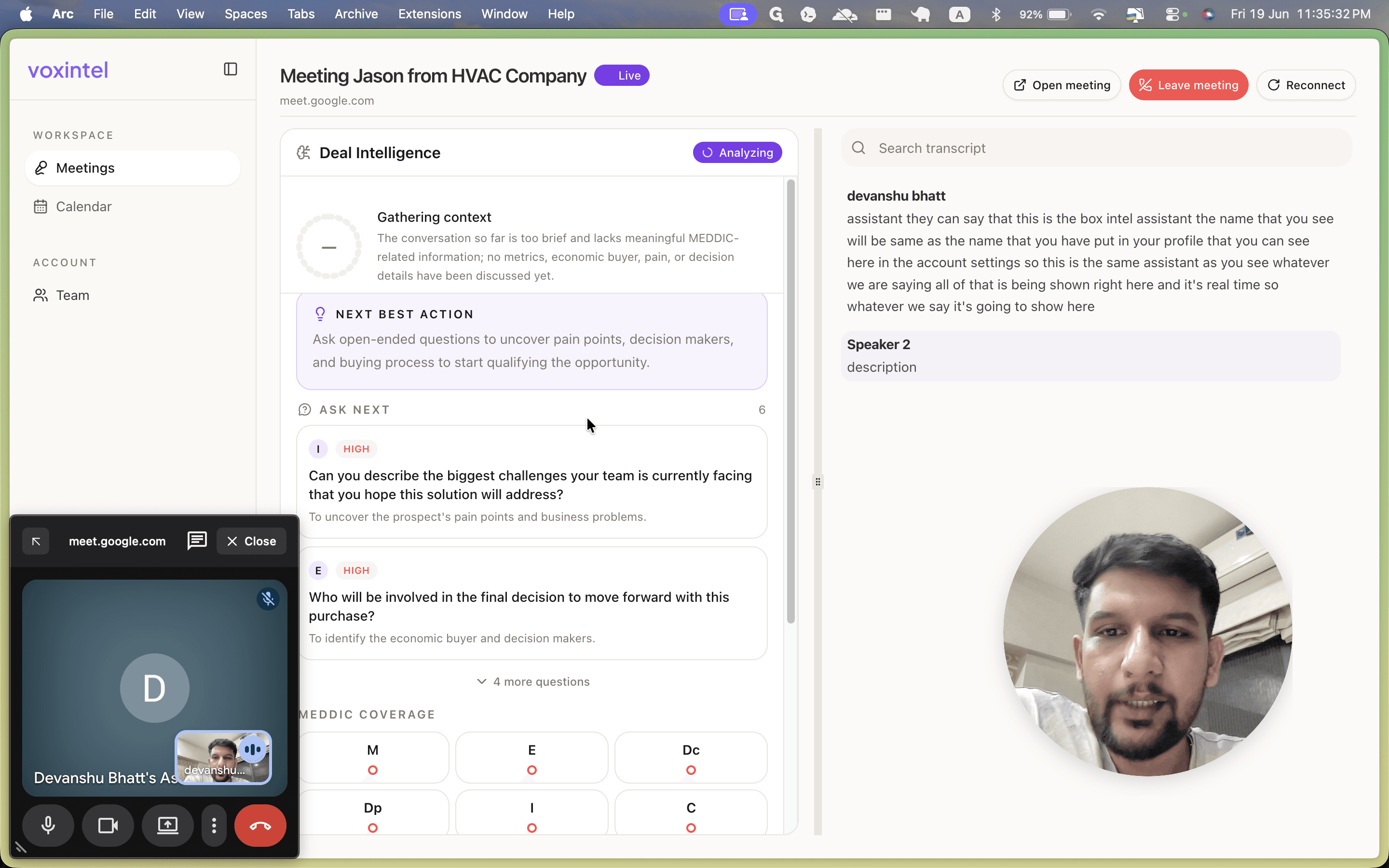
Return to the Voxintel dashboard to view the real-time transcript feed on the right side of the screen.
Step #6: Return to the Voxintel dashboard to view the real-time transcript feed on the right side of the screen.
7
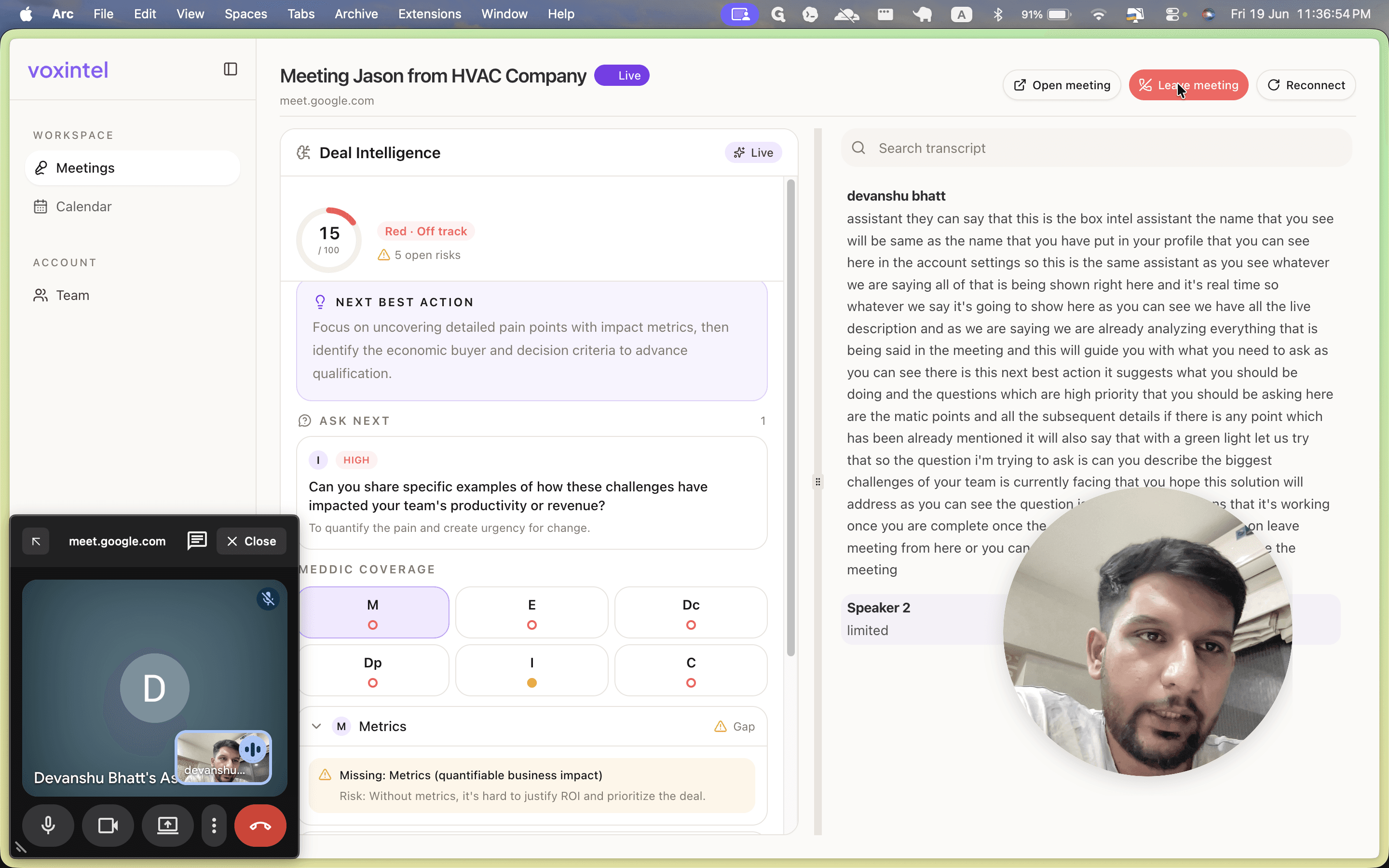
Review the Ask Next section to see high-priority, AI-suggested questions based on the flow of the conversation.
Step #7: Review the Ask Next section to see high-priority, AI-suggested questions based on the flow of the conversation.
8
Monitor the MEDDIC coverage area to track discussed qualification points. As you cover required topics, the platform automatically flags them with a green light.
Step #8: Monitor the MEDDIC coverage area to track discussed qualification points. As you cover required topics, the platform automatically flags them with a green light.

Conclude and Review the Report

9
When the call is finished, click Leave meeting in the top-right corner of the Voxintel dashboard.
Step #9: When the call is finished, click Leave meeting in the top-right corner of the Voxintel dashboard.
10
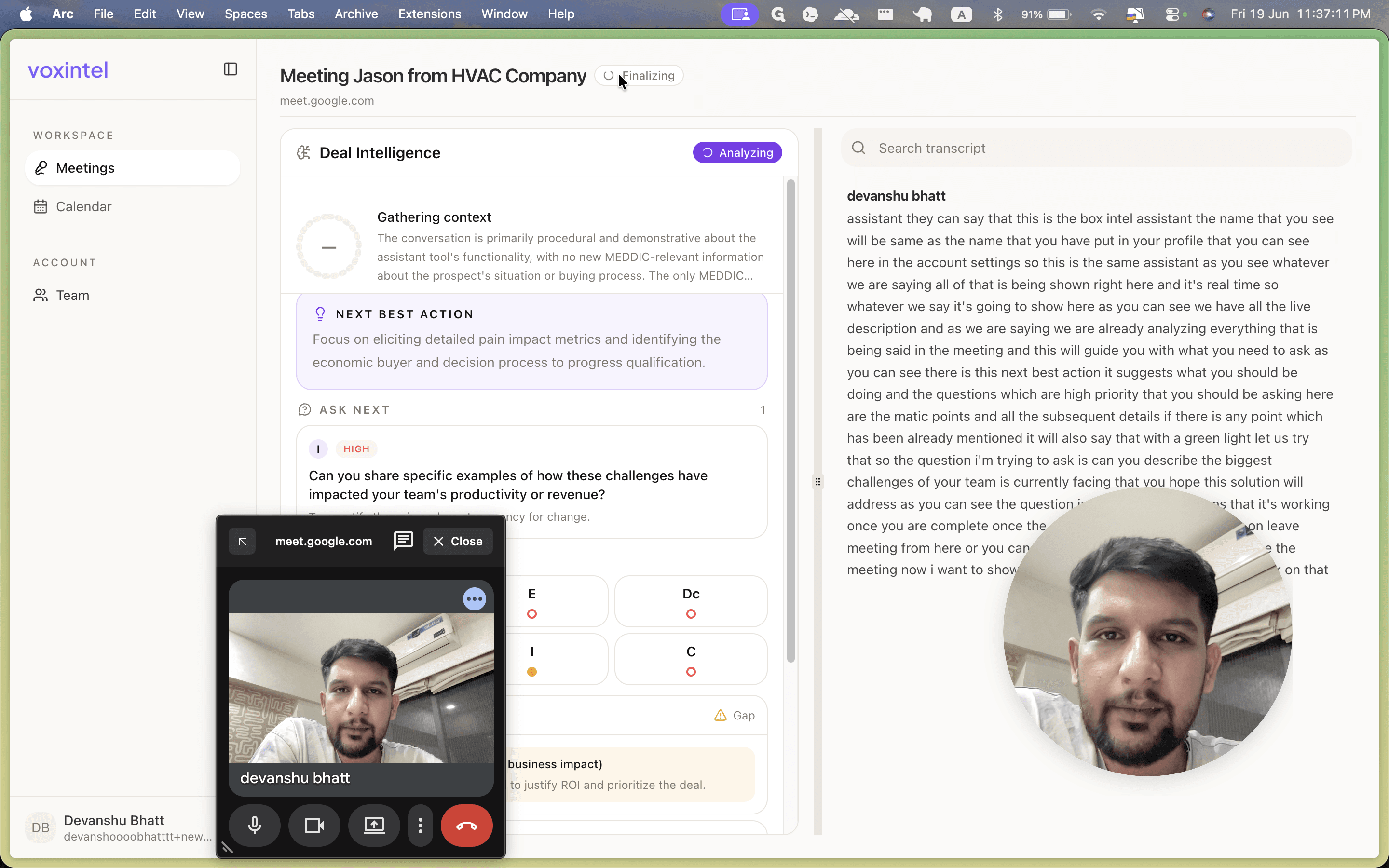
Wait briefly while the meeting status displays as Finalizing.
Step #10: Wait briefly while the meeting status displays as Finalizing.
11
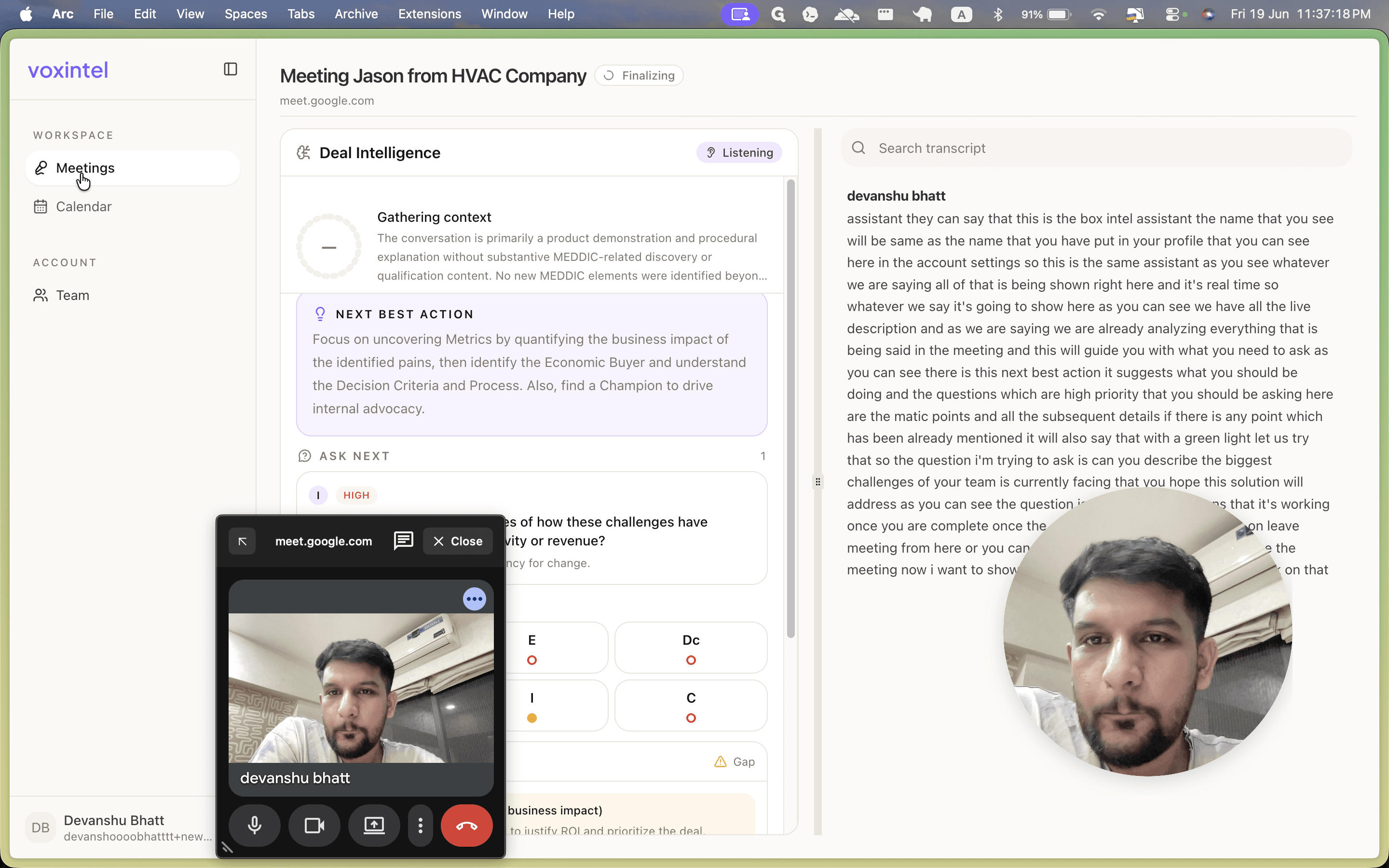
Click Meetings in the left sidebar to return to the main dashboard.
Step #11: Click Meetings in the left sidebar to return to the main dashboard.
12
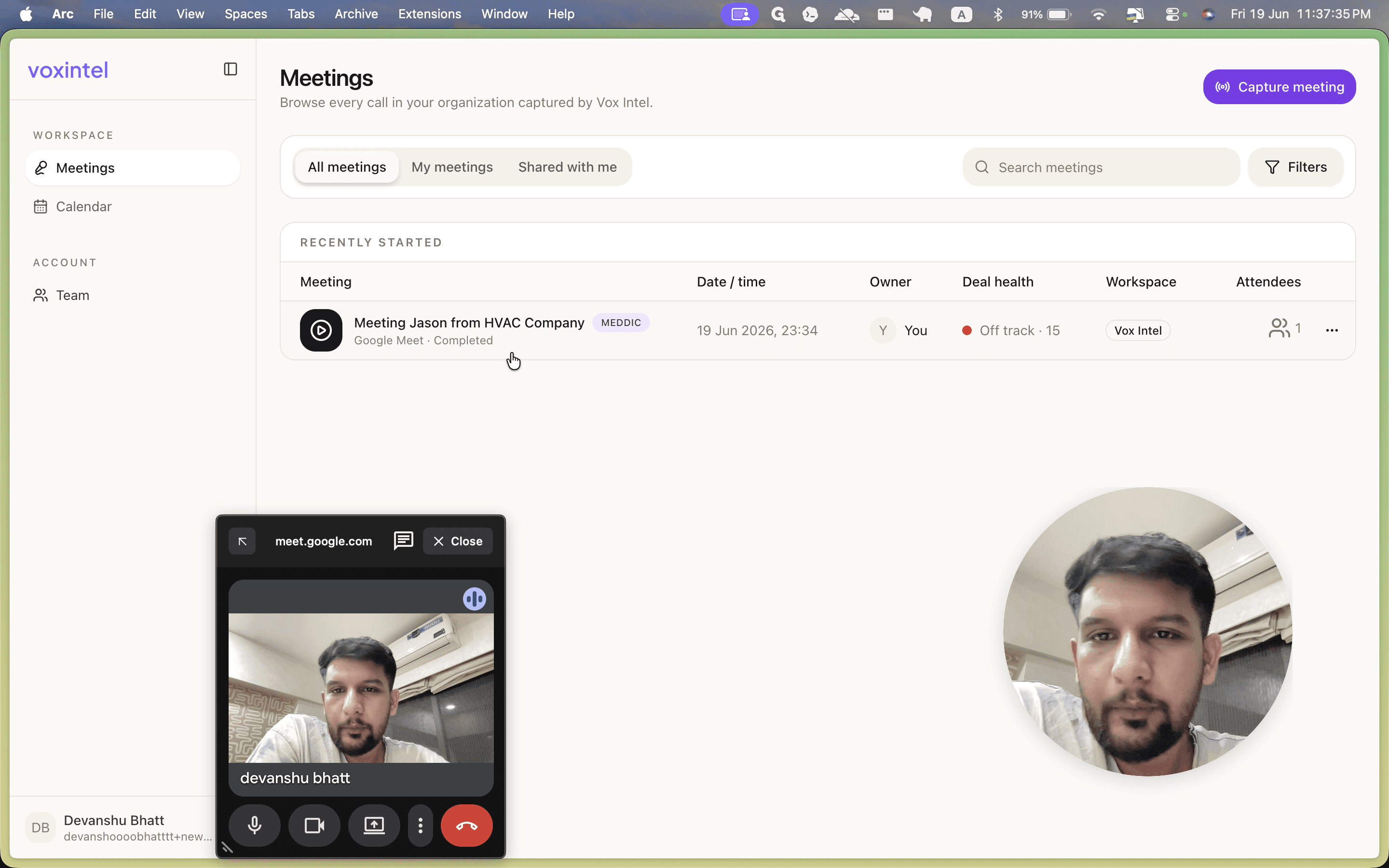
Click the completed meeting entry to review the final report, including deal health, MEDDIC scoring, and the full historical transcript.
Step #12: Click the completed meeting entry to review the final report, including deal health, MEDDIC scoring, and the full historical transcript.

Q: What name will the Voxintel assistant display when joining my meeting?

A: The assistant will join using the same name configured in your Voxintel account profile settings, appended with "Assistant" (e.g., "Devanshu Bhatt's Assistant").

Q: How do I know if the AI recognized a required question I asked?

A: Once you ask an AI-suggested question, the system analyzes your speech in real time. The question will automatically disappear from your "Ask Next" list, and the corresponding topic will receive a green light indicator.

Q: Which video conferencing platforms are supported?

A: You can paste meeting links from platforms like Google Meet or Zoom directly into the Capture Meeting interface.

Term

Definition

MEDDIC

A B2B sales qualification methodology tracking Metrics, Economic Buyer, Decision Criteria, Decision Process, Identify Pain, and Champion.

Deal Intelligence

Real-time insights and metrics analyzed by AI during a sales conversation to evaluate the health and progress of a deal.

Next Best Action

AI-generated suggestions provided during a meeting to guide the host on high-priority questions to ask.