Icon

How to Complete a Private Company KYB Verification

Learn how to complete a Know Your Business (KYB) verification application for a private company, including submitting stakeholder details and a Letter of Authority.

By Jing Hui

This guide walks you through completing a Know Your Business (KYB) verification application for a private company. By finishing this process, you will submit your company, applicant, and stakeholder details to undergo official compliance verification.

This process applies to account administrators, directors, or authorized representatives who are responsible for onboarding and registering their business on the platform.

Start the Application
1
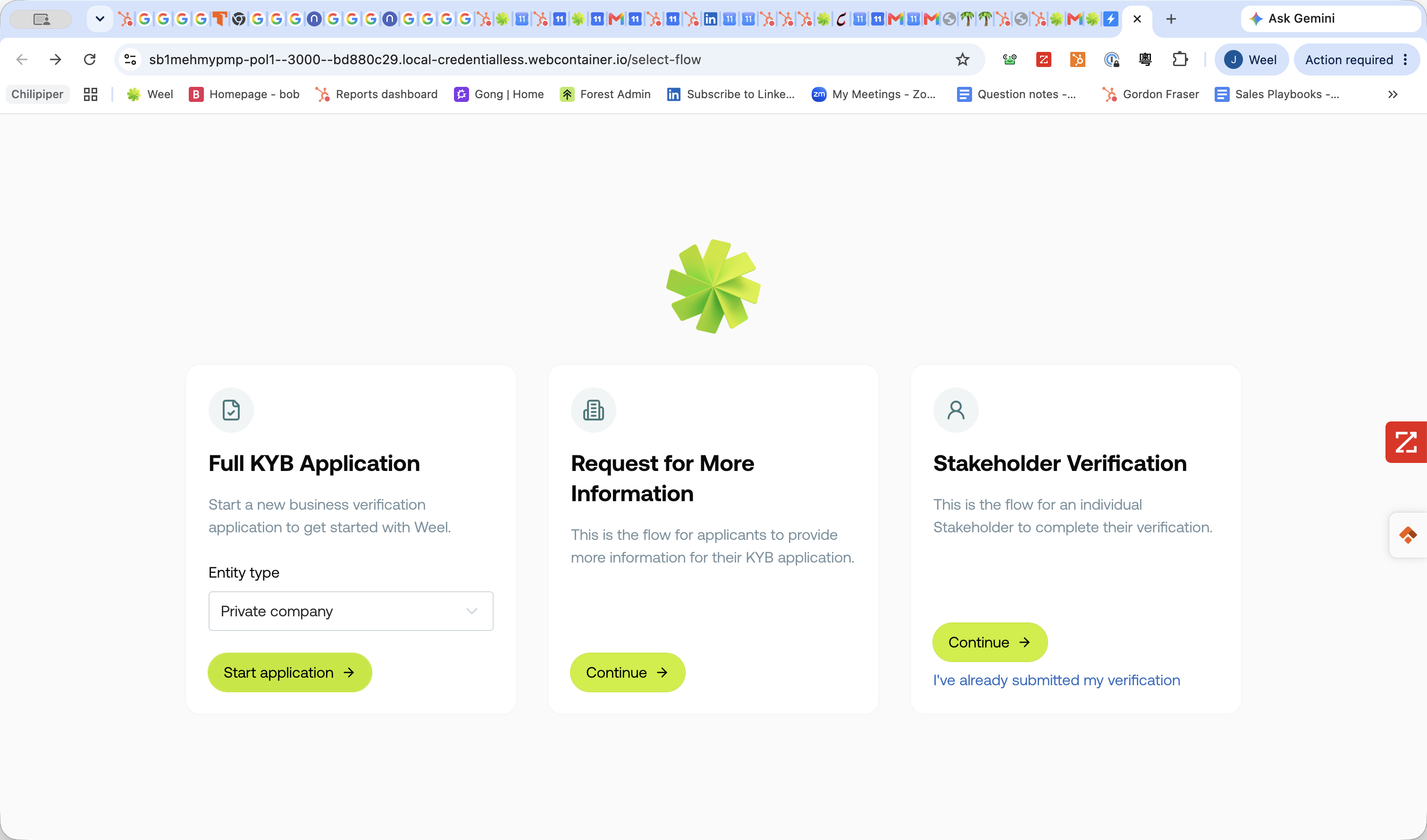
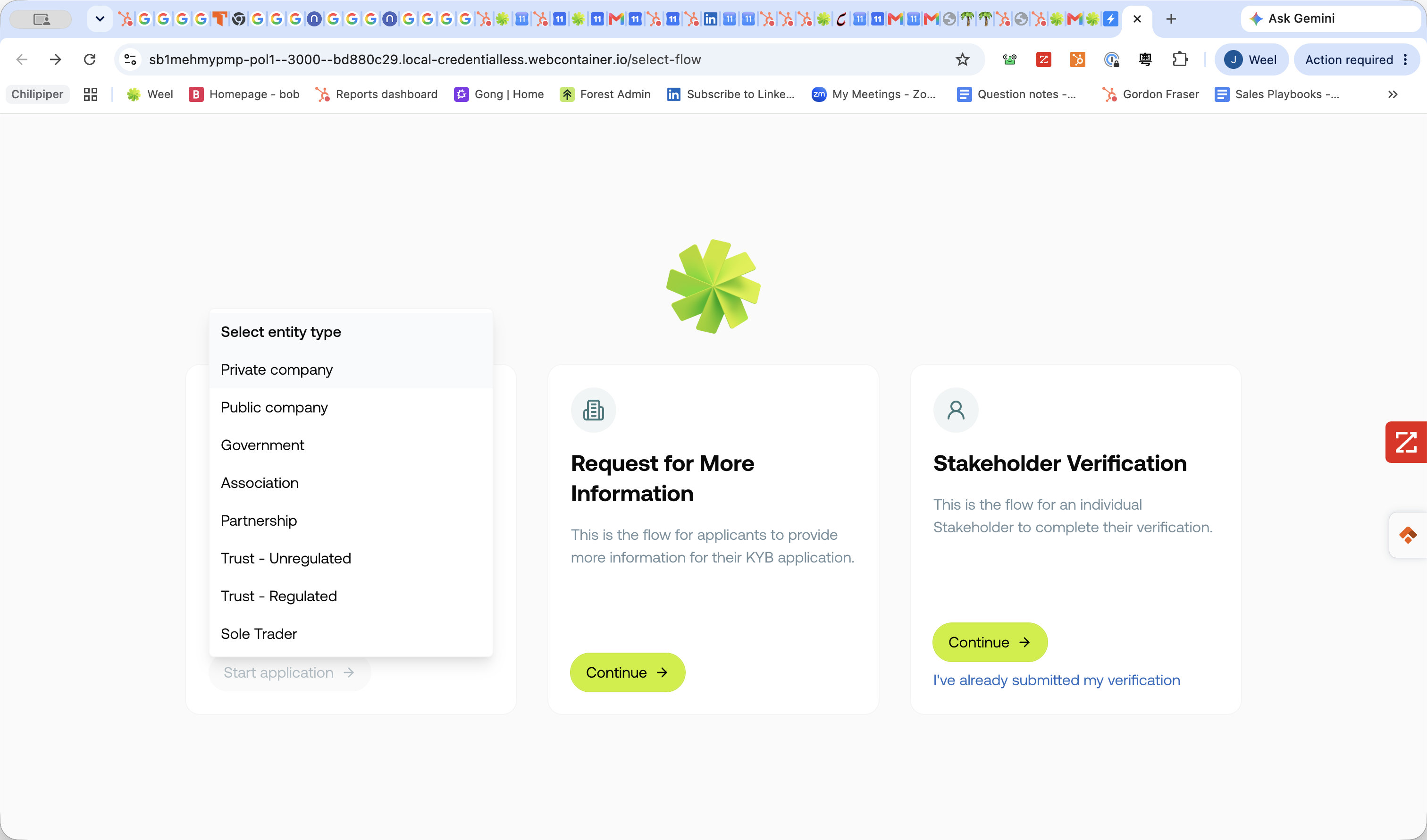
Select Private company from the entity type dropdown menu.
Step #1: Select Private company from the entity type dropdown menu.
2
Click Start application → on the Stakeholder Verification card.
Step #2: Click Start application → on the Stakeholder Verification card.
3
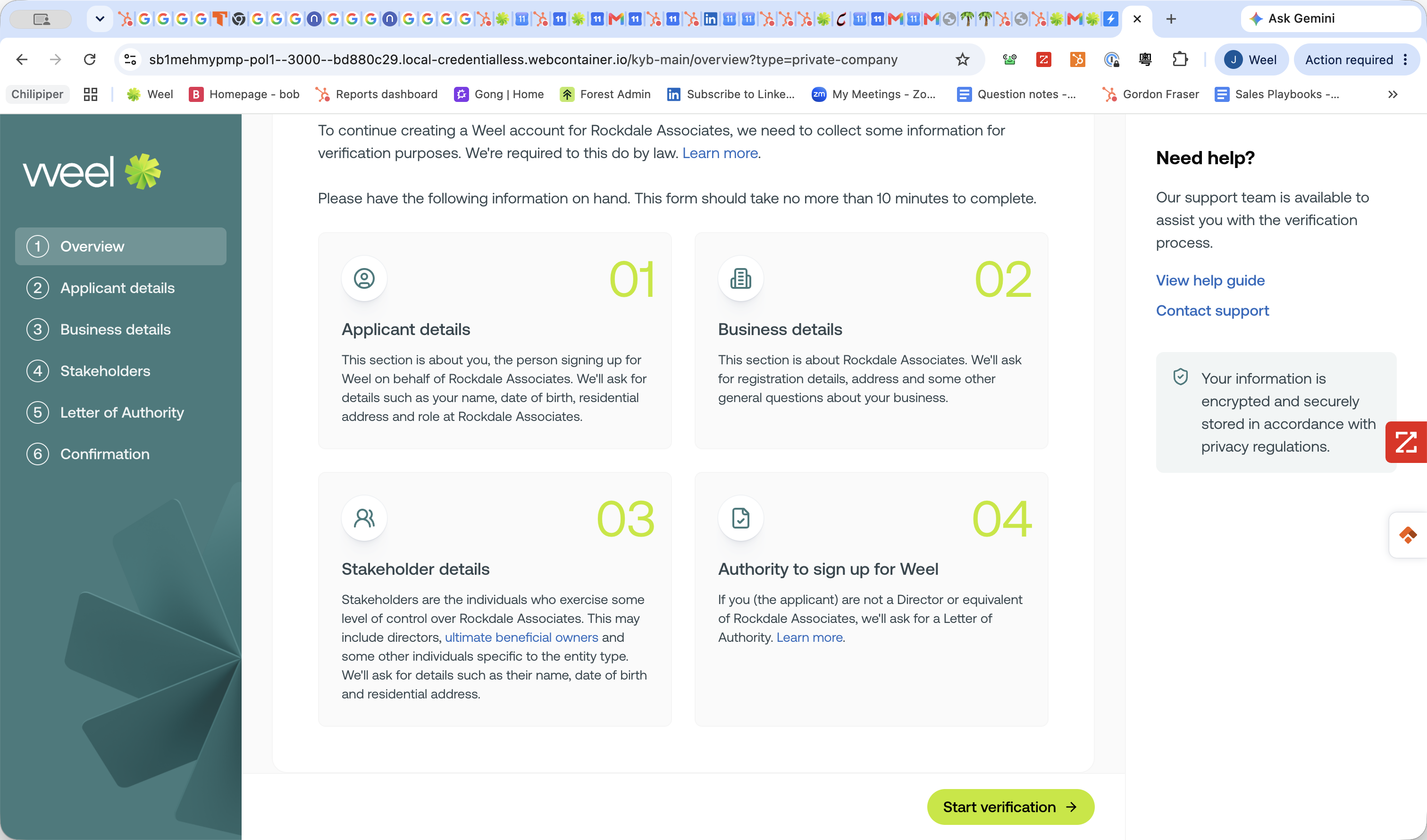
Click Start verification →.
Step #3: Click Start verification →.

Applicant Details

4
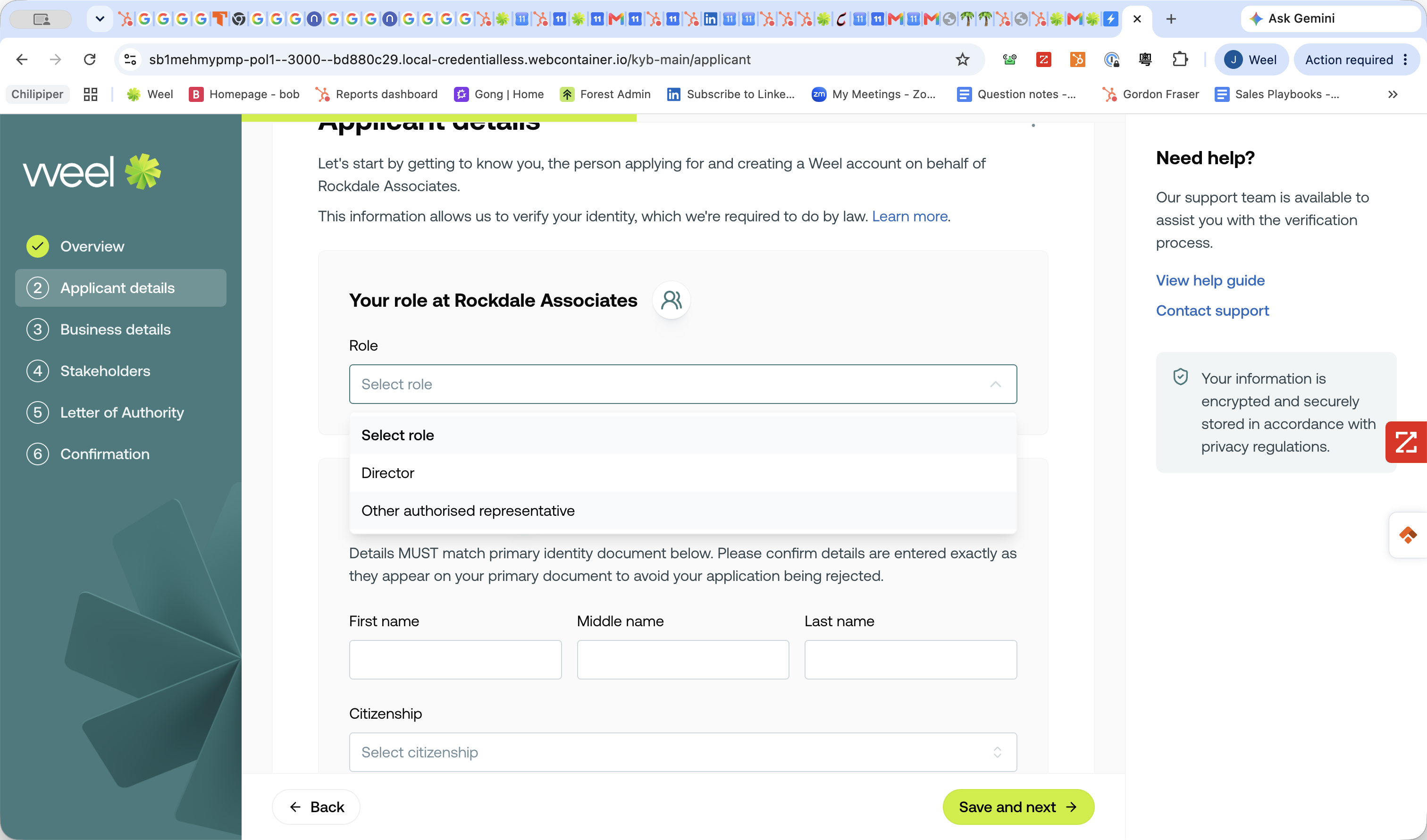
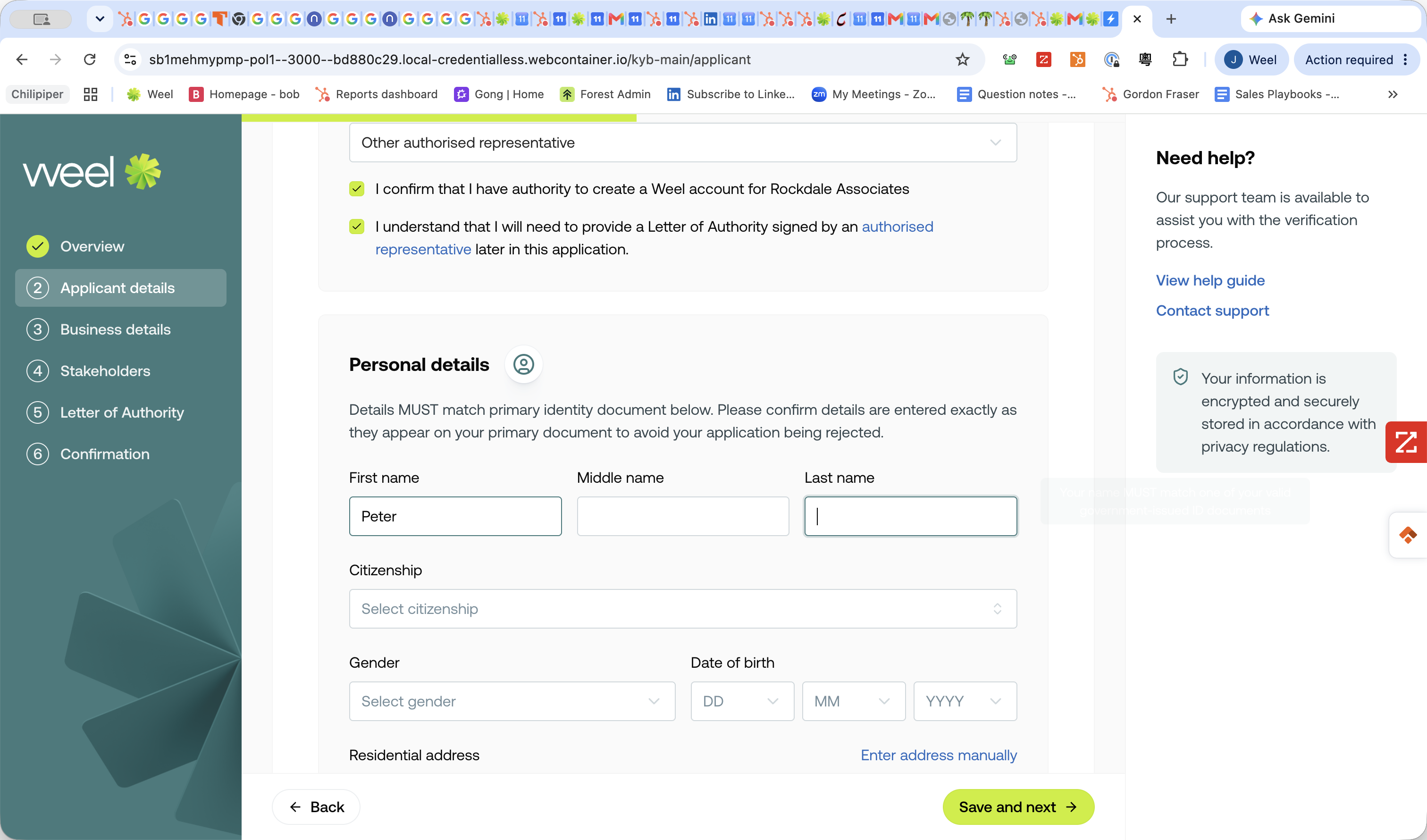
Select your role, such as Other authorised representative or Director.
Step #4: Select your role, such as Other authorised representative or Director.
5
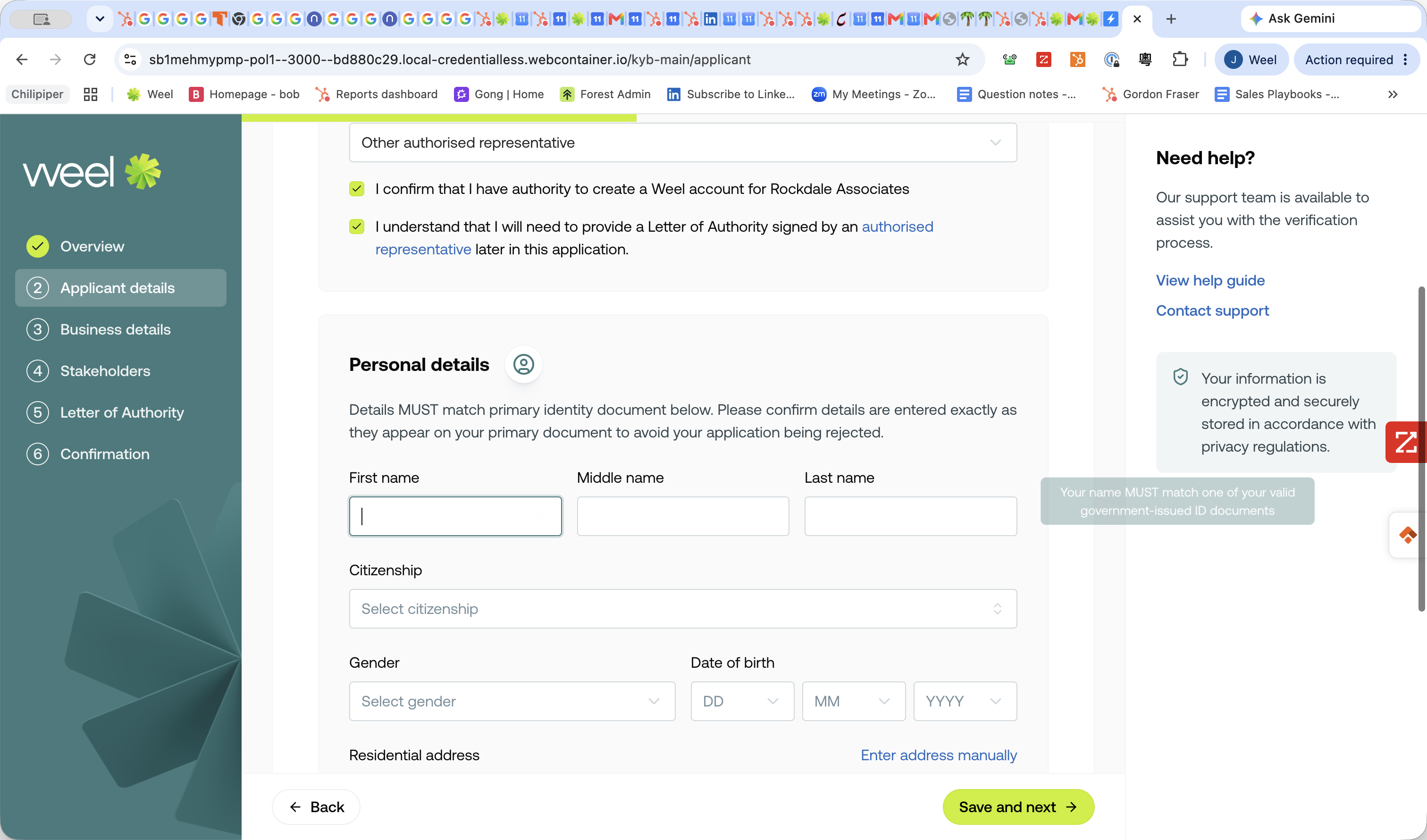
Enter your first name.
Step #5: Enter your first name.
6
Enter your last name.
Step #6: Enter your last name.
7
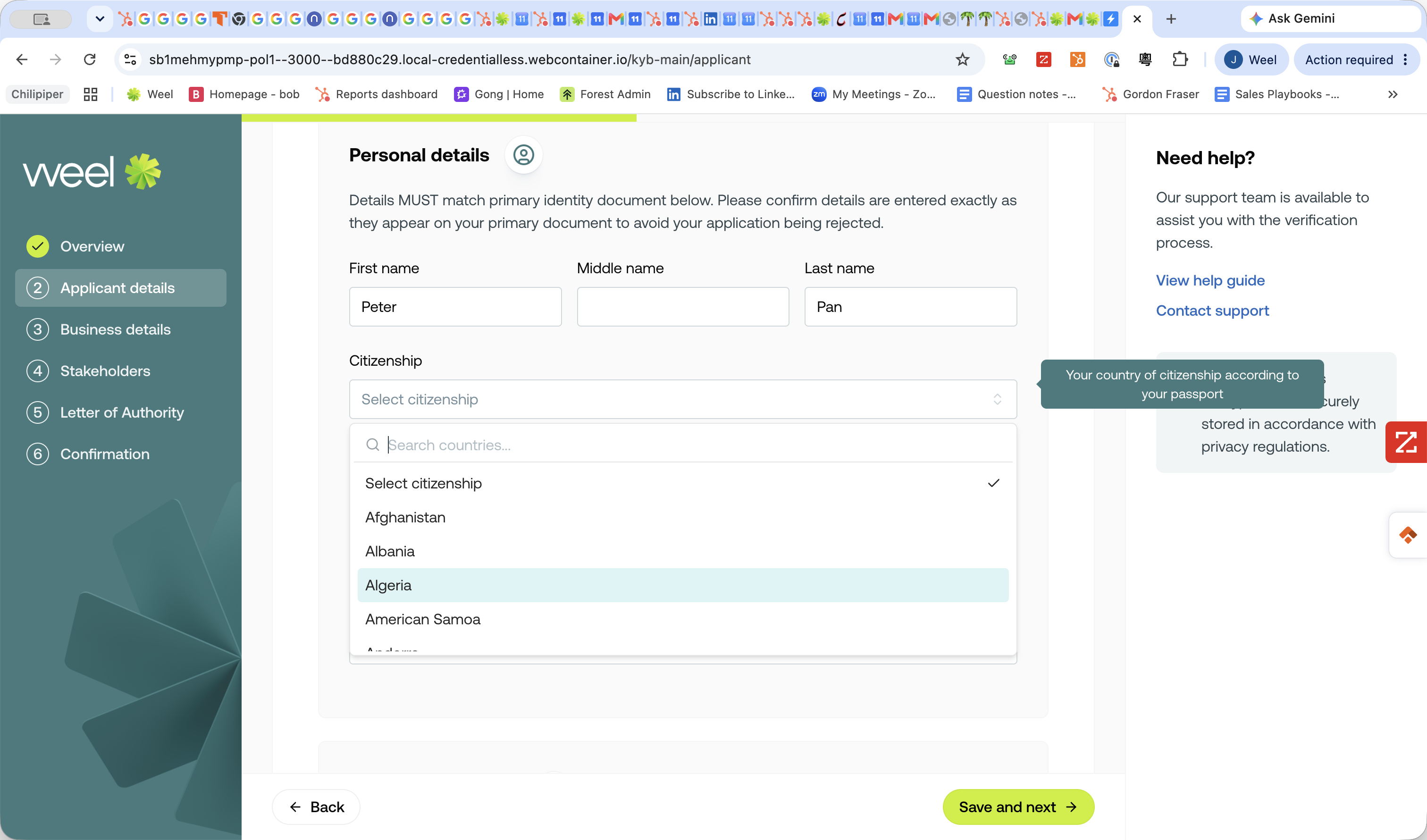
Select your country of citizenship from the dropdown list.
Step #7: Select your country of citizenship from the dropdown list.
8
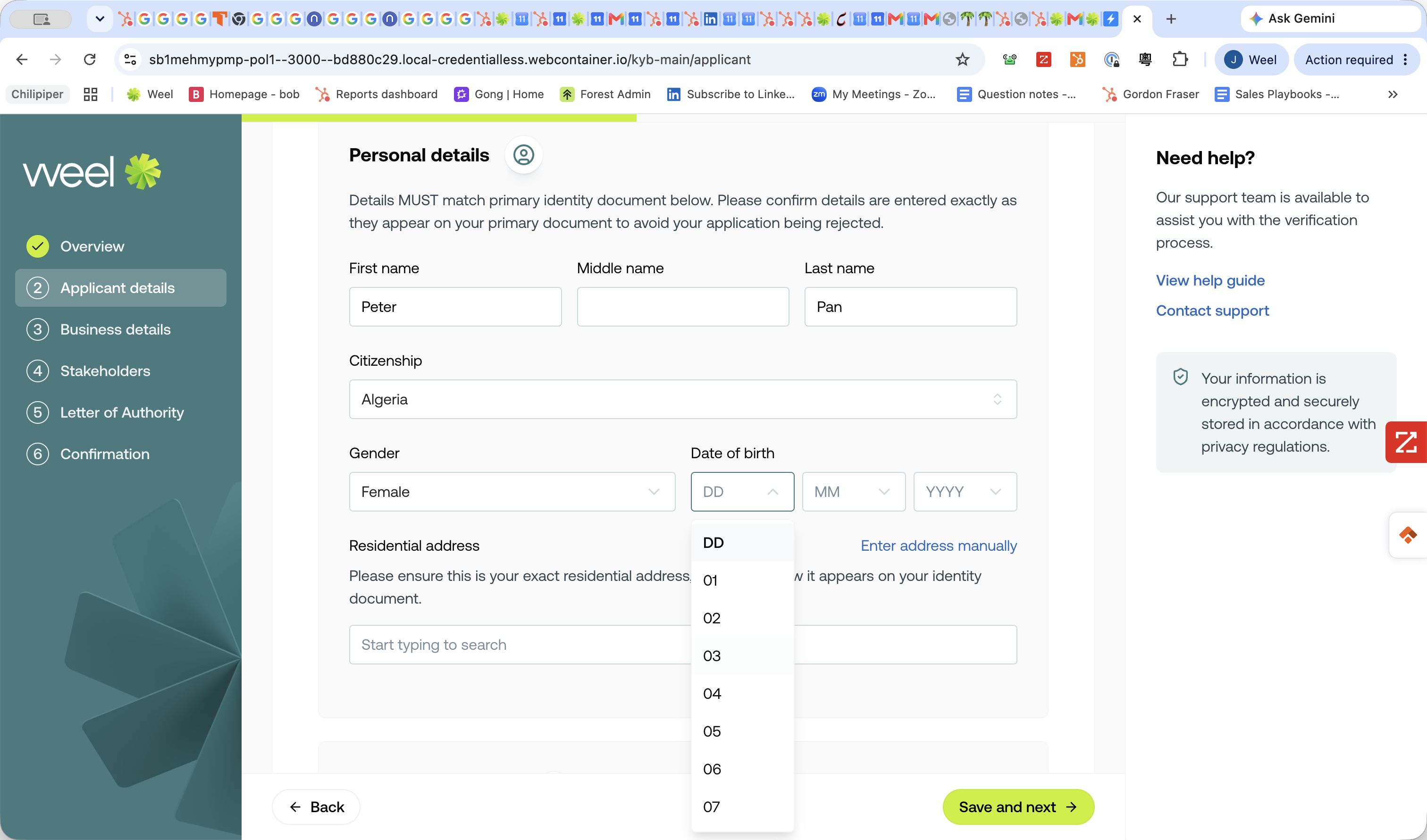
Select your date of birth.
Step #8: Select your date of birth.
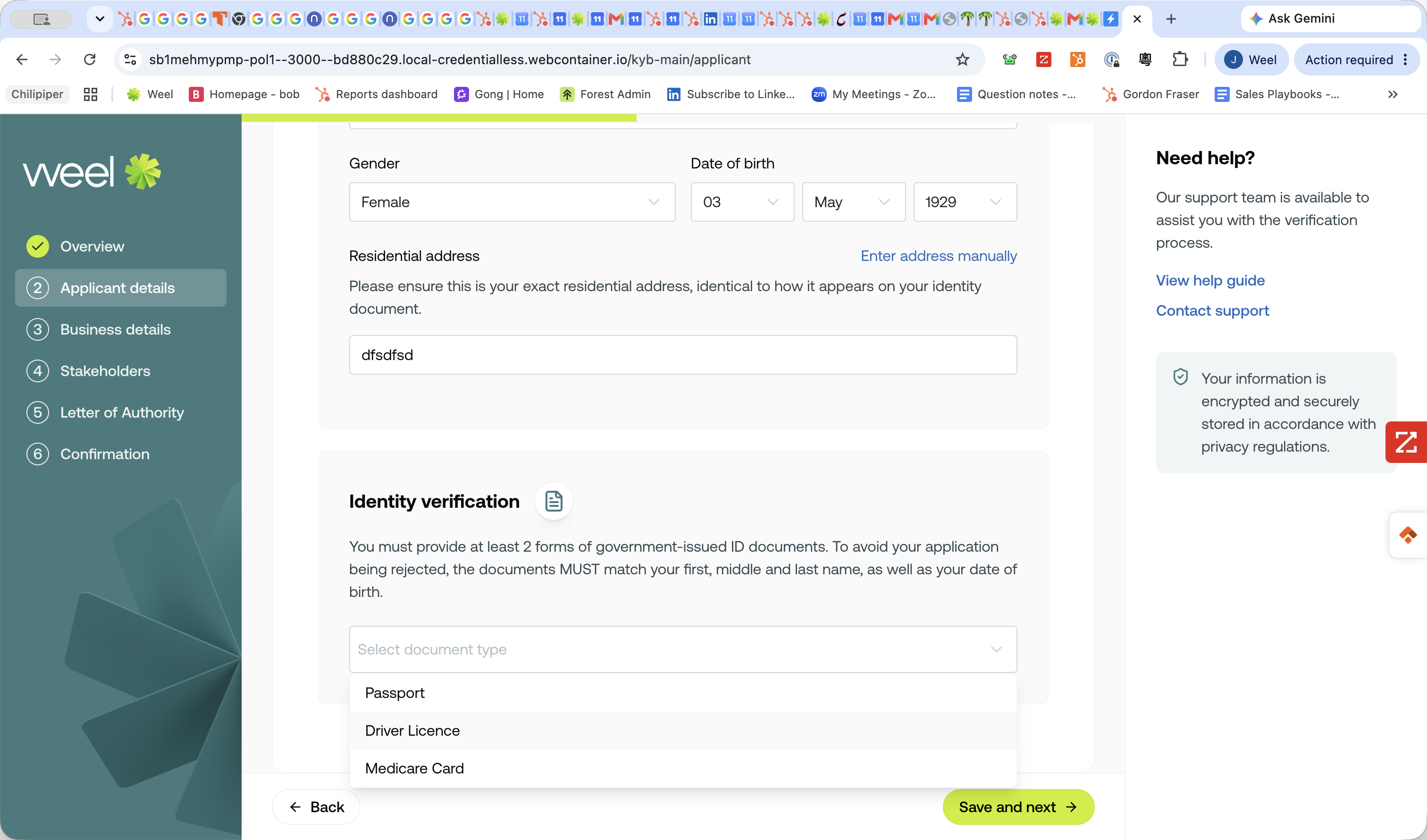
9
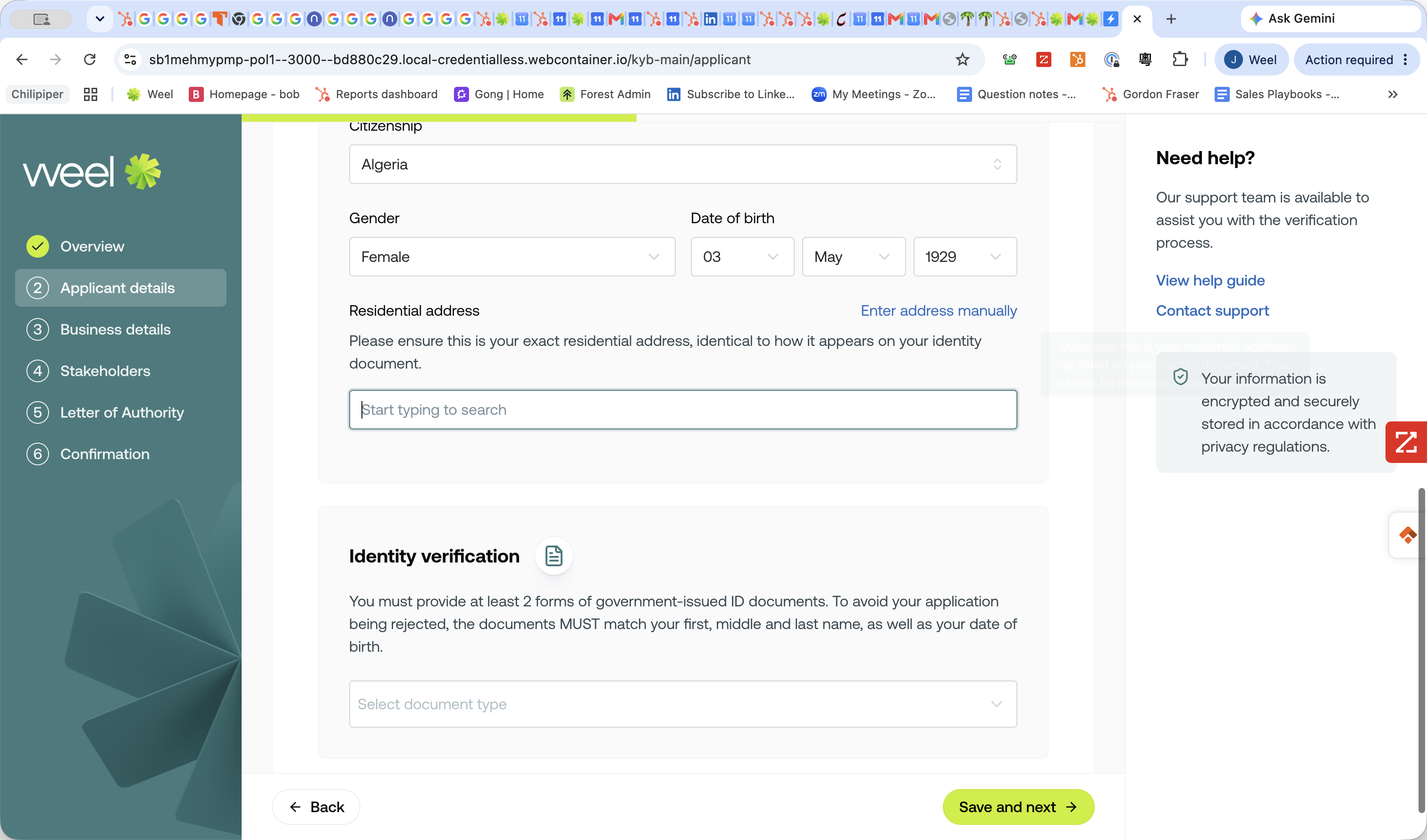
Search for and select your residential address.
Step #9: Search for and select your residential address.
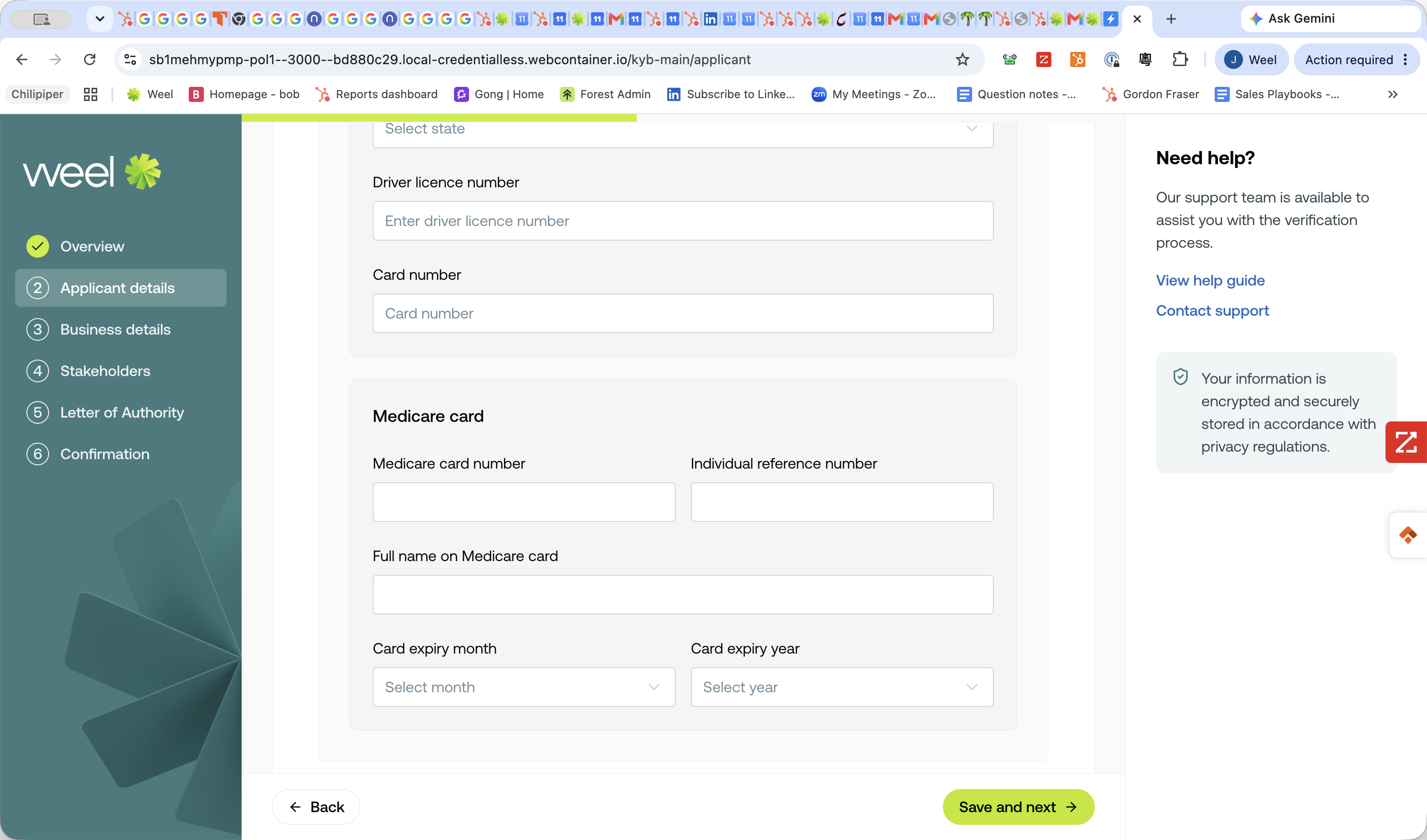
10
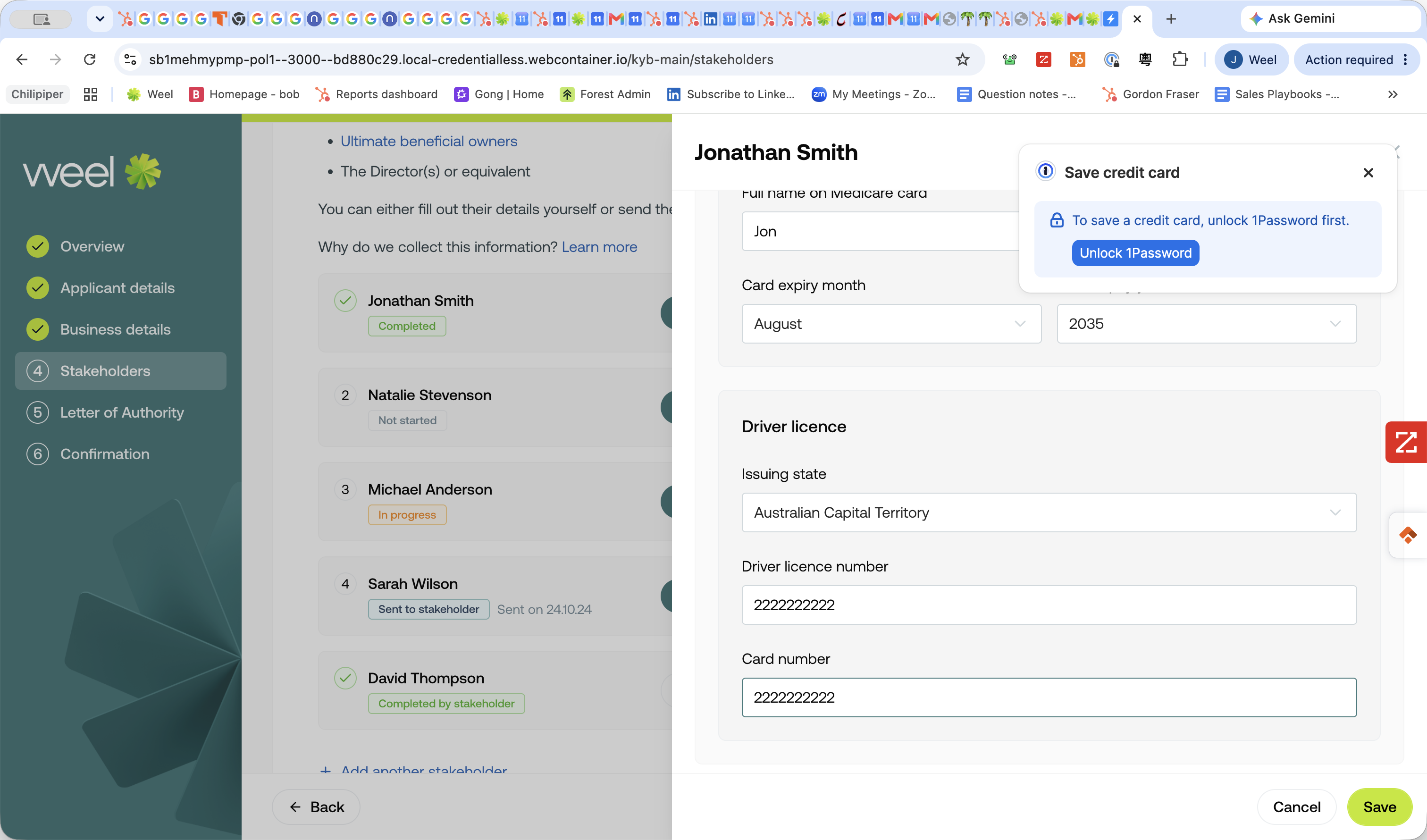
Select at least two government-issued ID documents (e.g., Passport, Driver Licence, or Medicare Card) and provide the requested numbers.
Step #10: Select at least two government-issued ID documents (e.g., Passport, Driver Licence, or Medicare Card) and provide the requested numbers.
11
Click Save and next →.
Step #11: Click Save and next →.

Company Details

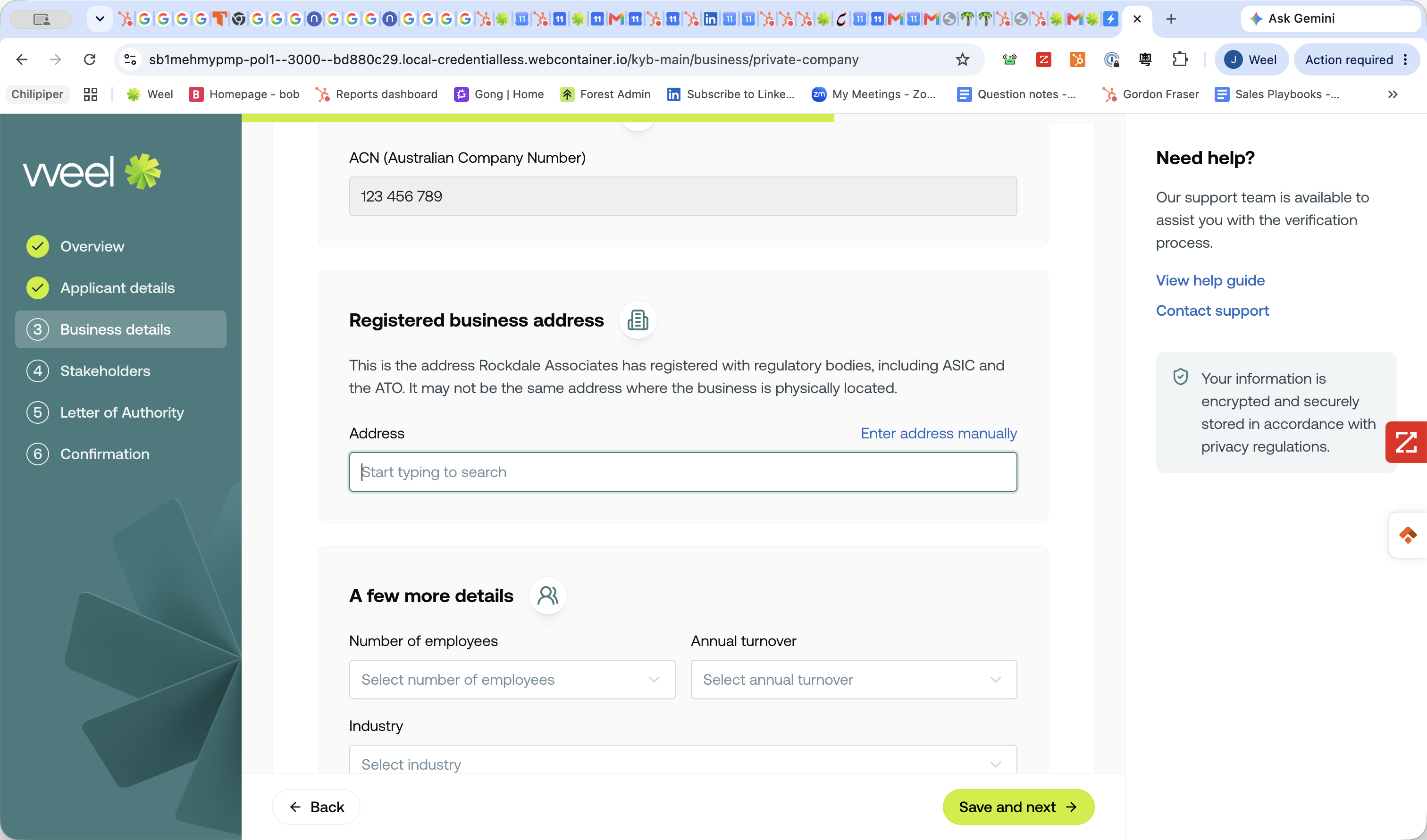
12
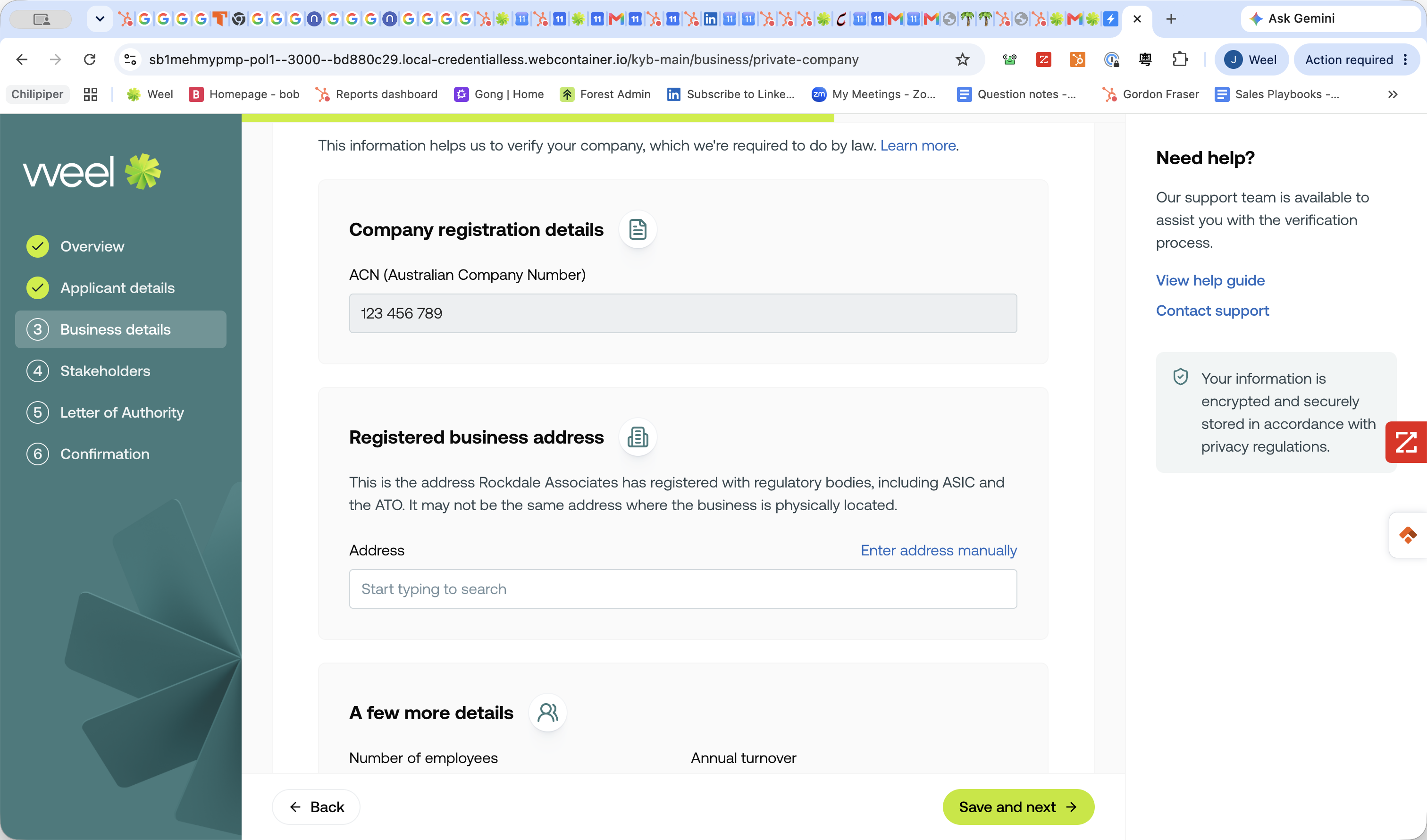
Search for and select your registered business address.
Step #12: Search for and select your registered business address.
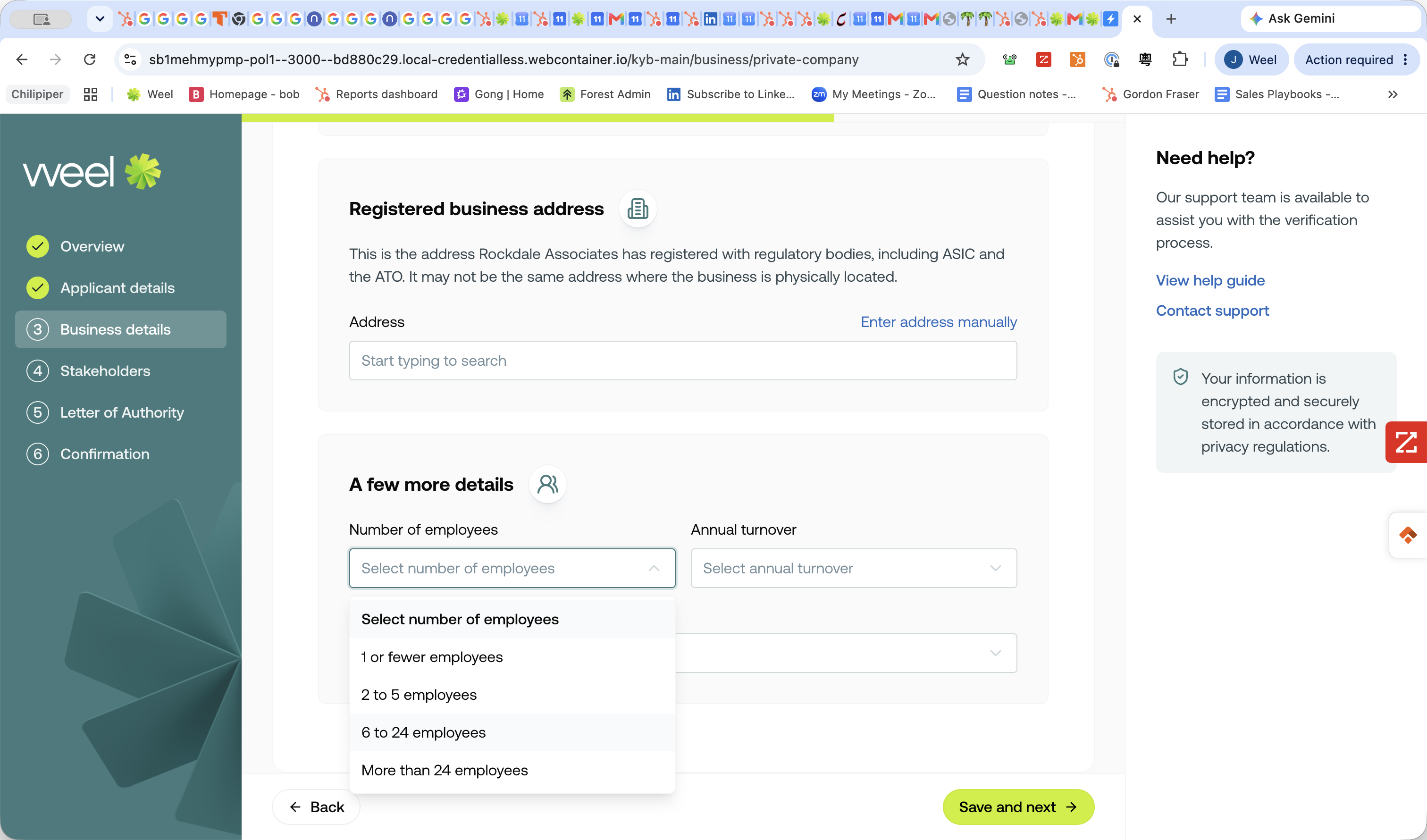
13
Select the number of employees.
Step #13: Select the number of employees.
14
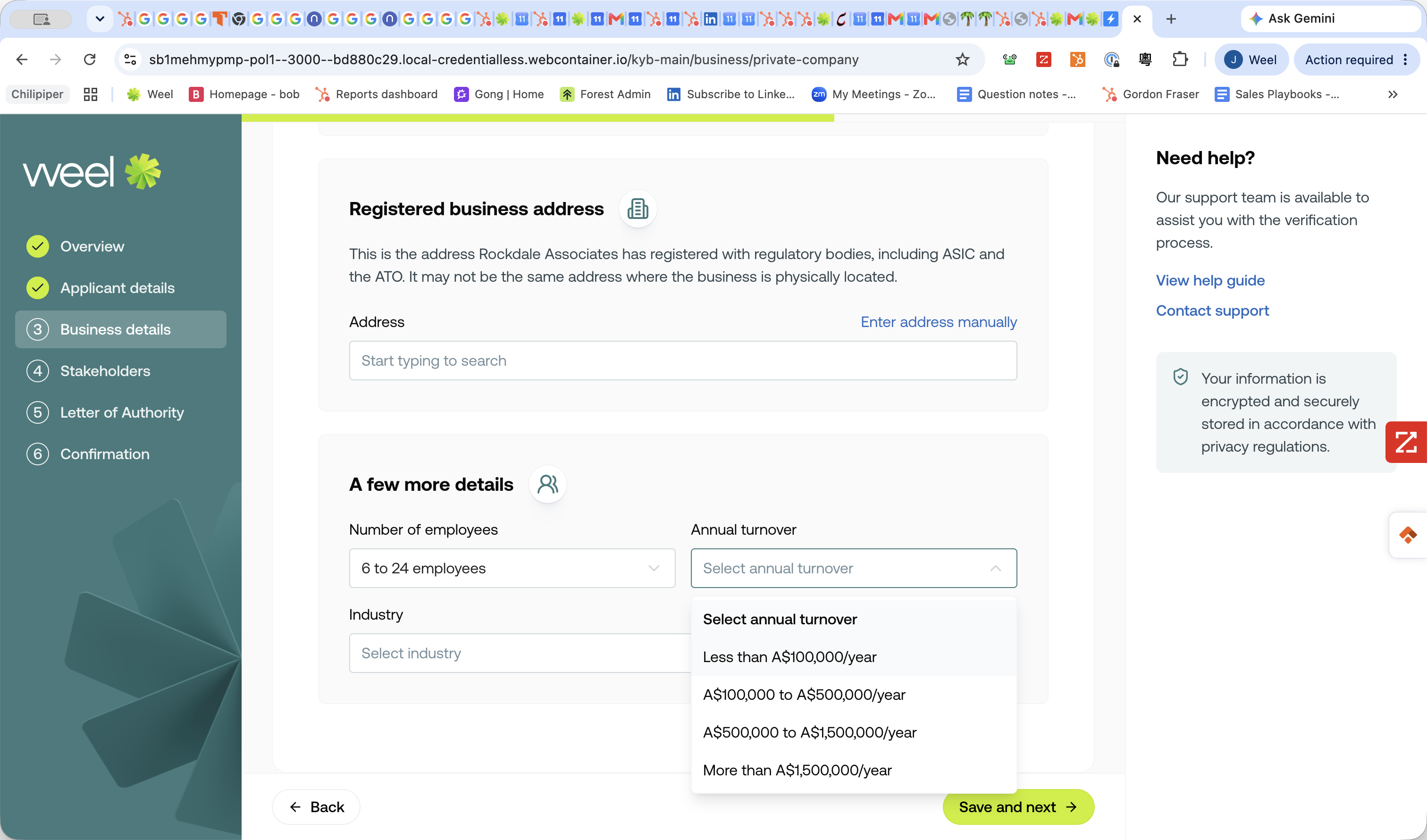
Select your annual turnover.
Step #14: Select your annual turnover.
15
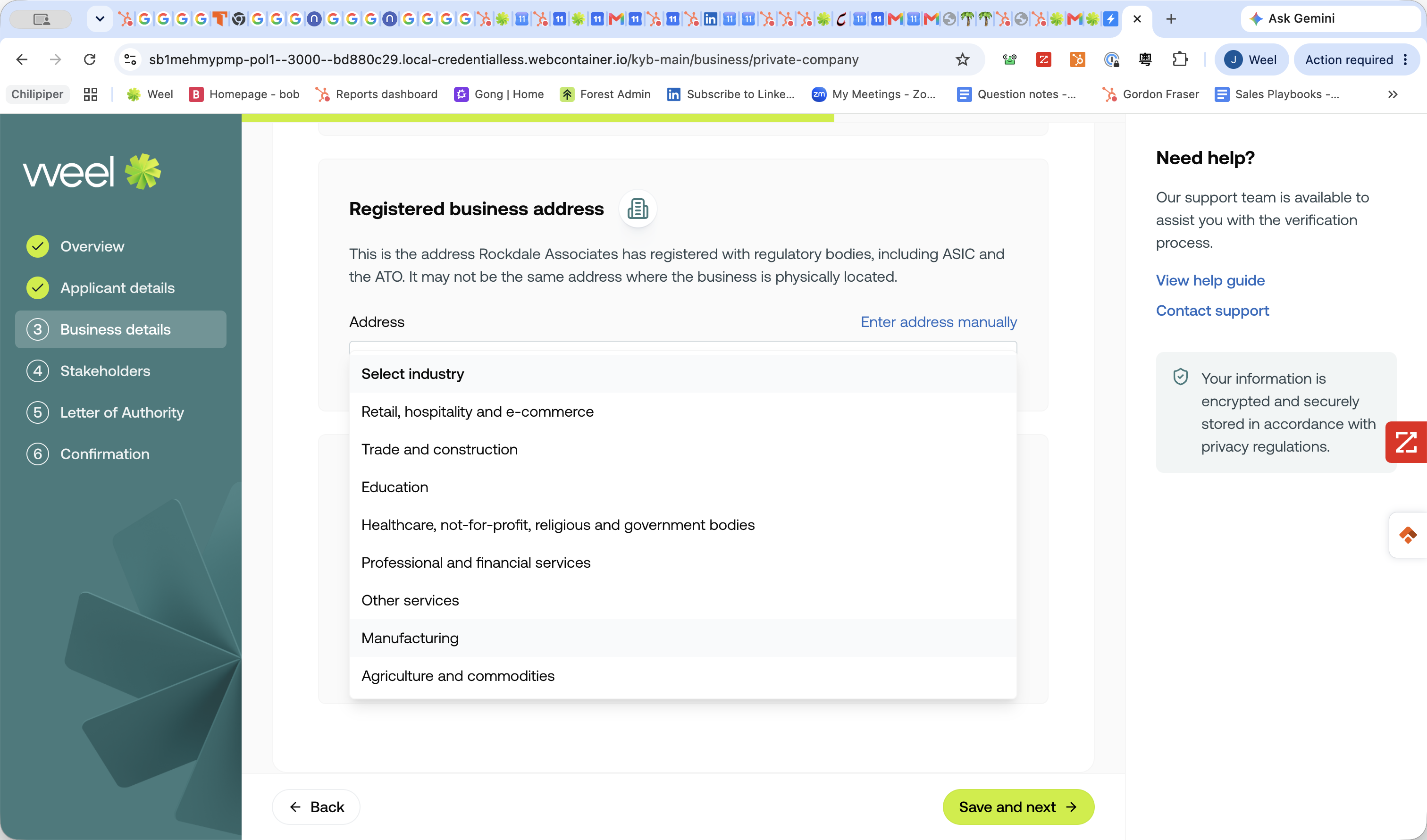
Select your primary business industry.
Step #15: Select your primary business industry.
16
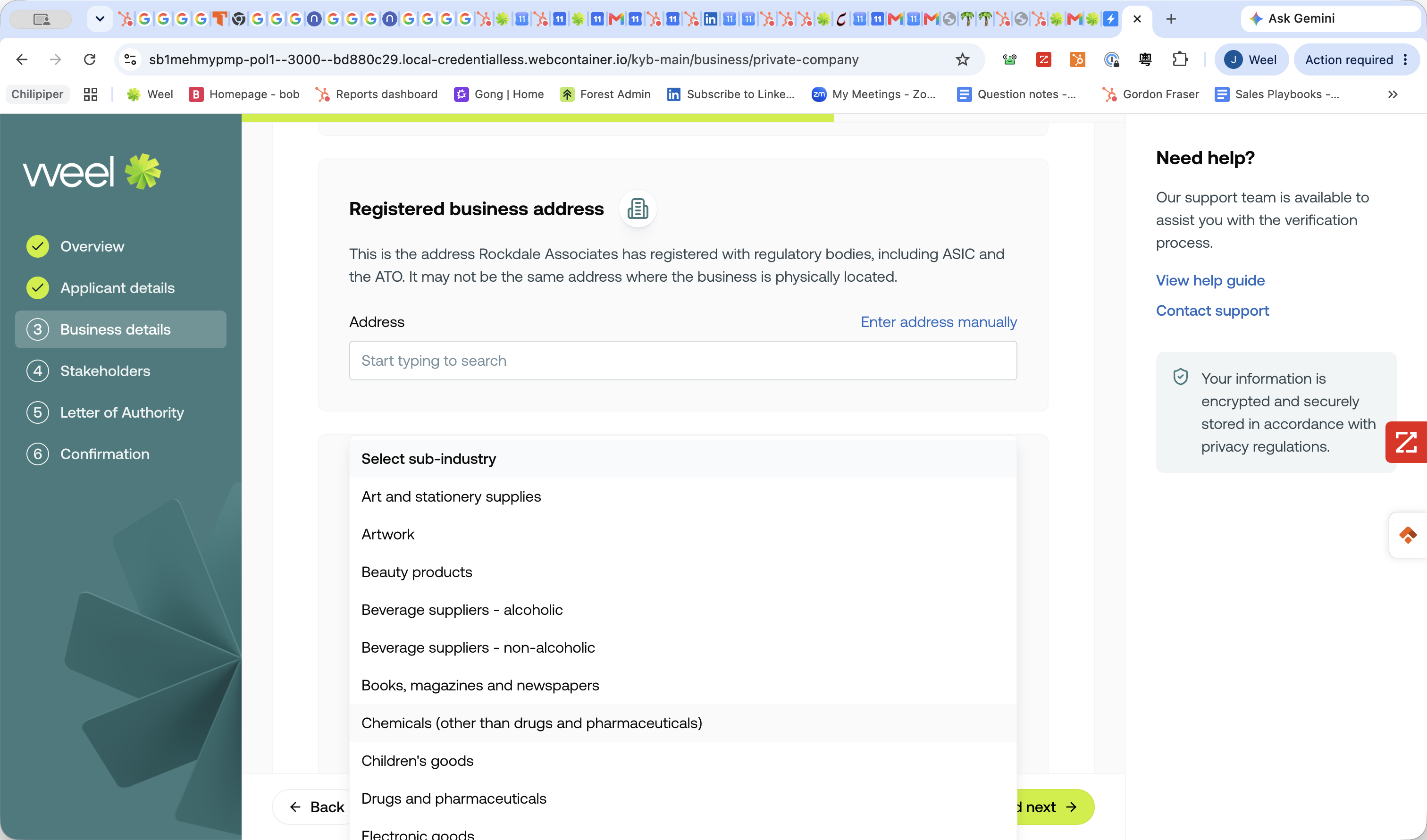
Select your sub-industry.
Step #16: Select your sub-industry.
17
Click Save and next →.
Step #17: Click Save and next →.

Add Stakeholders

18
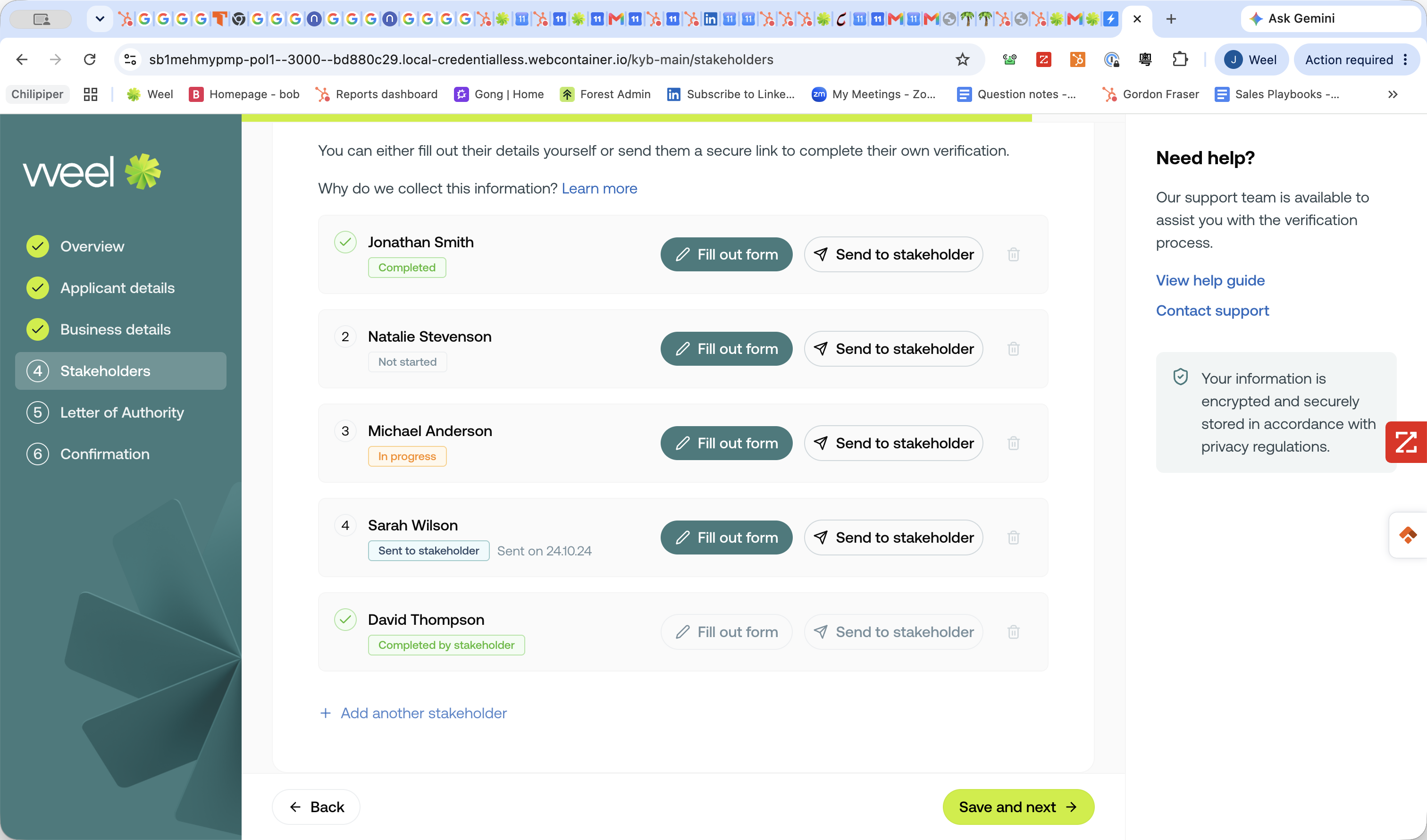
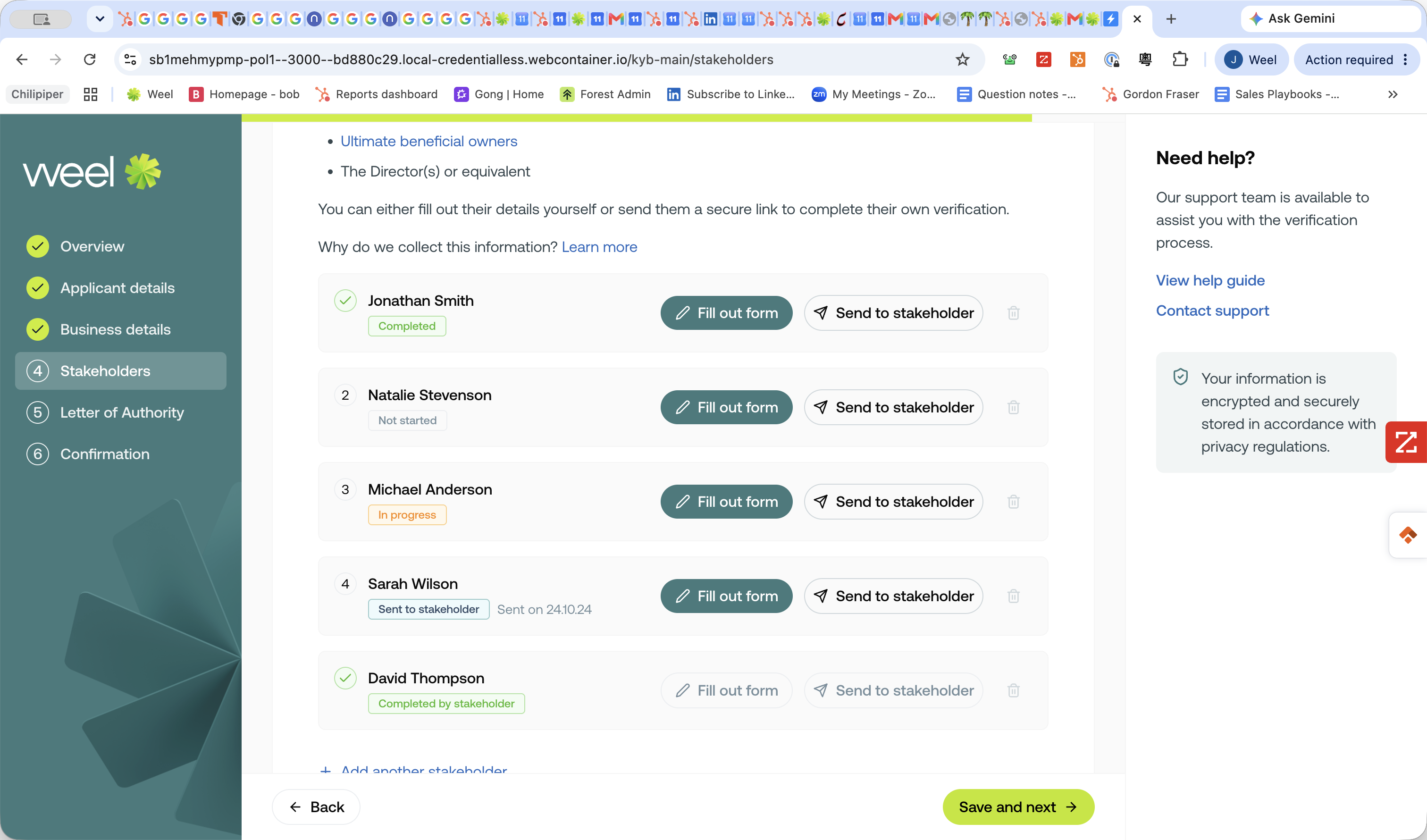
Click + Add another stakeholder to add a new person to the application.
Step #18: Click + Add another stakeholder to add a new person to the application.

To collect a stakeholder's details and their 100-point ID verification, you have three options:

Method

Description

Fill out form

Manually input the stakeholder's personal details and ID numbers if you have them on hand.

Send to stakeholder

Email a secure verification link directly to the stakeholder so they can submit their own details securely.

Copy private link

Copy the secure URL to your clipboard to send to the stakeholder via your own messaging app.

To manually enter details:

19
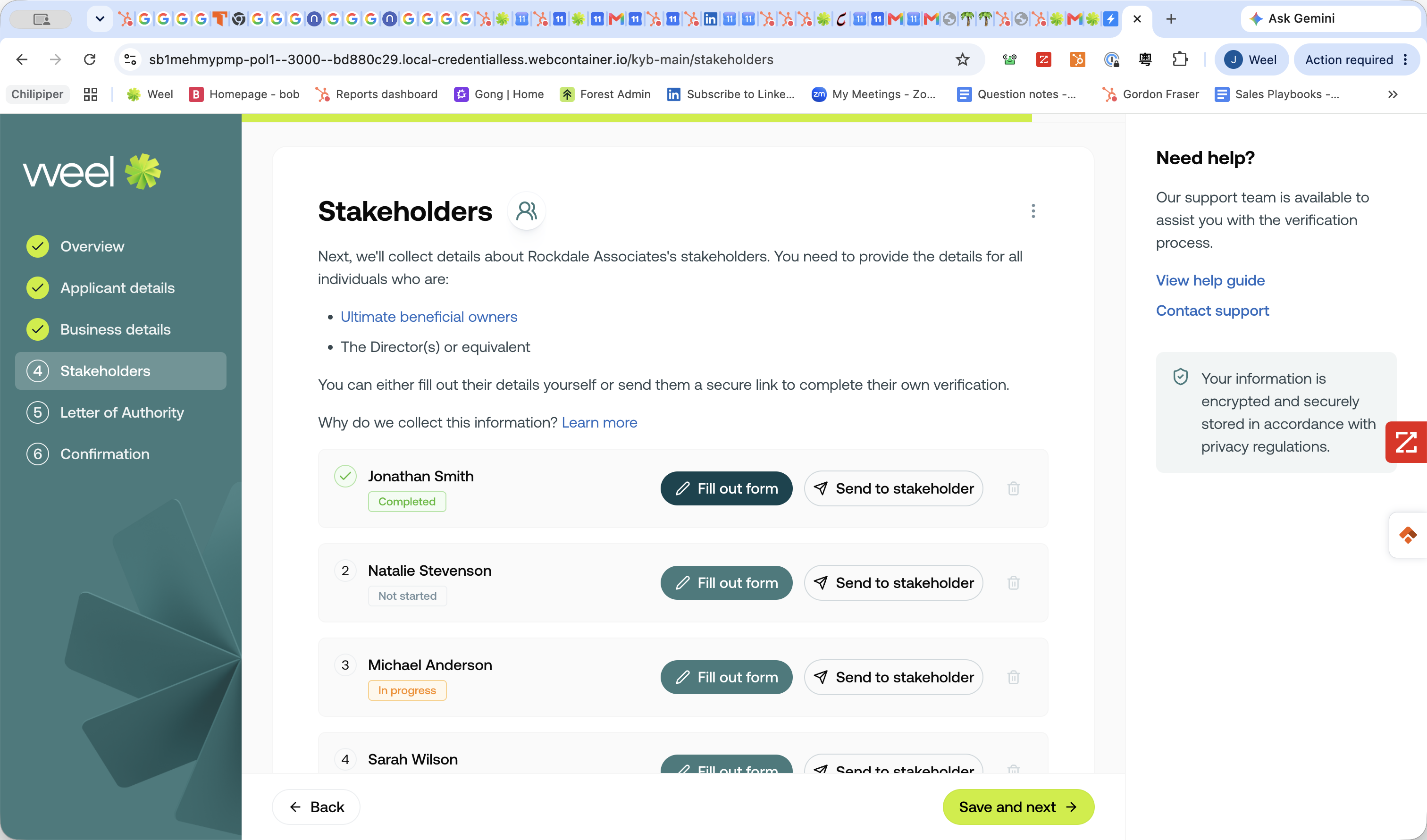
Click Fill out form next to the stakeholder's name.
Step #19: Click Fill out form next to the stakeholder's name.
20
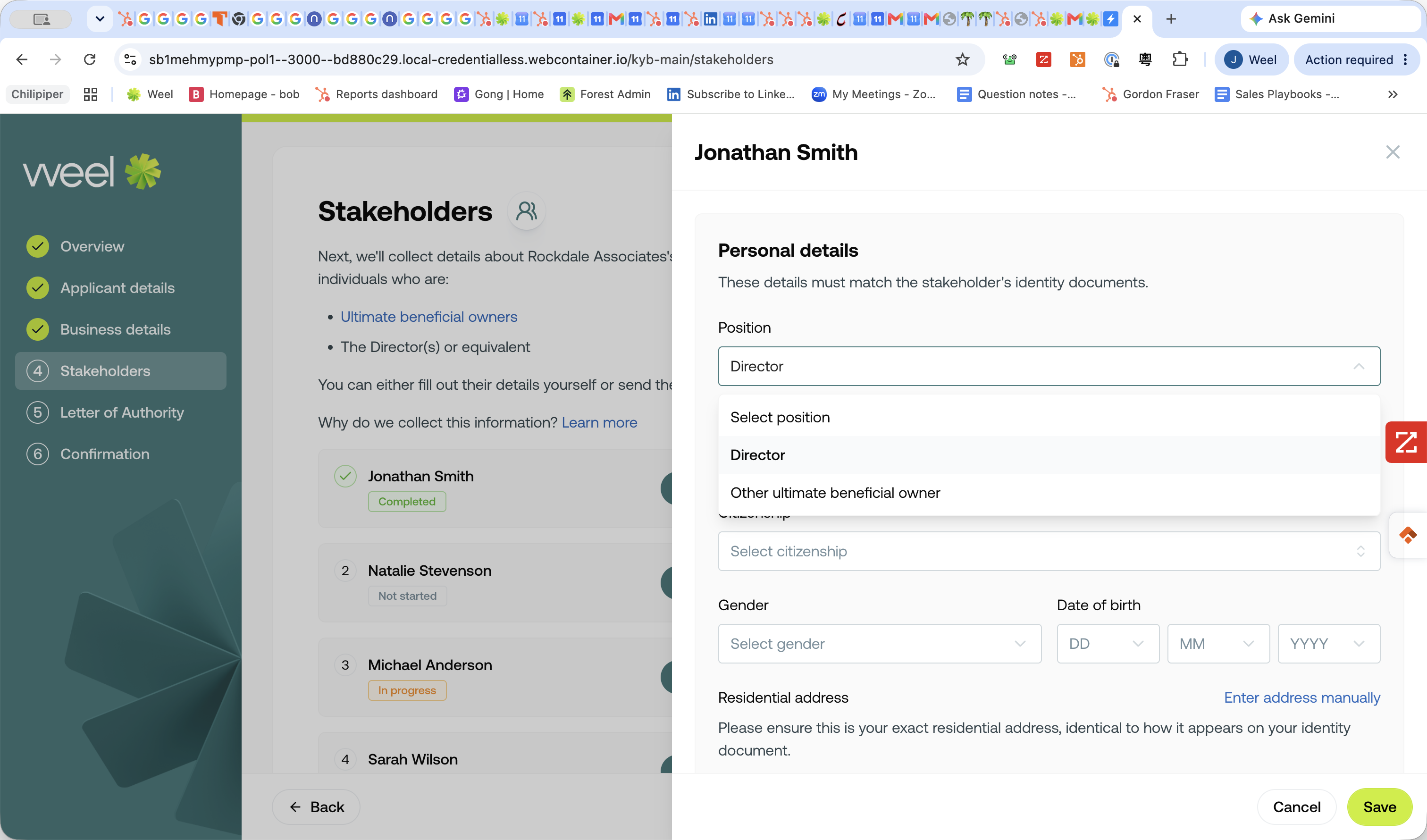
Select their position (e.g., Director or Other ultimate beneficial owner).
Step #20: Select their position (e.g., Director or Other ultimate beneficial owner).
21
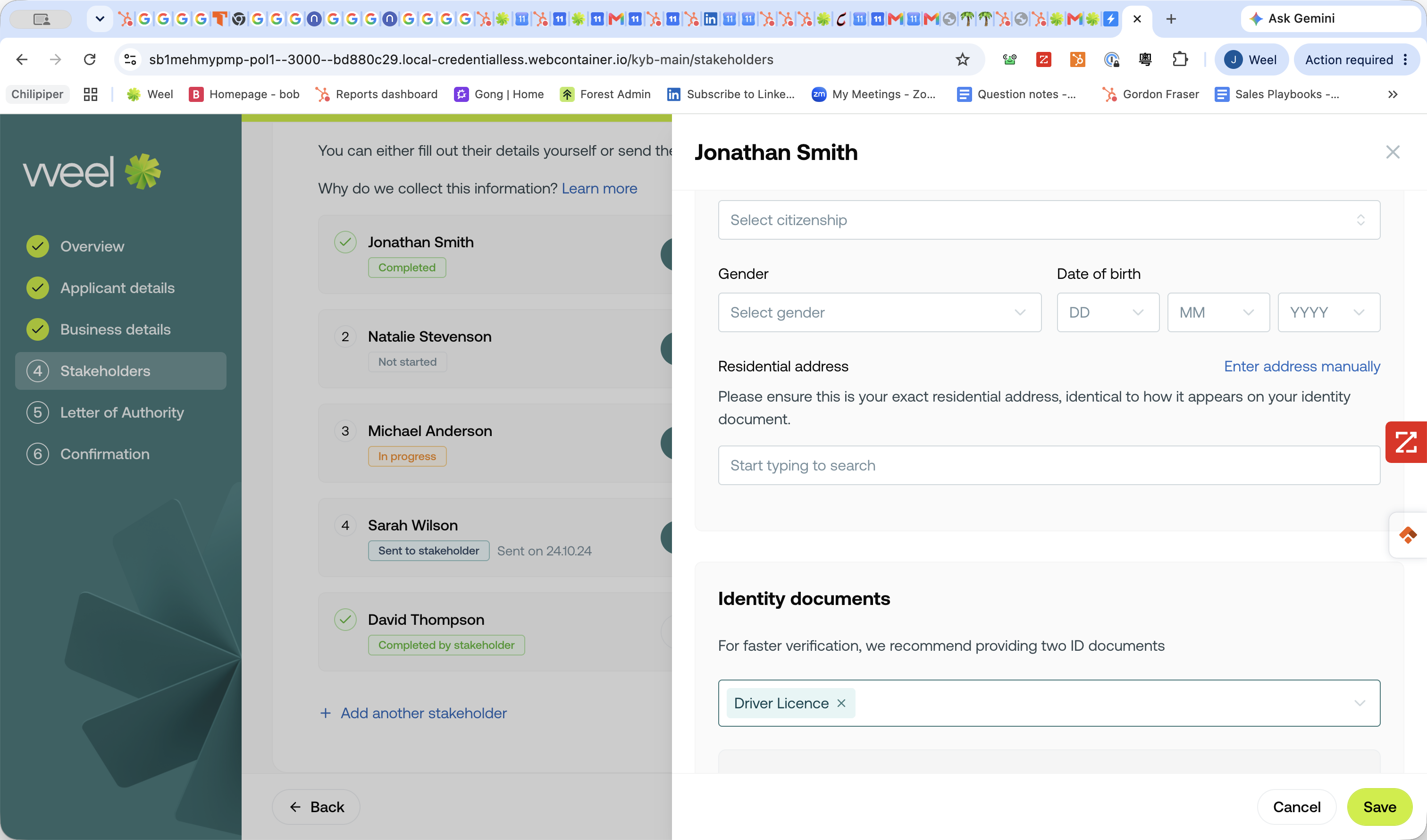
Fill out their personal details and ID documents.
Step #21: Fill out their personal details and ID documents.
22
Click Save.
Step #22: Click Save.

To request details from the stakeholder:
23
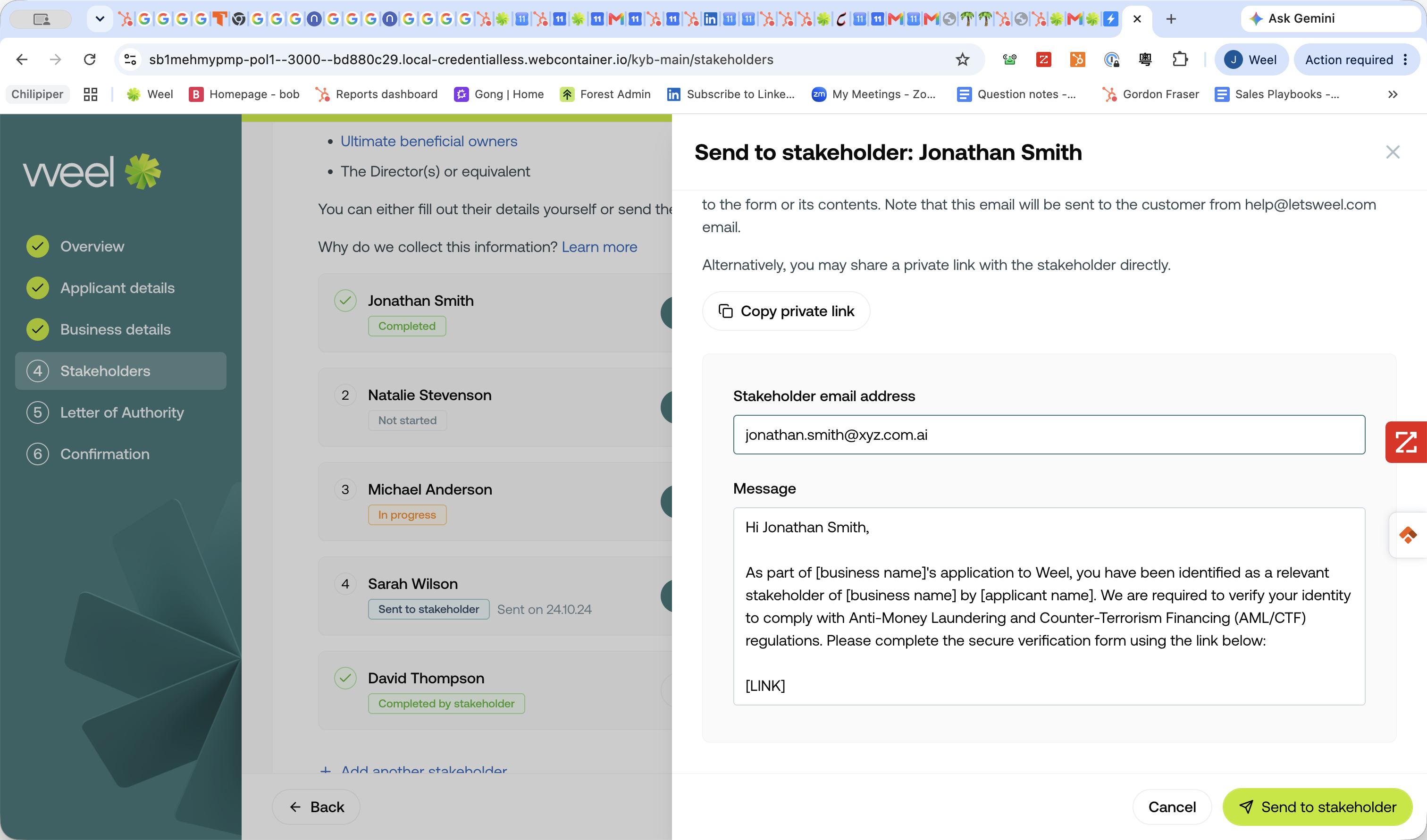
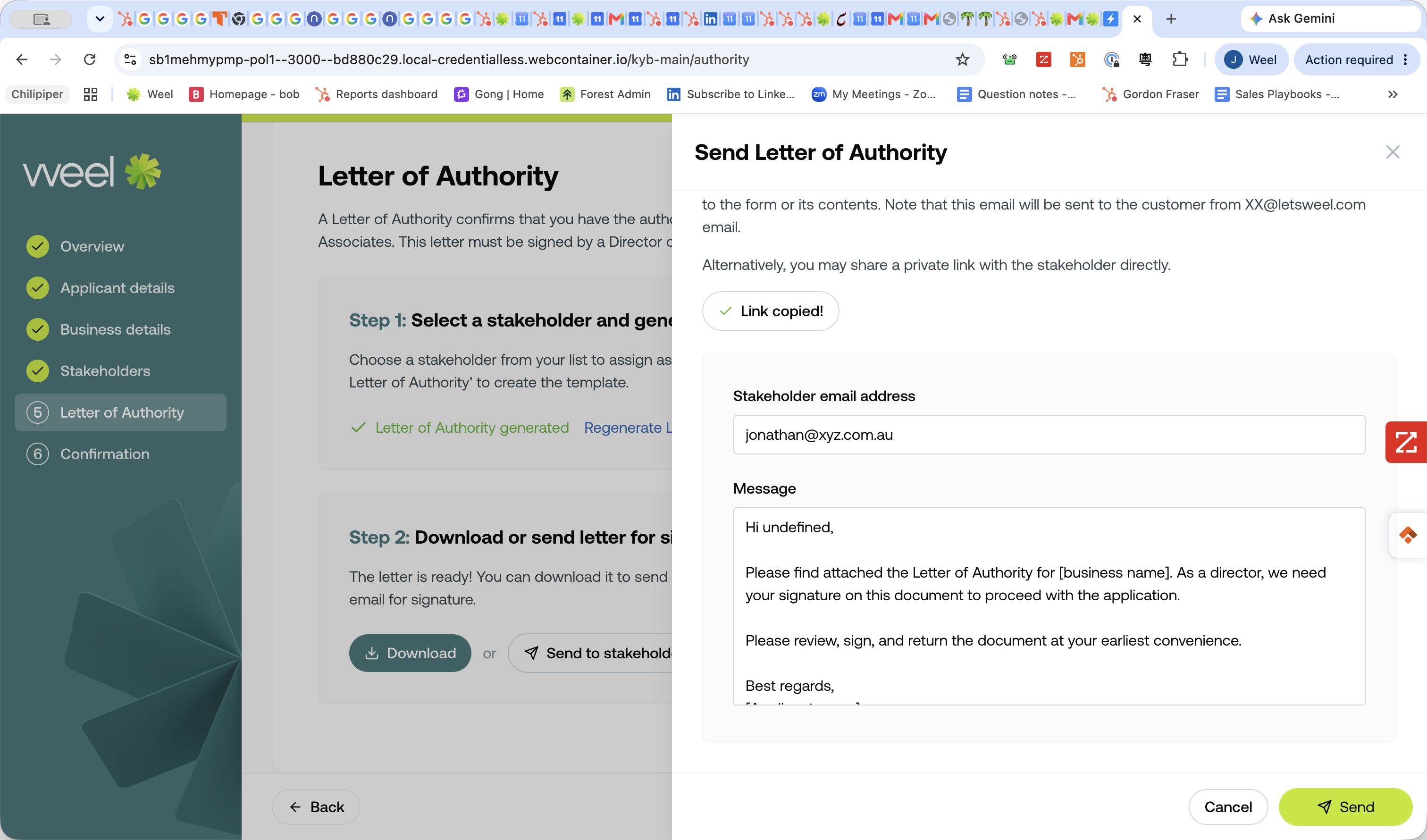
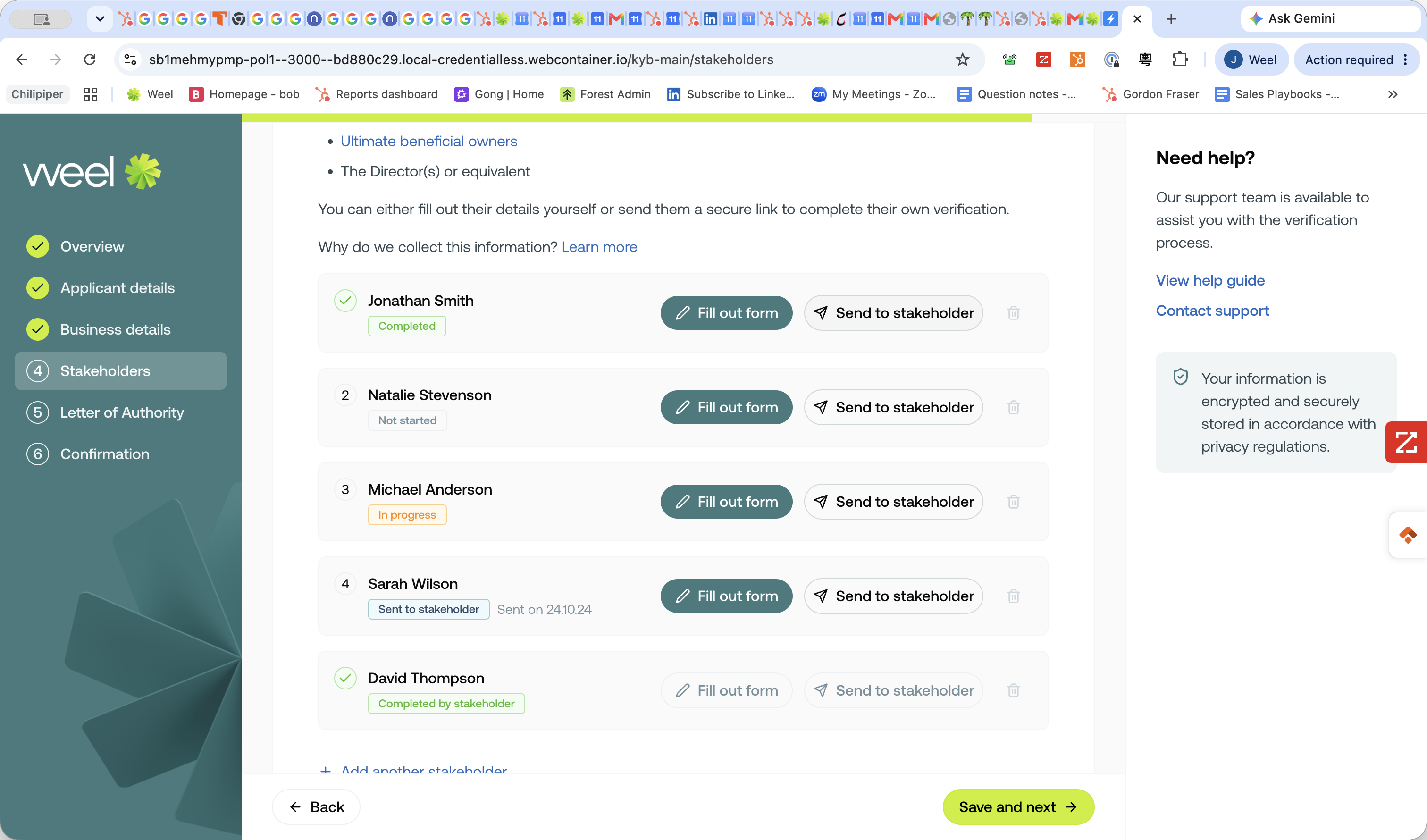
Click Send to stakeholder.
Step #23: Click Send to stakeholder.
24
Enter their email address and click Send to stakeholder, or select Copy private link.
Step #24: Enter their email address and click Send to stakeholder, or select Copy private link.
25
Click Save and next → once all stakeholders are completed or pending.
Step #25: Click Save and next → once all stakeholders are completed or pending.

Generate Letter of Authority (LoA)
26
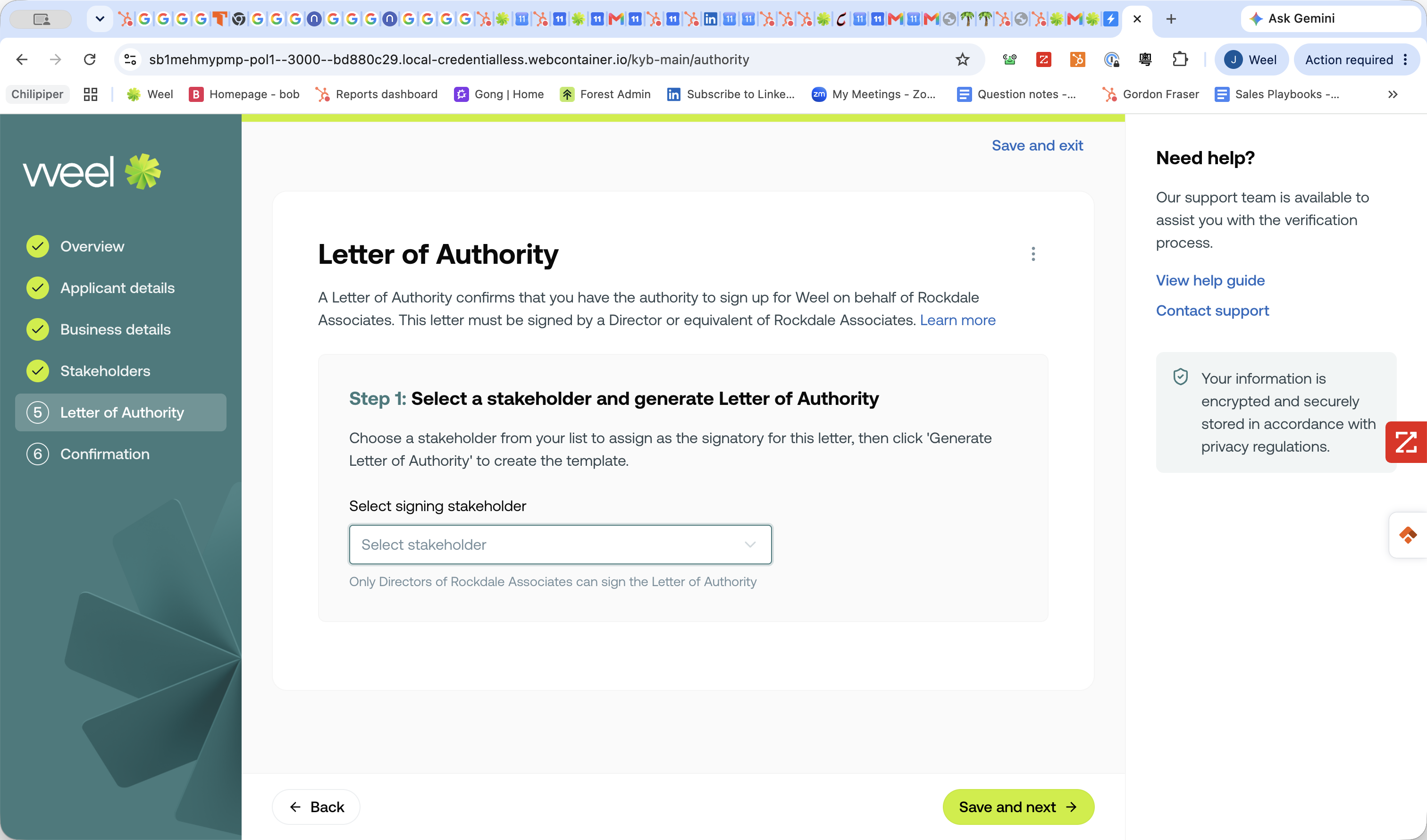
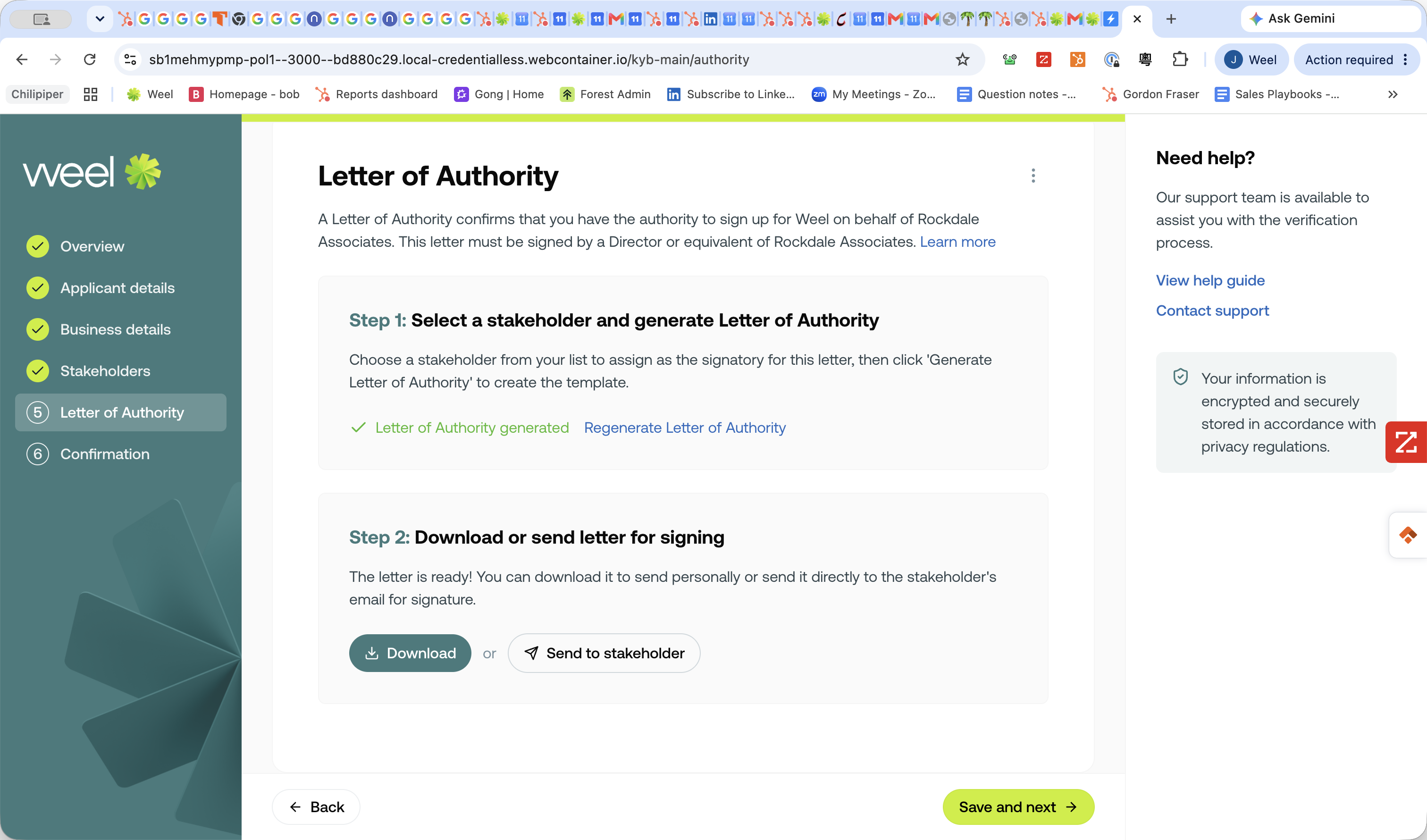
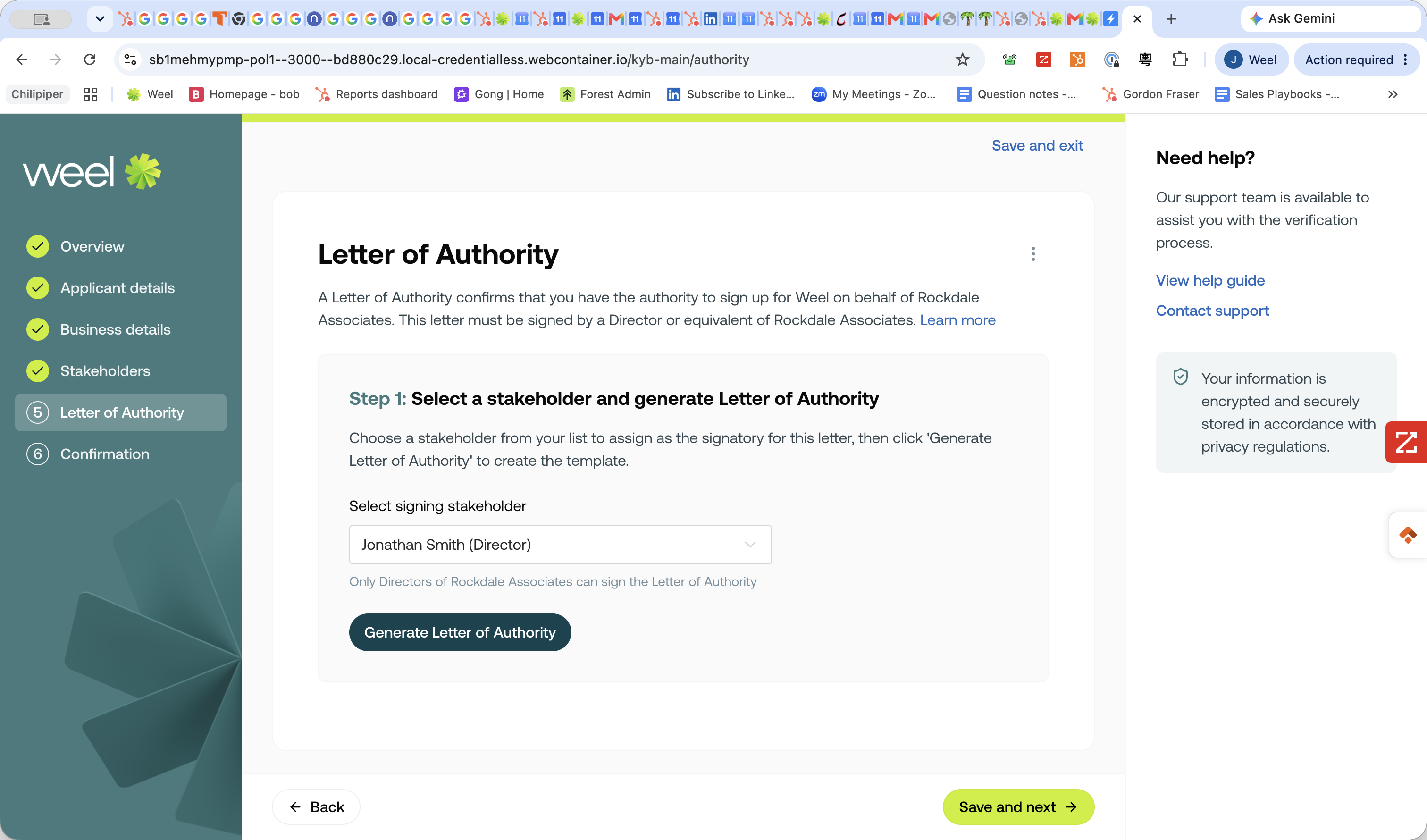
Select the authorized signing stakeholder from the dropdown menu.
Step #26: Select the authorized signing stakeholder from the dropdown menu.
27
Click Generate Letter of Authority.
Step #27: Click Generate Letter of Authority.

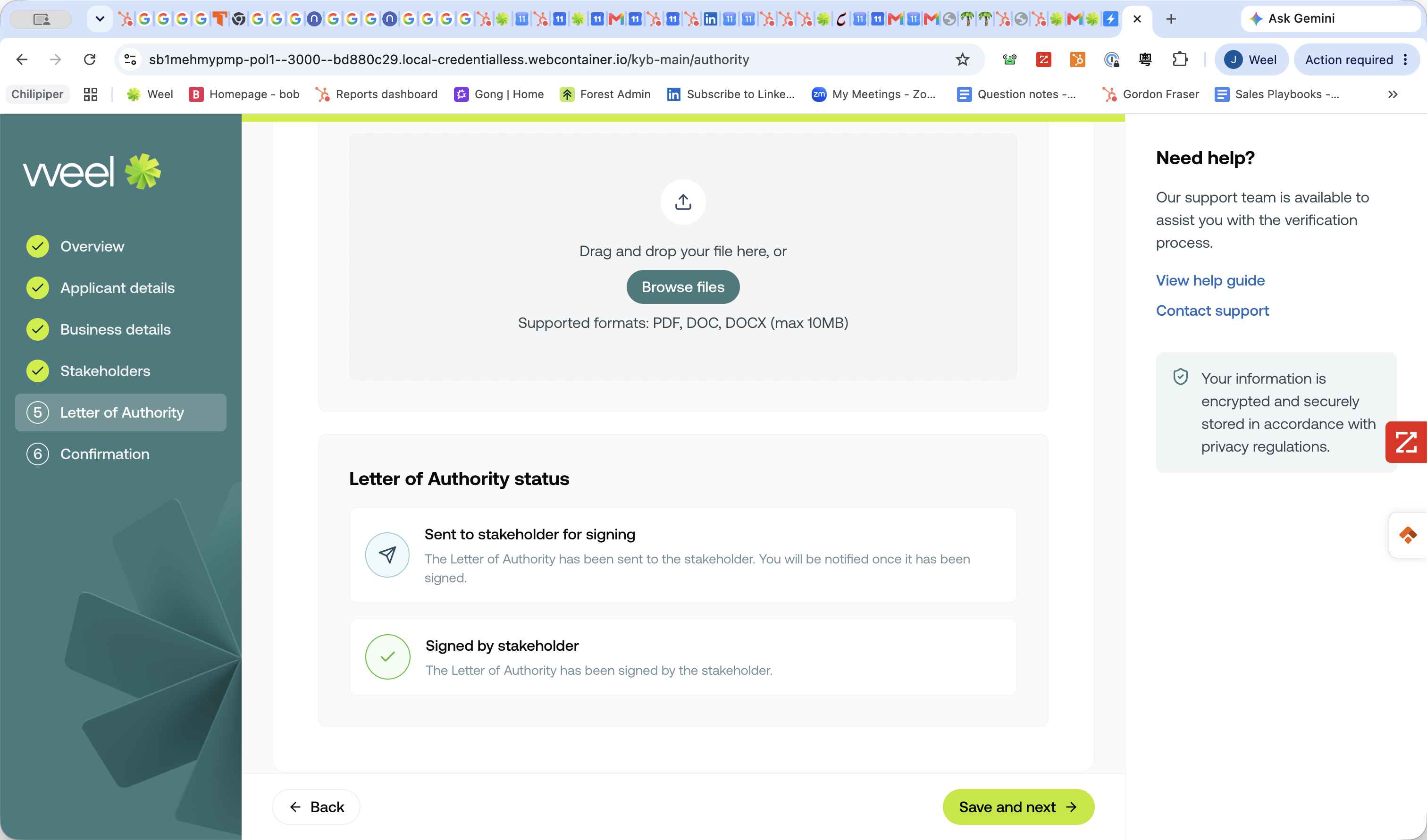
You must now obtain a signature on the LoA. You have three methods available:

Method

Description

Send via Email

Send the document for digital signature (e.g., DocuSign) directly to the stakeholder's email.

Copy Private Link

Copy the signature link and send it via an external application.

Download PDF

Download the physical document, have the stakeholder sign it with pen, and scan it back in.

28
Click Send to stakeholder to dispatch the email.
Step #28: Click Send to stakeholder to dispatch the email.
29
Click ✓ Send.
Step #29: Click ✓ Send.
30
Click Save and next →.
Step #30: Click Save and next →.

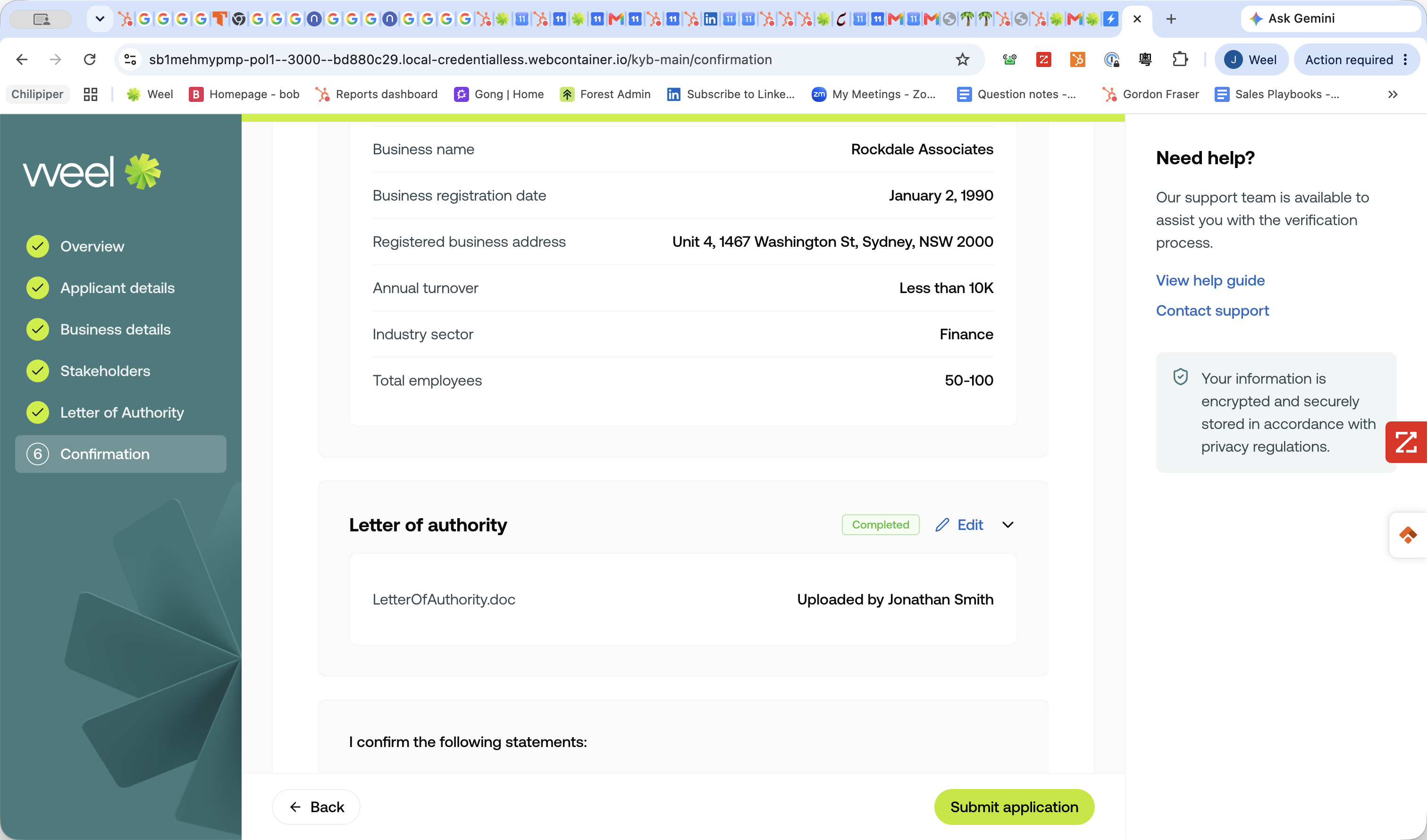
Submit Application

31
Review the application for any missing fields. If everything is complete, click Submit application.
Step #31: Review the application for any missing fields. If everything is complete, click Submit application.

Q: Who needs to be listed as a stakeholder?

A: You must list all company directors registered with ASIC, as well as any Ultimate Beneficial Owners (UBOs) who own 25% or more of the company.

Q: What if I don't have a stakeholder's identity documents?

A: If you don't know a stakeholder's ID details, you can use the "Send to stakeholder" or "Copy private link" options to send them a secure link. They can then fill in their own personal information and upload their 100-point ID.

Q: What is an LoA?

A: LoA stands for Letter of Authority. It is a document that must be signed by an authorized stakeholder to grant permission for the company verification to proceed.

Term

Definition

KYB

Know Your Business; a standard due diligence process used to verify the corporate identity of a business.

ASIC

Australian Securities and Investments Commission, the regulatory body that records corporate directors and entity registrations in Australia.

ACN

Australian Company Number, a unique nine-digit number issued by ASIC to every company registered under the Commonwealth Corporations Act.

UBO

Ultimate Beneficial Owner; any individual who owns or controls 25% or more of a business entity.

LoA

Letter of Authority; a formal document granting a specific individual the right to act on behalf of the company.

100-point ID

A standard personal identification system used in Australia requiring a combination of documents (like passports and driver licences) to reach a score of 100 points.