
How to Configure Sales Order Part Shipments
Learn how to edit sales orders, configure customer settings to accept part shipments, and manage order acknowledgements in your ERP software.
This guide explains how to enable part shipments for a customer and configure layout outputs for sales order acknowledgements. Completing these steps ensures accurate dispatch handling and proper order documentation.
This workflow is designed for warehouse managers, order fulfillment specialists, and sales coordinators. Use this process when updating a customer's shipping preferences or setting up documentation for new sales orders.
Enable Part Shipments
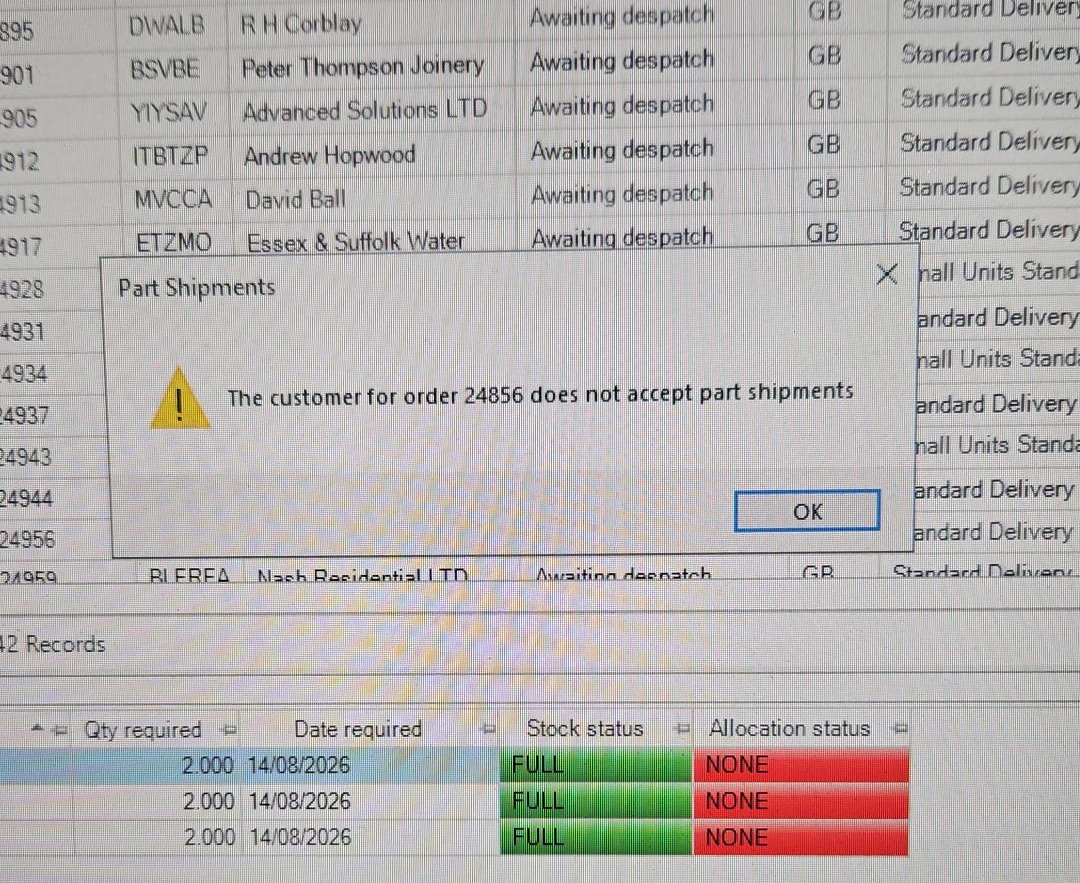
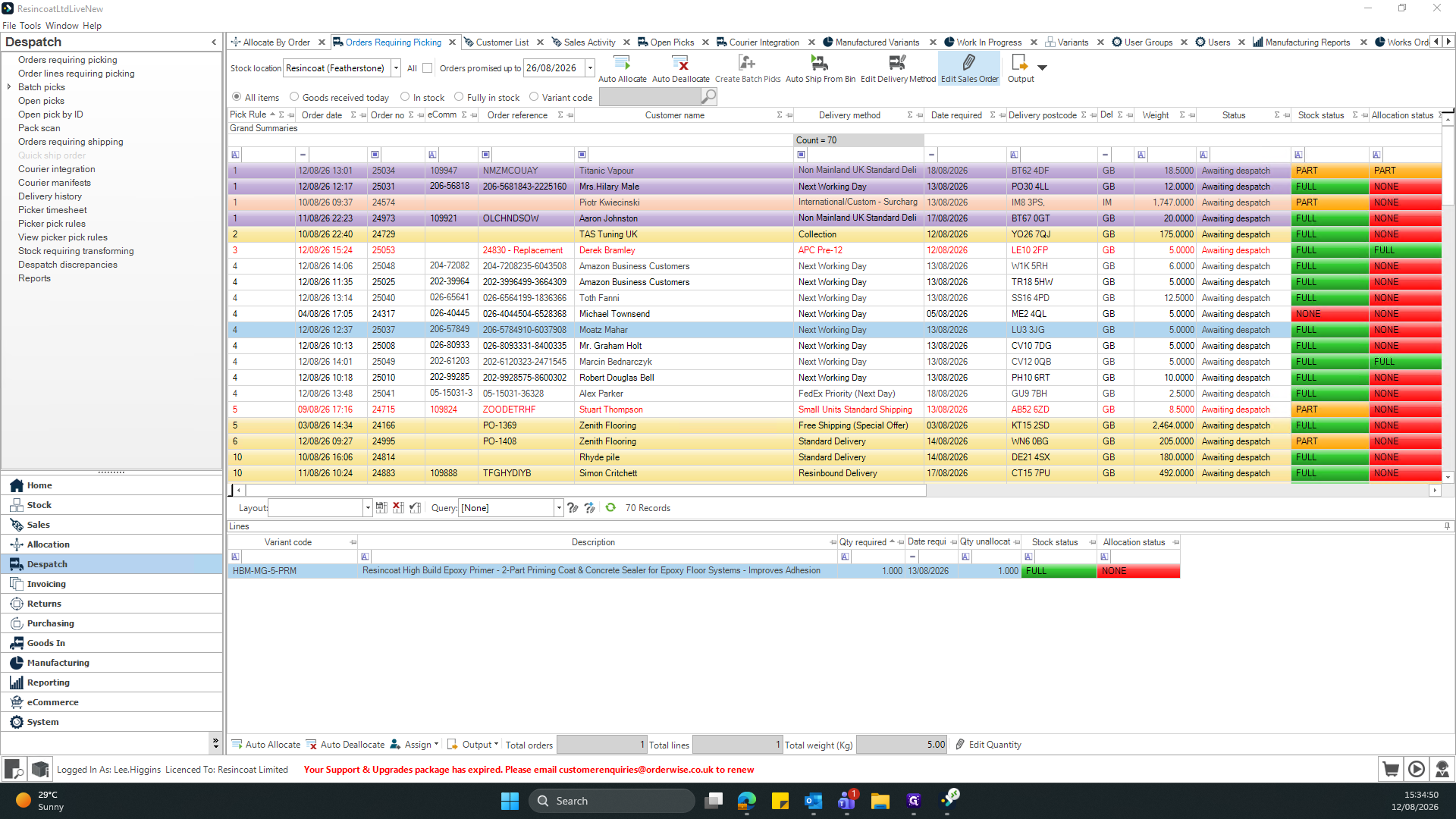
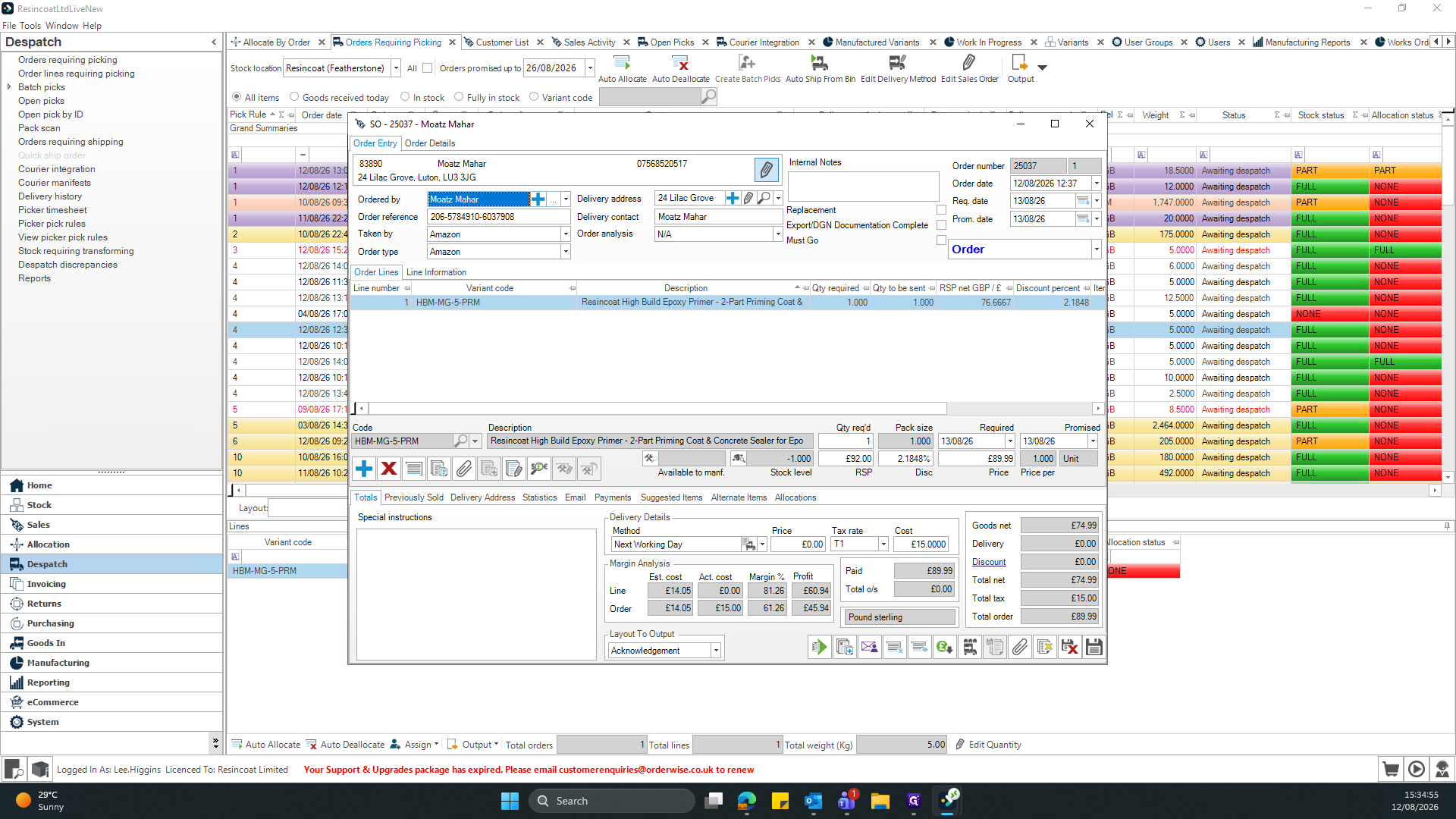
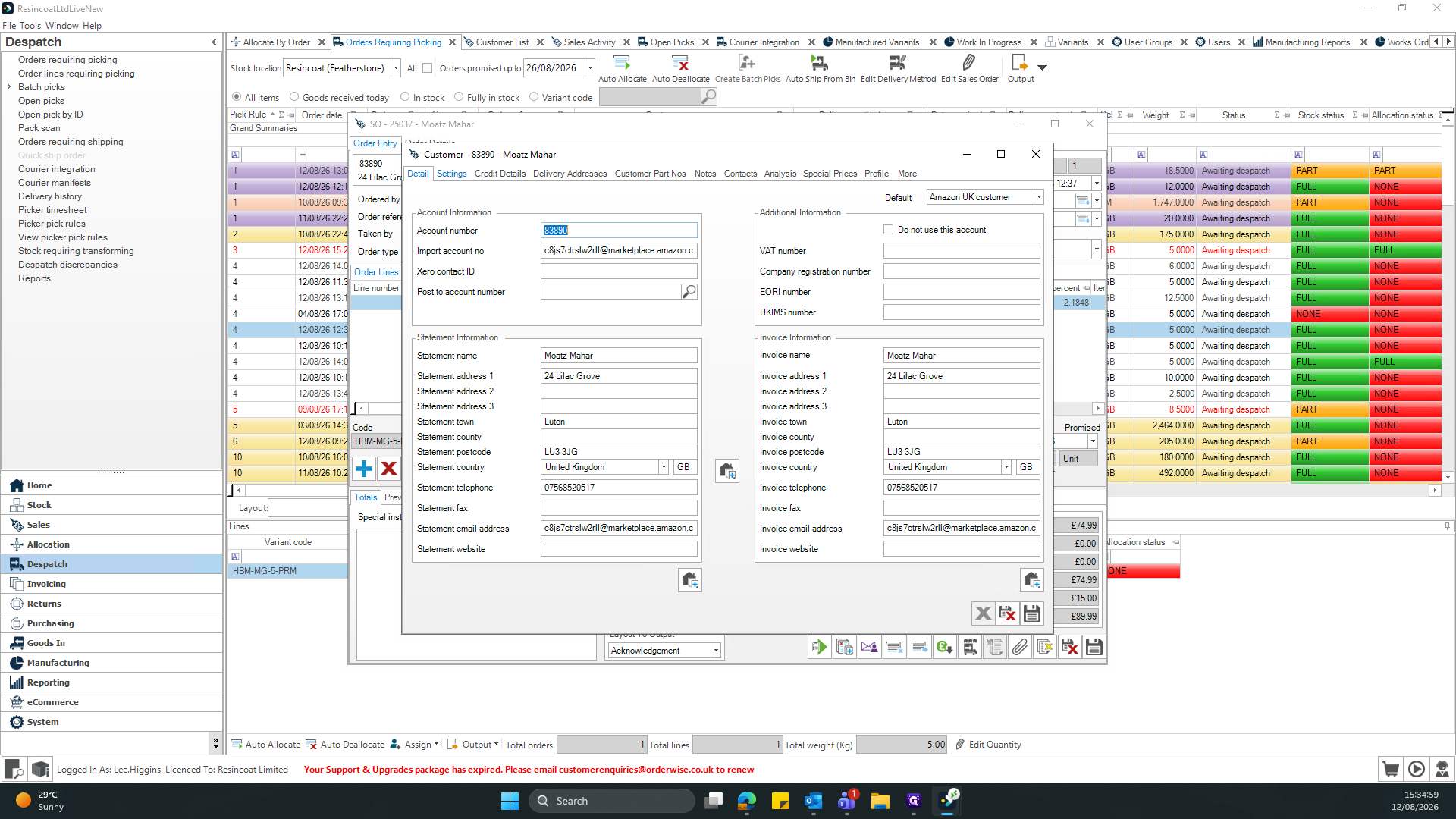
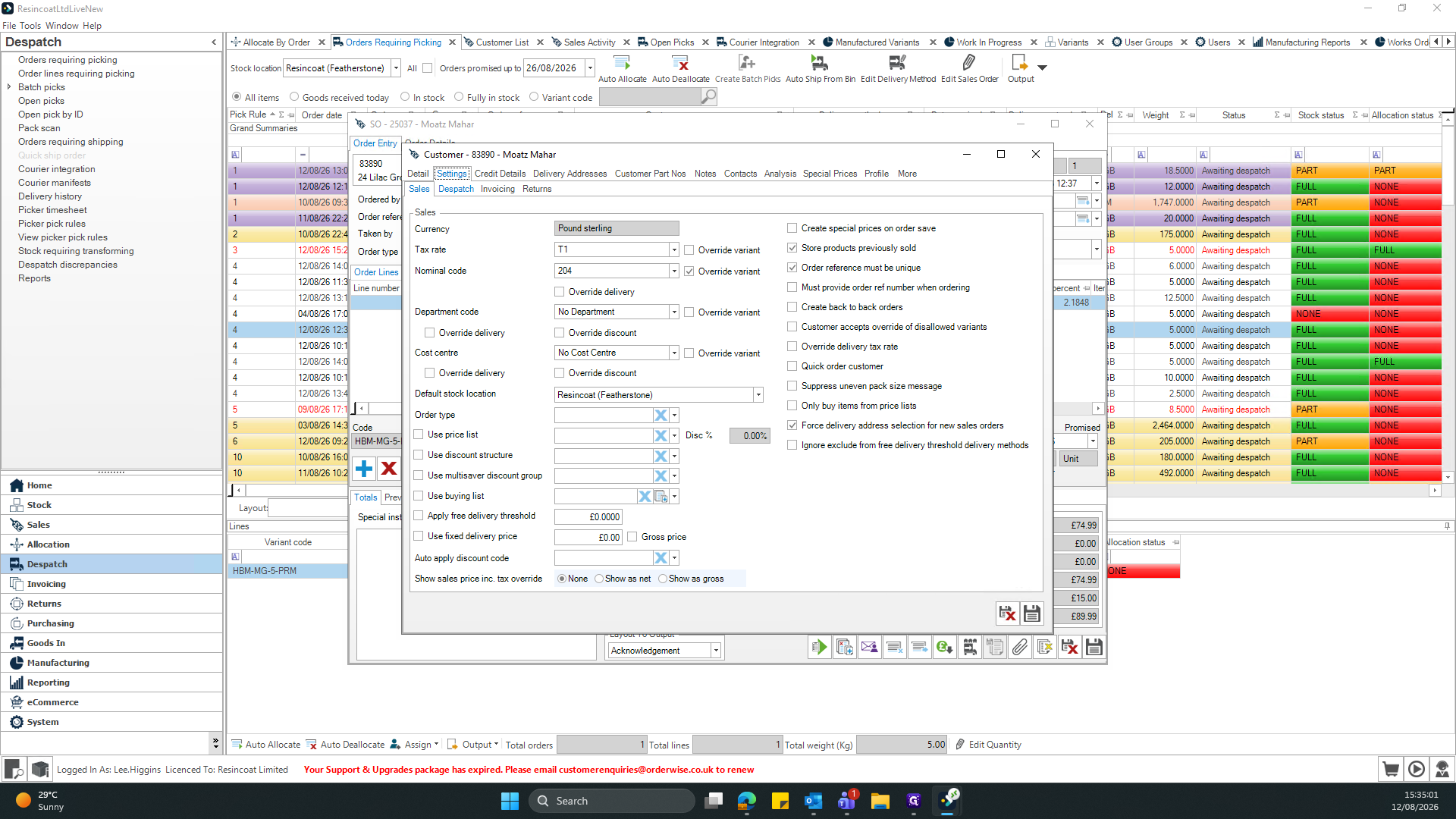
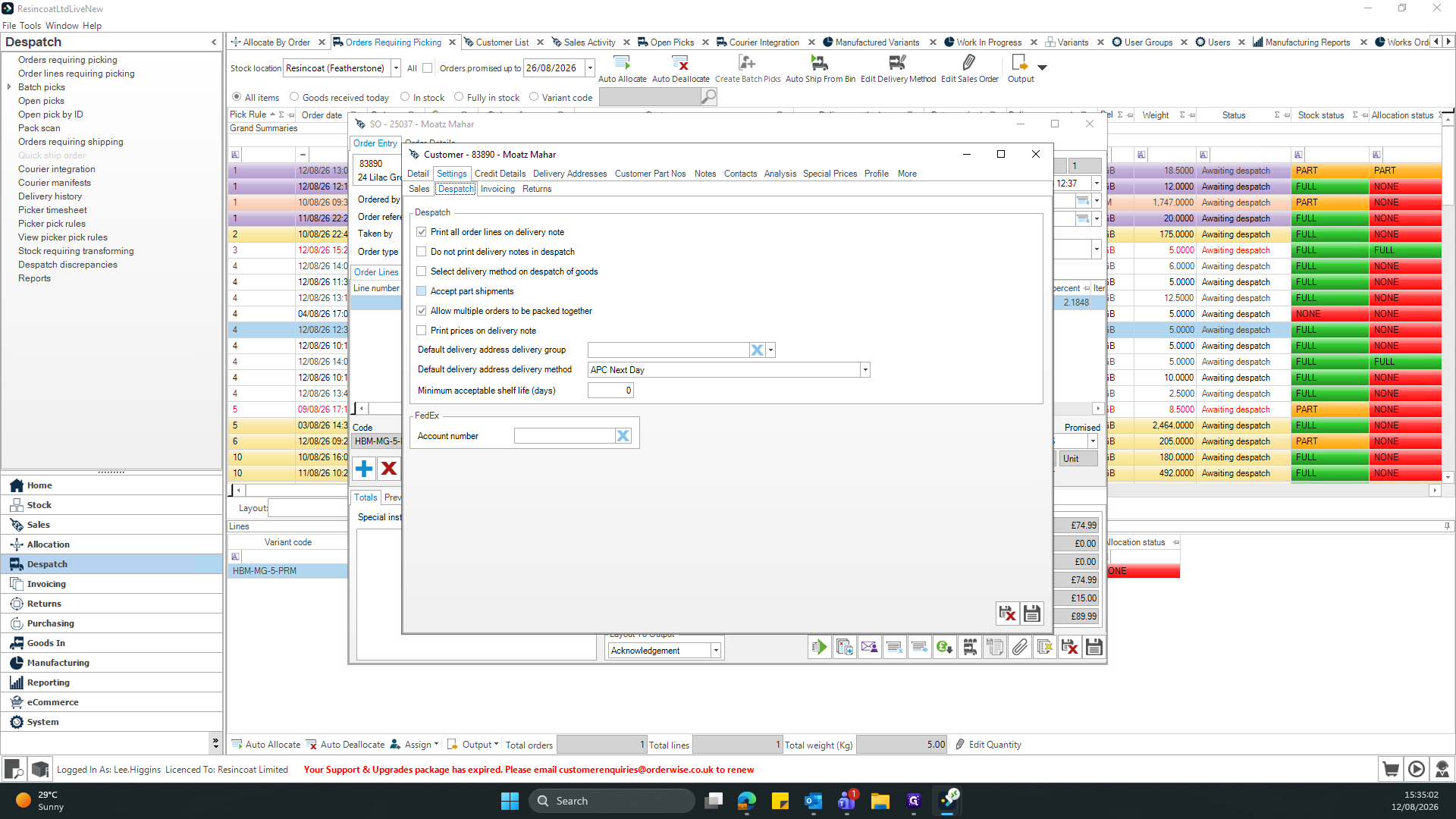
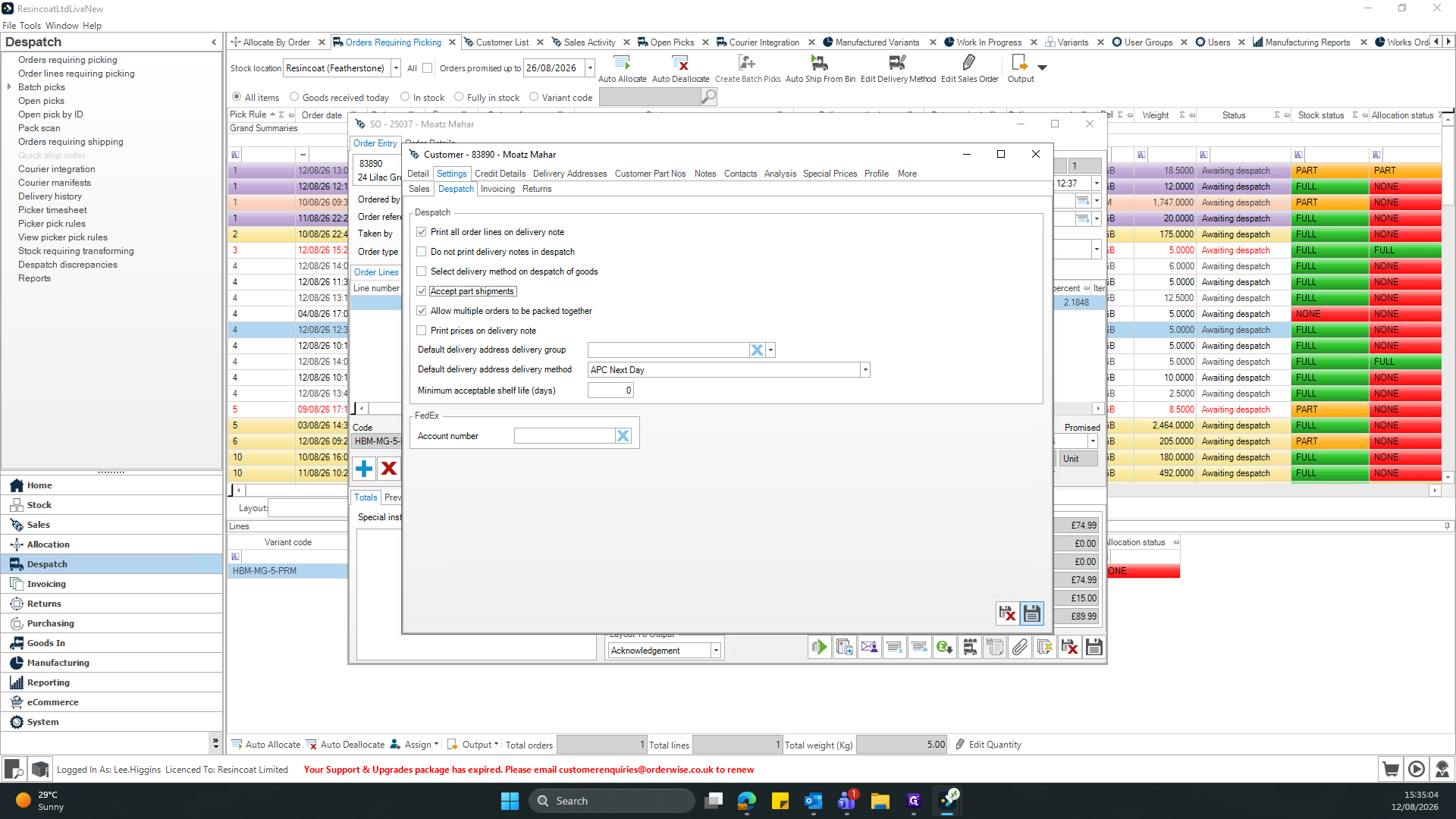
Q: Can I process an order if only some items are in stock?
A: Yes. By enabling "Accept part shipments" in the customer's Despatch settings, you can ship available items immediately while keeping the remaining items on backorder.
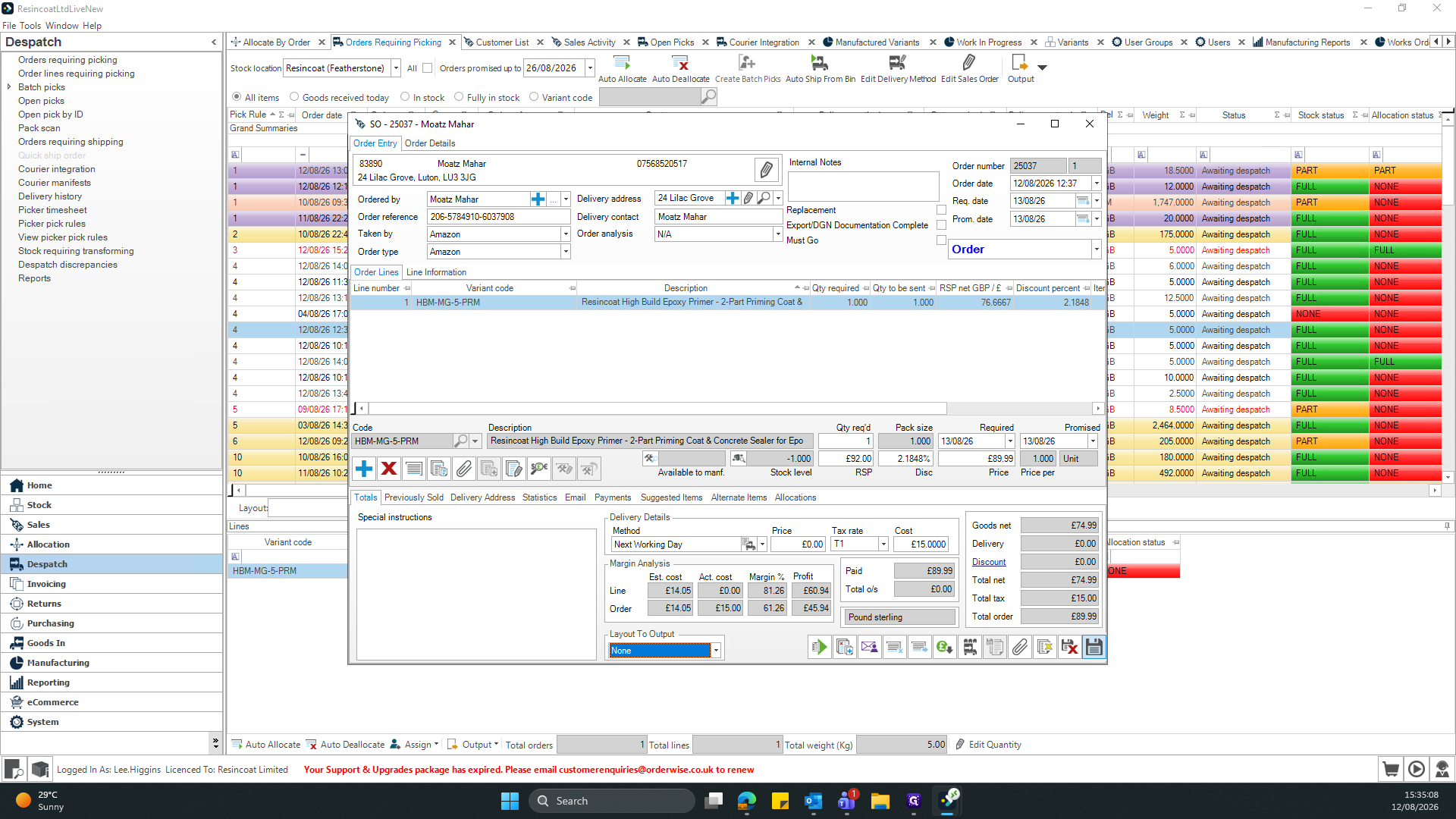
Q: Where do I generate the order acknowledgement document?
A: In the order pop-up window, select "Acknowledgement" from the "Layout To Output" drop-down menu to generate the appropriate document.
Term | Definition |
|---|---|
Despatch | The process or module within an ERP system used to manage the shipping and fulfillment of customer orders. |
Part Shipment | A fulfillment method where a single order is delivered in multiple shipments based on current stock availability. |
Order Acknowledgement | A formal document sent to a customer confirming that their sales order has been received and processed. |
Margin Analysis | A financial review of individual line items to determine the profitability of the products being sold. |