How to Configure Transportation Handover in SAP
Learn how to configure Manual Shipsy activation and allocation modules by adding new site code entries to the Transportation Handover table in SAP.
By RBL WSI Mumbai
This guide explains how to create new entries in the SAP Transportation Handover table. Completing this workflow ensures proper configuration of delivery types for manual Shipsy activation and allocation modules.
This process is designed for SAP administrators and logistics coordinators responsible for system configuration and transportation management.
Begin by accessing the Transportation Handover settings in your SAP environment.
1
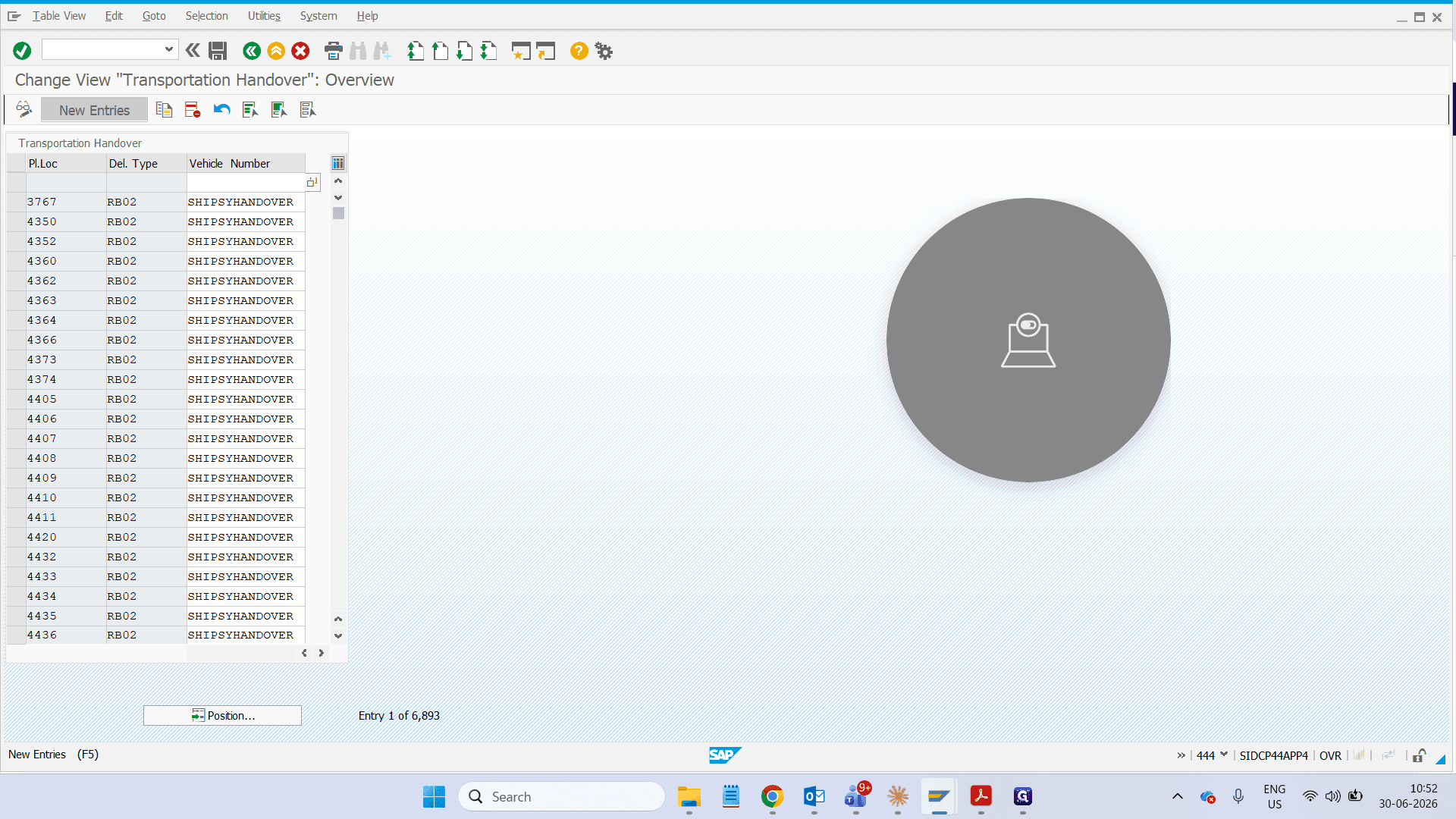
Type ZSHIPSYHANDOVER and press Enter.
Click New Entries to add a site configuration to the Transportation Handover table.
Click New Entries to add a site configuration to the Transportation Handover table.
2
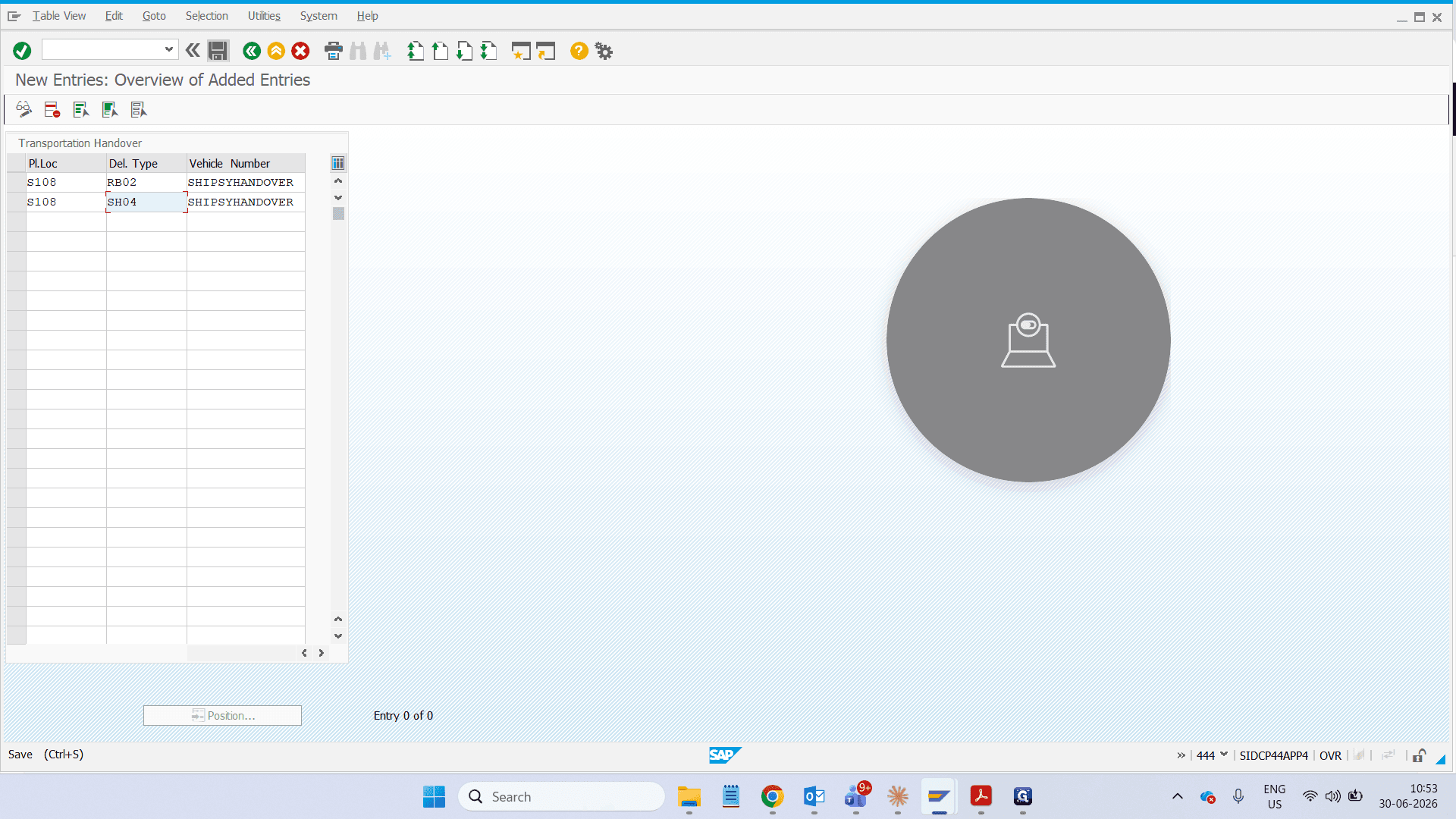
Under Pl. Loc mention the Site code and SHIPSYHANDOVER under Vehicle Number
When entering the delivery type, you must assign the correct code based on the activation mode required:
RB02: Configures manual shipsy activation
SH04: Configures allocation module activation
Click Save to apply the new transportation handover configurations.
When entering the delivery type, you must assign the correct code based on the activation mode required:
RB02: Configures manual shipsy activation
SH04: Configures allocation module activation
Click Save to apply the new transportation handover configurations.