How to Confirm Pre-Scheduled Appointments
Learn how to confirm pre-scheduled service appointments to convert leads into official appointments and ensure you receive proper credit.
This guide explains how to confirm pre-scheduled service appointments so they convert from leads into official appointments. Following this process daily ensures you receive proper credit for the future appointments you book. Ex. a customer's first service appointment (booked 6 months out) after a new/used vehicle sale.
This applies to service schedulers and BDC agents responsible for booking and managing customer appointments. You should perform this task daily to manage appointments exactly two weeks ahead in your workflow.
Make it a daily habit to look two weeks ahead in your schedule. Following up on unconfirmed pre-scheduled appointments ensures they convert to official appointments and that you receive credit for setting them up.
Navigate to upcoming appointments
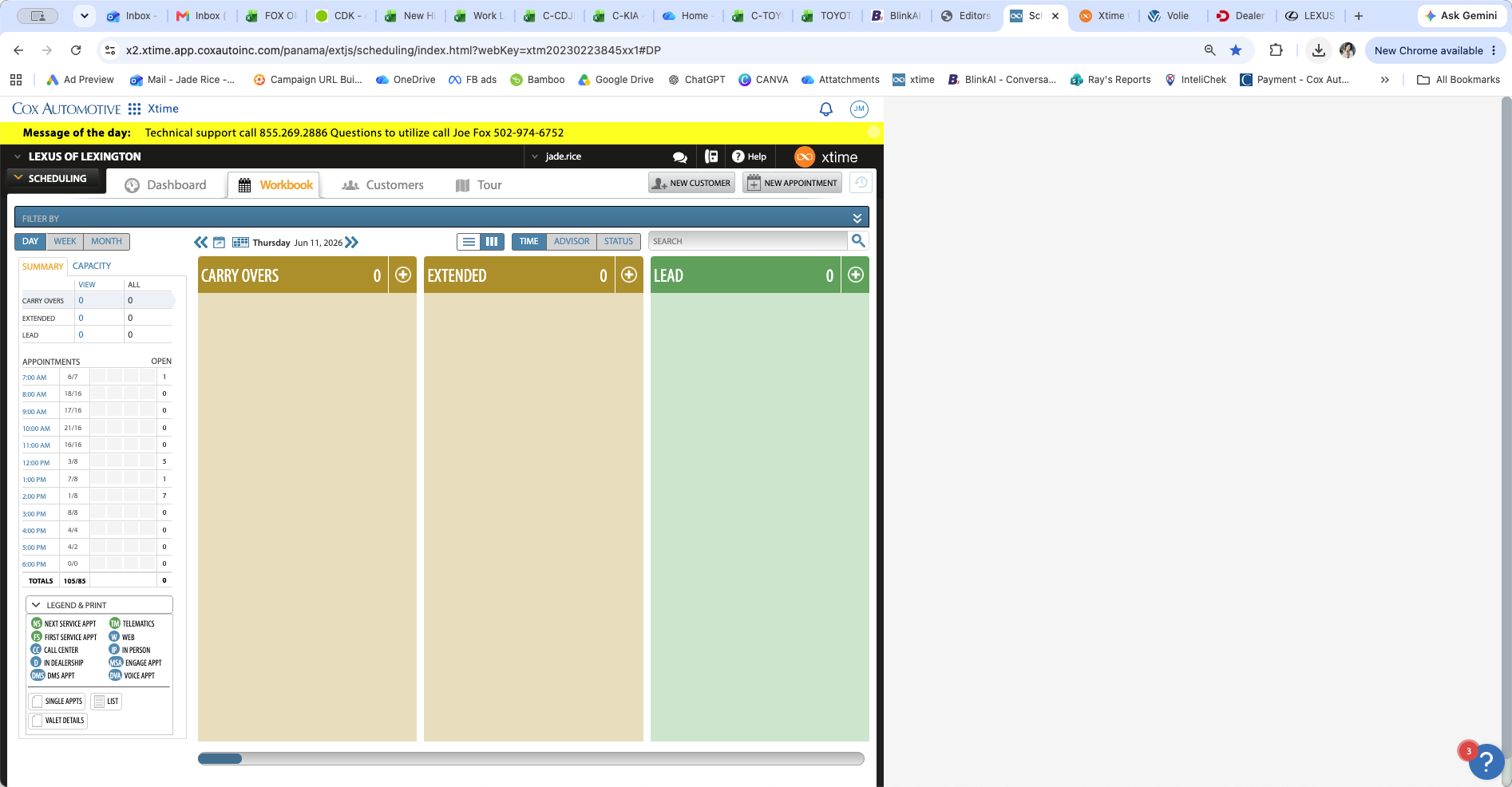
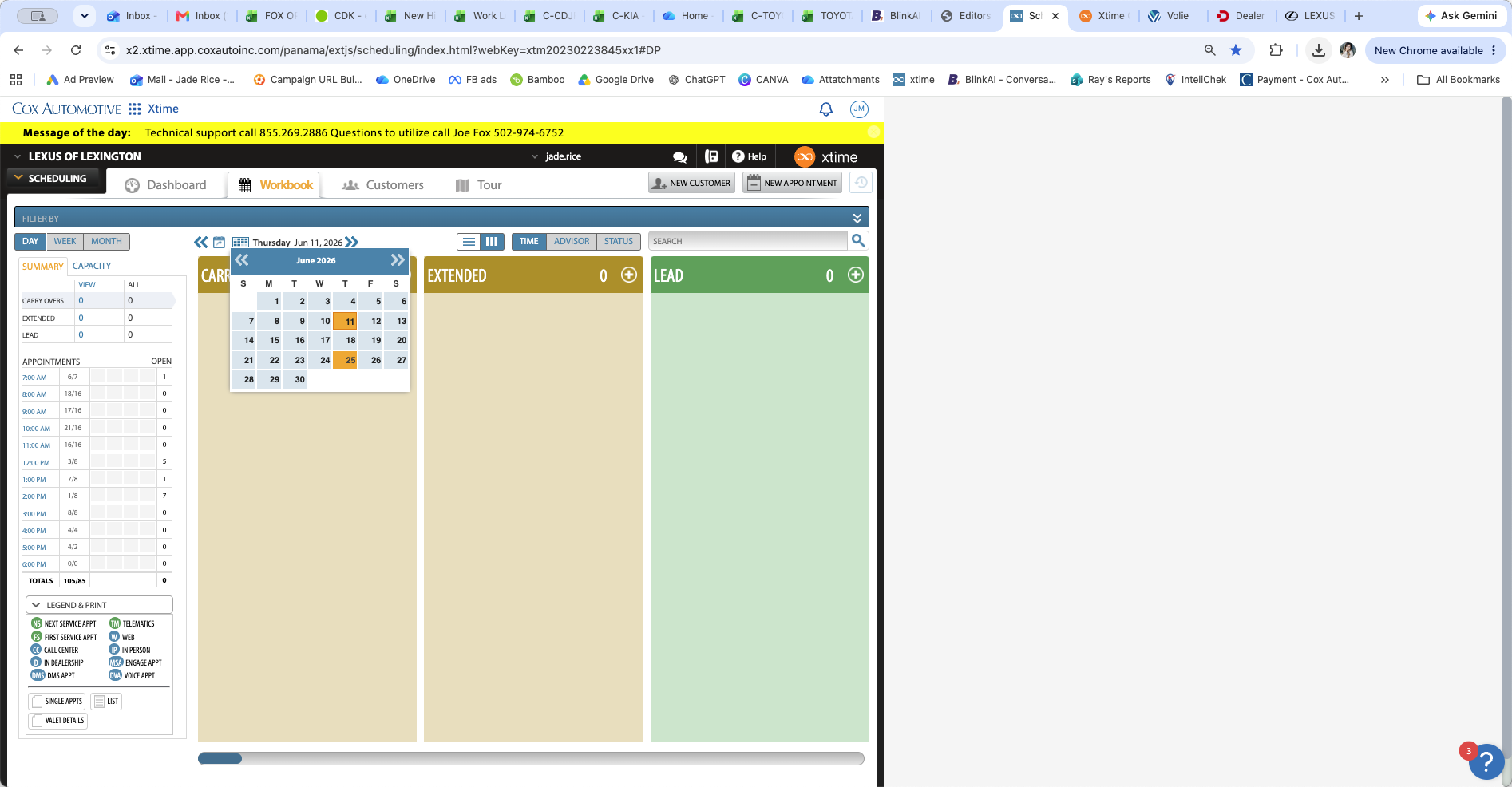
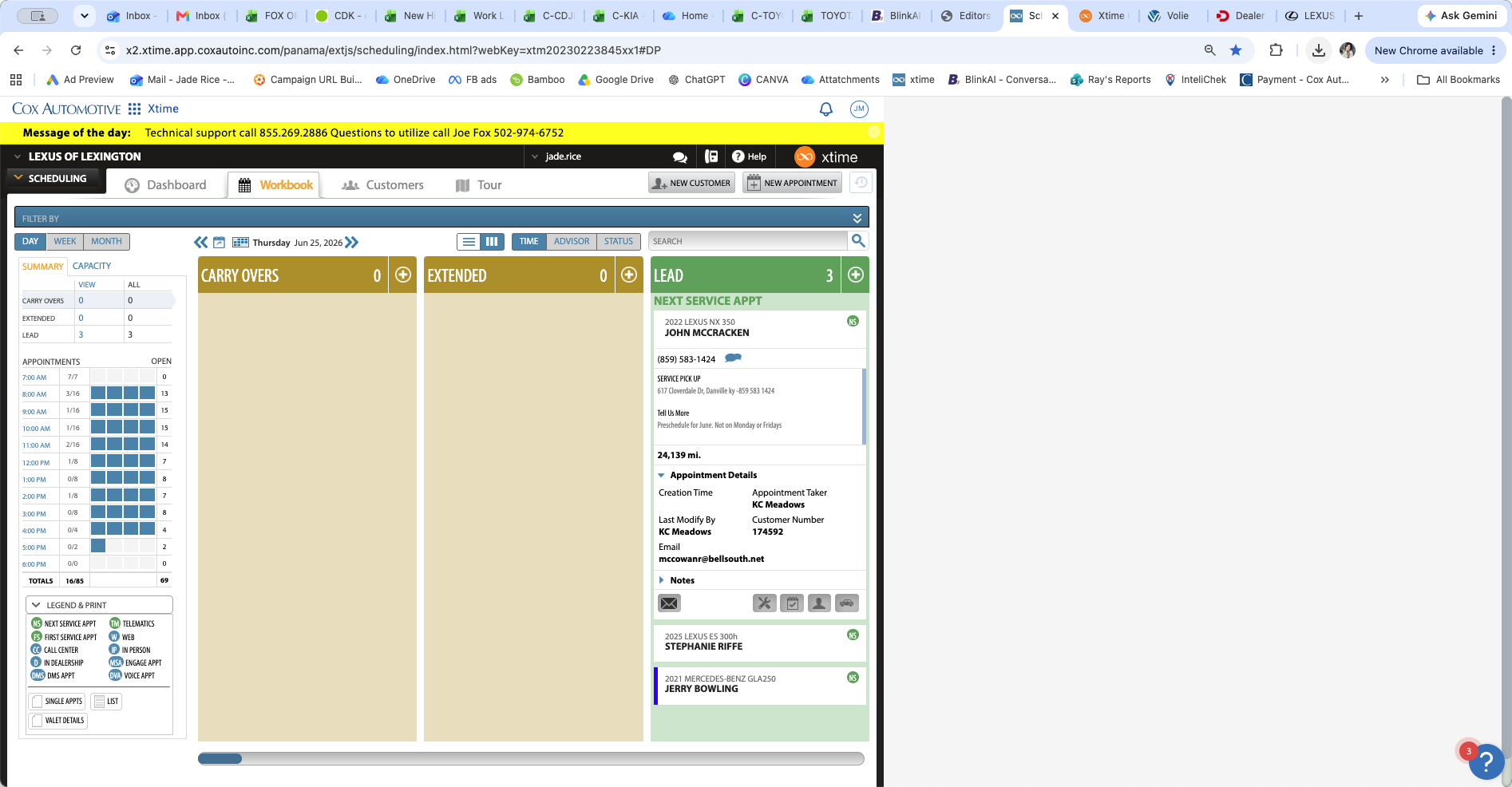
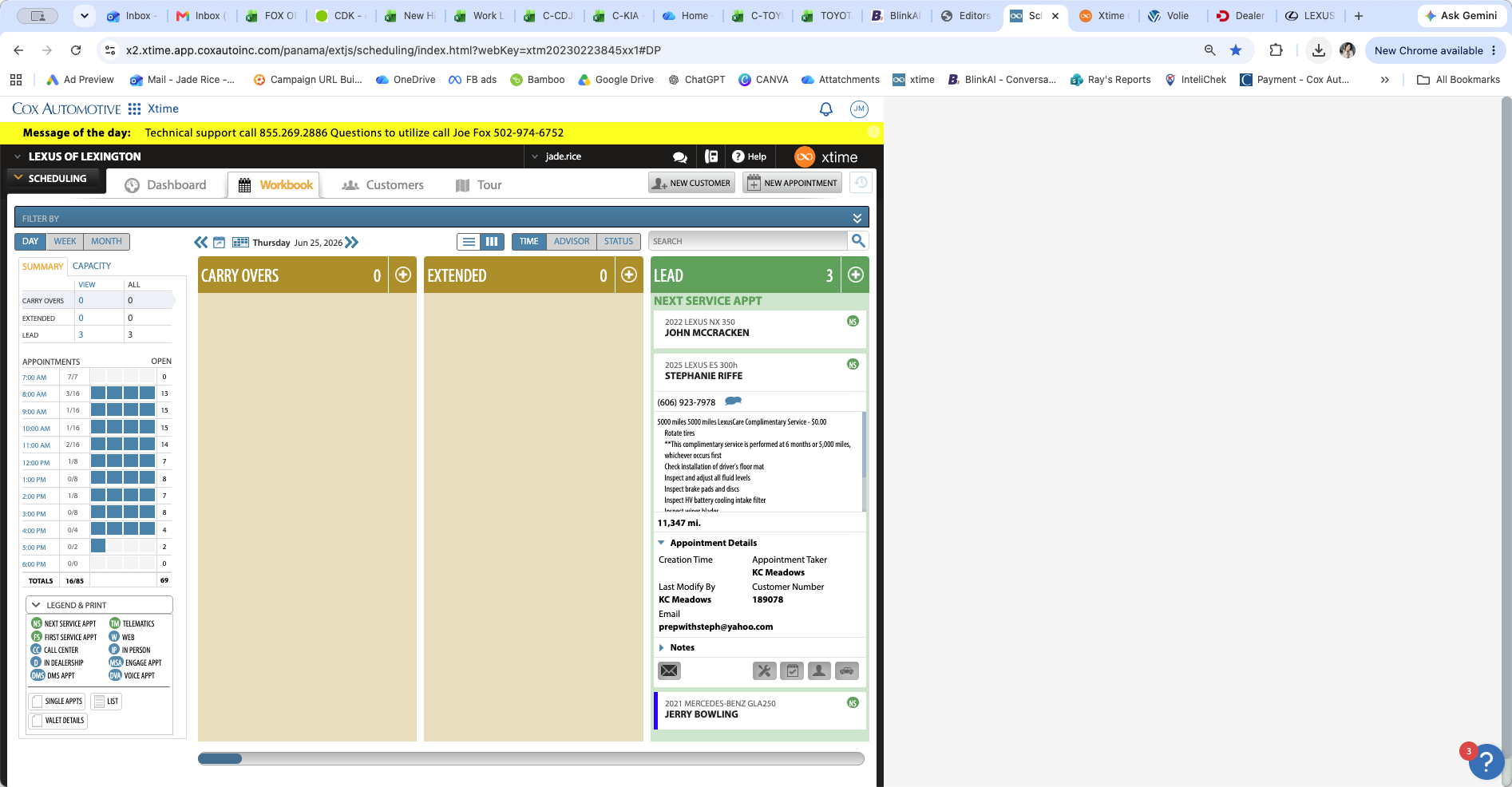
Confirm appointment leads
Appointments set more than three months in advance (such as those from sales follow-up campaigns) initially appear in the Lead column. They remain unofficial until confirmed.
Q: What happens if the customer confirms the appointment themselves?
A: Customers receive automated text and email reminders multiple times for these leads leading up the actual appointment date. If they confirm the appointment or change the time on their own, you will still receive full credit for setting the original lead when they show up.
Q: How often should I check for unconfirmed leads?
A: You should check every day. By consistently looking exactly two weeks ahead, you only need to make a few calls each day to ensure all upcoming leads are contacted and confirmed.
Term | Definition |
|---|---|
Pre-scheduled appointment | A service appointment set more than three months in advance, typically during a post-sale campaign. |
Lead column | The section of the scheduling dashboard where unconfirmed future appointments are temporarily held until confirmed. |
Workbook | The main scheduling grid that displays confirmed, official service appointments organized by time slot. |