
How to Create and Approve a Client Booking
Learn how to manually create a booking for a call-in client, select custom service windows, bypass intake forms, and fully approve reservations.
This guide walks you through manually creating a pet care booking on behalf of a call-in client. By following these steps, you can schedule services, apply custom time-window fees, bypass pending intake forms, and fully approve reservations to keep your calendar up to date.
This process is designed for front-desk staff or administrators. Use this workflow whenever you need to manually enter a reservation for a customer over the phone or in person.
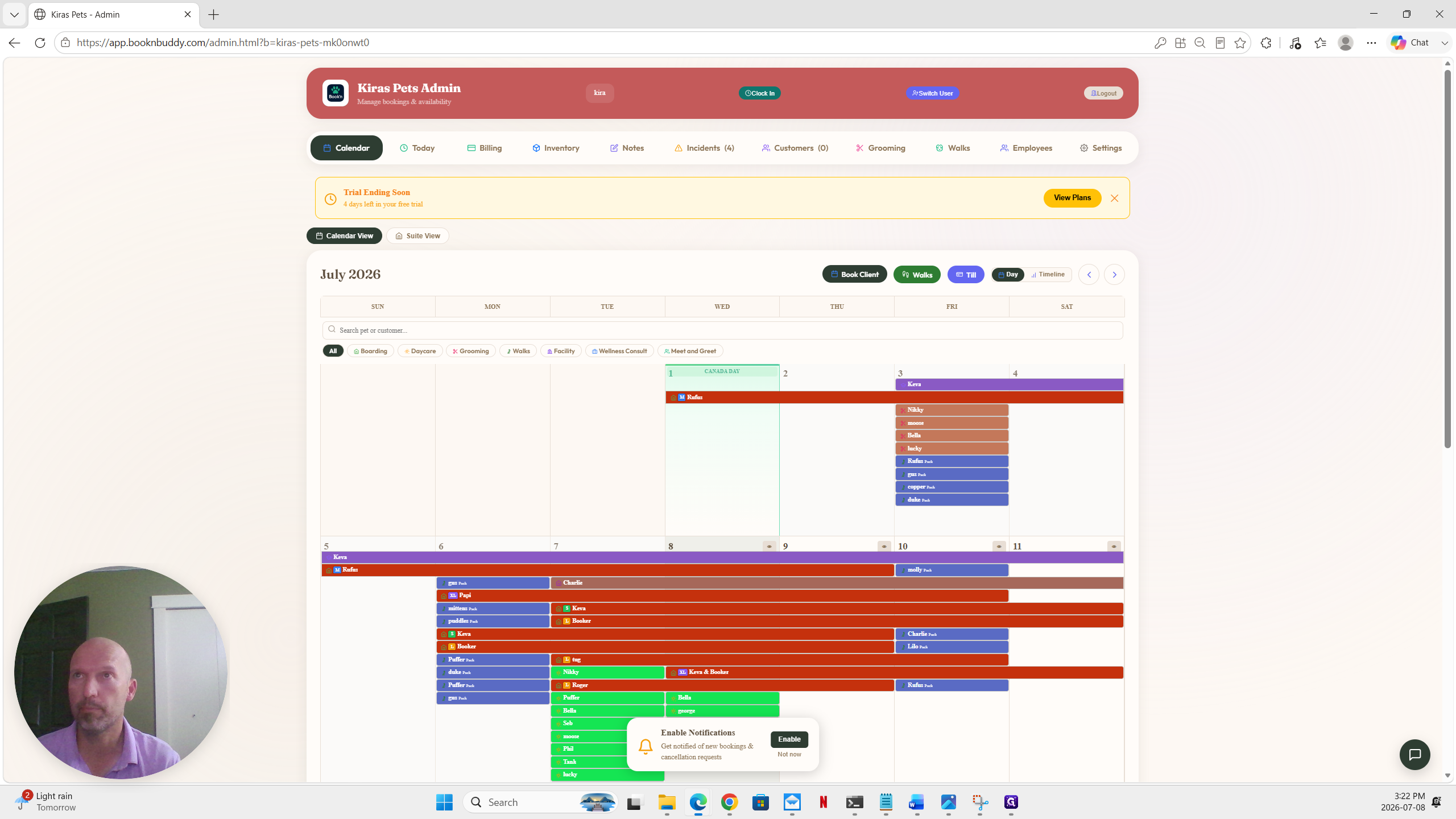
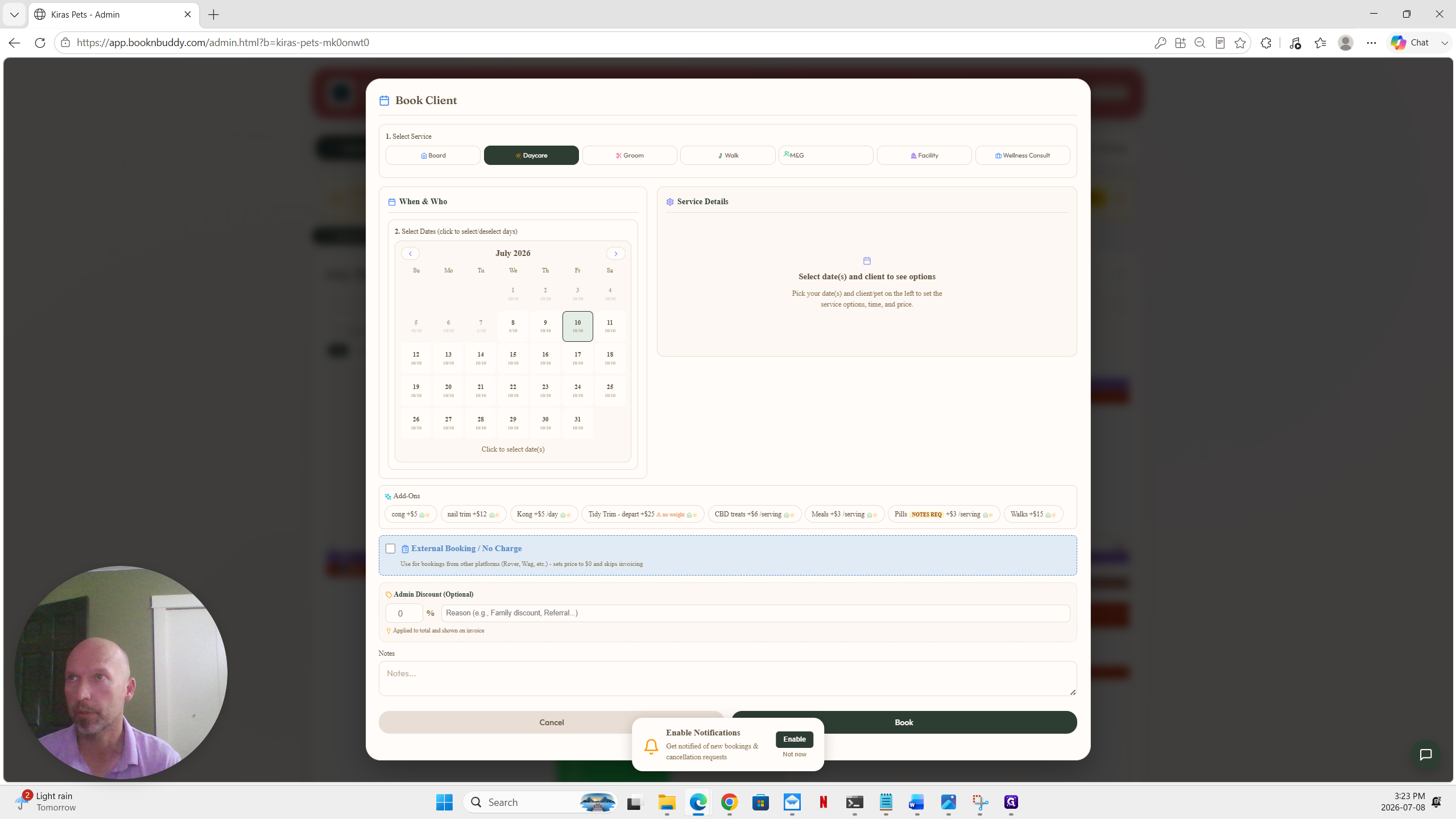
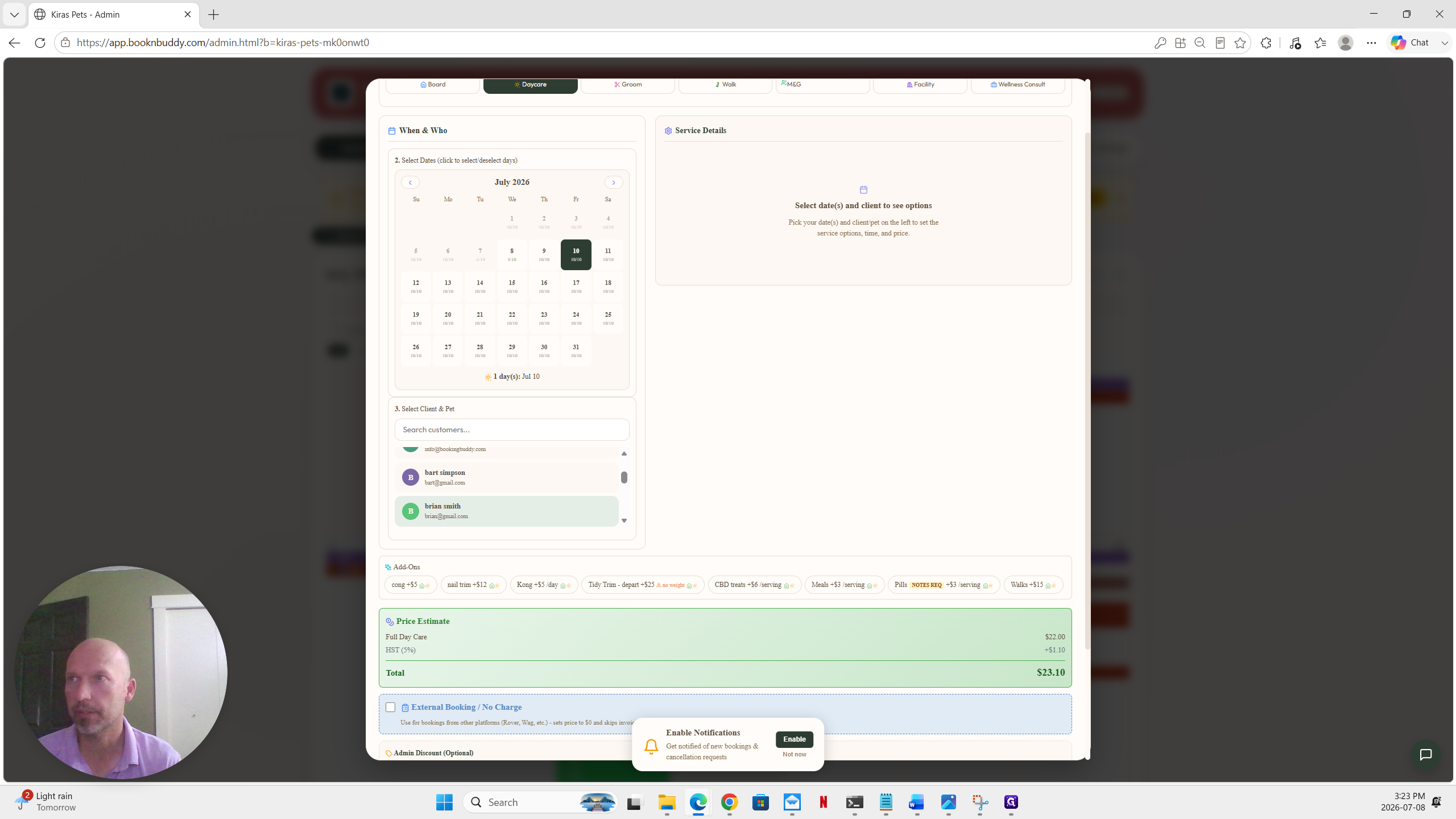
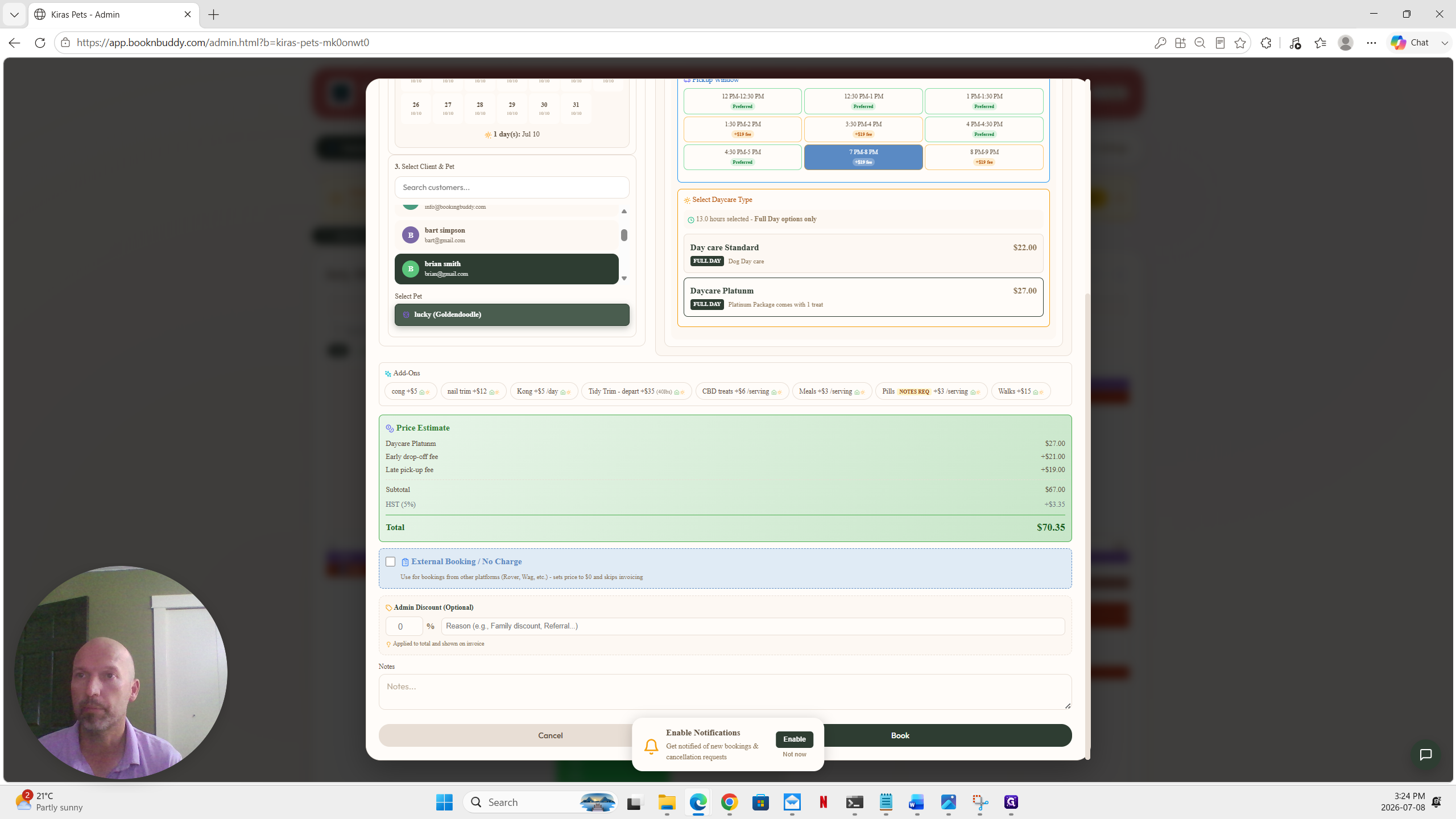
Creating a New Booking
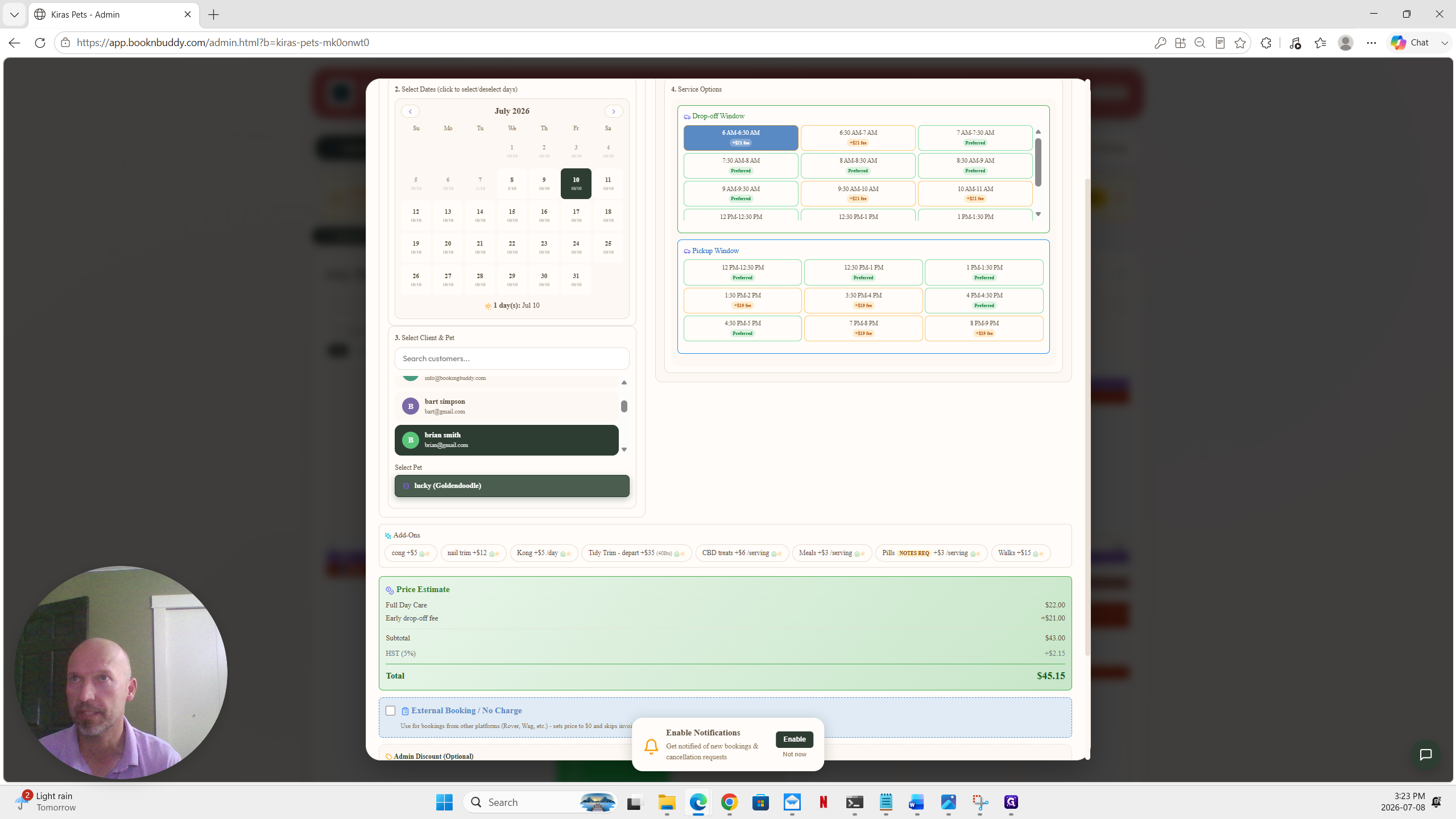
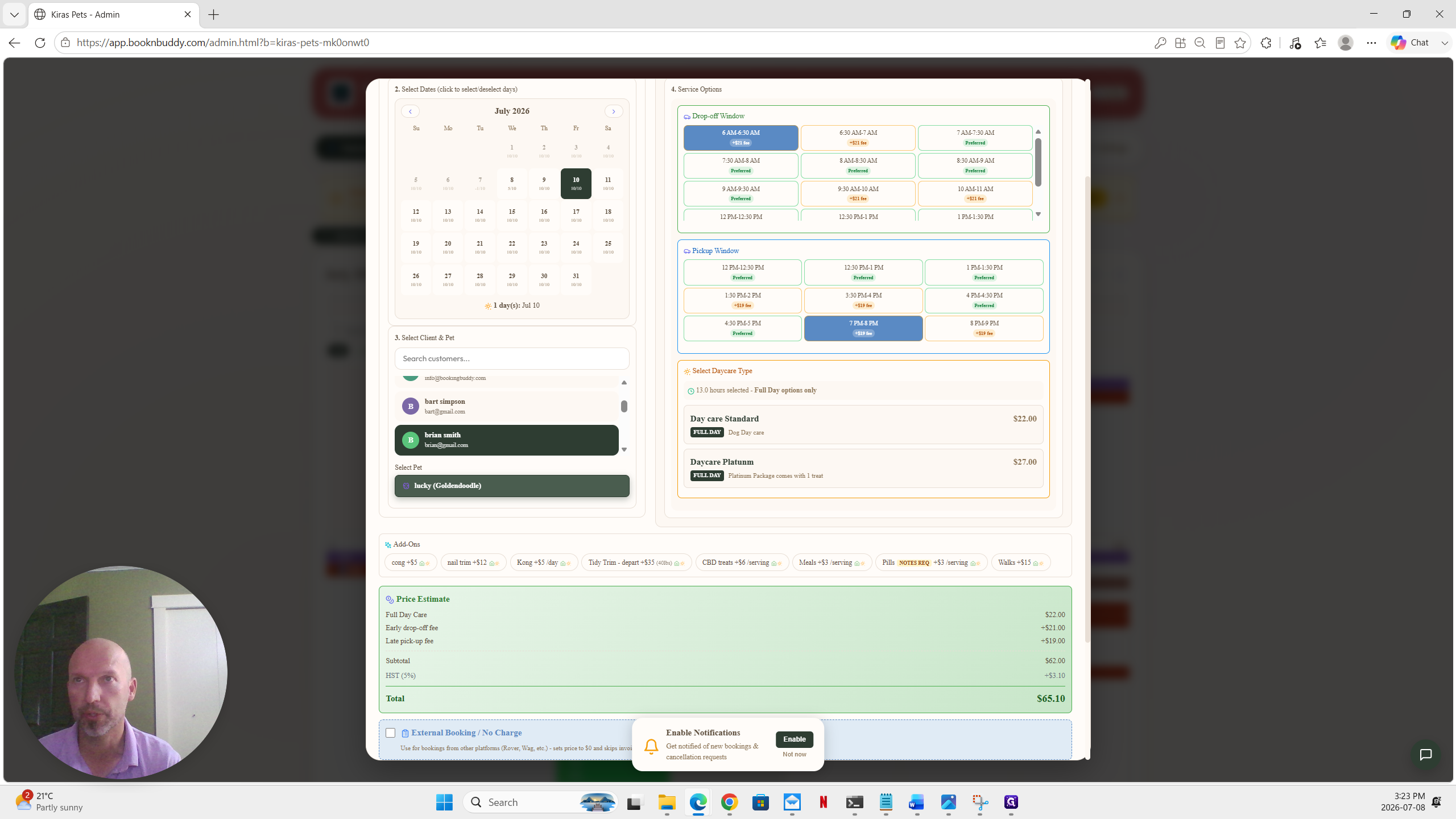
Configuring Custom Time Windows
Managing Intake Forms and Approvals
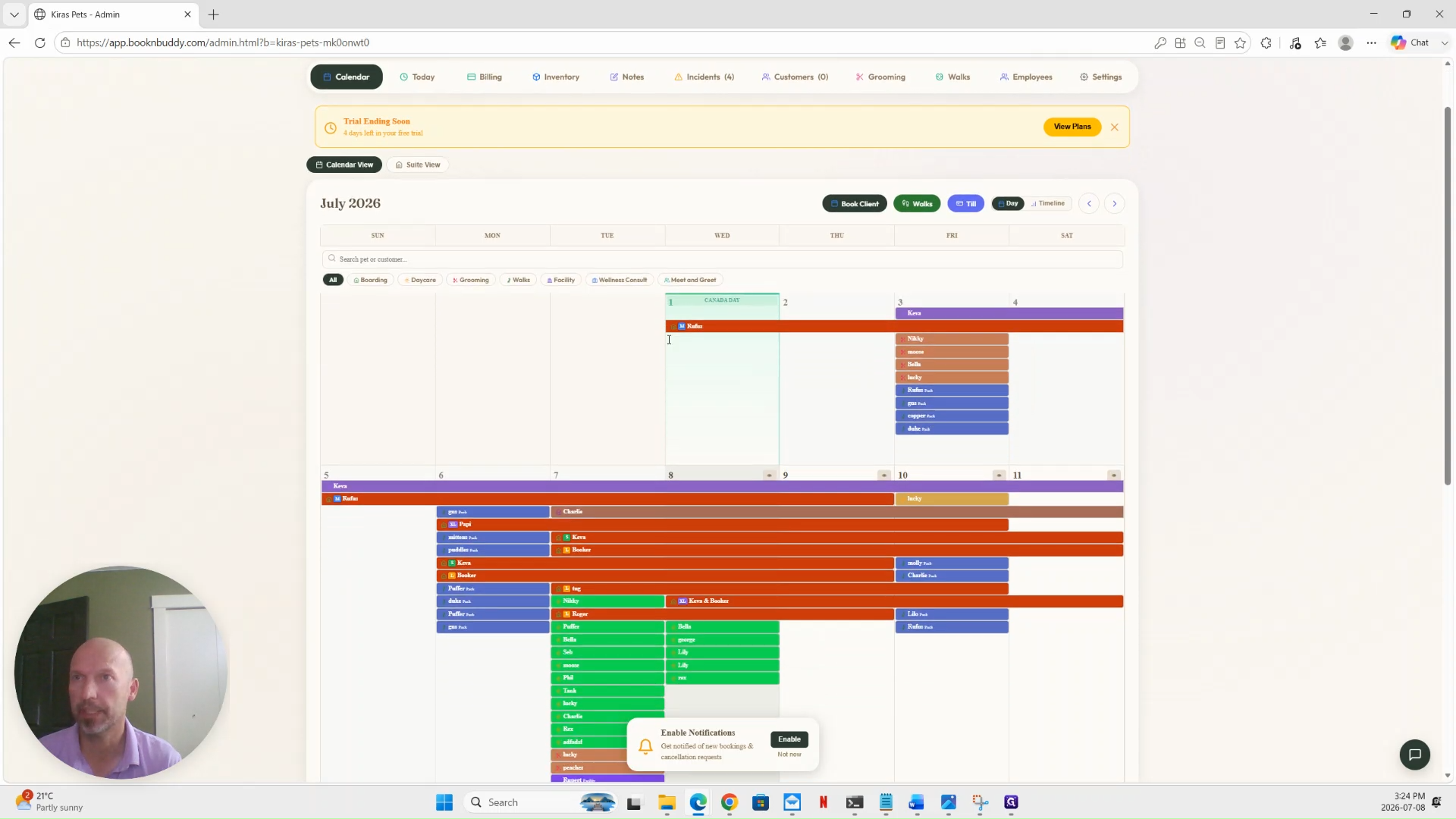
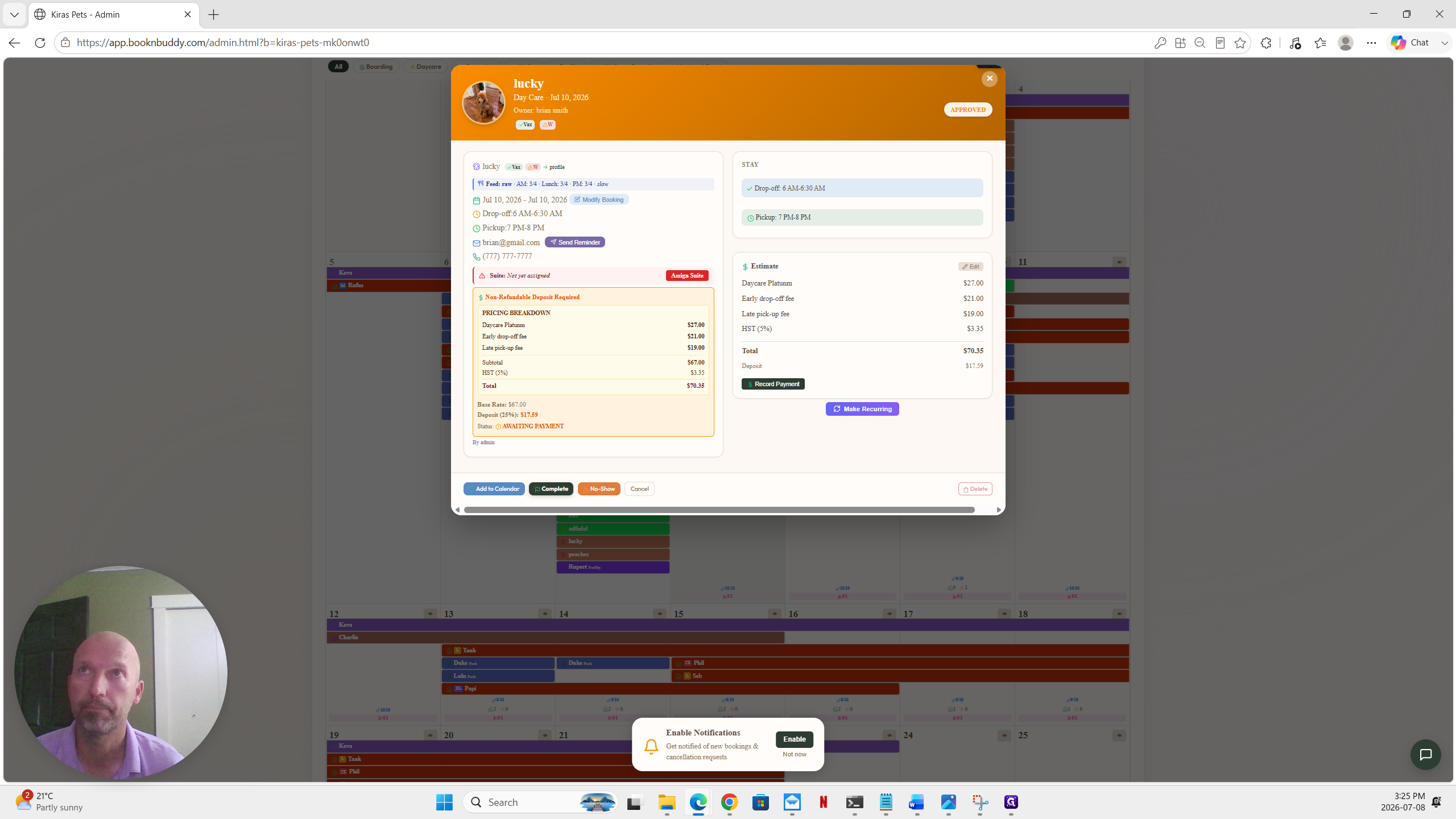
Once the booking is created, it may sit in a pending status if the client has not completed a required intake form or needs to pay a deposit.
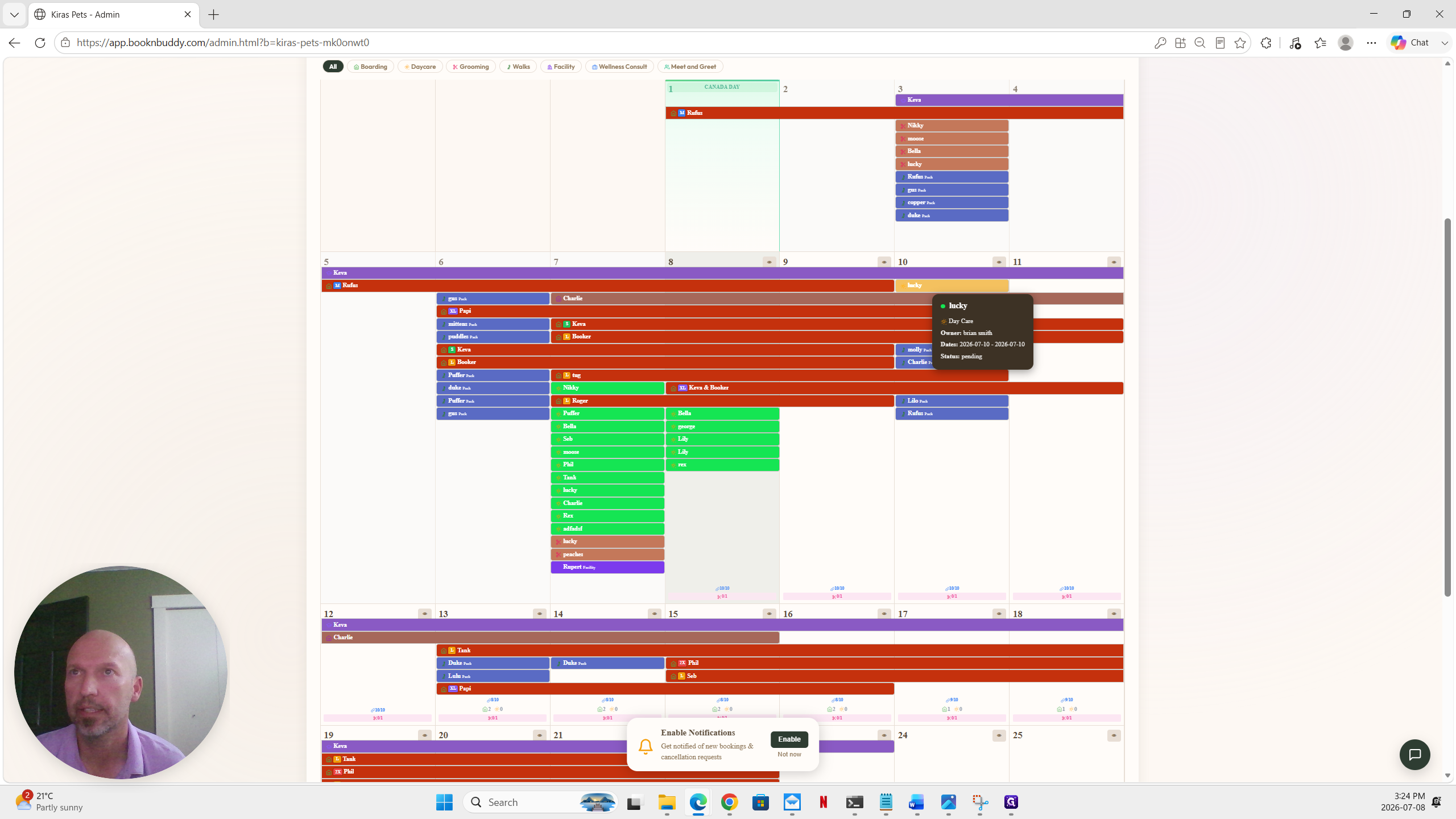
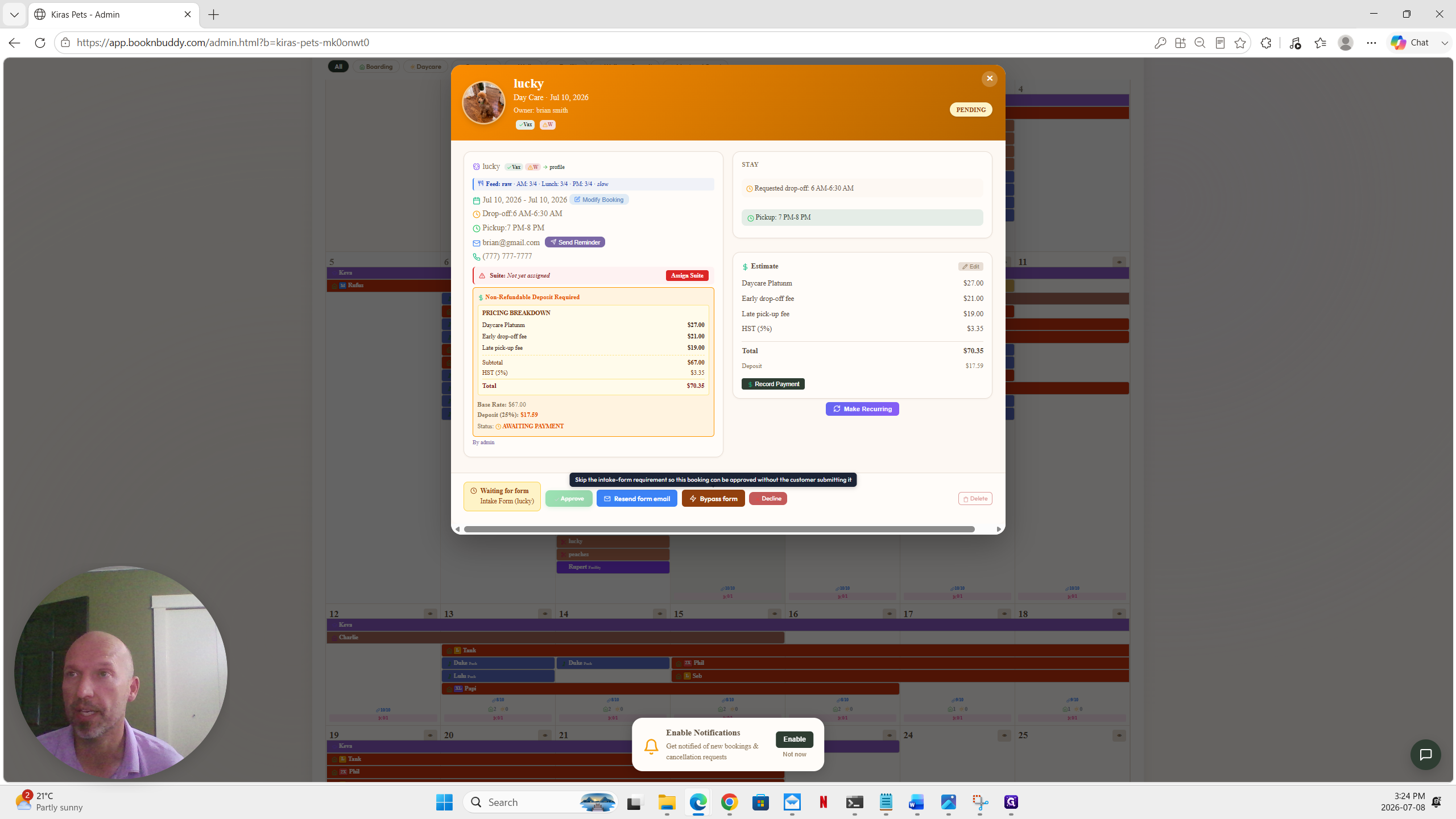
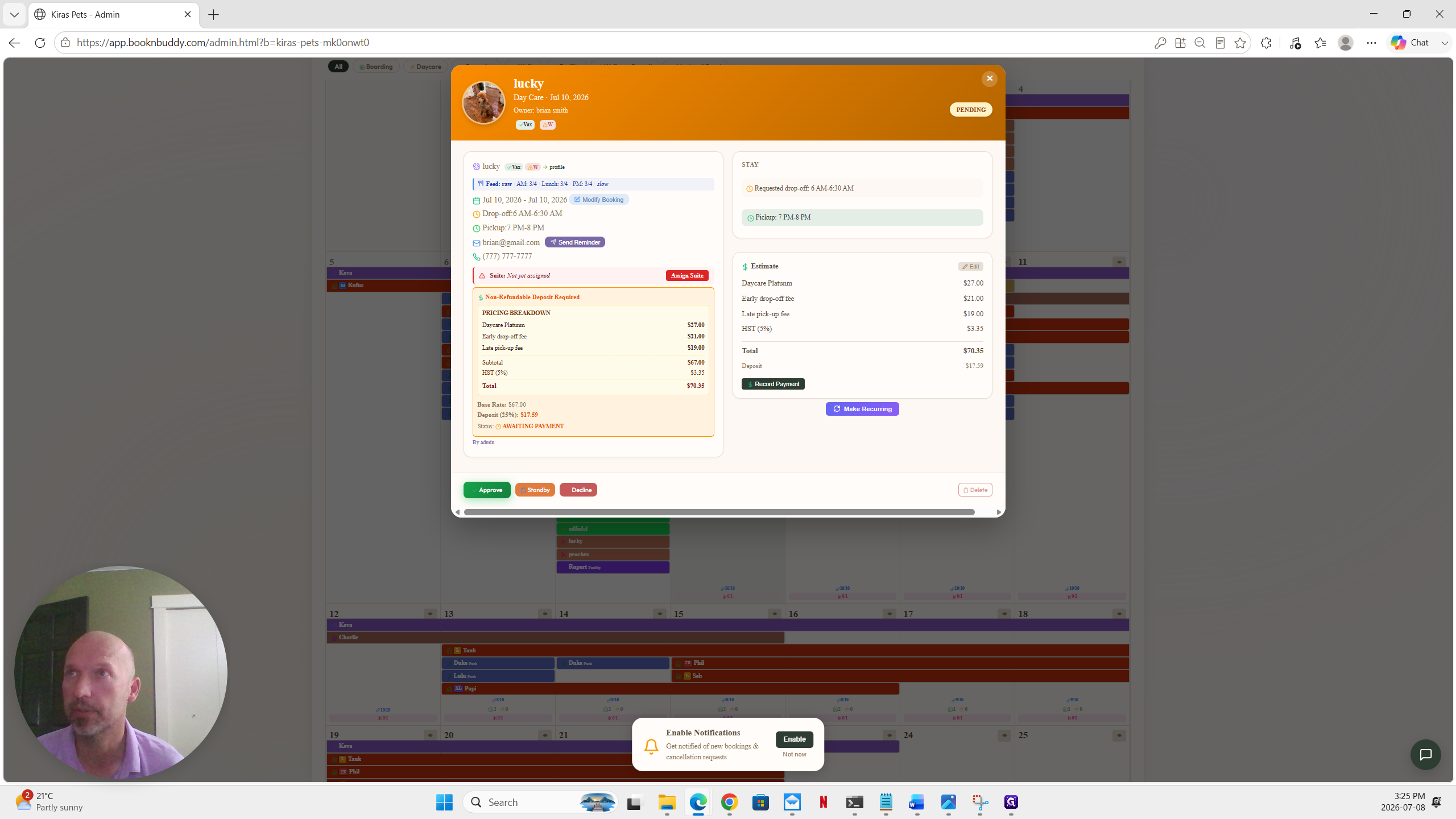
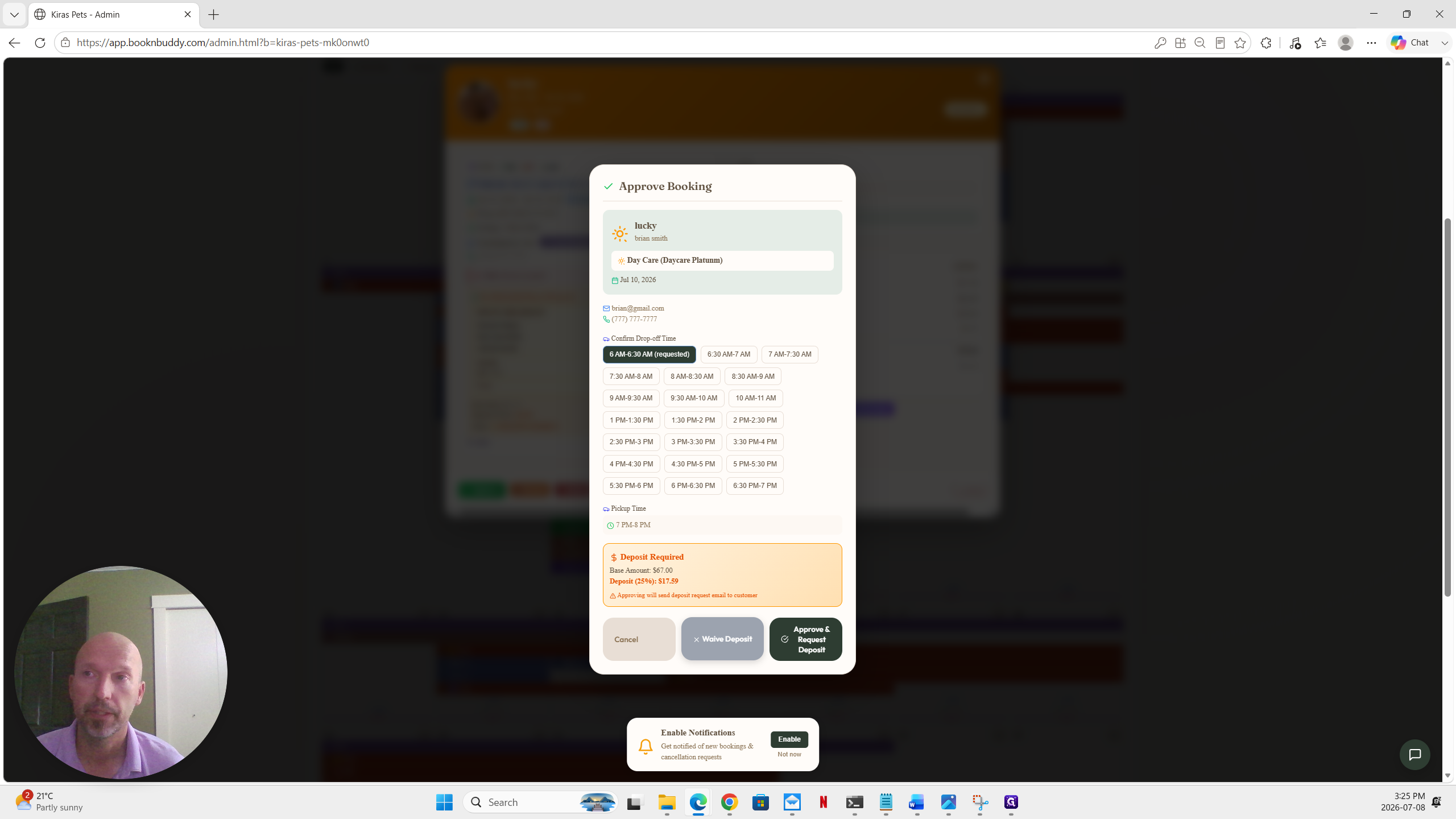
Before the reservation changes to an approved state, you must select how to handle the required deposit. Choose from the following options:
Deposit Action | Description |
|---|---|
Waive Deposit | Finalizes the approval immediately without requiring the client to pay the deposit percentage. |
Request Deposit | Approves the time slot but sends a payment request to the client to pay their required upfront deposit. |
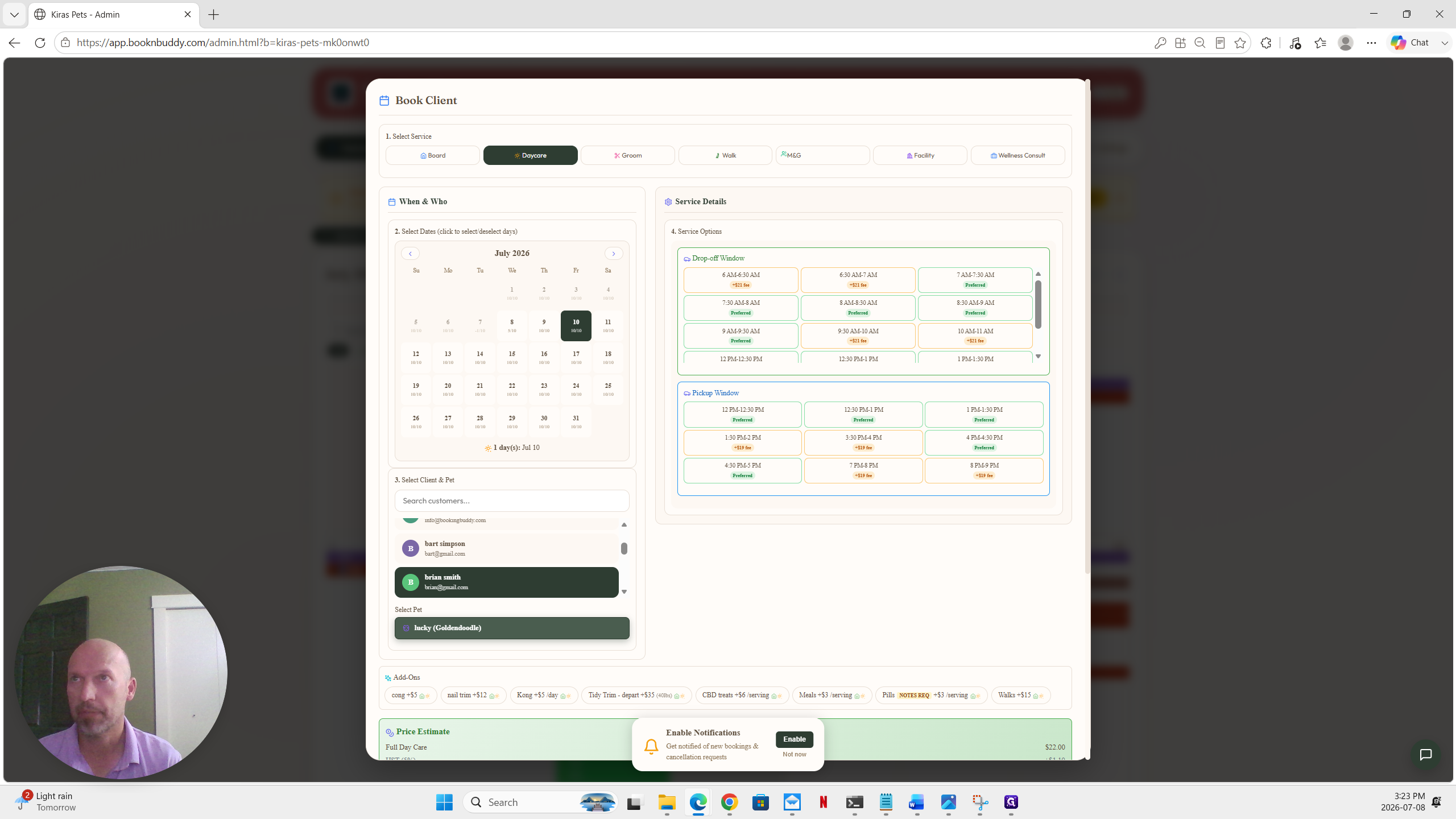
Q: What happens if a customer needs an earlier drop-off or later pickup?
A: You can select specialized time windows during the booking process. The system will automatically apply any configured extra fees for those custom times.
Q: Why is a new booking sitting in a pending status?
A: The booking will remain unapproved if the client hasn't paid a required deposit or completed their prerequisite intake form.
Q: Can I approve a booking without a completed intake form?
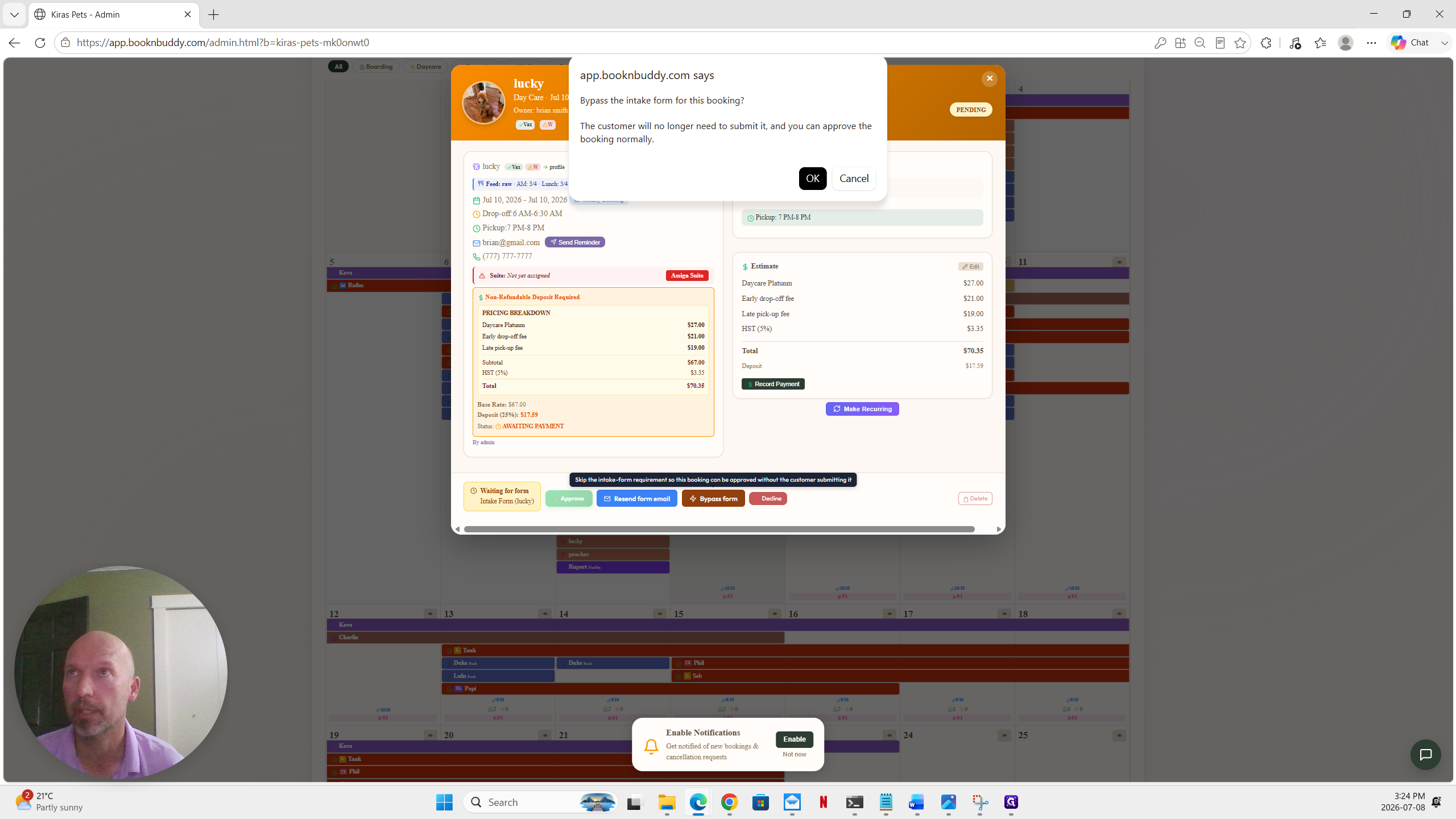
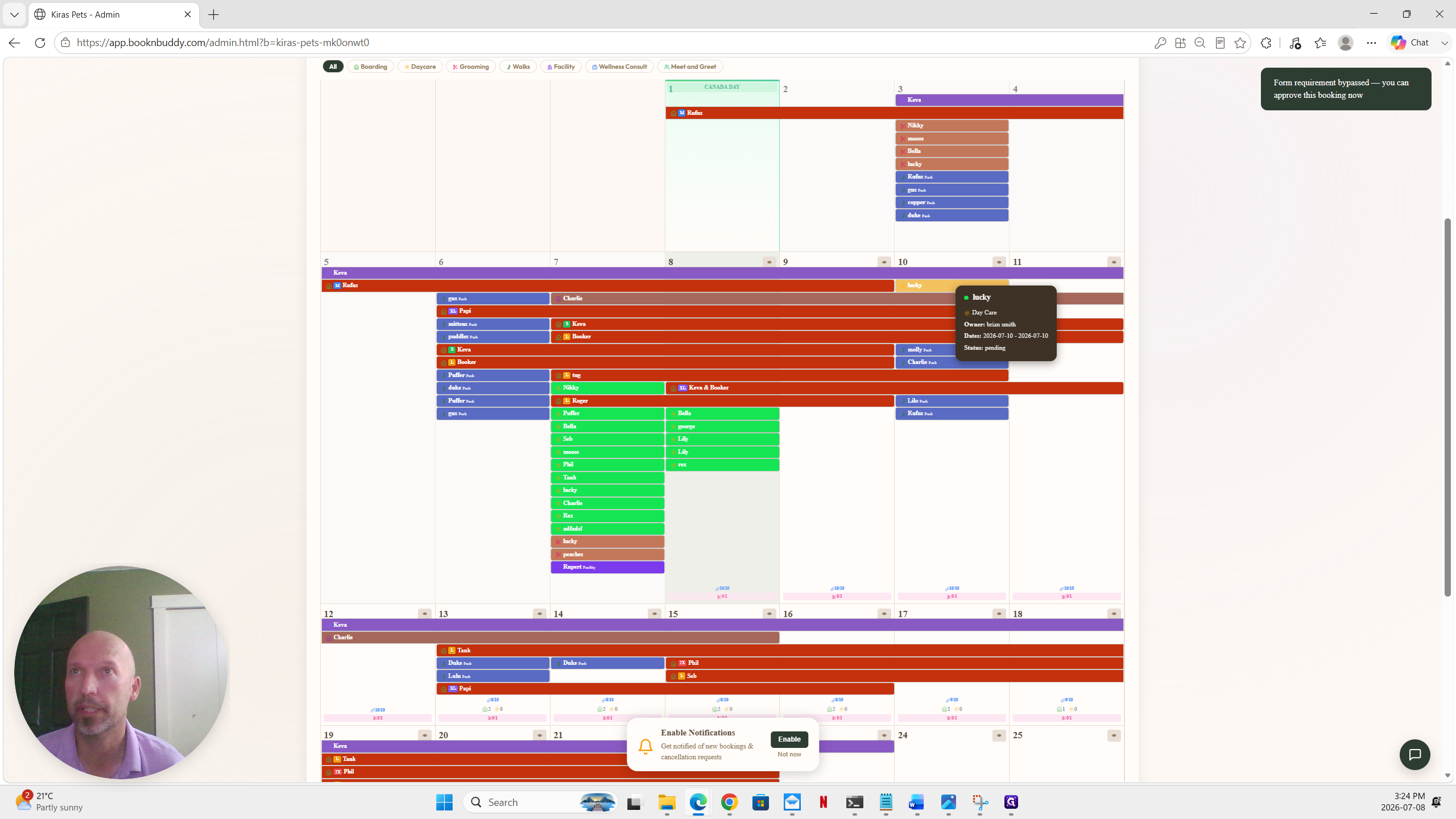
A: Yes, administrators can manually override this requirement by clicking the "Bypass form" button on the pending reservation.
Term | Definition |
|---|---|
Intake Form | A required document or questionnaire that a pet owner must fill out before their reservation is finalized. |
Preferred Window | A business's standard timeframe for drop-offs and pickups that do not incur additional fees. |
Recurring Booking | A scheduling feature that duplicates a single reservation across a repeating future timeline. |