
Create and Convert Leads from Existing Contacts in Zoho
Learn how to create a lead from an existing contact in Zoho CRM, request additional case details, and convert the lead into a referral.
This guide walks through generating a lead for an existing solicitor contact in Zoho CRM, sending out an information request form, and converting the accepted lead into an active client referral.
This procedure applies to administrative and intake team members handling case inquiries or atypical referral requests from existing solicitor contacts.
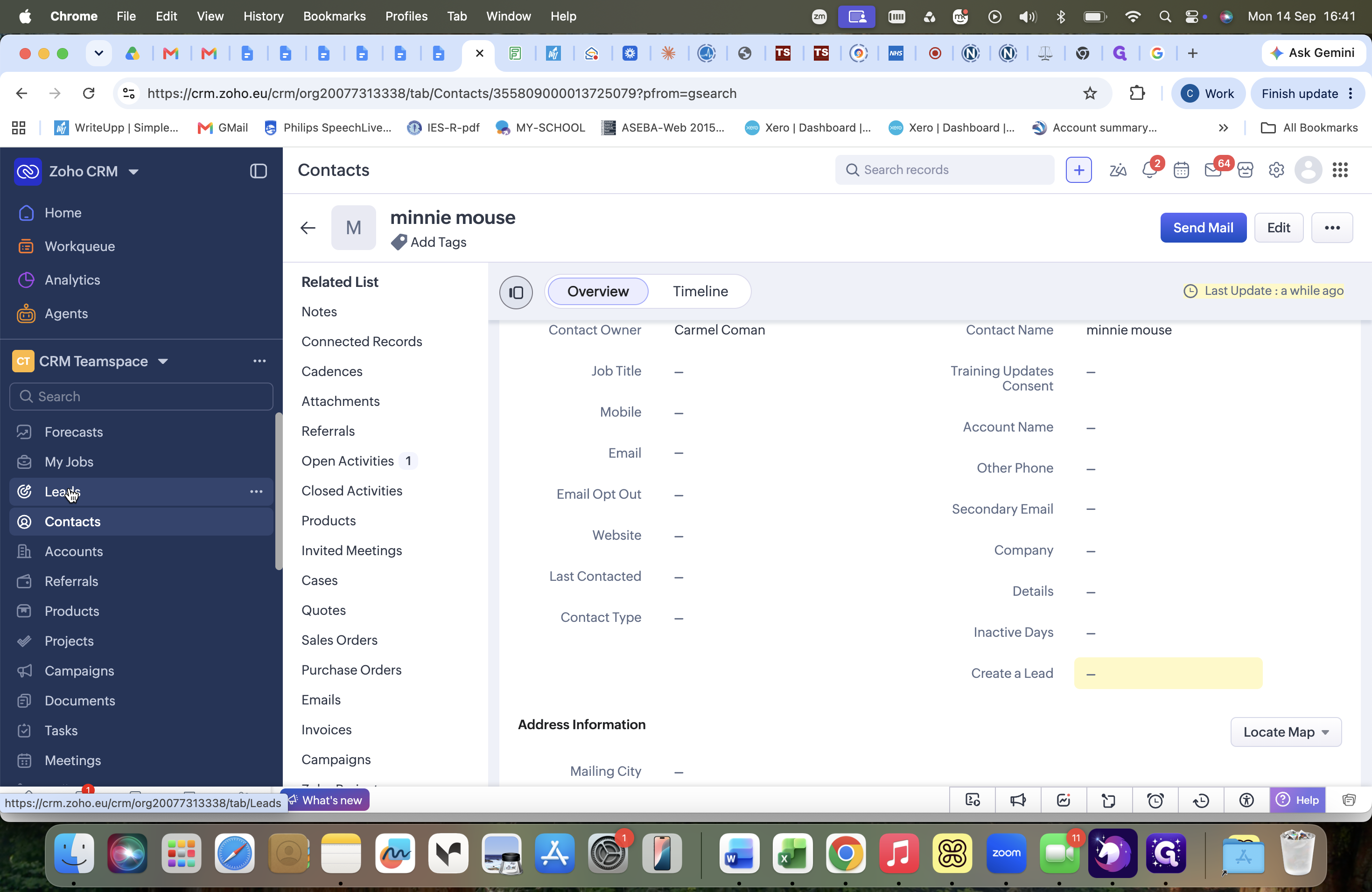
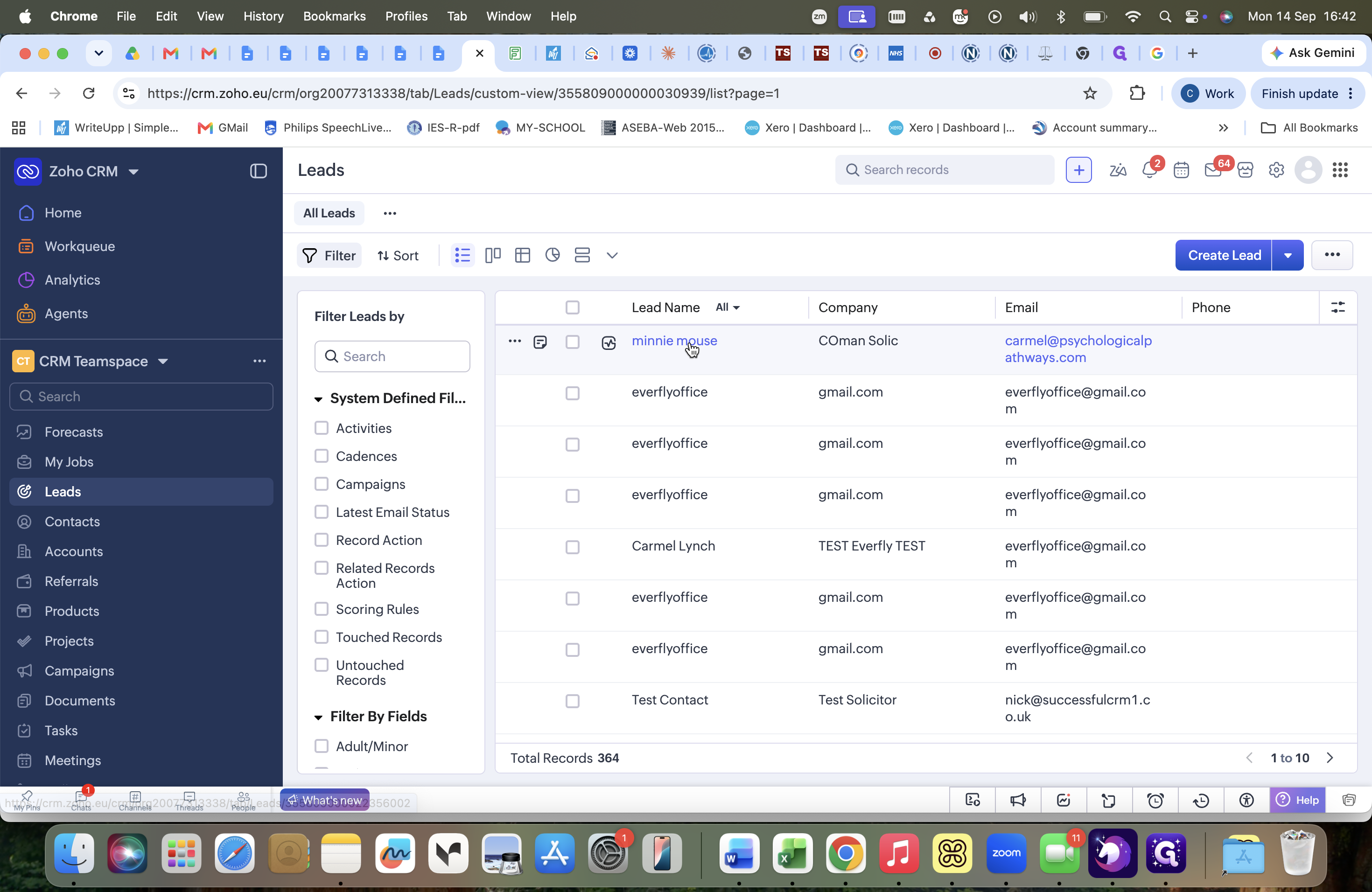
When an existing solicitor contacts the practice regarding a case that requires additional vetting or falls outside standard case parameters, you can create a lead directly from their existing contact record rather than setting up a new solicitor account.
Step 1: Locate the Contact and Create a Lead
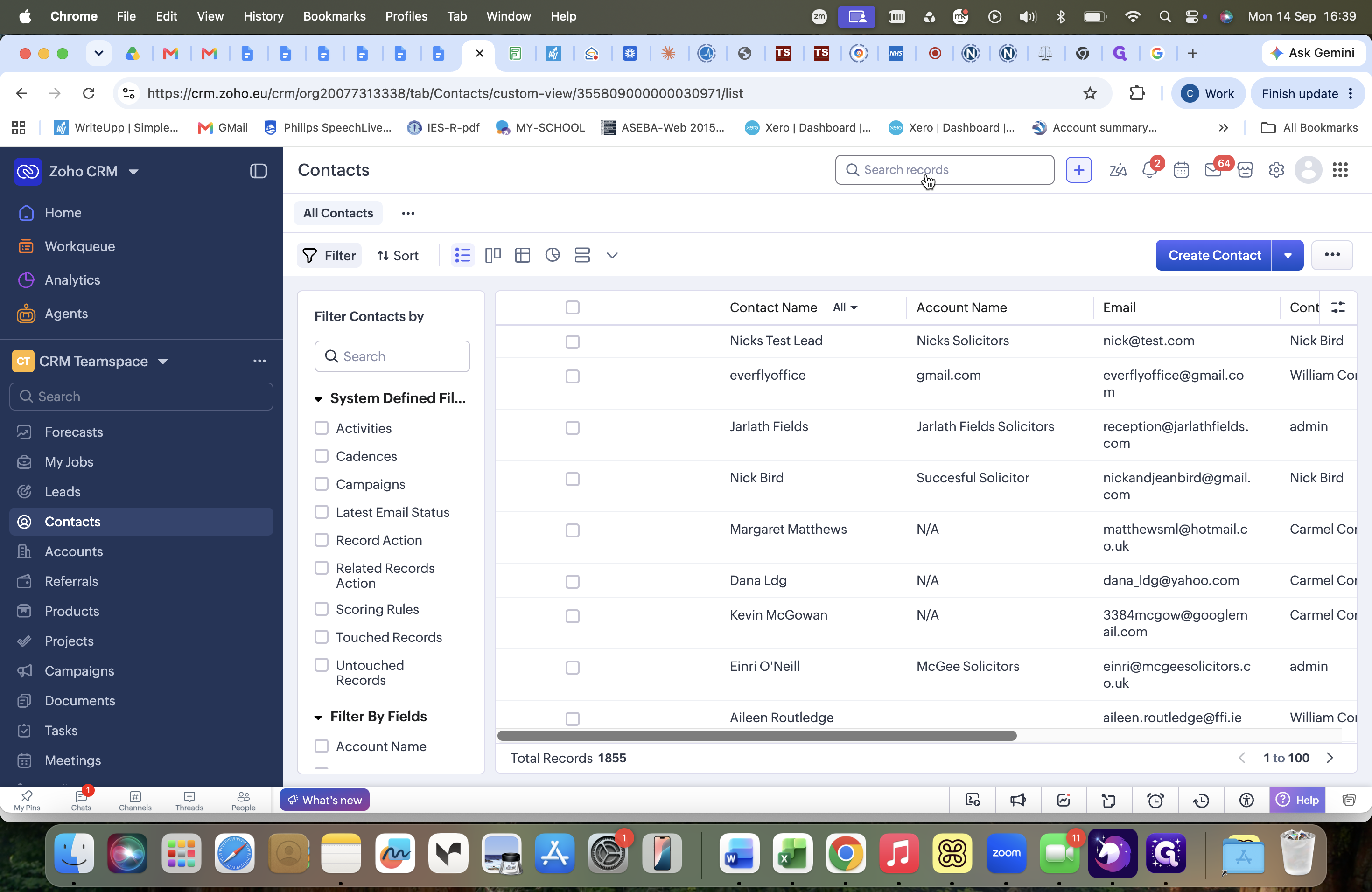
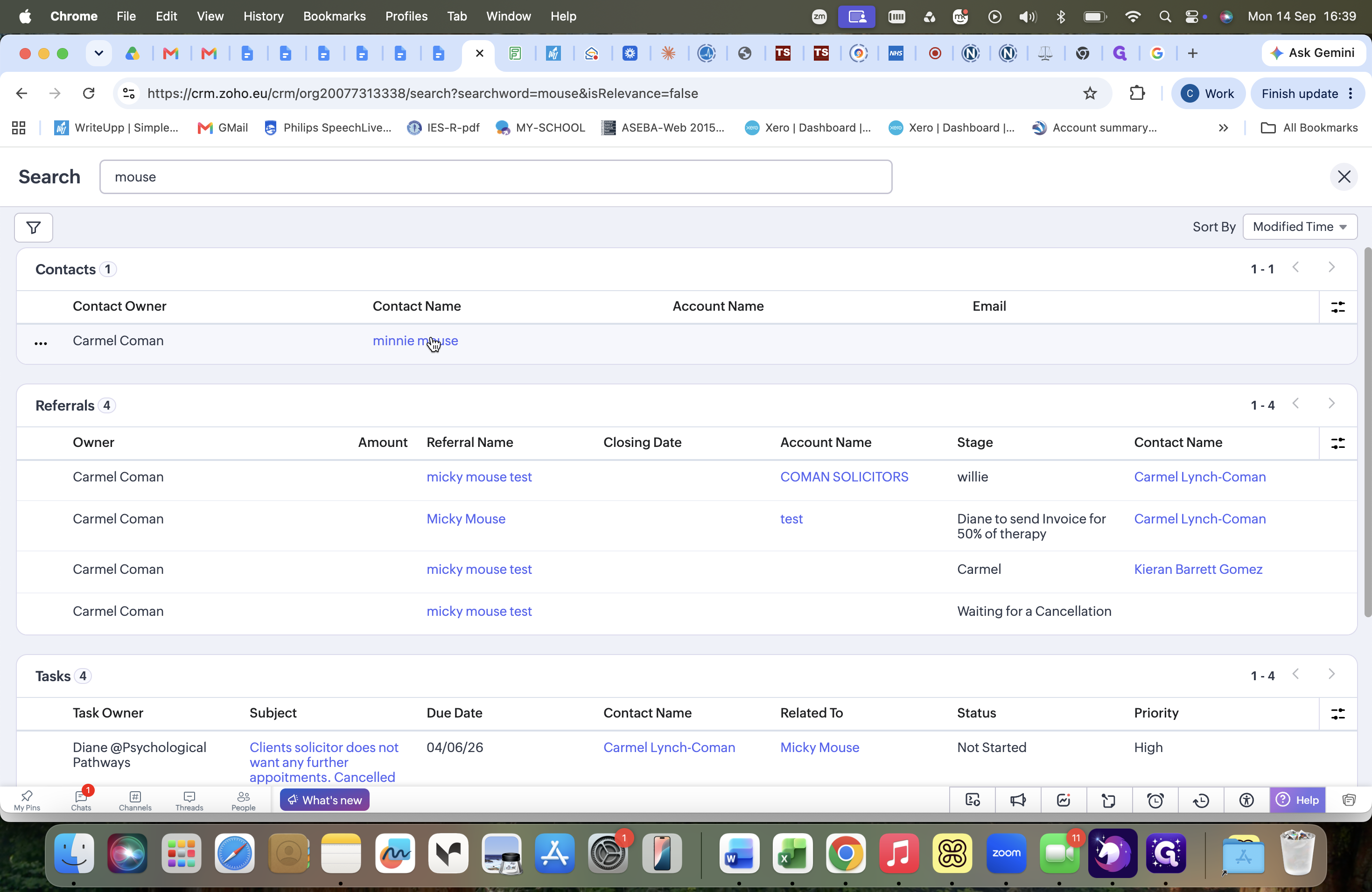
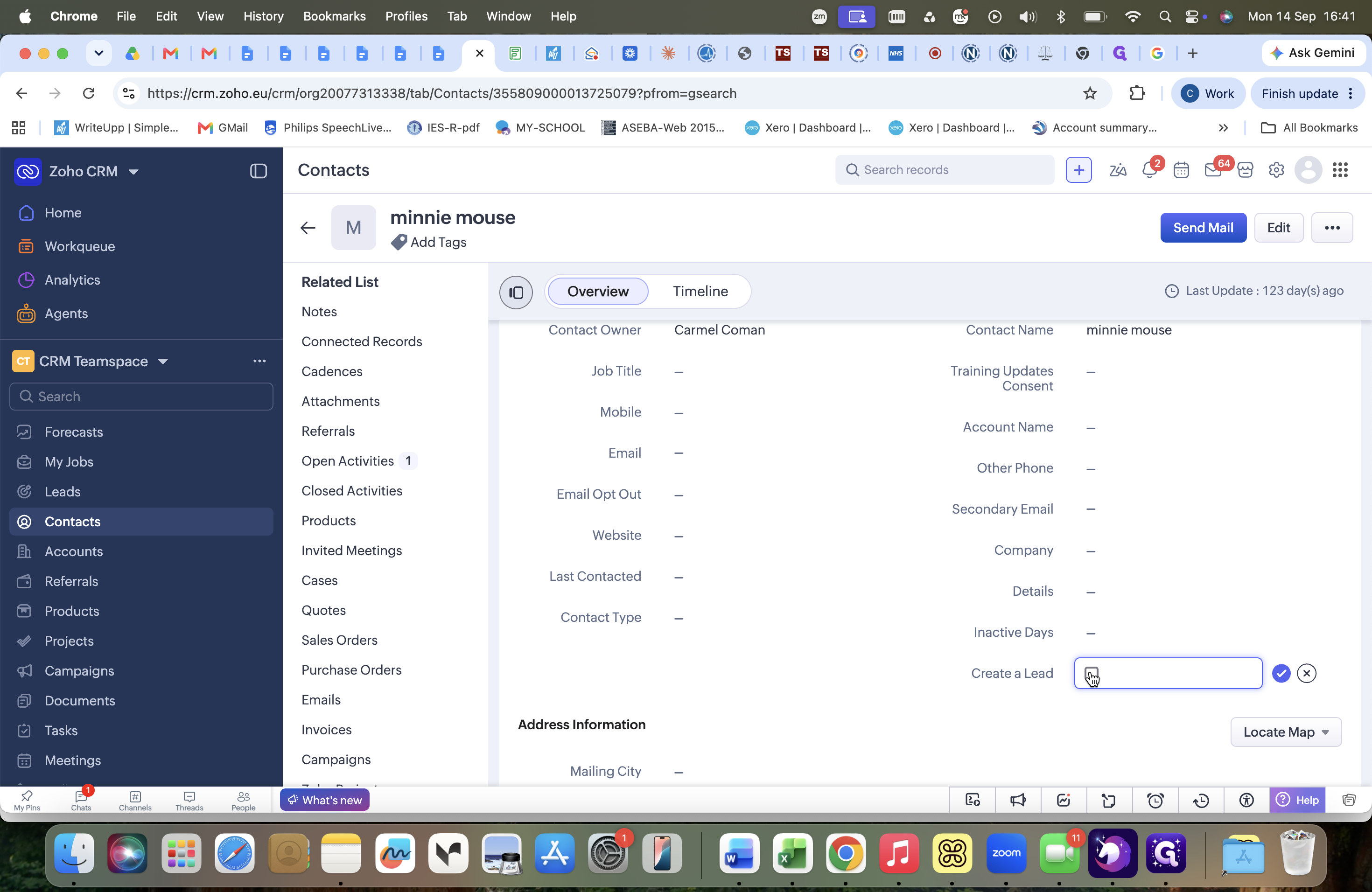
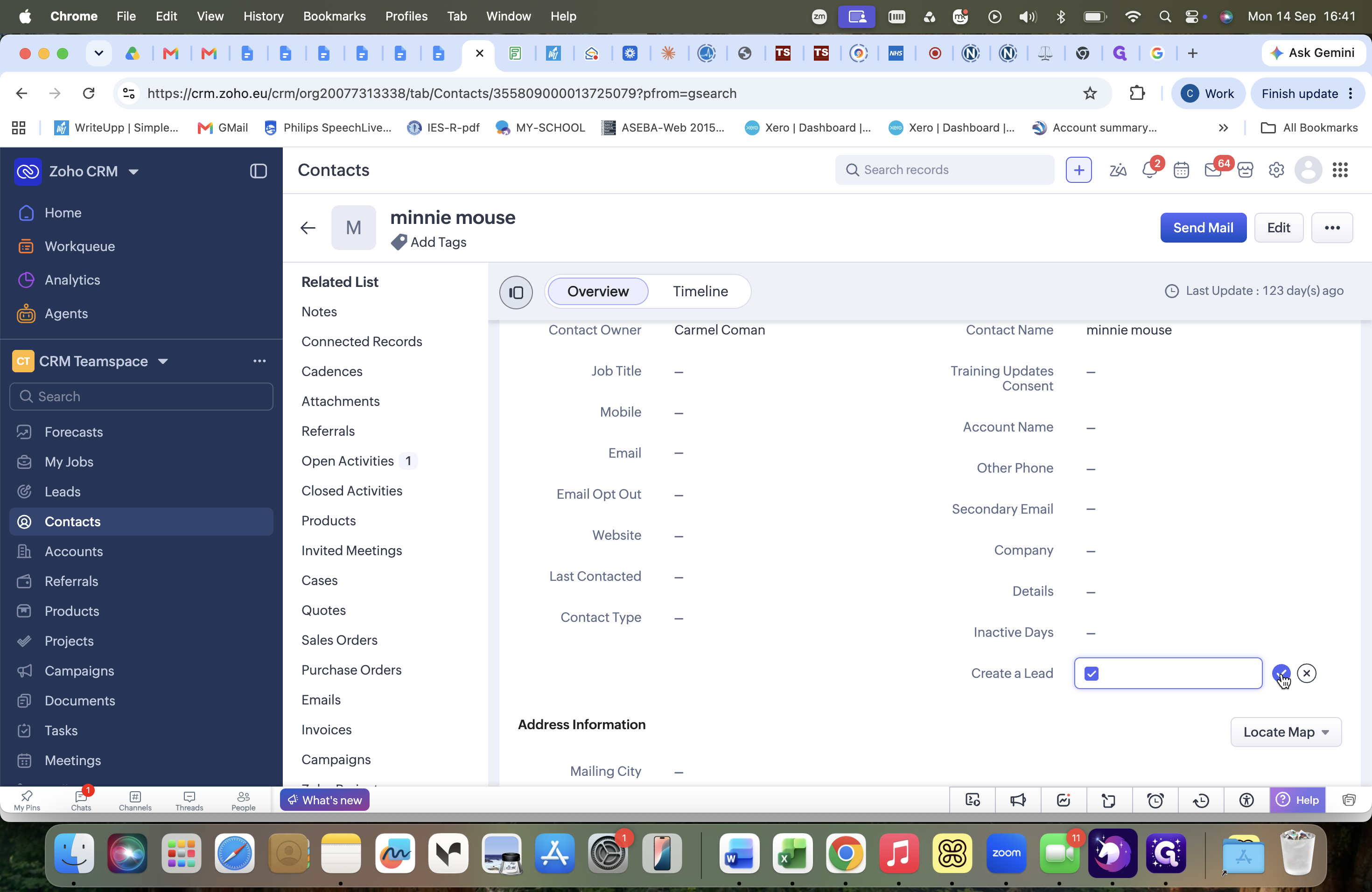
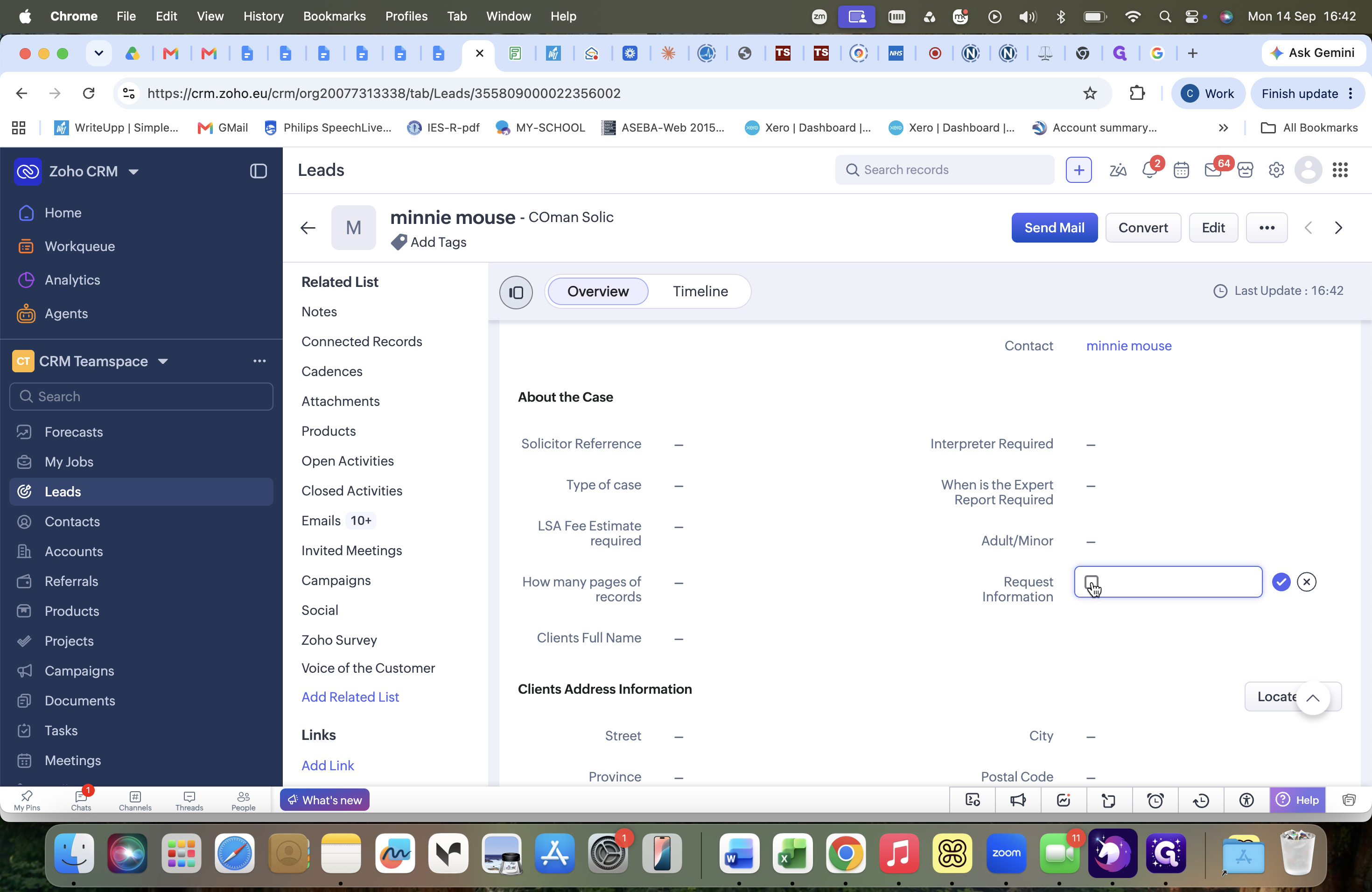
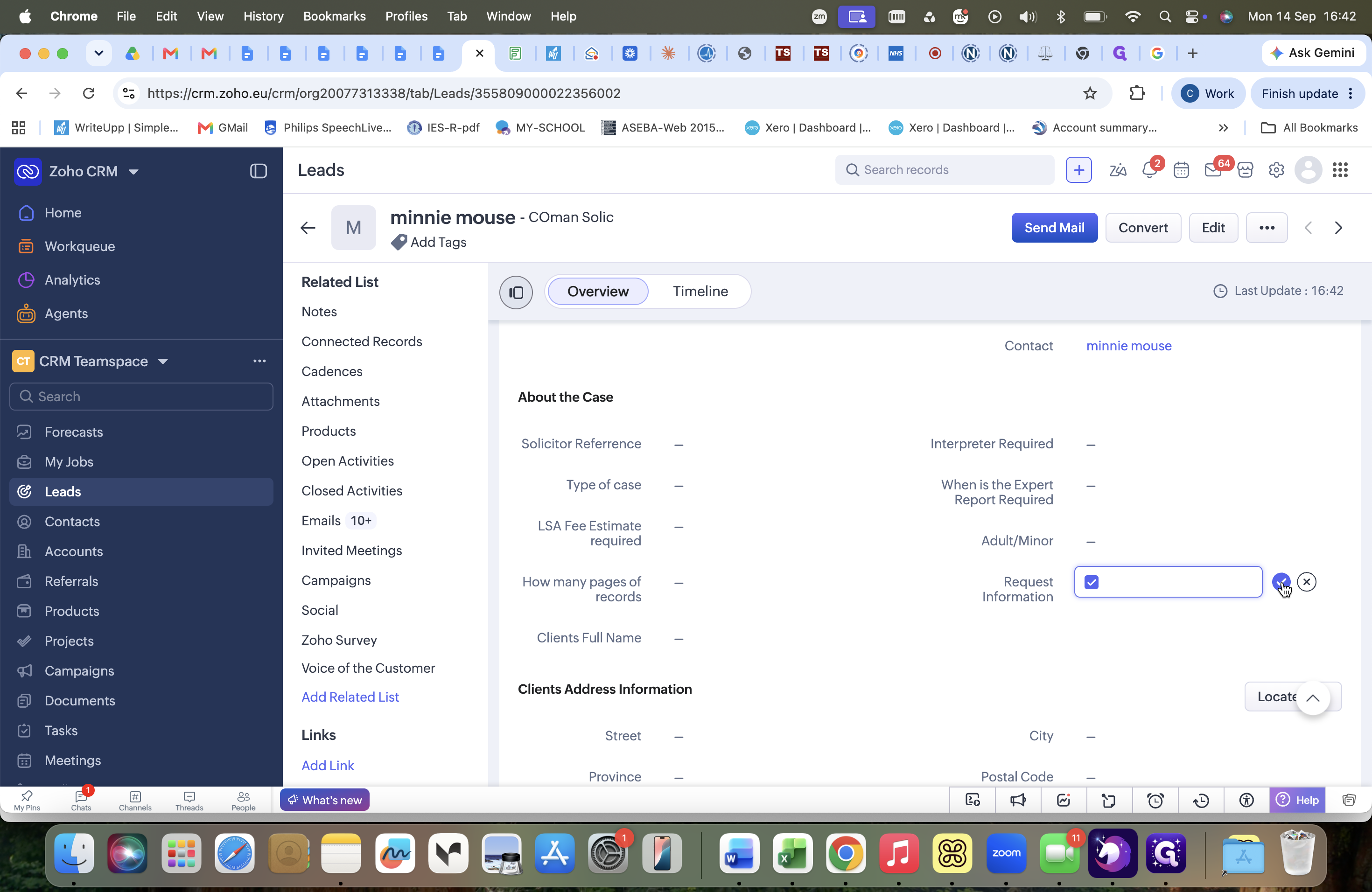
Step 2: Send the Information Request Form
Once the lead is created, open the newly generated lead record to send the intake questionnaire to the solicitor.
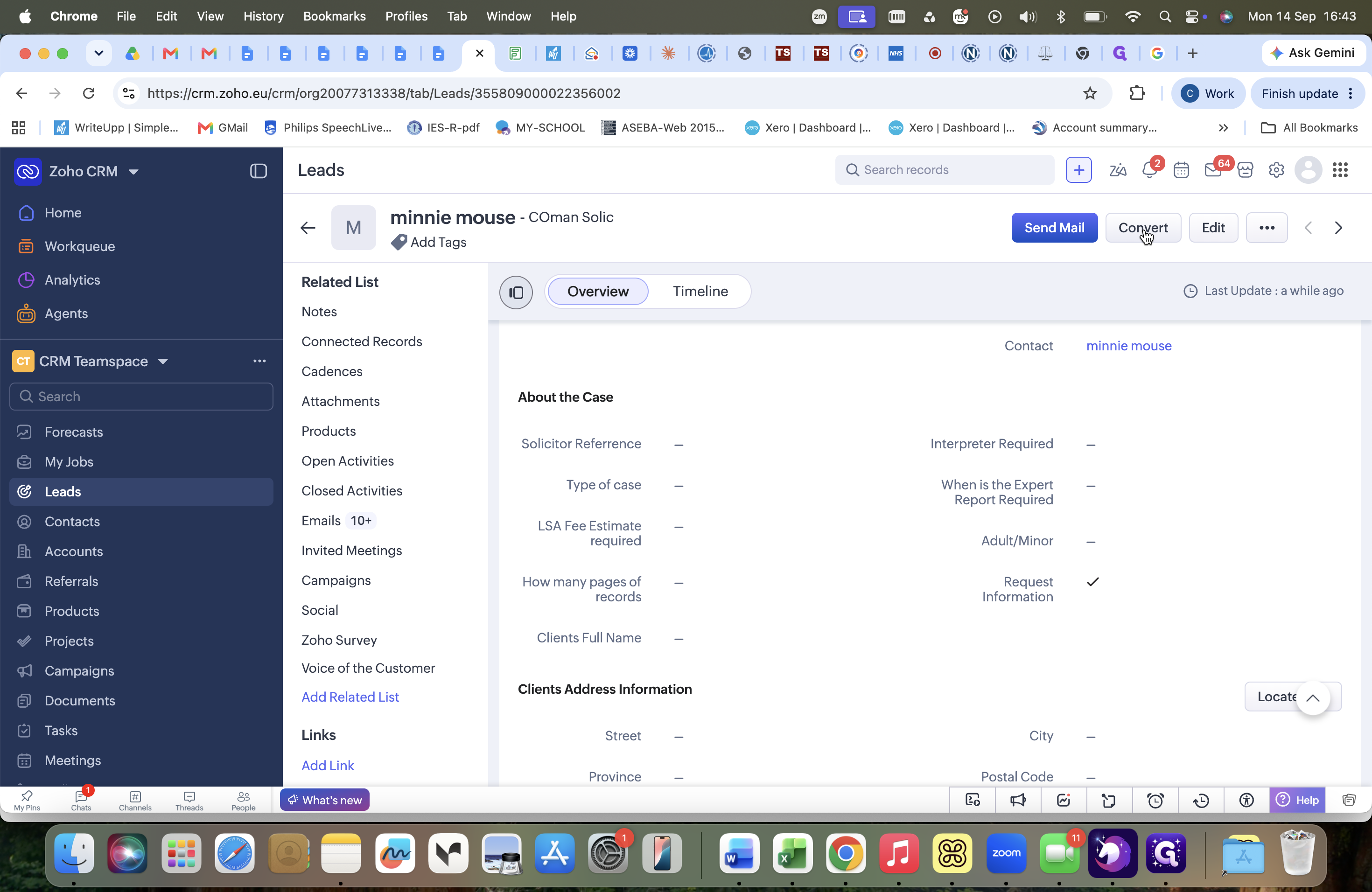
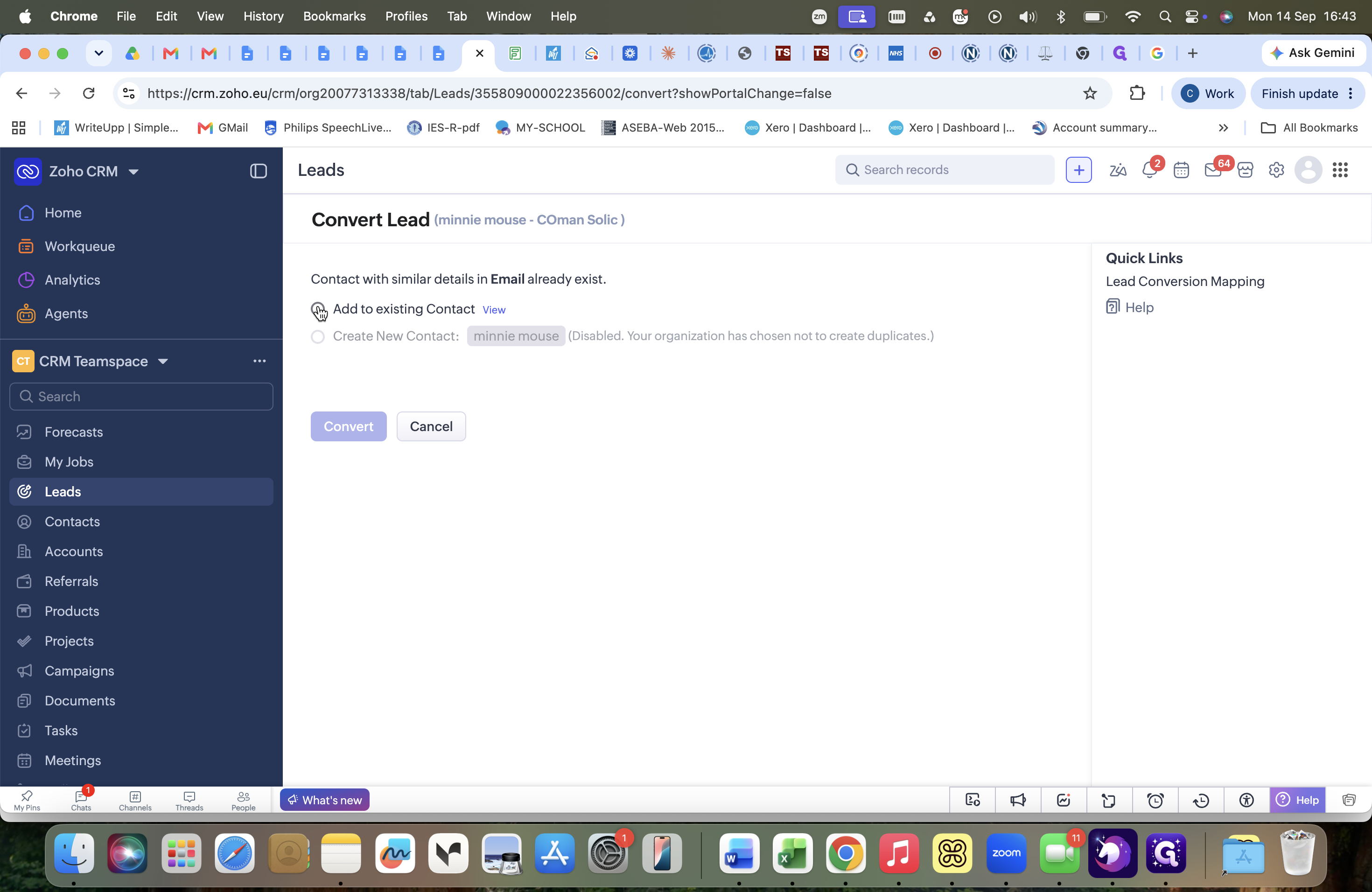
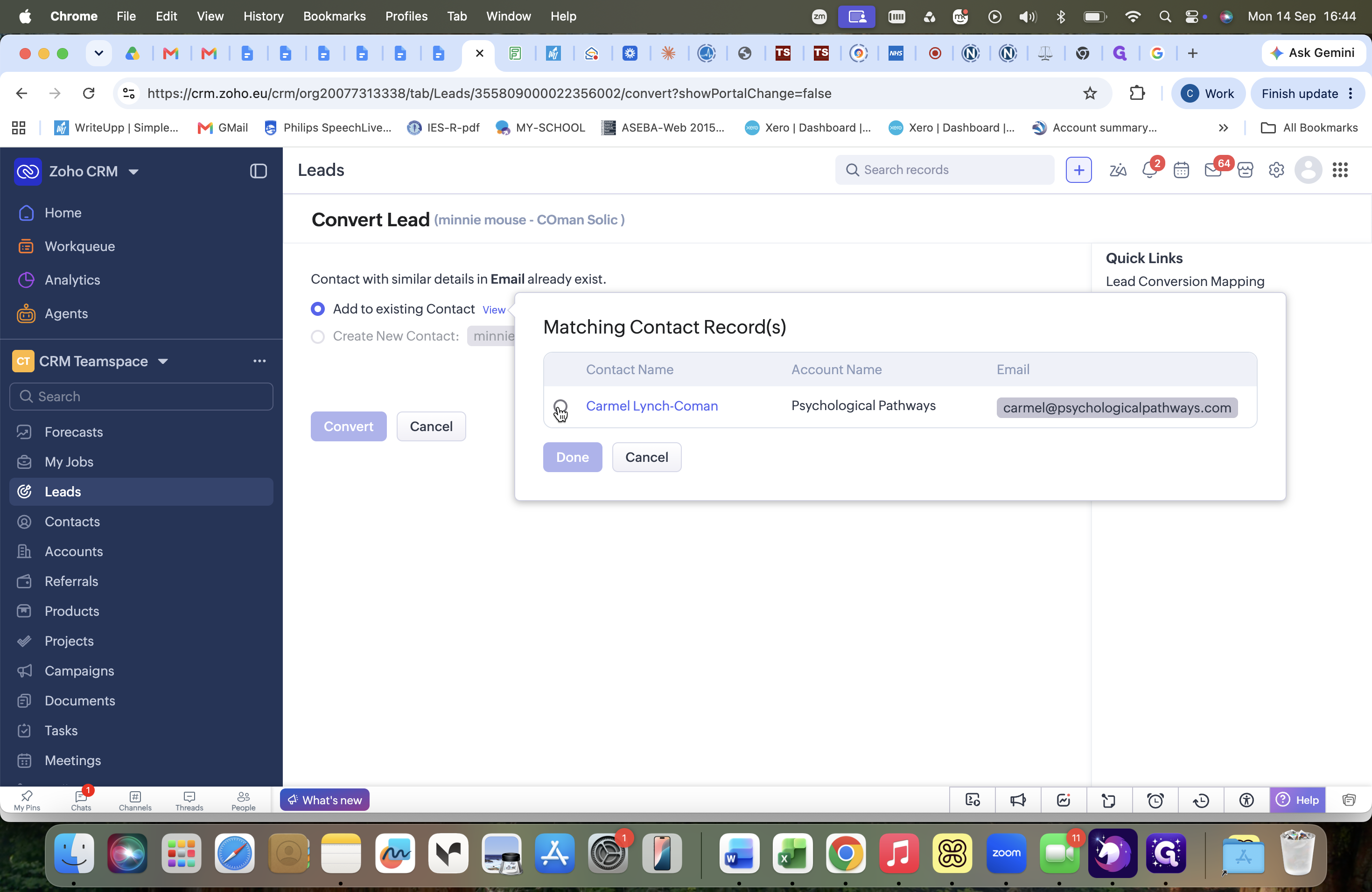
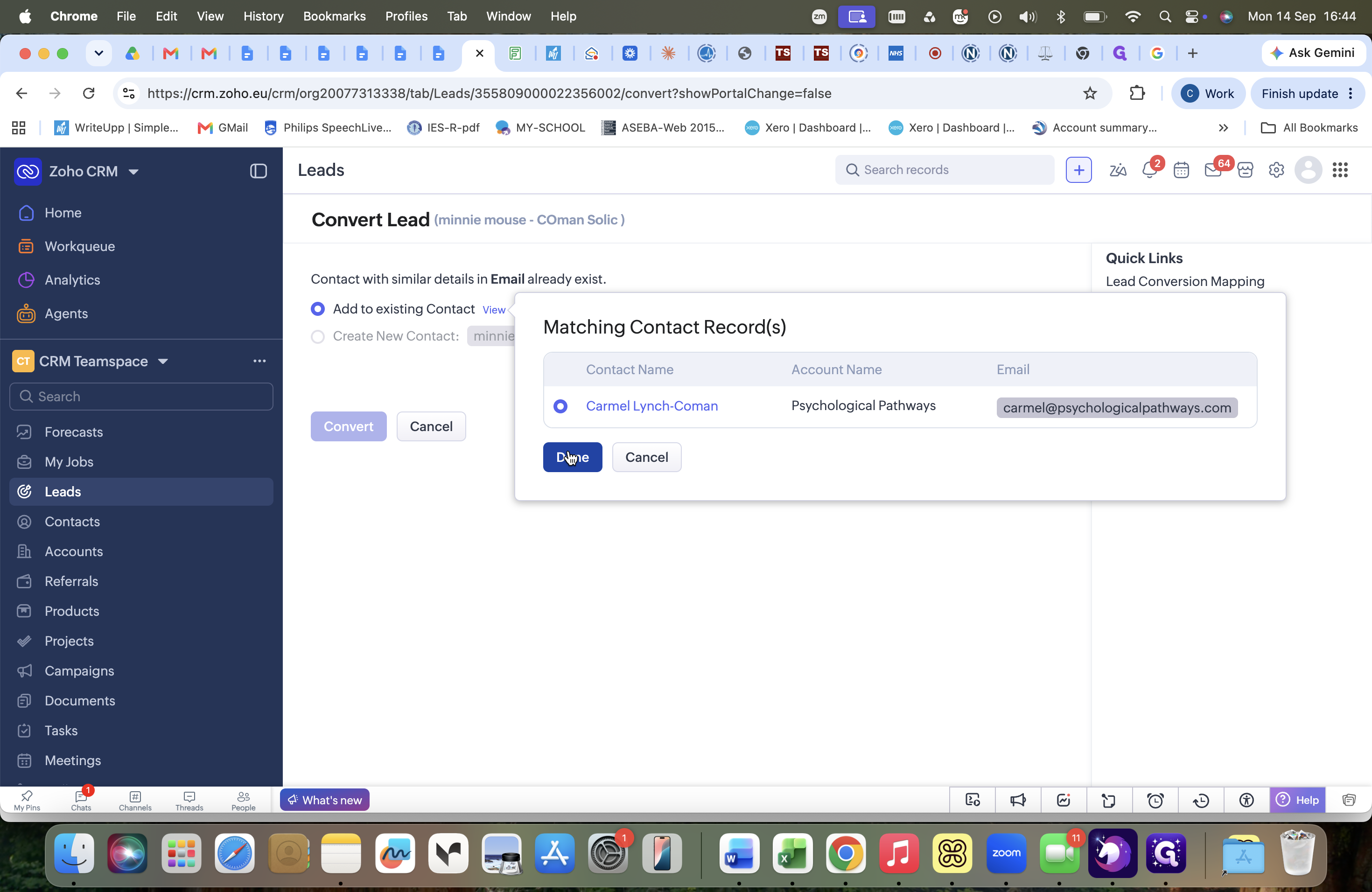
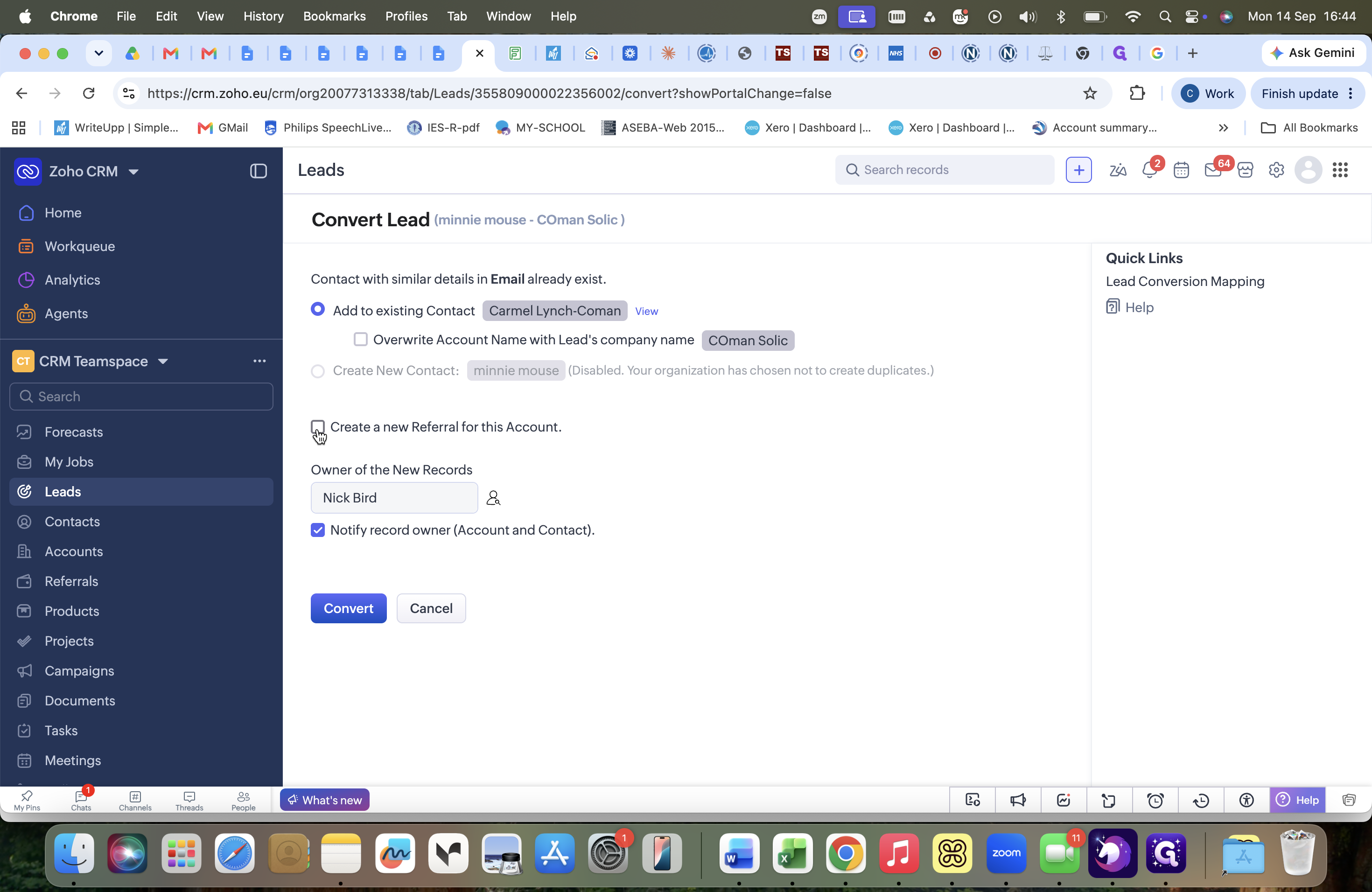
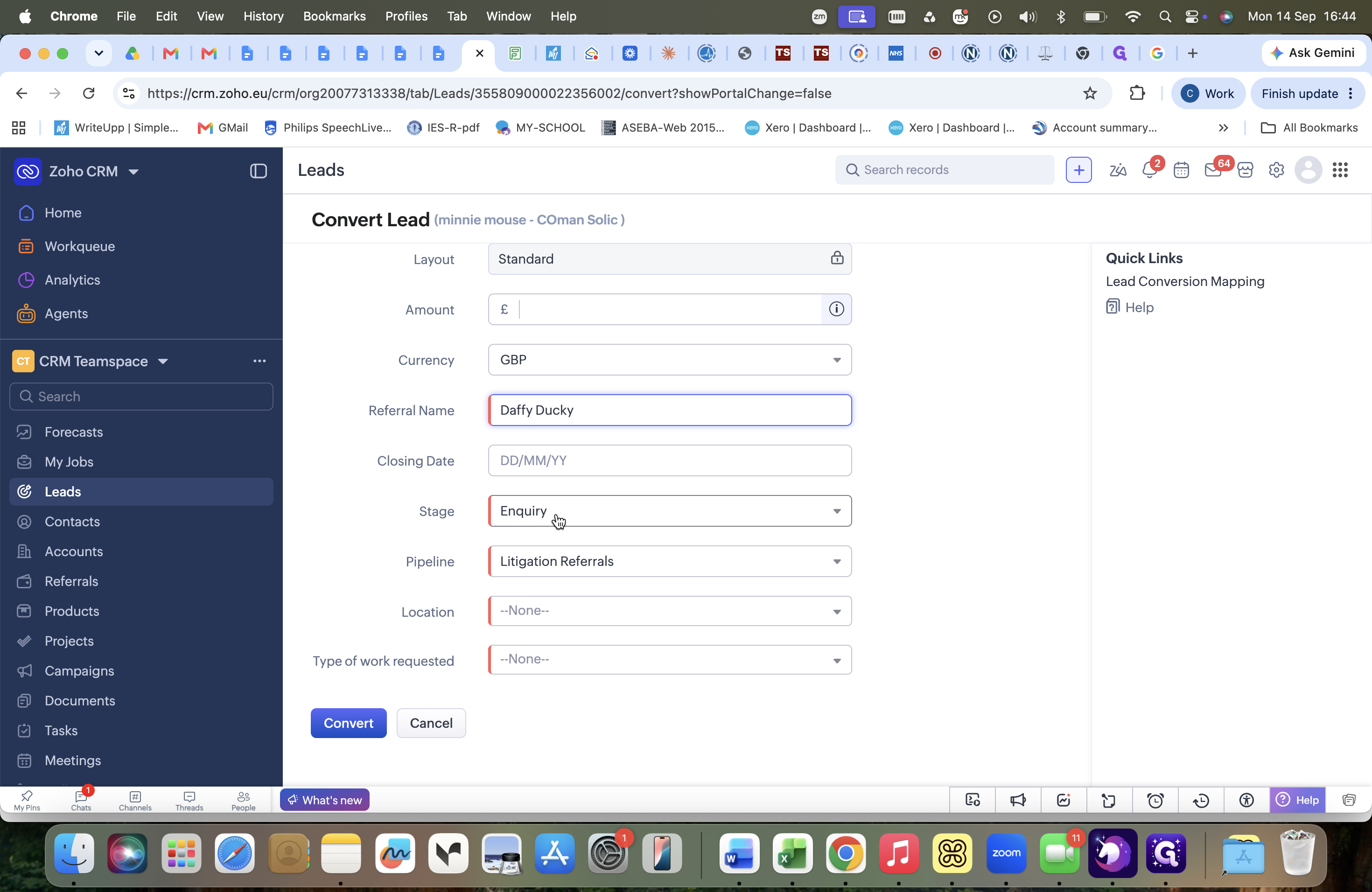
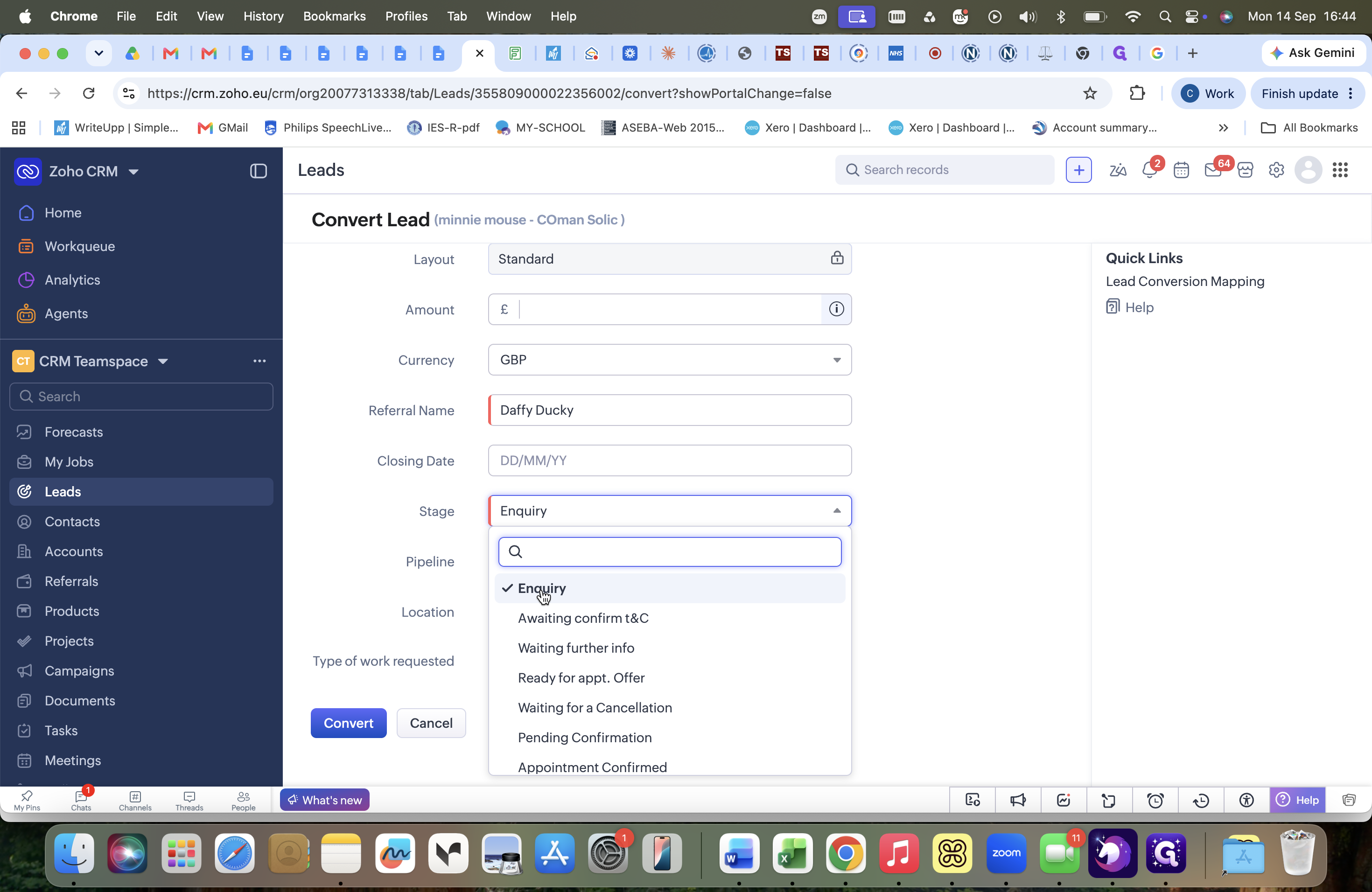
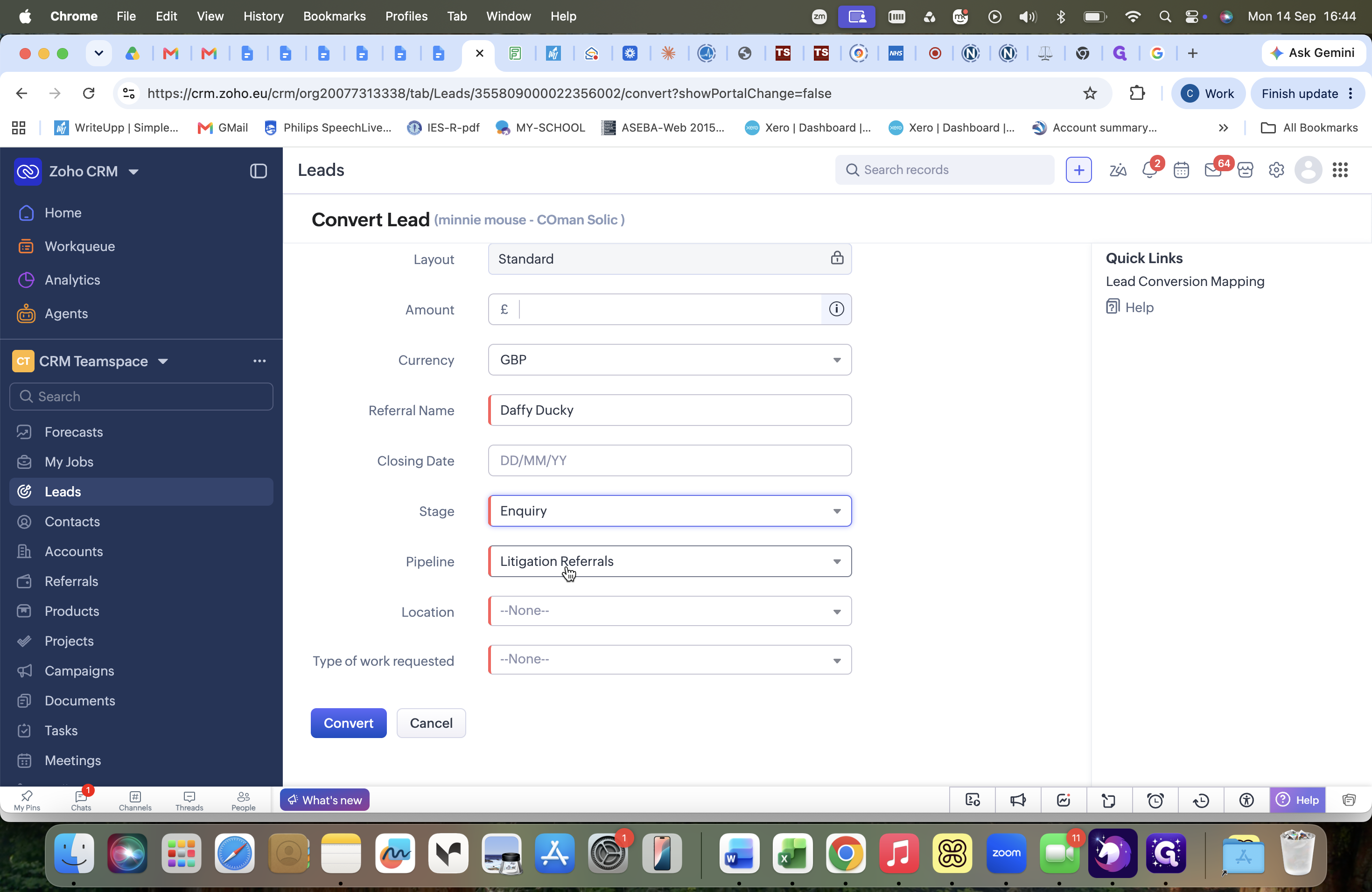
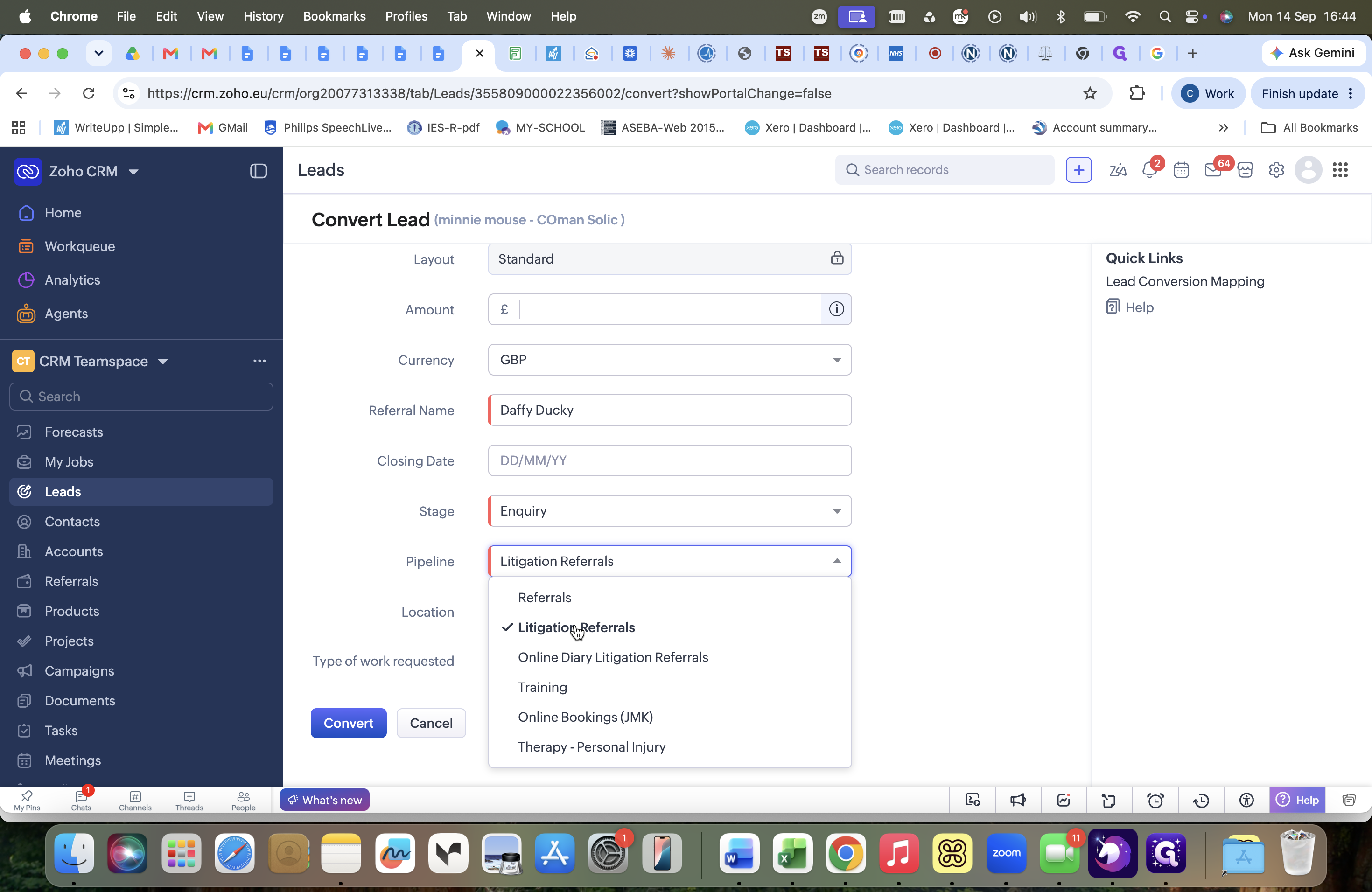
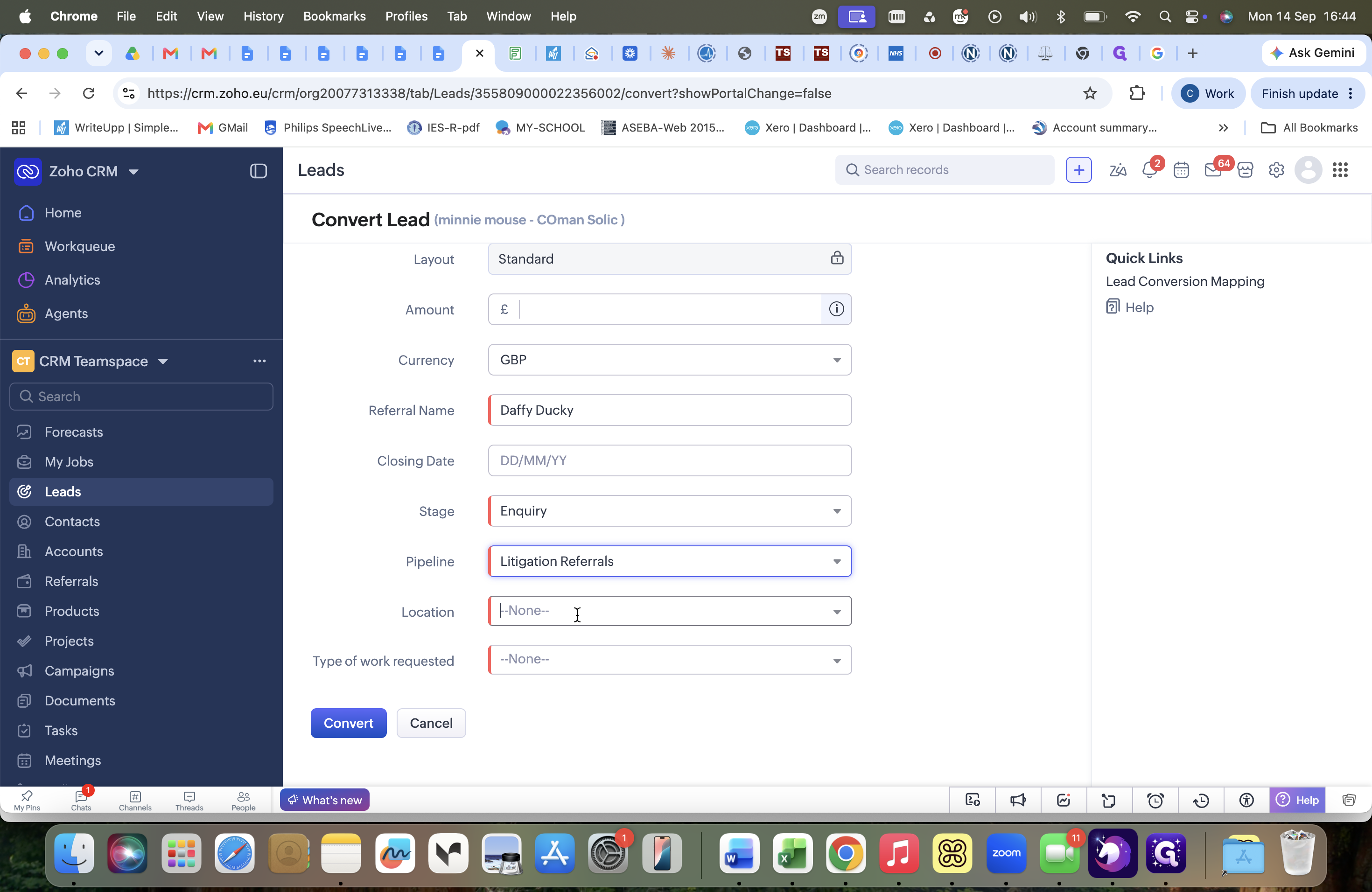
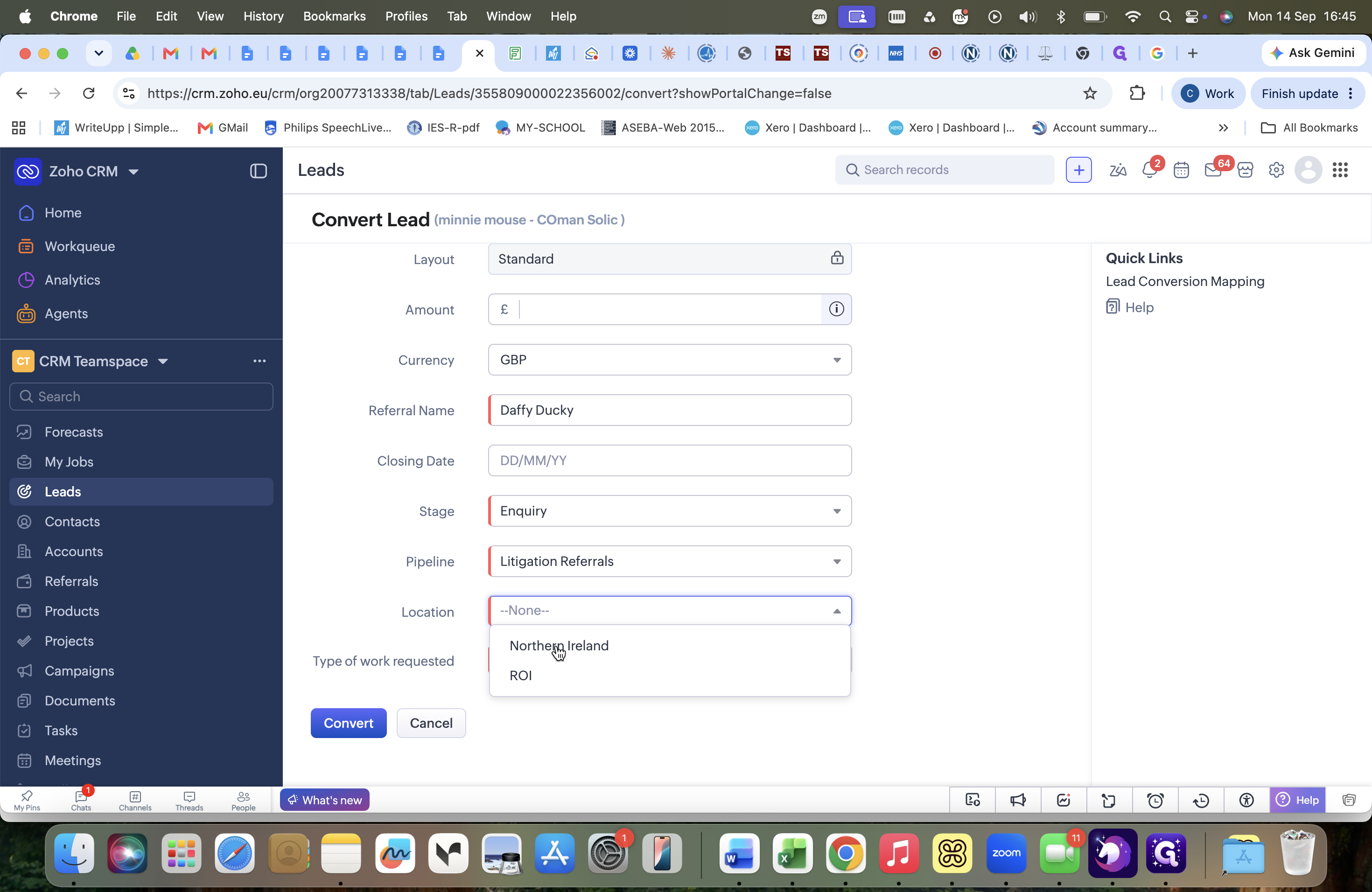
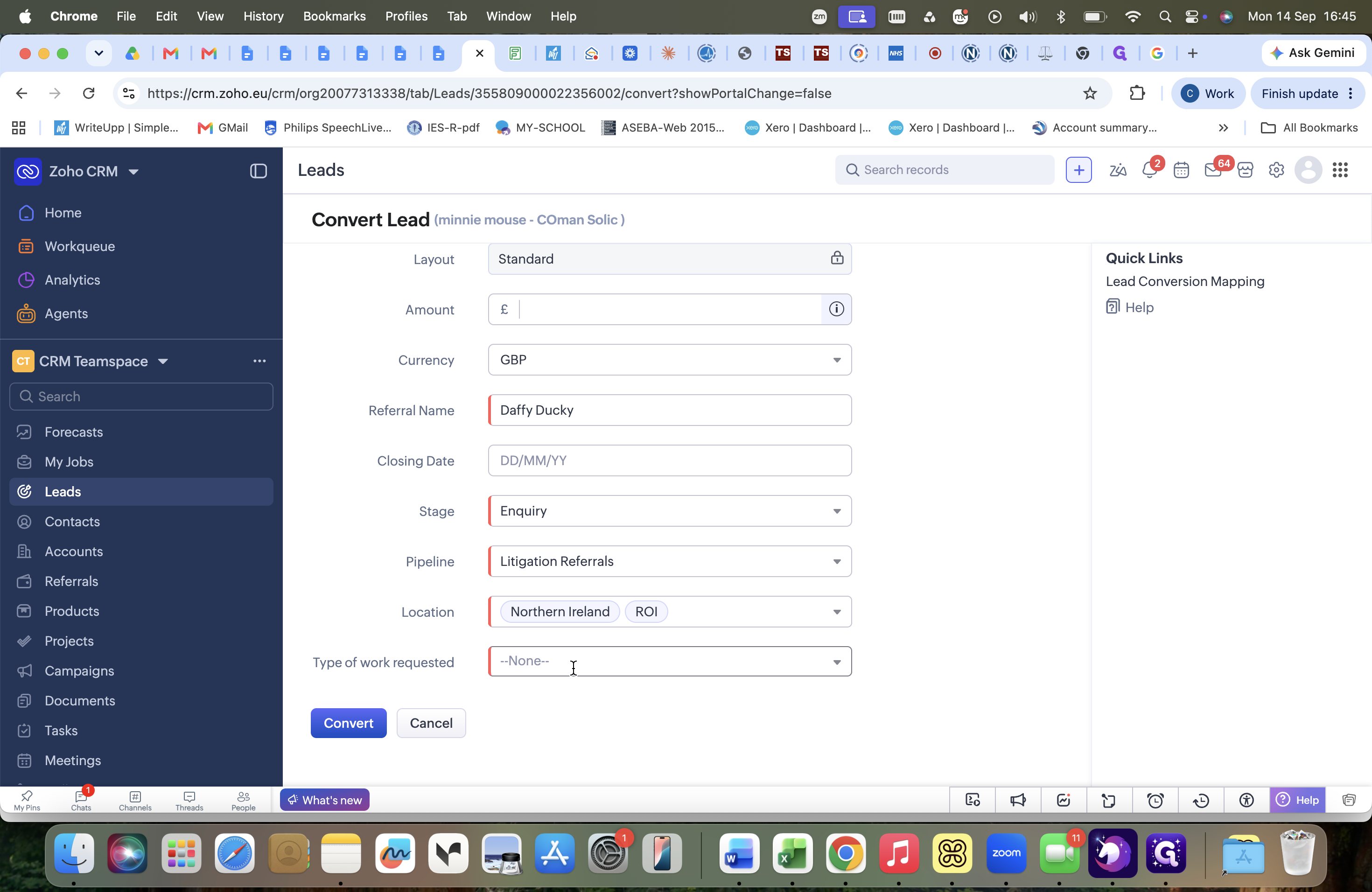
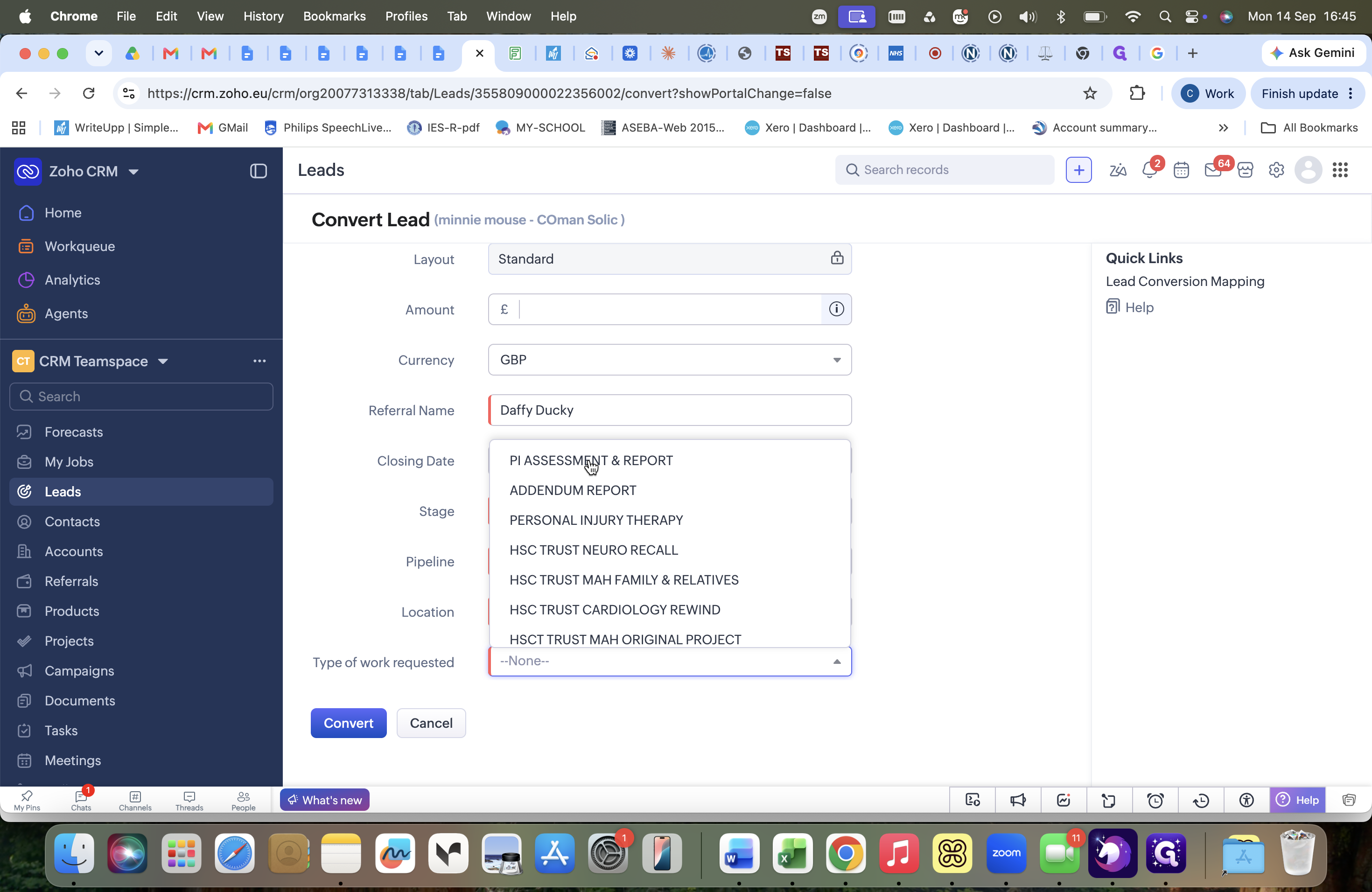
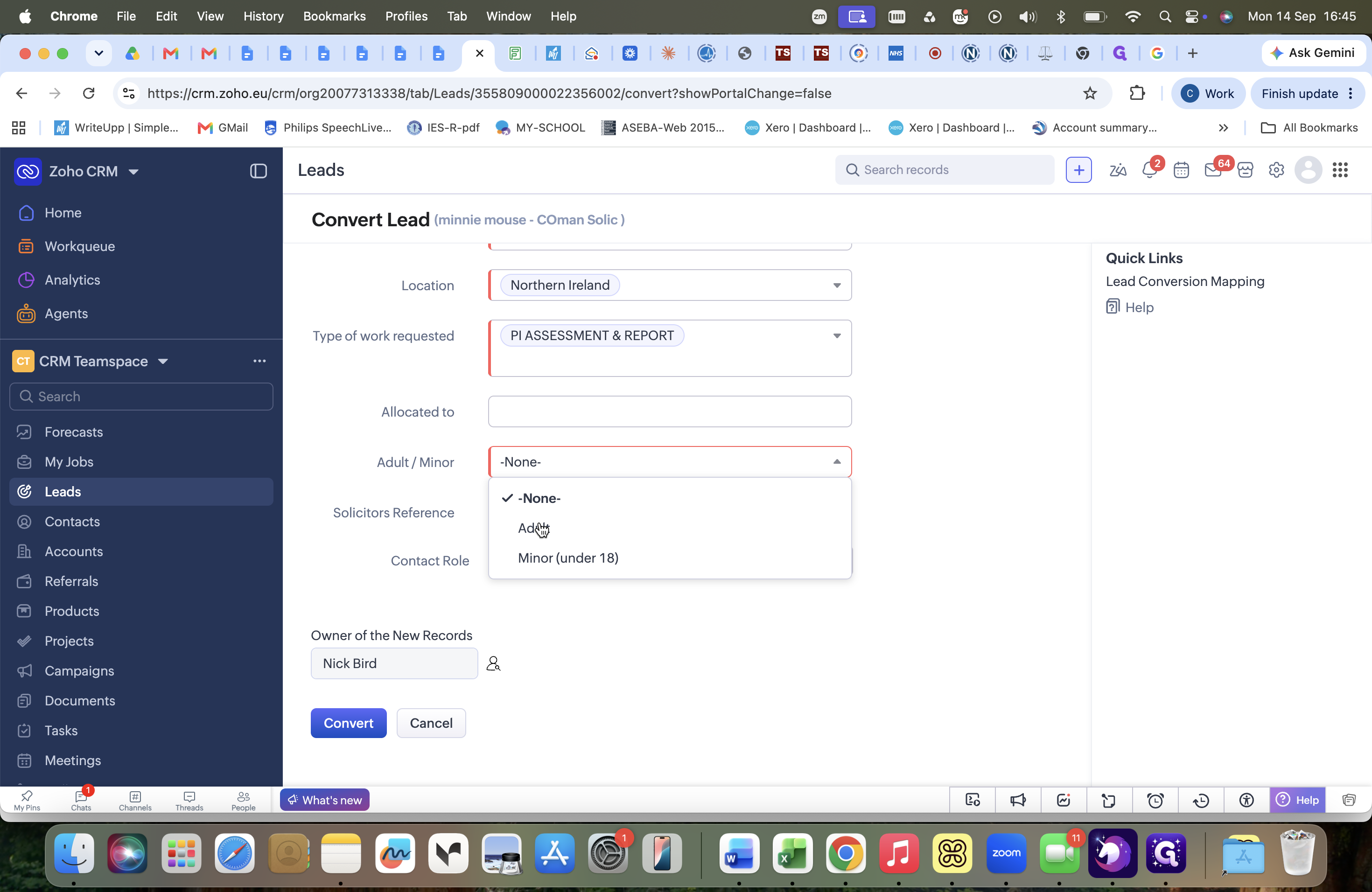
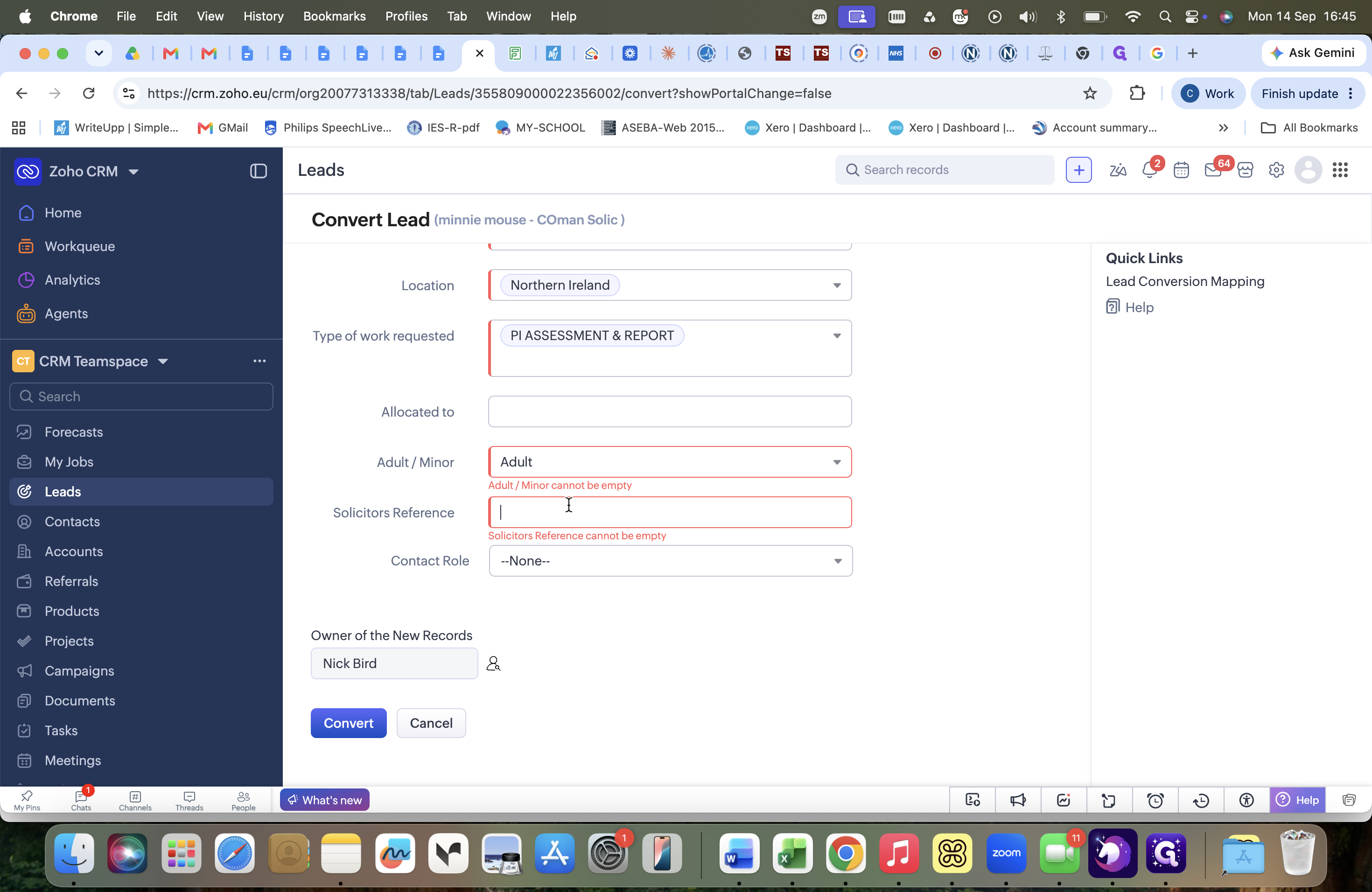
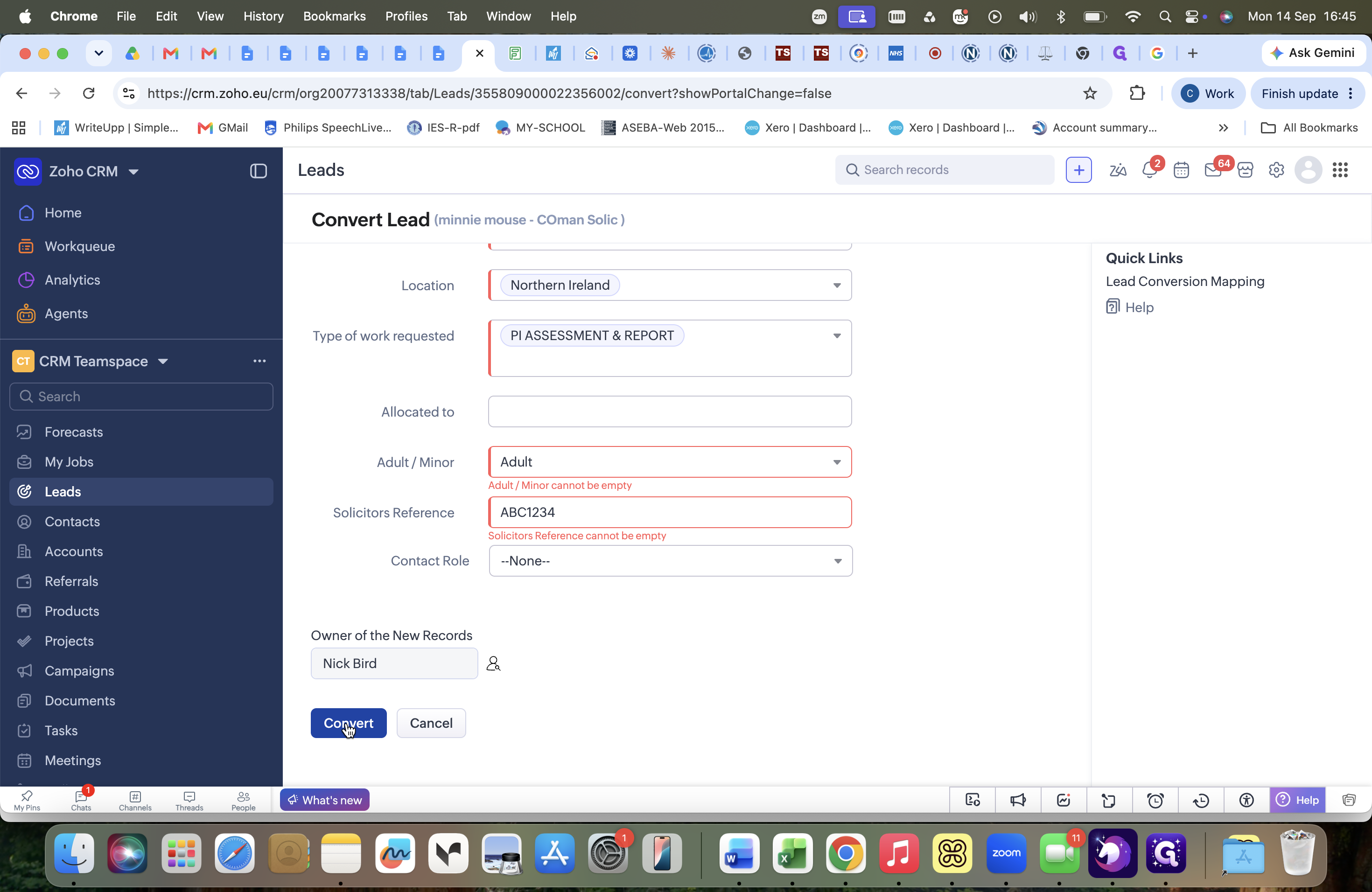
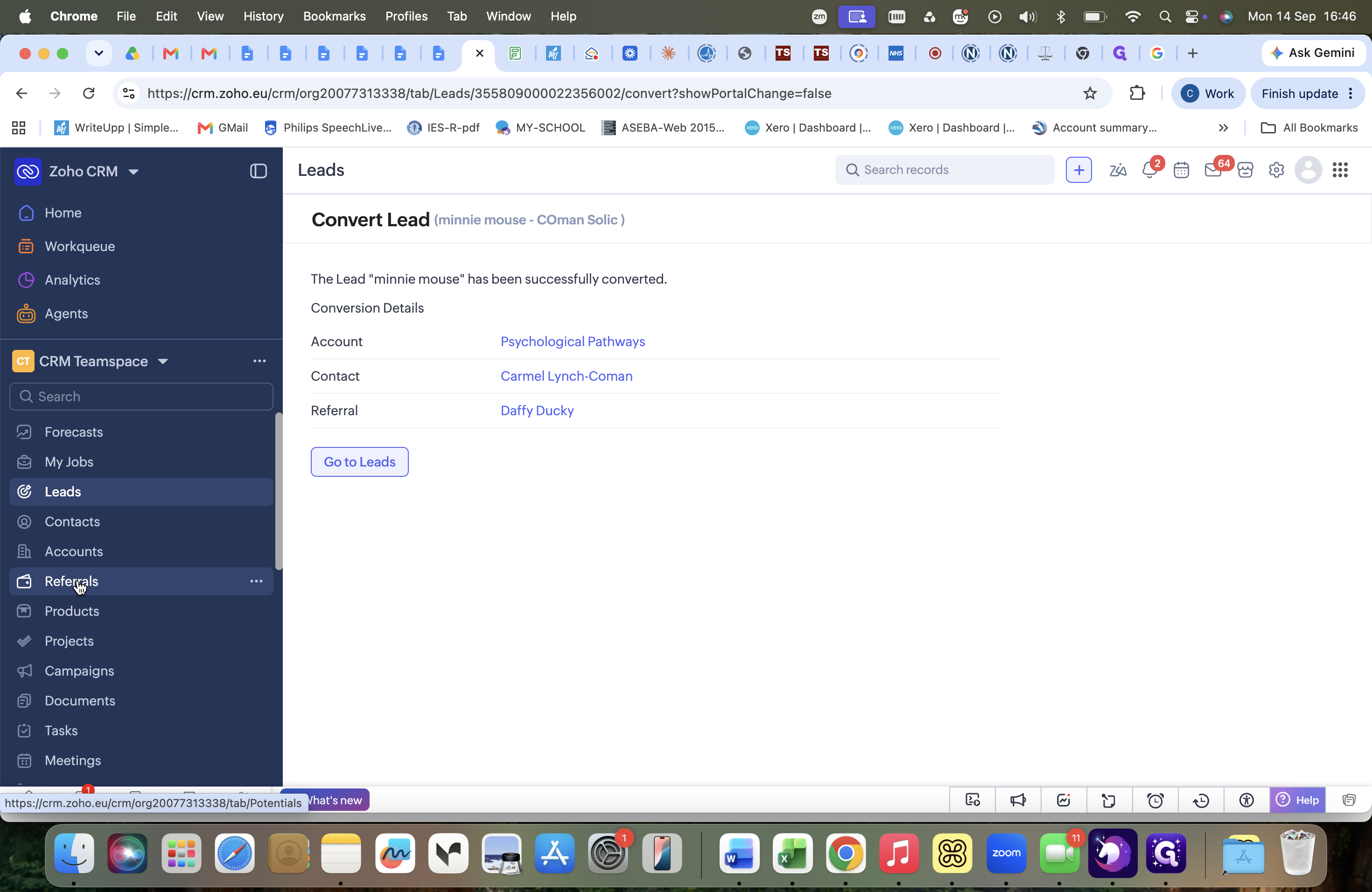
Step 3: Convert the Lead into a Referral
Once a case is accepted, convert the lead to add the client into the referral pipeline.
Q: When should a lead be created for an existing contact?
A: Create a lead whenever an existing solicitor contact submits a referral that is outside standard parameters, requires case vetting, or needs more information before being formally accepted.
Q: Who reviews the submitted case information form?
A: Carmel reviews submissions regarding adult clients, and Willie reviews submissions regarding child or minor clients.
Q: What does converting a lead accomplish in the system?
A: Converting a lead confirms the case has been accepted as viable work and moves the client record onto the active referral pipeline for appointment scheduling.
Term | Definition |
|---|---|
Lead | A prospective case or unconfirmed inquiry requiring vetting before acceptance. |
Contact | A registered solicitor or professional partner stored in the CRM. |
Referral | An accepted client case actively being processed through the booking pipeline. |
Pipeline | The workflow stages used to track and manage referrals from inquiry to completion. |