How to Create a Litigation Referral in Zoho CRM
Learn how to create a new litigation referral and add a referring solicitor contact in Zoho CRM with this step-by-step guide.
By Carmel Coman
This guide walks you through creating a new referral in Zoho CRM. It covers logging a referral under the Litigation Referrals pipeline and adding a new referring solicitor to your contacts.
Select the Pipeline
1
Open the Pipelines dropdown menu
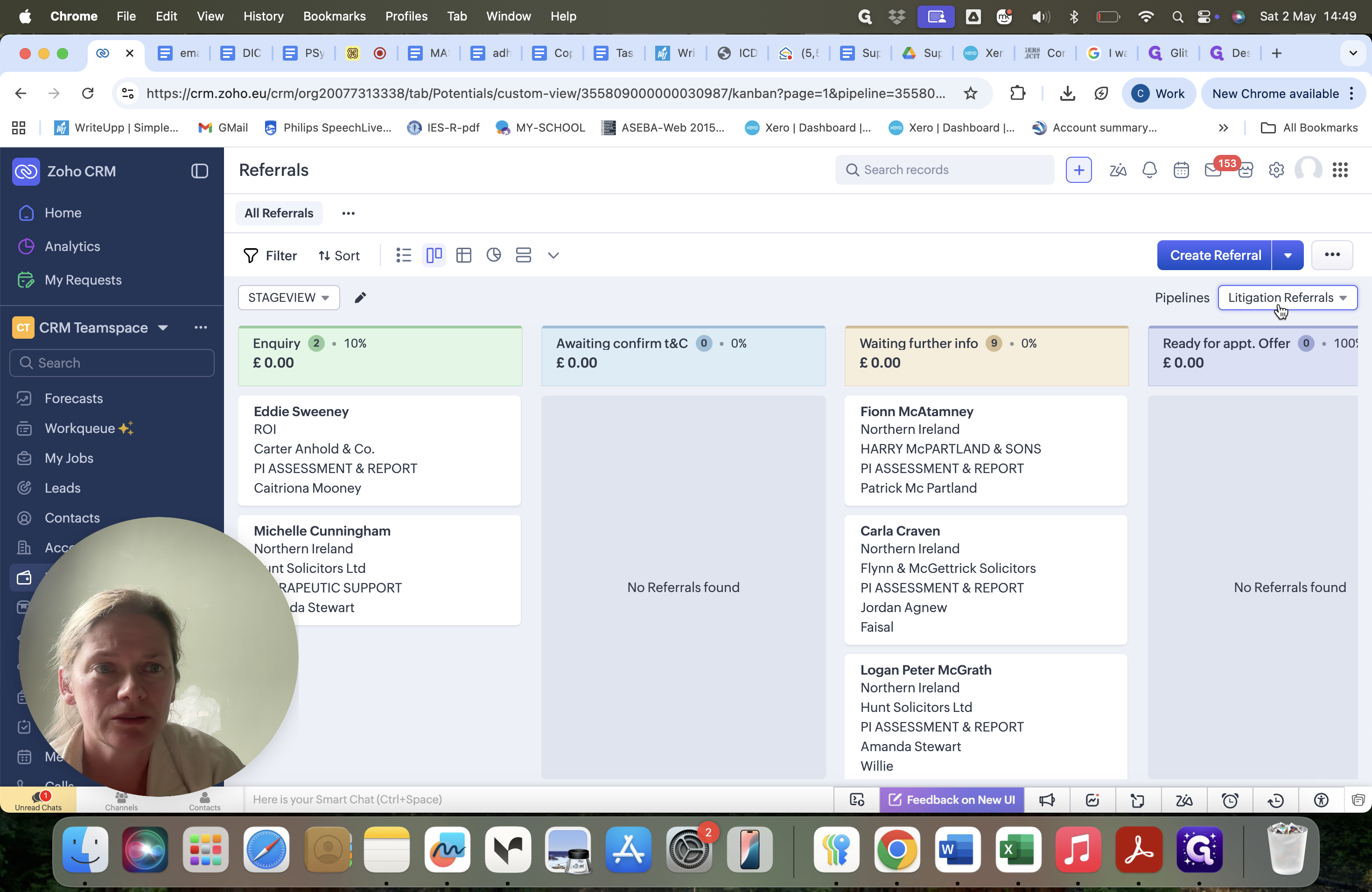
and
2
select Litigation Referrals.
Create the Referral
3
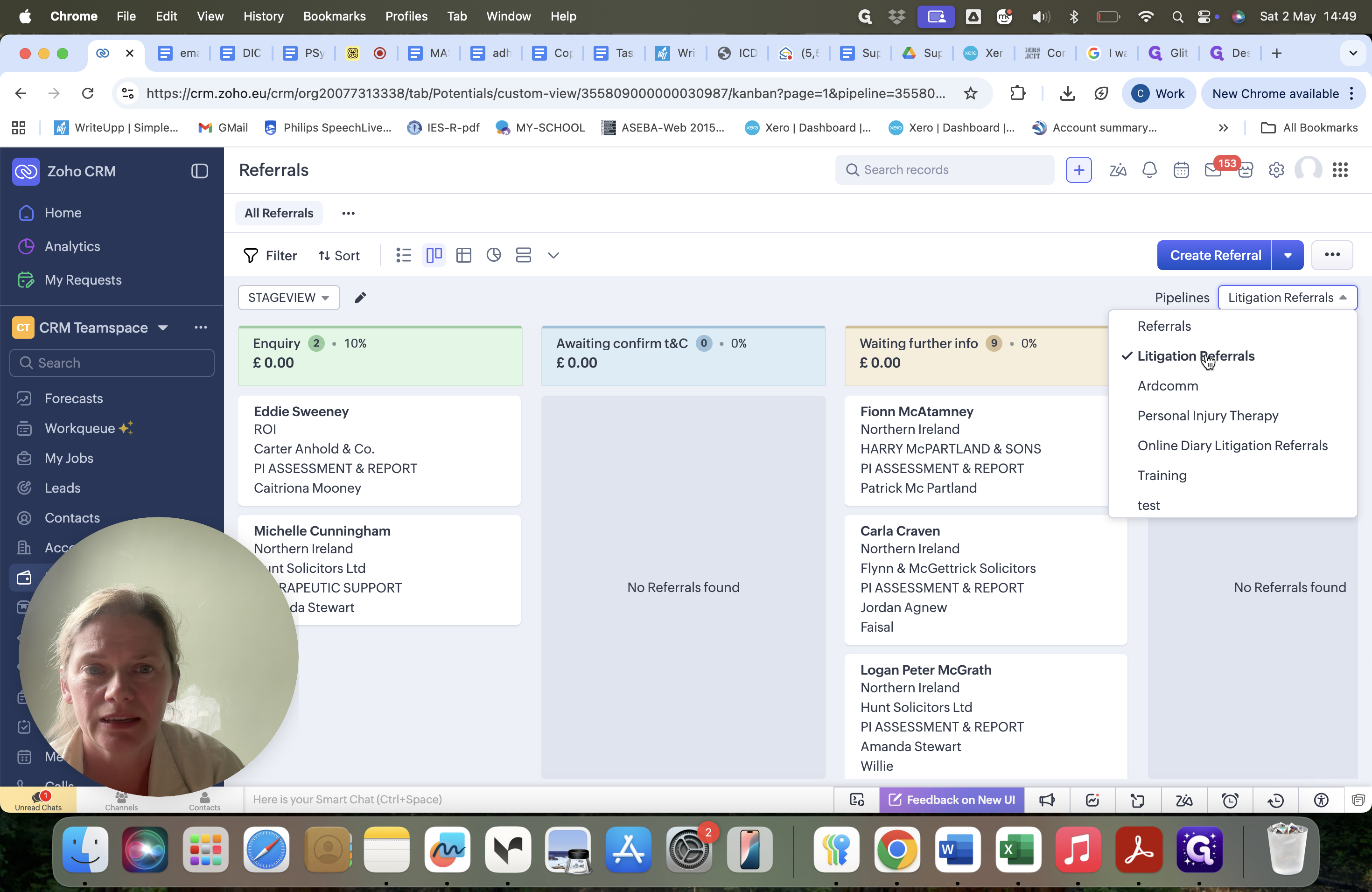
Click Create Referral at the bottom of the Kanban board.
4
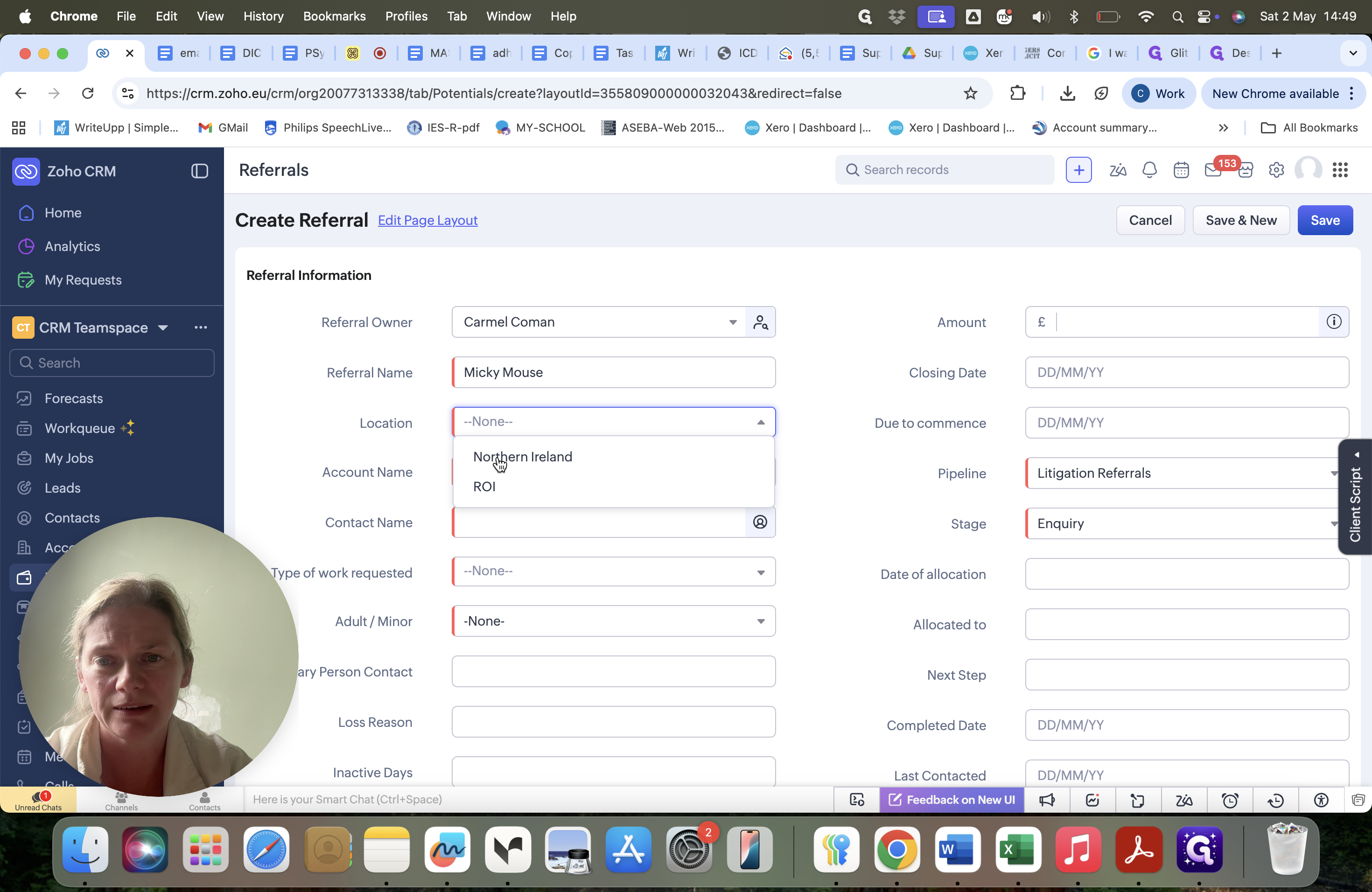
Enter the client or case name in the Referral Name field.
5
Select the solicitor's region from the Location dropdown, choosing either Northern Ireland or ROI.
Add Contact Details
6
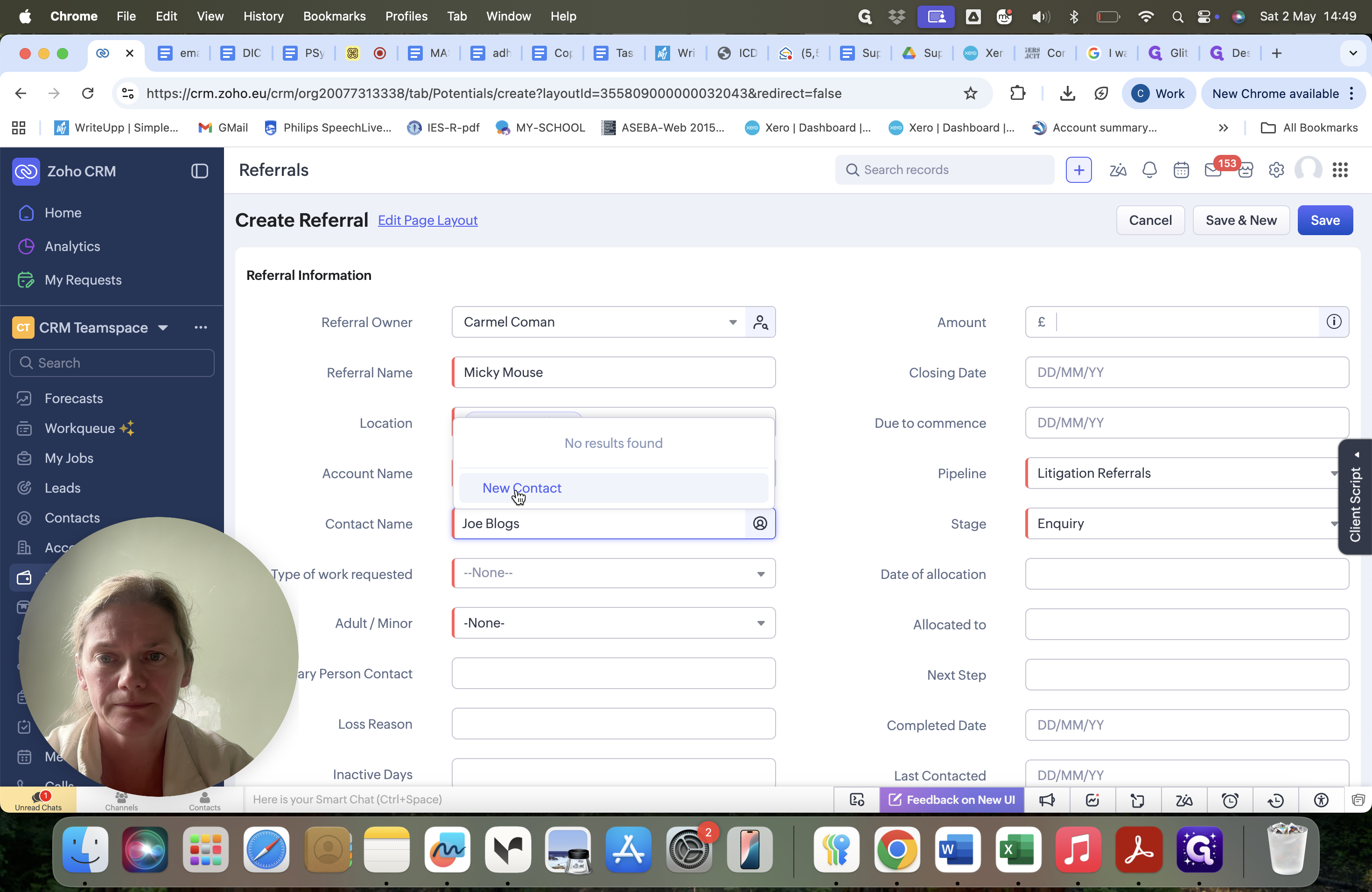
Search for the referring solicitor in the Contact Name field.
If the solicitor is not already in the CRM, you must create a new contact:
7
Click New Contact from the dropdown menu.
8
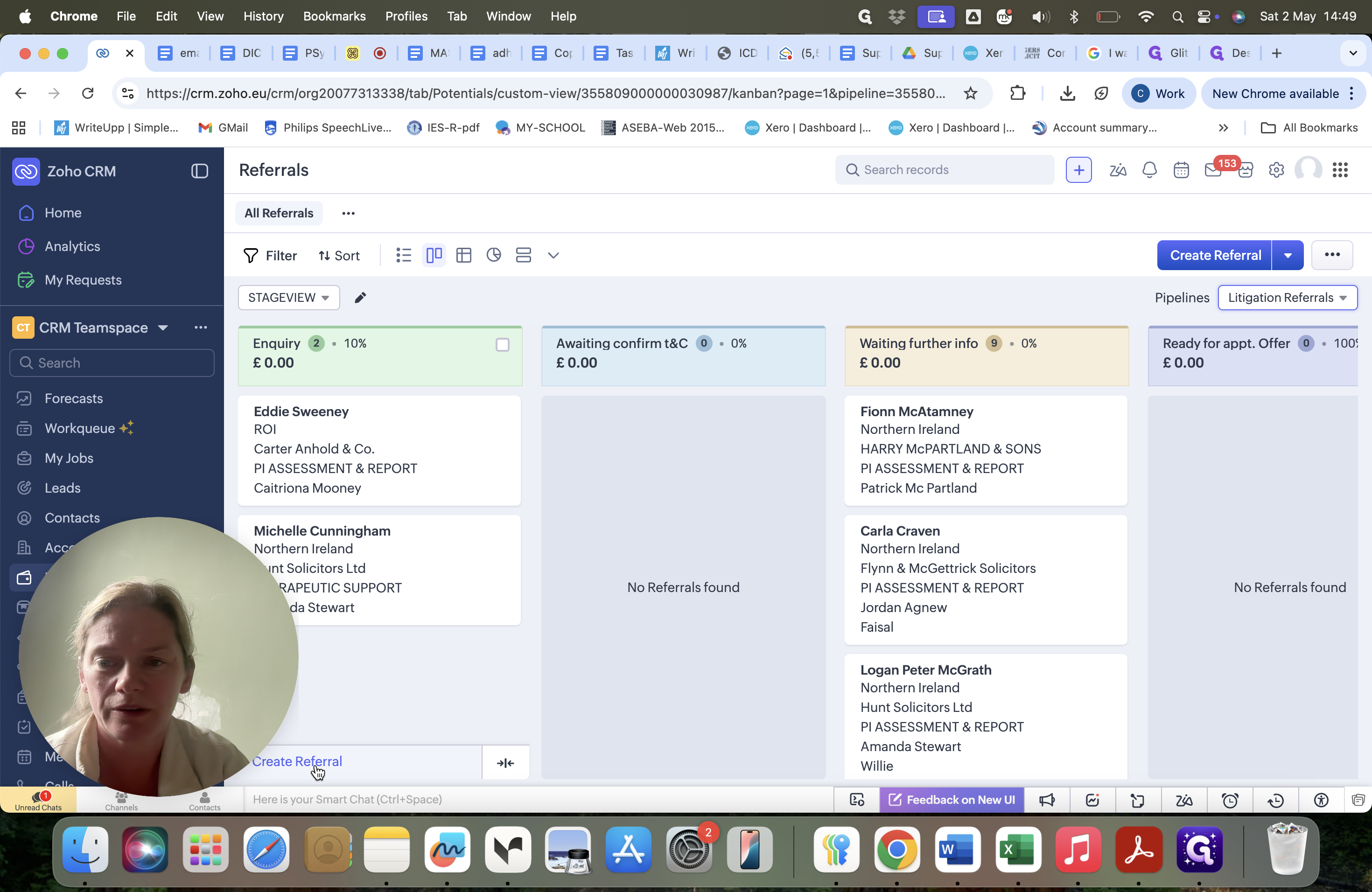
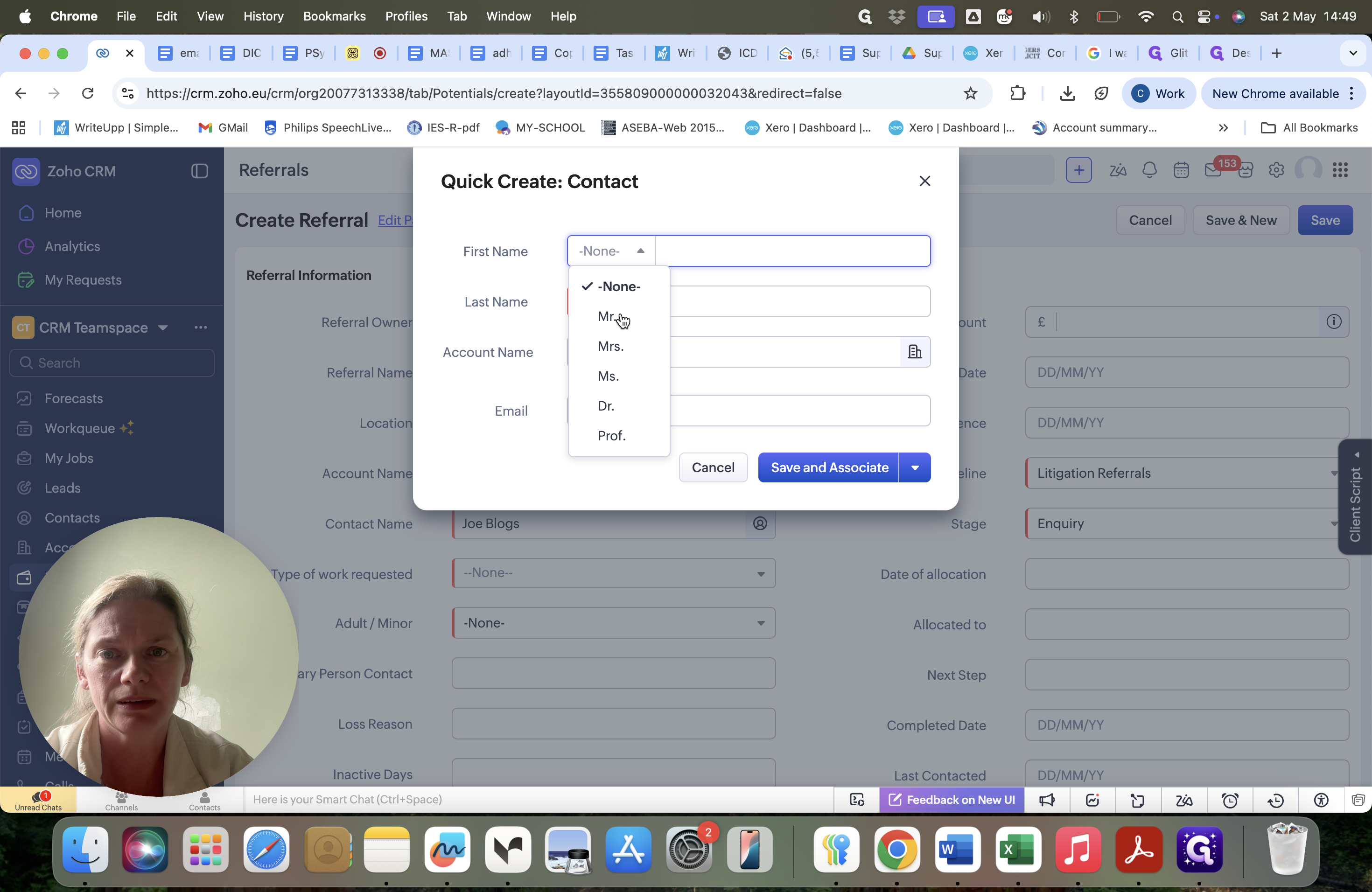
Select the appropriate title (e.g., Mr., Mrs., Ms.) from the salutation dropdown.
9
Enter the solicitor's full name.
10
Type the name of their practice into the Account Name field.
11
Click Save and Associate to link the new contact and proceed with your referral.