
How to Create and Manage Records in Business Manager Cloud
Learn how to effectively create new entries, edit existing record details, and print physical record labels using the Record Management module in Business Manager Cloud.
This guide walks you through the process of creating, editing, and printing records in Business Manager Cloud. Completing these steps ensures that physical or digital documents are accurately tracked, updated, and labeled for storage.
This workflow is primarily used by administrative and records management staff. Follow these steps whenever you need to log a new batch of records, update storage details for full boxes, or generate labels for physical filing.
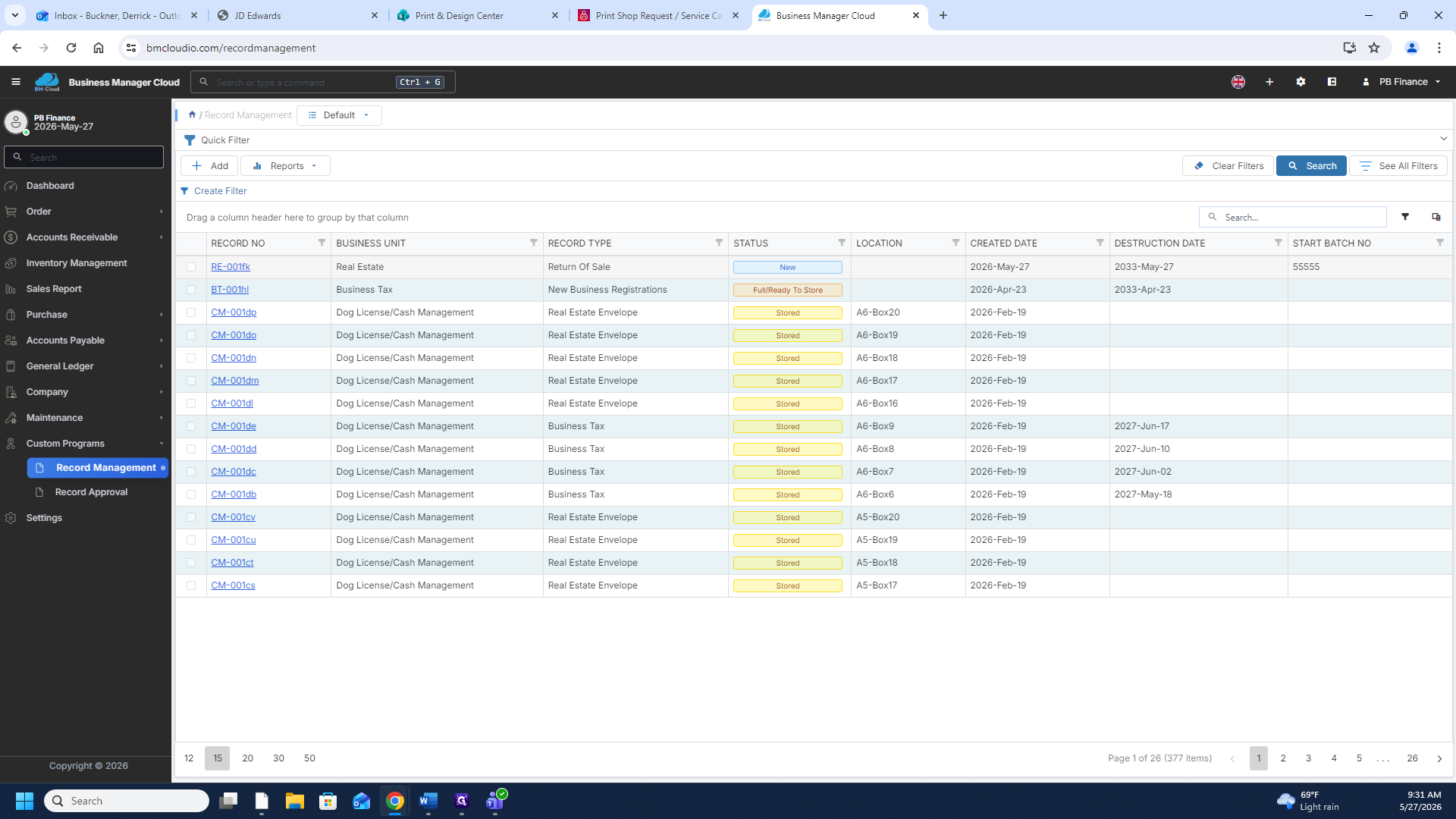
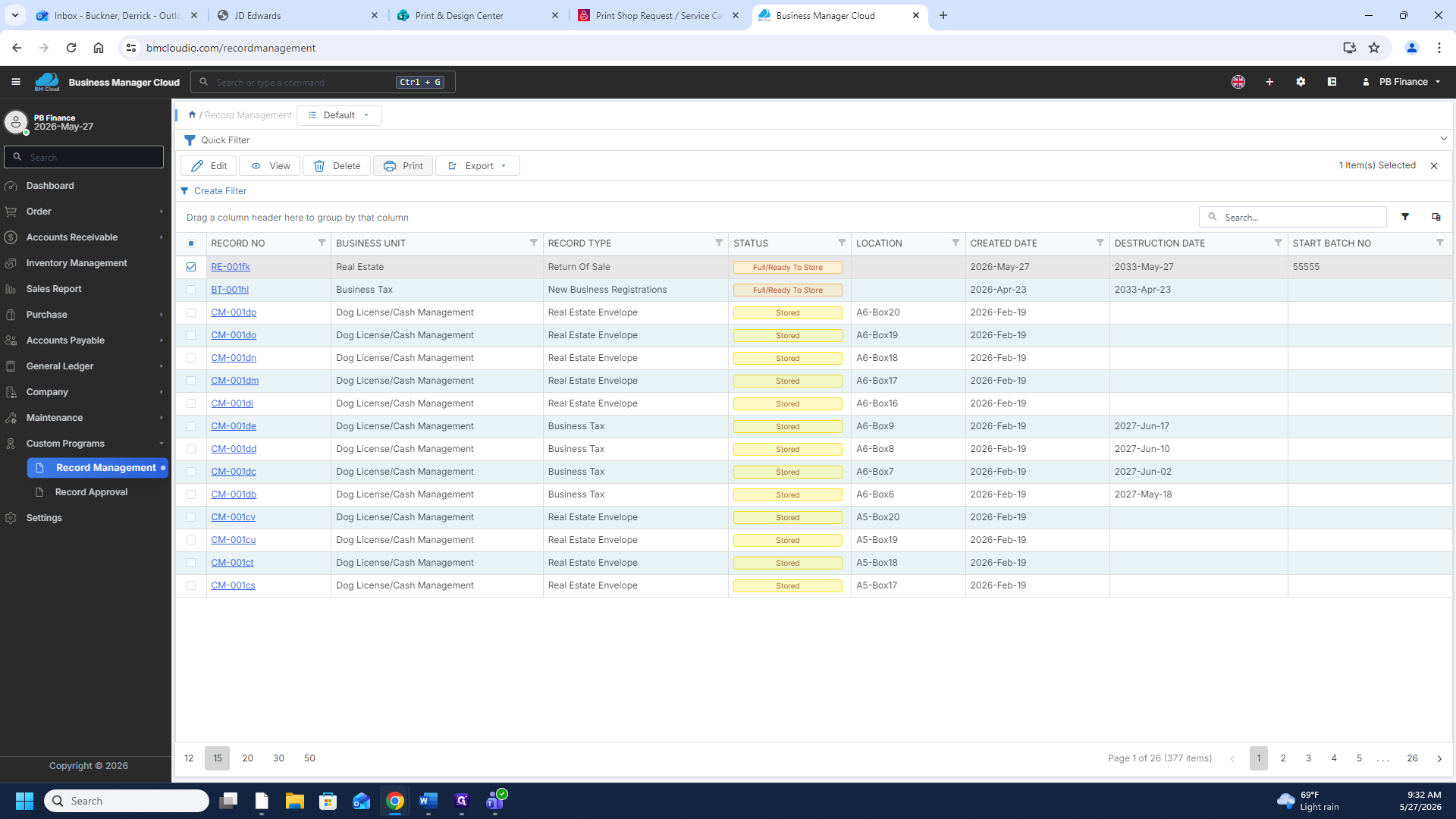
Navigate to Record Management
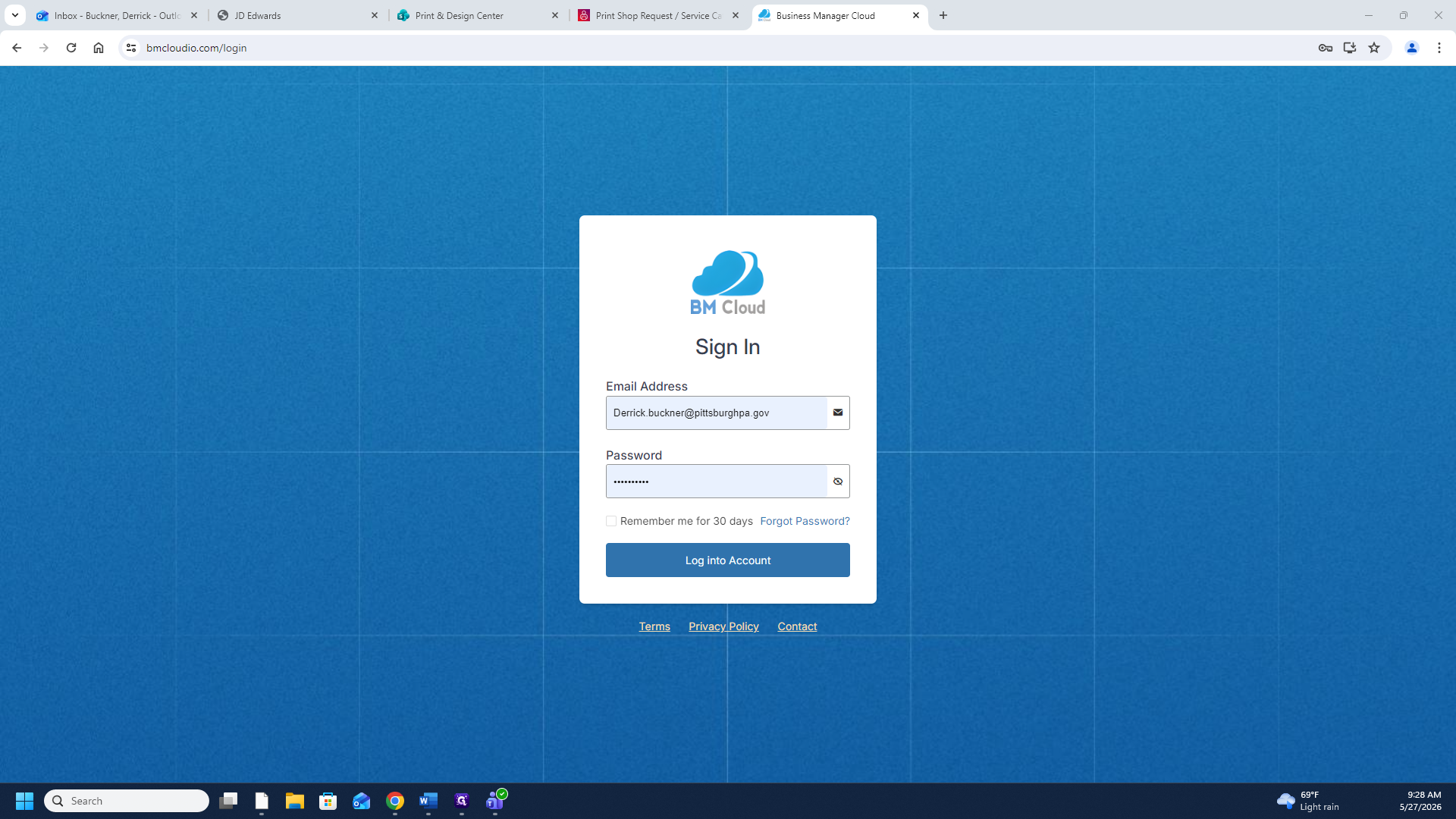
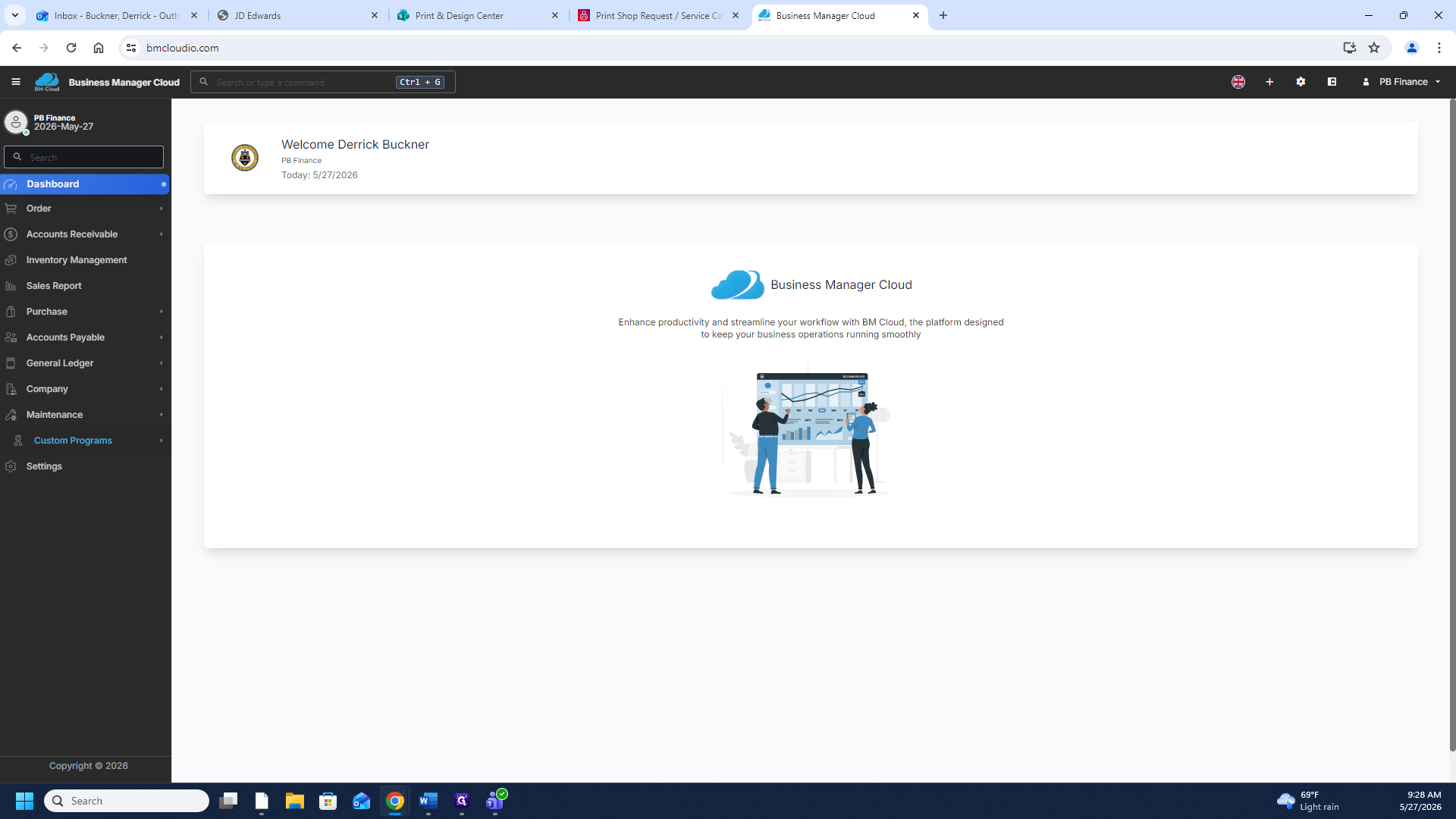
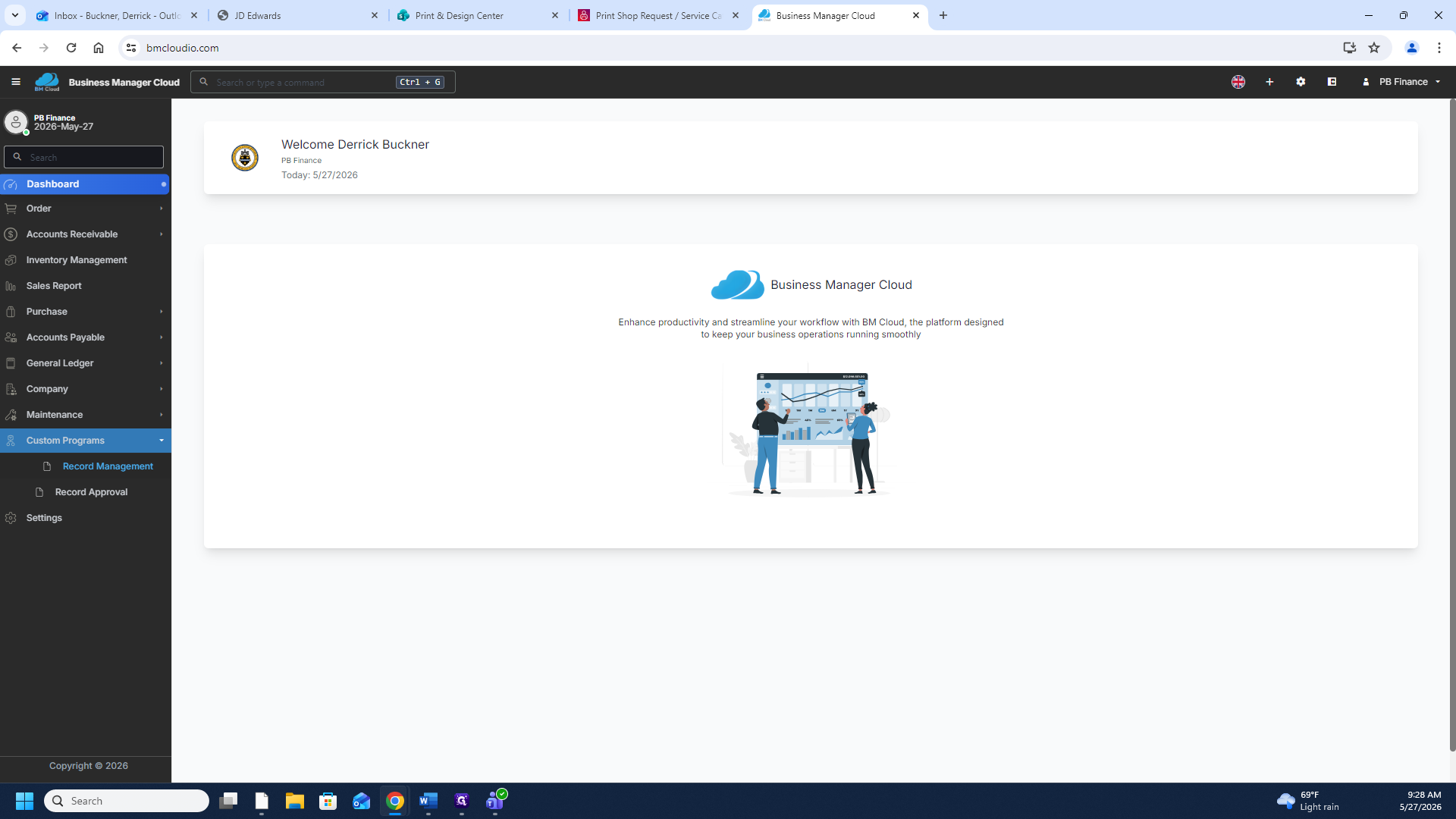
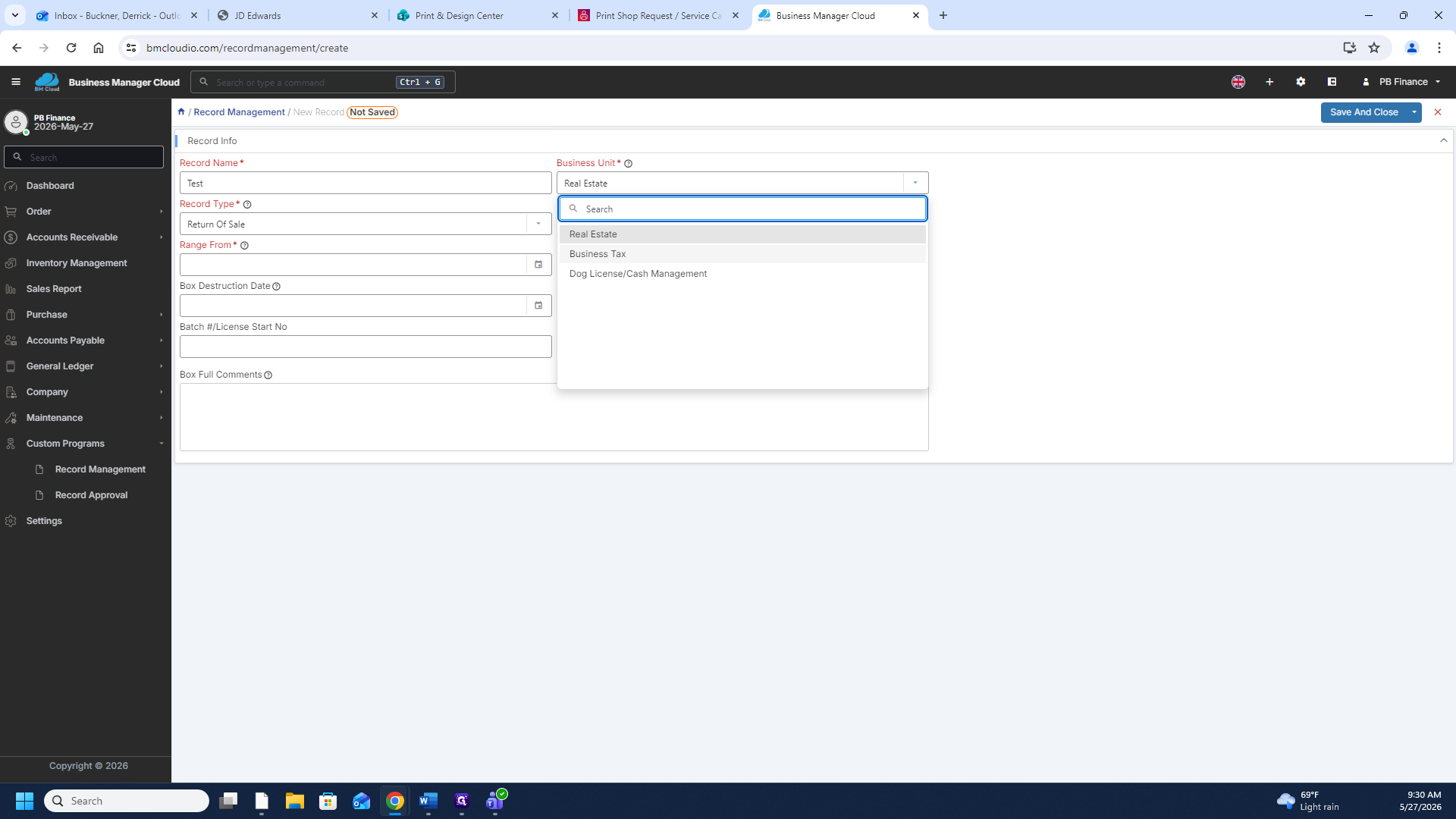
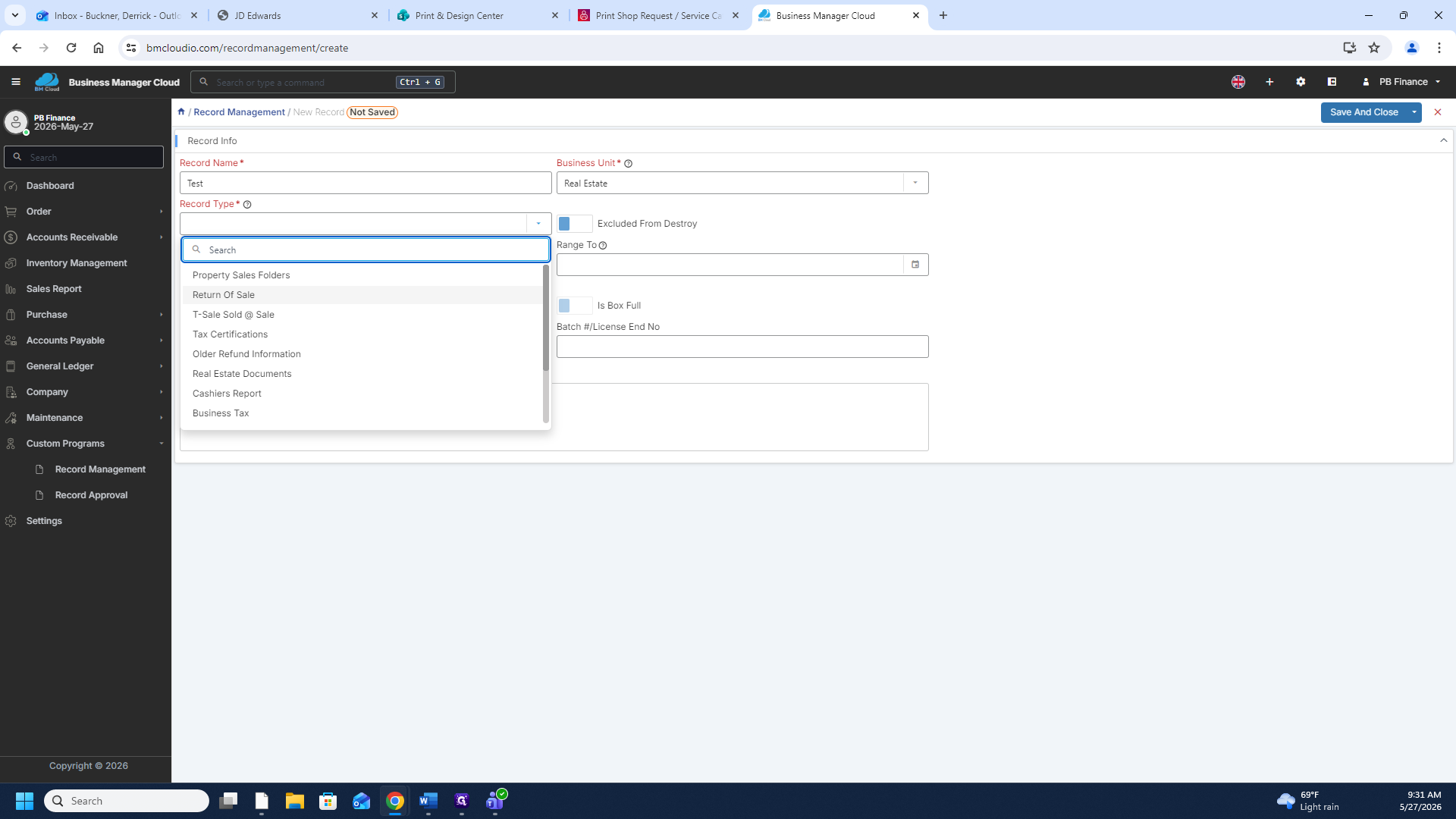
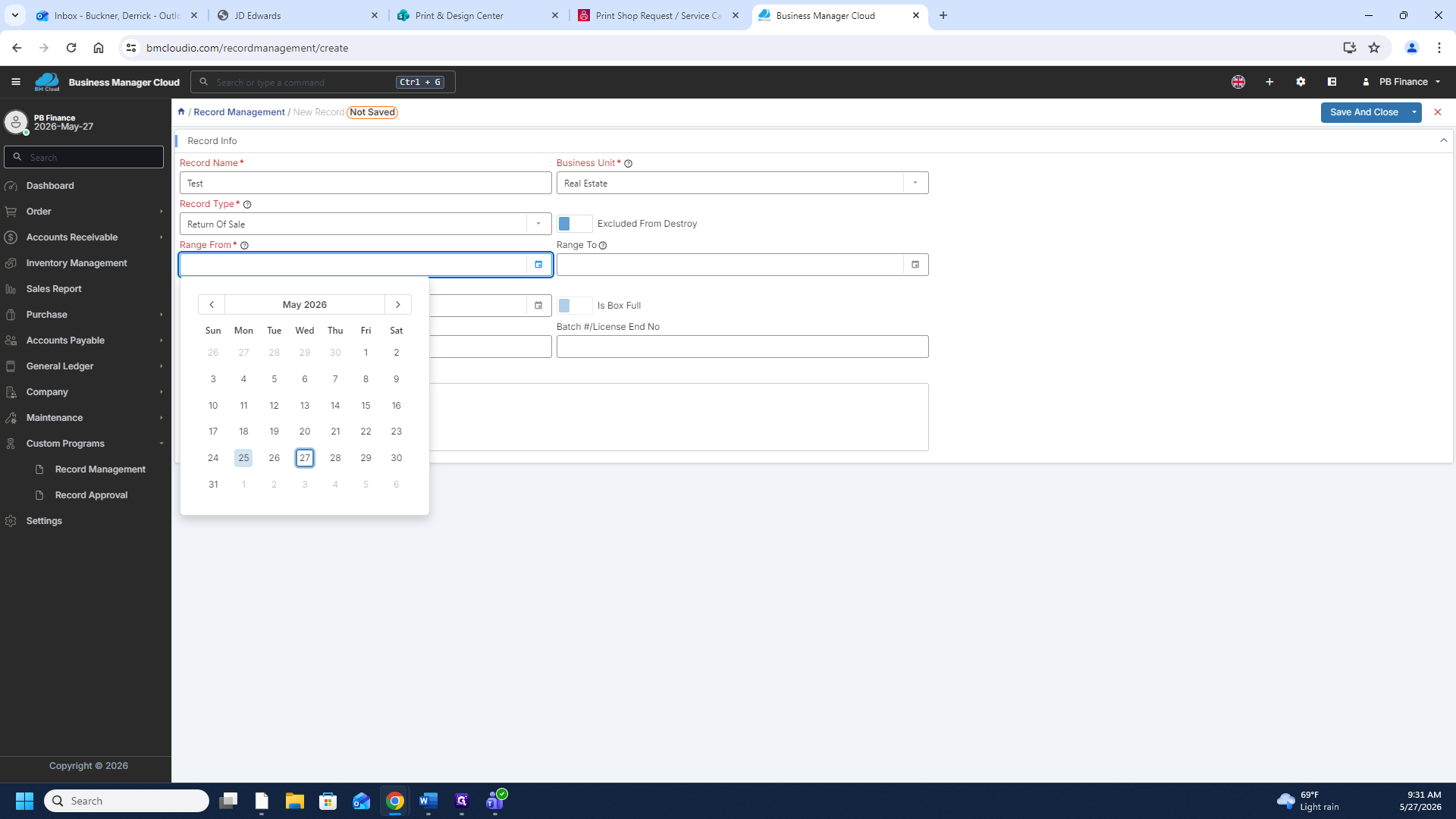
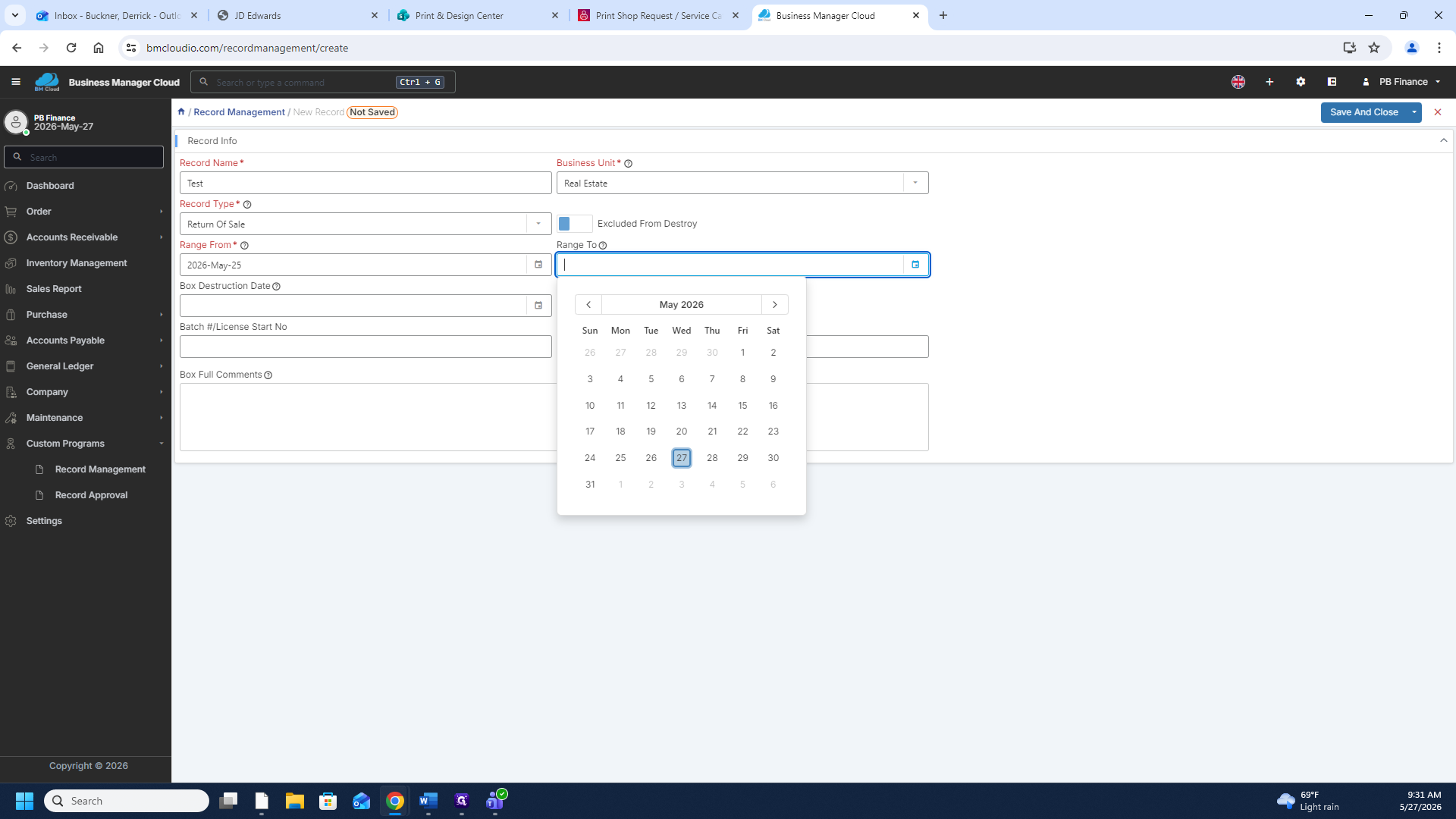
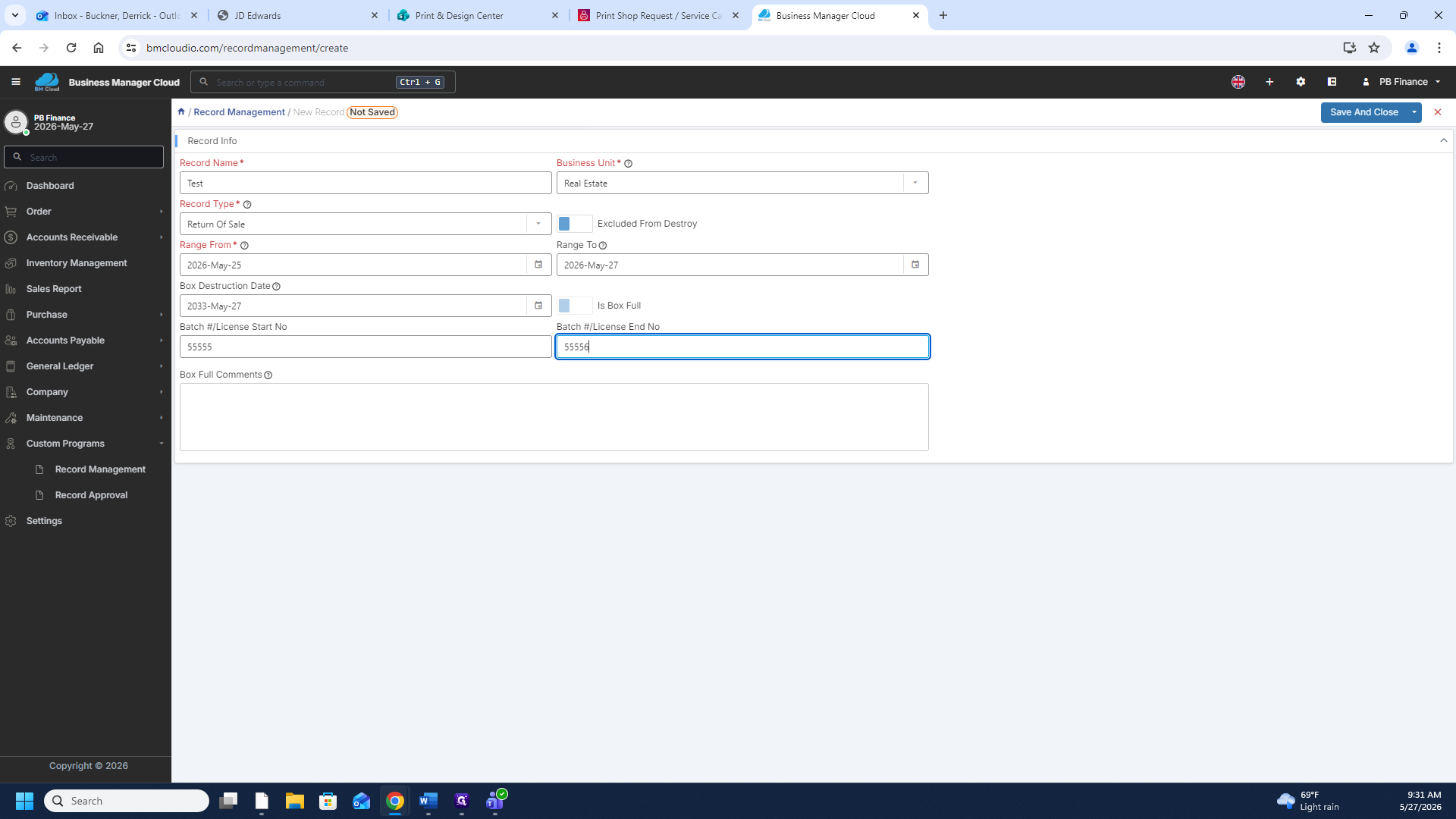
Add a New Record
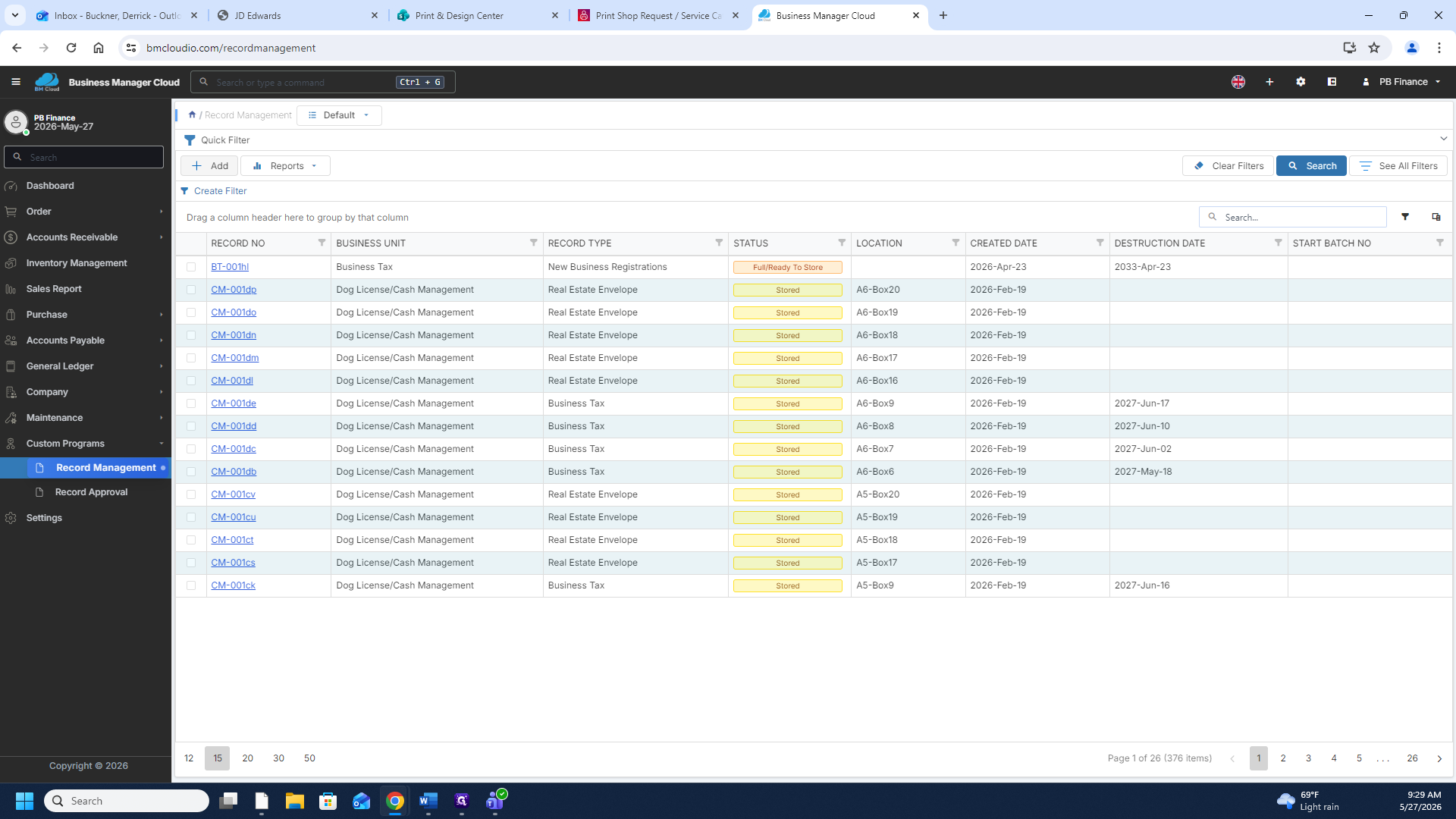
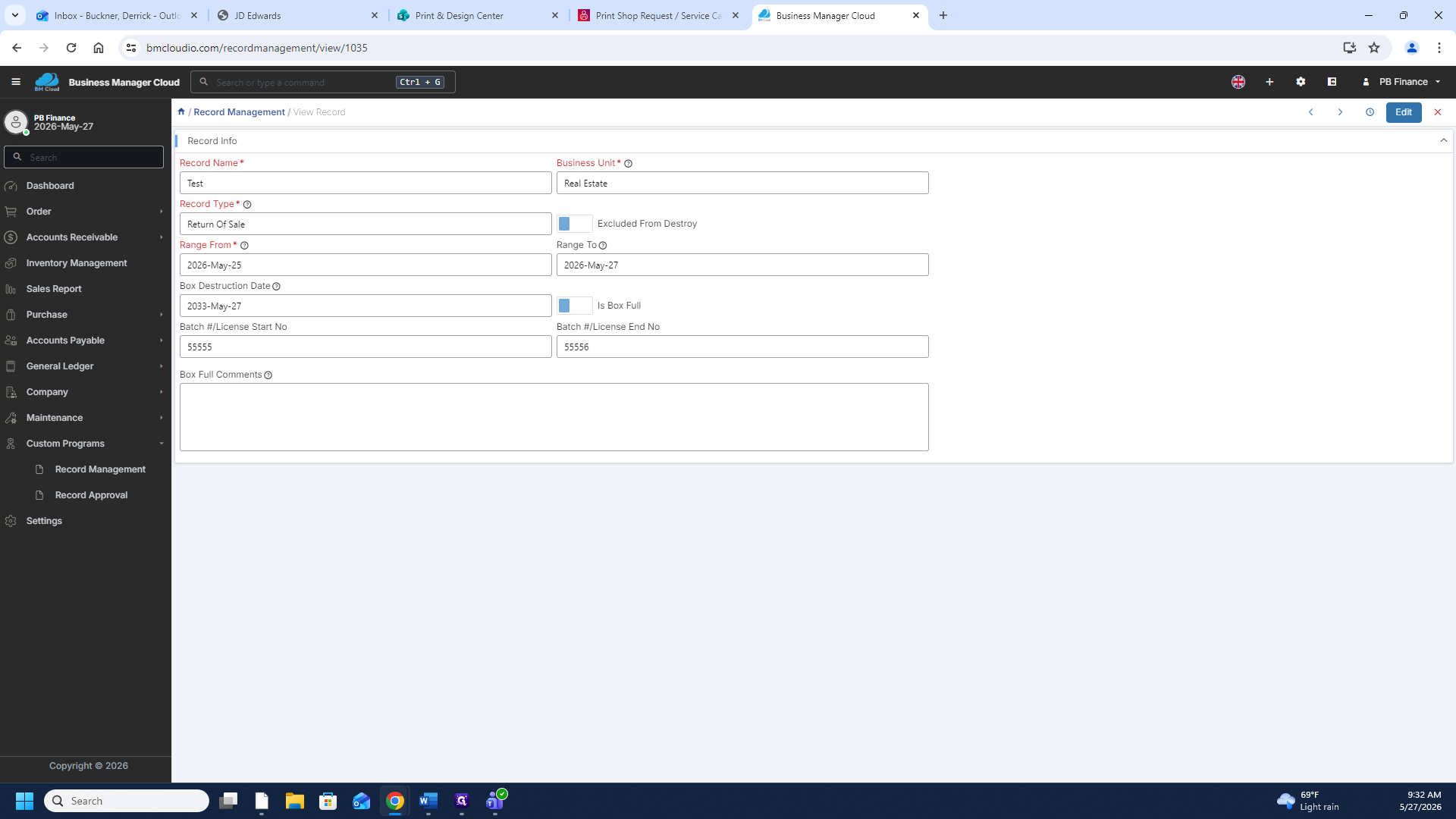
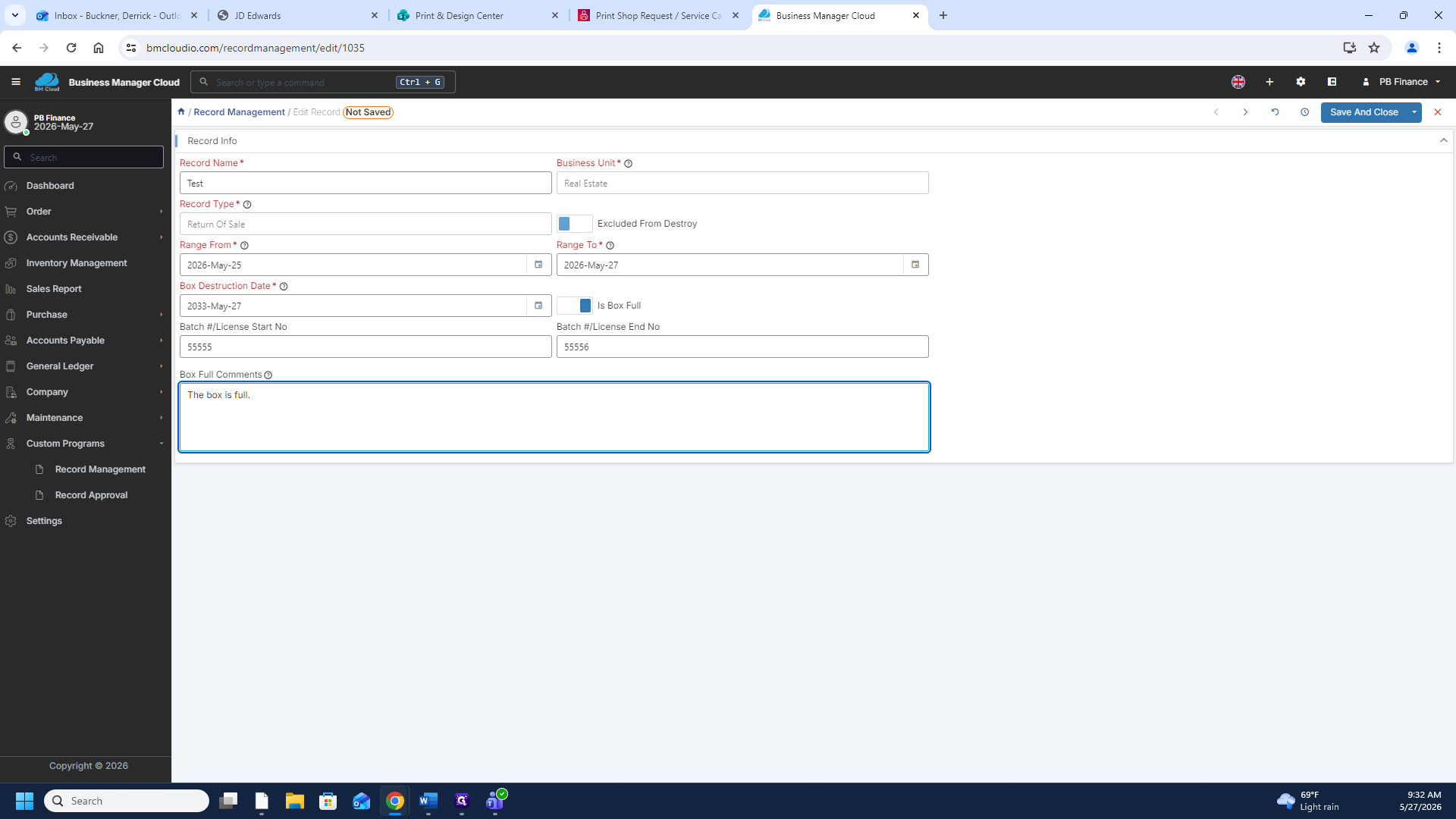
Edit an Existing Record
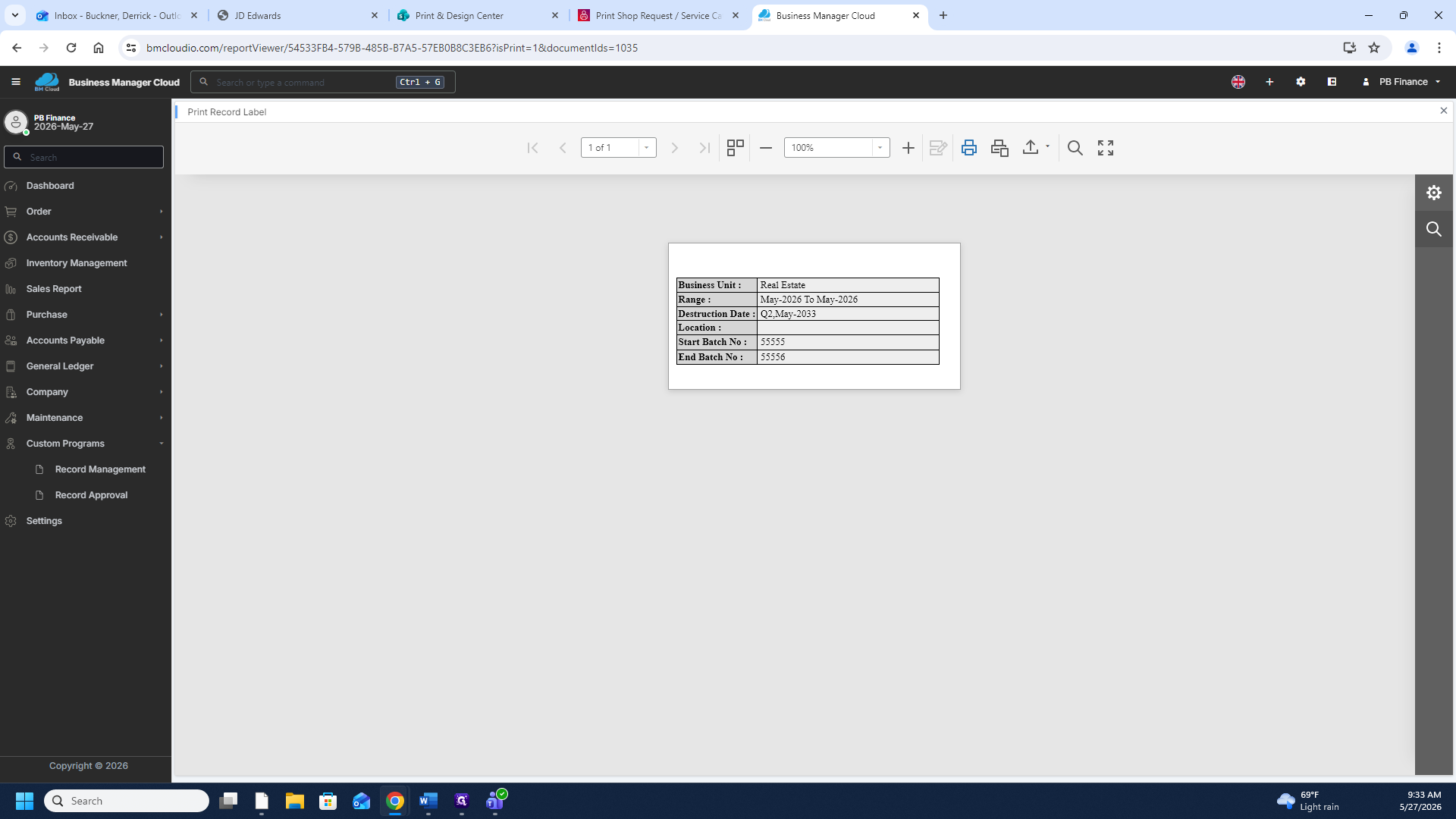
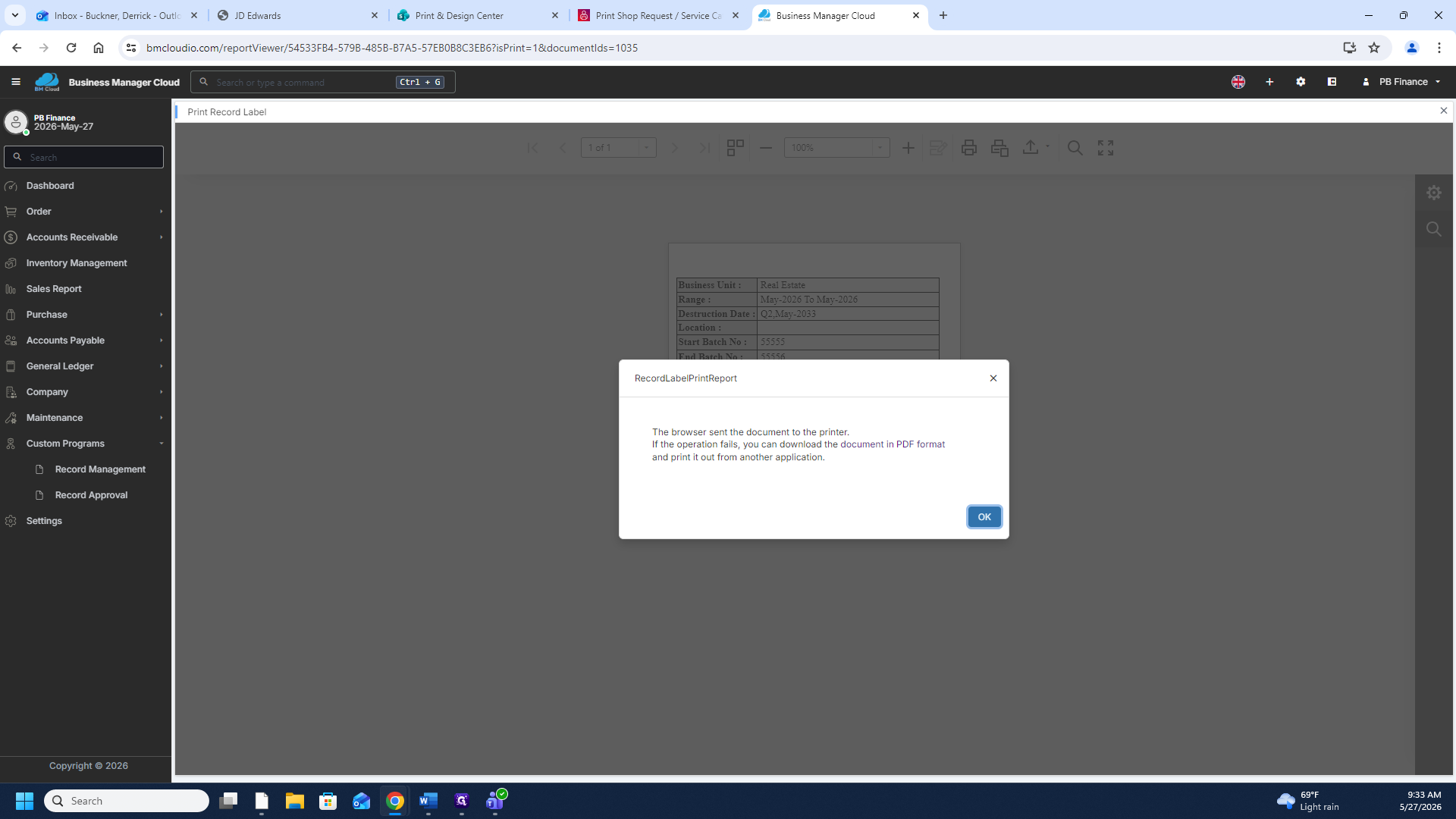
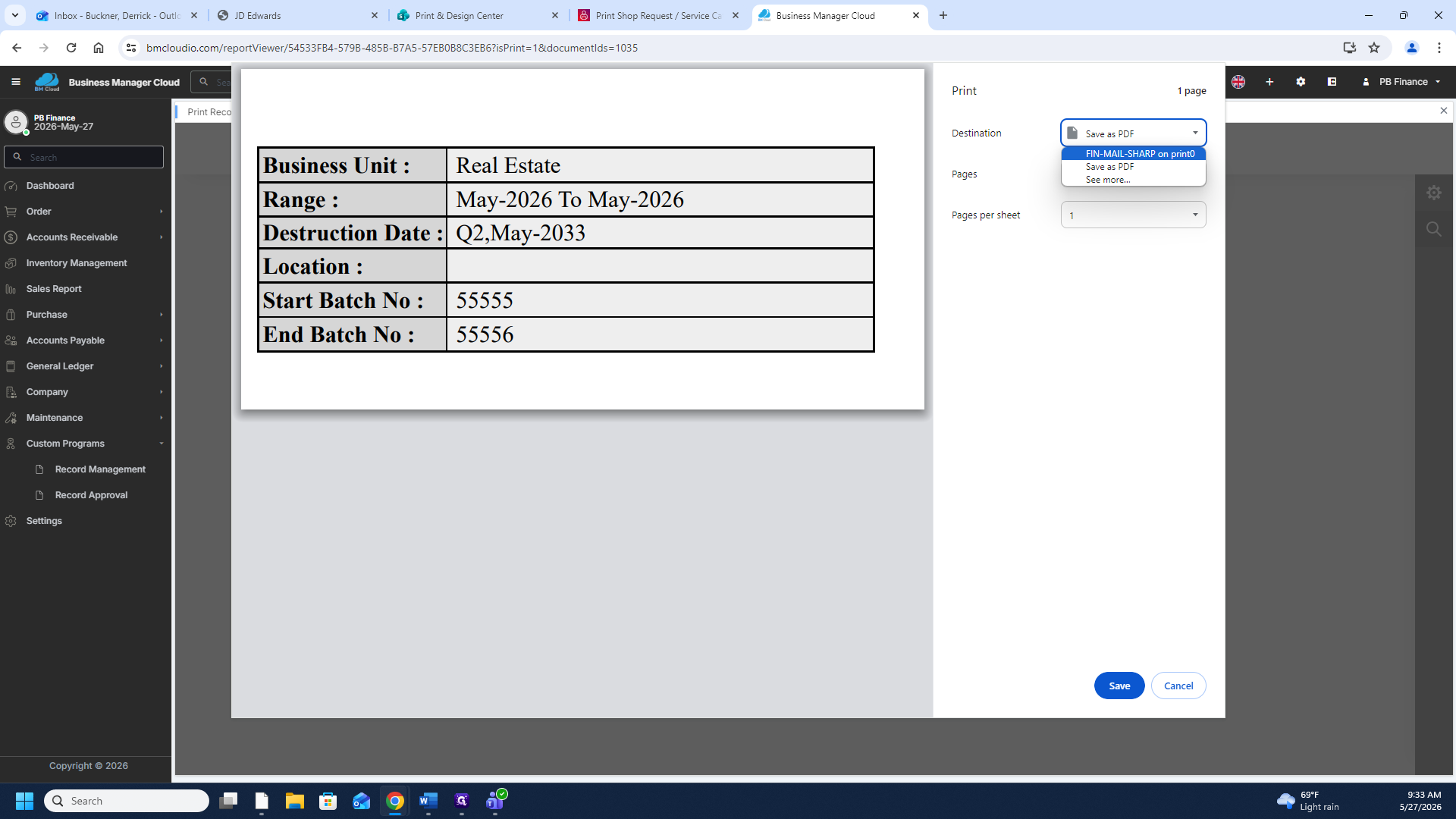
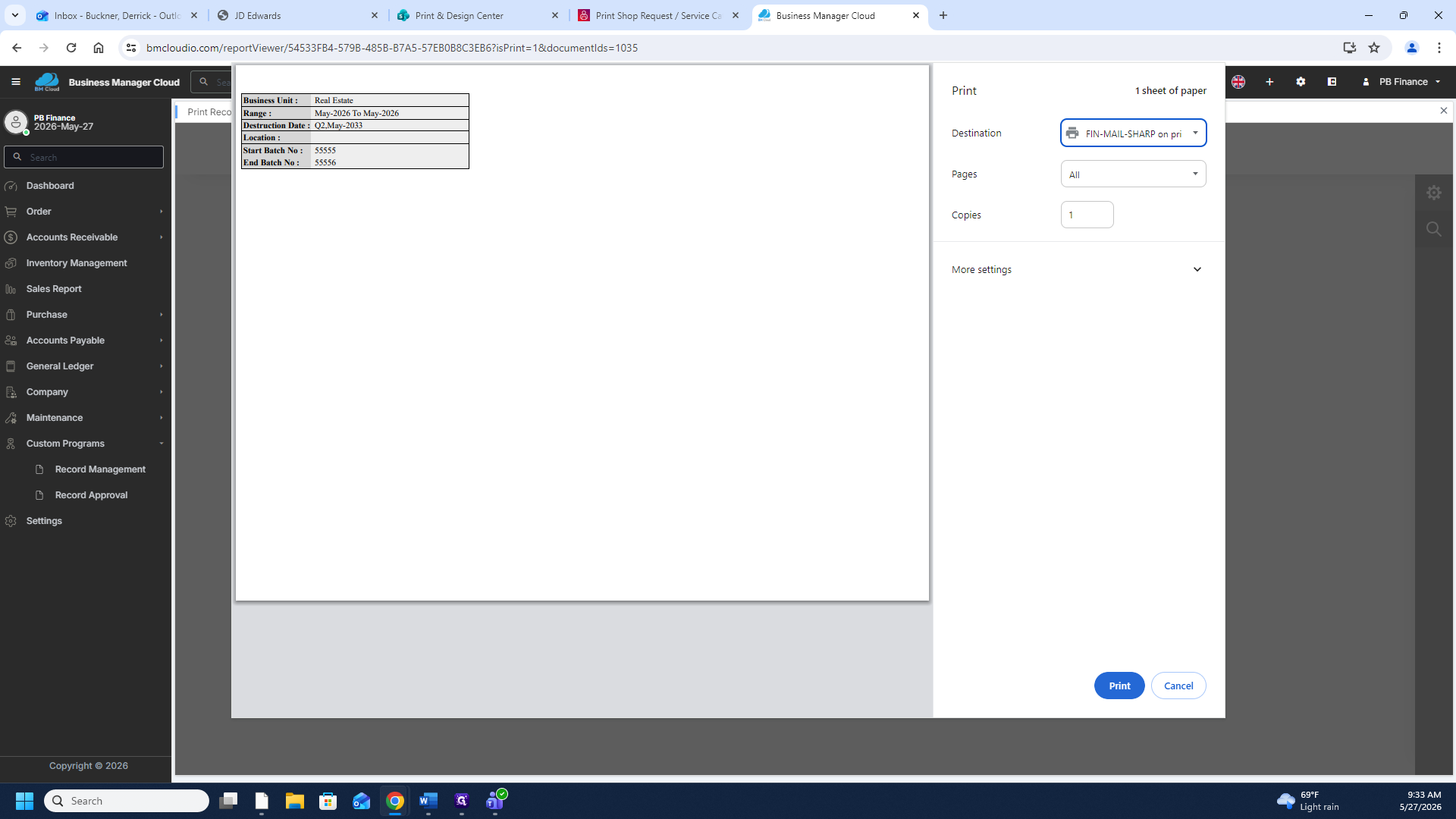
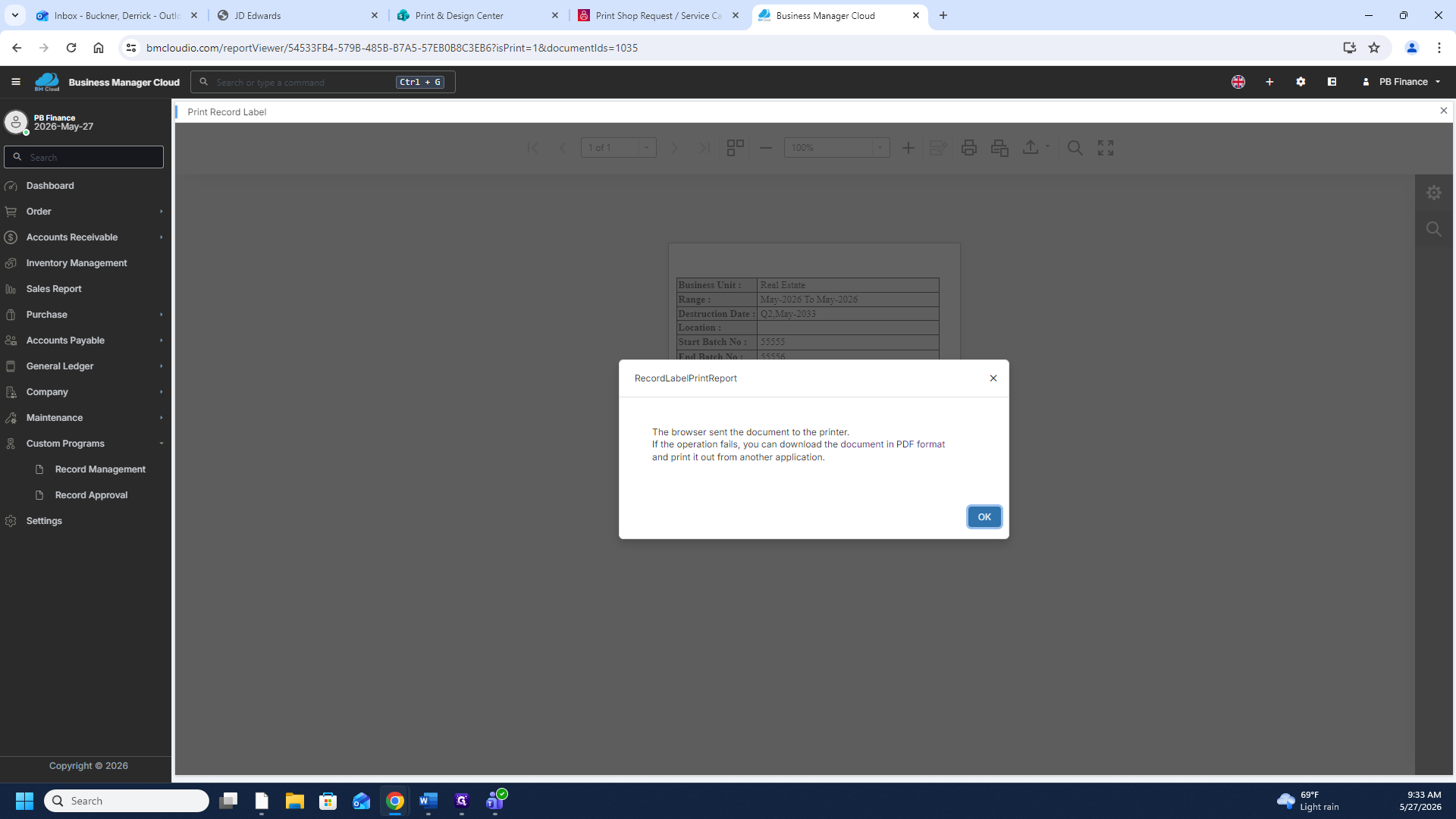
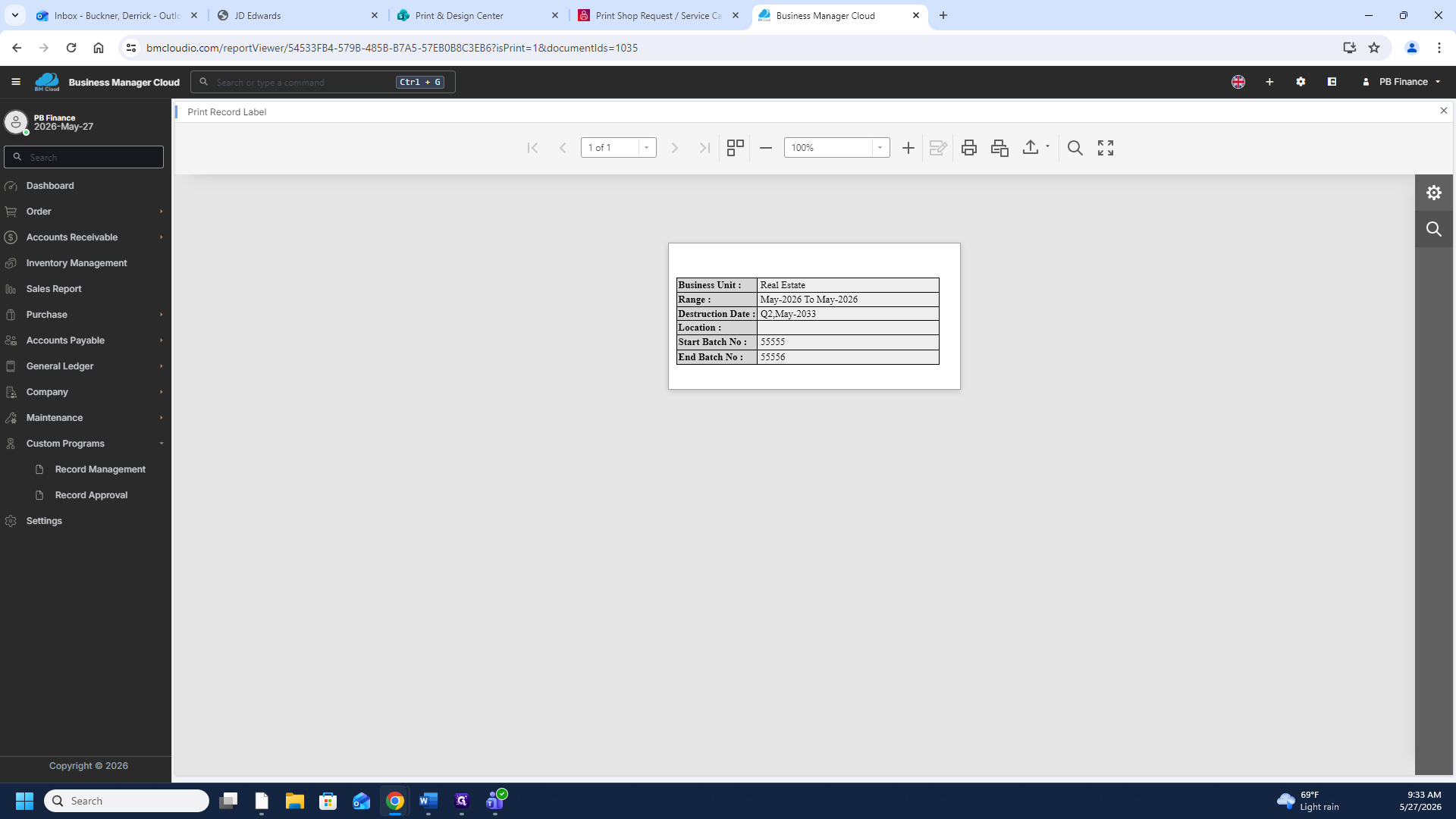
Print Record Labels
Term | Definition |
|---|---|
Business Manager Cloud | A centralized web application used for administrating business operations, managing documents, and organizing company data. |
Record Management | A specialized module within the software designated for tracking, updating, and documenting physical and digital records. |
Batch Number | A sequential identification number used to track and trace grouped items or licenses entered into the system. |