
CWI Lighting Dealer Portal Overview
Learn how to track order statuses, review item details, and verify fulfillment progress using the CWI Lighting dealer portal.
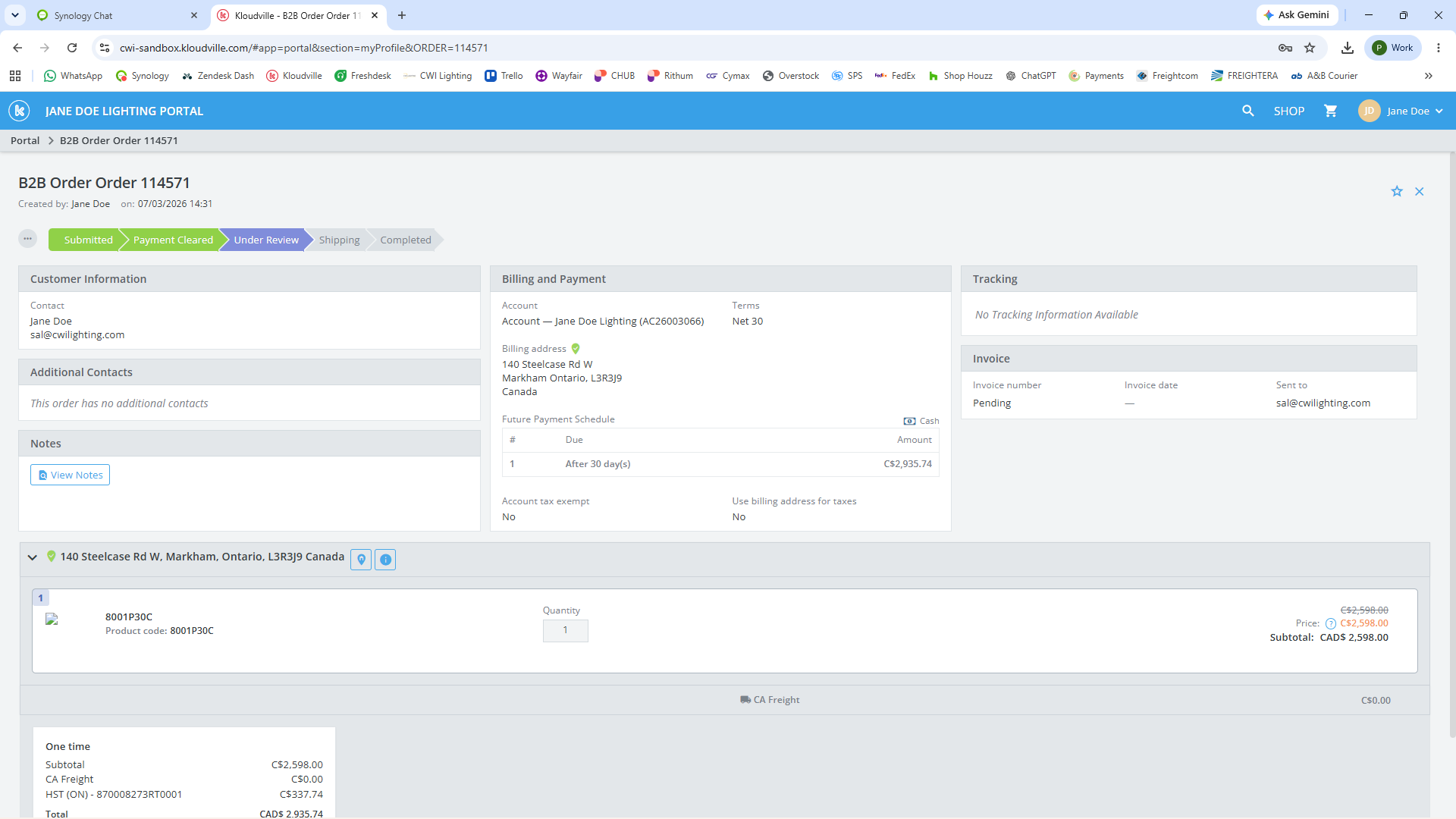
This guide explains how to view and track order statuses within the CWI Lighting dealer portal. By reviewing your dashboard, you can quickly verify order details and monitor an order's progress from initial review to final shipment.
This workflow applies to dealers, purchasing staff, and account managers. Use this guide whenever you need to check the status of a recent purchase or verify an order's quantities and delivery details.
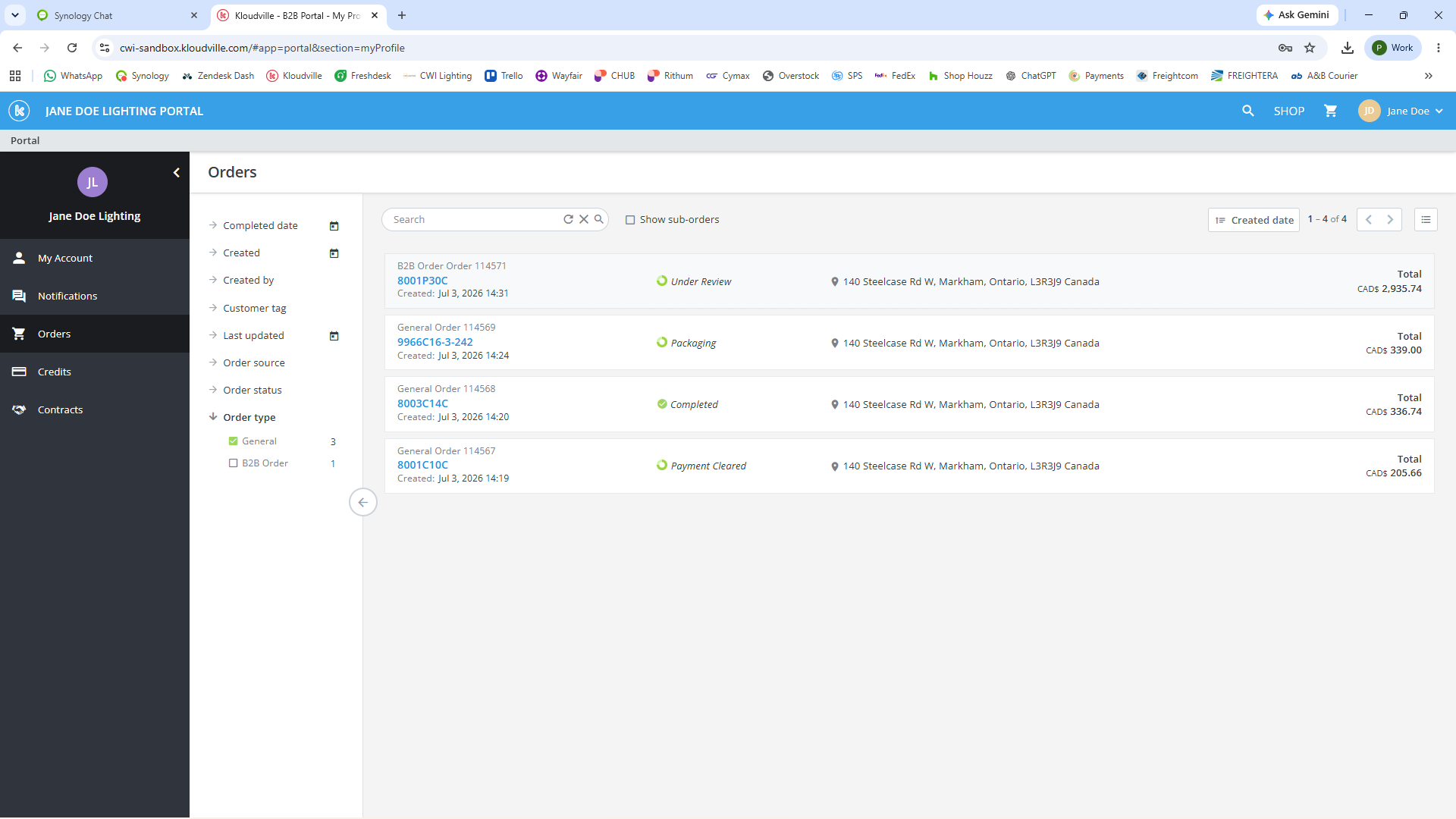
When you navigate to the Orders section of the CWI Lighting dealer portal, you will see a comprehensive list of all your placed orders.
Each order is assigned a specific status to indicate its progress through the fulfillment system:
Status | Description |
|---|---|
Under Review | The initial status for new orders. CWI Order Desk verifies the delivery address, billing address, and item quantity before finalizing. |
Cleared Payment | The order is Cleared for processing. |
Packaging | The items in the order are currently being packed in the warehouse to prepare for shipment. |
Shipped | The order has left the facility and is in transit to the delivery address. |
Completed | The order has been fully processed, fulfilled, and closed. |
To locate and review specific order details:
Q: Why does my newly placed order say "Under Review"?
A: All new orders default to "Under Review" until CWI Order Desk checks and verifies your delivery address, billing address, and item quantities before proceeding to checkout.
Term | Definition |
|---|---|
Cleared Payment | An order status indicating Order is Cleared for processing |
Packaging | An order status indicating the products are currently being packed and prepared for shipment. |
Under Review | An initial order status where CWI Order Desk verify billing, shipping, and item details before processing. |