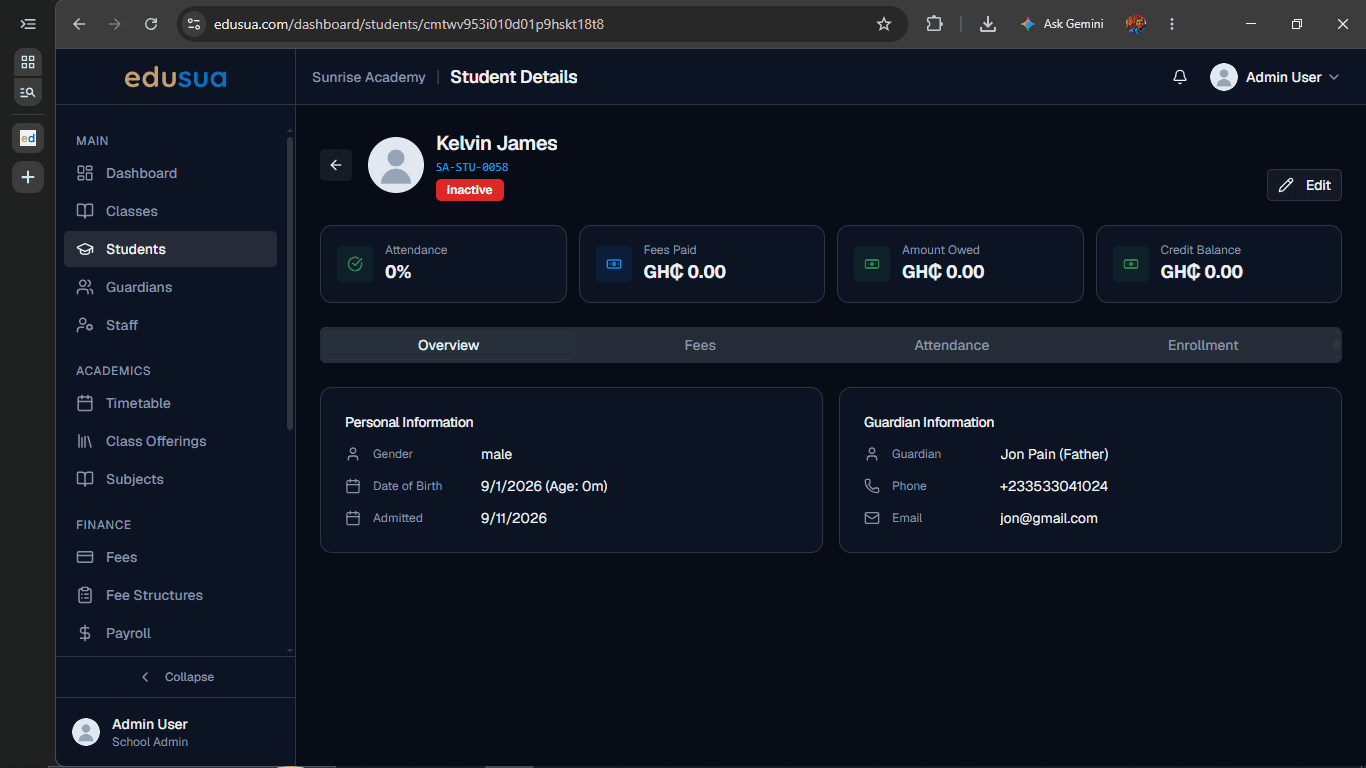
How to Deactivate a Student in Edusua
Learn how to deactivate a student profile and mark their account as inactive in Edusua.
By Seth Tawiah Nortey Jr (NSJ)
This guide demonstrates how to deactivate a student record in Edusua to update their enrollment status and keep your student roster accurate.
This procedure applies to school administrators and registrar staff managing student profiles when a student withdraws, transfers, or becomes inactive.
1
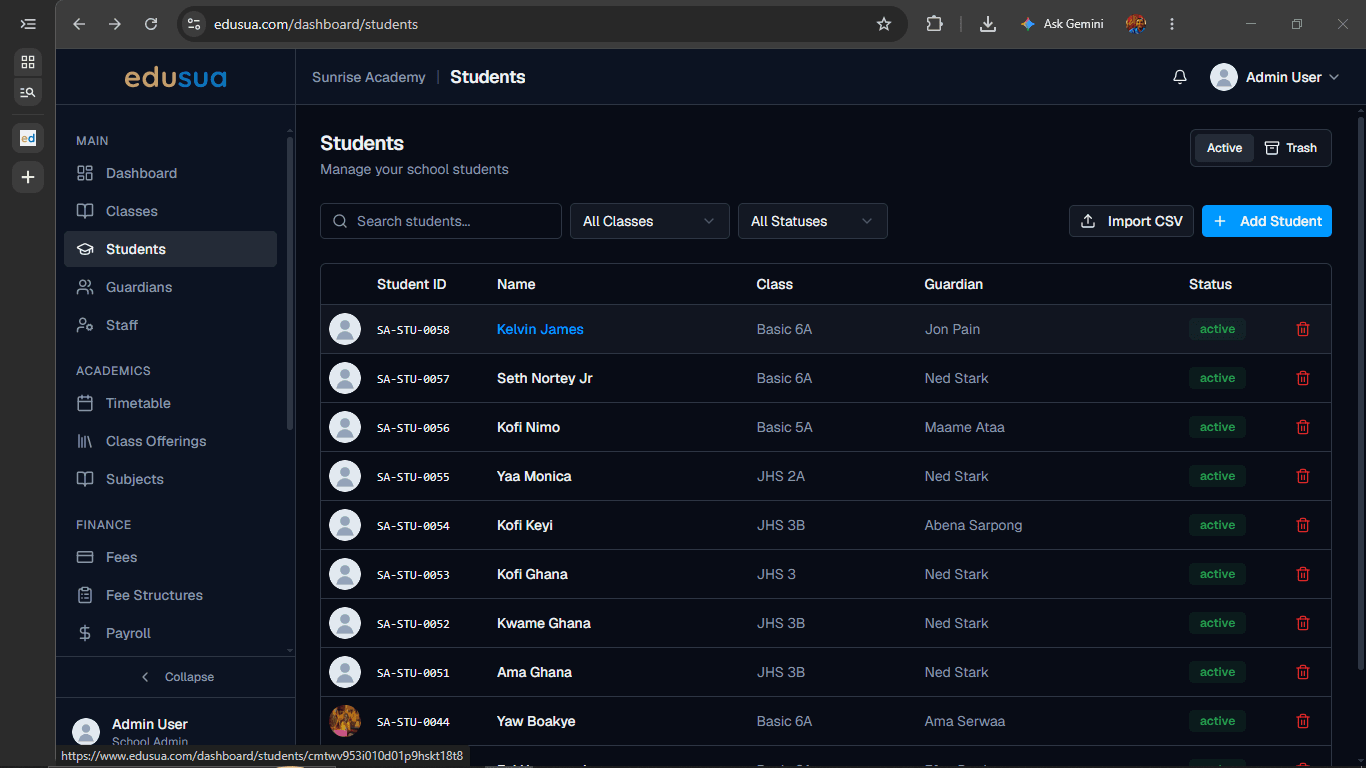
Click the student name (Kelvin James) in the Students table to view their details.
2
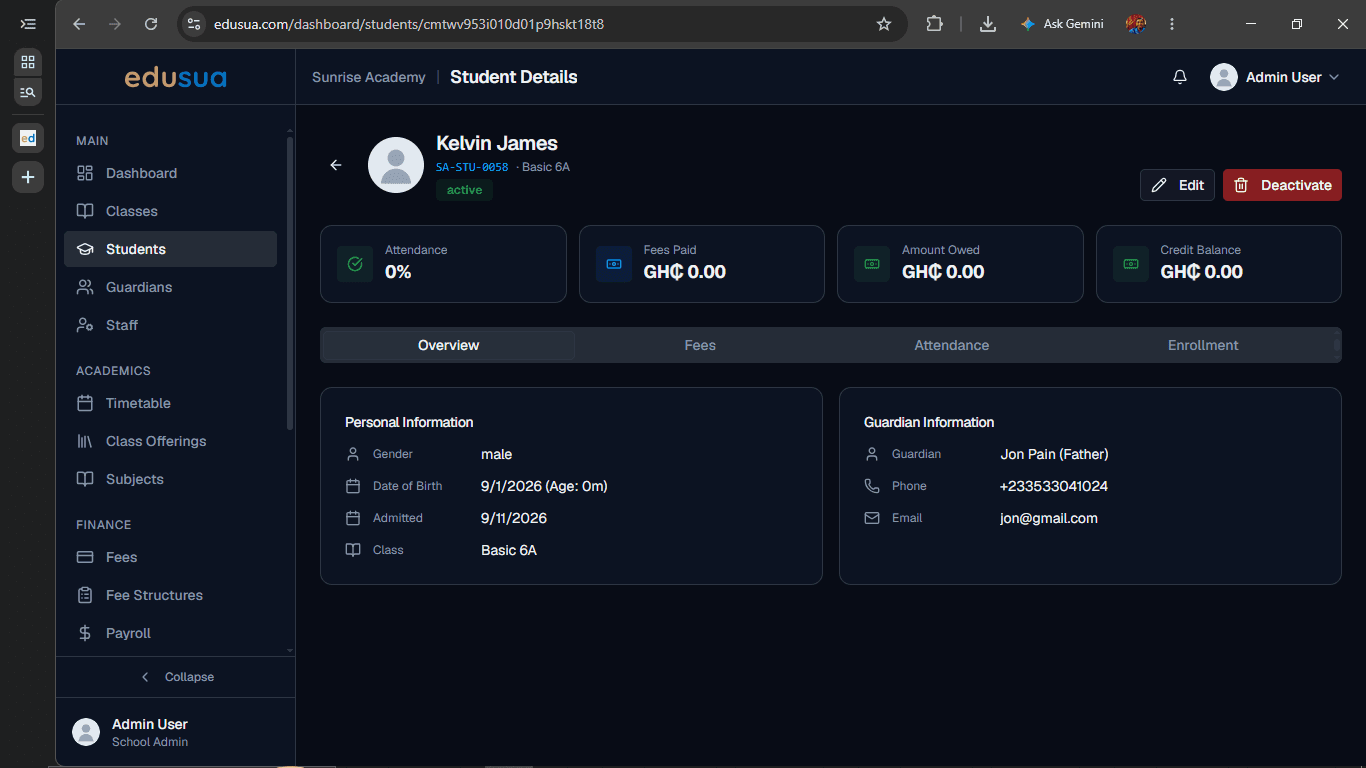
Click Deactivate in the upper-right section of the Student Details page.
3
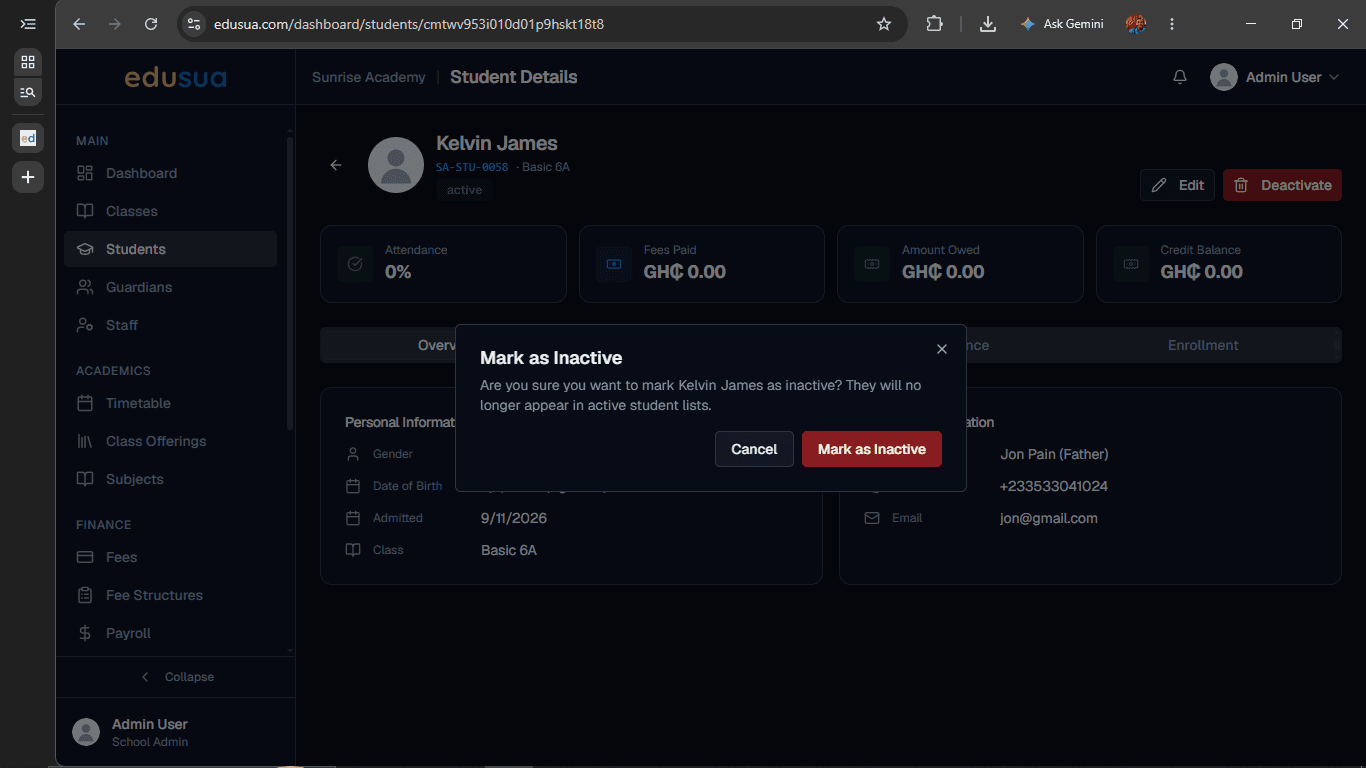
Click Mark as Inactive in the confirmation dialog to confirm deactivation.
4
Click the back arrow next to the student profile icon to return to the Students page.