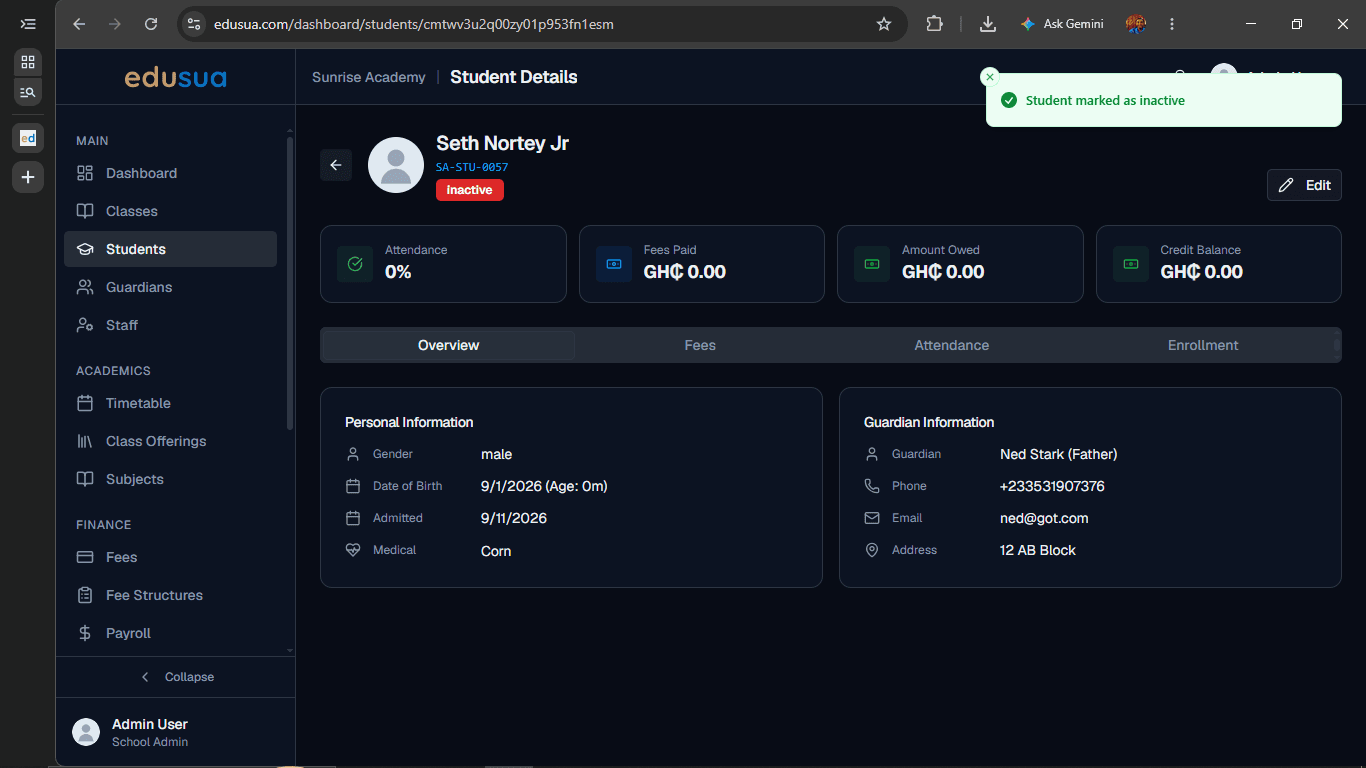
How to Deactivate a Student in edusua
Learn how to deactivate a student record and mark their status as inactive in the edusua dashboard.
By Seth Tawiah Nortey Jr (NSJ)
Learn how to deactivate a student record in edusua to mark an account inactive and keep your student directory up to date.
This guide is intended for school administrators and staff managing student enrollment when a student withdraws or leaves the institution.
Navigate to the relevant student's profile to update their account status.
1
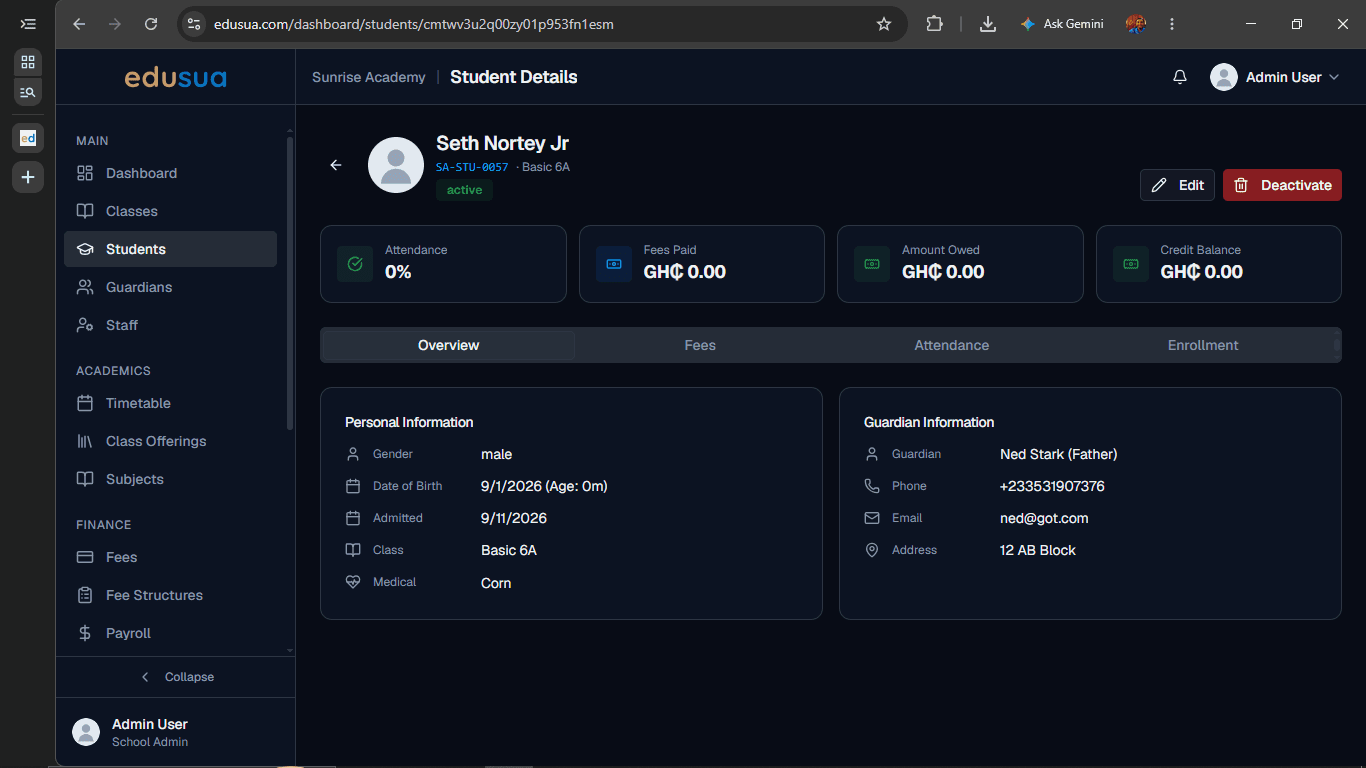
Click Deactivate on the Student Details page.
2
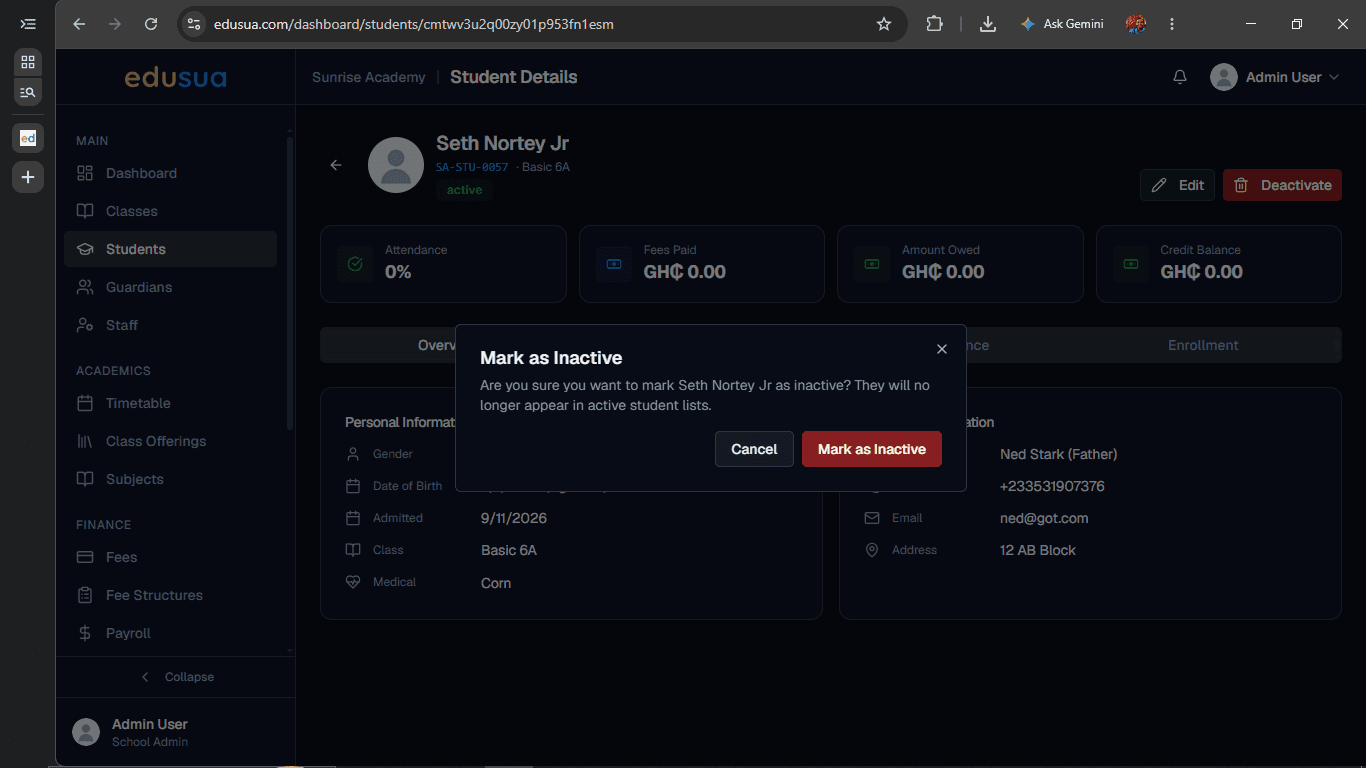
Click Mark as Inactive in the confirmation dialog to confirm the status change.
3
Click ← next to the student's profile image to return to the student list.