How to Delete a Class in edusua
Learn how to permanently remove a class from your school dashboard in edusua.
By Seth Tawiah Nortey Jr (NSJ)
This guide demonstrates how to remove an unwanted or outdated class from the edusua school management system to keep your class rosters and records accurate.
This process applies to school administrators and head teachers managing academic rosters and class structures in edusua.
Follow these steps to delete an existing class from your school's Classes list:
1
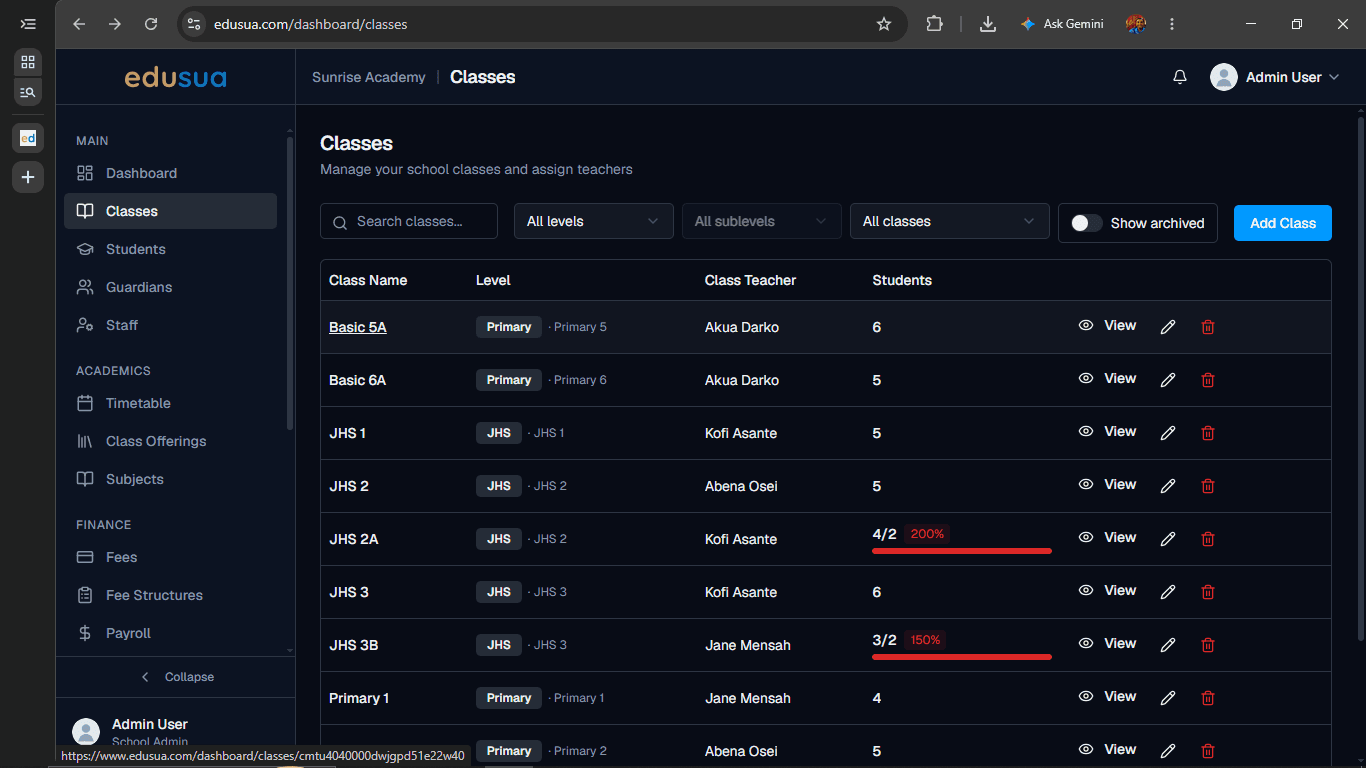
Click on the class name (such as Basic 5A) in the Classes table to open its details page.
2
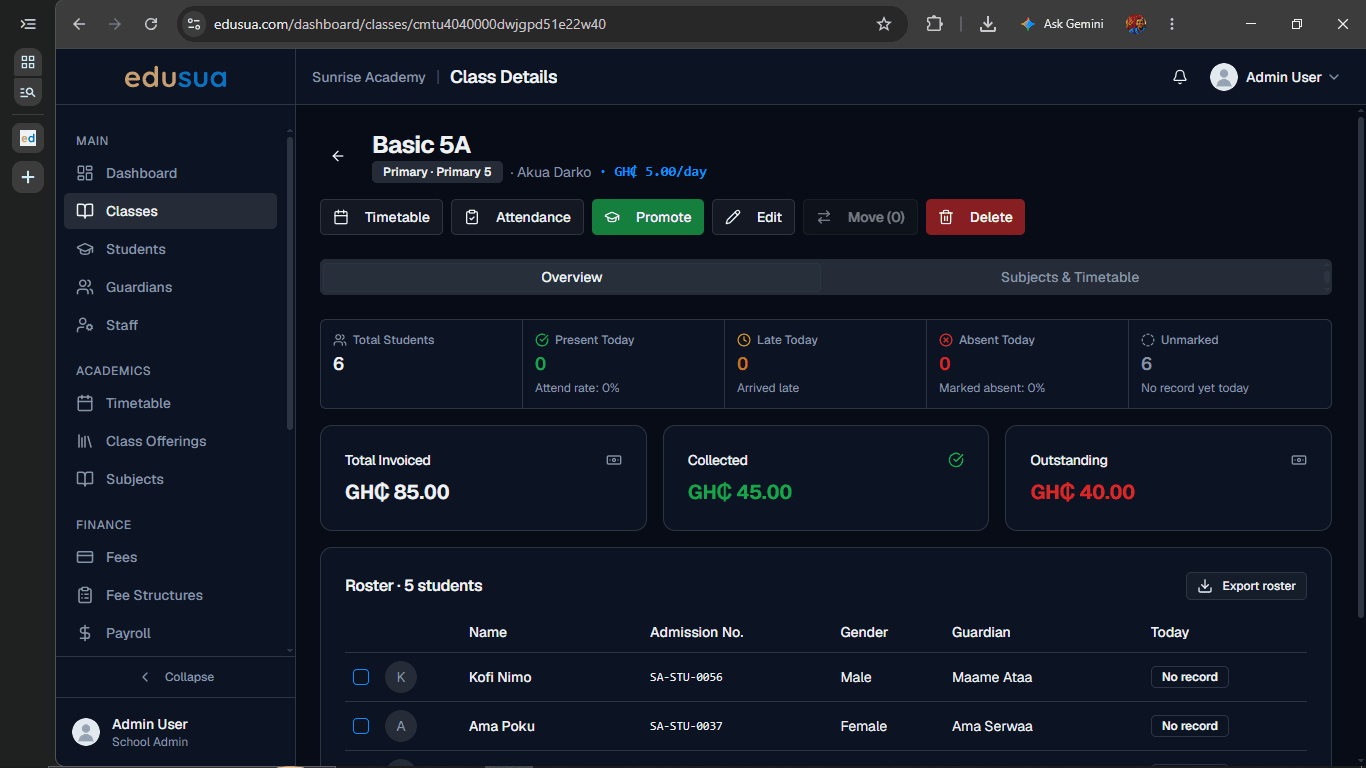
Click Delete on the Class Details toolbar.
3
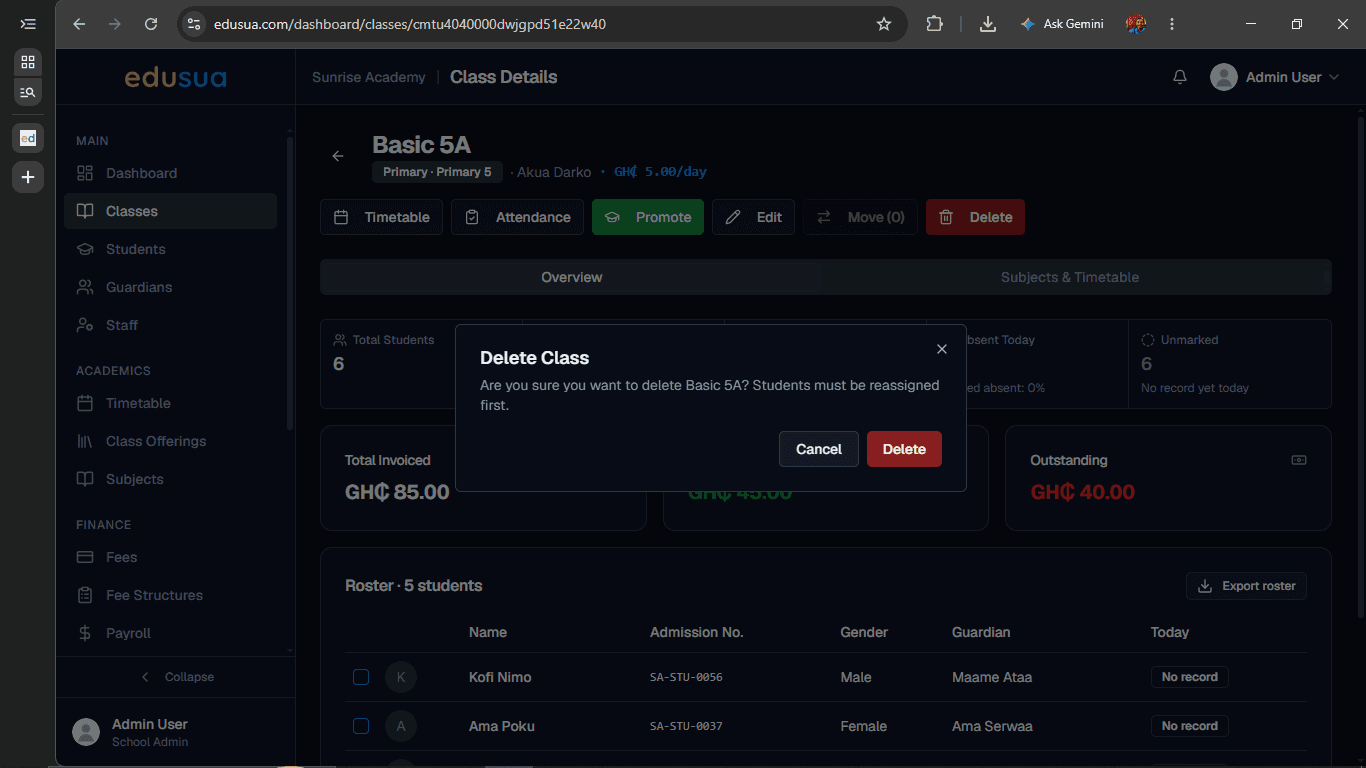
Click Delete in the confirmation modal to permanently remove the class.