Icon

How to Find and Download Report Templates in Gallagher Bassett

Learn how to navigate the Gallagher Bassett risk control platform to find and download standard client report templates, including RCRs, APs and RECs.

By Nadine Bannick

This guide walks you through finding and downloading client-specific report templates within the Gallagher Bassett (GB) risk control platform. Completing this process ensures you have the correct standard files—such as Action Plans, Risk Control Assessments, and Risk Control Reports—ready before beginning a consultation or safety audit.

This workflow applies to risk control consultants and account coordinators who need to access specific client service instructions and prepare reporting documents for upcoming assignments.

Access the Account Coordinator's Report
1
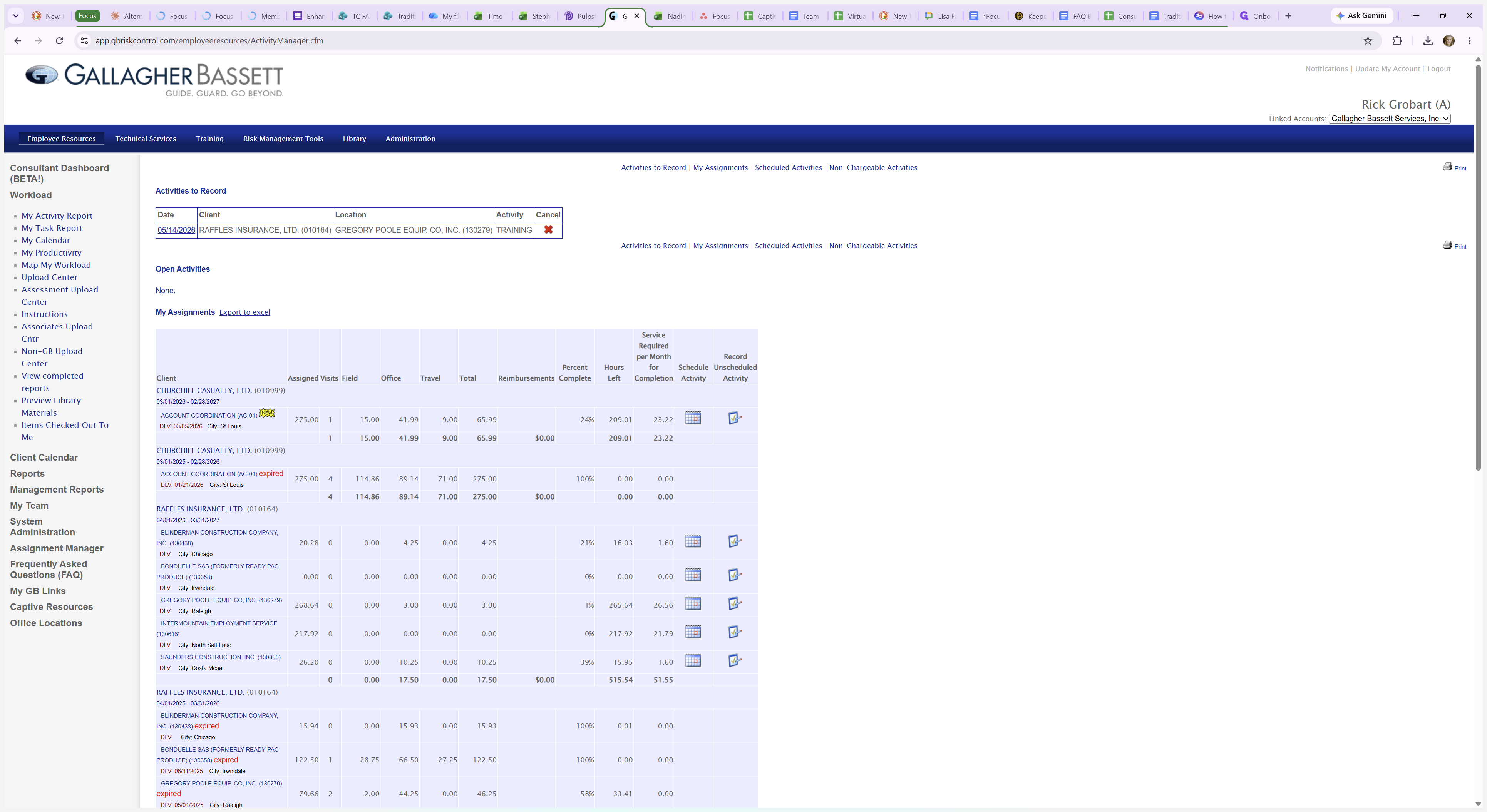
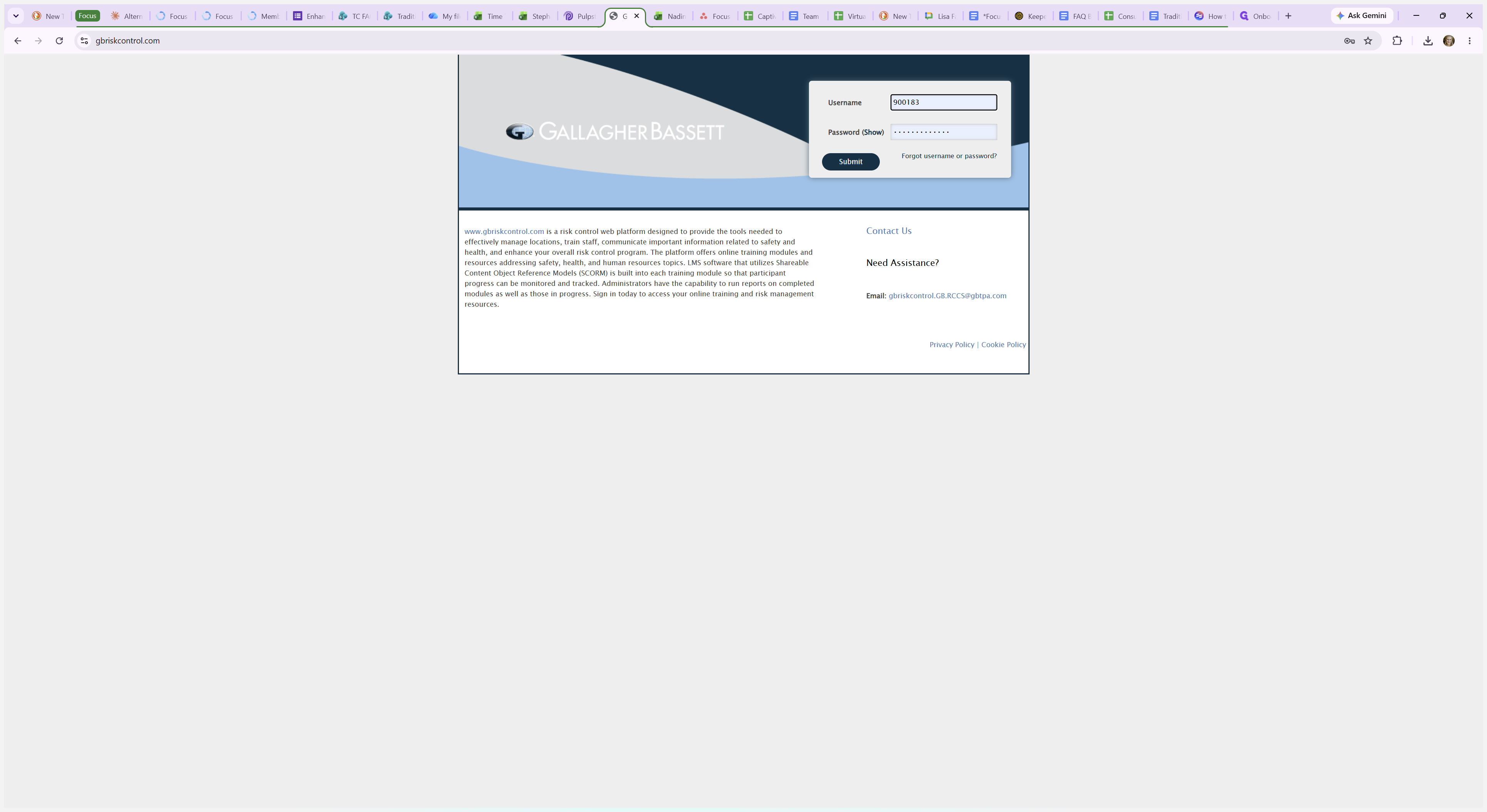
Log into your consultant account on the Gallagher Bassett risk control web platform.
Step #1: Log into your consultant account on the Gallagher Bassett risk control web platform.
2
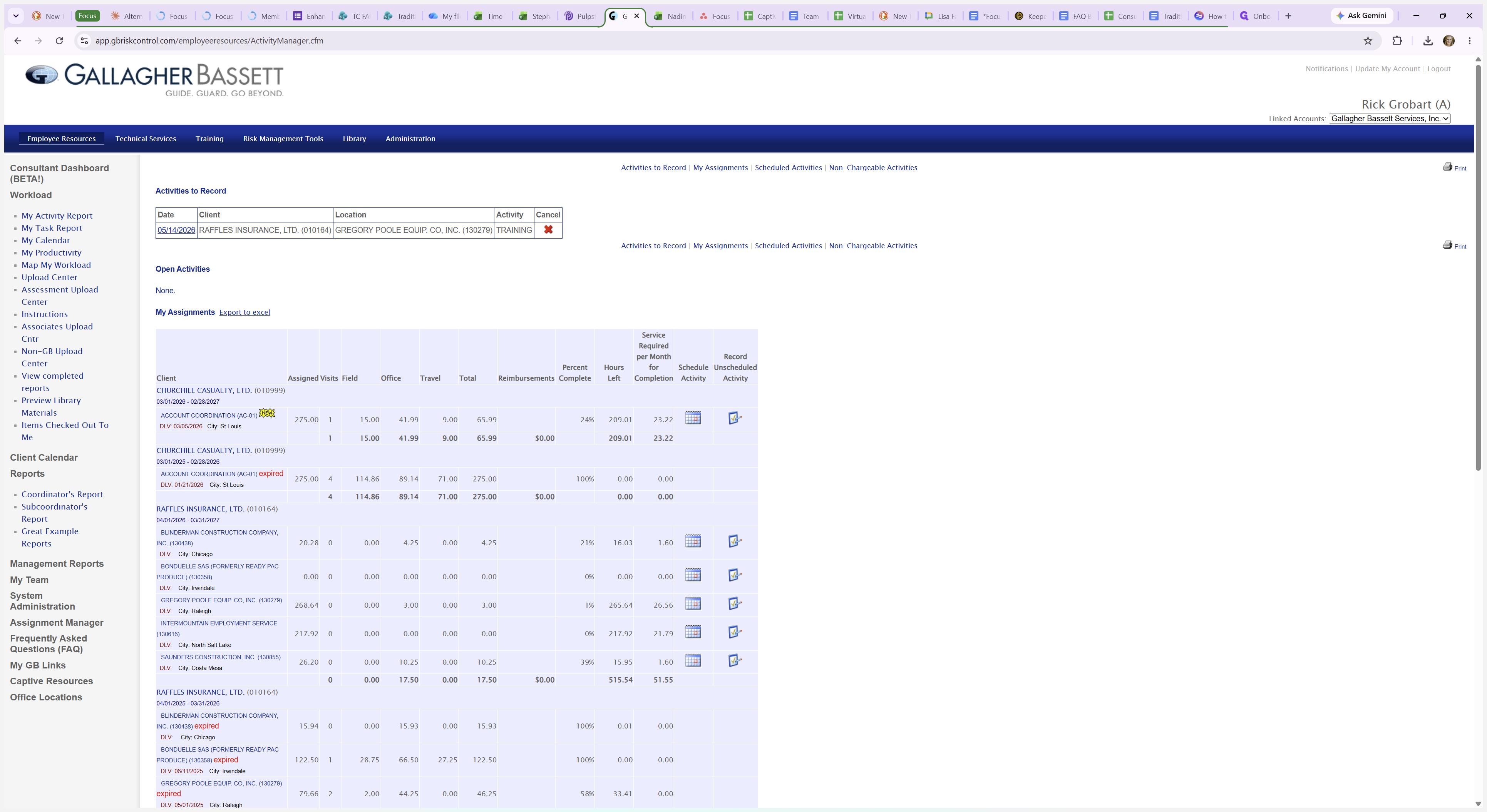
Navigate to the Reports section in the left-hand navigation menu.
Step #2: Navigate to the Reports section in the left-hand navigation menu.
3
Select Coordinator Reports from the available reporting options.
Step #3: Select Coordinator Reports from the available reporting options.
4
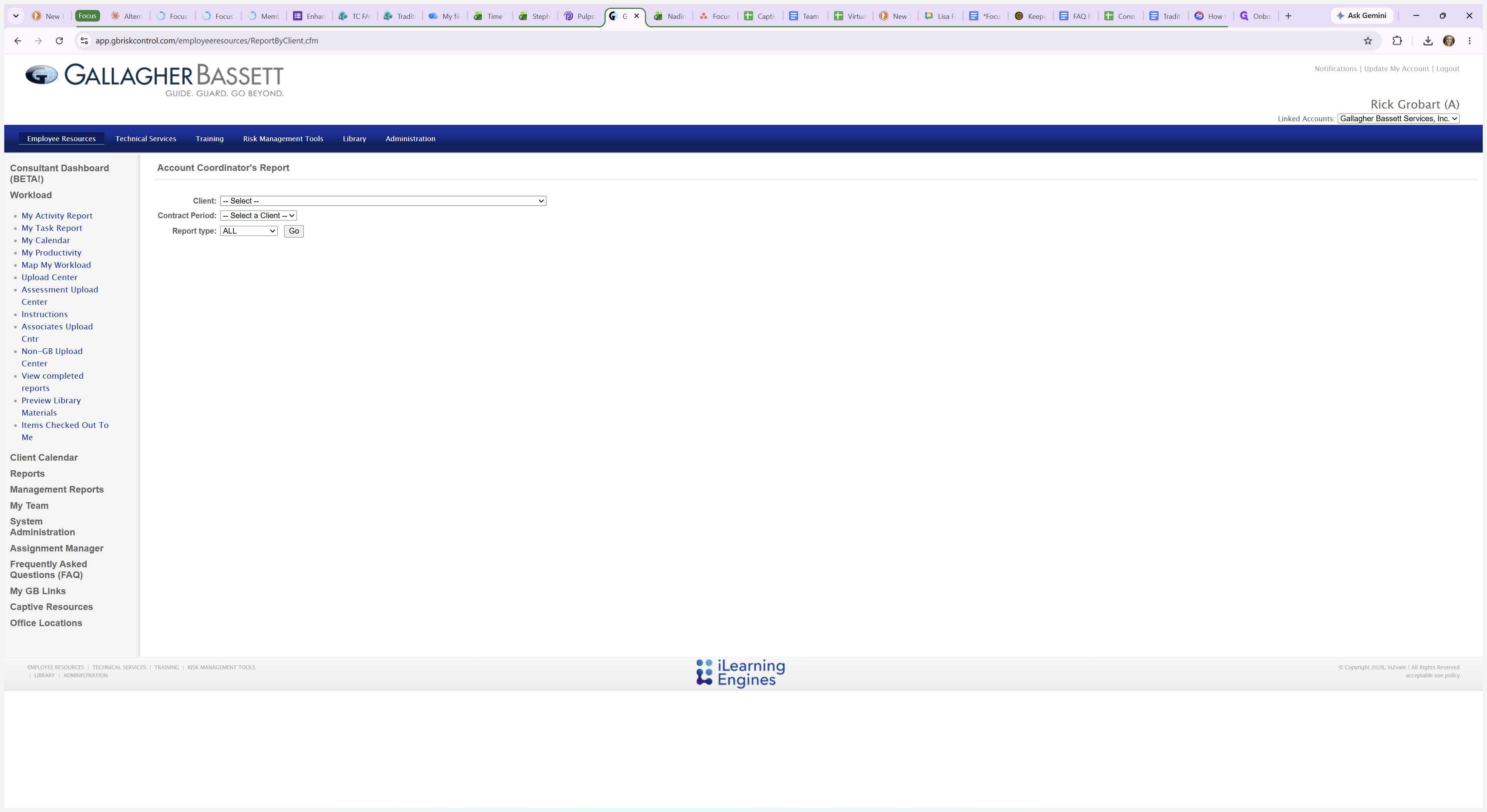
Select the target captive or client name (e.g., Churchill) from the dropdown list.
Step #4: Select the target captive or client name (e.g., Churchill) from the dropdown list.
5
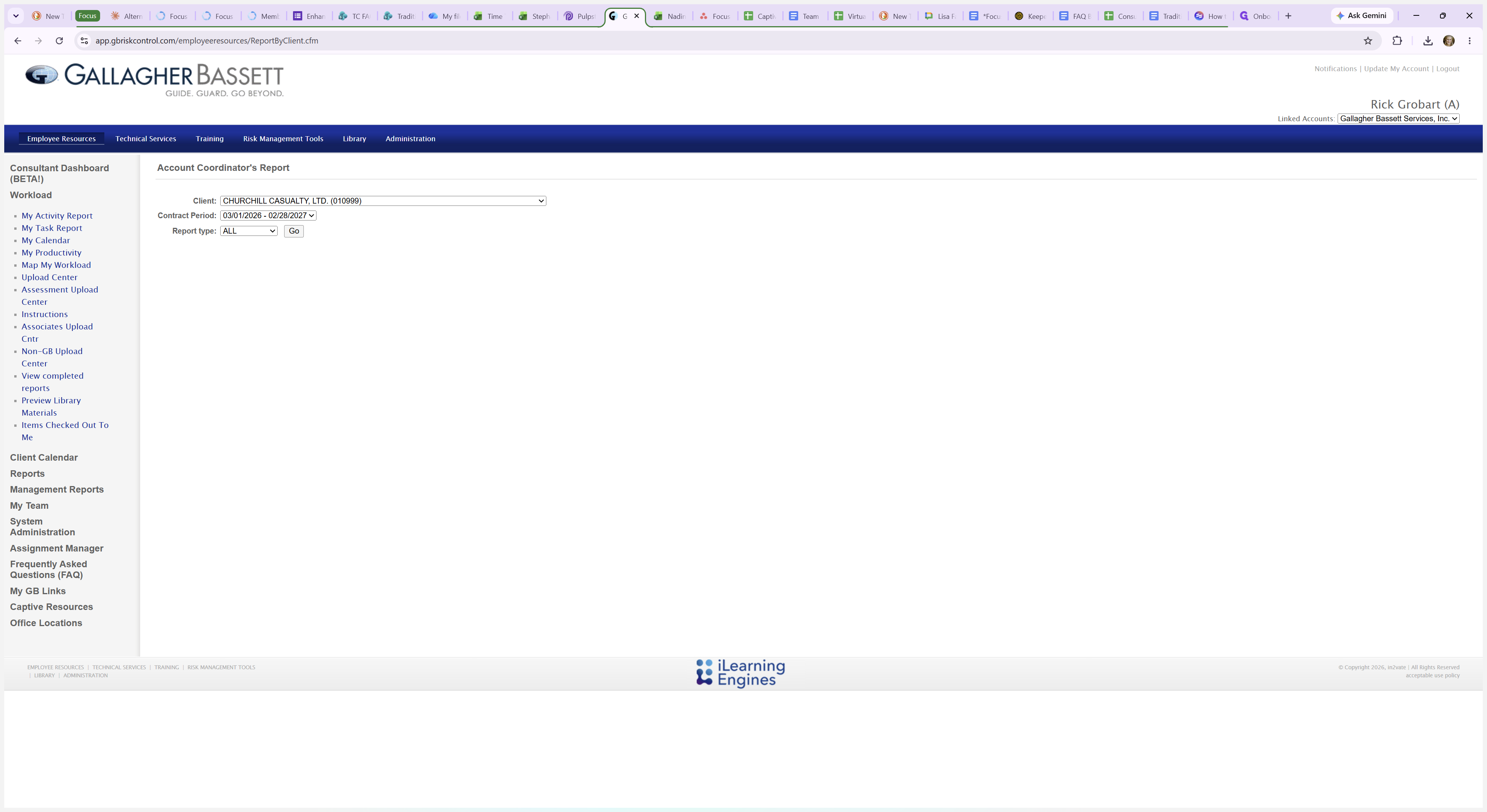
Click Go to generate the document repository for the selected client/captive.
Step #5: Click Go to generate the document repository for the selected client/captive.

Download Client Templates

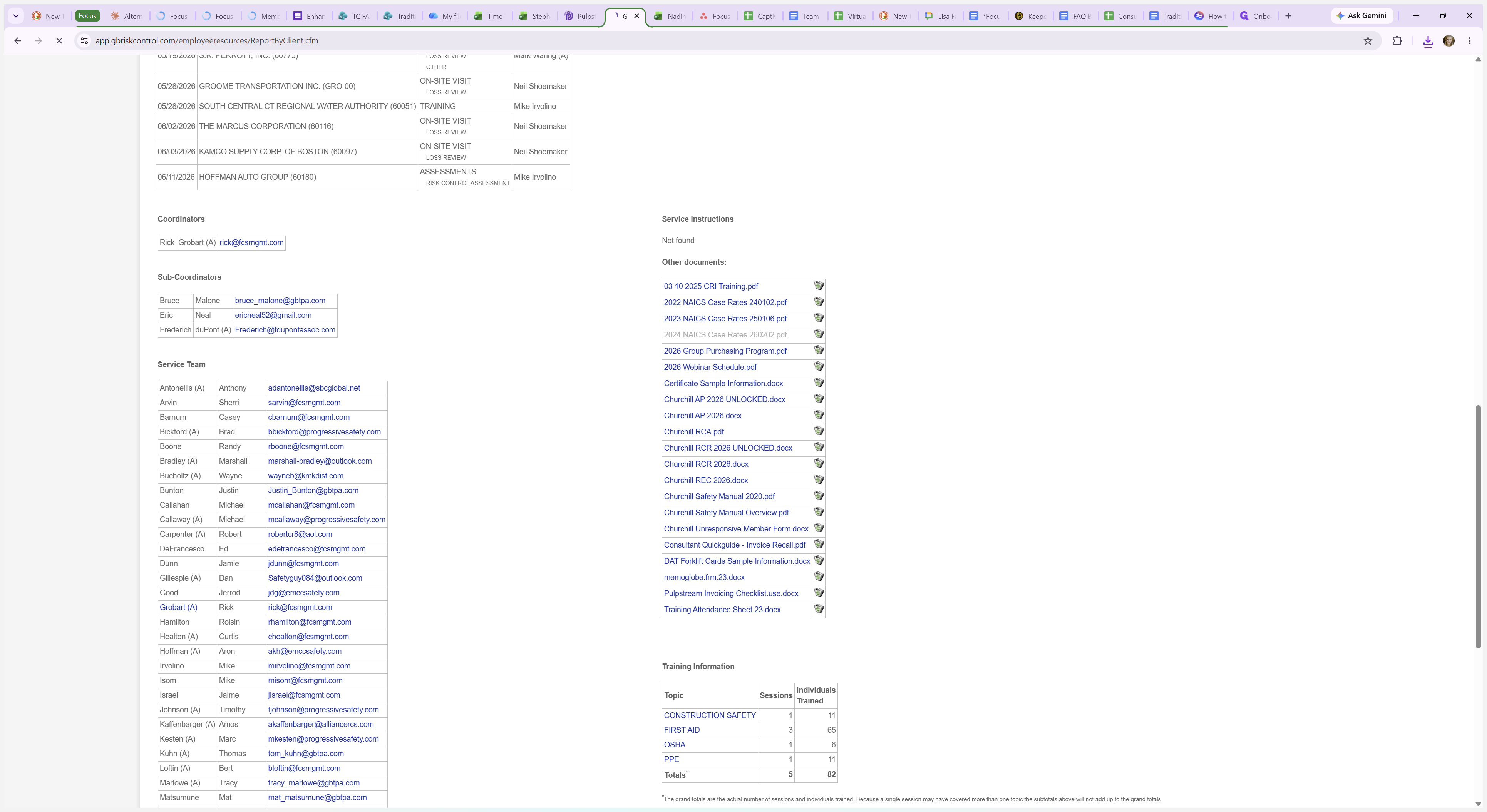
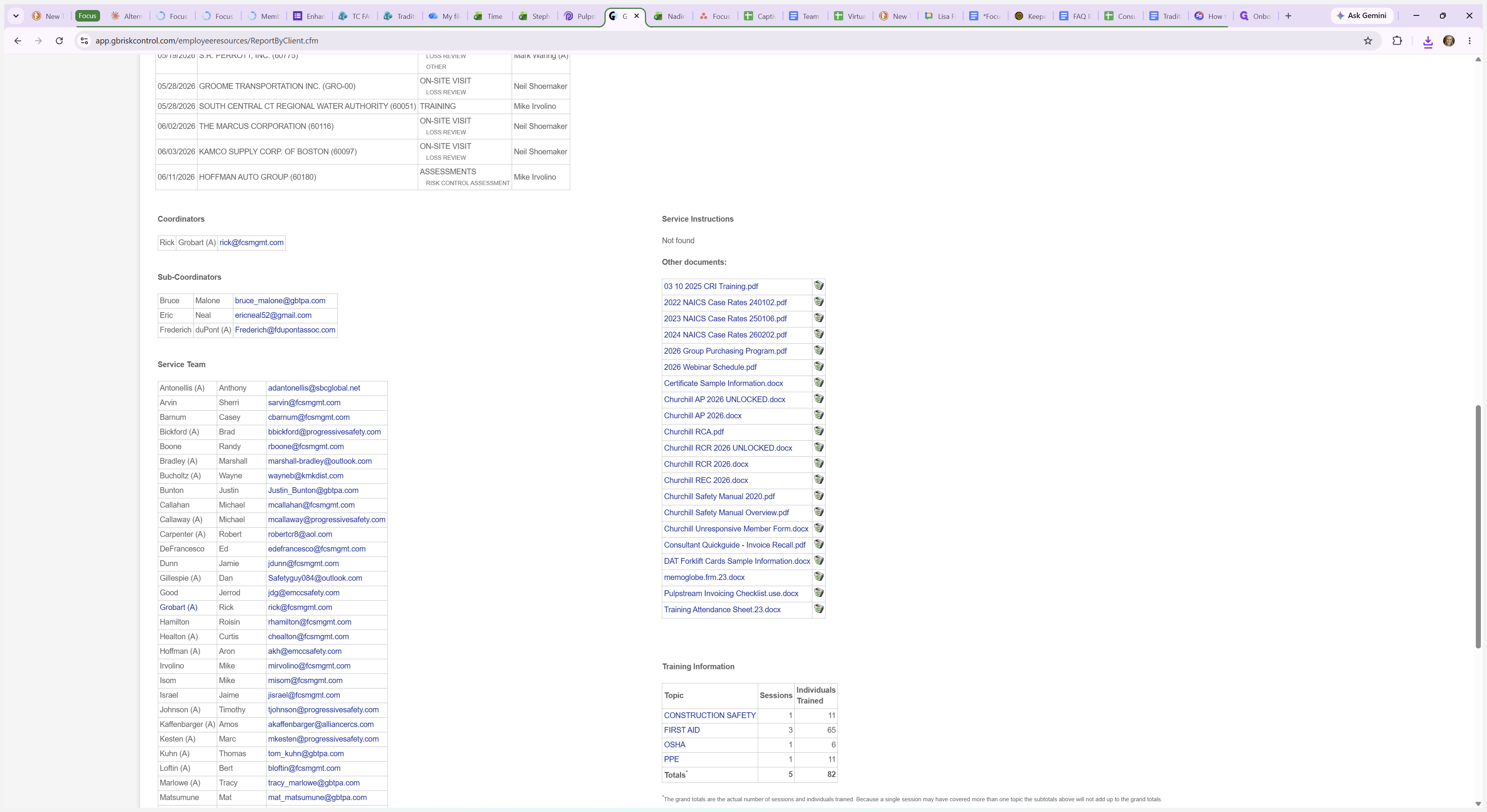
Scroll down to the Service Instructions - Other Documents section located near the middle of the page. You will see a list of report templates specific to that captive.

Document Type

Standard File Format Example

Preferred Status to Download

Action Plan (AP)

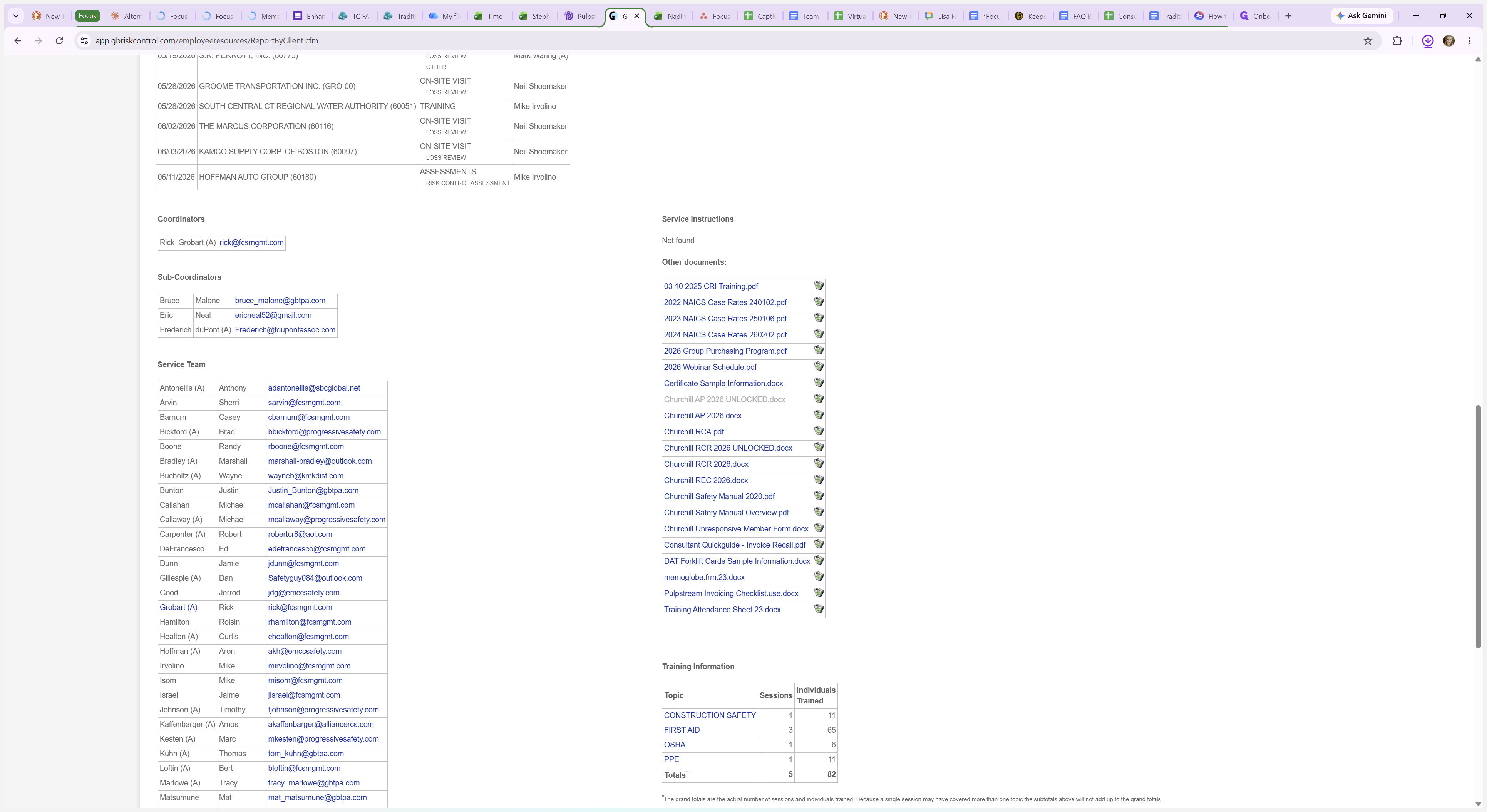
Churchill AP 2026 UNLOCKED.docx

Unlocked

Risk Control Report (RCR)

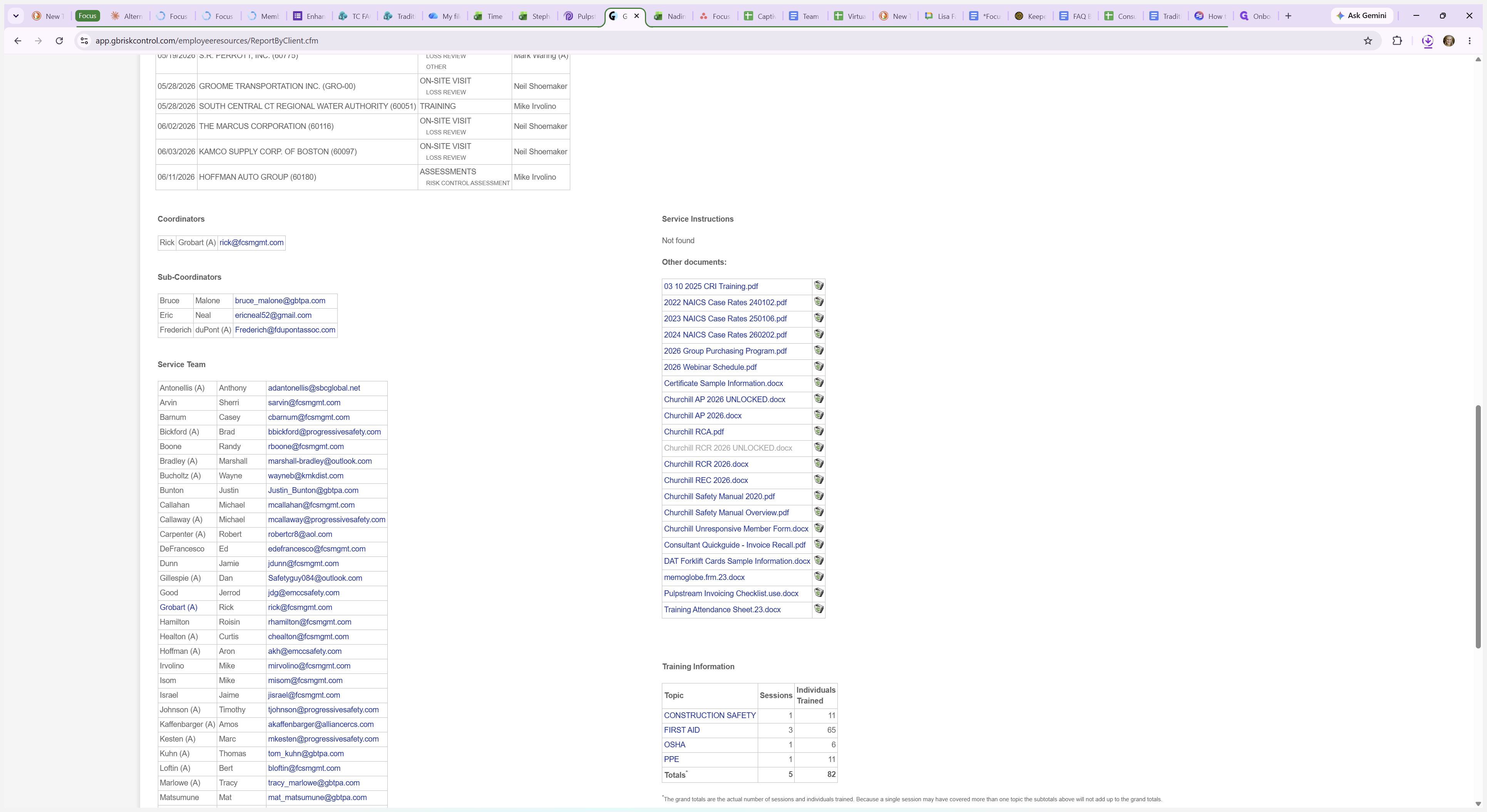
Churchill RCR 2026 UNLOCKED.docx

Unlocked

Recommendations

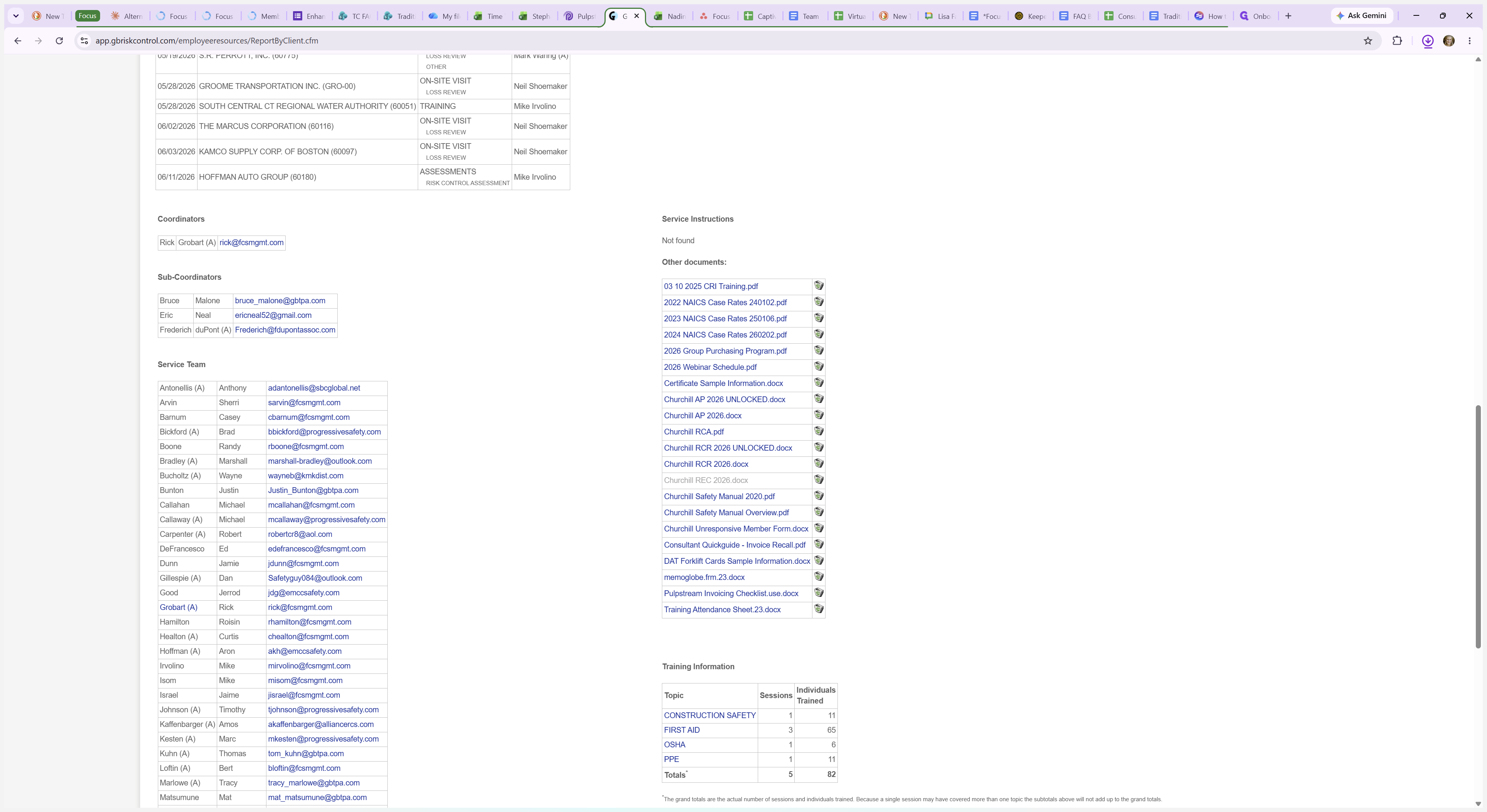
Churchill REC 2026.docx

Locked (Standard)

Risk Control Assessment (RCA)

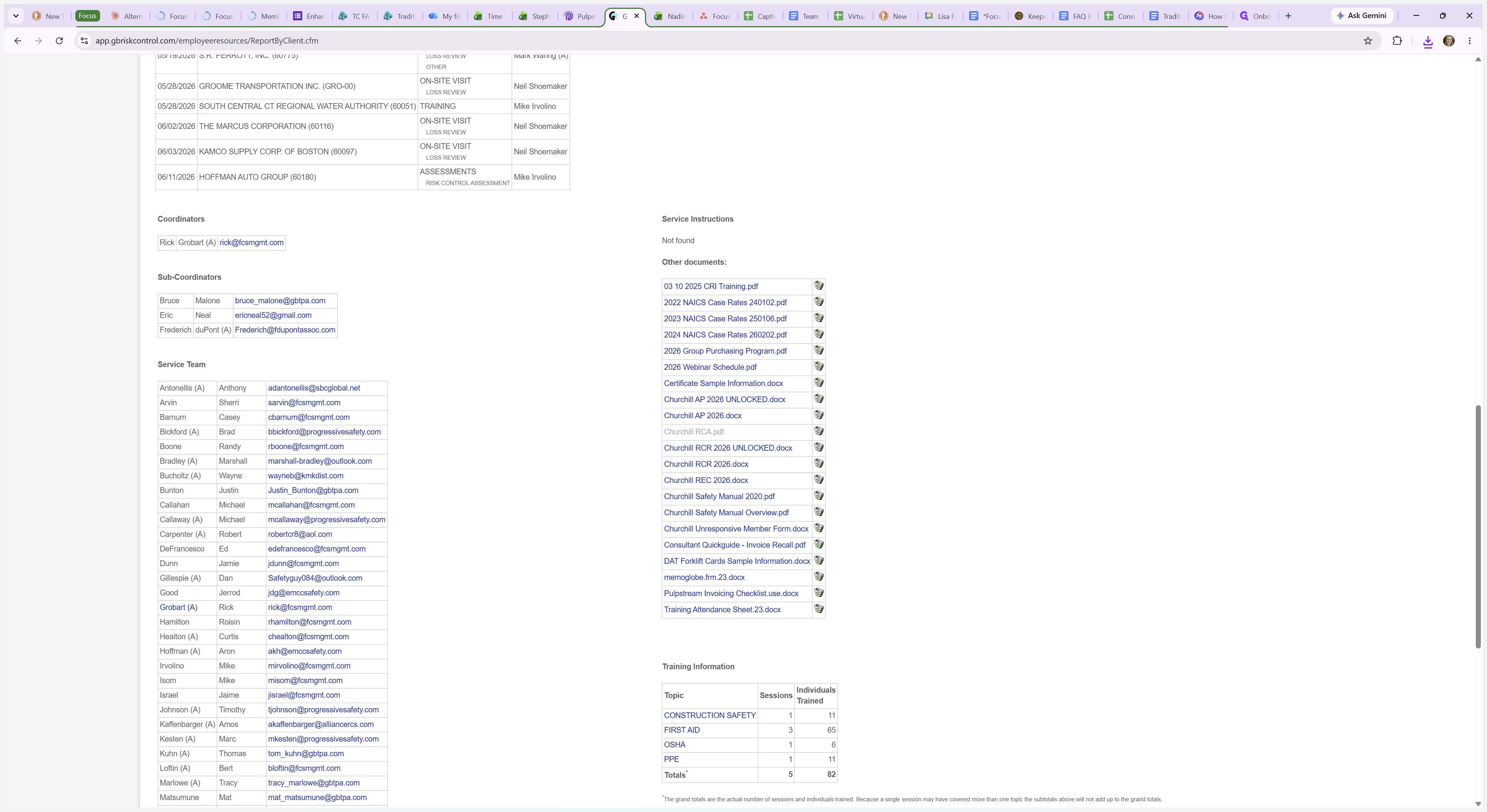
Churchill RCA.pdf

Blank PDF

Industry Case Rates

2024 NAICS Case Rates.pdf

N/A

Service Instructions

Varies by captive

N/A

6
Click the AP UNLOCKED document link to download the captive's blank Action Plan.
Step #6: Click the AP UNLOCKED document link to download the captive's blank Action Plan.
7
Click the RCA.pdf link to download the blank Risk Control Assessment file.
Step #7: Click the RCA.pdf link to download the blank Risk Control Assessment file.
8
Click the RCR UNLOCKED document link to download the captive's blank Risk Control Report.
Step #8: Click the RCR UNLOCKED document link to download the captive's blank Risk Control Report.
9
Click the REC document link to download the captive's blank REC file.
Step #9: Click the REC document link to download the captive's blank REC file.
10
The NAICS Case Rates file can also be found in this location.
Step #10: The NAICS Case Rates file can also be found in this location.
11
Click the Service Instructions link to download specific handling requirements for the captive. If none exist, this field will display as "Not found".
Step #11: Click the Service Instructions link to download specific handling requirements for the captive. If none exist, this field will display as "Not found".