Icon

Activate Callbacks in Genesys for V-D Dealers

Learn how to navigate to orchestration assets, adjust pagination, and edit in-queue classification data tables to configure callback settings in Genesys Cloud.

By Dominic Gossa

This guide demonstrates how to edit queue classification data tables in Genesys Cloud. By completing this workflow, you can easily configure queue thresholds, callback settings, and messaging options for specific voice queues.

This process is intended for Genesys Cloud administrators or contact center managers who need to adjust inbound routing and queue parameters as part of their ongoing system maintenance.

To configure queue callback thresholds and messaging options, you must locate the appropriate Data Table within the Orchestration Assets menu.
1
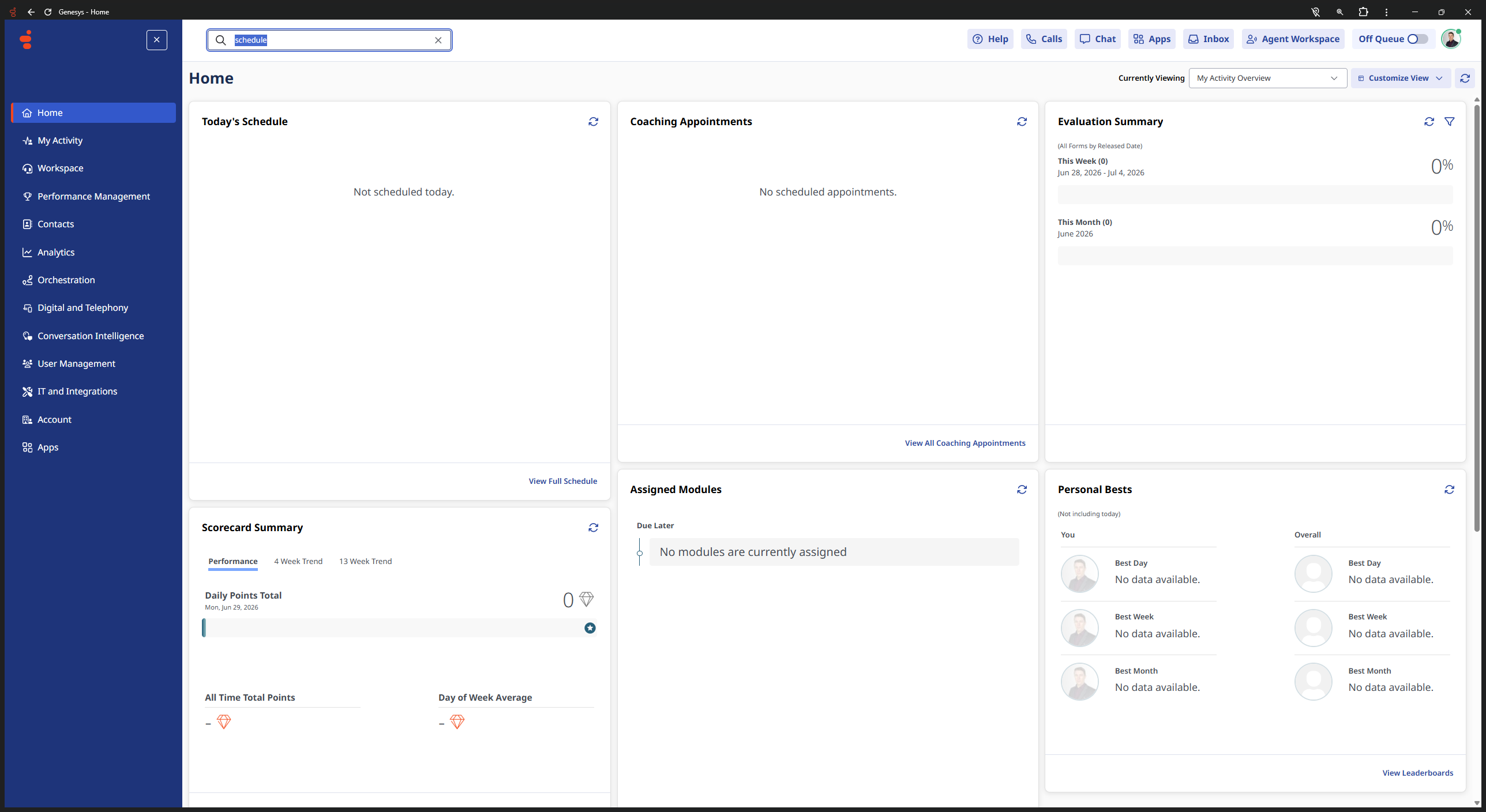
Click the search bar at the top of the Genesys Cloud user home dashboard.
Step #1: Click the search bar at the top of the Genesys Cloud user home dashboard.
2
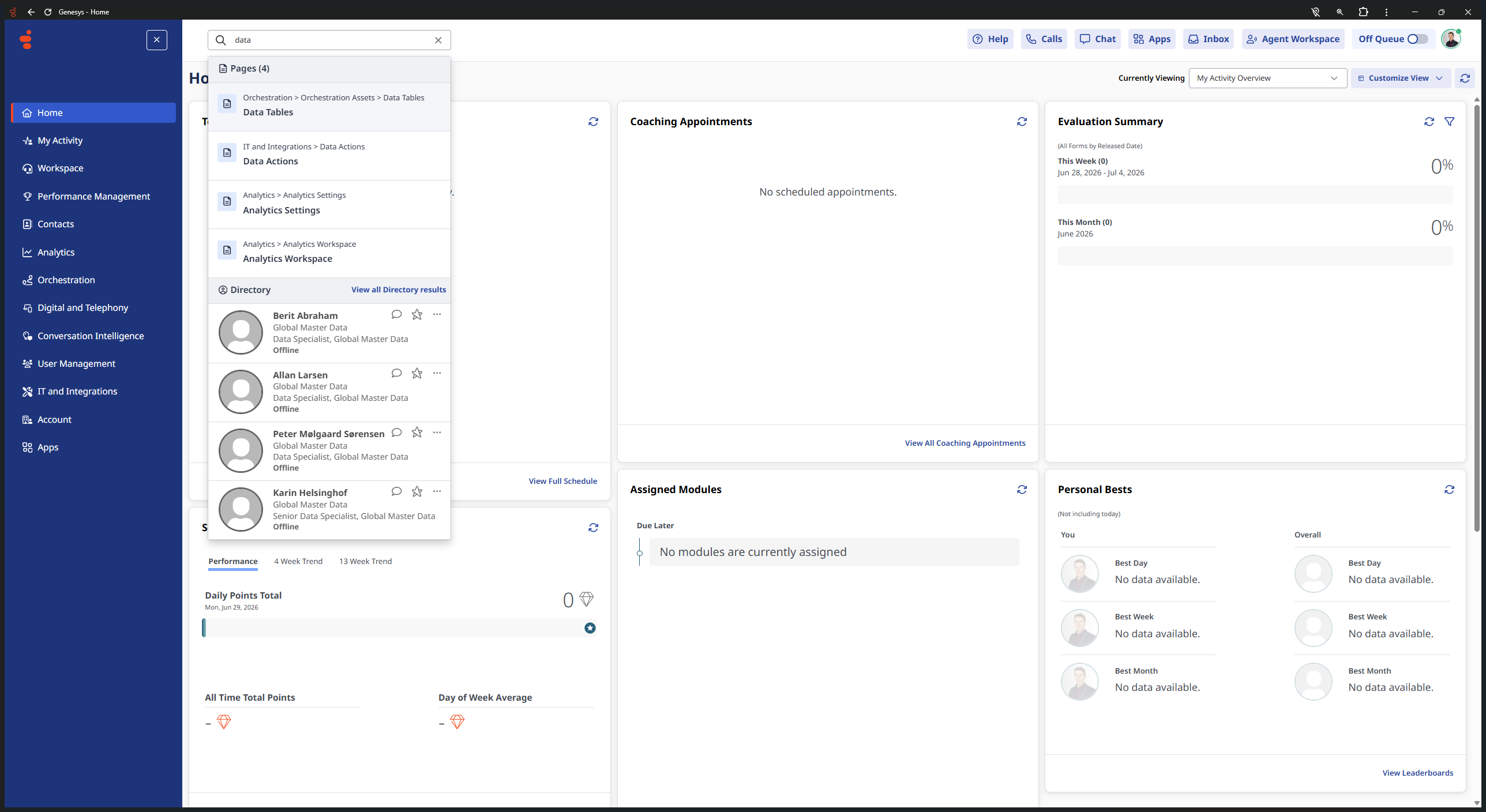
Select Orchestration > Orchestration Assets > Data Tables from the search results overlay.
Step #2: Select Orchestration > Orchestration Assets > Data Tables from the search results overlay.
3
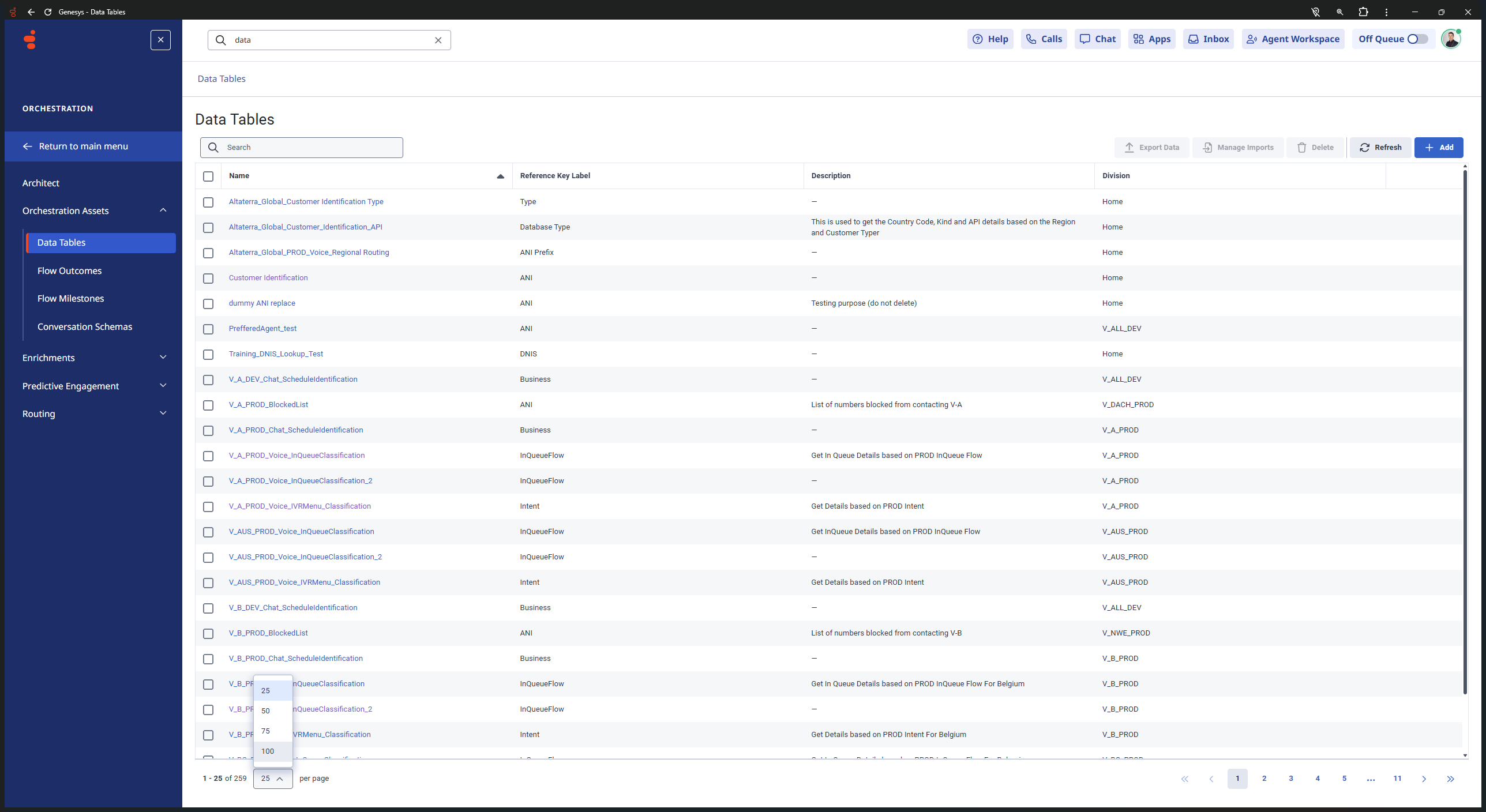
Click the pagination dropdown at the bottom left (defaulted to 25) and change it to 100.
Step #3: Click the pagination dropdown at the bottom left (defaulted to 25) and change it to 100.
4
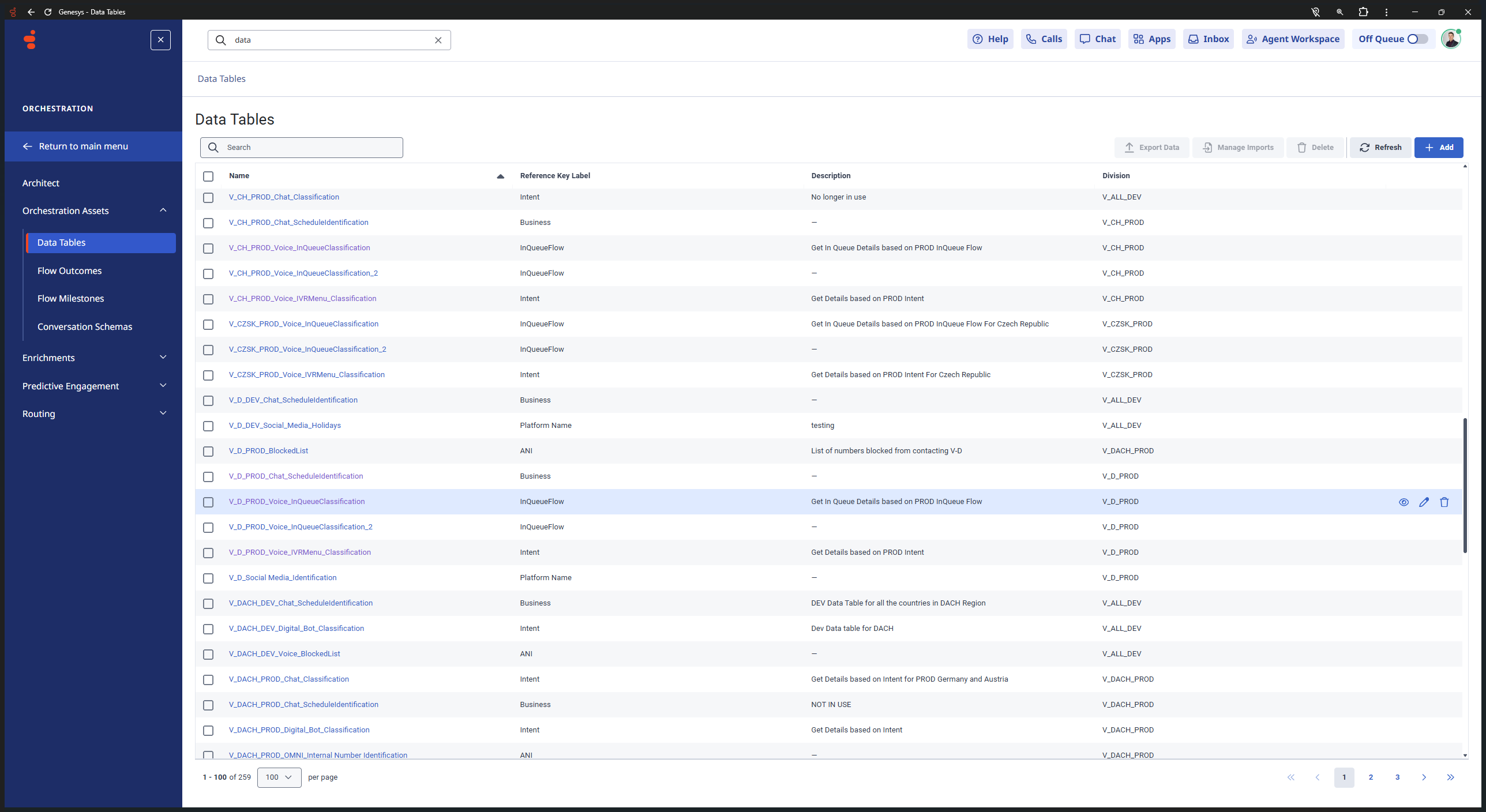
Locate and click on the V_D_PROD_Voice_InQueueClassification data table.
Step #4: Locate and click on the V_D_PROD_Voice_InQueueClassification data table.
5
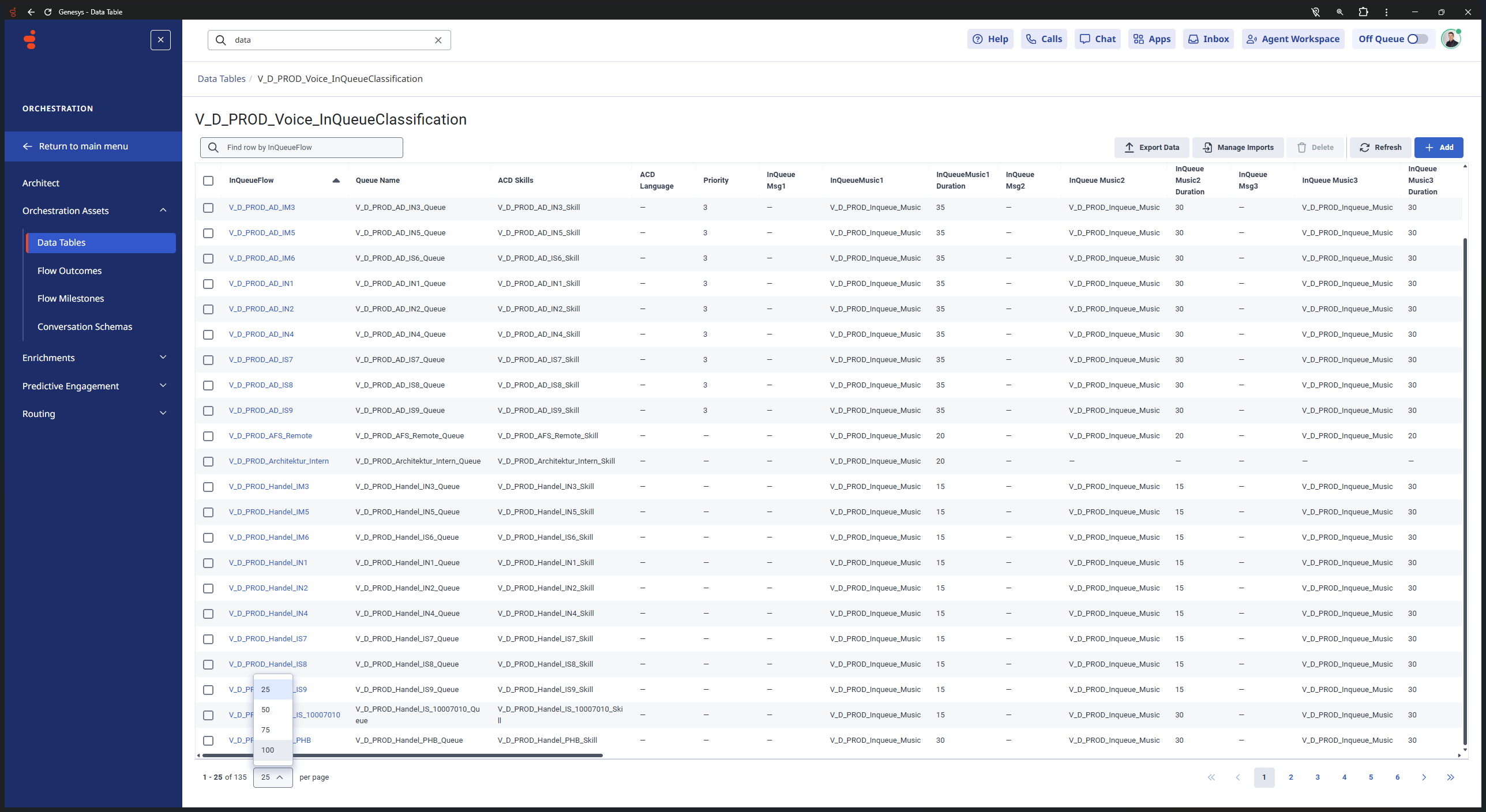
Inside the data table, click the pagination dropdown at the bottom left again and select 100 to display more queue configuration entries.
Step #5: Inside the data table, click the pagination dropdown at the bottom left again and select 100 to display more queue configuration entries.
6
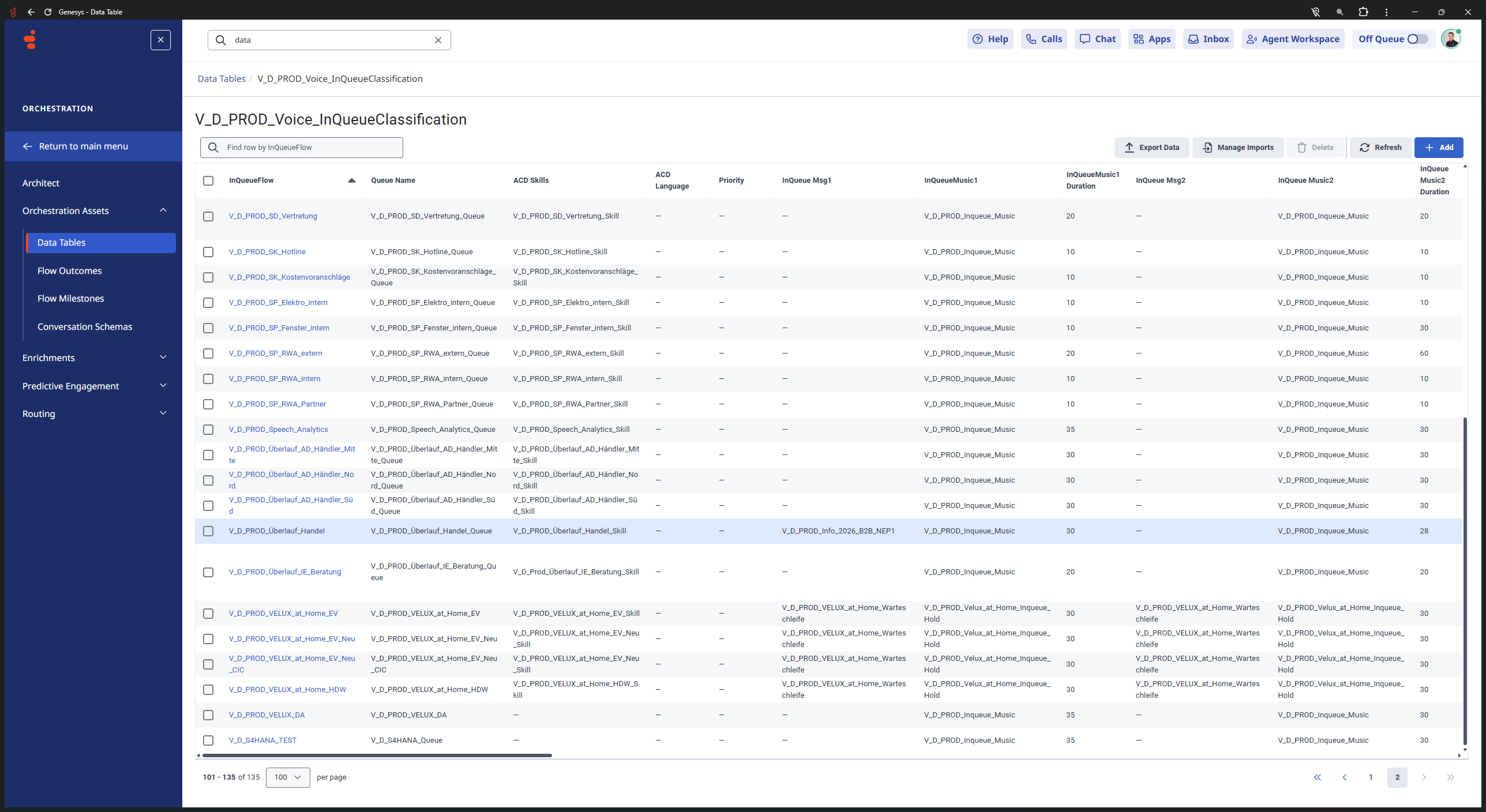
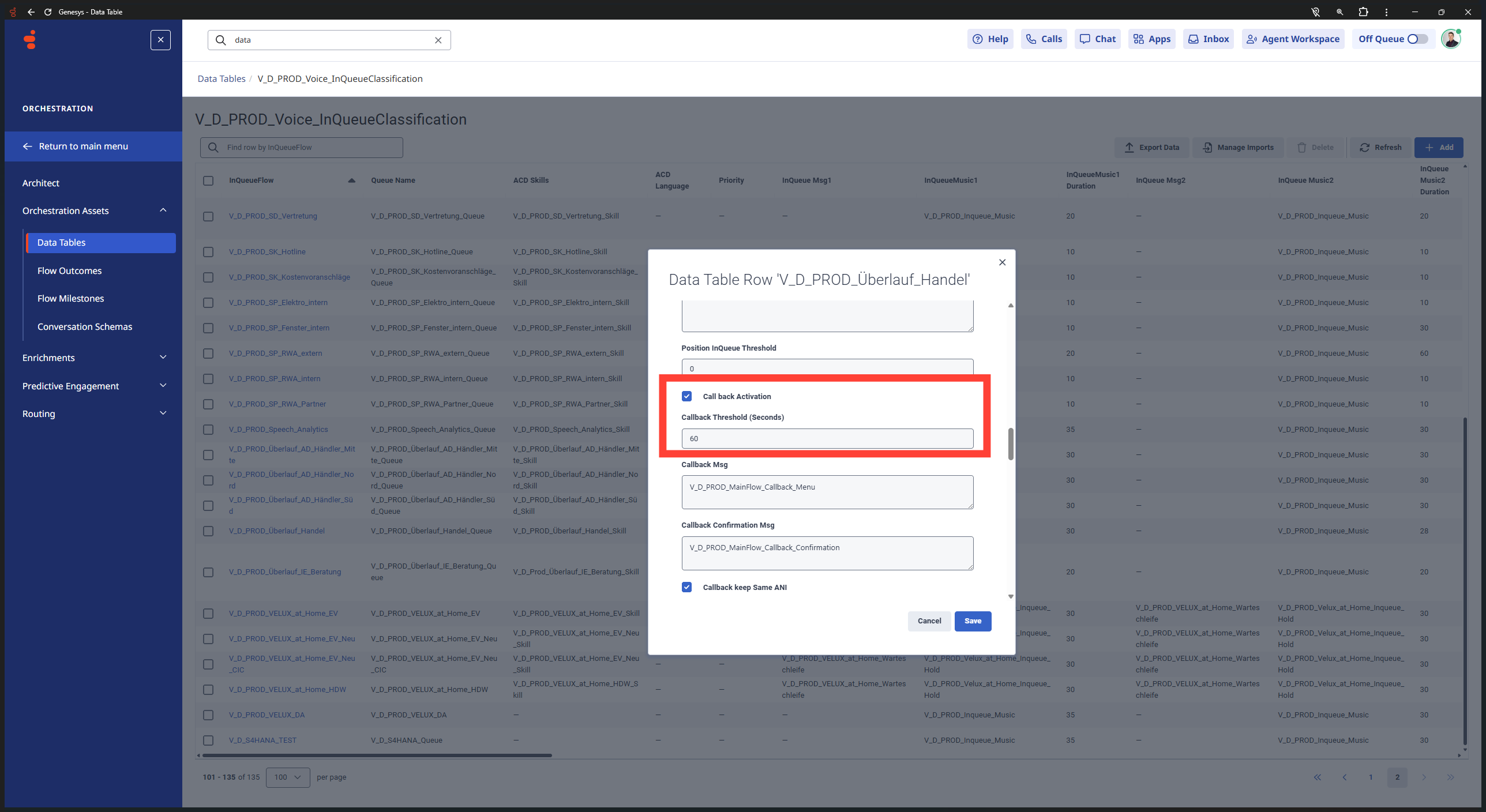
Scroll through the list to find the row for V_D_PROD_Überlauf_Handel and click on it to open the editing dialog.
Step #6: Scroll through the list to find the row for V_D_PROD_Überlauf_Handel and click on it to open the editing dialog.
7
In the modal window, configure your callback settings, queue thresholds, message identifiers, and activation toggles, then save your changes.
Step #7: In the modal window, configure your callback settings, queue thresholds, message identifiers, and activation toggles, then save your changes.

Term

Definition

Data Table

A structured repository in Genesys Cloud used to store custom reference data for routing and flows.

Orchestration Assets

A section in Genesys Cloud containing configurable resources like data tables, audio prompts, and flow outcomes.