Enter activity and consumption values for each emission source
Learn how to enter data for the sources assigned to you. This guide also explains how to navigate the platform and add the required information in different cases.
By Soporte DATAIE
In this guide, you will learn step by step how to report consumption for your emission sources: select the right emission sources and complete them with the required information.
Select the emission sources to report
1
When you open the "Emission sources" section, you can see all the sources created for the selected business unit.
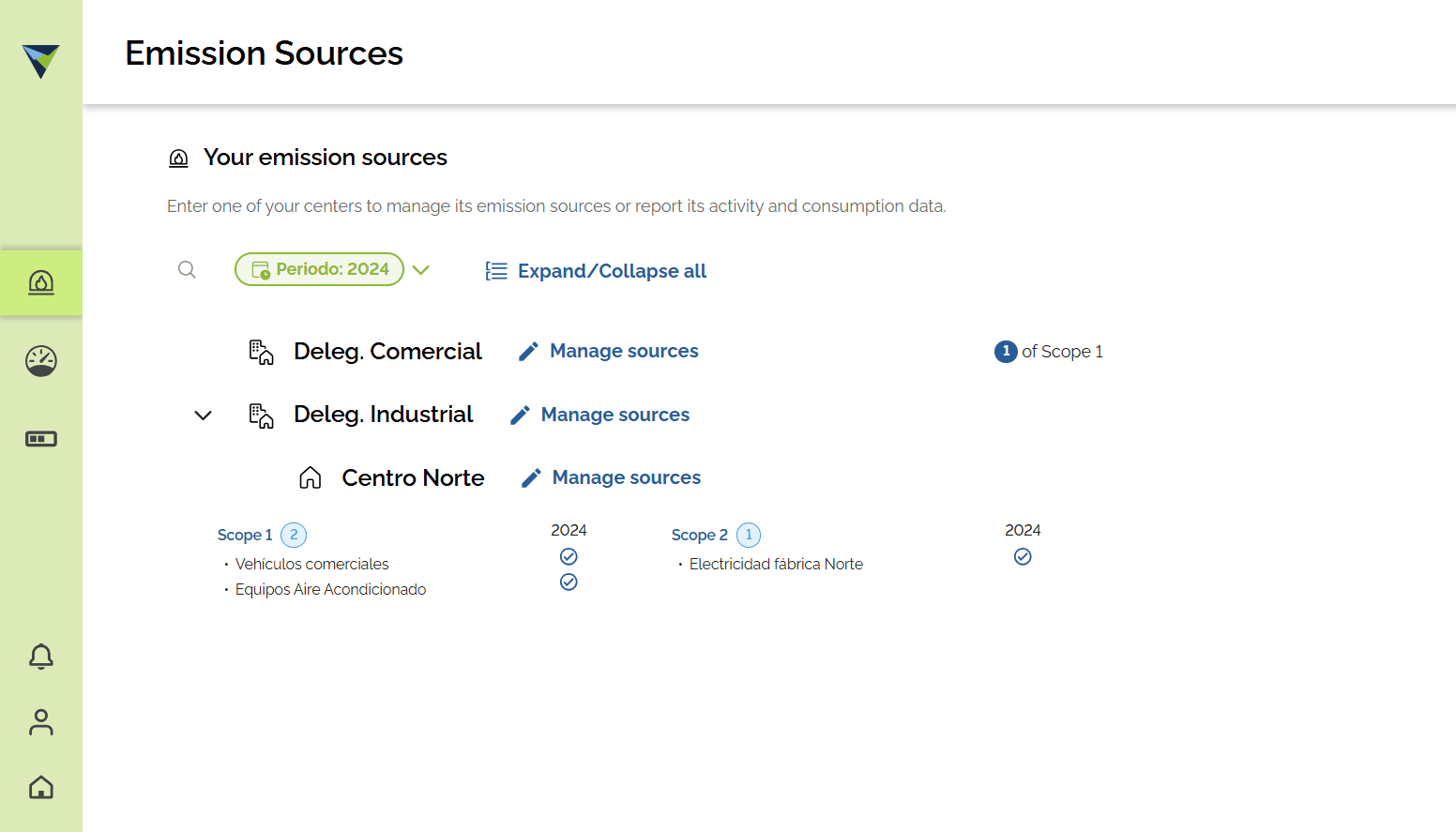
Enter activity and consumption in the source
2
Open the source you want to complete.
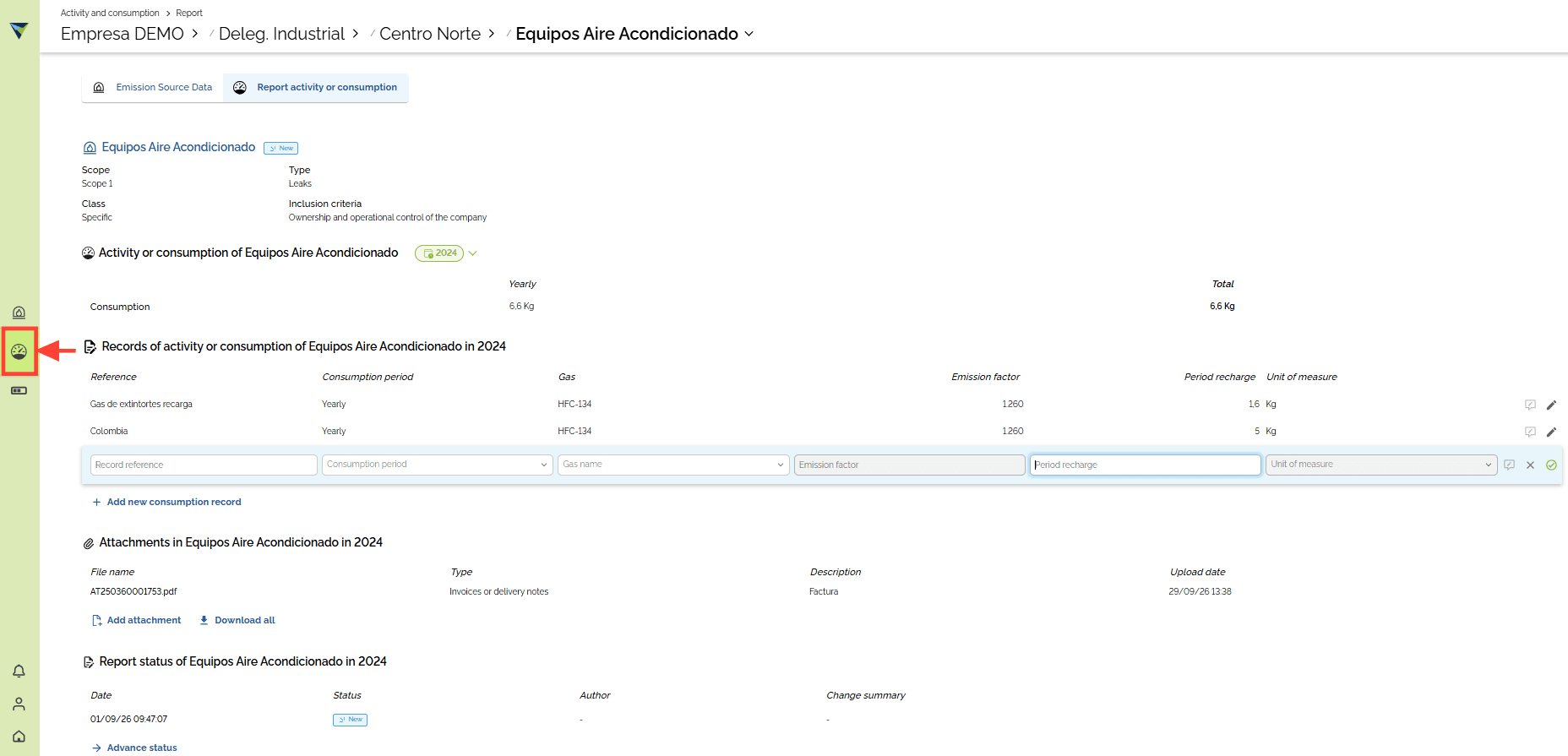
3
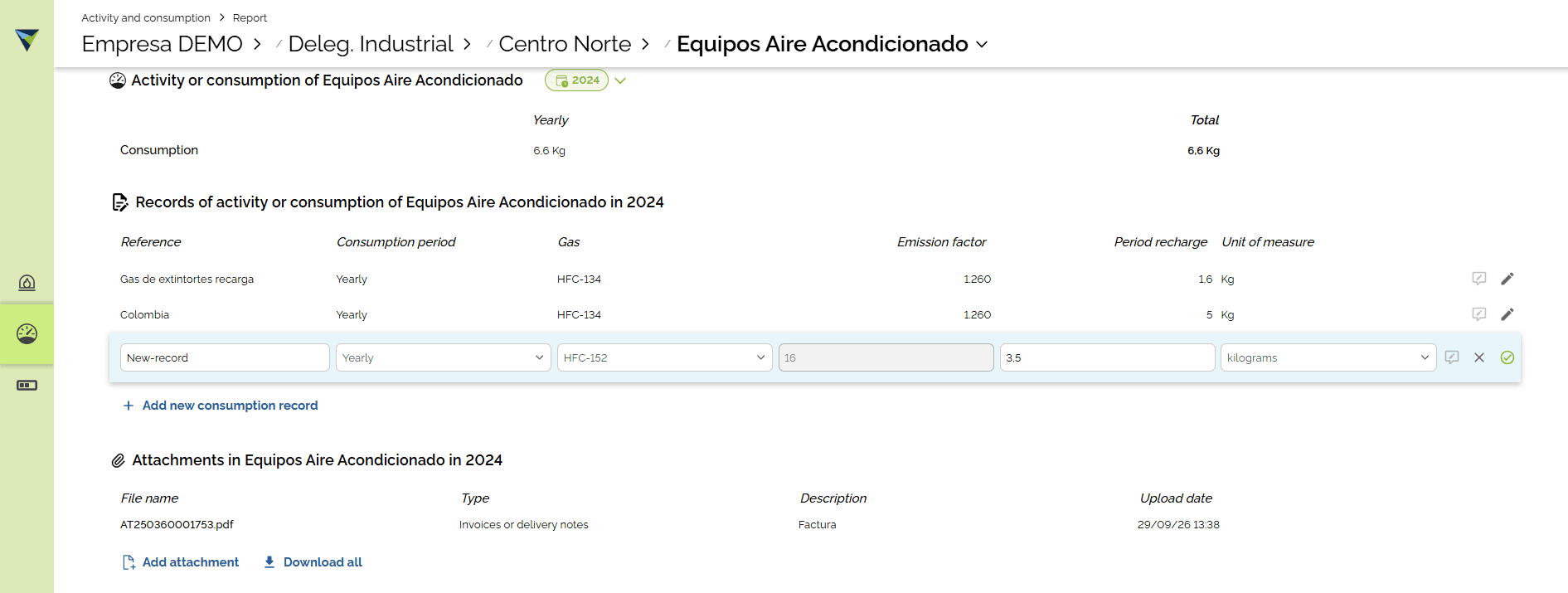
Click "+ Add new consumption record"
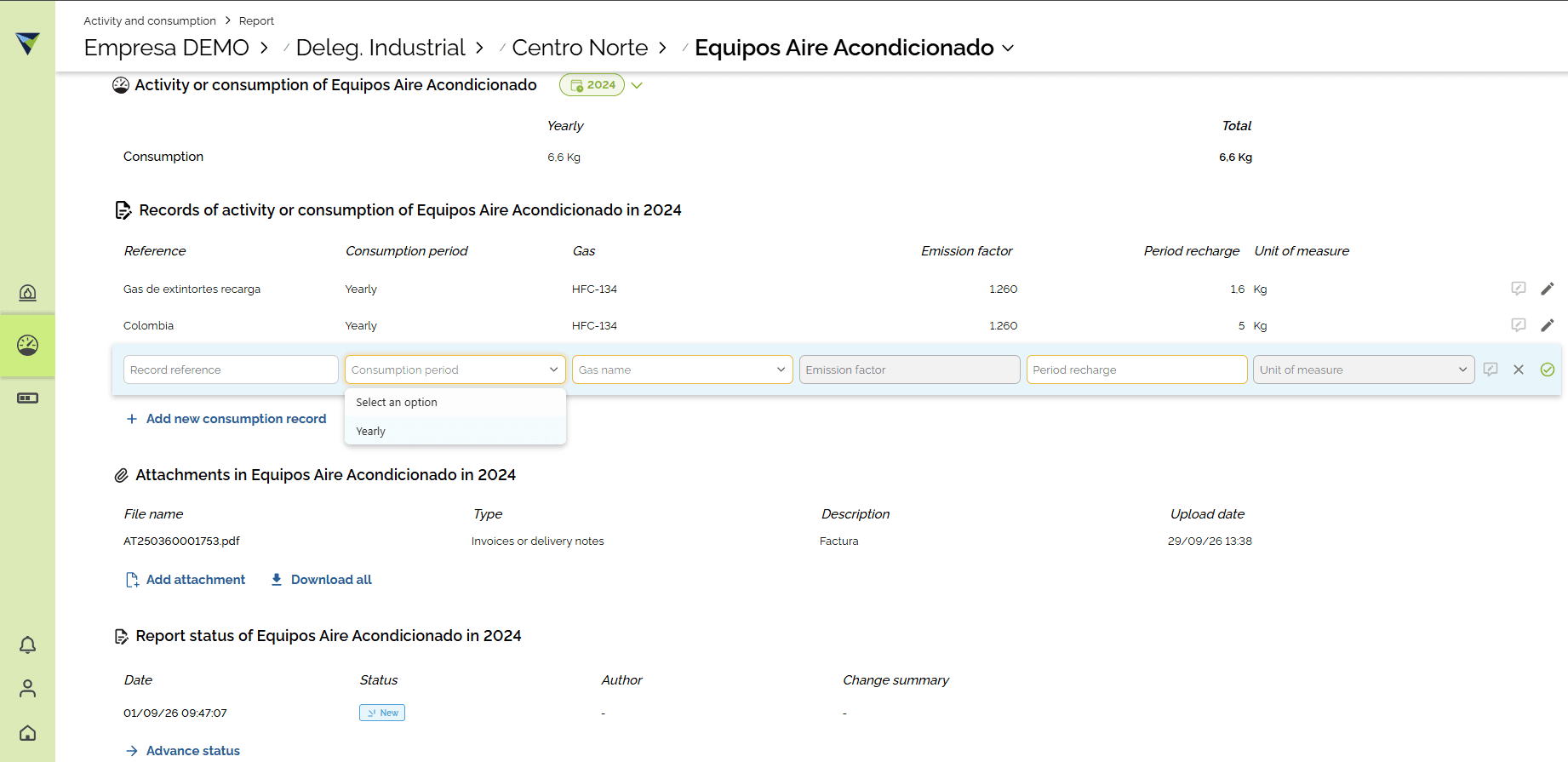
4
After you enter the data, click the green icon to save the record.
5
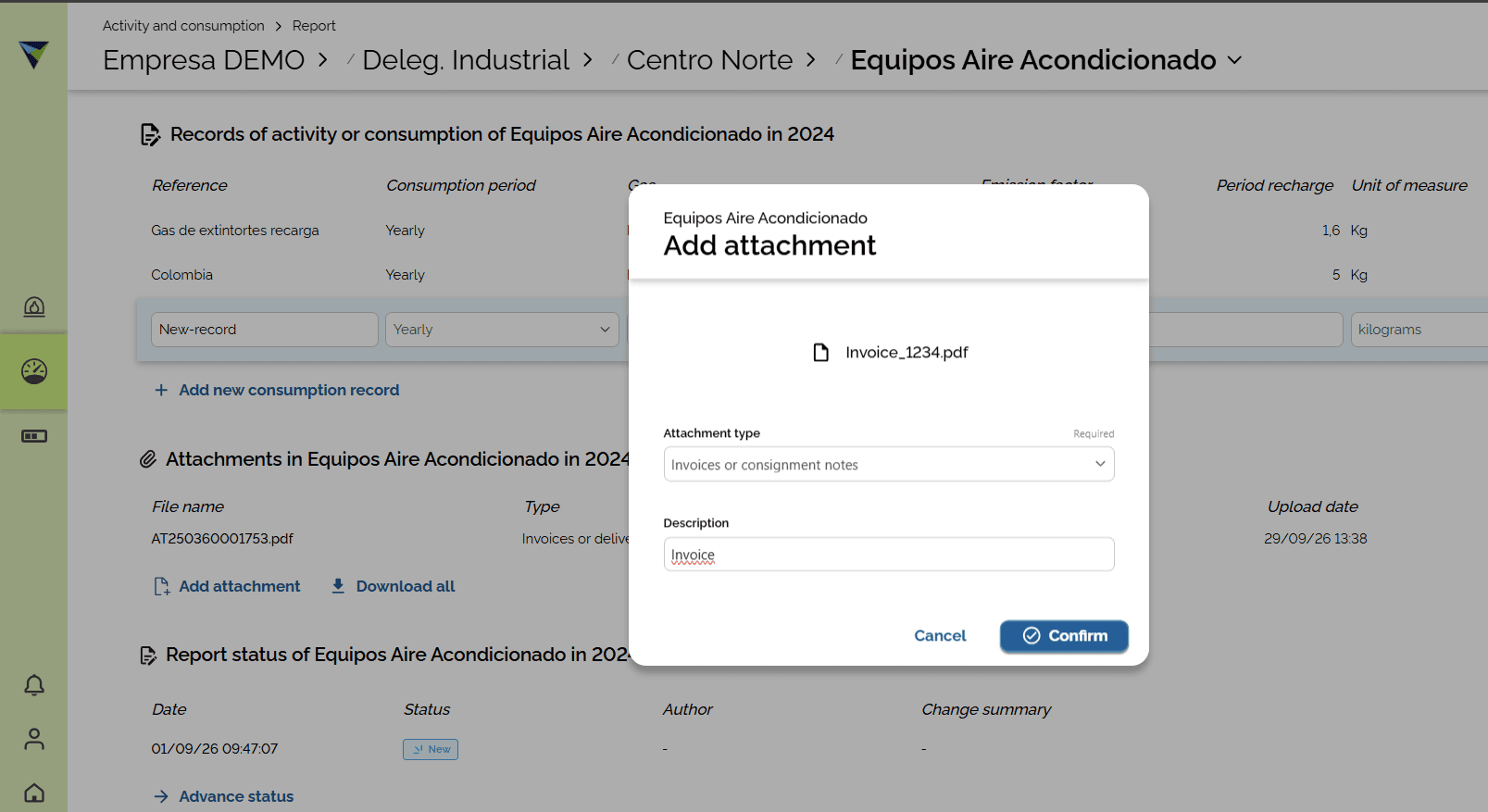
Attach all the evidence needed to support the data you entered. To do this, click "Add attachment". Finally, click "Confirm" to finish.
Special case
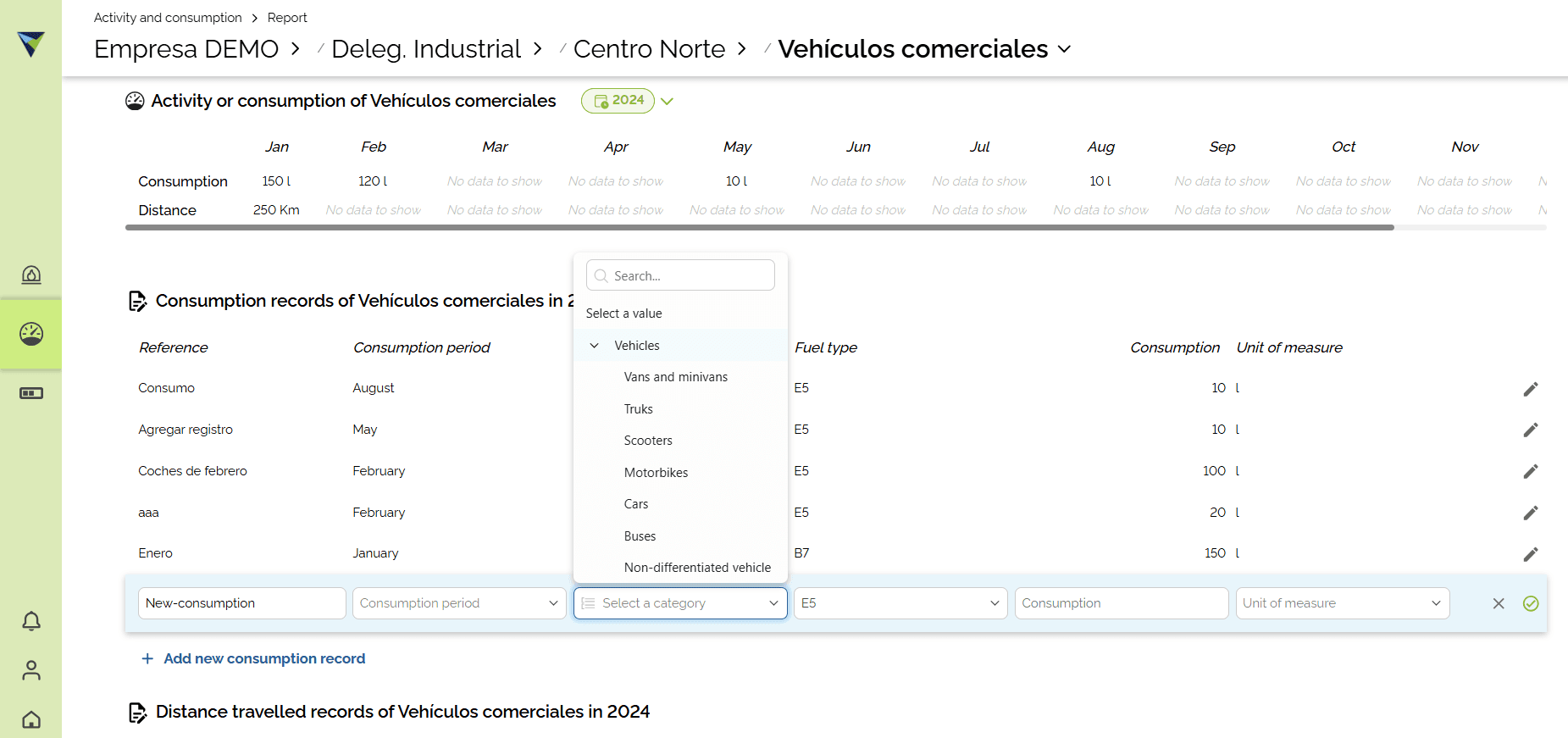
For example, let's look at the "Móvil por carretera" ("Road transport") category.
6
In this case, you must select the category of the vehicle the activity refers to. For example, "Vans and minivans".