Extending a Large Molecule Model for Lactation in MoBi
Learn how to adjust initial conditions, extend molecules, and create a large molecule lactation model simulation in MoBi.
By Sophie Fischer
When expanding a large molecule model for lactation in MoBi, you need to load the lactation extension module. In the extension module you only need to adjust the initial conditions for your compound of interest before setting up for simulation.
Creating Initial Conditions
Create the base initial conditions for the lactation module.
1
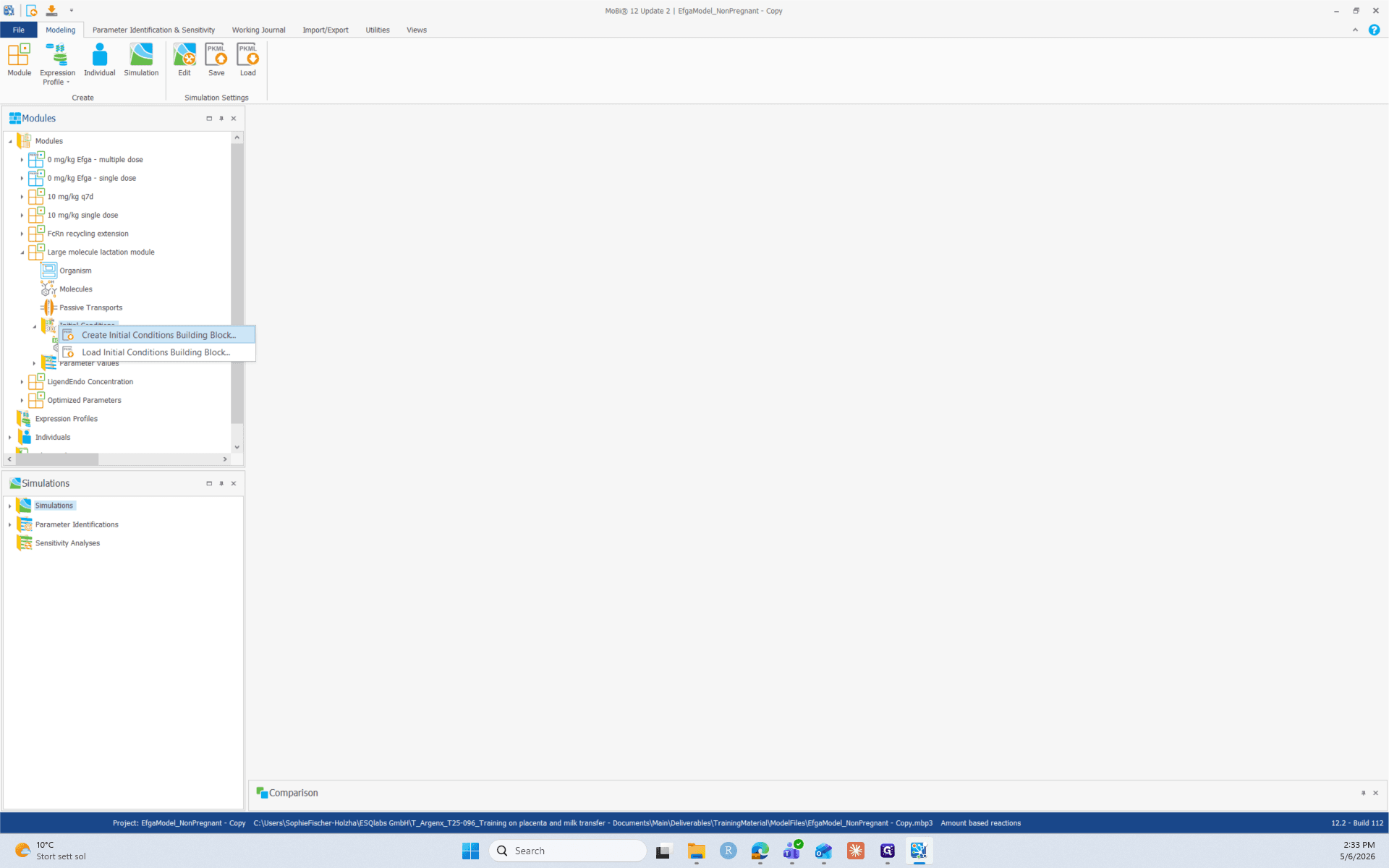
Right-click the Initial Conditions folder in the lactation module, select Create Initial Conditions Building Block.
2
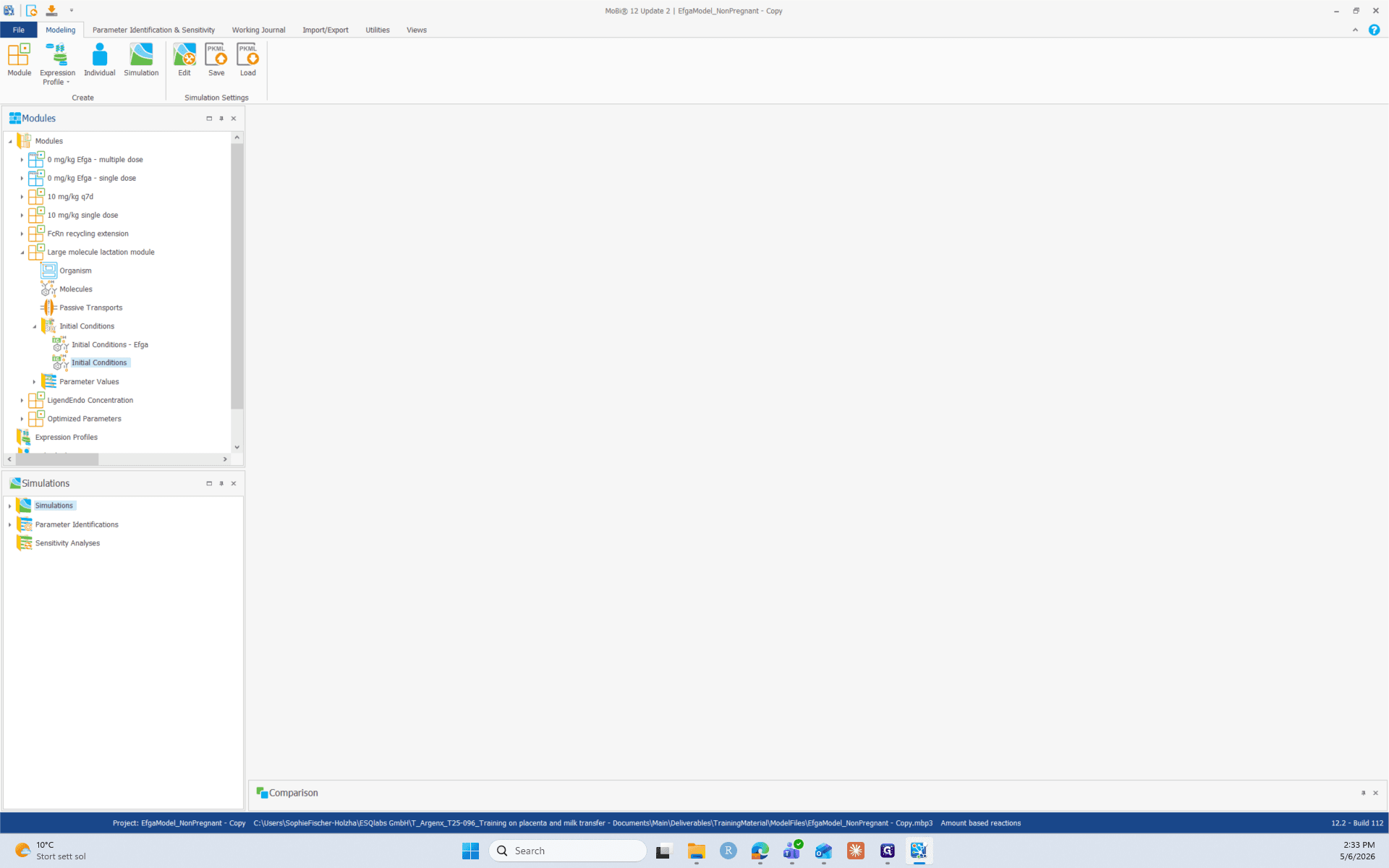
Double-click the new Initial Conditions item to open it in the central workspace.
Extend the initial condition
Next, specify which molecules and spatial structures to include in the module's initial conditions.
3
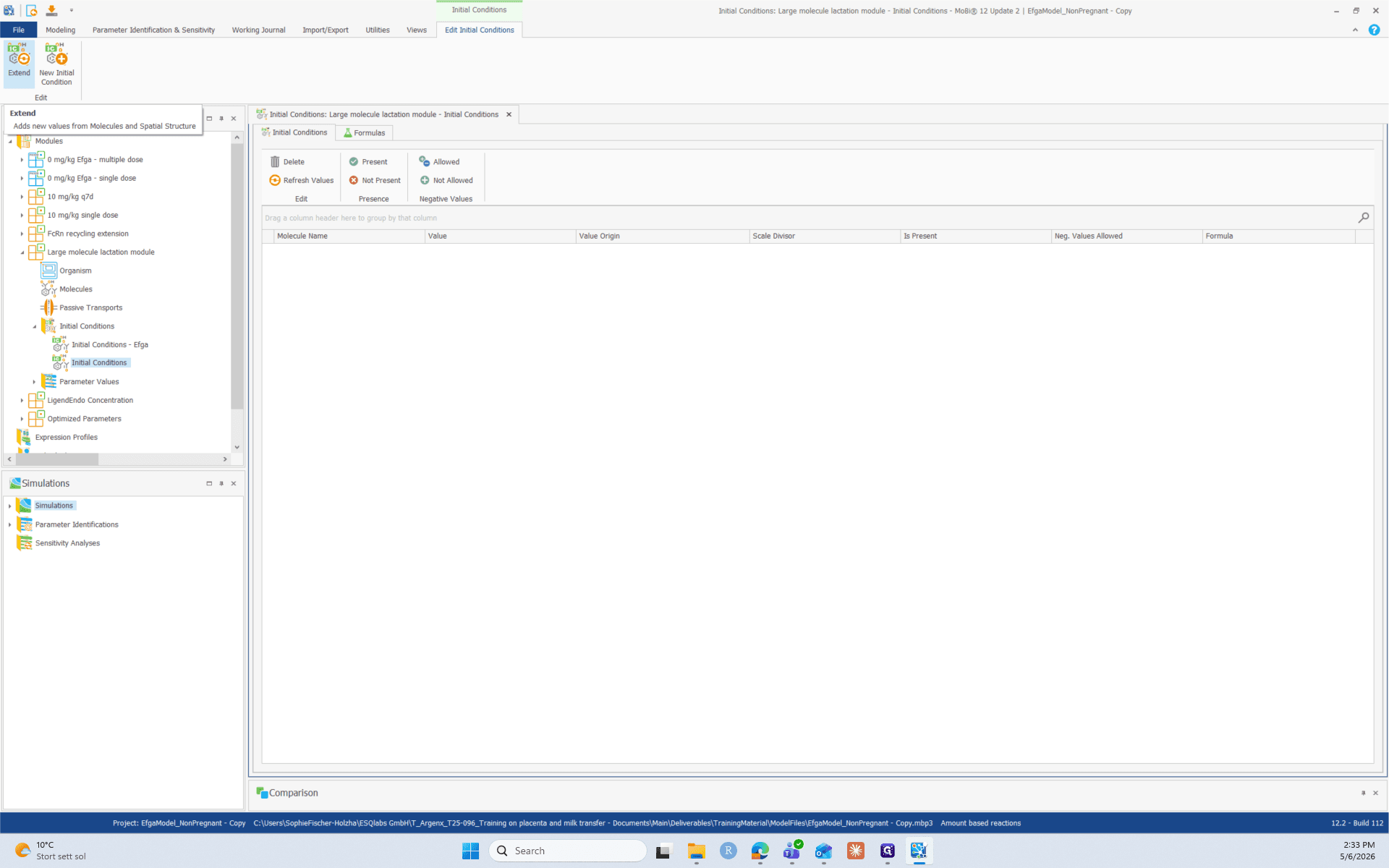
Click the Extend button in the top ribbon menu.
4
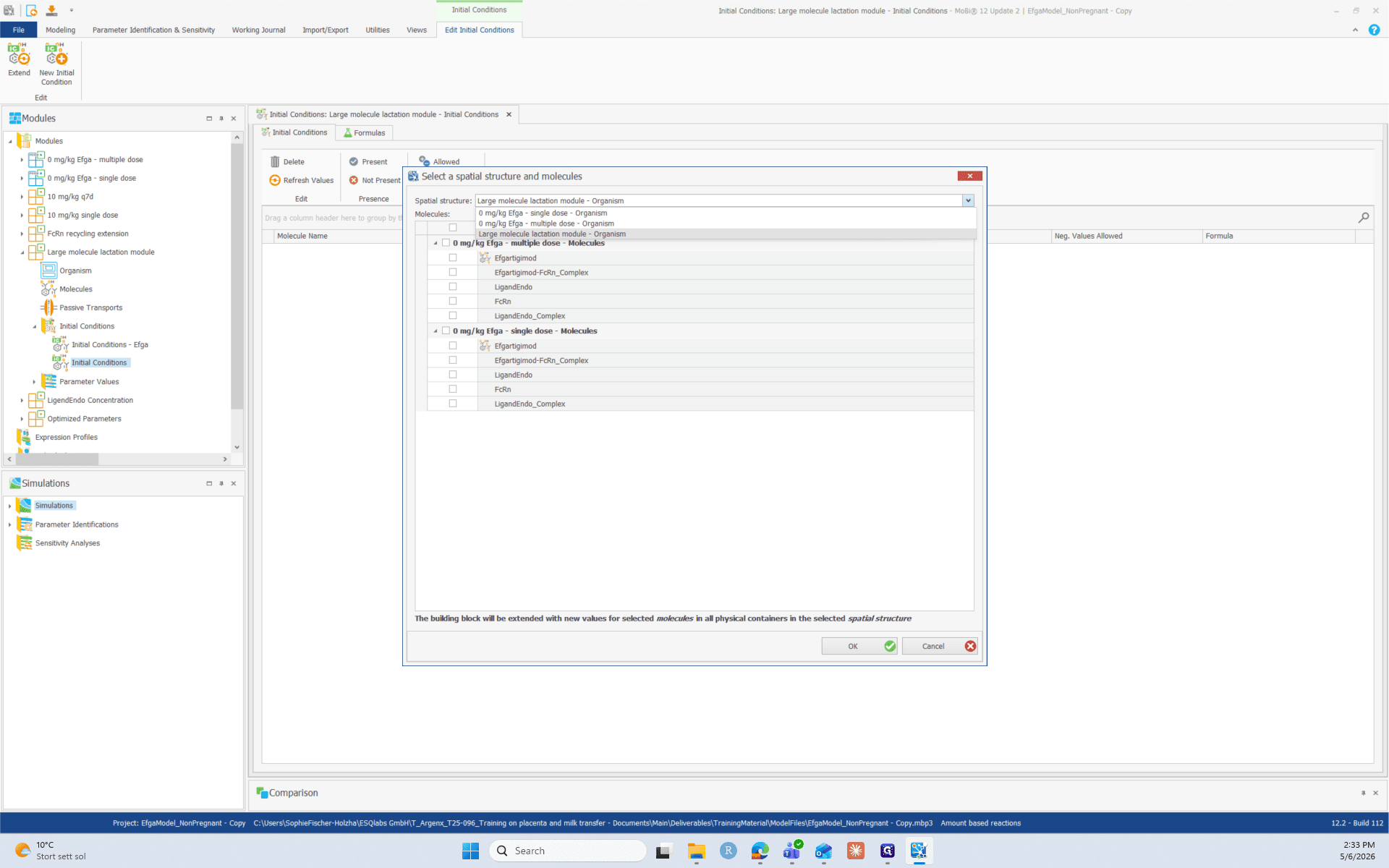
Select your target spatial structure Large molecule lactation module from the list.
5
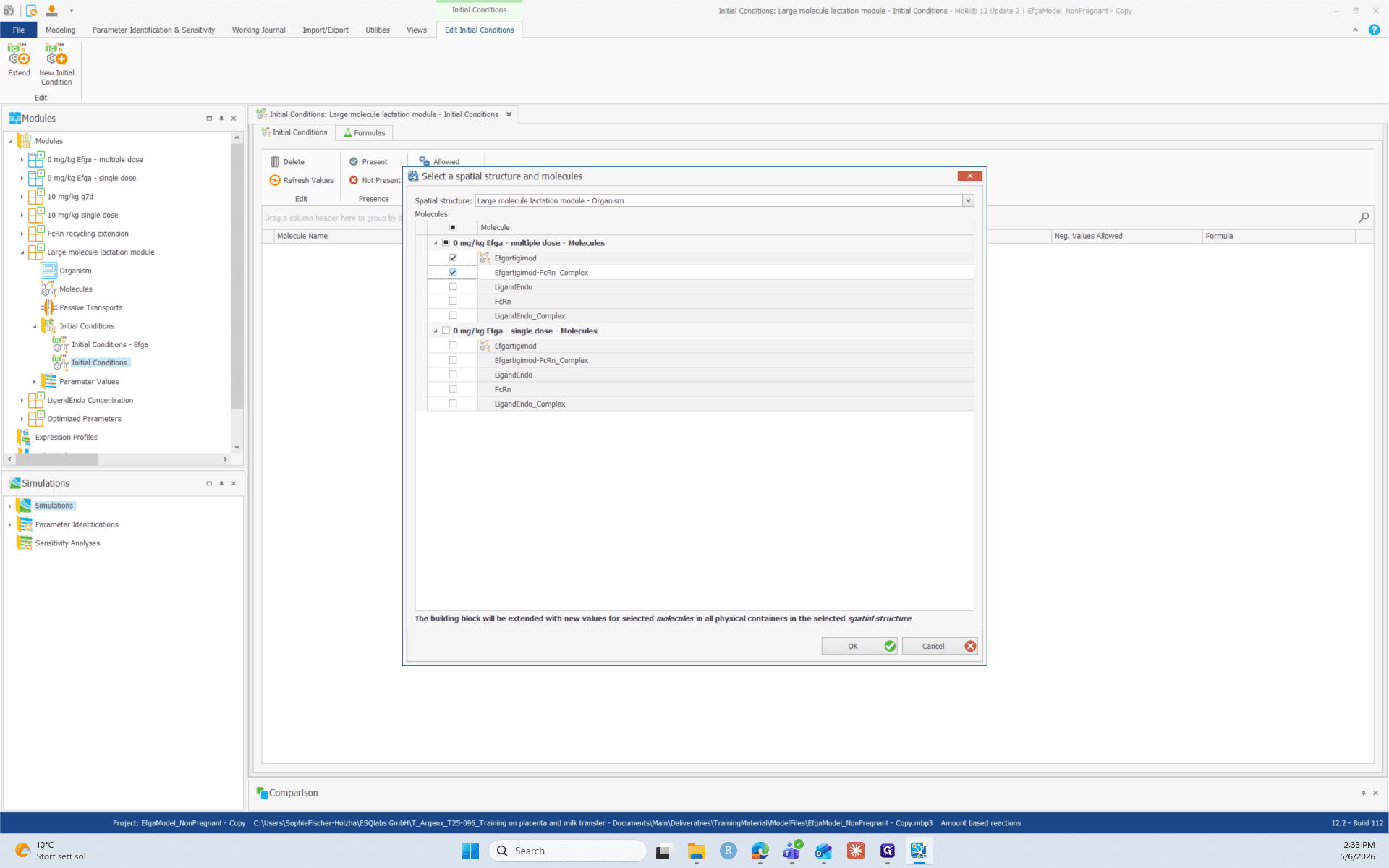
Check the boxes for the drug and the drug-complex you want to extend, such as Efgartigimod and Efgartigimod-FcRn_Complex, and click OK.
Adjust Compartment Presence
With your molecules extended, you need to define exactly which compartments they exist within.
6
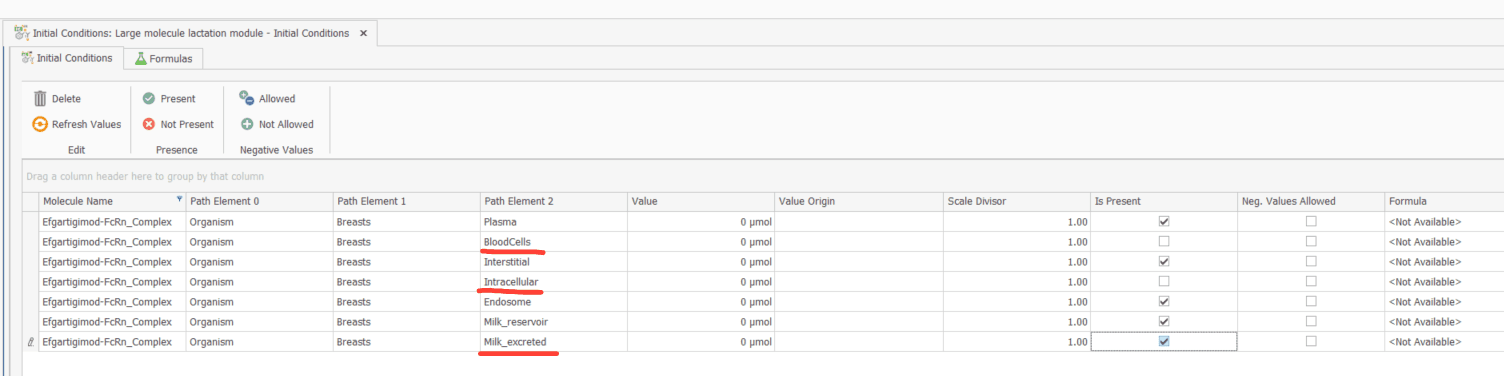
In the Is Present column of your initial conditions, uncheck the boxes for spaces where the Efgartigimod-FcRn_Complex should not be present:
- BloodCells
- Intracellular
- Milk_excreted.
- BloodCells
- Intracellular
- Milk_excreted.
Create the Simulation
Now, compile your modules into a new simulation.
7
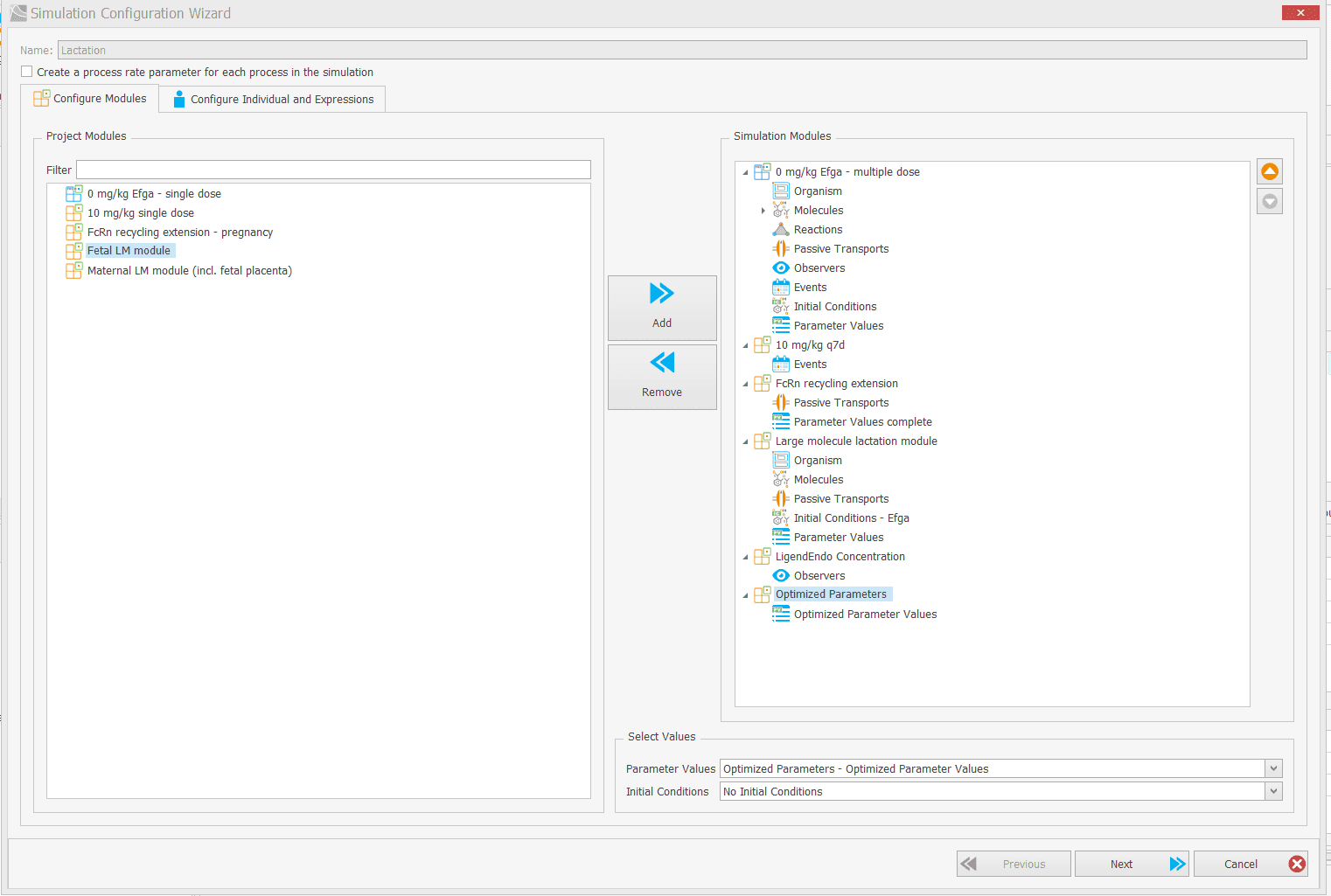
Create your simulations. Remember to include the FcRn recycling module.
8
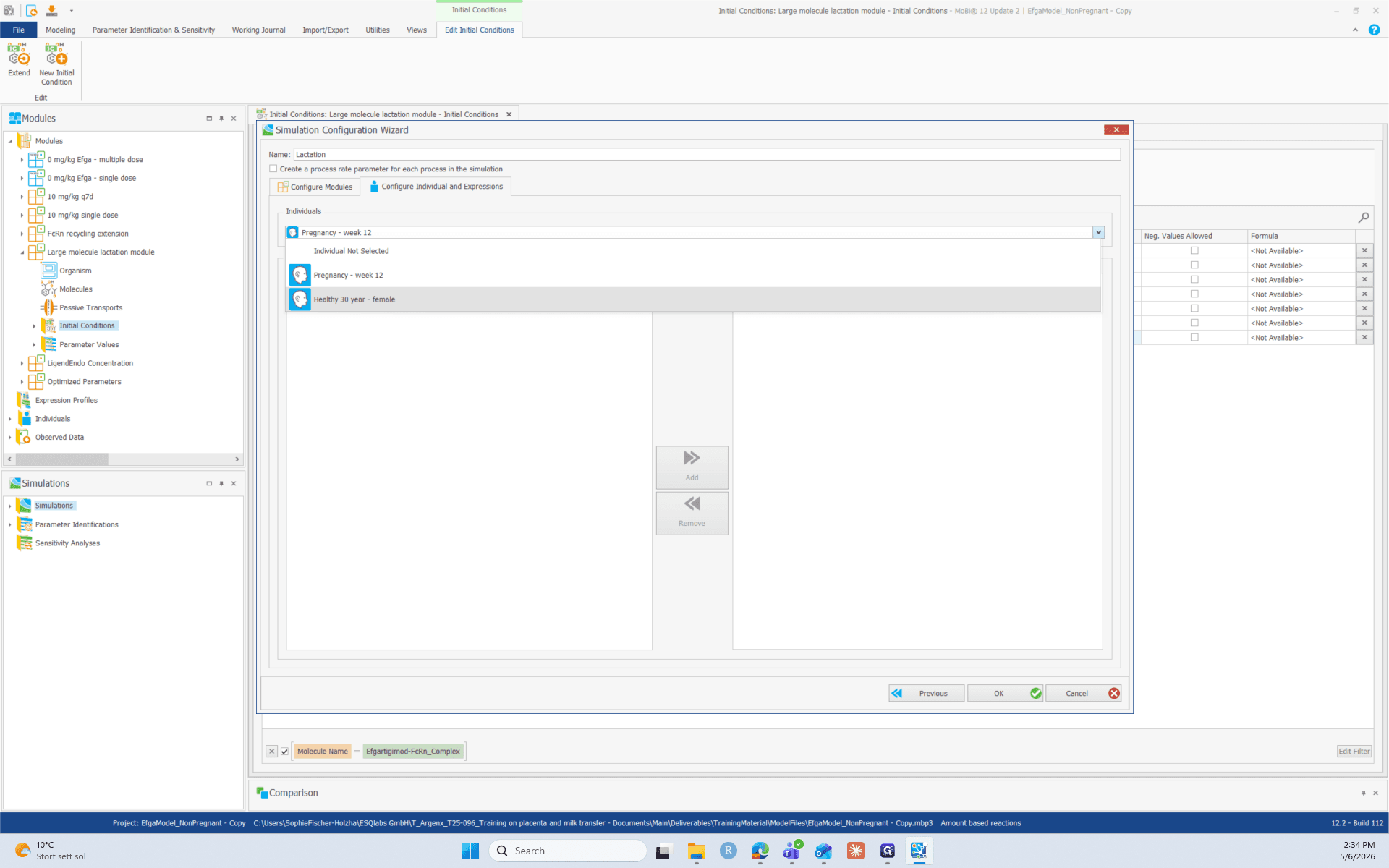
Select the appropriate individual from the dropdown, such as Healthy 30 year - female.