Handling Repeat Inquiries for Existing Contacts in Zoho
Learn how to access contact records and manage repeat referral inquiries in Zoho CRM directly from Zoho Mail.
Learn how to locate existing contact records in Zoho CRM directly from Zoho Mail to manage incoming inquiries without creating duplicate leads.
This guide applies to intake coordinators and CRM administrators processing incoming referral emails from known senders or existing clients.
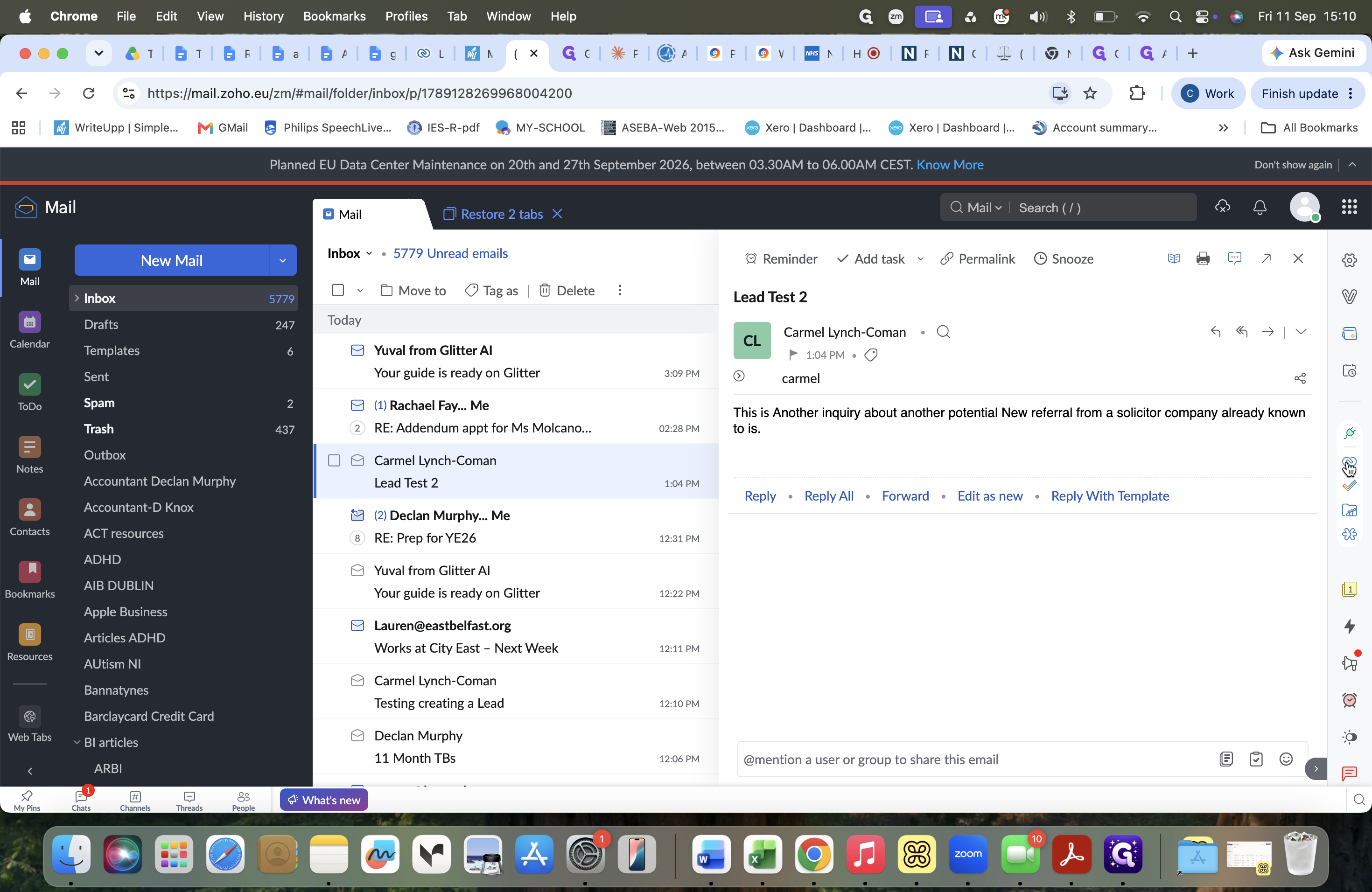
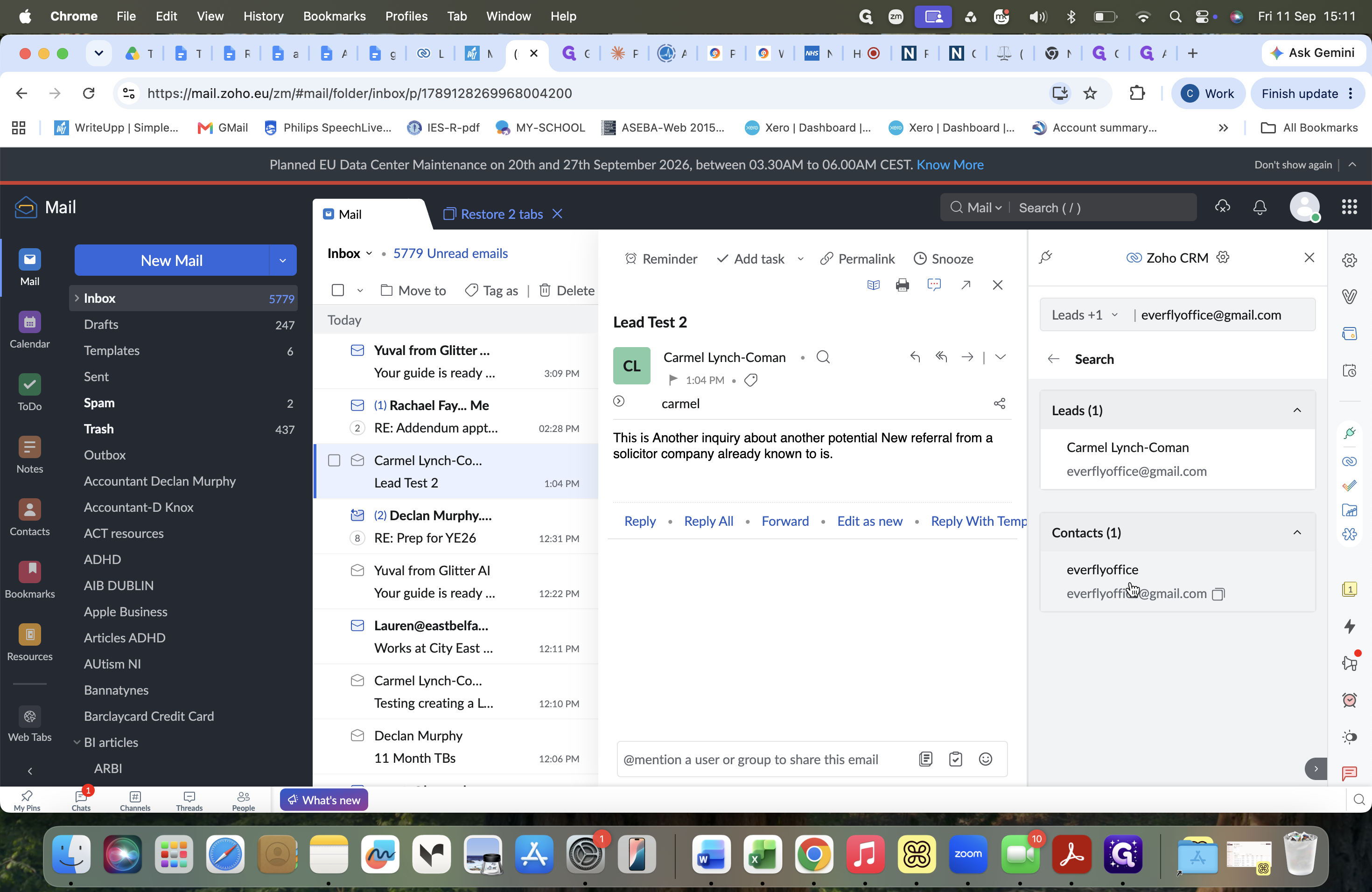
When an email inquiry or referral arrives from a contact whose details are already stored in your CRM, creating a new lead record can result in duplicate entries for the same individual. Instead, access the contact directly via the Zoho CRM side panel in Zoho Mail.
Accessing the CRM Integration Panel
Viewing and Managing the Existing Contact
Q: Should I create a new lead if an existing contact sends a new inquiry?
A: No. Creating a new lead for an existing contact creates duplicate records in Zoho CRM. Instead, locate the existing contact profile to associate the new inquiry or referral.
Q: How do I request more information from an existing contact?
A: Open the contact's detail record from the Zoho CRM panel in Zoho Mail and trigger the information request directly from their contact profile rather than going through the lead creation workflow.
Term | Definition |
|---|---|
Lead | An unqualified inquiry or potential business opportunity before it is vetted and converted. |
Contact | An established individual record in the CRM associated with a company or account. |
Referral | A work request or client intake submitted by a partner or existing contact. |