Icon

How Batch Processing Works: A Guide to Bulk Posting Transactions

Learn how batch processing works with step-by-step instructions on bulk posting transactions. Discover how to process multiple transactions efficiently and identify post-transaction statuses.

By Aasma Technology Solutions

In this guide, you will learn how to utilize batch processing for posting multiple transactions simultaneously. You will explore transaction selection methods, the bulk post feature, and real-time progress tracking for your posting operations. This functionality streamlines transaction management and significantly improves efficiency when handling large transaction volumes.

Let's get started
2
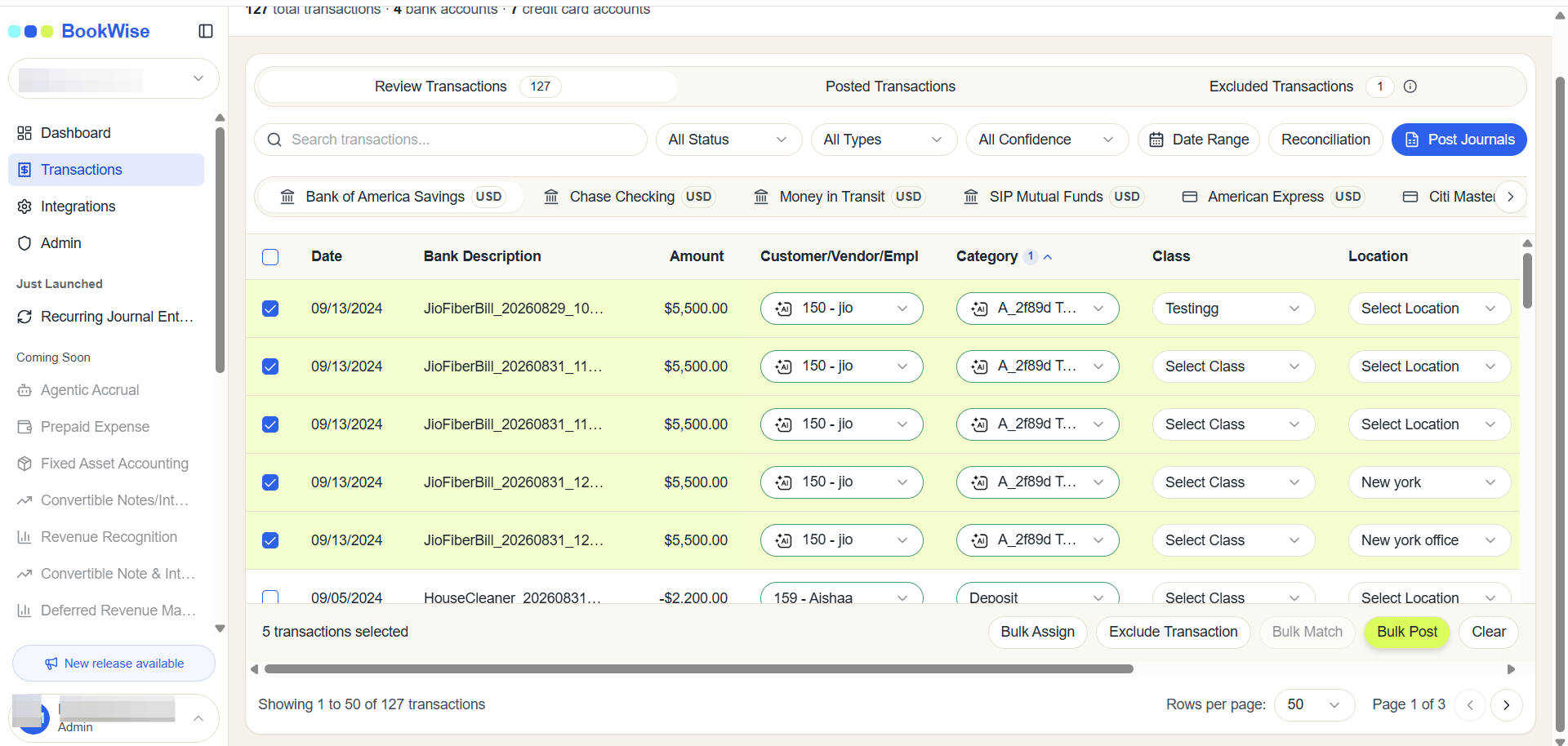
Select Transaction which you want to post
Step #2: Select Transaction which you want to post
3
Click on Bulk Post button
Step #3: Click on Bulk Post button

4
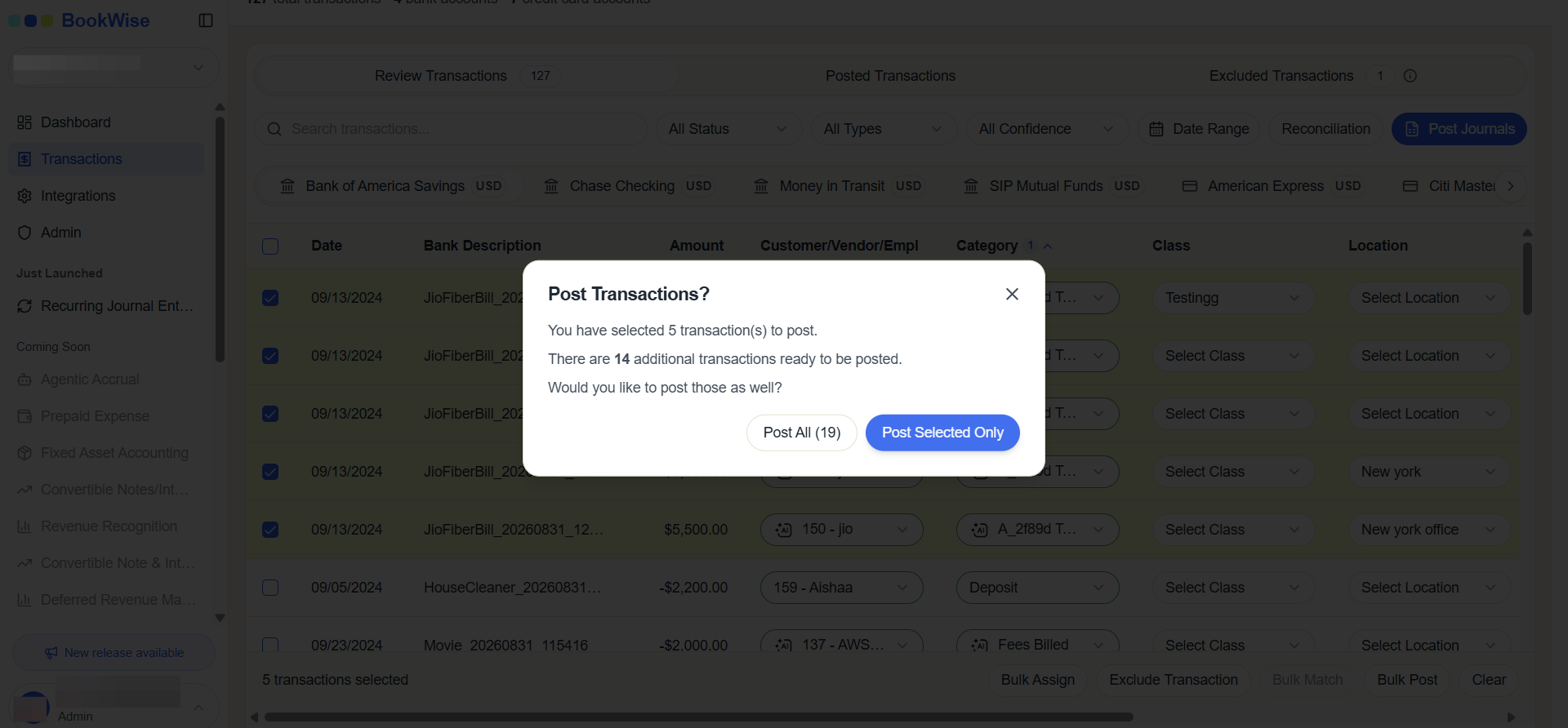
After selecting your desired transactions, the system displays a selection summary at the top of the modal, such as "You have selected 4 transactions." Click on Post All or Post Selected Only
Step #4: After selecting your desired transactions, the system displays a selection summary at the top of the modal, such as "You have selected 4 transactions." Click on Post All or Post Selected Only

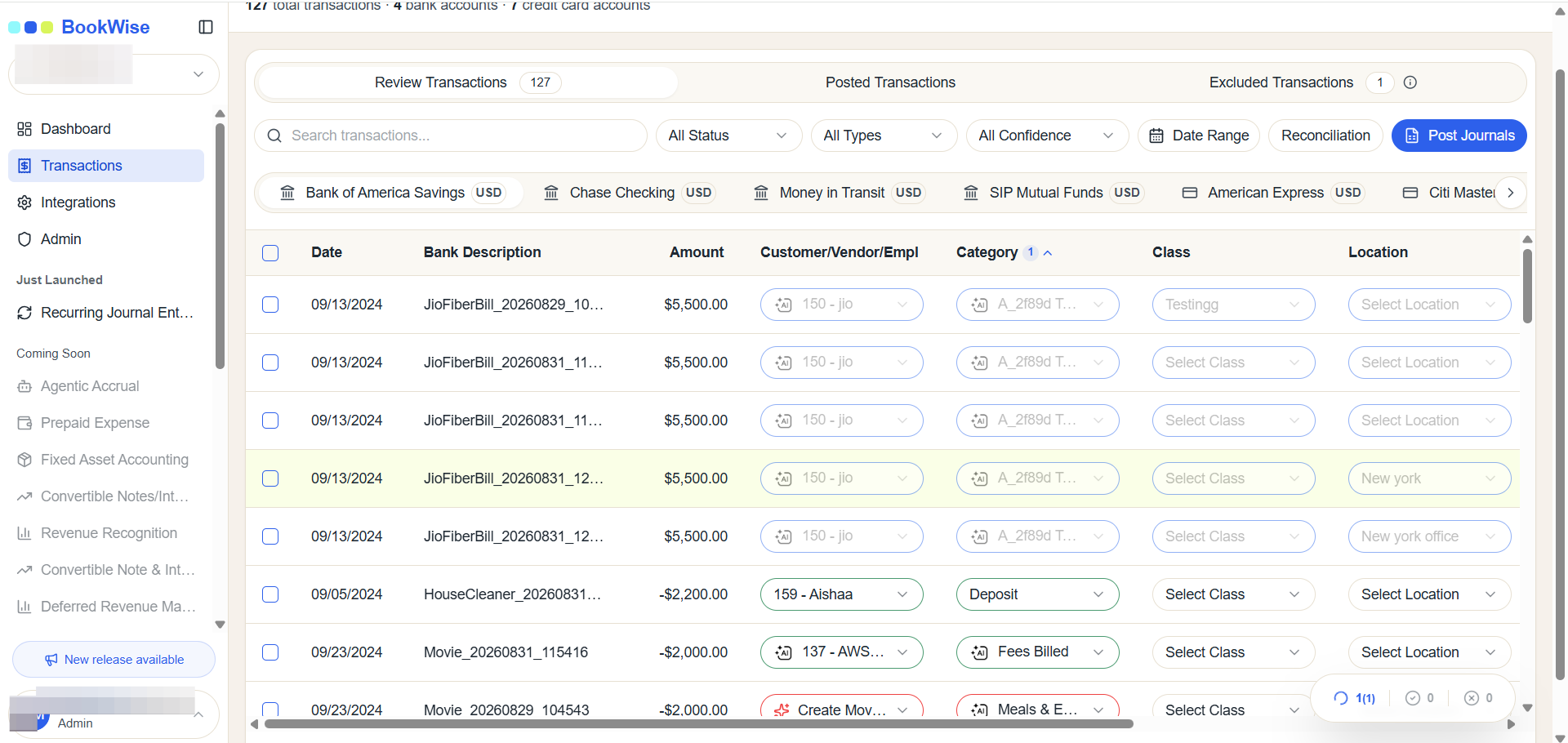
The batch processing interface displays real-time progress as transactions are being posted. You can monitor the processing status for each transaction, allowing you to track which records are currently being processed and which have completed successfully.
5
Click on Batch processing Floating button
Step #5: Click on Batch processing Floating button
6
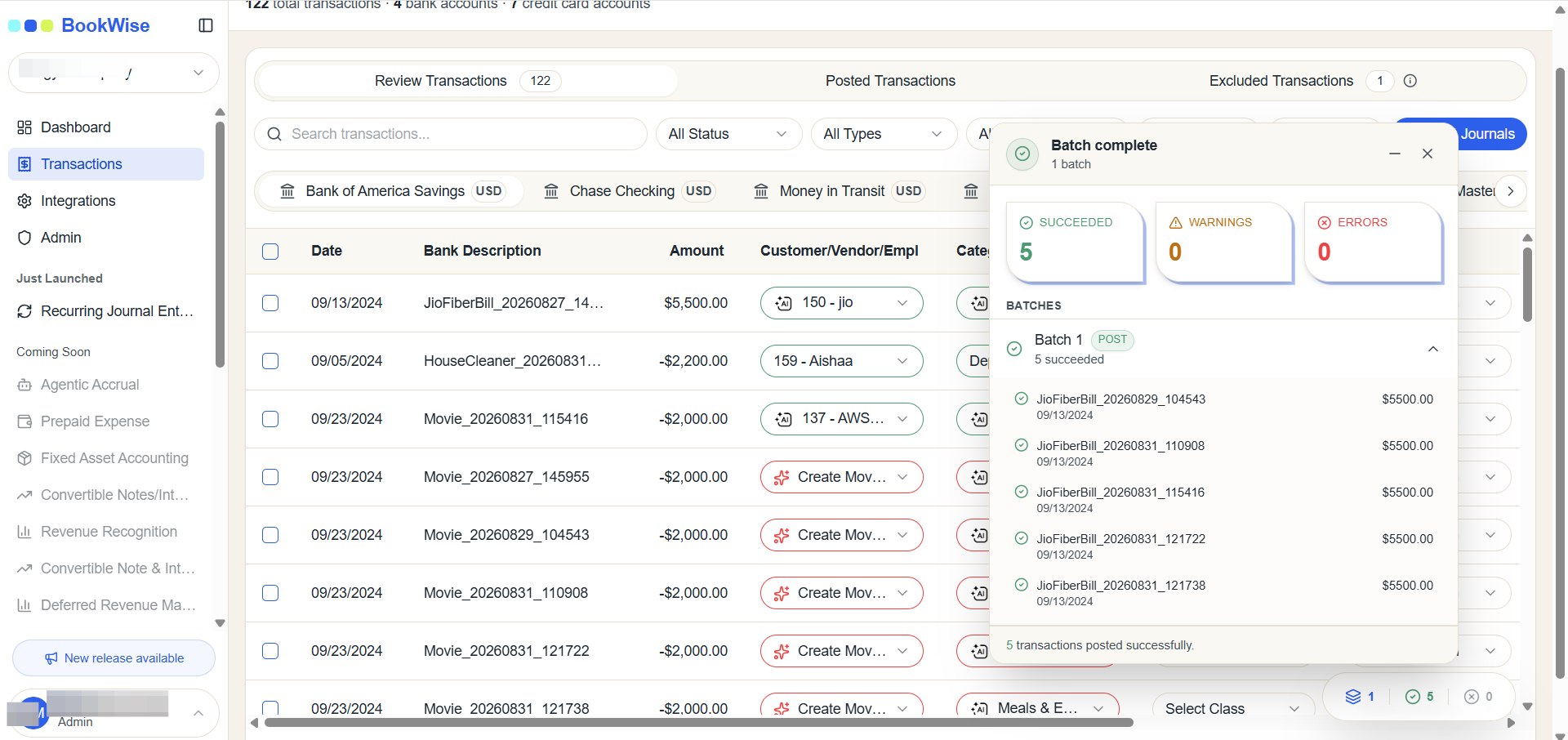
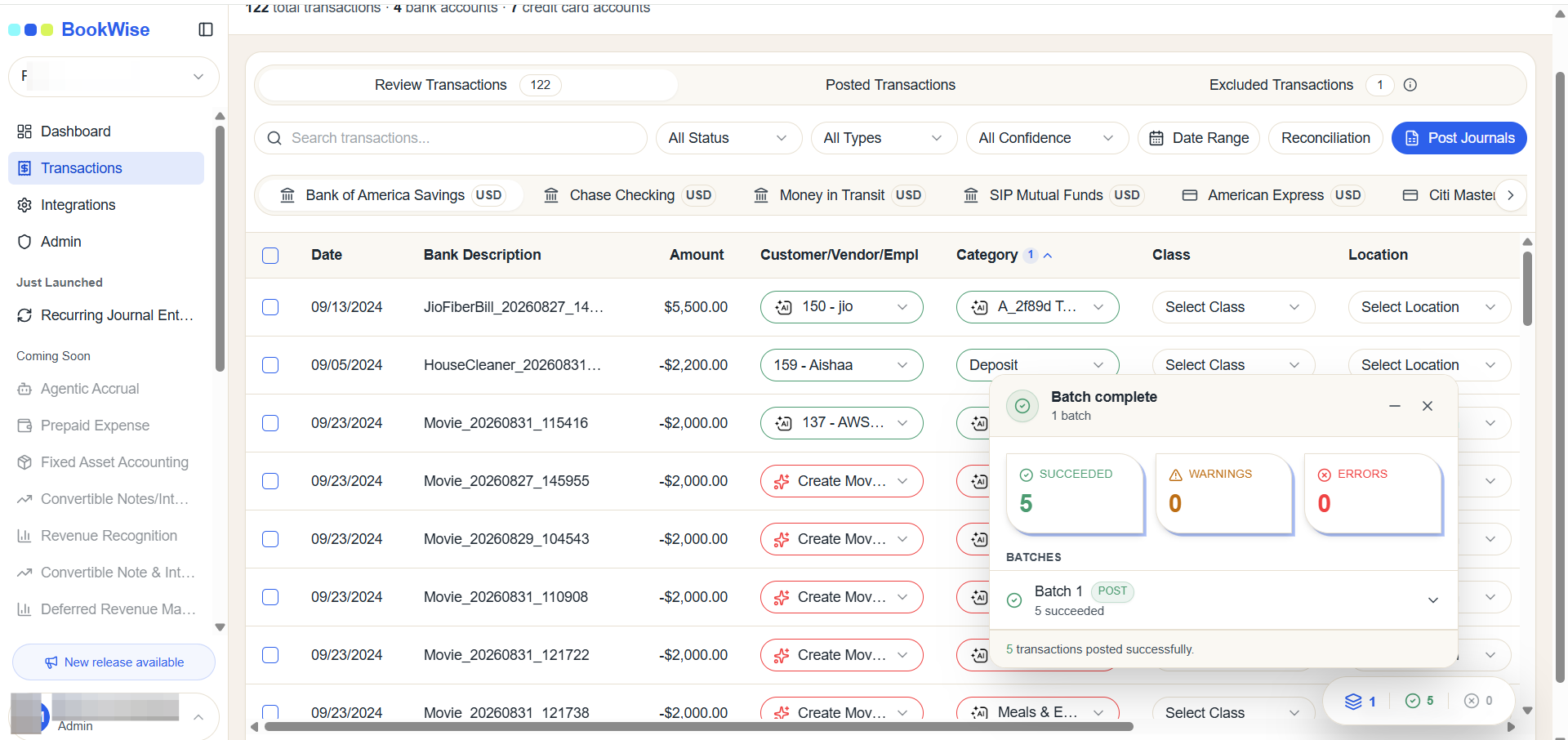
Processing status is showing
Step #6: Processing status is showing
7
Once the batch processing completes, the system displays a summary of all successfully posted transactions. You can review the results to confirm which transactions were processed and verify their posted status.
Step #7: Once the batch processing completes, the system displays a summary of all successfully posted transactions. You can review the results to confirm which transactions were processed and verify their posted status.

8
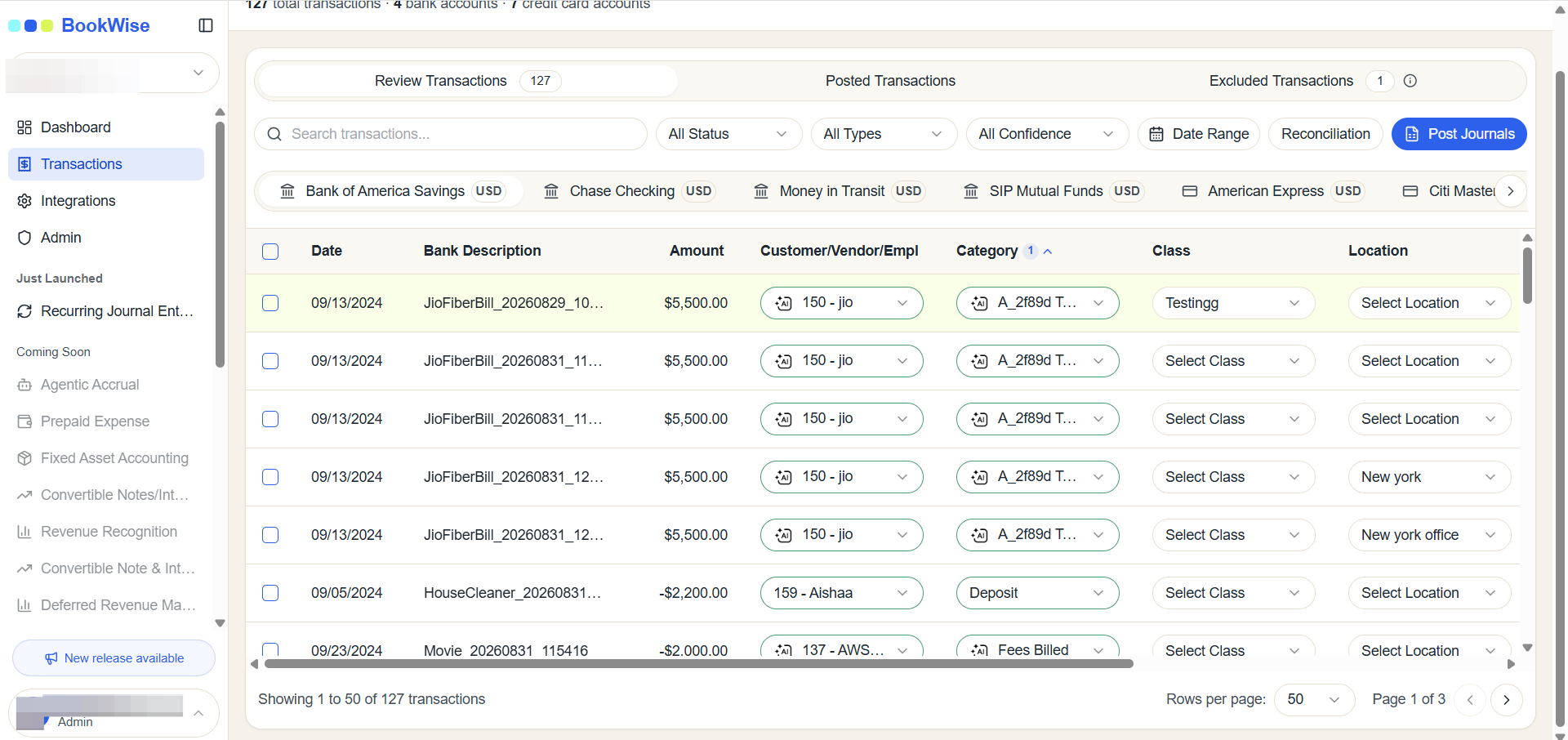
Click here
Step #8: Click here

This completes the bulk posting process. You can now use batch processing to streamline your transaction management and improve operational efficiency.