How to Assign Customer/Vendor and Category to Similar Transactions
Learn how to assign the same Customer/Vendor and Category to multiple similar transactions.
By Aasma Technology Solutions
This guide explains how to use the Similar Transactions Found feature when the system identifies transactions with similar details. It allows users to apply the selected Customer/Vendor and Category to other similar transactions, reducing repetitive manual work and maintaining consistent transaction categorization.
1
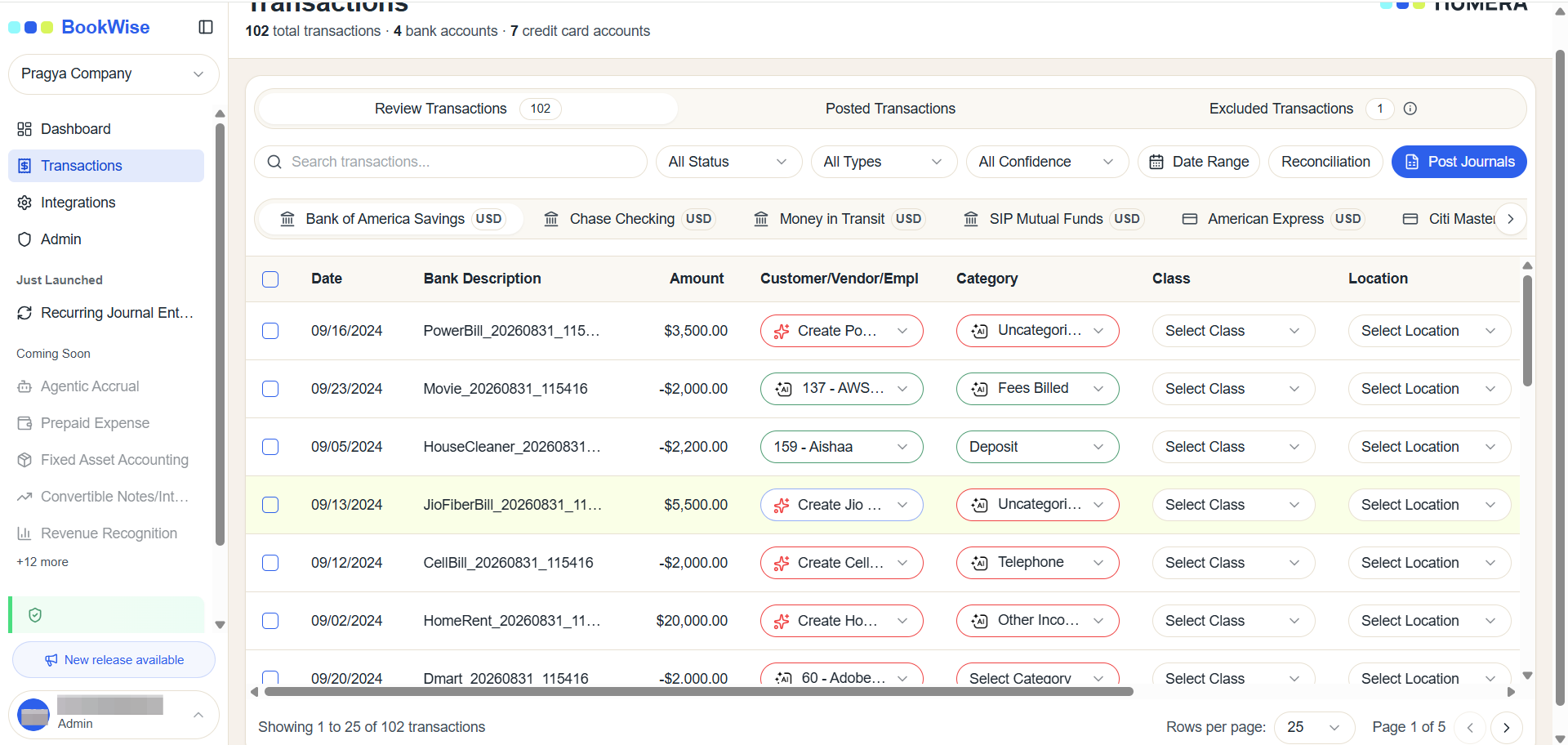
Go to the Transactions tab and open the Review Transactions section.
2
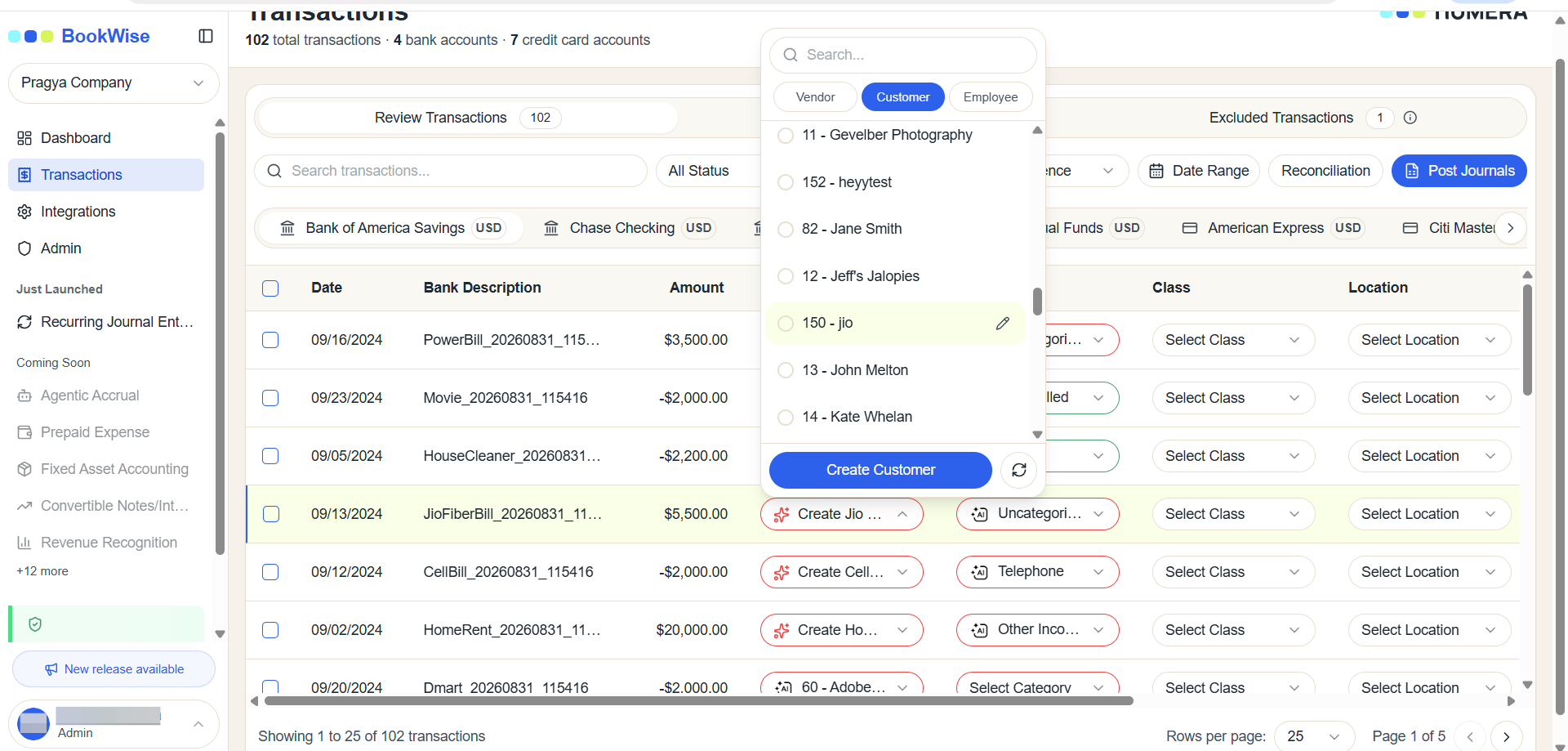
Locate the transaction you want to categorize. Select the appropriate Customer/Vendor and Category for that transaction.
3
When similar transactions are detected, a Similar Transactions Found notification will appear.
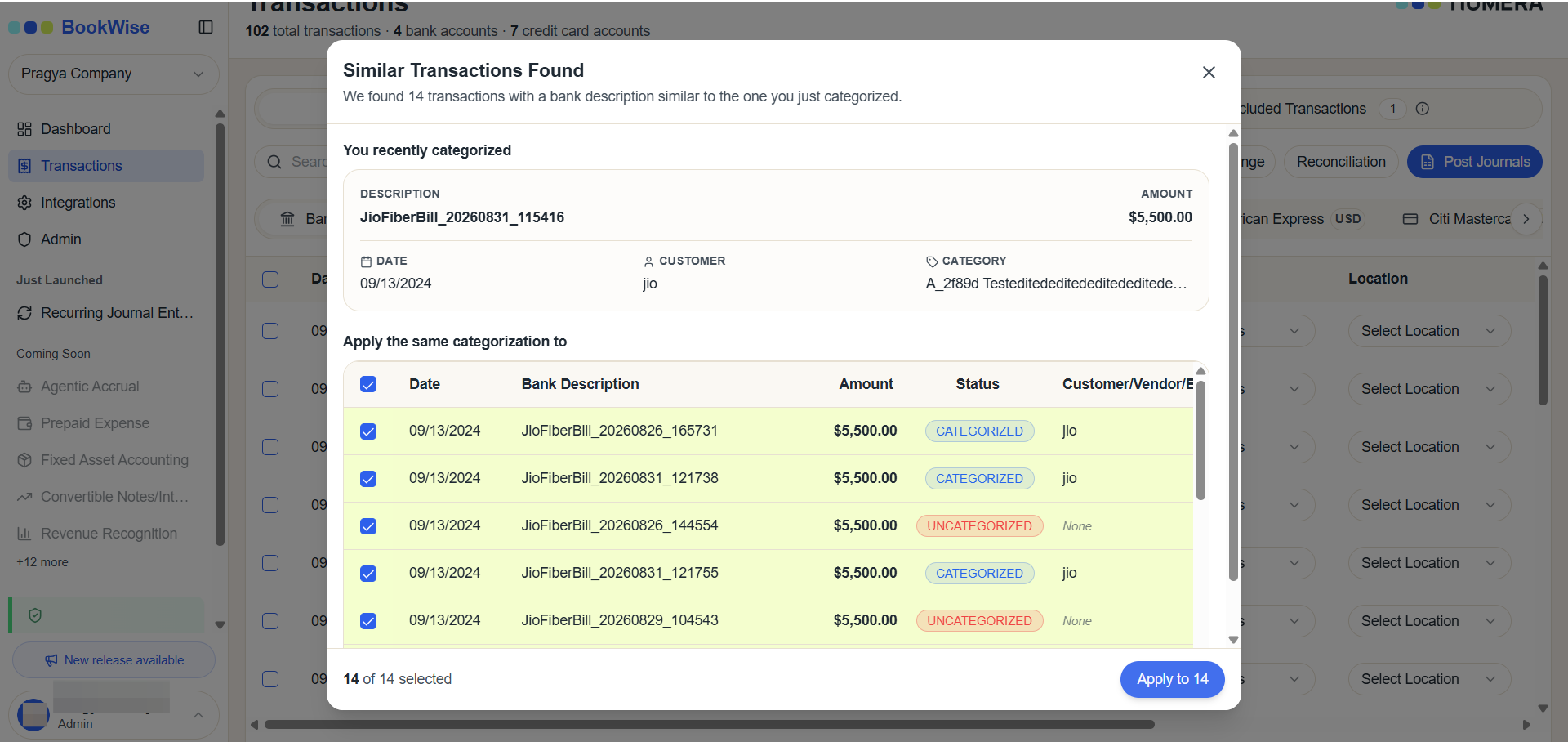
Review the displayed transactions to ensure that you want to assign the same Customer/Vendor and Category to them.
4
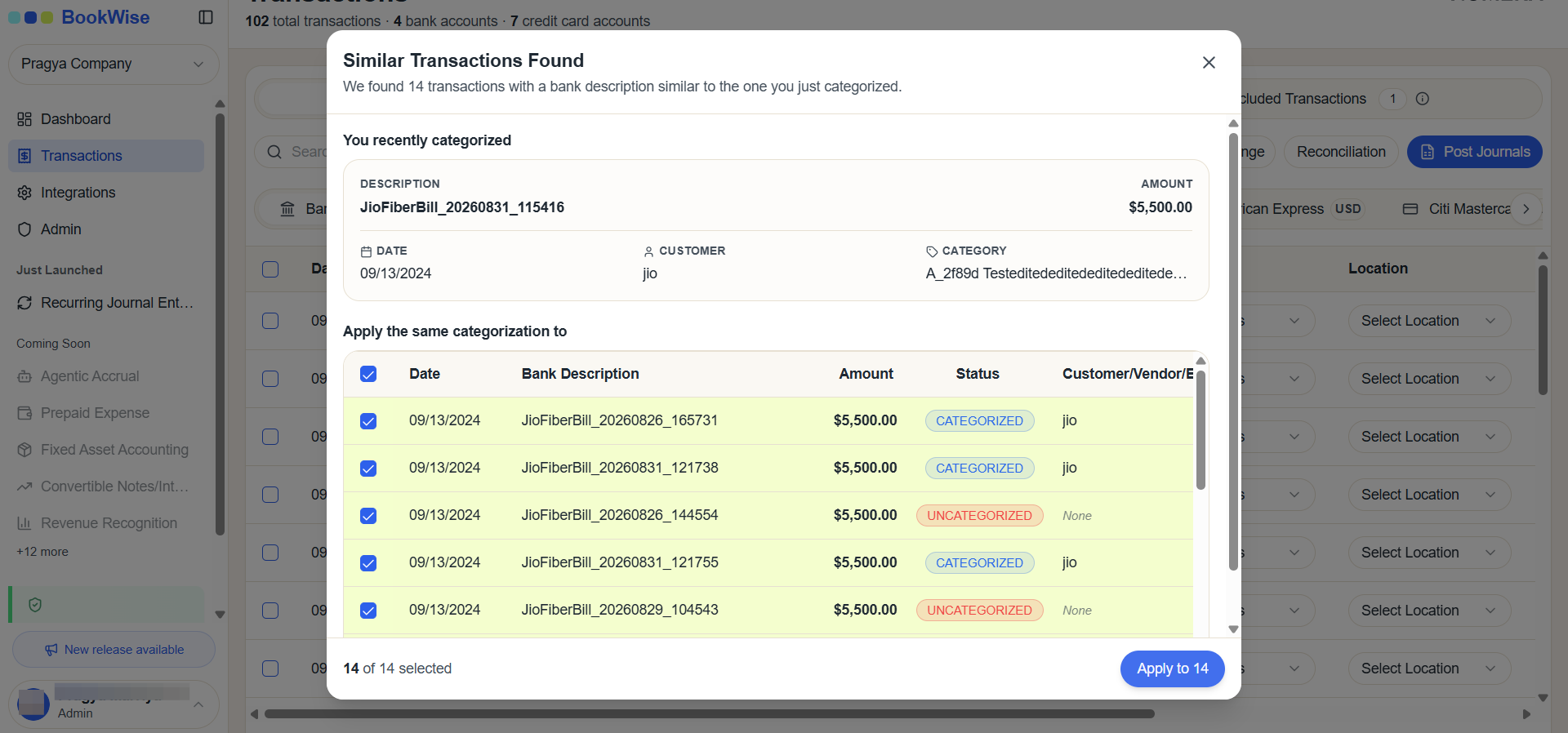
Select the transactions you want to update and Click Apply to assign the selected Customer/Vendor and Category to the chosen similar transactions.
The Similar Transactions Found feature helps reduce repetitive manual work by allowing users to quickly categorize multiple similar transactions while maintaining consistency across transaction records.