
How to Add Lump Sum Deposits and Set Up Withdrawals
Learn step-by-step how to add lump sum deposits and set up withdrawals using the Rep Portal and Client Portal.
Let's get started
Hello, Stephanie. The process to add a lump sum deposit or set up a monthly withdrawal in a client account depends on whether you are logged in as a Rep or as a Client.
This video uses a demo client, so don't worry that you see 'client information'.
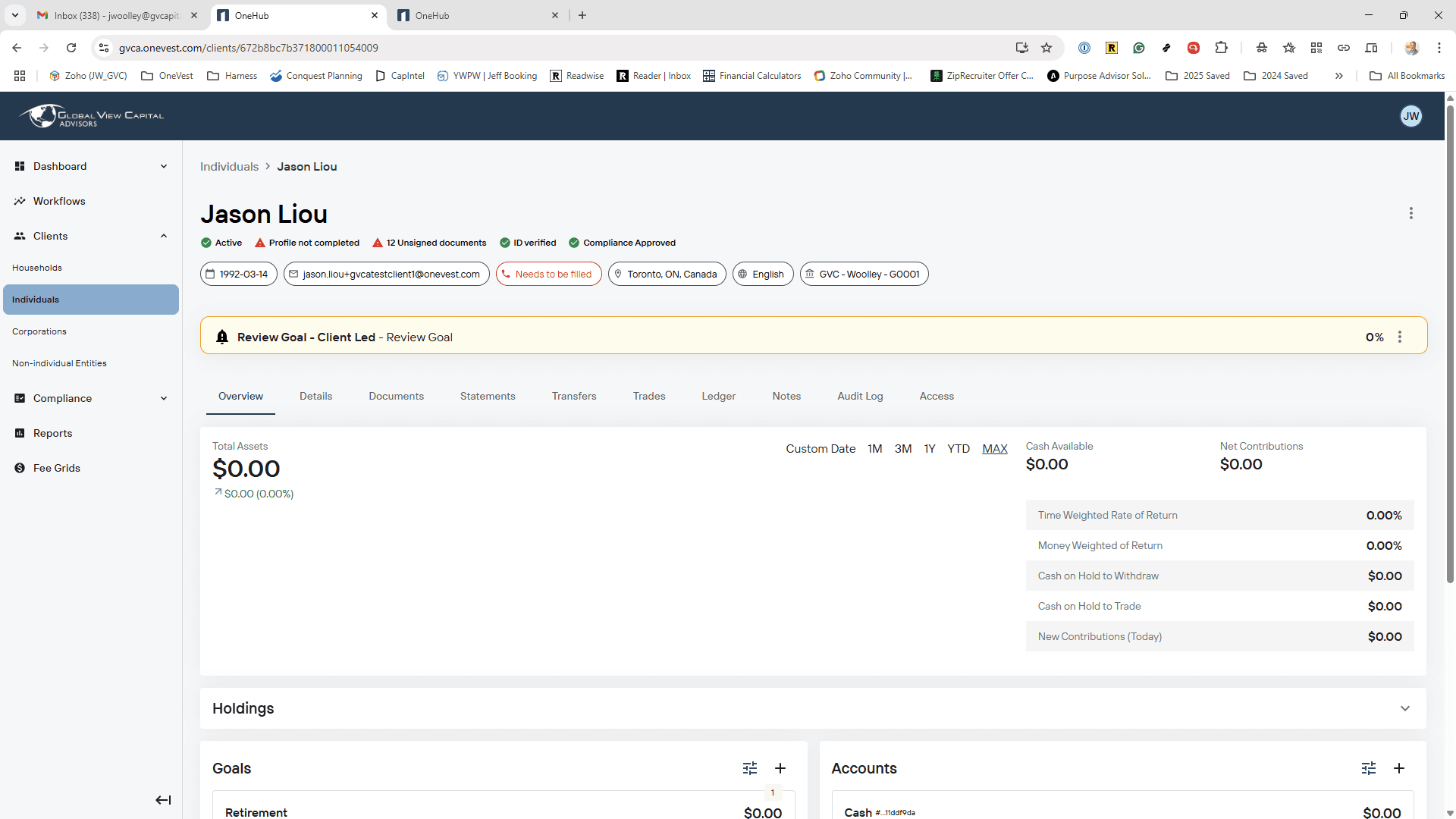
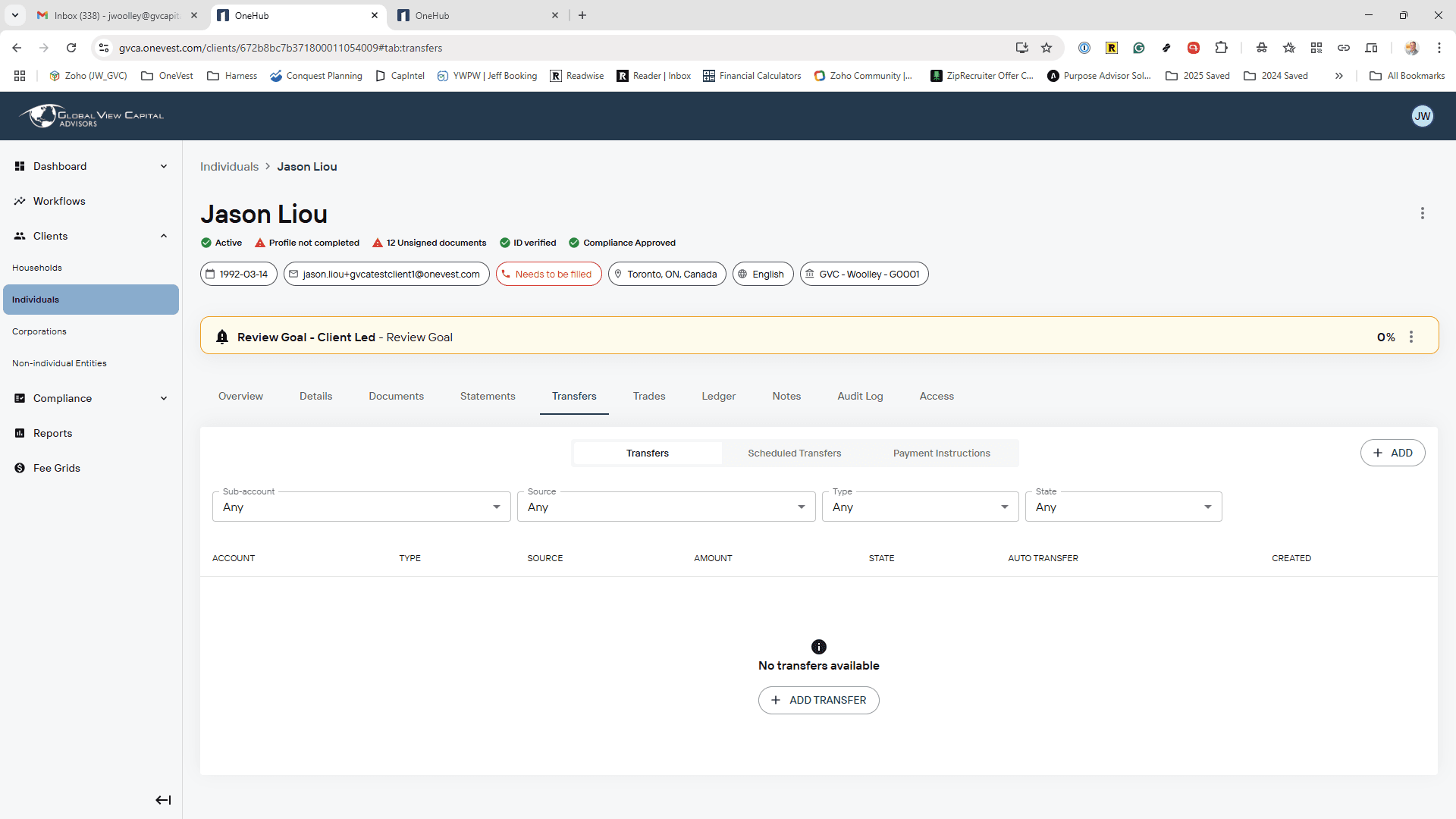
Log in to the Rep Portal. > Click on Individuals, then select the client you need. > On the Client Profile, click on Transfers (Money Movement), and then click the Add (+) button.
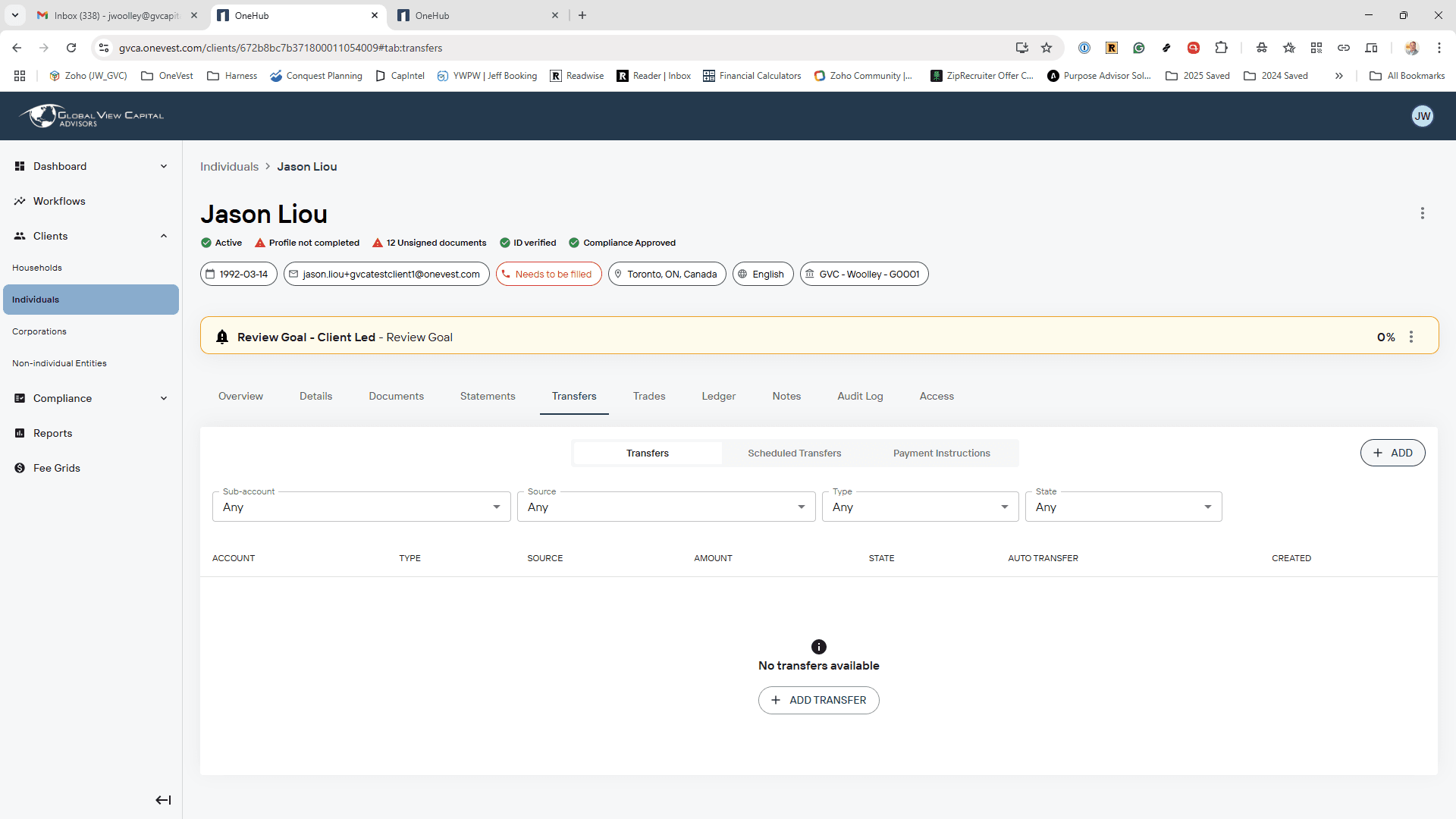
All cash deposits and withdrawals flow through a bank account, so they're considered an EFT, or electronic funds transfer.
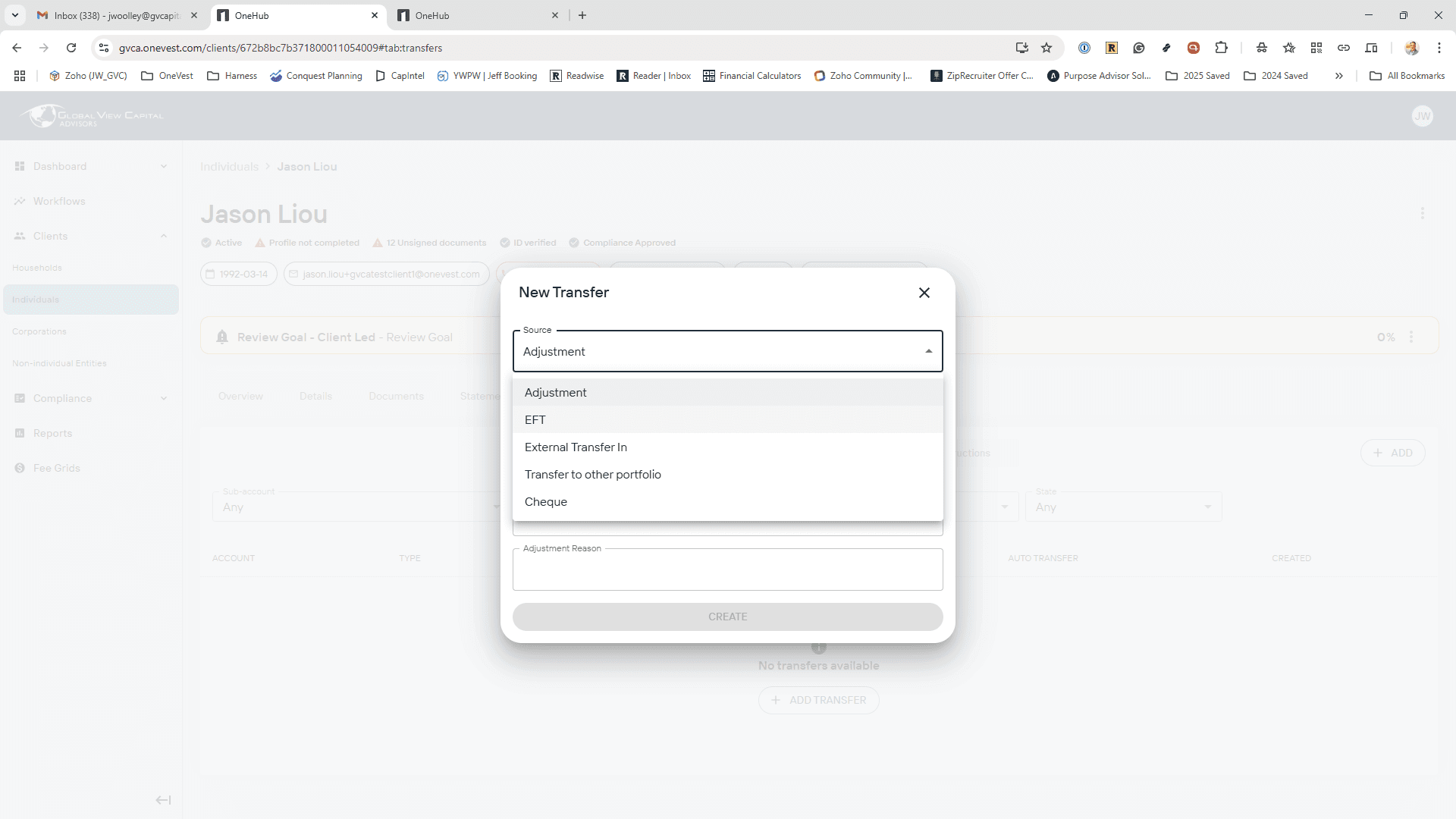
When the Transfer Tool opens, click on the Source dropdown and select EFT.
Now move from the top to the bottom, selecting the appropriate choices.
Source: EFT
Type: Deposit
Portfolio: RRSP (The account already needs to exist on the client profile.)
Bank Account: Select the bank account they want the lump sum to be pulled from. (The bank account already needs to exist on the client profile.)
Amount: The dollar amount of the deposit.
Schedule: If it's a one-time lump sum deposit, select Just the once. If it's recurring, select the frequency and start date.
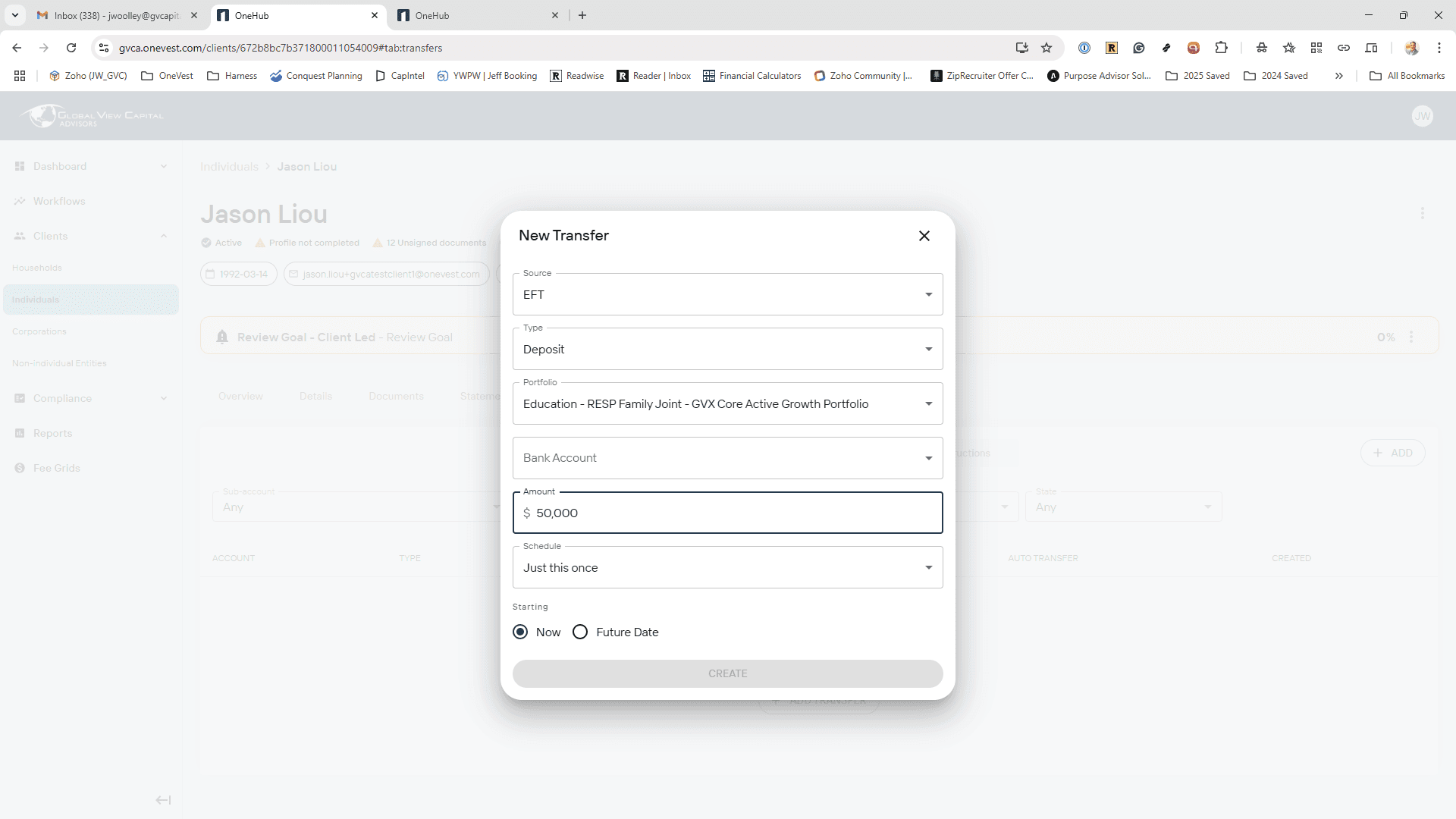
Click the Create button, and everything will be set up automatically.
There is no form to fill out.
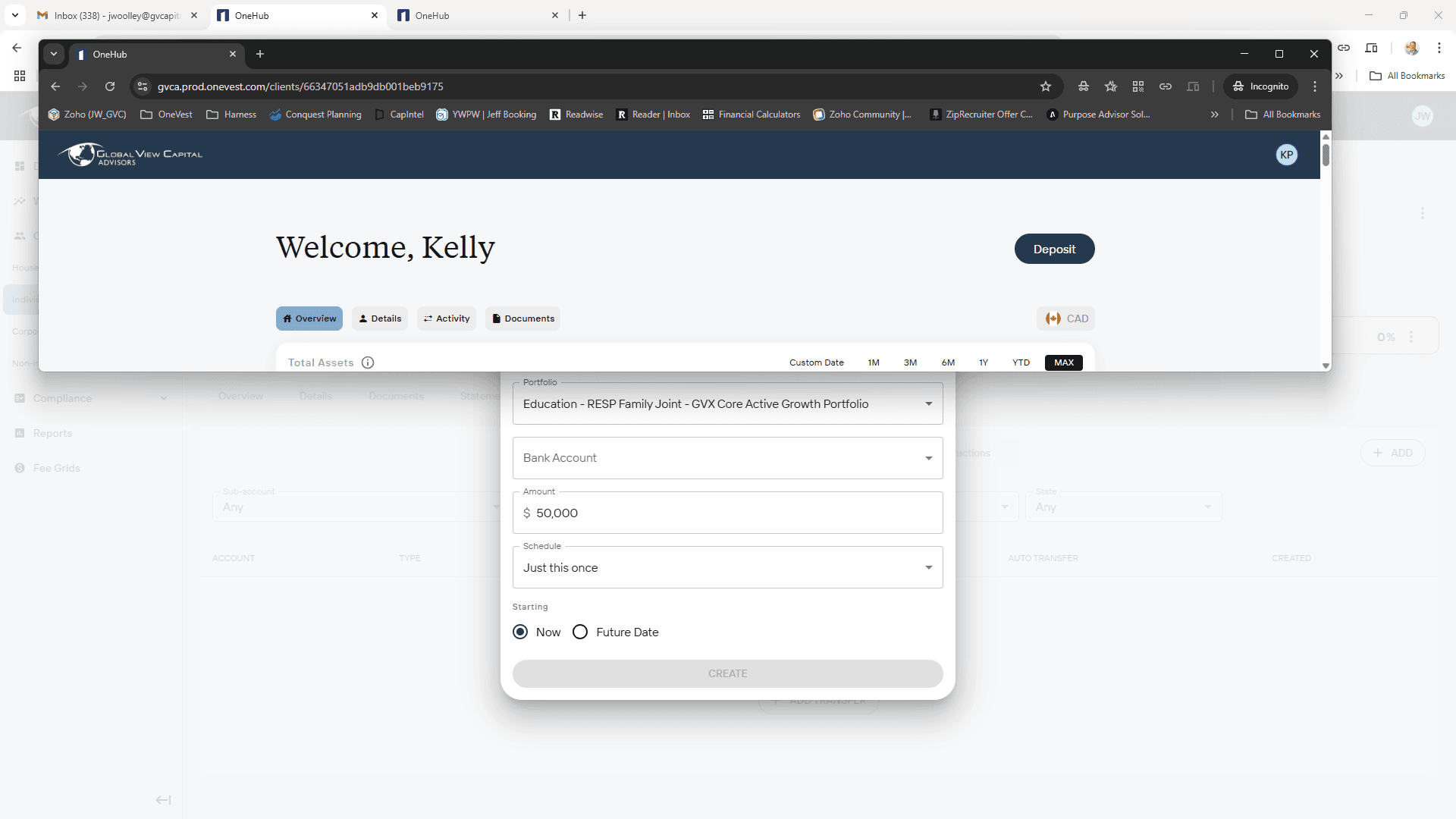
If the client is logged into their Client Portal, they would click the Deposit button in the top right.
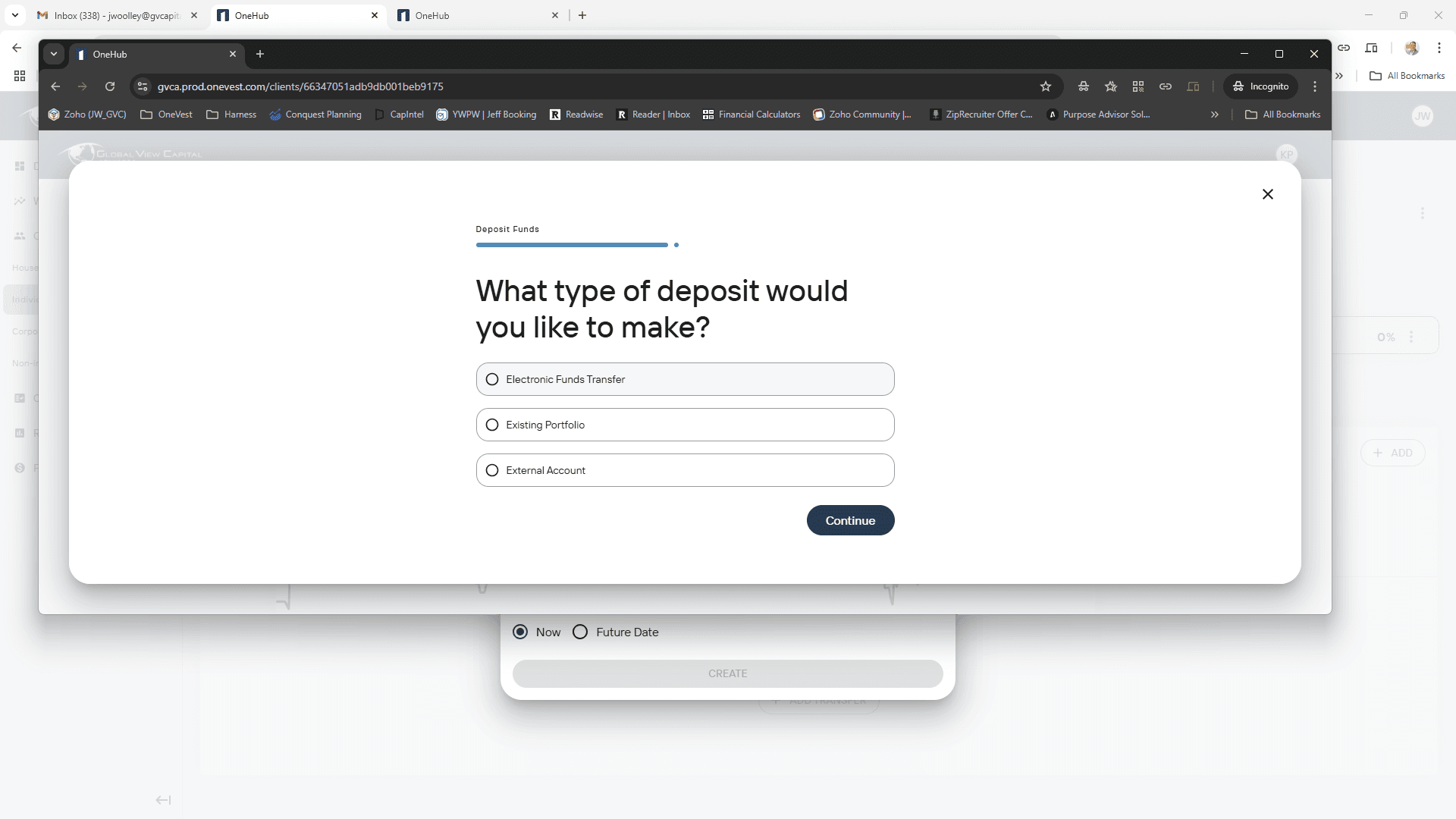
When you click on Deposit, you will see options for the type of deposit you want to make. It's the same process.
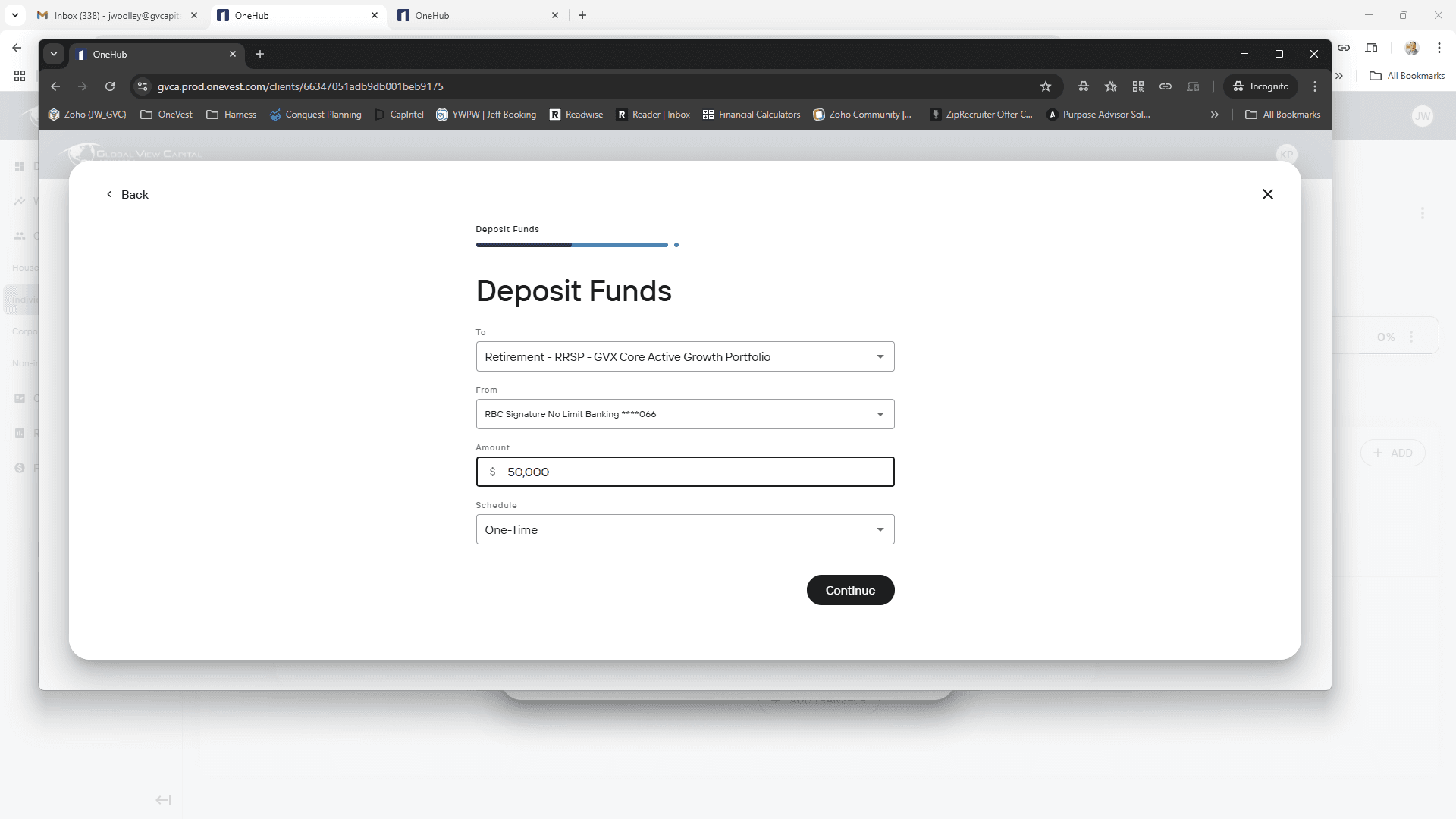
Click Electronic Funds Transfer, then select Continue. Next, choose the desired account, bank account, amount, and schedule (same as in the Rep Portal).
Then click Continue.
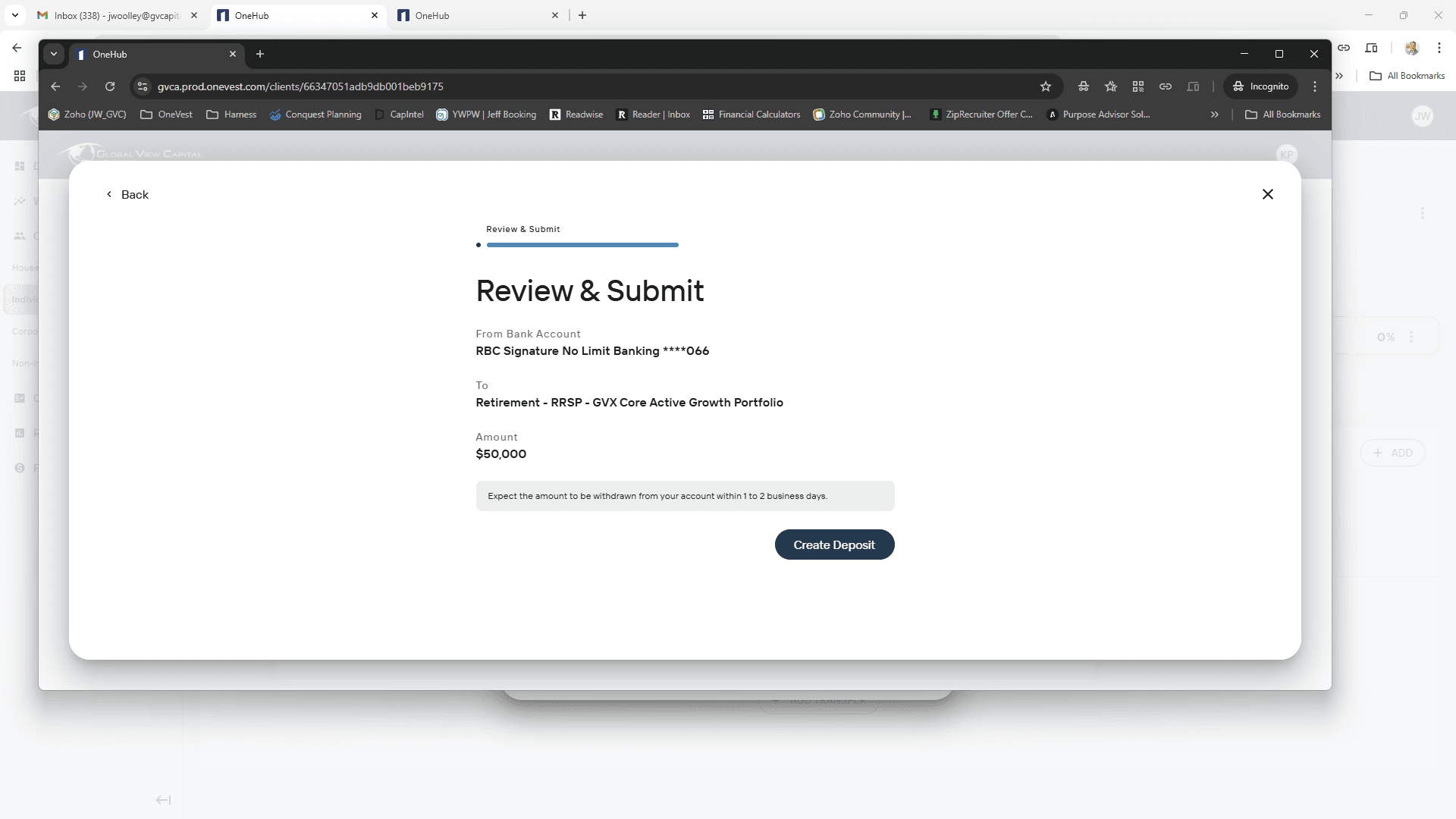
The next page provides a review. Click Create Deposit.
The process is fully automated, with no documents to sign or additional steps required.
The second question is how to set up a monthly withdrawal.
You shouldn't do that if it's an RRSP, since you shouldn't make monthly withdrawals from an RRSP. You would want to turn the RRSP into an RRIF first to do that.
The process is essentially the same thing. If you are in the Client Profile in the Rep Portal, click on the Transfers tab.
Click on the +Add button, and select EFT. However, this time, instead of a deposit, it is a withdrawal.
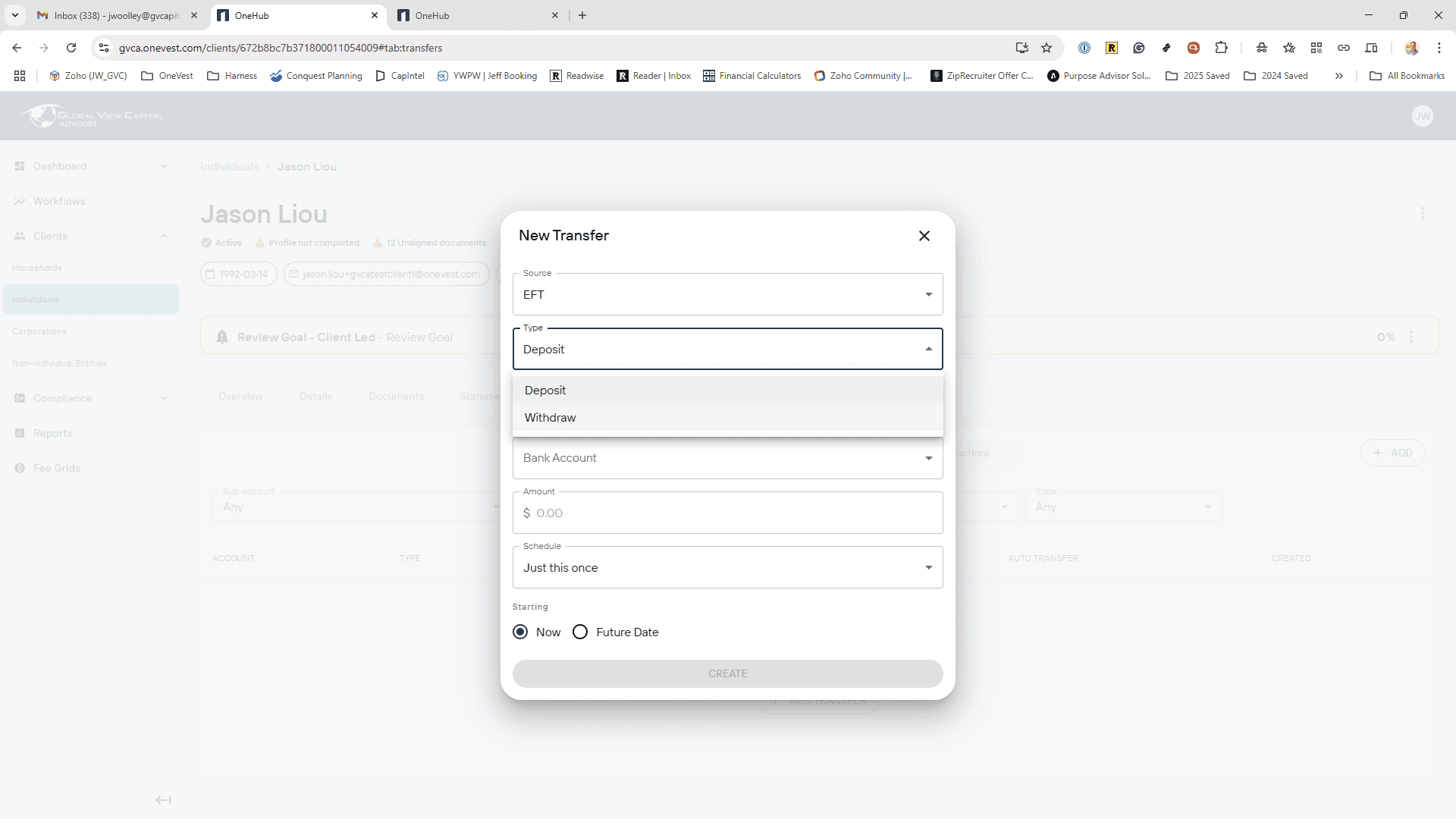
Source is still EFT.
You would select Withdrawal, then choose either gross or net. For a TFSA or non-registered account, this selection does not matter.
Select which investment account you want the money to come from.
Select which bank account the funds should be deposited into.
Enter how much each deposit should be for. (The Gross or Net selection above matters for registered accounts.)
If this is a recurring withdrawal, and not a one-time event, you need to select the frequency and start date.
Double-check everything is correct, and then click the Create button.
NOTE: While clients can initiate Deposits themselves, they cannot set up a Withdrawal. They must go through their Rep, as only Reps can do withdrawals.