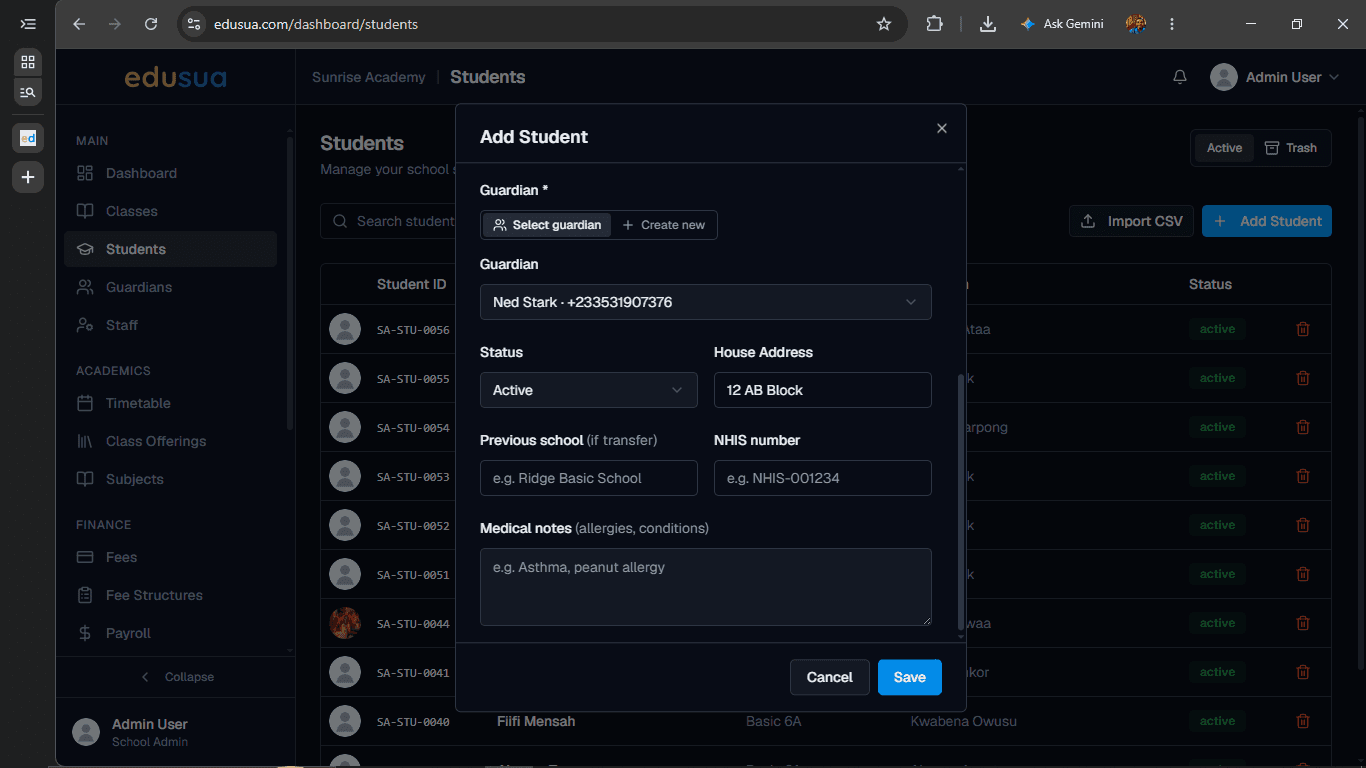
How to Add a New Student
Learn how to manually register a student, enter personal details, assign a class and guardian, and save the record.
By Seth Tawiah Nortey Jr (NSJ)
This guide demonstrates how to create and register a new student record by entering their personal details, assigning their class, and linking a guardian.
This process applies to school administrators, registrars, and administrative staff during student enrollment or when onboarding new admissions.
Registering a Student
Follow these steps to enter student details and add them to the system.
1
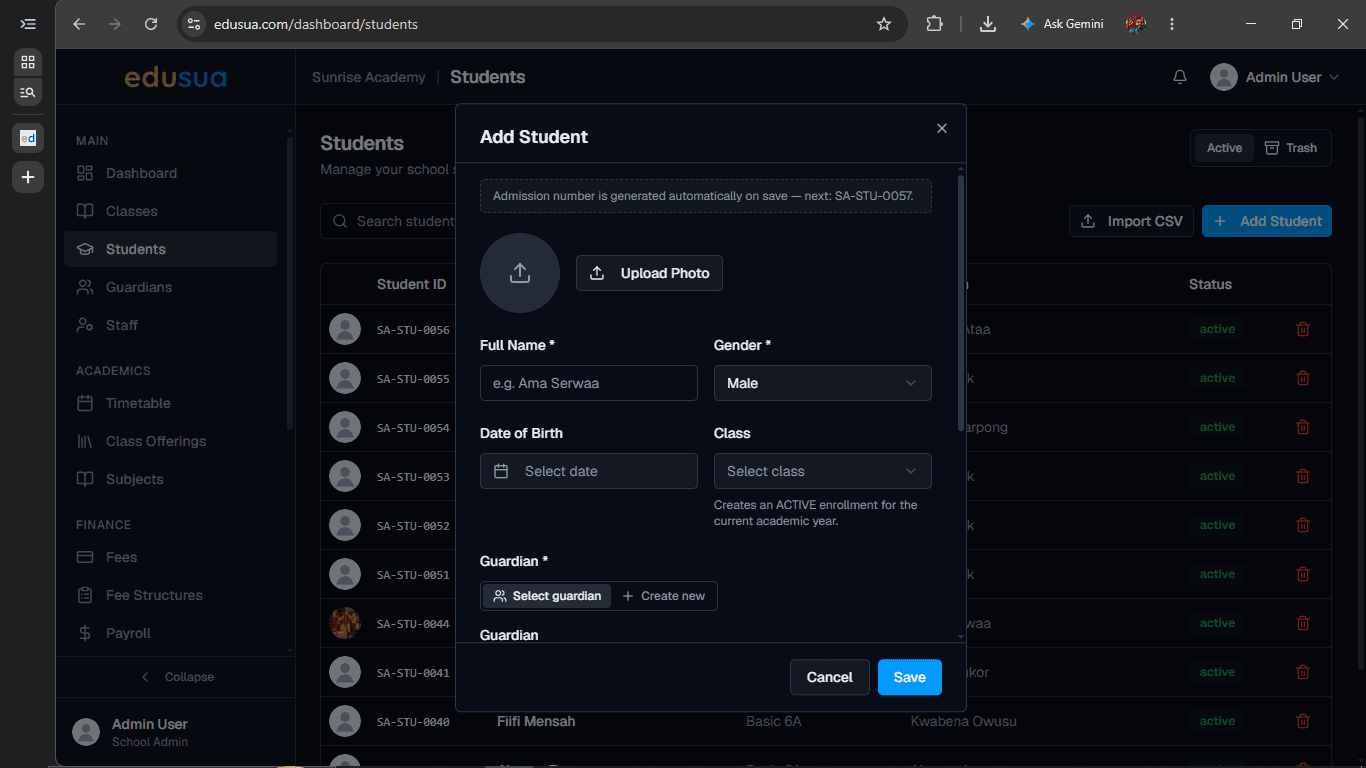
Click + Add Student.
2
Type the student's full name into the **Full Name *** field.
3
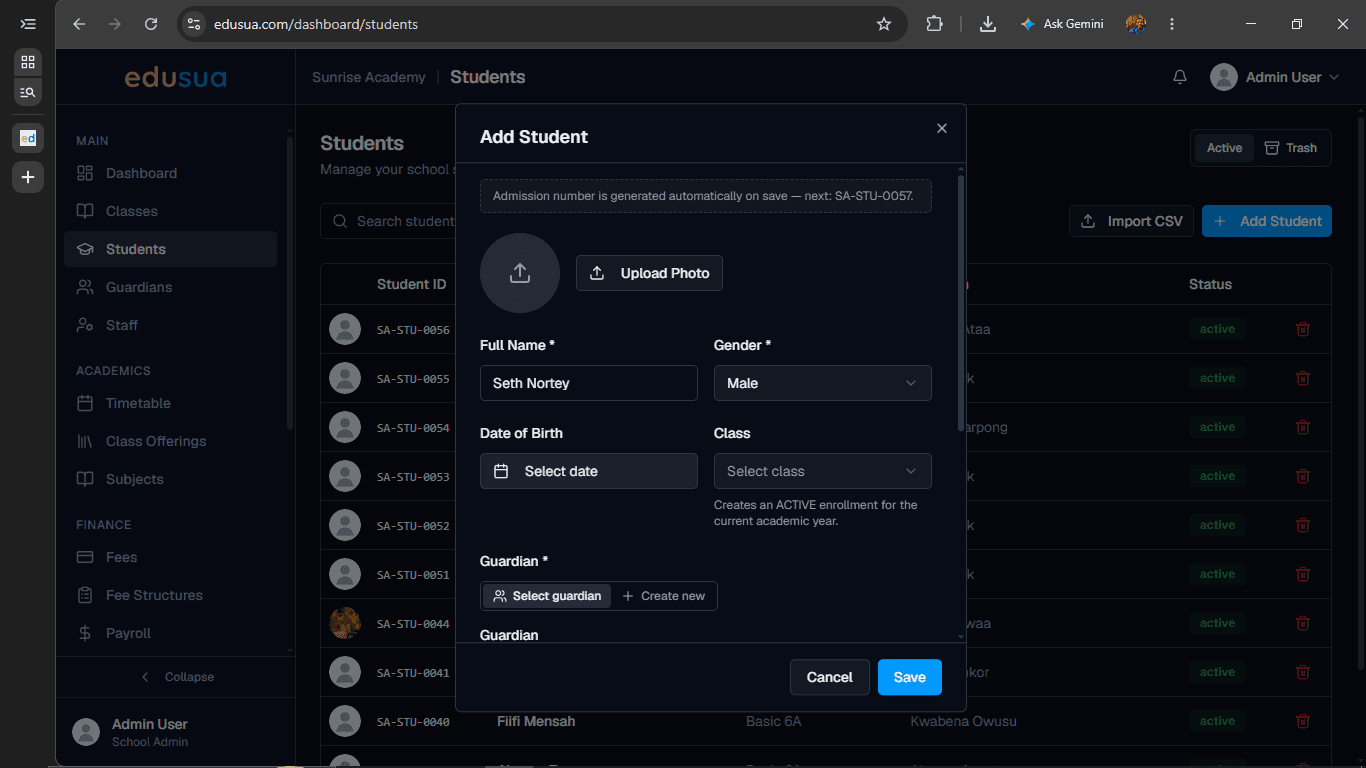
Click the Date of Birth input field to open the calendar.
4
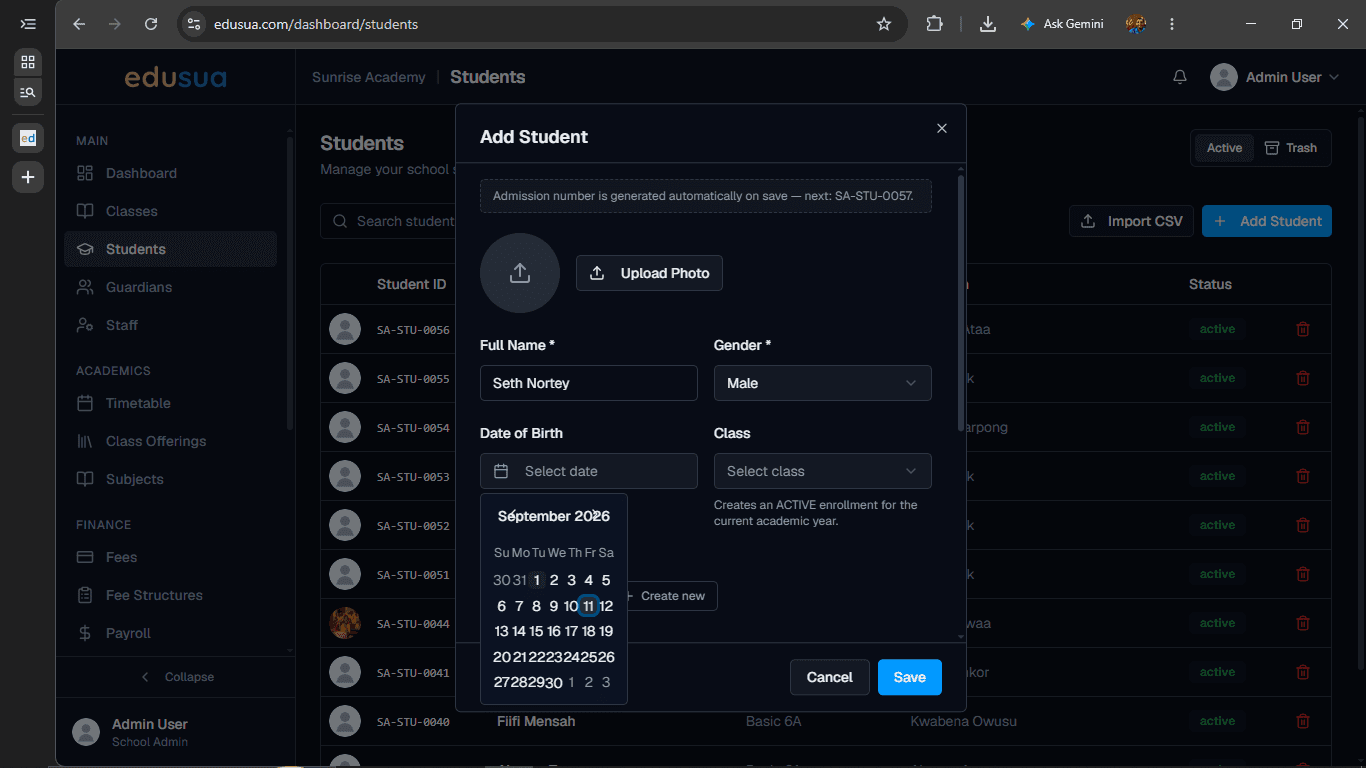
Click to select the student's birth date from the calendar picker.
5
Click the Select class dropdown.
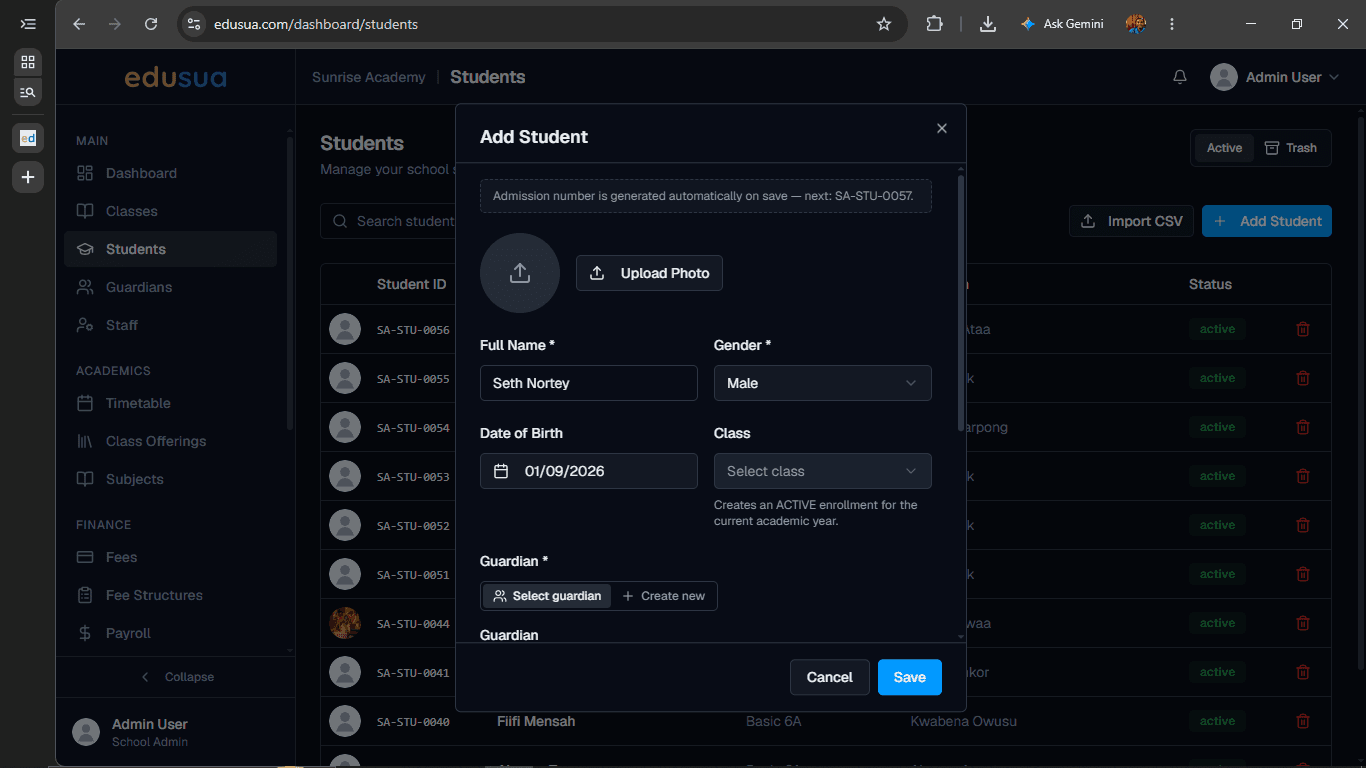
6
Click the desired class option, such as Basic 6A.
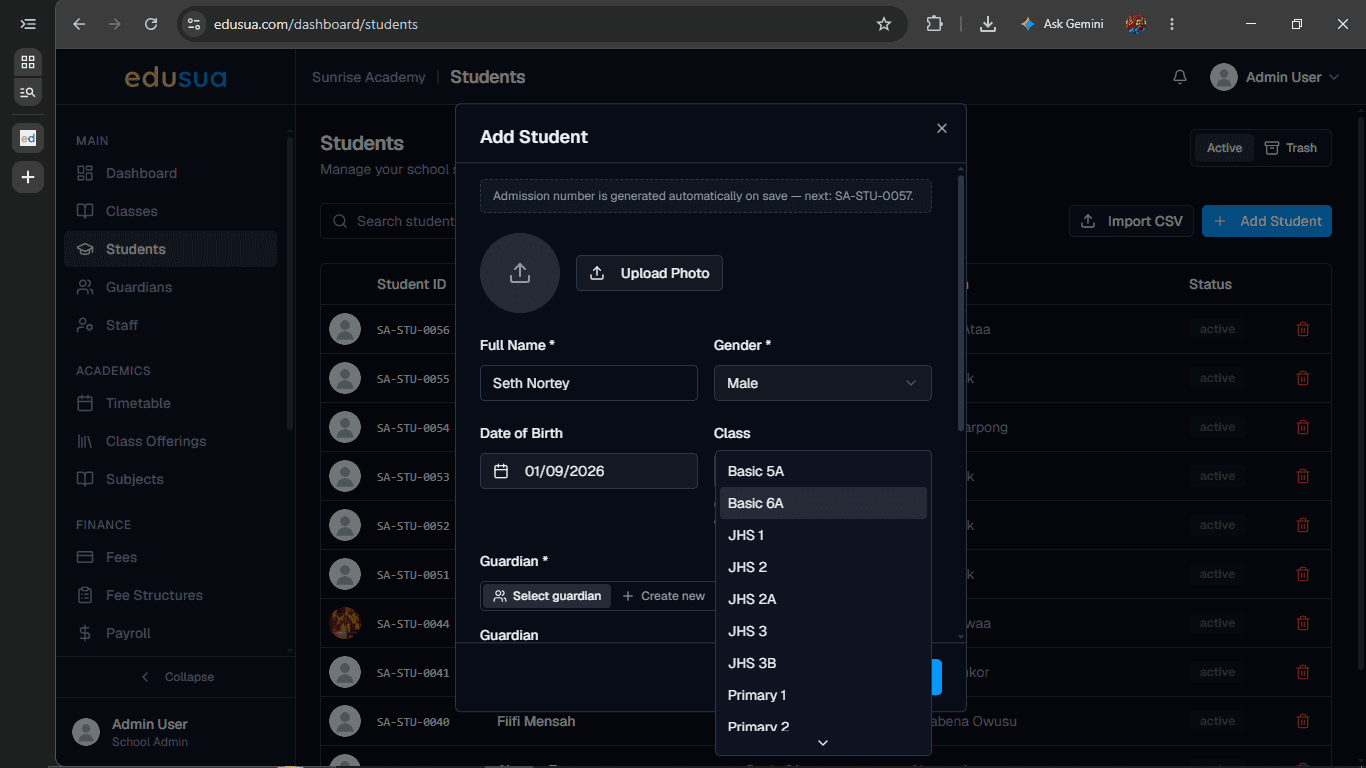
7
Click the Select a guardian dropdown menu.
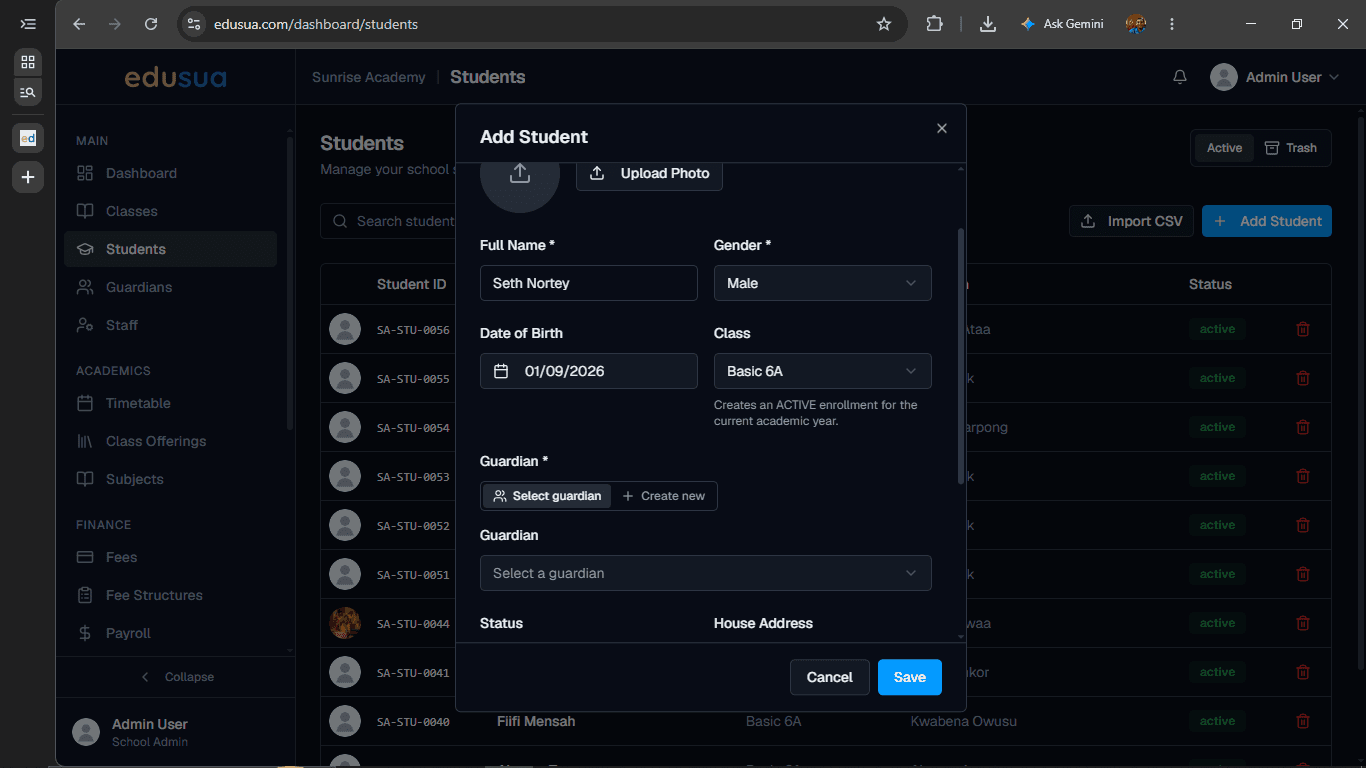
8
Click the assigned guardian from the list.
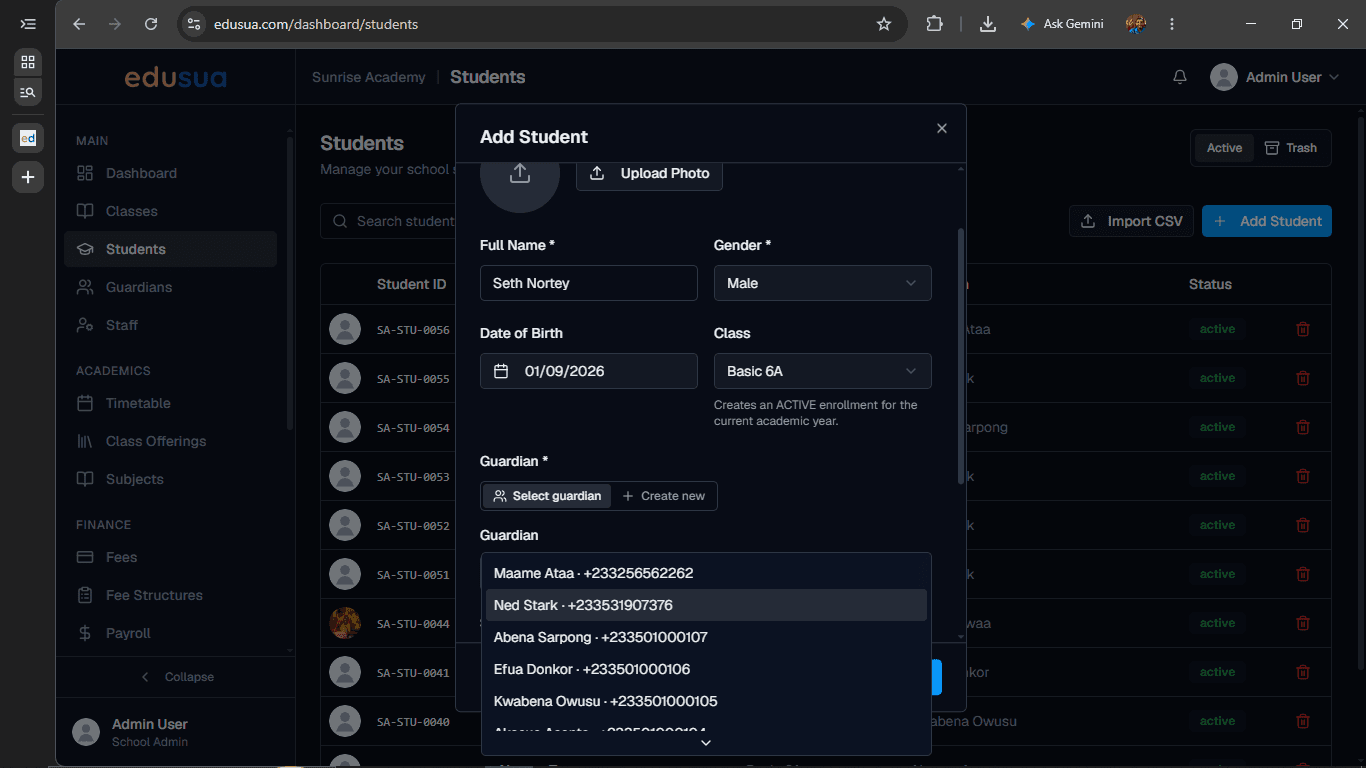
9
Type the student's residential address into the House Address field.
10
Click Save to complete student registration.