Icon

How to Add a User in the iPOSpays Portal

Learn how to create a new user account in the iPOSpays (Flute) portal, configure role permissions, and send proper onboarding instructions.

By Jamie Bianchini

This guide demonstrates how to create a new user account in the iPOSpays (Flute) portal and assign appropriate module privileges. Completing this ensures team members and clients have the necessary permissions to process transactions, while receiving standardized onboarding training.

This guide is intended for administrators or operations team members responsible for managing portal access. It is used whenever a new employee or client service provider requires access to the iPOSpays system.

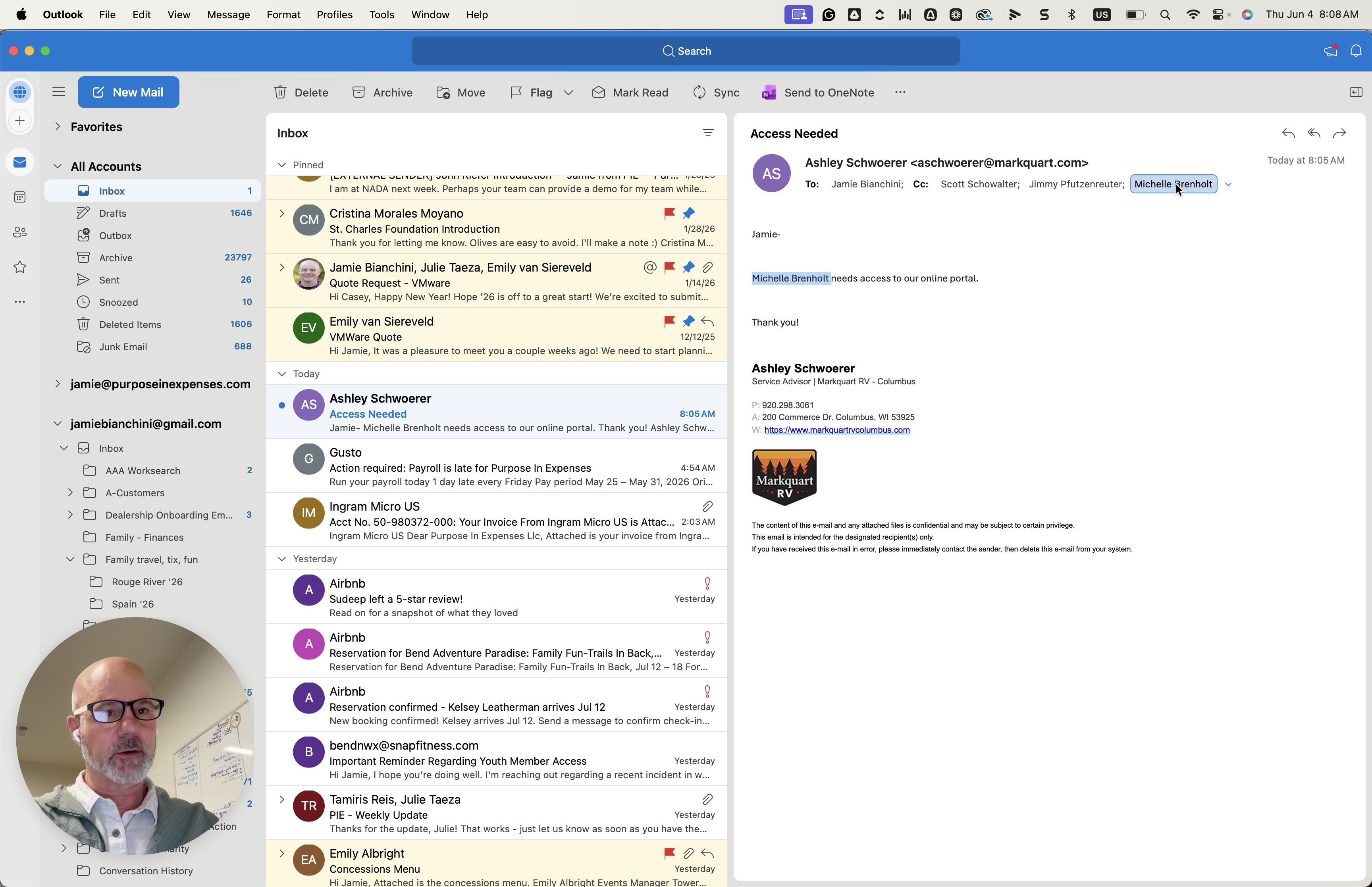
To begin, locate the access request in your email client and copy the target user's email address.
1
Right-click the recipient's name in the email header.
Step #1: Right-click the recipient's name in the email header.
2
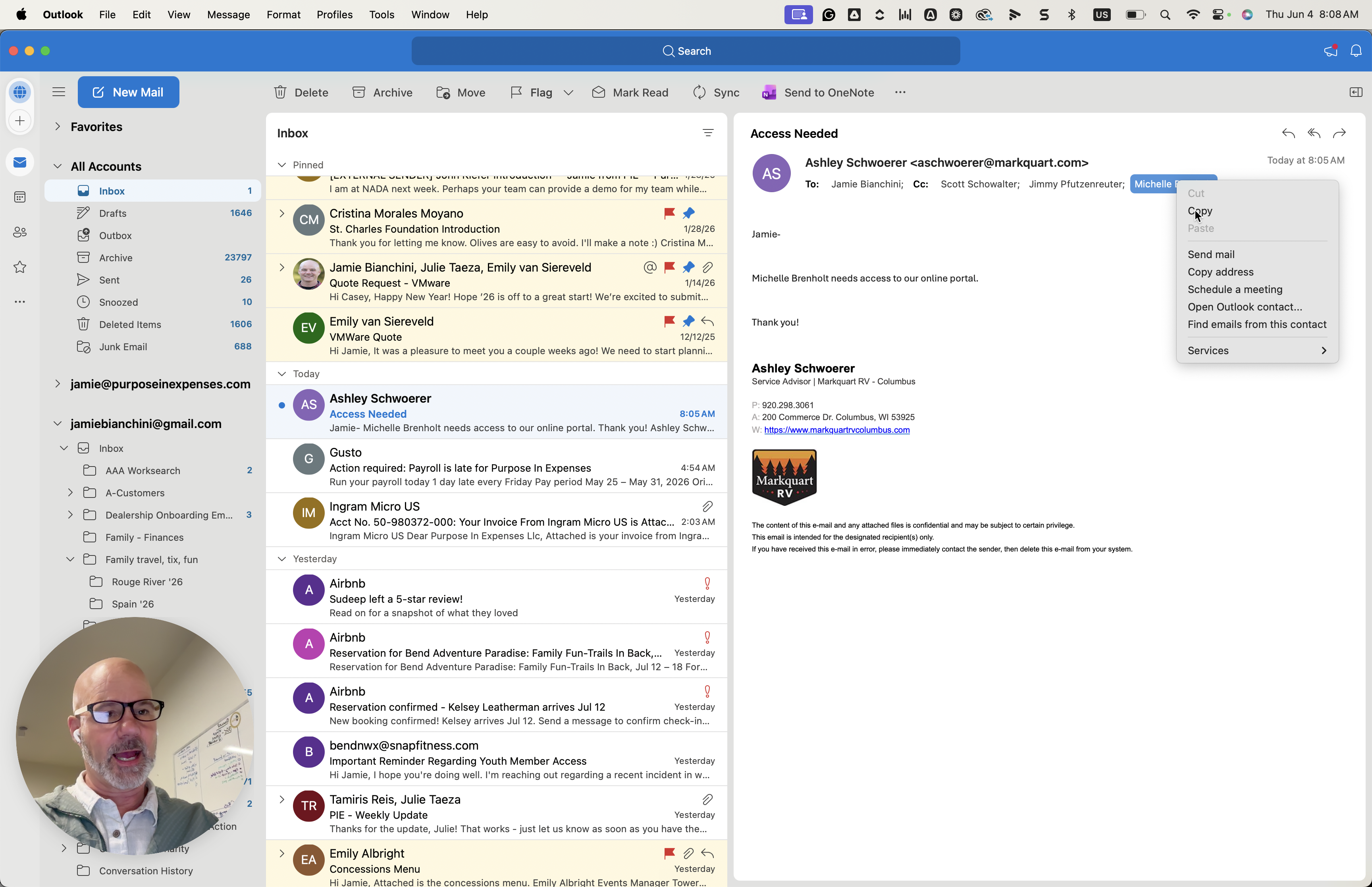
Click Copy to save their email address to your clipboard.
Step #2: Click Copy to save their email address to your clipboard.

Log into the Portal

3
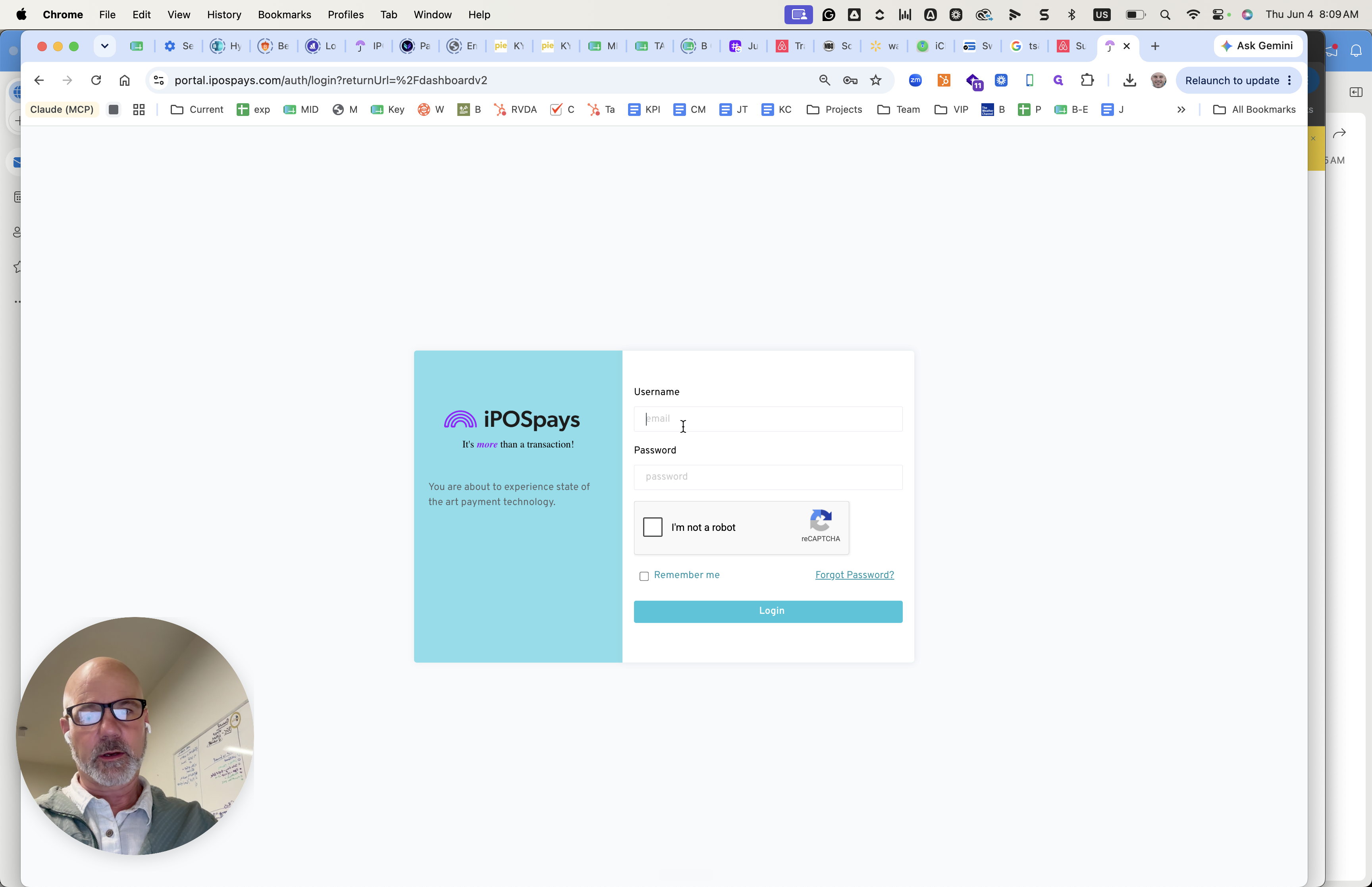
Navigate to the iPOSpays portal login page and click the email input field.
Step #3: Navigate to the iPOSpays portal login page and click the email input field.
4
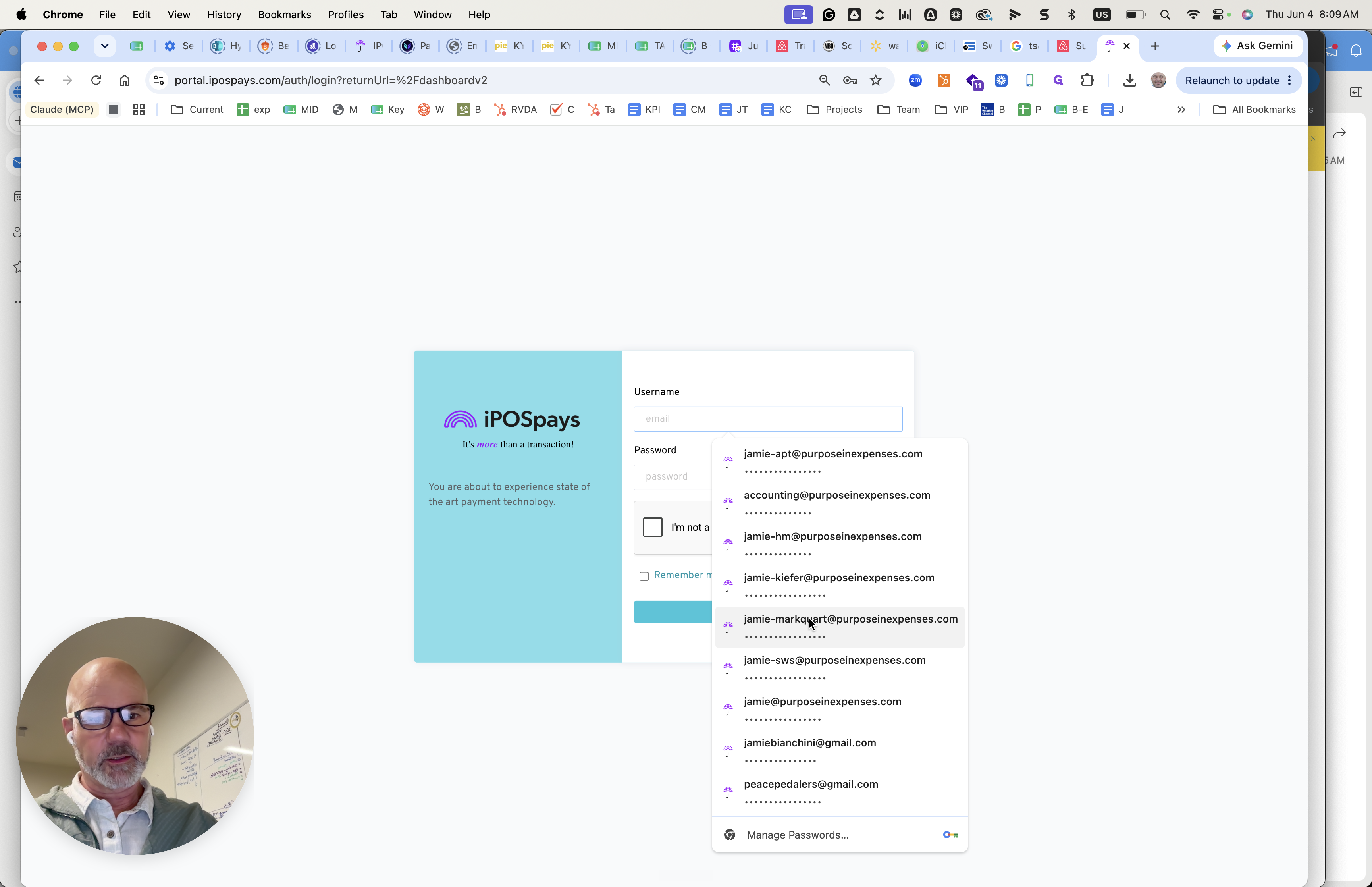
Select or enter your administrative credentials.
Step #4: Select or enter your administrative credentials.
5
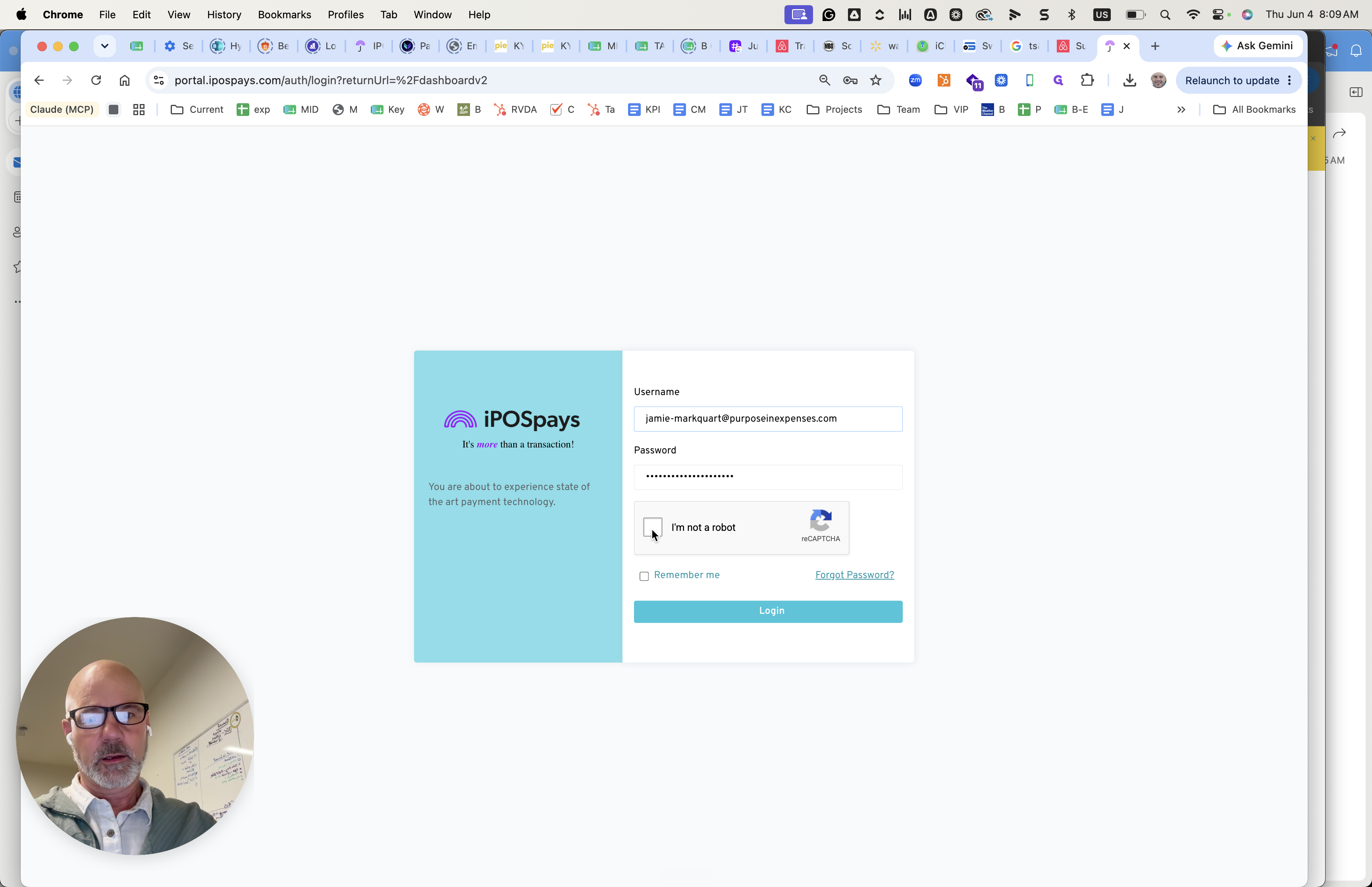
Check the I'm not a robot reCAPTCHA box.
Step #5: Check the I'm not a robot reCAPTCHA box.
6
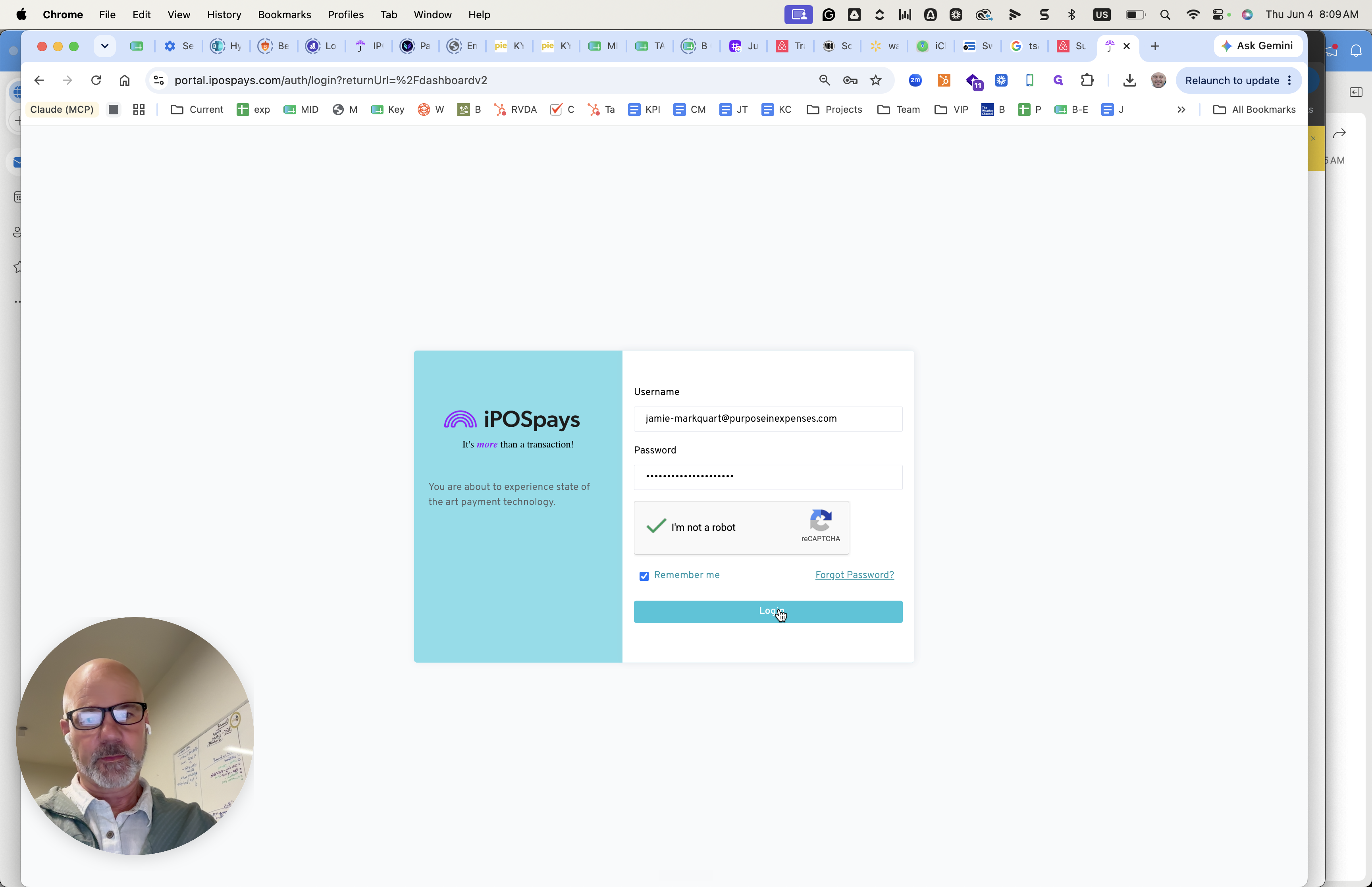
Click Login.
Step #6: Click Login.
7
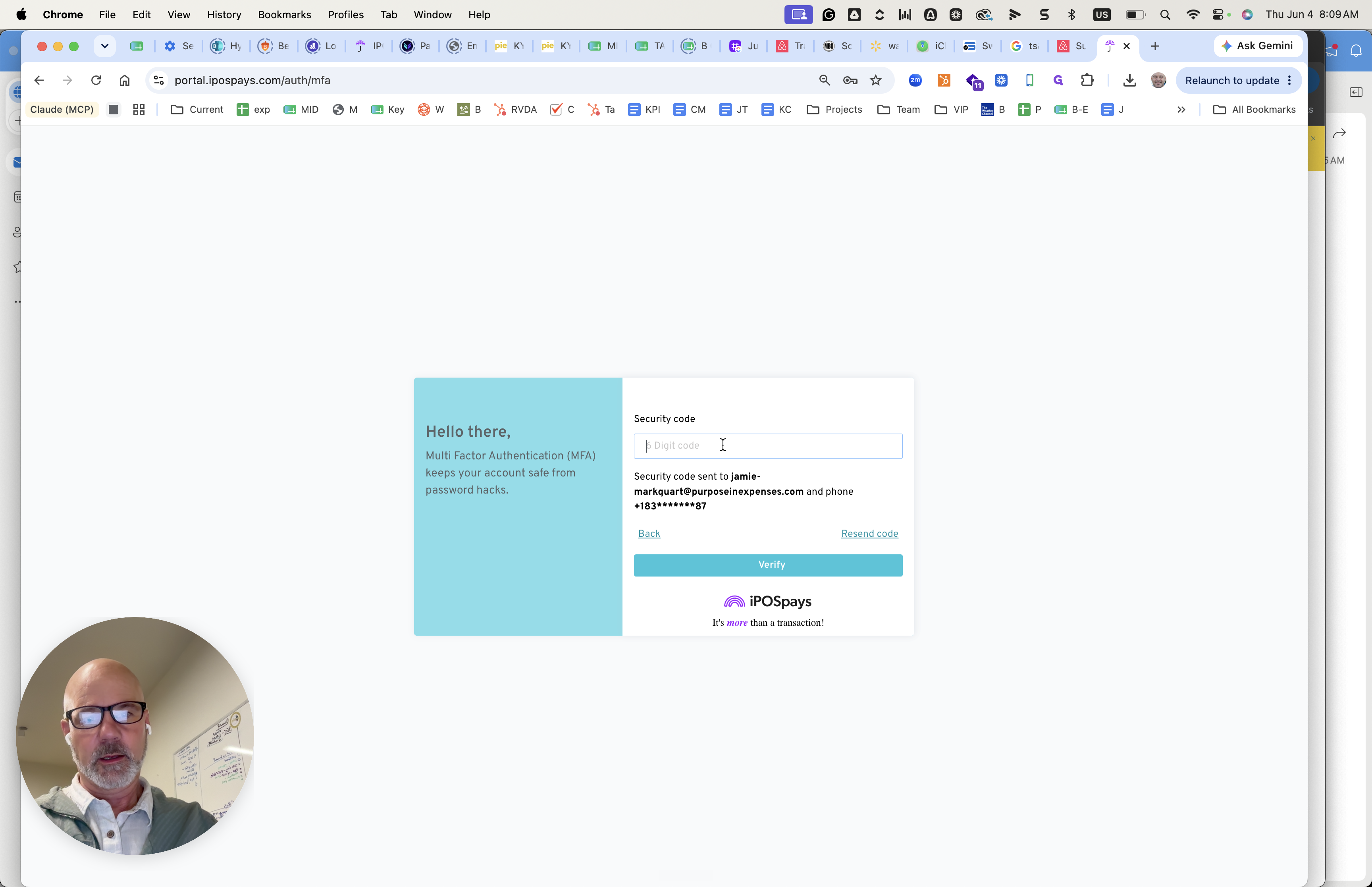
Click the security code field to enter your multi-factor authentication (MFA) code.
Step #7: Click the security code field to enter your multi-factor authentication (MFA) code.
8
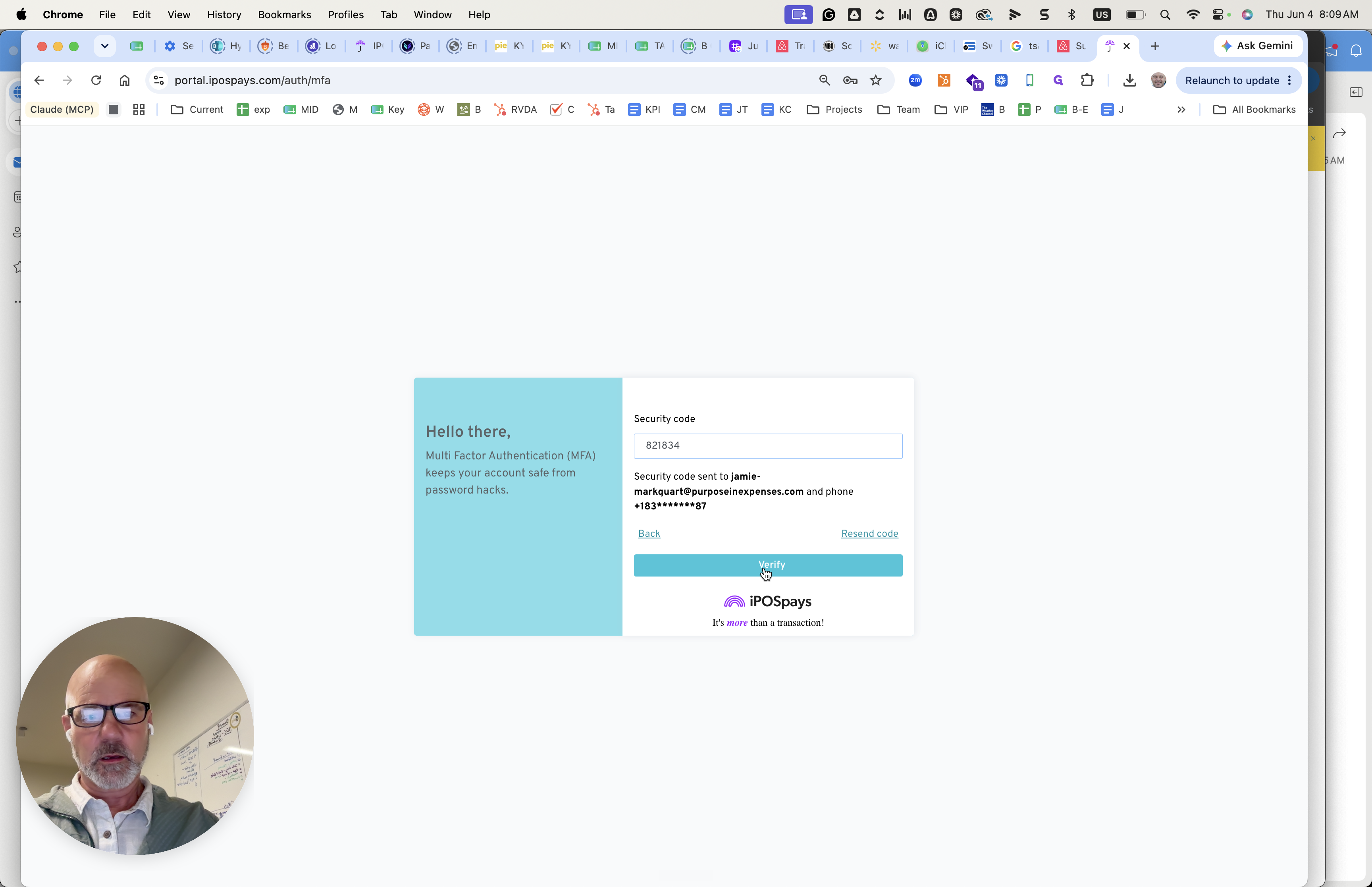
Enter the 6-digit code sent to your device and click Verify.
Step #8: Enter the 6-digit code sent to your device and click Verify.

Create the New User

9
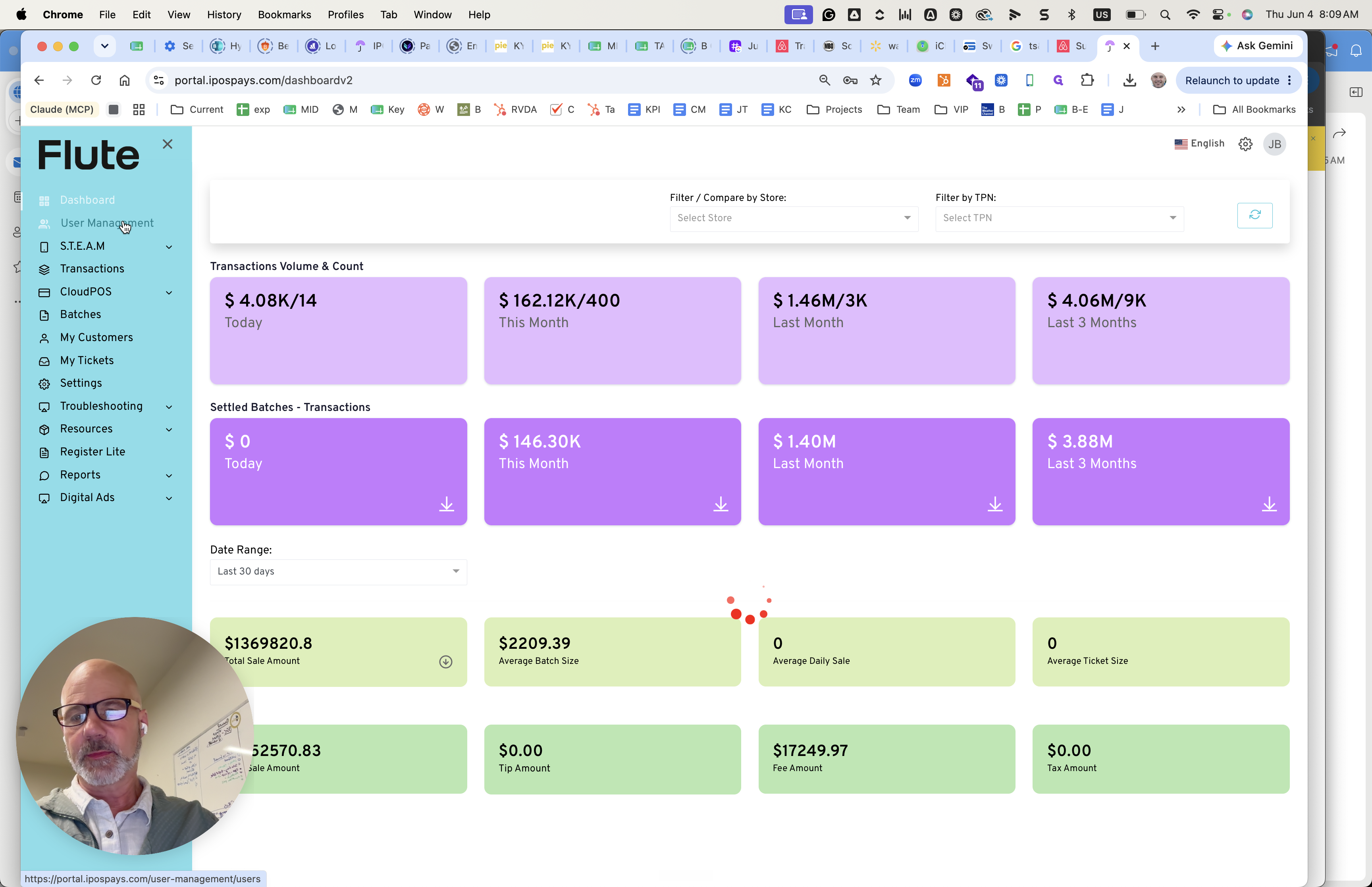
Click User Management in the left sidebar navigation.
Step #9: Click User Management in the left sidebar navigation.
10
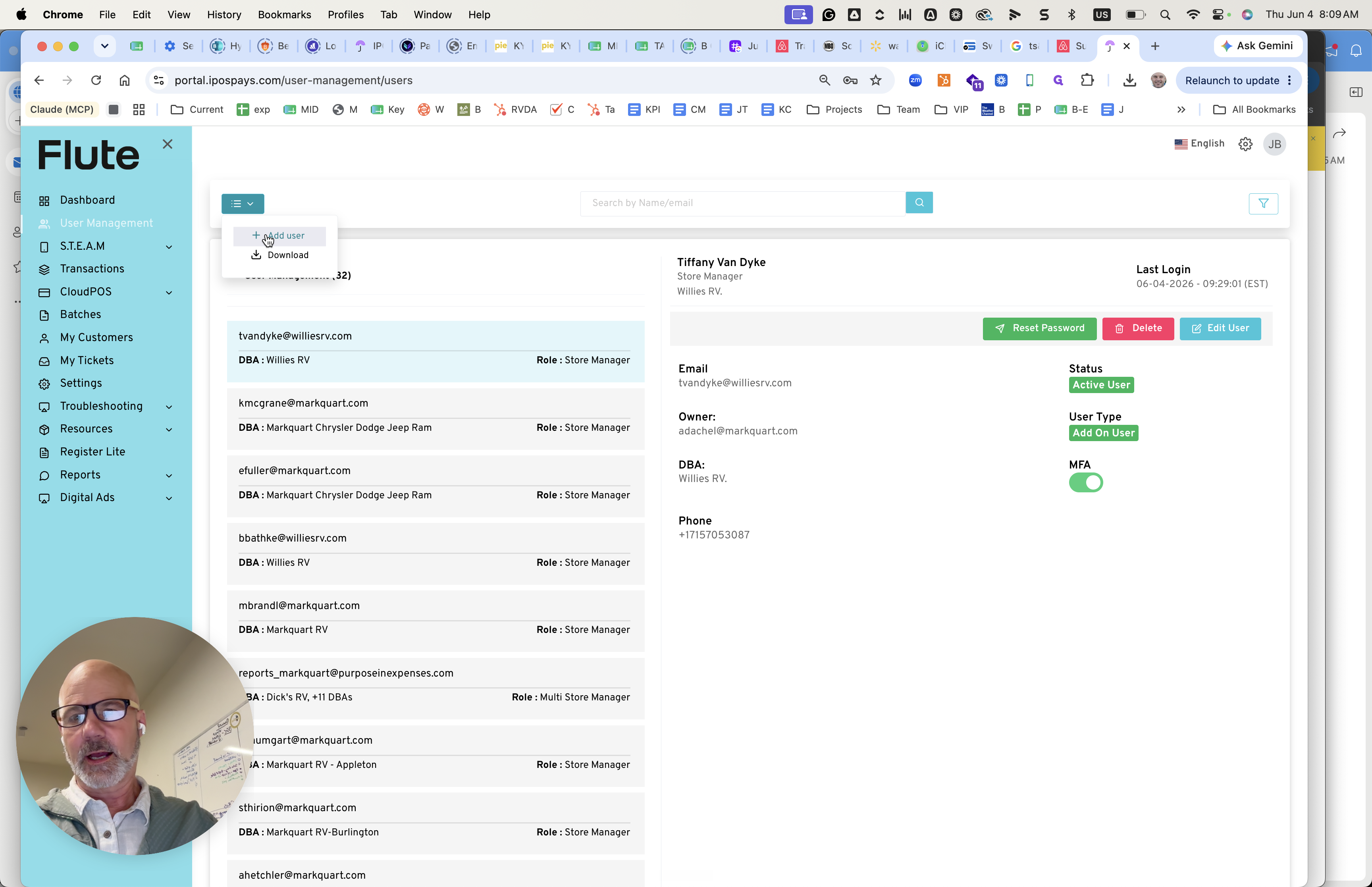
Click + Add user to open the user creation modal.
Step #10: Click + Add user to open the user creation modal.

Fill in the user's personal and role details:
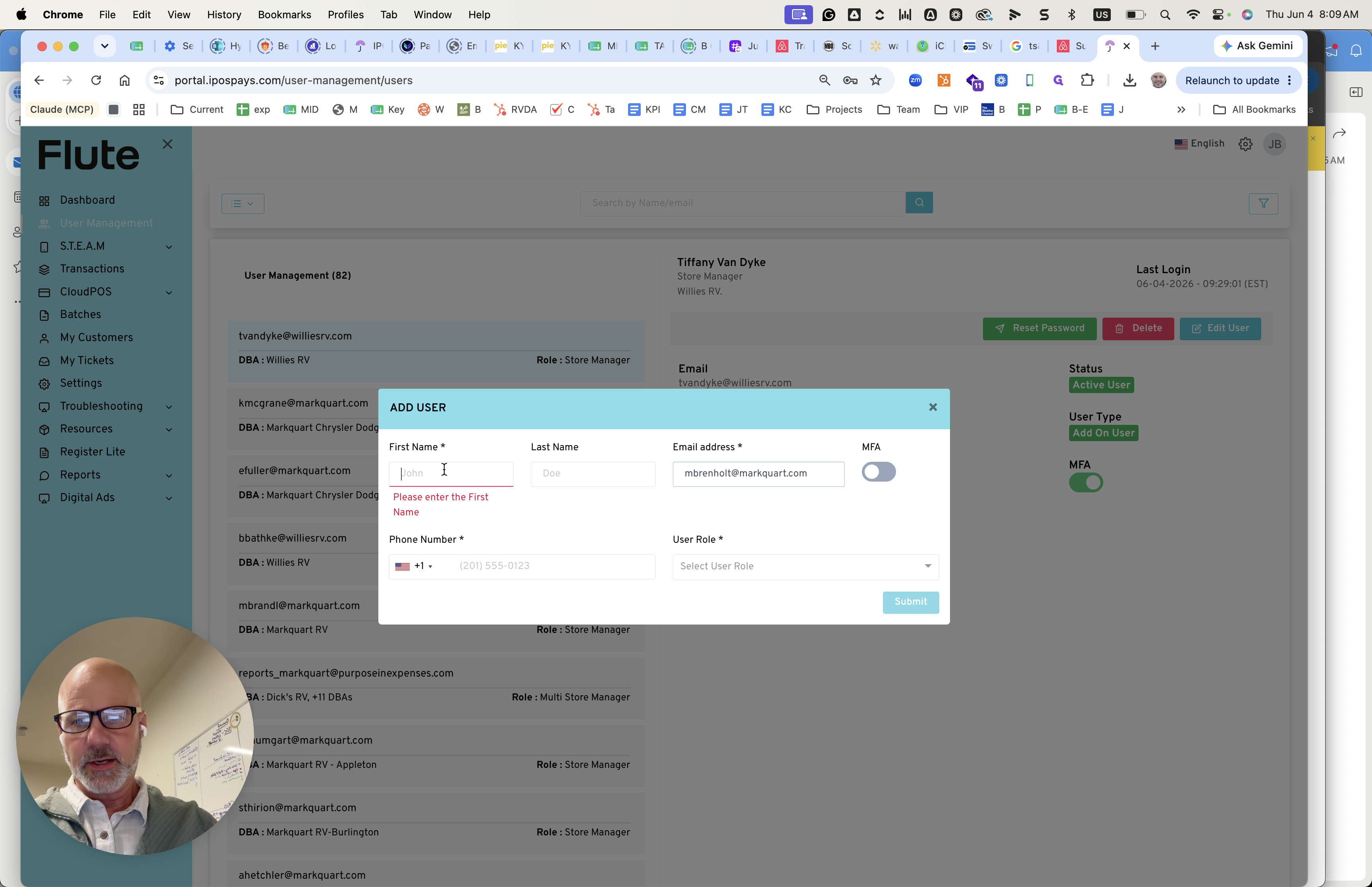
11
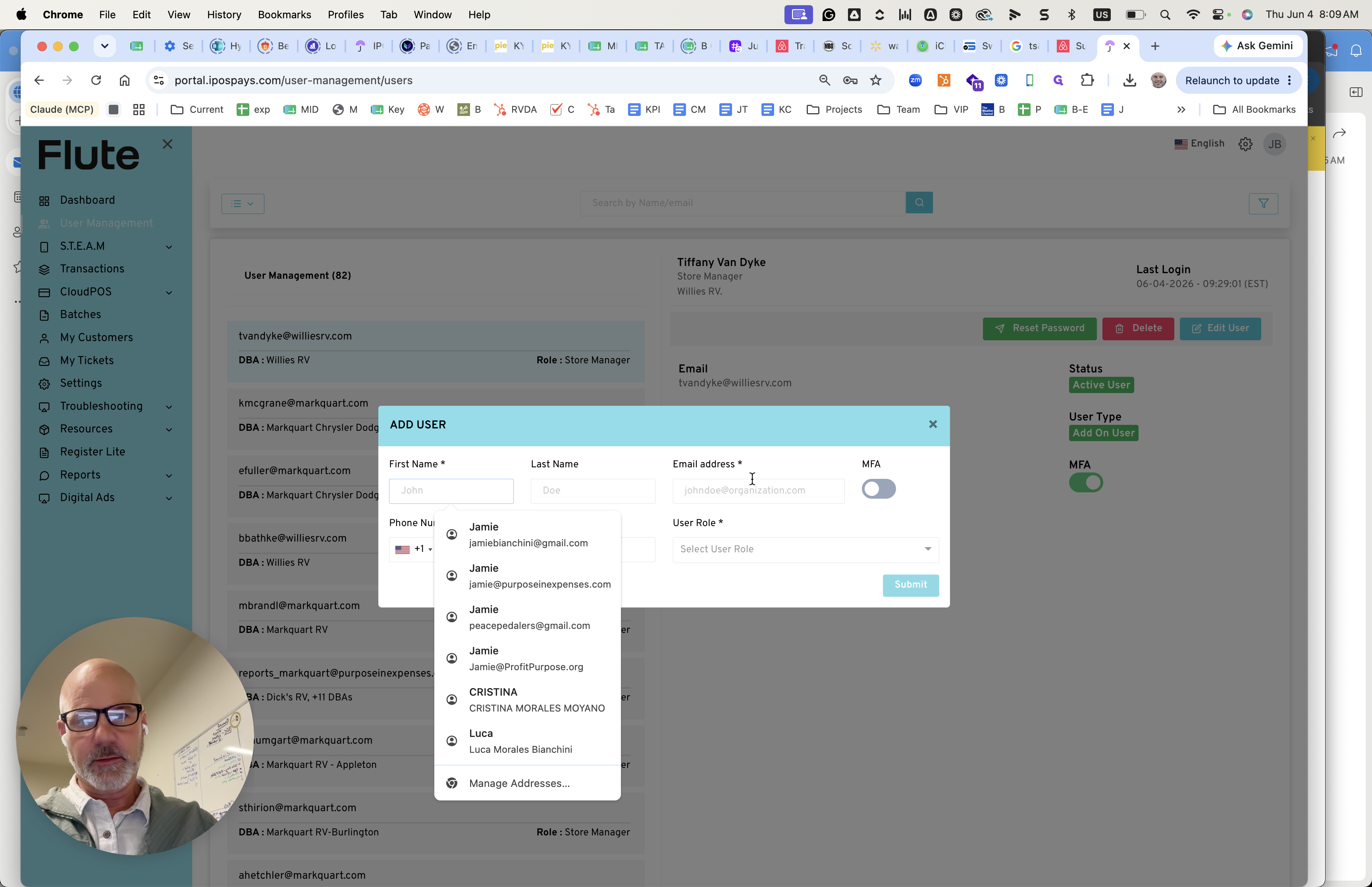
Click the First Name field and enter the user's name.
Step #11: Click the First Name field and enter the user's name.
12
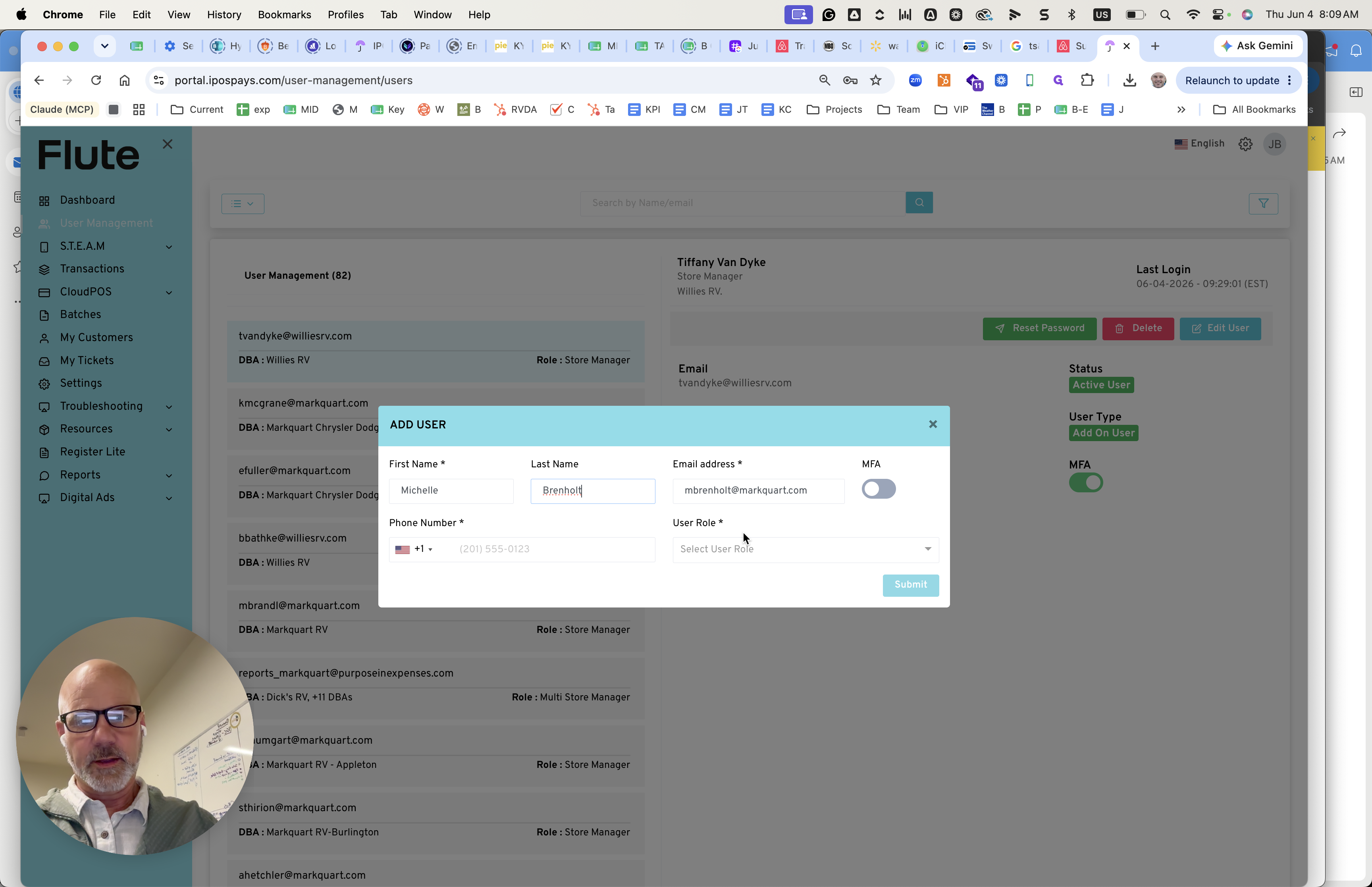
Click the Email address field and paste the copied email address.
Step #12: Click the Email address field and paste the copied email address.
13
Click the User Role dropdown.
Step #13: Click the User Role dropdown.
14
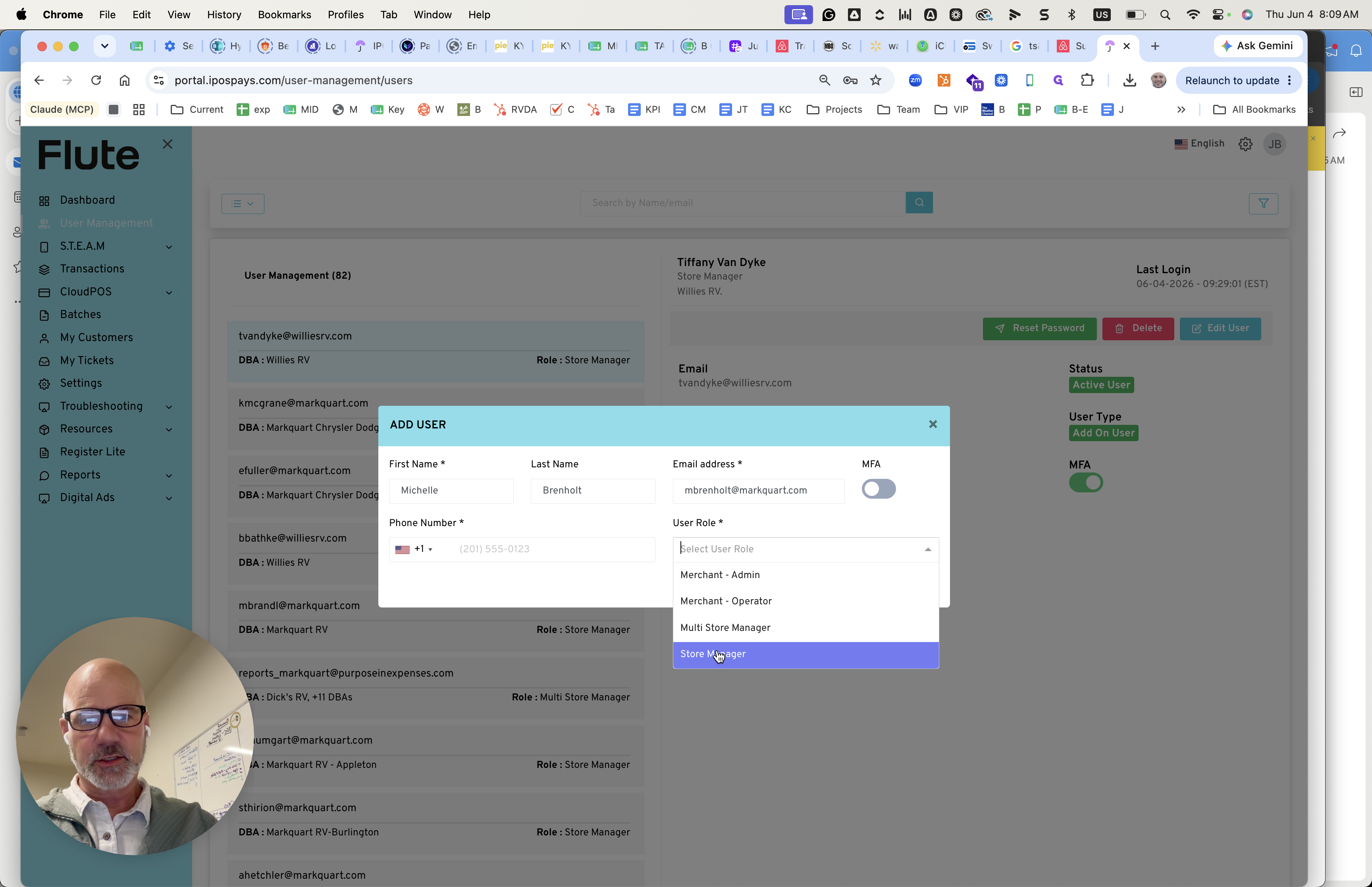
Select the appropriate role, such as Store Manager.
Step #14: Select the appropriate role, such as Store Manager.
15
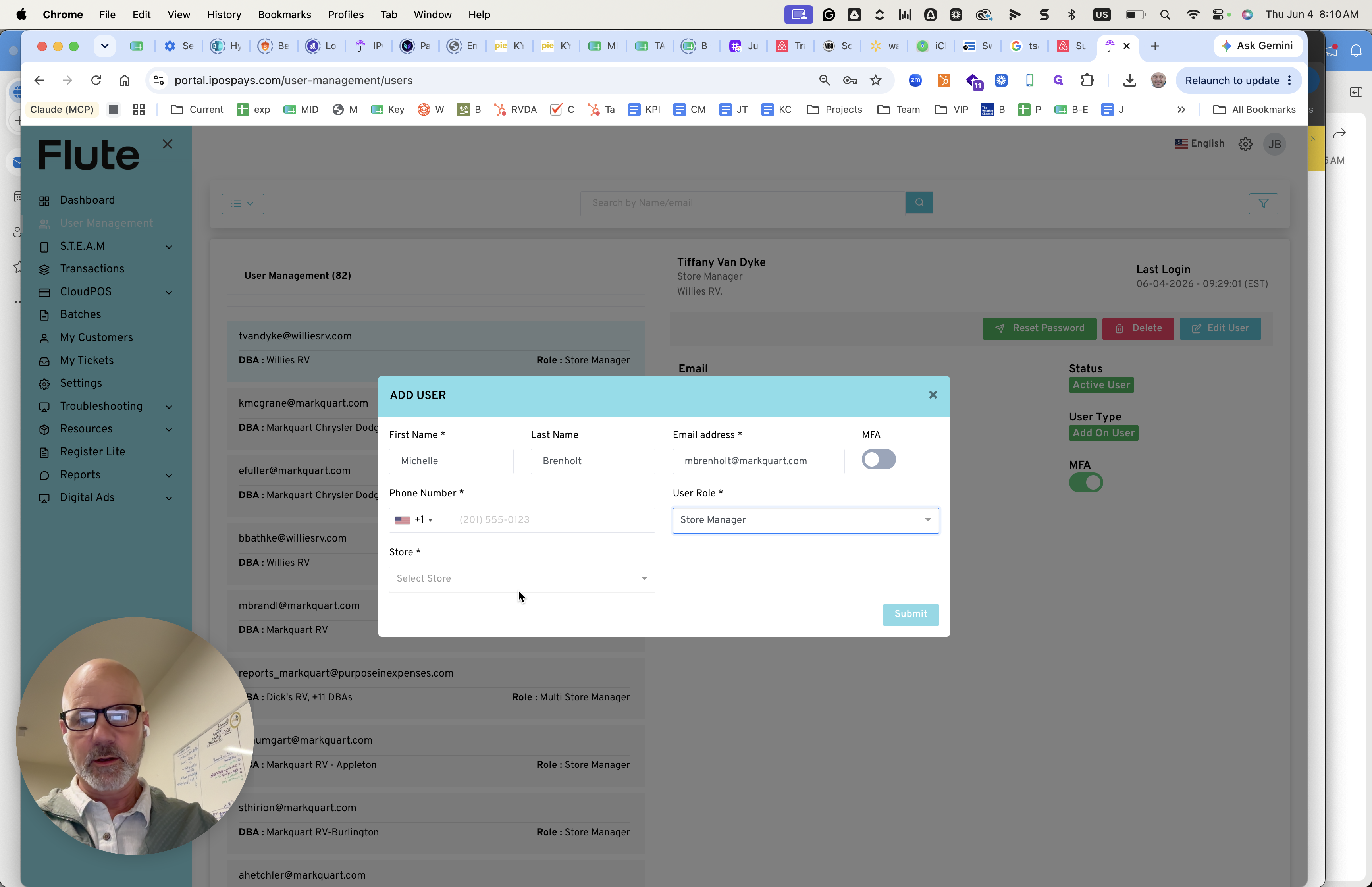
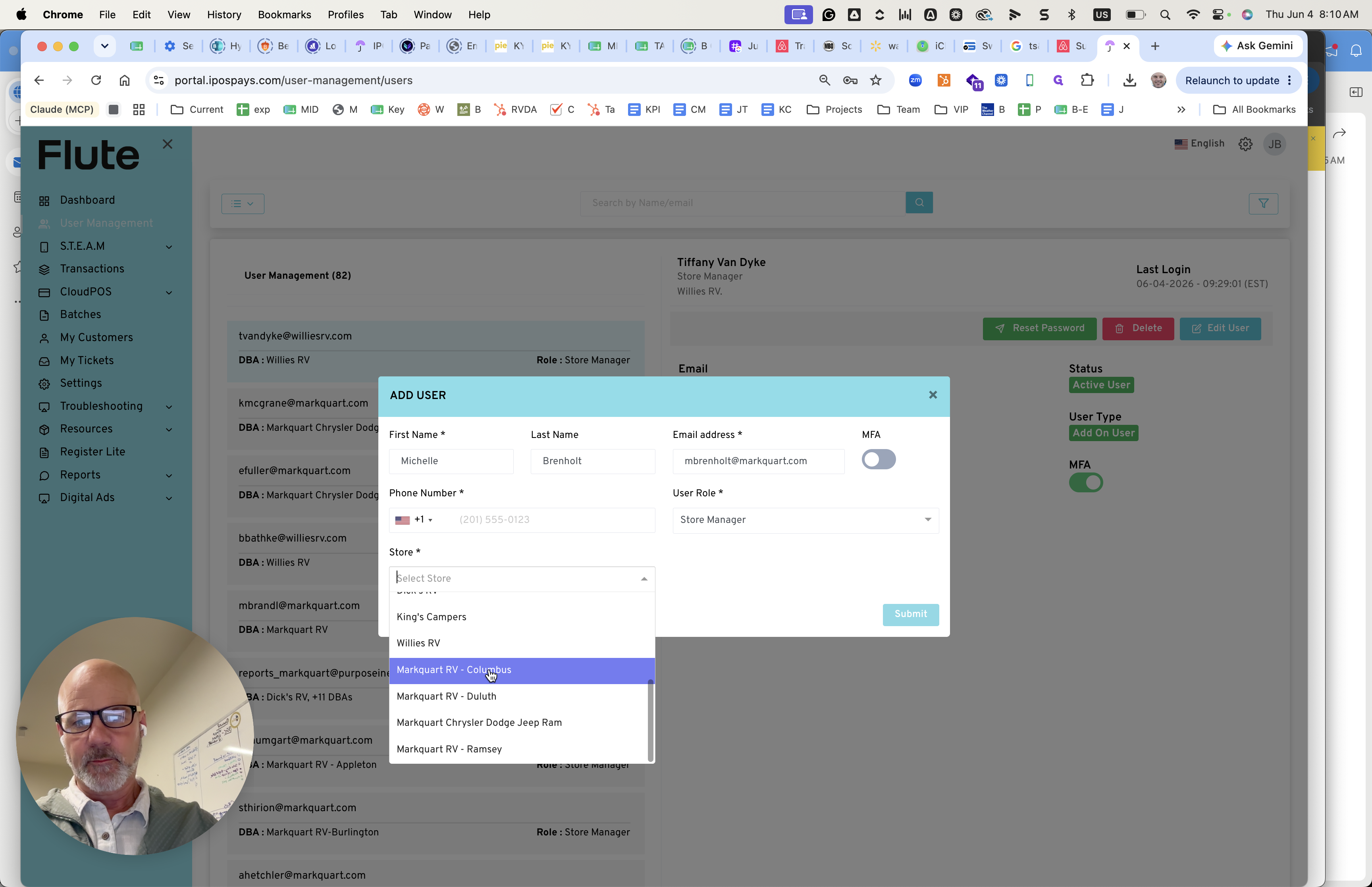
Click the Store dropdown.
Step #15: Click the Store dropdown.
16
Select the correct store location.
Step #16: Select the correct store location.

Assign Modules and Privileges

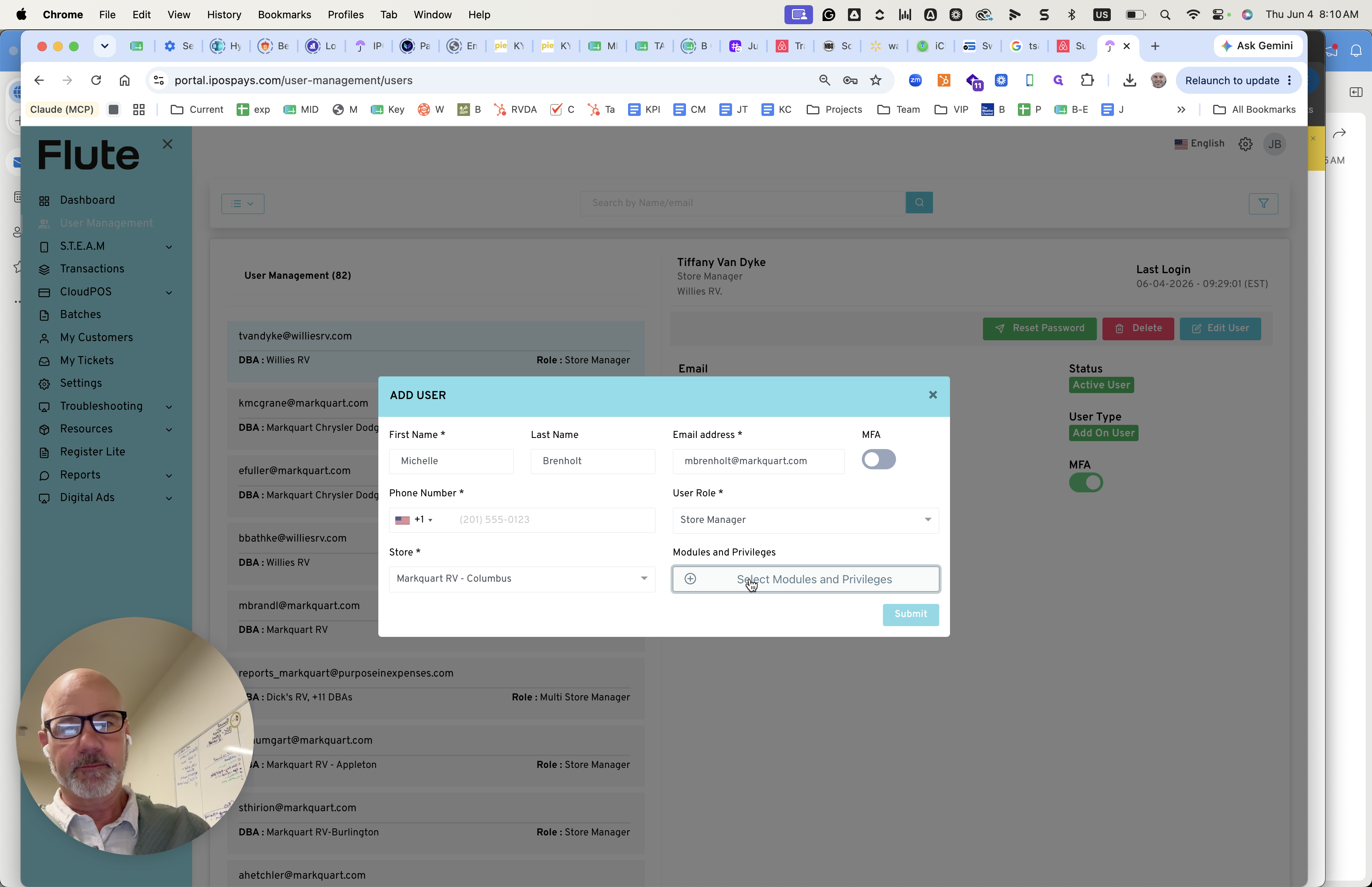
17
Click Select Modules and Privileges.
Step #17: Click Select Modules and Privileges.

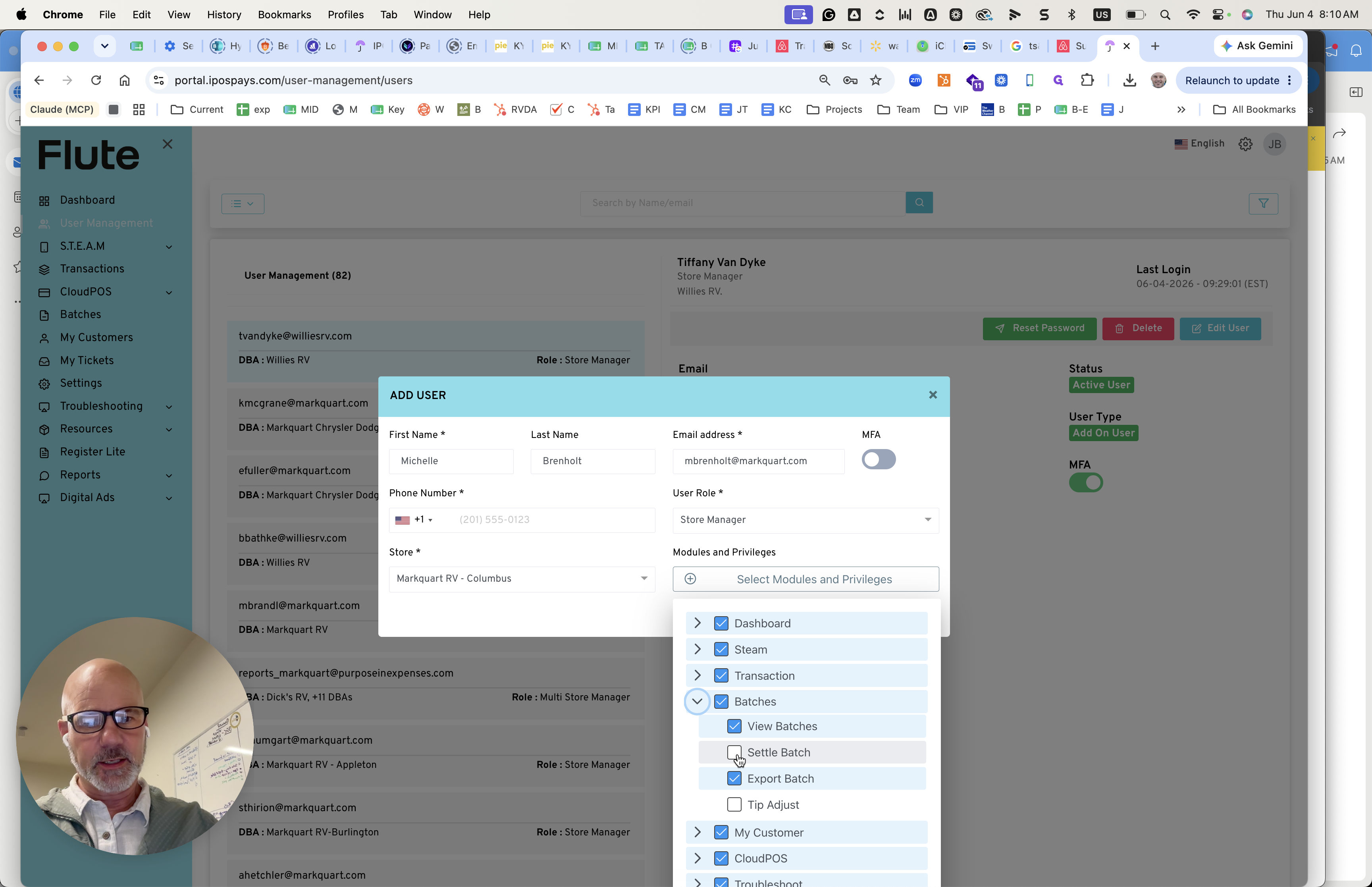
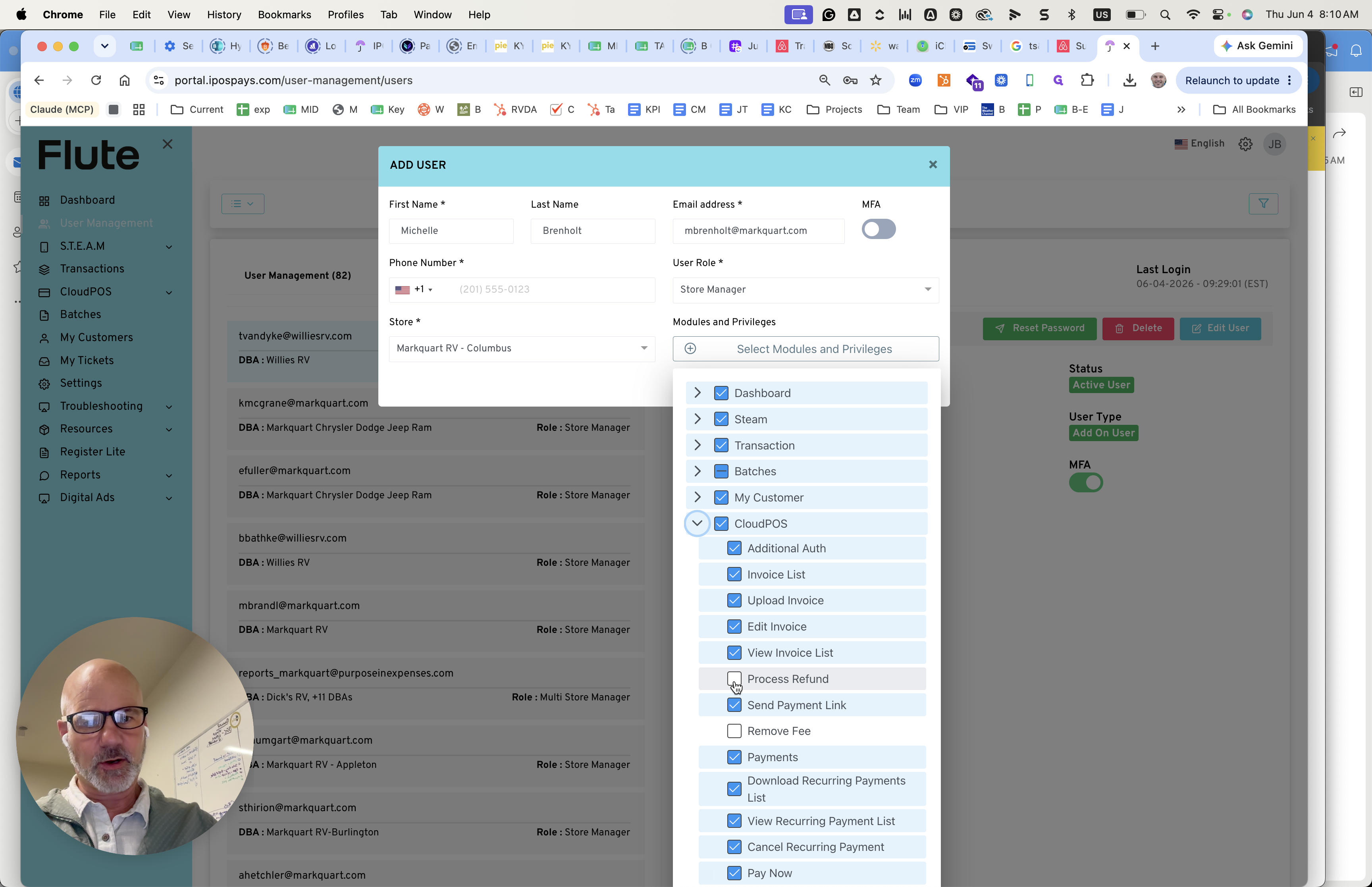
Configure the standard permissions based on the user's role. For standard store managers, reference the configuration below:

Module

Privilege / Setting

Notes

Batches

Settle Batch

Standard requirement for managing daily processing.

CloudPOS

Process Refund

Do not grant the ability to remove fees unless escalated.

Transactions

View All

Ensures visibility into all store transaction records.

18
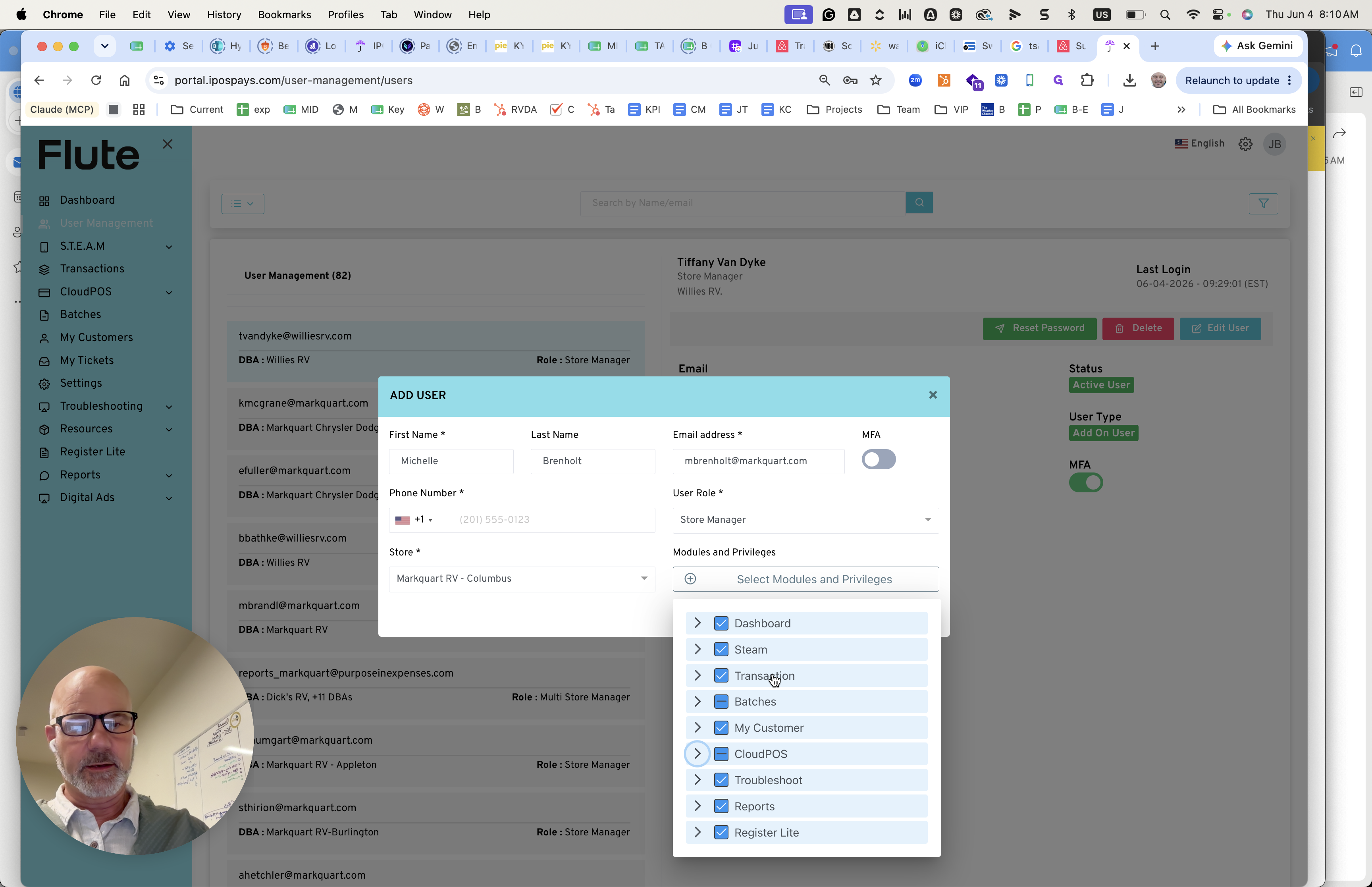
Under the Batches section, check the Settle Batch box.
Step #18: Under the Batches section, check the Settle Batch box.
19
Under the CloudPOS section, check the Process Refund box.
Step #19: Under the CloudPOS section, check the Process Refund box.
20
Check the Transaction box to grant transaction visibility.
Step #20: Check the Transaction box to grant transaction visibility.

Finish configuring the user's contact information:
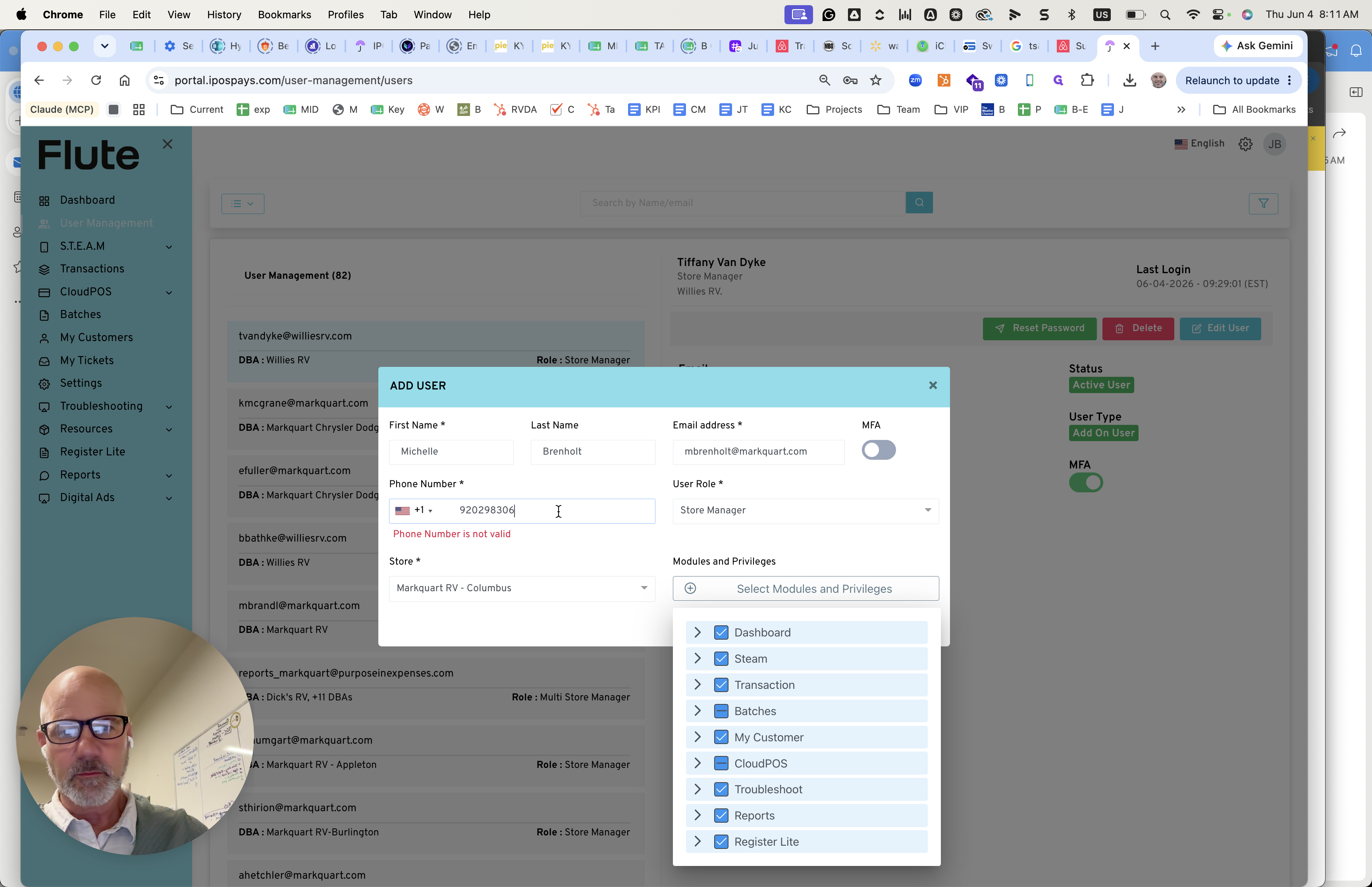
21
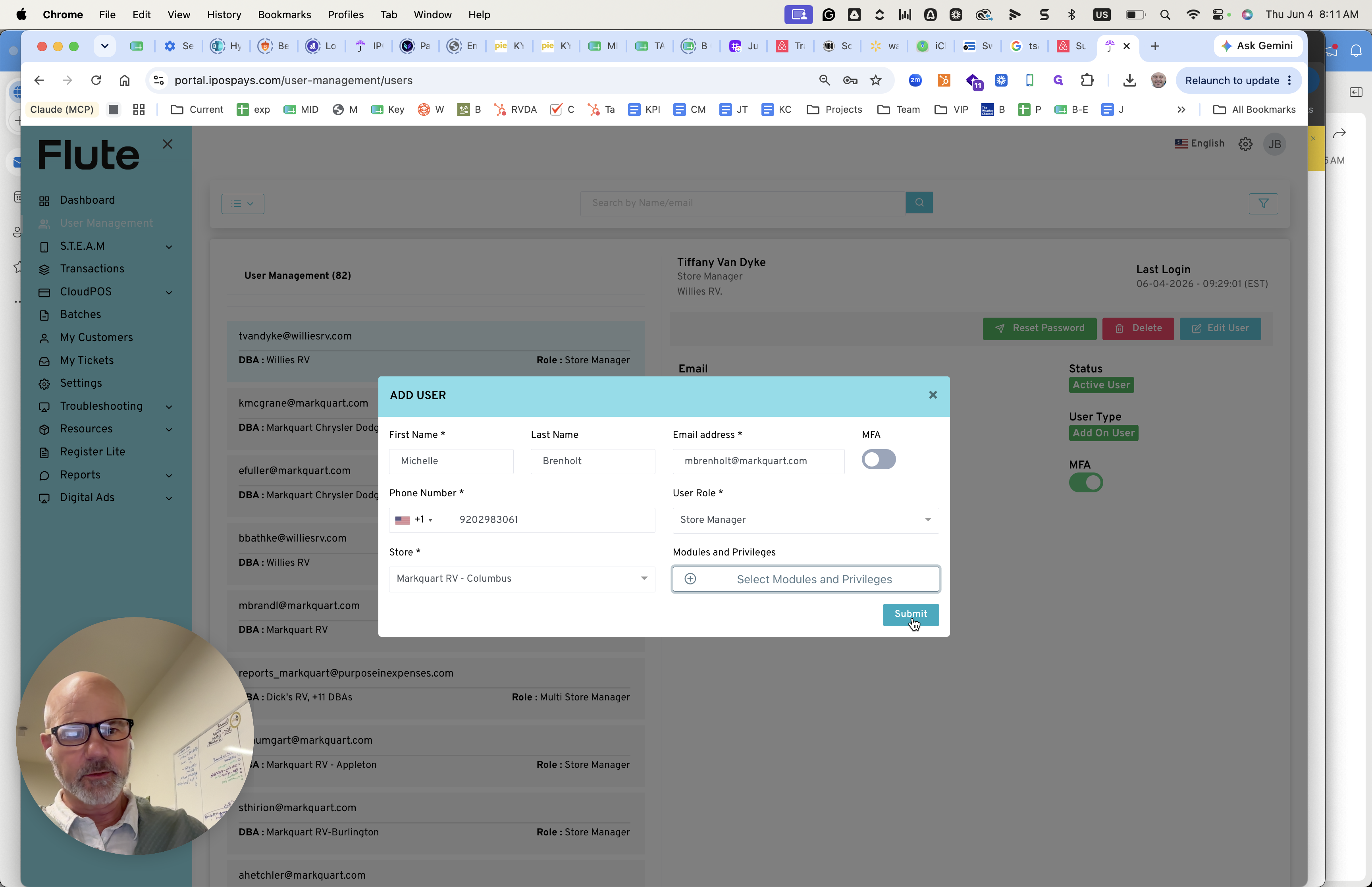
Click the phone number field and enter a valid contact number.
Step #21: Click the phone number field and enter a valid contact number.
22
Click Submit.
Step #22: Click Submit.
23
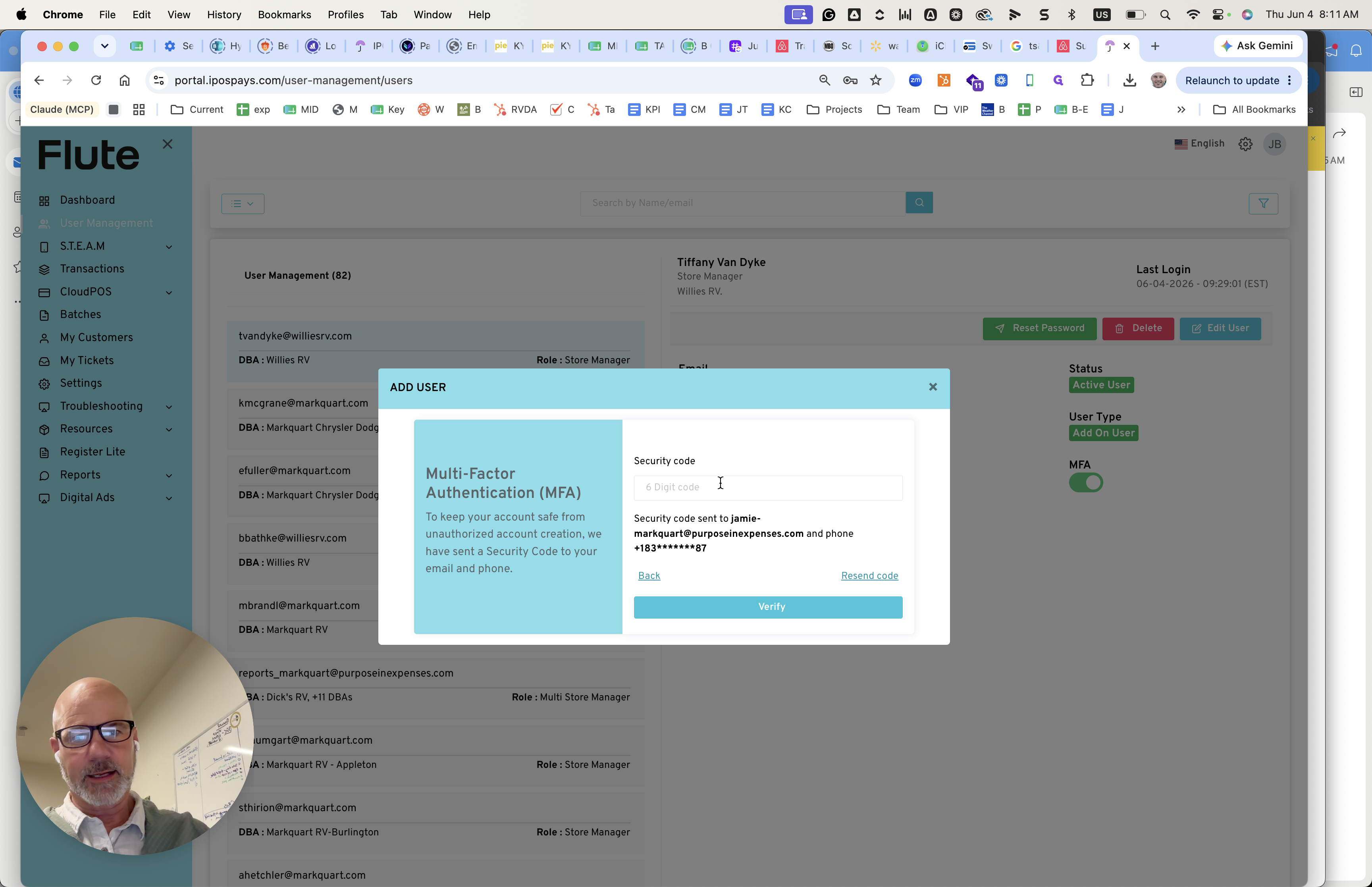
Click the security code field on the MFA prompt.
Step #23: Click the security code field on the MFA prompt.
24
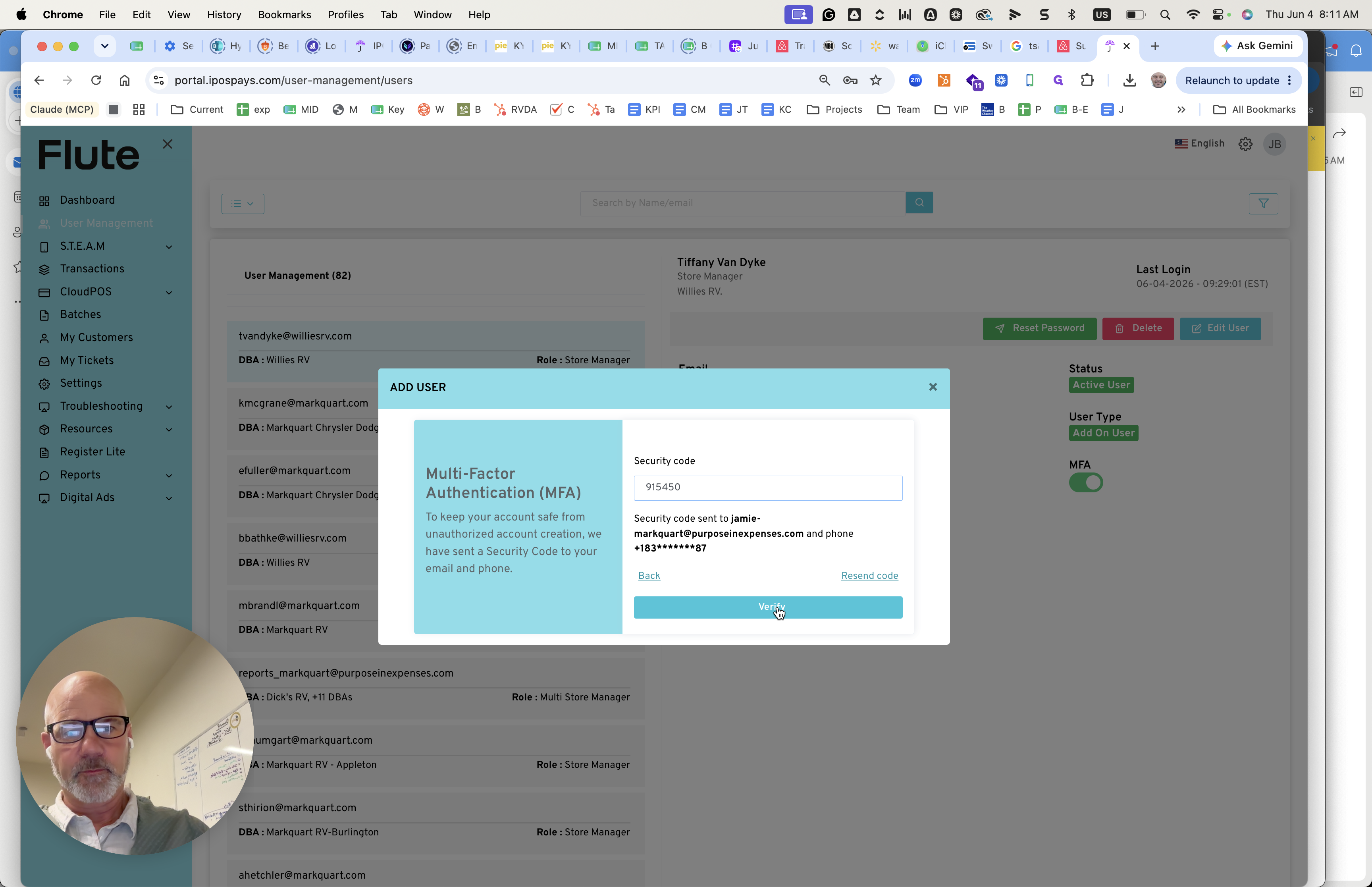
Enter the required 6-digit MFA code and click Verify to finalize account creation.
Step #24: Enter the required 6-digit MFA code and click Verify to finalize account creation.

Send Onboarding Instructions

Once the user is created, reply to their request with onboarding details.
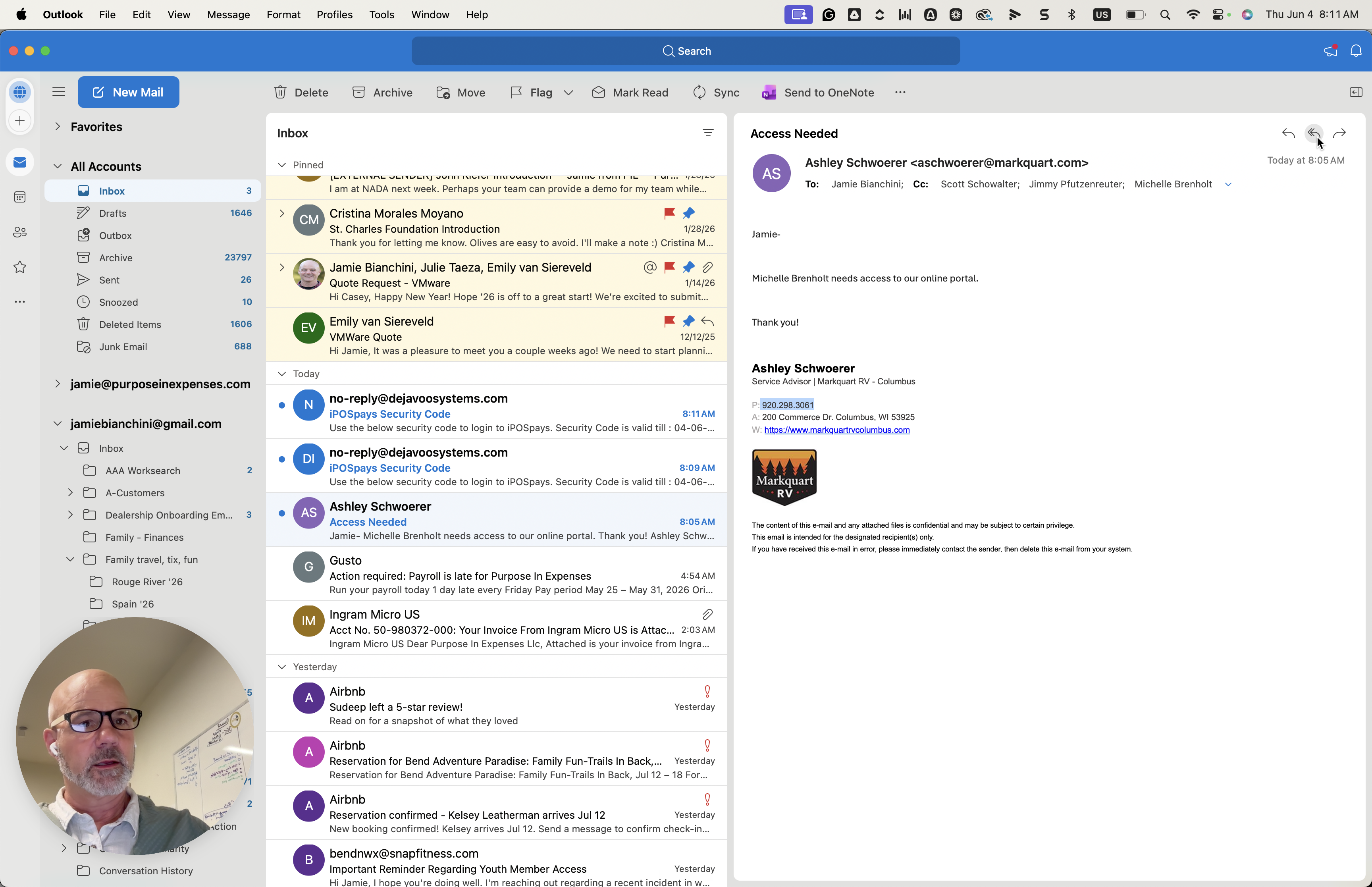
25
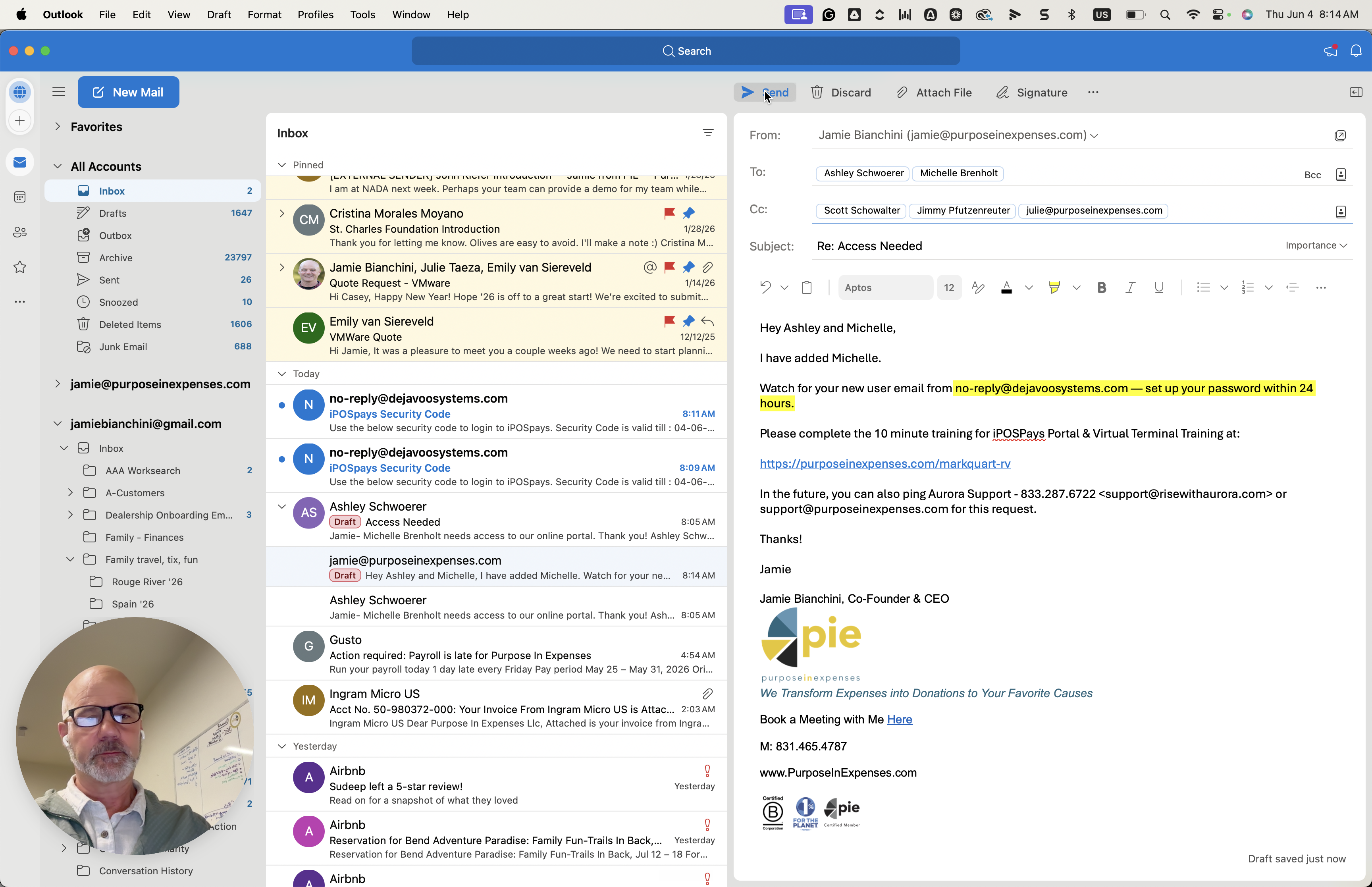
Return to your email client and click Reply.
Step #25: Return to your email client and click Reply.
26
Draft a message confirming the user has been added to the system.
Step #26: Draft a message confirming the user has been added to the system.
27
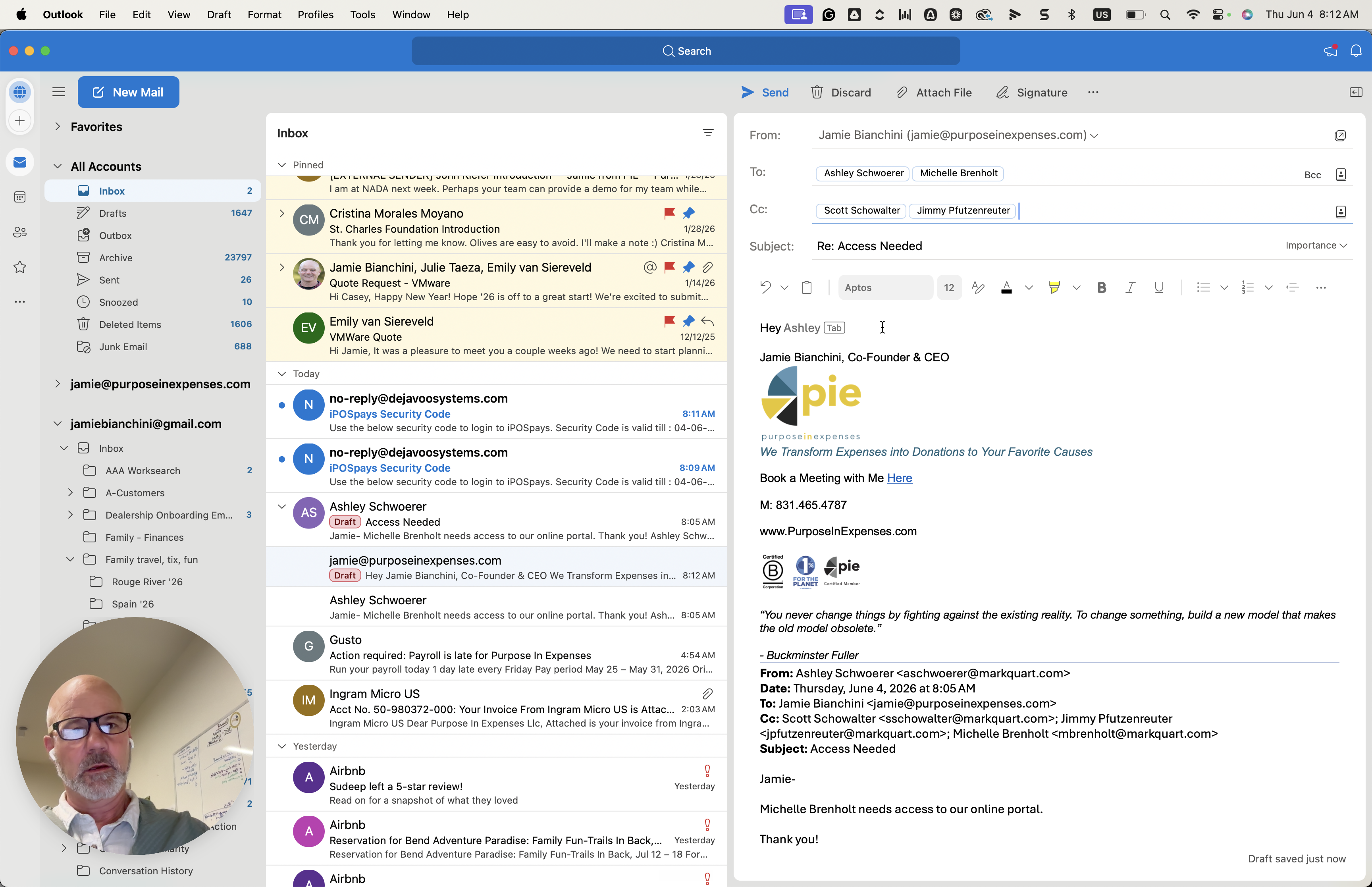
Instruct the user to watch for a password setup email from no-reply@dejavoosystems.com within 24 hours.
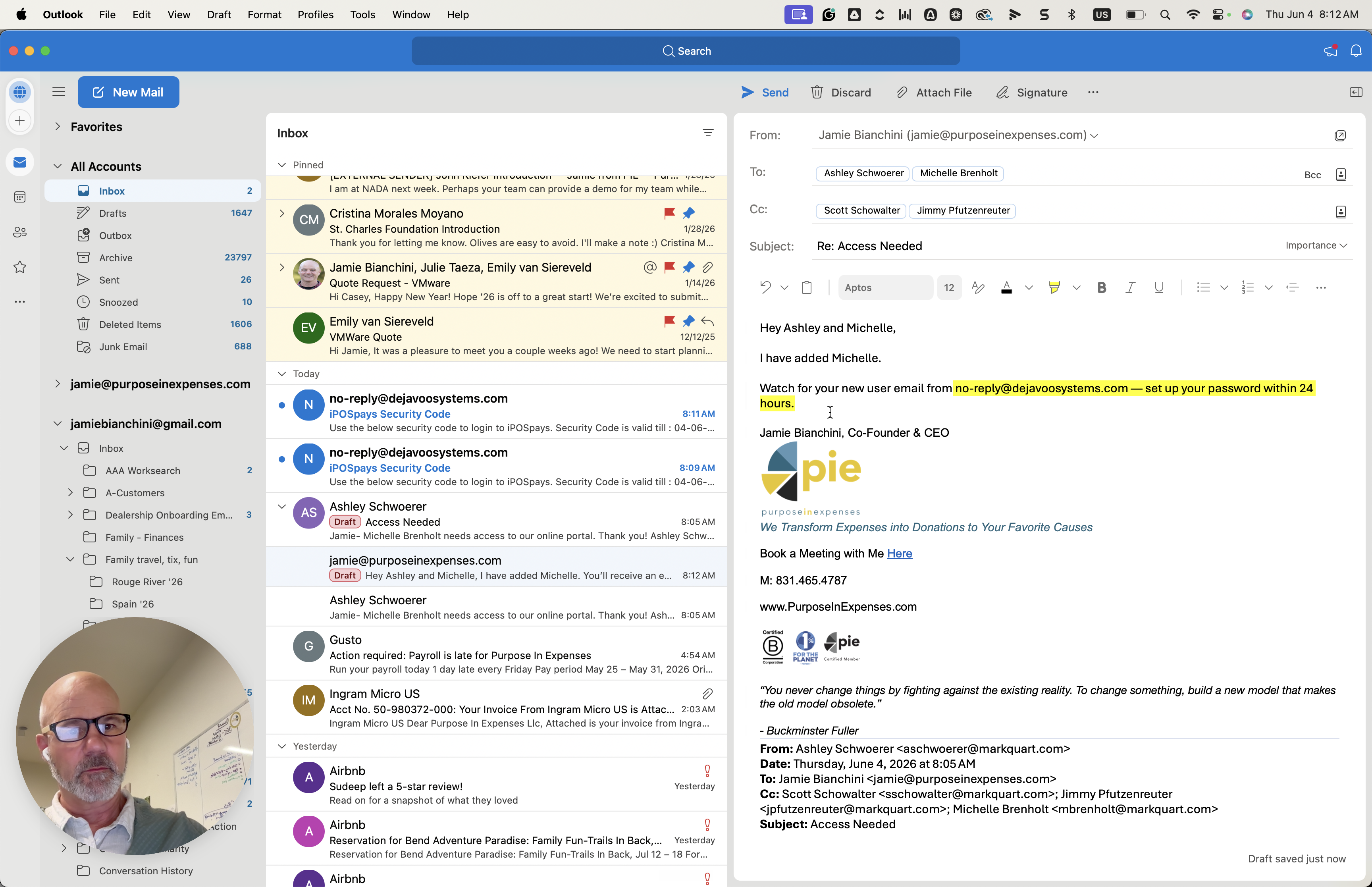
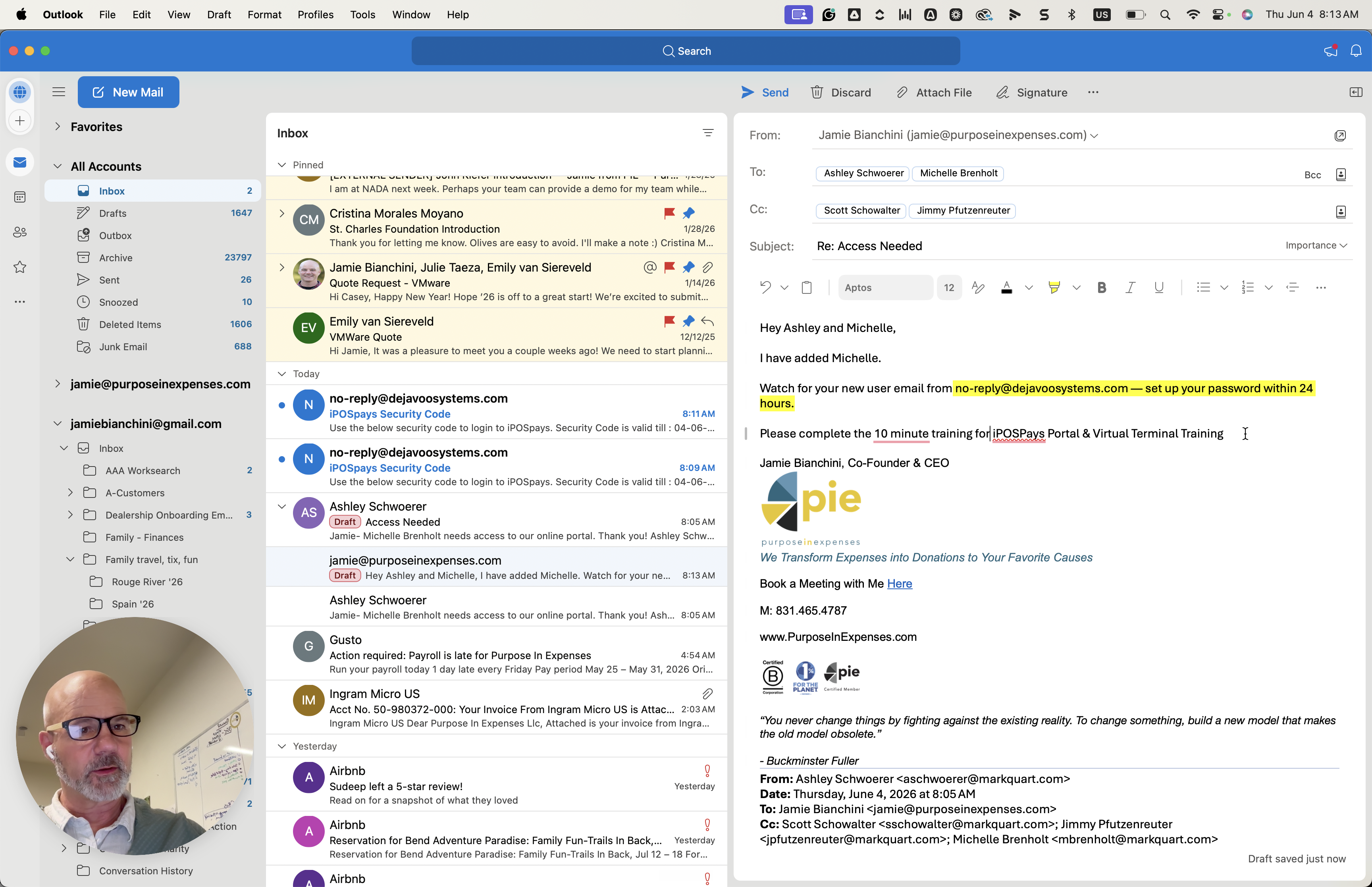
Step #27: Instruct the user to watch for a password setup email from no-reply@dejavoosystems.com within 24 hours.
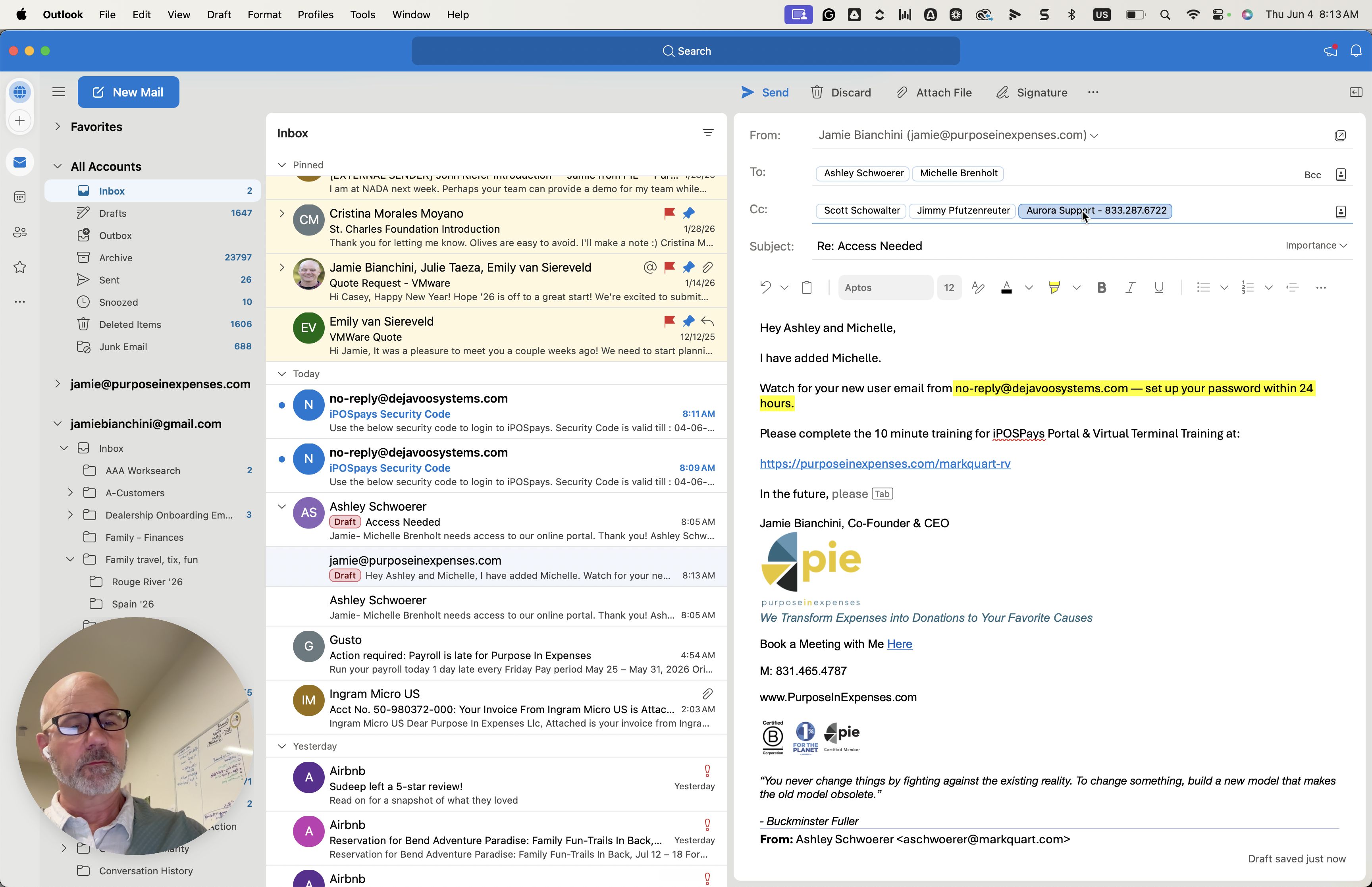
28
Include a link to the 10-minute iPOSPays Portal & Virtual Terminal Training module.
Step #28: Include a link to the 10-minute iPOSPays Portal & Virtual Terminal Training module.
29
CC any relevant support teams or team members on the email thread.
Step #29: CC any relevant support teams or team members on the email thread.
30
Click Send to dispatch the instructions.
Step #30: Click Send to dispatch the instructions.

Q: What should I enter if I don't have the user's mobile phone number?

A: If you don't have their direct cell number, you can enter the main phone number for their store location to complete the form setup. They can request an update to a cell number later for MFA purposes.

Q: Should I give store managers the ability to remove fees in CloudPOS?

A: No, standard store managers should only be granted the ability to process refunds. The ability to remove fees requires higher-level permissions.

Q: Where does the initial password setup email come from?

A: New users will receive an automated email from no-reply@dejavoosystems.com to set up their password, which is valid for 24 hours.

Term

Definition

iPOSpays (Flute)

The portal used to manage store payments, process transactions, and settle batches.

CloudPOS

A module within the payment portal that handles virtual point-of-sale transactions and refund processing.

MFA (Multi-Factor Authentication)

A security measure requiring users to enter a time-sensitive code sent to their email or phone to log in or confirm major actions.

Settle Batch

The process of closing out a day's credit card transactions to finalize them for funding.