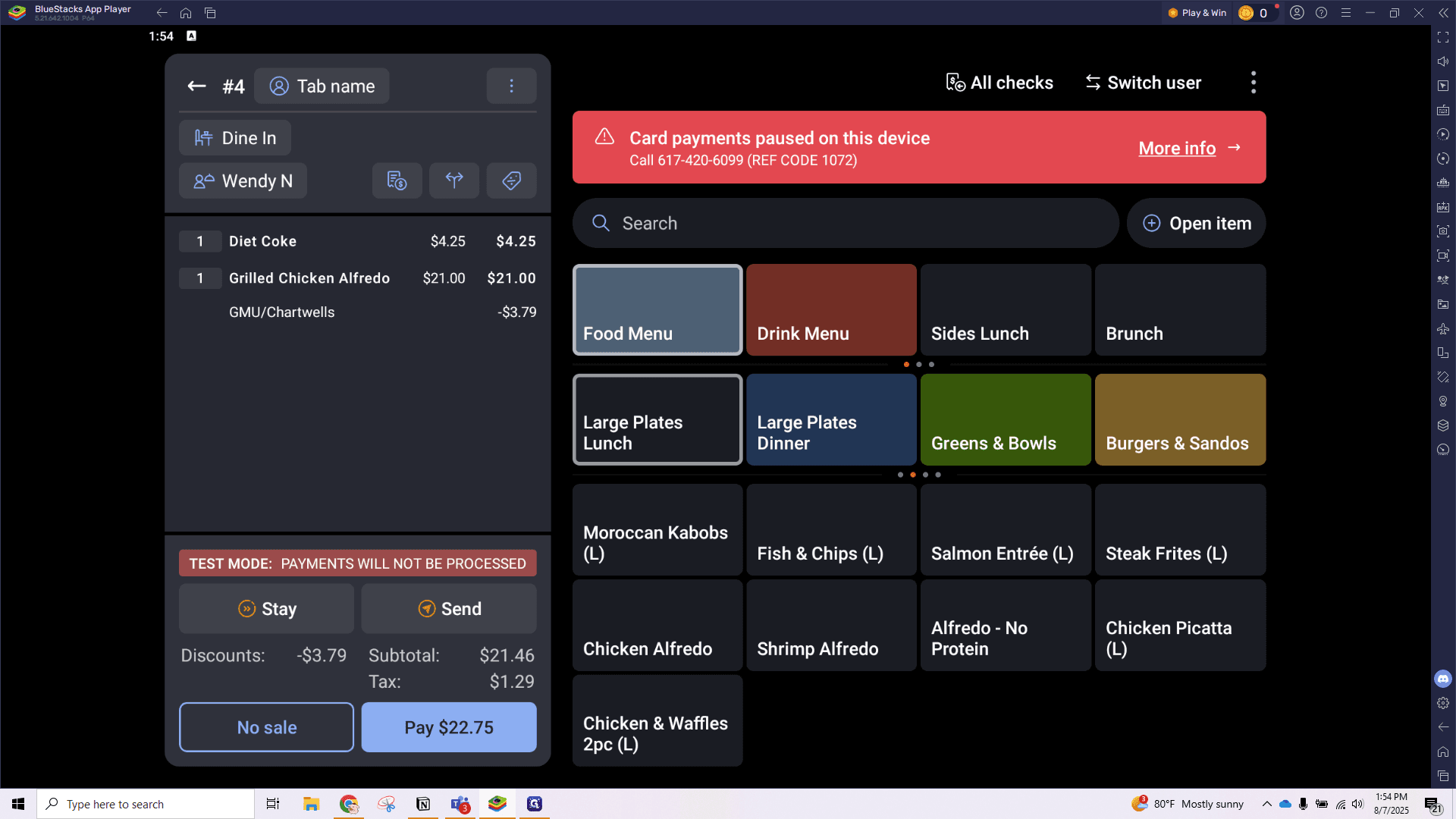
How to Apply the GMU/Chartwell Discount: Step-by-Step Guide
Learn how to correctly apply the GMU/Chartwell 15% check discount with this easy step-by-step video guide. Ensure your team follows the right process to receive the credit.
In this guide, we'll walk through how to apply the GMU/Chartwell discount to a check during the ordering process. This is important because applying the discount correctly ensures you receive the appropriate credit.
Please note: this discount may only be applied when a guest presents a valid (non-expired) GMU school badge and will require manager approval.
Let's get started
On the ordering screen, after adding all items to your check, click the discount button. This is a check discount, not an item discount, so it's important to ensure nothing is highlighted here.
Highlighting it will apply the item discount, which we do not want.
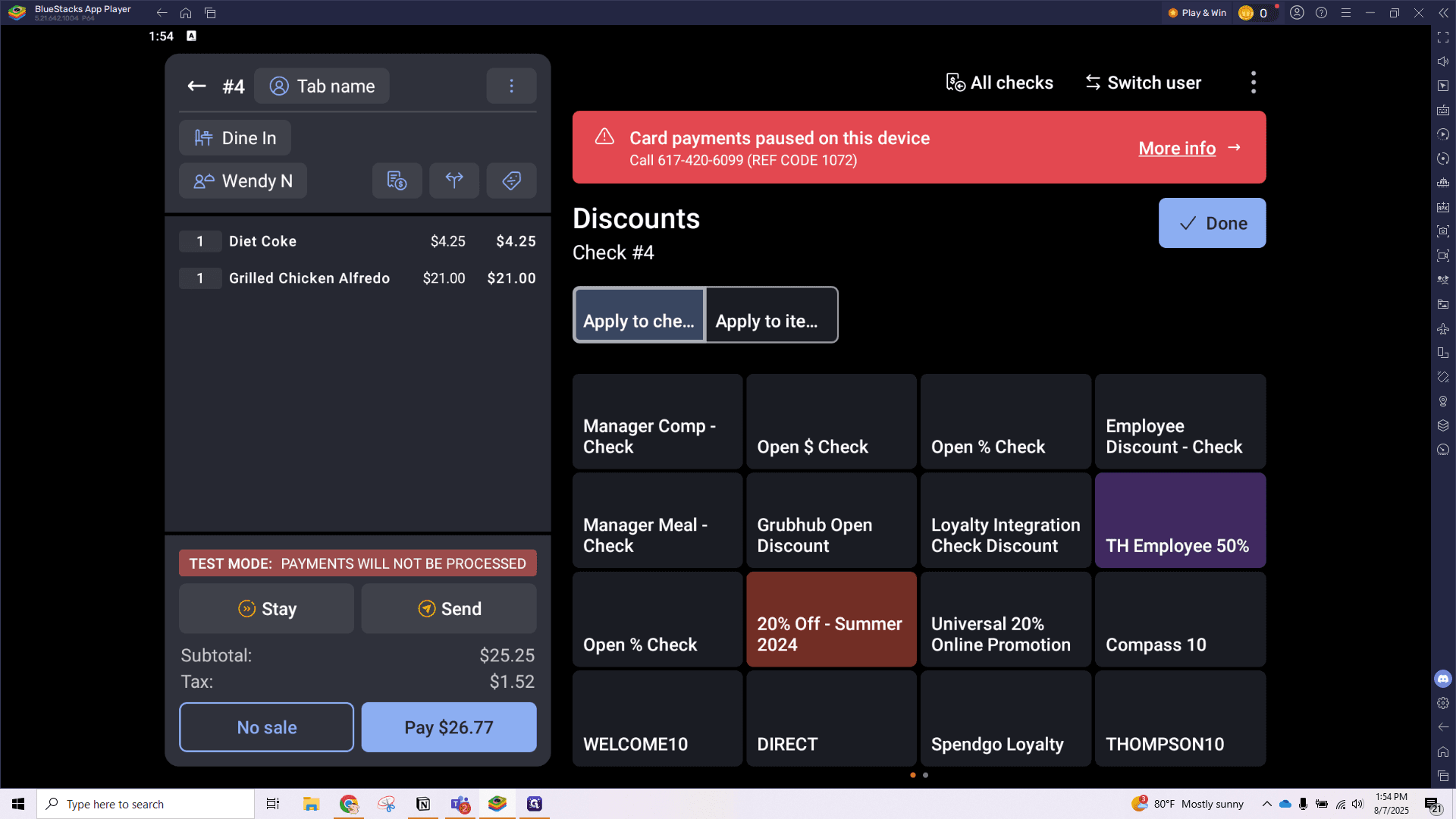
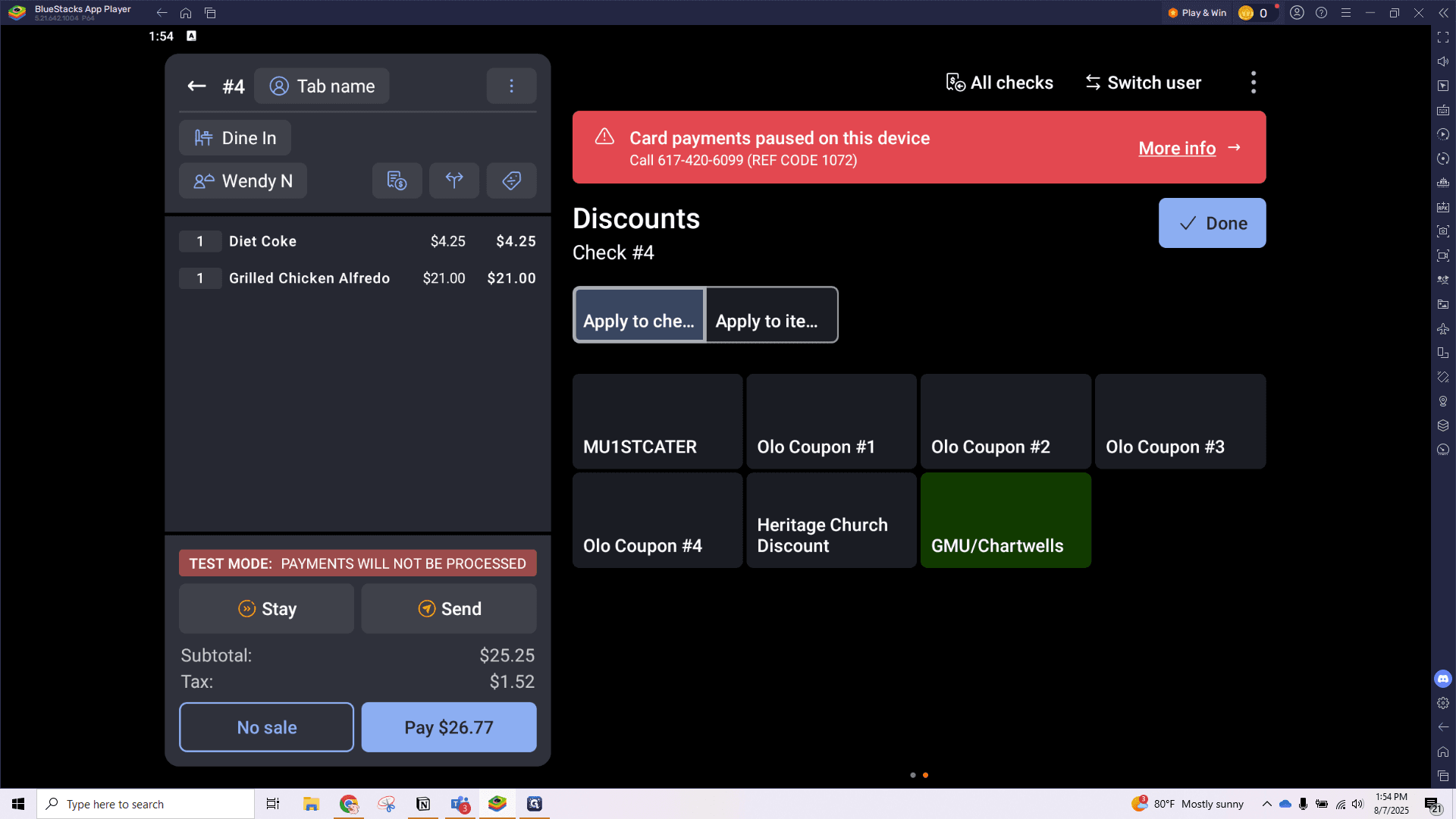
Under the "Apply To Check" discount tab, scroll to find the green GMU/Chartwell button and click to apply. This will apply the 15% discount to your entire check.
From here, you can apply the payment as usual.