How to Book Amenities at Central Park: Step-by-Step Guide
Learn how to easily book amenities at Central Park. Follow our simple step-by-step instructions to reserve the Central Park Pavilion for your event.
By Xavier Berkness
In this guide, we'll learn how to book amenities at Central Park using the Reservations section. This process helps you secure a spot for your event by selecting the date, time, and providing an event description.
You will follow a few steps to complete your reservation and ensure your booking is confirmed.
Let's get started
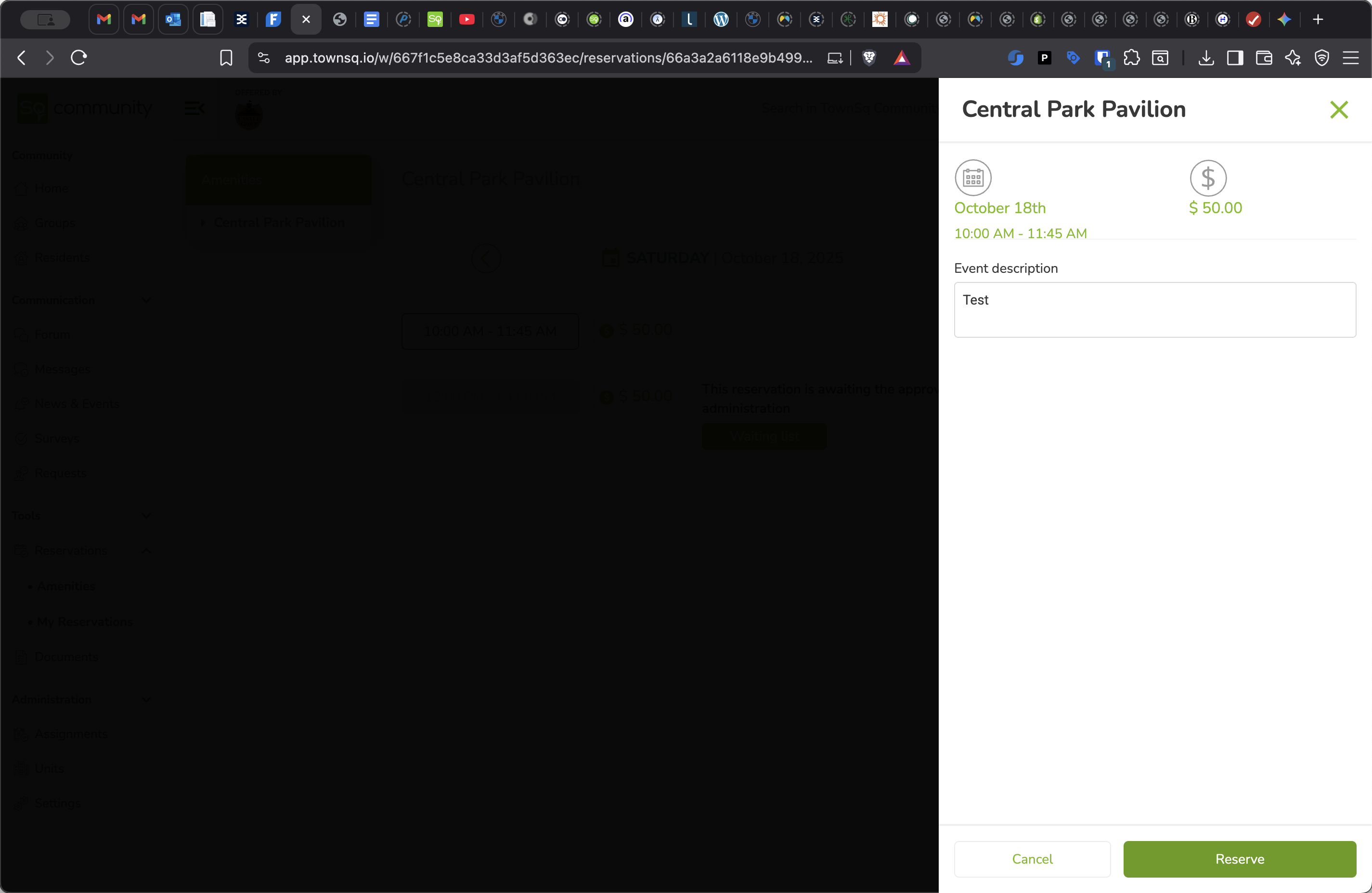
Here’s how to book amenities at Central Park. Go to the Reservations section and click to expand it. Select Amenities, then choose Central Park Pavilion. Pick your date and book your desired time.
1
Click on "Reservations"
2
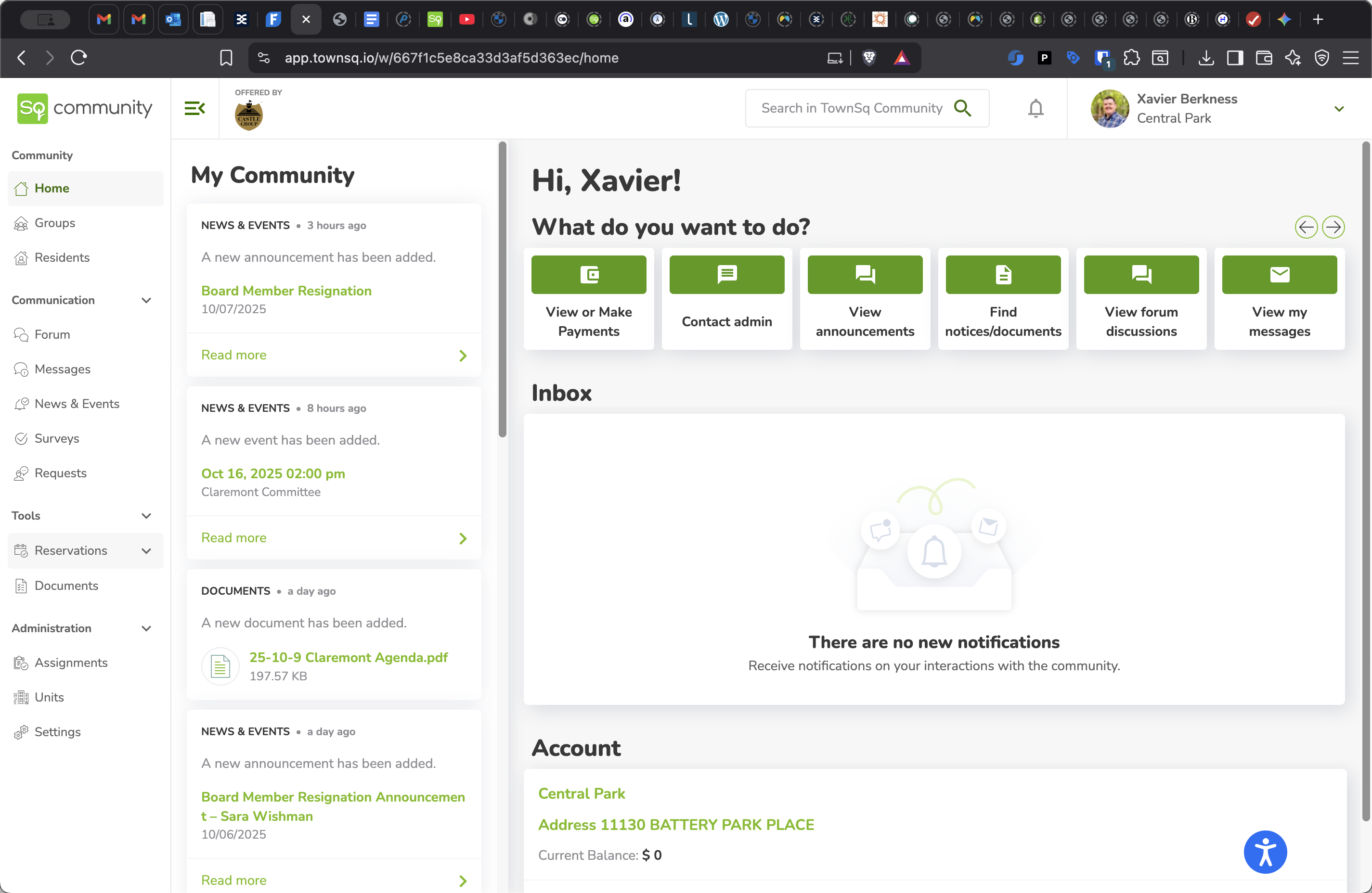
Click on "• Amenities"
3
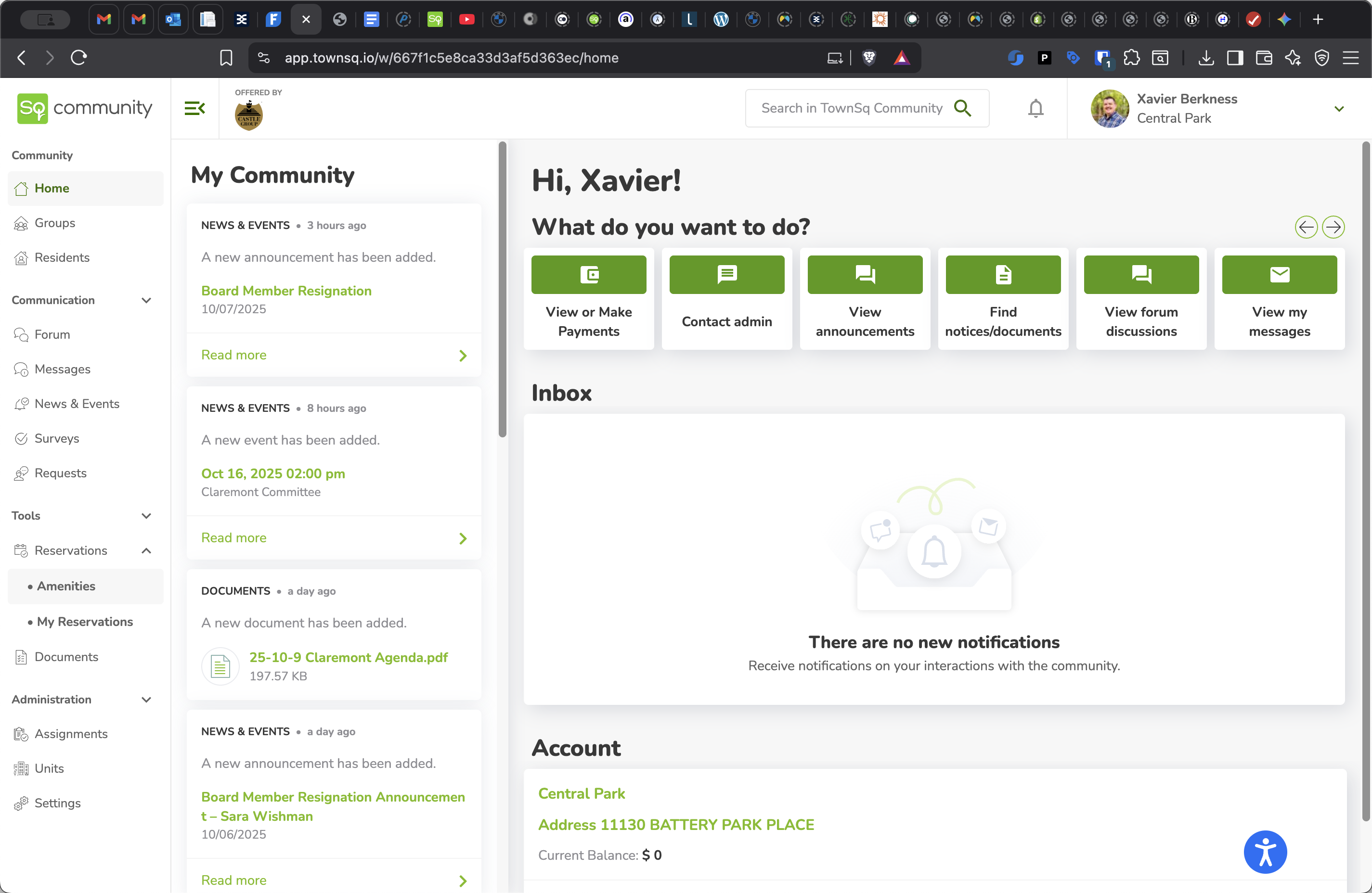
Click on "Central Park Pavilion"
4
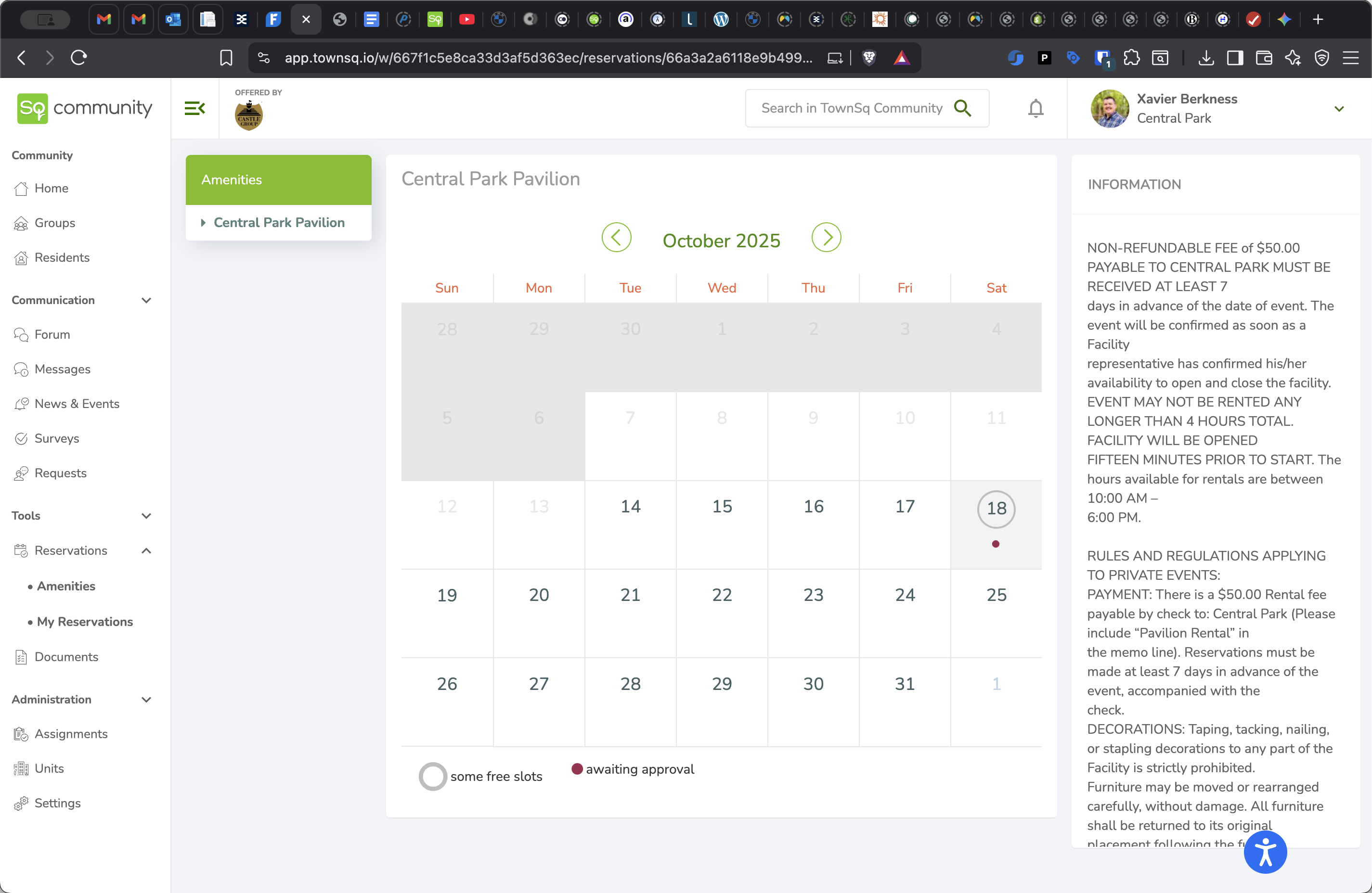
Click on the date you'd like to reserve the amenity on.
5
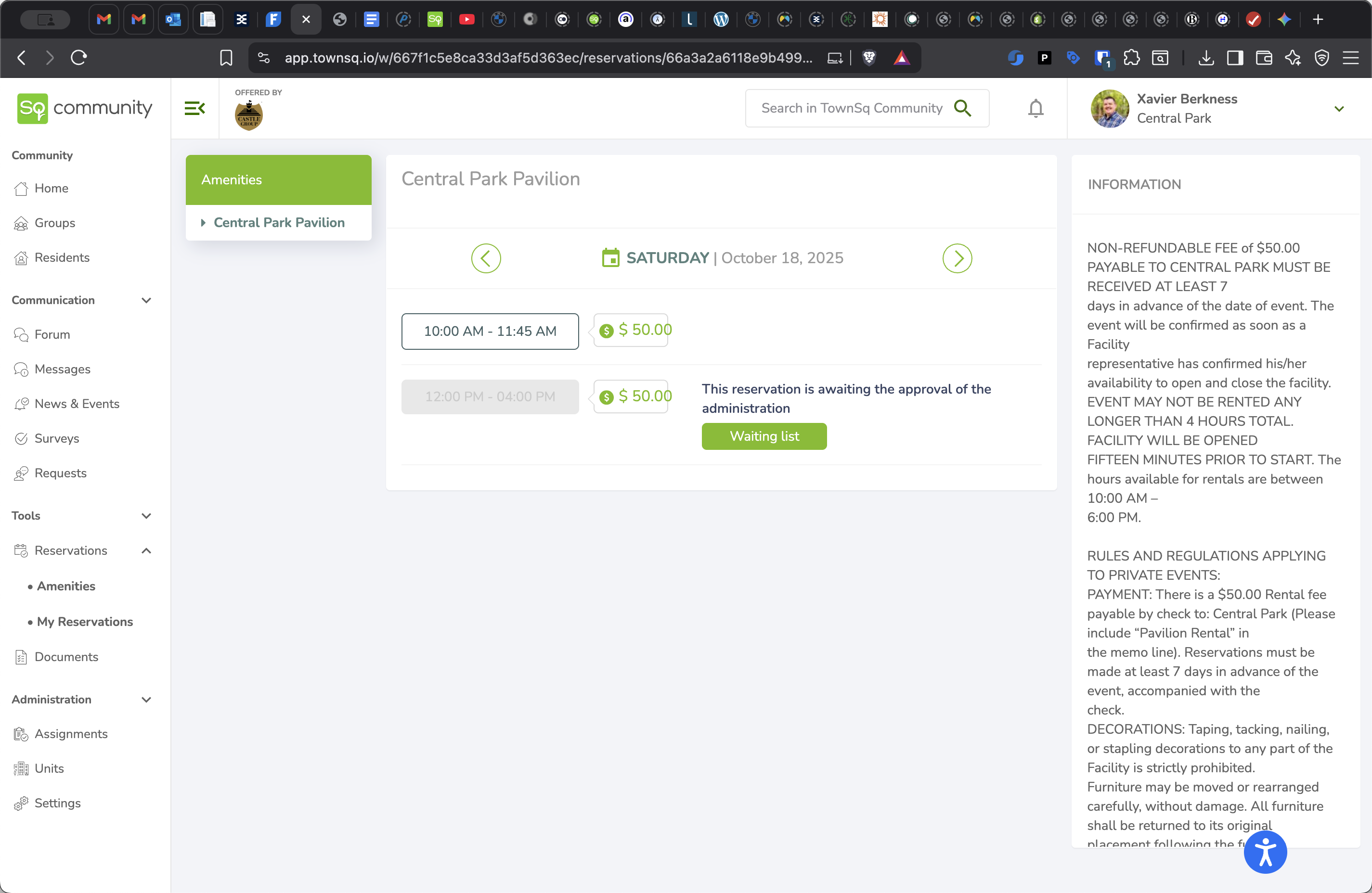
Click on the time slot you'd like to reserve.
6
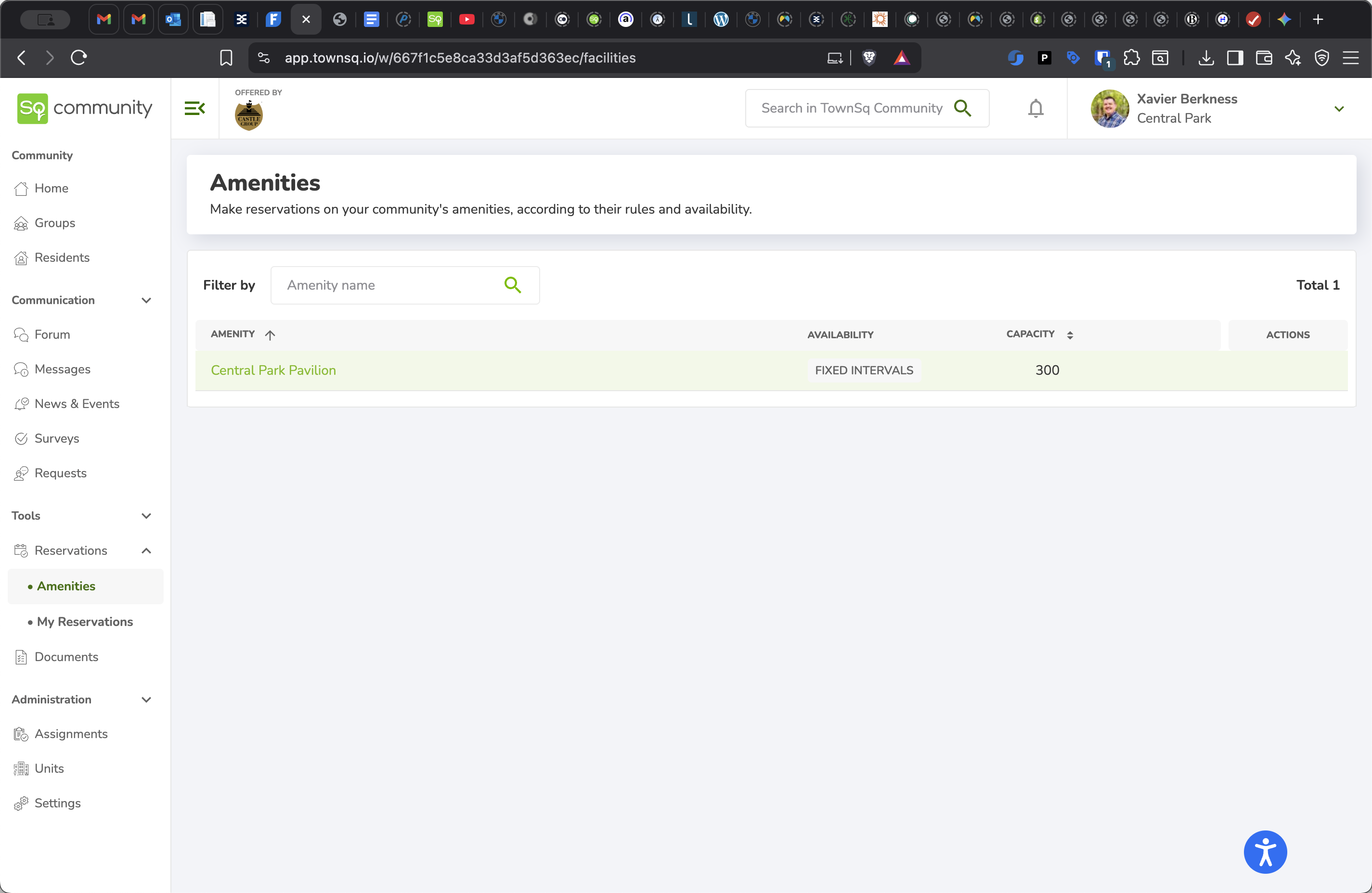
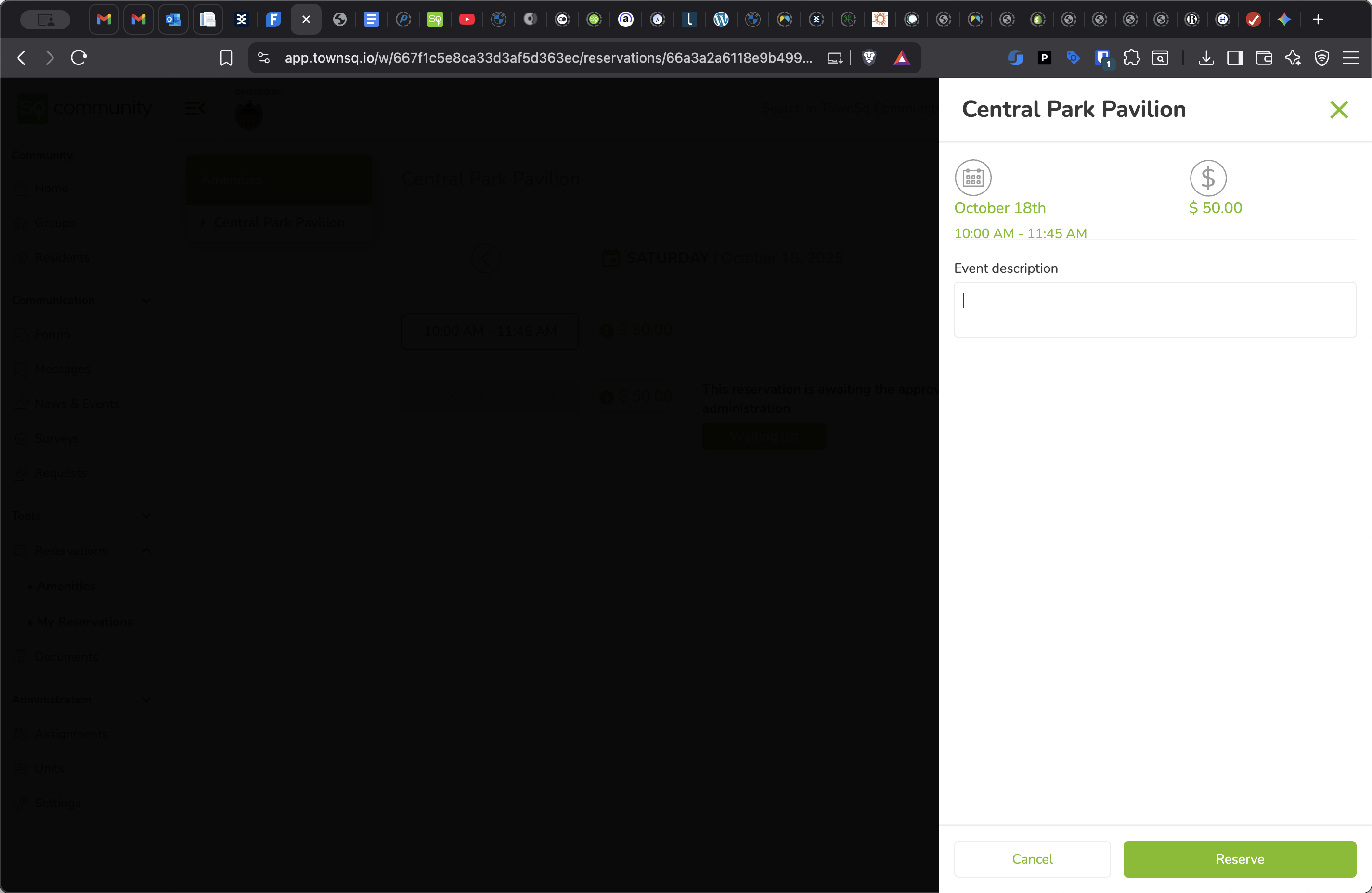
Enter your event description
7
Click on "Reserve"