
How to Change iPhone Camera to Windows Compatible Format
Learn how to switch your iPhone camera settings from High Efficiency to Most Compatible to ensure your photos and videos open on any device.
This guide explains how to configure your iPhone camera to shoot in the "Most Compatible" format. By switching to this setting, you ensure your photos and videos are saved as standard JPEGs and H.264 files, making them easily viewable on non-Apple devices.
This guide is for iOS users who frequently share media with Windows PCs, Android users, or older software platforms that do not support Apple's default High Efficiency (HEIC/HEVC) formats.
By default, iPhones capture photos and videos in High Efficiency formats to conserve storage space. However, these formats can cause compatibility issues when sharing files outside the Apple ecosystem. You can easily switch your camera to capture in universally recognized formats instead.
Changing the Capture Format
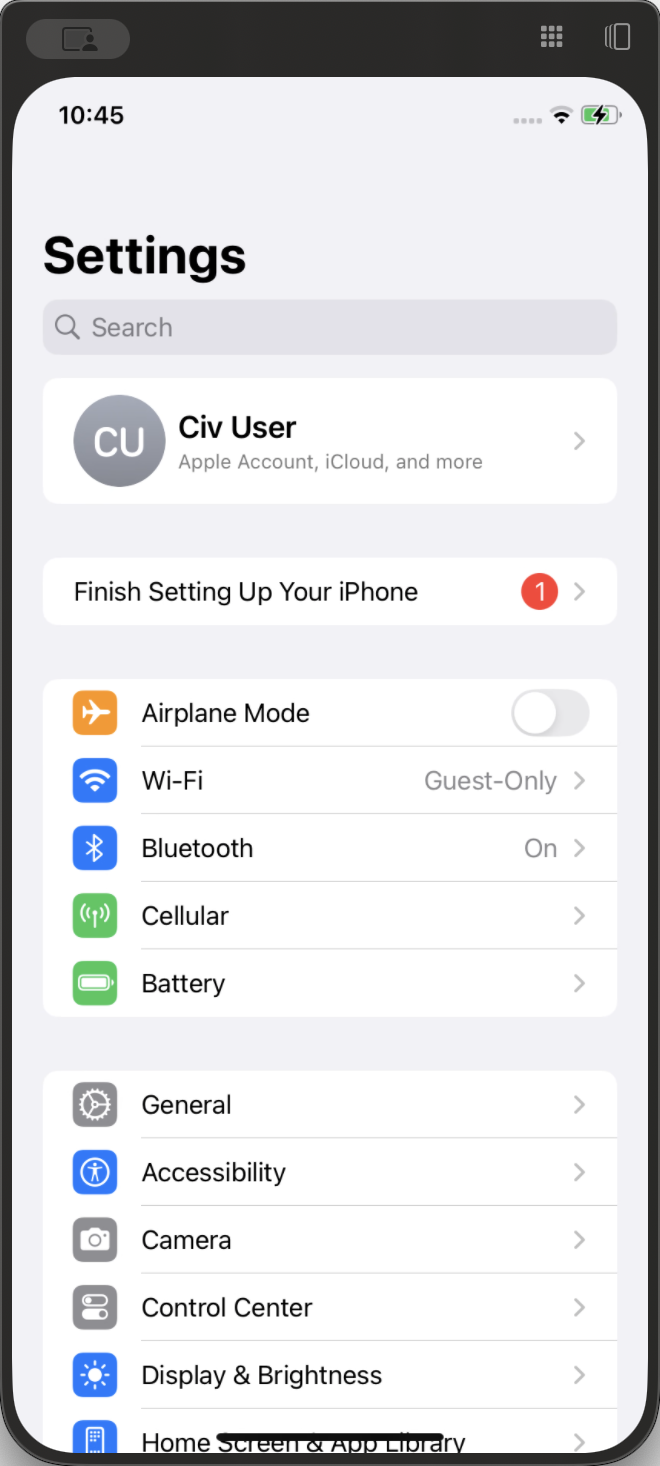
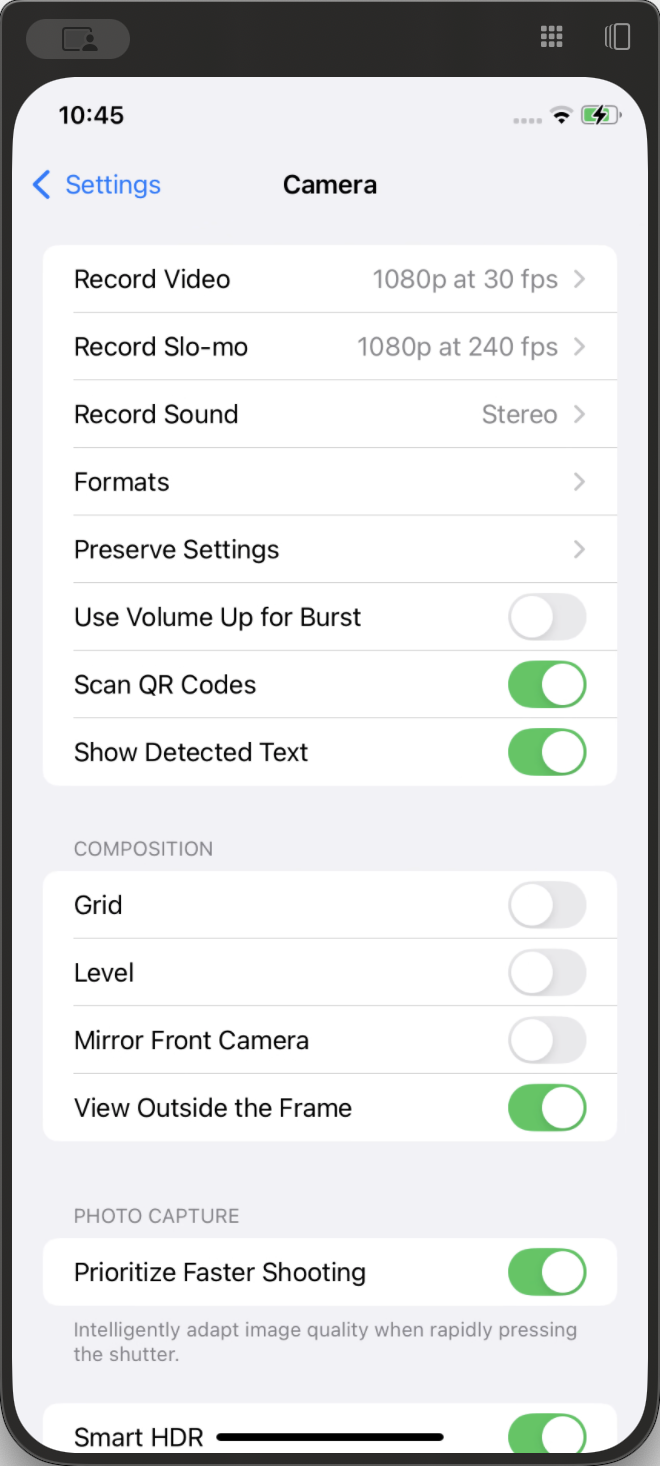
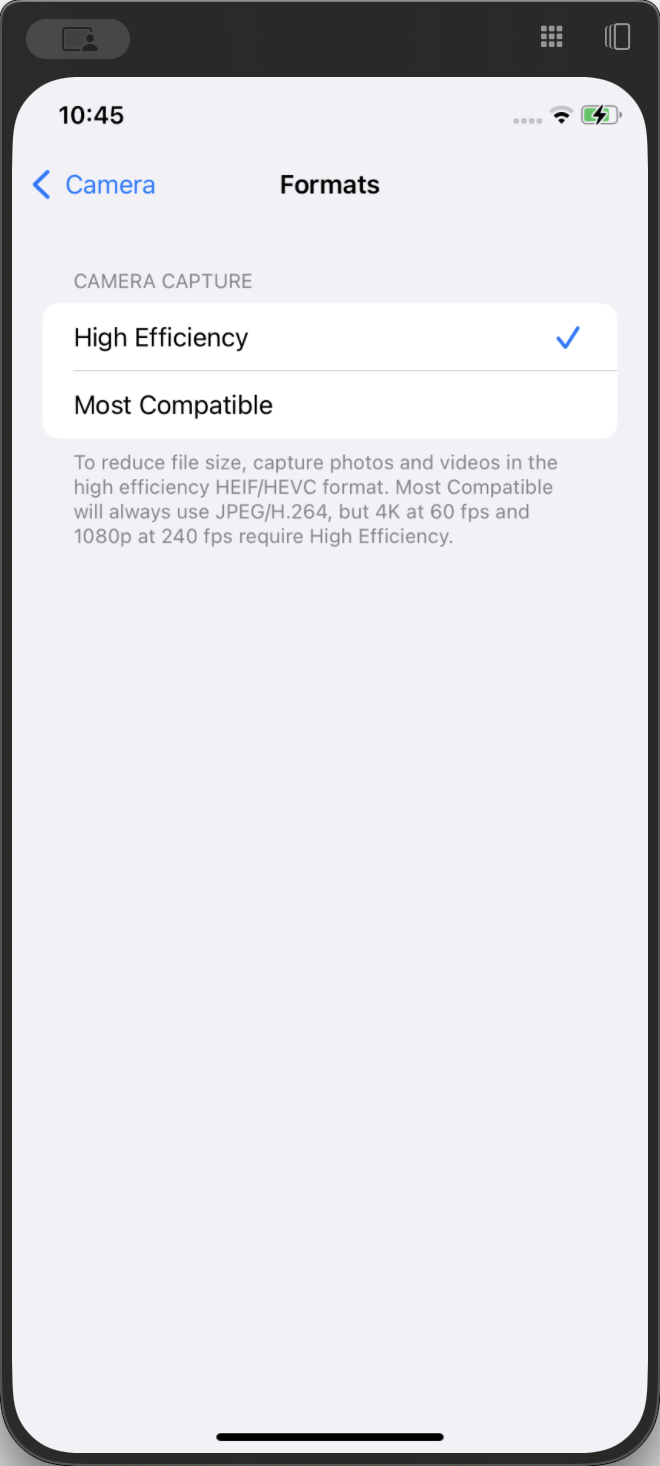
Q: Why are my iPhone photos saving as HEIC instead of JPEG?
A: iPhones default to the "High Efficiency" setting to save storage space, which uses the HEIC file format. Switching your settings to "Most Compatible" will force the phone to save photos as standard JPEGs.
Q: Will switching to "Most Compatible" reduce my photo quality?
A: No, the image quality remains excellent. However, "Most Compatible" files are less compressed than High Efficiency files, so they will take up significantly more storage space on your device.
Term | Definition |
|---|---|
High Efficiency | An Apple camera setting that saves photos as HEIF (HEIC) and videos as HEVC to minimize file size without losing quality. |
Most Compatible | An Apple camera setting that saves photos as JPEG and videos as H.264 to ensure they can be opened on non-Apple devices. |
HEIC | High-Efficiency Image Container, a modern file format used by Apple to store high-quality images at a fraction of the file size of a JPEG. |
JPEG | A universally recognized and widely supported image file format used by almost all digital platforms and devices. |