
How to Change Policy or Course Due Dates
Learn how to easily change or extend due dates for courses and policies for individual staff members or entire groups.
This guide explains how to change or extend a due date for a course or policy enrolment. Completing this task ensures that staff members have accurate deadlines reflected in their compliance profiles.
This process applies to administrators or managers responsible for overseeing staff compliance and training enrolments. Use this workflow when a due date needs to be corrected or an extension is granted for specific items.
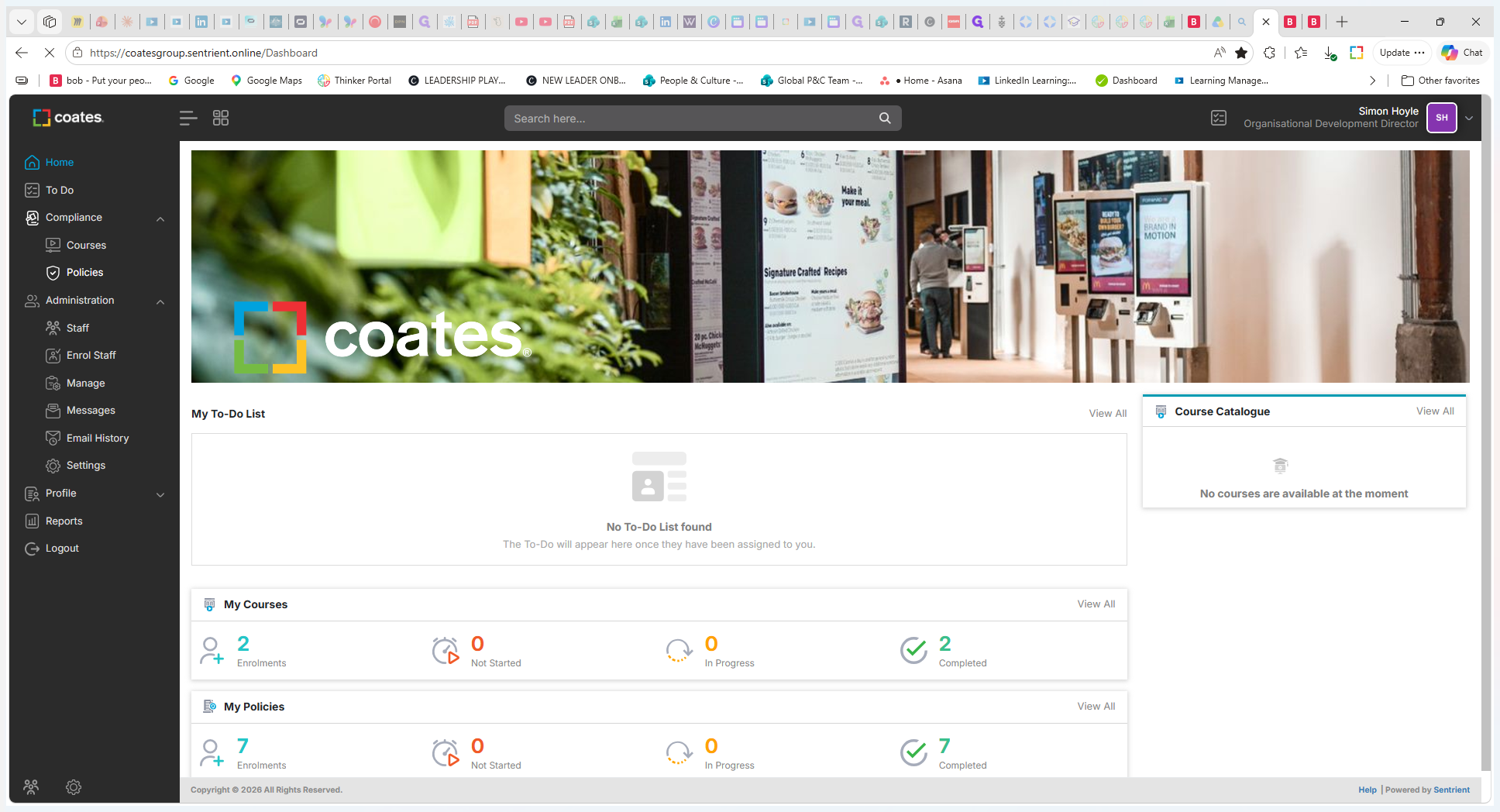
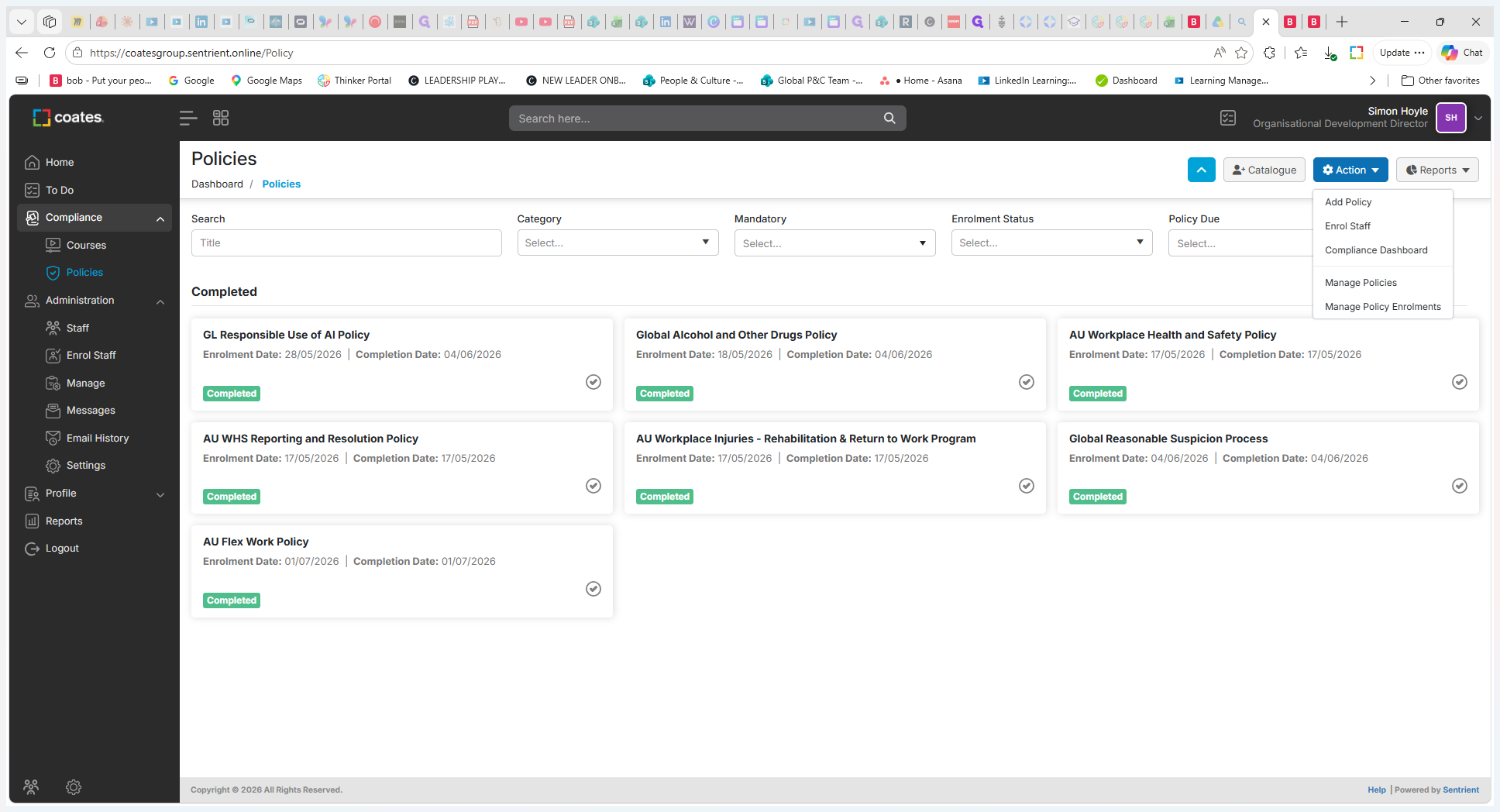
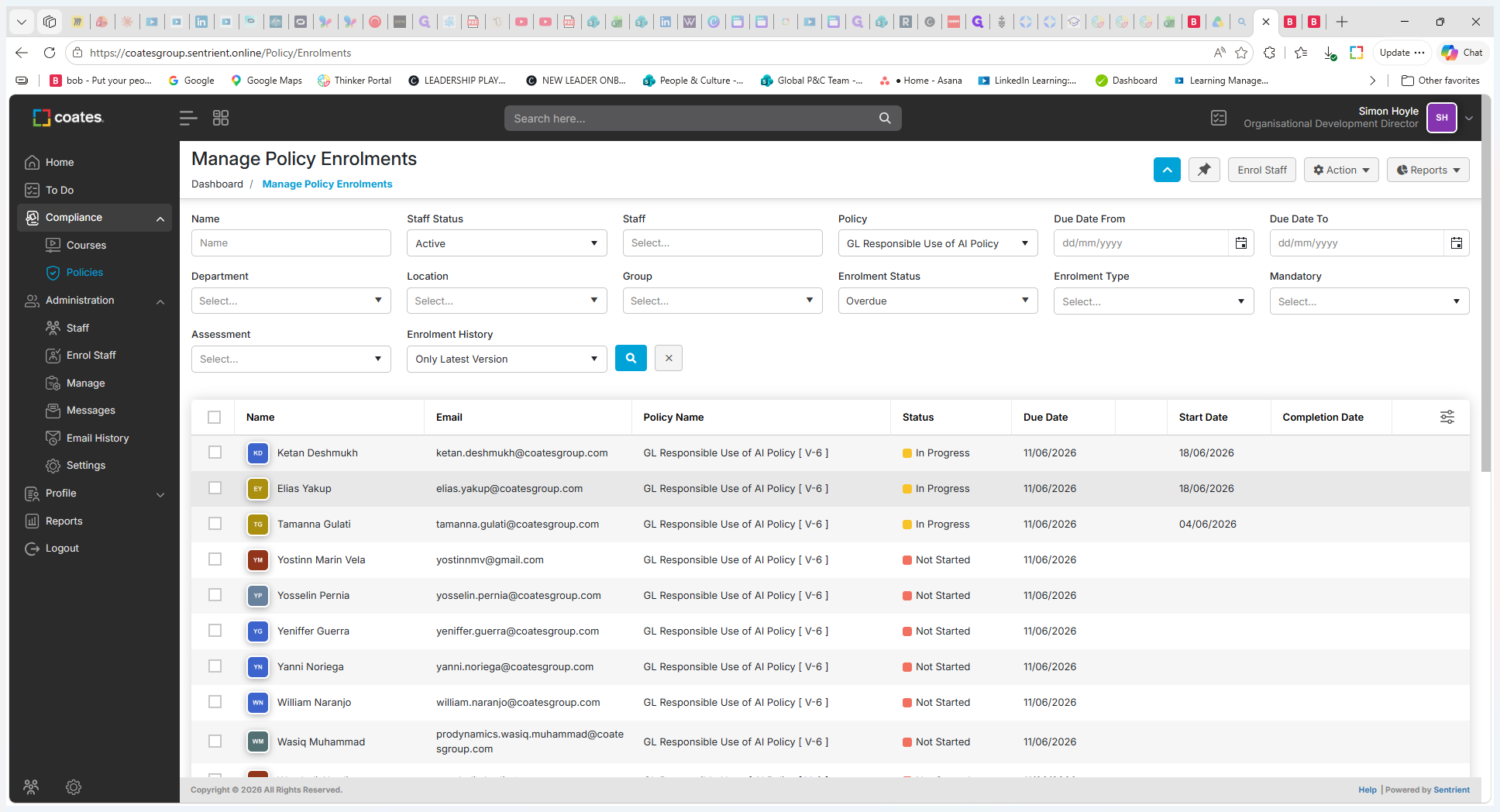
Navigate to Policy Enrolments
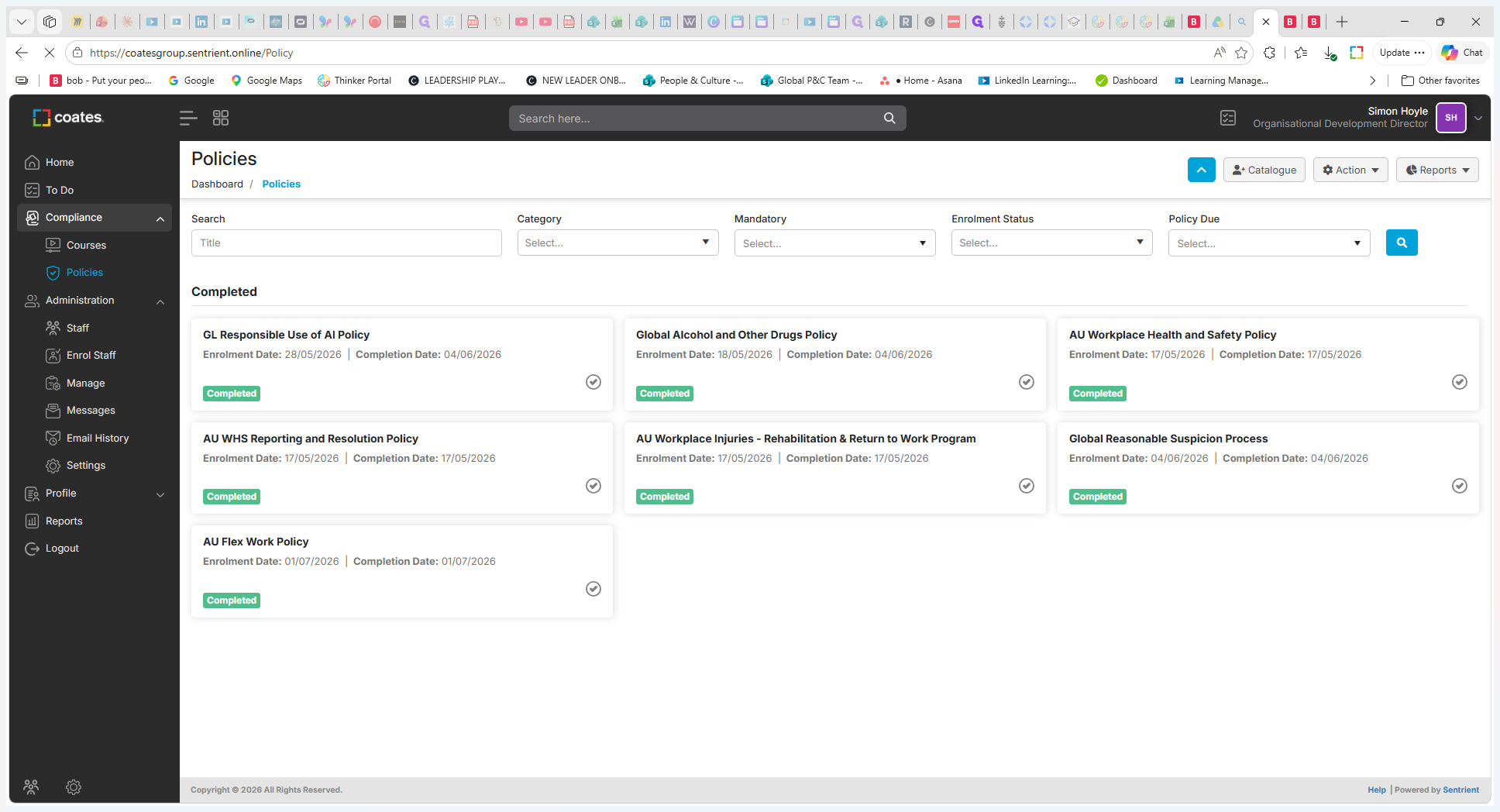
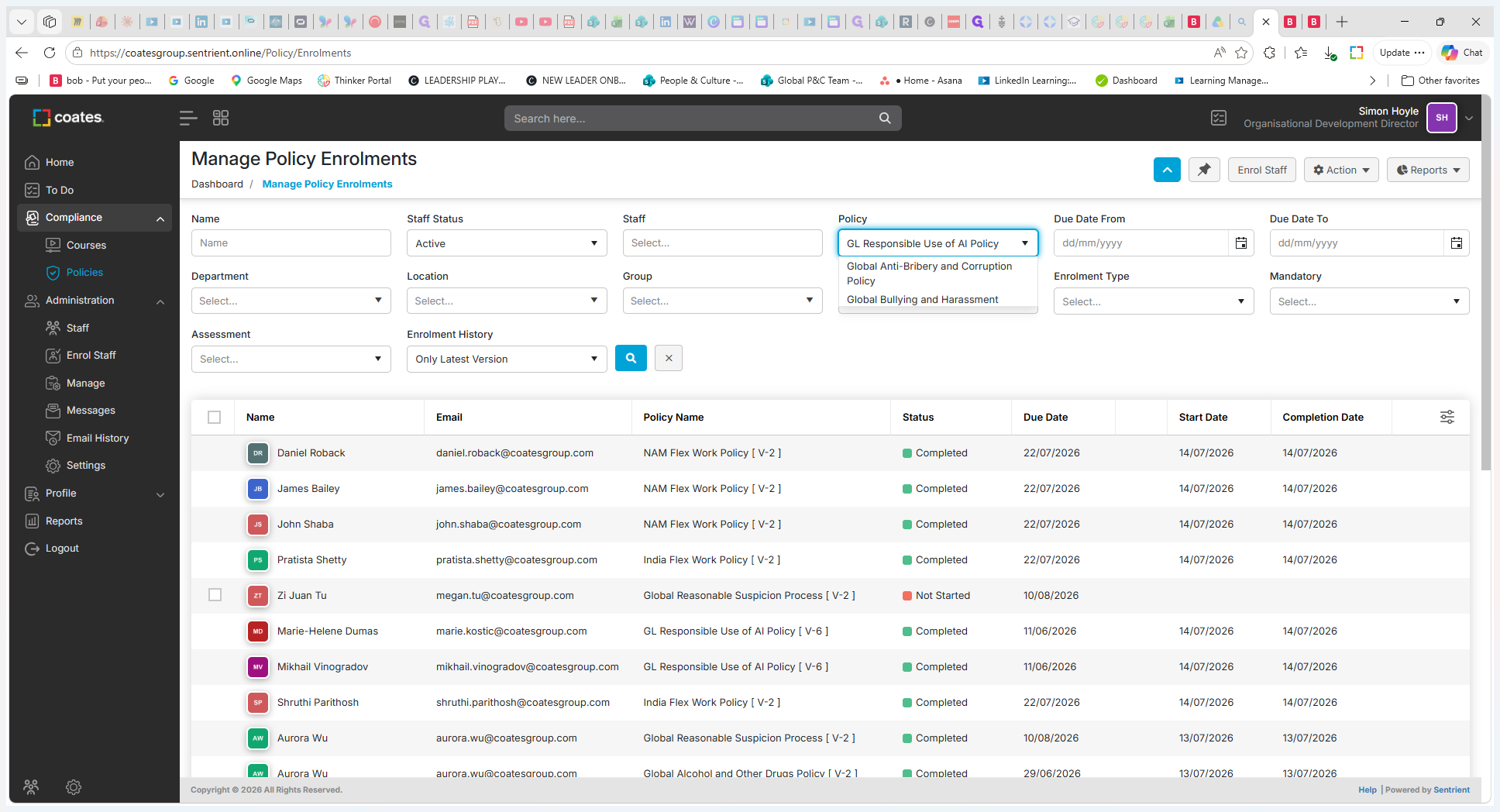
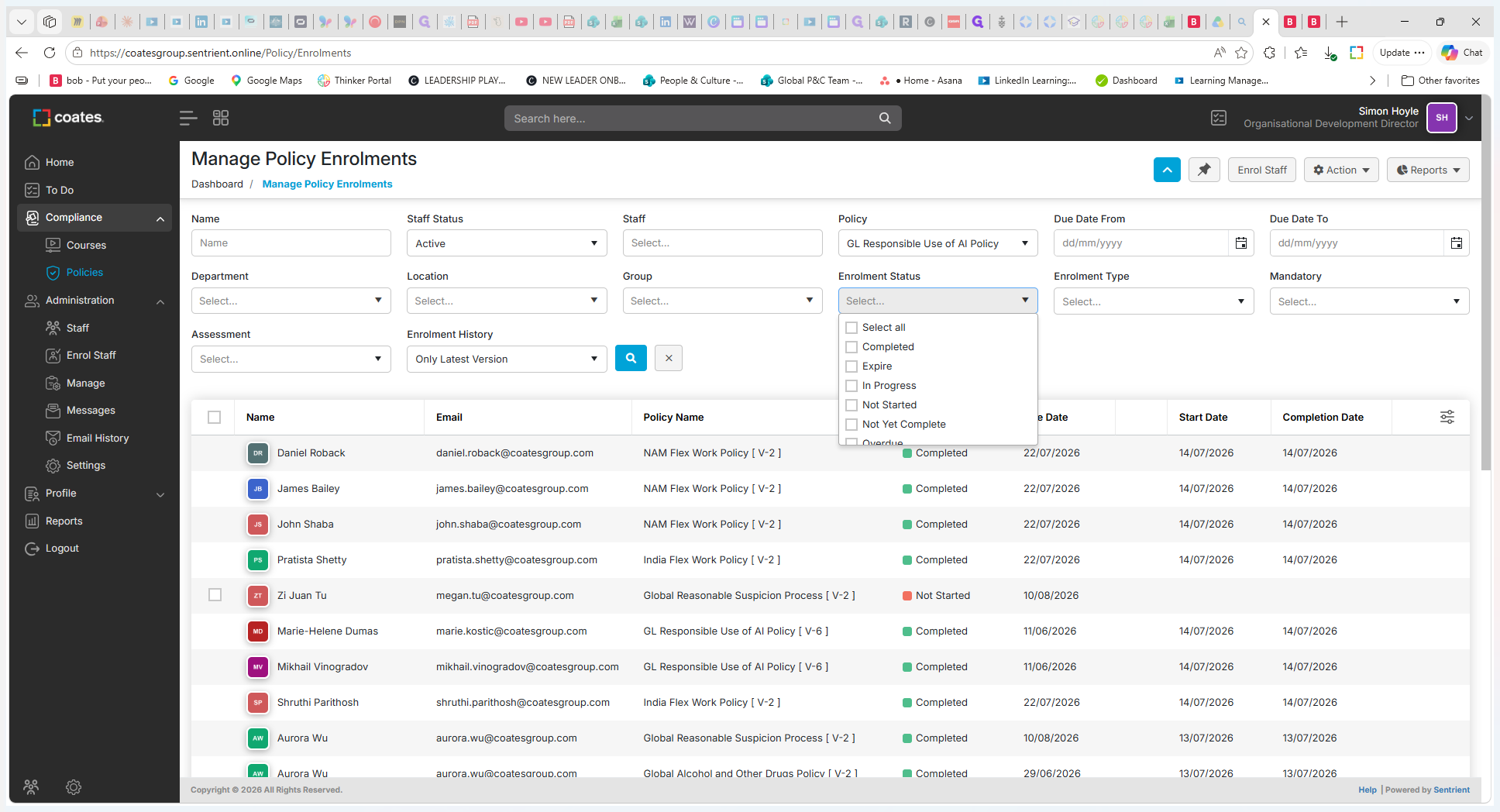
Filter Enrolments (Optional)
Use the available filters to narrow down the list of enrolments.
Filter Type | Description |
|---|---|
Policy | Search for a specific policy (e.g., Global Use of AI Policy). |
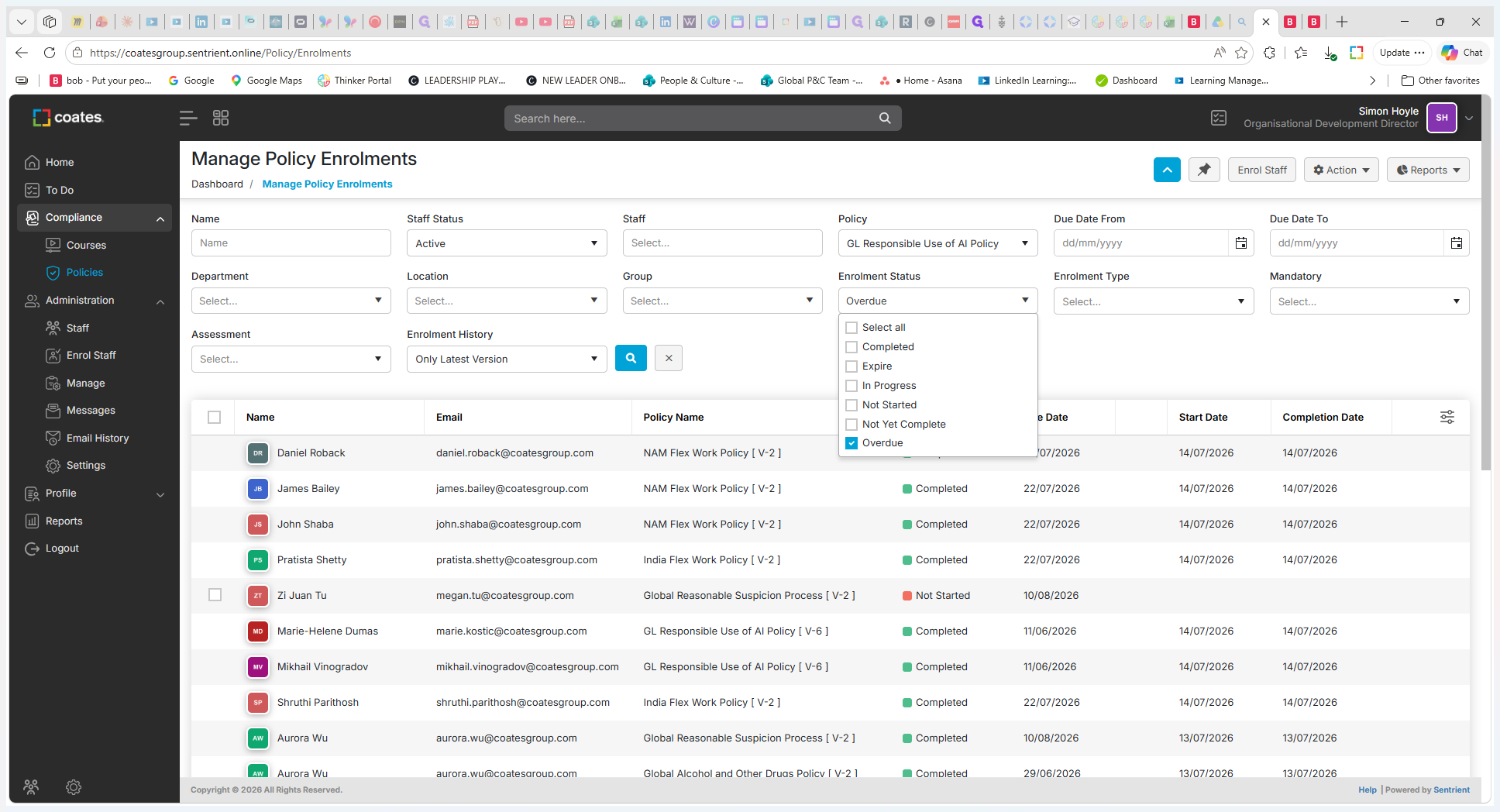
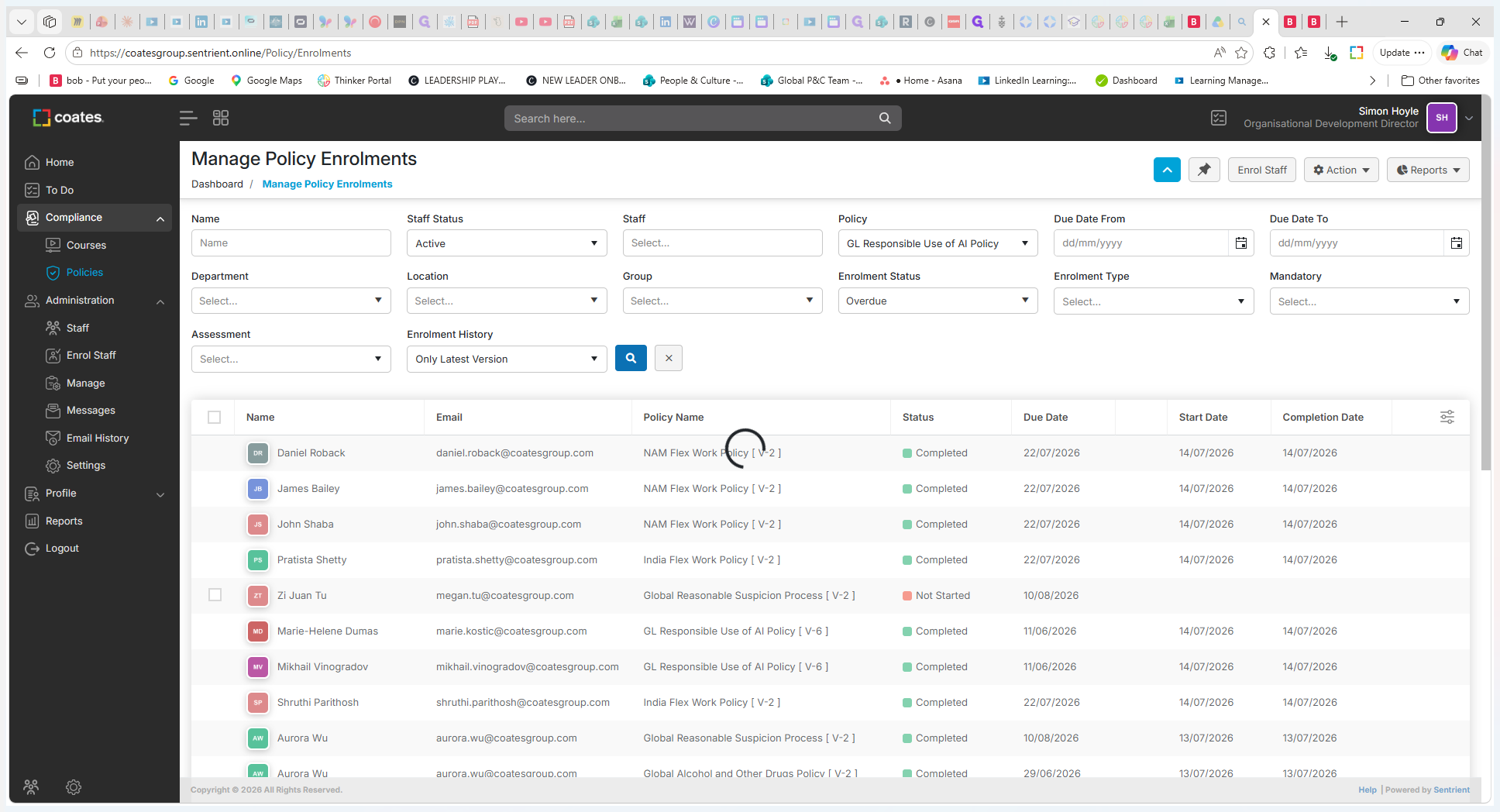
Enrolment Status | View users based on their progress, such as those who are currently Overdue. |
Location / Department | Narrow down the enrolments based on the employee's organizational area. |
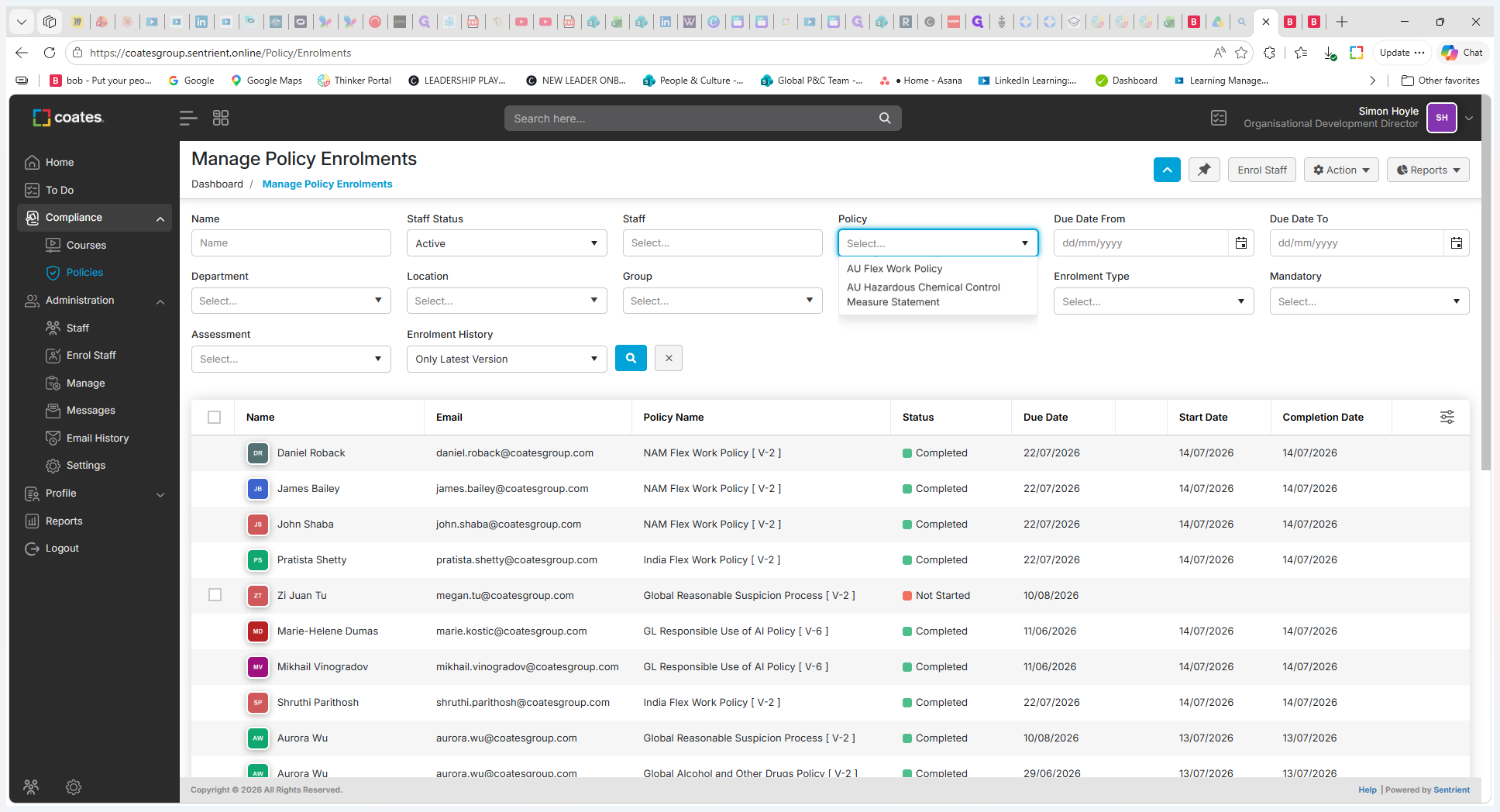
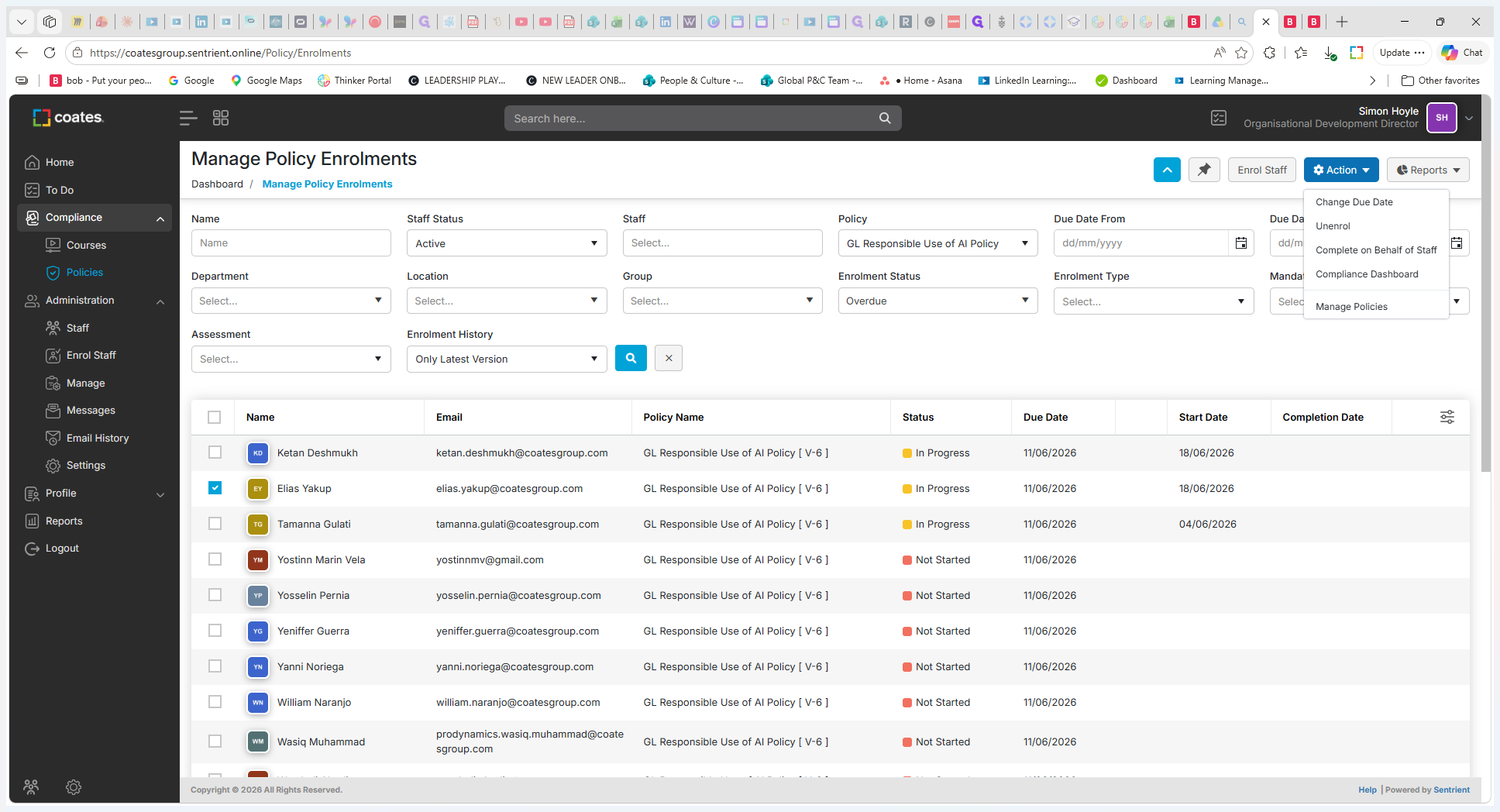
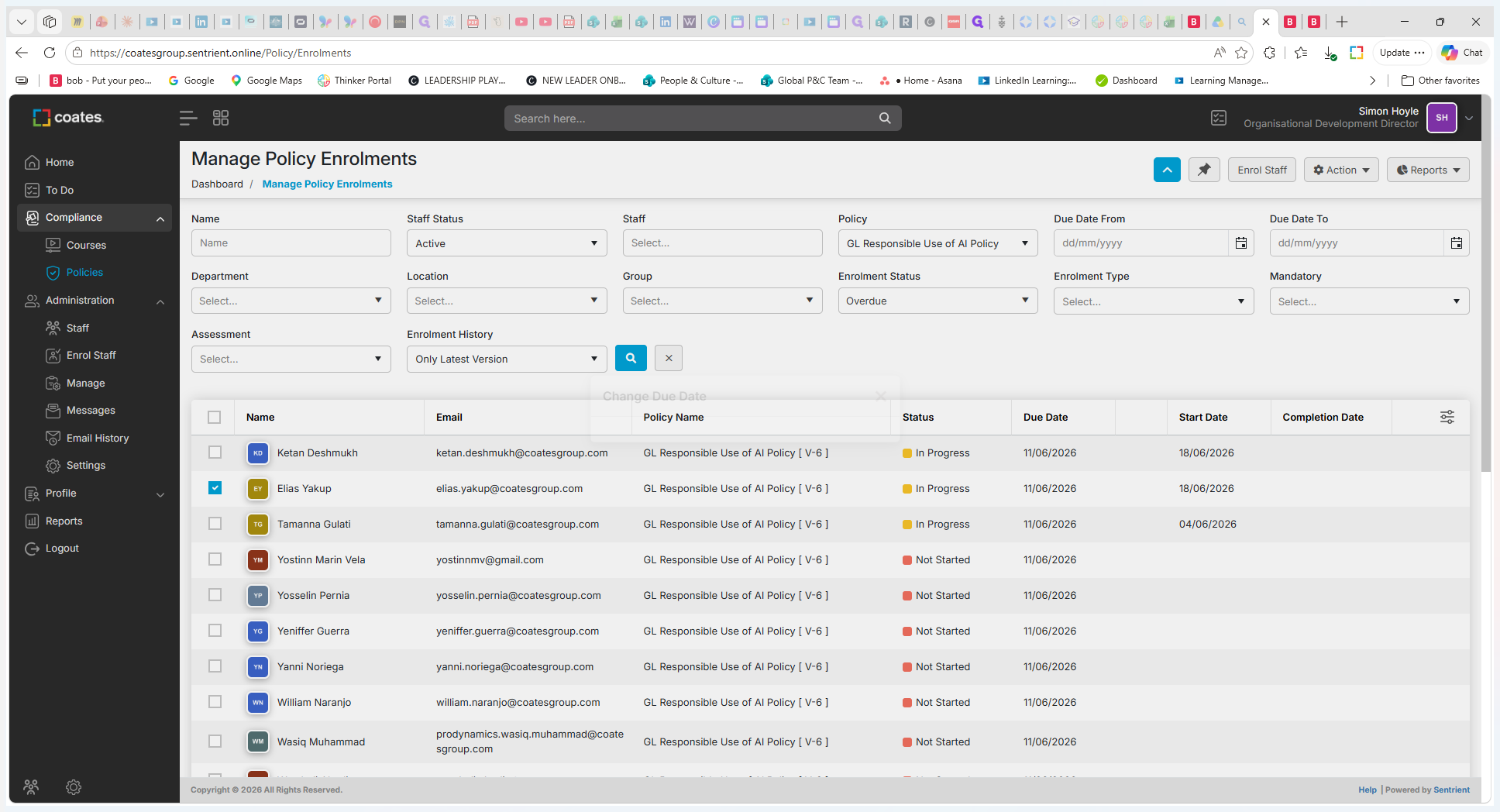
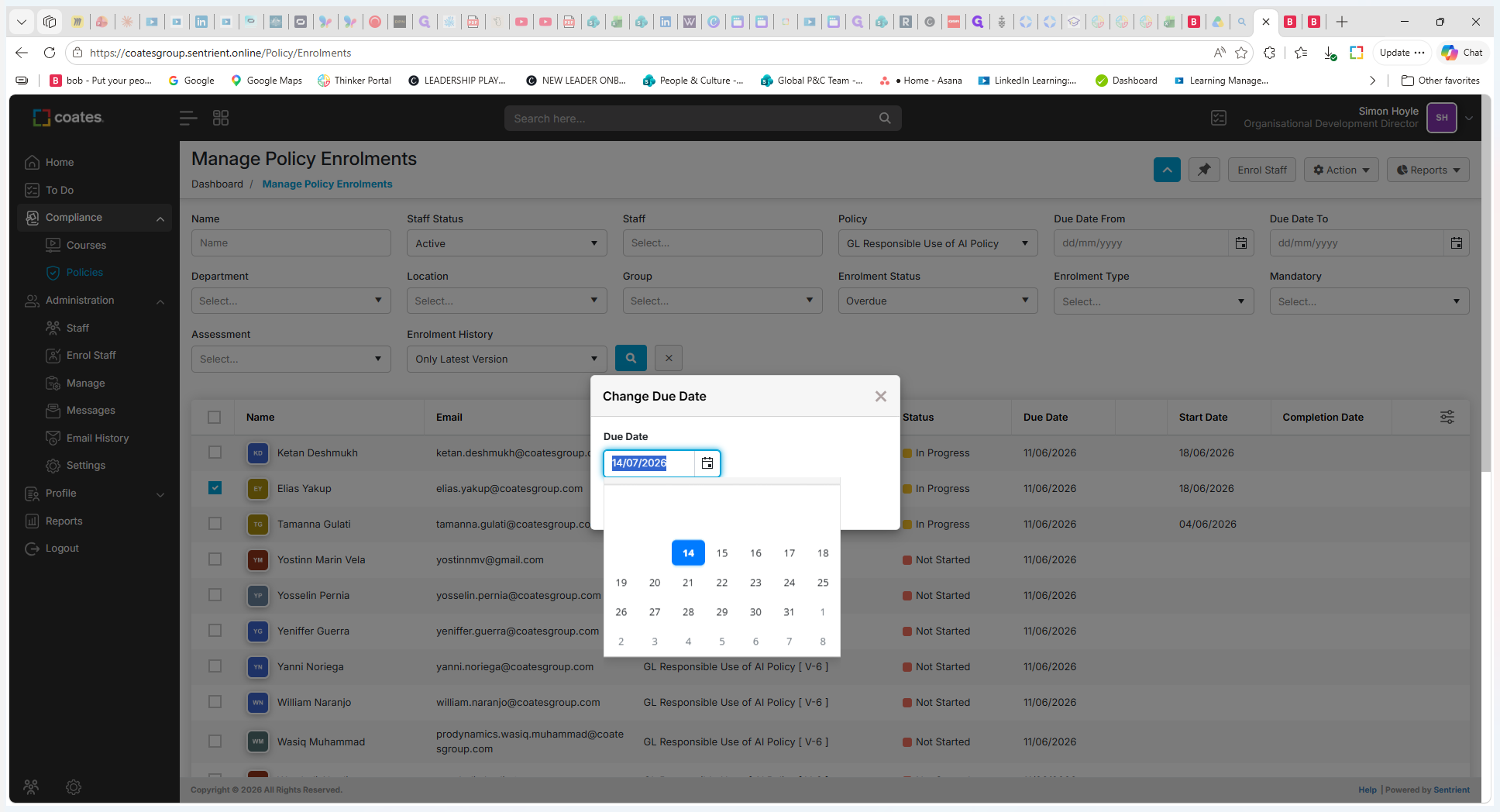
Update the Due Date
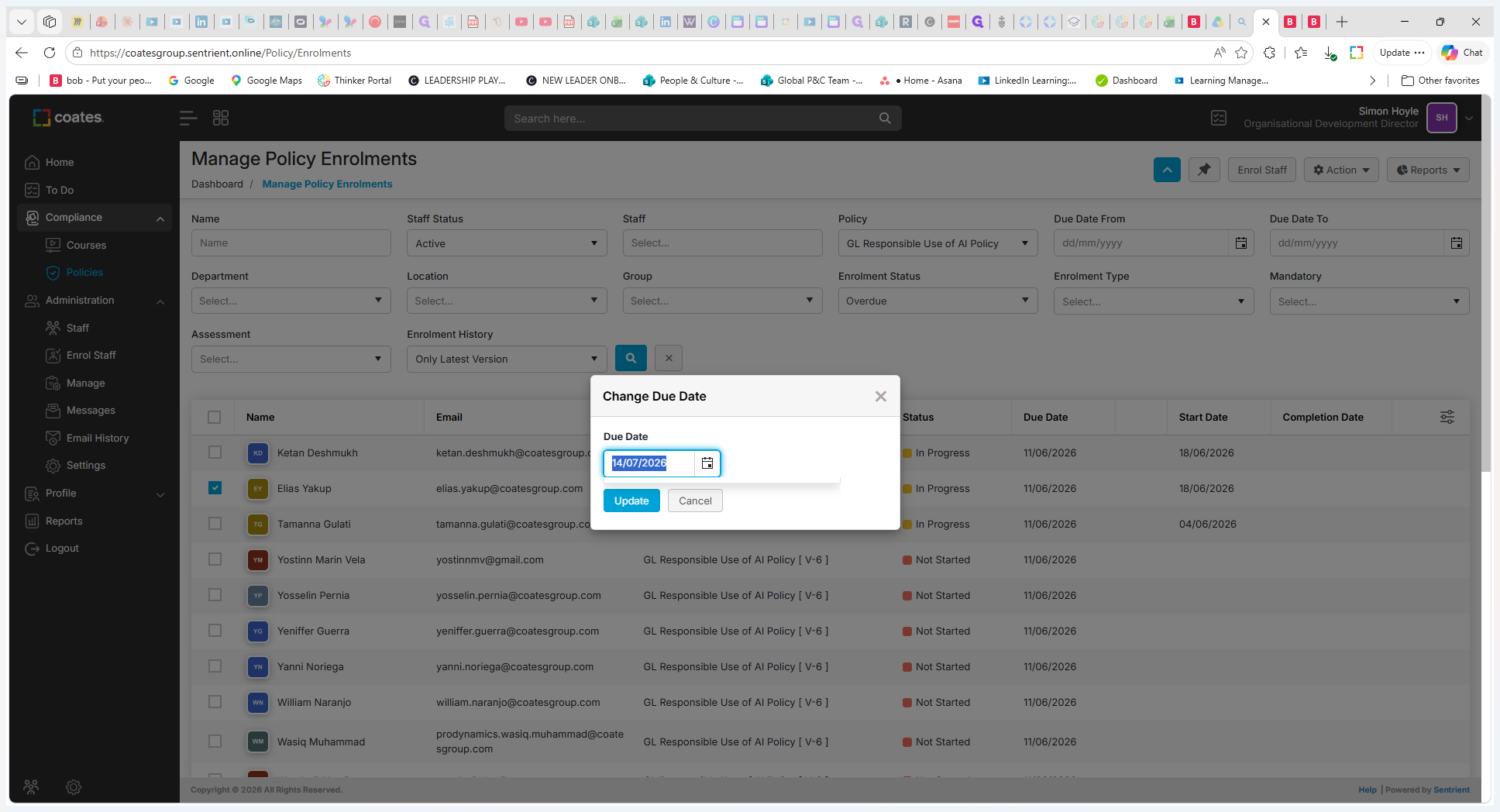
Q: Can I change the due date for multiple staff members at once?
A: Yes, you can select the checkboxes next to multiple individuals in the enrolments table before using the Change Due Date action, applying the new deadline to everyone selected.
Q: How do I find employees who have missed their deadline?
A: Use the Enrolment Status filter in the Manage Policy Enrolments dashboard and select the Overdue option to narrow down your list.