Icon

How to Check Available Exam Dates for CBT on PSI Online

Learn how to search for test programs, locate nearby test centers, and check available dates and time slots for your upcoming exam on PSI Online.

By Isabelle Sharp

This guide demonstrates how to search for specific test programs and view available exam dates and time slots at nearby testing centers on the PSI Online platform. Completing this process allows you to plan and schedule your certification exams effectively before fully committing to a registration.

This guide is intended for test-takers who need to schedule an upcoming certification or licensure examination. It is used during the initial exam planning and registration phase to verify availability.

Select Your Exam Program

1
Navigate to the Test Takers tab and click on Find Your Test in the dropdown menu.
Step #1: Navigate to the Test Takers tab and click on Find Your Test in the dropdown menu.
2
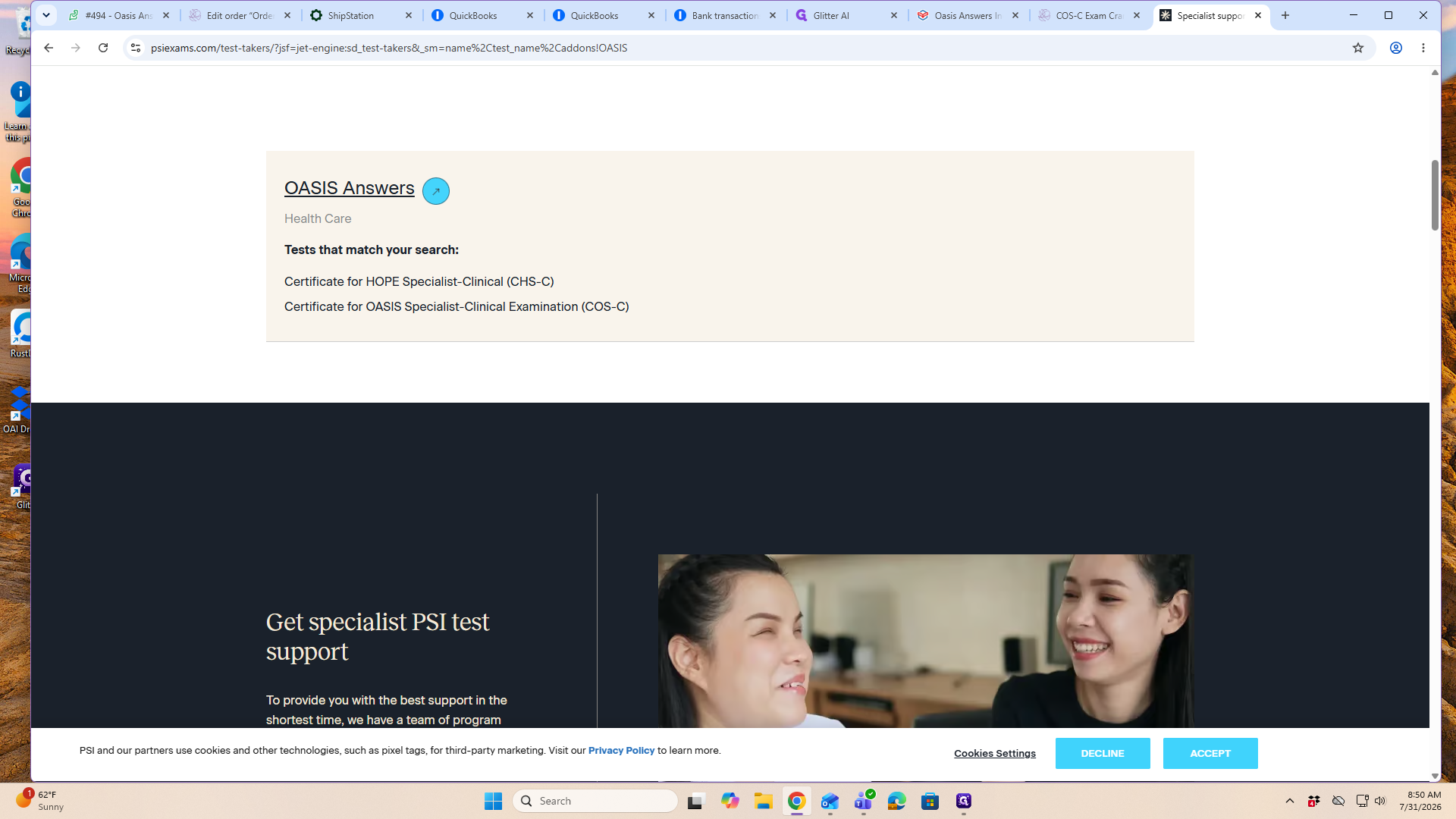
Use the search tool to find your specific test sponsor, then click on OASIS Answers from the results.
Step #2: Use the search tool to find your specific test sponsor, then click on OASIS Answers from the results.
3
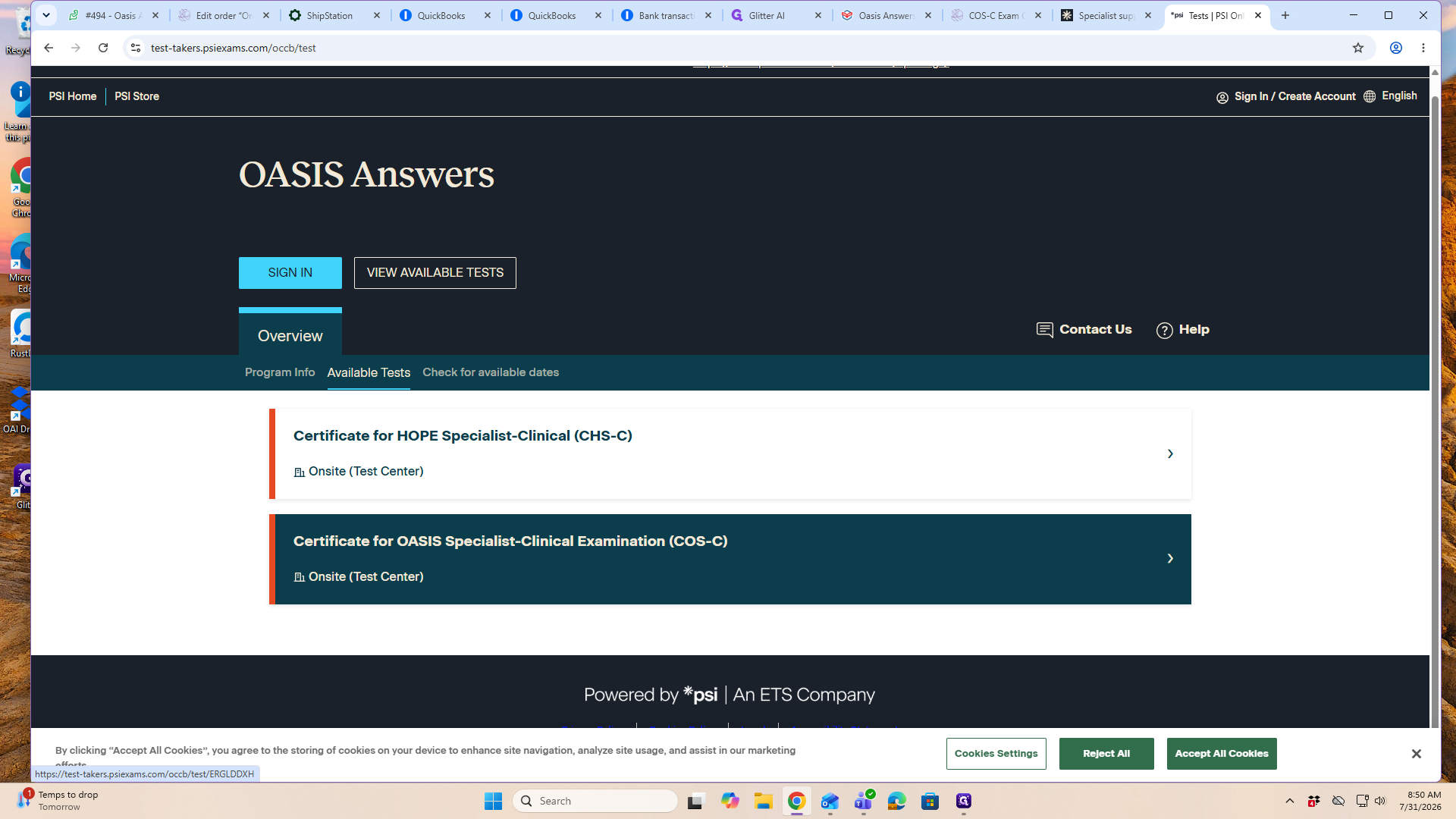
Select the specific exam you wish to take, such as the Certificate for OASIS Specialist-Clinical Examination (COS-C).
Step #3: Select the specific exam you wish to take, such as the Certificate for OASIS Specialist-Clinical Examination (COS-C).
4
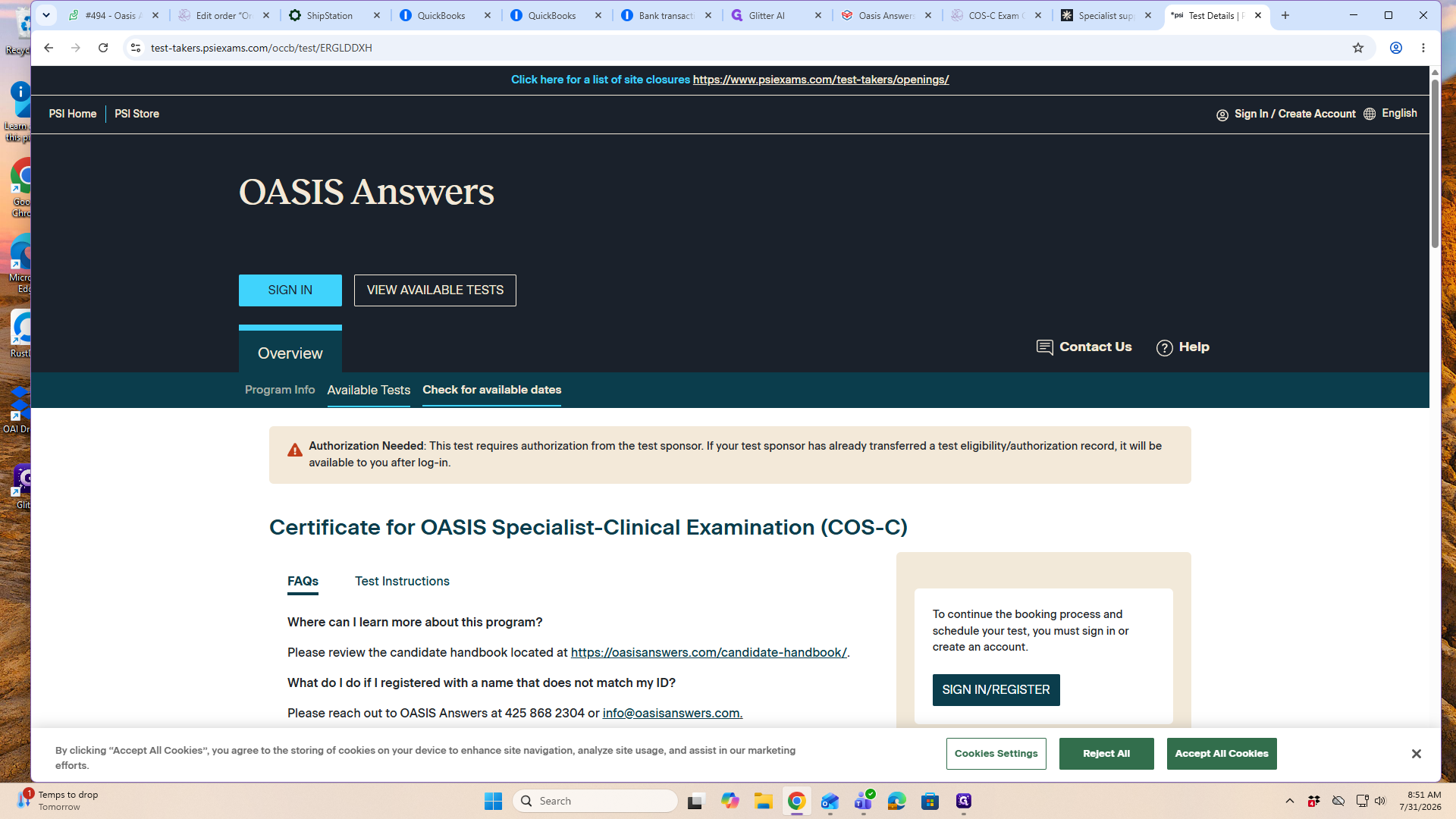
Click on Check for available dates to view the schedule without having to sign in immediately.
Step #4: Click on Check for available dates to view the schedule without having to sign in immediately.
5
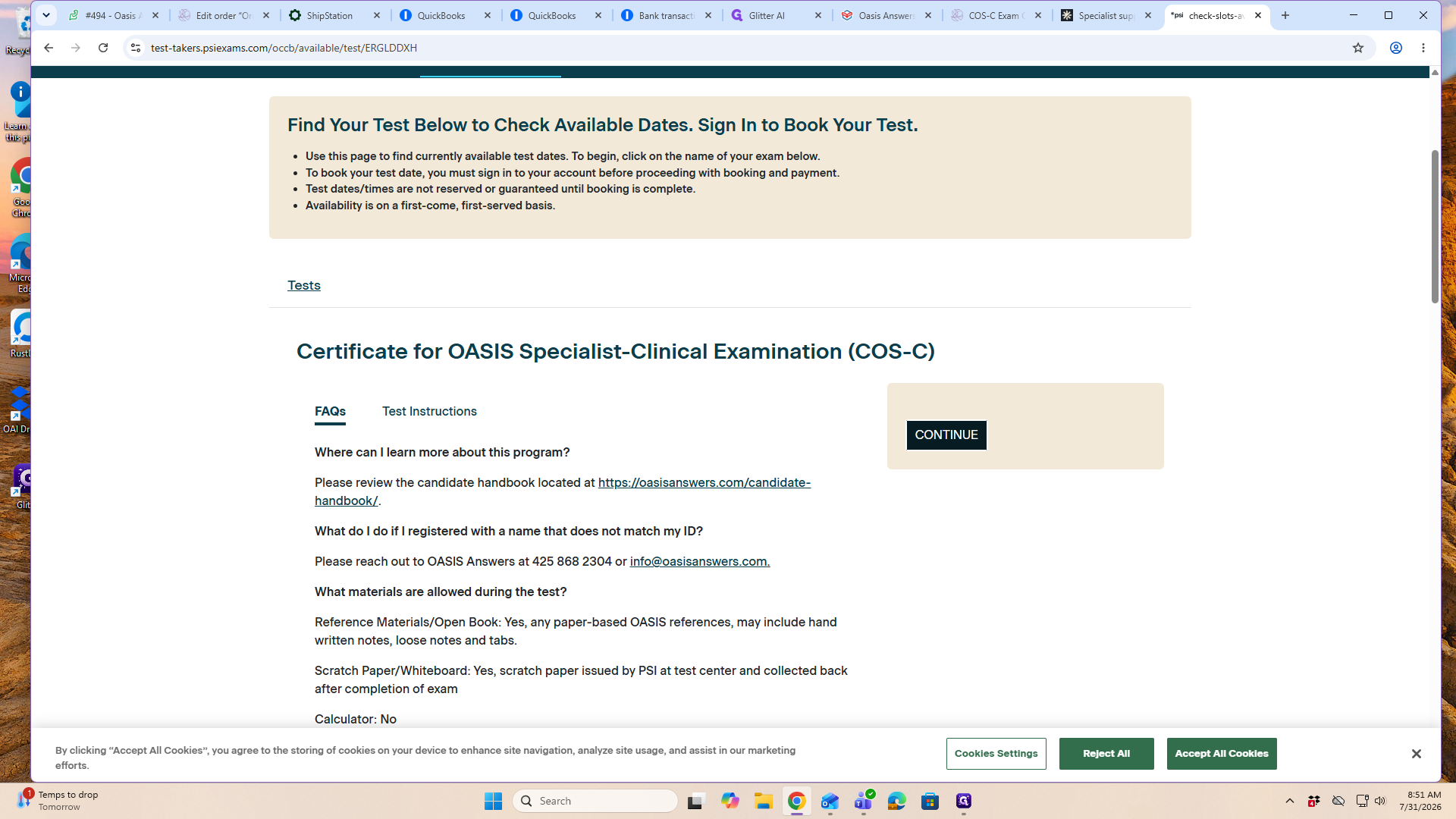
Verify your exam selection and click CONTINUE.
Step #5: Verify your exam selection and click CONTINUE.

Find a Test Center and Time

6
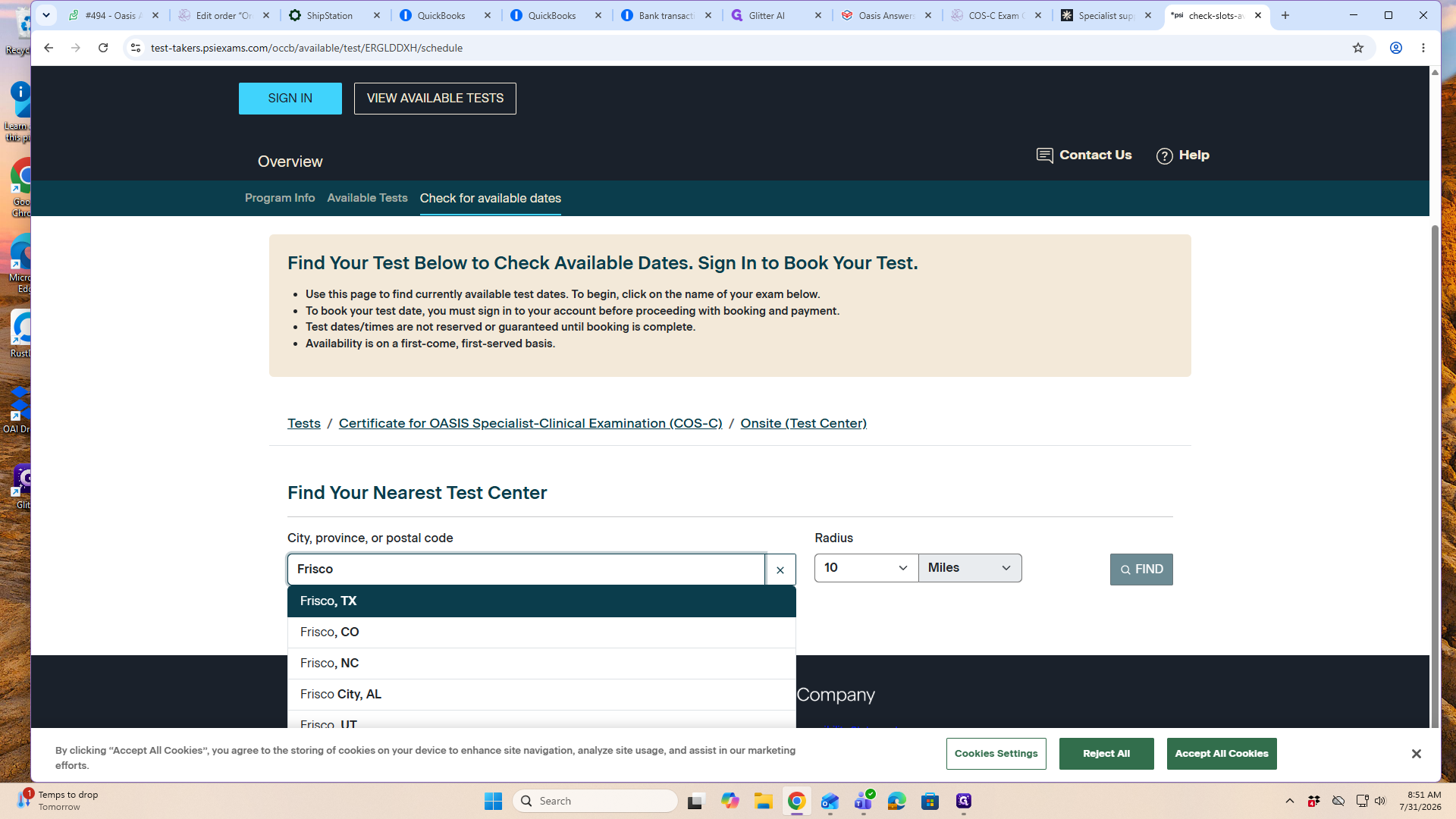
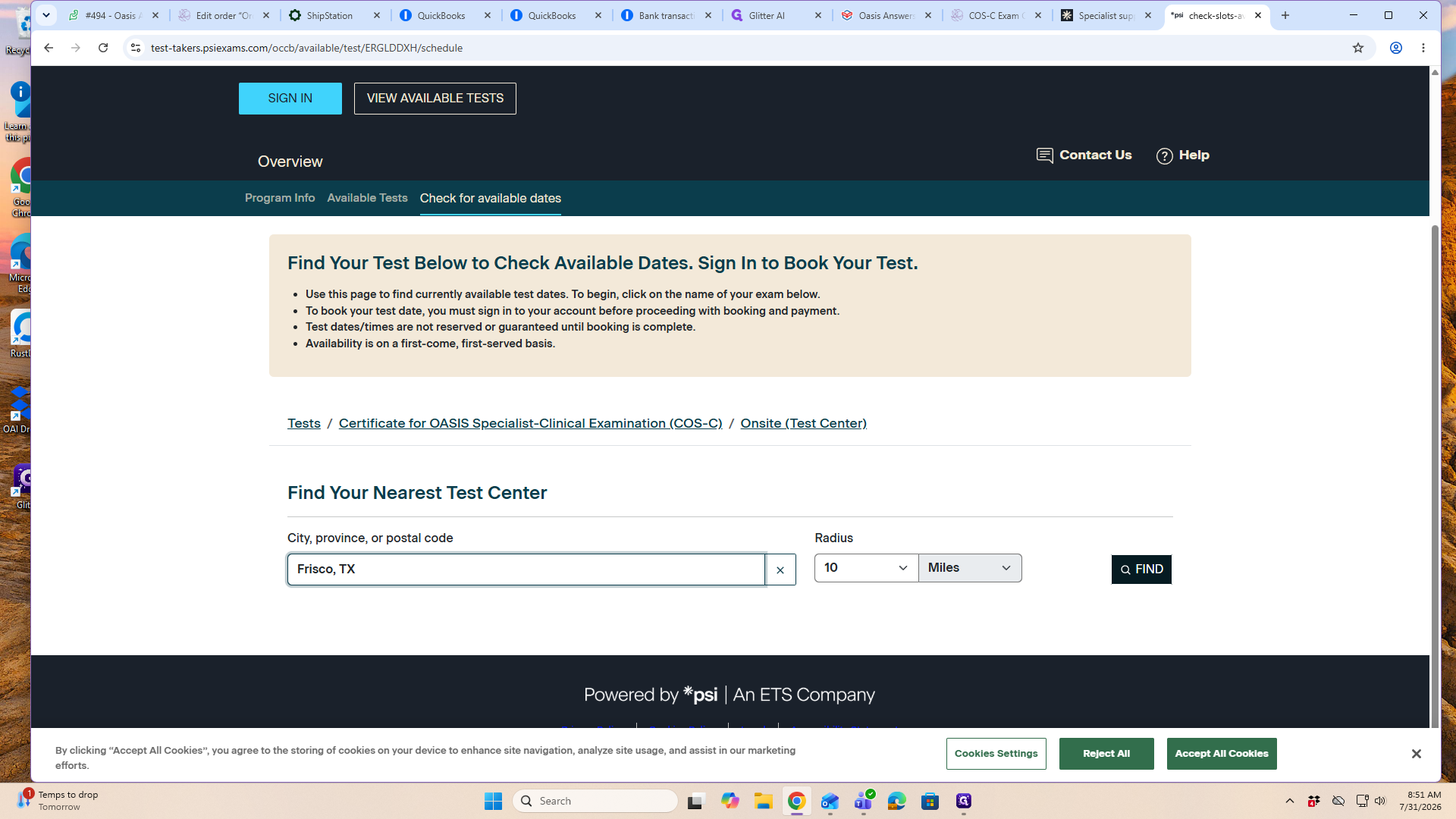
In the "Find Your Nearest Test Center" section, enter your location in the search field and select your city from the dropdown.
Step #6: In the "Find Your Nearest Test Center" section, enter your location in the search field and select your city from the dropdown.
7
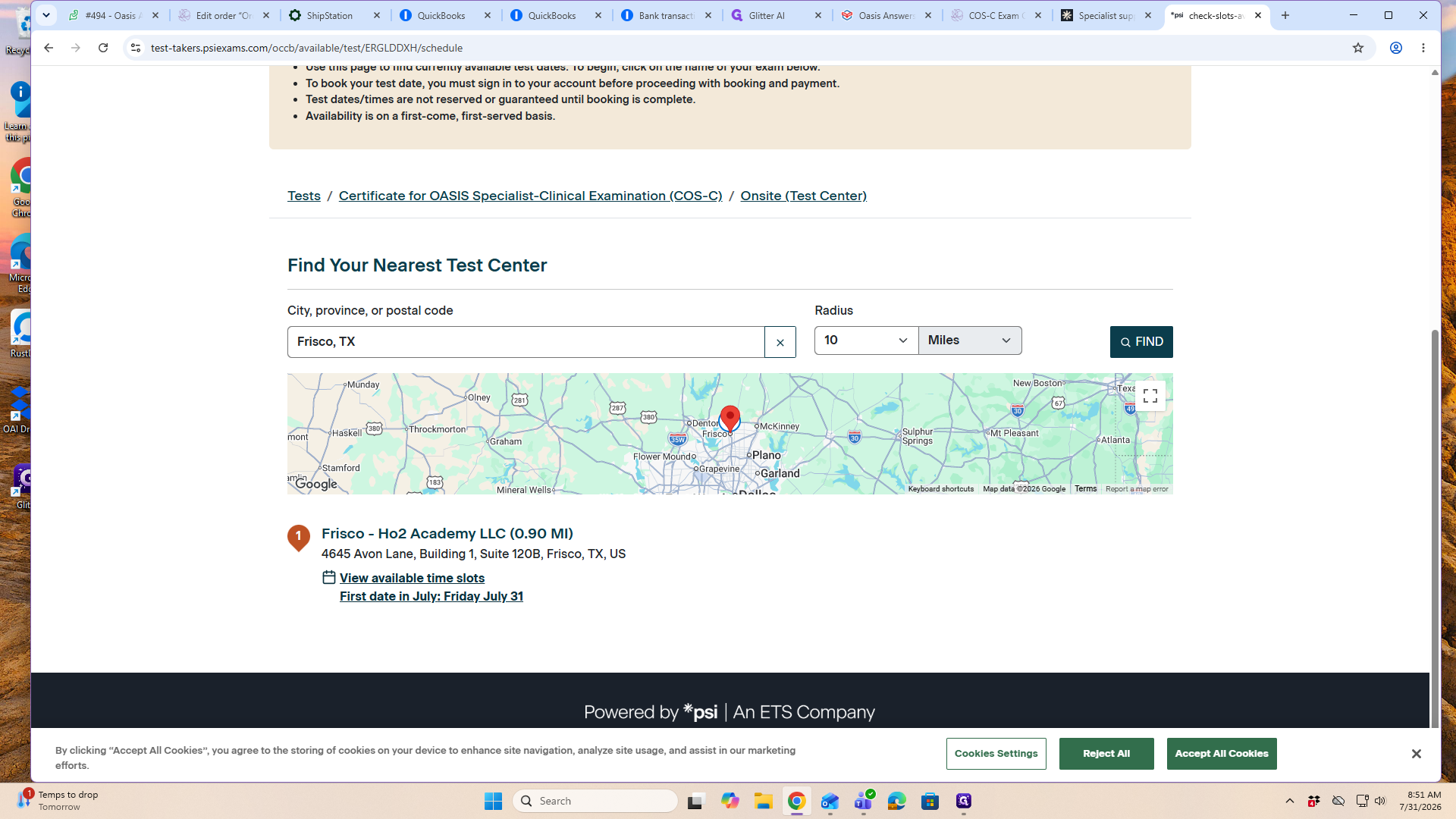
Click the FIND button to load a list of nearby testing centers.
Step #7: Click the FIND button to load a list of nearby testing centers.
8
Locate your preferred test center from the list and click View available time slots.
Step #8: Locate your preferred test center from the list and click View available time slots.
9
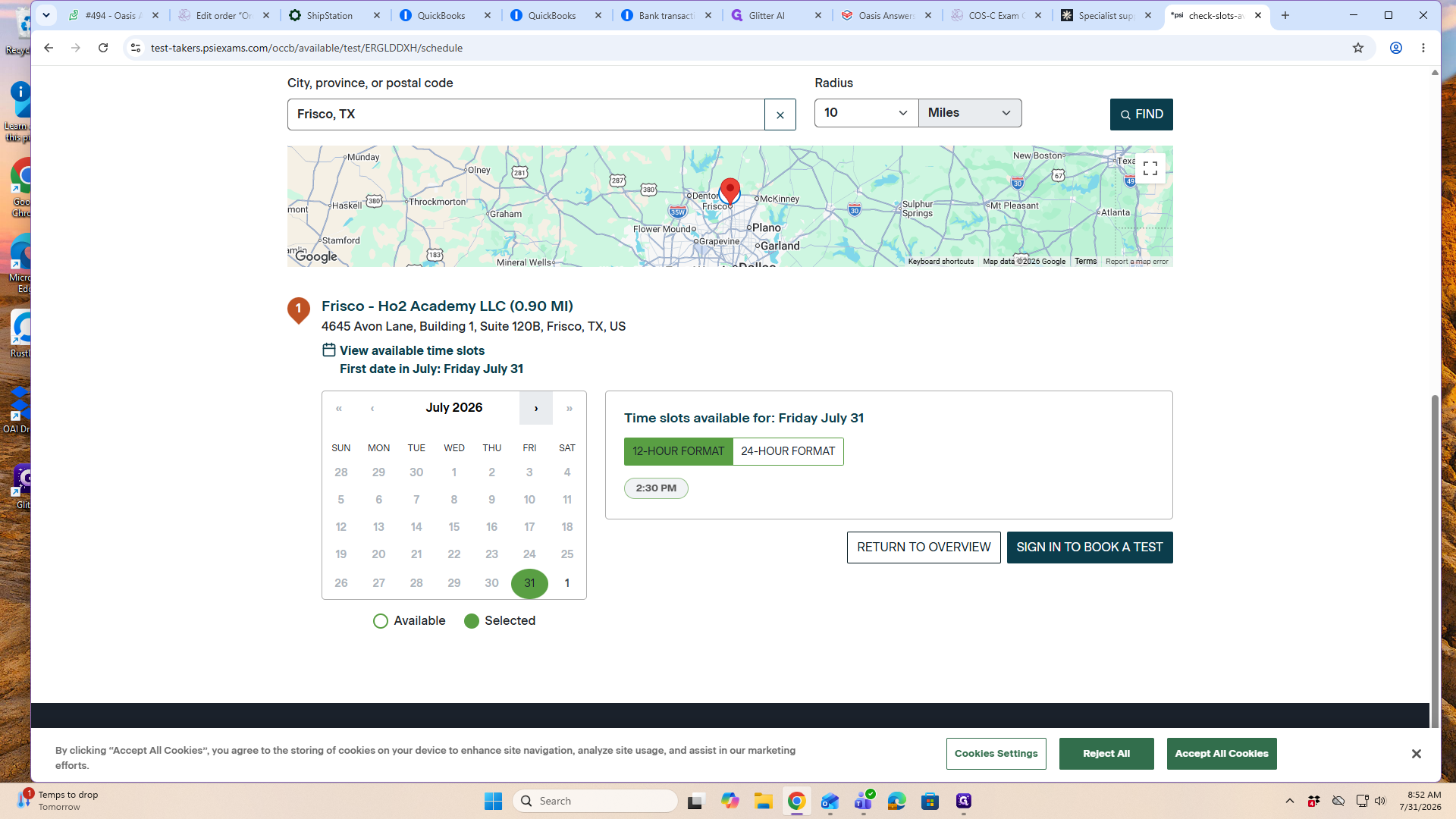
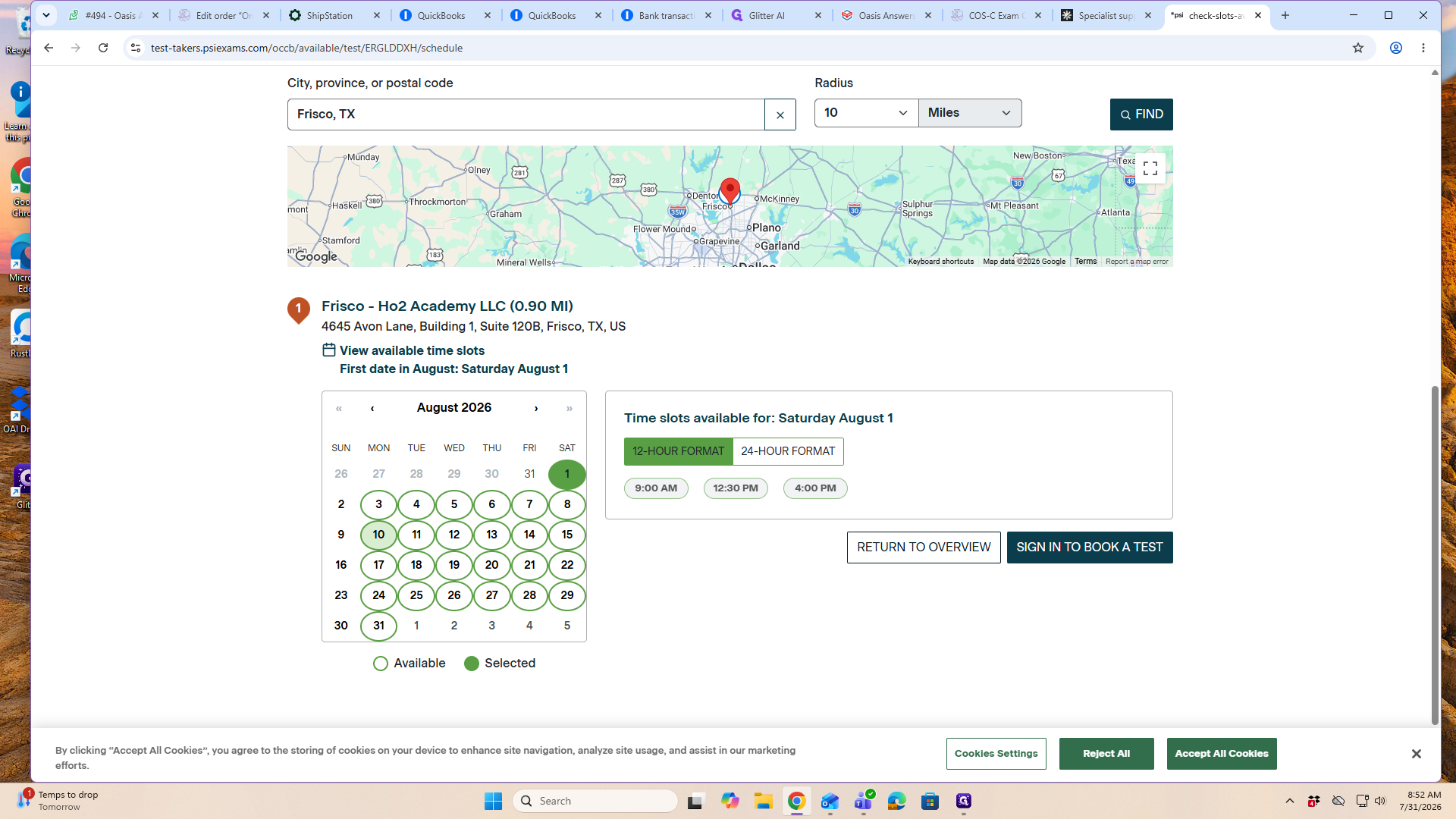
Use the > arrow on the calendar to navigate to your desired testing month.
Step #9: Use the > arrow on the calendar to navigate to your desired testing month.
10
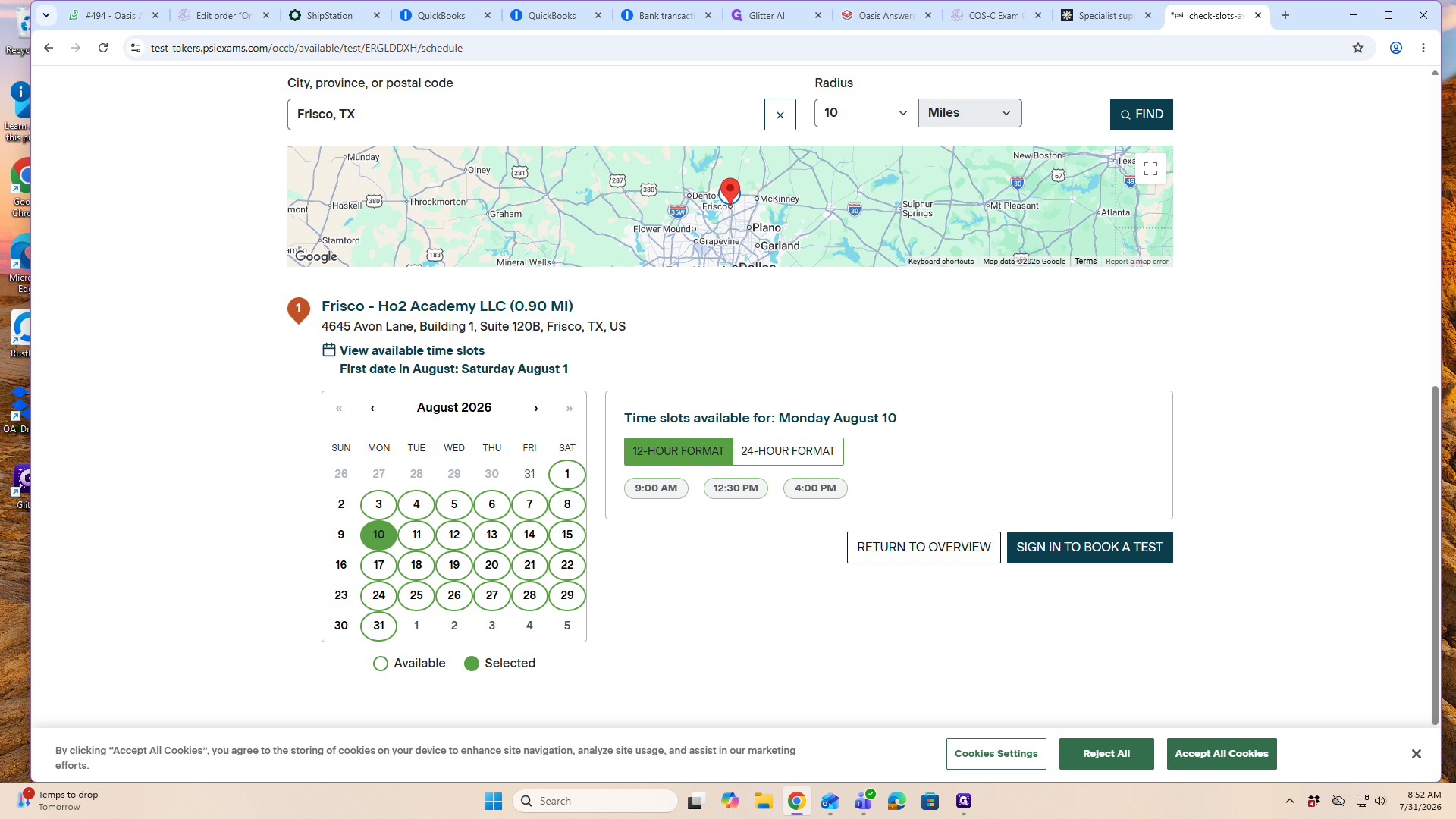
Click on a specific date on the calendar to view the availability for that day.
Step #10: Click on a specific date on the calendar to view the availability for that day.
11
Click on your preferred time slot to select it and proceed with booking your exam.
Step #11: Click on your preferred time slot to select it and proceed with booking your exam.

Q: Can I change how the available time slots are displayed?

A: Yes, you can freely toggle between 12-hour and 24-hour clock formats by clicking the format button located directly above the available time slots on the scheduling page.

Term

Definition

PSI Online

A global testing platform used for scheduling and administering certification, licensure, and academic exams.

OASIS Answers

An organization that provides training and certification exams for home health professionals.

COS-C

The Certificate for OASIS Specialist-Clinical, a specific certification exam for home health care providers.