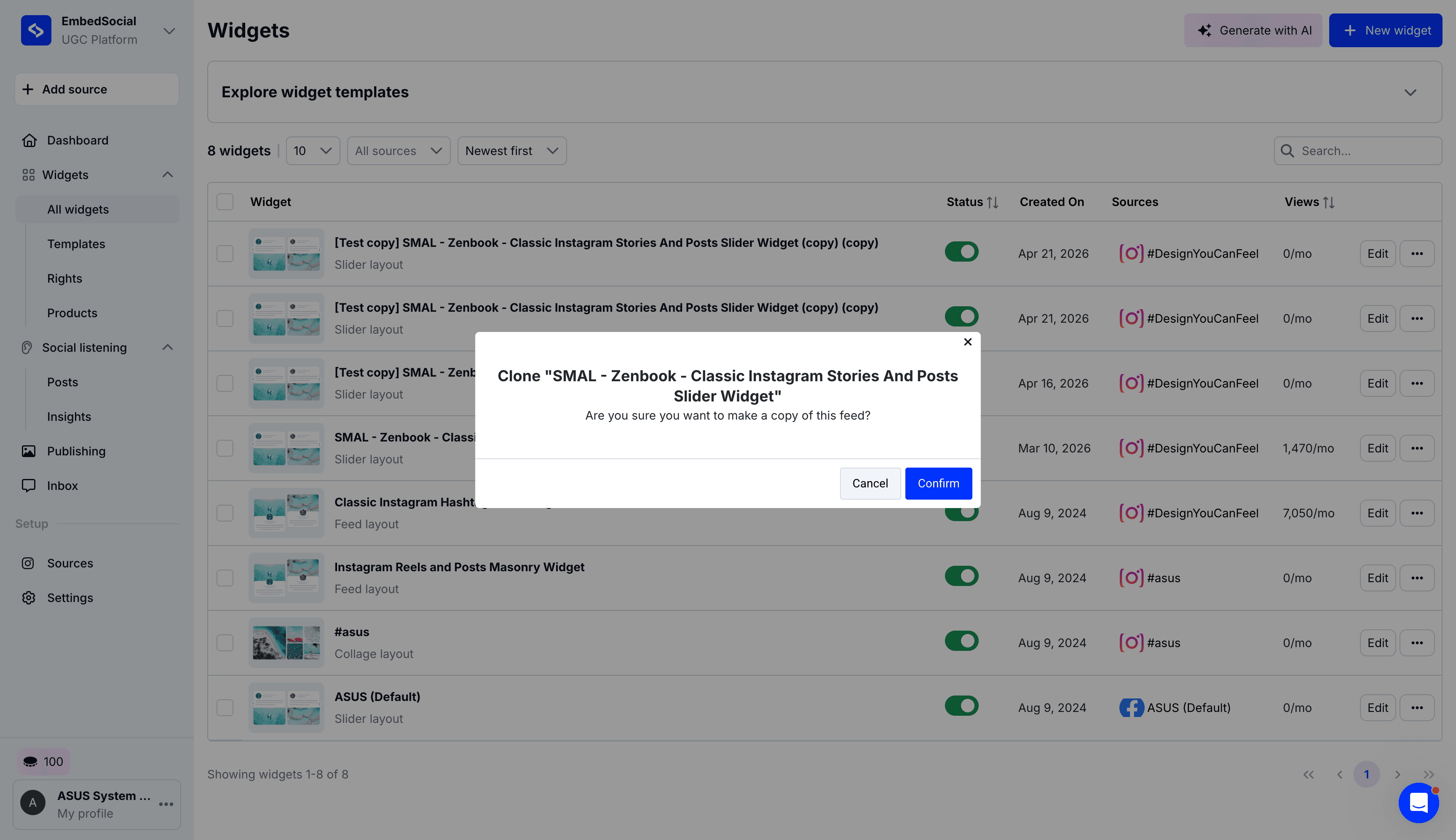
How to Clone a Widget in EmbedSocial
Learn how to quickly clone an existing widget in your EmbedSocial dashboard to duplicate its settings, layout, and sources.
By Enzo
Cloning an existing widget in EmbedSocial is the fastest way to duplicate your layout, settings, and data sources for a new project or page without having to start from scratch.
Duplicating Your Widget
Follow these steps to clone a widget directly from your dashboard.
1
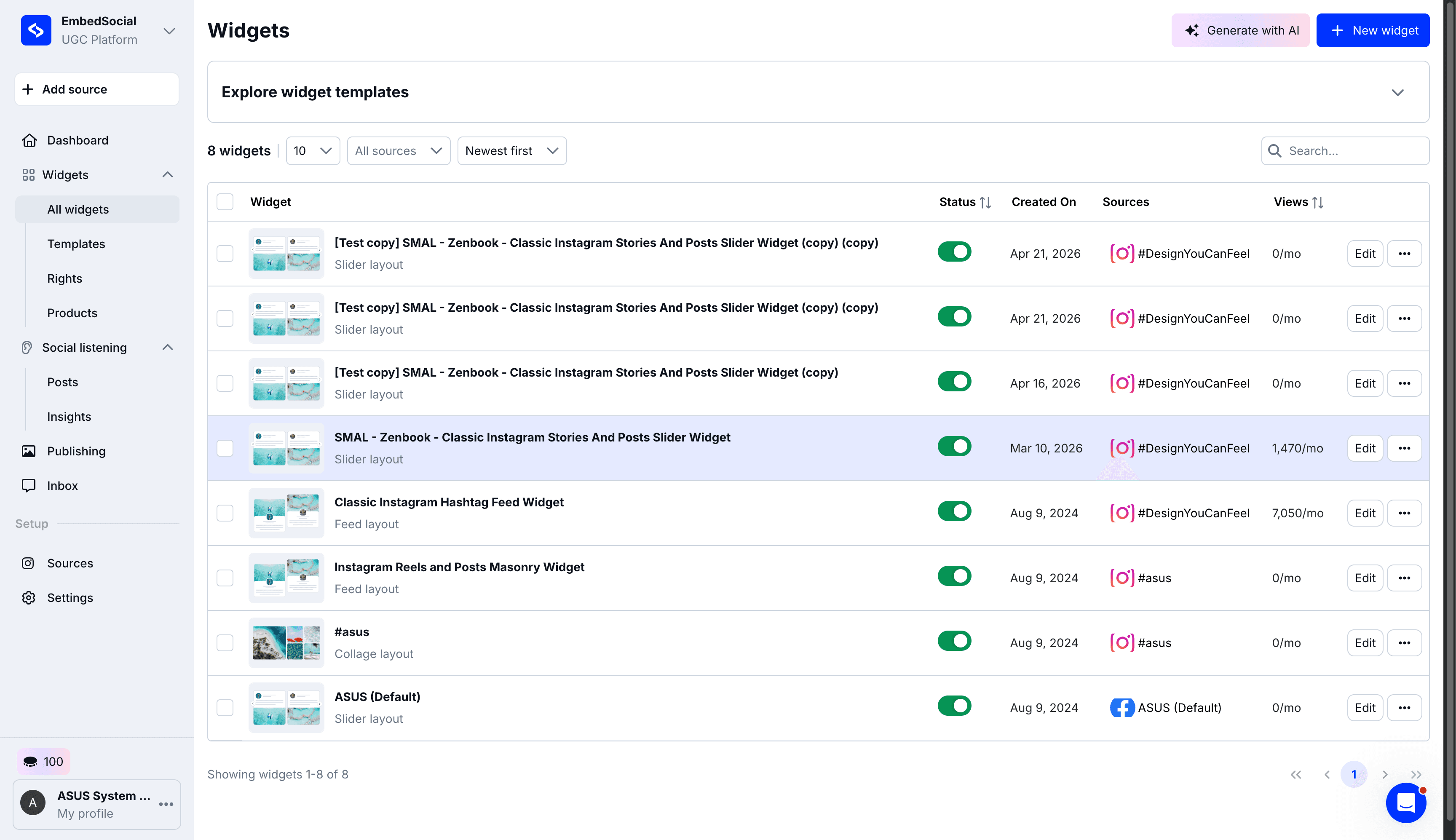
Click the options menu next to the Edit button for the widget you want to duplicate.
2
Select Clone from the dropdown menu.
3
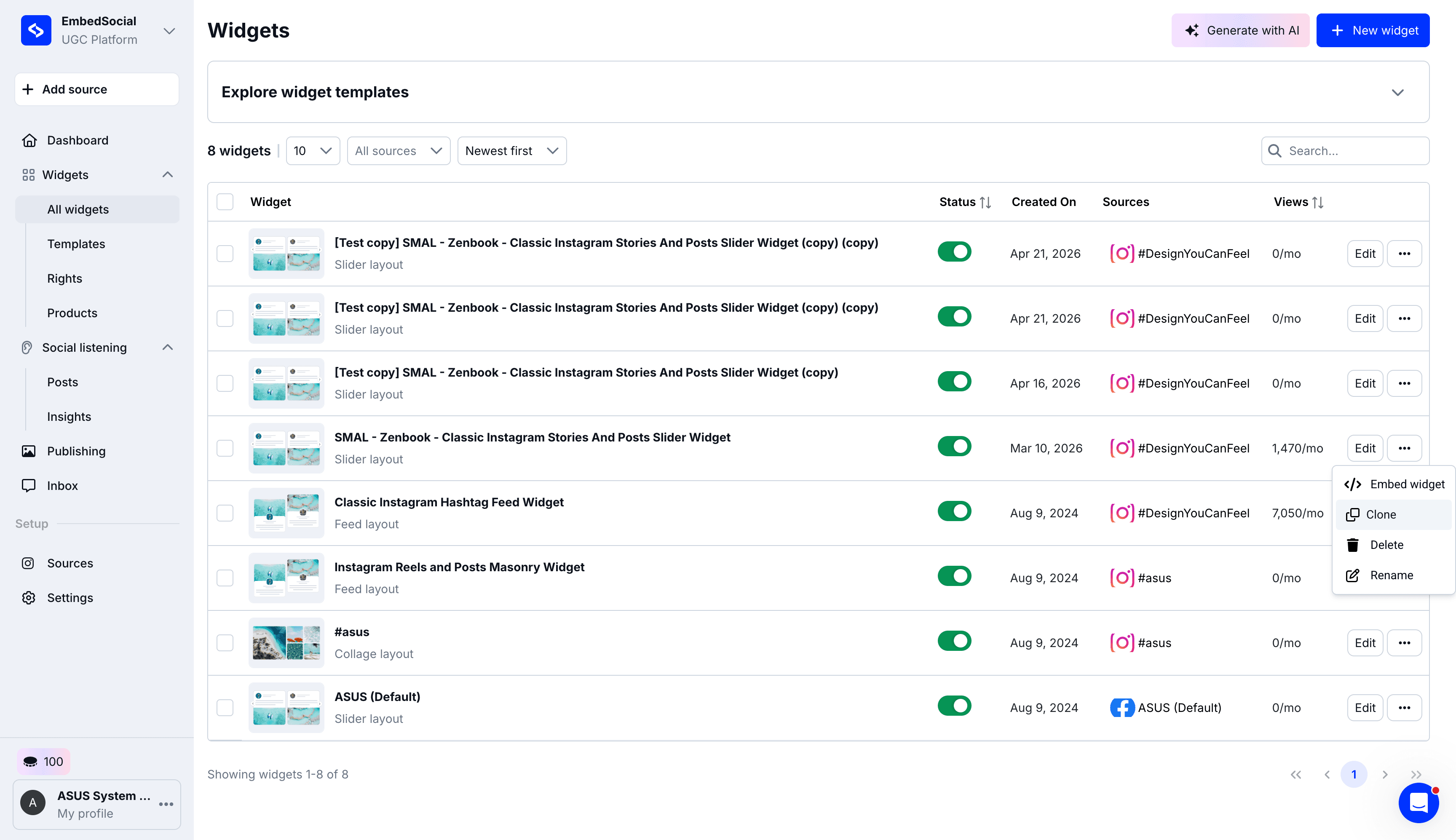
Click Confirm on the modal pop-up to finish copying the widget.