LCL DOMESTIC ORDERS GUIDE :-
By Manjit K
Let's get started
Okay, we are copying this from an entered order # e.g R0750122 created for 21st July trip.
1
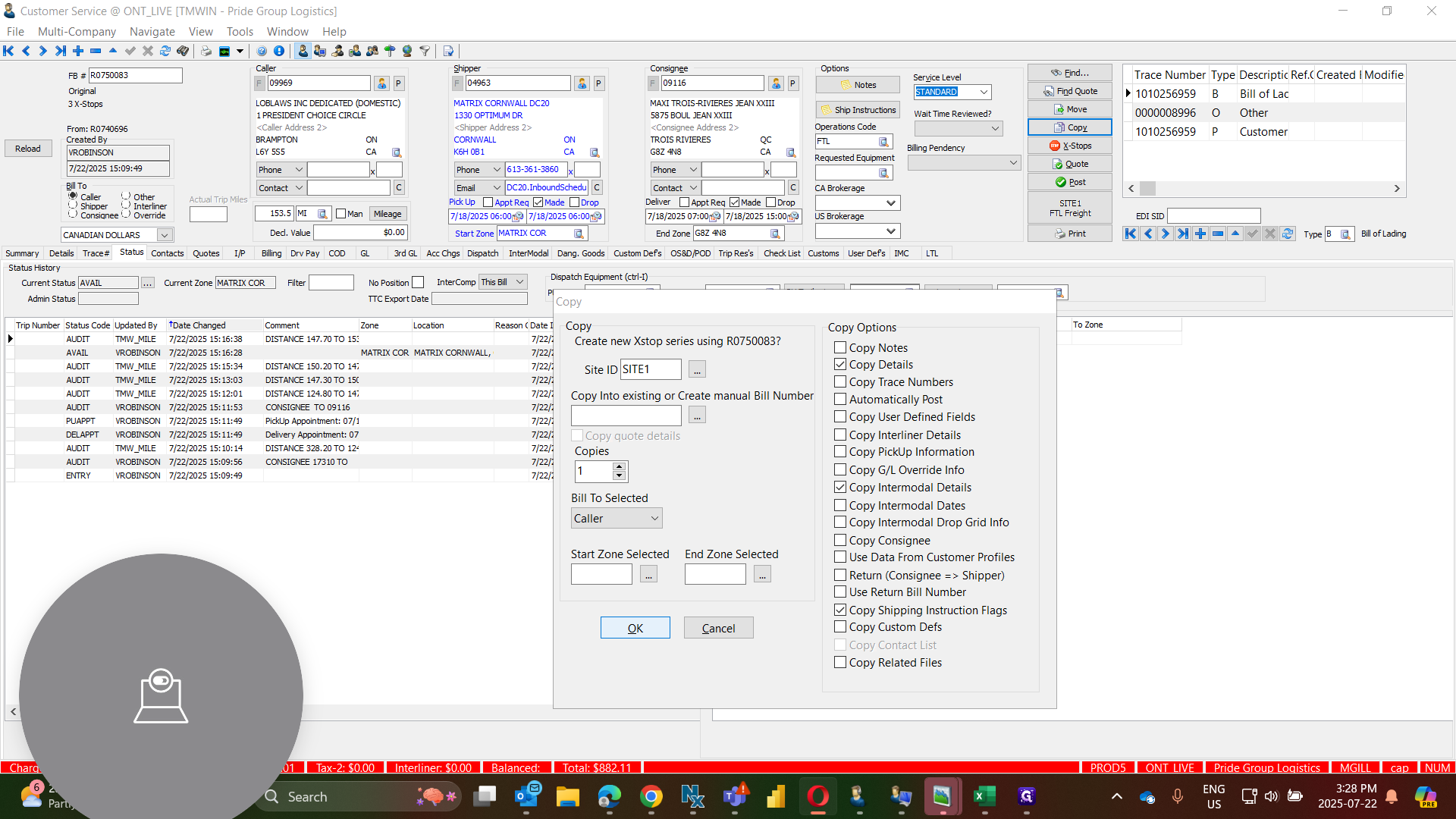
Click on "Copy"
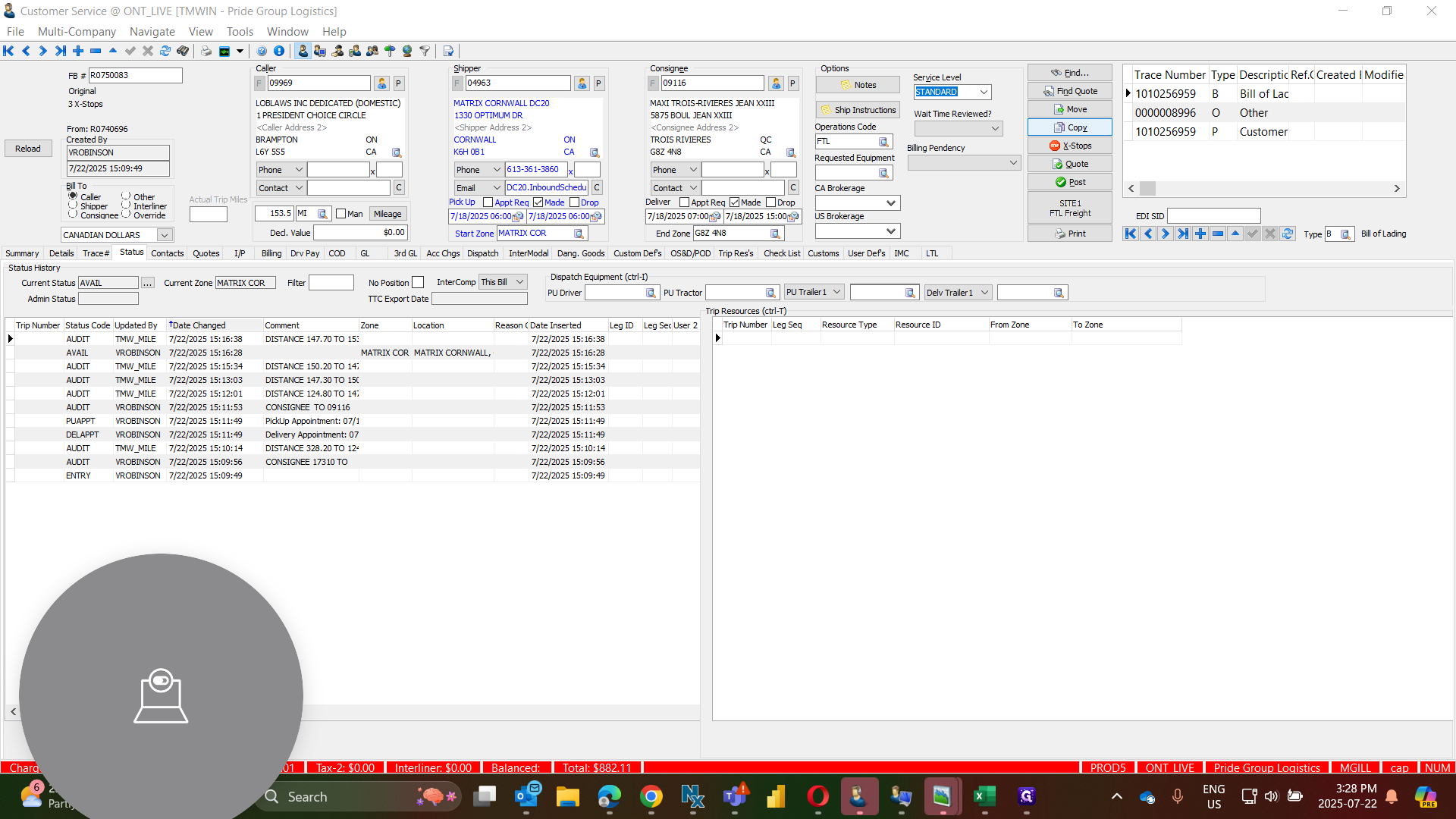
When copying, do not include the trace numbers or consignees, as these may differ.
2
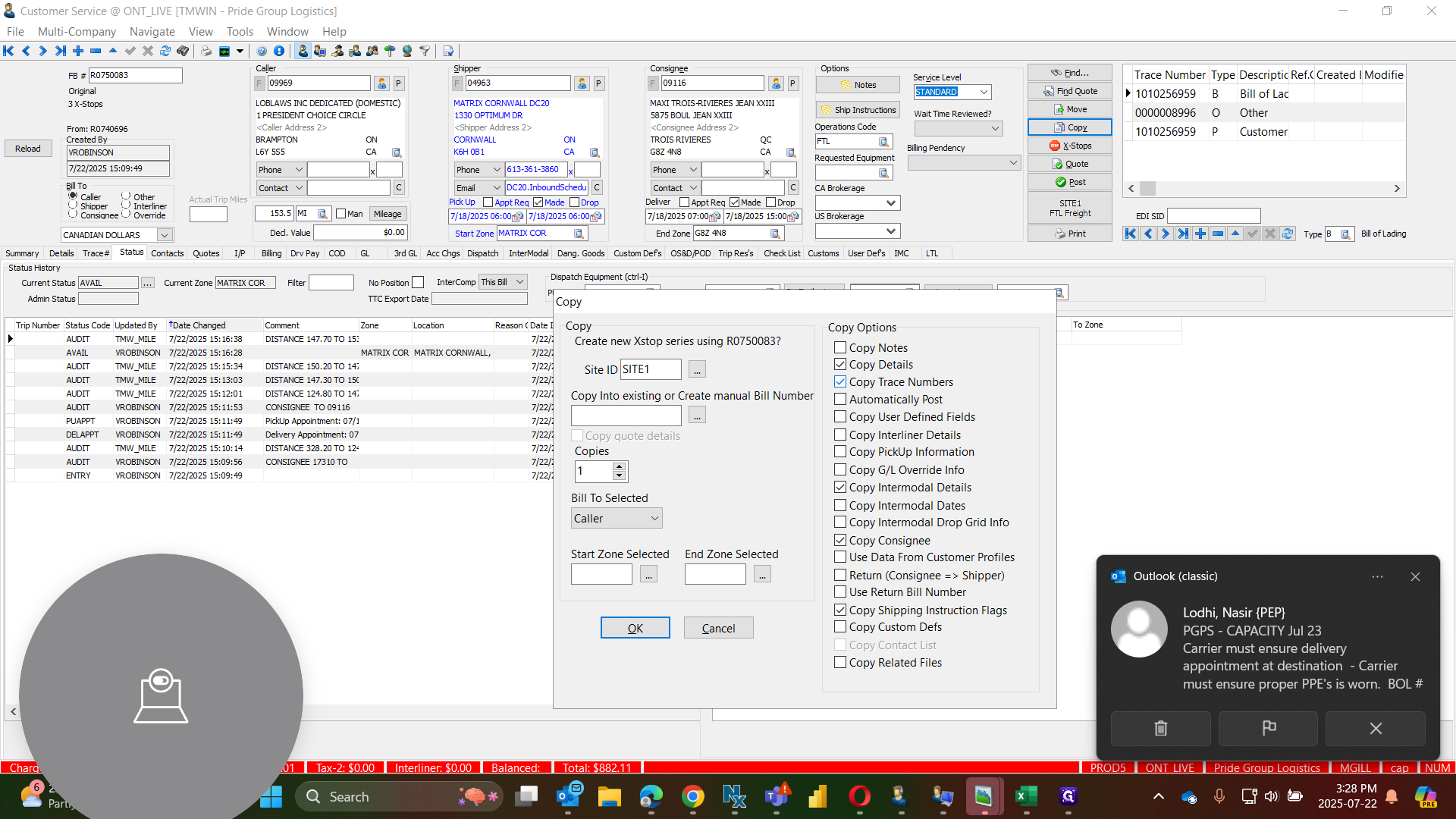
Click on Uncheck Trace "✓ Copy Trace Numbers"
3
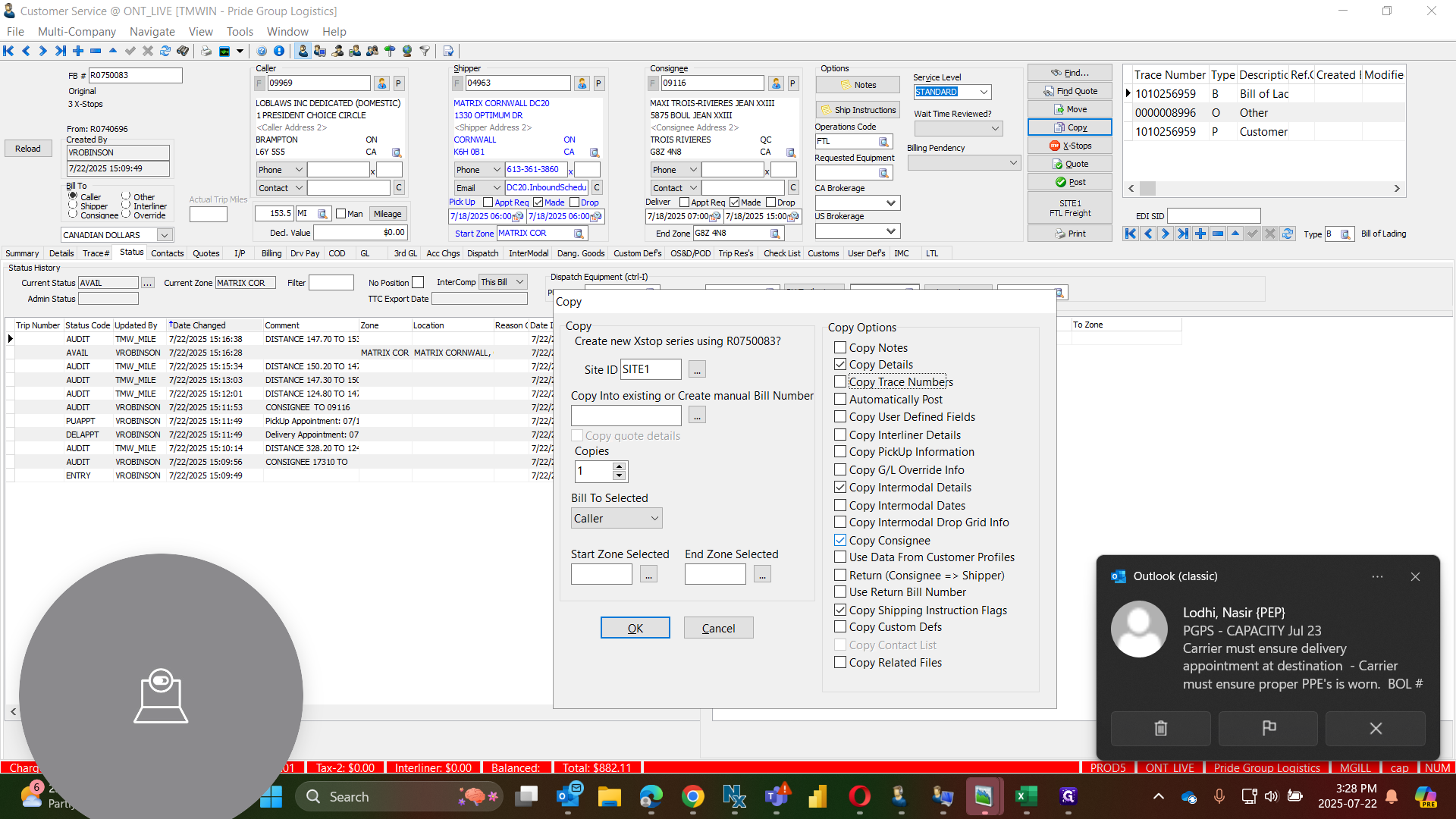
Click on "Uncheck ☑Copy Consignee"
4
Click on "OK"
.
5
Click on "OK"
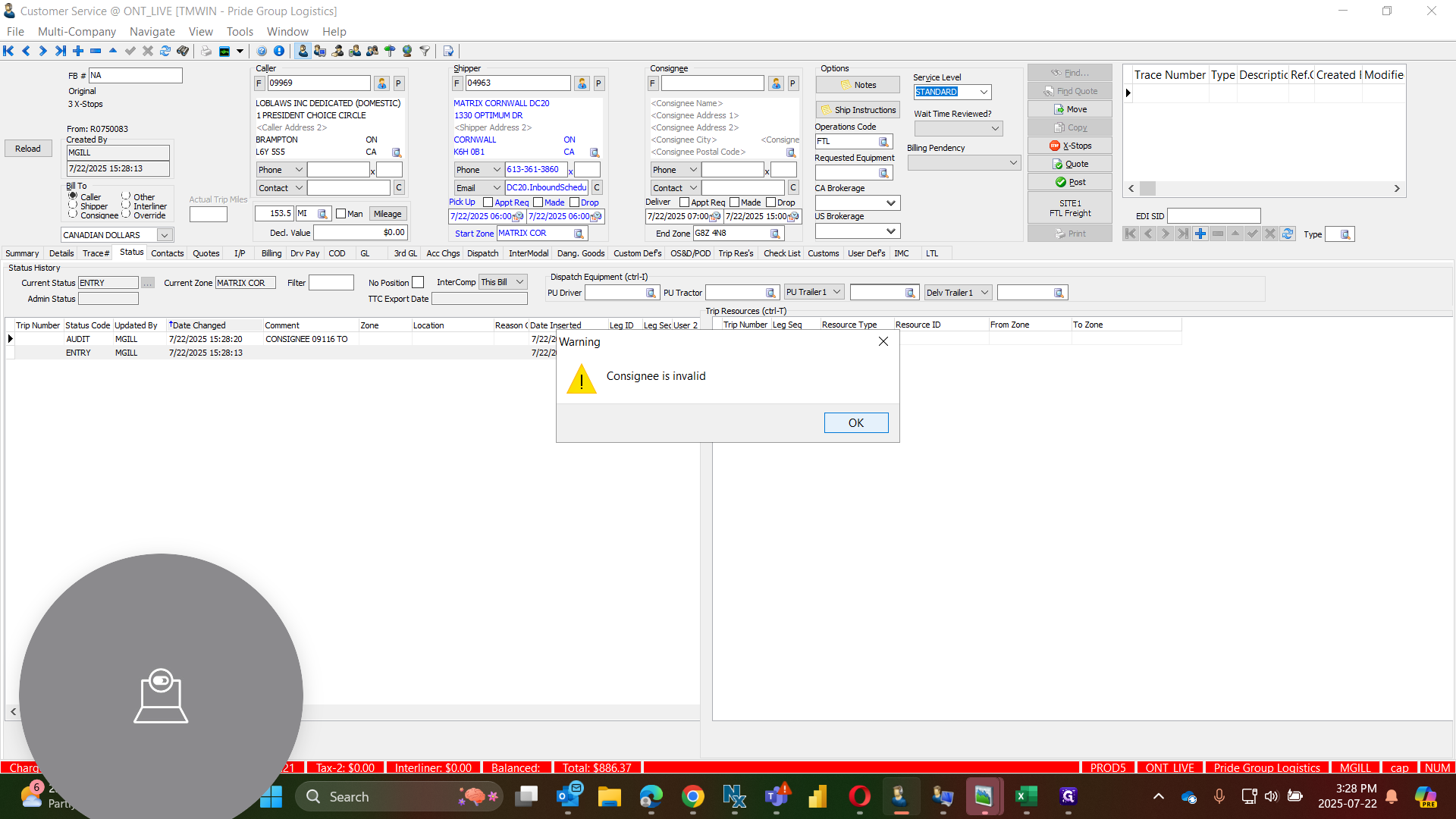
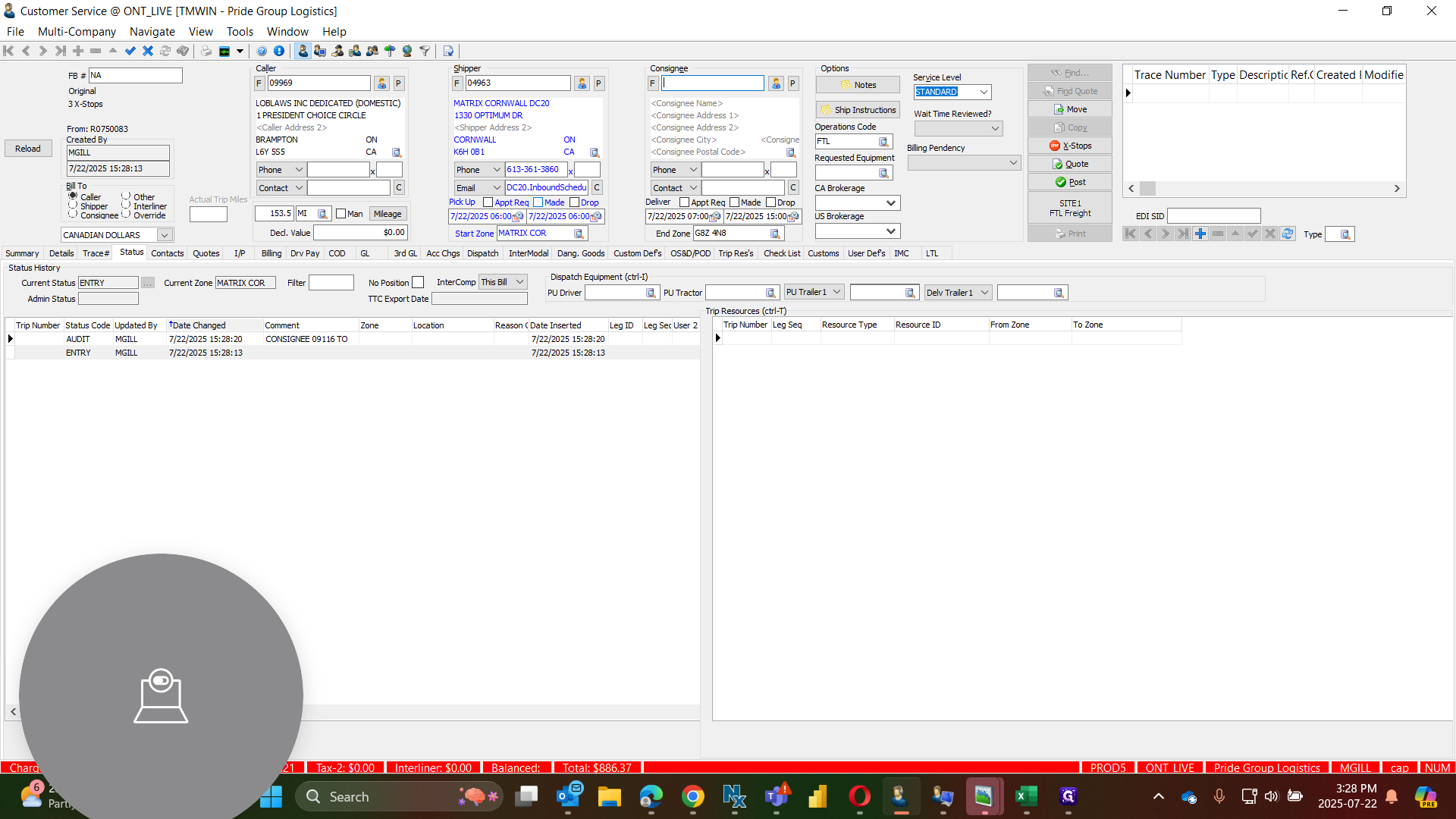
We know these orders always have a delivery window, so we will ensure we keep it same as previous orders within that timeframe. 7:00 to 15:00 the date of pick up & Delivery will same as per driver trip sheet.
6
Made check box once the date and time is updated.
7
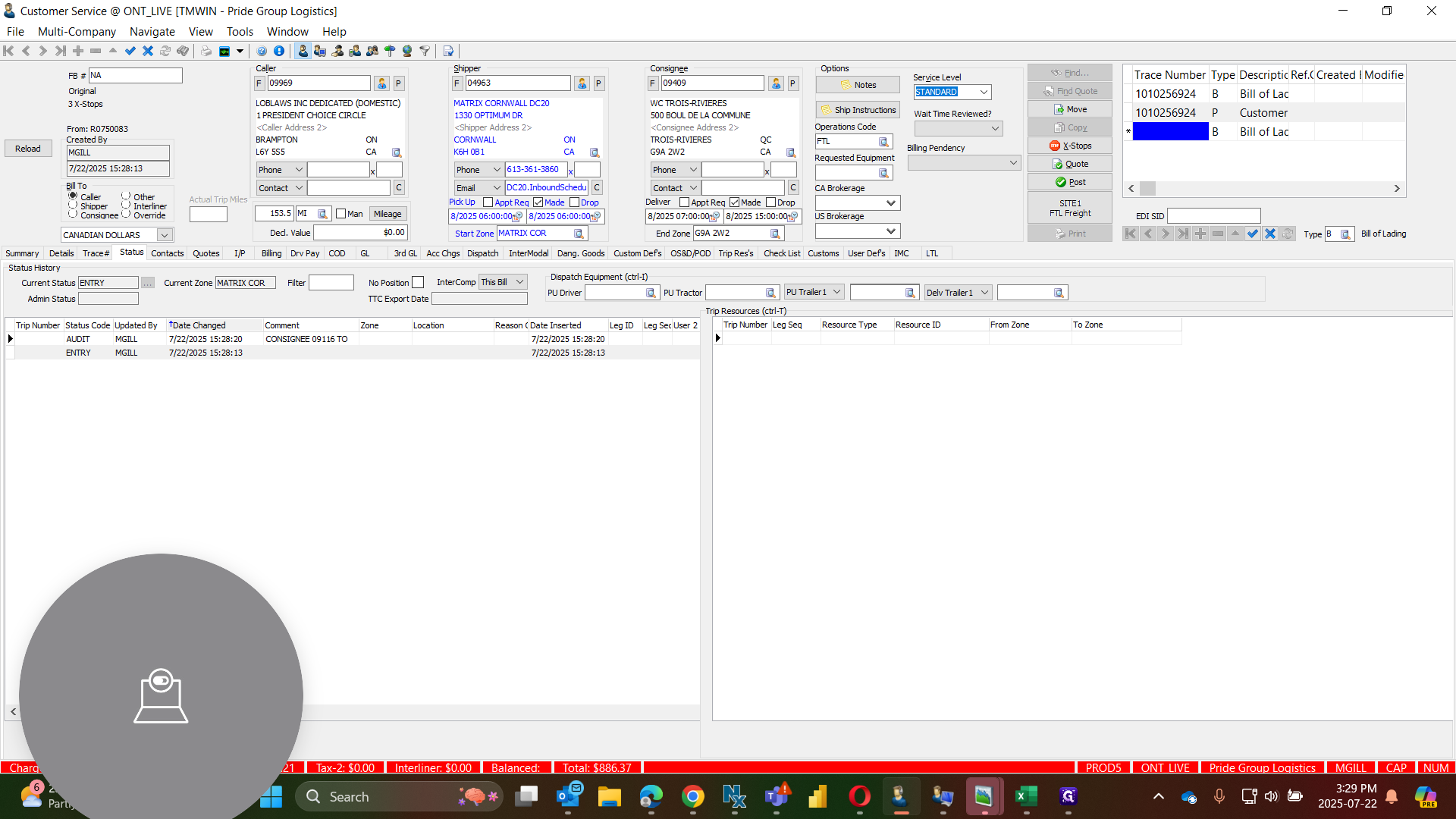
When entering trace # ensure the Order PO is entered as P and B. For each stop enter the individual Trace # given for each stop as O (Other #'s ).
8
example Order PO"1010256924"
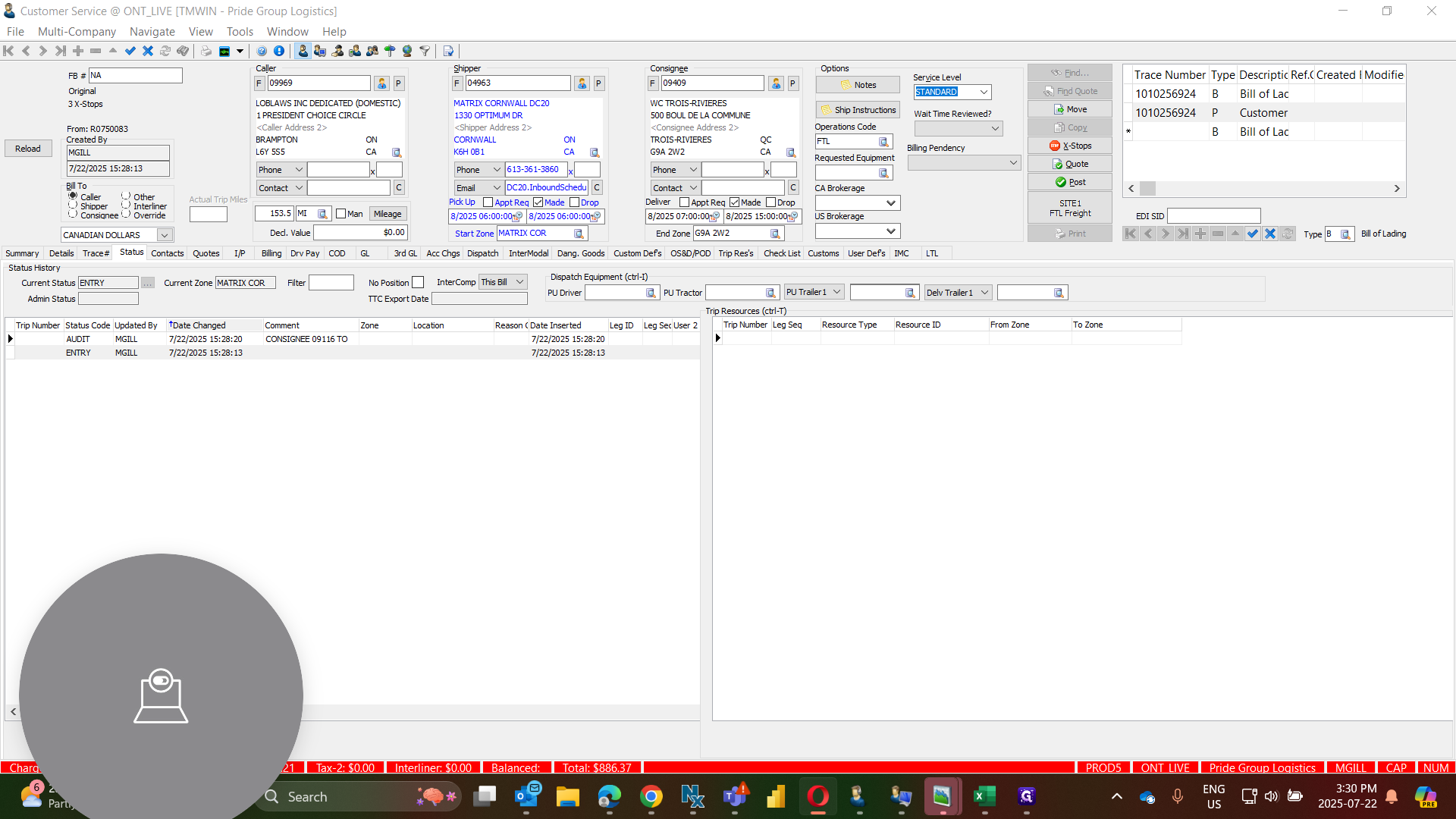
9
Entered the Stop BOL like below:-
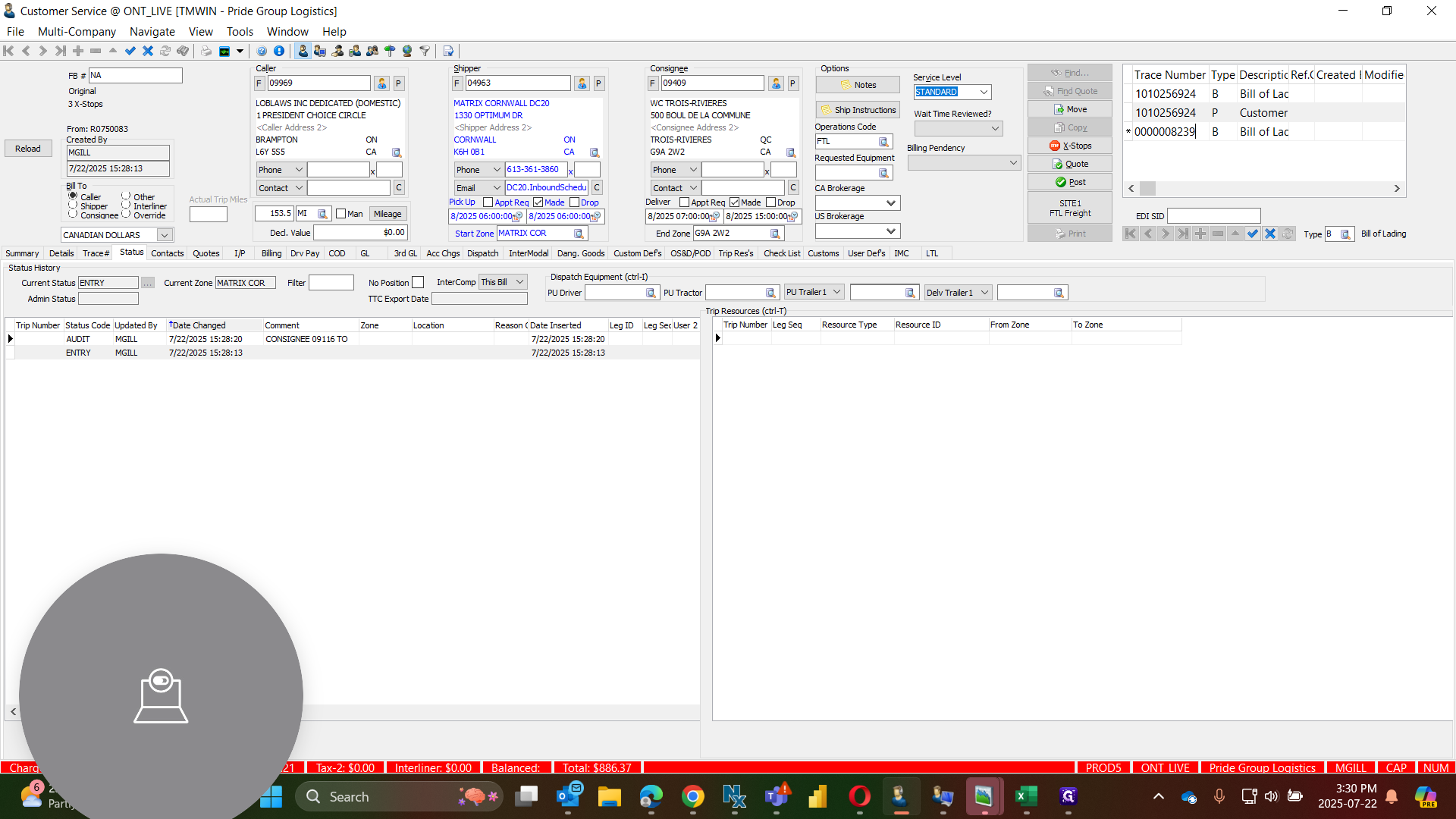
10
Save changes
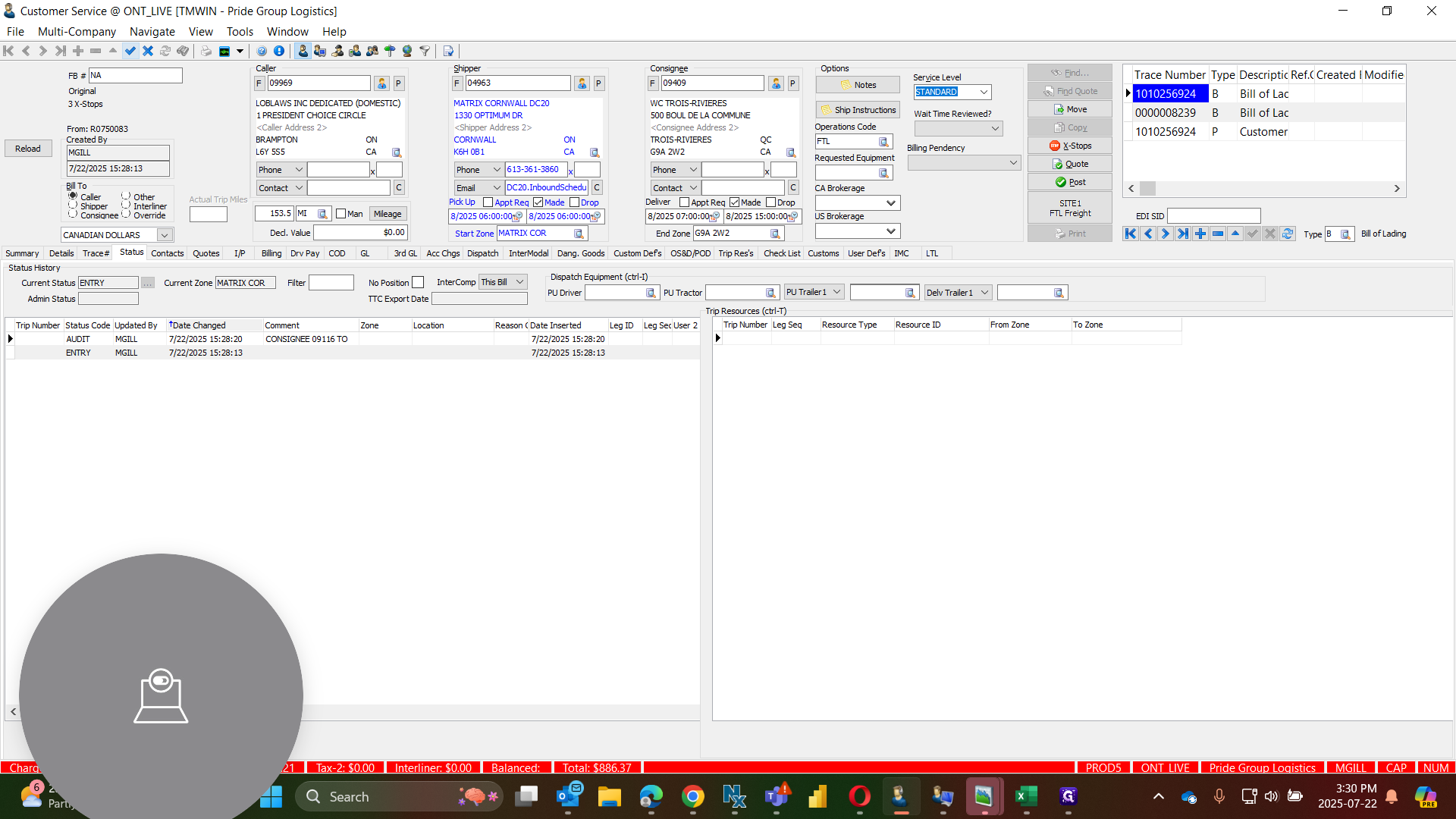
then go to next stop details and follow same steps as above.
11
Click on "< Consignee Name >"
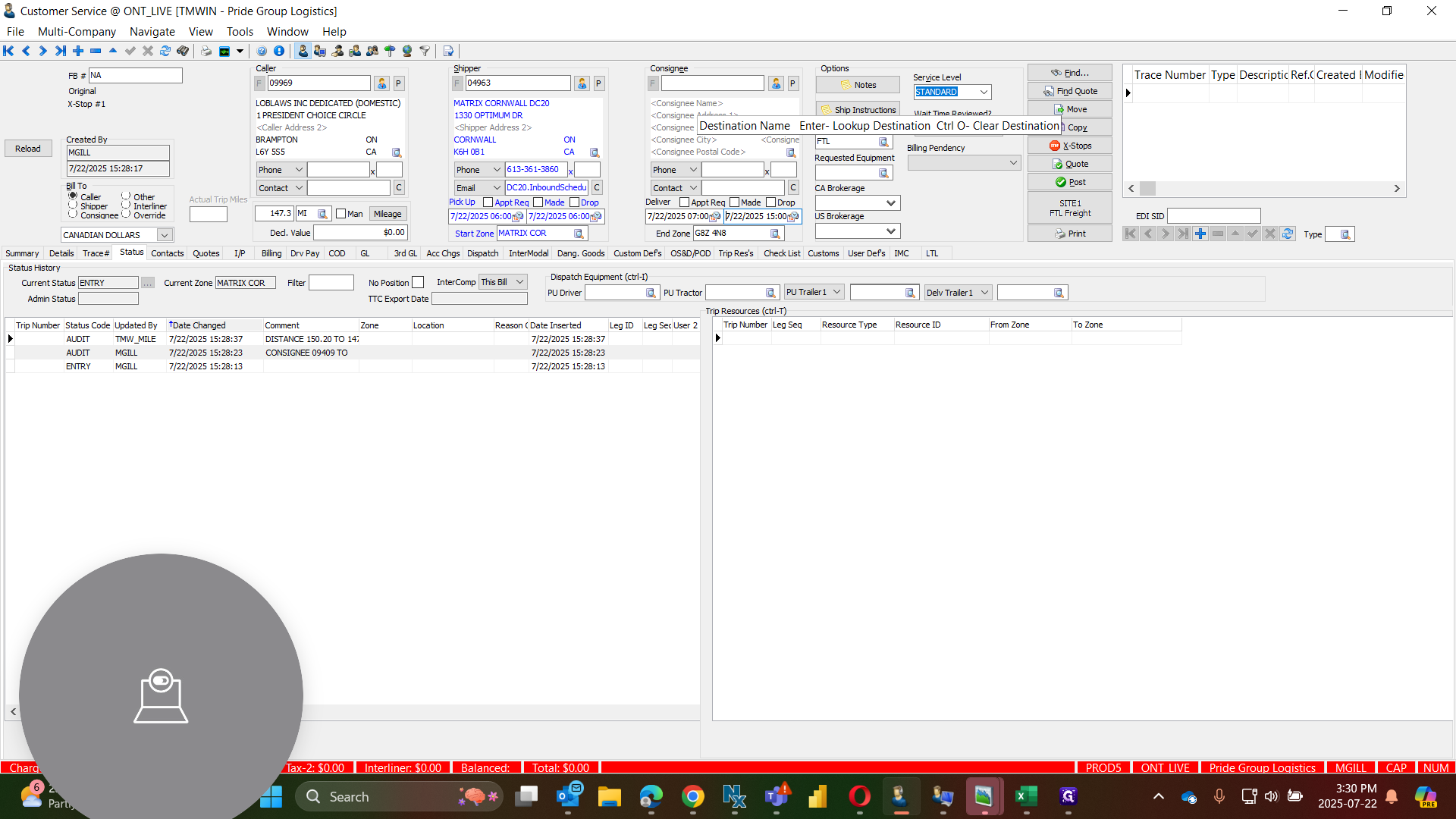
12
looking up location's Double-click on "MAXI LA TUQUE DUCHARME"
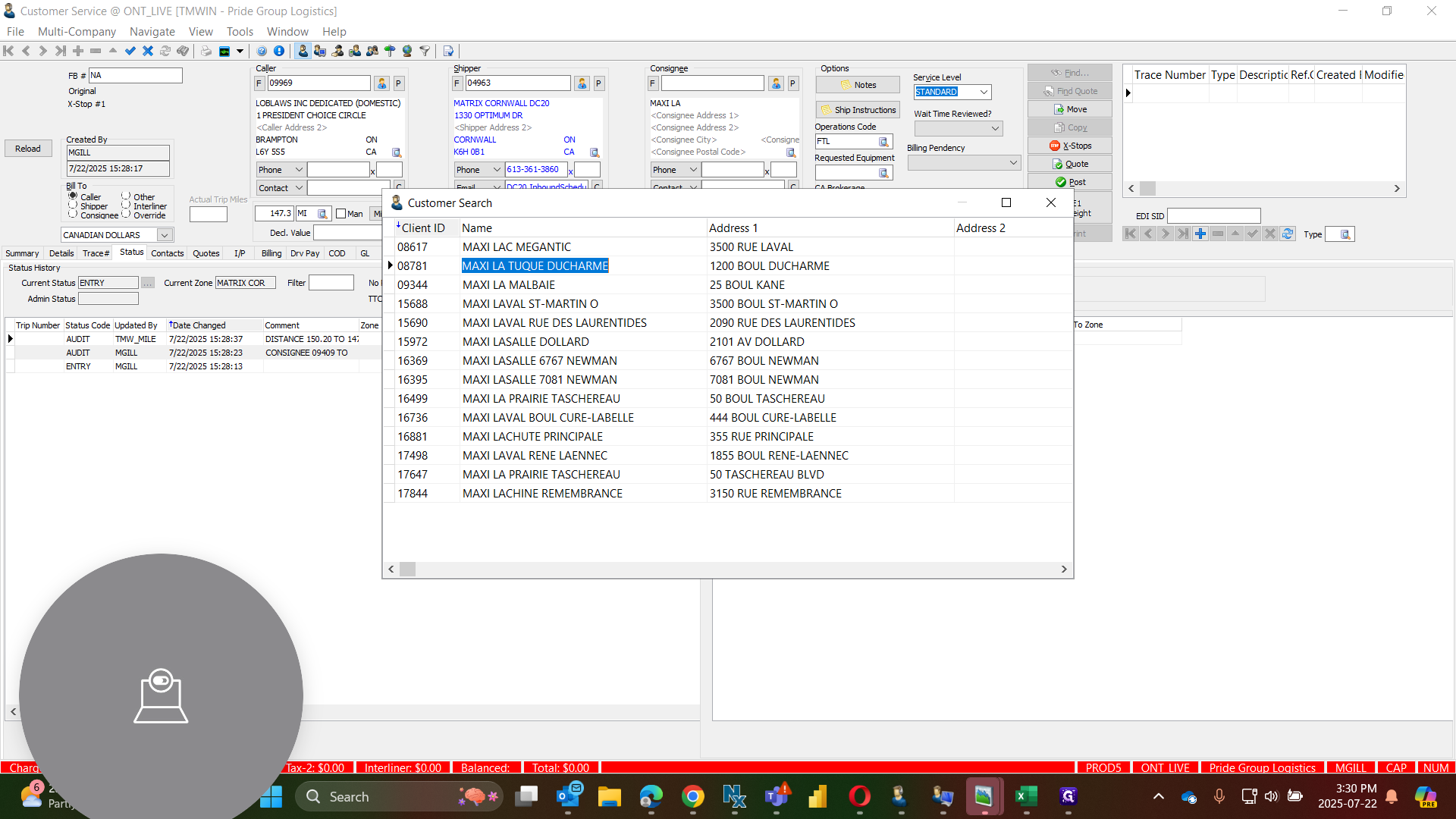
All of these are picked up on the same day.
13
Click on "7/22/2025 15:00"
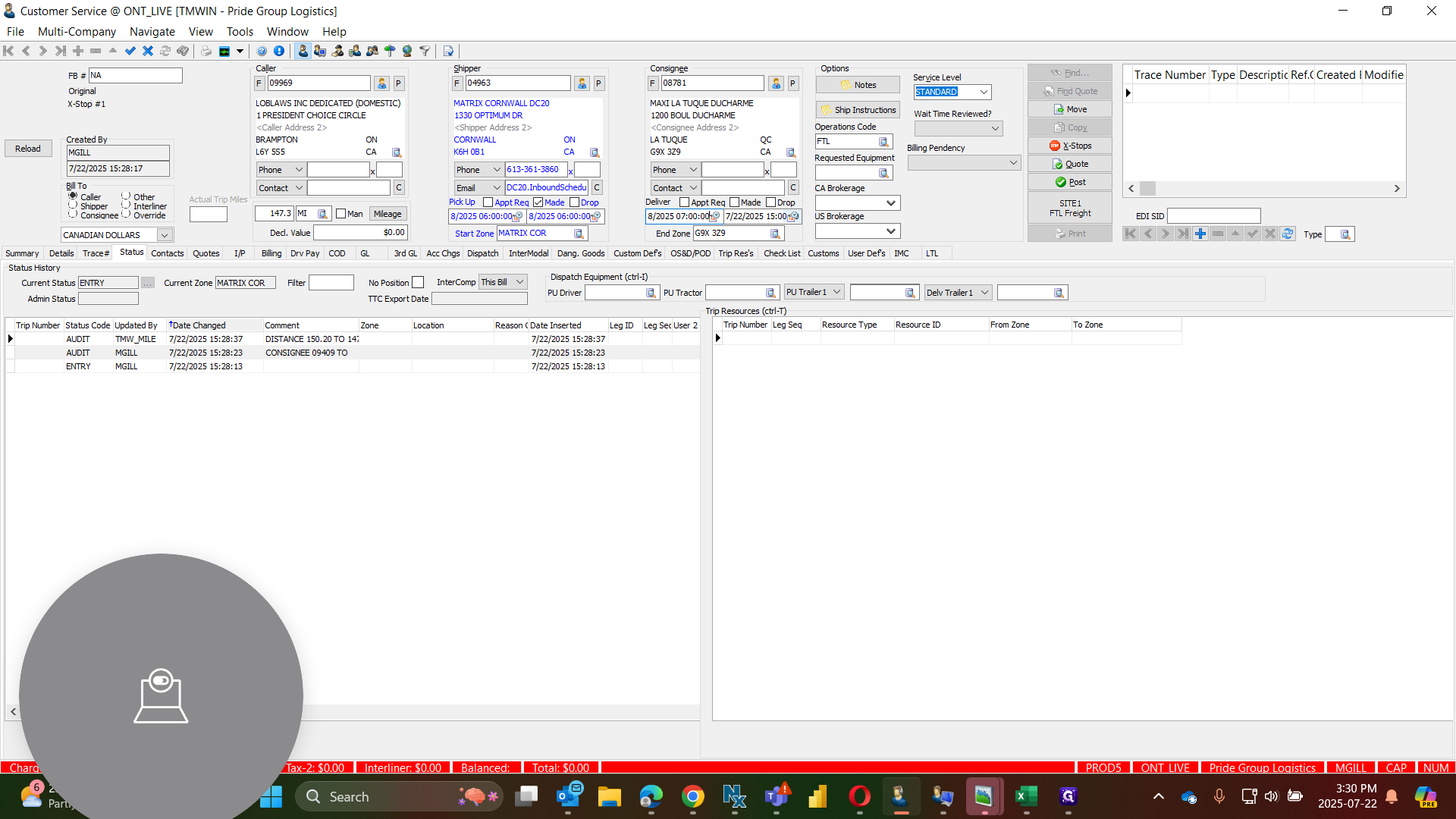
14
POST the Order.