How to Create a Missing Cable Report for the Electrical Team
Step-by-step guide on creating a missing cable report for the electrical team using the missing material report or purple tag tracker. Learn how to identify missing symbolic material, enter relevant details, and submit the report efficiently.
In this guide, we'll learn how to complete a missing cable report for the electrical team using the missing material report or the purple tag tracker. This process helps track and document missing items, such as a kinetics extension cable, by entering key details like the reporter's name, location, item type, part numbers, and description.
This ensures accurate records and helps resolve material shortages efficiently.
Let's get started
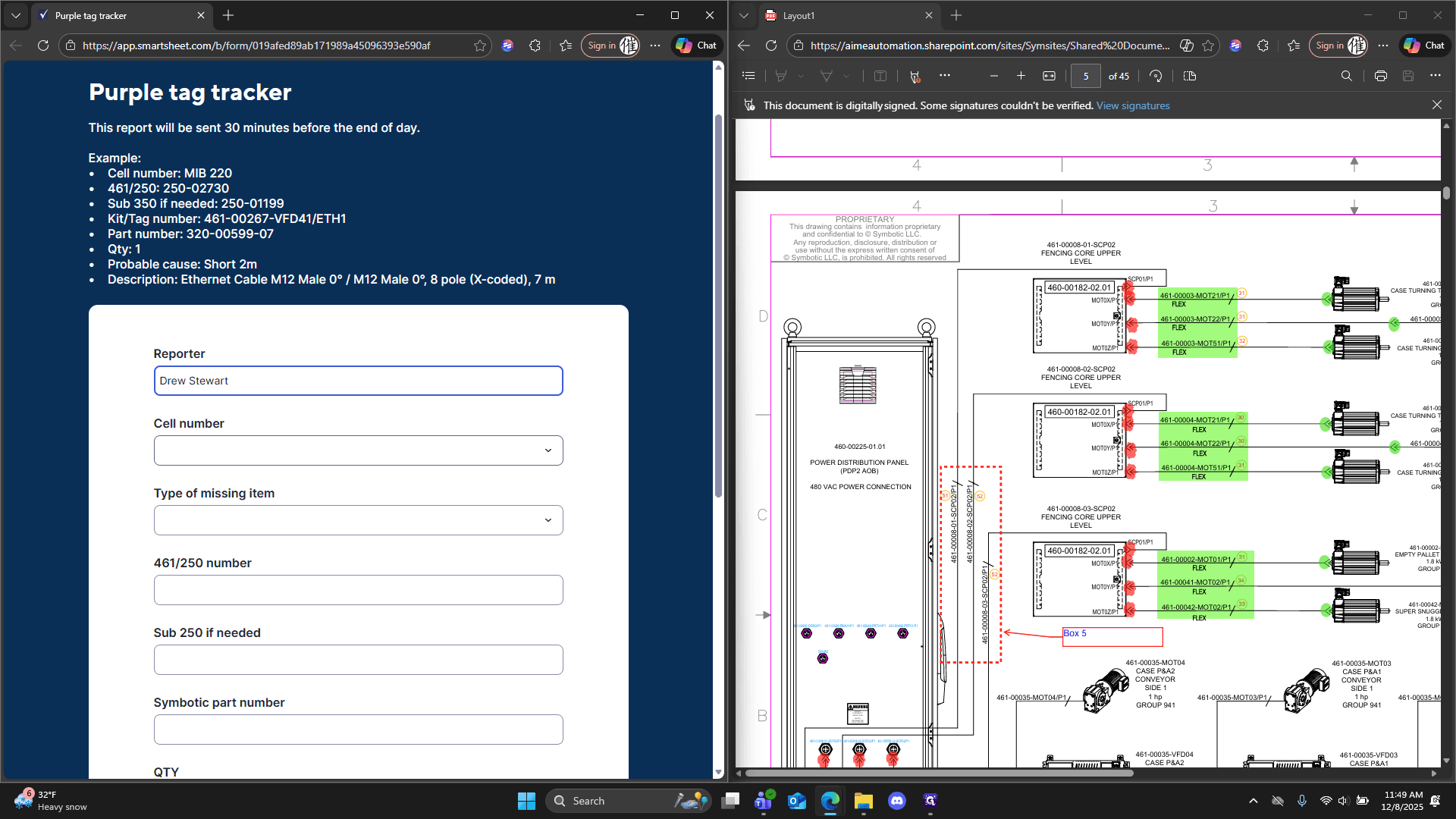
We will begin creating a missing cable report for the electrical team, using the missing material report or the purple tag tracker. We will begin by identifying the reporter.
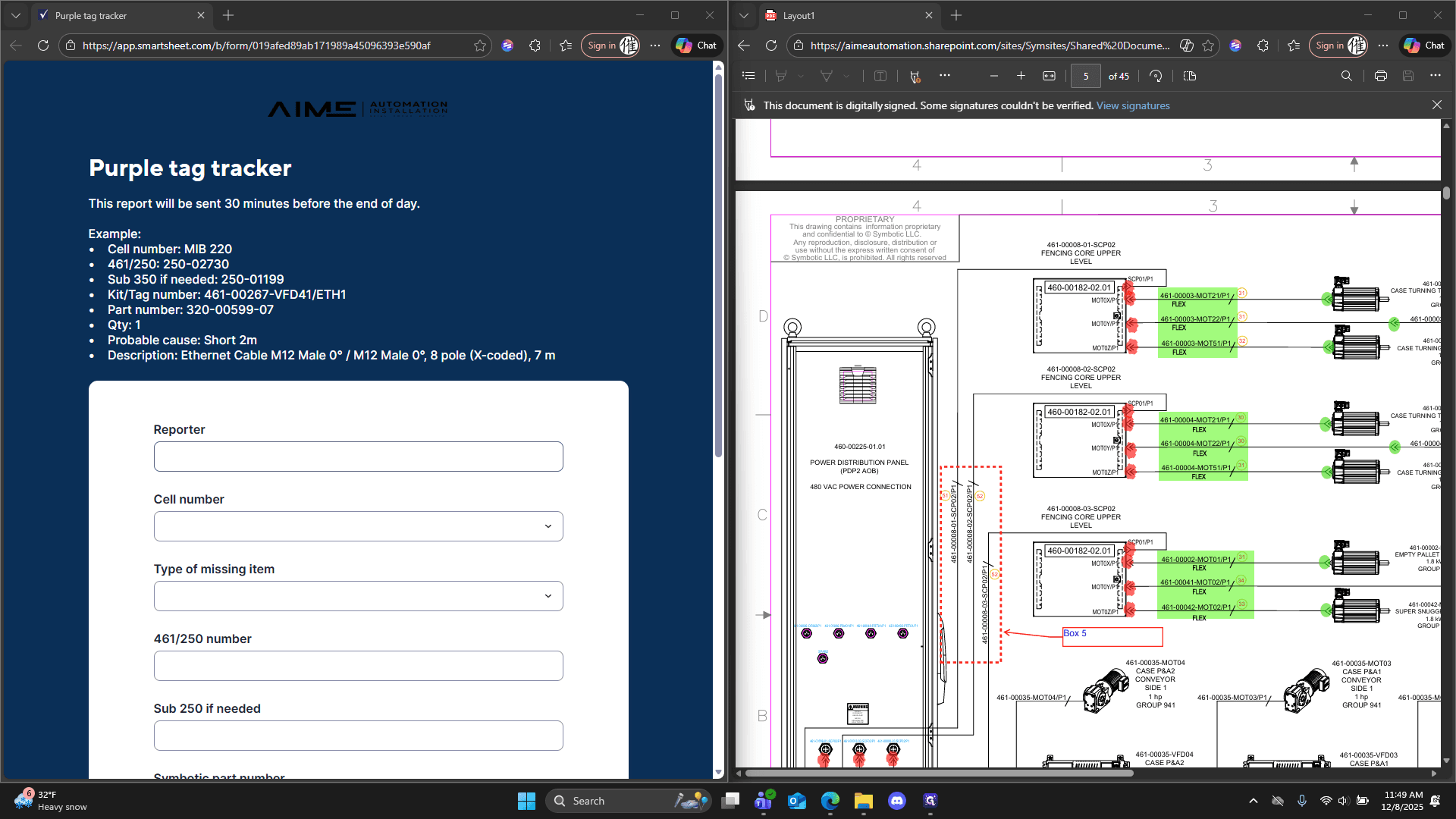
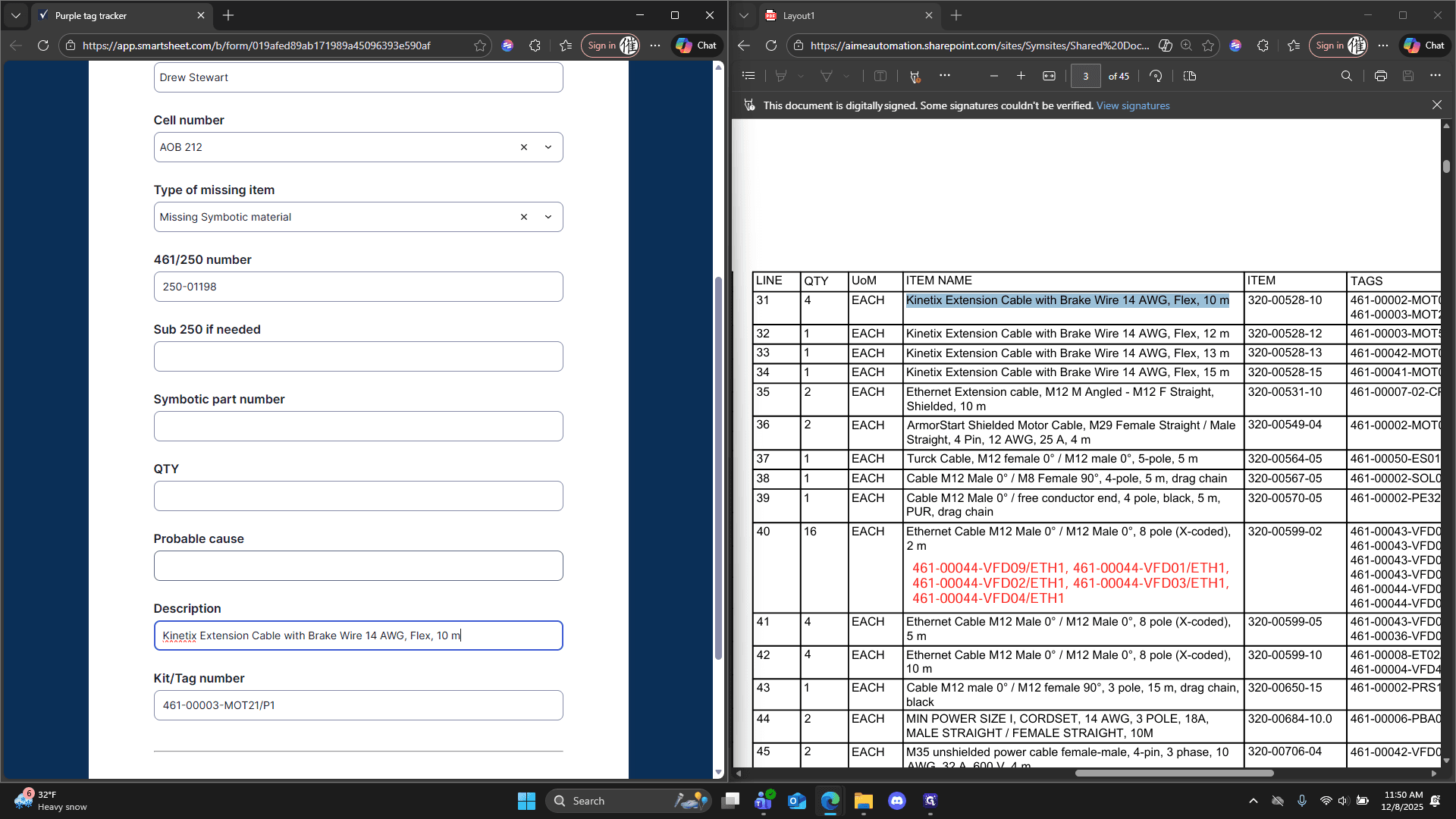
Reporting is Drew Stewart, so I'll enter that. We will say 212 AOB.
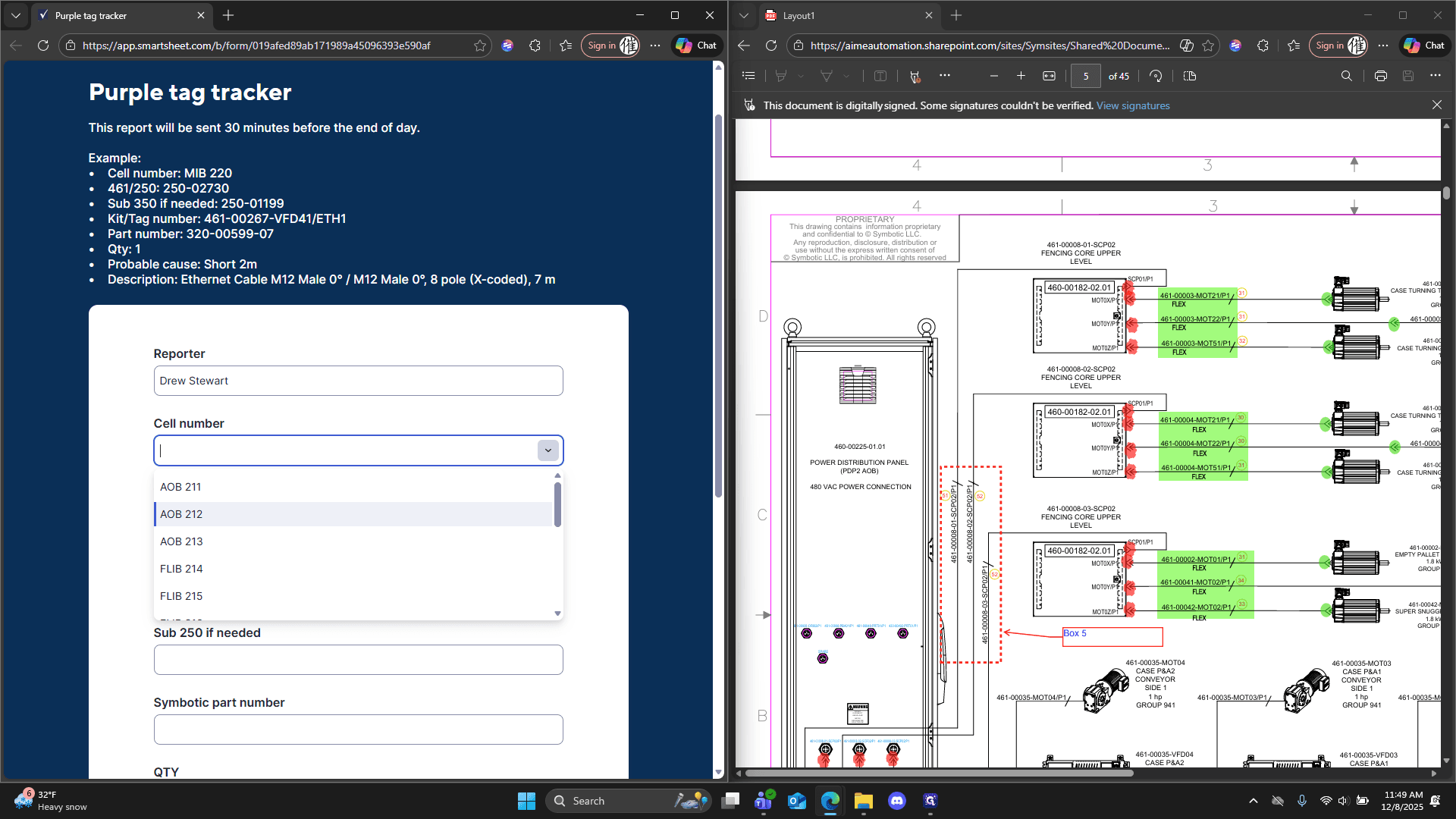
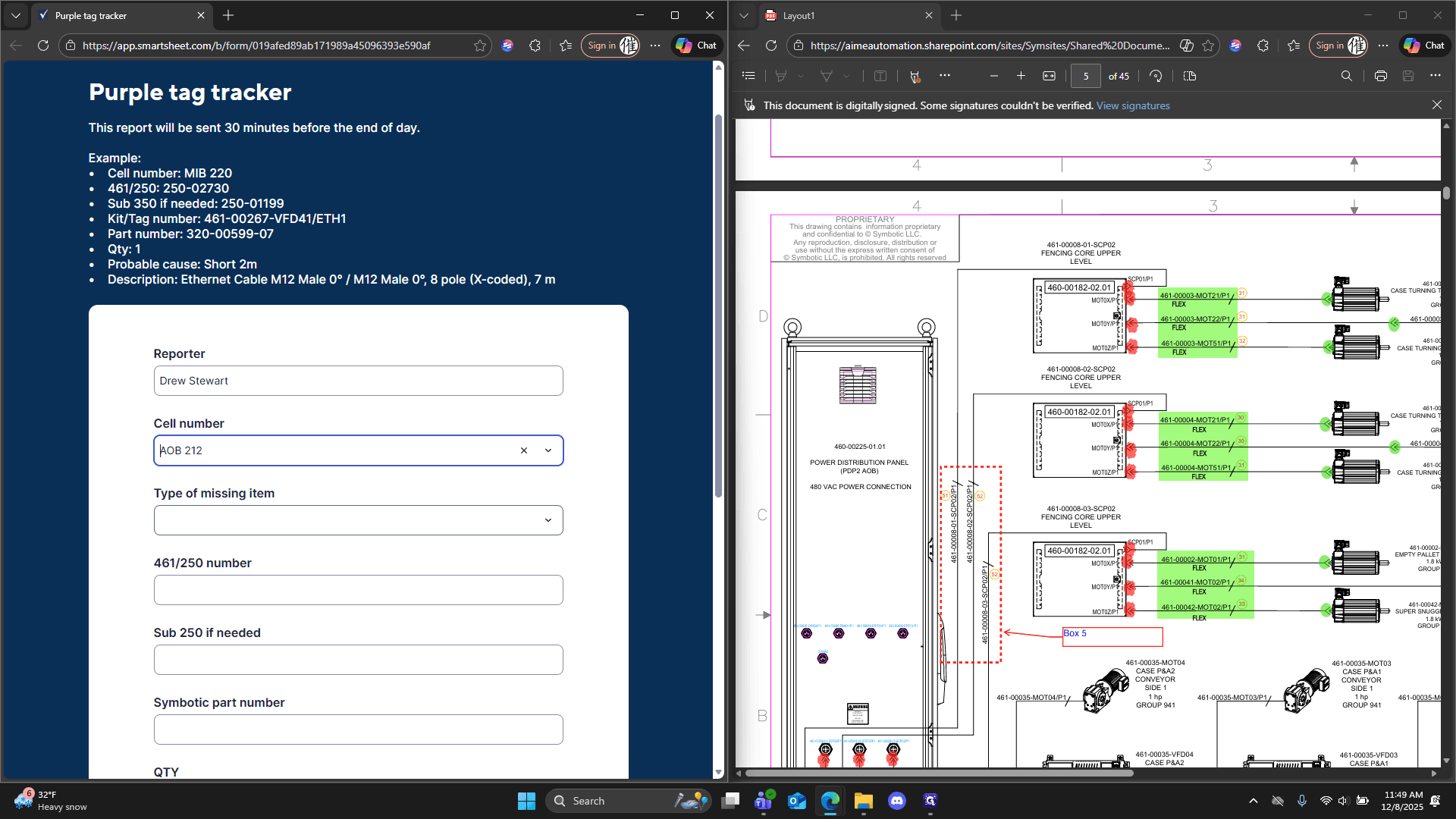
Type of missing item: we have missing symbolic material.
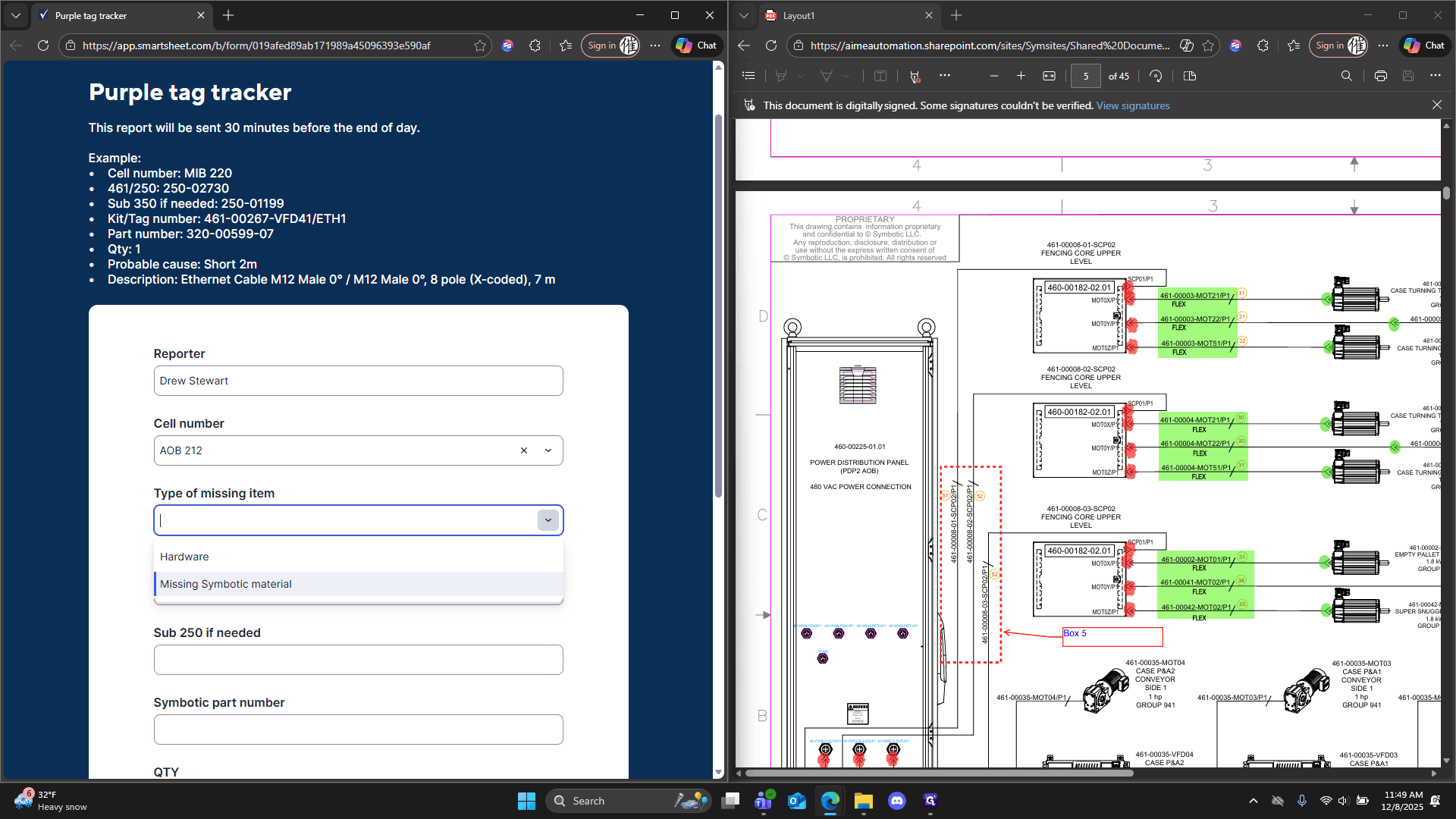
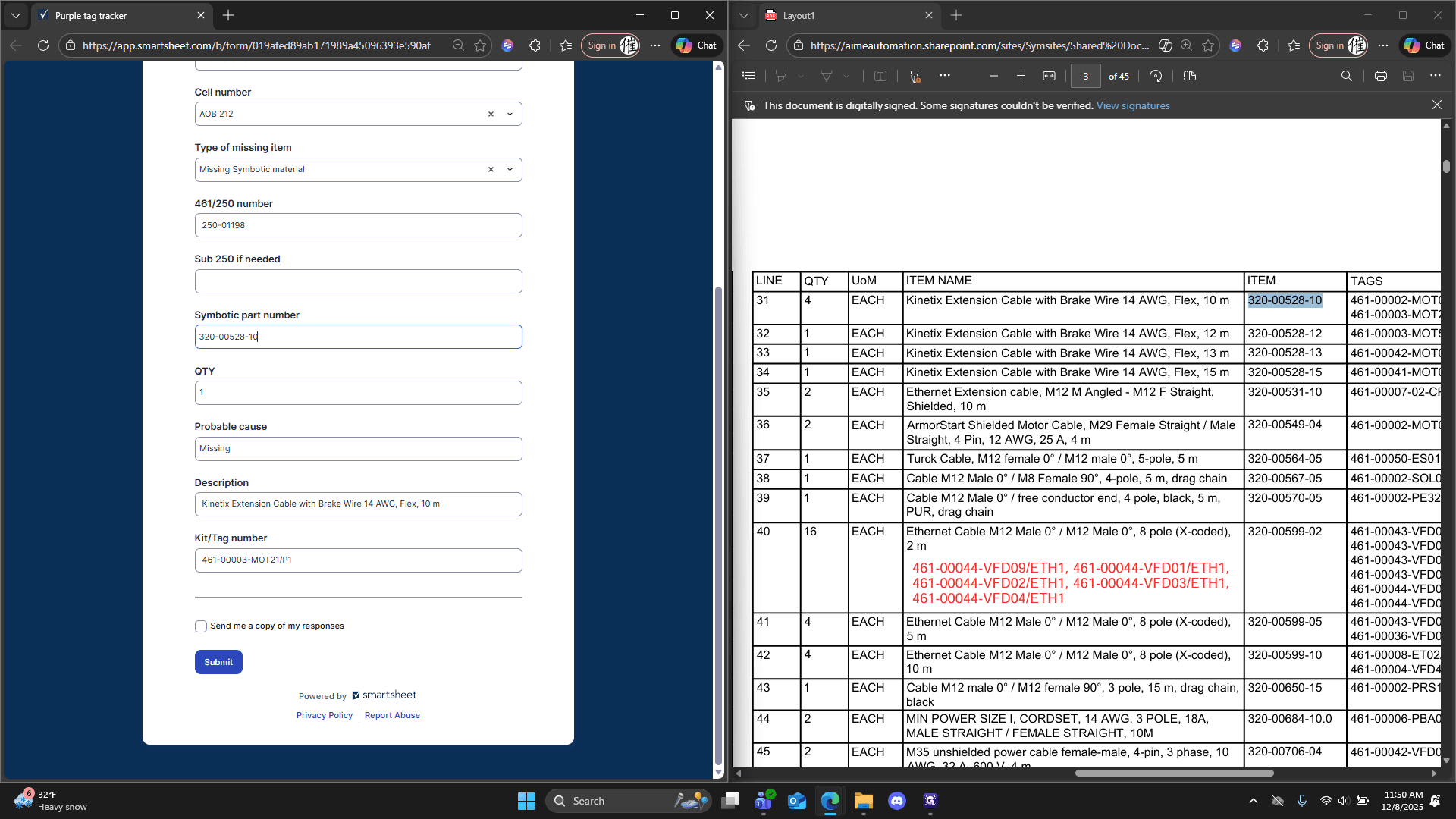
Then we move on to the 461 or the 250 number. The number 250 appears here, shown as the PDP print: 250-01198.
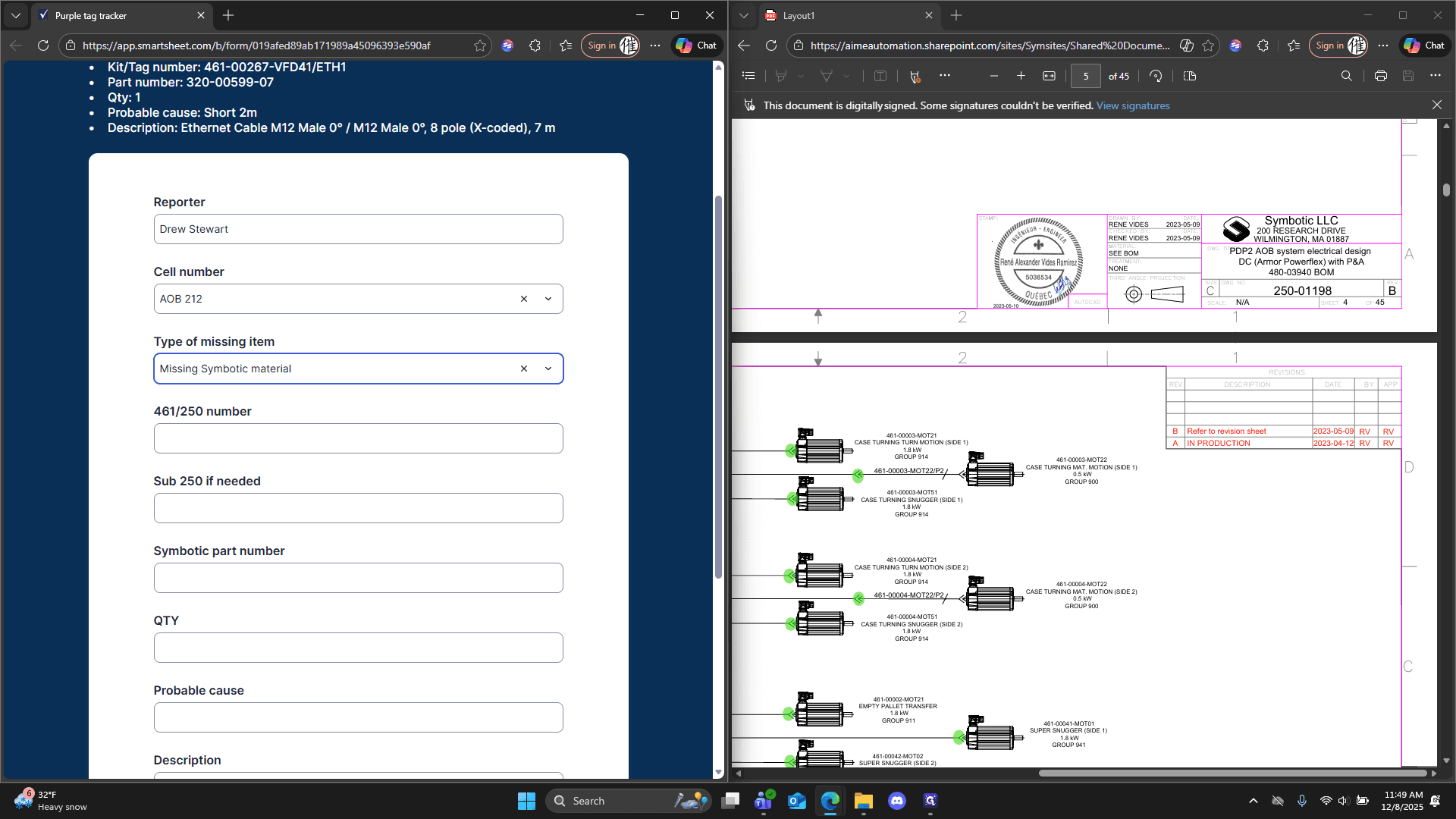
We'll type that in.
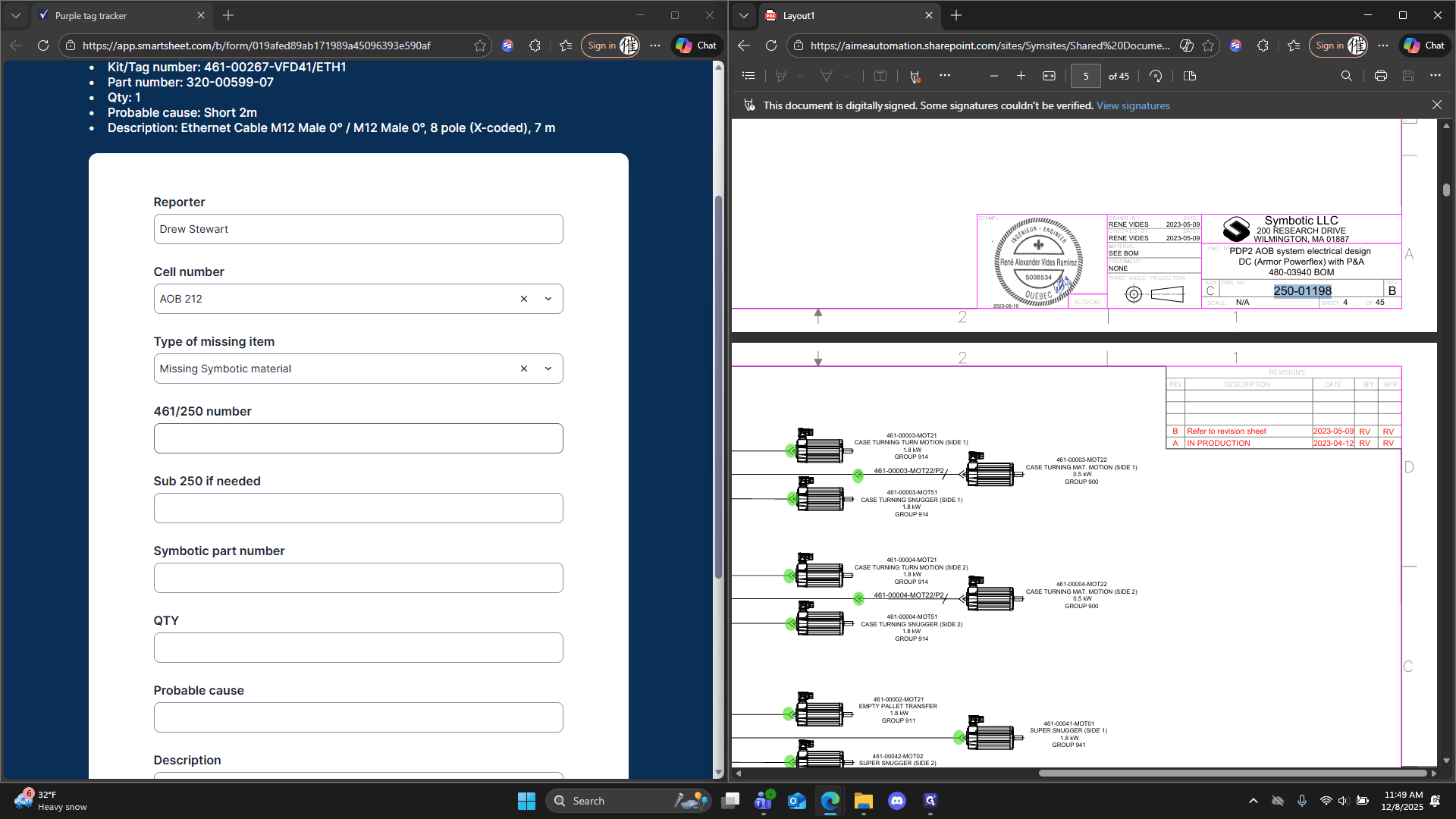
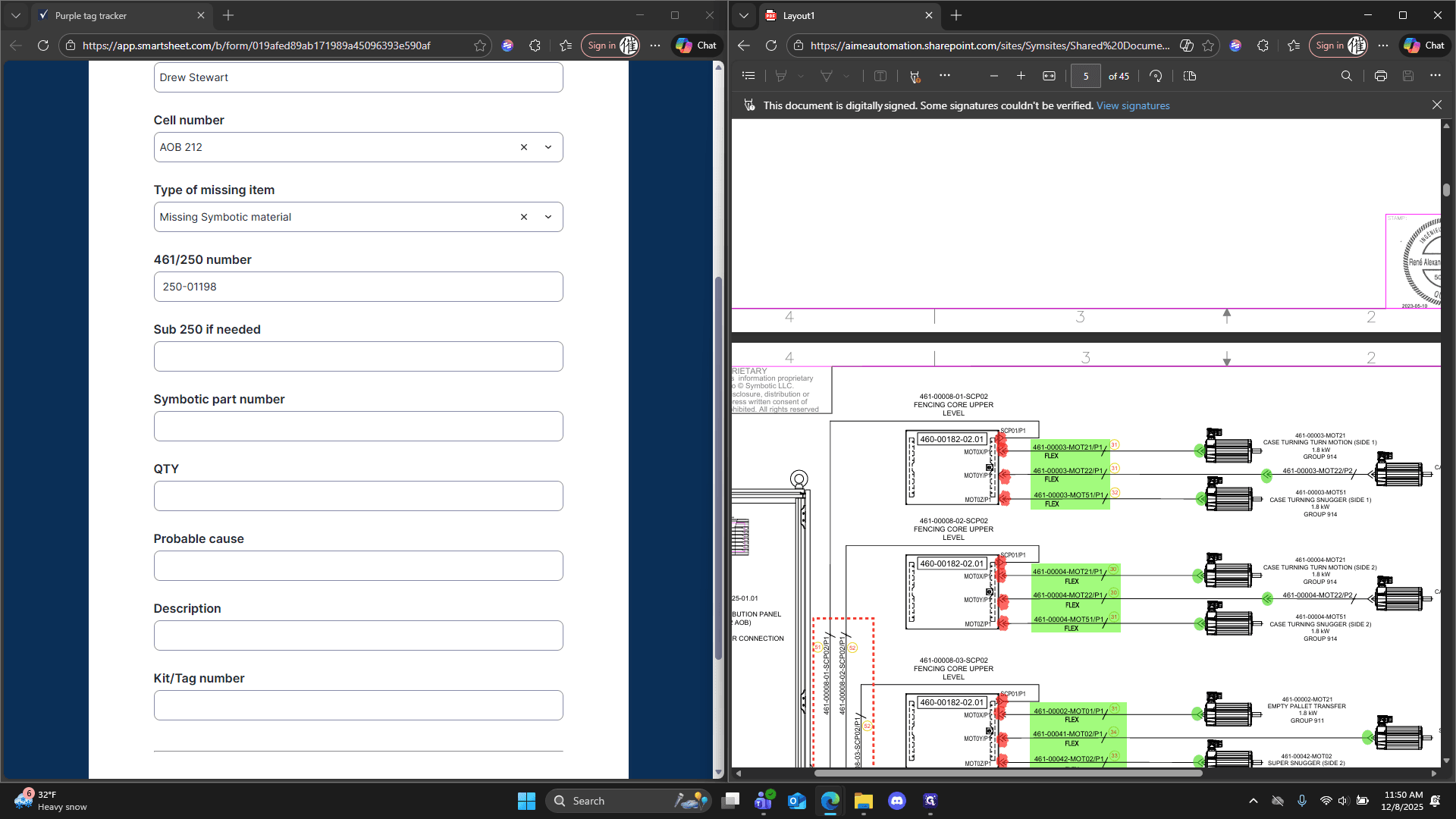
Just copy and paste that.
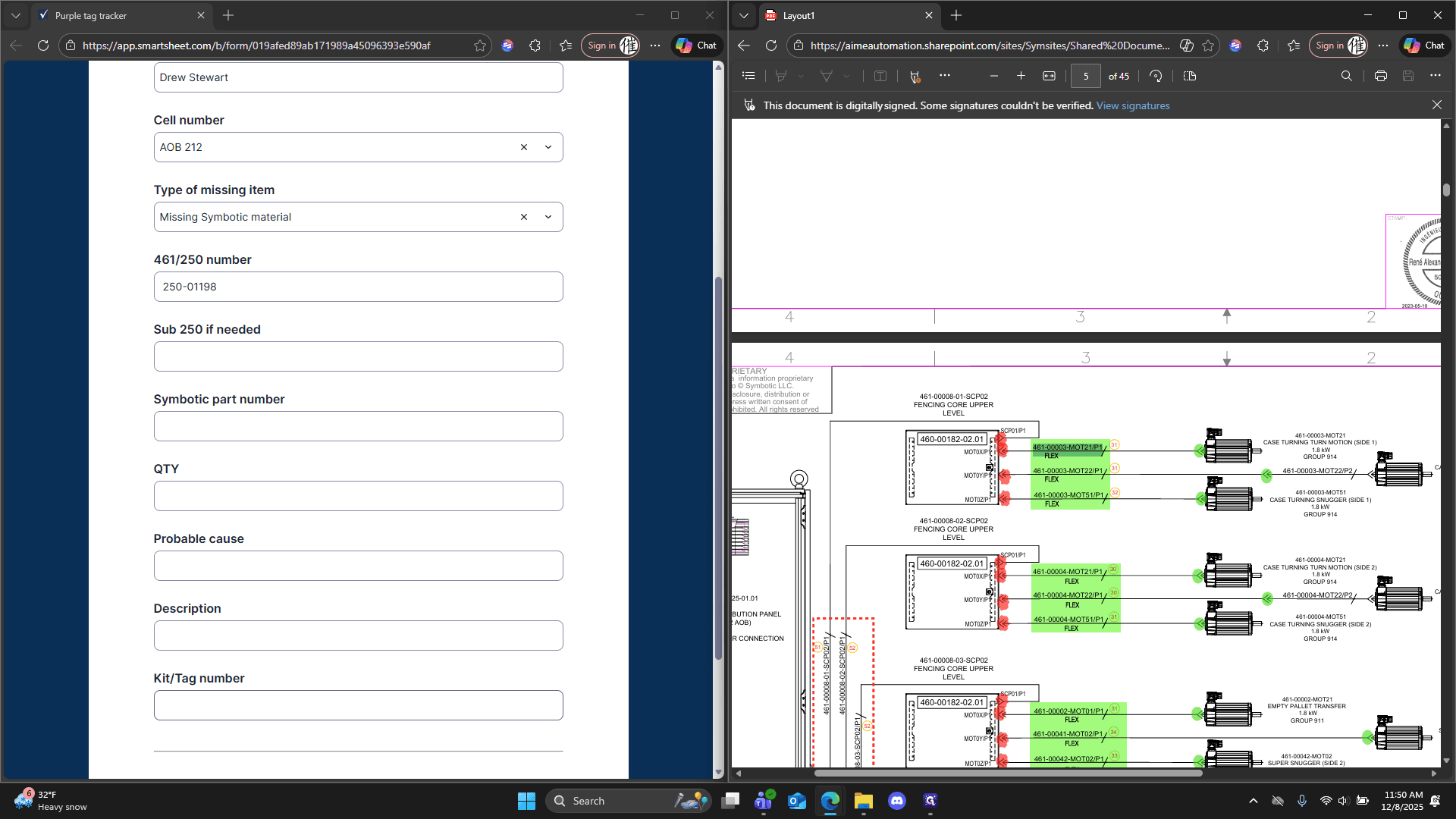
It shows 31 here, which is the reference for the BOM.
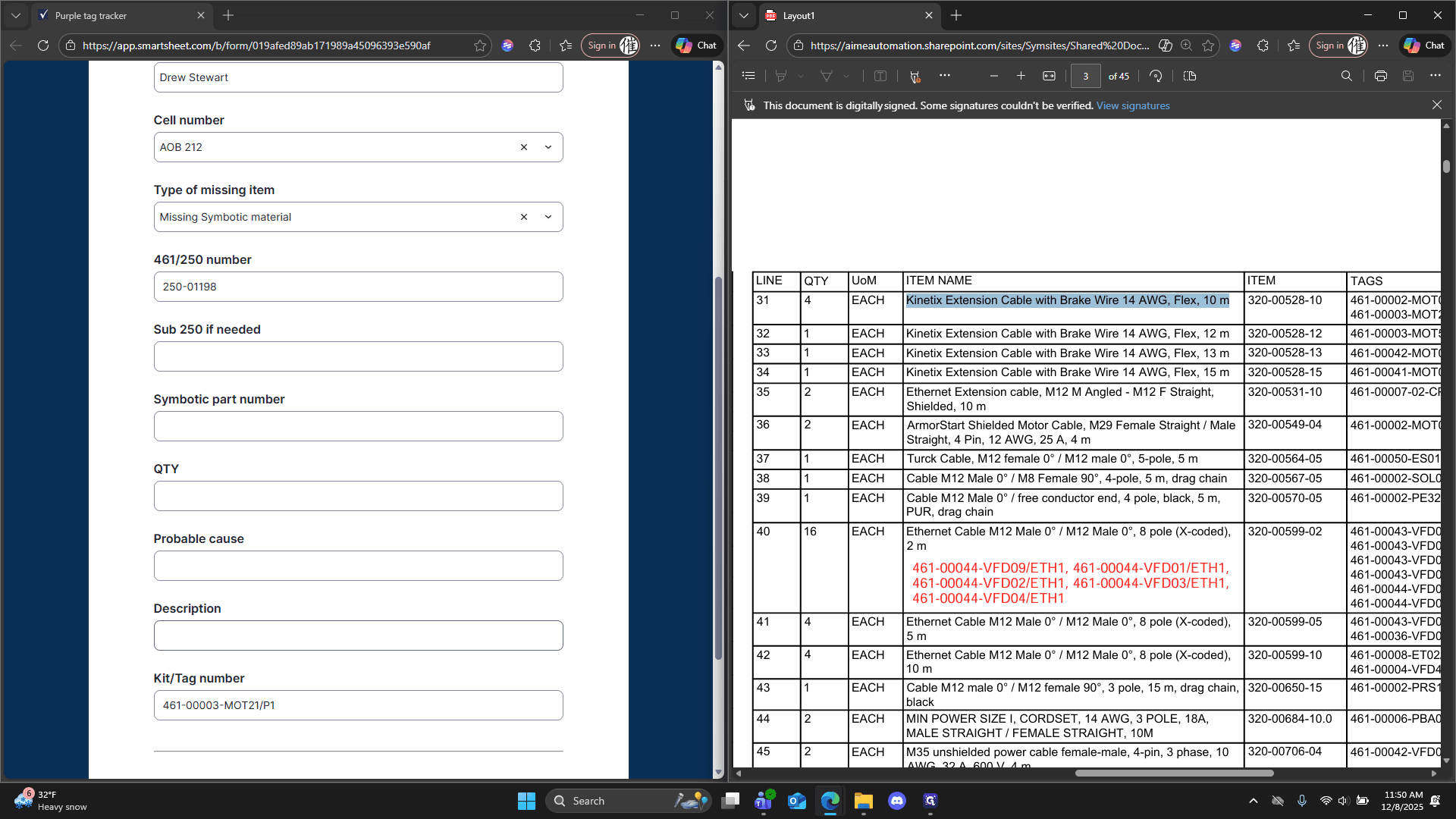
Scroll up and locate number 31. It's right here. The description is: Kinetics extension cable with break, 10 meters.
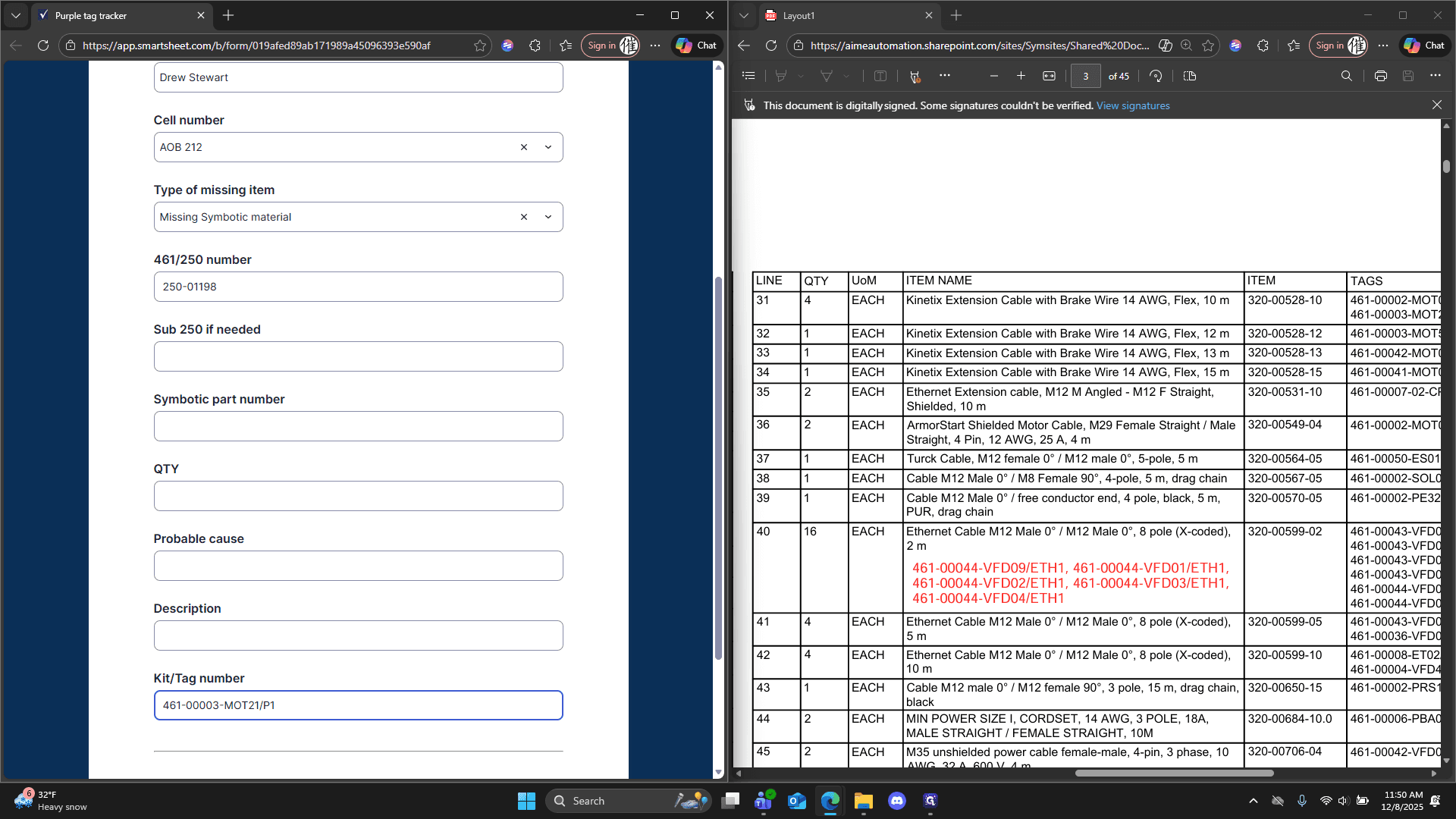
Probable cause is missing in this example.
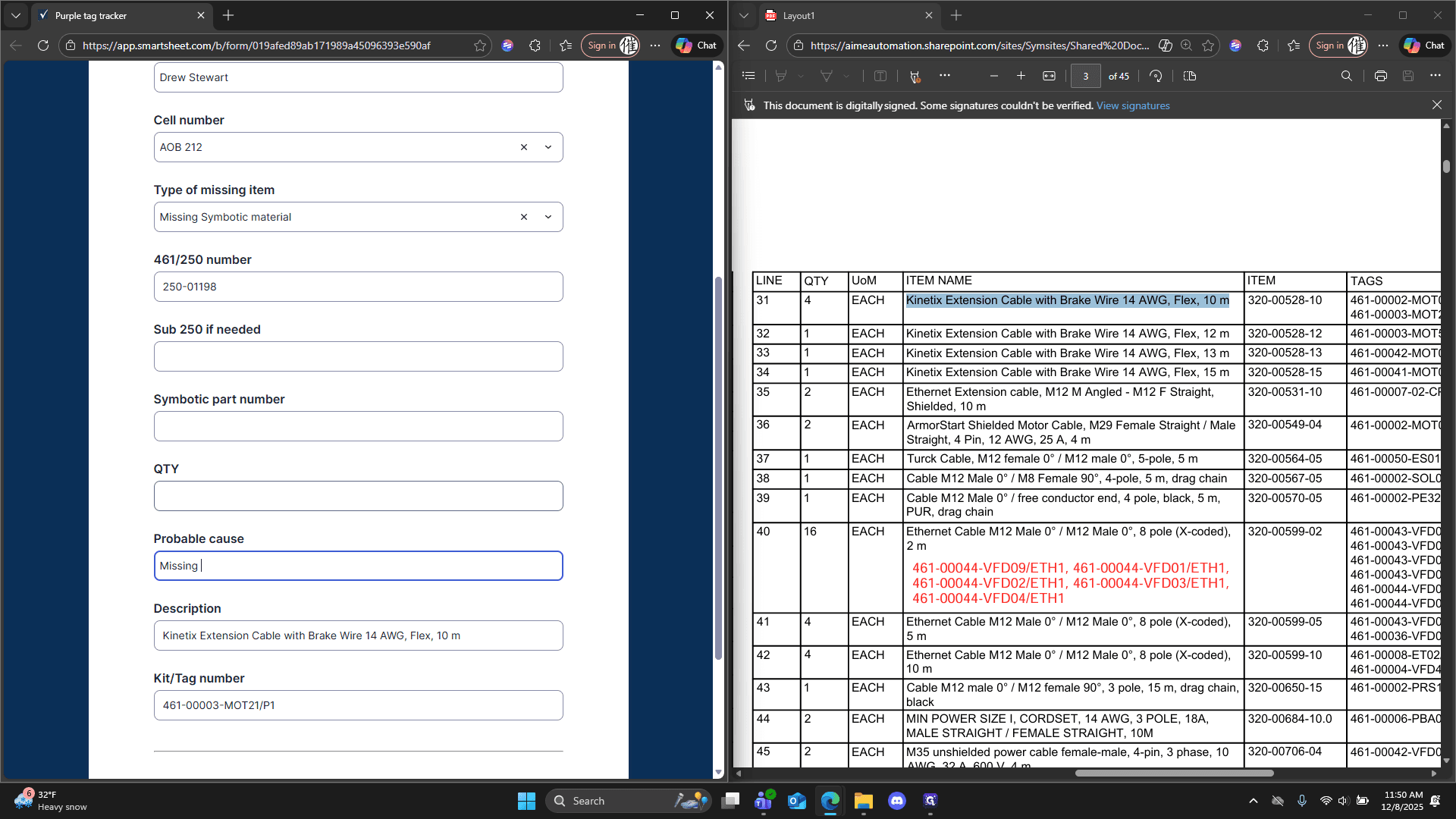
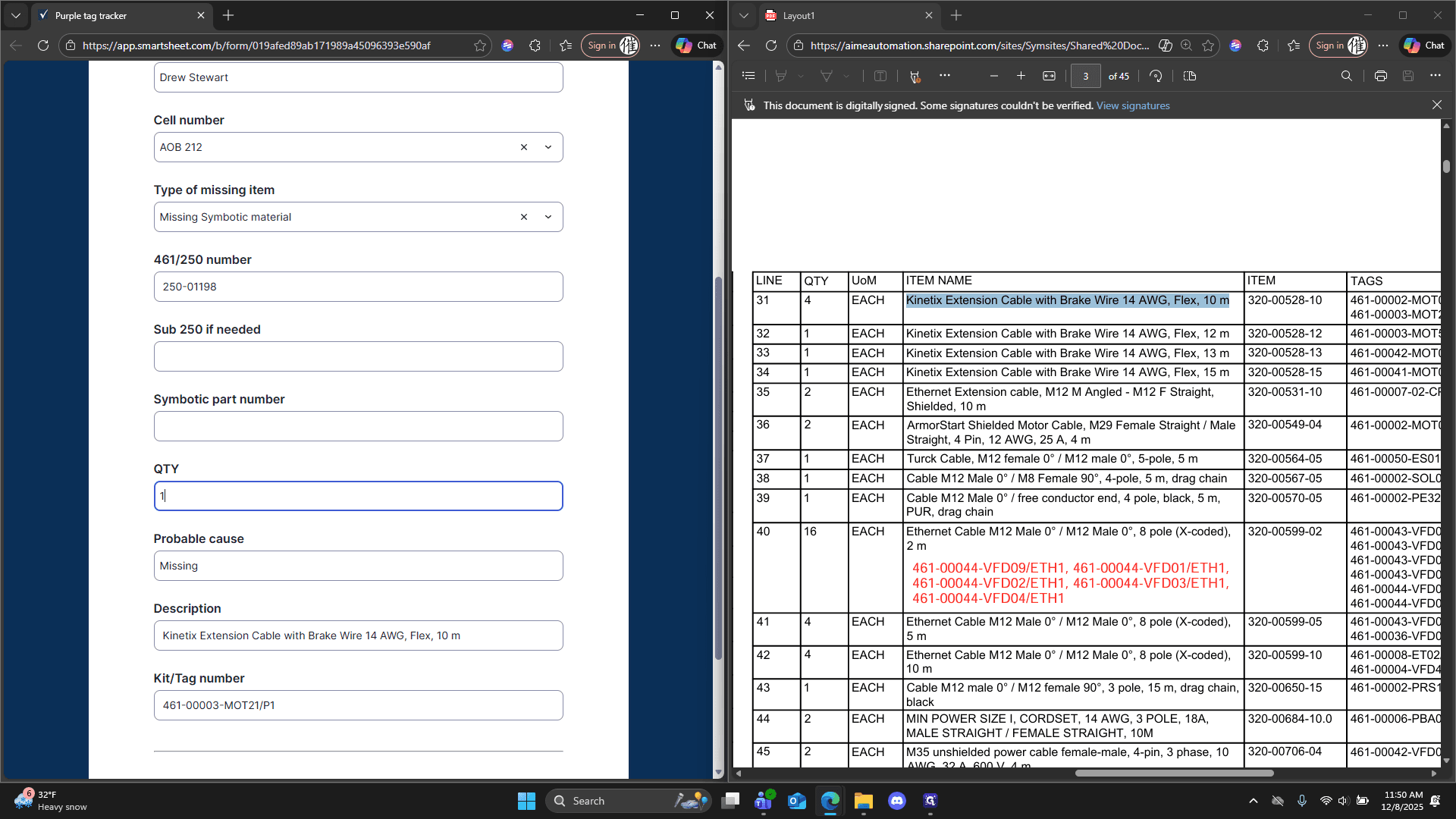
Quantity one. Symbolic part number: 320-00-528-10.
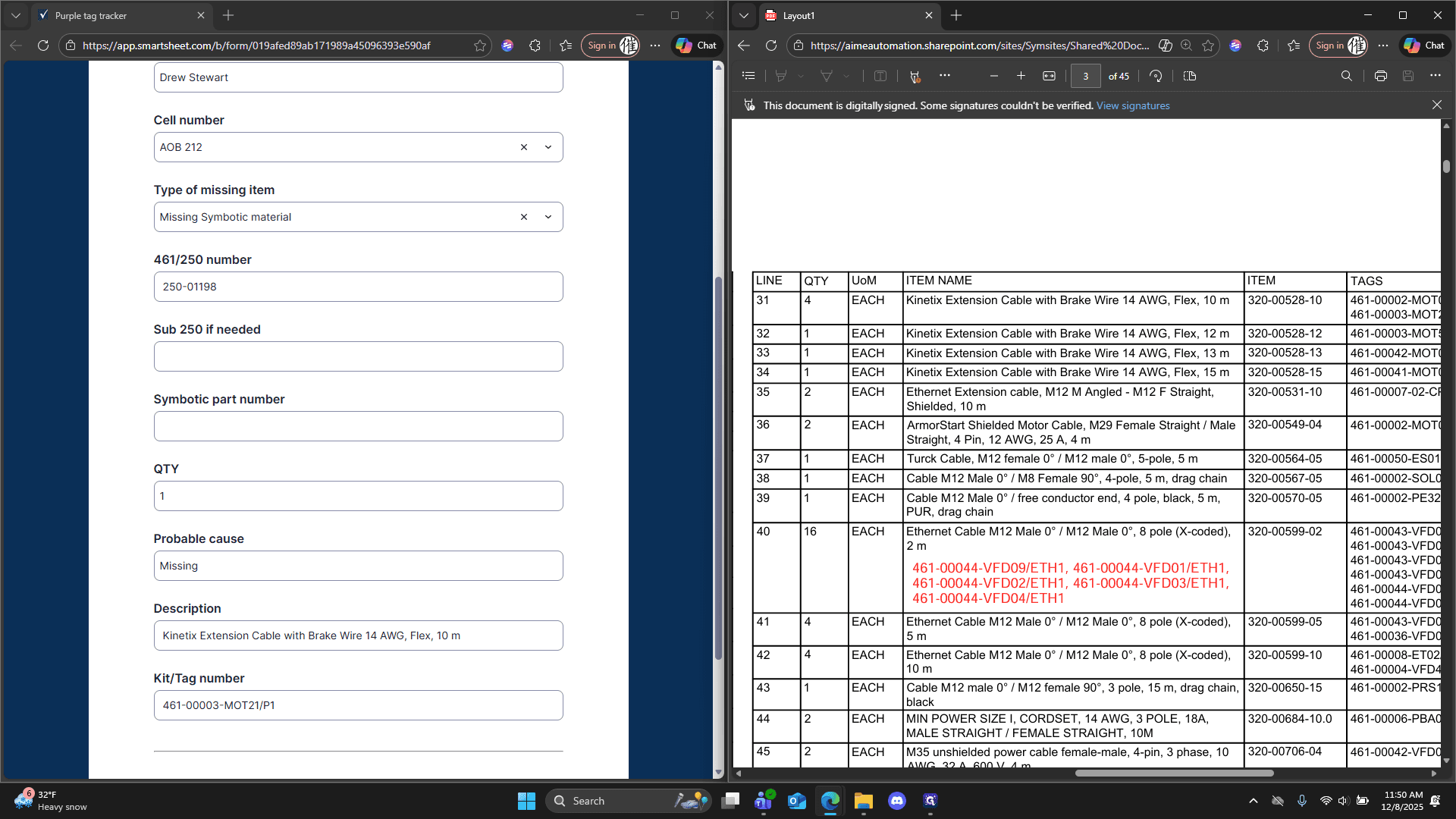
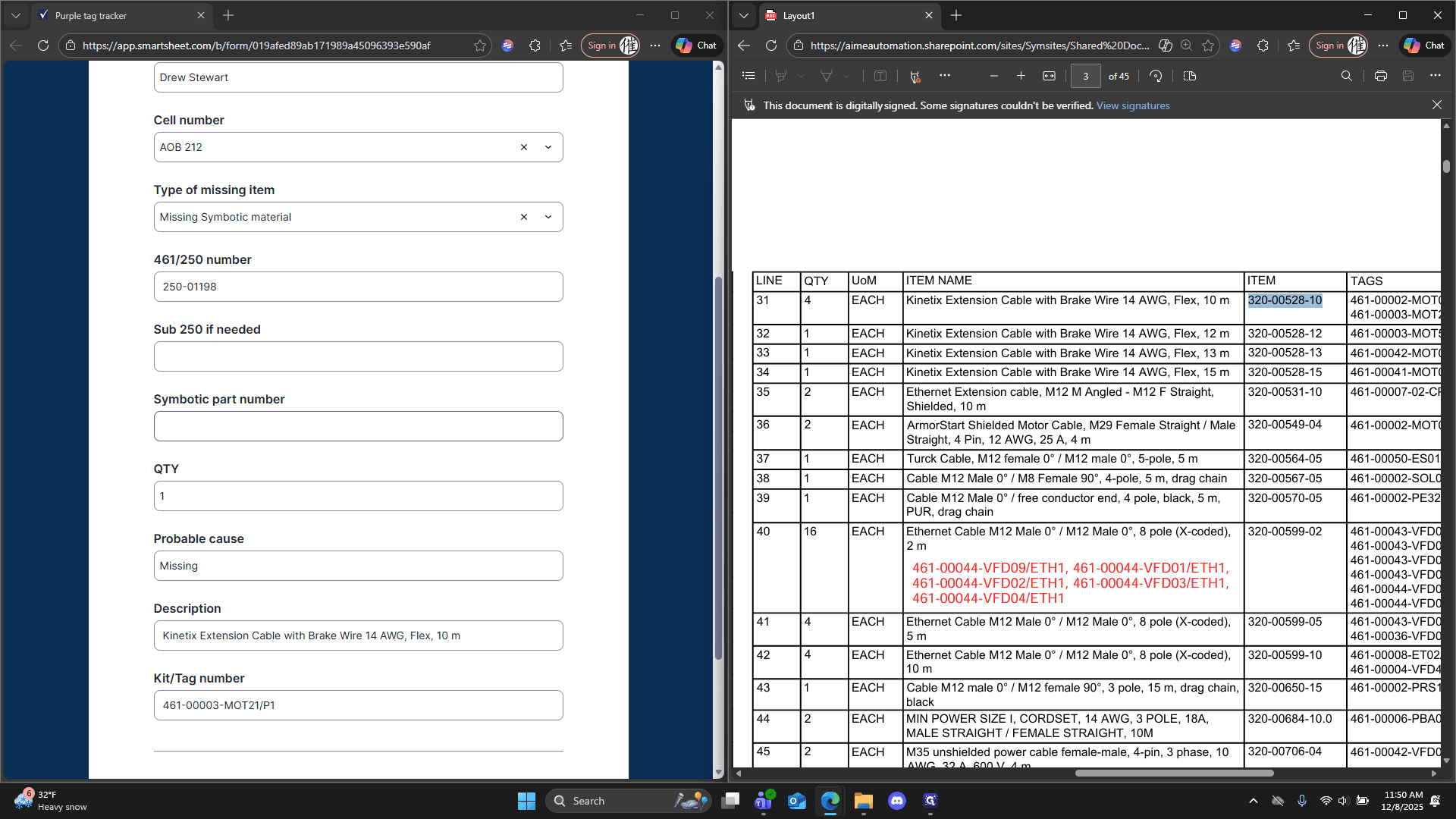
Afterwards, we can submit. That's all we need to do.