How to Create an Industry and Type
Learn how to create and manage Industries and Types from the Admin section.
By Aasma Technology Solutions
This guide explains how to add a new Industry and Type in the application. Creating Industries and Types allows users to maintain standardized options that can be used when configuring and managing client information.
1
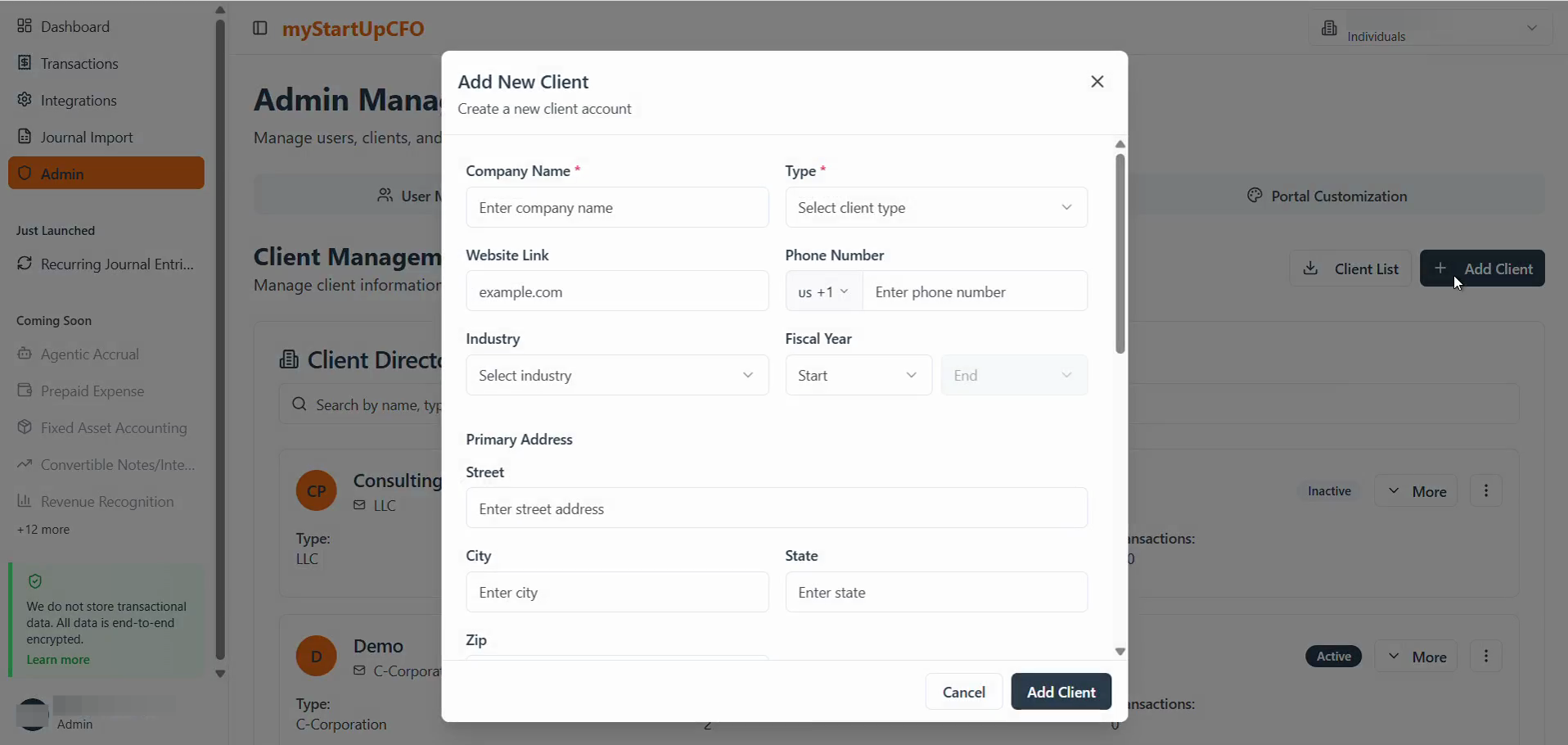
Go to Client Management of Admin tab, then click on + Add Client button
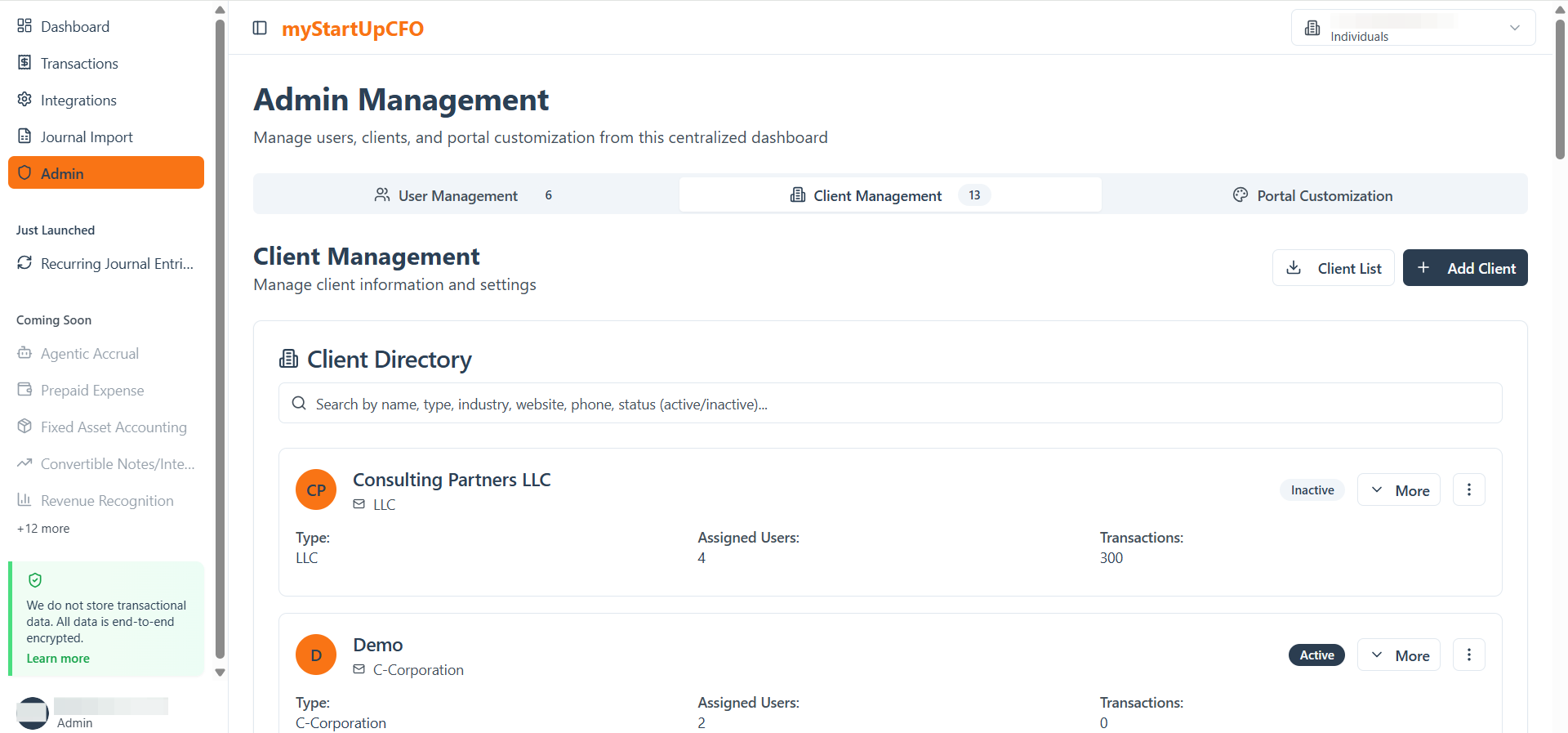
For creating a Client type:
2
Click the Type dropdown menu in the Add New Client modal.
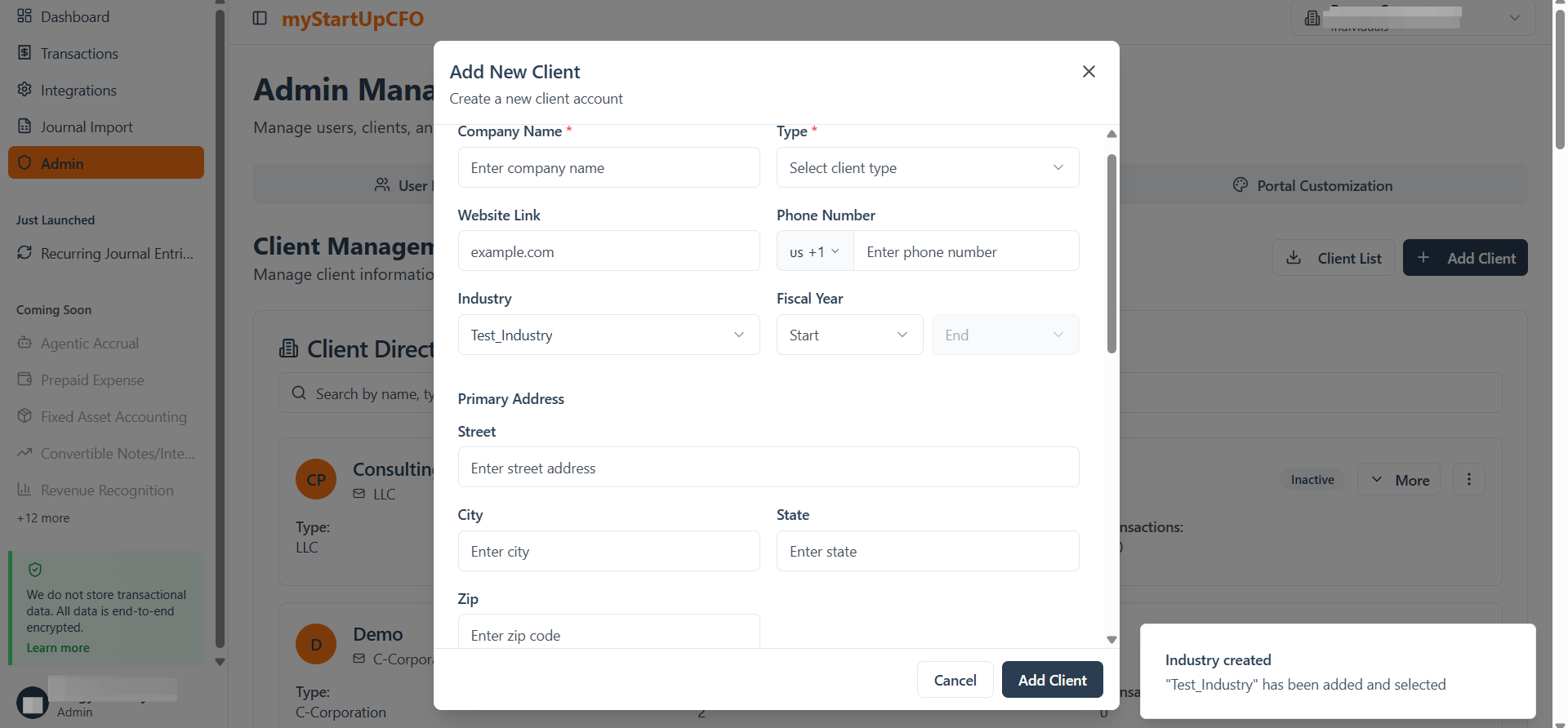
3
If Client Type is already created/existing then select from the drop down list available
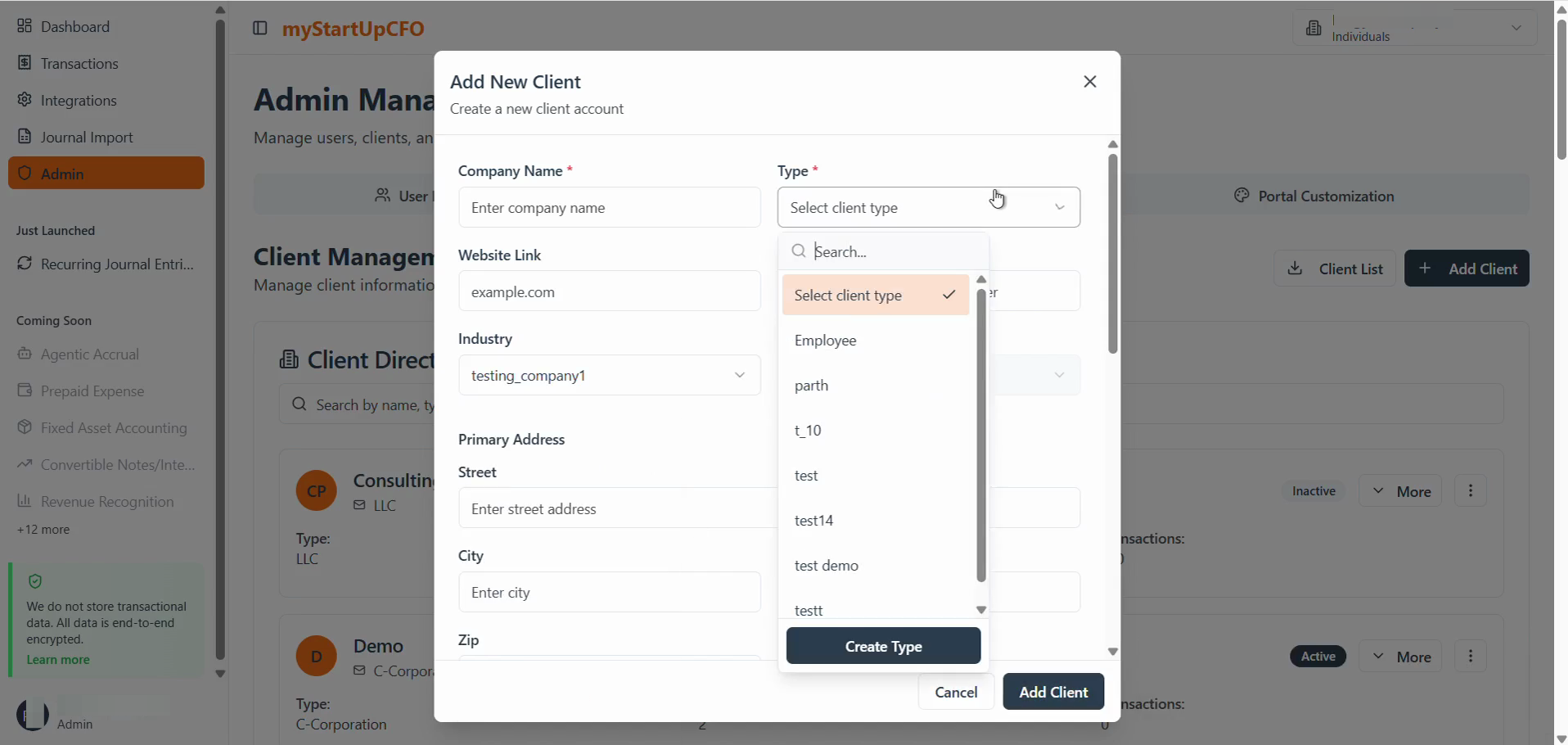
4
If Client Type doesnot exist then click on Create Type button
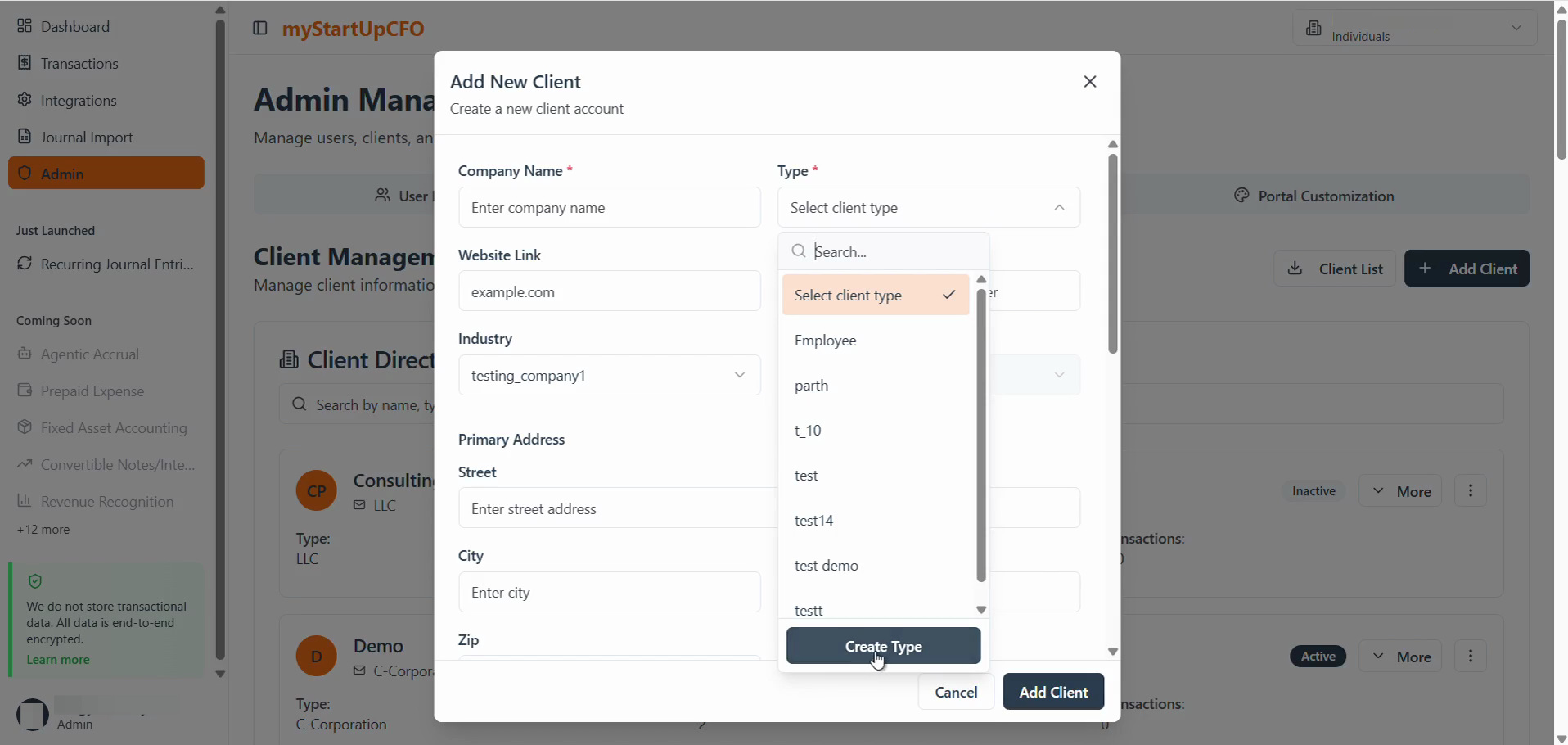
5
Enter the Client Type name for it and click Create to finalize it.
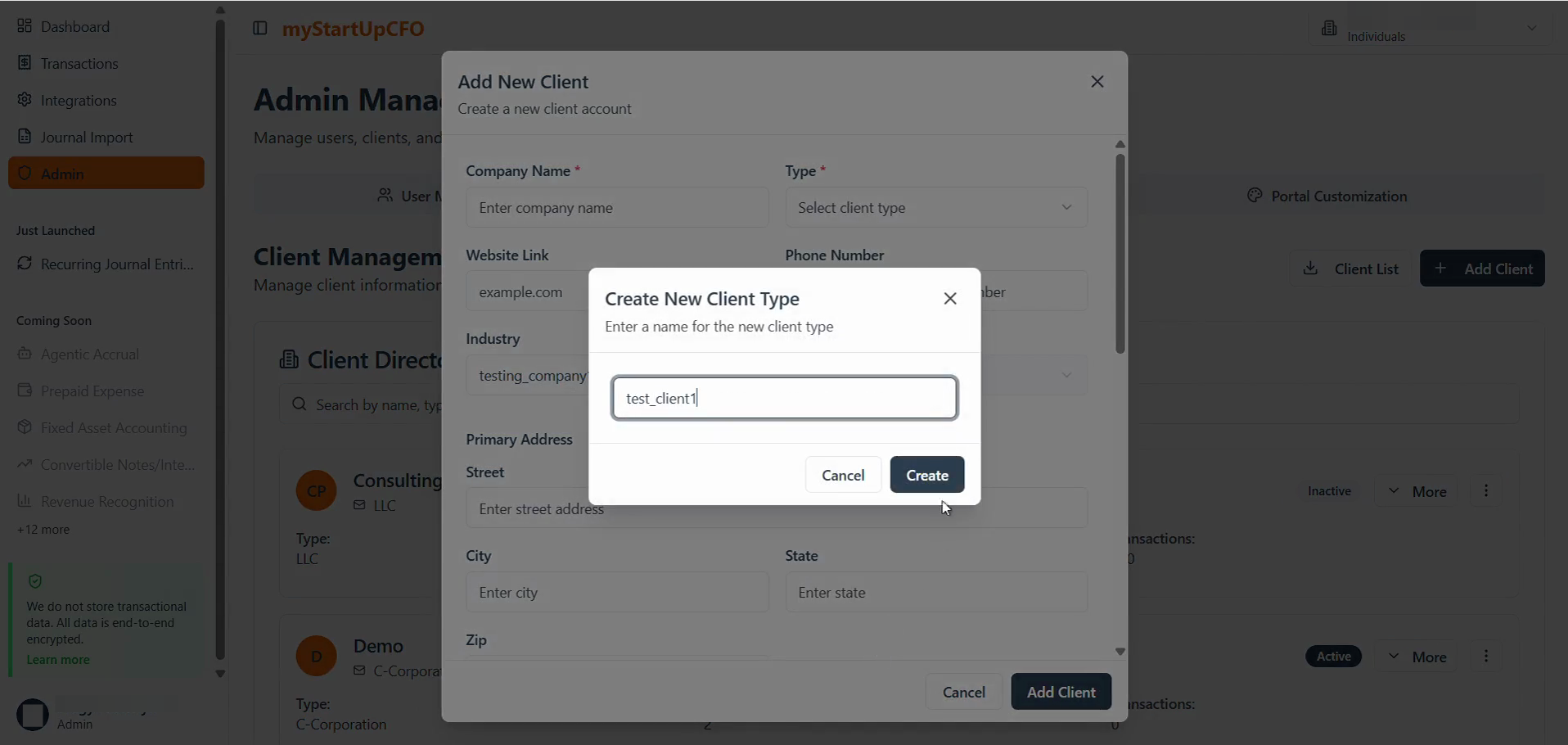
The newly created Type will be added to the list of available Types and can be used when configuring client information.
For creating a Client Industry:
6
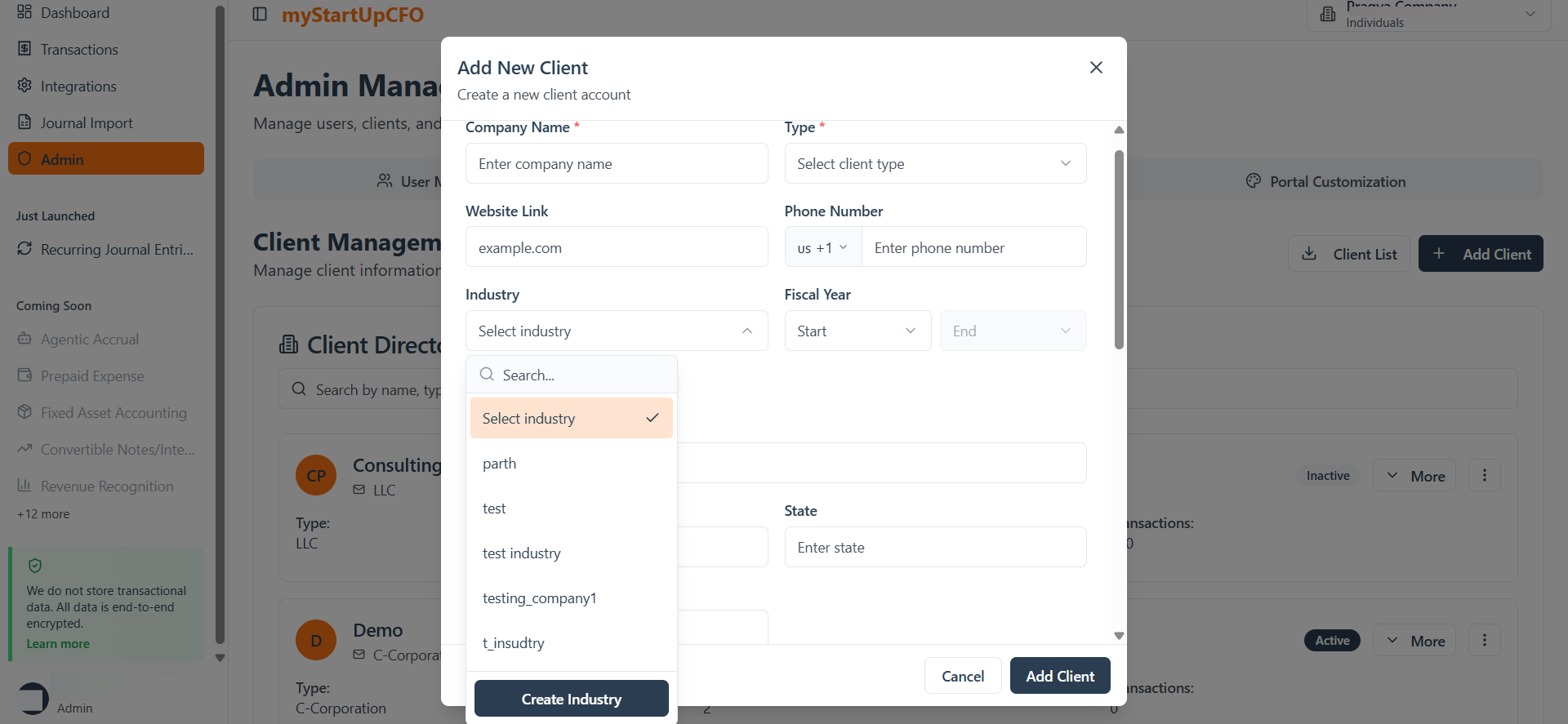
Click the Industry dropdown menu in the Add New Client modal. Click Create to save the new industry.
7
If Client Industry is already created/existing then select from the drop down list available
8
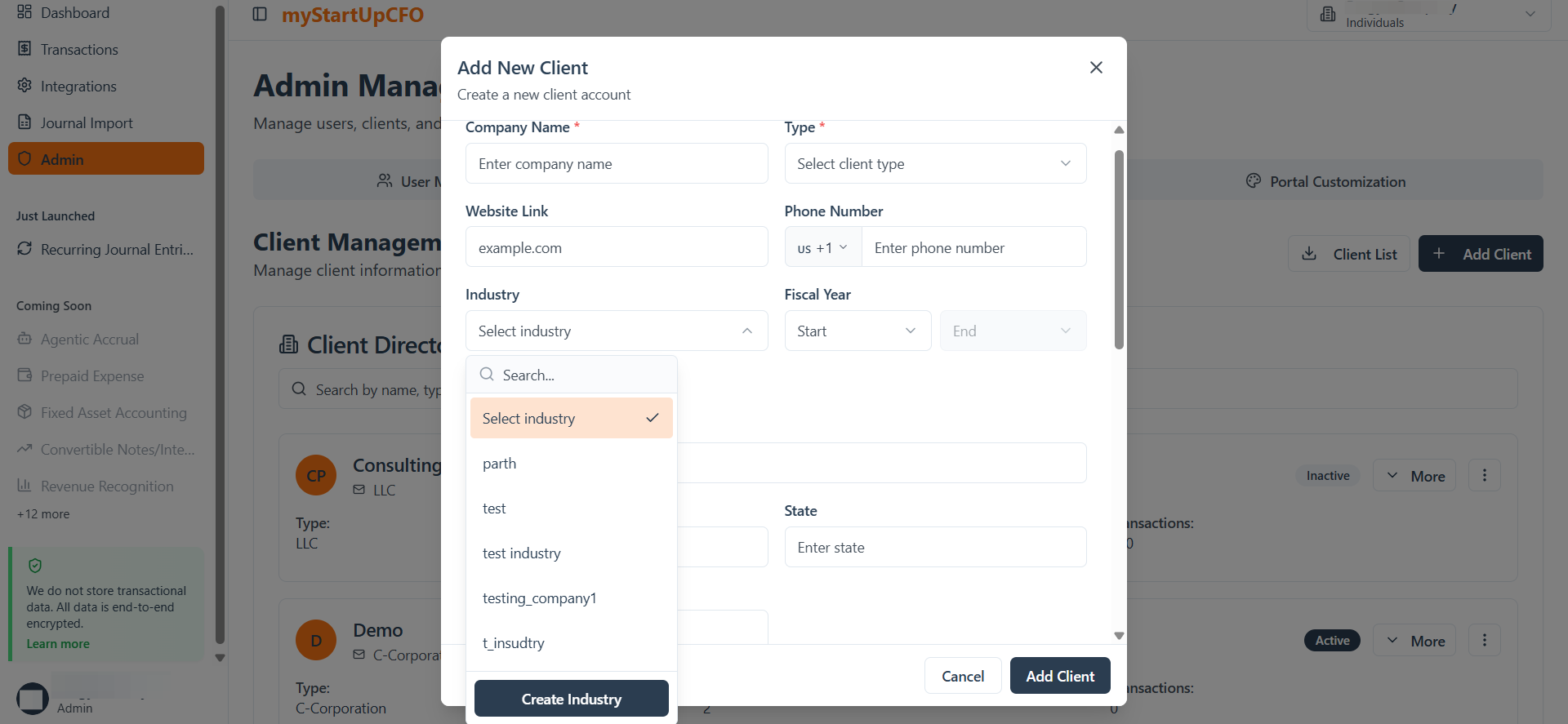
If Client Industry doesnot exist then click on Create Industry button
9
Enter the client Industry name for it and click Create to finalize it.
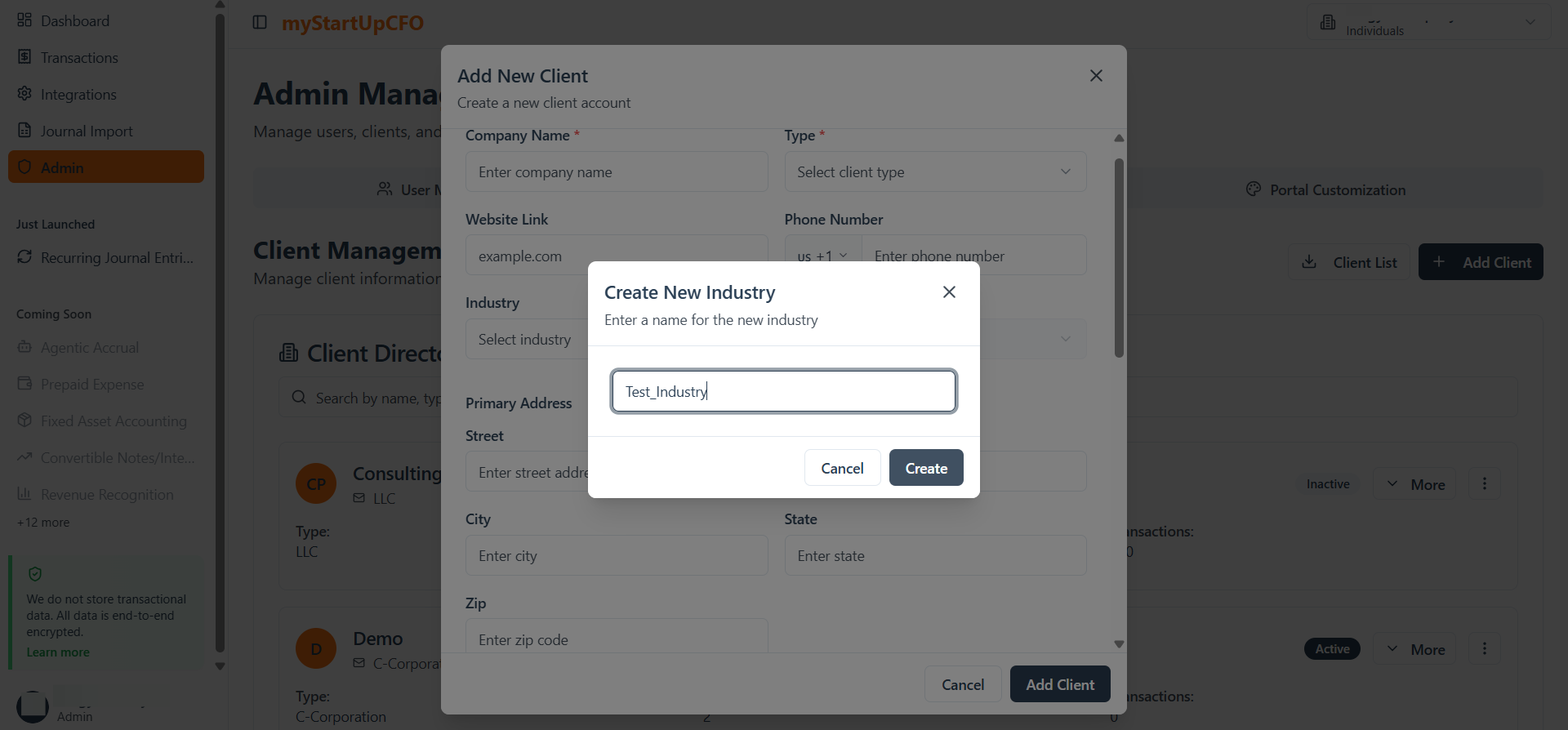
The newly created Industry will be added to the list of available Types and can be used when configuring client information.
The Industry and Type settings allow administrators to create and manage standardized values, making client configuration and classification more consistent across the application.