
How to Disconnect a Bank Account from Plaid: Step-by-Step Guide
Learn how to safely disconnect your bank account from Plaid. Follow our simple guide to remove your bank connection and ensure your financial data is secure.
By Aasma Technology Solutions
In this guide, we'll learn how to disconnect a bank account from Plaid. This process is useful if you want to remove your financial information from an app or service that uses Plaid for bank connections.
You will see how to use the disconnect or trash button to remove your bank accounts. This helps you control which accounts are linked to Plaid.
Let's get started
This guide shows you how to disconnect a bank account from Plaid. When I click the dustbin or trash button, I am disconnecting.
1
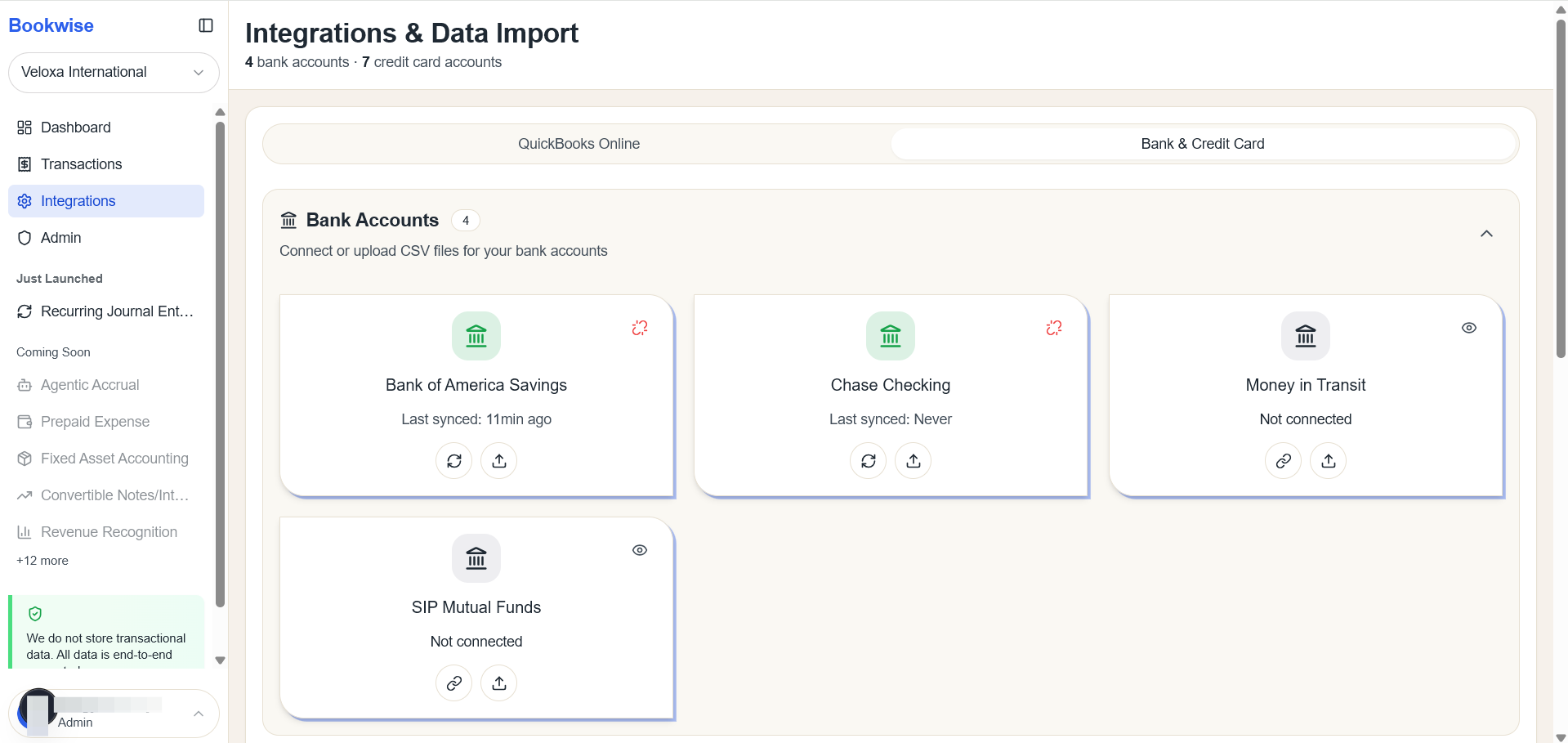
Go to Integrations page's Bank and Credit card tab and Click on Disconnect button on Top right corner of the Card of connected bank account
2
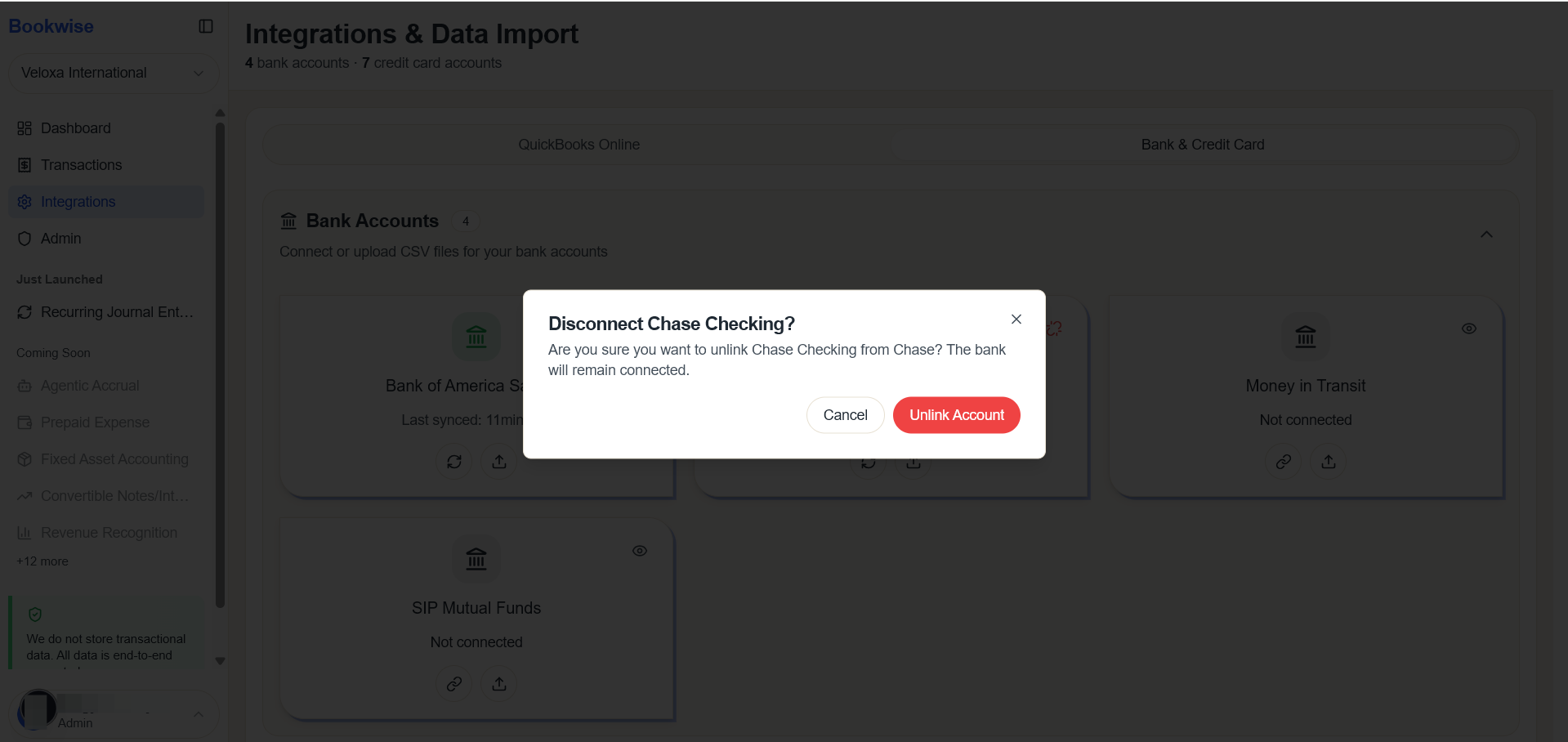
Click on "Unlink Account" button.
3
Bank is Unlinked and no transactions for it will be updated.
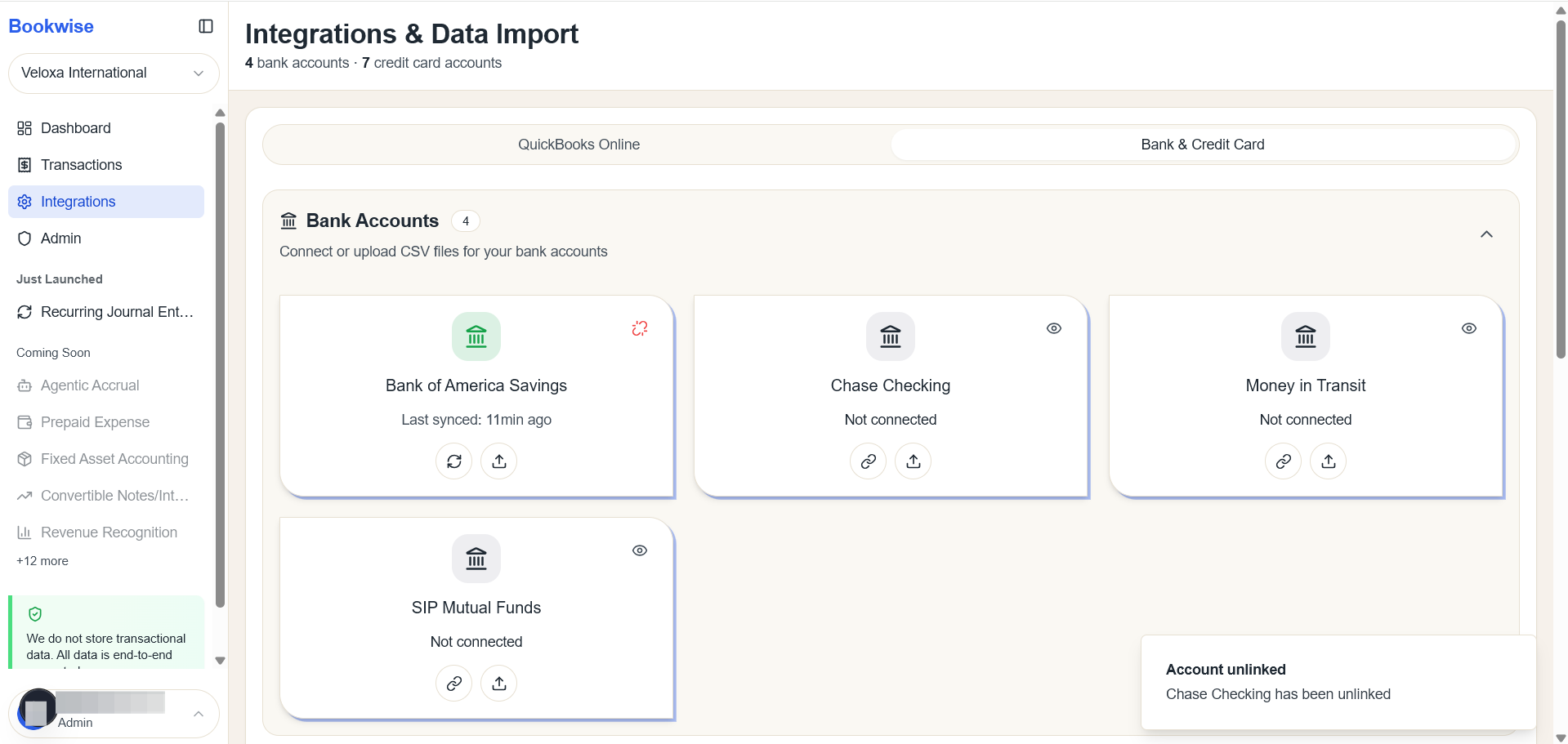
Disconnected banks will be in Grey Color.