How to Download MLS + Print Files from the Client Portal
Learn the quickest way to download all your property media files, including MLS, print sizes, and floor plans, from the client portal in a single ZIP file.
By Kyle Lux
Follow these steps to quickly download all your property media files, including MLS-optimized photos, print-quality images, and floor plans, in a single ZIP archive. This method automatically provides you with all the correctly resized versions so you don't have to resize large files manually.
1
Open your delivery email and click the link to retrieve your media.
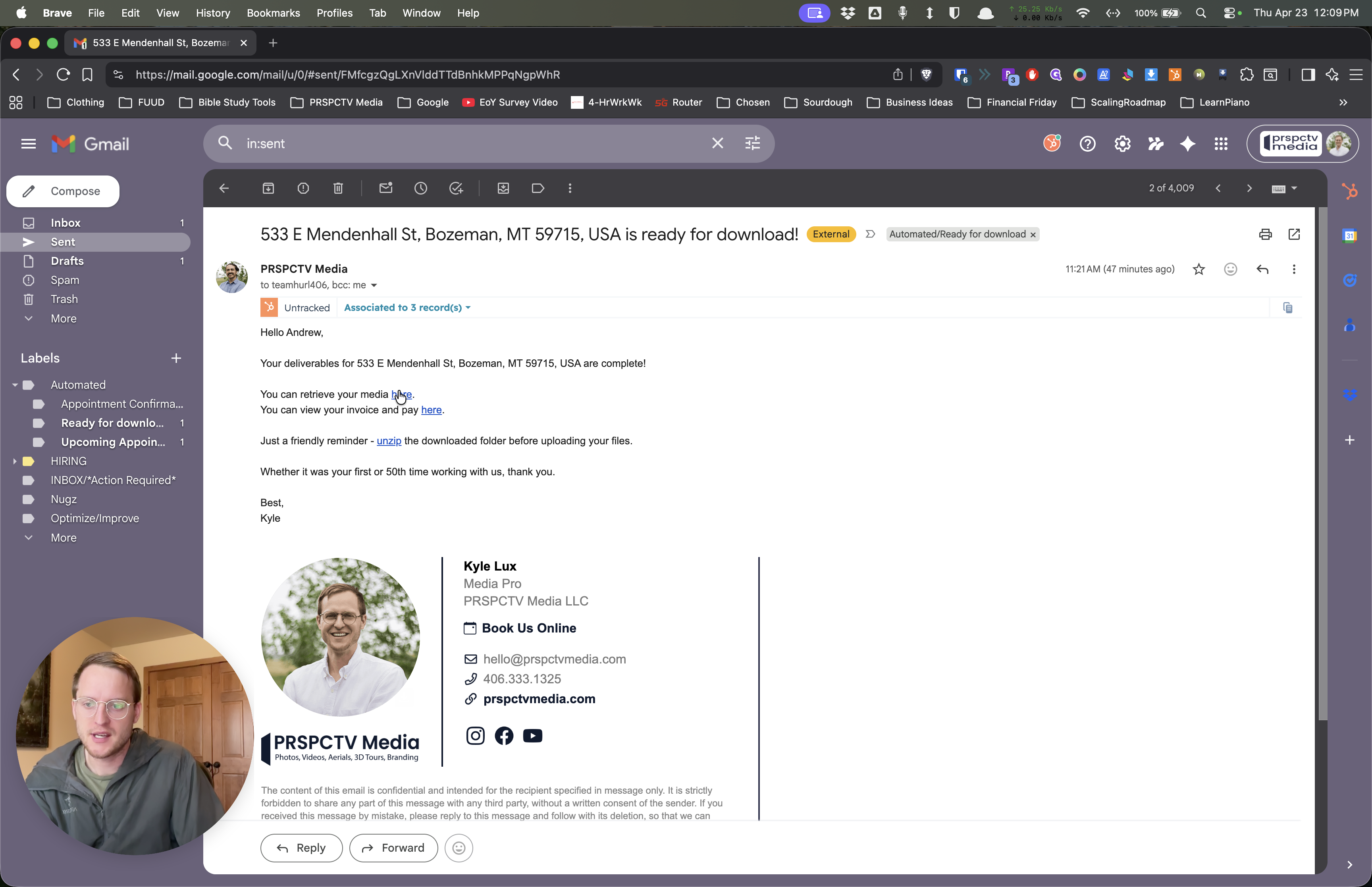
This will open the client portal for your project.
2
Click the Download files button on the project dashboard.
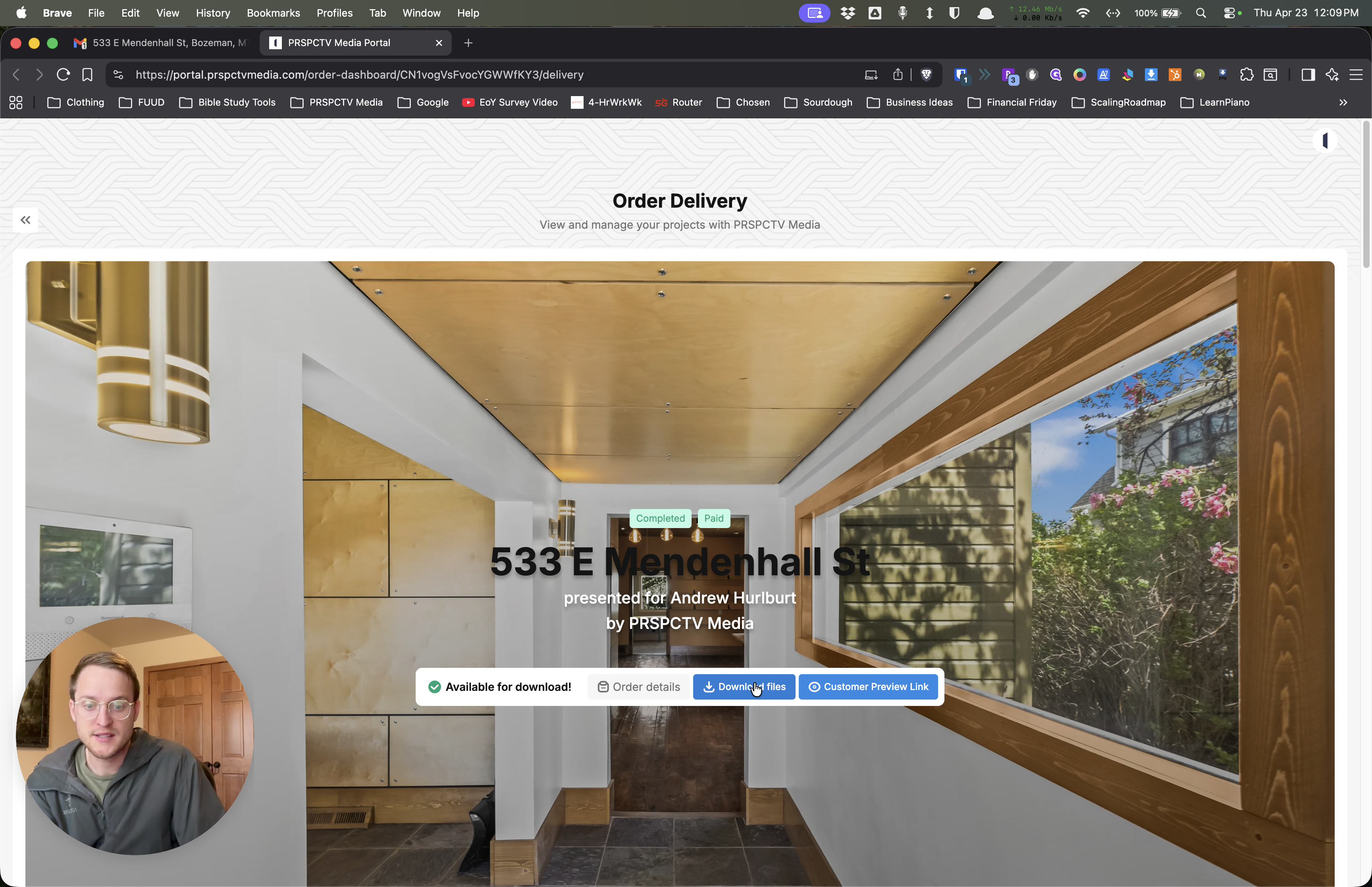
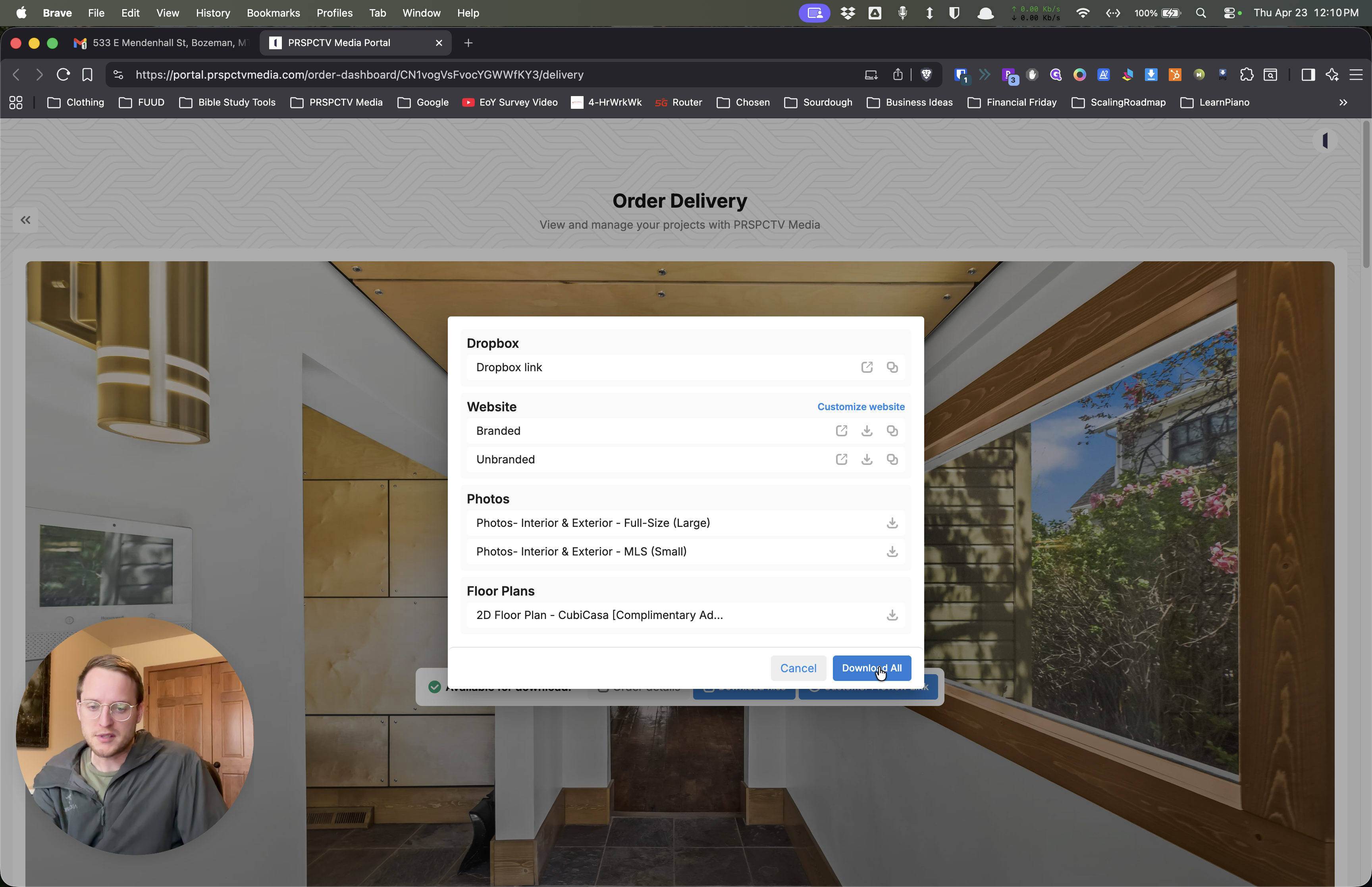
A menu will appear displaying your file delivery options. If you only need a specific file type, you can select it here (such as just the MLS photos). However, to get everything at once:
3
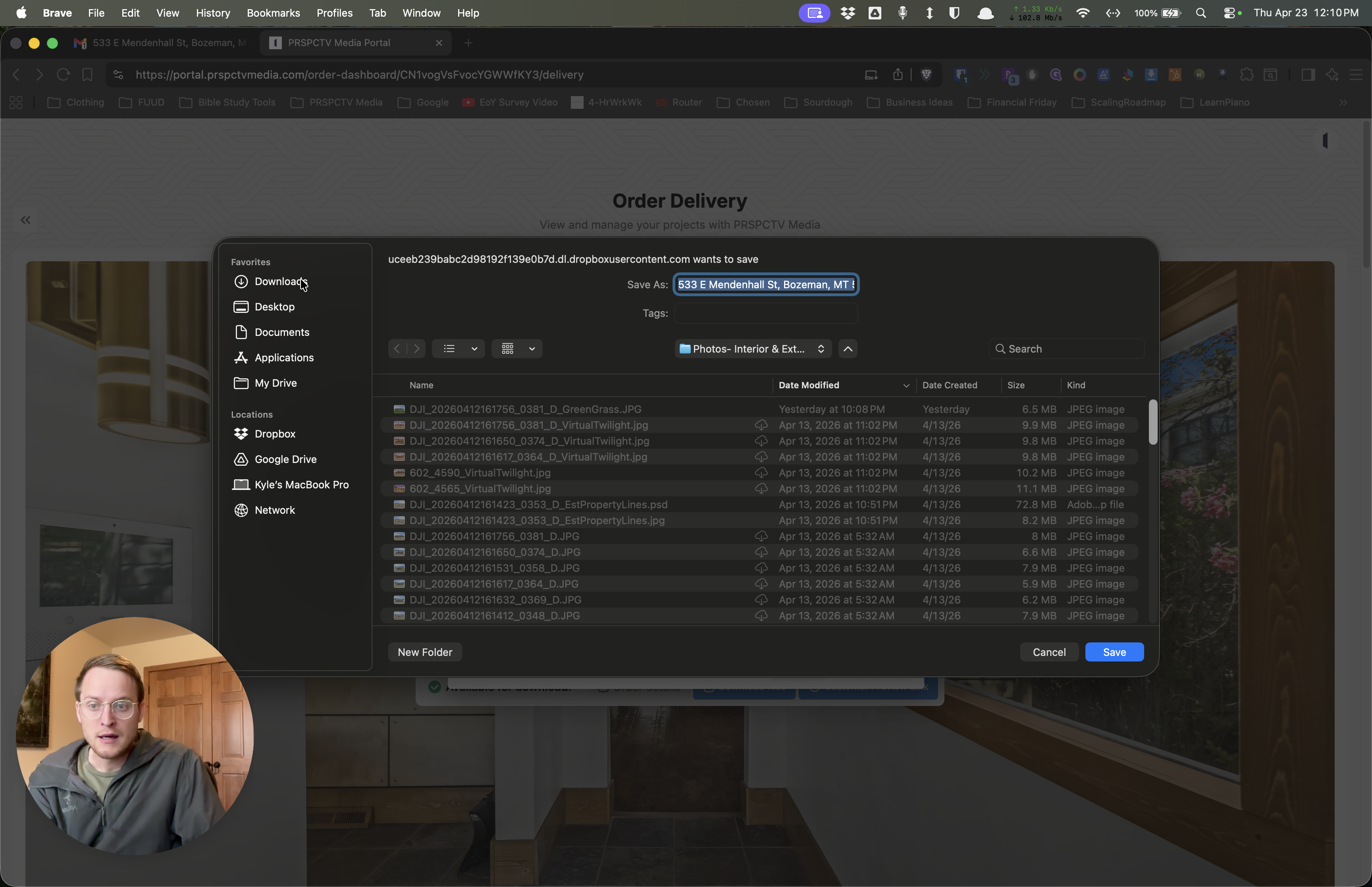
Click Download All.
4
Choose a location on your computer, such as your Downloads folder, and save the file.