
How to Exclude a Transactions: Step-by-Step Guide
Learn how to easily exclude transactions from your transaction table.
By Aasma Technology Solutions
This guide explains how to exclude transactions within the transaction table. It covers how to select the transactions you want to remove from the main view and how to access the Excluded tab to review them.
Let's get started
1
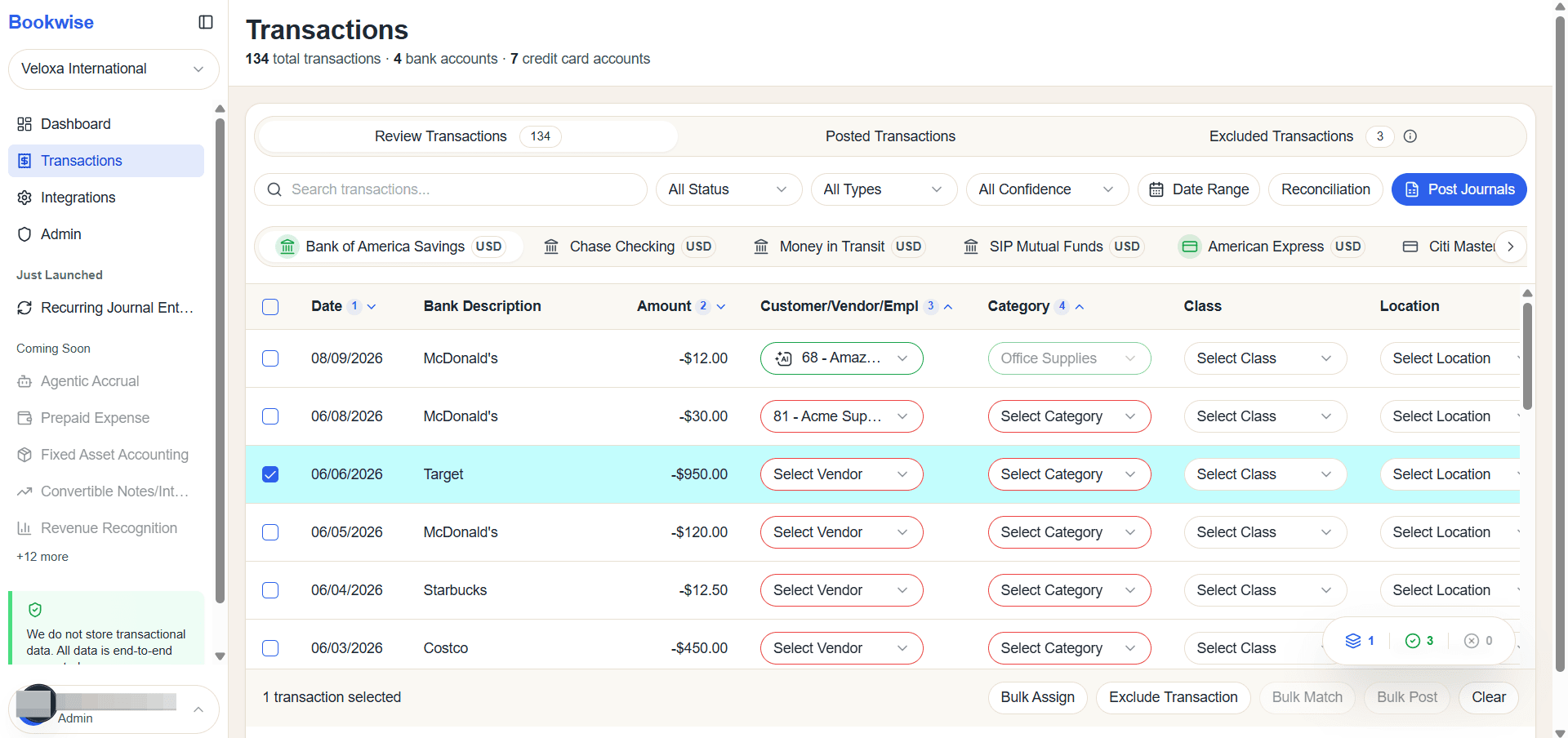
Go to Review transactions tab and Select Transactions which you want to Exclude
2
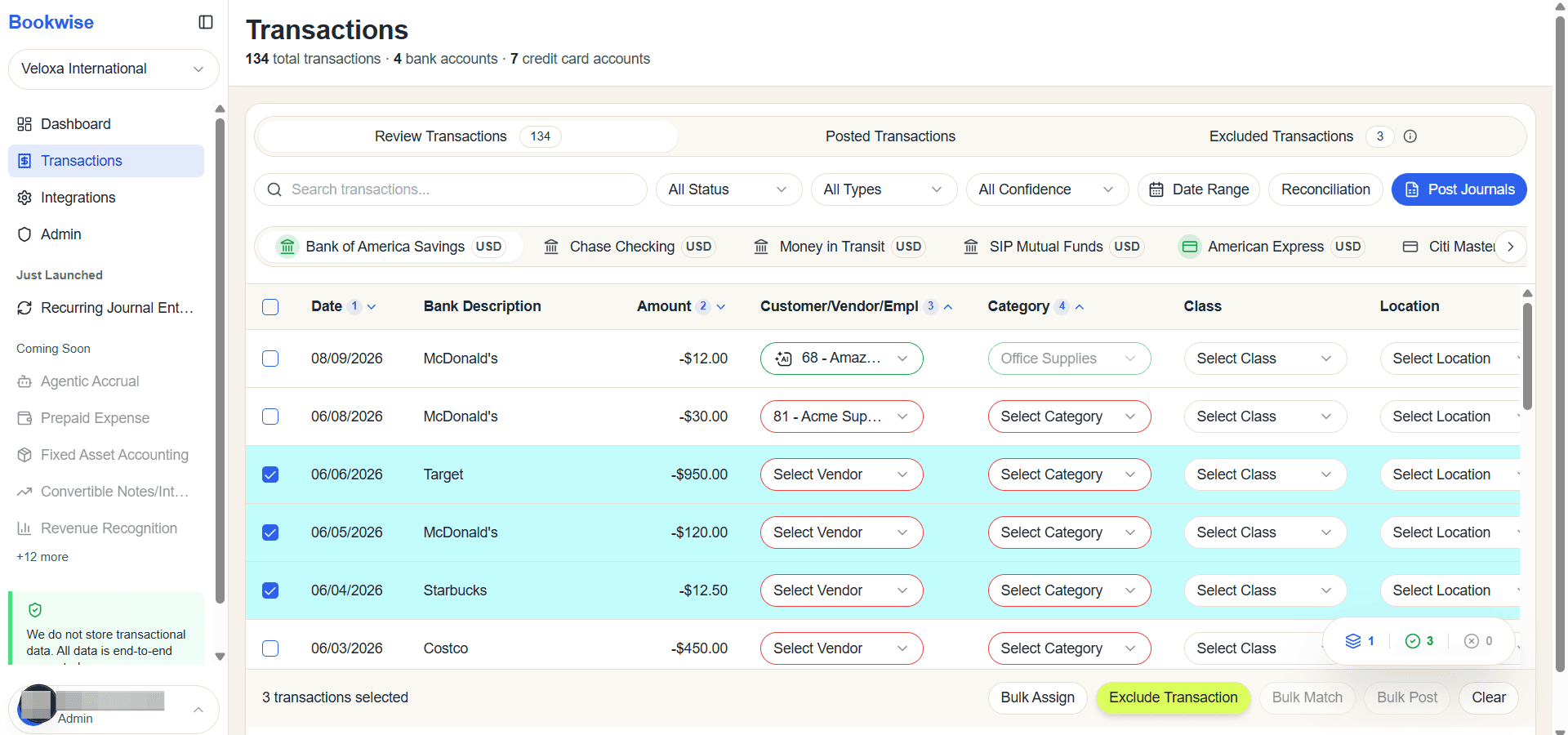
Click Exclude Transactions button
3
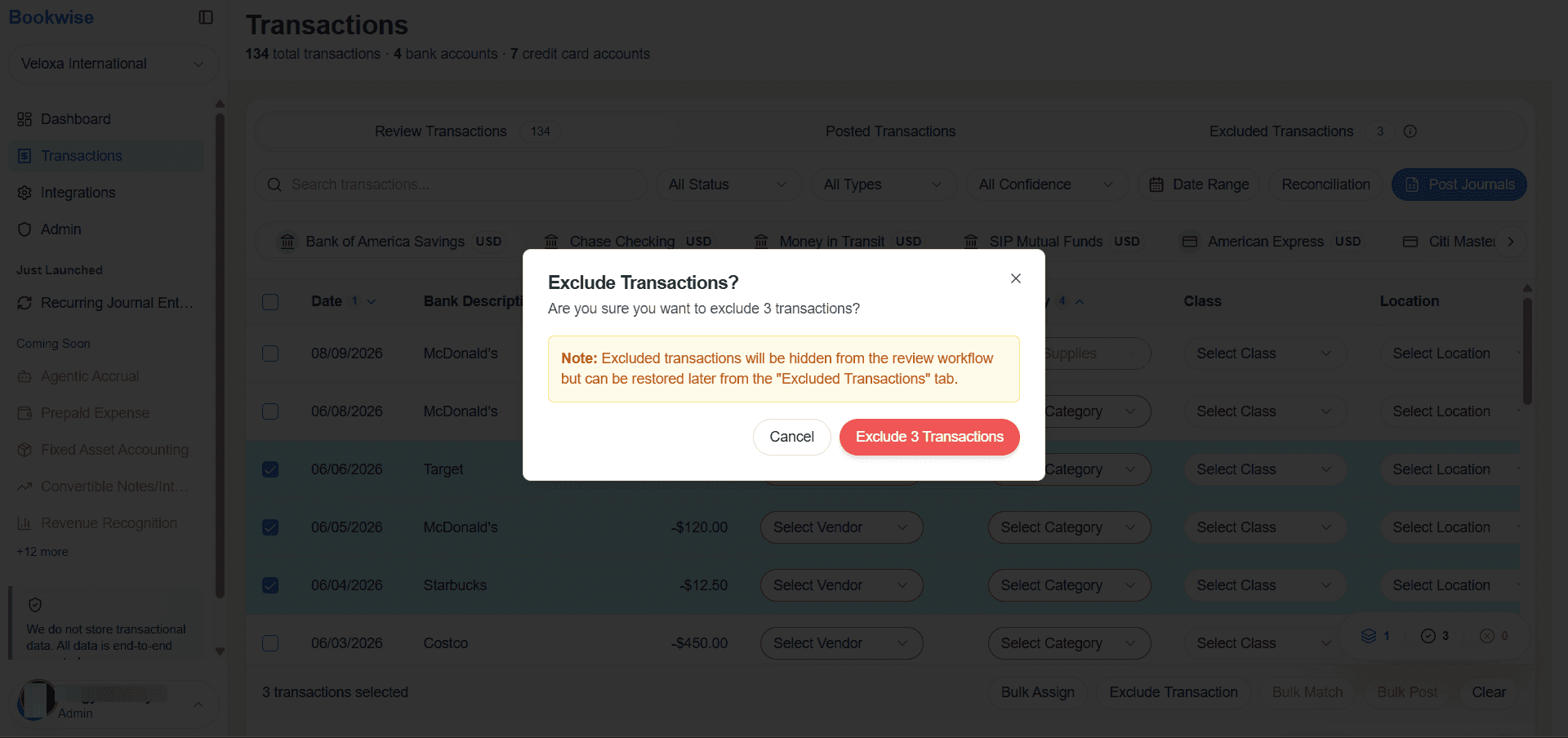
Click on Exclude Transactions button for exclude the selected transactions.
4
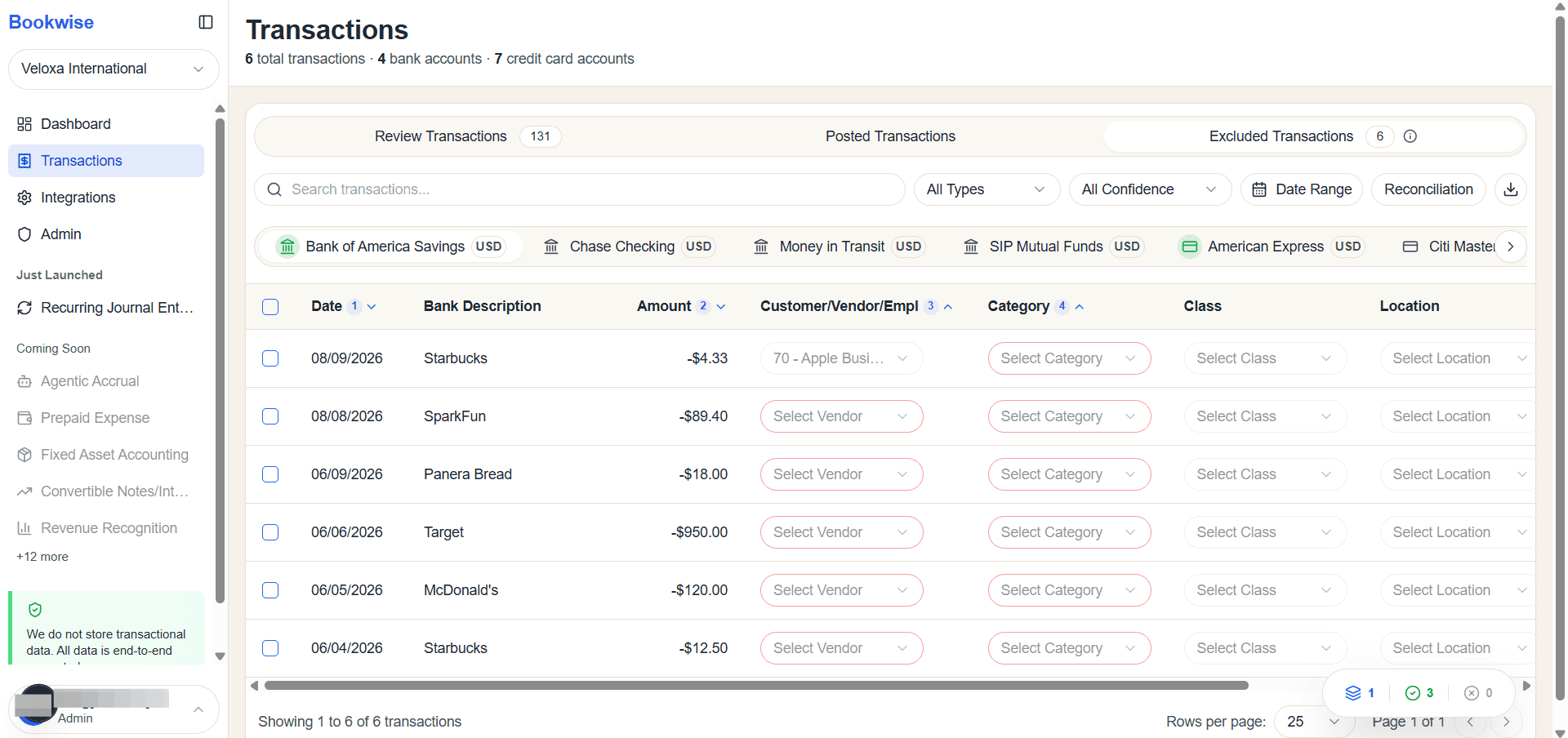
Click Excluded Transactions Tab the excluded transactions will be display here.
This guide showed how to easily exclude unwanted transactions from the table. You learned how to select the transactions, exclude them, and review all removed items in the Excluded tab. This helps keep your transaction list organized while still maintaining a clear audit trail for future reference